Chromebook Vs Tablet: An Informative Guide

Chromebook Vs Tablet

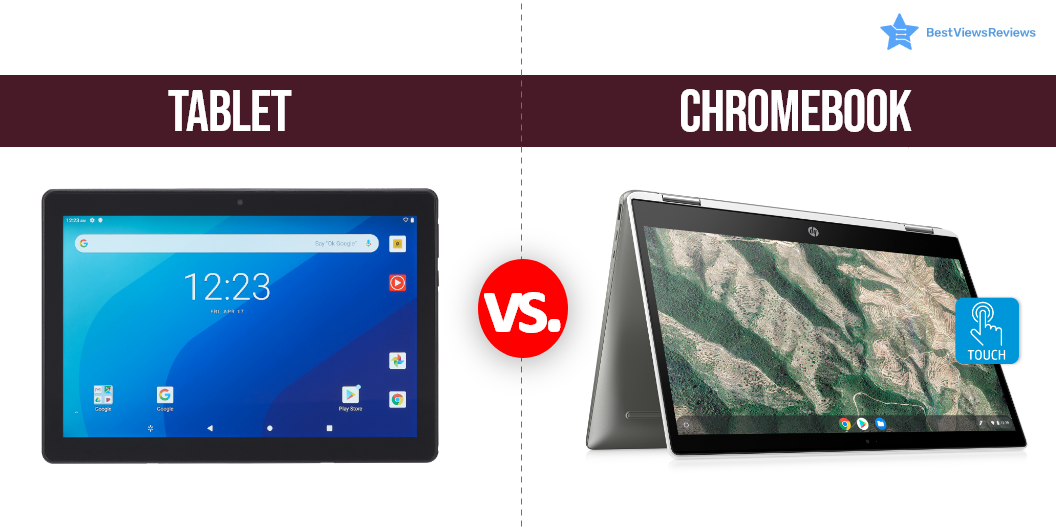
Chromebook and tablets both are great alternatives to a laptop. The comparison between Chromebook Vs Tablet has always been in question to know which one is better? A Chromebook is a laptop that runs on a Linux-based chrome operating system and supports google applications. It can be a 2-in-1 device that works as a tablet as well as a laptop. The Chromebook device has a google chrome browser and most of the user’s applications and personal data are stored in cloud storage. Some Chromebook models feature a detachable keyboard and a 360-degree hinge for complete screen rotation.

Tablets however differ from Chromebooks. A Tablet is a portable handheld device that runs on specific operating systems like android, Apple IOS, and others. It has fixed internal storage that is expandable through external SD cards. A high-end tablet can do a lot of computer tasks but often lags in processing capabilities.

You can also check our other blog to learn about a detailed comparison between touch screen laptops vs non-touch laptops.

Chromebook Vs Tablet- A Comparison

Display

Chromebooks have a wide display of 11 inches or more, but not all Chromebook models include a touch display feature. Most Chromebooks like the top-ranking Acer C720P-2666 offer a resolution of 366×768 pixels. The reviews of the HP Chromebook also suggest that it is a best-seller for its 14-inch HD touch display. However tablets have better display resolution than Chromebook models, but it also depends on brand and model.

Portability

Tablets like android tablets or drawing tablets both are portable devices and usually have a lightweight design. The tablet, even with a widescreen display, doesn’t weigh more than 2 pounds. The top-quality Apple 2021 Ipad with a 10.2-inch retina display weighs approximately 1.07 pounds and is a good option when looking for a lightweight and portable device.

Chromebook devices weigh more in comparison to tablets. A standard Chromebook model can weigh anywhere between 2 to 4 pounds.

Battery Life

Tablets and Chromebooks both have good battery life and backup. Chromebook laptops offer batteries that last up to 12 hours when used regularly. You can easily get 12 to 15 hours of battery life from tablets.

The battery consumption is fast in tablets during gaming, but quality models can still easily last more than a Chromebook model. The New Microsoft Surface Go 2 has got excellent reviews for its long-lasting battery. You can easily use this device for up to 10 hours.

Peripherals

Chromebook laptops come with built-in keyboards and touch keypads as a convenient input method. Many Chromebook models also have a touchscreen display. Chromebooks are popular because they can be used as big-screen tablets anytime, but not all Chromebook models are 2-in-1 devices.

Tablets do not have built-in keyboards as a primary input method. They have touchscreen displays and using a keyboard on a virtual display can be tedious. You have the option to buy a portable keyboard, but that too, won’t improve your overall productivity. You can check the best Apple 10.2-inch iPad that comes with a touch ID sensor that offers secure authentication.

Applications

Chromebooks only support applications that are available on the google chrome store. The newer updates by google for Chromebook can support android apps from Playstore too. The range of applications you can download on tablets is still more than on Chromebook devices. It is easy to access Playstore apps on Android tablets without the need for updates.

The Chromebooks released after 2017 have pre-installed updates and are mostly compatible with Playstore apps. Tablets that run on Apple IOS also have access to millions of applications and games available on the IOS App store.

Performance

Chromebook laptops have better performance with higher-end processors. Some Chromebook models even feature i5 and i7 processors that make the machine powerful enough to support heavy-intensive gaming. The tablets, on the other hand, are not ideal for heavy multitasking and gaming, but some tablets can easily run ram-consuming software.

Chromebooks have an edge over tablets in terms of performance. This is because they can include advanced processors and hardware. Remember, not all Chromebooks have good performance, it depends on the model and specifications.

Value

Chromebooks and tablets, both come with great value and benefits. The low Chromebook models can be availed for just $160, while the high-end models with powerful processors can cost around $1,000. The tablets have different price segments ranging from as low as $50 to a huge amount of $800 for a model like the Apple iPad Pro.

Reviews of the Fire HD 8 Plus tablet mark this model as one of the best 8″ tablets for portable entertainment. It has a high-definition display and is 30% faster because of its 2.0 GHz quad-core processor. With 12 hours of battery life, it’s perfect for reading, watching movies, or playing games on the go. It also comes with hands-free Alexa support that allows you to access your favorite apps and games.

The Lenovo Chromebook S330 Laptop is labeled as one of the best-rated models based on its genuine reviews and ratings. It is a touch-screen Chromebook that offers up to 12 hours of battery life. Read our blog to know which tablet models are good for reading.

What is the best Chromebook to buy in 2022?

The HP Laptop X360 14a Chromebook is one of the best models that you can consider buying in 2022. This Chromebook model has a 14″ screen that you can tilt at any angle and get unlimited entertainment with ease and convenience. It also has 4GB LPDDR4 Ram and 64GB memory. This laptop is a perfect way to get an all-around performance. You can also consider buying the other top-rated Chromebook models like Acer – Chromebook Spin 713.

Which tab should I buy in 2022?

The SAMSUNG Galaxy Tab S8 is one model that is surely worth buying in 2022. This tab has an 11” screen and 128GB storage to let you store all your favorite movies, shows, and other important files. It also has a display resolution of 2560 x 1600 Pixels that help you enjoy high-quality videos. The other branded tablets that you can consider buying are the Apple iPad Air and the Apple 11-inch iPad Pro.

Chromebook vs Tablet: Which Is the Winner?

Deciding between Chromebook Vs Tablet can be a tough choice. Tablets are portable, and easy to handle and rule out all other options when ease of use and convenience is considered. Chromebook laptops are excellent for home and college use where you require a keyboard and touchpad for maintaining high productivity.

The performance is good with Chromebook models, but you can also get a good tablet with an advanced-level chip. The tablets can be bought with additional peripherals like Bluetooth-compatible keyboards and mice.

Choose Chromebooks if you’re looking for a powerful gadget that you can install anywhere and use. The tablets are your best go-to choice if you are a travel person or want some gadget that you can easily carry around. Make sure you read some customer reviews and go through the important tips before buying a tablet.

BestViewsReviews helps you find the top-rated touch laptops and best laptops on the market by rating and reviewing them on the basis of quality, convenience, and durability. Get unbiased, honest reviews of products before you buy.
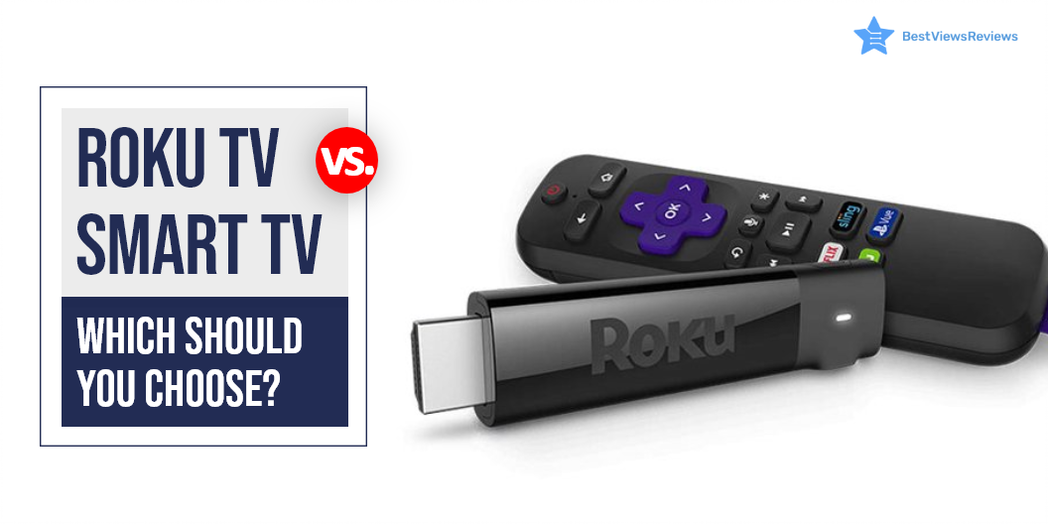
Roku Vs Smart TV: Which Should You Choose?

roku vs smart tv

It can be confusing to choose between Roku vs smart tv. A smart TV is a device that connects to the internet and uses operating software to provide access to OTT content like amazon prime and Netflix. These TVs use Ultra HD smart LEDs that offer high-definition quality, making them ideal for video streaming and gaming. Roku TV is also a form of Smart TV but differs in terms of providing a better user experience and customizable features. Roku TV uses Roku software that allows the user to get access to paid and free content available on the internet right on your TV screens.

Samsung and LG both brands have a lot to offer but it’s tough to choose between Samsung Vs LG TV.

What Is The Difference Between A Smart TV And A TV?

A smart TV is a television that can connect to the internet and offer a range of online features. This might include things like catch-up TV, on-demand content, social media apps, and more. A regular TV, on the other hand, is not connected to the internet and doesn’t offer any online features.

What Is The Difference Between A Roku TV And A Regular TV?

Roku TVs are a type of smart TV that allows users to access and stream a wide variety of content using the Roku platform. Regular TVs, on the other hand, do not have this capability and only provide traditional linear television. Roku TVs also come with a remote control that has easy-to-use buttons for streaming content. The regular TVs typically only have a few buttons for basic functions.

Roku Vs Smart TV: Which is Better?

Operating System

Roku TV uses Roku operating system while other smart TVs use different operating systems. Android TVs are popular smart TVs that run on Android OS. LG uses WebOS in its smart TV segment while Samsung smart TVs come with Tizen OS. Roku OS has an edge over all other OS because of its user-friendly interface but Android TVs are among the best affordable variants.

OS Updates

OS updates are crucial in any smart TV device. It ensures proper functioning and delivers a lag-free experience. Roku has a good reputation for releasing timely updates that improve the device’s performance. Other small brands do not provide regular OS updates and their TVs tend to malfunction but this is not the case with reputed brands like Samsung and LG.

Screen Mirroring and Casting

Screen mirroring is an excellent feature that you will find in android TVs and other smart TVs. Android TVs use Chromecast for mirror screening and casting. The Roku TV also supports such features.

Price Comparison

There are different price segments for Roku TVs vs smart TV depending on their features and size. A Roku TV can cost as low as $118, while a high-end Roku TV can cost as much as $2000. Compared to other smart TVs, the most affordable models cost around $200, while the midrange models range from  $399 to $600.

Roku TV can replace the passive viewing experience that cable TV offers. It provides personalized active viewing at half the price of your cable bills. You can have a look at some of the best Roku TVs that we have reviewed on the basis of their display and performance.

Best Smart TV and Roku TV to Buy

TCL QLED Roku Smart TV – 55R635

The best TCL QLED Roku Smart TV – 55R635 offers Quantum dot technology that delivers better brightness and wider color volume. It has all of the latest features including 4K resolution, HDR compatibility, and a 120 Hz refresh rate. The Roku platform provides access to all of your favorite streaming content. This TV is compatible with Amazon Alexa or Google Assistant.

Hisense ULED Roku Smart TV

It is good to go with top-quality Hisense ULED Roku Smart TV if you are looking for a stunning new TV that offers the latest in picture quality and smart technology. This top-of-the-line TV offers a superior 4K HDR picture quality because of its wide color powered by QLED technology and contrast control zone technology. It has a Roku platform that gives you access to all your favorite streaming content, including Netflix, Hulu, Amazon Instant Video, and more.

Sony A8H 55-inch TV

The top-quality Sony A8H 55-inch TV delivers excellent picture quality because of its TRILUMINOS display technology and X-Motion Clarity technology. It also has great audio quality with its Dolby Atmos support. The A8H is a great choice for those looking for a top-notch 4K TV. This model is compatible with Alexa and Google Assistant.

SAMSUNG TU-8300 Series

The SAMSUNG Curved UHD TU-8300 Series has a screen size of 55 inches and is curved. It has a resolution of 4K and a refresh rate of 60 Hz. The TV is also smart and has Wi-Fi connectivity. It has multiple voice assistants and is powered by TIZEN. The TV also has HDR and is curved. It is also 31.5 inches and has a resolution of 720p.

Hisense 43R7E Roku Smart LED TV

Hisense 43R7E Roku Smart LED TV’s reviews claim that it comes with a built-in dual-band wireless connection for blazing-fast connection speeds. It offers easy-to-use remote and automatic software updates. The screen size of this model is 43 inches and offers a refresh rate of 60 Hz.

Sony XBR-48A9S MASTER Series BRAVIA OLED 4K Smart HDR TV

Sony XBR-48A9S MASTER Series BRAVIA OLED 4K Smart HDR TV comes with built-in Google Assistant which makes it easy to control the TV hands-free. This model perfectly conveys the creator’s intent on the screen to deliver the best picture quality. It has a screen size of 48 inches and offers a refresh rate of 120 Hz. It also offers a game mode for a smoother, more responsive gaming experience.

TCL 43S425 Smart Roku LED TV

The customer reviews of TCL 43S425 Smart Roku LED TV show that it offers striking 4K UHD picture performance with HDR technology. It offers easy voice controls with Amazon Alexa and Google Assistant. The simple, intuitive Roku interface of this model allows seamless streaming.

Samsung and Sony manufacture TVs that come with many exciting features. Read our blog to know about Samsung and Sony TV.

What screen resolution do Smart TVs provide?

Smart TVs offer a resolution of up to 4K Ultra HD. You can also get smart TV models with a display resolution of 1080P Full HD, and 720P. A higher resolution display offers a clear, detailed, and high picture quality. The picture quality of a smart TV also depends on factors like aspect ratio, overall size, and brightness.

Do You Need Internet For A Smart TV?

Yes, smart TVs need a stable internet connection to download apps and stream media. You don’t need an internet connection if you do not use any media streaming apps. Some models also may have built-in apps and services that do not require an internet connection.

It can be tough to decide between LCD LED Vs OLED TV. Read our blog to know which TV display is better.

Can I Use Roku TV Without Internet?

The answer is yes, but using it without the internet will not let you access some premium features of Roku TV. This TV gives the best user experience when you use it with an active internet connection. You can always opt for internet-only plans that come at affordable prices.

You can connect digital media to Roku TV via USB or other external ports if you don’t have internet access. An SD card can store offline content and connect later to view it offline. Mirroring your screen is another way to access your favorite content without the internet.

Conclusion

The best Roku TV allows the user to get access to paid and free content available on the internet right on their TV screens. It comes comparatively cheaper than a Smart TV and offers many extras. It also allows you access to thousands of apps and channels, from daily essentials like Spotify to the undiscovered Light Saber network.

Get the best reviews and ratings on the products you’re interested in. BestViewsReviews helps you make the right purchasing decision. Whether you’re looking for the top-rated smart TVs or the best TVs, we’ve got you covered.

Is A Photostick Worth Buying?

The Photostick

The Photostick is a USB flash drive with a built-in photo and video backup system. It has software that thoroughly searches all folders and files to create backup and retrieve lost data. It is designed to work with both Windows and Mac computers. You can use Photostick to backup photos and videos from your computer, camera, or SD card. It is also possible to use Photostick to transfer photos and videos between computers.

Buying a Photostick device can benefit you in several ways. Read this blog to know more about photosticks and their worthy benefits.

Why is a Photostick Worth Buying?

Easy To Use

A photo stick is an easy-to-use device. You have to simply place it in the slot and click ‘Go’ to begin backing up your important folders.

A Great Back-Up

A photo stick is a great solution to back up your data. It allows you to save photos instantly. The ability to sort out photos automatically makes it the best backup device.

Capacity of Photostick

The photo stick comes with a massive memory of up to 256GB. It is capable of storing large files, videos, and thousands of photos. Its minimum capacity of 8GB can store up to 3,500 photos, which is still an impressive number.

Ergonomic

The size of the photostick enables you to carry it around anywhere. It gives you the freedom to back up photos instantly and efficiently.

Photostick Software

The photostick software provides an improved user experience. It scans the entire system for photos and organizes them alphabetically. The software also removes duplicate photos and keeps the original ones in the backup.

Secure

A photostick is an external hard drive and is free from the risk of hacking or snooping. It keeps your data, privacy, and images secure.

Functionality

Photostick devices do not require an internet connection for smooth functioning. You can use them in offline mode to back up your videos and photos.

Photostick Compatibility

A photostick syncs with all formats and devices conveniently. The photostick can pair instantly with the picture formats like – jpg, PS images, tif, or png. The best-selling photosticks like JSL JDTDC Memory Drive mainly work with the iPhone. It supports Mac and operating systems. You can also refer to customer reviews to get genuine feedback on the compatibility of the device.

Picture Keeper

Picture keepers are safe and have an alternate photo backup stick that works similarly to the photostick device. Its maximum capacity is 64GB and may not suffice for professional purposes.

Difference Between The Normal Version And the Photostick Mobile

The photostick is normally used on PCs and laptops, but the photostick mobile is used on mobile phones to create a backup. This hardware device is a perfect solution to keep your photos safe. Photo stick mobile also saves the phone memory that allows you to click more pictures and videos. Read through our blog for the top photosticks for mobile phones in 2022.

Buy The Best Photostick Devices

JSL JDTDC USB Flash Drive

Reviews of JSL JDTDC USB Flash Drive indicate that it works well with iPhones, iPad, and other external devices. It comes with a massive 512GB of storage to let you store heavy files, videos, and HD movies. It has a high-speed USB 3.0 USB flash drive that offers fast and stable transfer of large-size files. This drive has a one-click backup and encryption function making it easy to back up the latest photos, videos, and other files.

PL ZMPWLQ Flash Drive

The PL ZMPWLQ Flash Drive has a simple, ergonomic, and easy-to-use design. This model has a built-in automatic backup store that makes it easy to back up photos, videos, and contacts on iPhone/iPad. This portable hard drive is safe and easy to use without Wi-Fi. It uses data encryption technology to ensure privacy and offer the complete safety of your personal data.

Sttarluk Photo Stick

The Sttarluk Photo Stick has got excellent reviews for its host functionality and USB 3.0 connectivity. It is equipped with a multi-function feature that keeps the data safe on the USB flash drive. This model has a storage capacity of 1TB. It can easily store your movies, videos, and photos.

Picture Keeper Connect Photo & Video USB Flash Drive

The Picture Keeper Connect Photo & Video USB Flash Drive is a great way to store all of your precious photos and videos. This USB thumb drive has a 64GB capacity and is compatible with PCs, Apple, and Android devices. It is easy to use and comes in a sleek white color.

Picture Keeper PRO Flash Drive

The Picture Keeper PRO Flash Drive can store and backup all of your important photos, videos, music, and documents. With 64GB of storage, you’ll be able to keep everything you need in one place and have plenty of room to grow. The Picture Keeper PRO is compatible with PC, MAC, and laptops, making it the perfect solution for all of your storage needs.

Conclusion

Photostick is the ultimate solution for your photo and video backups. It satisfies around 92% of the belief in value for money, with 87% for its easy-to-use features and 85% for its reliability. The latest photo stick models also include the one-touch backup option, which makes them a convenient option. We have a separate blog on photostick where you can find all the importance of top-reviewed photostick in 2022.

BestViewsReviews rates and reviews hundreds of best photo sticks and top-rated USB flash drives based on storage capacity, build quality, and speed.

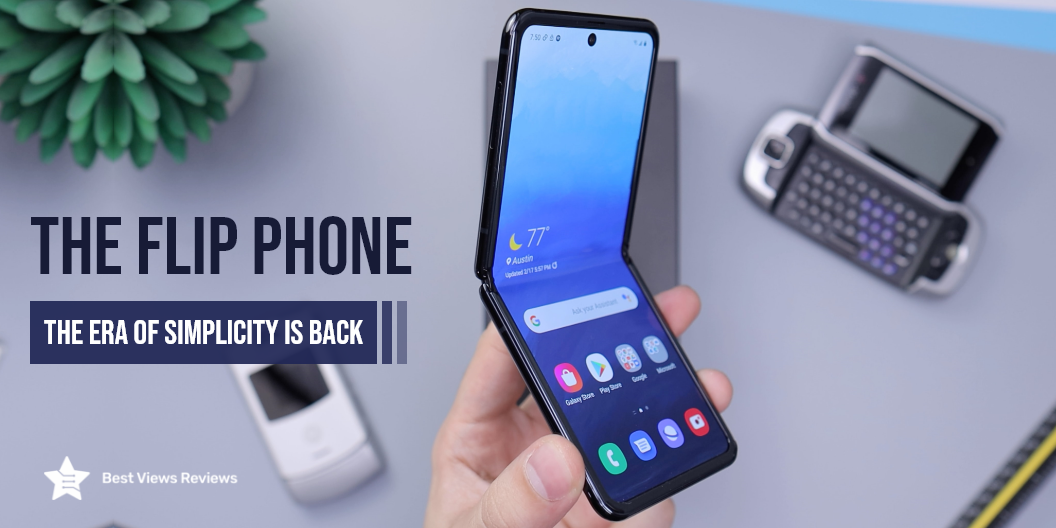
The Flip Phone: The Era of Simplicity Is Back

the flip phone

Do you remember the first time we were enthusiastic about using a flip phone? They were sleek and stylish to hold and use, but they are still in the trend with new designs getting released in the market. Flip phones are not only popular among the elderly, but also among the youth or office-going professionals. Well, all because they fit easily inside your compact purse or pockets.

A flip phone folds into two parts via a hinge, such as a flap, and a mobile body. The flap often displays text messages, missed calls, the time, etc. The new flip phone has an extended screen that folds over the display screen. It folds from the base to the hinge and acts as a flap to cover the display.

The newer models have a bigger screen, better font, and smartphone features like better cameras, and specs. A flip is a new buzz because of its features and minimal design. If you are out on the market searching for some exciting electronic deals, check out our other blog on amazon electronics deals to learn more.

The New Flip Phone 

The latest line of foldable phones has virtually nothing in common with the early 1990s and early 2000s models of the past. 

The new flip phones made by brands like Samsung and Motorola are compact and light, and they are packed with all the advanced features customers want from modern phones. They have the added benefit of a few additional tricks.

Flip phones have already made a comeback and this time they are smarter than ever before. These smart flip phones represent a leap forward in the design of smartphones and the early users are eager to experience the devices. Now, the real question is: are these new smartphone flips here to stay, or are they novelty products that are going away? 

The latest smart fold phones such as the Samsung Galaxy Fold, the Motorola Razr, and the Huawei MateX are beautiful from an engineering standpoint. Making a seamless user experience, maximizing the surface area to maximize functionality, and retaining the same retro style of flip phones, with the use of standard smartphone features isn’t a simple design process. 

Samsung Galaxy Fold

The Samsung Galaxy Fold isn’t unlike any other smartphone we’ve ever previously seen. In contrast to the Razr which folds on an axis that is horizontal. The Galaxy Fold opens along a vertical axis and instantly transforms your phone into a tablet. 

The second display of the Galaxy Flip Phone (yes the Fold indeed includes two displays) is a 7.3-inch dynamic AMOLED display. It’s not just a larger screen to watch videos on but the folding screen lets you multitask in a way other smartphones aren’t able to. With the screen open, you can open up to three applications simultaneously. The uniformity between the exterior 4.6-inch screen and the “inside” 7.3-inch screen is what Samsung has called “app continuity.” You could be surfing Instagram and TikTok with the smaller display before deciding you’d like a bit more space. Once you’ve opened the phone, the app will instantly display on the 7.3-inch screen, making the inside screen a seamless extension of the smaller screen. The Fold also has an impressive storage capacity of 512 GB. This Android flip phone is sure to be a strong contender among the best-rated smartphones.

Motorola Razr 5G

The Motorola Razr 5G allows you to enjoy the flip phone experience once more. The iconic “flip” design of the Razr is returning and that too with advanced features. The hinge design of the Motorola Flip Phone is completely new. It leaves no space between the two when folded shut. This makes the phone as small and sleek as it can be and also more secure against dust and dirt. 

With the phone folded, users are able to use the Razr 5G’s extra 2.7-inch Quick View display, which has more features than just telling the time and alerting users of any messages or calls that are coming in. From the beginning, users will be able to use eight apps that are pre-selected in the Quick View display, but Lenovo and Motorola offer the option to modify and select the app they want to open quickly, without having to open the phone. These new features assist users in making decisions more efficiently and reacting faster because they’ll be spending less time scrolling and more time working on their tasks. 

Once your Motorola flip phone is opened, users can enjoy the Razr 5G’s 6.2-inch Flex View display, which is designed to shield against splashes, spills, rain, and others. The display comes with the appearance of a chin that is tapered, as well as with a fingerprint sensor mounted on the rear, and is comprised of polished 3D glass, which gives it an attractive design. 

Why Do People Love Flip Phones? 

The Flip Action Felt Really Good

The flip was a clear and decisive indication of a call that was over.  It was also an effective stress reliever, particularly after a stressful conversation on the phone: snapping the phone off a bit more forcefully than usual seemed oddly cathartic  

The Conversation Privacy was Better

The side of the flip phone kept the microphone in close proximity to the mouth, many talked more slowly than they do today. The side of the phone shielded the conversation from the rest of the world.  

The Old Flip Phones were more Compact

The flip phones of the past were generally slim and long. There was plenty of space for a big number pad, as well as lots of additional functions keys. The same phone could be folded into a compact sizeable pocket device. 

Dual Displays

Flip phones have the advantage of dual-display: one larger one inside and a smaller less resolution display outside. The display on the outside was helpful since it could show you the number of the person calling you. In more advanced versions today, it can be used to use apps, play games as well as control/view the playback of music, or even make a call. 

No Calls by Mistake

There’s no way to accidentally dial someone else and there’s no way the keys will be activated without knowing. Many flip phones came with an electronic switch that would block the screen and keys when closed. 

Is A Flip Phone Any Good?

Yes, it is a handy gadget with all the necessary advanced features and specifications. 

Sturdy Build

A flip phone is in demand for its sturdy build. The chances of accidental breakage and scratches on the screen are less on this phone. The customer reviews indicate that the cover surface of the flip phone is strong enough to withstand falls and crashes. 

Style Statement

Picking up a call has become a trendy style with these flip phones. Every time you pick up a call or use your phone, you have to open the flap. It helps you make a unique style statement among the crowd. Today, when each of us owns a smartphone with a touchscreen, flapping our phone to receive a call will be a trendsetter. 

Fits Easily

The phone is compact and convenient to carry. Once you fold it, it slips into your pockets. It fits comfortably in the hands and offers a natural grip. You can check out a top-rated model like the Samsung Galaxy Z Flip which is compact and easily fits into a small pocket.

Consumes Less Data

This phone does not include heavy data-fetching apps. This results in less data consumption and helps you to save on your data cost and battery life. 

No Unwanted Attraction 

A flip has a simple style and doesn’t gain attention. It is the safest option among other smartphone models. 

Excellent Battery

This gadget doesn’t include heavy battery-extensive apps. It reduces the overall battery consumption of your phone. It lasts for days on a single charge. 

Dependability

You can consider an Android phone if you depend on an online presence for your work or entertainment. A flip phone is an ideal way to remove yourself from the online pressure that is so common nowadays.

Cost

A basic flip is affordable as compared to a high-end smartphone. The newer models of flip phones are expensive, but their features are worth it. An affordable Android phone can offer handy features at an affordable price. Newer models have an older style and intelligent features that make them stand out. It combines the best features of both worlds.

Are there Apps on a Flip Phone? 

Most flip phones earlier didn’t have access to the google play store or an app store. They could only access built-in apps and games. The purpose of these phones was to allow you to stay connected in a traditional way of just texts and calls.  However, modern-day flip phones provide access to google apps and much more.

Can Flip Phones be like Smartphones?

Tech giants like Samsung and Motorola offer models with the combined features of smartphones and flip phones. A flip phone is intelligent, robust, and trendy. Today’s newer models are a combination of simplicity and advanced features. The only downside is the cost factor. You can check a model Samsung – Galaxy Z Fold4 that comes with a multi-active window that allows you to navigate, drag, drop, and work across multiple apps.

Flip Phone vs. iPhone 

The iPhone is the leading smartphone from Apple. It is a favorite and a status factor because of its design, functionality, and features. The iPhone is an expensive device, but it fulfills the social and emotional quotient. A downside to the smartphone genre is the security. Apple promises the best security software for its gadgets, but hacks are always a concern. 

A traditional flip phone like the Jitterbug Flip2 Cell Phone for Seniors Red is untraceable, affordable, and simple. They offer a great battery life and are available in small-scale stores too. We, however, recommend you don’t give up on an iPhone for a Flip Phone. You can switch to a flip phone as a backup. 

It is important to consider customer reviews before finalizing any purchase. The Samsung Galaxy Z Flip based on our honest customer reviews is one of the top-selling products of the year.

Flip Phone vs. Android 

Android is usually a touch-screen device. It offers a great camera, web browsing, massive capacity, downloads, and up-to-date features. It combines efficiency and convenience. A flip phone like the Mrazr flippable phone is simple with minimal features, a stylish look, and a handy build.

This model features a dynamic AMOLED screen that offers stunning and cinematic viewing. So, considering the differences between a flip phone and a smartphone, it’s advisable to go with smartphones. We have a dedicated blog to compare the various aspects between smartphones and Android phones. Read to know more.

Buy the Best Flip Phone

SAMSUNG Galaxy Z Flip 4 Cell Phone

Before getting a flip phone, check the ultimate features of each model. SAMSUNG Galaxy Z Flip 4 Cell Phone has 8 GB of RAM with 5G cellular technology and a memory storage capacity of 256 GB. You can simultaneously use the screen as a split-screen to access two different applications. The customizable cover screen will let you flash your important notifications without flipping open your mobile phone.

ZTE Cymbal U 2020

ZTE Cymbal U 2020 will be the best option for people who would like to have the features of a modern smartphone in a regular cellphone with a minimal look. This model will offer you the benefit of a 1600-milliamp-hour removable lithium-ion battery with LCD display technology. It has 1 GB of RAM and only one SIM card slot.

Kyocera DuraXV Extreme E4810

Kyocera DuraXV Extreme E4810 offers you the luxury of a large removable battery with a 1770 mAh capacity. Its 5mp camera has the feature of auto-focus for capturing pictures and video recordings. They can function easily in extremely challenging conditions without any struggle.

Plum RAM PLUS

Another sleek and compact flip mobile is Plum RAM PLUS. It is highly preferable for its factory-unlocked flip, which can easily support your nano 4G VoLTE sim card. It comes with 2.4 inches screen and 4GB RAM capacity for highly compatible functioning of 9th generation features.

With the immersive buying options, get your flip phone with more compatible and advanced technology.

Conclusion 

The best quality flip phones are back, and there are many expectations. Newer models deliver advanced features with originality and simplicity. It is an excellent option for seniors and minimalists. Flip phones may not function as mainstream phones if our focus is mainly on social media, the web, or entertainment. Although, they can serve as ideal backup phones. 

BestViewsReviews is your one-stop shop for all the information you need to make an informed decision. Get the best reviews and ratings on the best flip phones you’re interested in before you buy!

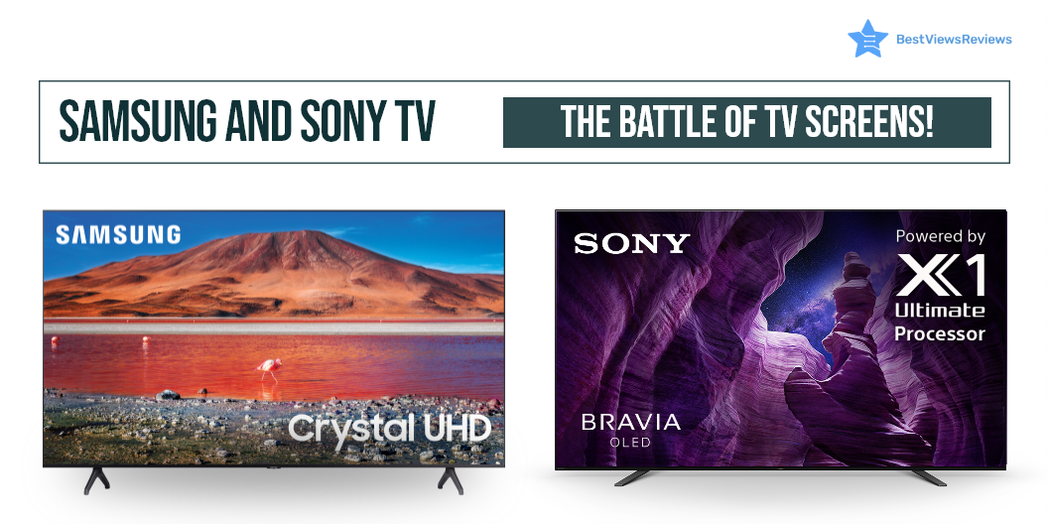
Samsung and Sony TV: The Battle of TV Screens

samsung and sony tv

Samsung and Sony are two brands that people have always loved, with a large consumer market to vouch for them. These two top-selling brands manufacture TVs that come with many exciting features like Triluminos display, a 4K resolution for a clear and detailed picture, Motionflow XR for smooth and clear motion, and Android TV for access to a wide range of apps and content.

The essential format support, processors, and parts of the two brands differ from each other. Such differences may not be noticeable while skimming through the catalogs, but it is what makes them different.

BestViewsReviews rates and recommends a list of some quality smart TV sets from both brands to make your choice easy. The reviews are based on audio and picture quality, performance, and user satisfaction. You can browse through our featured section to know the current trend. If looking for more information on the differences between Samsung and LG TVs our other blog will guide you through.

What is the difference between Samsung and Sony TV?

TV Picture Quality

The display quality of both Samsung TV and Sony TV is the best. They feature ultra-high-definition performance, excellent brightness, and contrast, with unique dimming features to modulate the black levels. Sony’s local dimming is more impressive than Samsung, which shows unwanted illumination in the display when viewed from different angles. Sony comes with Dolby Vision which makes them a better choice.

The Samsung TVs also have QLEDs arranged throughout the back panel. The Sony TV displays compelling viewing from all angles. It exhibits a broad spectrum of colors and maintains overall picture clarity irrespective of the brightness levels. Samsung QLEDs have better picture quality, producing deeply saturated color in all the newer models. You can read our other blog to know the differences between LCD, OLED, and LED displays for a better purchase decision.

HDR Performance of Both Brand’s TV Screens

HDR performance refers to dynamic and realistic images a TV set can create by playing with overall contrast and brightness. It helps you to see the details in bright or dark areas. For example, in the texture of clouds in the clear sky or the dark colors in a haunted room, the illumination adds that extra touch.

A Sony TV offers better brightness and contrast levels, making its display visually striking compared to Samsung TVs. Both Sony and Samsung don’t recognize HDR content on their own. You will need to change their settings manually.

Sound Quality: Samsung vs Sony

The frequency response of the system makes the sound quality better. The average frequency of a TV mainly ranges from 20Hz to 20KHz. A wider frequency response means that the system can reproduce a wider range of frequencies which results in better sound quality.

Samsung TVs take focus on their excellent sound quality. It separates the background music and voices to provide a better sound experience with moderate bass levels. The sound quality of the Sony TV is great too, but it fails to offer what Samsung can, even with a super slim profile. Samsung TVs provide better sound quality in comparison to Sony.

Look and Design

Sony offers a sleek and modern screen with a stylish stand. Samsung looks nothing special and gives an average performance in the ‘looks’ department. Both sets provide features and functionality for a smart TV, but Sony wins the round for its contemporary looks and sleek design. You can check reviews of the Sony X900H that mark this model as one of the best-selling TVs in the market. It comes in a slim look as well as has a built-in peak brightness and natural colors that make it look real.

Smart Features

Samsung offers a platform called SmartHub that gives users access to different apps and services. Sony, on the other hand, has its smart TV platform, called Android TV, with the Google Play Store. This gives Sony users access to a wider range of apps and games.

Both Sony and Samsung offer popular streaming apps like Netflix, Hulu, and Amazon Prime Video. Whereas, some Samsung models also offer HBO Max streaming services. When it comes to voice control, both brands support Amazon Alexa and Google Assistant. However, Samsung TVs also offers its own voice assistant known as Bixby.

User Interface

The user interface for both TVs is easy to understand. To change the settings on a TV, the user interface navigates through the various menus. Both companies offer a menu of navigation experiences that is easy to navigate. The Sony TV interface is fast, fluid, and easy to use. The Samsung TV’s interface is also good, but it can be a bit confusing and sluggish at times.

Price

Samsung TVs are made in Korea, while Sony TVs are made in Japan. Products from Japan are of high quality and affordable. Korean products are also of high quality but can be overpriced. The price difference is a significant deciding factor with these high-end models.

Gaming Experience

For a good gaming experience, you want some specifications like resolution, size, refresh rate, and input lag. However, the two most important factors for gamers are image quality and input lag.

Samsung and Sony are both great options. Sony TVs have slightly better picture quality whereas Samsung TVs have better contrast ratios and black levels. Both brands provide excellent image quality for gaming. Sony Tv is the better option if your preference is image quality.

Samsung TVs have lower input lag than Sony TVs which is important for gamers. The lower input lag means that your actions will be displayed on the screen faster which gives you a competitive advantage. Some Samsung models also offer a game mode that reduces input lag. Samsung is the better option if your priority is input lag.

Motion Handling

Most of the top-rated Sony TVs have refresh rates of 120Hz and 4K resolution which means they can handle motion smoothly without blurring. Whereas most Samsung TVs have an excellent contrast ratio i.e 10500:1, which means they can produce detailed images.

Operating System

Samsung uses its own operating system Tizen. It is easy to use and generally clutter-free. You can easily keep track of your most frequently used apps by using the recent box. Whereas, Sony uses Android TV which provides you more menu options and entertainment than other brands.

Sony Vs Samsung TV Which One to Choose?

The best Samsung TVs offer deeply saturated colors, reduced motion blur, and superior sound quality. Sony TVs offer compatibility with HDR10 and Dolby versions for quality HDR viewing. Some of the top-rated Sony TVs are available at a few hundred dollars less when compared to the costs of Samsung TVs.

Both brands provide compatibility with soundbars for a better viewing experience. Sony and Samsung are both reputable brands that offer quality products, so both brands will last for many years with proper maintenance.

Which TV brand service is best between Sony Vs Samsung?

Sony is mainly better than Samsung. This is because Sony offers great personalized service and quick responses to customer inquiries. Sony has a better reputation for repairing and replacing faulty products.

Samsung has improved its service in recent years. The brand now also offers a great support system which includes live chat and phone support. Samsung has a wider service network, which means that it may be easier to find a service center in your area.

Some of the Best-Selling Samsung TVs and Sony TVs

SAMSUNG 65-Inch Class OLED TV

The SAMSUNG 65-Inch Class OLED TV is a 65-inch smart TV that is compatible with Alexa and Google TV. Its trillions of displays offer advanced color and gradation. This model comes with a full array of LEDs with local dimming for brighter highlights and detailed dark scenes. It also has an XR picture processor that analyzes content to boost color, contrast, and clarity.

Sony X85J 75 Inch TV

The best-rated Sony X85J 75 Inch TV is a smart TV with an Alexa voice assistant feature for your convenience. The XR Contrast Booster 5 boosts each pixel to deliver incredible picture quality. You can enjoy a 4K viewing experience with this smart TV. The most impressive feature of this model as per our customer reviews is its high peak brightness and natural colors.

SAMSUNG 85-Inch Q60B Series

The SAMSUNG 85-Inch Q60B Series is a great choice for anyone looking for a high-quality, large-screen TV. This model features 4K UHD resolution for stunning picture quality, HDR compatibility for even more vibrant colors and contrast, and a sleek, slim design that looks great in any home. The built-in Smart TV platform gives you access to all your favorite streaming content, and the included Universal Guide makes it easy to find something new to watch.

SAMSUNG Class Neo QLED TV

The SAMSUNG 75-Inch Class Neo QLED TV is a top-of-the-line television that offers a stunning 4K resolution. The build quality is excellent, with a sleek and modern design. The QLED display is incredibly clear and vibrant, and the refresh rate is an impressive 120 Hz. The TV also has excellent connectivity options, with Wi-Fi and HDMI support. If your living room has a standard size, you can also opt for 65-Inch Class Neo QLED.

TU7000 Crystal UHD 4K Smart TV

The 75″ Class TU7000 Crystal UHD 4K Smart TV offers a stunning 4K resolution, HDR support, and a sleek design. This television also features Samsung’s Ambient Mode, which allows the television to blend into your home décor when not in use. You can also check the 65″ inch model if you have a standard-size room.

Headphones are a great way to enjoy the sound of your smart TV without disturbing others. They also allow you to hear the dialog more clearly if the TV is playing in a noisy environment. Read on for the best headphones for big heads in 2022.

Conclusion: Samsung and Sony TV

Both TV brands are excellent in their value. They have additional features with every newly manufactured model. Both brands have their advantages and disadvantages. You can read our TV buying guide 2022 if you are unsure which one to go for. Our honest customer reviews will help you in making the proper selection.

You can also easily fix the not working issue in Samsung TVs by following a few simple steps. Read this blog to know some of the best ways to fix Samsung TV plus not working issues.

BestViewsReviews helps you find the best products on the market by rating and reviewing them based on quality, convenience, and durability. Get unbiased, honest reviews of products before you buy.