Best Ice Cream Freezer In 2022

ice cream freezer

An ice cream freezer is a horizontal closed cabinet, used to store, display, and sell pre-packaged ice cream. The consumer or seller accesses the ice cream by lifting a solid or translucent lid off the top of the cabinet. Some ice cream freezers come with different compartments to store different flavors of ice creams. The average operating temperature of most ice cream freezers is -5°F (-21°C) or lower. You can store freezer-friendly foods in the freezer or refrigerator. Read our blog and know about freezer food you can stock up.

Factors To Consider Before Purchasing An Ice Cream Machine

Size

The ideal commercial ice cream machine should have the ideal production capacity and the ideal size for the footprint of your kitchen or floor. Every machine also functions differently and could have extra components that also take up space. Some ice cream vending machines require more space than others. ‌

Capacity

Ice cream makers may have a single hopper or several, and their production and capacities may vary. The ideal ice cream machine should be able to recover rapidly and turn around operations swiftly during periods of high volume. You should take your business’s ice cream demand into account while selecting the capacity. ‌It is recommended to check the top-rated KoolMore Chest Freezer which has a large refrigerator space of 12 cu. ft.

Ease of Use

The ideal commercial ice cream machine comes with simple controls to operate it efficiently during peak hours. The best commercial machines should have warning lights that flash when the mix is running low or out. ‌

Noise

Some ice cream machines make a loud noise at the time of ice cream making. Before buying an ice cream machine, make sure to check the noise level. You can check Commercial Top Chest Freezer which is an ultra-quiet freezer that does not disturb your daily sleep or work.

Types Of Ice Cream Freezers

Different types of ice cream freezers are available to suit various needs.

  • Ice cream dipping cabinets can keep ice cream at a consistent temperature and texture, making them ideal for scooping and serving. Check a model like Maxx Cold MXDC-8 Dipping Cabinet Freezer that comes with an adjustable temperature range of -18 to +10 deg F.
  • Gelato dipping cabinets are similar to ice cream dipping cabinets but are specifically good for gelato. They maintain a lower temperature to keep gelato from melting.
  • Glass top display freezers showcase ice cream and other frozen desserts. They come in a variety of sizes and you can use them for both storage and display. Check Cooler depot freezer that comes with glass door sliding for easy finding.
  • Commercial chest freezers are larger than standard chest freezers and are ideal for heavy-duty use. They can store large quantities of ice cream. You can also check a model like OMCAN ICE Cream Freezer Chest that comes with four two-inch casters for mobility.
  • Drop-in freezers feature a design that you can install on a countertop. They are available in a variety of sizes and are handy both for storage and display.

Can You Put Ice Cream In The Freezer?

Ice cream should be kept in the freezer’s main compartment. Keep ice cream out of the freezer door, where it may be more susceptible to temperature changes due to the door’s frequent opening and closing. You can prevent ice crystals from forming by keeping the ice cream container’s lid tightly closed.

How Long Will Ice Cream Last In A Freezer?

Open ice cream remains fresh for almost six weeks, but an unopened ice cream remains fresh for two to three months at zero degrees Fahrenheit. ‌

Freezer temperature is one of the biggest factors in your food’s quality and longevity. Read through our other blog and know about the ideal freezer temperature.

How Can You Tell If Ice cream Has Gone Bad?

The chance of bacterial contamination increases with the amount of time ice cream has spent in the freezer. Throw away your ice cream if you notice something developing inside it. Although the ice cream may not appear different, the bacteria may have attempted to develop. Make sure you check it properly before consuming it.

Conclusion

Ice cream freezers are important appliances as they keep your ice cream fresh for a long time. These freezers come in different models and sizes and can be portable as well. If you are looking for some tips and hacks for stocking the stand-up freezer, do read our blog and get beneficial insights.

BestViewsReviews rates and reviews the best french door refrigerators based on quality, convenience, and durability.


All You Need To Know About Fat Burners

fat burners

A fat burner is a weight loss supplement that helps to increase metabolism and promote the burning of fat. There are many types of fat burners on the market, but they all work by helping to increase the body’s natural ability to burn fat. Some fat burners also contain ingredients that help to suppress appetite or increase energy levels, both of which can help to promote weight loss. Fat burners are not a magic bullet for weight loss, but they can be a helpful tool for those who are struggling to lose weight.

How Does A Fat Burner Work?

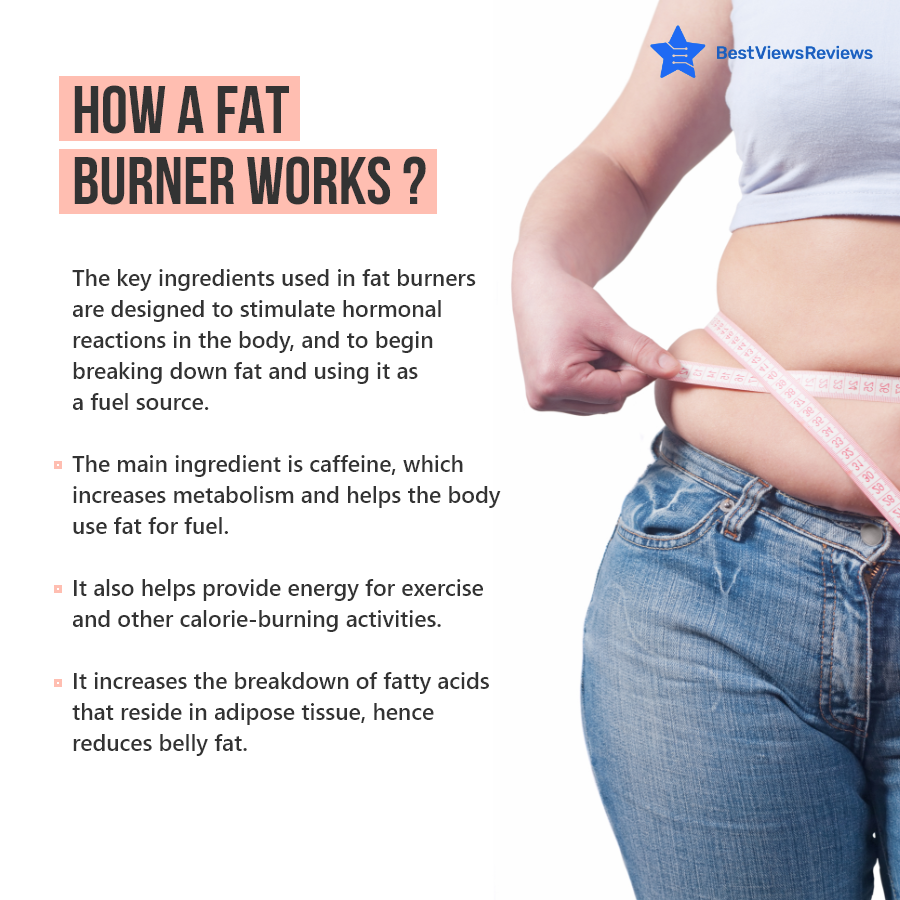
Fat burners are more of an enhancer that provides you an extra boost of energy. Some of them contain stimulants such as caffeine, which can help to boost the metabolism and help the body to burn more fat. Other fat burners contain ingredients such as green tea extract, which can also help to boost the metabolism. It can be taken in pill form, or as a powder that is mixed with water. You can also consider the best Natural Apple Cider Vinegar Gummies if you are not comfortable in taking fat burners in the form of pills or powder.

fat burners

Rules To Keep In Mind

There are a few key rules to keep in mind when it comes to burning fat for the best results. First and foremost, don’t diet forever. A healthy diet is essential for fat loss, but eventually, you will need to start eating more calories as your metabolism slows down. Secondly, don’t go too low on calories. Your body will start to hold on to fat if you drop your calories too low. And lastly, be careful with stimulants. Many fat burners contain stimulants like caffeine, which can lead to side effects like jitters and energy crashes.

Be sure to start with a lower dose to see how it works on your body. You can check the top-reviewed Keto Diet Drops that help to support a healthy weight loss and cognitive function, reduce fatigue and boost mood. It comes in the form of drops that make it easy to consume.

fat burners

Conclusion

Fat burners are one of the most popular supplements on the market today. People use them for a variety of reasons, but the main goal is always to burn fat. Fat burners are safe to take if you’re healthy and you’re not pregnant or breastfeeding. There are some potential side effects to be aware of, such as increased heart rate, jitteriness, and headaches. It’s important to do your research and talk to your doctor first if you’re thinking about taking a fat burner. Always prefer top-rated fat burners for yourself.

fat burners

BestViewsReviews rates and reviews the best body fat monitors based on quality, convenience, and durability.
Dehumidifier: Know Everything About It

dehumidifier

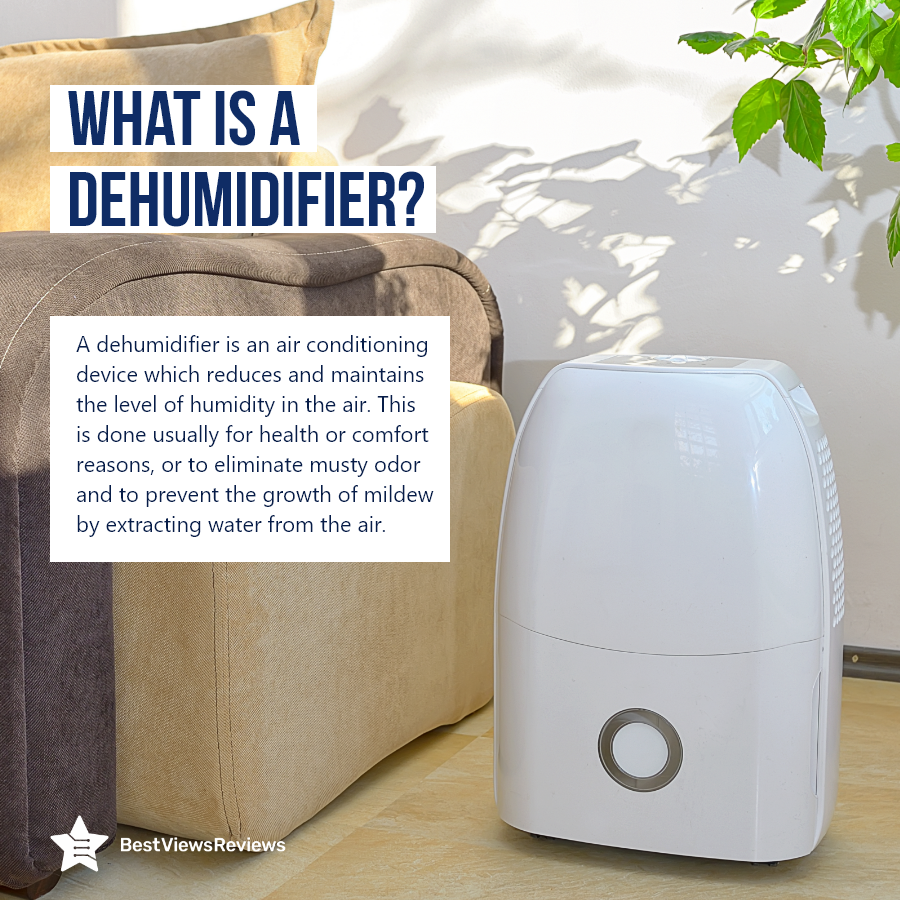
A dehumidifier is a household essential machine that reduces or maintains the level of moisture in the air. It is particularly useful for people whose homes or buildings have an excessive amount of moisture. The main purpose of the dehumidifier is to prevent mold and mildew from forming, and they can also help to reduce allergies and asthma symptoms. The dehumidifiers are also good for close spaces like basements.

Dehumidifiers work in the same way as vacuum cleaners. These devices work by drawing in air from the room and passing it over a cooling coil. This coil condenses the water vapor in the air, and the water is collected in a tank. The air is then passed over a heating coil to warm it back up and circulated back into the room.

Benefits Of A Dehumidifier

Mold and mildew can cause a number of problems in your home, including respiratory problems, water damage, and a musty smell. A dehumidifier can help to reduce mold and mildew by removing excess moisture from the air. Excess moisture in the air can lead to water leaks and flooding. Dehumidifiers prevent this by keeping the air dry. You can check top-rated HEVILLO Dehumidifier that comes with a digital display that makes it easy to read the humidity level easily.

Mold, mildew, and dust mites can cause allergies. A dehumidifier can also help to reduce these allergens by keeping the air dry. Mold, mildew, and dust mites can cause respiratory problems. Check best-selling yaufey dehumidifiers that are suitable for the basement, home, bathroom, bedroom, garage, and more. A dehumidifier reduces allergens by keeping the air dry.

Features To Look For In Dehumidifier

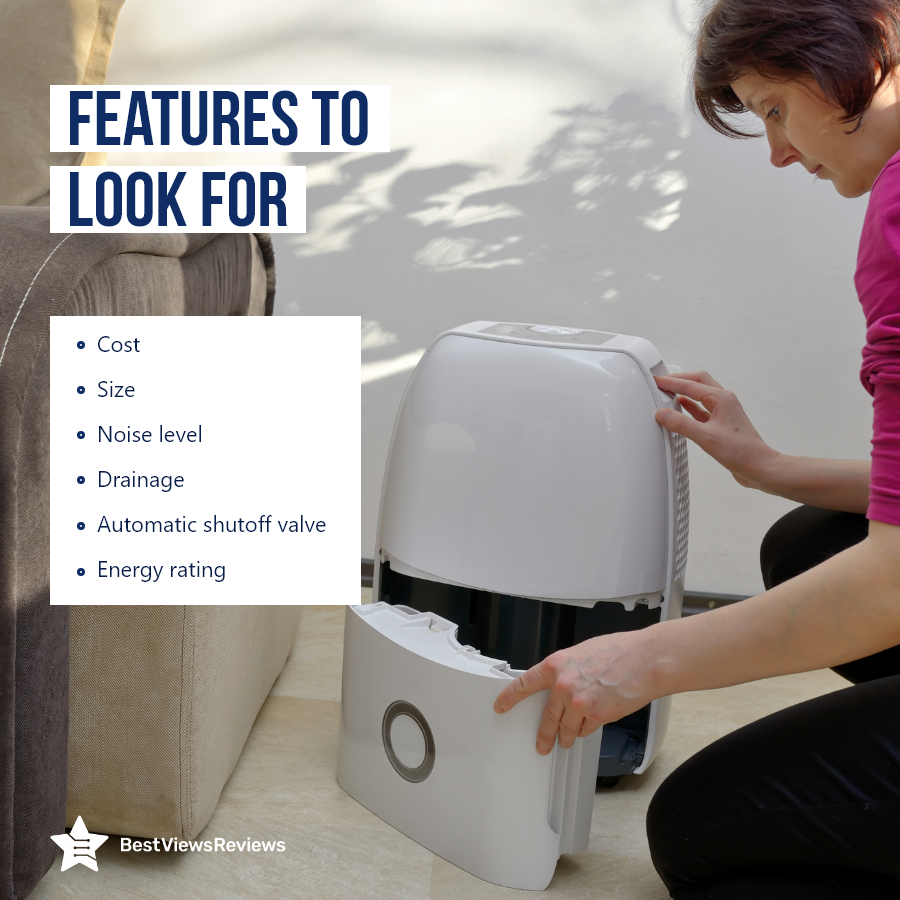
There are a few factors you’ll want to consider when it comes to choosing a dehumidifier. They come in a wide range of prices and sizes, so it’s important to consider how much you’re willing to spend and how much space you have available for the unit. Dehumidifiers can also range from relatively quiet to quite loud.

Dehumidifiers typically have one of two drainage options: internal or external. Consider which option would be more convenient for you before making your purchase. Some dehumidifiers come equipped with an automatic shut-off valve, which is a helpful feature if you’re concerned about the unit overflow. When the reservoir is full, the valve will automatically shut off the unit to prevent water from spilling out. The reviews of Kesnos 70 Pint Dehumidifiers are good because this device removes up to 70 pints of moisture per 24 hours which makes it ideal for areas up to 4500 Sq. Ft.

How Much Water Should A Dehumidifier Collect In A Day?

A dehumidifier collects water up to 10 to 20 liters a day, but a large model comes with a capacity of 50 liters. It will take up to 6 to 7 hours to fill. You should use a dehumidifier for 12 hours a day for a fresh long day.

Do Dehumidifiers Use A Lot Of Electricity?

Yes, dehumidifiers use a lot of electricity. You may not notice, but dehumidifiers use a great deal of power. Dehumidifiers use approximately 1,000 watts of power and can use up to 10,000 watts of power. They are one of the most power-hungry appliances in the home. A dehumidifier can use as much energy as a refrigerator.

Should I Run A Dehumidifier All The Time?

Yes, a dehumidifier is always necessary. That’s because a dehumidifier neutralizes the humidity in the air. Excessive humidity may cause mold growth and structural damage to your home’s interior. Mold spores are very small and can easily get into your body while you’re breathing. They can cause health issues, such as allergic reactions or asthma.

You can also consider an air purifier. Check top-reviewed Pure Enrichment Air Purifier that comes with 3-speed levels that can easily be adjusted to meet varied needs.

Conclusion

Dehumidifiers help to control moisture in the air to prevent condensation and the growth of mold and mildew. They also help to preserve wood furniture, documents, and pictures. A dehumidifier also keeps your home free of musty odors. Check top-rated dehumidifiers of 2022 on our website.

BestViewsReviews rates and reviews the best dehumidifier accessories based on quality, convenience, and durability.
All You Need To Know About Video Doorbell

video doorbell

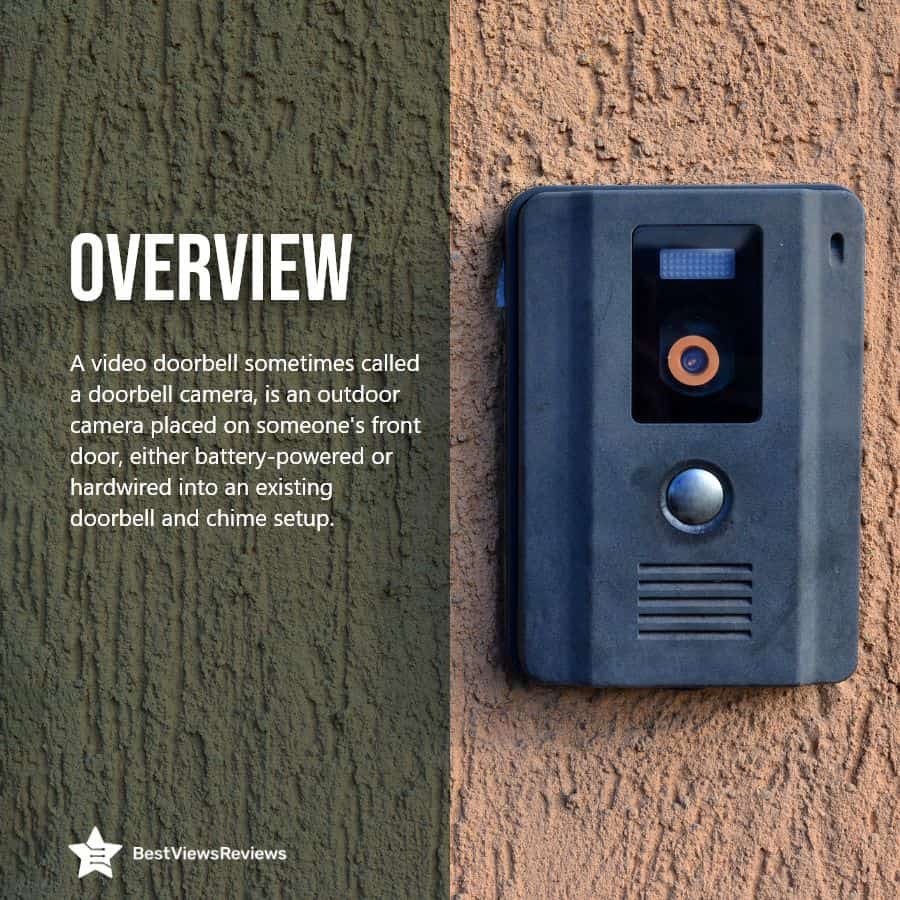
A video doorbell is a smart doorbell that lets you see who is at your front door from any smartphone, tablet, or computer. These doorbells are easy to install and can be connected to your camera so you can watch a live feed of who is at the door whenever you want. Video doorbells have become an integral part of home security that allows you to see and talk to anyone at your doorstep.

video doorbell

Working And Parts Of Video Doorbell

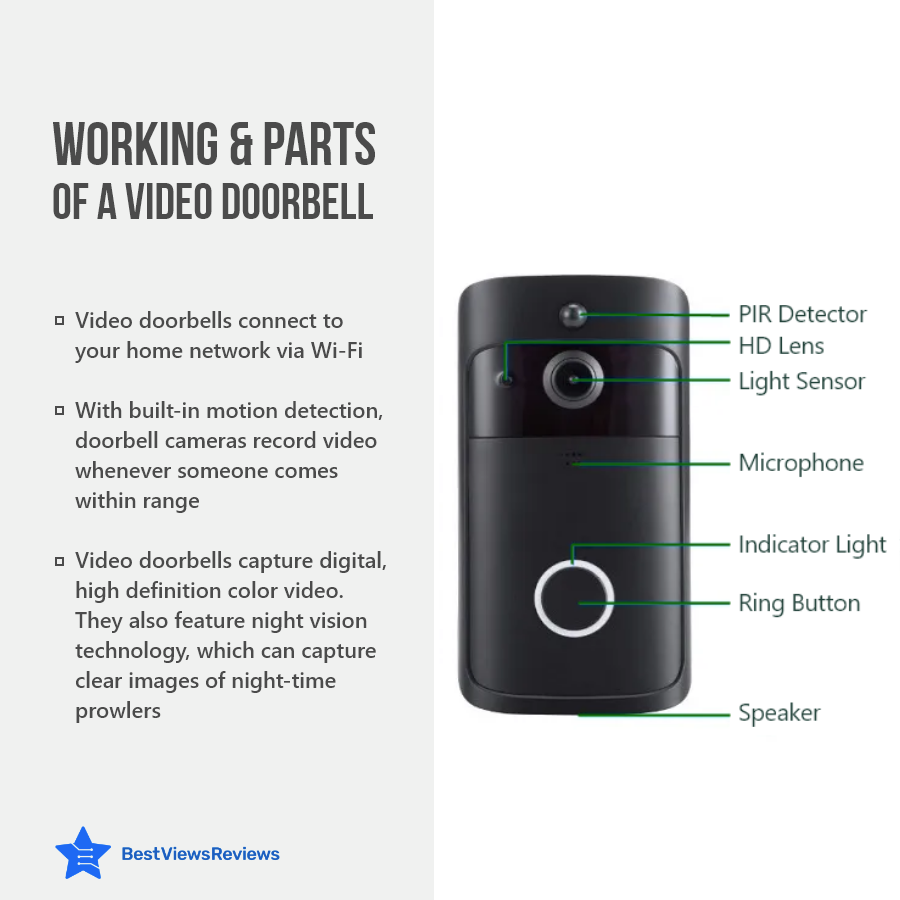
Video doorbells record video as well as audio during the day or at night with infrared LED sensors or a spotlight and also record audio through a speaker and microphone. Video doorbells work similarly to security cameras. The footage can be saved locally on a built-in microSD card or remotely on a cloud server. The device detects motion and sends a notification to the user’s mobile app when a visitor approaches the doorbell, which is usually done over a Wi-Fi connection.

There are different parts of video doorbells. A video doorbell contains a microphone for audio recording, a button for a ring, a speaker for talking, a lens for capturing video, a light sensor for controlling light, and a PIR detector for motion detection. Check Geekee 1080P Security Wi-Fi Doorbell Camera comes with a built-in 6700mAh rechargeable battery allows long-lasting usage.

Benefits Of A Video Doorbell

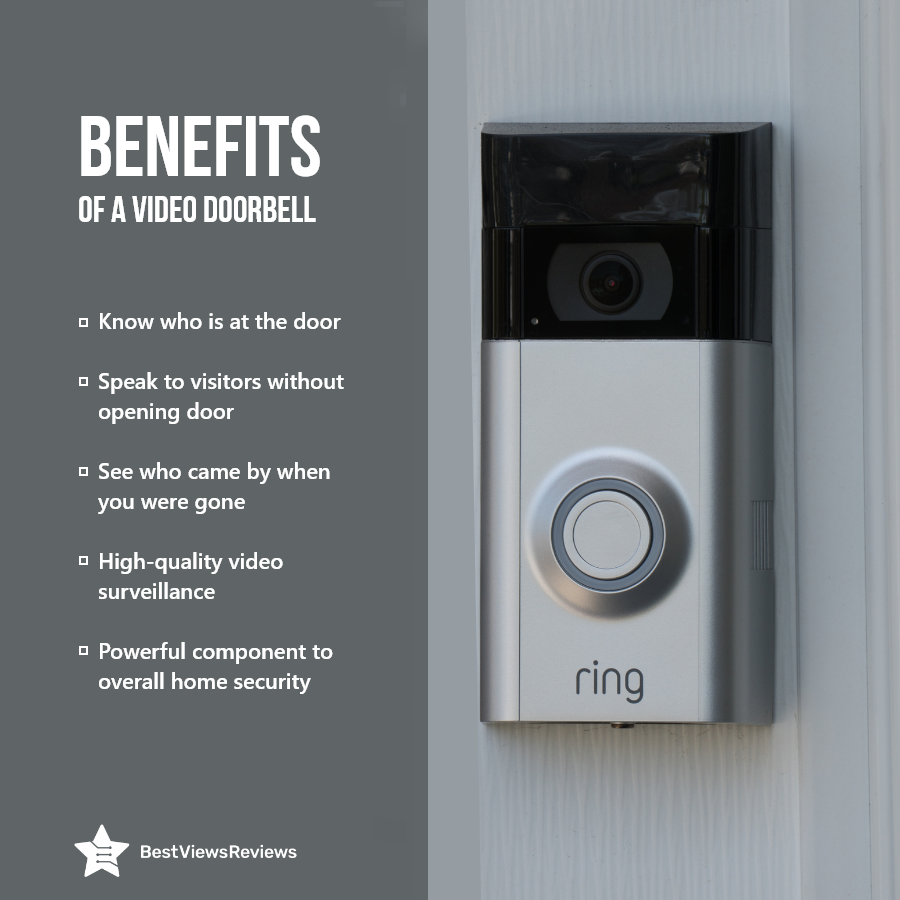
Video doorbells are handy. They allow you to see who is at the door before opening it. This can help you avoid unwanted problems. Video doorbells can allow you to talk to people without opening the door. It also allows you to keep track of and monitor what has happened in the previous week. You can see and communicate with your visitors through your gadgets. You can check top rated Morecam Wireless Camera Doorbell features an extra-wide 166 view angle that allows to cover every angle and make sure full security.

What Are Features Of A Video Doorbell?

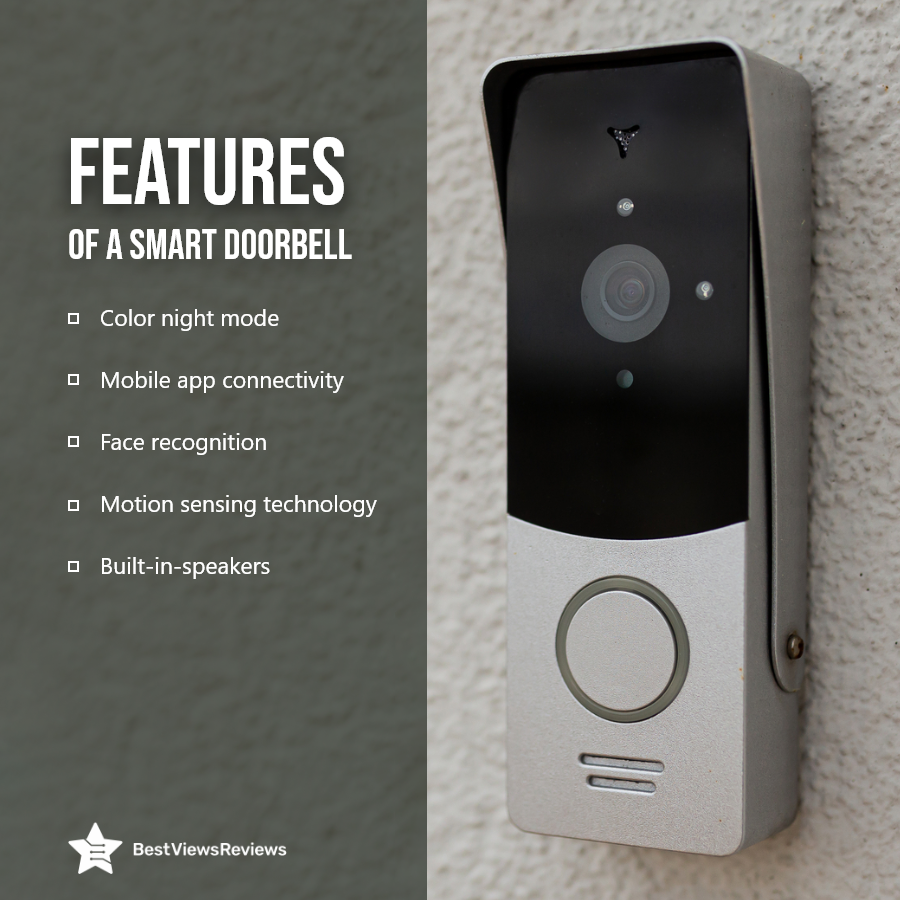
Color Night Mode

Especially during the winter months, when night falls sooner. Color night vision capabilities will let you see who is at your door, even when it is dark outside. Check XTU Doorbell Camera got good reviews because it monitors your home in 2K UHD video with infrared night vision. It will provide you full security 24 hours a day, seven days a week.

Mobile App Connectivity

The ability to use a video doorbell with an app is the primary benefit for most individuals. You’ll want to make sure the video doorbell you buy has good app support so you can connect to it quickly and see who’s at your door.

Face Recognition

Face recognition is an excellent addition not only for video doorbells but for security systems overall. This technology helps identify known individuals, as well as strangers, and alerts the owner of the system when the person comes near the entry points of the home.

Motion Sensing Technology

Motion sensors in doorbell cameras can be used to inform you when someone is approaching or leaving your front door. The reviews of KAMEP Wi-Fi Video Doorbell Camera are good because it includes a PIR motion sensor that detects the slightest movement in front of the door. Perfect for homes near a busy street where you don’t want to be bothered by motion alerts every time a neighbor drives by.

Built-In-Speakers

One of the most significant features of doorbell cameras is the ability to speak with them. You can communicate with whoever is at the door via two-way audio. Check Arlo Video Doorbell has a built-in microphone and speaker that offers two-way audio.

Does Ring Doorbell Record All The Time?

No, the door ring bell only records when any kind of motion detects or when someone presses the ring button. It mainly records a clip of 30 to sec to 60 sec.

Do All Video Doorbells Require Wi-Fi?

No, not all video doorbells require Wi-Fi. Some ring doorbells come with different connection like 3G/4G/5G cellular data. Video doorbell just need sturdy internet connection.

Are Video Doorbells Require Subscriptions?

Yes, you can use the ring doorbell without a subscription, but you will get limited benefits as well as experience. Your ring doorbell just gets basic features like motion detection only when someone press ring button.

Conclusion

The video doorbell has become one of the most popular home-security tools on the market. Rather than having to install a separate camera in your doorway, the Ring Video Doorbell has a built in HD camera that sends live footage to your smartphone. The app also notifies you whenever someone is at your door.

BestViewsReviews rates and reviews the best wireless security cameras based on quality, features, and durability.

All You Need To Know About Collagen Supplements

collagen supplements

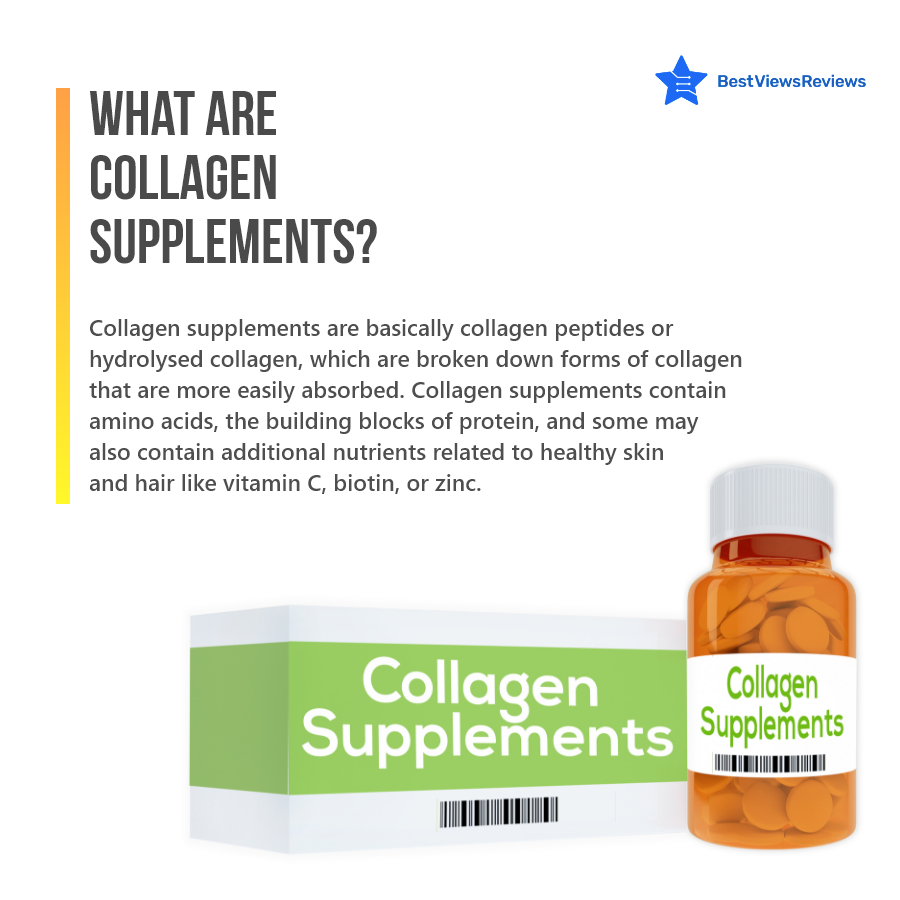
Collagen is the most popular word in the concept of health or a healthy diet. It’s difficult to walk through a grocery store without seeing jars of collagen supplements. At the time of browsing about healthy skin, you’ll definitely see treatments that claim to enhance collagen and keep you looking young for decades.

What Are Collagen Supplements?

Collagen provides nutritional support to the body, but the formation of collagen decreases as people get older. Collagen supplements help in strengthening your bones and giving your skin structure. These supplements also enhance skin elasticity as well as help in reducing the appearance of fine lines and wrinkles for a more youthful appearance. Collagen intake may also help with aging-related stiffness and pain in joints, backs, and knees. You can check top-rated Multi Collagen Pills that contain hydrolyzed collagen peptides that support a healthier digestive system.

Benefits Of Using Collagen Supplements

Collagen supplements are gaining more popularity as more people begin to understand the numerous benefits they may provide.

  • Collagen supplements slow down the aging process and strengthen your bones. These supplements also make your bones denser as well as help your body in making new bones.
  • These supplements also help to hydrate your skin as well as enhance your skin elasticity. It is proven that they also help in reducing wrinkles and fine lines. Check Dr. Emil Nutrition Multi Collagen Plus Pills to decrease the signs of aging and boost skin’s elasticity.
  • Daily intake of these supplements also makes your hair thicker as well as increases the hair’s quantity and scalp coverage. ORIONPHARMA Biotin Keratin & Collagen Capsules help to strengthen hair, promote faster growth, and prevent hair loss.
  • The intake of collagen supplements regularly makes your nail grow faster and also strengthens your nails. You can observe the changes in just four weeks.
  • Collagen peptide supplements combined with strength training could help in increasing muscle mass and strength.

Is There Any Danger In Taking Collagen Supplements?

Collagen supplements are not harmful or dangerous for you. It may not help you if you are not eating a balanced diet. Make sure you include all the amino acids in your balanced diet for the best result. Some mild side effects include bloating, heartburn, and a sense of fullness. The customer reviews of Natural elements Multi Collagen Protein Capsules ensure that they don’t have any kind of side effects.

How Much Collagen Is Needed Per Day?

Your body just need 2.5 to 15 grams collagen per day for good effects. You can take collagen by mixing in your daily beverages like coffee, tea, smoothies, etc. The excessive consumption of collagen also leads to many health problems.

Can You Take Collagen With Other Vitamins?

Yes, but it prefers to take collagen with vitamin C together because it will boost your skin health fast and it will also give you fast results. You can prefer collagen supplements like Sanar Naturals collagen pills that already contain vitamin E as well as C for quick and healthy results.

Conclusion

Collagen is an essential protein found in connective tissue. It is found in bones, skin, ligaments, tendons, muscles, blood vessels, and teeth. Collagen supplements help in providing strength and elasticity to connective tissues, cartilage, and bones. It also helps to repair and maintain these tissues. Collagen is a major component of the human body, and it is essential for our health.

BestViewsReviews rates and reviews the best vitamins based on quality, ingredients, and effectiveness.

Best Microwave Cabinets To Organize Your Kitchen

Microwave Cabinets

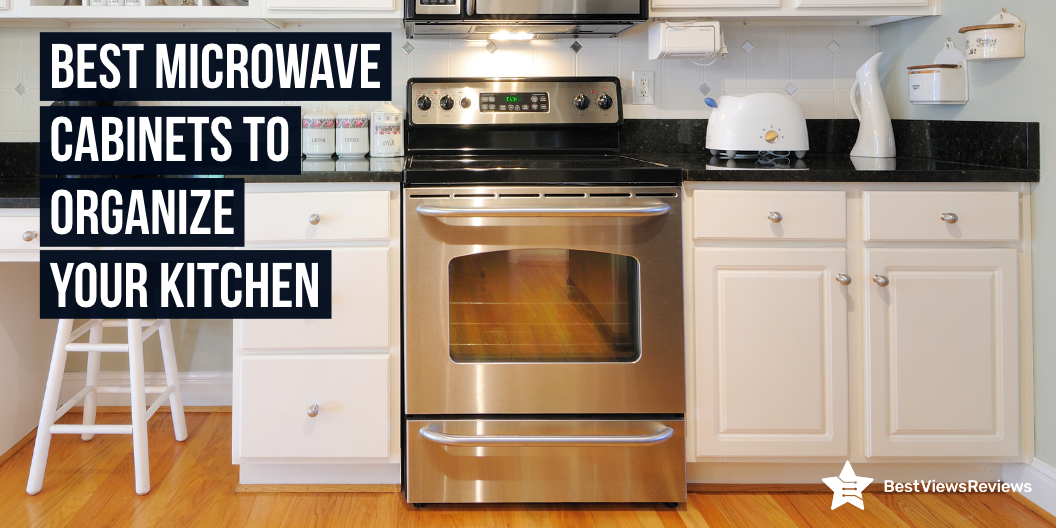
Microwave cabinets are a type of cabinet that is designed to hold a microwave. They are commonly used in kitchens or in dorms. Microwave cabinets can also hold small appliances like coffee makers and toaster ovens. Some microwave cabinets even have small shelves that can be slid out to allow for even more versatility. Microwave cabinets mainly come in steel or wood material. A microwave cabinet is usually available in a sturdy wooden structure. It saves space, offers convenience, and adds appeal to the kitchen set-up. Read our blog to know everything about a microwave cabinet.

Best Microwave Cabinets

Kings Brand Furniture Tall Microwave Storage Cabinet

The reviews of the King’s Brand Furniture Cabinet are good because it comes with a white finish that helps enhance the décor of the space as well as adds storage to your kitchen with a clean style. This model comes from high-quality wood that offers extended durability. It also features closed storage on top and bottom and open shelving in the middle that offers maximum storage space. This piece has closed storage on the top and bottom, as well as open shelving in the middle with an extensible pull-out shelf.

Hodedah Kitchen Cabinet

Hodedah Kitchen Cabinet got good reviews because it comes with long-lasting engineered wood that will last for many years. It’s a good place to keep your microwave, toaster, and other small appliances because it’s convenient and accessible. It comes with top transparent doors, you do not need to hassle to find things. This model has enclosed bottom cabinets to store more things.

DICTAC Kitchen Storage cabinets

DICTAC Kitchen Storage Cabinets come with high-quality materials and extra-thick panels. The cabinet comes with a high-quality engineered wood material. It is easy to assemble, even by non-professionals. The assembly will take less than half an hour. This storage cabinet is water- and wear-resistant, making it ideal for everyday usage. DICTAC Kitchen Storage Cabinets are your one-stop storage solution in your kitchen.

Living Skog Kitchen Storage Kitchen Cabinet

Living Skog Kitchen Storage Kitchen Cabinet has a beautiful, modern design that goes with any style or environment. This cabinet features numerous ergonomic storage spaces, including shelves, drawers, and open parts, making it great for keeping all of your pans, pots, glasses, and dry items. The cabinet metal hinges are high quality, durable, and resistant to wear. The cabinet comes with a step-by-step instructional manual for easy storage.

Things To Consider Before Buying Microwave Cabinets

Material

The most prevalent cabinet material is wood, which comes in a variety of species, including red oak, white oak, hickory, cherry, hard maple, birch, ash, and pine. Each species has its own set of benefits and drawbacks from endurance to look to cost.

Size

The size of the microwave cabinet varies depending on the brand and model. Most cabinets’ heights range from 17 to 22 inches, while their widths range from 24 to 30 inches. Upper microwave cabinets have a conventional depth of around 12 inches, whereas over-the-range microwaves have a depth of 20 to 25 inches.

Type of Microwave

Make sure to consider the type of microwave you have before buying microwave cabinets. There are many types of microwaves on the market, and not all of them will fit into standard cabinets. Some microwaves require special cabinets that are designed to accommodate their specific dimensions. You may end up with a kitchen that looks unbalanced and unfinished if you buy a cabinet that is too small or too large for your microwave.

What Type Of Microwave Fits In Cabinet?

Countertop Microwaves

Countertop microwaves are the most common type of microwave. They range in size from 0.5 to more than 2 cubic feet and may be placed on any open surface in your kitchen. These freestanding microwaves are lightweight and portable. It also provides cost-effective solutions for every budget, with a wide range of features and capabilities. Countertop variants are available in sizes ranging from 18 to 24 inches broad, 10 to 18 inches high, and 18 to 22 inches deep.

Over-the-Range Microwaves

The over-the-range microwaves are mounted above the range or cooktop. They work similarly to countertop microwaves but have a built-in ventilation system that removes smoke, steam, and cooking aromas. These microwaves have a sensor cook feature for simple reheating and a convection feature for improved cooking capabilities available on select models. The best over-the-range microwaves are shorter and wider than regular microwaves, allowing them to fit in the same space as a standard microwave.

Built-In Microwaves

Built-in microwaves are built into pre-existing cabinetry, giving them a clean, flush appearance and freeing up the room in the kitchen. They usually pull out like a drawer or open down like a wall oven and can be fitted in a cabinet or beneath a counter. The capacity ranges from 1.0 to 2.2 cubic feet, with the majority settling in the 1.2 to 1.6 cubic foot range. The average height is between 17 and 22 inches.

You can also check our informative guide on types of microwaves and know everything about them.

What Size Cabinet Do You Need For A Microwave?

The basic requirement is 24, 30, or 33-inch cabinets. You can also consider the size of your microwave before buying any type of cabinets. You can also check Home Source Industries Brook Tall Microwave Cabinet comes with 16″D x 27″W x 67″H inches. This model has a smooth surface with an elegant white coating. It also has a contemporary style with a white and cherry finish.

Conclusion

The microwave cabinet is a contemporary addition to your kitchen that will improve its functionality. Microwave cabinets are becoming more popular as a result of their appealing style, long-lasting nature, and ease of installation. You should think about the correct size and design when it comes to installing built-in microwaves.

The microwave shelf is a removable shelf that is installed within the microwave interior. Read our blog microwave shelf and know the 5 best selling options.

BestViewsReviews rates and reviews the best pantries based on quality, convenience, and durability.

Top 5 Office Space Printer 2022

office space printer

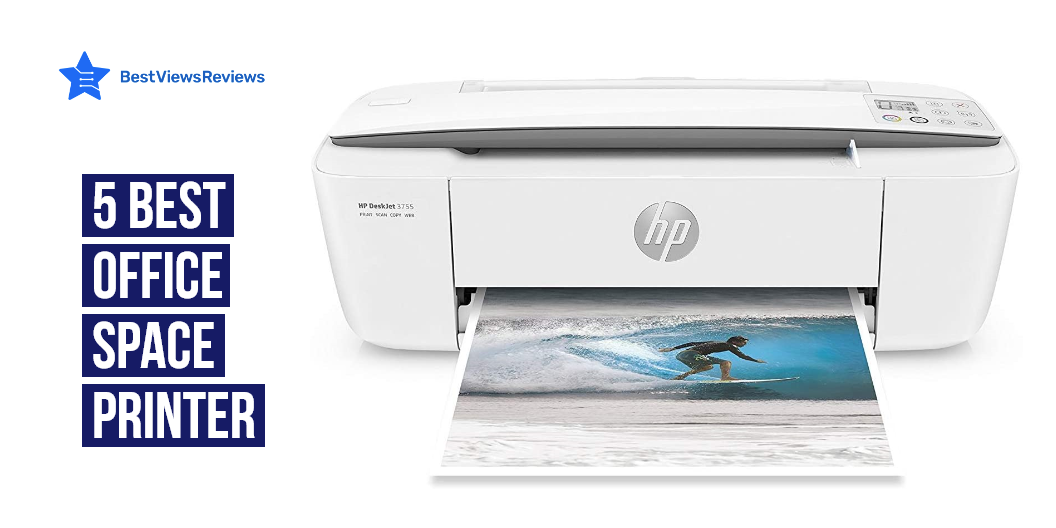
A printer is a piece of hardware that allows you to create hard copies and print any document. A document can be any form of a file, including text, images, or a combination of the two. It receives commands to print papers from users on a computer or other devices. Printers are the most important device for office space. Different office space printers can be multifunction printers, laser printers, or inkjet printers. These printers have their own advantage or disadvantage. Brother is one of the most popular brands in the world of printers. Check our blog and know the advantages of buying a brother printer in 2022.

Best 5 Office Space Printer

Canon Office and Business MB2720 Wireless All-in-one Printer

The reviews of Canon MB2720 Wireless All-in-one Printer show that it is one of the best office space printer. It comes with two paper cassettes that provide a combined capacity of 500 sheets. This printer has an easy control to scan and print remotely with the Canon Print app. It gives you print smudge resistant and high-quality text. This printer linked to your Macs, PCs, or AirPort Base Station’s USB port.

Canon TR8520 All-In-One Printer For Home Office

The Canon TR8520 All-in-one printer can produce high-quality documents, photos, and emails. You can print, copy, scan, and fax with the help of this printer. The printer also has the AirPrint and Google Cloud print features. It is compatible with Apple devices. This model has 4.3 inches LCD touchscreen and 20 sheet auto document feeder to offer convenience. The Canon TR8520 is a compact wireless office printer that fits in any room of the house or office.

HP OfficeJet Pro 8025 All-in-One Wireless Printer

The reviews of HP OfficeJet Pro 8025 are positive because it is equipped with security essentials that effectively protect sensitive data. This model has self healing Wi-Fi that helps detect issues to keep the Wi-Fi connection stable and reliable. It features HP smart app that allows to print, scan, and copy remotely on the go. This printer prints at a quicker rate of 20 sheets per minute and have a rapid color copy, scan, and fax for greater productivity.

HP OfficeJet Pro 9025 All-in-One Wireless Printer

HP OfficeJet Pro 9025 got good reviews because it features easy slide-off glass that helps increase productivity and saves time. This model has self-healing Wi-Fi to reduce interruptions and maintains a stable and reliable connection. It offers two 250 sheets of full-ream paper trays that help in high-volume jobs. This tiny office printer is ideal for busy offices because it comes with a print speed of 24 pages per minute.

Canon Office Products MAXIFY MB2120

Canon Office Products MAXIFY MB2120 is a wireless color photo printer that allows you to copy, scan, and print from any device. You can print lab-quality color photos directly from the cloud, Facebook, Dropbox, Google Drive, and Box. Connect your smartphone, tablet, or computer wirelessly for instant photo printing. It prints laser-sharp text that is highlighted and smudge-proof and also comes with the Dual Resistant feature.

Types Of Office Space Printer

Multi Function Printers (MFP)

Multi-function printers are also known as an all-in-one printers. As the name suggests, these printers have many different options with this one printer you can scan, copy, fax as well as print your documents. These printers also come in different sizes. You can consider buying according to your office space.

Some common benefits of multi-function printers for office:

  • Take less office space because it also comes in a portable size.
  • A MFP is a less expensive option for you because it comes with functions of scanning, copying, as well as fax.

Inkjet Printers

Inkjet printers have built-in print heads that use a color cartridge to print on paper. The print head on these printers sprays small droplets of color onto the paper from the cartridge. These printers print at a 300dpi (dots per inch) resolution, with some even capable of printing documents at 600dpi. It gives you high-quality printing. You can also check our blog on inkjet bluetooth printer and get the best options for yourself.

Most offices prefer inkjet printers because of its benefits:

  • Inkjet printers are easy to use.
  • They have the ability to produce vibrant hues.
  • It has fast printing speed.

Laser Printers

Laser printers use a laser to melt toner powder and print. It uses toner (black and color powder) instead of inks. These printers are extremely efficient, but they are also quite costly. Laser printers are capable of producing enormous amounts of prints without any problem. These printers can create copies of resolutions ranging from 600 to 1200 dots per inch.

Laser printer also gives you lots of benefits:

  • It gives you high-volume printing.
  • These printers give you very fast results.
  • It also has a high-quality outcome.

Key Considerations Before Buying Office Space Printer

Ink And Laser Cost

Inks are the most expensive part of the printer. Ink costs are exceptionally high, costing more than $6,000 per gallon after considering all the small cartridges. The cost of ink also depends on the number of cartridge a printer has. Laser is the most cost effective solution for a long run.

Paper Handling

Different printers will work with various paper sizes and thicknesses. A printer may feature a paper tray with a capacity of 100 sheets or a paper feeder with a capacity of a few dozen sheets. Some printers will automatically print on both sides of the page.

Resolution

The resolution of a printer depicts with a dot per inch or dpi. The higher dpi is equal to the higher resolution. For example, if a printer has 12,00 dpi means it’s a high-quality printer compared to 300 dpi. A higher printer resolution is better for photos, but a lower resolution is suitable for text documents.

Size

Printers are available in many different sizes. A printer’s size also put an impact on the printing speed. Larger printers have faster print speeds and higher paper capacities than smaller printers. A large model is more suitable for your office space.

What Is Printer Output Capacity?

Printer output capacity is the amount of data a device can handle within a specified period. Printer output capacity is measured in pages per second (PPS). Different models have different output capacities. A home printer can hold 120 to 150 sheets at a single time, but the office space printer can hold about 250 sheets at a time. Some high-end models are available in the market that can hold up to 1000 sheets.

Does Toner Last Longer Than Ink?

Yes, the toner lasts longer than ink. An inkjet printer uses more ink at the time of printing, which is why you need to replace the ink cartridge more frequently. The laser printer uses toner and it can produce more images than inkjet. Inks can dry quickly as compared to the toner.

Which Office Printer Is The Cheapest To Acquire?

You can consider MFP or all in one printer, where you can get a lot of functions. HP printers are the best for your office space. You can check a model like HP OfficeJet Pro Premier All-in-One Wireless Printer that this colour printer has an aluminium finish and can print at 22 pages per minute. It also has automatic 2-sided copy and scan capabilities, as well as a 35-page automated document feeder. This model has a built-in security essentials effectively protect sensitive data.

Conclusion

Office printers are important components of an office. These printers can print documents, which are important tools for employees. They can print things, like signs and posters. The best wireless printers for laptop are the ones that offer easy connectivity and the ability to print from the web. Read our blog and know about the 7 best wireless printers for laptop.

BestViewsReviews rates and reviews the best computer printers and top rated inkjet printers based on quality, convenience, and durability.

Photo Paper For Printer: An Exclusive Guide

photo paper for printer

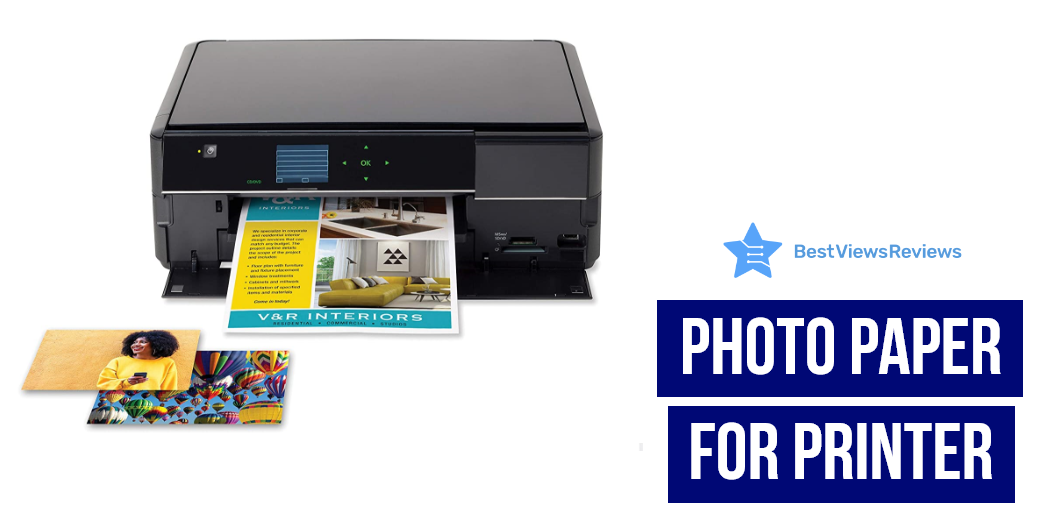
Photo paper for the printer is a type of paper that is specifically designed for use with a printer. It is usually made of a high-quality glossy or semi-glossy material that is designed to produce high-quality prints. Photo paper is thinner and heavier than regular paper, to make it look more real in the photo. A Polaroid printer prints photos as they are taken using a self-developing film. Read our exclusive guide on polaroid printers and know almost everything.

Best Photo Paper For Printer To Buy

Fujifilm Instax Mini Link Smartphone Printer

The reviews of the Fujifilm Instax Mini Link Smartphone Printer show that it is a great device to print photos from your smartphone. The printer uses dye-sublimation technology to produce high-quality, glossy prints. This printer allows you to add fun filters and frames to the photos that make them attractive. It comes with a printing speed of about 12 seconds, which ensures quick operation. It also features Bluetooth compatibility that allows printing photos easily.

Canon SELPHY CP1300 Compact Photo Printer

The reviews of Canon SELPHY CP1300 Compact Photo Printer show that it is a great choice for any home or office. It uses dye-sublimation / thermal transfer technology to produce high-quality prints. The printer is compact and wireless, making it easy to use as well as carry. The bundle comes with the canon color ink and paper set, making it easy to get started printing right away.

Phomemo M02S 304dpi Pocket Printer

The reviews of Phomemo M02S 304dpi Pocket Printer are positive because this upgraded HD Bluetooth thermal photo printer prints black and white photos with crisp, clear detail. This printer is best for printing photos, journaling, gift-giving, and more. The compact design makes it easy to take with you on the go, and the rechargeable battery means you can print without being tethered to a power outlet.

Phomemo 300dpi Pocket Mobile Pocket Printer

The Phomemo 300dpi Pocket Mobile Pocket Printer is a great device for photo printing, graffiti, learning, and work. This printer is compatible with iOS and Android, and it features a max resolution of 300 dpi and a dye sublimation / thermal transfer. The printer also has a black and white color option, and it comes with 4-inch x 6-inch print media. It is the best option for anyone who needs a portable, compact, and wireless printer.

Fujifilm Instax Share SP-2 Mobile Printer

The Fujifilm Instax Share SP-2 Mobile Printer is a sleek and compact printer that allows you to print high-quality photos from your smartphone or tablet. The printer uses dye-sublimation technology to produce vibrant and realistic colors and has a maximum resolution of 300 dpi. It’s easy to use and take with you on the go with the wireless and rechargeable printer.

Canon IVY Mini Photo Printer

The reviews of Canon IVY Mini Photo Printer are good because it comes in a compact size that makes it easily portable. This model prints 2 inches x 3 inches photos with peel and stick backing and offers convenience. It features Bluetooth technology that allows to print by connecting the devices. This printer is compatible with mobile devices running iOS 9.0 and Android devices running Android 4.4.

Read our informative blog on the difference between Canon vs HP printers based on ink costs, speed, output quality, and paper handling.

Types Of Photo Paper For Printer

There are different types of photo paper for printers available on the market, and each type has its own unique set of features and benefits. Some most popular types of photo paper include glossy photo paper, semi-gloss photo paper, and matte photo paper.

Glossy photo paper is the most popular type of photo paper for the printer. This type of paper is shiny and reflective, and it produces prints that are very vibrant and detailed.

Semi-glossy photo paper is a less shiny version of glossy photo paper. This type of paper produces prints that are less reflective than glossy photo paper, but they are still very sharp and vibrant.

Matte photo paper is the least shiny type of photo paper for a printer. This type of paper produces prints that are have a more natural look.

Method To Insert Photo Paper For Printer

  • Open the printer’s paper tray.
  • Fan the edges of a stack of photo paper to avoid paper jams.
  • Insert the photo paper into the printer’s paper tray with the glossy or printing side facing up.
  • Depending on your printer, you may need to select the paper type and size in the printer’s settings menu.
  • Print your photos as usual.

Things You Should Consider While Buying Photo Paper For Printer

Paper Sizes

The size of the paper is one of the first considerations. It’s usually a good idea to have some standard 4-by-6-inch or 5-by-7-inch paper available. This is the ideal size for scrapbooks and albums. Choose between 812-inch-by-11-inch, 13-inch-by-19-inch, or 11-inch-by-17-inch paper for larger displays like wall frames, calendars, and posters.

Paper Weight

Manufacturers of photo paper offer a variety of weights to meet your demands. The higher the quality of the photo, the heavier the paper. Use top-grade paper for photographs that you want to last a lifetime. Consider getting a lighter paper for everyday shots. This paper makes it easy to fold the images and saves money on postage.

Paper Finish

There are a variety of surface finishes to choose from. Choose from high gloss, soft gloss, matte, satin, or luster finishes to give your photos a unique look. It’s essential to keep in mind that matte picture paper absorbs more ink than glossy photo paper, so the photo’s quality may suffer. The glossy paper produces a consistent finish with strong color contrast. The matte finish is generally preferred for framing images.

What Is The Best GSM Of Photo Paper For Printer?

The best GSM photo paper is 120 gsm. There are a few factors you need to consider when it comes to choosing the best GSM of photo paper for a printer. The first is the type of printer you have. Some printers work with specific types of paper, so you’ll want to make sure you choose a paper that’s compatible with your printer. Also, consider the quality of the paper. Higher-quality paper will produce better-looking prints, so it’s worth paying a little extra for a better-quality paper.

Is Glossy Or Matte Better For Photos?

There are pros and cons to both glossy and matte photo paper. Glossy paper will make your photos appear shiny and vibrant, while matte paper will give them a more muted look. Glossy paper is the way to go if you are printing photos that will be displayed in a bright area. Matte paper is better if you are printing photos to have a more natural look.

Conclusion

Photo paper for printers is used with printers and scanners. This type of paper is the best to produce high-quality prints from digital photographs. It is available in a variety of sizes and finishes and can be purchased online or in stores that sell electronic equipment. An Epson photo printer is an inkjet printer that can produce high-quality photographs on white glossy papers. Check our blog on the Epson photo printer and know the 5 benefits of owning them.

BestViewsReviews rates and reviews the best computer printers and top-rated inkjet printers based on quality, convenience, and durability.
Top 6 Vertical Mouse in 2022

Vertical Mouse

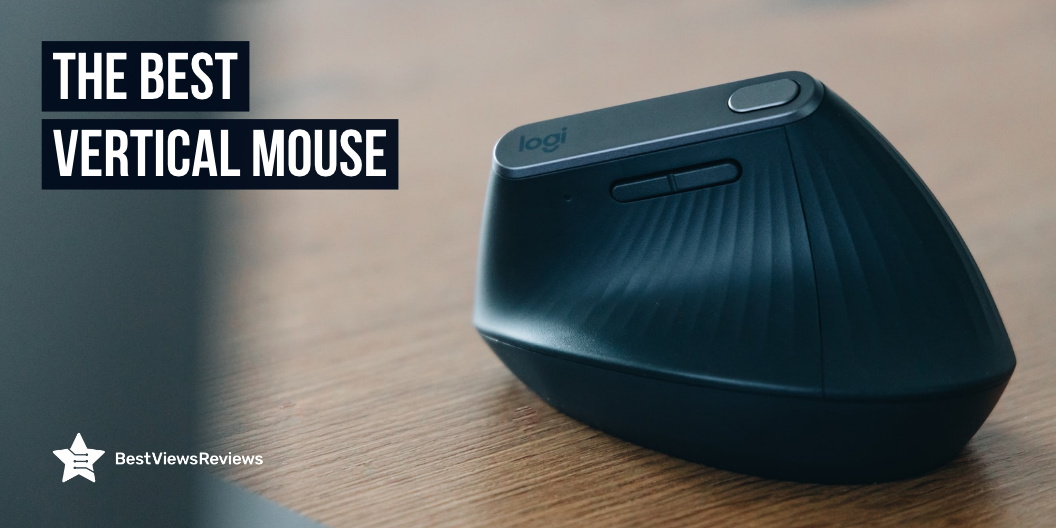
Mouses, also known as pointing sticks, are pointing devices used in computers. The mouse has two main parts – a sensor and a cursor. A sensor is a part that detects motions and translates them into the movement of the cursor on computer screens. The buttons and scroll wheel on a vertical mouse are rotated clockwise at 90 degrees. A vertical mouse is taller than a standard mouse. You hold your hand vertically instead of placing it flat on the mouse to utilize it. You have access to all of the same features as you would with a standard mouse. Keyboards are often prone to getting dirty and some chunks of dirt land inevitably in the gaps and crevices. Read our blog on best computer keyboard cleaning solutions of 2022 and know how to clean it nicely.

List Of Top 6 Vertical Mouse

Logitech MX Vertical Wireless Mouse

The Logitech MX Vertical Wireless Mouse comes with an abundance of features. Its advanced ergonomic design reduces muscle strain. This mouse is rechargeable as well as the scroll wheel comes with a scroll-ring design that improves navigation. The advanced laser tracking technology delivers 1000 dpi sensitivity for incredible precision. The mouse supports up to 7 different device connections, including Bluetooth, USB, and USB-C.

Logitech Mouse MX Vertical

The Logitech Mouse is the perfect mouse for left-handed users. It looks great and feels great to use and has an excellent design. The mouse is portable and rechargeable, which is good for traveling. The mouse is also quiet, which makes it ideal for the office. It has a comfortable grip and is easy to use, making it the perfect choice for left-handed users.

Logitech Lift Vertical Ergonomic Mouse

The reviews of Logitech Lift are good because it mainly comes for right-handed desktop users. It features two buttons, a scroll wheel, a scroll lock button, and a DPI switch for convenience. The mouse is 5.2 x 8.6 x 2.4 inches as well as weighs 0.6 ounces. It is compatible with Windows and Mac as well as comes with a Bluetooth connection. It easily connects to an Apple iPad or iPhone. This mouse features a quiet click.

Anker Ergonomic Optical USB Wired Vertical Mouse

Anker Vertical Mouse got good reviews because it has ergonomically-designed thumb rests and grips that fit the contour of your palm for maximum comfort. Its futuristic design has made a splash. The functionality and comfort of this model are increased. This mouse has a handshake grip, easy-access buttons, and two levels of mouse sensitivity for improved tracking. This mouse is a low-cost, high-performance option for a variety of computer purposes.

Evoluent VM4RW Vertical Mouse

The Evoluent VM4RW has the bottom edge that features a larger lip that protects the pinky finger from rubbing on the surface. The thumb has been modified from the previous version to improve comfort. It has optical sensor controls on the side of the mouse, allowing you to change the pointer speed from low to high. You can also customize the behavior of the buttons within different programs.

LEKVEY Vertical Wireless Mouse

LEKVEY mouse is a computer mouse that is designed keeping in mind the comfort level of your hand. This mouse has a feature that helps you to reduce the stress on your hand. The mouse design makes it comfortable for long time usage. The mouse has a middle button at the top and left and right buttons on the sides. LEKVEY mouse is an advanced computer mouse and a perfect one for home use.

Are Vertical Mouses Good?

Yes, a vertical mouse is more ergonomically shaped, allowing users to keep their handshake while using it. Ordinary mice produce improper hand and forearm positions, as well as unhealthy shoulder rotation. This can result in discomfort, pain, and degeneration. A vertical mouse can help ease problems by providing a more natural hand position.

Is A Vertical Mouse Better For Carpal Tunnel?

Yes, the vertical mouse is effective in relieving carpal tunnel because it keeps your hand straight. Pressure causes carpal tunnel syndrome, or CTS on the median nerve in the wrist, causing numbness, tingling, and pain in the hand and fingers. The symptoms of carpal tunnel syndrome can worsen over time and affect a person’s ability to perform normal everyday tasks.

How Long Does It Take To Get Used To A Vertical Mouse?

It takes at least a week. During this 1 week, you will realize improvement in your hand muscles. Make sure your fingers and thumb are relaxed on the vertical mouse. Much pressure is not required at the time of the vertical mouse.

Conclusion

The best-rated vertical mice are usually wireless, meaning they don’t require a cord to connect to your computer. They work by using infrared technology to communicate with your computer, and they come in a variety of shapes and sizes. Some vertical mice even come with their own wireless keyboards that you will want to buy.

BestViewsReviews rates and reviews the best computer printers and top rated laptops based on quality, convenience, and durability.

5 Best Printer For Stickers Of 2022

best printer for stickers

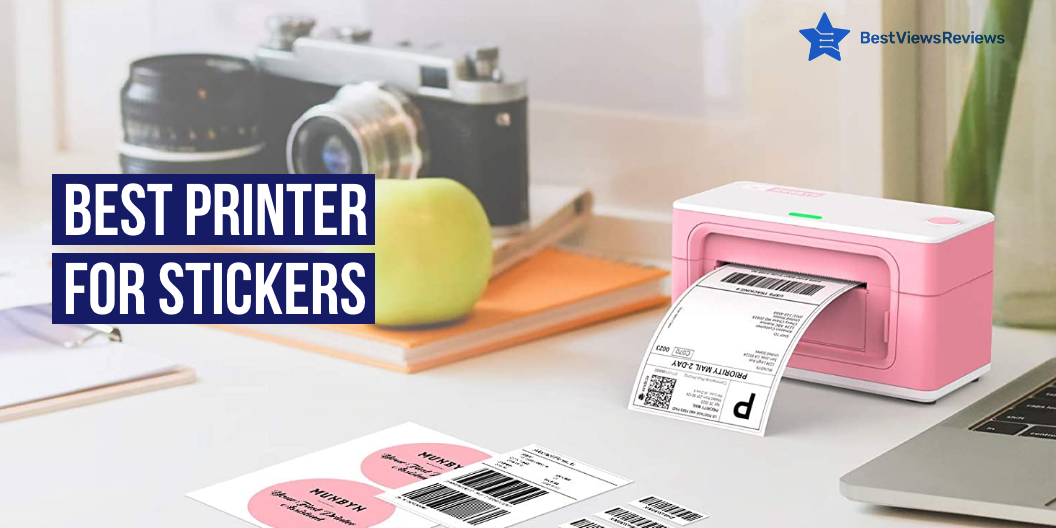
Stickers are one of the most adaptable and cost-effective methods available for raising awareness. Small business owners, or even company owners, need stickers for brand publicity. Stickers get more attention than Internet pay-per-click ads. There are many small, portable best printers for stickers available on the market. These give you shiny stickers in just a few minutes. The best printer for stickers is also cost-effective because you can easily operate it by yourself. You can repair your printers even using basic troubleshooting methods in such cases. Read our blog on printer repair and know all the common printer problems.

Tips For Sticker Printer Selection

Color Match

The print method you choose will have a big impact on the color and visual accuracy. CMYK is most commonly used for home printing and low-cost professional presses in the printing business. Dotting color ink across the page and building it until it reached the desired color.

Appropriate Color Scheme

Lighter color values may not always transfer well into black and white photos when using the CMYK method. Colors in the lowest ten percent of the spectrum frequently do not transfer well because they are too faint to be seen. Make sure you use the best color combinations, like dark tone with a light tone.

Permanence

Not all stickers are kept around for a long time. Changes in ink, print method and paper will affect how long something lasts, so double-check that you’re using the right materials before you print anything.

Print Quality

Almost every print driver provides several various print quality settings, allowing you to customize your print speed and ink usage. You’ll want to make sure you’re getting the best results possible when it comes to printing high-quality stickers.

5 Best Printer For Stickers

Fujifilm Instax Mini Link Smartphone Printer

The reviews of Fujifilm Instax Mini Link Smartphone Printer are good because comes with a printing speed of about 12 seconds which ensures quick operation. This printer allows for the addition of fun filters and frames to the photos that make them attractive. It features Bluetooth compatibility that allows you to print photos easily. It just takes approximately 90 seconds of development time after printing.

Canon SELPHY CP1300 Printer

Canon SELPHY CP1300 Printer comes in a compact size that makes it easy to move and store. This model comes with a detailed user manual makes it easy to use. This printer allows customizing images with a selection of borders and effects for a personalized look. The bundle includes a special kit that works with the CP1300 and prints up to 108 4×6″ color images. The pre-cut paper material makes printing your images a breeze.

Phomemo M02S 304dpi Pocket Printer

Phomemo M02S 304dpi Pocket Printer got good reviews because it comes with a high-print resolution that offers a superior printing image. This model has a built-in thermal printer that allows printing pictures without ink. It features a Bluetooth service that makes it easy to connect with various other devices. It has Bluetooth 4.0 with a range of up to 33 feet and connects in only 2 seconds. This model is compatible with Android 4.0, as well as IOS 8.0 and higher.

HP Sprocket Portable Photo Printer

HP Sprocket Portable Photo Printer features a lightweight design that makes it easy to carry along. It comes with the Sprocket app and helps to create customized snapshots using filters, borders, and drawings. It has built-in wireless connectivity makes it compatible with various other devices. This lightweight, portable photo printer easily fits into a pocket or backpack.

Phomemo 300dpi Pocket Mobile Pocket Printer

The reviews of Phomemo Mobile Pocket Printer are good because it is equipped with a 5V-2A adapter that offers crisp-clear picture quality. This model has a compact and lightweight design, making it easy to carry around. It has a multi-functional app that allows putting a variety of fonts/ filters/themes to make the photos look stylish. This model work with 15, 25 & 53mm paper.

Is Inkjet or Laser Better For Stickers?

Both the printers have some pros and cons. An inkjet printer is a good option if you want stickers to print at an affordable price. Inkjet also produces high-quality print, but it uses more ink at a time. Laser printers are more expensive, and ink refills are more expensive at first, but they can print up to 5,000 sheets before needing to be refilled. Stick to inkjet printers for high-quality stickers.

The inkjet Bluetooth printer comes with features such as printing, scanning, faxing, and copying and is perfect for small offices or homes. Check our blog on the inkjet Bluetooth printer and get the best options for yourself.

What Type Of Paper Should I Use For Stickers?

Sticker paper is a paper that you can easily peel off from the back. There are two types of sticker paper: matte and glossy. Glossy paper is perfect for more colorful stickers and the matter is good for dark colors. Both matte and glossy styles of paper are weather-resistant, and long-lasting sticker protection is available.

Can I Print Stickers With Any Printer?

Yes, you don’t need any kind of specific printer. A regular inkjet is enough for high-quality stickers if you have all the right materials as well as know the right process.

Conclusion

Sticker printing may be intimidating at first, but after you grasp the process and what to avoid, you can focus your efforts on making your design stand out. You will save yourself a lot of time and money by initially becoming familiar with the technicalities of sticker printing. A wireless printer scanner is a device that can print from a PC or mobile device. Read our blog on wireless printer scanners and get the top 10 options for yourself.

BestViewsReviews rates and reviews the best inkjet printers and top-rated photo printers based on quality, convenience, and durability.