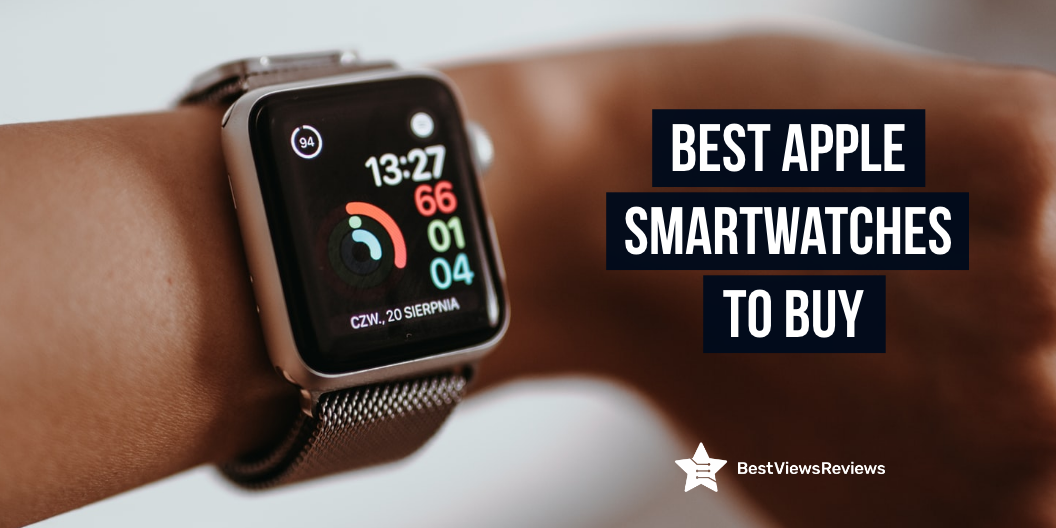
Apple smartwatches work with an iPhone to provide the user with a variety of features, including the ability to make and receive phone calls, text messages, and email; view calendar appointments and notifications; track fitness activity, and make mobile payments. The first Apple smartwatch, the Apple Watch, was released in 2015. Since then, Apple has released several iterations of the device each of which offers slightly different features and connectivity options.
How Does Apple Watch Differ From Other Smartwatches?
The Apple Watch is the most popular smartwatch on the market. There are a few key ways that it differs from other smartwatches. Apple Watch features a unique design that is immediately recognizable. These watches have a much more powerful processor than most other smartwatches, which allows them to run more demanding apps and perform better. Apple Watch also has a much better battery life than most other smartwatches, which is a key selling point for many users.
What Are The Features Of the Apple Watch?
Apple smartwatches continue to grow in popularity, and more and more people are looking to buy one. But before you purchase an Apple smartwatch, there are a few things you need to consider.
Price
The price of Apple smartwatches can start from $349 and it can go up from there. The higher-end model, the Apple Watch Edition, will cost you around $18,000. You need to make sure you are comfortable with the price before you buy.
Functionality
Before you buy an Apple smartwatch, you need to think about what you want it to do. The Apple Watch can do a lot of things, but not everything. You need to decide what functions are most important to you and make sure the watch you choose has those functions.
Battery Life
Apple smartwatches have good battery life, but they are not perfect. You need to make sure you choose a model with good battery life if you want your watch to last all day. Apple claims that each model can last 18 hours on a single charge, but users easily get more than 24 hours of usage out of their Apple Watches.
Compatibility
You need to make sure it is compatible with your phone. Not all models of Apple watches are compatible with all phones, so you need to check compatibility with your phone before you buy.
Smartwatches are popular due to their several benefits. You can check our blog on smartwatches and know about all the benefits.
How Does Apple Watch Connect To iPhone?
Apple Watch uses Bluetooth to connect to your iPhone. You can connect your Apple Watch to your iPhone using a feature called Wireless Charging. The Watch will use the iPhone’s internet connection to stay connected when you connect your Apple Watch to your iPhone.
What Are The Compatible Apple Watch Bands?
There are a few different types of Apple Watch bands that are compatible with the Apple Watch. The first type is the sports band, which is made of a flexible elastomer material and has a pin-and-tuck closure. White, black, blue, pink, and green are some of the colors of the sports band. The second type of band is the leather band, which is made of soft, supple leather. Black, brown, and red are some of the colors that the leather band is available in. The third type of band is the link bracelet, which is made of stainless steel and has a fold-over clasp. The link bracelet is available in a variety of colors, including silver, space gray, and gold.
Smartwatches can transfer information like calls, SMS, alerts, etc. from your phone to your watch. Check our blog on smartwatches and know the best smartwatch for every style and budget in 2023.
What is the Best Apple Watch Apps of 2023?
There are tons of great Apple Watch apps out there that can help you stay organized, connected, and healthy. Here are our top picks for the best Apple Watch apps of 2023.
Fantastical
The fantastic calendar app not only lets you see your schedule at a glance but also makes it easy to add upcoming events with natural language input. You’ll always be on top of your schedule, and adding new events will be a breeze with this app.
Evernote
Evernote is a great way to keep track of all your notes and ideas in one place. The Apple Watch app lets you dictate notes and access your list of upcoming tasks. You can also use Evernote to keep track of your daily to-do list, and even set reminders for yourself to stay on top of your tasks. Evernote is a great way to organize your thoughts and ideas, and the Apple Watch app makes it even easier to use.
Slack
Slack is a great way to stay connected with your team. The app is available on a variety of platforms, including the Apple Watch, which lets you see your notifications and easily reply to messages. You can also customize your notifications so that you only receive the ones that are most important to you.
Dark Weather
Dark Weather is a great weather app that gives you all the information you need at a glance. The Apple Watch app lets you see the current conditions, hourly forecast, and even severe weather alerts. You can also view the radar, satellite, and forecast maps to get a better idea of what the weather is like in your area.
Sleep Cycle
The app helps you track your sleep habits and wake up feeling refreshed. You can use the Apple Watch app to log your sleep and wake you up at the right time. The app also includes a sleep tracker that monitors your sleep habits and provides tips on how to get a better night’s sleep.
Best Apple Smartwatches to Buy
Apple Watch Series 4
The Apple Watch Series 4 is an ideal fitness and activity tracker. It comes with a retina display, water resistance, and GPS. This watch has everything you need to stay on top of your fitness goals. The heart rate monitor and sleep monitor make it easy to track your progress and see how you are doing. The Watch OS operating system is compatible with the iPhone 5s or later.
Apple Watch SE (GPS, 40mm) – Black Sport Band
The new Apple Watch SE is a great way to stay connected to your fitness and health. It comes with its GPS and heart rate monitor. You can track your progress and stay motivated to reach your goals. The Watch SE also features a brand-new fitness tracker that can track your steps, distance, and calories burned. It is also water-resistant, so you can take it with you wherever you go.
Apple Watch Series 6
The reviews of Apple Watch Series 6 show that this model offers an excellent way to stay connected while staying active. It features a large Retina display, built-in GPS, and a host of other health and fitness tracking features. The Watch Series 6 has 5GHz Wi-Fi and U1 ultra wideband chip that offers enhanced connectivity.
Apple Watch Ultra
The Apple Watch Ultra has a large 49mm display and is made of durable silver aluminum. It’s also water-resistant, so you can wear it while swimming or doing other activities. You can track your fitness progress with a built-in heart rate monitor. With the voice assistant and elevation tracker, you can stay on top of your day-to-day tasks.
Apple Watch Series 4
New Apple Watch Series 4 allows you to work on your health and fitness while keeping in touch with the people and information you care about most. It features a large Retina display, built-in GPS, and an altimeter for tracking your elevation. The Watch Series 4 also has a water-resistant design, so you can take it with your swimming or surfing. It’s up to 2x faster than the original Apple Watch with the new S5 chip.
Conclusion
Apple smartwatches are one of the most wearable devices on the market. Apple Watch 5 Vs. Galaxy Watch 3 concludes that both have their different pro and cons. You can also use Apple Pay to make purchases using your Apple Watch. The Apple Watch can track your fitness and activity levels, and even has built-in heart rate monitoring. Read our blog Apple Watch 5 vs Galaxy Watch 3 and know the main difference between both.
BestViewsReviews rates and reviews the best smartwatch bands based on quality, convenience, and durability