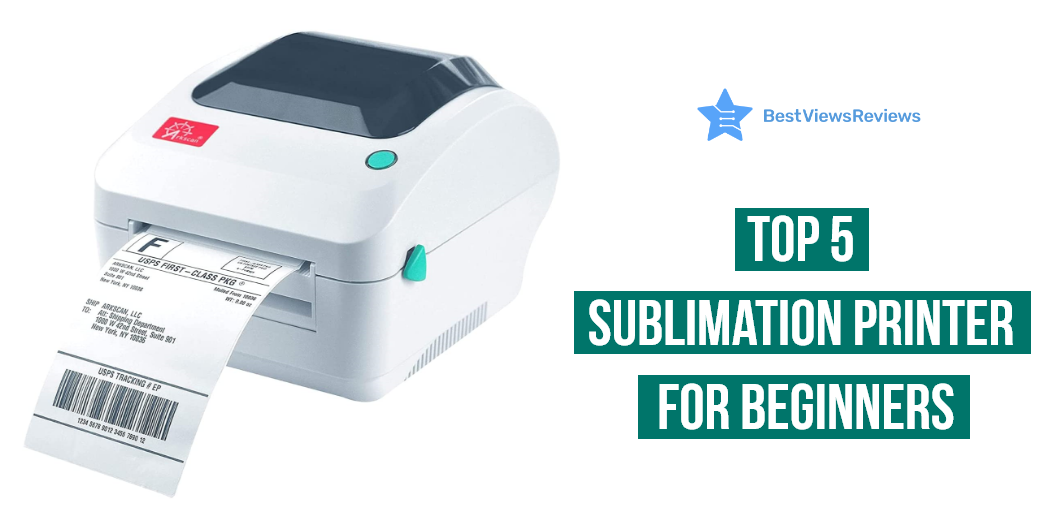
Are you looking for a high-quality printer to help your creative artwork grab your audience? Then, try the best sublimation printer for beginners to turn your creativity into printed form with their unique technology. You can ideally print high-quality images of your artwork on the surfaces of materials like mugs, mobile phone cases, t-shirts, and even ceramic tiles. A sublimation printer uses heat to transfer dye-based inks onto materials.
A sublimation printer is an excellent solution for your creative endeavor. You could efficiently move forward in your creative artwork field. Choosing the right printer can be confusing. Read our blog for a detailed buying guide on choosing the best printers.
What is sublimation printing?
Sublimation printing is a cutting-edge printing method. It produces colorful, long-lasting results for a wide range of tasks. The procedure begins with a computer image that is produced using sublimation inks and printed onto specific transfer paper. A sublimation printer transfers dye directly onto a range of surfaces, including polyester textiles, ceramic tiles, and paper using specialized inks. A heat press is used to press the printed image onto the printed object. The heat enables the ink on the paper to permanently and brilliantly transfer to the object.
Factors to Consider Before Buying a Sublimation Printer for Beginners
Printing Speed
The printing speed is an important factor to consider before purchasing a sublimation printer. Most printers can print at speeds of up to 12 ppm in black and 10 ppm in color. The high printing speed will enable you to print more pages in a shorter amount of time. This can save you a lot of time.
Dual-Side Printing
Many sublimation printers have the ability to print on both sides of a page, which can be a useful feature for certain projects. Even though it is an expensive option, they will offer to print on both sides of the pages with the automatic dual-side printing feature. Inkjet printers are highly beneficial and easy to use. Read our blog to understand the premium qualities of inkjet printers in 2023.
Printing Volume
The higher printing volume will save you time and increase the number of printing materials. Printers with a higher printing volume will be able to handle larger projects. The high-end models will come with a 500-sheet capacity, whereas the standard models may offer you only up to a 250-sheet capacity.
Printer Resolution
Higher resolutions will result in better printing quality. You may require a higher resolution printer to print the images on the surface of materials like t-shirts. They may also slow down the printing process and use more ink. You can go with printers with a printing resolution of about 2400 x 600 dpi.
How Do I Care for My Sublimation Prints?
Sublimation printing is a great way to produce high-quality prints with vibrant colors. Here are a few tips for taking care of sublimation prints:
- Use a UV-resistant coating. A UV-resistant coating will protect your prints from fading or discoloration due to exposure to sunlight. There are several UV-resistant coatings available, so be sure to ask your printer for recommendations.
- Store your prints in a cool, dry place. Sublimation prints are sensitive to heat and humidity, so it’s important to store them in an environment that won’t damage them.
- Avoid handling your prints too much. The oils from your skin can cause sublimation prints to fade over time, so it’s best to handle them as little as possible.
- Display your prints in a frame. Framing your sublimation prints will help protect them from damage and keep them looking their best.
- Clean your prints gently. When cleaning your sublimation prints, be sure to use a soft, lint-free cloth and a gentle cleaning solution. Avoid using harsh chemicals or abrasives, as these can damage the print. Following these tips will help ensure that your sublimation prints will last for years to come.
Does It Matter What Printer you Use for Sublimation?
It is impossible to achieve the output of vibrant colors and sharp details with normal printing processes. Sublimation is a type of printing process used for transferring images and text onto media items. It uses heat to transfer sublimation inks onto a variety of substrates. Normal printers are not capable of sublimation printing. They use a combination of heat and pressure to transfer the inks onto the substrate. Sublimation printers are more expensive than normal printers. But they offer superior image quality and durability.
Best Sublimation Printers For Beginners to Buy
Epson EcoTank ET-2850
The reviews of the Epson EcoTank ET-2850 show that it offers a built-in scanner and copier. Automatic 2-sided printing will save paper and let you print automatically on both sides. A high-resolution flatbed scanner and a color display will easily navigate and copy the contents of the document. This printer is highly affordable and ideal for students and office professionals. Epson Smart Panel App comes with the features of voice command and hand-free printing experiences.
Epson WorkForce WF-7720
The Epson WorkForce WF-7720 offers a 35-page automatic document feeder printing experience. The automatic 2-sided printing feature will enable you to scan up to 11″ by 17″ sized documents. You can use their wireless printing facility for easy access. This printer will work efficiently on Epson cartridges. Third-party inks or cartridges will affect the performance. Epson WorkForce WF-7720 will work neatly on all versions of Windows and Mac OS. They offer a 4.3-inch color touchscreen for easy navigation.
Epson EcoTank Photo ET-8500
The high-quality Epson EcoTank Photo ET-8500 is a versatile and affordable printer. It also has a special feature of automatic 2-sided printing. So, you can print on both sides with a thickness of up to 1.3 mm. This model comes with a wide 4.3 inches touchscreen. This will be perfect for your home or office use. You can easily print high-quality documents and photos on cardstock, CDs, and other specialty media.
Epson EcoTank ET-2803
The top-quality Epson EcoTank ET-2803 prints under the maximum speed of 10 ppm for black and white printing output. This printer could be easily operated from AirPrint or the intuitive Epson Smart Panel App for hands-free accessibility. Cartridge-free printing offers high-capacity ink tanks. The exclusive EcoFit ink bottles have premium-quality inks. You can easily refill the ink tank without any worries. Thus, it will reduce the wastage of cartridges.
Epson EcoTank ET-4760
The Epson EcoTank ET-4760 works on inkjet printing technology for high-quality printing. It has a maximum monochrome printing speed of 15 ppm. The colored print will work at the maximum print speed of 8 ppm. The Genuine Epson inks will be the right inks for this printer. It will help you produce the best quality printing. They have the connectivity option of both WiFi and Ethernet. It also offers automatic 2-sided printing and scanning, a 4.3-inch color touchscreen, and a built-in 30-sheet ADF.
What printer is best for printing sublimation?
The Epson EcoTank ET-4760 is the clear pick for the best printer for sublimation printing. This all-in-one printer can print up to 14,000 pages of color or black-and-white text at a cheap cost per page. It boasts the greatest print resolution of any printer in the EcoTank family. If a more cheap solution is sought, the Epson EcoTank ET-2850 is an excellent choice. This model has a low cost per page and is intended for usage in a home office.
Can you use a sublimation printer for shirts?
Sublimation printers are becoming a popular option for digital printing on clothing. However, sublimation printers are only capable of printing on materials having a polyester surface or those that have been coated with a polyester coating. As a result, they cannot be printed directly onto cotton shirts.
Can you use a sublimation printer with Cricut?
Sublimation printers work well with a Cricut machine. You may transfer brilliant, colorful designs onto fabric and other materials using a sublimation printer. Because the ink is infused into the fabric during the printing process, the technique is fairly straightforward, making it an excellent choice for applications that demand high-quality, vivid prints. With a Cricut machine, you can create detailed images to be printed on fabric with a creative touch. Sublimation printers are simple to operate and provide an excellent approach to bringing your designs to life.
Can you use a sublimation printer for t-shirts?
Sublimation printers employ heat-activated inks to transfer graphics with vibrancy and precision onto t-shirts, mugs, and other textiles. These printers are best suited for projects requiring full-color graphics with infinite hues, brilliant gradients, and photographic pictures. Sublimation printers are also perfect for large quantities since they eliminate the time and material expenses involved with conventional screen printing.
Conclusion
Sublimation printing is a great option for beginners, as it is easy to operate and has low maintenance costs. The key to successful sublimation printing is to invest in quality, reliable materials. Quality inks, paper, and transfer materials should be used to ensure the best results.
A sublimation printer also allows businesses to broaden their variety of services and goods. Businesses may quickly and simply make colorful prints with amazing results using the printer’s high-quality interface. It is an investment to boost their productivity and profitability.
It would be better to use these sublimation printers in well-ventilated areas. You can also read through our blog to know why you should buy the best brother printers in 2023.
BestViewsReviews rates and reviews the best-quality inkjet printers and top-selling photo printers on the basis of quality, convenience, and durability.