
Microwave Shelf: A Convenient Storing Alternative

microwave shelf

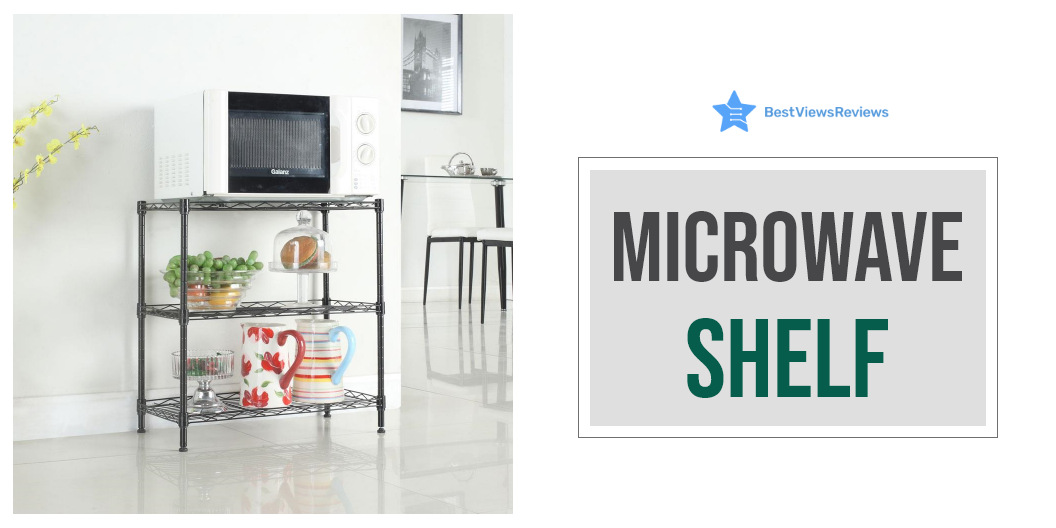
A microwave shelf is a space in the kitchen that is externally built to place your microwave. It is built into the wall-mounted cabinetry in the kitchen. Microwave shelves are also a great solution when you have limited space in the kitchen. They are usually made of metal, but some are made of glass, plastic, and ceramic. They can be an open shelf or a cabinet without a door. Make sure they’re not too high so you can comfortably use the microwave oven.

Microwaves are also an essential appliance in the kitchen that lets you cook and heat a number of food items. You can read our blog on the best-selling microwaves in case you are looking for one.

Can You Put a Microwave on a Shelf?

Putting your microwave on a shelf is an ideal way to save space. Make sure that the shelf is big and sturdy enough to sustain the microwave’s size and weight. The shelf is an efficient and accessible option in the kitchen for keeping the microwave. They are versatile and suit all types of microwaves. Read our blog to know more about the types of microwaves. It will help you to make a better buying choice.

How A Microwave Shelf Can Improve Your Overall Kitchen Experience

A shelf holds the appliance and keeps your kitchen counter clutter-free. The presence of a microwave shelf can make your kitchen look cleaner, organized, and aesthetically pleasing. Choose a larger shelf to accommodate the microwave and a few other decorative items. Check out the idea below for installing microwave shelves.

Install it as a Drawer

Consider installing a drawer-style microwave shelf behind the counter or on an island for a discreet look. A drawer-style provides access and convenient landing space for food going into or coming out of the microwave. This feature eliminates the need for counter space. The design has a sleek and integrated look perfect for kitchens with limited counter space. Users of any height can easily access the oven without reaching up to the counter or higher.

You can consider buying a microwave drawer if you want more space-saving options. These drawers are great for mini kitchens. You can read our blog on microwave drawers to know more about them.

Mount a Microwave Shelf Over the Range

This configuration may be ideal for kitchens that are limited in the area. Installing an over-the-range microwave not only combines the appliance with top cabinets. It also groups it with the range below for a more streamlined aesthetic. 

Door Shelf

Place the microwave inside a cabinet when not in use. Put it behind a door that blends in with the rest of the cabinetry. Tambour doors are ideal for small kitchens since they rise to make access to the microwave easy.

How Big Should a Microwave Shelf be?

Standard microwave shelves come in widths of 24, 27, or 30 inches. The average height is between 17 and 22 inches. The depth ranges from 20 to 25 inches with the door closed while it is between 30 to 35 inches with the door open.

How High Should a Microwave Shelf be From the Floor?

You should not install the microwave shelf for more than 3 inches below the user’s shoulder height. This will help the users to see inside the microwave. Placing it at the right height will help you remove a microwave dish without spilling the contents. Check if the bottom of your microwave shelf is set to 62 AFF. It is advisable to change it if it is about 2 inches shorter than the average American woman’s height.

Buy the Best Microwave Shelf

The Ninetonine

 The Ninetonine Microwave Shelf fits the wall mount microwave. It is a two-tier design with hooks and requires four screws to complete the installation process. This bracket makes it easy to mount a microwave on the wall while providing extra storage for cookware or condiments. One can use it in kitchens with limited counter space.

Bestier Kitchen Baker’s Shelf

Bestier Kitchen Baker’s Shelf is a stylish storage space. It is designed with 4 heavy-duty shelves. This rack provides room for storing a variety of everyday essentials like vegetables, microwaves, cooking and eating utensils, plates, and other kitchen accessories. It also comes with 3 extra side hooks that are convenient for hanging cooking spoons, dry towels, or other small utensils. 

Mind Reader Microwave Shelf

Mind Reader Microwave Shelf is a vertical rack that won’t take up much space in your kitchen.  It comes with rubber feet for a non-slip grip. You can keep your microwave or other appliances like toasters on this rack. It’s also useful for organizing kitchen and pantry condiments, utensils, and accessories. The shelves of this rack are made of metal and designed to last long.

TAGLINES Expandable Shelf

TAGLINES Expandable Shelf comes with an adjustable length. It is made of carbon steel and can hold up to 25 KGs of weight. This rack is strong enough to store a microwave and other kitchen items such as tableware, spices, canned foods, condiments, bottles, etc.  The 4 non-slip suction cups on the bottom of the shelf prevent it from sliding.

Pusdon Extendable Microwave Oven Rack

Pusdon Extendable Microwave Oven Rack comes with an adjustable height feature. You can free up your counter space by storing different kitchen essentials on this rack. It is easy to install and clean. This rack also has adjustable 10mm foot pads that make it suitable for uneven surfaces as well. This rack is heat resistant and has anti-rust properties as well.

Conclusion

The microwave shelf is a sturdy and handy platform to place a microwave. It can store both the microwave and small ingredients, dishware & other tiny utensils for access. Microwave shelves are affordable and are available both online and in stores. They are a simple and convenient way of making the most of your counter space.

BestViewsReviews rates and reviews hundreds of over-the-range microwaves and countertop microwaves on the basis of their size, build quality, and capacity.
Drawing Tablet With Screen; An informative Guide

drawing tablet with screen

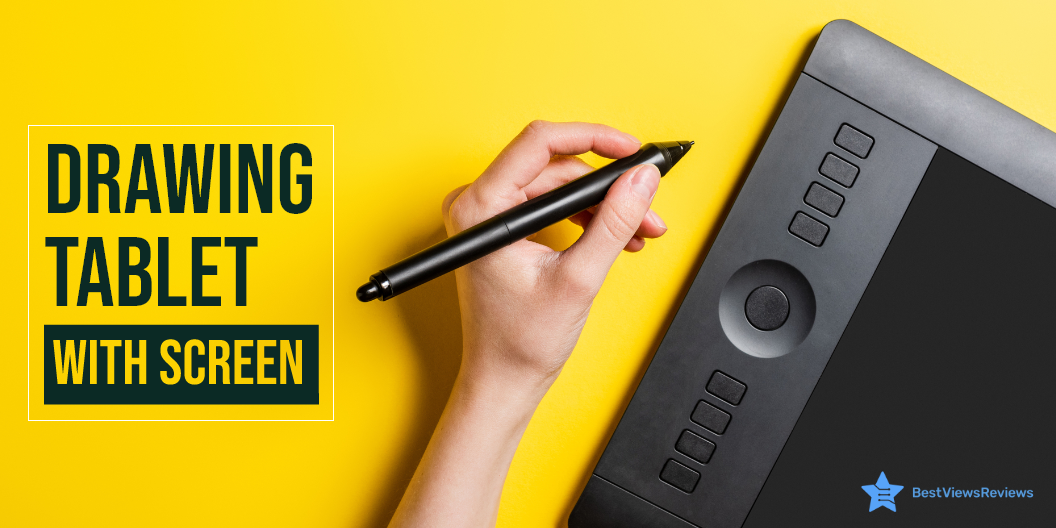
A drawing tablet with a screen is an input hardware device that comes with a touch screen display and supports pressure sensitivity technology. It allows the user to draw creative images and arts by using touch draw pens or styluses. This tablet emulates real paper-pencil drawings and gives you a natural drawing experience. You can create heavy strokes by applying more pressure on the tablet screen.

This gadget transforms your creative drawings into a digital form. You can use this gadget for making drawings and creating your personalized digital signatures.

What to Look for When Buying a Drawing Tablet With Screen?

Buying a drawing tablet with a screen can be a little confusing because of so many options, brands, and features. Follow our below-mentioned pointers to make an informed selection.

Pressure Sensitivity

Most drawing tablets have touch screens with pressure sensitivity levels ranging from 300 to 3,000. The higher sensitivity level will let you create finer lines and images. It is useful when you draw with minute detailing.

Go with models that have at least 1000 pressure levels if you are a beginner. The models with more than 2000 levels are good for advanced or intermediate artists.

Size

Tablet sizes can vary from brand to brand and manufacturer to manufacturer. The large screens will allow you to draw large drawings and sceneries without needing to zoom in and out. Compact versions are ideal for portable handling. You can pick the size that best suits your commuting and drawing needs.

Resolution

Resolution is the LPI levels of a tablet, i.e, lines per inch. The higher LPI allows you to make high-resolution images with extra details. The large-sized screens often come with more LPI levels. Make sure you check the screen resolution before buying.

Responsiveness

The lines you draw should be instantly drawn on the screen. Less responsive models will show more lag. The responsiveness factor depends on RAM, processor, tablet drivers, and software. You should go with models that have good specs and feature high responsiveness.

Stylus Type

Choosing the right stylus type with your drawing laptop is crucial. Styluses have three main types; the battery-operated stylus, a rechargeable stylus, and the EMR stylus. The battery-operated stylus feels heavy in the hands and takes energy from batteries to function.

A rechargeable stylus has a comfortable design and can be used after charging. The EMR stylus is the most advanced version. It uses electromagnetic frequency and takes energy from the tablet screen while functioning. You do not need any external battery or charging to power this device.

What is the Difference Between a Graphics Tablet and a Drawing Tablet?

Drawing tablets and graphics tablets are similar input hardware devices but differ in functioning. The graphic tablet is connected to a computer, and the arts you draw are visible on a computer screen. The drawing tablet displays your drawings on the tablet screen and you do not need to connect it to a PC to get real-time output.

Graphic tablets like VEIKK S640 Graphic Drawing Tablets have got excellent reviews because they support mac, windows, and even android interfaces. The drawing tablet is costlier but comes with features like the adjustable stand and tilt function that give you a better drawing experience.

Is Drawing Tablet With Screen Better?

A tablet with a screen is better than a graphic tablet because of portability, convenience, and real-time functions. You can see your art on the tablet screens while drawing. It is lightweight and you can carry it anywhere around. A graphics tablet is a good option if you want to see your drawings on a large computer screen. Remember, you will not be able to use a graphic tablet everywhere.

What are The Best Drawing Tablets With a Screen?

Wacom DTK1660K0A Cintiq

The Wacom DTK1660K0A Cintiq is the ideal tablet for art and animation beginners. It features a brilliant 15.6-inch screen, with 1920×1080 HD resolution and a pressure sensitivity pen. The pen requires no battery and can work as multiple pens and brushes using the software. This tablet measures ‎16.6 x 11.2 x 0.4 inches and weighs just 4.19 pounds.

VEIKK VK1200 Drawing Tablet 

The VEIKK VK1200 Drawing Tablet comes with a 15.6-inch touch screen display and a battery-free stylus for seamless performance. The tablet features a tilt function to deliver a real drawing experience. It has 8192 pressure levels that allow you to create fine and hard strokes with ease. This model has 6 shortcut keys that you can customize as per your drawing habits.

HUION Kamvas 13 Graphics Drawing Tablet

The HUION KAMVAS 13 Graphics Drawing Tablet is a professional-level graphics tablet with a large, active drawing area. It’s the perfect device for graphic artists, video editors, and others who need an intuitive, natural drawing experience. It has a 3-in-1 C-type port for connecting to computers, laptops, and mobiles. This machine offers 8192 levels of pen pressure, 60 degrees of tilt function, and 266pps of report rate.

VEIKK A15 Graphics Drawing Tablet

The reviews of VEIKK A15 Graphics Drawing Tablet mark it as one of the best-quality drawing tablets in the market. It comes with a  10 x 6-inch large active area with a papery texture surface. It has 12 fully customizable express keys and 2 pen buttons to offer customized controls. This model is compatible with Mac, Windows, Linux OS, and also ANDROID 6.0.

VEIKK A15 Pro Graphics Drawing Tablet

The VEIKK A15 Pro Graphics Drawing Tablet has got good reviews because it provides you with a digital platform to create designs and graphics. It has a passive pen that supports ±60°tilt function which allows you to add shadows to your art creation. The 10×6 inch large active area provides enough space for your digital artwork. It comes with 28 spare nibs, 1 pen holder, and 1 artist glove.

Conclusion

A drawing tablet is a unique way of digitalizing creative content, arts, and drawings. It allows you to save your drawings and customize or edit them later. You can create amazing drawings without the need for any pen or paper. Make sure you read our buying guide on tablets to buy the right model.

Reading tablets are good for reading purposes. Many standard tablets like Amazon fire tablets can also be converted into drawing tablets with the right software and drivers. You can read through our blog to find the best Amazon fire tablet editions.

BestViewsReviews rates and ranks hundreds of Drawing and sketching tablets on the basis of controls, battery, and overall performance.