
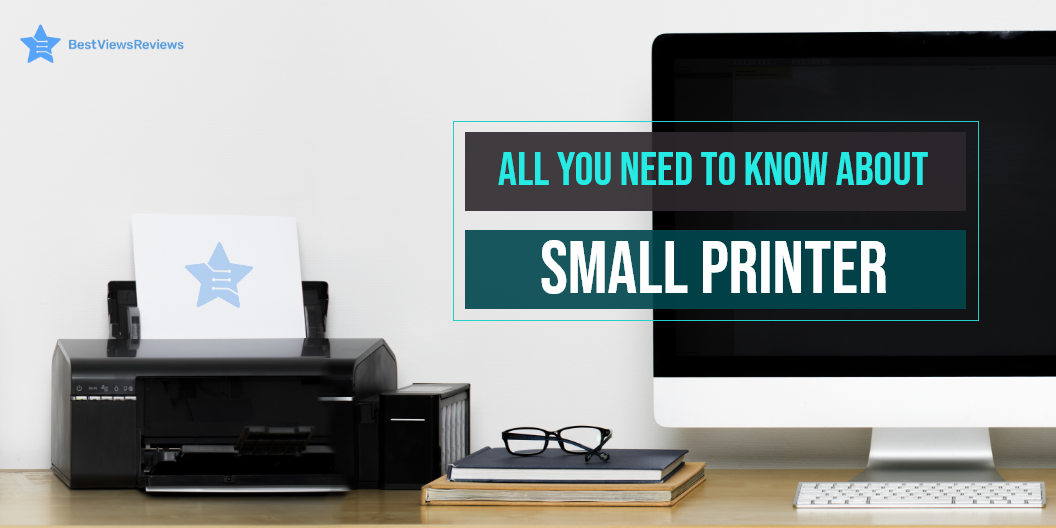
All You Need to Know About Small Printer

small printer

A small printer is a portable device that works on the same principle as that of an inkjet or laser printer. It has small dimensions, measuring around 6 inches wide by 18 inches deep by 10 inches tall. The dimensions can vary as per brand and manufacturer. This device is easy to use and set up, which makes it an ideal buy for your home office space. The compact size, lightweight design, and connectivity features are the primary reason behind its increasing popularity.

Buying a small printer is not that easy. It requires considerable time, effort, and research. To make your shopping experience hassle-free, we have crafted an informative guide, below. Check it out.

What to Consider When Choosing the Best Small Printer

Wired vs. Wireless

A small printer is available in wired as well as wireless technology. The wireless connectivity is good for portable handling and keeps you away from the clutter of wires and cables. This device can be connected via Bluetooth or Wi-Fi. Some models also feature a Wi-Fi direct option that connects with local computers and smartphones easily.

Wireless connectivity is undoubtedly a convenient way of connecting your printers, but it can be slow too. There are always some chances of network interference, network error, or a lag in connection. A wired connection requires cables and wires, but it often delivers fast and accurate results.

Quality

The quality of the printer is denoted in Dpi terms. Dpi is dots per inch that a printer forms to create a good-resolution print. In simple words, a high dpi number will mean a higher print resolution. Inkjet printers usually have a dpi ranging from 300 to 720, while laser printers have better resolution capabilities with 600 to 2,400 dpi.

Inkjet printers can print colorful and high-quality photographs. Laser printers are ideal for printing detailed and precise text. Check the dpi of your chosen model before you purchase it. Choosing between laser and inkjet printers can be tough. Read our blog to know if a laser printer is better than an inkjet printer.

Speed

The printing speed matters in deciding the right model. Laser printers like Brother Compact have good printing speed and can print from 20 to 100 pages per minute depending upon the model and print size. The inkjet printer can print about 16 pages per minute. Check the tray space of the printer you want to purchase as well since a larger tray will result in less frequent reloading, but it may result in increased printer size.

Maintenance Cost

Maintenance cost mainly includes ink or toner replacement costs. The maintenance cost can be more with a laser printer, but the per-page cost for printing is comparatively less. This is because a laser printer can print up to 7000 pages in one toner, while an inkjet small printer can give only 135 to 1,000 pages. The reviews of Brother Compact Monochrome show that this model can easily print around 2000 pages in one toner. Whatever model you select, make sure you check the maintenance cost, running cost, and overall cost that you may have to face in the long run. Read our blog to know about common printer problems and their easy fixes.

Connectivity

Other than a wired and wireless connection, you should check some other connectivity features too. Some models can connect with smart home systems and audio control devices like Alexa. This offers better convenience and ease of use. They also have separate SD card ports to support external storage access. It allows you to print your photos directly from your SD card.

Portability

The main idea behind a small printer device is portability. You should look for models like Canon® SELPHY™ CP1300 that are easy to carry and have lightweight designs. You can check for exact dimensions in the product description section. The model you buy should not weigh more than 5 or 6 pounds.

What Smart Features Do a Small Printer Have?

A small printer can have a lot of advanced features depending on the brand and type. Some models can connect to built-in apps for providing convenient and wireless usage. The LED display with a touch control feature lets you give quick and accurate commands. You can also track and monitor ink levels in various small printer models.

How Long Does a Small Printer Last?

A small printer device can easily last around 3 to 5 years, but with proper care and maintenance, the overall lifespan can be increased. Most models come with a limited warranty of 1 year, but the premium models can include an extended warranty of up to 3 years.

What Is The Best Small Printer For Home Use?

The HP DeskJet 3755 is the best small printer for home use. It has a compact and lightweight design with Bluetooth and Wi-Fi-direct wireless connectivity features. This printer comes with a sheet output tray that can hold up to 25 sheets at a time. The input tray can contain up to 60 sheets. It measures 15.86 x 6.97 x 5.55 inches in size and weighs just 5.13 lb.

The Canon Pixma TR150 Wireless Mobile Printer has also got excellent reviews for convenient home usage. It comes with wireless capabilities and can print directly from your smart devices or phones. This model features a 1.44-inch OLED display and an optional battery.

Conclusion

A small printer is a compact, yet useful device for your regular home-office tasks. This printer fits in your compact workspace and quickly delivers high-quality prints. The operation is mostly smooth and quiet. It is good to know all about inkjet printers before choosing any model. We recommend you buy models that are from trusted and reputed brands.

BestViewsReviews rates and ranks hundreds of computer printers on the basis of build quality, print quality, and ease of use.
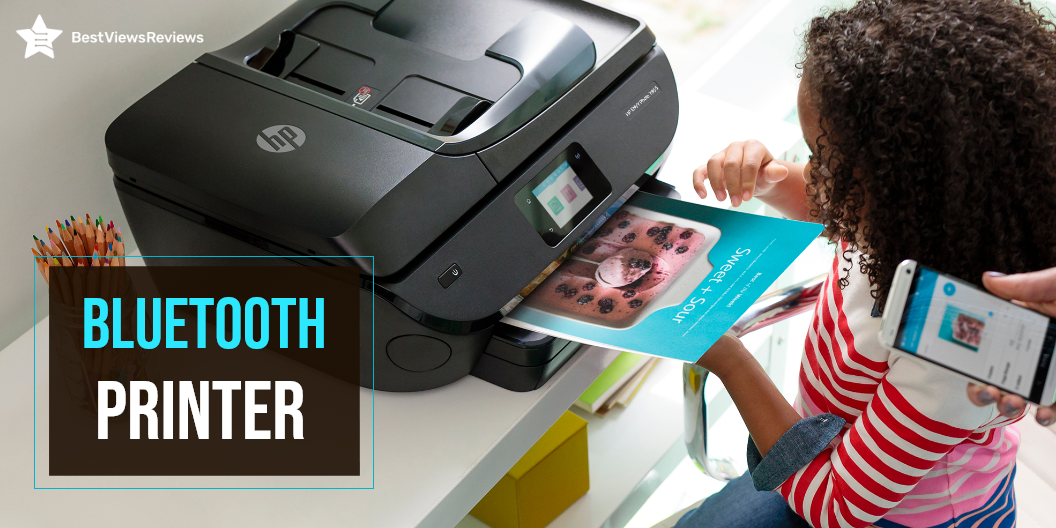
All You Need to Know About Bluetooth Printer

Bluetooth Printer

A Bluetooth printer is a wireless printer that connects to a computer or other Bluetooth device. It can then print conveniently. A Bluetooth printer is different from a printing device. A printing device connects to the computer via a USB cable.

The Bluetooth printers can print wirelessly from your computer. A printer connected via Bluetooth supports the ability to print to multiple devices at once. If you are on the lookout for a regular printer, BestViewsReviews has shortlisted the top-rated inkjet Bluetooth printers. They are reviewed on the basis of print quality, compatibility, and support.

How Does a Bluetooth Printer Work?

Printers use Bluetooth technology to enable wireless and cordless printing. The computer can send print jobs directly to the Bluetooth printer without wired connections. You may send print jobs at a data transmission speed of up to 3 Mbps. The speed is fast and can connect to any location. It will be possible to print from many PCs to a single printer using this Bluetooth network. This printer network will function similarly to a network created using your house Wi-Fi.

How Do I Connect to a Bluetooth Printer?

Step 1: Check the Compatibility

Check to see if your printer supports Bluetooth. There are printers that support Bluetooth, and there are others that require an adapter. You can buy Bluetooth printer adapters online or at electronics stores for an affordable price.

Step 2: Connect the Adapter

Set up your adapter. It will install itself to connect one end to your computer and the other end to your printer.

Step 3: Active the Printer

Activate the printer. Ensure it’s plugged into a functional socket and that the printer’s electricity is switched on ideally.

Step 4: Activate Bluetooth in the Computer

Switch On your computer and open Bluetooth devices. Next, move to the control panel and open Bluetooth Devices after you’ve installed your Bluetooth adapter.

Step 5: Connect the Printer to the Computer

Add a printer to connect to the Bluetooth printer. This method is less secure but is simple to understand. Tick the “Turn to discover on” and “Allow Bluetooth devices to connect to this computer” in the settings tab. The printer and computer should automatically detect each other and begin operating.

Step 6: Add the Device

Add the device manually. Select “Add Device” from the device’s menu and follow the installation tutorial to locate your printer.

Step 7: Final Installation

Use the wizard to “Add Printers.” You may also add a printer by going to “Start” and selecting “Printers and Faxes,” then “Add a Printer.” When the wizard appears, pick “Bluetooth printer,” and Windows will automatically look for your printer. If you are not able to connect, read our blog on how to troubleshoot a printer.

Can you Use a Bluetooth Printer without Wi-Fi?

You can use Bluetooth to transfer data from one device to another without a Wi-Fi connection. Several devices require Wi-Fi to function properly. There are some Bluetooth devices that do not work without Wi-Fi. You might need to use Wi-Fi to transfer documents from your computer to your printer over a LAN. You do not need a Wi-Fi connection if you have a Bluetooth printer.

What is the Cost of a Bluetooth Printer?

Bluetooth printers range in price from $25 to $75. You pay according to how much ink you put into your printer. Bluetooth and Wi-Fi are both wireless solutions. There are two primary reasons these technologies differ. You may get equivalent print output if you buy compatible ink cartridges – you could save up to 60% by doing so.

Check the type of ink cartridges–or refill options–available when buying a new Bluetooth printer. The alternatives you can choose from depending on the model and feature you are using. You may need a refilling kit for some ink cartridges. Kits like this can save you money while also serving as a fail-safe if you run out of ink when you least expect it.

Is a Wireless Printer the Same as a Bluetooth Printer?

No, they both differ in the following ways.

Range

Since Wi-Fi has a range of around 300 feet, you may put your printer in a central location where everyone can use it. It will allow you to keep your printer close to your Bluetooth-active devices. •

Transmission rate

Wi-Fi transmits data at a fast 55 Mbps. It allows you to print rapidly and deliver larger files to the printer without slowing down the network. Bluetooth is a little slower than Wi-Fi, but it’s widespread in portable devices like cell phones and digital cameras.

Buy Best Bluetooth Printers

The Kodak Bluetooth Printer

The Kodak Dock Plus lets you create and share with ease. Connect a compatible iOS or Android device and print directly from your phone or tablet. You can use the free Kodak Smile app to edit and enhance your photos. This instant printer uses 4pass technology to print flawless photos instantly. You can also print and share via text, email, or social media.

HP ENVY 5055

The HP ENVY 5055 is compatible with iOS and Android devices. You can print through your Smartphones and tablets. The printer supports Bluetooth and Wi-Fi and allows you to print directly from your computer or the cloud. It has a wide range of printing paper support, including 4 x 6 inches, 5 x 7 inches, and 8 x 10 inches. This printer has got good reviews for its Auto-Duplex technology that prints on both sides of the paper.

HP OfficeJet 250

The reviews of HP OfficeJet 250 show that it is an all-in-one portable printer that can scan, copy, and meet your portable printing needs. It supports various sizes to print letters, legal statements, envelopes, and photos. This printer has a 2. 65″ color touchscreen, auto document feeder, and more. The Bluetooth printer is compatible with Windows, Mac, and Linux.

Canon Pixma TS6320

The Canon Pixma TS6320 print, scans, and copies with ease and efficiency. This printer has a mobile printing solution that enables you to print directly from your Smartphone or tablet with the Canon PRINT app. The PIXMA printer can print up to 15 pages per minute in black and white. It also has auto 2-sided printing for convenient copying and scanning. The printer features an auto-duplex printing feature that saves paper and ink. It has got good reviews for its 1.44” OLED + LED status bar.

HP OfficeJet 5255 Wireless All-in-One Printer

The HP OfficeJet 5255 Wireless All-in-One Printer has a 35-page auto-document feeder and automatic two-sided printing that offers convenience. It comes with the HP Smart app that allows you to print and scan remotely. This model has Dual-band Wi-Fi for a stable and reliable wireless connection.

Key Takeaway

Bluetooth printers are convenient, easy to use, and efficient. It’s, however, important to be aware of security concerns. You must create your own Bluetooth password for every network you create. Data is only accessible to authorized users, thereby reducing the risk that sensitive information is lost or misused.

BestViewsReviews helps you find the best products on the market by rating and reviewing them on the basis of print quality, function, and user satisfaction. Get unbiased, honest reviews of products before you buy.