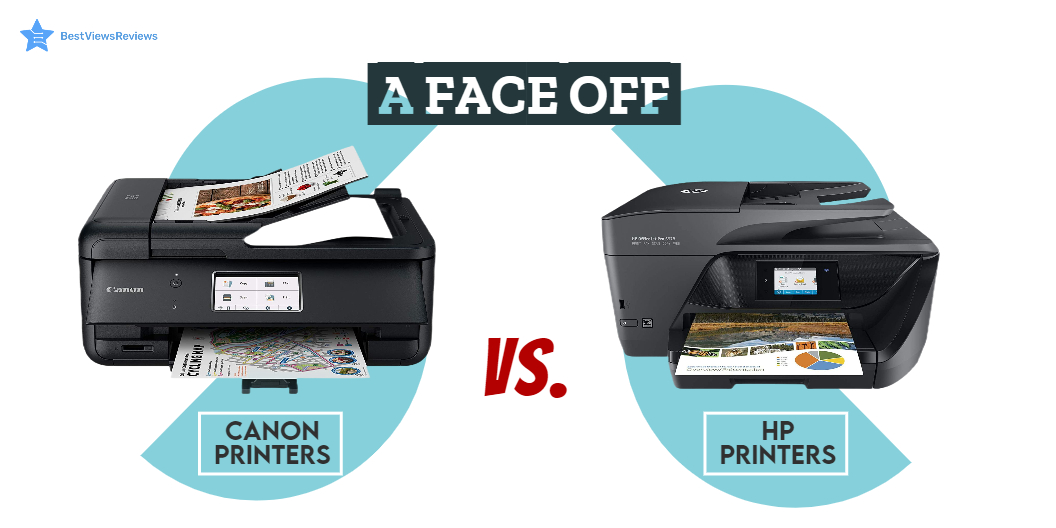
Printers are hardware output devices that use inkjet and laser printing technology to deliver high-quality printouts. They are an important piece of office equipment and come with their own set of features such as automatic document feed, duplex printing support, and many more. Along with features, you should also consider the brand of the printer before selecting the right model. The two popular brands of printers are Canon and HP. Choosing between Canon vs HP printers can be tough.
HP offers powerful printers that you can use at the office, at home, and for professional use. On the other hand, the Canon printer has good color page yield and produces cost-effective prints. While making your final purchase choice do look at our blog on the most reliable printers to know more.
Read on to get an informative comparison between Canon and HP printers based on ink costs, speed, output quality, and paper handling. We also have a blog on DIY printer repair that will help you fix a printer on your own.
Canon Vs HP Printer: Ink Replacement
Printer ink replacement is the most expensive part of buying a printer. Ink cartridges are a recurring cost. HP printers cost approximately two cents more per page than Canon printers. Switching to smart ink-compatible cartridges is a simple way to save money. They are cost-effective and enable users to get the same quality for a lower price.
Canon Vs HP Printer: Output Quality
It’s important to check the quality of text and pictures while checking the output quality. You can go for the black-and-white inkjet printers if you only want to print black-and-white text documents.
You should go with high-end models if you want to print images with vibrant colors and a wide paper selection. We recommend you check some of the top-selling computer printers. This printer offers an easy setup and allows you to print sharp black text documents and vivid color photos.
Canon Vs HP Printer: Print Speed
The best inkjet printer has an average printing speed of around 9.8 pages per minute. The HP printers can print up to 9.1 pages per minute, while some high-end models can print up to 20 PPM. The print of canon printers can range from 8 PPM to 15 PPM. Though it’s not a big difference, it can amount to a lot while printing in bulk.
Canon Vs HP Printer: Paper Handling
Canon printers can handle paper better than HP printers because they require less maintenance, but in terms of paper tray capacity, HP printers are better. You can easily get a paper input capacity of 225 sheets and an output capacity of 60 sheets with many HP printer models. Canon printers have a good paper loading tray with few paper jams.
Is HP Ink Cheaper Than Canon?
The answer is no. HP-colored high-yield cartridges are way more expensive than canon inks. Some HP inks like standard cartridges are just a few cents costlier, but overall prices of HP inks are usually higher than canon inks.
The best-selling HP Laser printers can have a per-page cost of around 19-20 cents for colored prints. In Canon printers, the per-page cost is just about 11 cents.
Is Canon Better Than HP For Photo Printing?
Canon printers are great at producing natural and glossy prints, but HP printers are better for photo printing. You can go with HP printers like HP OfficeJet Pro 7740 if you want warm glossy photos, whereas, for natural-looking pictures, Canon should be your best go-to choice.
Buy Canon Printer, HP Printer
CANON MG7520 Wireless Color Cloud Printer
The CANON MG7520 is a wireless business printer that offers a combination of high performance and versatility. It is compatible with different printers that meet varied requirements. It offers flexible functionality to keep up with your busy lifestyle. This machine features 9600 DPI that produces exceptional printing detail. This model is compatible with individual ink tanks that allow for up to 2x prints.
HP OfficeJet 250
According to customer reviews of HP OfficeJet 250 delivers professional-quality photos and documents. It connects with HP smart app for intuitive use and convenient printing from anywhere. This model has a built-in 2.65-inch color touchscreen that helps to print, scan and copy easily. It has dual-band Wi-Fi and Bluetooth that give you reliable and fast connectivity.
Canon – MAXIFY MegaTank GX7021 All-In-One Inkjet Printer
Canon – MAXIFY MegaTank Inkjet Printer comes with a high paper capacity that can hold up to 600 sheets of plain paper. This model has a high page yield that prints up to 6,000 Black/ 14,000 colors. It has a 2.7″ LCD touchscreen that makes it easy to use. This model has an auto document feeder that copies multi-page documents with ease.
Canon Office MX922 All-In-One Printer
The Canon Office MX922 All-In-One Printer offers a super-fast connection for your data transfers. It can easily copy, scan and fax multiple documents. This printer automatically prints on both sides of the page without hassle. This model is compatible with Windows 8, Windows RT, Windows 7, Windows 7 SP1, Windows Vista SP1, Vista SP2, and more.
HP OfficeJet Pro Premier All-in-One Wireless Printer
HP OfficeJet Pro Premier All-in-One Wireless Printer’s reviews mark that its instant ink program is a money saver. This printer is affordable and easy to set up. It comes in an aluminum finish and offers faster printing at 22 pages per minute. This model also comes with built-in security essentials that protect sensitive data.
Wireless Color Professional Inkjet Printer
Wireless Color Professional Inkjet Printer comes with 8 dye-based inks that offer perfect gradients and color. It is equipped with 3 dedicated grayscale inks for beautiful black and white prints. This model comes with 4800 x 2400 dots per inch with fine technology that offers incredible detail. Print professional-quality photos on various media up to 13 inches x 19 inches with this printer.
Canon – PIXMA TR8620a Wireless All-In-One Inkjet Printer
Canon – PIXMA TR8620a Inkjet Printer is compact & simple to use that fits perfectly anywhere in the home or office. This model can easily connect to your smartphone, tablet and all your favorite mobile devices with ease. It comes with a 5-color individual ink system and front & rear paper feeding that offers versatility.
Canon PIXMA G6020 All-In-One Wireless Printer
Canon PIXMA G6020 All-In-One Wireless Printer’s customer reviews show that it prints up to 6,000 Black text pages. This model uses both pigment-based and dye-based ink. Its dye-based ink formulation allows for vibrant and colorful images. It can print, copy, scan, and connect to your smartphone, tablet, and computer with ease.
Canon – PIXMA TS6420a Wireless All-In-One Inkjet Printer
The TS6420a features a compact and stylish design that matches everyone’s space. It comes with a clear 1.44” OLED display as well as a built-in auto duplex so that you can use less paper when printing large documents. You can print easily with your smartphone or tablet by using Apple AirPrint®4, Mopria® Print Service5, or the Canon PRINT App3.
Conclusion
Printers are great devices for both home and office work. Canon printers offer better speed and paper handling. The HP printers offer high-quality printouts but come relatively expensive. We recommend you go with a reliable and easy-to-use printer while deciding between HP vs Canon Printer.
Another popular type of printer is the best ink tank printer which uses a tank of ink instead of cartridges. The ink tank is typically located in the base of the printer, and ink is drawn from the tank as needed.
BestViewsReviews is your one-stop shop for all the information you need to make an informed decision. Get the best reviews and ratings on the best 3D printers and top-rated inkjet printers before you buy!