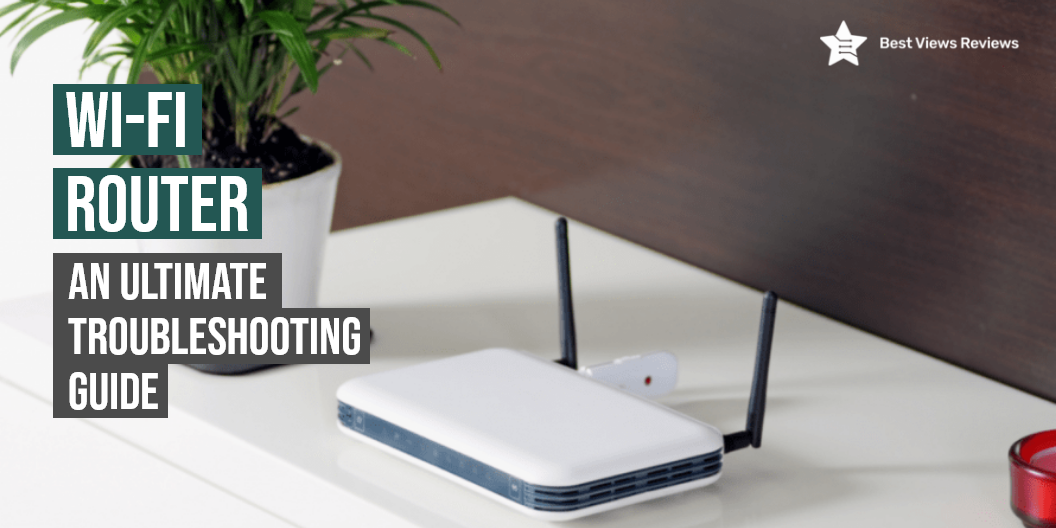
A wifi router is a device that allows you to connect your computers and other devices to the internet using wireless technology. Good wifi routers provide uninterrupted internet connectivity over a large area. The primary work of a router is to convert the signals of a modem to wireless ones. A Wi-Fi router provides you with strong connectivity over a large area efficiently.
Wifi Router Troubleshooting Guide
Check Your Wifi Router’s Lights
Most of the wifi routers come with multiple lights on the front. Each light indicates your network connections. Speedefy AC2100 Smart WiFi Router customer reviews claim that it is one of the best-rated wifi routers available. A green light indicates that your network is all fine. A red or orange light indicates that there is some problem. Most devices come with a WAN light that indicates an internet connection. You should check the network cable if the red light is blinking or off.
Reboot Your Router And Modem
Rebooting your router and modem is the first thing you should try if you’re facing a network problem. Unplug the power cord from the back of the device to reboot it. Wait for 30 seconds before plugging the cord back in. You should wait till 2 minutes after plugging the cord to test your wifi connection.
See if Your WiFi is Working on Other Devices
Sometimes the problem can be with your computer as well. You should connect the wifi to another device like a smartphone to check if it’s working or not. This way you will get to know whether there’s a problem with your router or computer.
Make Sure There Is Not an Internet Outage in Your Area
You should check if there’s an internet outage in your area if you’re still unable to fix the problem. It is good to go through the outage and type the name of your internet service provider. You can also call your ISP to get check if there’s an internet outage.
Connect to Your WiFi Router with an Ethernet Cable
You can try this method if other devices can connect to the wifi but your computer cannot. TP-Link AC1900 Smart WiFi Router’s reviews say that it comes with a built-in dual-band router that offers up to 1900 Mbps high-speed internet. Plug a separate ethernet cable into any of the ports on the back of your router. There might be a problem with your router if you are still not able to connect.
You can also read our Wifi router troubleshooting guide to gain more knowledge.
How to Set up a WiFi Routers?
Connect the Wi-Fi Router to your modem.
- Connect your modem to the WAN port of the Router
- Give your router some time to initialize and install the app in the meantime. Most Wi-Fi routers like NETGEAR Nighthawk get optimized and are set up through corresponding apps these days.
- Enter the numerals 192.168.1.1 to the bar and your admin page should show up if your router brand does not have an app
- Set up your username and password. The password should be unique and strong enough to discourage any hacks. You can change the password later. Then the password change option is shown to you on the admin page. You can enter your username and old password to change it and enter a new one
How to Maintain a WiFi Router?
You should reboot the router from time to time to maintain its smooth functioning. Doing it once every two months is a good practice that should be followed. This also protects your router from malicious attacks and ensures that the speed is optimum. Your router might stop connecting to the internet sometimes. A reboot comes really handy if that happens. Make sure to have a look at some of the best terminals and ends that helps you connect the cables of the Wi-Fi Router properly to use it continuously for a longer span of time,
What to Do if I Forget the Wifi Routers Password?
There is nothing to worry about in case you forget your password. The reset button on all routers allows you to reset your router to factory settings after being pressed for 30 seconds.
Read our blog to have a better understanding of wifi routers and modems in case you are confused between the two.
How Long Do Wifi Routers Last?
Wifi routers can last for a period of 5 years. You should get the router upgraded every after every 2-3 years if you use a lot of smart home gadgets. Upgrading the router after 2-3 years will let you enjoy the latest features and technology. You can also read our Wi-Fi router guard buying guide to make an informed choice.
Conclusion
A wifi router is a device that allows your Wi-Fi-enabled devices to connect to the internet. Routers are the primary way to connect all of your Wi-Fi-enabled devices in your home or office to the internet. They can also be used to create other types of networks and networks with different security levels. A good Wi-fi router can guide your wi-fi signals towards the device and offer a strong internet connection. There are many types available in the market that makes surfing comfortable for users.
BestViewsReviews rates and reviews hundreds of best wifi routers and top-selling wireless routers on the basis of their build quality, connectivity range, and tech support.