
Best Budget Epson Printer For Sublimation In 2023

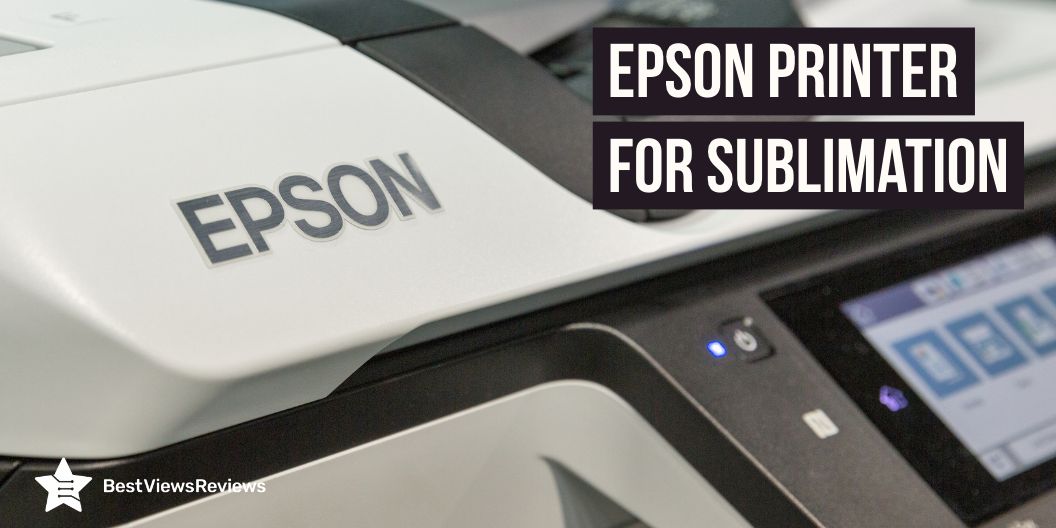
Epson Printer for Sublimation

As a business owner in 2023, it is important to stay up to date with the latest technology to maximize efficiency and reduce costs. Having the best budget Epson printer for sublimation will help you meet the demands of customers and increase profitability. With the wide variety of printers available on the market, it can be difficult to know which one is the most suitable for your business. Explore different options to find the best budget Epson printers that meet your needs.

A dye-sublimation printer can print any image with the use of various inks. This printer also offers amazing performance and print quality. Visit our blog on dye sublimation printers to know more.

What do I need to convert Epson to sublimation?

To convert an Epson printer to sublimation printing, you will need a few key items. Firstly, you will need special sublimation ink for your printer. Sublimation ink is a special type of dye-based ink designed specifically for sublimation printing and is not compatible with traditional inkjet printers.

You will also need a special sublimation paper that is designed for sublimation printing. This paper is thinner and more absorbent than regular paper, which helps the ink to transfer to the media more effectively.

A heat press is another important item that you will need in order to transfer the ink onto the media. The heat press is used to heat the ink and press it permanently onto the media.

Which Epson printer is best for sublimation printing?

Below are some of the best-budget Epson printers that are best for sublimation printing.

Best Budget Epson Printer for Sublimation in 2023

Epson Premium EcoTank

Epson Premium EcoTank’s reviews claim that it comes with a 1.44″ colored LCD display that makes it easy to see the photos and operate. This model comes with a large input paper tray that holds up to 100 sheets. This printer features an automatic document feeder that allows it to process up to 30-sheet paper at a time.

Epson EcoTank ET-2760 Wireless Inkjet Printer

Epson EcoTank ET-2760 Wireless Inkjet Printer easily prints borderless 4″ x 6″ photos. It also comes with up to 2 years of ink with each included or a replacement ink set. Each replacement ink bottle set includes enough ink to print up to 4,500 pages equivalent to about 80 individual cartridges. This model comes with USB connectivity technology.

Epson EcoTank ET-2720

Epson EcoTank ET-2720 comes with a high-capacity refillable ink tank that offers a cartridge-free solution. It also features unique micro piezo heat-free technology that produces sharp text and impressive color photos on virtually any paper type. This model also comes with a stress-free printing experience that makes it easy to use.

Epson EcoTank Photo ET-8550

Epson EcoTank Photo ET-8550’s reviews show that it ensures optimal print quality and performance. This printer comes with high-yield ink bottles. Each replacement ink bottle set is equivalent to about 100 individual ink cartridges. You can set up, monitor, and operate your printer directly from your mobile device.

Epson EcoTank ET-2800

Epson EcoTank ET-2800 features wireless voice-activated printing that makes it easy to print from anywhere in the house. This model also comes with micro piezo heat-free technology that produces sharp text plus impressive color photos. The built-in color display of this printer allows for easy and quick document copying and navigation.

We also have a detailed blog on the best sublimation printers for beginners that you can read to choose the best model for yourself.

Can you sublimate without an ICC profile?

Yes, you can sublimate without an ICC profile. While an ICC profile is beneficial for providing consistent and accurate color reproduction, it is not a requirement for sublimation. However, without an ICC profile, you may experience a lack of color consistency and accuracy when sublimating. Without the profile, there is no assurance that the colors you see on your monitor or printer will be the same as the color produced on your substrate.

FAQs

Is Epson EcoTank ET 2800 good for sublimation?

The Epson EcoTank ET 2800 is an excellent choice for sublimation printing. This printer comes with a robust and reliable ink delivery system, allowing you to produce vibrant and long-lasting prints. The Epson EcoTank ET 2800 also offers a highly efficient sublimation ink system, which provides users with reliable and consistent results.

Can Epson EcoTank 4800 be used for sublimation?

Yes, the Epson EcoTank 4800 can be used for sublimation. It is an inkjet printer with an eight-color ink system that offers high-quality, vibrant images. The ink is water-resistant and has been formulated to produce superior results when used with sublimation paper.

Can I use the same printer for sublimation and regular printing?

Yes, it is possible to use the same printer for both sublimation as well as regular printing provided that the printer is equipped with the appropriate technology. Sublimation printing is the process of transferring a digital image onto a substrate such as fabric or paper using heat, pressure, and a transfer medium such as sublimation ink. Regular printing, on the other hand, is the process of transferring an image onto a substrate such as paper or canvas using a variety of print media. In order for a printer to be able to perform both sublimation and regular printing, it must be equipped with both sublimation ink and other types of print media, as well as specialized software designed for both types of printing.

Can you use a sublimation printer for shirts?

Yes, sublimation printing is an excellent choice for customizing t-shirts. Sublimation printing is a special type of printing that uses heat to transfer dyes onto materials like t-shirts, mugs, and more. It offers great durability and color variation, making it a great choice for customizing apparel. The process is relatively simple and cost-effective, allowing you to quickly and easily create unique t-shirts with high-quality results.

You can also read our blog all about sublimation printer for shirts to learn more.

Conclusion

Epson’s range of budget printers offers an excellent choice for anyone looking to get started with sublimation printing. Their printers feature top-of-the-line technology for unbeatable performance and quality, as well as cost-effective options for those on a budget. This makes them the perfect choice for any budding sublimation printer.

BestViewsReviews helps you find the best Epson inkjet printers on the market by rating and reviewing them on the basis of quality, convenience, and durability. Get unbiased, honest reviews of products before you buy.
How Do Inkjet Printers Work

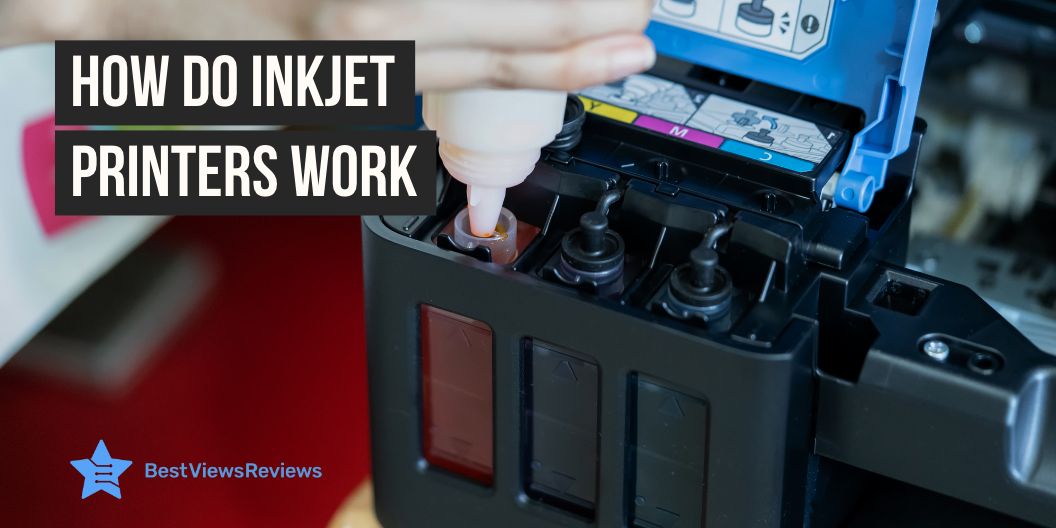
how do inkjet printers work

Inkjet printers are a popular option for home and business users who need excellent printouts for documents, photographs, or other types of printing. As they gain popularity and are used more often, many people wonder how inkjet printers work.

The inkjet printer creates images by pressing ink onto paper. The printer propels liquid ink droplets through a print head onto the paper. The ink dots are too small, usually between 50 and 60 microns. The printing method allows for a variety of colors and tones, making it ideal for printing graphics and photos. The dots are precisely positioned on the page to achieve a resolution of 1440×720 dots per inch.

The best inkjet printers are more efficient than other printers and require less maintenance. The ink is also more cost-effective than different types of printer ink, making them an excellent option for those on a budget. The good-quality ink cartridges for inkjet printers are available for under $25 with a yield of approx 200 to 250 pages.

How Do Inkjet Printers Work  

An inkjet printer works by propelling droplets of ink onto paper. There are two main technologies that most inkjet printers use: bubble jet technology, which involves heat, and piezoelectric technology, which involves vibrating crystals.

Two Main Inkjet Technologies

Thermal Bubble Inkjet Technology

The technology works by heating a small chamber of ink until it vaporizes, creating bubbles that rise to the surface. As the ink bubbles reach the top of the chamber, a tiny nozzle directs the ink onto paper, creating an image. This technology allows for precise control of ink droplet size and placement, allowing for accurate and detailed prints. The bubble jet print head has the capacity to release 300 to 600 direct droplets through tiny nozzles. You can find printers from Canon and Hewlett-Packard based on this technology.

Piezoelectric Inkjet technology

Piezoelectric inkjet printing technology is a reliable and efficient way to create printed materials. It works by vibrating tiny piezo crystals inward when they receive a tiny electric charge. The crystals eject a small amount of ink onto the substrate, creating the desired output. When the crystal is vibrated outwards, it pulls more ink from the reservoir. This technology is mostly found in Epson printers.

How Do Inkjet Printers Work: Step-by-Step Process?

  1. When the print command is clicked with an inkjet printer, the print job is sent to the printer.
  2. The printer will then prepare itself for printing. This includes loading any paper that is necessary and warming up the ink cartridges.
  3. When the printer is idle, it will run a short clean cycle to ensure that the print head is clean.
  4. If the job is a color print, the printer will automatically calibrate the colors to ensure a perfect print.
  5. Once it is ready, the printer will begin printing the document. Depending on the complexity of the document, the printing speed can vary. Like, a printer can have a printing speed of 19 pages per minute for black and white prints, whereas for colored print out it may produce 1 print per minute.
  6. After the printing job is complete, the printer will eject the paper and go into standby mode.
  7. The user can then remove the printed document from the output tray and proceed with their task.

What are the Basic Working Parts of an Inkjet Printer?

Print Head Assembly:

Print Head: The print head forces the ink onto the paper by using a series of nozzles, which are activated when the printer is in use. It is composed of two separate parts, the ink reservoir and the print head itself. The ink reservoir holds the ink that is necessary for printing and the print head is responsible for controlling the flow of ink onto the paper.

Ink Cartridges: Ink cartridges are responsible for supplying the ink needed for printing. They are typically made of plastic and contain a variety of colored inks. The cartridges are inserted into the printer and must be replaced when they run out of ink.

Print Head Stepper Motor: The stepper motor controls the back-and-forth movement of the print head. It is a small motor that is connected to the print head and controls its movement.

Stabilizer Bar & Belt: The stabilizer bar helps in providing a stable platform for the print head to rest on. It connects to the stepper motor which allows the print head to remain steady while it is in use.

The belt offers a smooth surface for the print head to move across. It has a construction of rubber or plastic. It allows the print head to move smoothly from side to side and up and down.

Paper Feed Assembly:

Paper Tray/Feeder: The paper tray or feeder is the part of the printer that holds and supplies the paper to the printer for printing. It is generally located at the top or bottom of the printer and is adjustable to accommodate various sizes of paper. You should make sure the paper is correctly loaded and that the feeder is adjusted according to the paper size in order to avoid jams or other printing issues.

Rollers: The rollers are the components of the printer that move the paper through the printing process. They are inside the printer and are made of rubber or other materials that can grip the paper and move it through the printer.

Paper Feed Stepper Motor: The paper feed stepper motor controls the speed and direction of the paper as it moves through the printer. It is responsible for accurately maintaining the speed of the paper so that it can be printed properly.

Power Supply: The power supply provides the necessary power to the printer in order to operate the various components including the rollers, paper feed stepper motor, and control circuitry.

Control Circuitry: The control circuitry sends signals to the various components to ensure that the printer functions properly. It also decodes the information that comes from the computer.

Interface Ports: The interface ports connect the printer to other devices such as a computer or other external devices. Parallel ports are common in most printers, but in the new models, you can also find USB ports or SCSI ports. The wireless inkjet printers support wireless connectivity. You can also look for models like Canon Pixma TR150 that support wireless mobile printing through Airprint and cloud support.

Inkjet Printer Uses

Inkjet printers are a useful addition to your home office space or your study setup. You can also use inkjet printers to boost your creative skills. The uses of inkjet printers are as follows:

  1. Printing documents and images with high quality and accuracy
  2. Creating personalized items like mugs, t-shirts, and mousepads
  3. Producing high-resolution photos for professional and personal use
  4. Making customized labels and stickers for business or personal use
  5. Printing 3D objects using specialized inks and materials
  6. Producing banners and posters with bright colors and sharp details
  7. Printing on specialty materials like canvas, and fabric
  8. Creating artwork and graphics for use in advertising and marketing

Conclusion

Inkjet printers are not only easy to use, but also provide a variety of helpful features for users. Knowing how inkjet printers work can provide you with a better understanding of the features and how to make use of them. Some common features of inkjet printers are Wi-Fi and USB connectivity, and the auto-duplex print feature.

Inkjet printers are now an essential part of everyday life and can provide users with a reliable way to print documents and photos quickly and easily. With some basic knowledge, users can take advantage of the features offered by their inkjet printer and enjoy the convenience and dependability that it provides. The inkjet Bluetooth printers also feature Bluetooth connectivity to offer more convenience.

BestViewsReviews helps you find the best-selling inkjet printers on the market by rating and reviewing them on the basis of quality, convenience, and durability. Get unbiased, honest reviews of products before you buy.

HP Deskjet Vs HP Inkjet Printer: Which Is Better?

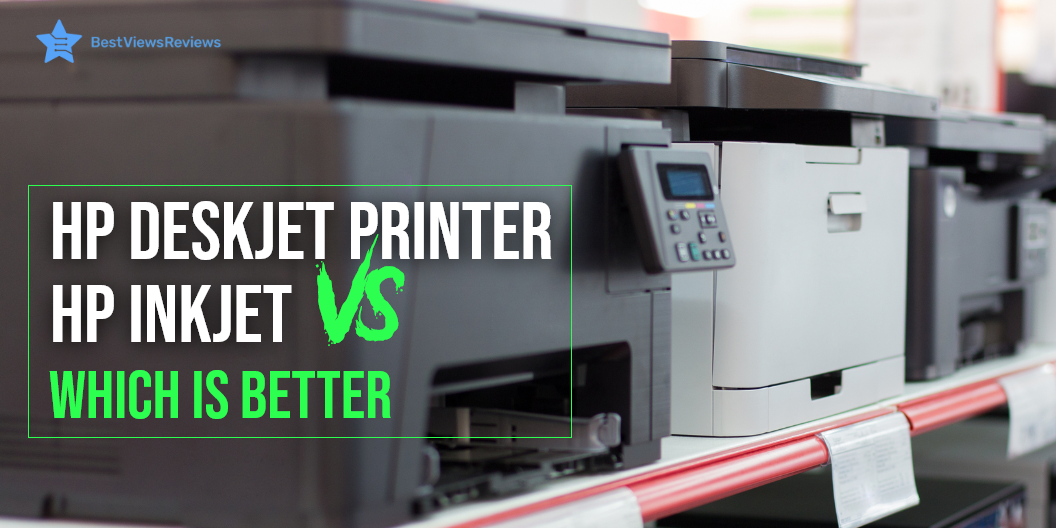
HP Deskjet Vs HP Inkjet Printer

Are you unsure about the choice between an HP Deskjet vs an HP Inkjet printer? Let’s discover the most suitable option for you. HP printers are one of the most popular on the market. You can print text and graphics as hard copies. These printers are renowned for their high quality and durability. HP offers two popular printer types, including DeskJet and InkJet.

You may find it quite complicated to choose between an HP Deskjet vs HP Inkjet printer. Both of these devices have their own advantages and disadvantages. The inkjet printer uses a spraying mechanism to pass ink droplets on the substrate. However, the printer uses an ink cartridge filled with dye-based or pigment-based liquid inks. On the other hand, HP Deskjet printers are specialized printers. The printer uses inkjet technology.

Know more about the things you need to know about an InkJet printer to get extensive details about its advanced specifications.

Compare and Contrast: HP Deskjet vs HP Inkjet printer

Pros of HP Deskjet Printer

Wireless Printing

Deskjet printer supports wireless printing. You can connect this printer to your tablets and phones via Wi-Fi connectivity. Most Deskjet models are compatible with the HP Smart app. It allows you to print any document or picture wirelessly from your cloud storage. However, some printers also let you connect with Bluetooth. Thus, you can have multifaceted access to wireless printing.

Instant Ink Ready

Instant Ink Ready is the premium service offered by HP to all its Deskjet printer customers. Whenever your printer detects a low supply, it will automatically help you receive a new batch of ink. You can also save up to 50% on ink.

Compact

The Deskjet printer has a compact design. This makes it easy to set up and use. You can install this device in your home or office workspace. It is lightweight and perfect for portable usage. This will be ample to fit in a small working space.

Cloud Printing

Cloud printing is the feature that allows you to access digital media directly from your cloud storage folders, such as iCloud, Dropbox, and Google Drive. You can scan your files directly from your phones or tablets. Further, you have the ability to share your files with your printer from cloud printing.

Cons of HP Deskjet Printer

Uneconomical Cartridge Costs

HP Deskjet printers are known for producing only high-quality prints. This requires high-end ink cartridges. It results in high running costs. These printer models are more expensive than inkjet models. The price range of Deskjet printers starts at $90. It may go beyond a few hundred dollars as well.

Set-Up Might Take Some Time

Wi-Fi connectivity is a convenient option. But it may cause you some hassle during the initial setup. The wired connection is quick but looks messy and unstable. HP mobile app offers you the feature of wireless print commands. But you have to be precise about your printing needs.

Pros of HP Inkjet Printer

Affordable

HP Inkjet printer is available at lower prices. The running cost, depending on ink usage is also less. The ink cartridge in these printers usually lasts long. It saves on your printing costs and gives you economical printouts.

Easy to maintain

The HP inkjet printers are easier to maintain and set up. You can install these top-quality printers anywhere. Besides, you can use them for copying, scanning, and wireless printing. They require less maintenance and generally offer long-lasting usage.

Find some factors to make inkjet printers as a suitable option for your regular use.

Cons of HP Inkjet Printer

Less Printing Capacity

The standard HP inkjet printers are not ample to handle high print loads. These printers lack the capacity to print large volumes and produce large printouts. This makes them less preferable for extensive printing.

You can also read our blog on the basic difference between Inkjet Vs. Laser printer to get an overall idea about them as well.

Top HP Printers to Buy

HP DeskJet 3755 Compact All-in-One Wireless Printer

The HP DeskJet 4155e wireless color all-in-one printer is a top-selling printer for your home printing needs. It offers multifaceted compatibility with Alexa for hands-free printing. Its compact design makes it sufficient to print up to 15 ppm in color and 19 ppm in monochrome. You can rely on these printers for your project work as well.

The HP Smart app offers you to scan from your smartphone. You can efficiently access cloud storage including iCloud, Dropbox, and Google Drive

HP Smart-Tank Plus 551 Wireless All-in-One Ink-Tank Printer

Another model in HP is HP Smart-Tank Plus 551 wireless printer has dual band WiFi and cloud print enabled features. You can also access voice-activated printing to make your printing work more productive. This printer comes with two years of spill-free refill bottles. So you can have mess free ink refilling. Besides, you can print up to 8,000 color pages or 6,000 monochrome pages.

HP DeskJet 2722 All-in-One Wireless Color Inkjet Printer

This HP printer model has been designed for the modern office or home. Its thermal inkjet technology will let you trace the logo design, images, and graphics on shirts as well. It features Wi-Fi and other wireless connections. This printer offers a maximum print speed of up to 5.5 pages per minute in color and up to 7.5 pages per minute in monochrome.

HP DeskJet 940C Color Printer

The HP DeskJet 940C color printer offers automatic duplex printing. This gives a reliable solution for home or office printing projects. You can print the color prints at a fully saturated resolution of about 2,400 x 1,200 dpi. Its 940C input tray could efficiently handle 100 sheets of 20-pound letter and legal paper sizes. The compact design makes it sufficient to fit in a small working space as well.

HP OfficeJet 3830 All-in-One Wireless Printer

The HP OfficeJet 3830 is an ideal printer for home use. It features the compatibility with Alexa’s voice control. This printer has a 2.2 inches touchscreen display to navigate the settings. The 35-page automatic document feeder offers the ability to print, copy, and scan multipage documents. This makes it faster to wind up your printing jobs. It offers original HP high-yield ink cartridges. It prints the documents with vibrant quality.

Conclusion

The HP Deskjet printer has the edge over the inkjet printer because of its higher capacity, quality, and convenience. Top-quality inkjet printers are better for their low price and efficient printing operations. You can choose from the HP Deskjet and HP Inkjet printers. Make sure it best fits your needs and budget.

We suggest you go with the Deskjet model for printing in large volumes. It’s also challenging to choose between Deskjet vs Inkjet printer. You should go with the type of printer that will suit your printing needs.

BestViewsReviews also offers reviews and ratings for the best-quality laser printers based on build quality and convenience. Get unbiased and honest reviews of several products to choose only the best product on the market.