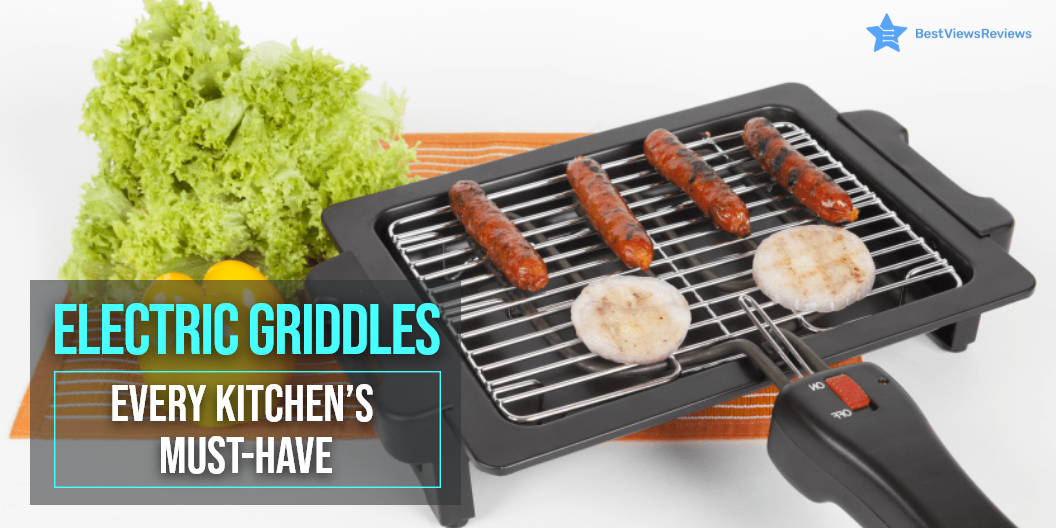
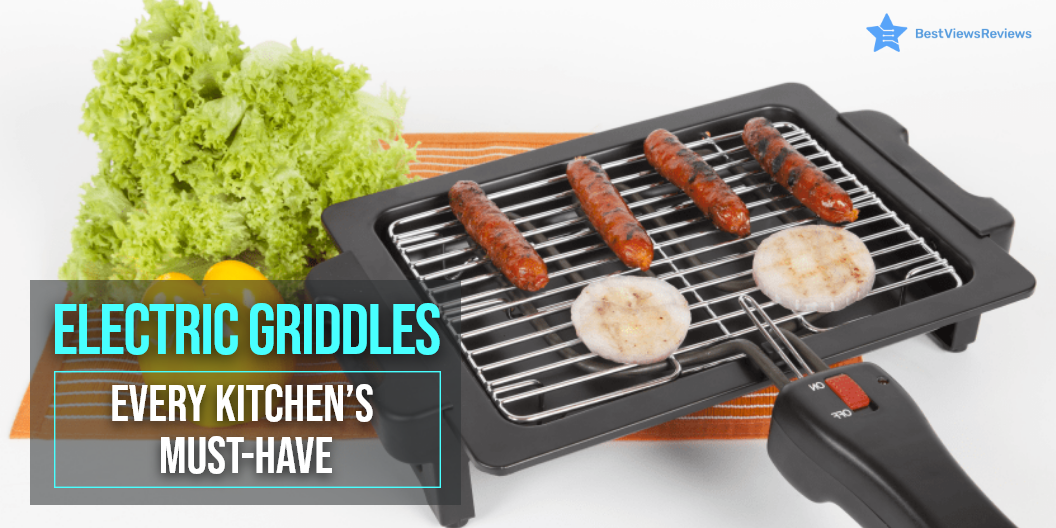
Electric Griddles: Every Kitchen’s Must-have

electric griddle

Electric griddles are kitchen appliances that use a flat heating element and a heating surface to cook food quickly and evenly. Using electric griddles is a great way if you’re new to cooking or want to improve your cooking grills. . They are appliances that can cook your food in high heat for a thorough and even cooking. Griddles are easy to use and can be a great cooking tool that’s fit for purpose and affordable.

Griddles are made of a flat metal or cast-iron base with two long handles that are heated with a burner. They have a handle that allows you to move the food from side to side. This appliance makes it possible to cook food with fewer calories than that of a frying pan.

Benefits of Electric Griddle

Faster Cooking

Griddles offer uniform cooking due to their even heat distribution mechanism. They heat evenly across the surface and maintain that temperature throughout the cooking process. An electric griddle also offers convenient temperature control and adjustments.

Easy Cleaning

Cleaning is easy when you cook on electric griddles, as the food won’t stick because of the non-stick surface. After removing the heat controls, you should submerge the entire griddle in water. Use a damp rag or sponge if you feel uncertain about submerging. You can also read our blog on cleaning a griddle if you want to know more about the clean-up process.

Keeps the Stove Free

Griddles are countertop appliances. You can cook on it while using your stove simultaneously. This will free up space on your stove allowing you to cook multiple things at once. This method simplifies the preparation of a large meal.

Large Surface Area

This is another great advantage offered by these griddles. They offer a larger surface area than regular pots. A large area means that you’ll be able to cook more food at a time. You can for example cook 2-3 tortillas at a time. This way you will be able to save time as well.

Easy & Appealing designs

Electric griddles are a great choice for those who don’t cook frequently because they are simple and easy to use. The heating system is quick where you can adjust the heat by turning the dial from low to high. They’re available in various styles, from stainless steel to black, with flat or ridged surfaces.

How to Choose an Electric Griddle?

Size

Griddles are available in both small and large sizes in the market. Small ones can serve 2-3 people while larger ones are ideal for cooking for a large family. Check the size of the grid and decide based on your needs before buying. It is also critical to see if you have enough room or a designated spot for a large griddle.

Surface Coatings

Breakfast like pancakes and eggs is usually cooked on electric griddles. Most griddles have non-stick surfaces to prevent food from sticking. It is advisable to go with a non-stick surface as the food won’t stick once the griddle becomes hot. Many of the griddles are seasoned before purchase for a hassle-free cooking experience. Read our blog on griddle pan seasoning to know more.

Grill Inserts

The grill inserts available on electric griddles combine the functions of a griddle and a grill. This provides you with additional cooking options. For example, the ridges on the grill inserts give your food grill marks.

Heat Controls

The heat control on electric griddles offers low, medium, and high settings. Some of them provide a temperature of 350 degrees. Having a temperature variation is useful as not all foods cannot be cooked at the same temperature.

Thermostats

Electric griddles are equipped with a single thermostat. Some also have dual thermostats where you can cook on one side while turning off the heat on the other. You can also cook one side at one temperature and the other at a different temperature.

Cost

Electric griddles come under many price brackets. The cost depends on features, brand, design and size. The simple ones with basic design and features will cost you less. This may vary with the size as simple ones with a bigger size will cost you more.

We have reviewed some of the best griddles on the basis of their size and build quality that you can consider buying.

What Can you Cook in Electric Griddles?

Griddles are a versatile cooking tool and can be used to make many food items. They are mainly used for making breakfast. You can cook burgers, sandwiches, grilled cheese, pancakes, and eggs. You can also prepare bacon, French toast, hash browns, and other breakfast items.

Best Electric Griddles to Buy

BLACK+DECKER Family-Sized Electric Griddle

The BLACK+DECKER Family-Sized Electric Griddle gives you the power to create delicious breakfast foods like panini, wraps, and more for the whole family. The electric griddle heats up quickly and evenly resulting in fewer trips to the kitchen. This large griddle is made of cast aluminum, providing even heating and cooking.

The non-stick warming tray keeps your food at a suitable serving temperature. Its grease drip tray offers convenient cleaning. Use this griddle for all your family’s favorite breakfast foods, or try it out for a fun twist on traditional family meals.

Cuisinart Electric Griddler, Stainless Steel

This Electric Griddler from Cuisinart allows you to cook a complete meal on your countertop, with room to spare. Its sleek stainless steel housing offers durability and easy maintenance. Featuring a reversible cooking surface, it looks like a contact grill on one side and like a griddle on the other. The built-in drip tray collects any extra grease, so your food won’t be greasy.

Dash DMS001AQ Mini Maker

The customer reviews of Dash DMS001AQ Mini Maker claim that it comes with built-in non-slip feet that keep the griddle firmly in place. This model also features east lift handles that offers enhanced safety. The dual non-stick surface of this griddle provides an even cook for consistent results. The small size of this griddle is great for compact kitchens.

Presto 07211 Liddle Griddle

Presto 07211 Liddle Griddle’s reviews mark that it is made of cast aluminum that resists warping and distributes heat evenly. The built-in channel of this griddle catches drippings that allows for easy cleaning. It automatically maintains temperatures ranging from warm to 400 degrees F for even cooking. This griddle comes in a stylish and sleek design.

Presto 07061 22-inch Electric Griddle

Presto 07061 22-inch Electric Griddle comes in a premium non-stick surface offers stick-free cooking and easy cleaning. The textured cooking surface of this griddle provides enhanced non-stick performance for even cooking. The built-in heat control of this model maintains the desired cooking temperature automatically. It also comes with removable handles that make it easy to store.

Conclusion

An electric griddle exhibiting features like durability, robust built, reliability, scratch-free surface, and convenience can be categorized as a good griddle. Griddles and Grill Presses are types of equipment that have been quite experimented with. You can use them to whisk up restaurant-quality dishes right from the comforts of your house.

BestViewsReviews rates and reviews hundreds of camping pots and electric griddles on the basis of their heat resistance, sturdiness and build quality.
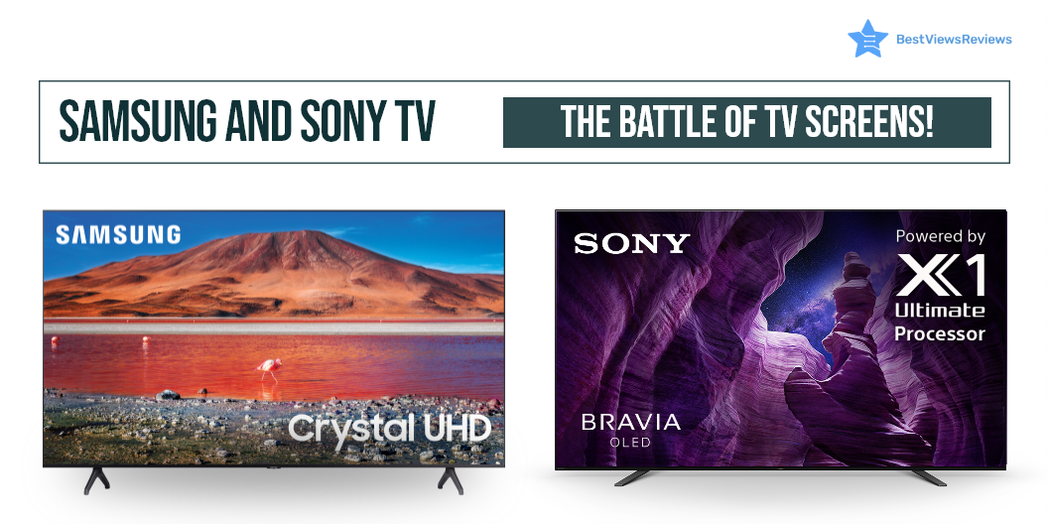
Samsung and Sony TV: The Battle of TV Screens

samsung and sony tv

Samsung and Sony are two brands that people have always loved, with a large consumer market to vouch for them. These two top-selling brands manufacture TVs that come with many exciting features like Triluminos display, a 4K resolution for a clear and detailed picture, Motionflow XR for smooth and clear motion, and Android TV for access to a wide range of apps and content.

The essential format support, processors, and parts of the two brands differ from each other. Such differences may not be noticeable while skimming through the catalogs, but it is what makes them different.

BestViewsReviews rates and recommends a list of some quality smart TV sets from both brands to make your choice easy. The reviews are based on audio and picture quality, performance, and user satisfaction. You can browse through our featured section to know the current trend. If looking for more information on the differences between Samsung and LG TVs our other blog will guide you through.

What is the difference between Samsung and Sony TV?

TV Picture Quality

The display quality of both Samsung TV and Sony TV is the best. They feature ultra-high-definition performance, excellent brightness, and contrast, with unique dimming features to modulate the black levels. Sony’s local dimming is more impressive than Samsung, which shows unwanted illumination in the display when viewed from different angles. Sony comes with Dolby Vision which makes them a better choice.

The Samsung TVs also have QLEDs arranged throughout the back panel. The Sony TV displays compelling viewing from all angles. It exhibits a broad spectrum of colors and maintains overall picture clarity irrespective of the brightness levels. Samsung QLEDs have better picture quality, producing deeply saturated color in all the newer models. You can read our other blog to know the differences between LCD, OLED, and LED displays for a better purchase decision.

HDR Performance of Both Brand’s TV Screens

HDR performance refers to dynamic and realistic images a TV set can create by playing with overall contrast and brightness. It helps you to see the details in bright or dark areas. For example, in the texture of clouds in the clear sky or the dark colors in a haunted room, the illumination adds that extra touch.

A Sony TV offers better brightness and contrast levels, making its display visually striking compared to Samsung TVs. Both Sony and Samsung don’t recognize HDR content on their own. You will need to change their settings manually.

Sound Quality: Samsung vs Sony

The frequency response of the system makes the sound quality better. The average frequency of a TV mainly ranges from 20Hz to 20KHz. A wider frequency response means that the system can reproduce a wider range of frequencies which results in better sound quality.

Samsung TVs take focus on their excellent sound quality. It separates the background music and voices to provide a better sound experience with moderate bass levels. The sound quality of the Sony TV is great too, but it fails to offer what Samsung can, even with a super slim profile. Samsung TVs provide better sound quality in comparison to Sony.

Look and Design

Sony offers a sleek and modern screen with a stylish stand. Samsung looks nothing special and gives an average performance in the ‘looks’ department. Both sets provide features and functionality for a smart TV, but Sony wins the round for its contemporary looks and sleek design. You can check reviews of the Sony X900H that mark this model as one of the best-selling TVs in the market. It comes in a slim look as well as has a built-in peak brightness and natural colors that make it look real.

Smart Features

Samsung offers a platform called SmartHub that gives users access to different apps and services. Sony, on the other hand, has its smart TV platform, called Android TV, with the Google Play Store. This gives Sony users access to a wider range of apps and games.

Both Sony and Samsung offer popular streaming apps like Netflix, Hulu, and Amazon Prime Video. Whereas, some Samsung models also offer HBO Max streaming services. When it comes to voice control, both brands support Amazon Alexa and Google Assistant. However, Samsung TVs also offers its own voice assistant known as Bixby.

User Interface

The user interface for both TVs is easy to understand. To change the settings on a TV, the user interface navigates through the various menus. Both companies offer a menu of navigation experiences that is easy to navigate. The Sony TV interface is fast, fluid, and easy to use. The Samsung TV’s interface is also good, but it can be a bit confusing and sluggish at times.

Price

Samsung TVs are made in Korea, while Sony TVs are made in Japan. Products from Japan are of high quality and affordable. Korean products are also of high quality but can be overpriced. The price difference is a significant deciding factor with these high-end models.

Gaming Experience

For a good gaming experience, you want some specifications like resolution, size, refresh rate, and input lag. However, the two most important factors for gamers are image quality and input lag.

Samsung and Sony are both great options. Sony TVs have slightly better picture quality whereas Samsung TVs have better contrast ratios and black levels. Both brands provide excellent image quality for gaming. Sony Tv is the better option if your preference is image quality.

Samsung TVs have lower input lag than Sony TVs which is important for gamers. The lower input lag means that your actions will be displayed on the screen faster which gives you a competitive advantage. Some Samsung models also offer a game mode that reduces input lag. Samsung is the better option if your priority is input lag.

Motion Handling

Most of the top-rated Sony TVs have refresh rates of 120Hz and 4K resolution which means they can handle motion smoothly without blurring. Whereas most Samsung TVs have an excellent contrast ratio i.e 10500:1, which means they can produce detailed images.

Operating System

Samsung uses its own operating system Tizen. It is easy to use and generally clutter-free. You can easily keep track of your most frequently used apps by using the recent box. Whereas, Sony uses Android TV which provides you more menu options and entertainment than other brands.

Sony Vs Samsung TV Which One to Choose?

The best Samsung TVs offer deeply saturated colors, reduced motion blur, and superior sound quality. Sony TVs offer compatibility with HDR10 and Dolby versions for quality HDR viewing. Some of the top-rated Sony TVs are available at a few hundred dollars less when compared to the costs of Samsung TVs.

Both brands provide compatibility with soundbars for a better viewing experience. Sony and Samsung are both reputable brands that offer quality products, so both brands will last for many years with proper maintenance.

Which TV brand service is best between Sony Vs Samsung?

Sony is mainly better than Samsung. This is because Sony offers great personalized service and quick responses to customer inquiries. Sony has a better reputation for repairing and replacing faulty products.

Samsung has improved its service in recent years. The brand now also offers a great support system which includes live chat and phone support. Samsung has a wider service network, which means that it may be easier to find a service center in your area.

Some of the Best-Selling Samsung TVs and Sony TVs

SAMSUNG 65-Inch Class OLED TV

The SAMSUNG 65-Inch Class OLED TV is a 65-inch smart TV that is compatible with Alexa and Google TV. Its trillions of displays offer advanced color and gradation. This model comes with a full array of LEDs with local dimming for brighter highlights and detailed dark scenes. It also has an XR picture processor that analyzes content to boost color, contrast, and clarity.

Sony X85J 75 Inch TV

The best-rated Sony X85J 75 Inch TV is a smart TV with an Alexa voice assistant feature for your convenience. The XR Contrast Booster 5 boosts each pixel to deliver incredible picture quality. You can enjoy a 4K viewing experience with this smart TV. The most impressive feature of this model as per our customer reviews is its high peak brightness and natural colors.

SAMSUNG 85-Inch Q60B Series

The SAMSUNG 85-Inch Q60B Series is a great choice for anyone looking for a high-quality, large-screen TV. This model features 4K UHD resolution for stunning picture quality, HDR compatibility for even more vibrant colors and contrast, and a sleek, slim design that looks great in any home. The built-in Smart TV platform gives you access to all your favorite streaming content, and the included Universal Guide makes it easy to find something new to watch.

SAMSUNG Class Neo QLED TV

The SAMSUNG 75-Inch Class Neo QLED TV is a top-of-the-line television that offers a stunning 4K resolution. The build quality is excellent, with a sleek and modern design. The QLED display is incredibly clear and vibrant, and the refresh rate is an impressive 120 Hz. The TV also has excellent connectivity options, with Wi-Fi and HDMI support. If your living room has a standard size, you can also opt for 65-Inch Class Neo QLED.

TU7000 Crystal UHD 4K Smart TV

The 75″ Class TU7000 Crystal UHD 4K Smart TV offers a stunning 4K resolution, HDR support, and a sleek design. This television also features Samsung’s Ambient Mode, which allows the television to blend into your home décor when not in use. You can also check the 65″ inch model if you have a standard-size room.

Headphones are a great way to enjoy the sound of your smart TV without disturbing others. They also allow you to hear the dialog more clearly if the TV is playing in a noisy environment. Read on for the best headphones for big heads in 2022.

Conclusion: Samsung and Sony TV

Both TV brands are excellent in their value. They have additional features with every newly manufactured model. Both brands have their advantages and disadvantages. You can read our TV buying guide 2022 if you are unsure which one to go for. Our honest customer reviews will help you in making the proper selection.

You can also easily fix the not working issue in Samsung TVs by following a few simple steps. Read this blog to know some of the best ways to fix Samsung TV plus not working issues.

BestViewsReviews helps you find the best products on the market by rating and reviewing them based on quality, convenience, and durability. Get unbiased, honest reviews of products before you buy.

Griddle Pan Seasoning: How And When To Do It?

griddle pan

A griddle pan is kitchen equipment that has a broad flat-bottomed base. It usually comes in metals like iron, stone, steel, etc. It can conduct heat uniformly, allowing the food to cook thoroughly. A griddle pan can cook numerous mouthwatering dishes. A griddle pan is available in both seasoned and plain models. A seasoned griddle has a non-stick surface that is curated with oil or heated fat. Plain models come with just a surface. Ensure to season the griddle before use if you prefer a plain griddle. This avoids sticking food to the griddle pan surface.

An electric griddle is seasoned from the manufacturer’s end and lasts for many years. You can read our blog to know more about these electric griddles.

What Do you Mean by Seasoning a Griddle Pan?

Seasoning a griddle means preparing the griddle for cooking by spreading a layer of vegetable oil on top of its surface. It would help if you then blackened it with heat so that a black scratch-resistant layer forms on top of the cooking surface. Seasoning a griddle like Ninja C30628 11-Inch Square Griddle also ensures that the food is flavorsome and delicious. The oil from the pores of the griddle offers flavors to the food and is an important step while grilling or cooking in a griddle pan.

Why is Seasoning a Griddle Pan Important?

Seasoning a griddle like Goodful Aluminum Non-Stick Square Griddle not only imparts mouthwatering flavor to the food. It also prevents the food from sticking to the surface and keeps your griddle protected. It is an effective way to protect your griddle from humid and moist conditions that might damage and rust the surface over time.

How to Season a Griddle Pan?

Follow the steps below to season your Blackstone Griddle or any Griddle:

Clean the New Griddle Before Seasoning

Griddle cleaning is helpful in removing debris and dust left behind during packaging and shipping. Cleaning a new griddle prepares it for seasoning as well. Use a damp soapy solution and gently scrub away the debris to clean a griddle pan. Dry it with paper towels after rinsing it with water. Read our blog on cleaning a griddle to know more.

Preheat the Griddle

Preheating is an essential step for a griddle like Rachael Ray Cucina Hard Anodized Nonstick Griddle to season thoroughly as the oil spreads evenly on a hot griddle. Turn the heat to maximum and let the griddle sit for 10-15 minutes. Check the heat level with your palm facing downwards. You can start seasoning the griddle right away if you feel the heat radiating in your palm.

Spread a Layer of Oil

Spreading a high-fat content oil on the griddle pan will result in a thicker coating. It will also allow the seasoning to spread evenly. Pour some healthy cooking oil like virgin olive oil over the entire surface of the griddle to start with seasoning. Use a multifold paper towel to spread it evenly. Allow the griddle to sit on high heat for about 30 minutes before it reaches the smoke point. The customer reviews of Hawkins/Futura Nonstick griddles claims that it requires little or no oil for cooking food.

Heat and Repeat

Covering it with oil just once is not enough as the oil layer will wear off with time. Allow the griddle to cool down a little and repeat the entire process 3 or 4 times. You will see a layer on top of the griddle with the surface blackening up by now. This layer offers flavor to the foods and allows you to savor each bite.

Things to Remember While Seasoning a Griddle Pan

Seasoning your griddle outdoors is a better option as it will allow the smoke to clear away quickly without creating much residue. It is advisable to not go for outdoor griddle seasoning during the windy days as the wind will interfere with the cooking.

What is the Best Oil to Season a Griddle Pan?

Vegetable oils like olive oil, canola oil, grapeseed oil are ideal for overall health. They can be spread on the griddle and have a higher smoke point. Your cooking time will reduce significantly.

How Often do You Season a Griddle Pan?

It would help if you seasoned a griddle every 7 to 10 days. Another indicator is when the food sticks to the surface. Re-seasoning is advisable if that happens.

Presto 07046 Tilt ‘n Drain Big Griddle’s reviews show that it is an affordable griddle pan that you can consider buying.

Takeaway

Seasoning bakes the oil into the griddle surface, so the griddle pan’s pores are filled with fat or oil. The base doesn’t interfere with the cooking, while the layer of oil works to keep the flavor intact. You can also use a grill press to hold the food down for better cooking in less time. Read all about grill press before you buy.

BestViewsReviews rates and reviews hundreds of griddles and camping pots on the basis of their size, heat resistance, and design.

Grill Press: Innovative & Unconventional Way of Cooking

grill press

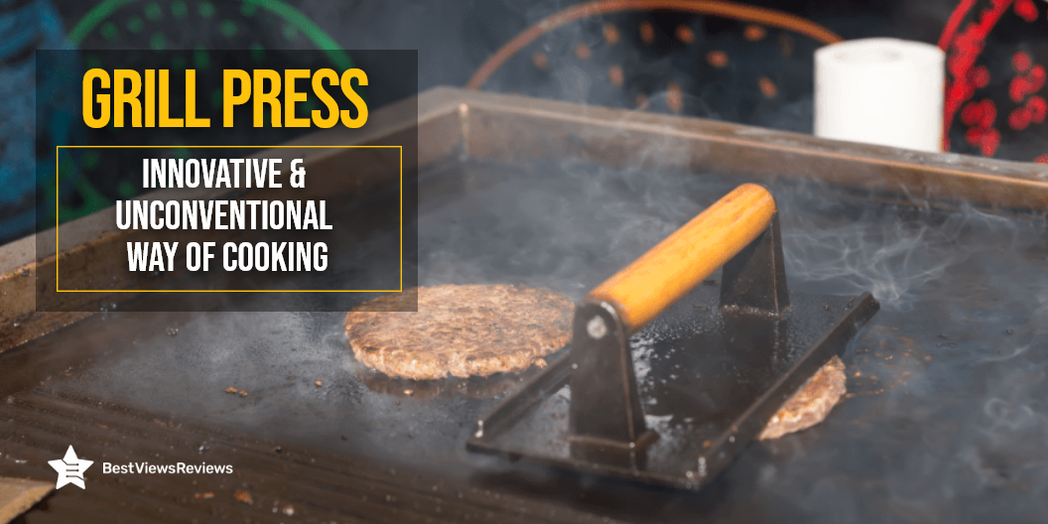
A Grill Press is an essential kitchen appliance that contains a heat plate with a handle. It is pressed on top of the food that is laid on a grill. It ensures even cooking on both sides with a nice golden crust, elevating the taste and flavor. The mechanism of this device is to press the food on the heating surface to make it cook faster. Once you press the food with a seasoned grill press, the juices inside the foods flow, adding a distinct flavor to the dish.

The use of a gas grill, charcoal grill, or portable grill in the kitchen to produce woody & smoky flavor hasn’t gone out of fashion. This equipment makes it possible to taste all the hidden flavors in food. You can read through our blog to find the best portable pellet grills for camping.

Do You Need a Grill Press?

It completely depends on your needs. A Grill Press like Cuisinart CGPR-221 helps in uniform cooking, searing, grilling of foods like fillets, steaks, burgers, etc. Many times when you are trying to grill meat, flipping them becomes messy.

You can see shreds of meat sticking to the surface of the grill making cleaning difficult. Having a grill press in such situations makes your task easy and convenient. You can easily grill and sear the food without losing any flavor or pieces. The HIC Harold Import Co. 43202 is known for its high quality and durability. It has a cast-iron build and distributes even heat.

How to Pick the Best Grill Press?

Construction

Check the build quality and construction of your selected model. The grill press should be made of sturdy, food-grade material. It should be safe to use and should feature a non-stick coating. You also need to consider the durability of the handle. Make sure you buy the gill press that gives long-lasting usage.

The reviews of Bellemain show that this Press is made of food-grade and 100% heavy-duty cast iron material. It has a wooden handle to apply 3 lbs of pressure.  

Thickness and Size of The Interior

It’s important to choose the right size and thickness. The standard size available in the market is 4″ in diameter, but you can also go with a larger size. Large models will let you make bigger patties and hamburgers.

Ease of Cleaning

The cleaning of the grill press can take considerable time if your selected model has a complex design. The market has models that can be dismantled into separate parts for thorough cleaning. You can also look for a grill press that is dishwasher safe. The Grillaholics Stuffed Burger Press is easy to clean and weighs around 6.7 ounces. This model has got good reviews for its BPA-free nonstick plastic material.

Warranty

Look for products that come with a longer warranty period. Press grills with a good warranty are more reliable and trustworthy than other models with no manufacturer warranty.

How to Use a Grill Press?

Using this kitchen essential is easy. To use this machine, follow the steps given below.

  • Simply pre-heat it by placing it on top of a cooktop or fire. Make sure to season it before use to impart the right kind of flavor. They often follow a similar seasoning technique like a Griddle.
  • Once the device is hot, place the plate on top of your food and press it down gently for a few seconds to allow uniform cooking.
  • Another variant is the ‘Panini Press’ that contains two plates structured on top and bottom of the panini space to cook it uniformly.

How to Clean The Grill Press?

Cleaning is an essential task after you are done with your cooking. To help you clean your grill press properly, we have listed a few steps below.

Rinse With Warm Water

Wash off the grill with warm water. This will eliminate food particles stuck on the grill plate and other parts. You can also rinse the handles with warm water, but make sure you don’t use any detergent.

Dry The Grill Press

Dry it with the help of a soft towel. Drying is important because water droplets can cause dirt marks and rust. Make sure the cloth you use for soaking water is clean.

Re-season the Grill Press

After cleaning the grill press, you should season it to prepare it for the next time usage. You can use food-grade oils like olive oil or vegetable oil for seasoning purposes. Wet a clean, soft towel with some amount of vegetable oil and wipe off your grill gently. Now, heat your press with a cast-iron skillet for about 15-20 minutes.

There are some Pre Seasoned models that are ideal for cooking perfect grilled steaks, chicken, and sausage. The Norpro 8.75-Inch Cast Iron Bacon Press includes instruction for seasoning. It has got good reviews because of its wooden handle that stays cool to touch.

Conclusion

The grill press is a great solution to your cooking needs. When you use this appliance in addition to a charcoal grill, the food you eat will have a more authentic taste. You can also consider switching to propane grills because of their added benefits. Owning this cooking essential will offer you endless kitchen opportunities to experiment.

BestViewsReviews rates and ranks hundreds of grills based on convenience, value for money, and design.

Photostick: Do You Need One in 2022?

Photostick

A photostick is a storage device that works like a common flash drive. You can transfer photos and videos from your phones and PCs. You can plug this USB like a flash drive in the USB slot. The device automatically searches and backs up the images and videos. We recommend you choose a photostick that suits your needs. Make sure you read through our other guide on photosticks to know about what to choose a photo stick or anything else.

Features of a Photostick

  • A photostick works as a one-stop solution as it stores all your data at once
  • It has Multi-file compatibility with all devices and OS
  • Software that automatically sorts your photos according to categories and removes duplicates
  • Speedy Transfer and easy usage
  • Requires no internet connection to initiate a transfer
  • It is completely secure as it is external and requires no passwords

Why Should You Use a Photostick?

Compatibility of Photostick

Photosticks are compatible with almost every device. You can connect this device to your laptop and phone, without any hassle.

One of the most popular selling photostick, preferred for its excellent compatibility is the Apple MFi USB Flash Drive 256GB. It can also be effectively used on iOS and Android, and MAC PCs. Alternatively, you can take a look at iPhone Flash Drive 256GB which includes Touch ID Encryption and password protection. This drive also provides for one click of photos, and video, which offers maximum convenience.

No Password

A cloud requires a password, while a photostick just requires a USB port to connect with any device. An active internet connection is also not required for a photostick.

Capacity of Photostick

Photosticks come with a large space with a minimum storage of 8 GB. These devices can also store 3,500 photos and videos to maximum storage of 128 GB. This allows you to store up to 60,000 photos.

Removing Duplicate Photos

The duplicate content detection mechanism is one of the most useful features of a photostick. This feature deletes duplicate photos after storing the original ones. This saves you from the difficult task of sorting your images manually as well as saves memory.

Do I need a photostick if I already have a flash drive?

A photostick and a flash drive look similar but function differently. A flash drive can store pictures, documents, and applications. Photostick is a simple and easy-to-use device. You can buy a photostick, even if you already have a flash drive. You can also check our other blog on photostick and know everything about photosticks.

Things to Consider While Buying a Photostick

Capacity

Good storage and memory are a must. The right capacity also depends on your storage needs. Most photosticks have a capacity of 8GB-128GB, which is more than enough for the average user. You may want to consider buying a photostick with a higher capacity if you plan on storing a lot of photos or videos.

Efficient After-sales Service

This should be taken into consideration so that you don’t spend much time on the phone figuring things out. It is important to have someone available to help you with any problems. It can help you get the most out of your Photostick by providing you with tips and tricks on how to use it. Efficient After-sales Service can help you save money by providing you with discounts on future purchases.

Warranty

A warranty is an insurance policy that will protect you financially if your photostick breaks down. The usual warranty is one year, but you can often find warranties that cover two or three years. It’s important to check the warranty period before buying a photostick.

Knowing the Purpose of Buying

You should know the purpose of the photostick will help you determine which features are most important to you. For example, if you plan to use the photostick for professional photography, you’ll want to make sure it has high-quality image sensors and a large storage capacity. If you’re just looking for a device to capture casual photos and videos, you might be more interested in a photostick with fun features like filters and special effects.

Compatibility Options

Always consider its compatibility options. The usual compatibility options of a Photostick include USB 2.0 and 3.0. You should consider these compatibility options when buying a Photostick because they determine how fast the Photostick can transfer data. USB 2.0 has a transfer speed of 480Mbps, while USB 3.0 has a transfer speed of 5Gbps.

The Style Factor

It includes the color, the materials used, the size, and the weight. The Style Factor is important because it can affect how you use the device. For example, a heavier Photostick may be harder to carry around with you. A device like iPhone Flash Drive Photo Stick by AUAMOZ with a sleek, minimalist design may be more likely to fit into your pocket. Choose a stylish and stands well on your preference.

Buy Best Photosticks

Sttarluk Photo Stick

The reviews of Sttarluk Photo Stick suggest that it is the most dependable flash drive. It has a 1TB of storage capacity that gives you ample space for storing your videos and photos. There is high compatibility, and it works well with iPhone, PCs, Samsung, and Android devices.

iPhone Flash Drives

The iPhone Flash Drives lets you quickly and easily transfer photos, videos, and large files. It comes with plug-and-play functionality makes it efficient. You can easily transfer files between OTG-enabled Android smartphones, tablets, and computers without installing any software.

MECHEER USB Flash Drive

The MECHEER USB Flash Drive has an excellent read speed of 90 Megabytes per second. This product has positive reviews for its compatibility. It is compatible with USB3.0 and supports nearly all mobile phones which have OTG functions. The brand also offers refund and replacement services if faced with any problem with the device.

Conclusion

Our honest customer reviews claim that a photostick is an innovation that makes your life easy. You can stop worrying about your smart devices crashing and losing all your precious pictures. A photostick device will keep a backup of your photos, videos, and important data. Take a look at our other blog and get the top 5 options of photosticks for iPhone.

BestViewsReviews rates and reviews hundreds of top-rated photosticks and best USB flash drives based on compatibility, app support, and storage capacity.

Using a Photostick: A User’s Walk-Through Manual

Using a Photostick

Photos and videos are priceless memories. They are quite valuable and serve as a constant reminder of the various events in our life. Therefore, it becomes important for us to save these lifetime memories. You can’t save them on your mobile or camera or PC forever. In this, case a photostick comes handy and makes this task simple.

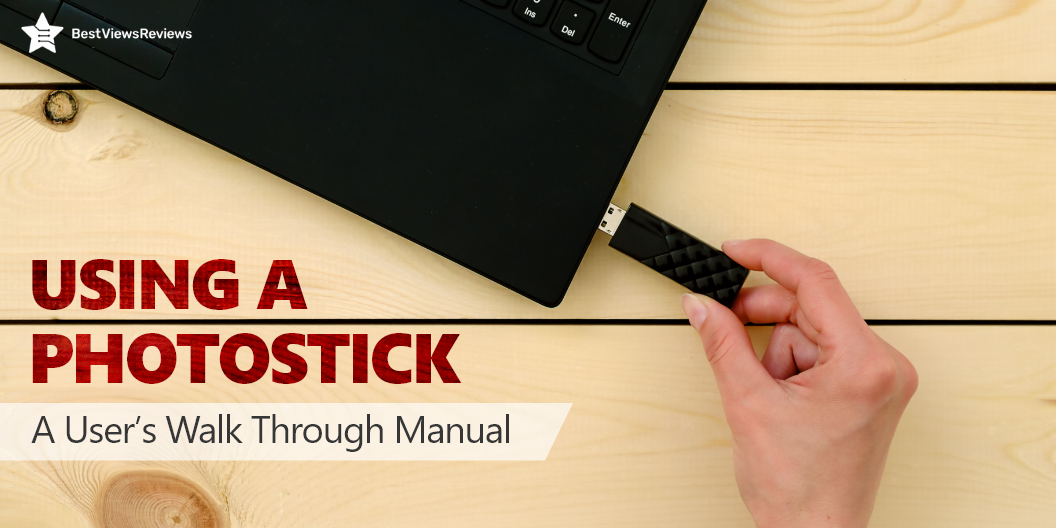
A photo stick resembles a flash drive that you can insert into a PC or mobile for backing up and transferring your photos. It keeps your media secure and categorizes them accordingly. The automatic backup feature on photo sticks allows you to save a backup of all your media files without spending hours on the computer. The photo stick works with multiple devices and is compatible with both Windows and macOS. Just follow the simple steps below and store and share your photos in no time.

Step-by-Step Guide for Using a Photostick on iPhone

  • Launch the app store on your iPhone
  • Download the photo stick app from the store
  • Install the app
  • Launch the app by clicking on ‘Open’
  • Confirm the notification prompt
  • Insert the photo stick mobile and launch the downloaded app
  • Confirm the prompt of allowing access to your photos and videos
  • Another prompt will flash on the screen asking ‘Select to back up.’
  • Clicking on it starts the backup process for your iPhone
  • The screen will display the completed photos once it is completed

Step-by-Step Guide for Using a Photostick on Android Phones

The device only works with Android version 5.0 and higher.

  • Download the photo stick application from the play store
  • Insert the device into the slot and then launch the app
  • This will give you three options, click on “Backup files now.”
  • Once you select it, it will prompt you to select either “Backup all” or “select to back up.”
  • Media files and video files will get backed up if you select the “back up all” option

You can easily choose a photo to stick mobile for iPhone or photo stock for an android phone but make sure you choose the right gadget after reading many photo stick reviews.

Step-by-Step Guide to Using a Photostick on Your Computer

  • Every photo stick comes with a USB cable extension. Plug your stick into the USB port of your computer
  • Once you insert it, a window will automatically pop up for the file explorer to begin its function
  • If in case it doesn’t do that, click on “My Computer” or this PC
  • Open the folder of the photo stick and double click on it to start ‘ThePhotoStick.exe’
  • Once it is installed, launch the application

Step-by-Step Guide for Using Photostick on Mac

  • Insert the device
  • A shortcut will be visible on the desktop
  • If not, click on “Finder” and select the option of photo stick
  • Click on “ThePhotostickMac” to install the application
  • Once it gets installed, it will automatically launch the function

Photo stick devices have many varied benefits. Discover worthy benefits of using photo sticks with our informational guide on photo sticks.

Best Photostick to Buy

Sttarluk Photo Stick USB 3.0 Pen Drive

Reviews of Sttarluk Photo Stick show that it offers an impressive 1TB storage space, so you can keep all your photos, videos, and files safe and sound. The sleek design is great for on-the-go use, and the purple color is sure to stand out. The USB 3.0 interface provides fast data transfer speeds. This allows you to quickly and easily transfer files to and from your devices.

MFi Apple-Certified Qubii Photo Stick

The Qubii Photo Stick supports backups with Facebook, Instagram, Flickr, Twitter, and more. You can store up to 200,000 photos or 8 hours of 4K video with 512GB of storage. The photo stick is MFi certified and features a USB 2.0 interface for quick data transfer. It also comes with a free app that makes it easy to view, organize, and share your photos and videos.

Sunany USB Flash Drive

The Sunany USB Flash Drive is ideal for expanding your mobile phone or computer’s memory. It comes with a capacity of 256GB, this memory drive can store many photos and videos, so you can take more pictures and videos without running out of storage space. The compact and lightweight design makes it easy to take with you wherever you go.

Elefull USB Type C Flash Drive

The Elefull USB Type C Flash Drive is compatible with Android, Windows, and most smartphones. It lets you quickly transfer files between your computer and other devices because it comes with a read speed of up to 90 Megabytes Per Second. The drive is also USB 3.0 compatible with faster data transfer speeds. It also comes with a protective case to keep your data safe and secure.

AUAMOZ iPhone Photo Stick

With a storage capacity of 256 GB and 80 Mb/s reading speed, the AUAMOZ iPhone flash drive is the ideal backup solution for all photos & videos on your mobile. It supports some of the major video and audio formats including AVI, MP4, FLAC, MP3, etc. It works with every mobile and computer that has a Type C port. The AUAMOZ USB memory stick can be directly used to record films and capture pictures, saving up space on your smartphone.

SanDisk Cruzer Fit Flash Drive 

The SanDisk flash drive is the best option if you want to effortlessly and securely save your favorite music, photos, videos, or other file types. It is extremely portable and comes in 8GB, 16GB, 32GB, and 64GB storage capacities. You can connect it to your phone or PC easily via a USB. It features SecureAccess software(2) that aids in safeguarding your private files.

Photo stick FAQs

Does Photostick Organize Photos?

Yes, photo sticks help to organize photos. They come with a remarkable organization feature that helps to organize your photos into separate folders. This also helps in easy differentiation. The image sticks mainly copy all the stuff like pictures and videos in alphabetic order.

Can Photostick Be Used On Multiple Devices?

Yes, a Photo stick can be used on multiple devices. You can use it on your computer, phone, or tablet. It is a great way to back up your photos and videos. Any device with a USB port can be used to connect a photo stick.

Is Photostick Safe To Use?

Photosticks are designed to store all your media files safely and securely. They are a reliable and efficient way to store and transfer photos and videos. With a Photo stick, you can easily transfer files between your computer and your mobile devices.

You can also read our blog to know if a photo stick is worth buying. This blog will help you understand the different benefits offered by photo sticks.

How long do photos last on a photo stick?

The photos and videos stored in your photo stick are saved forever. The number of images it can store completely relies on the photo stick’s memory storage capacity. The higher the storage, the more photos you will be able to store.

Do You Need To Download A Software To Use PhotoStick?

No, you do not need to download any software to use PhotoStick. It is a standalone device that automatically transfers your photos and videos from your camera, phone, or another device to its built-in storage.

Takeaway

The best-quality photo stick is an easy way of backing up your private data and media files. The steps for using a photo stick are easy and workable for everyone. Photo stock can be your best go-to storage option, but with advanced backup ability. They are also convenient for sharing photos with friends and family, as you can easily send them a link to your online photo album.

If you are looking for a device that can easily transfer and store even more data, then the best external state drives are the best option. They are excellent substitutes for flash drives and perfect if you need to quickly and safely transfer big amounts of data.

BestViewsReviews offer comprehensive and unbiased reviews of the latest photo sticks and best-selling USB flash drives. We’ll help you find the perfect device, appliances, products, essentials, gadgets, and sports equipment for your needs!

Troubleshooting An Ice Maker: The Complete Guide

ice maker

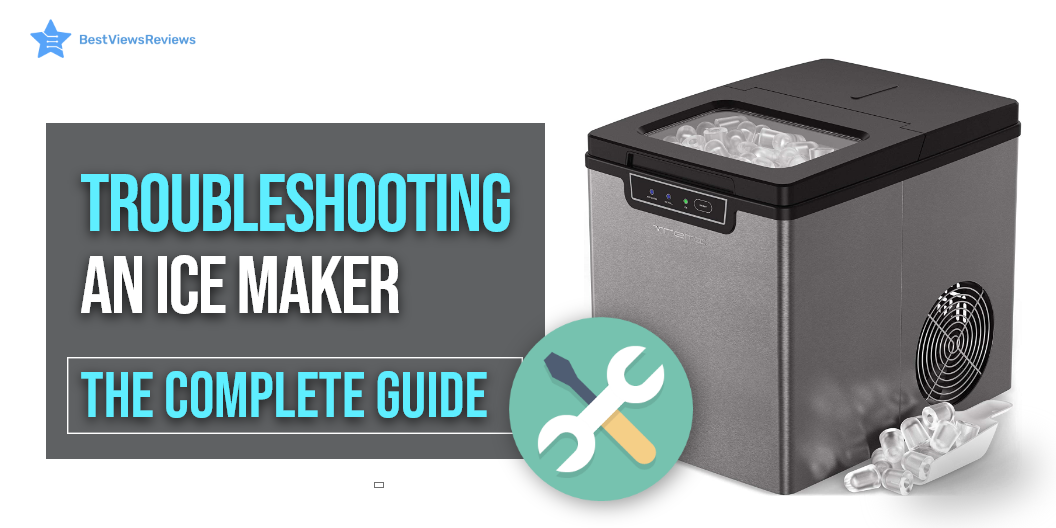
Troubleshooting an ice maker at home may seem risky but it is the best solution for minor hiccups and malfunctions. These machines are impressive to use as long as they function well. It’s important to remember that they’re still machines so they might break down at some point. The panic button should not be the first thing you do if your maker stops working. It could be just a minor glitch that can be repaired right at home with little trouble.

Ice makers are useful machines in the summer. They help you make ice cubes quickly and efficiently. Read our blog on ice makers to learn more about them.

How to Fix an Ice-Making Machine that Stops Working Abruptly?

Ice makers like Euhomy Ice Maker Machine Countertop are durable, ergonomic, and effective machines that can produce instant ice. There could be a variety of reasons an icemaker may stop making ice. These reasons could be sub-zero freezing temperatures that make the ice maker water line frozen, a clogged water refrigerator filter, a flawed or damaged water valve, or sometimes even a malfunctioning thermostat. You can try troubleshooting your ice makers by resetting them to their default setting to resolve any issue. Calling a technician makes more sense than trying to fix it yourself if all this doesn’t solve your problem.

When Does an Ice Maker Stops Making Ice Completely?

There is usually a simple solution if you find yourself in a situation where your maker stops making ice. An ice maker machine in most cases stops making ice owing to a frozen clog somewhere in the waterline due to the freezing temperatures. Stick to the following steps if this happens-

  • Close the main supply of water into the maker
  • Turn off the maker
  • Take a hairdryer and blast hot air into the water line opening
  • Keep the ice maker on switch-off mode for a couple of hours till the pipe defrosts
  • It’s time to call a technician if your ice maker still doesn’t function after all this

Another reason for the machine not making enough ice could be a faulty water filter with either a lot of sediment deposits or low pressure of water.

The customer reviews of Euhomy Commercial Ice Maker Machine claim that it is a durable ice maker that you can consider buying.

How to Reset an Ice Maker?

Resetting an ice maker like Oline Ice Maker Machine may be one of the primary things we do if our ice makers start to malfunction. Check your manual on how to reset it. The manual might be the perfect guide for you since ice makers vary in build and features. Switch off your ice maker if it has an ‘On/Off’ switch or switches off the main electricity supply for a couple of minutes. The water will be sent to the reservoir starting the ice-making cycle again after you switch it On. Understanding the reset settings for ice makers is important.

Ice makers are portable machines and do not even take up much of your countertop space. You can read our guide on portable ice makers if you are looking for one.

How to Clean an Ice Maker?

Cleaning the machine is a simple yet important process and should be followed every once in 2 months. Even the cleaning process is automatic since ice makers are automatic. This will ensure the longevity of your product.

  • Follow the instruction manual for your product cleaning technique
  • Remove all backlog ice from the dispensing tray and the bin (in case of built-in storage)
  • Add the ice maker’s cleaning solution as instructed
  • Press the clean button and wait for the cleaning process to start and end
  • Reset the maker as mentioned in the manual once it ends

You can also go for self-cleaning models like Gevi Countertop Nugget Ice Machine that save you manual cleaning time.

What to Do When Your Water Source is Functional but Water is Absent?  

Ice makers are often connected to a water pipeline for uninterrupted water flow and despite this, if you see that there’s no water coming in, then it must be the problem of clogged filters. Water filters that are not changed over a long time tend to become clogged due to the presence of sediments and dirt accumulation over time. A technician’s help is required to replace the filters. This is where your warranty and part replacement facility comes in handy.

Ulit Portable Ice MakerIce Maker Machine’s reviews show that it has a self-cleaning feature that makes it convenient to use.

What To Do When Ice Maker Makes Too Much Ice Or Will Not Shut Off?

You should make sure that the ice bin is positioned correctly. The shut-off alarm will not work properly if the ice bin is not in place. The ice maker will continue to produce ice if the shut-off alarm doesn’t work.

Crushed ice makers are also similar to regular ice makers. They are great for making crushed ice for chilled drinks. You can read our blog on crushed ice makers to know more about them.

Conclusion

Trying to troubleshoot an ice maker yourself will save you a lot of time, money, and energy. Call a technician immediately if you see that the problems persist or you encounter other major problems that you feel are out of your league. Trying to resolve complex issues yourself might damage your ice maker.

Get the best reviews and ratings on the products you’re interested in. BestViewsReviews helps you make the right purchasing decision. Whether you’re looking for the top-rated ice makers or the best freezer refrigerators, we’ve got you covered.

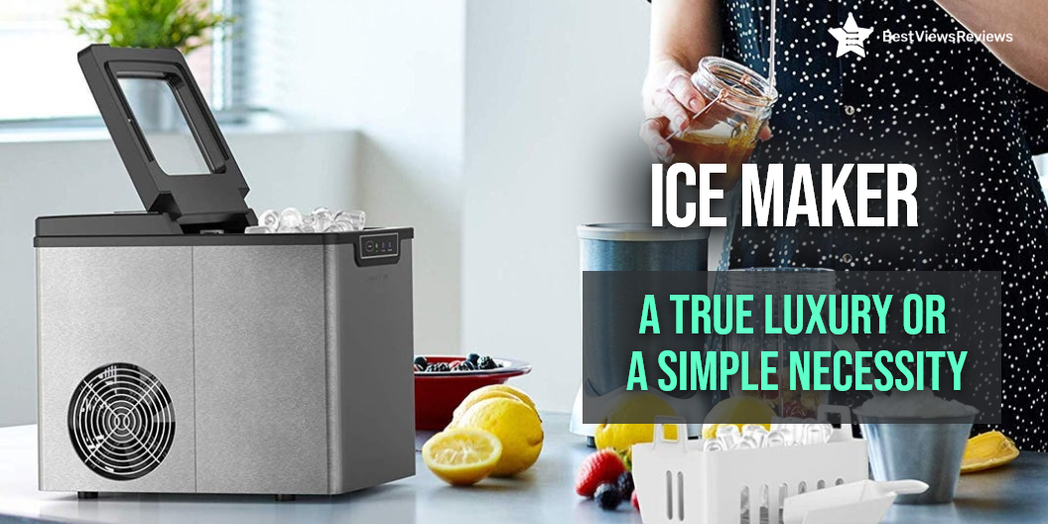
Ice Maker: A True Luxury or A Simple Necessity

ice maker

An ice maker is an efficient stand-alone ice-making machine that can produce many kinds of ice like nugget ice, crushed ice, and more. This plush engineered machine is topped with the latest technology to scoop out ice within a short time. It falls under the category of modern appliances and makes your lives easier. This machine is automated and simple to use.

Benefits of an Ice Maker for You?

Having an ice maker has several benefits. It meets your ice needs without you having to wait for hours with a refrigerator. We have listed down a few benefits of an ice maker.

Convenience

Filling ice trays and waiting for hours to get the next batch of ice ready in the refrigerator can be a tedious task. An ice maker gives you the convenience of getting ice in just some minutes.

Easy to Use

Ice makers are known for their quick setup and easy operations. They have an automated process for producing a lot of ice. These machines are compact in size and occupy a very limited space of your kitchen countertop area.

Cleanliness

An open ice bin of a refrigerator gives you easy access but often hosts unwanted debris and harmful particles. The automated ice-making machine is best at keeping up with hygiene and cleanliness. It won’t give space to external agents to accumulate at the base, allowing you to get clean ice every time.

Refrigerators Vs. Ice Maker

A refrigerator can be a perfect option for you if you do need ice for immediate consumption. It takes over an hour to make one batch of ice in a refrigerator. If you are planning to buy a brand-new one, you can check our featured section for the best buying options.

The portable ice makers give you a fresh batch of ice in just 6 minutes. Make sure you check the information guide of Portable Ice Makers for more information.

Factors to Consider Before Investing In An Ice-Maker

Requirement of Ice

It’s important to consider how frequently do you need ice and what is the right quantity. On the basis of your requirements, you can go for a portable model that can give you ice for a limited number of people. You can also go with an Under Counter Ice Maker that can give you a large quantity of ice.

Budget

The budget for the ice-making machine may vary as per the brand, features, warranty, etc. The range varies from a few hundred dollars to thousands depending on the type and style. Some models like Dreamiracle Ice Maker Machine are available at reasonable prices.

The ones equipped with a built-in storage bin are more expensive than others that come with just a dispense tray. The unused ice melts and gets harvested again into cubes in the portable ice makers. The VEVOR 110V Commercial Ice Maker is a high-end model that comes with a storage bin. It also has the capacity of making up to 80-90lbs of ice in 24 hours.

Size

A portable ice maker machine is compact and measures around 14.5 inches approx. An under-counter range is usually around 34-inches tall. They can be placed right under the counter and can also be conveniently accessed.

Energy Star

The higher energy-efficient models will have more stars. Before choosing and settling for any brands, make sure you know about their star rating. Remember, convenience shouldn’t come at a huge energy cost.

Drainage

Certain machines have built-in bins that require no drainage. They can keep the ice in a frozen form for some period. The other models without a built-in bin require a drainage system for flowing out the excess water.

Warranty and Parts Replacement

The warranty shows how long your selected machine is likely to last. Usually, ice makers come with a warranty of one or two years and a life span of 4 to 5 years. We recommend you to choose a model with a proper warranty period and parts availability.

Under Counter Ice Makers Vs. Portable Ice Makers

An under-counter ice maker is installed under the kitchen counter. It is heavier than a portable ice maker. It also comes with a massive capacity to produce large quantities of ice. This variant has built-in storage bins that can store unused ice for some time before melting.

A portable ice maker, on the other hand, is lightweight, compact, and effective in producing limited quantities of ice. Unfortunately, they come with a dispensing tray rather than a built-in storage bin that cannot hold the ice for too long. Reviews of FREE VILLAGE Ice Maker Machine are positive because of its portable and compact design.

Regular Ice Maker Vs. Clear Ice Maker

A regular range creates ice that looks cloudy, much like our refrigerated ice. This is because of the presence of impurities and water bubbles. A clear ice maker freezes water at 32 degrees, separates impurities, and gives you crystal clear ice. You should go for a clear ice maker if you are looking for purity.

Best Portable Ice Maker in the Market

The best portable ice makers in the market are the ones that are efficient, compact, ergonomic, and energy-efficient like the Ulit Portable Ice MakerIce. This appliance is efficient, fast, and has an ergonomic design. Reviews show that this model can make up to 26 lbs of ice in 24 hrs.

Best Ice Maker for Your Home

Both portable and under-counter ranges are fit to be installed at your home. Choose an under-counter machine if you want to produce lots of ice in one single go. The CROWNFUL Ice Maker Countertop Machine has got excellent reviews for its 1.8L large reservoir and ability to make up to 9 pieces of ice cubes in just 8 minutes. This is a suitable model for your home. It is efficient, durable, and has a sleek design.

Troubleshooting

What Happens When the Water Line Freezes?

This problem is frequent during the onset of winters when the water pipeline connected to the machine, freezes. The inflow of water will stop interfering with the ice-making process. A water line can freeze due to many reasons like a low freezing temperature or a faulty line. To know about more reasons and their easy fixes, read our blog on why an icemaker may stop working.

What is a Crushed Ice Maker and How is it Different?

A crushed ice maker crushes the ice before releasing it onto the dispensing tray. These machines produce crushed, edible ice at home allowing you to experiment with beverages like smoothies and martinis.

Conclusion

Ice makers are an excellent addition to any kitchen space. They give you the utmost convenience without much cost. You can go with any ice maker model, just make sure you consider your requirements and budget before buying.

BestViewsReviews rates and ranks hundreds of icemakers and ice cream makers based on noise level, overall performance, and value for money.

Your Ultimate Photosticks Informational Guide

Photosticks

Photostick is a brand of flash memory that stores and delivers photographs. On a photostick, you can take thousands of pictures and never run out of space. When you download photos from photosticks, they are transferred like any other file. The only difference is that you don’t have to install them. The photostick is a ready-to-go device. Read on to learn more about the benefits of using a photostick.

Why Are Photosticks worthy?

The Capacity

USB drives come with a massive storage capacity ranging between 8GB and 128GB. The minimum capacity photostick can backup around 3,500 photos. A 256 GB photostick can store up to 1 lakh photos.

Photostick Software

A photostick consists of user-friendly software that is easy to operate and navigate. It helps you in retrieving long-lost photos and saves them categorically. This relieves you from the challenging task of organizing the photos manually.

Compact Size

The photostick resembles a flash drive in size and shape. It is compact enough to fit into the pocket or small purses. This makes it convenient to carry around. 

Fast, Instant, and Secure

A Photostick creates a quick and secured copy of your pictures. You have to plug it in a port, and it backs up your pictures instantly.

Compatibility

Photostick USB is compatible with multiple devices and operating systems. You can use it on your PC or Mac without any added installation. If you are new to using photosticks and worried about their compatibility, refer to our photosticks guide that explains everything you need to know about them and why should you have one.

No Monthly Subscription

Photosticks do not have any monthly subscription attached to it, unlike the cloud. They only have a one-time purchase fee. Having no subscription fee allows the users the freedom to use it as they like.

Easy to Use

Our customer reviews suggest that using a photostick is beneficial because of its simple design and ease of use. There is no need to install software or set up any guide. Its plug and use feature has made it popular among users.

Photosticks Compatibility

Photosticks for Mobile

The photostick for mobile is suitable for transferring and saving photos from the phone or to the phone. You can attach it to the charging slot of mobile phones. The photostick for mobiles is popular among the millennials and professionals as their phones usually contain numerous photos and videos.

Photosticks for Android

The photostick for android phones works with OS 4.4 (lollypop) or versions after that. You can attach it in Micro USB or C type Charger slots of android phones. Plugin the photostick in the slot and launch the app. Once you launch the app, it will ask for permission to save. The function begins almost instantly without any complications or trouble.

Photosticks for iPhone

The photostick for iPhones requires you to download the app first. Once you download the app from the app store, install and configure the app on your phone or use the ‘Finder’ to launch it manually. Insert the photostick and launch the app from your home screen after installing it.

A prompt will display on the screen asking your permission to back up files. Click on that and all pictures will get saved. Read our blog to know the step-by-step process of connecting a photostick to an iPhone.

How Much Does a Photostick Cost?

An 8GB PhotoStick with room for up to 3,500 videos and photos will cost you around $34.99. The price of a 64GB photostick is $49.99, which supports up to 30,000 photos. You can expect to pay around $79.99 for a 128GB photo stick that can store 60,000 photos and videos.

Can a Photostick Delete Duplicates?

Yes, a photostick can delete the duplicate photos and save the original ones. They usually do it based on the date on which you took the photo. Then it categorizes it accordingly.

Best Photostick Buy

Qubii Pro Photo Stick

The reviews of Qubii Pro Photo Stick show that it is a great option if you’re looking for a fast and easy way to back up your photos. It plugs into your iPhone or iPad and automatically backs up your photos and videos to 128GB of storage. It’s a great way to keep your photos safe and make sure you never lose a precious memory. The photo stick is also compatible with MacBook and PC, so you can easily transfer your photos and videos to your computer.

Sttarluk Photo Stick USB 3.0 Pen Drive

The Sttarluk Photo Stick USB 3.0 Pen Drive is compatible with iPhone, iPad, iPod, Mac, Android, and PC. It offers a format-friendly streaming app that supports all major video and music formats that allow you to stream directly from the phone. This helps in saving you precious space and time. This drive is available in elegant purple color.

SanDisk 128GB Cruzer USB 2.0 Flash Drive

The reviews of SanDisk 128GB Cruzer USB 2.0 Flash Drive show that it is one of the most reliable USB flash drives in the market. This drive is ideal for videos it allows you to easily store, share and play your favorite video files. It offers you security and lets you transfer images and other files with confidence from PC to PC or other consumer electronic devices.

MECHEER USB Flash Drive

The MECHEER USB Flash Drive is a perfect buy if you are looking for an affordable way to store and share your data. This flash drive features a USB 2.0 interface for fast data transfer speeds and a sleek black design that is perfect for everyday use. The included keychain design makes it easy to keep your flash drive with you at all times.

JSL JDTDC Photo-Stick

The JSL JDTDC Photo-Stick for iPhone is a top-of-the-line flash drive that offers an impressive 512 GB of storage capacity. This USB 3.0 drive is MFi certified and compatible with all models of iPhone, iPad, and iPod. It also works with Samsung devices and PCs. The drive has a sleek and compact design that makes it easy to take with you on the go. The JSL JDTDC Photo-Stick for iPhone is the perfect solution for storing and backing up your photos and videos.

EATOP USB3.0 Flash Drive

The EATOP USB3.0 Flash Drive is compatible with iPhones, android, computers, and other devices with USB ports. It is made of zinc alloy with a sturdy cover and a convenient keychain design. This drive comes with a phone port and a type c independent adapter. This model has got positive reviews for its read speed of 80 megabytes per second.

Conclusion

Photosticks create a secure backup of your photos. The photostick is more than just another storage device. Your photos are safe and stored without the help of any cloud services. Once you have learned everything about this invention, it is time to choose the one that is most suitable for your needs.

BestViewsReviews rates and reviews leading USB flash drives and external hard drives based on owner satisfaction, compatibility, app support, and storage capacity.