Card Games for Kids: Never-ending Fun

Card Games for Kids

Card games are one of the most entertaining ways of passing the time. The card games for kids can delight kids and never leave a boring moment to ponder. Kids are easily bored and having some fun & challenging card games for them will always come in handy. Card games are a great way to encourage quality family bonding time, one which mobile gaming cannot give. Games on iPads, TVs, and play stations are a sure way of entertaining kids but they may not promote creative skills. Single-player card games are great for increasing a child’s skills and abilities.

The biggest downside of virtual games is the lack of productivity and thought process. In such games, kids are mindlessly and endlessly glued to their screens. The card games offer entertainment, productivity, and quality family time. Take a look at our 2 player card games that are interesting and thrilling if you are looking for ways to keep your children engaged.

Best Card Games For Kids

Gamewright Sushi Go

Gamright Sushi Go is a pick-and-pass card game. This game reinforces probability, visual discrimination, and strategic thinking. It is super affordable and comes with 108 cards. This game is suitable for 2-5 players. It comes in a cute and adorable design that will be loved by kids. This game is perfect for children between 8-15 years of age.

Quiddler Word Game

Quiddler word game is a game that is suitable to be played by all age groups. This game can engage 1-10 people at a time. It is great for improving the vocabulary and thinking skills of a child. This game also helps in eliminating spelling mistakes of children. This word game is affordable as well as helps your child to learn something new.

Sleeping Queens Card Game

Reviews of Sleeping Queens card game show that it is one of the best-rated games available in the market. This game comes with 79 cards. It is highly affordable and portable. You can carry this game on vacation or outdoor trips. This game is perfect for children of 8 years and above. It comes in a nice design and can be played by 2-5 players at a time.

Grandpa Beck’s Card Game

Reviews of Grandpa Beck’s card game show that it is a classic strategy game that is entertaining and fun to play. It is suitable for 4-6 players. This game comes with simple rules and is easy to play. This game is great for kids of 7-8 years and above. This is one of the top-selling games.

SET Enterprises Five Crowns Card Game

The top-ranking SET Enterprises card game is a rummy-style card game. It comes with a rotating wild card. This game is easy to learn and fun for both kids as well as adults. This game is perfect for both avid and casual card players. Kids above 8 years of age can enjoy playing this game. The small size of this game allows you to carry it while traveling.

Zygomatic Card Game

This Zygomatic card game has got good reviews for its fun symbols and pictures. It comes in a cute and vibrant design that will attract kids. 2-6 players can play this game at a time. It is suitable for kids of 6 years and above. This game helps to develop focus and enhances the observation skills of a child. This game is affordable, fun, and portable.

Conclusion

Card games that are suitable for kids of all ages. They are quite useful to develop observation skills, team spirit, and promote healthy competition. Card games are convenient to play and can be played anytime. Board games are also interesting games for kids. Reading our blog will help you choose a suitable board game for your kid.

BestViewsReviews rates and reviews hundreds of card games and board games on the basis of their recommended age group, quality, and convenience.

The Best Knife Sharpener Buying Guide

knife sharpener

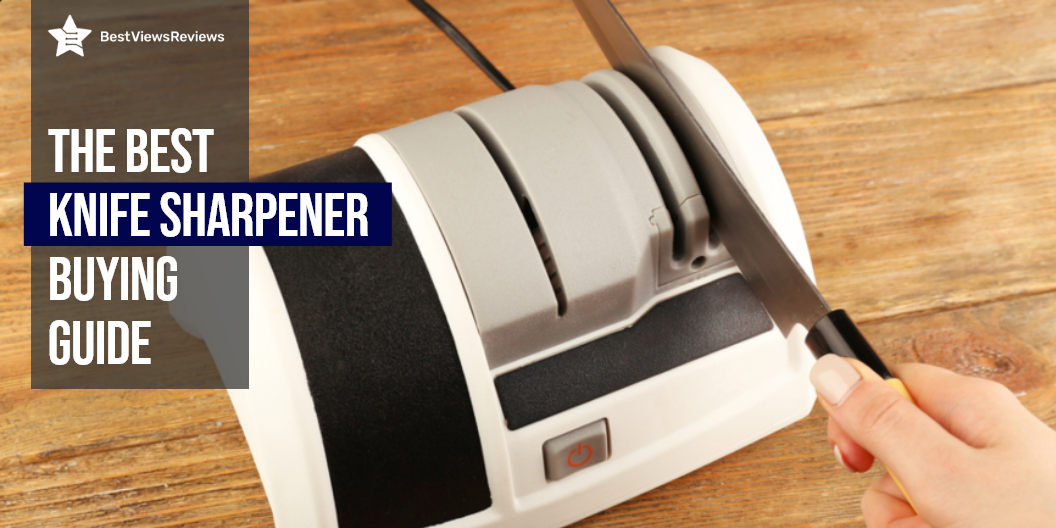
A knife sharpener is an innovative gadget that is made with advanced concepts to sharpen kitchen knives. There are majorly two categories of knife sharpener available in the market- the manual and the electric. A dull knife can present difficulties when you are completing your kitchen chores. Sharpening your knives is a culinary skill that increases their life significantly. Buying the right type of sharpener can be tedious. It is important to consider the cost, size, and time before making a final purchase.

Types of Knife Sharpener

Electric Knife Sharpener

The electric knife sharpener is the convenient and easiest way of sharpening your knives. Hold the handle of the knife in your hand with a strong grip. Insert the blade into the slots, and pull the knife through without applying a lot of pressure. Repeat this step 4-5 times for the entire length of the blade and ensure that the edges are clean and sharp.

Handheld or Manual Knife Sharpener

The handheld sharpeners are manual sharpening tools. You have to set the knife on a flat surface for handheld sharpeners. Hold the knife in your non-dominant hand and keep the sharpener in the other hand for sharpening the edges. Follow the procedure by inserting the knife into the slots and pulling them through 6-7 times.

Storing the knife safely and securely protects you from accidental injuries. Make sure you read through our blog that presents the ideal solutions to store Kitchen knives.

Sharpening Stones

Sharpening stones are used often by people all around the world. They are made of aluminum oxide and silicon carbide. The surface provides a rough edge to effectively sharpen your knife.

Difference between Electric & Handheld Sharpeners

The electric sharpeners have many slots and help you attain a finer edge as compared to the other variants. Handheld sharpeners work in the same way but with a limited number of slots. Handheld variants are absolutely portable and you need a flat surface to sharpen your blades with them. They are easy to use and have high compatibility. Visit our blog on the advantages of electric knife sharpeners for better usage and understanding.

Factors to Consider Before Buying a Knife Sharpener

Cost

The cost of a knife sharpener ranges from USD 10 to USD 150. You can go for the high-end ones if you use your sharpeners frequently. Consider your requirements and go for the best-rated sharpeners that are known for their excellent performance.

Time

We recommend you go for electric sharpeners for their high efficiency, especially when you want to save some time. Professionals do not mind running their knives through stones but not everyone prefers to spend ten minutes per blade. Electric sharpeners that include stainless steel blades will help you complete kitchen tasks quickly and safely. A model like Presto EverSharp Electric Knife takes less time because it works with electricity.

Size

Depending on your storage capacity and availability of counter space, look for sharpeners that can be easily accommodated inside drawers. Go for ergonomic and compact sizes that take up just a fraction of counter space.

How to Sharpen a Knife Without a Sharpener?

You can still sharpen your knife when you don’t have a sharpener and you are in urgent need of sharpening your knife. Use another knife or the rough rim of a ceramic mug or cup. This alternative isn’t that efficient but it can be a lifesaver in dire situations. That is why professional electric knife sharpeners are great for sharpening knives conveniently through a 3-stage process.

How Often Do I Need to Sharpen My Knives?

You need to sharpen your knives once or twice a year. It is important that you get your knives sharpened by a professional at least once a year. This also depends on your frequency of usage. You can do the honing of the blunt teeth of your knives much more often. Honing doesn’t remove the knife steel material. It only re-aligns the teeth to create sharp edges. You can use an electric or pull-through sharpener for sharpening your knives.

Buy Best Knife Sharpeners

AccuSharp 001C Knife Sharpener

The AccuSharp 001C Knife Sharpener is a perfect way to get sharp knives in just some minutes. It is crafted from diamond-honed tungsten carbide that sharpens your knives with perfection. The precise range guides help you get the right edges and cuts. It makes your work complete quickly and safely.

Ulwae Upgraded Kitchen Knife Sharpener

The Ulwae Upgraded Kitchen Knife Sharpener is an important tool to sharpen your blades and knives quickly. The optimized knife sharpener has advanced carbide, fine abrasive, and ceramic for a burr-free edge on steel blades as well as extend the life of your high-quality knives. This is a lightweight model with 6.4 ounces of weight. It features a compact design that is safe and easy to use.

Work Sharp Knife & Tool Sharpener

The Work Sharp Knife & Tool Sharpener has a variable speed that makes it suitable for any sharpening job. The abrasive belts provide a razor-sharp convex edge that lasts for a long time. It also features a convenient angle guide that can be adjusted. It has a non-slip design and an ergonomic handle for easy control.

KITCHELLENCE Premium Knife Sharpener

The KITCHELLENCE Premium Knife Sharpener is a 4-stage model that comes with level 5 cut-resistant gloves for extra safety. You can use this sharpener to process any knife with straight edges. It can sharpen a pocket knife, chef knife, kitchen knife, and santoku knife. This model has an easy-to-hold handle for perfect grip.

Conclusion

Knife sharpeners are lifesavers especially, in a commercial kitchen where most of the initial food prep is done with clean-cut sharp knives. It is important to use a sharpener to maintain the longevity and shine of your knife. A dull knife can cause cuts and injuries and should be avoided at all costs. Do not procrastinate on buying a sharpener.

There are different types of kitchen knives available in the market. Check our buying guide to buy the best kitchen knives.

BestViewsReviews rates and ranks hundreds of best kitchen knives and top-quality knife sharpeners on the basis of effectiveness, design, and customer satisfaction.

How to Choose a RAM for Your Mac

RAM for Mac

Do you think it is time to upgrade the RAM for your Mac? Is your MacBook running slower than usual? Is it no longer welcoming any new applications?

If the answer to all of these questions is yes, then its time to go a better computer memory to give you the efficiency that you have always desired. Upgrading your RAM is the most affordable way of keeping up the efficiency of your beloved Mac computer.

Is RAM for a Mac Different from Other Laptops?

Technically, there is no difference between the RAM for standard laptops and MAC Laptops. RAM, the random-access memory, works to deliver data and other operations quickly. If your Mac has inadequate RAM for all the applications you have installed, the response time will suffer and the applications will take a lot of time to load. This will make your experience bitter. However, before blaming it on your PC, check the RAM. Upgrading the RAM with OWC 64GB  will add more functional years to your device.

Before you make the decision to take the plunge, you should know precisely when an upgrade will help! So let’s begin with some quintessential questions.

Questions to Ask Before Buying RAM for Mac

  • Is it running slower than usual?
  • To work and load intensive apps like Photoshop or iMovie, Is it struggling a lot?
  • Is multitasking long gone?
  • Does rebooting your computer takes up an unreasonable amount of time?
  • Is something wrong with the display?

If most of these answers are positive, it’s time for an upgrade. However, there are some things you should look out for, before going for an upgrade. You can also use your AirPods with your mac devices. Read our blog to understand how to connect AirPods to MacBook.

Check if Upgrading the RAM is Possible

  • The first thing to do is check whether the RAM for your Mac can be upgraded or not.
  • To do that, go to the Apple Mac menu and choose “About this Mac”. Get an overview of your device along with complete RAM specifications.
  • Secondly, look out for the memory, DDR, and frequency of your device.
  • Figure out the number of slots you are choosing by selecting “Memory” in the header. Finally, go through Apple’s list to be aware of what RAM your system is capable of handling.

Avoid going for an upgrade if you don’t face any of the listed issues. Merely making it faster just for the sake is overkill!

Things to Consider Before Buying RAM for Your Mac

Brand

Brand name plays a crucial role in picking up any computer part. RAM that comes from a trusted and reliable brand undergoes necessary tests to evaluate its efficiency. So, don’t get lured by a price cut and pick something less reputable.

Warranty

Even if you get your hands on the best brand, things can always go wrong. While investing ensure that the RAM comes with a warranty that can cover you for a certain period.

Reliability

To minimize any potential errors, always go with a reliable brand or dealer, read all the reviews about the product, and ensure whether the RAM is compatible with your system or a system similar to yours.

How Much RAM is Sufficient for Your Mac?

A 16 GB RAM like Timetec 16GB KIT(2x8GB) or A-Tech 16GB (2x8GB) RAM is sufficient for you if you hardly use any intensive applications like video editing apps, for instance. If you feel the need to make your computer ‘future proof’, you can go for a higher capacity RAM. This will depend on the maximum RAM capacity your device can support. Bear this in mind before investing.

One of the most recommended products for your Mac, in general, is OWC 8GB (2x4GB) PC3-12800 DDR3 and for a more specific requirement like gaming, you can go for Timetec 32GB KIT(2x16GB) for Gaming and High-Performance. We suggest you read through the blog that helps you evaluate the capacity of RAM required for your Your Gaming PC.

Verdict

To conclude, it’s a good idea to have more RAM than you require, instead of having any less! But it’s a balance that you have to decide as too much memory may go waste. This blog should help you identify a lot of things about your PC if you were thinking of investing.

The CPU cooler is also an important part of the MAC. You can check the best CPU coolers for Intel core i9-11900k it helps to keep the CPU cool and prevents it from overheating.

BestViewsReviews recommends and reviews the best computer memory options and hundreds of Touch Screen Laptops based on popularity and performance.

How Much RAM For Gaming Do You Need?

how much ram for gaming

A RAM (Random-access memory) is a form of memory that holds information and working data for your PC temporarily. Once you open a program, the OS sends the data into this memory. Data in RAM clears out after the system is shut down. Your machine may struggle to process multiple programs together if you don’t have sufficient memory in your system. Low RAM memory results in lagging and slower applications.

It’s common to wonder how much ram for gaming is required. This blog highlights the difference between RAM and VRAM and gives a detailed buying guide. We also have a blog on the best gaming laptops, read through to know more about your options.

RAM Vs. VRAM

RAM is an important factor to consider while upgrading your Gaming PC, or building it from scratch. The good memory capacity allows your system to access the stored data quickly. It results in no choppy frames rates or poor performance. One of the best RAM available is Crucial DDR3 RAM. The reviews of Crucial DDR3 RAM suggest that it helps you store enough files in the desktop memory and process the applications quickly.

VRAM is a video card that has a dedicated memory to store image data. It is different from the usual RAM. It primarily works on improving the quality of graphics on the display screen. You should have a good VRAM along with a good RAM capacity for top gaming performance.

How to Select the Right RAM?

Selecting the right RAM can be a hassle. You need to pick the right model, with sufficient memory capacity. Read our blog to know how to buy the right ram for your mac devices.

8GB RAM

8GB RAM like the Crucial RAM 8GB DDR3 is ideal for playing simple games. This memory doesn’t work in the newer PCs or specifically the gaming PCs. Most of the popular games have 8 GB as the minimum requirement. Going higher on memory is a good idea for gaming PCs.

16GB RAM

A 16GB memory supports a wide range of popular games. It is usually enough for all kinds of games, except for the popular ones with heavy graphics. 

32GB RAM

A 32GB RAM is ideal for performing multiple tasks while running your games. You can play your age while playing some music in the background. This RAM is enough for the majority of games, but the extra space will “future proof” your gaming PC in case a new version comes out.

64GB RAM

The 64 GB RAM is useful for people with hyper-sized files or enthusiastic video editors. PC games are more dependent on VRAM for their advanced visual features, along with GPU. This RAM is suitable for professional use and heavy multitasking. It delivers high gaming performance.

What are the Factors to Look for While Buying RAM?

DDR Designation

Memory sticks are made on DDR (Double Data Rate) technology. They work twice per clock cycle. DDR4 and DDR3 are the most common versions but they are not compatible with each other. This prevents you from plugging a DDR4 RAM stick into a motherboard that has slots for DDR2 or 3. Crucial 8GB Single DDR4 has positive reviews for its faster speed and responsiveness.

Clock Speed

This represents how many clock cycles a RAM can perform every second, and is calculated in megahertz. The higher the value gives the seamless gaming experience. Make sure you don’t plug memory sticks with different clock speeds.

Number of Slots

Look at the number of slots on your motherboard before buying memory. The dual-channel memory helps your PC to use two sticks simultaneously. Always buy two memory sticks like in Crucial 16GB Kit (8GBx2) rather than a single 4 GB for a better gaming experience.

Other Factors

Other factors like processors and the perfect graphics can also affect your gaming PC performance. The speed of your CPU will dictate how rapidly the data can be generated. A system with a discrete GPU can deliver better visuals, even with less capacity. We recommend you but the right memory after considering honest customer reviews.

Conclusion

A RAM directly impacts your PC performance and efficiency. You need to identify your requirements while picking the right RAM size. Based on customer reviews 16Gb RAM is ideal for gaming and multitasking. You can go with 8Gb RAM for regular use. Make sure you consider the above-mentioned factors before making any final purchase. You can also check the best RAM for core i9-11900K, it can speed up your PC.

BestViewsReviews recommends and reviews hundreds of PC games and accessories like PC game headsets on the basis of performance, capacity, and ease of installation.

Samsung Vs LG TV: The Brand Struggle

Samsung Vs LG TV

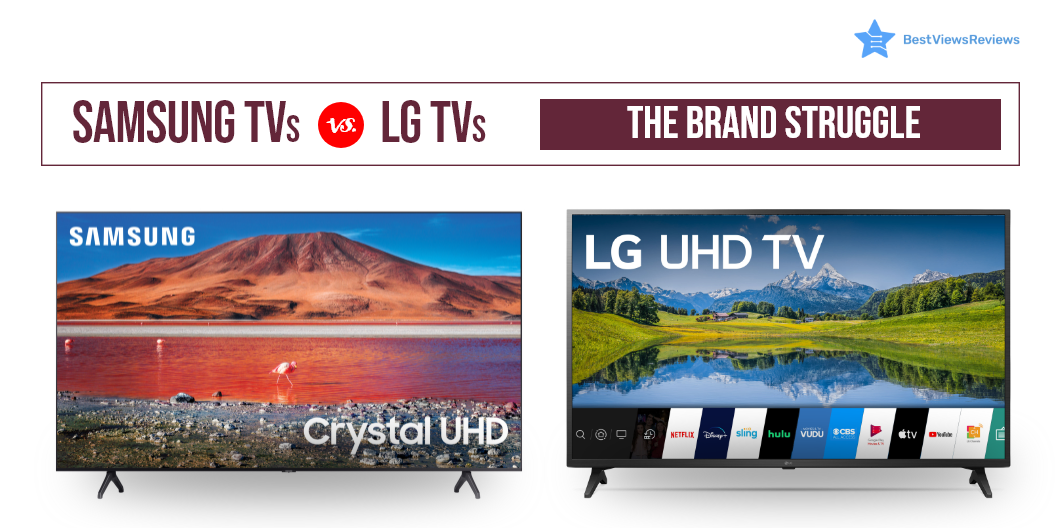
Some TVs are larger and heavier while some are thinner and sleeker. Choosing between Samsung Vs LG TV is tough when buying an HDR TV and a 4K smart TV. LG and Samsung are both South Korean brands and rank amongst the top sellers of the electronics industry worldwide. They offer smart TVs for a wide range of price points and have continuously experimented with their high-end sets and panel technologies.

A new range of TVs is introduced into the market with improved visuals and processors, every year. If you are confused about what brand to pick, we narrow it down to the two best options- The LG and Samsung. Take a look at the best picks for Samsung and LG collections in our list of the most reviewed TVs for the year.

Samsung TVs or LG TVs: A Comparison

OLED vs. QLED

TVs are equipped with modern technology to make your viewing experience better. It can be confusing to decide whether to go with organic LED or a Quantum one? OLED LG TV features an organic LED array on the panels. The QLED Samsung TV opts for quantum LED technology. QLED displays bright images which makes HDR content better to see. OLED displays offer an excellent contrast with screens more on the darker side.

OLED technology consists of two conductors and a carbon film placed in between them, emitting light, pixel by pixel. The outcome is authentic and natural picture quality. OLED technology also offers other advantages like more viewing angles, thinner sets, and efficient operations.

Samsung TVs QLED technology is similar to that of OLED, but each pixel emits its light through the help of tiny quantum dots. This technology provides vibrancy that is almost unbeatable. It makes Samsung TVs a bit more dynamic.

WebOS vs. Tizen

Both Samsung and LG use technology that comes with their own set of pros and cons. You can take a look at some of the best TVs for 2022 before making any purchase.

LG TVs have WebOS as an interface with a menu bar that places scrolling content in a horizontal row. It offers ease of use and a range of customization options for your favorite channels. It gives the user access to popular apps through remote control.

Samsung TV features Tizen that seems to take the edge. It serves similar functions that WebOS offers but is a bit more intuitive with access to more apps.

Samsung Vs LG TV: Artificial Intelligence

Samsung’s Bixby assistant isn’t as smart as LG’s Google in voice assistant AI. LG TVs integrate Alexa or google assistant for convenience and seamless entertainment. One great advantage of smart TVs today is their voice-over control. They can connect to external gadgets like soundbars. This allows you to have a great viewing experience.

Dolby Vision vs. HDR 10+

Samsung and LG offer great display quality. LG has put its Dolby Vision support in the HDR segment, while Samsung boasts Quantum HDR-like in SAMSUNG 32-Inch Class QLED Q60A Series.

LG supports Dolby Vision, as well as HDR10. This improves the picture frame by frame. Dolby vision manages a 12-bit color gamut with 10,000 nits of brightness, while Samsung’s HDR10 plus can work with only 10-bit and 4,000 nits. On the flip side, HDR10 plus format does not support Netflix and certain other platforms.

Buy Best Samsung and LG TVs

LG Electronics 22LJ4540

The reviews of LG Electronics 22LJ4540 show that it is a great addition to your home. It features a 1080p Full HD resolution display to let you enjoy films and shows in high quality. This TV has a Triple XD the engine that processes images with greater precision. It has a refresh rate of 60hz for your uninterrupted entertainment. This TV measures 20″ W x 2.1″ H x 12.5″ D without a stand.

LG 80 Series 65” Smart TV

The LG 80 Series 65” Smart TV has a built-in 4K HDR display driven by LG’s powerful 4K quad-core processor. This allows for incredible levels of picture quality in a thin, beautiful, display panel. It provides an experience that will bring all the action, color, and excitement to your favorite movies and shows.

LG OLED C1 Series

The LG OLED C1 Series combines 4K UHD picture quality with voice control using Alexa. It also features a sleek, sophisticated design that’s perfect for any room in the house. It supports internet services such as Netflix, Prime Video, and others to give you access to unlimited entertainment.

SAMSUNG 65-inch Class Curved UHD TU-8300

The reviews of SAMSUNG 65-inch Class Curved UHD TU-8300 are positive for its 4K UHD  display that uses an ultra-fast processor to deliver high picture quality. It comes with HDR and dynamic crystal color that makes it an ultimate combination of beauty and performance. Built-in apps put your favorite TV and streaming services in one place. The easy-to-use Smart Remote allows you to access your favorite content with the press of a button.

SAMSUNG UN43TU8000FXZA

The SAMSUNG UN43TU8000FXZA offers a brilliant view, with a crystal UHD display. It has a minimalistic design that looks slim, stylish and gives you wide viewing angles. It offers you the high picture quality of 4X the resolution of Full HD. A wide color range gives you precise visual details, even in dark scenes. It has got good reviews for Auto Game Mode which automatically optimizes the screen and minimizes input lag.

Samsung Vs LG TV; The Final Verdict

Both brands have a lot to offer but it’s tough to choose between LCD LED Vs OLED TV. You can prefer OLED technology if you are a display fan. Nothing beats the color and subtlety it provides. The QLED display is a bit dazzling but falls short of ratings. Samsung TVs are a far more affordable option to go for when it comes down to prices.

Key Takeaway

It can be hard to figure out which option is better than the other in between Samsung Vs LG TV. We recommend, make a decision considering all your requirements, budget, and personal taste. You should consider the important factors before buying a TV. These factors will help you make the right purchase.

BestViewsReviews rates and ranks hundreds of Samsung and LG TVs on the basis of audio quality, controls, and functionality.

Thermostats: A Smart Appliance for Smart Homes

thermostats

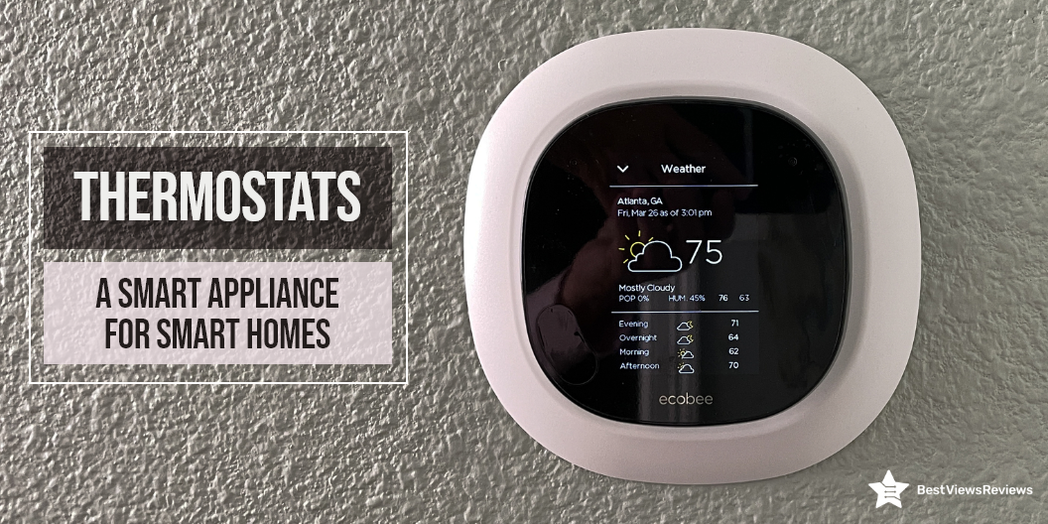
Modern thermostats can regulate the temperature of your home with their innovative technology. You can install them on the wall to control the temperature. Depending on your preferences, these devices adjust the heating or cooling level. Smart thermostats can help you set automatic and programmable temperatures. These temperatures are set based on the weather as well as daily schedules. With a traditional thermostat, you can manually adjust the temperature.

What are Thermostats Used For?

A thermostat maintains an ideal temperature by turning off the heat source. This occurs when temperatures exceed the set limit. The thermostats automatically restore heat once the temperature is below the set level.

How do Thermostats Work?

A mechanical thermostat works differently than a smart thermostat. Using and understanding electronic thermostats is simple. They use sensors to detect if your home is at the right temperature. A Wi-Fi feature and programmable settings are available as well. This allows you to keep a comfortable temperature any time of day or night.

There are two types of traditional electromechanical thermostats: those with a bimetal coil and those with a metal strip. The coil or strip will move as the temperature changes when the vial tips to one side. The mercury inside the vial flows to one side, causing either heating or cooling.

Types of Thermostats

There are four types of thermostats: programmable, non-programmable, smart, and Wi-Fi. They differ in their price, efficiency as well as comfort.

Programmable Thermostats

A programmable device gives users the option of setting and controlling the device too. Programmable thermostats offer weekly as well as daily temperature control. You can pre-program them too if you have to leave for the day or night. This will save you money on your monthly bills too. They are especially useful in places like Florida where the temperature fluctuates frequently. An example of a programmable device is ecobee3 Smart. Reviews show that this device works with Alexa and features an intuitive display and an easy-to-use app.

Non-Programmable Thermostats

Non-programmable thermostats allow you to adjust the temperature manually. The heating system adjusts to maintain the temperature you prefer. This type of thermostat cannot be pre-programmed, but it is energy efficient. There are new models of non-programmable thermostats that have artificial intelligence features. The Honeywell TH1100DV1000 is a non-programmable model that has got good reviews for its energy-saving features.

Wi-Fi Thermostats

Network systems allow users to control Wi-Fi thermostats remotely. You can use a computer, smartphone, or tablet to control the thermostat. It is possible to adjust the settings to suit your preferences. Thermostats with Wi-Fi are similar to those with programmed controls but offer better flexibility. The reviews of Emerson Sensi that it is a smart device with a Wifi connectivity feature. It also comes with voice control features when connected to Alexa. You can also read through our blog to find the top wireless thermostats.

Smart Thermostats

Smart thermostats come with smart programming. They allow you to set automatic as well as programmable temperature settings based on your schedules and weather. Some models have features like voice control, compatible apps, and alerts for HVAC maintenance too.

The smartphones are compatible with Android and iOS. They also allow remote control through your smartphones. They help you to program and maintain a comfortable temperature for your pets as well. You can read through our blog to know if smart thermostats are better than traditional ones.

Buying the Right Thermostat

C-wire Requirement

There are smart thermostat models that need a power source that batteries cannot provide. Thermostats with a C-wire facility use the HVAC system for support. Several models may not specify using a C wire, however, it is very important to do so.

Easy Installation

Choose a thermostat that is easy to install and comes with a manual. You can install newer models with the help of apps. It is always a good idea to call a technician if the installation appears difficult.

Geo-Fencing

GPS on your smartphone allows you to set up a perimeter around your location. You can adjust the thermostat’s temperature setting whenever you step into or out of this area. A geofencing feature is an ideal option for travelers and business owners. Google Nest Thermostat is a model that features geofencing.

Remote Access

You can alter the thermostat settings, sitting miles away from your home, if your unit has a remote access feature. Having a good internet connection is important for the operation of such features.

Smart-Home System Integration

The best models come with an app that allows app control, and some of them integrate with other smart devices. For example, you can choose models that come with smoke detectors or Google Assistant voice control.

System Complexity

Choose a thermostat that supports ventilation, air conditioning, heat pumps, and multi-stage heating as well. You will need more than one thermostat if any rooms in your home require separate heating or cooling.

User Interface

Understanding the model is important before using it. The incorrect information may cause the product to malfunction. The product description provides all information about the product. Make sure the interface is simple and comes with a detailed user guide too. The Heagstat Smart Thermostat features easy to read and large backlit digital display.

Conclusion

The thermostat keeps your home at a comfortable temperature no matter the weather. An air-conditioned home needs a thermostat for maximum comfort in the summer. There are so many different models of thermostats on the market today that it can be difficult to choose. Make sure you choose pet-friendly thermostats if you want to keep your pets warm and cozy.

BestViewsReviews ranks leading thermostats based on thousands of user reviews and recommends them based on performance, controls, battery, and power efficiency.

Is Room Air Purifier An Absolute Must-have?

air purifiers

A room air purifier is a device that is used to filter the dust, smoke, odor, and other harmful compounds from the air. It consists of multiple filters and a blower that sucks contaminated air and passes clean air into the room. This device is gaining attention because the deteriorating quality of air is causing serious health problems. Installing an air purifier at home can benefit you by keeping the air around you clean and pure.

This blog highlights the benefits of a room air purifier along with an informative buying guide. Continue reading to know more.

What Are the Benefits of a Room Air Purifier?

Gets Rid of Volatile Organic Compounds VOCs

VOCs are present in substances like paint, adhesives, and varnish. They contain some ‘Anthropogenic Constituents’ that are hazardous to our respiratory organs. Some gadgets come with an activated carbon filter that can trap harmful compounds. This makes the air inside your house safe to breathe in.

Gets Rid of Particulate Matter PMs

Particulate matters are harmful to your lungs as they are dangerous and minute-sized. They enter your body and can pass the barriers of the central nervous system. This may cause a host of cardiovascular and neurological diseases. Some models can trap a particle 40 times less than that the width of your hair. It makes the air 99.9% free from any particulate matter.

Eliminates Odor

The most sought-after feature in such appliances is their ability to make a room smell as fresh as a daisy. These purifiers make the air clean and give your house a pleasant smell. They are built to absorb all smells and smoke, Be it the strong curry smell from the kitchen or the cigarette smoke.

Best for Good Health

Breathing clean air will keep your family healthy and reduce the chances of catching any respiratory disease. The filters in an effective room air purifier can trap even the tiniest of viruses and bacteria, keeping you safe even during the smog-filled winters.

Things to Look for While Shopping for a Room Air Purifier

Cost of Replacement Filters

Once you buy a room air purifier, change its filters once every six to twelve months in case of a pleated filter. We recommend you change the filter after every four months if it is a carbon filter. The cost of filters may vary between USD 20 to USD 200.

Certification

Make sure you check a couple of labels like the energy star logo and the AHAM verification seal before buying. The energy star logo indicates that the appliance will be 40% more efficient than regular models in the long run.

The AHAM verification seal reveals the CADR value for the machine. CADR or the ‘clean air delivery rate’ is the amount of clean air, the appliance can deliver at its highest speed.

Room Size

When an appliance has an AHAM seal, you can trust the suggested size it can handle. Always identify your room size before investing in an air purifier. A larger model can work well even at low speed. The smaller models may consume more energy.

Noise

Air purifiers attract impurities and circulate fresh air. This entire process is facilitated by a fan to ensure that the equipment doesn’t get overheated due to continuous function. The fan creates a significant hum in most of the air purifiers. We suggest, settle for one like the LEVOIT Air Purifier that doesn’t hum too loud.

Things to Avoid While Shopping for a Room Air Purifier

UV Lamp

Never go for an appliance that comes with a UV light feature. For the UV light to kill infectious and resistant micro-organisms, it has to be extremely strong in terms of intensity that no model provides.

Ozone Release Factor

There is a ban on home air purifiers that emits ozone and bears an ionizer. Be careful of manufacturers who market them under different terms to attract potential buyers. If you see any term like ‘activated’, ‘super’, or ‘energized oxygen’ on the packaging, refrain from purchasing it.

Room Air Purifiers: Bursting the Myth

Many individuals may not think of an air purifier is a necessity. Many people also believe that an air purifier dries out the air and makes the room extremely cold. The simple answer is they don’t. Unlike an air conditioner, a room air purifier cannot play with the humidity levels. They are like a simple fan.

What Room Air Purifiers Cannot Do?

An air purifier can remove pathogens only when they are suspended in the air. The air purifier cannot attract, once they are settled on the floor. Keep this thing in mind when choosing an expensive model.

Many studies claim that air purifiers are effective against many viruses. Read our blog to know if an air purifier can help prevent coronavirus.

Buy Best Room Air Purifiers

hOmeLabs Air Purifier

The hOmeLabs Air Purifier uses a 3-stage filtration system to remove 99 percent of allergens and pollutants from the air, including dust, pollen, pet dander, and tobacco smoke. It equips a pre-filter, HEPA, and activated carbon filter to remove even the smallest particles easily. Each filter can last for up to 2100 hours on low to medium fan mode. This model has got good reviews for its portable size.

MOOKA Air Purifier

The reviews of MOOKA Air Purifier show that it is a 3-stage air purifier that has a true HEPA filter and 3D filter. It also comes with a pre-filter for eliminating dust, odor, and bacteria. This sleek and stylish air purifier is a smart addition to any home. You can control the amount of purified air you need with the touch of a button. The 360-degree air intake and outlet provide you fresh air provided in all directions.

Winix 5300-2 Air Purifier

The Winix 5300-2 Air Purifier is a digital air purifier that utilizes both True HEPA and PlasmaWave technologies for cleaner, fresher air. The True HEPA filter captures 99% of airborne particles as small as 0.3 microns, making it ideal for allergy and asthma sufferers. This room air purifier creates a virtually silent field of ions to neutralize airborne odors.

SimPure HP8 Air Purifier

The SimPure HP8 Air Purifier is designed for a large room up to 800 ft². It features four adjustable speeds (low/medium/high/turbo). The three-layer filtration system helps in removing 99.97% of airborne particles as small as 0.3 microns. It has a quiet operation and a protective auto-shutoff feature that shuts off the machine when the front panel opens.

Conclusion

Your home is your oasis. Don’t let bad air quality disturb that. Invest in a good room air purifier to trap any pollutants or irritants giving a clean environment. It is good to know everything about air purifiers before buying any model. Make sure you follow the above-mentioned factors to make an informed purchase.

BestViewsReviews rates and reviews the best room air purifiers based on build quality, noise level, and customer support.

Roku Vs Smart TV: Which Should You Choose?

roku vs smart tv

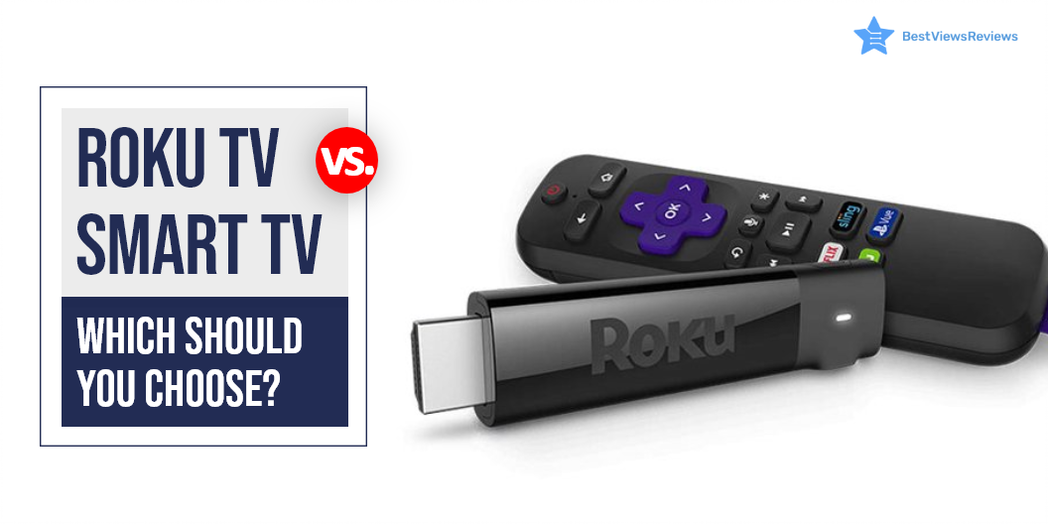
It can be confusing to choose between Roku vs smart tv. A smart TV is a device that connects to the internet and uses operating software to provide access to OTT content like amazon prime and Netflix. These TVs use Ultra HD smart LEDs that offer high-definition quality, making them ideal for video streaming and gaming. Roku TV is also a form of Smart TV but differs in terms of providing a better user experience and customizable features. Roku TV uses Roku software that allows the user to get access to paid and free content available on the internet right on your TV screens.

Samsung and LG both brands have a lot to offer but it’s tough to choose between Samsung Vs LG TV.

What Is The Difference Between A Smart TV And A TV?

A smart TV is a television that can connect to the internet and offer a range of online features. This might include things like catch-up TV, on-demand content, social media apps, and more. A regular TV, on the other hand, is not connected to the internet and doesn’t offer any online features.

What Is The Difference Between A Roku TV And A Regular TV?

Roku TVs are a type of smart TV that allows users to access and stream a wide variety of content using the Roku platform. Regular TVs, on the other hand, do not have this capability and only provide traditional linear television. Roku TVs also come with a remote control that has easy-to-use buttons for streaming content. The regular TVs typically only have a few buttons for basic functions.

Roku Vs Smart TV: Which is Better?

Operating System

Roku TV uses Roku operating system while other smart TVs use different operating systems. Android TVs are popular smart TVs that run on Android OS. LG uses WebOS in its smart TV segment while Samsung smart TVs come with Tizen OS. Roku OS has an edge over all other OS because of its user-friendly interface but Android TVs are among the best affordable variants.

OS Updates

OS updates are crucial in any smart TV device. It ensures proper functioning and delivers a lag-free experience. Roku has a good reputation for releasing timely updates that improve the device’s performance. Other small brands do not provide regular OS updates and their TVs tend to malfunction but this is not the case with reputed brands like Samsung and LG.

Screen Mirroring and Casting

Screen mirroring is an excellent feature that you will find in android TVs and other smart TVs. Android TVs use Chromecast for mirror screening and casting. The Roku TV also supports such features.

Price Comparison

There are different price segments for Roku TVs vs smart TV depending on their features and size. A Roku TV can cost as low as $118, while a high-end Roku TV can cost as much as $2000. Compared to other smart TVs, the most affordable models cost around $200, while the midrange models range from  $399 to $600.

Roku TV can replace the passive viewing experience that cable TV offers. It provides personalized active viewing at half the price of your cable bills. You can have a look at some of the best Roku TVs that we have reviewed on the basis of their display and performance.

Best Smart TV and Roku TV to Buy

TCL QLED Roku Smart TV – 55R635

The best TCL QLED Roku Smart TV – 55R635 offers Quantum dot technology that delivers better brightness and wider color volume. It has all of the latest features including 4K resolution, HDR compatibility, and a 120 Hz refresh rate. The Roku platform provides access to all of your favorite streaming content. This TV is compatible with Amazon Alexa or Google Assistant.

Hisense ULED Roku Smart TV

It is good to go with top-quality Hisense ULED Roku Smart TV if you are looking for a stunning new TV that offers the latest in picture quality and smart technology. This top-of-the-line TV offers a superior 4K HDR picture quality because of its wide color powered by QLED technology and contrast control zone technology. It has a Roku platform that gives you access to all your favorite streaming content, including Netflix, Hulu, Amazon Instant Video, and more.

Sony A8H 55-inch TV

The top-quality Sony A8H 55-inch TV delivers excellent picture quality because of its TRILUMINOS display technology and X-Motion Clarity technology. It also has great audio quality with its Dolby Atmos support. The A8H is a great choice for those looking for a top-notch 4K TV. This model is compatible with Alexa and Google Assistant.

SAMSUNG TU-8300 Series

The SAMSUNG Curved UHD TU-8300 Series has a screen size of 55 inches and is curved. It has a resolution of 4K and a refresh rate of 60 Hz. The TV is also smart and has Wi-Fi connectivity. It has multiple voice assistants and is powered by TIZEN. The TV also has HDR and is curved. It is also 31.5 inches and has a resolution of 720p.

Hisense 43R7E Roku Smart LED TV

Hisense 43R7E Roku Smart LED TV’s reviews claim that it comes with a built-in dual-band wireless connection for blazing-fast connection speeds. It offers easy-to-use remote and automatic software updates. The screen size of this model is 43 inches and offers a refresh rate of 60 Hz.

Sony XBR-48A9S MASTER Series BRAVIA OLED 4K Smart HDR TV

Sony XBR-48A9S MASTER Series BRAVIA OLED 4K Smart HDR TV comes with built-in Google Assistant which makes it easy to control the TV hands-free. This model perfectly conveys the creator’s intent on the screen to deliver the best picture quality. It has a screen size of 48 inches and offers a refresh rate of 120 Hz. It also offers a game mode for a smoother, more responsive gaming experience.

TCL 43S425 Smart Roku LED TV

The customer reviews of TCL 43S425 Smart Roku LED TV show that it offers striking 4K UHD picture performance with HDR technology. It offers easy voice controls with Amazon Alexa and Google Assistant. The simple, intuitive Roku interface of this model allows seamless streaming.

Samsung and Sony manufacture TVs that come with many exciting features. Read our blog to know about Samsung and Sony TV.

What screen resolution do Smart TVs provide?

Smart TVs offer a resolution of up to 4K Ultra HD. You can also get smart TV models with a display resolution of 1080P Full HD, and 720P. A higher resolution display offers a clear, detailed, and high picture quality. The picture quality of a smart TV also depends on factors like aspect ratio, overall size, and brightness.

Do You Need Internet For A Smart TV?

Yes, smart TVs need a stable internet connection to download apps and stream media. You don’t need an internet connection if you do not use any media streaming apps. Some models also may have built-in apps and services that do not require an internet connection.

It can be tough to decide between LCD LED Vs OLED TV. Read our blog to know which TV display is better.

Can I Use Roku TV Without Internet?

The answer is yes, but using it without the internet will not let you access some premium features of Roku TV. This TV gives the best user experience when you use it with an active internet connection. You can always opt for internet-only plans that come at affordable prices.

You can connect digital media to Roku TV via USB or other external ports if you don’t have internet access. An SD card can store offline content and connect later to view it offline. Mirroring your screen is another way to access your favorite content without the internet.

Conclusion

The best Roku TV allows the user to get access to paid and free content available on the internet right on their TV screens. It comes comparatively cheaper than a Smart TV and offers many extras. It also allows you access to thousands of apps and channels, from daily essentials like Spotify to the undiscovered Light Saber network.

Get the best reviews and ratings on the products you’re interested in. BestViewsReviews helps you make the right purchasing decision. Whether you’re looking for the top-rated smart TVs or the best TVs, we’ve got you covered.


Tablet vs Laptop: Face-off Between Two Gadgets

tablet vs laptop

Tablets are handheld gadgets working under mobile operating systems like iOS and Android. They exhibit many features of laptops and phones but with a difference. Laptops are personal computers that offer versatile usage with portable handling. Deciding what to buy between tablet vs laptop can be confusing. The major confusion is because of compactness outweighing functionality.

Tablets are a great option for people who have a love for reading. You can read our blog on best tablets for reading in case you are looking for one.

Tablet vs Laptop: A Comparison

Portability

Tablets range from 9 to 13 inches while laptops can go as high as 21 inches. An average 13-15 inches laptop weighs around 4 pounds as compared to tablets which weigh around 1.5 pounds. You should consider the size and weight of the device before buying and go with models that are portable and lightweight. There are some devices that act as both laptops and tablets. They are a preferred choice of millennials because of their 2-in-1 functionality. MSI GL65 Leopard’s reviews mark that it is a portable gaming laptop that you can consider buying.

Performance

Smaller devices may lack advanced technological upgrades that result in low-performance output. Multitasking jobs like HD graphics, coding, and other operations require heavy RAM. The laptops usually have high ram storage and can run heavy software and games.

Tablets are popular for browsing the internet, reading e-books, listening to music, watching movies, and various other entertainment-related activities. Tablets cannot do as many things as a laptop is capable of. Apple iPad’s customer reviews show that it features an A10 Fusion chip that helps in fast performance.

Cost

A good quality tablet like the Apple iPad 10.2 can cost you between USD 100 and USD 500. This makes them budget-friendly for students who usually prefer lightweight gadgets for everyday use. The high-end tablets can go as high as USD 1000. This range of tablets may not be worth the purchase because most middle-tier laptops with good specs cost the same. Standard laptops generally come with a higher price tag but equip advanced features.

Storage

Laptops have a better storage capacity than tablets. Most tablets like All-new Fire HD allow just between 12 and 125 GB of storage. Laptops come with a 1 TB SSD and external storage options like USBs and hard disks. Tablets do come with the facility to expand the storage with the help of micro SD cards.

Battery Life

Laptops offer higher productivity due to their powerful hardware and software. A laptop can last between 2-6 hours on a single charge depending on the tasks and usage. The customer reviews of the Apple MacBook Air claim that it comes with 12 hours wireless web battery life. Tablets have better battery backup than laptops and can give a backup for up to 12 hours. RAM and CPUs dissipate less heat in tablets.

It’s important to consider some points before buying a tablet-like your selected device should have a high battery backup and sturdy build quality. Read our blog on tips on buying a tablet to make an informed purchase.

Input Method

The input method on tablets is mainly touchscreen while on laptops you get an attached keyboard to meet your typing needs. You can attach an external keyboard to your tablet but it will not be as effective as a laptop. Laptops are the best bet for people who prefer the keyboard as an input method. The ASUS L410 MA-DB04 is a slim and sleek laptop that comes with a 14″ Full HD display.

Should I Buy a Tablet if I Have a Laptop?

Having a laptop doesn’t stop you from buying a tablet. A tablet and laptop both have their distinct advantages and owning both these devices is always a big plus. A tablet will fit best for your entertainment needs while a laptop will give you better performance. You can use the laptop for your office-related work and can rely on the tablet for portable usage.

You might in confused between the touch screen and non-touch screen laptops while buying one. Read our blog to know about which laptop is better in between Touch Screen Laptops vs Non-Touch Laptops.

Tablet Vs Laptop: Final Verdict

It is difficult to go with one particular choice in the battle between Tablet vs Laptop. Laptops are more powerful than tablets and have better battery life. Some added features like a stylus pen and better camera quality make tablets an attractive option. Tablets are less expensive and easier to carry than laptops. Both laptops and tablets have a lot of memory. Laptops can be used for light gaming. All in all these devices are similar and you should choose the one that best meets your needs.

BestViewsReviews rates and ranks hundreds of laptops and tablets on the basis of display, design, and compatibility.

Portable Ice Maker: An Informational Guide

portable ice maker

A portable ice maker is a countertop appliance that helps in making ice quickly and efficiently. Ice makers can be either standalone appliances or can also be of a smaller size inside a freezer. You can use a portable ice maker during outdoor trips, parties, and get-togethers. An ice maker usually comes with a filter to separate the sediments and minerals from the water. This results in clean and purified ice consumption.

Modern portable ice makers have ice compartments that are insulated to prevent ice from melting. The built-in insulated bucket ensures that the ice stays frozen for a long time. Once the ice melts, it fills the built-in water reservoir. The ice maker then uses that water to make ice. There are various kinds of ice makers that can produce different ice textures like clear ice, crushed ice, etc., as per your requirements. You can also read our blog on ice makers to know more about them.

Working Mechanism Of Portable Ice Makers

A portable ice maker is a machine that focuses on water management while forming ice.

  • Ice makers are connected to electrical outlets. Manually fill the molds since they do not have any water connections
  • Water pumps through a water filter into the ice tray at the top of the unit. This happens through a hole in the reservoir’s bottom. The excess water drains back into the reservoir
  • Once the refrigeration cycle starts, the heat exchanger lowers its 1/2-inch prongs into the ice tray. Ice forms on them within minutes once the spikes become cold
  • The time the prongs are submerged determines the size of the ice cubes. Small ice takes about 6 minutes to freeze while large ice takes long. The time also depends on how long the unit is running
  • The ice tray empties the remaining water back into the water reservoir once the ice is ready. The spikes heat up for the ice to slide off the prongs into the ice bin
  • The sensor tracks the amount of ice stored and shuts down the system if the basket is full

What to Look for Before Buying a Portable Ice Maker?

Brands

You should always check the brand of the ice maker before purchasing it. It is advisable to buy the ice maker from a well-known and renowned brand. Such brands offer high-quality products and also provide a nice after-sales service.

Power Source

Most portable ice maker models need electricity to work. There are some models that are battery-operated as well. They come with rechargeable batteries and are great to be carried while traveling.

Environmental Friendly

You should always look for energy-efficient ice makers that are safe for the environment. These types of ice makers require less energy to make ice. They also prepare ice for you in minutes.

Life Expectancy

It is important to check the life expectancy of the ice maker before buying it. Choose a model that is durable and long-lasting. You’ll not want to spend money on these ice makers again and again so it is recommended to choose a strong and sturdy model that will last for years.

Water Filter

It is advisable to pair an in-line water filter with an ice maker for clear ice. The water filter removes sediments from the water before freezing it. This improves the taste and smell of the water. Some models come with built-in filters while some models have separate filters.

Ice makers are a must-have machine for summers. They help you make ice quickly and efficiently. You can read our guide on crushed ice makers to learn more about them.

How Long Can Portable Ice Makers Keep The Ice Frozen?

Portable ice makers can usually keep the ice frozen for 3-4 hours. The ice will slowly begin to clump and deform after that. The external temperature and density of water also play a major role in deciding for how long the ice will be frozen.

How Long do Portable Ice Makers Last?

A good-quality portable ice maker will last between 3 to 10 years. The condition of the appliance depends on the quality of water used and the frequency. Common issues like leaking and flooding may start after 4 years. The ice maker should last for an average of 5 years if used with care and proper maintenance. You can also read our blog on troubleshooting the ice maker if you are facing any technical issues.  

Which is the Best Portable Ice Maker to Buy?

Countertop Ice Maker Machine Portable

The Countertop Ice Maker Machine is an affordable and stylish ice maker. It is compact and portable in size. This powerful machine has the ability to make 9 bullet ice cubes in just 7 minutes. It also has the capacity to make 26lbs of ice in a day. You can also make different sizes of ice in this ice maker. It also offers a self-cleaning feature that makes it even more convenient to use.

Ice Maker Portable Ice Maker

Ice Maker Portable Ice Maker can make 26.5lbs of ice in a day. It can prepare 9 ice cubes in just 6-13 minutes. It also comes with a transparent window that lets you monitor the ice-making process. This model offers efficient cooling with less noise. It comes with a removable ice basket that makes cleaning easy and convenient.

Euhomy Commercial Ice Maker Machine

The customer reviews of Euhomy Commercial Ice Maker Machine claim that it offers high quality. It has the ability to make 66 ice cubes in one cycle. This model also comes with a smart LCD panel that displays temperature and other details. You can also adjust the thickness of ice cubes with this machine. It comes in a durable stainless steel material that offers high durability.

CROWNFUL Ice Maker Countertop Machine

CROWNFUL Ice Maker Countertop Machine’s reviews say that it comes with a 1.8L large reservoir. It can make 9 cubes of ice in just 8 minutes. The smart reminder feature of this machine notifies you when the ice is ready. It is energy-saving and works efficiently. The moving ice basket of this machine makes it easy to take out the ice. It also offers 2 sizes of ice to choose from.

Ulit Portable Ice MakerIce Maker Machine

Ulit Portable Ice MakerIce Maker Machine’s customer reviews show that it is one of the best-rated ice makers available. It makes perfect bullet-shaped ice cubes in less time.  This ice maker machine comes with a powerful compressor and a nice cooling efficiency. It is compact in size and can be stored easily. You can also monitor the ice-making process with the clear window of this machine.

Conclusion

It is essential to identify your need and requirement for ice before making your purchase. This will allow you to settle for a good and efficient ice maker. It is always better to go for branded companies when it comes to appliances. They come with a definite warranty period and a part-replacement facility. A portable ice maker has a shelf life of 4 to 5 years, with a warranty for a year or two.

BestViewsReviews rates and reviews hundreds of ice makers and ice cream makers on the basis of their controls, sturdiness, and noise.