Your Ultimate Smartwatch Buying Guide

smartwatch

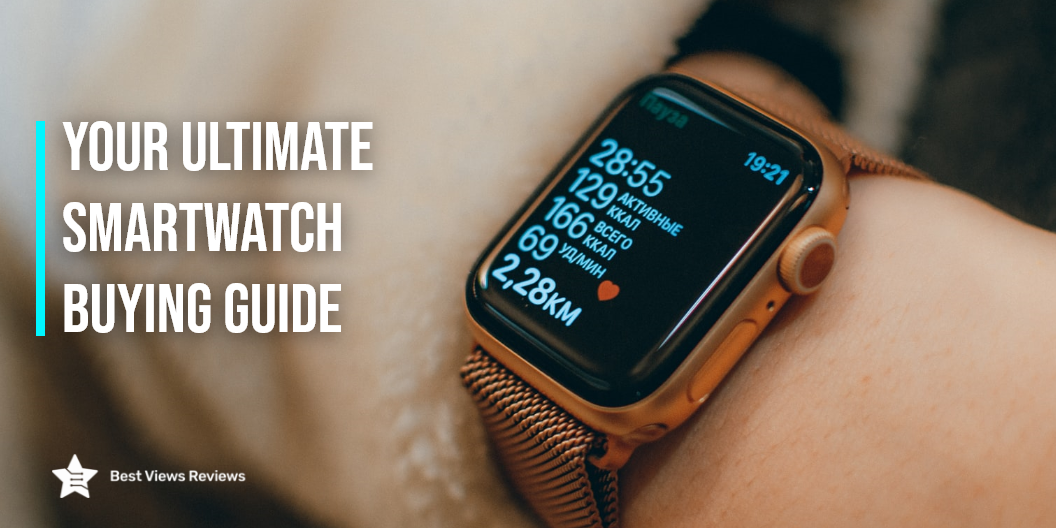
A smartwatch is a watch with additional functionality and connection. It is a wearable computing device that looks and functions similarly to a wristwatch. You just have to link this device with your smartphone. It then allows you to run apps and playback a variety of digital media. You can also get call and SMS notifications on your watch. Smartwatches have touchscreens that allow you to use functions such as a calculator, thermometer, and compass. These devices let you keep track of your health conditions and daily activities. It is important to know about their specifications and if they match your needs before buying a smartwatch.

Factors to Consider While Buying a Smartwatch

Compatibility

The OS and phone compatibility should be your key deciding feature. You won’t be able to use your watch if you don’t pay attention to this factor. Most smartwatches are compatible with smartphones from the same brand. Burxoe Smartwatches are compatible with both iOS and Android devices. Reviews of Apple Watch show that it works with iPhones only. The app for your watch comes preinstalled on your iPhone.

Display: OLED Vs. LCD

Your device might support a bright LCD or AMOLED display to enhance your viewing experience. The brightness feature is synced with the battery life. This is the reason, why many brands are coming up with solutions to extend your watch’s efficiency. The pros of going with OLED are that your device is going to be thinner. Apple Watch SE comes with a 44mm screen which is an ideal example of a hi-tech AMOLED display.

Touchscreen Feature

Going for a watch with a touchscreen display might seem like a no-brainer. Brands have also added functionalities that help you browse through your watch without any touch gestures. The crown and side button in Apple Watches helps you zoom in and scroll. Samsung Watches uses bezels to scroll through menus. A great buy with an amazing touchscreen interface is the Apple Series 3 smartwatch. It comes with a 38mm super-responsive touchscreen and advanced features.

Personalization

Brands allow you to swap the straps of your smartwatch. You can also go with various third-party options which help you enhance the look of your device. From the dial color to the finish, you can select whatever you like. You should always go with a thin and sleek design for added ease. Reviews of the IOWODO smartwatch show that it comes with an extra strap for personalization.

Smartwatch Applications

Your smart watch’s performance varies depending on the available applications. Apple and Google provide you with thousands of applications to choose from. You can use your smartwatch to pay using the different apps. Smartwatches also have apps that find your phone. Such applications will never let you lose your phone. One should always ensure that the applications they absolutely need are available in the watch.

Calling and Payments

Many smartwatches allow you to make calls even if your phone lies at home. They are also equipped with NFC chips to help you set up your payments. They save your credit and debit card information and you can pay through Apple Pay, Google Pay, and Samsung Pay. You should remember to pair your smartwatch with Bluetooth to make the call quality better. They will allow voice clarity and uninterrupted connection.

Battery Life

Most smartwatches last for a day or two without charging. Watches with fewer features last longer and some fitness watches even last for an entire week as well. According to your usage and requirements, go with a watch that has the best battery life.

Cost

Many smartwatches range between USD 50 to USD 1000. Apple watches with aluminum cases without a GPS scale are available for USD 400. For designer variants, the cost can scale up to as high as USD 2500. Depending upon your budget and requirements, go with a smartwatch that helps you in your daily routine.

Smartwatch FAQs

Do You have to Pay a Monthly Fee for a Smartwatch?

The answer is No. You do not need to pay for an extra plan or pay for anything extra. A smartwatch is a smart device that works in conjunction with your smartphone. You may link your smartwatch to your mobile device via Bluetooth or Wi-Fi. That is why it doesn’t require its own service plan. Some smartwatches that support cellular connectivity may require a separate plan to offer you premium features when you are away from your phone.

How Far Can a Smartwatch be From Your Phone?

You can keep your phone 30 feet away from your smartwatch if it is not connected to a WI-FI connection. Your smartphone can be anywhere if your smartwatch is connected to Wi-Fi and your phone has a Wi-Fi or cellular network connection. It’s also not necessary for the Wi-Fi network to be identical.

How Do I Connect my Smartwatch to the Internet?

To connect your smartwatch to the Internet, you need to first go to the connectivity option in the settings. You then need to tap on the Wi-Fi option and switch it to automatic. Then select the add network option and enter your password on your phone. Connect to your internet easily by following these steps.

How Long Does a Smartwatch Last?

The battery life of a smartwatch can be as long as two years. Reviews show that one should have the most recent version. It is also dependent on how the watch is cared for. A decent smartwatch can survive for 3–4 years before depreciating.

Traditional watches are classic and fashionable. They are mechanical nature timepieces that are driven by gears. You have the option to choose between a smartwatch or a traditional watch.

Conclusion

Smartwatches offer many benefits, from being your travel buddy to providing a plethora of health and fitness benefits, this device has slowly replaced wristwatches. It’s about time to evaluate if you want to invest in this powerful device. We hope that our smartwatch buying guide has helped you make a wise decision & you’ll be on your way to shop.

BestViewsRviews rates and reviews hundreds of best smartphones and smartwatches on the basis of their quality, durability, and features.

5 Lip-Smacking Vegetarian Air Fryer Recipes

vegetarian air fryer recipes

What better than enjoying the lip-smacking vegetarian air fryer recipes without compromising with the healthy nutrients of your meals? Well, that makes the best meal, especially when you have guests at home or when you want some tasty dishes to enjoy your family time.

Air fryers can help you make delicious vegetarian recipes without overloading them with extra calories. The options you can explore with your air fryer are limitless, and the probability of whipping up some wholesome and yummy snacks is high. An air fryer is a powerful appliance that can cook delectable vegetarian dishes or delightful desserts with ease. Read our blog to know all about an air-fryer before purchasing one.

5 Lip-Smacking Vegetarian Air Fryer Recipes

Air Fryer Korean BBQ Cauliflower Bites

Korean BBQ Cauliflower Bites is one of the tasty vegetarian air fryer recipes. It is a popular appetizer on bar menus these days. It is a lot like chicken wings but plant-based. To make these cauliflower wings you simply need to cut them in small sizes. After that dredge them in eggs and toss them in bread crumbs. Put them on the wire rack of your air fryer. You can Air-fry them at 400F for about 15 mins and then toss the em in Korean BBQ sauce. Your Cauliflower Bites can be prepared in a few easy steps with an air-fryer like Ninja AF161 Max XL Air Fryer.

Air Fryer Curly Zucchini Fries

The Air Fryer Curly Zucchini Fries is a fantastic side dish. Cooking Zucchini fries in an air-fryer will give more crispiness to your batter and it is a fun twist. You need to spiralize the zucchini for long twirled strings. Toss the zucchini in bread crumbs. Preheat the Air-fryer at 400°F and then put the zucchini strings in the air fryer basket. Your dish will be ready to eat in 5-10 mins. The reviews of Ninja DZ401 Foodi state it to be a top-ranking product as it has a 10 quarts capacity that allows you to cook up to 8 lbs. of chicken wings with ease.

Air Fryer Sweet Potatoes With Hot Honey Butter

Air-fryer is the best device to cook Sweet potatoes with hot honey butter, it is faster than ovens and gives similar results. Air-fryer sweet potatoes are soft on the inside and crispy on the outside. You can take medium-sized sweet potatoes, give them a light coat of olive oil, and place it in the Air-fryer. Cook the sweet potatoes for 35-40 Minutes at 400°F until it gets soft on the inside. You can combine honey, butter, hot sauce, and salt, and whisk it constantly to make hot honey butter. Cut the potatoes and top them with this butter. It is one of the perfect vegetarian air fryer recipes. You can read our blog to know how to convert recipes to air fryer recipes.

Mozzarella Sticks

Air fryers just like Gas Grills are excellent appliances for preparing many instant snacks and frozen foods like mozzarella sticks. An absolute delight for all cheese lovers, mozzarella sticks can make any dull day bright. Beat your sticks in a mixture of beaten eggs and breadcrumbs beforehand. Meanwhile, ensure they are totally frozen so that they cook evenly. Now, fill them with your favorite cheese to enjoy some gooey goodness. Customer reviews of COSORI Air Fryer show that it will be an easy way to make Mozzarella Sticks in your home comfort.

Brussels Sprouts

Skip the traditional method of frying your sprouts in a lot of oil. With an air fryer at home, the health benefits get magnified significantly. You can enjoy the restaurant-like crispness by cooking them in a mixture of butter and vinegar for under 10 minutes. Don’t forget to sprinkle some rock salt for that extra zing. The Instant Pot Instant Vortex is a top-selling model that has got good reviews for its customizable smart cooking programs that make cooking convenient and fun.

Can you cook raw meat in an air fryer?

The answer is yes, you can cook raw meat in the air fryer but it is good to defrost for even and consistent cooking. You can keep the temperature to about 400 degrees and cook time can range from 7 minutes to 10 minutes. 

Conclusion

Air fryers are a great alternative to cooking delicious vegetarian recipes. They help you experiment with many innovative dishes that can be made in a snap. Choosing between an air fryer vs microwave can be tough. Read our blog to know what to choose between an air fryer and microwave.

BestViewsReviews recommends and reviews some of the best-rated air fryers and countertop microwave ovens based on durability, performance, and convenience.

Find the Perfect Espresso Machine for You

espresso machine

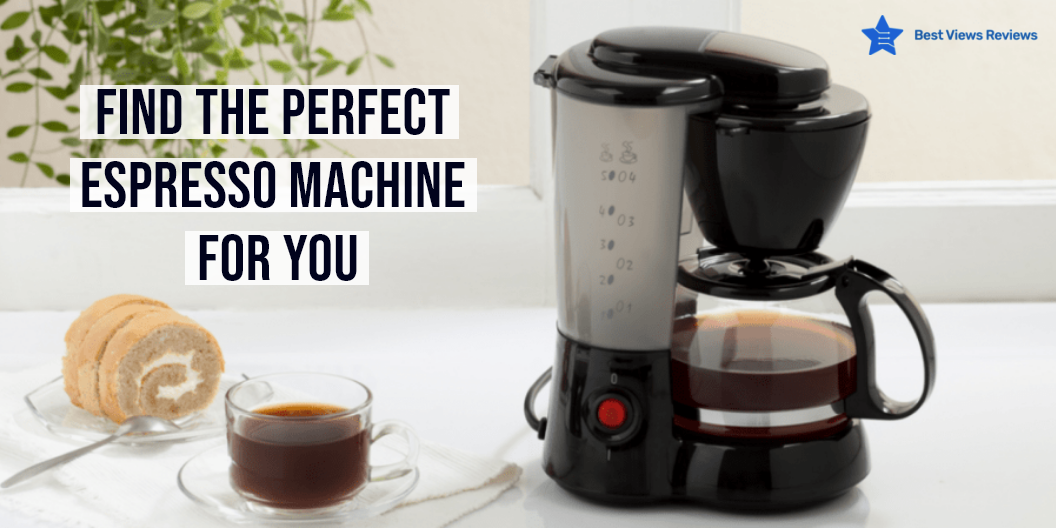
Espresso is made by pumping pressured water near boiling point through a coffee machine. This is then poured through a filter with a minimal amount of ground coffee to generate a thick, concentrated coffee. An espresso machine is just the thing for you if you feel a milky coffee is not enough for you. There is a lot to research before buying an espresso machine. One of the major differentiating factors is if your machine is manual or automatic. This blog consists of all the various options available in the market so that you can make the best choice. The featured section consists of more buying options on espresso machines or other types of coffee makers as well.

A good cup of coffee is a perfect way to start your day. For everyday coffee needs, perfectly home-brewed coffee is best. You can make coffee in a coffee maker or stove at home.

Types of Espresso Machines

Fully Automatic Espresso Machine

These machines have sensitive controls that maintain all the functions. You just need to push the command button and your shot of espresso is ready. The reviews of Nespresso by Nestle verify that it is an easy-to-use machine and has the simplest design as compared to its counterparts. You can get consistent results without putting in much effort.

Super-Automatic Espresso Machine

Super-Automatic Espresso Machines are more advanced than fully automatic variants. These are the most expensive espresso machines. They grind the beans and get your shot ready. Super-automatic machines like Barista Express Espresso come with a burr coffee grinder that grinds your coffee instantly producing the most flavorsome coffee. These machines come with a lot of options and features. They also let you have control over your brew. You can even get a creamy and frothy cup of cappuccino with this machine.

Semi-Automatic Espresso Machine

These machines lie in between the automatic and manual versions of espresso machines. This gives you significant control over the brew. They are affordable as compared to the other options and are convenient to use. You should first grind and tamp the coffee correctly before using this machine. Customer reviews of Nespresso Essenza show that they are the most popular semi-automatic variants for home-usage. This is because of the 19 bar high-pressure pump that makes barista-like coffees.

Manual Espresso Machine

Manual Espresso Machines Flair Espresso Machine comes with a lever or a piston that is pushed and pumped to get a shot of espresso. These are good for occasional coffee lovers and offer complete control over the brewing process. This allows you to customize your coffee according to your needs.

How to Choose the Best Espresso Machine?

Ease of Use

An espresso machine comes with various features and for different needs. It is important to consider how easy and convenient they are to use. There are various models available in the market today that are fully and super-automatic. You can also use many machines to make cappuccinos with a press of a button.

Durability

An espresso machine usually comes with a warranty. This shows that these products are durable and easy to maintain. You should consider the type of material it is made of. Espresso machines that are made of metals are supposed to last longer. They also distribute heat evenly. Manual Espresso Machines are considered more durable than other models.

Size

Espresso machines come in various sizes for different needs. The high-end machines that offer extra features are usually bigger than other machines. There are many compact and portable espresso makers available in the market today. As per reviews of WACACO Espresso Machines, they are compact, lightweight weight and ideal for traveling. They weigh only 1.17 pounds and can be used to make a nice cup of coffee wherever you want.

Ease of Cleaning

An espresso maker that is easy to use is usually also easy to clean. You should always research the cleaning process of the machine before buying one. Espresso machines that come with extra features and components like the super-automatic ones will take more time to clean.

Why is Espresso Machine so Expensive?

The Espresso machines are expensive because of the high-quality materials used in making them. Materials like stainless steel, brass, and metal are used to make the body and frames. To brew an espresso a consistent temperature and pressure are needed during extraction and this is possible only in a good quality espresso machine. Spending in an espresso machine is a good investment if you are a coffee lover.

A coffee grinder is a device that is used to process coffee beans. It extracts the best taste from coffee beans before brewing it. You can use coffee grinders for a great cup of coffee every day.

Conclusion

Having listed all the essential points, we hope our comparison guide helps you make the right decision while selecting the best-rated coffee makers for yourself. All these machines vary in terms of taste, flavor, and strength. An aromatic cup of coffee buzzing with the right flavors can make your groggy mornings amazing. You should consider all factors before selecting the right espresso machine.

For more options, head over to BestViewsReviews we review and recommend some of the best coffee makers and espresso makers based on their popularity, performance, and quality.

Smoke And Carbon Monoxide Detector Maintenance Guide

smoke and carbon monoxide detector

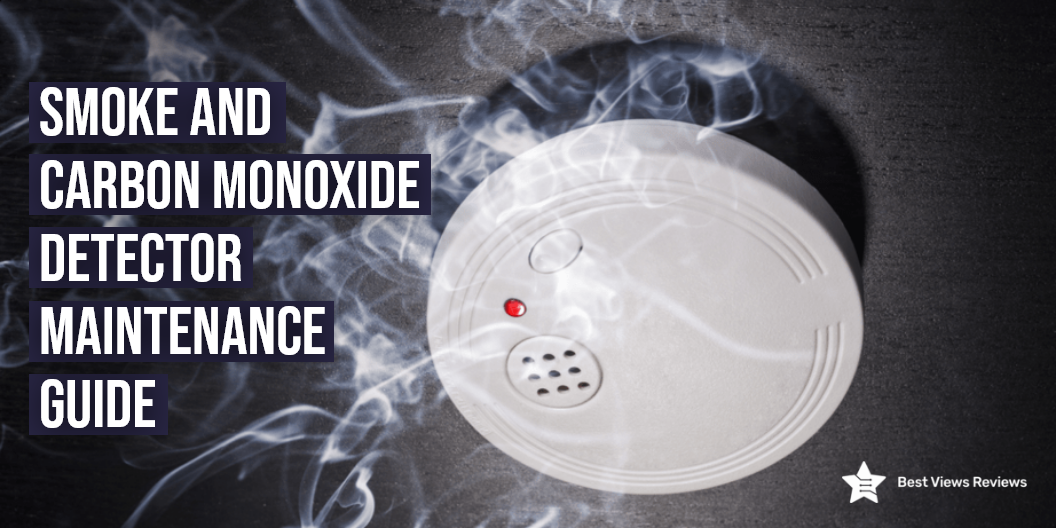
It is essential to maintain your smoke and carbon monoxide detectors for their proper functioning and to increase their longevity. There are two types of smoke detectors available, wired and wireless. People who want a smart smoke detector that can be remotely controlled should go for a wireless one. You should buy a wired smoke detector if your home electrical system does not support the wireless ones.

Reviews of Google Smoke and Carbon Monoxide Detector show that it is a smart wireless device. It also detects poisonous carbon monoxide. This will then inform you in a friendly voice of the exact location the smoke and gas are coming from. This blog answers some of the common questions about smoke detectors. It also contains some tips that you can use to maintain them and ensure longevity.

How to Maintain Smoke and Carbon Monoxide Detector

Test Smoke and Carbon Monoxide Detector Monthly

It is important to test your smoke and carbon monoxide detector monthly to ensure it is in good condition. This will help you avoid major fire hazards. It is also essential that everyone in the house is familiar with its sound. You should test your smoke and carbon monoxide detectors at least once a month using the test button. The First Alert BRK Smoke and Carbon detector show that it is a durable product and comes with a 7-month warranty.

Replace Batteries Timely

It is also important to replace the batteries every year or whenever it indicates a low battery. Smoke detectors with irreplaceable batteries last for around 10 years. You should change it as soon as the 10 years have been completed to ensure safety. Using the right battery is also important to ensure the proper working of the device. Manufacturers usually mention the type of batteries it uses. The instruction manual usually consists of a list of batteries compatible with the smoke detector. The reviews of the X-sense SD06 Smoke and Carbon Monoxide Detector state that it checks itself and informs for any faults or weak batteries.

Clean Smoke and Carbon Monoxide Detector Regularly

Cleaning your smoke and carbon monoxide detector regularly will ensure that they keep working well for a long time. You should wipe the detector’s exterior with a dry, gentle cloth. Removing any significant bits of dust or debris from the sensor’s vicinity is also important. You should then connect your vacuum hose to the soft brush attachment. Vacuum the carbon monoxide detector gently, concentrating on the area surrounding the sensor. Avoid touching the sensor with the vacuum attachment’s harsh plastic. This is because the sensor is delicate and susceptible to damage.

Replace Smoke Detector Every 10 Years

Smoke and carbon monoxide detectors last for almost 10 years. This is because they might not operate properly due to dust, insects, debris from the air, and electrical corrosion. It is essential that you replace them every 10 years. Customer reviews of X-sense Smoke Detector show that it has a lithium battery. This last for 10 years offers a large capacity of 3300 mAh.

How Long Does a Smoke and Carbon Monoxide Detector Last?

A smoke and carbon monoxide detector usually lasts for around 10 years. You should check the age of your smoke and carbon monoxide detector while replacing the batteries. Reviews of First Alert Smoke Detector show that it is a hardwired alarm. A smoke detector with a lithium battery or a hard-wired smoke detector can survive up to ten years. Carbon monoxide detectors have five to seven years of lifespan. This also depends upon the type and model of your device.

Installing a smoke detector is a difficult task. You needed to keep in mind many factors for setting up a smoke detector. There are many smoke detectors available in the market like wired or wireless smoke detectors. You can choose the one which meets all your demands.

Conclusion

Smoke detectors tend to malfunction sometimes. The majority of the time, it is because of minute and small issues that such problems occur. This is where such questions will come in handy. Detectors usually last their life without any issues. This blog will help you maintain and your smoke detectors for smooth running.

The BestViewsReviews recommends and reviews only the best products like smoke detectors and fire extinguishers on the basis of their performance and durability.

Photostick: Do You Need One in 2022?

Photostick

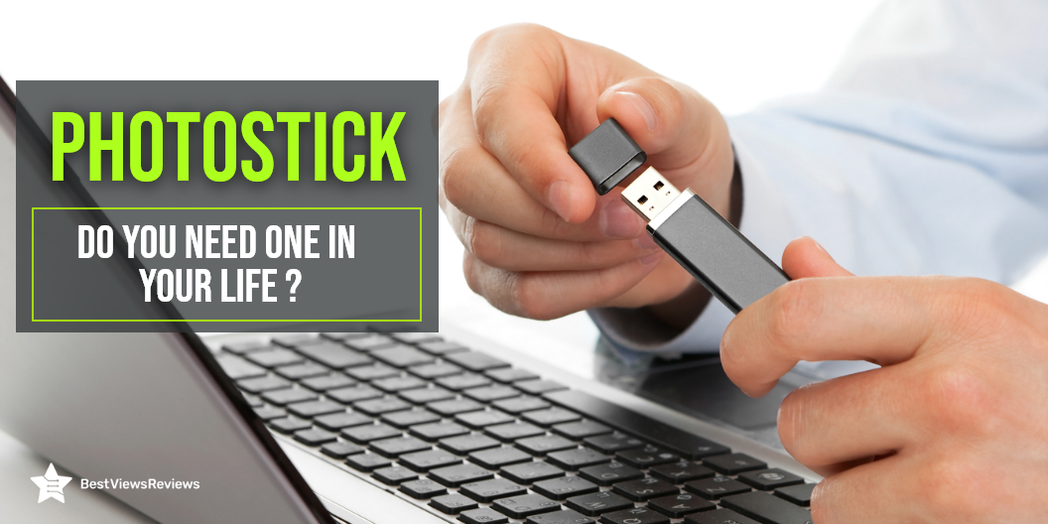
A photostick is a storage device that works like a common flash drive. You can transfer photos and videos from your phones and PCs. You can plug this USB like a flash drive in the USB slot. The device automatically searches and backs up the images and videos. We recommend you choose a photostick that suits your needs. Make sure you read through our other guide on photosticks to know about what to choose a photo stick or anything else.

Features of a Photostick

  • A photostick works as a one-stop solution as it stores all your data at once
  • It has Multi-file compatibility with all devices and OS
  • Software that automatically sorts your photos according to categories and removes duplicates
  • Speedy Transfer and easy usage
  • Requires no internet connection to initiate a transfer
  • It is completely secure as it is external and requires no passwords

Why Should You Use a Photostick?

Compatibility of Photostick

Photosticks are compatible with almost every device. You can connect this device to your laptop and phone, without any hassle.

One of the most popular selling photostick, preferred for its excellent compatibility is the Apple MFi USB Flash Drive 256GB. It can also be effectively used on iOS and Android, and MAC PCs. Alternatively, you can take a look at iPhone Flash Drive 256GB which includes Touch ID Encryption and password protection. This drive also provides for one click of photos, and video, which offers maximum convenience.

No Password

A cloud requires a password, while a photostick just requires a USB port to connect with any device. An active internet connection is also not required for a photostick.

Capacity of Photostick

Photosticks come with a large space with a minimum storage of 8 GB. These devices can also store 3,500 photos and videos to maximum storage of 128 GB. This allows you to store up to 60,000 photos.

Removing Duplicate Photos

The duplicate content detection mechanism is one of the most useful features of a photostick. This feature deletes duplicate photos after storing the original ones. This saves you from the difficult task of sorting your images manually as well as saves memory.

Do I need a photostick if I already have a flash drive?

A photostick and a flash drive look similar but function differently. A flash drive can store pictures, documents, and applications. Photostick is a simple and easy-to-use device. You can buy a photostick, even if you already have a flash drive. You can also check our other blog on photostick and know everything about photosticks.

Things to Consider While Buying a Photostick

Capacity

Good storage and memory are a must. The right capacity also depends on your storage needs. Most photosticks have a capacity of 8GB-128GB, which is more than enough for the average user. You may want to consider buying a photostick with a higher capacity if you plan on storing a lot of photos or videos.

Efficient After-sales Service

This should be taken into consideration so that you don’t spend much time on the phone figuring things out. It is important to have someone available to help you with any problems. It can help you get the most out of your Photostick by providing you with tips and tricks on how to use it. Efficient After-sales Service can help you save money by providing you with discounts on future purchases.

Warranty

A warranty is an insurance policy that will protect you financially if your photostick breaks down. The usual warranty is one year, but you can often find warranties that cover two or three years. It’s important to check the warranty period before buying a photostick.

Knowing the Purpose of Buying

You should know the purpose of the photostick will help you determine which features are most important to you. For example, if you plan to use the photostick for professional photography, you’ll want to make sure it has high-quality image sensors and a large storage capacity. If you’re just looking for a device to capture casual photos and videos, you might be more interested in a photostick with fun features like filters and special effects.

Compatibility Options

Always consider its compatibility options. The usual compatibility options of a Photostick include USB 2.0 and 3.0. You should consider these compatibility options when buying a Photostick because they determine how fast the Photostick can transfer data. USB 2.0 has a transfer speed of 480Mbps, while USB 3.0 has a transfer speed of 5Gbps.

The Style Factor

It includes the color, the materials used, the size, and the weight. The Style Factor is important because it can affect how you use the device. For example, a heavier Photostick may be harder to carry around with you. A device like iPhone Flash Drive Photo Stick by AUAMOZ with a sleek, minimalist design may be more likely to fit into your pocket. Choose a stylish and stands well on your preference.

Buy Best Photosticks

Sttarluk Photo Stick

The reviews of Sttarluk Photo Stick suggest that it is the most dependable flash drive. It has a 1TB of storage capacity that gives you ample space for storing your videos and photos. There is high compatibility, and it works well with iPhone, PCs, Samsung, and Android devices.

iPhone Flash Drives

The iPhone Flash Drives lets you quickly and easily transfer photos, videos, and large files. It comes with plug-and-play functionality makes it efficient. You can easily transfer files between OTG-enabled Android smartphones, tablets, and computers without installing any software.

MECHEER USB Flash Drive

The MECHEER USB Flash Drive has an excellent read speed of 90 Megabytes per second. This product has positive reviews for its compatibility. It is compatible with USB3.0 and supports nearly all mobile phones which have OTG functions. The brand also offers refund and replacement services if faced with any problem with the device.

Conclusion

Our honest customer reviews claim that a photostick is an innovation that makes your life easy. You can stop worrying about your smart devices crashing and losing all your precious pictures. A photostick device will keep a backup of your photos, videos, and important data. Take a look at our other blog and get the top 5 options of photosticks for iPhone.

BestViewsReviews rates and reviews hundreds of top-rated photosticks and best USB flash drives based on compatibility, app support, and storage capacity.