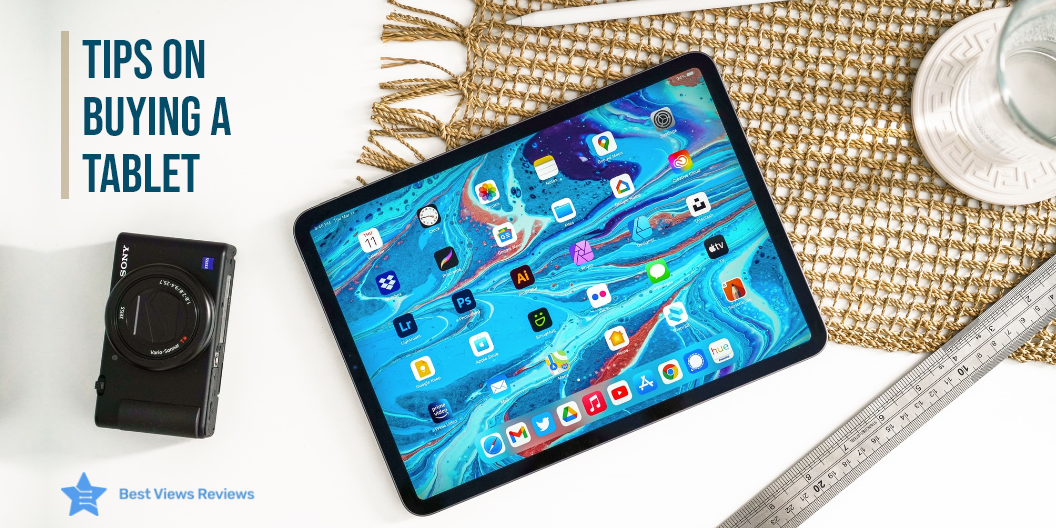
Tips on Buying a Tablet- How to Choose the Best?

tablet

A tablet is a touch-screen device that runs on a full-featured operating system from Google Chrome OS to Microsoft Windows. It is powered by a processor to run games and software and acts as a portable computer. A laptop is also known as a portable computer but it is different from a tablet. The biggest difference between a laptop and a tablet is its multi-functionality and performance and it is good to know what factors to consider before buying a tablet.

Tablets are quickly replacing traditional desktops and laptops with many specifications and advanced technology. Buying a tablet is not an easy task. There are many factors and benefits that need consideration before choosing the most suitable tablet.

Why do you need a Tablet?

The benefits of tablets are numerous. They’re lighter, more portable, and often more powerful than their laptop counterparts. The best thing about tablets is that you can carry them everywhere. Tablets are your best bet if you want to stay connected during your commute. You can easily buy a tablet loaded with high-tech specs from a reputed brand at an affordable price.

What to look for while buying a Tablet?

Brand

Innumerable companies are offering their independent tablet product line. Along with branded tech giants, some of the smaller companies in the market are also offering efficient models. It is recommended to choose a tablet from branded companies like Apple, Dragon Touch, and Amazon. These brands offer quality products and a sufficient warranty period.

The fire tablets from Amazon are available at discounted prices. You can save up to $80 on Fire HD 10 Kids Pro tablet and on other models like the top-selling Fire HD 8 Plus tablet, you can get up to 50% off during the season’s sale.

Size

Tablets are available in many sizes like 7”, 9”, 10”, etc. The 7” and 8” ones exhibit a smaller display while those above 8” are considered as big screens. The size you want to go for depends on your preference and requirement. Go with bigger sizes if you are a frequent user of tablets. Smaller tablets are ideal for portable handling.

Budget

It is important to fix a budget before spending on gadgets. Every new model on the market showcases attractive features. It is always a good idea to research a bit about the product and understand its various prices. The average price of a tablet is under $100 to almost $1500. So, choose the best-suited model according to your budget.

Versatility

Tablets do not limit to just entertainment. Many tablets are used by professionals and students for professional reasons. Go for larger displays, if you are looking for a tablet where you can enjoy seamless entertainment, and use productive apps. Smaller displays can make it difficult to work for long hours.

Ideal for Readers

Tablets are a great alternative for readers. You can access a lot of content by downloading e-books or videos. It’s great for magazine reading if it’s a bigger screen. A good example is the Fire HD 10 Plus tablet. We suggest if it is just for entertainment or book-reading purposes, then stick to the smaller screen. You can also check our blog on top tablets for reading and get the best options.

Multifunctional

Certain tablets act both as a laptop and tablets. You can use some gadgets both as a tablet as well as a laptop but you will require an external keyboard. It is best to go with larger tablets that can accommodate external keyboards for 2-in-1 functionality.

Purpose

It is important to identify the purpose of having a tablet. If you require a tablet for solely gaming purposes look for fast processors and a powerful battery. However, the standard variants are ideal for professional work.

Battery Life

It is important to check the battery life of a tablet. You should look for 7 to 9 hours of battery for carrying your tablet for long distances. Gaming laptops often offer long-lasting batteries. It is recommended to carefully check the product description before buying a tablet.

Operating System

The operating system plays an important role in determining the performance of the gadget. It is best to go with the latest OS when buying a tablet. iOS and Android give you a chance to upgrade to their newest version. This ensures a lag-free experience. You should always opt for recent versions of the OS with frequent free updates. Using newer versions will also keep the system secure.

Buy the Best Tablet

Dragon Touch Notepad K10

The Dragon Touch Notepad K10 is a 10-inch Android Tablet from the Chinese brand. The device includes a full Android 9.0 operating system, a 10.1-inch HD display, 32 GB of internal storage, and an 8 MP rear camera. It comes with a 64-bit quad-core processor and 2GB Ram for delivering smooth seamless and powerful performance.

SAMSUNG Galaxy Tab S7

The SAMSUNG Galaxy Tab S7 is an all-around performer with a large 12.4” screen and a long-lasting battery that can easily last for 181 hours. You can use this tablet for your study time and for a quick entertainment break. It comes with a responsive screen and S Pen that allows you to take notes, right on your tablet. The Qualcomm SM7225 Octa-Core processor lets you enjoy a smooth entertainment experience.

SAMSUNG Galaxy Tab S8

The SAMSUNG Galaxy Tab S8 is another great model in the list that features a large screen and equips multi-tasking capabilities. It is packed with a powerful Qualcomm Snapdragon chipset that helps you run heavy applications with ease. You can get a PC-like experience with this tablet, and it also equips the fastest S Pen to give you a real pen feel. This tablet comes with a dynamic LCD screen to offer next-level brilliance. 

Microsoft Surface Pro 8

The Microsoft Surface Pro 8 is one of the finest models from the Surface Pro series. This tablet has the power of a laptop and the flexibility of a tablet with an iconic built-in Kickstand and detachable Keyboard. It has the Windows 11 operating system which makes it perfect for family, friends, and obsessions. You can get the natural feeling of pen on paper because of its rechargeable Surface Slim Pen 2.

Apple 11-inch iPad Pro

The Apple 11-inch iPad Pro is good for its large screen, more space, and high multitasking capabilities. This tablet comes with an 11-inch Liquid Retina display with ProMotion and an M1 chip for fast processing. It also has a 12MP wide camera and a 10MP ultra-wide camera. The Face ID for secure authentication ensures the high security of your data.

Does charging your Tablet overnight ruin the battery?

Keeping your tablets plugged-in overnight can definitely affect the battery capacity of your device. This is because your tablet will spend more time with the charger and the cycle of discharging and charging will keep going until you unplug the charger. Another problem that you might face while charging your tablet overnight is the temperature. Your batteries may get overheated because of continuous charging and usage.

Do tablets charge faster when turned off?

The answer is yes. Tablets or other devices tend to charge fast when they are turned off. The difference, however, is not too significant, but it is considered to be a good practice to charge your phones or tablets when turned off.

How can I extend the battery life of my Tablet?

You can extend the battery life of your tablet by limiting the services used, like location services and connectivity options like Bluetooth and Wi-fi. It is good to keep your screen’s brightness down and turn your notifications off to enjoy a long-lasting battery charge.

Bottom Line

Top-quality tablets are essentials to have. Almost every student, professional, or kid uses a tablet today. The majority are still inclined towards Google’s Android or iOS while there are windows tablets available too. Regardless of the style and size, always choose a trusted brand while buying a tablet. The branded tablets come with a warranty and offer good customer service post-purchase.

BestViewsReviews helps you find the best products on the market by rating and reviewing them on the basis of quality, convenience, and durability. Get unbiased, honest reviews of products before you buy.
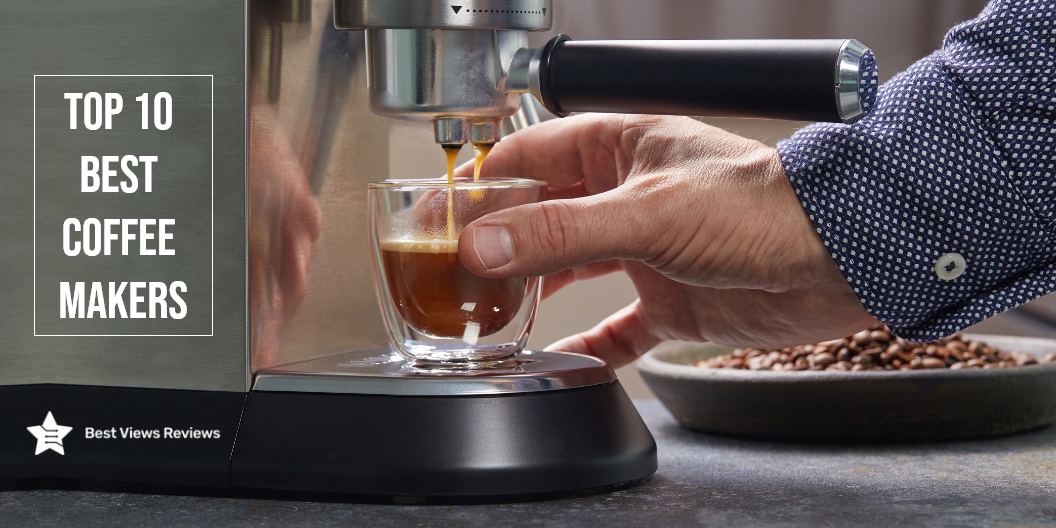
Top 10 Best Coffee Makers 2022

best-coffee-makers

A coffee maker is a machine that brews coffee. There are many different types and styles of best coffee makers, and each one brews coffee in a unique way. Some coffee makers use ground coffee, while others use whole beans. You can also find models that are automatic as well as coffee makers that require manual input. No matter what type of coffee maker you use, the goal is to brew coffee that is hot, flavorful, and aromatic.

Coffee makers today, are a common sight in households. This blog is all about the best coffee makers, one can bring home to savor freshly brewed coffee every time. The concept of owning coffee machines has grown as a trend. With this, the majority of the users believe in buying a coffee maker to satisfy their coffee cravings. The best-rated coffee makers come in a wide selection of variants ranging from top-end variants to budgeted products.

Pour-over coffee makers prepare a coffee that is bursting with flavors and has a great consistency. Read our buying guide and know everything about pour over coffee maker.

List of Best Coffee Makers 2022

Keurig K-Elite Coffee Maker

The Keurig K-Elite coffee maker is a single-serve coffee brewer that is capable of making iced coffee. It has a capacity of 0.5 gallons and features a brushed silver finish. The coffee maker is made of plastic and has a manual control panel. This coffee maker is compatible with K-Cup pods and features a removable filter basket. The coffee maker gets good reviews because it also has a pause and serves a function. The dimensions of the coffee maker are 12.8 x 9.3 x 13.3 inches and it weighs 4.3 pounds.

Mr. Coffee 10 Cup Coffee Maker

The Mr. Coffee 10 Cup Coffee Maker is the perfect coffee maker for those who want the perfect cup of coffee. Its optimal brew thermal system ensures that your coffee is brewed at the perfect temperature, while the removable filter basket allows you to easily clean the coffee maker. The pause & serve function allows you to pause the coffee maker so you can pour a cup of coffee, while the Delay Start function allows you to set the coffee maker to start brewing at a later time.

Hamilton Beach 2-Way Brewer Coffee Maker

The Hamilton Beach 2-Way Brewer Coffee Maker can brew both single-serve and 12-cup pots of coffee. It is made of black/stainless steel and has a removable filter basket. The coffee maker also has a pause & serve feature, an optiBrew system, and a delay start function. You can pause the brew cycle to pour a cup of coffee using the clock and auto-pause feature. The coffee maker is also dishwasher safe.

Ninja CM401 Specialty 10-Cup Coffee Maker

The Ninja CM401 Specialty Coffee Maker is a versatile and convenient coffee maker that can brew four different styles of coffee. It has a built-in water reservoir and a fold-away frother for convenience and comes with a glass carafe. This coffee maker also features a pause and serve a function, as well as a delay start function.

Keurig K-Duo Coffee Maker

This Keurig coffee maker is versatile, convenient, and easy to use. It can brew a single cup or a 12-cup carafe, and is compatible with K-Cup pods and ground coffee. The black and brushed silver design will look great on your countertop, and the manual controls make it easy to use. The removable filter basket and coffee maker make it easy to clean, and the pause and serve function lets you enjoy your coffee when you want it.

Mueller French Press Double Coffee Maker

The Mueller French Press sleek and stylish coffee maker is made of double-insulated 304 stainless steel, making it both durable and rust-resistant. It also features a 4-level filtration system that eliminates coffee grounds, ensuring a smooth cup of coffee every time. Plus, it’s dishwasher-safe for easy cleaning.

BLACK+DECKER Mill and Brew Coffeemaker

The BLACK+DECKER 12-Cup Mill and Brew Coffeemaker make your favorite fresh ground coffee right in your own home. This coffeemaker has a built-in grinder that lets you choose your preferred coarseness. The Optimal Brew system ensures your coffee is brewed at just the right temperature for the best flavor and aroma. And with the Pause & Serve feature, you can pour a cup before the brewing cycle is finished.

Cuisinart SS-15P1 Coffeemaker

The Cuisinart SS-15P1 Coffeemaker has a built-in coffee grinder and a thermal carafe. It also has a programmable brew start time so you can have your coffee ready when you wake up in the morning. This model is the perfect coffee maker for those who want the convenience of a single-serve coffee maker with the added bonus of a built-in coffee grinder.

Cuisinart DGB-900BC Automatic Coffeemaker

The Cuisinart DGB-900BC Automatic Coffeemaker is a great addition to any kitchen. This coffeemaker features a built-in coffee grinder, permanent filter, and thermal carafe. It is also programmable so you can set it to brew your coffee at the perfect time. The carafe holds up to 12 cups of coffee, making it perfect for large gatherings. The Cuisinart DGB-900BC is made from durable stainless steel and comes in a sleek silver color.

BUNN GRB Velocity Home Coffee Brewer

The BUNN GRB Velocity Home Coffee Brewer can brew enough coffee for the whole family with its 10-cup capacity. The special feature of this coffee maker is its velocity brew system, which can brew coffee in just 3 minutes. This model has a removable filter basket that makes it easy to clean, and the dishwasher-safe design makes it even easier. The stainless steel design looks great in any kitchen, and the black color is perfect for those who want a sleek and modern look.

Conclusion 

A good coffee maker is signified by its versatility, flexibility, and ergonomic nature. Another factor that highly influences your coffee is the coffee grind. It is always best to use fresh ground to make coffee. Ninja coffee makers are one of the premium brands of coffee makers on the market today. Read our blog on ninja coffee maker and get the best option for yourself.

A single-serve coffee maker is the best way to achieve the even consistency of the ground easily. Make sure you only buy the best single-serve coffee maker after considering factors like brew time, size, and ease of use.

BestViewsReviews rates and reviews the best products on the basis of quality, convenience, and durability.

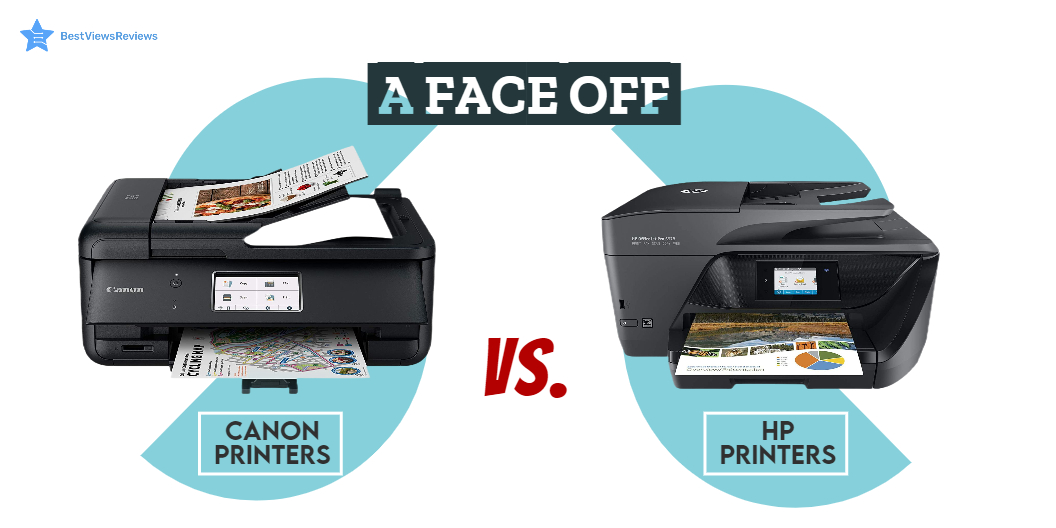
Canon VS HP Printer: Which One To Choose

Canon Vs HP Printer

Printers are hardware output devices that use inkjet and laser printing technology to deliver high-quality printouts. They are an important piece of office equipment and come with their own set of features such as automatic document feed, duplex printing support, and many more. Along with features, you should also consider the brand of the printer before selecting the right model. The two popular brands of printers are Canon and HP. Choosing between Canon vs HP printers can be tough.

HP offers powerful printers that you can use at the office, at home, and for professional use. On the other hand, the Canon printer has good color page yield and produces cost-effective prints. While making your final purchase choice do look at our blog on the most reliable printers to know more.

Read on to get an informative comparison between Canon and HP printers based on ink costs, speed, output quality, and paper handling. We also have a blog on DIY printer repair that will help you fix a printer on your own.

Canon Vs HP Printer: Ink Replacement 

Printer ink replacement is the most expensive part of buying a printer. Ink cartridges are a recurring cost. HP printers cost approximately two cents more per page than Canon printers. Switching to smart ink-compatible cartridges is a simple way to save money. They are cost-effective and enable users to get the same quality for a lower price.  

Canon Vs HP Printer: Output Quality  

It’s important to check the quality of text and pictures while checking the output quality. You can go for the black-and-white inkjet printers if you only want to print black-and-white text documents.

You should go with high-end models if you want to print images with vibrant colors and a wide paper selection. We recommend you check some of the top-selling computer printers. This printer offers an easy setup and allows you to print sharp black text documents and vivid color photos.

Canon Vs HP Printer: Print Speed 

The best inkjet printer has an average printing speed of around 9.8 pages per minute. The HP printers can print up to 9.1 pages per minute, while some high-end models can print up to 20 PPM. The print of canon printers can range from 8 PPM to 15 PPM. Though it’s not a big difference, it can amount to a lot while printing in bulk. 

Canon Vs HP Printer: Paper Handling  

Canon printers can handle paper better than HP printers because they require less maintenance, but in terms of paper tray capacity, HP printers are better. You can easily get a paper input capacity of 225 sheets and an output capacity of 60 sheets with many HP printer models. Canon printers have a good paper loading tray with few paper jams.

Is HP Ink Cheaper Than Canon?

The answer is no. HP-colored high-yield cartridges are way more expensive than canon inks. Some HP inks like standard cartridges are just a few cents costlier, but overall prices of HP inks are usually higher than canon inks.

The best-selling HP Laser printers can have a per-page cost of around 19-20 cents for colored prints. In Canon printers, the per-page cost is just about 11 cents.

Is Canon Better Than HP For Photo Printing?

Canon printers are great at producing natural and glossy prints, but HP printers are better for photo printing. You can go with HP printers like HP OfficeJet Pro 7740 if you want warm glossy photos, whereas, for natural-looking pictures, Canon should be your best go-to choice.

Buy Canon Printer, HP Printer

CANON MG7520 Wireless Color Cloud Printer

The CANON MG7520 is a wireless business printer that offers a combination of high performance and versatility. It is compatible with different printers that meet varied requirements. It offers flexible functionality to keep up with your busy lifestyle. This machine features 9600 DPI that produces exceptional printing detail. This model is compatible with individual ink tanks that allow for up to 2x prints.

HP OfficeJet 250

According to customer reviews of HP OfficeJet 250 delivers professional-quality photos and documents. It connects with HP smart app for intuitive use and convenient printing from anywhere. This model has a built-in 2.65-inch color touchscreen that helps to print, scan and copy easily. It has dual-band Wi-Fi and Bluetooth that give you reliable and fast connectivity.

Canon – MAXIFY MegaTank GX7021 All-In-One Inkjet Printer

Canon – MAXIFY MegaTank Inkjet Printer comes with a high paper capacity that can hold up to 600 sheets of plain paper. This model has a high page yield that prints up to 6,000 Black/ 14,000 colors. It has a 2.7″ LCD touchscreen that makes it easy to use. This model has an auto document feeder that copies multi-page documents with ease.  

Canon Office MX922 All-In-One Printer

The Canon Office MX922 All-In-One Printer offers a super-fast connection for your data transfers. It can easily copy, scan and fax multiple documents. This printer automatically prints on both sides of the page without hassle. This model is compatible with Windows 8, Windows RT, Windows 7, Windows 7 SP1, Windows Vista SP1, Vista SP2, and more.

HP OfficeJet Pro Premier All-in-One Wireless Printer

HP OfficeJet Pro Premier All-in-One Wireless Printer’s reviews mark that its instant ink program is a money saver. This printer is affordable and easy to set up. It comes in an aluminum finish and offers faster printing at 22 pages per minute. This model also comes with built-in security essentials that protect sensitive data.

Wireless Color Professional Inkjet Printer

Wireless Color Professional Inkjet Printer comes with 8 dye-based inks that offer perfect gradients and color. It is equipped with 3 dedicated grayscale inks for beautiful black and white prints. This model comes with 4800 x 2400 dots per inch with fine technology that offers incredible detail. Print professional-quality photos on various media up to 13 inches x 19 inches with this printer.

Canon – PIXMA TR8620a Wireless All-In-One Inkjet Printer

Canon – PIXMA TR8620a Inkjet Printer is compact & simple to use that fits perfectly anywhere in the home or office. This model can easily connect to your smartphone, tablet and all your favorite mobile devices with ease. It comes with a 5-color individual ink system and front & rear paper feeding that offers versatility.

Canon PIXMA G6020 All-In-One Wireless Printer

Canon PIXMA G6020 All-In-One Wireless Printer’s customer reviews show that it prints up to 6,000 Black text pages. This model uses both pigment-based and dye-based ink. Its dye-based ink formulation allows for vibrant and colorful images. It can print, copy, scan, and connect to your smartphone, tablet, and computer with ease.

Canon – PIXMA TS6420a Wireless All-In-One Inkjet Printer

The TS6420a features a compact and stylish design that matches everyone’s space. It comes with a clear 1.44” OLED display as well as a built-in auto duplex so that you can use less paper when printing large documents. You can print easily with your smartphone or tablet by using Apple AirPrint®4, Mopria® Print Service5, or the Canon PRINT App3.

Conclusion  

Printers are great devices for both home and office work. Canon printers offer better speed and paper handling. The HP printers offer high-quality printouts but come relatively expensive. We recommend you go with a reliable and easy-to-use printer while deciding between HP vs Canon Printer.

Another popular type of printer is the best ink tank printer which uses a tank of ink instead of cartridges. The ink tank is typically located in the base of the printer, and ink is drawn from the tank as needed.

BestViewsReviews is your one-stop shop for all the information you need to make an informed decision. Get the best reviews and ratings on the best 3D printers and top-rated inkjet printers before you buy!

Most Reliable Printer Brand – Which is Better?

reliable printer brands

Printers are an important tool for improved workplace productivity. It helps you work effectively facing no hardware-related issues. The market has many reliable printer brands that offer advanced features and benefits. It is difficult to decide on a brand that will provide both efficiency and reliability.

In this new era of hybrid work, the top home printers are a necessity for all your printing needs. Reliable printers have versatile usage. You can use them at home for your work documents or your child’s homework. These are more affordable than the expensive machines you see in most offices. The average lifespan of a printer is around 3 to 5 years with proper keeping and maintenance.

The inkjet Bluetooth printer comes with features such as printing, scanning, faxing, and copying and is perfect for small offices or homes. Read our other blog and know everything about the best inkjet Bluetooth printer.

Why Do You Require a Reliable Printer?

A reliable printer gives high performance and a hassle-free experience. Some common problems that you may face with regular printer models are –

  • Drop formation issue because of malfunctioning of the print head
  • Nozzle blockage or deviating nozzles because of large particles in the printer ink
  • Formation of white streaks across the paper because of poor dispersal of ink
  • Print head damage or ink supply system damage because of the use of aggressive chemicals
  • Compatibility issues because of incompatible printer ink

It is important to invest in a reliable printer because a malfunction or glitch in other standard models can reduce your productivity and result in increased running costs.

Whether you’re seeking one of the most affordable printers or a multifunctional model or a true beast, every printer manufacturer listed below offers an array of options to meet your needs. Some manufacturers focus only on office printers, while others are leading the home printer market.

List of Most Reliable Printer Brands

HP Printers

The reviews of HP OfficeJet Pro suggest it is a reliable, durable, and affordable printer. HP printers are sturdy and provide easy access to paper jams and ink cartridges. They offer both wired and wireless connectivity and usually support Apple AirPrint and Mopria Print Service. They also allow you to print directly from your mobile devices.

Brother Printer

Brother printers are good for personal and business use. They are one of the most sturdy and well-built printers on the market. These printers are popular for producing high yields at low costs. You can check a model like Brother MFC-L3750CDW Digital Color All-in-One Printer that features an LCD display with a touch panel that offers interactive menu navigation. It has a built-in auto-document feeder that allows convenient scanning, faxing, and copying of up to 20 pages.

Canon Printers

Canon offers the best wireless printers of distinct qualities and prices. This allows you to choose the model that best suits your budget. Canon printers like Canon Pixma Pro-100 usually print clear and crisp images and come in good and different colors.

A well-known model like Canon TS6320 is a wireless printer that comes with five individual ink systems that allow for printing sharp black text documents and vivid color photos. This model also has an LED status bar that provides printer status information from across the room. It has got excellent reviews because it comes with dedicated buttons for various functions, makes operation easy, and can fit into compact spaces.

Epson Printers

Epson printers have the lowest cost per text page, with an average of 6.9 cents per page. Their compact size, sleek design, and reliable features make them popular among private and commercial establishments. Epson printer parts are usually of premium quality and come with a long-lasting life. The reviews of the HP Color LaserJet Pro Multifunction M479fdw Wireless Laser Printer show it is a perfect model for photo printing.

Epson Expression Premium EcoTank All-in-One Color Inkjet Printer comes with a 500-sheet paper capacity that avoids frequent reloading of papers. It has a built-in intuitive touchscreen with gesture navigation that makes it easy to operate.

What makes a printer reliable?

Any printer model that offers you durability, performance, and cost-effectiveness falls under the category of reliable printers. The model you buy should fit best for your usage. The printer should not present any connectivity, hardware, or software issues. It is beneficial to have a reliable printer, but it also depends on your printing requirements.

The top-rated inkjet all-in-one printer combines many peripheral functions and capabilities, such as printing, copying, and scanning, into a single device. It is important to know everything about inkjet printers. Both brands offer reliable and durable printers.

What are the features of a printer you need to consider?

Our guide focuses on the following features to help you choose the right printer for your needs:

Print Quality

The print quality can vary with different brands and types. Laser printers have good printing quality, while the top-ranking inkjet printers are good for home and regular use. You should look at the dpi, i.e. dots per inch. Go with models that have dpi from 300 to 1200.

Print Speed

Print speed is the speed at which a printer can produce printed sheets or papers. It is measured in PPM, i.e., page per minute. You can go with models having 25PPM speed if you are a frequent user and print dozens of papers. A 10PPM is ideal for normal usage.

Color or Black & White

Printers usually have different print speeds for color prints and black-and-white prints. Most printers take more time to produce high-quality, detailed color prints. Instead of plain black text that is printed in white spaces, prints in color offer more complexity, especially with photographs and images.

It is usually a mere difference of ppm. This difference is becoming smaller when using newer printers with the advancement of technology. Be sure to check both ppm figures for the printer you’re considering if you print many color prints.

Connectivity options

It’s important to determine what connectivity options you want in your printer. Most printers have wired connectivity, while others also feature wireless options like Wi-Fi and Bluetooth.

You can opt for a Bluetooth printer to use in your office or home if you want to ensure that your printer table is clutter-free. They come in all sizes and can meet all requirements to let you effortlessly print documents or photos anytime you’d like.

You can check out a list of the best selections in Bluetooth printers based on reviews from customers.

Inkjet vs Laser Printer

We suggest you get an inkjet printer if you’re looking for a home printer for periodic printing. One of the major complaints concerning inkjet printers is the ink runs out the event that you don’t use it frequently. The toner that laser printers use isn’t prone to drying out.

Top-quality inkjet printers can accomplish the task if you’re printing a few documents and need high-resolution images often. Laser printers are considered more robust and can print huge amounts of monochrome or colorful documents.

Single Function Printer

A single-function printer is an ideal option if you don’t require to copy, scan, or fax, or if you have other equipment that can perform these jobs. The prices start well under $100, provided that you’re buying an inkjet model instead of a laser printer. Be sure to consider the cost of ink.

All-in-One Printer or Multifunction Printer

It is possible to purchase a printer that also includes scanning or copying capabilities, as well as the capability to fax-usually at about the same cost. These multifunction printers don’t take up much space and in addition, purchasing an all-in-one printer is less expensive than buying separate devices to perform distinct tasks.

Paper Format

Different printers support different paper types, paper formats, and printer paper sizes. This varies with brands and models. Some printers support a wide range of paper sizes, including 4 x 6 inches, 5 x 7 inches, and 8 x 10 inches, while others are good for 11 x 17 inches or more. You should select the right model on the basis of your preferred paper format or size.

Different Printing Papers :

Paper for printing comes in a variety of types, each of which has its own advantages and uses. Here are a few of the most sought-after kinds of printing papers:

  • Laser Printer Paper

Laser paper is best utilized using the help of a laser printer. It is typically used in the business world for printing documents, cheques, and mailing labels.

  • Inkjet Printer Paper

There are a variety of inkjet papers that are compatible with inkjet inks, such as photo, business card, and greeting card varieties.

  • Matte Printing Paper

Matte papers are coated with a white coating, which allows the ink to dry more quickly than other types of paper and it is therefore perfect for documents that require quick drying.

  • Glossy Printing Paper

Glossy printing paper is used for printing photos or images, instead of text, because it can create various colors and sharp images. Printing on glossy paper results in clearer images than one would expect from a matte paper, as its glossy surface absorbs the ink.

  • Resume Printing Paper

A little heavier than conventional paper and sporting an off-white look, resume paper appears to be of ivory or cream. It is often used to create CVs and other important documents that contain vital information.

  • White Printing Paper

White paper sheets that are bright and smoother with no texture are perfect for high-quality and double-sided printing.

  • Card Stock

This sturdy, strong paper type is often used for scrapbooks or printing postcards and business cards.

You can also print labels by using Excell and word. Read this blog to know how to print labels from excel.

Budget

The printers are available at different prices ranging from $129 to $500. You need to buy a printer that doesn’t exceed your overall budget. It is important to consider the replacement cost of ink cartridges as well.

Conclusion 

Inkjet printers and all-in-one printers have become a part of everyday work essentials. Office work demands a decent printer to meet all your printing needs without glitches. You can choose a good-quality printer considering customer reviews and the above pointers. HP, Brother, and Epson offer reliable printers.

BestViewsReviews helps you find the top-quality photo printers and best computer printers on the market by rating and reviewing them on the basis of quality, convenience, and durability. Get unbiased, honest reviews of products before you buy.
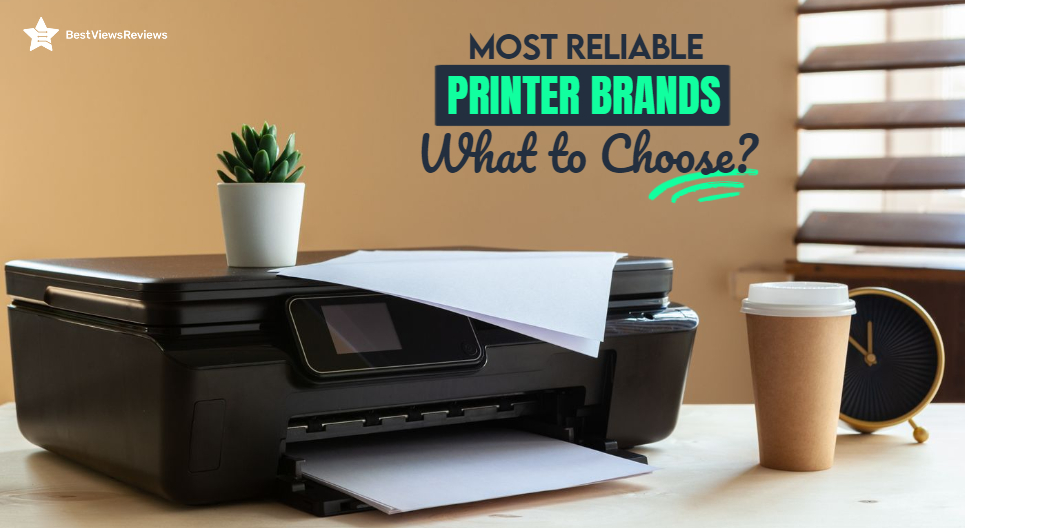
When Should You Buy a New Printer

printer

The printer at home is a brilliant solution to all your printing woes. It makes working or studying from home convenient and easy. Since the COVID-19 crisis had shut the entire world behind closed doors, having a printer at home became increasingly necessary. Technology is growing at such a rapid pace, printing machines have also advanced.

Each new model today has convenient features and a user-friendly interface. This makes them ideal for both home and commercial printing. Be it inkjet, laser, or all-in-printers, all new models promise convenience with features like NFC, voice assistants, and automatic resetting and feeding capabilities. Maintenance of the device, however, is necessary to ensure uninterrupted printing. 

Upgrades to the technology are one factor under maintenance. The upgrades are essential for the smooth operation of the device. It’s not uncommon for printers to encounter frequent malfunctions and disruptions, despite everything you do. In such a case, the only option is to replace the device. One of the most challenging questions is when to replace it? This blog answers the question by presenting certain situations when replacing an old printer with a new one is the best option. Please read Common DIY Printer Repair Hacks before proceeding. 

Reasons to Buy a New Printer

When Replacement Parts are Hard to Find

This is one of the common situations when buying a new printer seems like the best option. Each new model of a printing machine brings changes to the technology and the design. This causes old models or parts of old models to disappear from the market. In a malfunctioning situation, you would have no other choice than to replace your old one.  

If Your Printing Needs Have Scaled Up 

This is one of the frequent occasions when you should consider an upgrade. Depending on your changing printing needs, if your printer cannot keep up with you, then it is time to let go of your old printer. The top-rated printer like HP OfficeJet 250 comes with advanced concepts like AirPrint technology, remote printing, NFC communications to name a few. So while looking for a printing device with such features, you might want to consider upgrading to a new printer. It is time to get your hands on a new printer if your printing volume is higher or if the printing cost is relatively higher. 

If the Print Quality Has Gone Down 

Print quality is one of the biggest problems old printers face. Old printers will often print faded text or black lines if they are close to malfunctioning. This may occur when there is not enough ink. Despite having new cartridges, some older printers act this way. If this is the case, you should replace your printer immediately. Reviews of Canon Pixma TR150 show that this printer can be a good option because of its compact and lightweight design.

Frequent Printer Paper Jams 

The newer version like Brother HL-L2320D has got excellent reviews for its automatic duplexing technology that lets you print double-sided prints with ease. Such new printer models often come with an automatic feeder tray for uninterrupted printing.  Your old printers may not have such a feature. Printing papers are fed into printers automatically based on user commands. When your printing device jams consistently, despite proper placement, it’s best to remove it.

Increase in the Cartridge Requirement 

It is time to get a new printer home if it is consuming more ink than usual. This is noticeable when, despite your consistent printing needs, the need for cartridges grows significantly. In such a situation, it’s best to go for a model like Brother HL-2270DW that offers duplex printing. This model has got good reviews for its relating high-quality prints at a speed of 27ppm.

What to do With the Old Printer? 

The question of how to dispose of the old printer replaces the one of purchasing a new one. If you can still use it as a backup for occasional printing or exchange it, that would be best. Consider buying the top-ranking printer Epson WorkForce WF-3520 if you intend to buy one online. It is important to read the product description carefully. It is nevertheless vital to discard electric gadgets like printers responsibly and environmentally.

Conclusion

It is important to acknowledge that switching to a new printer is not a simple process. Despite being long-term assets, printers do not need significant investments. A decision to switch to a new version should be based on informed consideration. You can fix printer problems with easy hacks and there are often minor reasons behind them. You can learn about all the possible reasons to printer jams by reading our blog. 

BestViewsReviews rates and ranks the best products based on their quality, performance, and durability.

Exercise Bikes for Seniors: The Best Way to Get Fit

Exercise Bikes for Seniors

Exercise Bikes for seniors come with comfortable seating, mounting, and riding options. Cycling is considered a recommended practice by health practitioners. You may experience joint pain as you age because of a decline in bone and muscle structure. This prevents you from staying active, resulting in a lazy body. Investing in an exercise bike is an excellent option to keep your aging body healthy and in shape.

Cycling is a low-impact exercise that reduces the strain on your muscles and joints. It works on your cardiovascular system to make your heart healthy. Some studies even show that cycling can slow down the process of aging in both men and women. We have a dedicated blog on the benefits of exercise bikes. Read through to know its advantages.

Are Exercise Bikes for Seniors Worth?

Yes, indoor cycles are suitable for seniors. Regular cycling has shown a slower decline in muscle and bone density. It also works to keep your immunity intact. Our thymus gland, which produces immune cells, shrinks as we age. Exercising regularly can help maintain the gland. Workout equipment like exercise bikes and treadmills allows you to increase your fitness regime. Cycling can improve strength, cholesterol, testosterone, and fat levels.

How Long is it Suitable to Ride Exercise Bikes for Seniors?

A daily session of 20 minutes is sufficient for the elderly and seniors. As per WHO, the elderly should exercise on an indoor bike for at least 150 minutes per week. They can switch between low, medium, and high intensity. The intensity depends on factors like bone health, knee condition, and leg pain.

Tips for Cycling on Exercise Bikes for Seniors

A medical condition like arthritis will limit your mobility as you age. Exercising on a cycling bike will regulate your heart rate and keep you fit. Read the tips below for maximum safety and results.

Protect Your Knees

You should ensure your form is correct when exercising on a bike. Keep your knees stable and sit back. You will experience discomfort when pedaling if you sit too close to the handlebars. Recumbent exercise bikes offer the best protection for your legs.

Keep Your Exercise Bikes in Good Shape

Saving money is a good idea, but if you have a bike that has been idle for a long, invest in a new exercise bike. You ought to have a professional examine the old one if you feel it will work. Safety should be prioritized due to the possibility of equipment malfunctions causing accidents.

Try Electric Exercise Bikes for Seniors

Consider an electric bike if you feel your body will not support your exercise routine. It will assist you in pedaling, relieving joint aches.

Take it Easy

It would help if you did not push yourself when exercising on an indoor bike. Improve your skills and endurance as per your body, and never ignore the pain. Make sure you visit a doctor and get advice on if cycling is suitable. It is important to introduce the machine to our bodies gradually so that they can adjust to it.

Maintaining the Balance

Go for an exercise bike like Pooboo Magnetic Exercise that comes with a sturdy body and comfortable seat. It will take the load off from your back and hands while offering stability.

Fuel Your Body

Consume some carbohydrates like a mashed potato before you step up on the exercise bike. Drink sufficient water before you exercise to avoid dehydration. Make sure you keep a water bottle handy or wear a hydration pack. You can also have something to munch on, like snack bars if you feel weak or dizzy.

How to Choose an Exercise Bike for Seniors

Prioritize Easy Mounting and Support

The bike should be simple to mount. It should be comfortable to ride for longer workout sessions. The bike should provide back support and improve your posture too. Good exercise bikes keep the feet firmly planted on the pedals for better grip while pedaling.

Focus on Seat Comfort

The seat should be spacious and comfortable. It should not be hard on your back and should offer better posture and support. Many models also come with padded seats for better comfort.

Check for a Smooth Ride

The smoothness of the ride is essential for maximum comfort. A clumsy ride is challenging on the knees and can result in injury. It is necessary to test the bike in the store to see how it works for you. You should look for products that come with returns on purchases if you are buying online.

Don’t Forget Safety

Heart rate monitors are essential for senior exercisers. They have pre-programmed workouts that are simple to follow and progress at a safe pace. Choose a console display that’s easy to use for navigation convenience.

Most Comfortable Exercise Bike for Seniors

3G Cardio Elite RB Exercise Bike

The reviews of the 3G Cardio Elite RB Exercise Bike show that this bike is an excellent solution for office workers, students, and seniors. It can help to improve circulation in your legs and remove stiffness and soreness. You can reduce the swelling in your legs and feet by exercising on this bike. This bike uses magnetic resistance and can withstand a total weight of up to 350 pounds.

Vanswe Recumbent Exercise Bike

Vanswe Recumbent Exercise Bike is designed for the comfort of people of all ages. This exercise bike is a great way to shed pounds and maintain a healthy weight for children, adults, senior citizens, and everyone. It features 16 levels of magnetic resistance and an LED monitor to showcase your workout variables. Reviews suggest that this bike is ideal workout equipment for different fitness goals.

Pooboo Indoor Cycling Bike

The Pooboo Indoor Cycling Bike offers multi-level adjustable magnetic resistance. It is an ideal exercise bike for seniors. This is an affordable bike that is easy to assemble and set up. It has a heavy-duty steel frame with a stable and safe design. This bike uses a belt drive mechanism for smooth and quiet workouts. The maximum weight handling capacity of this model is 20 pounds.

DeskCycle Under Desk Cycle

The reviews of DeskCycle Under Desk Cycle suggest it be a top-ranking compact under-desk design bike. This bike can help you achieve your fitness goals with ease, comfort, and efficiency. You can slide this bike under desks as low as 27inches. It features 8 calibrated resistance settings that let you adjust your workout intensity. The 6-function removable LCD display shows the time, speed, distance, and calories burned.

Conclusion

Exercise and age sometimes do not correlate with each other, and as you age, safety becomes a primary concern. A stationary exercise bike will offer you a safe option to work on yourself regardless of the time or the weather outside. Buying an exercise bike can be confusing. It is important to know what things to consider while buying an exercise bike.

Exercise bikes can also help you lose body weight and get back into shape. Read our blog to find the best exercise bikes to lose weight.

BestViewsReviews rates and reviews hundreds of stationary bikes based on build quality, ease of use, and durability.

Best Air Fryers for Your Kitchen 2022

Air fryers are an innovative counter-top appliance that enables you to make food with very little oil. It uses the convection method to circulate hot air over the food to cook it thoroughly, referred to as, rapid air technology. It creates a crispy exterior and a juicy interior resembling the taste of fried foods.

Smart appliances like air fryers have been taking the markets by storm. These countertop compact appliances with their convenient cooking mechanism and health benefits have created purchase inclination among many people. These appliances have seen recent popularity as it gives a much-needed nudge towards maintaining a healthy lifestyle. Read our blog to know more about an air fryer.

Why Are Air Fryers Becoming So Popular?

Today, most of us are becoming increasingly aware of our health and trying to inculcate healthy food habits. Be it a Keto diet or a vegan lifestyle, appliances like air fryers have become the perfect accessory to follow them without giving up on our tastes. Air fryers make it easy to cook keto-friendly dishes, vegan dishes & even healthier versions of deep-fried chicken dishes. You can even use this gadget for roasting, baking, and reheating your leftover meals. Check our blog to understand how to reheat pizza in an air fryer.

To make your choice easy we have listed down some of the best air fryers based on certain criteria. Take a look below to know more.

List of the Best Air Fryers for You

The Best Rated Air Fryer: COSORI Air Fryer Oven

One of the best-rated air fryers has been voted to COSORI Air Fryer Oven. It holds a capacity of 5.8 Qt. As the name says, this air fryer is smart and can be remotely controlled through an app on your smartphoneThey exhibit 11 preset buttons like air frying, keeping warm, toasting, roasting, shake reminder button, and much more.

They are sleek but ergonomic, and compact yet spacious. Featuring a power of 1700 watts they come with 100 pre-programmed recipes that you can access via the ‘VeSync’app. It is also very convenient to clean as the basket is removable and dishwasher safe. With it being FDA compliant and BPA free, it is luxury and convenience packed in one.

The Best Budget Air Fryer: Ultrean Air Fryer

Before investing in any long-term product, we always understand the budget for it. Enter Ultrean Air Fryer, a one-man appliance that is ergonomic, highly affordable, and can be stored easily. Exhibiting a small footprint and an even lesser price, this appliance is a boon for many. Especially for the bachelors looking for some quick culinary solution, this appliance is a wonder. This is your go-to appliance if you are looking for crisp tater tots or chicken wings to gorge on.

The Best Air fryer with Temperature Control: NuWave 8-Quart Electric Air Fryer

How great it is to have an air fryer where you can put in the food and forget about it. Introducing NuWave 8-Quart Electric air fryer with a capacity of 8 Qt and an auto-shutoff feature. This product comes in a standard black color and a sleek built that will look classy anywhere you place it. This appliance uses air crisp technology that removes the need of oil entirely. Just pop in the food while setting the temperature and the timer. Your favorite food will come out crisp and cooked to perfection.

Best Easy to Use Air Fryer: Instant Vortex Plus 6-in-1 Air Fryer

With so many appliances like Air fryers or Gas grills making your life easy, what really inclines a purchase is the quality and performance of appliances. Instant Vortex Plus 6-in-1 Air Fryer not only gets compactness but exceptionally easy-to-use features that come in the form of 6-in-1  functionality.

It also features a digital LCD panel to display your options, temperature set buttons, along with a run time indicator. This appliance offers a variety of features, it is one of the most convenient gadgets.

The Best Compact Air Fryer: Ninja Air Fryer

The Ninja Air Fryer got good reviews because it comes with 4 Qt capacity is voted as the best compact air fryer. People who have purchased this appliance are all praise for it as it comes with an exceptional ceramic coated basket that lasts long. It also exhibits extraordinary non-stick properties and a multilayer rack to stack the foods as per convenience. This gadget features an unusual dehydrate button to make fun and exciting snacks like potatoes and cauliflower recipes. It comes with a removable basket and is completely dishwasher safe. This appliance is compact yet sturdy and comes with a sleek finish and robust build making it one of the best compact appliances to go for.

The Best Square Air Fryer: Proscenic T21 Smart Air Fryer

Proscenic T21 Smart Air Fryer is one of a kind as it comes in an unusual square shape and features a two-in-one air fryer with a convection oven. It’s quite popular among its users as you get functions of both the appliances in one. This appliance allows you to air fry, roast, broil, and bake with convenience. Apart from that, it exhibits great energy efficiency, uniform heat distribution, and unparalleled versatility, making it one of the best air fryers to go for this year.

To Sum It Up…

By now, we are certain that between air fryers vs deep fryers, air fryers are indeed a healthier option. This is mainly because of the no oil mechanism in an air fryer. You can convert other recipes to air fryer recipes including oven recipes and deep fryer recipes.

BestViewsReviews rates and ranks hundreds of best convection ovens and top-rated air fryers based on ease of use, design, and temperature control.

How to Choose a RAM for Your Mac

RAM for Mac

Do you think it is time to upgrade the RAM for your Mac? Is your MacBook running slower than usual? Is it no longer welcoming any new applications?

If the answer to all of these questions is yes, then its time to go a better computer memory to give you the efficiency that you have always desired. Upgrading your RAM is the most affordable way of keeping up the efficiency of your beloved Mac computer.

Is RAM for a Mac Different from Other Laptops?

Technically, there is no difference between the RAM for standard laptops and MAC Laptops. RAM, the random-access memory, works to deliver data and other operations quickly. If your Mac has inadequate RAM for all the applications you have installed, the response time will suffer and the applications will take a lot of time to load. This will make your experience bitter. However, before blaming it on your PC, check the RAM. Upgrading the RAM with OWC 64GB  will add more functional years to your device.

Before you make the decision to take the plunge, you should know precisely when an upgrade will help! So let’s begin with some quintessential questions.

Questions to Ask Before Buying RAM for Mac

  • Is it running slower than usual?
  • To work and load intensive apps like Photoshop or iMovie, Is it struggling a lot?
  • Is multitasking long gone?
  • Does rebooting your computer takes up an unreasonable amount of time?
  • Is something wrong with the display?

If most of these answers are positive, it’s time for an upgrade. However, there are some things you should look out for, before going for an upgrade. You can also use your AirPods with your mac devices. Read our blog to understand how to connect AirPods to MacBook.

Check if Upgrading the RAM is Possible

  • The first thing to do is check whether the RAM for your Mac can be upgraded or not.
  • To do that, go to the Apple Mac menu and choose “About this Mac”. Get an overview of your device along with complete RAM specifications.
  • Secondly, look out for the memory, DDR, and frequency of your device.
  • Figure out the number of slots you are choosing by selecting “Memory” in the header. Finally, go through Apple’s list to be aware of what RAM your system is capable of handling.

Avoid going for an upgrade if you don’t face any of the listed issues. Merely making it faster just for the sake is overkill!

Things to Consider Before Buying RAM for Your Mac

Brand

Brand name plays a crucial role in picking up any computer part. RAM that comes from a trusted and reliable brand undergoes necessary tests to evaluate its efficiency. So, don’t get lured by a price cut and pick something less reputable.

Warranty

Even if you get your hands on the best brand, things can always go wrong. While investing ensure that the RAM comes with a warranty that can cover you for a certain period.

Reliability

To minimize any potential errors, always go with a reliable brand or dealer, read all the reviews about the product, and ensure whether the RAM is compatible with your system or a system similar to yours.

How Much RAM is Sufficient for Your Mac?

A 16 GB RAM like Timetec 16GB KIT(2x8GB) or A-Tech 16GB (2x8GB) RAM is sufficient for you if you hardly use any intensive applications like video editing apps, for instance. If you feel the need to make your computer ‘future proof’, you can go for a higher capacity RAM. This will depend on the maximum RAM capacity your device can support. Bear this in mind before investing.

One of the most recommended products for your Mac, in general, is OWC 8GB (2x4GB) PC3-12800 DDR3 and for a more specific requirement like gaming, you can go for Timetec 32GB KIT(2x16GB) for Gaming and High-Performance. We suggest you read through the blog that helps you evaluate the capacity of RAM required for your Your Gaming PC.

Verdict

To conclude, it’s a good idea to have more RAM than you require, instead of having any less! But it’s a balance that you have to decide as too much memory may go waste. This blog should help you identify a lot of things about your PC if you were thinking of investing.

The CPU cooler is also an important part of the MAC. You can check the best CPU coolers for Intel core i9-11900k it helps to keep the CPU cool and prevents it from overheating.

BestViewsReviews recommends and reviews the best computer memory options and hundreds of Touch Screen Laptops based on popularity and performance.

Roku Vs Smart TV: Which Should You Choose?

roku vs smart tv

It can be confusing to choose between Roku vs smart tv. A smart TV is a device that connects to the internet and uses operating software to provide access to OTT content like amazon prime and Netflix. These TVs use Ultra HD smart LEDs that offer high-definition quality, making them ideal for video streaming and gaming. Roku TV is also a form of Smart TV but differs in terms of providing a better user experience and customizable features. Roku TV uses Roku software that allows the user to get access to paid and free content available on the internet right on your TV screens.

Samsung and LG both brands have a lot to offer but it’s tough to choose between Samsung Vs LG TV.

What Is The Difference Between A Smart TV And A TV?

A smart TV is a television that can connect to the internet and offer a range of online features. This might include things like catch-up TV, on-demand content, social media apps, and more. A regular TV, on the other hand, is not connected to the internet and doesn’t offer any online features.

What Is The Difference Between A Roku TV And A Regular TV?

Roku TVs are a type of smart TV that allows users to access and stream a wide variety of content using the Roku platform. Regular TVs, on the other hand, do not have this capability and only provide traditional linear television. Roku TVs also come with a remote control that has easy-to-use buttons for streaming content. The regular TVs typically only have a few buttons for basic functions.

Roku Vs Smart TV: Which is Better?

Operating System

Roku TV uses Roku operating system while other smart TVs use different operating systems. Android TVs are popular smart TVs that run on Android OS. LG uses WebOS in its smart TV segment while Samsung smart TVs come with Tizen OS. Roku OS has an edge over all other OS because of its user-friendly interface but Android TVs are among the best affordable variants.

OS Updates

OS updates are crucial in any smart TV device. It ensures proper functioning and delivers a lag-free experience. Roku has a good reputation for releasing timely updates that improve the device’s performance. Other small brands do not provide regular OS updates and their TVs tend to malfunction but this is not the case with reputed brands like Samsung and LG.

Screen Mirroring and Casting

Screen mirroring is an excellent feature that you will find in android TVs and other smart TVs. Android TVs use Chromecast for mirror screening and casting. The Roku TV also supports such features.

Price Comparison

There are different price segments for Roku TVs vs smart TV depending on their features and size. A Roku TV can cost as low as $118, while a high-end Roku TV can cost as much as $2000. Compared to other smart TVs, the most affordable models cost around $200, while the midrange models range from  $399 to $600.

Roku TV can replace the passive viewing experience that cable TV offers. It provides personalized active viewing at half the price of your cable bills. You can have a look at some of the best Roku TVs that we have reviewed on the basis of their display and performance.

Best Smart TV and Roku TV to Buy

TCL QLED Roku Smart TV – 55R635

The best TCL QLED Roku Smart TV – 55R635 offers Quantum dot technology that delivers better brightness and wider color volume. It has all of the latest features including 4K resolution, HDR compatibility, and a 120 Hz refresh rate. The Roku platform provides access to all of your favorite streaming content. This TV is compatible with Amazon Alexa or Google Assistant.

Hisense ULED Roku Smart TV

It is good to go with top-quality Hisense ULED Roku Smart TV if you are looking for a stunning new TV that offers the latest in picture quality and smart technology. This top-of-the-line TV offers a superior 4K HDR picture quality because of its wide color powered by QLED technology and contrast control zone technology. It has a Roku platform that gives you access to all your favorite streaming content, including Netflix, Hulu, Amazon Instant Video, and more.

Sony A8H 55-inch TV

The top-quality Sony A8H 55-inch TV delivers excellent picture quality because of its TRILUMINOS display technology and X-Motion Clarity technology. It also has great audio quality with its Dolby Atmos support. The A8H is a great choice for those looking for a top-notch 4K TV. This model is compatible with Alexa and Google Assistant.

SAMSUNG TU-8300 Series

The SAMSUNG Curved UHD TU-8300 Series has a screen size of 55 inches and is curved. It has a resolution of 4K and a refresh rate of 60 Hz. The TV is also smart and has Wi-Fi connectivity. It has multiple voice assistants and is powered by TIZEN. The TV also has HDR and is curved. It is also 31.5 inches and has a resolution of 720p.

Hisense 43R7E Roku Smart LED TV

Hisense 43R7E Roku Smart LED TV’s reviews claim that it comes with a built-in dual-band wireless connection for blazing-fast connection speeds. It offers easy-to-use remote and automatic software updates. The screen size of this model is 43 inches and offers a refresh rate of 60 Hz.

Sony XBR-48A9S MASTER Series BRAVIA OLED 4K Smart HDR TV

Sony XBR-48A9S MASTER Series BRAVIA OLED 4K Smart HDR TV comes with built-in Google Assistant which makes it easy to control the TV hands-free. This model perfectly conveys the creator’s intent on the screen to deliver the best picture quality. It has a screen size of 48 inches and offers a refresh rate of 120 Hz. It also offers a game mode for a smoother, more responsive gaming experience.

TCL 43S425 Smart Roku LED TV

The customer reviews of TCL 43S425 Smart Roku LED TV show that it offers striking 4K UHD picture performance with HDR technology. It offers easy voice controls with Amazon Alexa and Google Assistant. The simple, intuitive Roku interface of this model allows seamless streaming.

Samsung and Sony manufacture TVs that come with many exciting features. Read our blog to know about Samsung and Sony TV.

What screen resolution do Smart TVs provide?

Smart TVs offer a resolution of up to 4K Ultra HD. You can also get smart TV models with a display resolution of 1080P Full HD, and 720P. A higher resolution display offers a clear, detailed, and high picture quality. The picture quality of a smart TV also depends on factors like aspect ratio, overall size, and brightness.

Do You Need Internet For A Smart TV?

Yes, smart TVs need a stable internet connection to download apps and stream media. You don’t need an internet connection if you do not use any media streaming apps. Some models also may have built-in apps and services that do not require an internet connection.

It can be tough to decide between LCD LED Vs OLED TV. Read our blog to know which TV display is better.

Can I Use Roku TV Without Internet?

The answer is yes, but using it without the internet will not let you access some premium features of Roku TV. This TV gives the best user experience when you use it with an active internet connection. You can always opt for internet-only plans that come at affordable prices.

You can connect digital media to Roku TV via USB or other external ports if you don’t have internet access. An SD card can store offline content and connect later to view it offline. Mirroring your screen is another way to access your favorite content without the internet.

Conclusion

The best Roku TV allows the user to get access to paid and free content available on the internet right on their TV screens. It comes comparatively cheaper than a Smart TV and offers many extras. It also allows you access to thousands of apps and channels, from daily essentials like Spotify to the undiscovered Light Saber network.

Get the best reviews and ratings on the products you’re interested in. BestViewsReviews helps you make the right purchasing decision. Whether you’re looking for the top-rated smart TVs or the best TVs, we’ve got you covered.

Using a Photostick: A User’s Walk-Through Manual

Using a Photostick

Photos and videos are priceless memories. They are quite valuable and serve as a constant reminder of the various events in our life. Therefore, it becomes important for us to save these lifetime memories. You can’t save them on your mobile or camera or PC forever. In this, case a photostick comes handy and makes this task simple.

A photo stick resembles a flash drive that you can insert into a PC or mobile for backing up and transferring your photos. It keeps your media secure and categorizes them accordingly. The automatic backup feature on photo sticks allows you to save a backup of all your media files without spending hours on the computer. The photo stick works with multiple devices and is compatible with both Windows and macOS. Just follow the simple steps below and store and share your photos in no time.

Step-by-Step Guide for Using a Photostick on iPhone

  • Launch the app store on your iPhone
  • Download the photo stick app from the store
  • Install the app
  • Launch the app by clicking on ‘Open’
  • Confirm the notification prompt
  • Insert the photo stick mobile and launch the downloaded app
  • Confirm the prompt of allowing access to your photos and videos
  • Another prompt will flash on the screen asking ‘Select to back up.’
  • Clicking on it starts the backup process for your iPhone
  • The screen will display the completed photos once it is completed

Step-by-Step Guide for Using a Photostick on Android Phones

The device only works with Android version 5.0 and higher.

  • Download the photo stick application from the play store
  • Insert the device into the slot and then launch the app
  • This will give you three options, click on “Backup files now.”
  • Once you select it, it will prompt you to select either “Backup all” or “select to back up.”
  • Media files and video files will get backed up if you select the “back up all” option

You can easily choose a photo to stick mobile for iPhone or photo stock for an android phone but make sure you choose the right gadget after reading many photo stick reviews.

Step-by-Step Guide to Using a Photostick on Your Computer

  • Every photo stick comes with a USB cable extension. Plug your stick into the USB port of your computer
  • Once you insert it, a window will automatically pop up for the file explorer to begin its function
  • If in case it doesn’t do that, click on “My Computer” or this PC
  • Open the folder of the photo stick and double click on it to start ‘ThePhotoStick.exe’
  • Once it is installed, launch the application

Step-by-Step Guide for Using Photostick on Mac

  • Insert the device
  • A shortcut will be visible on the desktop
  • If not, click on “Finder” and select the option of photo stick
  • Click on “ThePhotostickMac” to install the application
  • Once it gets installed, it will automatically launch the function

Photo stick devices have many varied benefits. Discover worthy benefits of using photo sticks with our informational guide on photo sticks.

Best Photostick to Buy

Sttarluk Photo Stick USB 3.0 Pen Drive

Reviews of Sttarluk Photo Stick show that it offers an impressive 1TB storage space, so you can keep all your photos, videos, and files safe and sound. The sleek design is great for on-the-go use, and the purple color is sure to stand out. The USB 3.0 interface provides fast data transfer speeds. This allows you to quickly and easily transfer files to and from your devices.

MFi Apple-Certified Qubii Photo Stick

The Qubii Photo Stick supports backups with Facebook, Instagram, Flickr, Twitter, and more. You can store up to 200,000 photos or 8 hours of 4K video with 512GB of storage. The photo stick is MFi certified and features a USB 2.0 interface for quick data transfer. It also comes with a free app that makes it easy to view, organize, and share your photos and videos.

Sunany USB Flash Drive

The Sunany USB Flash Drive is ideal for expanding your mobile phone or computer’s memory. It comes with a capacity of 256GB, this memory drive can store many photos and videos, so you can take more pictures and videos without running out of storage space. The compact and lightweight design makes it easy to take with you wherever you go.

Elefull USB Type C Flash Drive

The Elefull USB Type C Flash Drive is compatible with Android, Windows, and most smartphones. It lets you quickly transfer files between your computer and other devices because it comes with a read speed of up to 90 Megabytes Per Second. The drive is also USB 3.0 compatible with faster data transfer speeds. It also comes with a protective case to keep your data safe and secure.

AUAMOZ iPhone Photo Stick

With a storage capacity of 256 GB and 80 Mb/s reading speed, the AUAMOZ iPhone flash drive is the ideal backup solution for all photos & videos on your mobile. It supports some of the major video and audio formats including AVI, MP4, FLAC, MP3, etc. It works with every mobile and computer that has a Type C port. The AUAMOZ USB memory stick can be directly used to record films and capture pictures, saving up space on your smartphone.

SanDisk Cruzer Fit Flash Drive 

The SanDisk flash drive is the best option if you want to effortlessly and securely save your favorite music, photos, videos, or other file types. It is extremely portable and comes in 8GB, 16GB, 32GB, and 64GB storage capacities. You can connect it to your phone or PC easily via a USB. It features SecureAccess software(2) that aids in safeguarding your private files.

Photo stick FAQs

Does Photostick Organize Photos?

Yes, photo sticks help to organize photos. They come with a remarkable organization feature that helps to organize your photos into separate folders. This also helps in easy differentiation. The image sticks mainly copy all the stuff like pictures and videos in alphabetic order.

Can Photostick Be Used On Multiple Devices?

Yes, a Photo stick can be used on multiple devices. You can use it on your computer, phone, or tablet. It is a great way to back up your photos and videos. Any device with a USB port can be used to connect a photo stick.

Is Photostick Safe To Use?

Photosticks are designed to store all your media files safely and securely. They are a reliable and efficient way to store and transfer photos and videos. With a Photo stick, you can easily transfer files between your computer and your mobile devices.

You can also read our blog to know if a photo stick is worth buying. This blog will help you understand the different benefits offered by photo sticks.

How long do photos last on a photo stick?

The photos and videos stored in your photo stick are saved forever. The number of images it can store completely relies on the photo stick’s memory storage capacity. The higher the storage, the more photos you will be able to store.

Do You Need To Download A Software To Use PhotoStick?

No, you do not need to download any software to use PhotoStick. It is a standalone device that automatically transfers your photos and videos from your camera, phone, or another device to its built-in storage.

Takeaway

The best-quality photo stick is an easy way of backing up your private data and media files. The steps for using a photo stick are easy and workable for everyone. Photo stock can be your best go-to storage option, but with advanced backup ability. They are also convenient for sharing photos with friends and family, as you can easily send them a link to your online photo album.

If you are looking for a device that can easily transfer and store even more data, then the best external state drives are the best option. They are excellent substitutes for flash drives and perfect if you need to quickly and safely transfer big amounts of data.

BestViewsReviews offer comprehensive and unbiased reviews of the latest photo sticks and best-selling USB flash drives. We’ll help you find the perfect device, appliances, products, essentials, gadgets, and sports equipment for your needs!