All You Need to Know About Grill Covers

Grill Covers

Grill covers are made of water-resistant and durable materials that keep your grills protected from rain, sun, and other external factors. The right cover for your grill is important in increasing the overall lifespan of the grills. Some grill models come with complimentary covers, while others don’t. Grill covers bought from local markets don’t have easy returns or money-back policy on them. You should measure your Grill and purchase a suitable one online. Our blog how to pick the right grill covers will help you choose the most suitable one.

Do I Need a Grill Cover?

Covering your grill keeps it clean and prevents it from rusting. The grill may be more practical without a cover in some cases. Picking up a grill cover is a must if you have invested in a grill that is less expensive and has average quality. The weather may also play a crucial role here. The dry or coastal areas call for a strong need to buy a grill cover. Covering your grill in a humid area will be a bad idea. A good quality grill can withstand extreme weather conditions.

How to Choose the Best Grill Covers?

Check The Material

Grills covers available in the market are mainly made of vinyl, polyester, and canvas. Vinyl covers are ideal for the rainy season and are mostly water-resistant. The polyester and canvas covers are also high-quality covers that come with sturdy construction and a durable build. Canvas covers are also fire resistant and can withstand all weather types. You can go with any material that is durable and fits within your budget limit.

Determine the Size

Grills come in dozens of shapes and sizes you will have to measure your grill for the correct size and perfect fit. Start with the height and measure the distance from the ground to the topmost point of your grill. Move on to measure the width, the distance between the extreme edges of the grill. Make sure to include the side burners and the shelves. Lastly, measure the depth by horizontally placing the tape from the back of the grill to the front.

Once you have the right measurements, pick a cover that is two or three inches larger than the dimensions of your grill. Ensure that the shape of your cover matches your grill perfectly.

Features

You should look for covers that come with additional features including handle straps, air vents, pockets, and accessories. The handles and straps will let you wrap your grills with ease, while the air vents are beneficial in preventing rusting and keeping your covers moisture-free. The additional pockets are good for storing your cooking essentials.

Budget

You should find a product that doesn’t exceed your budget value. Look for affordable models or consider comparing different models online. You can buy a good quality, durable grill cover for just around $30.

Ways to Keep The Grill Cover On

Wrap the Cover With Bungee Cords

Tie a bungee cord to your covered grill to keep it intact. Try to find a long one or tie a couple of short ones together. Make sure it’s stretchy and effectively wrapped around the grill cover.

Use a Gust Guard

The gust guards prevent the grill covers from being blown by the wind. Cover your grill, attach the clamps at the bottom of the cover and fasten the cord.

Tuck the Cover Under The Lid

Tucking the cover under the lid is the easiest method. Place the cover over the grill, lift up the lid and tuck the edges inside. You can buy cover like the iCOVER 30 inch Grill Cover that is mostly bigger than the lid; and ensure there is some part left to be tucked.

Use a magnet

A magnet is a perfect alternative to straps and windings. It will stick to your steel grill and hold the cover in place until a hurricane blows it away.

How to Clean a Grill Cover?

When your grill cover works so much, it needs some attention too. Make sure you clean it regularly. Follow these easy steps to clean your grills thoroughly.

  • Remove any debris or leftover food
  • Rinse the grill cover down
  • Spray a cleaner all over the surface and let it sit for some time
  • Rinse it properly
  • Let it dry

Deciding between Propane Vs. Natural Grill can be confusing. Read our blog to know how to buy the best gas grills.

Buy Grill Covers

Coleman NXT RoadTrip Grill Cover

The reviews of Coleman NXT RoadTrip Grill Cover show that it is an ideal product for outdoor grills. The grill cover is made with heavy-duty materials and is designed to last long. It is weather-resistant and provides excellent protection to your grills from outdoor elements. The cover is easy to adjust and features side air vents that allow air circulation. It measures 12.88 x 3.5 x 11.5 inches and weighs around 0.65 pounds.

Cuisinart CGC-19 VersaStand Cover

The Cuisinart CGC-19 VersaStand Cover has convenient handles and adjustable straps to fit most outdoor grill models with 3 to 4 burners with ease. The cover is made of heavy-duty waterproof 600 denier nylon. It keeps your grills protected from snow, rain, and other external elements. It has a fade-resistant feature that keeps it safe from sun damage.

A1cover Grill Cover

The A1cover Grill Cover is of sturdy polyester material and is able to withstand rough environmental actions. It has separate straps that offer convenient closure and fastening. The material is water-resistant and fade-resistant. This model has got good reviews for its durable and long-lasting nature.

iCOVER 28 inch Griddle Cover

The reviews of iCOVER 28 inch Griddle Cover mark this model as the best affordable cover made of 600D heavy-duty oxford polyester material. It features double padded handles and straps that allow you to cover your BBQ grills easily. It measures 47 x 20 x 31 inches in size and comes with an air vent to minimize condensation and prevent moisture.

Conclusion

Grill covers are the best companion for portable grills that are usually placed outside and are subjected to different weather resulting in wear and tear. A Grill cover helps in keeping your Grill safe and adds more years to it. Keeping the above factors in mind, you should be able to find the perfect grill cover easily.

BestViewsReviews rates and reviews hundreds of grill covers on the basis of build quality, convenience, and customer satisfaction.
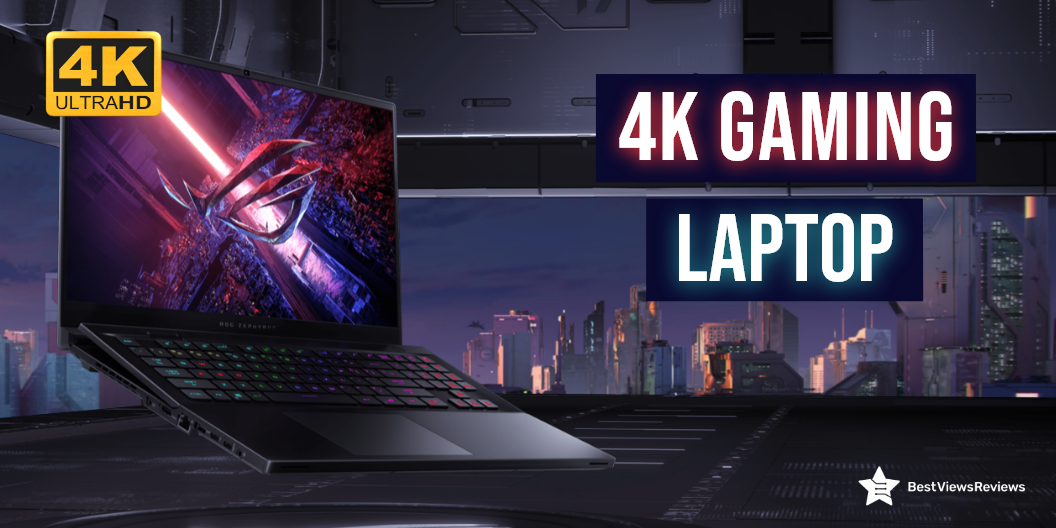
Is 4K Gaming Laptop Worth It ?

4k gaming laptop

A 4K gaming laptop comes with 4k resolution and a display that exhibits up to ‎3840 x 2160 Pixels. This laptop falls under a premium range of laptops and features a high-end latest-generation processor and ultra-fast storage to offer a lag-free gaming experience. A 4K gaming laptop is solely made to support heavy gaming and run extensive gaming software.

With the extra benefit of portability, 4K monitors can now give the same level of clarity and detail as 4K television screens. Our selection of 4K laptops can assist you in finding the model that best suits your requirements. You can check Asus laptops that target both professional and amateur gamers. Read our blog on Asus Rog’s best gaming laptops and know everything about it.

Is a 4K Gaming Laptop Worth it?

A 4K gaming laptop is the ultimate buy for any gaming enthusiast. The performance this laptop offers makes it a worthy purchase. We have listed a few of the pointers in favor and some pointers against. Take a look.

Reasons for Buying

Pixel Density

The 4K laptops have a display with a 4K resolution that is 4 times more than a standard 1080P laptop. It gives you a real-time gaming experience and allows you to play your games in high-visual quality.

Portability

The top-rated 4K laptops are lightweight and great for portable handling. You can take these laptops on your trips or to colleges by sliding them into your bags. The ergonomic keyboard structure keeps your gaming sessions comfortable and you can play for long hours.

Versatile

Along with gaming, there are tons of tasks a 4K laptop can perform. You can watch your favorite movies or shows in HD quality. You can also use 4K laptops for your office purpose and managerial work. These top-rated laptops offer great versatile usage.

High-End Options

4K laptops support other high-end specs too. Many models come with SSD storage while others equip HDD. They offer superior performance with powerful processors and high-end graphic cards.

High gaming software may require more ram storage. Check our blog to find how much RAM you need for gaming.

Style and Look

The best-looking and most stylish gaming laptops are 4K models. They come with features like a backlit keyboard, lit exhaust ports, and other stylish accessories. They have durable construction and make a stylish addition to your gaming zone areas.

Reasons Against Buying

Price

Gaming laptops have a higher price than other desktops and low-end laptops. A good quality gaming model can cost you around  $1,200–$1,300, while for high-end models, the price can go over $2,000. In other low-end laptops or PS4 devices, you may spend around $500, but getting good specs at a low price is tough.

Heat Build-Up

Heating problems can often arise in gaming laptops. This is because they include high-end graphic cards, processors, and other components that offer good performance but also generate heat. We recommend you use these laptops with lap desks or cooling pads.

Best 4k Gaming Laptops

ASUS TUF Dash F15 Gaming Laptop

The ASUS TUF Dash F15 Gaming Laptop is a gaming powerhouse, but it also works well for any application that requires a good amount of horsepower, such as video editing. It has Intel Core i7-10750H 6-Core processor that delivers powerful performance. This laptop has got good reviews for its 32GB RAM and 1TB hard drive storage.

MSI GE66 Raider Laptop

The MSI GE66 Raider Laptop is a great mid-range gaming laptop. It features a powerful 11th gen intel core i9 processor, and NVIDIA GeForce RTX 3080 graphics. A dazzling 15.6”4K UHD display offers incredible color accuracy, brightness, and clarity. It uses MSI’s exclusive cooler boost technology for heat dissipation.

MSI Creator Professional Laptop

The MSI Creator Professional Laptop features a 15.6-inch display that provides 3840 x 2160 pixels, which is more than enough to cover 4K content. In addition, the 60Hz refresh rate makes gaming possible as smooth as butter. This powerful, portable powerhouse has the power to drive next-generation experiences. It also comes with a 1TB hard drive that offers you lots of space.

Alienware M15 R6 Gaming Laptop

The Alienware M15 R6 is an Alienware-branded high-performance gaming laptop. It has a 15.6 Inches Windows 10 laptop up to 4K (3840 x 2160) 120Hz. It is slim and light and has a lot of power, including the latest Intel Core i7-11800H 6-Core processor. This model features 32GB of memory and also comes with a 1TB SSD that offers lots of storage.

Lenovo IdeaPad Slim

The Lenovo IdeaPad Slim is a mobile workstation (MWC). It’s designed for professionals that need a mobile workstation that can give them a better performance than regular laptops. Aside from being powerful, it can also greatly increase your productivity. The Intel Core i7 i7-1165G7 quad-core processor offers incredible speed and top performance for even the most demanding jobs and games.

Dell XPS 17 9720 Laptop

The Dell XPS 17 9720 Laptop is equipped with an Intel Core i7-9700K processor and Nvidia GeForce RTX 3060 graphics card. It clearly outperforms the 4K and 8K laptops, which both have a powerful graphics card and a powerful processor. It also has a large storage capacity and fast SSD.

ASUS ZenBook Pro Duo

The ASUS ZenBook Pro Duo is a stylish business laptop with a gorgeous 15.6-inch 4K UHD (3840 x 2160) display. This slim 15.6-inch laptop weighs less than 4 pounds and measures 0.74 inches thick. The ZenBook Pro Duo sports a 15.6-inch 4K UHD (3840 x 2160) display featuring a 120Hz refresh rate. The display is touch-enabled, and the lid features touch controls as well.

A review of the Razer 17-inch laptop shows that this laptop helps you get the power and performance you need for gaming and other demanding tasks.

Conclusion

4K gaming Laptop is a multimedia powerhouse that features a powerful processor, high-end graphic cards, and a 4K UHD display. A 4K gaming laptop can take your gaming experience to the next pro level. Read our other blog on 4K gaming laptops and know about the best 4K laptops of 2022 for gaming.

BestViewsReviews helps you find the best 4K laptops and top touchscreen laptops on the market by rating and reviewing them based on quality, convenience, and durability. Get unbiased, honest reviews of products before you buy.

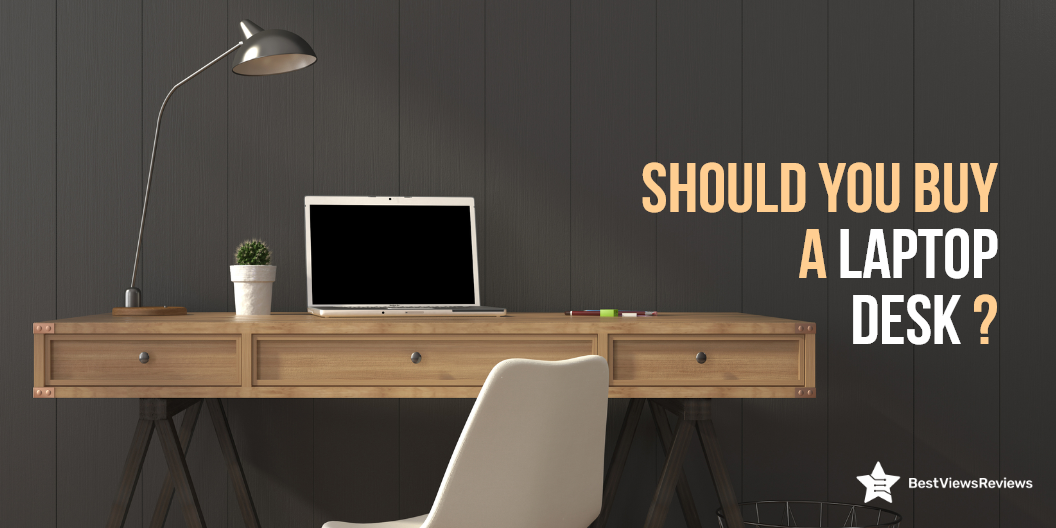
Why Should You Buy a Laptop Desk?

laptop desk

A laptop desk is a portable desk that is used as a stand for your laptop and other accessories. It solves the problem of keeping a laptop close at hand while still having a free workspace to work. Lap desks are laptop desks that are placed on the lap. There are various types of laptop desks based on their intended use.

Buying a laptop desk can be a confusing task and that is why you should consider a few factors before buying. Continue reading to know about the benefits of buying a laptop desk.

Is it Worth Buying a Laptop Desk?

The laptop desk is undoubtedly a worthy purchase. We have listed a few of its benefits below, Take a look.

Less Strain on Eyes

Working on laptops placed at improper heights can cause eyestrain and neck pain. The laptop desk is the best solution to this problem. It elevates your laptop at the right height (screen to eye level), giving you the right posture and preventing neck or eye strain.

The right laptop desk can also help you improve your gaming experience. It gives you long hours of playtime. Make sure you buy only the best 4K gaming laptop that meets your gaming requirements.

Improved Typing Speed

The comfortable sitting and right posture can result in improved typing speed. You can sit in a position that best fits your working style, with a laptop desk. Ideally, to type fast, your back should be straight and your elbow should be bent at a 90-degree.

Ensures a Clutter-Free Space

A clutter-free workspace increases your productivity and efficiency. Keeping all the accessories including mouse, drives, and external attachments in one single place reduces your clutter. A laptop desk can provide you with better organization and a clutter-free working environment.

Better Care of Laptop

The right laptop desk is crucial in taking proper care of your laptop. Elevating your device improves airflow and prevents the heating of internal components.

Types of Laptop Desk

Standing Desk

A standing desk is a table that allows you to work on your laptop by standing. You can add a chair to have a sitting option with this unit. This desk usually comes in a width of around 47″ and a height ranging between 28″- 45″.

Writing Desk

Writing desk serves multiple purposes along with holding your laptops and decor essentials. You can place your favorite diaries and books, and make it your perfect writing space. It often has a pull-out drawer that stores supplies like a pen, pencils, and others.

Compact Desk

The compact desk is relatively smaller than its other counterparts. It offers better management of computer accessories and features several utility drawers. A compact desk is an ideal desktop desk, and can also be used as a laptop desk. It has a separate section for printers, mouse, CPUs, keyboards, and other parts.

Portable Desk

A portable laptop desk is a bed desk or lap desk. It is the most popular type among all others. The reason behind its popularity is its simple design, lightweight, easy set-up, and portable nature. You can keep this desk on your lap for raising your laptop at the eye-to-screen level.

How to Choose Best Laptop Desk?

Function

It’s important to determine your usage style before buying a laptop table. You can go with standing desks if you want a roomy workspace for keeping your laptop. The other types of laptops serve different purposes. The laptop tray is your best if you are looking for a portable model.

Size and Weight

Considering the size and weight of your selected model is important. The size and weight of your desk will tell you about portability and easy handling. At the same time, you should not go with extreme compact models that do not even feature enough space to hold your laptops. Make sure you check the width and height of the desk before buying.

Materials

The high-quality build and material will ensure the high durability of your desk. You can prefer wood-made desks for their sturdiness, but they are not lightweight. The plastic ones are easy to move, but they don’t last for long. You should go with materials that are durable and portable, like aluminum.

Price

The price range of laptop desks can vary from $15 to $100. You can go with any model that best suits your budget and needs. Make sure you don’t end up buying a model that doesn’t last long. You can do a bit of online research to know more about your selected model.

The high-end gaming laptops can come with costlier price tags. They feature powerful processors and more RAM storage. Read our blog to understand how much RAM you need for gaming.

Buy Best Laptop Desks

Cooper Cases Mega Table

The Cooper Cases Mega Table is an ergonomically designed desk that elevates your laptop to the proper typing height and position. This laptop table comes with folding legs that allow you to store it in compact spaces easily. It has got good reviews for its large 25.6″ x 19.3″ surface that will fit all your working needs.

Avantree Neetto Laptop Bed Table

The reviews of Avantree Neetto Laptop Bed Table are positive for its sturdy build-up of  100% high-quality engineered wood. This table is adjustable from 9.4″-12.6″ and comes with two auto-lock buttons on each side. It protects your lap from laptop heat while providing a comfortable place for you to use your computer.

Avantree Neetto HDLP-TB101S-GRY

The Avantree Neetto HDLP-TB101S-GRY is the ultimate lap desk for your laptop, iPad, tablet, or e-reader. This sleek and convenient lap desk can adjust from  8.3″-9.8″. Reviews show that this model is perfect when you are using a laptop while laying on the bed or relaxing on the couch. You can also adjust the surface to a 30-degree angle for your viewing pleasure.

Amazon Basics Laptop Tray Table

The Amazon Basics Laptop Tray Table is a great companion for your laptop, tablet, or cup of coffee. It is light and compact,, making it easy to set up and move around. The table also has ample space in the bottom, so you can stretch your feet under it. This desk measures 20.47 x 11.81 x 0.36 inches in size.

Gimars Laptop Desk

The Gimars Laptop Desk is a portable and practical desk that can be adjusted from 4 levels to suit your needs. It includes a built-in cooling fan to ensure that your laptops don’t heat after prolonged usage. The tabletop is large enough for your laptop, tablet, or book. This desk is made of metal and measures 20.5 x 11.8 x 3.1 inches.

Conclusion

Modern desktops are sleek, lightweight, and provide the most value for your money. If you regularly use your laptop, the weight distribution of the laptop’s weight on your lap will cause your back to hurt. The right laptop desk will ease the strain and will make working a comfortable experience for you.

Deciding between touch screen laptops and non-touch laptops can be tough. Check our blog on touch screen laptops vs non-touch laptops.

BestViewsReviews rates and ranks hundreds of best gaming chairs and top-rated home office desks on the basis of size, design, and build quality.

Best Laptops Under $600 in 2022: An Exclusive List

Best Laptops Under $600

Finding a budget laptop under $600 without compromising on features, can be a tricky task. Laptops are powerful machines that are portable and include an alphanumeric keyboard and a wide clear display ranging from 11″ to 18″ in size. These portable personal computers are popular because of their convenience, easy-to-use features, and power-packed performance. They are used in offices, homes, colleges, and various fields for different applications.

This blog provides you with an informative buying guide, along with the best-featured laptops under $600. Read our blog to know about the best 4K gaming laptop.

Can I Get a Good Laptop Under $600?

The answer is yes. You can easily get a good laptop for under $600. This price segment includes models with basic as well as advanced features.

Can These Budget Laptops Live Up To Professional Preferences?

You can expect good features, including storage, processor, and RAM in budget laptops for under $600. There are some business laptops that cost less than $600. The right budget laptop with easy-to-handle size, convenient features, sleek and sturdy build, and lightweight design will fit best to your professional preferences.

What are The Features to Look For in Best Laptops under $600?

Display Size

The size of the display can range from 11″ to 18″. Larger screens will provide a better viewing experience but may feel heavy. Laptops with 11″ to 12″ displays are the lightest and thinnest, while laptops with 14″ and 15″ displays are heavy and can weigh up to 5 pounds. Laptops with 16″ display sizes and h” are relatively large and heavy.

Some displays are touch-compatible, while others are not. Read our blog to know more about Touch Screen Laptops vs Non-Touch Laptops.

Resolution

Higher resolution will give better picture quality, clear detailing, and sharper images. The resolution of your display should also support your display size. Usually, low-end models may include 768p and 900 pixels of resolution, but 1080p is the best resolution to get. Models with FHD displays have 1080p of resolution.

CPU

CPU is the processing unit of any computer. The options are limited to intel or AMD. Both brands offer powerful CPUs, but it’s important you go with the latest generation to get optimal performance. For gaming laptops, you can go with AMD, high generation processors, while Intel processors are best for professional use.

RAM

RAM lets you multitask and run multiple applications at the same time. Higher RAM storage means higher multitasking capabilities. If you are a light user with less multitasking needs, go with 4GB of RAM. The 8GB of RAM is a good option if you want to do photo editing, video editing, and high-end gaming.

The best gaming laptops have higher RAM storage and a powerful CPU. Read our blog to understand how much RAM you need for gaming.

Storage

The storage can be either be SSD or HDD. SSD is a solid state drive and is relatively faster and efficient, while the HDD is a hard disk drive. Laptops with HDD storage will have more storage capacity. You can expect up to 512 GB of SSD in laptops under $600.

Battery Life

Considering battery life is an important step while deciding on your laptop. Some laptops just last for 4 to 5 hours, while others have a battery backup of up to 8 hours. You should go for a battery backup that fits your needs. A laptop with 8 hours of battery backup is perfect for your all-day usage.

GPU

GPU is an important unit for graphic processing. Most intel machines feature Intel UHD Graphics that is perfect for your low graphic-intensive tasks. Getting a separate GPU unit within this price segment can be a little difficult task.

Buy Best Laptops Under $600

HP 15-inch Laptop

The HP 15-inch Laptop comes with an Intel Core i5-1135G7 processor and 8GB RAM based on DDR4 technology. This variant perfectly combines with performance and mobility. The 256GB SSD storage speeds up the performance and allows you to multitask with ease. It is a stylish laptop that’s ideal for work and play.

Lenovo Newest Ideapad 3

The Lenovo Newest Ideapad 3 features a full HD 1080P non-touch display that offers great versatility and performance at an incredibly affordable price. It comes with AMD Ryzen 3 3250U Processor that lets you play high-end games without facing any lag. The 128GB PCIe NVMe SSD provides you with enough storage for your all-around usage.

Samsung Chromebook

Reviews of the Samsung Chromebook show that it is a thin and lightweight laptop featuring an 11.6 inch ( 1366 x 768) display and Intel Celeron Processor N3060 to provide a lot of power for multitasking. The 4GB RAM and 16 GB SSD storage let you store more data and experience the latest blockbuster movies and games. This machine runs on the google chrome system.

Acer Chromebook Spin 311

The Acer Chromebook Spin 311 features a 11.6” HD IPS display with touch screen capabilities. The device is powered by a ‎2.8 GHz celeron processor and 4GB LPDDR4 RAM, which allows you to run multiple programs simultaneously. It includes a 32GB eMMC SSD that provides quick boot-up and application load times. It has got excellent reviews for its convenient design.

Acer Aspire 5 A515

Reviews of Acer Aspire 5 A515 is a stylish and functional laptop that you can use for gaming, office tasks, and personal use. It is equipped with an AMD Ryzen 3 3350U that delivers desktop-class performance. The generous 4GB DDR4 onboard memory and 128GB NVMe solid-state drive storage are perfect to handle daily tasks with ease.

Conclusion

A laptop is an essential part of our modern lives and is still relatively expensive. They give you access to the internet, your emails, and a lot of other virtual information. You can enhance your productivity with these machines, but a low-spec machine may leave you stressed. The choice of laptops is vast, but make sure you choose the one that best matches your needs.

BestViewsReviews rates and ranks hundreds of best touch screen laptops on the basis of display, design, compatibility, and app support.

Everything About A Laptop Motherboard

laptop motherboard

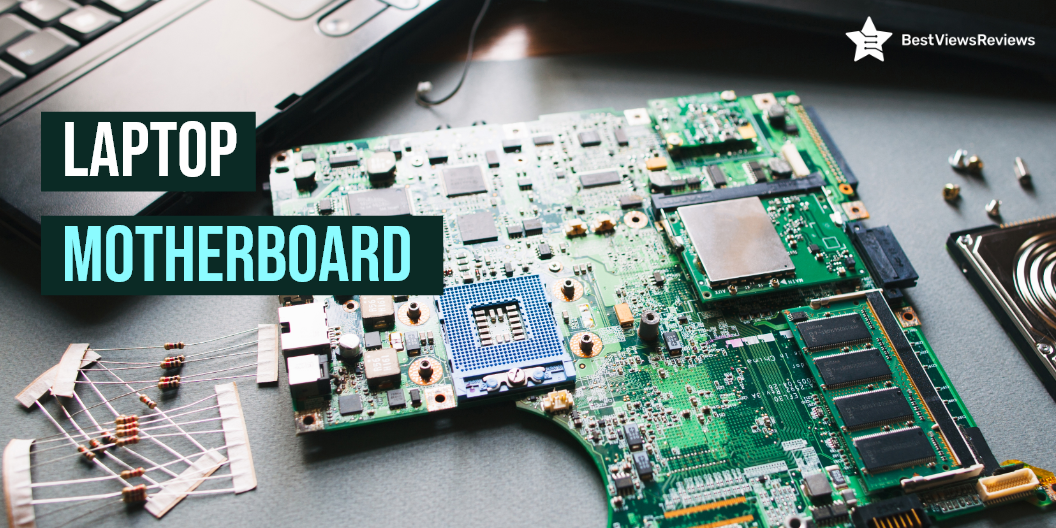
A laptop motherboard is a printed circuit board (PCB) that houses important components of a laptop. It contains the hard disk, CPU, RAM, GPU, and various parts that interface with them. The physical layout of the motherboard has changed where more features and connectivity options are added, but the basic concept remains the same.

How to Choose a Laptop Motherboard?

A motherboard is a central board present on any laptop. The right motherboard can improve your laptop’s performance and efficiency. We have listed a few factors to consider before choosing the right laptop motherboard.

Platform

It’s important to choose the motherboard that includes the right socket and chipset as per your selected CPU. AMD and Intel are two popular names in the market for the best CPU manufacturers. When you are looking to buy a motherboard, go with the one that supports the CPU processor.

Form Factor

Form factor indicates the size and capacity of the motherboard to hold various components. A larger motherboard will fit more components, but it is of no use if it doesn’t fit in your laptop case. The form factor you need to find should fit your laptop’s size and space.

Expansion Slots

The expansion slots refer to slots that allow you to expand the hardware capabilities of your motherboard. The motherboard hosts various of parts, and they are connected to the motherboard via PCIe (Peripheral Component Interconnect Express) slots.

PCIe slots come in four sizes; x1, x4, x8, and x16. The commonly used PCIe standards with AMD- and Intel-compatible boards are PCIe 3.0 and PCIe 4.0. Some motherboards feature extra expansion slots to help you with your future needs. Consider buying such models, but do look for the right size that suits your upgradable hardware.

Reviews of MSI MPG Z390 show that this motherboard comes with 6 USB slots and 2 DDR4 HDMI ports.

RAM

A RAM is a crucial component of any laptop motherboard. It helps you multitask and run a variety of programs at the same time. The right RAM capacity depends on your CPU needs. Go with 4GB or 8GB RAM if you are a light user with low multitasking needs. You should go with a RAM capacity of 16GB or more if you perform graphics-oriented tasks or if you are a gamer.

The gaming laptops require more RAM storage. Read our blog to understand how much RAM you need for gaming.

Storage

High storage means large space for your heavy files, programs, games, and other data. A laptop motherboard can come with SSD storage or HDD storage. An SSD is a solid-state drive and is faster than HDD (hard disk drive). You can go with any mode as per your budget and requirement. Make sure you choose the right storage capacity.

GPU

GPU is a graphic processing unit of the laptop motherboard. It fits in PCIe slots of 3.0 and of size x16. Choosing a motherboard that fits your GPU is important. Identify what specs your GPU requires and match them with your selected motherboard model. It is best to use two GPUs when there are two PCIe slots.

The Intel Core i5-9600KF Desktop Processor has 6 cores and 6 threads with a junction temperature of 100°C. It has got excellent reviews for its max turbo frequency of up to 4.60 GHz.

Connectivity

A laptop motherboard like ASUS ROG Strix B450-F has different connectivity slots, including PCIe, DIMM, HDMI, and USB. Some slots are for internal connections, while others are for establishing external connections. The external slots are present on the I/O panel. Buy a motherboard that has enough connectivity options. The right number of connectivity slots will depend on your connection requirements.

Deciding between Touch Screen Laptops vs Non-Touch Laptops can be tough. Read our blog to get more clarity.

Is it Worth to Replace a Laptop Motherboard?

Buying a new laptop can cost you a significant amount. Upgrading your laptop motherboard is undoubtedly a worthy decision. It also depends on your requirements too. If you want an upgraded graphic performance, higher processing speed, and updated hardware, replacing a laptop motherboard is a great option.

What is The Cost of a Laptop Motherboard?

The laptop motherboard can cost anywhere between $30 to $200 and more. The high-end models will cost around $100 and more.

You can buy the Intel Core i3-10100 Desktop Processor for just $108.99. It is compatible with Intel 400 series chipset-based motherboards. It has got good reviews for its CPU speed of 3.6 GHz.

Conclusion

The motherboard is the most important component of your laptop. It consists of parts that play a major role in keeping your laptop’s performance high. You should choose a motherboard with advanced specs if you are buying the best gaming laptops. Check our blog to find the best 4K gaming laptop in 2021.

BestViewsReviews rates and recommends hundreds of best motherboards based on performance, ease of installation, and build quality.

Why Buy an Underdesk Treadmill?

underdesk treadmill

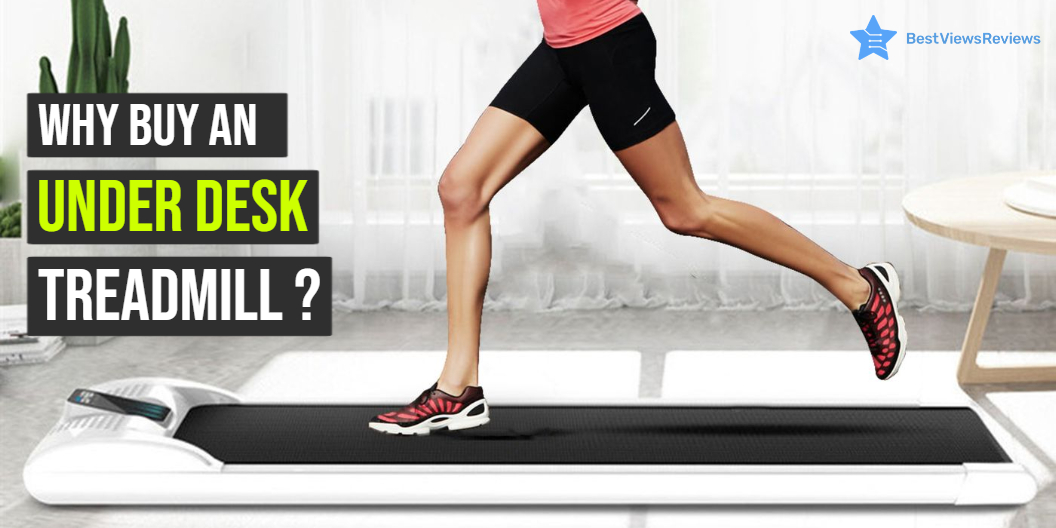
An Underdesk Treadmill is fitness equipment that offers you a great way of losing weight without leaving your desk. It also goes by the name Treadmill Desk. It includes a special treadmill and an electric desk that allows the user to stay active. A Treadmill desk is not the same as the ones we see in gyms. You cannot run on a treadmill desk. The maximum speed of most of them is 4 miles per hour(mph).

An under desk treadmill is primarily found in office settings. It is ideal for anyone who cannot work out regularly because of injuries or a busy schedule. You will burn calories without leaving your workstation. Few of them come with built-in electrical outlets, where you can charge your phones. Some others come with an adjustable mechanism. This allows the users to transition between sitting, standing and walking.

Why is an Underdesk Treadmill Popular?

The treadmill is a convenient way to lose weight and tone your body. Underdesk treadmills are more efficient than running outdoors, according to a recent study. Underdesk Treadmills offer a great way to stay fit while working and without the hassle of heading to the gym. It improves your posture and relieves back pain as well. Read on to learn more about these products.

Allows You to Exercise While Working

The advantage of an Underdesk treadmill is that it allows you to move while working. This keeps you away from a sedentary lifestyle and helps you to lose weight. An Underdesk Treadmill makes it simple for employees to schedule a time to care for their health during the workday.

Increases Focus

Walking improves cognitive functions by increasing alertness and the ability to focus on tasks. It helps you to be active throughout the day and keeps work stress low.

Eases Anxiety

We all have anxious energy at some time or the other. Anxiety can lead to other issues such as depression. Walking on the treadmill while working will help burn off the anxious energy making it easy to sleep and de-stress.

Multitask

An Underdesk Treadmill helps you to multitask. Using an Underdesk Treadmill will help you maintain exercise and work so that you can focus on both at the same time. This is unlikely with most of the other fitness equipment.

Is an Underdesk Treadmill Worth it?

Yes, an Underdesk Treadmill is worth the purchase. It gives you the 2-in-1 functionality of staying fit while working and keeping aside health problems. This equipment is an answer to nasty back pains one has after sitting for long hours working. It is compact, ergonomic, stylish, useful, and efficient equipment.

An Underdesk Treadmill displays foldable and adjustable features that make it suitable for use for people of all ages. Its cost is below $500, making it popular among working professionals. Read our blog to get a detailed comparison between treadmills and exercise bikes.

How to Choose the Best Underdesk Treadmill?

Motor

When you walk on an Underdesk Treadmill, your body weight pushes the belt backward. At a speed of 2 mph, the belt should overcome the friction between the deck and the belt. A powerful motor can help that. Go for a motor with a range between 2 HP and 5 HP for convenience and the long life of the machines.

Incline Function

The incline isn’t important if you’re going to use your under desk treadmill for walking because your goal isn’t to sweat or exercise excessively. The inclined function in an Underdesk Treadmill will slightly raise the entire treadmill off the ground. Considering this factor will help you choose the right height or go with the one that has an adjustable feature.

Belt Size

The belt size should not be an issue for smaller users; however, taller users may want to consider longer treadmills so they can stride comfortably. The belts are 55 and 60 inches in length. So if you’re tall and have long strides, you’ll need a longer belt. The width of the belt stick should be 20 inches or more.

Calorie Counter

Many models come equipped with a calorie counter. It shows data such as time, distance, and calories. We recommend you consider additional features like the calorie counter when buying an Underdesk Treadmill. It will motivate you to perform well.

Guarantee

Most manufacturers give you a lifetime warranty on the frame, with a one or two years warranty on the controller board and motor. Look for an Underdesk Treadmill with a 3-year motor warranty and a minimum 2-year electronics warranty.

Compact treadmills do not require large space for installation and set-up. Check our blog to buy the best compact treadmills for small spaces.

Buy the Best Underdesk Treadmill

Goplus 2 in 1 Folding UnderDesk Treadmill

The Goplus 2 in 1 Folding Under Desk Electric Treadmill is a good choice for people who want to keep themselves healthy. It’s advisable for people who have no time to go outside for running but want to keep fit. This equipment is ideal for people who are currently working from home. It has features like a 2.25 HP DC motor, folding design, built-in Bluetooth speaker, smartphone control, foldable design, space-saving, and more. You can also use it for walking your pets, playing your favorite music, or as a home office treadmill.

ANCHEER 2 in 1 Folding Treadmill

The compact and portable ANCHEER 2 in 1 Folding Treadmill is the perfect home treadmill solution. It folds under your desk and is ideal for a workout at work, home, or traveling. The Underdesk Treadmill is easy to use and offers advanced features such as a phone holder and LCD display to track your speed, distance, and calories burned. This machine can give you a maximum speed of 7.5 MPH.

UREVO 2 in 1 Underdesk Treadmill

The UREVO 2 in 1 Underdesk Treadmill is a good option for cardio exercises. You can use it while sitting on the desktop. It helps you to burn calories, improve endurance, and control your blood pressure. The UREVO 2 in 1 comes with efficient remote control and a 2.5HP motor. It is foldable so that you can store it under your desk. Reviews show that this model will help you achieve your fitness goals and track your progress.

UREVO Foldable Treadmill

UREVO Foldable Treadmill is for those who want to exercise at home but do not have enough space. You can place it under your desk or table, and it will not take up much room. This model has got positive reviews for its foldable feature. It is convenient to carry, as you can fold it and carry it in the trunk of your car. It also comes with 12 pre-set training programs to improve your fitness.

CITYSPORTS Treadmill

The CITYSPORTS Treadmill is an under desk treadmill for walking and jogging. It is perfect for people who want to be active while working or studying. This model has a slim design, is quiet, easy to move, store, and set up. It has a multi-speed feature with speeds ranging from 1 – 6 km / h. You can set your preferred speed using the remote control. It also equips Bluetooth-integrated speakers for more intense workouts.

Conclusion

An Underdesk Treadmill desk is a great way to get some daily exercise while you work. You should conduct some research before deciding to invest in office workout equipment like stationary bikes. When brainstorming, make sure to include the mentioned factors.

You should choose something practical and convenient, and turn your office time into a healthy activity. Check our blog to find the best small treadmill for exercise.

You can also read through the blog staying fit from home for some quick tips on the best workout regime while working from home.

BestViewsReviews ranks and reviews hundreds of exercise bikes based on overall performance, controls, and functionality.

Everything to Know About a Compact Treadmill

compact treadmill

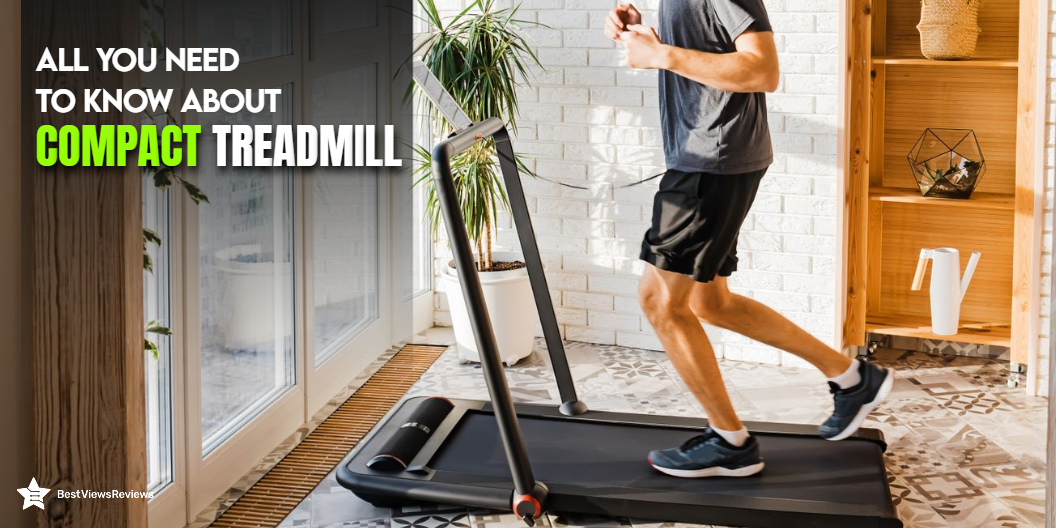
A compact treadmill is advanced training equipment that lets you work out anywhere. This exercise machine comes in many sizes and is also lightweight and portable. It is a popular and well-received category of home exercise equipment because it is small and simple to use and store. This device is popular with users who have trouble moving around or cannot walk for too long because of injuries. Read our buying guide on a mini treadmill and choose one for yourself.

Is a Compact Treadmill Worth the Money?

A tiny treadmill is a perfect solution if you only need a treadmill for a quick indoor workout and have little space. It isn’t the most powerful equipment but is ideal for smaller living spaces or rooms like a home office or home gym. A compact treadmill offers many benefits. Read our blog to understand why to buy an under-desk treadmill.

Benefits of a Compact Treadmill

Keeps you Fit

A compact treadmill is ideal for losing those extra pounds and keeping fit. It is a great form of cardio and burns a good number of calories over a short time.

Footprint

This is the type of treadmill to look at if you don’t have space in your apartment or basement for a large, gym-style machine. This machine has a smaller footprint and is lightweight than a standard commercial machine.

Portability

Some compact, folding treadmills are small enough to be put under a bed or set up against a wall without being noticed. Most of them also include transfer wheels to enable you to move them from room to room after your workout. This makes them portable and suitable for carrying along.

Price

A compact treadmill is an economical option as it is affordable and doesn’t burn a hole in your pockets. This is in fact, the most affordable among its counterparts.

What to Look for in a Compact Treadmill?

Power and Weight Capacity

It is important to check the treadmill’s power if you plan on running on it frequently at its maximum speed. It is usually sufficient to have 1.5 continuous-duty horsepower for walkers, but runners must have at least 2.0 continuous-duty horsepower. Be sure to double-check the weight capacity of your gear if you’re carrying a lot of weight. The idea is to find a product with a weight capability of at least 50 pounds greater than yours.

You can check a model like NordicTrack T Series Treadmills that comes with a maximum of 3 horsepower. This model has 300 pounds weight capacity.

Track Size

The compact treadmill like OVICX Q2S is appealing because of its modest size. Keep in mind that this equipment offers a shorter stride and a smaller track size. If you’re under six feet tall, a running surface of at least 55 inches is ideal. Those taller than six feet should avoid using a compact treadmill unless they plan to walk on it.

Incline Vs. Speed

To get in a decent treadmill exercise, you don’t have to sprint. If you don’t have a lot of space and want to use a treadmill at home, look for models with an adjustable incline for more resistance. This simulates walking or sprinting uphill, making the task considerably difficult. This not only raises your heart rate but can also help you build muscle.

Compact Treadmill FAQs

How Long Should I Work Out on a Compact Treadmill?

Prepare your body for physical activity by walking 2.5 to 3 miles at an easy or moderate pace for at least five minutes. Then pick up the pace until you’re out of breath for the rest of your workout, which should be anywhere between five and fifteen minutes for beginners.

Which is the Best Time to Work on a Compact Treadmill?

Your reaction time is at its fastest in the afternoon and evening, which is helpful for high-intensity interval training (HIIT) or treadmill speed work.

How Many Miles Can I Run at a Time?

Beginners should begin with two to four miles per week, each lasting 20 to 30 minutes. It is advisable to keep increasing your pace every other week to build your mileage. This will assist your body in adjusting to the exercise and avoiding injury. You can check another model like SereneLife Electric Motorized Treadmill comes with 6 miles per hour maximum speed.

Do I Need to Oil the Belt?

Proper belt maintenance will keep your treadmill in top shape and reduce the number of repairs required. Once every three months, grease your treadmill with one ounce of lubrication per application.

Best Compact Treadmills

UREVO Foldable Treadmills for Home

This ergonomic UREVO foldable treadmill is designed for home workouts. It’s foldable, compact, portable, and quiet. This is an under-desk treadmill, portable, and easy to set up. This 2.5HP compact treadmill comes with 12 preset programs and a 16.5-inches wide tread belt.

SereneLife Smart Electric Folding Treadmill

The reviews of SereneLife compact treadmill are good because this model is an easy-to-assemble treadmill that folds into the size of a suitcase and weighs only 35 pounds. This compact foldable treadmill is ideal for apartments, homes, condos, gazebos, garages, and even offices. It can help burn calories, lose weight, and improve your health and well-being while watching television or surfing the web. The SereneLife treadmill comes with an adjustable manual incline for a more challenging workout. It features 12 preset programs for convenience. 

LifePro Compact Foldable Treadmill

This LifePro Compact Foldable Treadmill is designed for home users, leisure runners, fitness fans, and office workers. It offers a great way to build your fitness at home by allowing you to work out without leaving your living room. It is a compact, foldable treadmill that uses a unique design to allow for a wide variety of workouts. This folding treadmill is upright and compact for easy storage.

ANCHEER 2 in 1 Folding Treadmill

The reviews of ANCHEER 2 in 1 Folding Treadmill are positive because it is made of a high-quality steel frame that holds a maximum weight of 265lbs. This model is equipped with a 2.25hp motor that ensures it operates quietly. It has a built-in shock-absorbing system to absorb impacts and offers a comfortable running experience.

Conclusion

There are many benefits to using a compact treadmill. It has a smaller footprint, saves space, and you can move it around once you’re done exercising. The above-given models can all be folded and are more affordable than their larger counterparts. These treadmills are designed for apartment living, are less durable, and have a less powerful motor than larger models.

Choosing between a treadmill and an exercise bike can be confusing. Check our blog to find the best compact treadmills for small spaces.

BestViewsReviews rates and ranks hundreds of best exercise bikes based on design, noise level, and convenience.

Best Star Projectors 2022: All You Need to Know

Star projectors

Star or galaxy projectors project stars or constellations onto the wall, ceiling, or other flat surfaces. The technology is similar to a laser projector that projects a beam of light from the device. You can use star projectors to create constellations in the living room or the bedroom area for your kids. They can even act as a night lamp in the rooms. These gadgets feature different lighting modes, time settings, and projections. We listed the top portable projectors of 2022 for you.

Star projectors are useful in calming little children or to light up a celebration. They can be used as night lights too. We have an exclusive selection of top-rated night lights reviewed based on brightness, design, and user satisfaction.

Advantages of Using Star Projectors

  • Relaxes children and allows them to fall asleep
  • Features different lighting modes to offer a better visual experience
  • Allows you to listen to music while you drift off to sleep
  • Can be used for party decoration lights

How to Use Star Projectors or Galaxy Projectors?

Star projectors are easy to install and use. To turn on the projector, connect the cable to the adapter and switch it on. Then, slide the knob to switch on the gadget, and it will start projecting immediately.

How to Connect Star Projectors to Phone?

Through Bluetooth and Wi-Fi

You can connect the projector to the phone via Bluetooth and Wi-Fi. Once you switch on your galaxy projector, it will automatically go into Bluetooth mode. Power on your phone to enable your Bluetooth till you see the device pairing list. Click on the option and connect. To connect through Wi-Fi, keep the projector in Wi-Fi mode. Find the available networks on your phone and select the right one.

Through USB

You can also connect your phone via a USB flash drive to the port. Once you plug in the USB, enable the sound control mode and start playing the song on your phone.

Best Star Projectors

We have listed some of the top picks below to help you understand star projectors better and make an informed purchase.

BlissLights Sky Lite

The BlissLights Sky Lite transforms your room with galaxy lighting. This is a LED Projector that projects onto the ceiling of your room. It has simple button controls that allow you to change the light effects easily. It’s brilliant lighting with silent rotation makes it look like a real night sky. You can play games with it at night and adjust the temperature of the night light and the mood light to your liking.

SUNNEST Night Light Projector

Reviews of SUNNEST Night Light Projector show that this device emits low-powered starry night lights. This model comes with 4 LED bulbs and 8 color modes. You can power this light with a USB cable or 4 AAA batteries. This can give your child an ideal environment to sleep in complete darkness. It features simple controls and you can do all operations by only using 3 buttons.

BRIGHTWORLD Moon Lamp

The BRIGHTWORLD Moon Lamp is an LED ambiance night light projector. It uses infrared light to project an emulating light sky. It is also used as a bedroom night light. These lights keep you calm and reduce the risk of insomnia. This projector is equipped with a 500mAh large-capacity rechargeable battery that offers up to 12 hours of illumination.

LinBii Star Projector

The LinBii Star Projector comes with multiple light effects of nebula backgrounds that allow you to choose from around 34 lighting effects. It allows you to connect this gadget with your phone and tablet. This model features 4 levels of brightness and 3 working modes that make it easy to customize the light as per convenience.

LUCKKID LIGHT Projector

The LUCKKID LIGHT Projector comes in a simple and beautiful design. This night light projector comes with 6 lighting effects and makes a perfect gift for up to 14-year-old girls and boys. You can give your kids a new friend and an experience of rotating starry sky with just one click button. The honest reviews suggest that this light allows your kids to have fun during sleepy time.

There are many types of projectors available today in the market. You can check our buying guide to know about different types of projectors in detail.

Conclusion

Star Projectors are the latest craze in the night-light segment for bedroom or party use. You can add aesthetics to the room and improve its appearance significantly. They feature built-in stereo speakers making them convenient for outdoor use. A projector is a presentation device that helps you to display your image/video content on a large screen at a high picture resolution. Read our blog and know the best projectors for business presentations.

BestViewsReviews recommends and reviews the best projectors based on performance, brightness, design, controls, and functionality. Browse through to know about some of your options.

Best Microwave Ovens With Air Fryer

Microwave ovens with air fryer

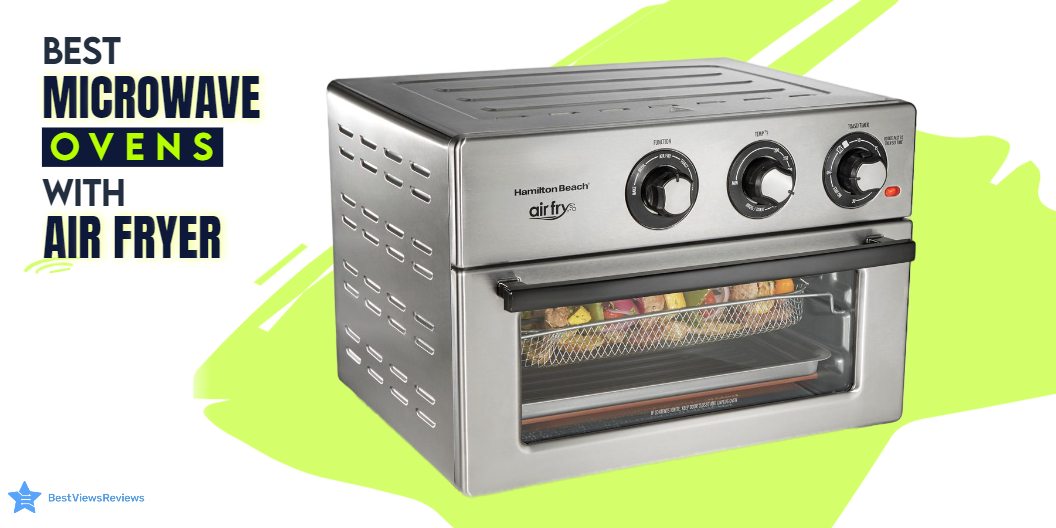
Microwave ovens are versatile options for modern kitchens. They use electromagnetic radiation to cook food. In this fast-moving world, it is important to eat home-cooked foods with healthier options. It will help you cook efficiently without compromising your health. By choosing the right microwave oven with an air fryer, you can cook a varied number of delicious and healthy foods. Microwave ovens with an air fryer are a perfect combo that offers varied cooking capabilities in one appliance. They can fry, roast, and steam with less oil. The combo appliance allows you to cook various types of food and also features convection options. You can also read our other blog to choose the best appliance from top-selling wall oven microwave combos.

What can you cook in a microwave air fryer?

A microwave air fryer can prepare dishes like french fries, chicken wings, mozzarella sticks, and other fried snacks. It will be useful for making healthy dishes like grilled vegetables, egg muffins, and fish cakes. With a few simple modifications, you can also use them to prepare delicious desserts like chocolate lava cakes and brownies. The possibilities are endless, making the microwave air fryer an invaluable tool for any home cook.

Are air fryer microwaves better than air fryers?

The decision between an air fryer microwave and an air fryer will depend on the individual’s specific needs and wants. Air fryer microwaves can cook food faster than an air fryer, but they do not offer the same flavor and texture as an air fryer. Air fryers can cook food with a crispier texture. They also require less oil and are typically easier to clean and maintain.

You can also read our blog to find the top 5 compact microwave models. Choosing the right microwave model is important, which is why we have listed our top picks below. Make sure you read the genuine reviews beforehand to ensure the model you choose best suits your cooking needs.

Can you put foil in a microwave air fryer Combo?

The answer is yes, however, it should be done with caution. You can use foil in a microwave air fryer combo as a shield to protect food from being overcooked or burnt. It can also help us keep food moist by trapping steam or to make cleanup easier by lining the tray with foil.

It is recommended to keep the foil 1 inch away from the heating element inside the appliance. You must check it periodically to ensure that it does not interfere with the cooking. It is also advisable to use only a small amount of foil to prevent blocking airflow.

Moreover, it is important to remember to never use aluminum foil to cover the entire air fryer basket. Doing so can cause a potential fire hazard and you must avoid it.

You can check out SAMSUNG Smart Over-the-Range Microwave, which comes with a full Wi-Fi connection and features Slim Fry technology so that you can prepare your favorite fried foods with a reduction in fat.

Is cooking in the air fryer harmful to health?

Air fryers provide a healthier alternative to traditional deep-frying, as they use significantly less or no oil. In turn, this can reduce your calorie and fat intake. However, air fryers can be harmful to your health if used excessively or in combination with unhealthy processed foods.

When used to cook starchy foods at high temperatures, air fryers can produce high levels of acrylamide, a potentially carcinogenic compound. To maximize the health benefits of an air fryer, use it to prepare healthy foods, such as lean meats, fish, and vegetables, and be mindful of the temperature settings.

What we can not cook in an Air-fryer?

Air fryers are a great addition to any kitchen, but there are certain items that you should not cook in an air fryer. You can not cook liquid-based items such as broth, soup, or sauces in an air fryer.

Additionally, fragile items such as meringue, cakes, or pastries should not be cooked. The motion of the air may cause them to break apart. Furthermore, dishes with high-fat content, such as bacon or cheese, should not be cooked in an air fryer. Their oil content will result in an uneven distribution of heat.

Consequently, it is important to be aware of the limitations of an air fryer in order to prevent any cooking mishaps.

List of Microwave Ovens With An Air Fryer

Panasonic NN-SD78LS Microwave Oven

The Panasonic NN-SD78LS Microwave Oven is a microwave that allows you to adjust the time and temperature using the preset options. It has 1.6 cubic feet. The auto-shut-off function prevents overcooking, and power levels make it safe as well as easy to use. It has a compact and lightweight design and is perfect for a smaller kitchen, college dorm life, camper/RV traveling, etc. This oven offers dedicated buttons for popcorn, keep warm, and Quick 30, along with features such as a child lock, kitchen timer, and 3-stage cooking.

Panasonic NN-CD87KS Home Chef 4-in-1 Microwave Oven

The Panasonic NN-CD87KS comes with a temperature control feature and has a capacity of 1.2 cubic feet. This model has a classic grey stainless steel finish, which gives it a stylish appearance. It also has an easy-to-clean interior that is made of stainless steel material. It measures 14.97 x 15.36 x 9 inches and uses 1000 watts of power. For baking and roasting, the convection bake function ranges from 100 to 425 degrees Fahrenheit with or without preheating. The feature FlashXpress Broiler offers the best taste dishes through the specialized functionality for toasting, browning, and crisping

Panasonic NN SN936B Microwave

The Panasonic NN SN936B has a built-in genius sensor that helps adjust power and time automatically. The capacity of the product is 2.2 cubic feet. It is easy to operate with a digital control panel and a control knob that allows you to adjust the time and weight. This appliance has a built-in automatic genius sensor that can be used to adjust power and timing for different foods. It also offers 14 preset menu items, a quick minute timer, a delayed start, and a child safety lock. You can use this microwave for making roast chicken, baked potatoes, as well as frozen entrees.

Breville Smart Oven Air Fryer Pro

The Breville Smart Oven Air Fryer Pro comes with a capacity of 1 cubic feet, which is spacious enough to meet your cooking needs. The LCD display allows for intuitive operation and temperature selection. A 2-speed convection fan and 6 independent quartz heating elements ensure evenly cooked and fried dishes. With air fry and dehydrate presets, you can make a variety of dishes without compromising on quality.

LG – 2.0 Cu. Ft. Over-the-Range Microwave 

LG – 2.0 Cu. Ft. Over-the-Range Microwave with sleek wide view window as well as intuitive smooth touch glass controls that deliver modern style to your kitchen. It comes with humidity-sensing technology that automatically turns off the microwave to help prevent over or undercooking your food. You can simply clean this model with a damp cloth as it does not require any scrubbing.

Panasonic HomeChef 4-in-1 Microwave Oven

The Panasonic HomeChef 4-in-1 Microwave Oven has a stainless steel build and a cooking capacity of 1.2 cubic feet. It can be used as a microwave, air fryer, broiler, and convection oven. The 1000-watt inverter technology allows for smart and even defrosting, reheating, and easy cooking of your favorite meals. It offers a healthy air fryer mode to circulate hot air around the food without the necessity of preheating the oven. This all-in-one design includes a microwave, broiler, air fryer, and convection oven.

Panasonic HomeChef 4-in-1 Microwave Oven with Air Fryer

The Panasonic HomeChef 4-in-1 Microwave Oven with Air Fryer is a versatile and powerful kitchen appliance. Featuring 1000W of power and a 1.2 cubic feet capacity, it offers a variety of cooking options. The air fryer mode is a healthier way to fry with less oil. The FlashXpress broiler ensures evenly cooked meals. With inverter microwave technology, this oven is a great choice for efficient and versatile cooking by evenly distributing heat. It’s perfect for busy households that need to be able to cook multiple types of food simultaneously.

GE – 1.7 Cu. Ft. Over-the-Range Microwave 

GE – 1.7 Cu. Ft. Over-the-Range Microwave comes with a 30-second button that allows you to add cooking time easily. This model has a 300-CFM venting system that removes smoke, steam, and odors. It has sensor cooking controls. It can automatically adjust time and power for delicious cooking results. The oven automatically sets the optimal defrosting time as well as the power level for defrosting.

Conclusion

Air fryer microwaves use hot air to cook food, so you can enjoy all your favorite fried foods without all the oil and mess. These all-in-one appliances are perfect for small kitchens or anyone who loves to cook. Many models also have other handy features like sensors that adjust cooking time based on the food’s moisture content.

Air fryers come in different types and capacities. Small microwave ovens are best considered for small apartments, dorm rooms, and office spaces. You can read our other blog to know about the 5 best small microwave ovens.

BestViewsReviews helps you find the best countertop microwave ovens and top-rated over-the-range microwaves on the market by rating and reviewing them on the basis of quality, convenience, and durability. Get unbiased, honest reviews of products before you buy.

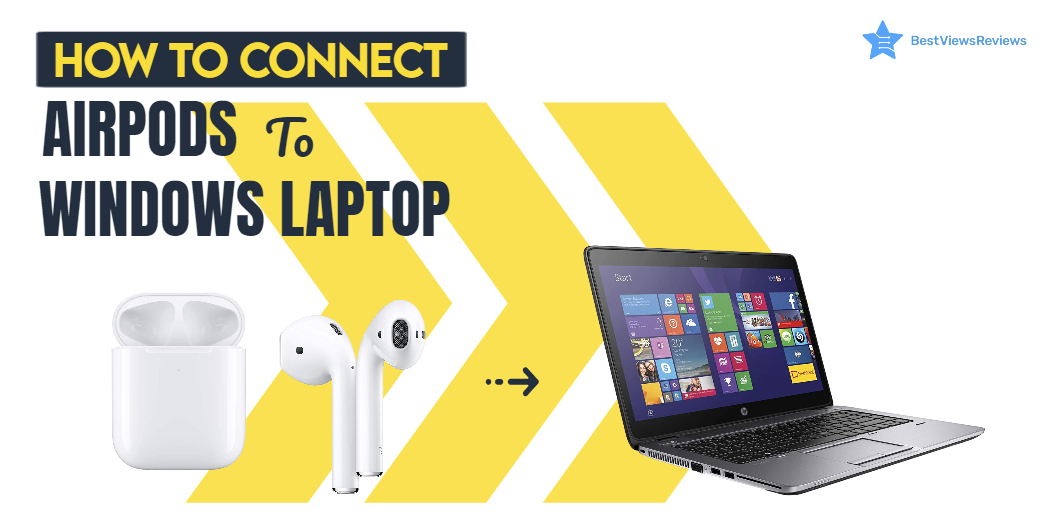
How to Connect AirPods to A Windows Laptop?

Connect Airpods to Windows Laptop

It is common to wonder how to connect AirPods to a windows laptop if you own an Apple device. Whether you’re on your iPhone, iPad, or Mac, you’ve probably noticed that they will not connect to your laptop. Usually, the “Bluetooth device not recognized” error message comes to prevent you from pairing. The solution is simple: the AirPods.

Airpods are Bluetooth devices that cannot connect to a Windows PC like it does with Mac or Apple gadgets. You need a Bluetooth adapter if you want to use your AirPods with a laptop or PC. This blog will guide you through a detailed process of each step so that you do not feel like a novice anymore. We have a comparison blog on Touch Screen Laptops vs Non-Touch Laptops. This blog will help you understand their advantages and disadvantages.

How to Connect AirPods to Windows Laptop: Steps

  • Make sure your Apple Headphones are within the case and are charged
  • Start Settings from the Begin menu on the windows laptop. It’s the gear-shaped symbol over the control button. You’ll be able moreover to sort “Settings” within the Begin menu look box.
  • Click on the Device option in windows laptops like BiTECOOL Windows 10 Pro Laptop
  • At the beat of the “Bluetooth & other gadgets” area, make sure I turned the Bluetooth of the laptop on
  • If not, then add the device by following the settings of the windows laptop like MSI GL65 Leopard
  • Pull out your ear-pods and press the power button for a few seconds until you see the white light
  • Pair the device with the windows Asus laptop by pressing a push-button at the back of the case.
  • The Airpod should appear on the external device list on your Windows laptop
  • Once it pairs, you will get a success notification=

It can be confusing to know how much RAM for gaming you will need. Read through our blog to clear all your doubts regarding RAM requirements.

Conclusion

Using AirPods on your Windows PC is a breeze, and you can connect them to your computer via the Lightning-Cable or Bluetooth at any point. If you have a Mac, you can always plug them into the USB-C port using the included USB-C cable. You can also pair AirPods with any other Bluetooth device. We have dedicated blogs that tell you about the finest 4K gaming laptops available in the market.

You should read customer reviews to know more about your selected model before buying. The customer reviews of AirPods are positive for its noise cancellation options. You can also buy AirPods pro for more features.

BestViewsReviews rates and reviews the best products based on quality, performance, and delivery.