Portable Pellet Grill Buying Guide

portable pellet grill

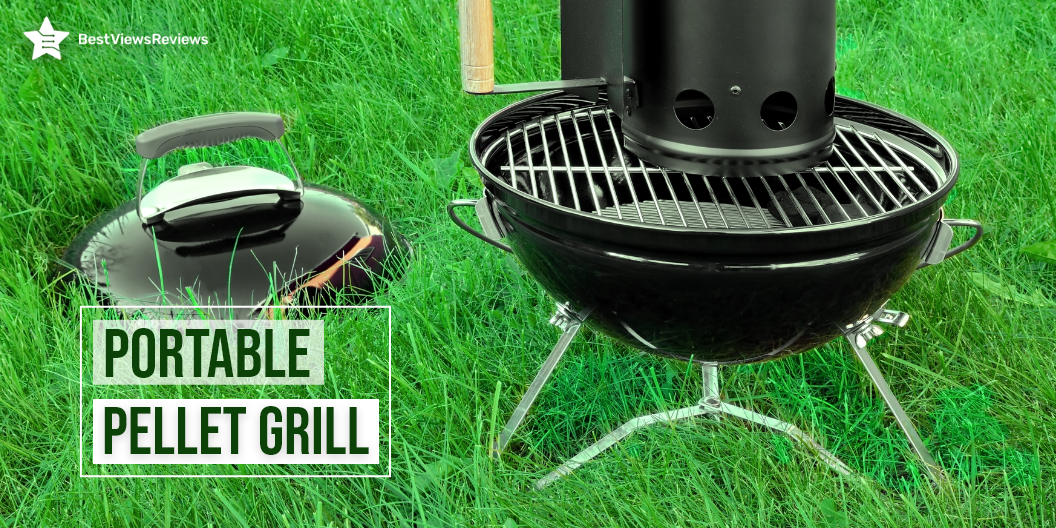
A portable pellet grill is an outdoor cooker that lets you bake, roast, braise, smoke, and grill food contents at a constant temperature, ranging from 180 degrees to 500 degrees. It uses wood pellets and infuses wood flavor into your smoked food ingredients. A pellet cooker has a hopper to house natural hardwoods. Some models use electricity as a fuel for grilling and smoking.

This portable outdoor cooking appliance is lightweight and easy to carry. The cooker doesn’t need charcoal or gas to maintain a constant temperature.

Is Portable Pellet Grill Worth Buying?

A portable pellet grill is a worth-buying kitchen appliance. Below is a list of some of the benefits.

Affordable

The pellet grill is an inexpensive addition to your kitchen space. Good quality pellet grills cost between $250 and $500. The pellet grill has a low operating cost as well. The pellets are less expensive than other fuels like gas.

Easier to Control

The grill has a better temperature controlling option than gas grills and charcoal grills. You can change the heating temperature by varying the pellet supply.

Gas grills offer even and tender cooking. Read our blog to know important factors to consider before buying gas grills.

Need Less Monitoring

Pellet grills heat your food contents at your pre-set temperature. You do not need to monitor your food items regularly. Some models come with a thermal sensor that detects and monitors grill temperature.

Capable of Both Direct and Indirect Heating

A portable pellet grill is capable of direct and indirect heating. It heats food using hot air convection from sides in indirect heating. A built-in fan circulates hot air in the cooking chamber. You can cook indirect smoked steaks on the grill by placing your meat on top of the grill.

Compact

Portable grills have a compact design and lightweight construction. You can easily place them in your cars and take them on your outdoor trips and camping. These grills are easy to handle and carry.

What to Consider When Buying Portable Pellet Grill?

There are a lot of factors to consider when purchasing a pellet grill. Following are a few important considerations that will simplify your buying process.

Dimensions and Weight

The pellet grills can come in different dimensions and weights. The portable models are generally lightweight but can have a limited cooking space. You should check the dimensions of your selected grills before buying. Make sure you select the right dimensions considering your cooking requirements.

Connectivity

The connectivity feature makes your cooking process convenient. Many portable pellet grills feature Wi-Fi connectivity options. Such smart models connect with your phone or tablet via Wi-Fi and you can monitor your food contents remotely. You should look for smart Wi-Fi-enabled models.

Grilling Area

The pellet grills with a large grilling area will let you grill and smoke more food. Look for a sizeable grilling area if you are buying for a large camping group or family. The small models are portable, but may not come with a large cooking space.

Ease of Use

The portable pellet grill features advanced options to offer ease of use, to the user. You should look for models that come with a precise temperature controller, meat probes, and a clear digital display. The models with higher hopper capacity will not require frequent fills.

Traeger grills are easy to use and infuse authentic wood flavors. Read our blog to know everything about traeger grills.

Temperature Range

The temperature range is usually around 180 to 500 degrees in portable pellet grills, but it can vary with different brands and models. The ideal cooking temperature should be 165-275ºF. Make sure you check the temperature range of your selected model before buying.

Best Portable Pellet Grills to Buy

ASMOKE Electric Portable Wood Pellet

The reviews of ASMOKE Electric Wood Pellet show that it is a great tool for outdoor cooking. This model uses ASCA System for cleaning the auto-collect pellet ashes on the bottom tray. The micro-particles technology ensures that there is proper humid airflow in the grill. You can use it to cook BBQ, bake, roast, braise, smoke, sear, broil, and prepare char-grilled food.

Green Mountain Pellet Grill

The Green Mountain Pellet Grill is a revolutionary smoker that lets you make any kind of BBQ, and cook it to perfection. The newest Wi-Fi-enabled smoker with the patented Sense-Mate sensors enables you to smoke, bake, roast, grill, and barbecue. It is an electric model that runs on 110V or 120V. It has got good reviews because it has a foldable design that fits in any compact storage space.

Traeger Grills Ranger

The Traeger Grills Ranger is the perfect companion for your next tailgating party or outdoor barbecue. It comes with the cast iron griddle to help you get that perfect sear on your steak. It uses an original wood pellet to produce wood-flavored grilled meats. This smoker comes with easy-to-clean porcelain-coated grill grates. It has a large cooking area which is approximately 184 square inches.

REC TEC Grill

The reviews of REC TEC Grill mark it as one of the best-selling models in the market. It is made of sturdy stainless steel material for long-lasting usage. This model is lightweight, easy to carry, and has legs with wheels that allow you to store easily when not in use. It’s also easy to set up and weighs 200 pounds.

Conclusion

A portable pellet grill is an important outdoor cooking appliance. It helps you cook your meat steaks with the natural wood-smoky flavor. The electric models are also popular for their energy-efficient feature and portable handling. You can buy any pellet grill model that best fits your outdoor cooking needs.

Visit our comparison guide for Propane Grills Vs. Natural Grills to know more about them. Both grills produce less smoke and are easy to clean.

BestViewsReviews rates and ranks hundreds of pellet grills and grill covers on the basis of temp control, ease of use and customer support.

Small Heating Pad And Everything About It

small heating pad

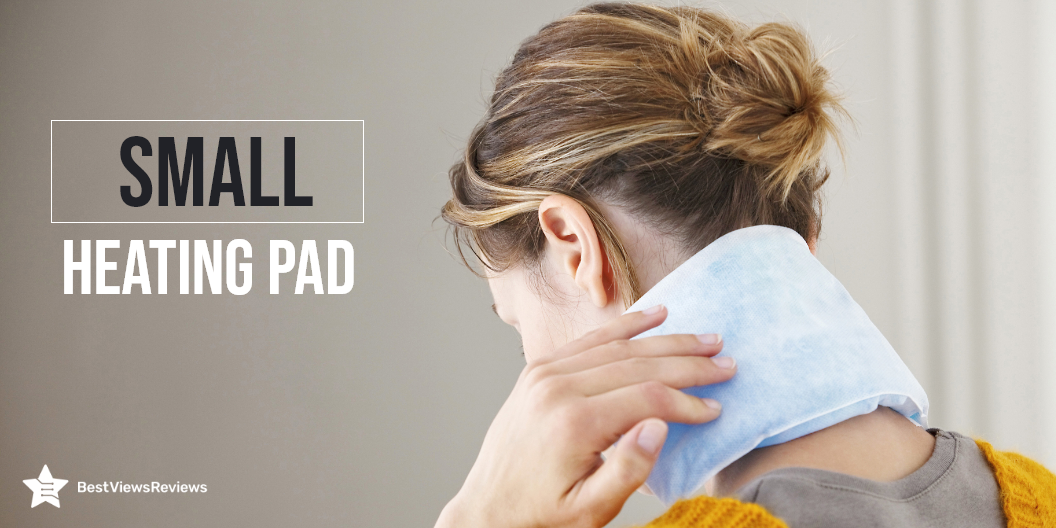
A small heating pad is a compact-sized pad that provides warmth and effective heat therapy to your body parts. This pad relieves muscle pain, joint pains, body stiffness, and strains. It is available in different types. Most small heating pads are electrically powered and can be wrapped to any specific body part. This pad has an adjustable strap that helps you get a snuggly fit.

The small heating pad is the perfect way to target specific muscles or parts for pain relief. Continue reading to know more about small heating pads and their benefits.

Is Small Heating Pad Good for Cramps?

Heating therapy is an effective way of relieving cramp pains. A small heating pad is good for muscular as well as menstrual cramps. This pad offers heat to specific muscles, and boost circulation and inflammation. The muscles receive more oxygen and nutrients, which then reduces the pain and stiffness.

You can wrap this pad around your belly during period pains, but make sure you keep the temperature around 104 to 107 F. Keeping it for 15 to 20 minutes at your muscle pain point can give you instant relief.

Does Small Pad Use a Lot of Electricity?

A small pad uses about 40 watts of energy per hour. It allows you to use this gadget for long hours without worrying about high electricity costs. The big-sized heating pads cover more area and can consume a few watts more than an average small model.

Does a Small Size Heating Pad Provide Effective Heat Therapy?

A small size pad is an effective tool for providing heat therapy. It easily attaches to any body part. This allows you to wrap this device around hard-to-reach spots, like the neck back, hamstrings, lower leg muscles, and shoulder blade area. This pad heats your body muscles and increases blood flow.

Does Heating Pad Have Heat Settings?

A small heating pad comes with different heat settings to facilitate the user with a temperature control option. Some models have 3 heat settings, while high-end models can have up to 9 heat settings with a temperature range of 70 to 160 °F. The temp range can vary with different brands and models, but the ideal temperature for your pad is 77 to 83 °F. The Beautiken Heating Pad has 6 adjustable heat settings.

Is the Small Heating Pad Washable?

The answer is Yes. Most heating pads are equipped with machine washable covers. It allows you to wash your heating pads in washing machines with ease. Make sure you remove the power cord cable before washing.

Buy Small Heating Pad

Comfytemp Small Pad

The Comfytemp Small Pad is a small-sized pad measuring  7″x 14″. It comes with a 14-inch adjustable strap that can be stretched up to  65 inches. It helps you wrap this pad to any body part and muscle. The mesh pocket makes this pad ideal for hot and cold use. You can turn off the power and use this pad with a gel pack for cold therapy.

Sunbeam Heating Pad

The Sunbeam Heating Pad is made on ultra-heat technology and features 3 heat settings. It has a standard size of 12-Inch x 15-Inch and includes a sponge for moist heat therapy. This pad is easy to wash with a machine washable cover and offers a convenient and snuggly fit with a 9″ long power cord.

Cure Choice XL Electric Heating Pad

The Cure Choice XL Electric Heating Pad has a size of 24″x33″ and targets specific body muscles for instant pain relief. It has 6 heat settings that allow you to customize temperature as per your heating needs. This pad has got good reviews for its auto-off feature ranging from 30mins, 60mins to 90mins. This helps in preventing overheating issues and skin burns.

Pure Enrichment PureRelief

The reviews of Pure Enrichment PureRelief show that it is one of the best ways to reduce muscle pain and body stiffness. It uses InstaHeat technology offers 6 heat settings. This pad measures 11.57 x 10.12 x 3.19 inches in size and comes with a 9ft. power cord for convenient movement. It is made of premium, soft micro plush fabric that is easy to maintain ad comfortable to use.

Conclusion

A heating pad is an essential tool for effective heating therapy. Some models also support cold therapy by including roomy mesh pockets. It runs on a low-watt supply and requires only 120 volts for smooth operation. Many heating pads include an auto-off feature, but we recommend you to not use this device while sleeping.

BestViewsReviews rates and ranks hundreds of top-selling heating pads and back massagers on the basis of performance, build quality, and controls.

Is a Pet Heating Pad Safe To Use?

pet heating pad

A pet heating pad is a comfortable fabric pad that has an electrical heating element for providing warmth to your pets. This pad gets heated up and features an adjustable temperature setting. The Microwaveable heating pad is different and doesn’t use electricity or heating elements. It is heated in the microwave before use and it retains that heat for a long time.

A pet heating pad gives your pet a warm, soft, and cozy surface to sit, during winters. It helps ease muscle stiffness or ligament problems in your pets.

Is Pet Heating Pad Safe?

A pet heating pad is safe with most dogs and cats. It adjusts to the right temperature as per your pet’s body temperature. Some models give you manual temp controls, while others adjust automatically within a safe temperature range. You should go with a non-electric model if your cats and dogs have a bad habit of chewing cables or electric wires.

How Does a Pet Heating Pad Work?

A pet heating pad uses electricity to heat up the insulated heating element inside the pad. The pad is made of a material that traps and retains heat for long hours. It has a soft enclosed cover for offering a comfortable surface to your pets. The other types of heating pads are microwavable pads and Self-warming pet heating pads. Both these models are non-electric and have different heat sources.

How to Use Heating Pad for Your Pet?

Using a heating pad for your pet is an easy task. You need to plug the heating pad into the power socket before use. Make sure you set your pad at optimal temperature. It’s important to keep an eye on your pet while using an electric heating pad.

A microwave pad is good when you are away or can’t supervise your pets. You have to heat these pads for a few minutes in the microwave and then place them at your pet’s favorite spot. The self-warming heating pad is the easiest one to use. It will use your pet’s warmth for keeping them warm and cozy.

Automatic Pet Feeders are convenient tools that help you feed your pets without supervising. They save your time and help in maintaining the hygiene of the house.

What to Look For in Pet Heating Pad

Type of Heat Source

The heat source for all models can be different. Some are electric, while others can be self-warming or microwavable. The right source of heat depends on what temperature range you want. You should go for electric models for versatile use and high-temperature range. You can use these models with low as well as high-temperature settings.

Dimensions

The dimensions of your heating pad are crucial. Look for models that can cover your pets easily. You should go with big-size models if you have a large size pet. It’s always good to have some extra space on the pad for your pet.

Safety

Safety is an important point to consider. Some models feature a waterproof cover that prevents water from reaching the heating element and insulated wires. If your pet chews cables, go with models that include stainless steel covers on electric cables. The SONNIG Heating Pad is made of flame-retardant, soft-shell, PVC waterproof material.

Ever-changing temperature can negatively affect your pet’s health. Read our blog to know everything about pet-friendly thermostats for your pets.

What is the Best Pet Heating Pad?

Bestio Pet Heating Pad

The Bestio Pet Heating Pad is the perfect solution when you need to keep your pet warm and cozy. There is a temperature setting on the mat and it ranges from 96 to 108°F. Power cord fully covered by heavy-duty CHEW-RESISTANT metal tub is safe to use. The model fits most pet beds, crates, and carriers.

PETNF Heating Pad

The PETNF Heating Pad has a comfortable Fleece and Polyvinyl Chloride build. It has a temperature regulator with 6 levels. You can adjust the temperature between 86-131℉. This pas also comes with an auto-off feature that shuts off the pad when it reaches the desired temperature. The inner of this pad is is a soft PVC envelope that is waterproof and Flame retardant.

RIOGOO Pet Heating Pad

The RIOGOO Pet Heating Pad is made of durable, safe, and Polyvinyl Chloride material. It is harmless to humans and pets. This model has an auto-off time controller setting, that allows you to set shut-off time between 1 to 12 hours. It is made with high safety standards and consists of UL-approved heating wire.

Toozey Heating Pad

The Toozey Heating Pad is a household essential for keeping your dog or cat warm and cozy. It can adjust the temperature easily with 6 temperature settings. This pad has a 7-layer protective structure with UL-certified heating wire to protect pets from burns. The power cord has a chew-resistant feature to ensure the safety of your pets. This model measures 17.13 x 4.29 x 4.06 inches and weighs 2.2 pounds.

Conclusion

A pet heating pad is an important accessory to keep your pets warm during cold winter nights. Make sure you buy a pad that stays warm and cozy. Remember, a high temperature can result in skin burns or other skin problems.

Weighted heating pads are another important household item that helps you alleviate muscular stress and strains. Take a look at our blog to know different types of heating pads.

BestViewsReviews rates and ranks hundreds of heating pads and pet urine detectors based on temp control, comfort, and effectiveness.

Miter Saw Vs Table Saw: A Comparison Guide

Miter saw vs Table saw

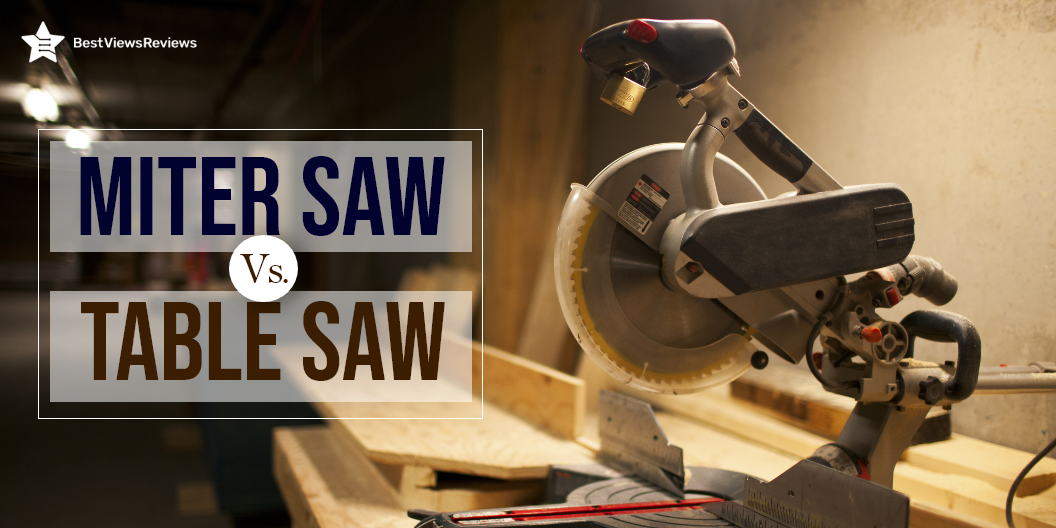
The Miter saw and the Table saw are wood cutting tools that are used for cutting hardwoods and plywood. These tools are used for different purposes. Miter saw is used for creating angular cuts and trim work, while table saw is ideal for cutting large batches. These saws differ in their operations, but both have a hard metal blade with sharp cutting edges. The blade is mostly made of high-grade tool steel or high carbon steel.

Choosing between Miter saw vs Table saws can be tough. It is important to know all about miter saw and table saw to understand which is better.

What is a Miter Saw?

A miter saw is a type of saw, that makes precise and accurate crosscuts and bevels on a wooden workpiece. It has a circular blade attached to the swinging arm. The arm is movable and tilts down to cut the workpiece at the desired angle. The miter saw comes in a corded and cordless type. You can read through our blog to know if a cordless miter saw is worth buying.

What is a Table Saw?

A table saw is a general-purpose cutting tool that has a circular saw mounted on a fixed and flat table. This saw is good for making crosscuts, ripping cuts, and dado cuts. It is ideal for rapid-cutting operations and is primarily used by woodworkers, carpenters, contractors, and tradesmen.

Miter saw vs Table saw- Which is Better?

Uses

The Table saw is suitable for a variety of uses. It is a multi-purpose tool that you can use for cross cuts, and for other cuts including ripping cuts and angular cuts. The miter saw has limited use, but it gives highly accurate angular cuts. This tool can make 6 to 8-inch cross cuts with ease.

Working

The working of both these tools is completely opposite. In a table saw, you have a fixed blade and you have to move your workpiece or wood stock to get precise cuts. The miter saw has a movable arm, that is brought down to cut the workpiece. The workpiece stays fixed on the table in case of a miter saw.

Accuracy

The miter saw gives more accurate and precise cuts, especially when you want angular cuts. The table saw can also make angular cuts, but it lacks accuracy and the chances of producing wrong cuts are high. The BOSCH Power Tools GCM12SD provides accurate cuts and easy adjustments with large and easy-to-read miter scales with marked detents and roof pitch angles.

Portability

The miter saw is a portable tool and has a lightweight, compact design. You can easily move miter saw from one job location to another. Many miter-saw models also feature a rolling stand for easy set-up. The table saw is heavier, and is installed in one single place. It is difficult to move or carry a table saw. You can still find some table saw models like Goplus Table Saw that come in a portable design.

Price

The miter saw and the table saw are available at almost the same price. You can easily get a good miter saw or hand saw the model at $400 and above. The price can vary with brand, build quality, and features.

When To Go For a Table Saw?

The table saw is good for cutting a large number of Woodstocks speedily. This machine allows you to make long rip cuts on large pieces. Go for a table saw when you are buying for a permanent job location like a workshop or carpentry shop. It is heavy and can perform a variety of general-purpose tasks.

When To Go For a Miter Saw?

Go for miter saw when you need to work on a complex job that requires precise angular cuts. It is an ideal buy for precise and accurate woodcutting jobs like furniture rails, frames, edging, and others. Miter saw has higher accuracy than a table saw. It is portable and can be easily movable within the workplace or outside.

Buy Table Saw and Miter Saw

DEWALT Sliding Compound Miter Saw

The DEWALT 12-Inch Miter Saw is a saw that has been designed as a precision tool. It is created with excellent engineering as well as high-quality materials that make it very durable. It features a 12-inch blade with 14 positive stops. This miter saw supports a 5-1/2-inch base vertically and can bevel 0 degree – 48degree to the left and 0 degree- 3degree to the right.

CRAFTSMAN V20 Miter Saw

The reviews of CRAFTSMAN V20 Miter Saw show that it has a compact design and convenient features that make it perfect for the Jobsite or the workshop. It comes with a powerful 3,800 RPM motor to deliver powerful performance at a lightweight 6.8 pounds. It’s also designed with a LED cut line system to keep the line of cut clearly visible for accurate cuts. This machine has a cutting capacity of 8-inch for cross-cuts at 90-degree and 5-1/2-inch for cross-cuts at 45 degrees.

DEWALT 10-Inch Table Saw

The reviews of the DEWALT 10-Inch Table Saw suggest that it is a great all-around tool for the everyday woodworker. It comes with a powerful 1850 Watt motor that can handle a max rip to the left of the blade 12 inches and to the right of the blade 20 inches. The fence system provides 610 millimeters of rip capacity in a portable design. This table saw runs smoothly and quietly.

SKIL 15 Amp 10 Inch Table Saw

The SKIL 15 Amp 10 Inch Table Saw can cut the material up to 4×4 at 90 degrees. It comes with a powerful 15-Amp motor that quickly rips through hardwoods with ease and produces an impressive amount of torque. It’s easy to adjust and has features such as integrated folding legs and parallel blade alignment. It has got good reviews for its no-load speed of 4600 RPM.

Conclusion

Miter saw and Table saw are machines with different operations, working, and functions. The right selection between Miter saw vs Table saw depends on your cutting needs. We suggest you go for a table saw machine for continuous operation and heavy-duty tasks. Miter saw is good for precise and accurate jobs.

BestViewsReviews rates and ranks hundreds of power pole saws and cutting boards on the basis of ease of assembly, battery life, and type.

Types of USB Printer Cable: How to Use Them

USB printer cable

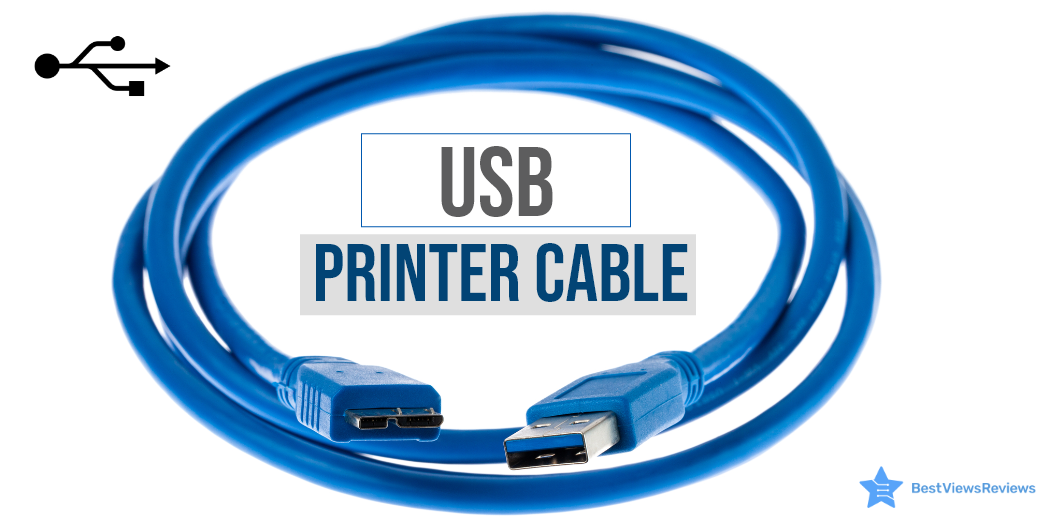
A USB printer cable is a type of printer cable that is used to connect a printer to your CPU or desktop computer. It transfers data and commands from the computer to the printer. This cable is an AB-type cable and has two connecting ends; A and B. The USB-A end is flat-shaped and can easily be plugged into the computer USB port. The USB-B end is for the printer and has a square-shaped structure with curved edges.

Most USB printer cables have USB 2.0 capability and can transfer data at a high speed of up to 480 Mbps. Printer cables come in different types. This blog intends to highlight the different types and uses of printer cables.

Printers are also useful devices that help you in your school and work projects. You can read our blog on everything about inkjet printers to learn more about them.

What Are the Types of Printer Cable?

Printer cables are available in mainly 3 types; the USB cable, the Parallel cable, and the Serial printer cable.

USB Printer Cable

The USB printer cable is widely used in modern printers and computer systems. It is easy to connect and transfer data at a much higher speed than its other types. This cable is compatible with operating systems like Mac, Linux, and others. It comes in different lengths and can be extended using a USB extender.

Parallel Printer Cable

The parallel printer cable is a little outdated but still used in many traditional printers. It has two ends, one is Centronics and another is DB-25. The Centronics end has a 26-pin plug, while the DB end has25 a pin plug. This cable is good for connecting dot matrix printers to your computer systems.

Serial Printer Cable

The Serial Printer Cable has a D-25 pin end that connects to the printer and a D-9 pin end that is connected to the computer. It transfers data seamlessly, but the speed of this cable is around 2mbps. The compatibility of this cable can also be a problem.

You can also read our blog to know about the Most Reliable Printer Brands available in the market in case you are looking for a printer. It will help you to make an informed buying decision.

How Do I Use a USB Printer Cable?

Connecting your printer to your computer is easy. You can set up your device in just a few minutes. Follow the below-listed steps.

  • Shut off your computer and keep the power button OFF
  • Hold the end that will go to your printer’s port. It is B-end
  • Firmly plug your cable into your printer
  • Plug the other end, i.e. A-end into your PC
  • Start your printer by pressing the power button

Can You Test a USB Printer Cable?

The answer is yes. You can test if your USB printer cable is in working condition or not. There can be many reasons for your printer to not connect to your PC. It can be a faulty slot, USB cable, or hardware device.

Your USB cable is working fine if your desktop pops up with a notification of a successful hardware connection. You should plug your USB cable into another port if you do not see any such notification. If this doesn’t work, you should try connecting with another USB cable.

You can also check with other hardware devices or printers to check for your printer failure. This will help you understand if the problem is with your cable, slot, or hardware.

Buy USB Printer Cables

Amazon Basics USB Cable***

The Amazon Basics USB Cable is a high-speed transfer cable that connects printers, cameras, and external hard drives to your computer system. This cable is  6-foot-long that allows you to set up your printer with ease. It has multi-layered, corrosion-resistant construction that minimizes external interference.

JSAUX 6.6FT USB Printer Cord

The JSAUX 6.6FT USB Printer Cord is an AB-type cable that is compatible with most printer brands including HP, Canon, Dell, Epson, and Samsung. This is a nylon braided cable that makes it tangle-free and ensures high durability. The length of this cable is  6.6ft and can connect with the scanner, printer, server, and camera.

NC XQIN USB Printer Cable

NC XQIN USB Printer Cable is compatible with common devices with USB type B connectors like Arduino, Blue, Brother, Canon, CyberPower, Dell, etc. The twisted-pair construction of this cable helps reduce cross talk thus ensuring high-speed, error-free data transfer. It also comes with foil and braid shielding reduces EMI/RFI interference.

UGREEN USB 2.0 Printer Cable

UGREEN USB 2.0 Printer Cable is ideal for connecting your scanner, printer, server, hard drive, camera, piano, and other USB devices. The foil/braid shielding of this cable makes the SB 2.0 Male to USB B Male cable cord offer long-term performance. It also provides a more stable data transmission as well as offers a more efficient work way for you.

Ruaeoda USB Printer Cable Cord

JSAUX Printer Cable is great for your scanner, printer, server, or camera. It is constructed with corrosion-resistant, gold-plated connectors for optimal signal clarity as well as shielding to minimize interference. This premium nylon braided cable adds additional durability and gives you a tangle-free experience.

Conclusion

A printer cable is an important unit to connect your printer to your computer device. Buying the right printer cable as well as the top-rated computer cable is crucial as it can affect your productivity and efficiency. A USB printer cable is popular for its speed and compatibility. You can go with any type based on your computer and printer requirements. Make sure you check the ports of your cable and printer, carefully.

Inkjet printers have added features like good printing quality, speed, technology, etc. which make them a quite sought-after option. Read our blog and know the best inkjet bluetooth printer of 2022.

BestViewsReviews rates and reviews hundreds of best USB hubs and top-rated USB adapters based on their connectivity, length, and compatibility.

Drawing Tablet With Screen; An informative Guide

drawing tablet with screen

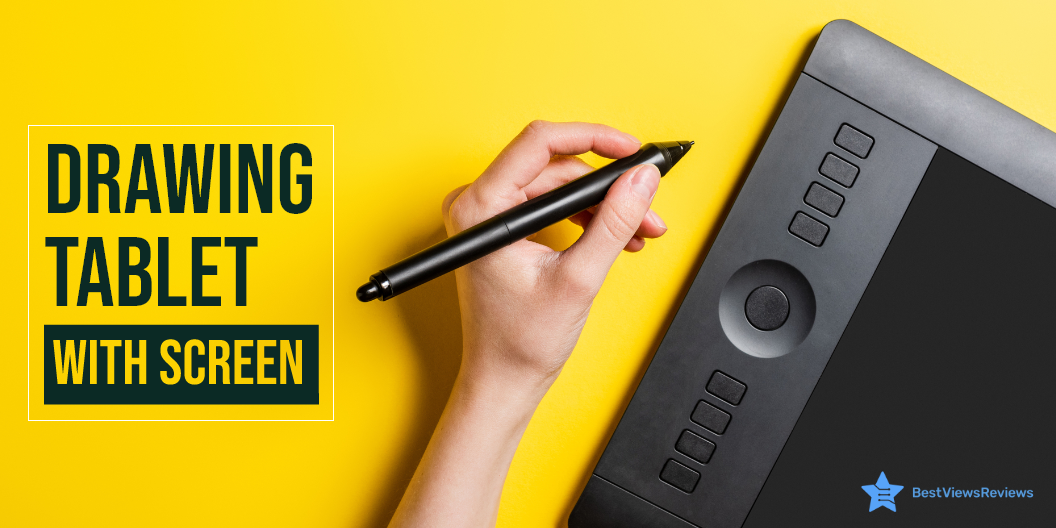
A drawing tablet with a screen is an input hardware device that comes with a touch screen display and supports pressure sensitivity technology. It allows the user to draw creative images and arts by using touch draw pens or styluses. This tablet emulates real paper-pencil drawings and gives you a natural drawing experience. You can create heavy strokes by applying more pressure on the tablet screen.

This gadget transforms your creative drawings into a digital form. You can use this gadget for making drawings and creating your personalized digital signatures.

What to Look for When Buying a Drawing Tablet With Screen?

Buying a drawing tablet with a screen can be a little confusing because of so many options, brands, and features. Follow our below-mentioned pointers to make an informed selection.

Pressure Sensitivity

Most drawing tablets have touch screens with pressure sensitivity levels ranging from 300 to 3,000. The higher sensitivity level will let you create finer lines and images. It is useful when you draw with minute detailing.

Go with models that have at least 1000 pressure levels if you are a beginner. The models with more than 2000 levels are good for advanced or intermediate artists.

Size

Tablet sizes can vary from brand to brand and manufacturer to manufacturer. The large screens will allow you to draw large drawings and sceneries without needing to zoom in and out. Compact versions are ideal for portable handling. You can pick the size that best suits your commuting and drawing needs.

Resolution

Resolution is the LPI levels of a tablet, i.e, lines per inch. The higher LPI allows you to make high-resolution images with extra details. The large-sized screens often come with more LPI levels. Make sure you check the screen resolution before buying.

Responsiveness

The lines you draw should be instantly drawn on the screen. Less responsive models will show more lag. The responsiveness factor depends on RAM, processor, tablet drivers, and software. You should go with models that have good specs and feature high responsiveness.

Stylus Type

Choosing the right stylus type with your drawing laptop is crucial. Styluses have three main types; the battery-operated stylus, a rechargeable stylus, and the EMR stylus. The battery-operated stylus feels heavy in the hands and takes energy from batteries to function.

A rechargeable stylus has a comfortable design and can be used after charging. The EMR stylus is the most advanced version. It uses electromagnetic frequency and takes energy from the tablet screen while functioning. You do not need any external battery or charging to power this device.

What is the Difference Between a Graphics Tablet and a Drawing Tablet?

Drawing tablets and graphics tablets are similar input hardware devices but differ in functioning. The graphic tablet is connected to a computer, and the arts you draw are visible on a computer screen. The drawing tablet displays your drawings on the tablet screen and you do not need to connect it to a PC to get real-time output.

Graphic tablets like VEIKK S640 Graphic Drawing Tablets have got excellent reviews because they support mac, windows, and even android interfaces. The drawing tablet is costlier but comes with features like the adjustable stand and tilt function that give you a better drawing experience.

Is Drawing Tablet With Screen Better?

A tablet with a screen is better than a graphic tablet because of portability, convenience, and real-time functions. You can see your art on the tablet screens while drawing. It is lightweight and you can carry it anywhere around. A graphics tablet is a good option if you want to see your drawings on a large computer screen. Remember, you will not be able to use a graphic tablet everywhere.

What are The Best Drawing Tablets With a Screen?

Wacom DTK1660K0A Cintiq

The Wacom DTK1660K0A Cintiq is the ideal tablet for art and animation beginners. It features a brilliant 15.6-inch screen, with 1920×1080 HD resolution and a pressure sensitivity pen. The pen requires no battery and can work as multiple pens and brushes using the software. This tablet measures ‎16.6 x 11.2 x 0.4 inches and weighs just 4.19 pounds.

VEIKK VK1200 Drawing Tablet 

The VEIKK VK1200 Drawing Tablet comes with a 15.6-inch touch screen display and a battery-free stylus for seamless performance. The tablet features a tilt function to deliver a real drawing experience. It has 8192 pressure levels that allow you to create fine and hard strokes with ease. This model has 6 shortcut keys that you can customize as per your drawing habits.

HUION Kamvas 13 Graphics Drawing Tablet

The HUION KAMVAS 13 Graphics Drawing Tablet is a professional-level graphics tablet with a large, active drawing area. It’s the perfect device for graphic artists, video editors, and others who need an intuitive, natural drawing experience. It has a 3-in-1 C-type port for connecting to computers, laptops, and mobiles. This machine offers 8192 levels of pen pressure, 60 degrees of tilt function, and 266pps of report rate.

VEIKK A15 Graphics Drawing Tablet

The reviews of VEIKK A15 Graphics Drawing Tablet mark it as one of the best-quality drawing tablets in the market. It comes with a  10 x 6-inch large active area with a papery texture surface. It has 12 fully customizable express keys and 2 pen buttons to offer customized controls. This model is compatible with Mac, Windows, Linux OS, and also ANDROID 6.0.

VEIKK A15 Pro Graphics Drawing Tablet

The VEIKK A15 Pro Graphics Drawing Tablet has got good reviews because it provides you with a digital platform to create designs and graphics. It has a passive pen that supports ±60°tilt function which allows you to add shadows to your art creation. The 10×6 inch large active area provides enough space for your digital artwork. It comes with 28 spare nibs, 1 pen holder, and 1 artist glove.

Conclusion

A drawing tablet is a unique way of digitalizing creative content, arts, and drawings. It allows you to save your drawings and customize or edit them later. You can create amazing drawings without the need for any pen or paper. Make sure you read our buying guide on tablets to buy the right model.

Reading tablets are good for reading purposes. Many standard tablets like Amazon fire tablets can also be converted into drawing tablets with the right software and drivers. You can read through our blog to find the best Amazon fire tablet editions.

BestViewsReviews rates and ranks hundreds of Drawing and sketching tablets on the basis of controls, battery, and overall performance.

Everything You Need to Know About a Waffle Maker

Waffle Maker

A waffle maker is a kitchen appliance that is used for cooking waffles and other delicacies like quesadillas, brownies, and banana bread. This appliance has two metal plates with iron attached to the bottom. The upper plate is connected to another plate with hinges and creates a honeycomb pattern on waffles. 

If you love those breakfast treats you see at diners and restaurants, it might be time to start making your own. The waffle maker provides delicious home-cooked restaurant-like waffles right at your home comfort. Whether you’re looking for a gift idea or just want to save money on food costs, here’s what you need to know about waffle makers and waffle irons. 

Preparing waffles in a waffle maker is easy and can be done quickly. The dough or batter is poured in between the plates, and once the iron is heated, the batter flows down into the cavities. This machine allows you to cook delicious waffles conveniently for your home parties or family gatherings. 

Benefits of a Waffle Maker 

A waffle maker benefits you in various ways. It is a cost-effective solution for making perfect waffles with the right flavor and appearance. You can prepare these waffles in just a matter of a few minutes.

This machine allows you to be creative with your recipes. You can add your taste to the batter and customize it as per your preference. It helps you make healthy foods and you can try a variety of dishes on this versatile kitchen equipment. 

How to Use Waffle Maker? 

A freshly made warm waffle is the best thing for a weekend morning. A good waffle machine allows you to make perfect waffles in your own kitchen. Although waffle makers can be complicated or confusing at first glance, they are extremely easy to use. Learn how to use a waffle maker and make your kind of waffles. 

  • Plug in the waffle maker and press the “on” button on the waffle maker. 
  •  Close the lid of your waffle maker until you see a ready-to-use indicator. This could be either a small beep or a light. This indicates that the machine is ready to use. 
  • Spray the inside of the waffle maker with a nonstick spray. 
  • Pour your batter into the waffle maker. Make sure you only pour enough batter to cover the entire inside. You can spread the batter by using a palette knife, or the back of a spoon. 
  • After approximately 4-6 minutes, another indicator should indicate that your waffle has been cooked.
  • Control the brownness of your waffle by using a waffle maker with a browning control dial. 
  • Use a non-stick tool to gently remove the waffle from the maker. 
  •  Allow your waffle maker to cool down before you start cleaning. 

Types of Waffle Maker 

Waffle makes like top-ranking Presto 03510 Waffle Maker come in various shapes and sizes and the devices used to make them are also unique. Depending on your cooking level or baking skills you can choose the right type of waffle maker. Read on to know about the most popular waffle makers and their distinct functions.

Classic Waffle Iron 

The classic waffle maker like the top-selling BELLA Classic Rotating is designed to make a traditional waffle. It takes only a few minutes to heat up and make the best waffles. These waffle irons are great because you can store and set them quickly. They are of stainless steel that allows you to clean them with a damp cloth easily. 

Belgian Waffle Iron 

Belgian waffles are delicious, no matter if you have them as a breakfast treat or as a dessert topping on your hot fudge sundae. A Belgian waffle iron is a great alternative to going to fancy restaurants for your sweet treat. This waffle iron is ideal for those who love a Belgian waffle and don’t want all those extra frills.  

The Belgian waffle iron is designed to make it easy for users to cook delicious, filling breakfasts. We recommend you leave them in the iron for about 5 minutes to make your waffles crispier. This will allow the outside to brown properly. Make sure you allow it to cool completely before you drizzle maple syrup or butter on it. 

Flip Waffle Maker 

Flip waffle makers are elevated and come with handles that allow you to turn the waffle maker up to 180 degrees. Certain models automatically flip the waffle when the desired temperature is reached. Flip and rotation allow you to have more control over how the waffles are cooked. You can cook your waffles until they are crispy and crunchy or until they are tender and fluffy. 

Flipping waffle irons are ideal for large waffles. This is because they evenly distribute the batter. If you like large, golden-brown waffles, the flipping waffle maker is a great choice. The flipping waffle iron is used by many restaurants and hotels that have to make a lot of waffles for breakfast. These waffle makers make it easy to prepare crispy waffles, without worrying about burning them. They are simple to use and require little clean-up. 

Ceramic Belgian Waffle Irons 

One of the most interesting facts about ceramic waffle makers is that they are healthier than non-stick versions. Ceramic is naturally free from heavy metals and toxic chemicals. Ceramic is the new non-stick and it is a healthier option for you and your family. One more advantage to ceramic waffle iron is that your waffles will release easily and will remain intact every time. The best ceramic waffle makers come in both variants- Classic and Belgian. These models like best quality Hamilton Beach 26031 are completely nonstick – without Teflon- and are easy to clean. 

Mini Waffle Iron 

Reviews of the Dash The Mini Waffle Maker Machine suggest that they are kitchen appliances that you can use to make bite-sized waffles. If you’re living in a small apartment, or college dorm; mini waffle makers can be a great cooking gadget for you. These models are lightweight and have got good reviews for portable usage. 

A small waffle maker can be a great option for those who live alone, with one or more people, or are always on the move. This waffle maker can make two to three servings for an adult, depending on the size. 

Many people add blueberries or chocolate chips to the batter. The heat of the waffle maker makes them melt in the batter, creating the perfect waffle. The waffles are small enough to brown quickly even with the addition of liquid. These mini waffle irons are a hit with customers, especially with kids. 

4-Slice Waffle Iron / Square Waffle Maker 

The  4-slice waffle makers can make four 1-inch Belgian waffles in a short time. These waffle-making machines are high-performance and feature ready-to-bake and ready-to-eat indicator lights. They also have multi-setting browning controls to ensure you create the perfect waffle. These waffle makers have deep pockets, that allow for more toppings and other add-ins.

The reviews of Waring WMK600 Double Belgian Waffle Maker show that it is one of the best-rated waffle makers in the market.

Waffle Bowl Irons 

The waffle iron makes the batter into a bowl and you can add your favorite toppings. Simply bake a waffle, and fill your bowl with delicious breakfasts, desserts, or anything else that you love. The crispy exterior with the soft interior can be paired with almost any food. You can easily remove the waffle bowl mold to clean it properly.  

Vertical Waffle Irons 

The vertical waffle irons come in relatively new designs that are easy to use. You can prepare waffles that are uniformly cooked and have a perfect shape. The vertical waffle makers occupy less space, prevent overfilling, underfilling, or spilling batter. These features make them more manageable.

You can easily fill the batter in this waffle iron because it has a better pouring spout. The measuring spoon can be used to make sure that the batter is filled up to the desired level.

How to Clean a Waffle Maker 

Cleaning a waffle maker can be easy while following the right steps. Make sure your waffle machines are not too hot while cleaning. Don’t forget to clean them after every use.

  • Before cleaning, allow the waffle maker to cool
  • To remove crumbs or oil drips from the grid plates, use a paper towel or damp cloth
  • Wipe the exterior with a damp cloth
  • Pour a few drops on the batter to remove any stubborn, baked-on batter drips. Allow it to sit for a while, then use a paper towel or damp cloth to wipe it off
  • You can wash removable cooking plates in warm soapy water and rinse them clean with cold water. Then, dry them by air drying
  • Before you put it away, make sure that your waffle maker has completely dried 

How to Remove Oil From the Grid?

Follow the below-mentioned steps to remove oil from the grid of your waffle makers.

  • Wrap a piece of paper towel around a pointy end of a chopstick 
  •  Use white vinegar to slightly moisten it
  •  Wipe to clean the oil and residue within the grid   

Conclusion 

A waffle maker makes your waffle cooking task easier. It helps you prepare waffles in large amounts with ease. You can cook the entire batch of waffles for your friends and family. You can also buy packets of frozen waffles. There are different types of waffle makers in the market. Make sure you buy the type that best fits your cooking needs. 

You can also browse through the infographic of waffle makers. BestViewsReviews rates and reviews hundreds of  Ice Cream Makers on the basis of build quality, size, and customer satisfaction. 

Blood Glucose Meter: Know Everything About it

Blood Glucose Meter

A blood glucose meter is a portable, handy machine that is used to measure glucose content in the blood or blood sugar level. You can test your blood sugar with this machine in just a few simple steps. This machine comes with a lancet and a pack of testing strips. Lancet pricks your finger and the strip is for holding your blood droplet. A blood glucose meter gives accurate readings and is widely used by diabetic patients.

Benefits of a Blood Glucose Meter

A blood glucose meter is easy to use and is compact in size. You can easily carry this meter on your long trips or even holidays to keep a track of your blood sugar level. The accurate testing ability of this machine allows you to manage your medical conditions and reduce frequent doctor visits. This saves your time and proves to be a cost-effective way of testing your blood sugar level.

Reviews of ABOX Glucose Monitoring Kit show that it includes a compact-sized monitor device with 25 strips, 25 lancets, and a carrying bag.

Market Overview

The market size of blood glucose meters is a huge USD 7,419 million. This market value can reach almost double that is, USD 15,415 million by 2026.

A blood glucose monitor is an important tool that you should have in your medical kit. The Care Touch Diabetes Testing Kit comes with 1 lancing device, 30 gauge Lancets, and a carrying case.

Conclusion

A blood glucose meter is a convenient device that lets you test your blood sugar level, right at your home comfort. You do not require regular appointments with your doctor for blood sugar tests. The market has different models that vary in size, features, and accuracy. Make sure you purchase a model that has a good brand name and value.

You can download the full infographic of Blood Glucose Meters to include us as a reference. BestViewsReviews rates and ranks hundreds of Blood Glucose Meters and Blood Pressure Monitors on the basis of build quality, design, and controls.

Everything You Need to Know About PC Cube Case

PC cube case

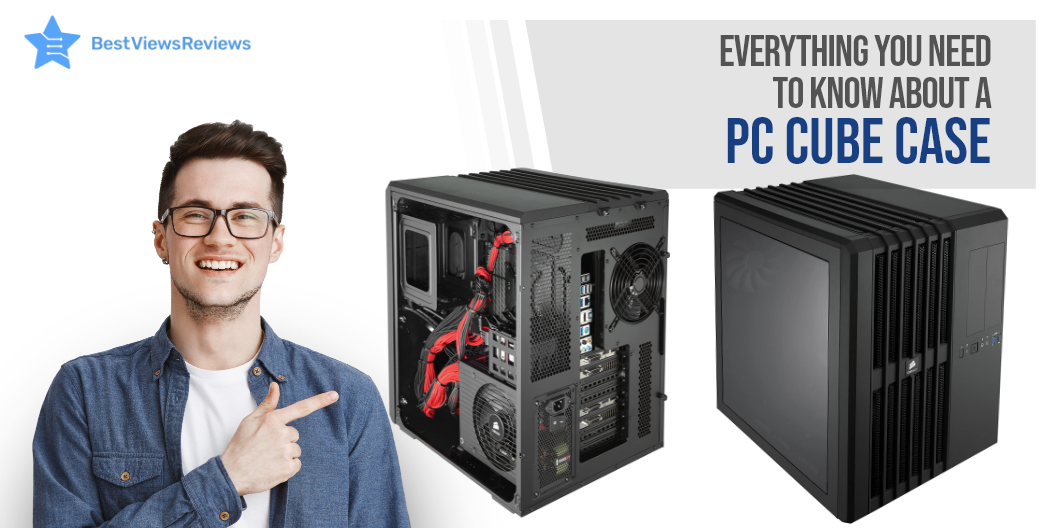
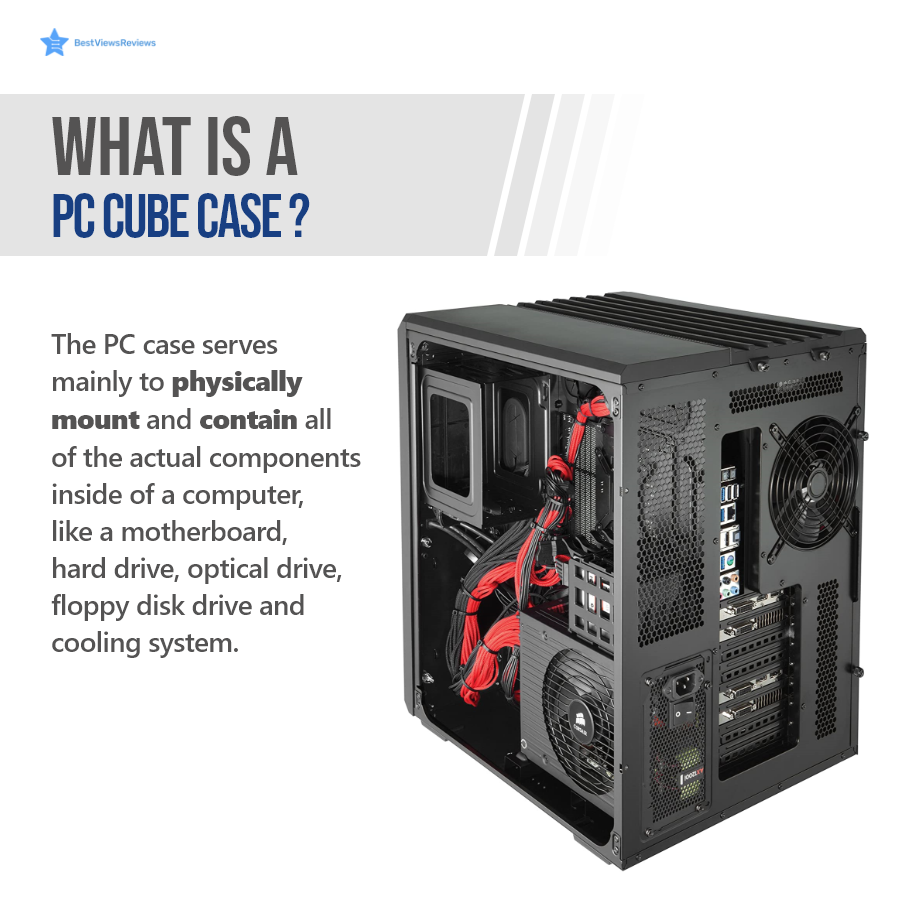
A PC cube case is a cube-style, compact PC case that houses computer components like E-ATX, ATX, Micro ATX, and Mini ITX motherboards, hard drives, GPU, etc. This case can come in small form factors and include transparent tempered glass panels. It stays cool and prevents overheating issues by supporting CPU cooler fans and liquid cooling. Some cube cases also feature a dual-chamber design that gives more room for internal parts.

Parts of a PC Cube Case

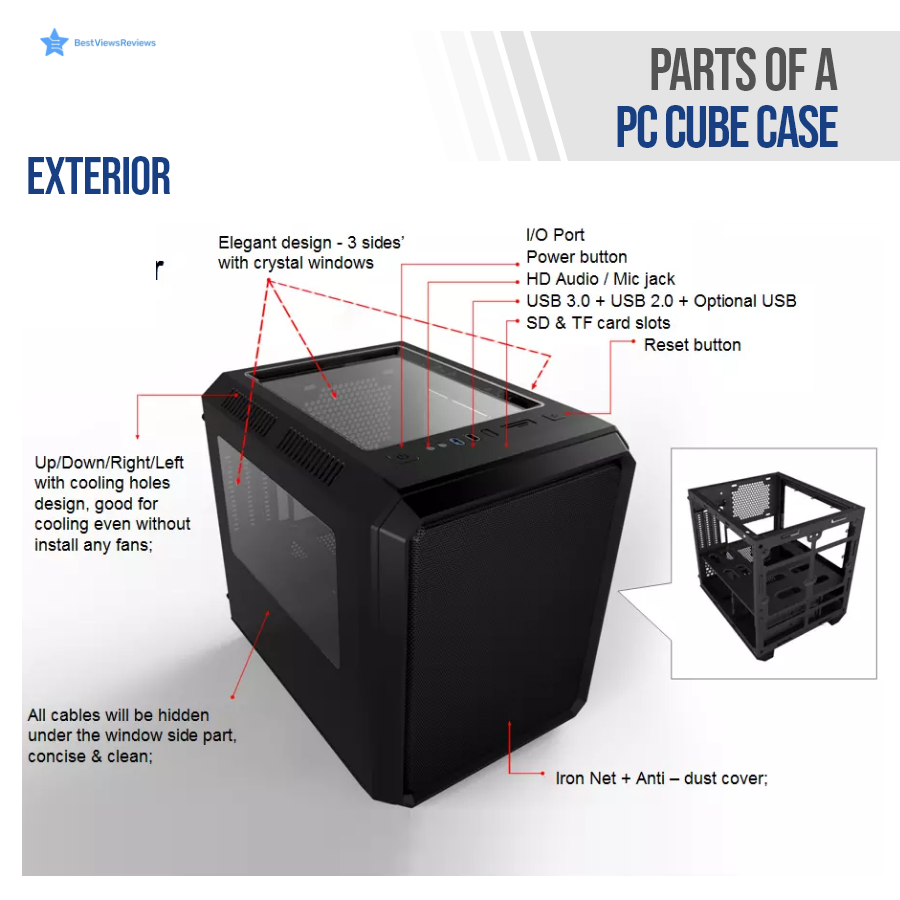
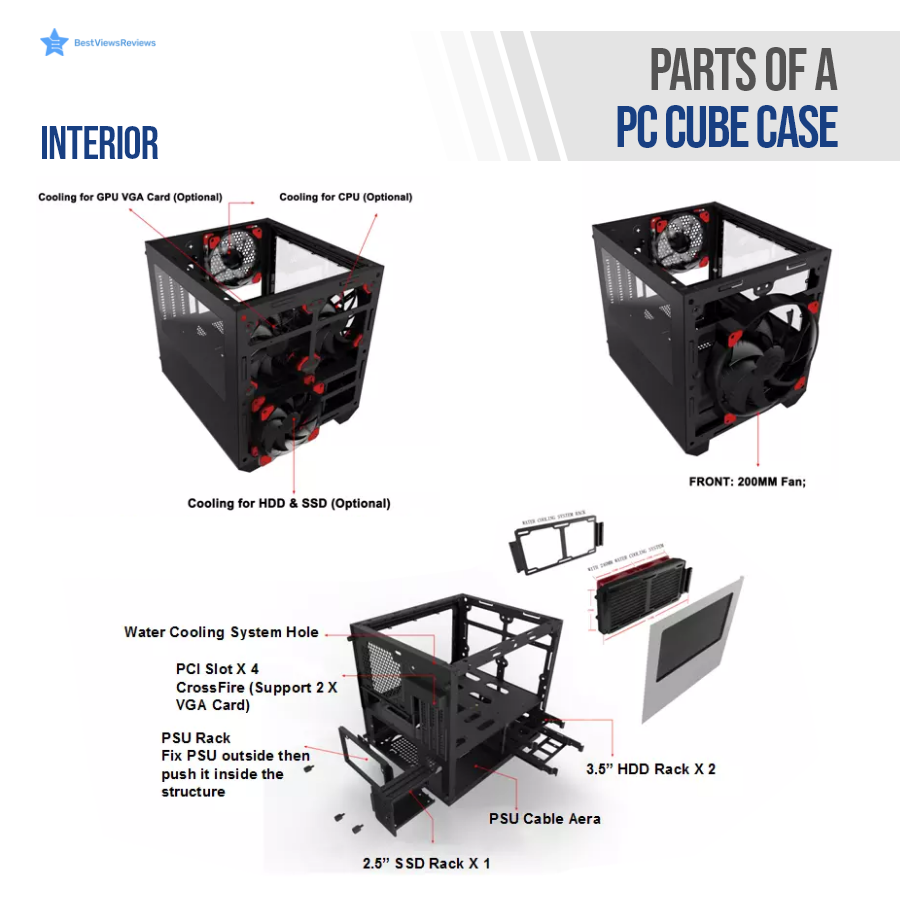
A PC case has exterior and interior parts. The interior of a cube case has enough room to accommodate all computer units, while the exterior parts have an elegant design and sturdy build. Continue Reading to know more in detail.

Exterior

The exterior parts mainly include I/O ports, glass panels at sides, operation buttons, cooling vents or holes, and an anti-dust cover.

Interior

A PC cube case in the interior can house a lot of parts. The major parts that are common in every cube are CPU coolers, SSD rack, HDD rack, PSU rack, and PCI slots.

Benefits of a PC Cube Case

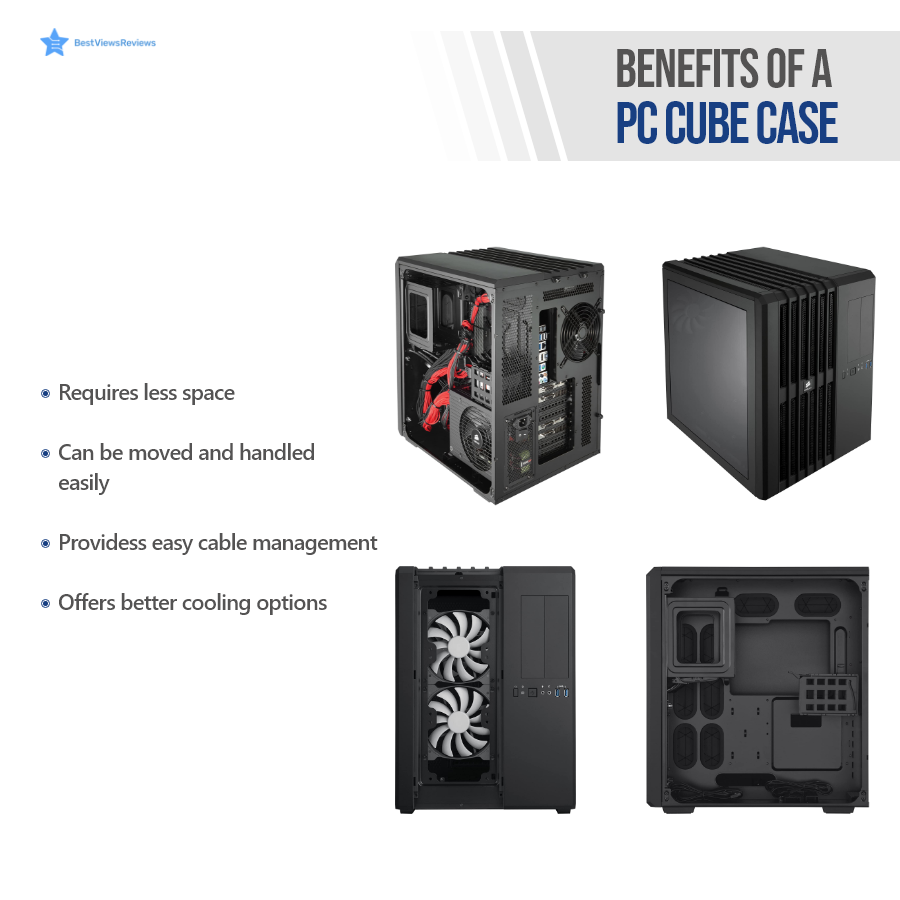
A PC cube case is the best way to boost your computer’s performance. This case offers sufficient room to accommodate high-end graphic cards and motherboards. It offers better cooling options and helps you manage CPU cables easily. The direct airflow path cooling design of the Corsair CC-9011030-WW Carbide keeps the CPU, graphics cards, motherboard, and memory unit of your PC cool.

The Thermaltake Core is perfect to use in either a vertical or horizontal orientation on the motherboard. It has 5 expansion slots and 2 USB ports.

PC Case- Market Overview

PC case market is currently booming and was valued at USD 10.6 billion in 2019. The overall market size is expected to grow at a CAGR of 7.6% from 2020 to 2027.

Conclusion

The right PC cube case can improve your PC gaming experience. It is also useful if you want an elegant PC case with better cooling capabilities. This case is available in different sizes. Make sure you choose the one that fits best in your limited space and can house all your desired components.

You can download the full infographics of PC cases to include us as a reference. BestViewsReviews rates and ranks hundreds of PC games on the basis of build, design, and material quality.

What is a USB Port Hub? A Quick Guide

USB Port Hub

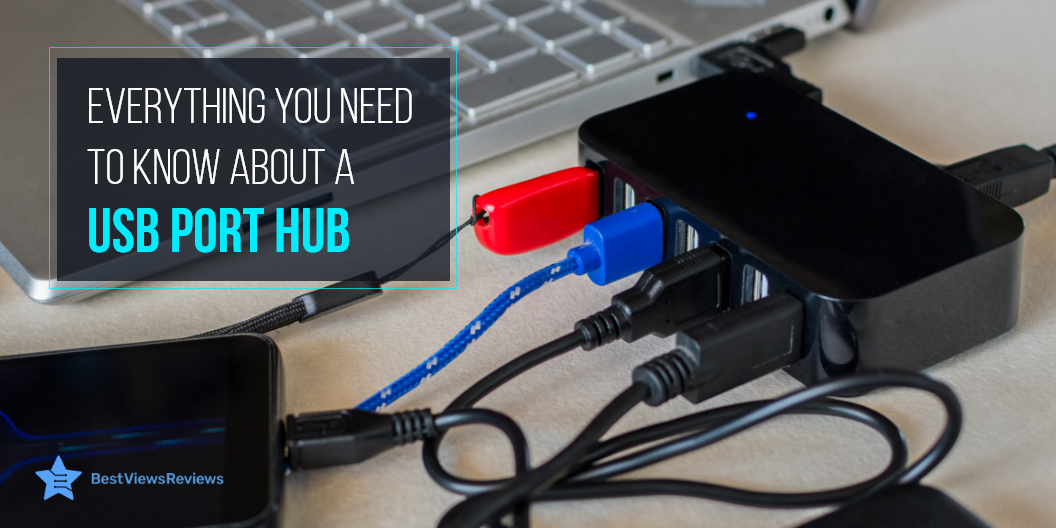
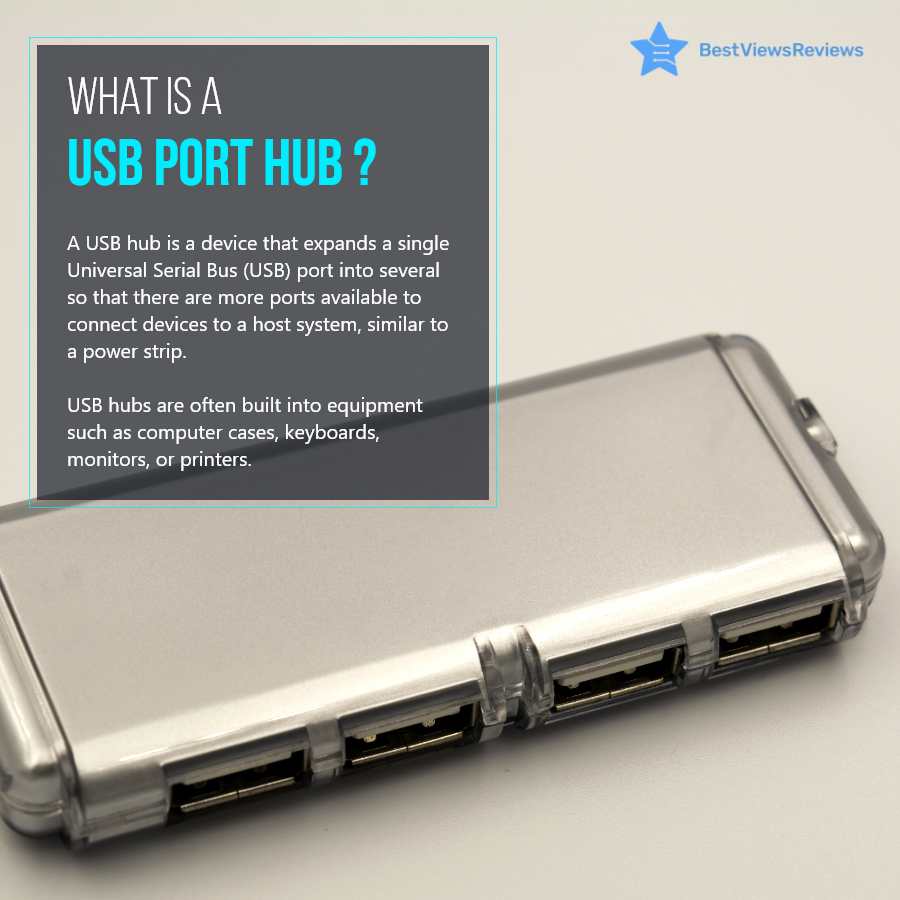
A USB port hub is a device that connects to your laptop, computer, or other machine and expands its capability of connecting to multiple USB devices simultaneously. It lets you connect to different USB devices via multiple USB ports. It houses up to 7 USB ports that share the same bandwidth as that of a USB Hub.

Types of USB Port Hub

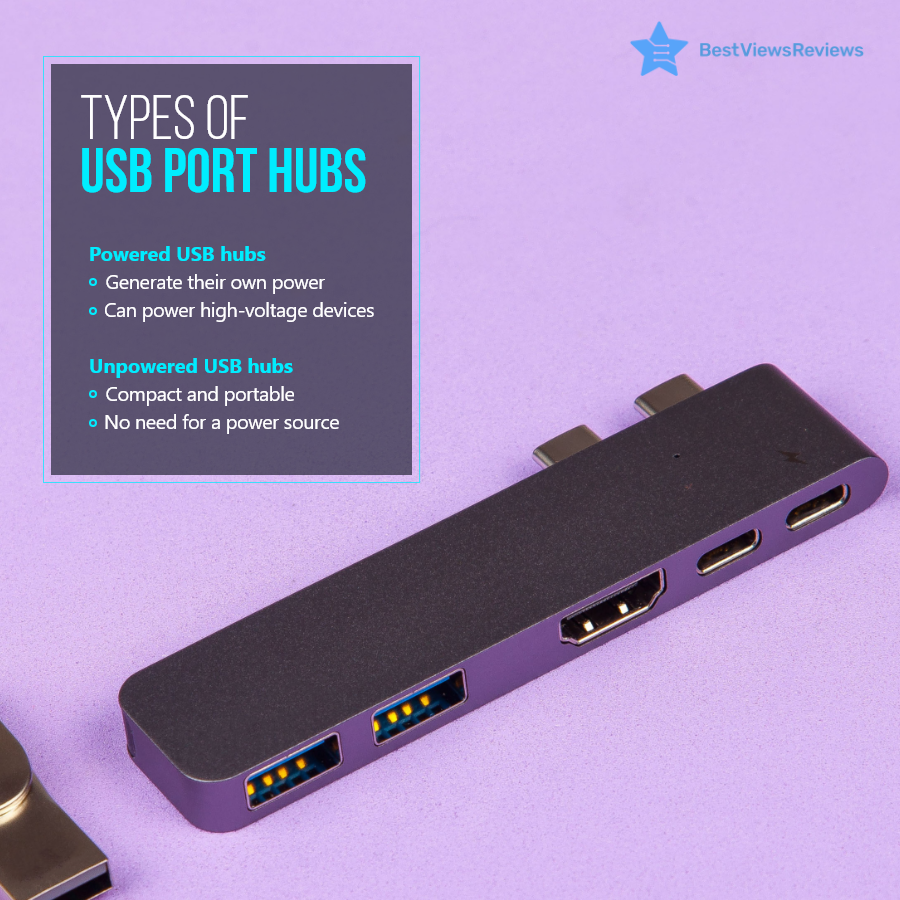
A USB port hub is available in two different types; powered and unpowered USB hub. A powered USB hub is self-powered and does not draw power from the machine system to run connected USB devices. This type is suitable for connecting high-voltage devices, like printers, scanners, and hard drives.

An Unpowered USB hub relies on a machine power unit for supplying power to USB devices. It is suitable for connecting low-power devices, like keyboards, chargers, and flash drives. Connecting heavy devices with an unpowered USB hub can affect the system’s performance and overall efficiency. The best part about an unpowered USB hub is that it is compact, portable, and does not require an additional power source.

Benefits of USB Port Hub

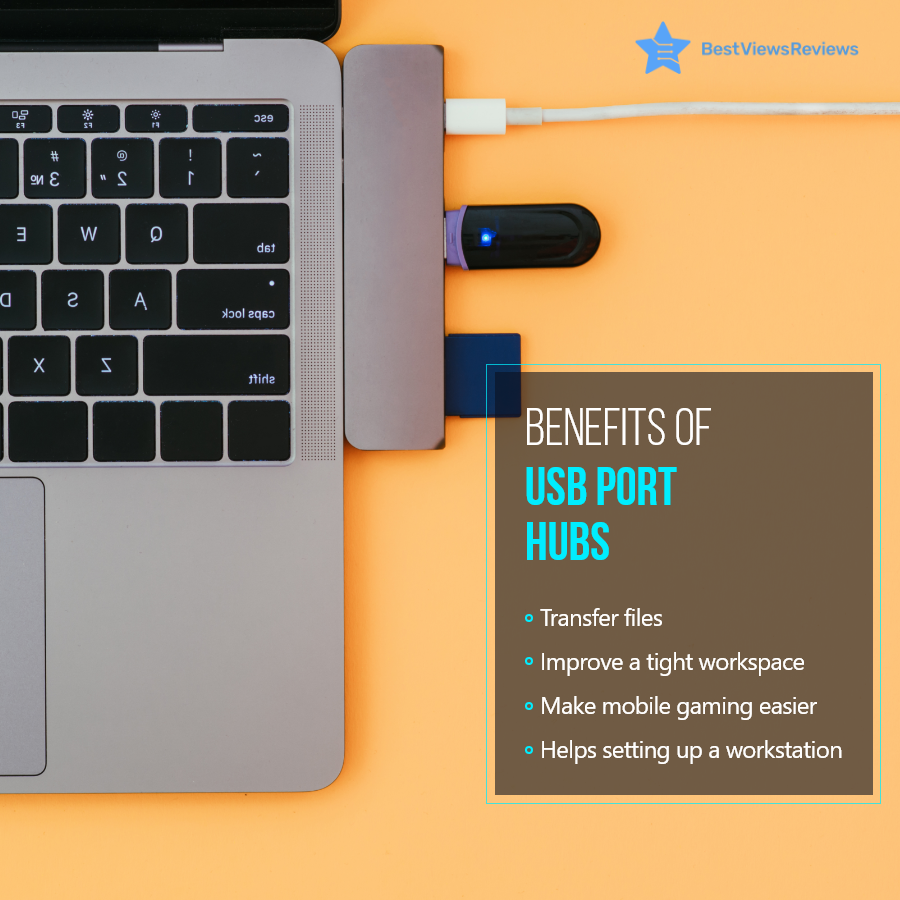
A USB port hub like Anker 4-Port USB is a versatile addition to your laptops and computers. It allows you to connect multiple devices, including storage drives, pen drives, keyboards, or any other device with USB compatibility. This allows you to transfer heavy files and applications with ease. You can set up your workstation and install a variety of accessories without any hassle.

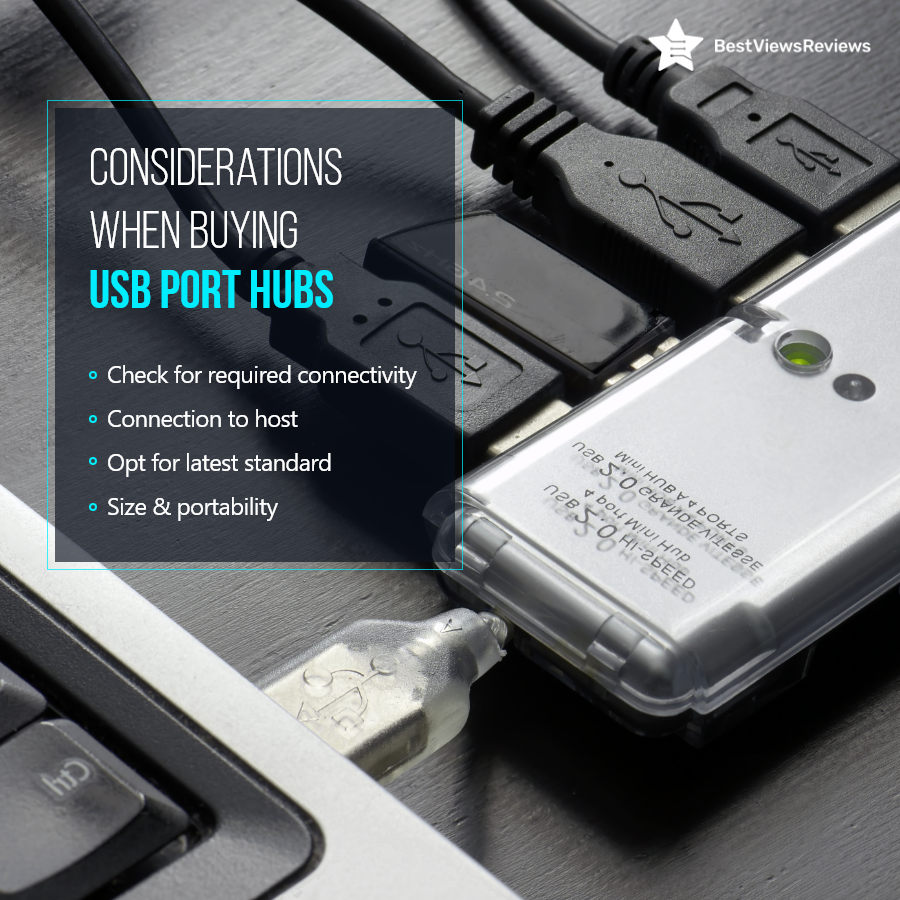
Considerations When Buying a USB Port Hub

You should consider a few important factors before buying a USB hub.

  • The primary step is to check the connectivity options. You can go with 4 or 5 ports for average use.
  • Check the connection to the host and make sure you buy the right type of hub.
  • Always opt for the latest standard USB. The outdated USB versions can lag while transferring data.
  • It is important to consider size and portability. Make sure you buy compact models that are easy to set up and carry.

Reviews of Hiearcool USB show that this model is compact-sized and easy to carry. It comes with two high-speed USB-A 3.0 ports that are capable of 5Gb/s transfer speed for quick data transfer.

Conclusion

A USB port hub is a must-have computer accessory, especially when you have to connect multiple USB devices through a single machine USB port. The right type of USB hub can help you improve your efficiency and work productivity. Make sure you consider the above points and types before buying a USB hub.

You can download the full infographic of USB Port Hubs to include us as a reference. BestViewsReviews rates and ranks hundreds of USB hubs and USB to USB adapters on the basis of portability, build quality, and connectivity.