How to Make Your Headphones Louder – A Comprehensive Guide

Looking for profound ways to make your headphones louder? Here, we have curated a few ideas to guide you. Headphones become a prominent tool for many individuals, especially music enthusiasts. Whether you use them to listen to music, movies, or even answer calls, headphones are often an ideal companion.

However, if your headphones are not loud enough, it’s difficult to fully enjoy the experience. In this guide, we will go through how to make your headphones louder. We will provide the steps to ensure you get the most out of your headphones. Let’s get started and consider the ways to make your headphones louder!

If you’re also looking for headphones to make your professional meetings more productive, check out our other blog to discover the 7 best headphones for work-from-home meetings.

How to Make Your Headphones Louder?

Headphones are a great way to listen to music and other audio in private. But the sound can be extremely soft for certain audio. Sometimes streaming music apps may have the feature of adjusting the equalizer settings. For example, if you are intended to listen to louder music on Spotify, you can simply adjust the equalizer settings to get the desired base level. It will increase the signal strength and provide a louder sound. If your device has a software equalizer, you can also use it to boost the bass and treble frequencies. Or else, you can even customize your own equalization settings in the built-in applications.

Making your headphones louder can be a simple job if you have the right tools. Here are the steps to make your headphones louder:

  1. Check your audio settings. Ensure that the volume is set to the maximum level on your device.
  2. Check if the volume is blocked. Some devices have a feature that limits the maximum volume.
  3. Replace the headphones if necessary. Older, damaged headphones may not reach the maximum volume level.
  4. Buy an amplifier. An amplifier will increase the power of the sound output and make your headphones louder.
  5. Try using a sound card. This will allow you to adjust the volume level directly from the sound card.
  6. Increase the bass. Many headphones come with a bass boost option that can make the sound louder.
  7. Use an equalizer. An equalizer will enable it to boost the bass and treble frequencies, or even create your own custom equalization settings.

With a few techniques and combinations, you’ll be able to enjoy your music and audio at your desired volume. If you consider buying headphones with immersive sound quality, read our blog about an exclusive list of best beats over-ear headphones.

Why are my headphones not as loud?

Headphones are delicate pieces of equipment that require proper care and maintenance. If your headphones are not as loud as they used to be, it could be because of several factors. It could result from damaged wires, faulty or worn-out components, or a blockage in the audio pathway.

It is important to inspect your headphones for any physical damage. Also, make sure that the connection ports are clean and free from debris. You can even try using a different pair of headphones, as different types of headphones react differently to the same audio source.

If the issue persists, it is better to consult a professional technician to comprehend the issues. It will help you understand the variation of sound frequencies for particular audios.

How do I make my headphones louder through settings?

When attempting to make headphones louder through settings, it is crucial to know the type of device you are using as well as the specific model of your headphones. If you are using your headphones on a PC, you can also adjust the volume within the sound settings.

On a mobile phone, you can simply adjust the volume within the audio settings of your device. Additionally, some headphones offer their own volume control feature, which can be adjusted to increase the volume. Finally, in some cases, you may need to use a separate amplifier to increase the volume of your headphones.

Do volume-boosting apps work?

Yes, volume-boosting apps work. They can be reasonably effective in increasing the overall volume of audio signals, such as music, speech, and video. These apps offer sophisticated algorithms to analyze and boost the volume while preserving the quality of the sound. Furthermore, they can detect and adjust the volume of each audio channel to give a more balanced sound. It is important to adjust the settings of the app to suit the individual’s needs to get the intended results. Additionally, some apps feature an equalizer to further customize the sound output.

Android and iPhones :

When it comes to listening to music or playing games on your phone, having the desired volume range will enhance your listening experience. For Android and iPhone users, there are a few simple steps to follow if you want to make your headphones louder with the help of volume-boosting apps. There is no shortage of impressive volume-boosting apps available on the Google Play Store and the Apple store.

Android users have a variety of volume-boosting apps available for their devices. These apps can enhance the sound quality and boost the overall volume of the device including,

  • Volume Booster Pro enables users to customize their sound profile. It increases the maximum volume level.
  • Volume Booster GOODEV is an advanced app that offers additional features such as a 10-band equalizer and a virtualized one.
  • Music Volume EQ is a popular choice amongst music lovers, as it offers a 5-band equalizer and a bass booster.

The iPhone offers an array of apps to boost the volume of your device such as:

  • Music Volume EQ offers a customizable 10-band equalizer, bass boost, and virtualize.
  • Boom Music is one of the best system-wide audio boosters that work with your existing music player.
  • Equalizer Pro offers five different equalizers to choose from, as well as a virtualizer and bass boost.

Moreover, these apps offer a range of features and you can download them for free. You can easily customize and adjust the sound levels of your device. Also, make sure the volume on your phone is set as high as it can go. With these apps, you can enjoy a louder, more powerful, and more enjoyable sound experience!

You must also read our blog on the best wireless over-the-ear headphones for music lovers to take your music euphoria to the next level.

Conclusion

Enjoying music or watching your favorite movies is undoubtedly a favorite part of traveling. The best pair of headphones will be your best companion at those moments. The ability to make your headphones louder can be a valuable asset, as it allows you to enjoy your music more fully and hear your audio in various environments.

It is important to ensure that you are not damaging your headphones and your hearing. By following the methods outlined above, you can make your headphones louder to enjoy your music more fully.

BestViewsReviews rates and reviews the over-ear headphones based on quality, convenience, and durability. 
How To Clean iPhone Speaker

How to clean iPhone speaker

Having a functioning phone is important for keeping up with your daily tasks and connecting with people, and one aspect of having a functioning phone is having a clean speaker. The speaker on your iPhone is important for making and receiving calls and listening to music and videos. A dirty or clogged speaker can affect the sound of a phone call or the quality of the sound you hear when you’re listening to music or watching a video. Luckily, cleaning an iPhone speaker is a simple task that can be done in just a few steps.

How to clean an iPhone speaker to improve sound quality?

Use a soft brush

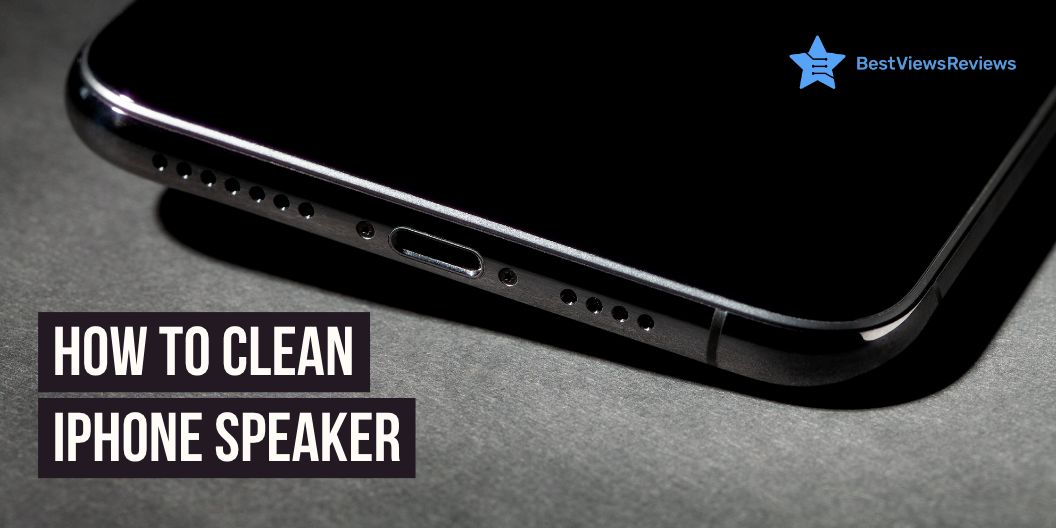
Cleaning an iPhone’s speaker can easily be done with a soft brush. First, turn off your iPhone and make sure you unplug the device from any power source. Gently use the brush to sweep away any dust or debris that has accumulated on the speaker grille. Make sure you don’t press too hard on the speaker, as it can cause damage to the phone. Once you have finished brushing away the debris, turn the phone back on and test the sound quality.

Use painter’s tape

A painter’s tape is a great tool to use when cleaning the speaker. Gently press a piece of painter’s tape around the outer perimeter of the speaker and press firmly in order for the adhesive to attach. Carefully pull the tape away from the speaker and you will see the dust and debris collected on the tape. Repeat this step until the speaker is free from dust and debris. After cleaning, use a soft dry cloth to wipe away any dust and residue. This will help restore your phone’s sound quality to its original level.

Toothpick

Using a toothpick is one of the best ways to clean out the debris that can build up. Simply insert the toothpick gently into the speaker opening and use a light swiveling motion to remove any dust and lint that has collected inside. Be sure to check the sides of the opening and carefully scrape away any debris. Once you’ve completed the cleaning, you may find that your iPhone’s sound quality has improved significantly.

If looking for an iPhone that offers exceptional battery life and sound quality, then you can opt for an Apple iPhone 12 Pro Max.

Use compressed air

Start by turning off your iPhone and removing any external cases or covers. Carefully inject the nozzle of the compressed air canister into the speaker opening and spray a few short bursts of air. This will dislodge any dirt or debris that may be impeding sound quality. Once you have completed this step, you can turn your iPhone back on and test the sound quality. With regular cleaning, you can ensure that the sound quality of your iPhone like the Apple iPhone 13 Mini will remain top-notch.

What is Apple’s official advice?

Do’s

Apple recommends cleaning the speakers using a dry cloth to wipe away any debris. If the speaker has accumulated dust and dirt, compressed air can remove it gently. Be sure to keep the can upright and at least 10 inches away from the speaker to avoid any liquid from entering the speaker.

Don’ts

Water or other liquids should not be used to clean the speakers, as this can cause damage. Cleaning any part of the speaker with aerosol sprays, solvents, or abrasives is not recommended.

You can also have a look at Apple iPhone 12 if you are looking for an iPhone that offers great camera and audio quality.

How should you clean water from iPhone speakers?

To clean away water from iPhone speakers, first, turn off the device and remove the SIM card and any other accessories. Using a can of compressed air, blow out any water in the speaker holes. Then, using a cotton swab and rubbing alcohol, clean the speakers. Finally, wipe the device down with a lint-free cloth.

Conclusion

Cleaning your iPhone speaker can help prevent dirt buildup and extend the life of your device. By taking the time to clean your iPhone speaker with a soft, dry cloth and compressed air, you can ensure your device will continue to work properly and sound great for years to come. With a few simple steps on how to clean the iPhone speaker, you can make sure your iPhone is always ready to rock!

You can also have a look at our blog on the best smartphones in case you want to upgrade your previous one. Samsung is one of the top-selling brands for smartphones. If you want to buy a Samsung smartphone, our blog on 5 best-selling Samsung smartphones will help you choose the right model.

You can also use your Samsung smartphone with a stylus for a better experience.

BestViewsReviews helps you find the top-selling smartphones on the market by rating and reviewing them on the basis of quality, convenience, and durability. Get unbiased, honest reviews of products before you buy.
5 LG Dolby Atmos Sound Bar – An Audio Revolution

lg dolby atmos sound bar

The easy way to get the ultimate entertainment at your home comfort is to get the right sound bar. There can be many brands and models, but choosing one like LG Dolby Atmos sound bar can be a worthy buying decision. This is because of its impressive sound quality, sleek design, and an outstanding array of features and connectivity options. The LG Dolby Atmos soundbar is an audio revolution that is sure to take your home entertainment system to the next level.

This device will revolutionize the way you experience music and movies. The sound bar offers a whole new level of audio immersion. This enables you to experience a truly dynamic soundscape with its Dolby Atmos technology. We also have a detailed blog on soundbars that will help you know everything about them.

What is the benefit of Dolby Atmos?

The Dolby Atmos provides an incredibly immersive audio experience with the ability to place and move sound objects in three-dimensional space. This allows for a more realistic soundstage with accurate localization of sounds, allowing the listener to become more engaged with the content they are viewing or listening to.

Does Dolby Atmos make a difference in the sound bar?

Yes, Dolby Atmos makes a tremendous difference in sound bars. Dolby Atmos is an object-based surround sound technology. It simulates a three-dimensional sound experience by placing sound objects in a “virtual space”. This allows the sound bar to deliver a more immersive and realistic sound experience than traditional surround sound formats. Dolby Atmos soundbars use specialized audio processing algorithms to up-mix stereo or multichannel audio into a 3D soundscape and create the effect of height channels for a truly immersive experience.

How do I know if my LG sound-bar is playing Dolby Atmos?

The most reliable method to ensure Dolby Atmos is functioning properly is to examine the information panel on the main control panel of your AV receiver or sound bar (if applicable). This will show the type of audio signal that is currently in use.

Is Dolby Atmos just a surround sound?

Dolby Atmos is a surround sound technology that offers more than what a traditional surround sound system can provide. While surround sound technology is limited in the way it provides sound, Dolby Atmos is a revolutionary new sound system that creates a three-dimensional audio experience.

Dolby Atmos creates a soundscape that includes height and depth, creating an immersive audio experience that is unlike anything heard before. Dolby Atmos is equipped with up to 64 speakers and utilizes audio objects for a multi-dimensional feel that is more realistic and dynamic than other sound systems.

Do I need extra speakers for Dolby Atmos?

When it comes to Dolby Atmos, extra speakers can be a great way to enhance your home theater experience and maximize the impact of the system. While it is not necessary to have extra speakers to get Dolby Atmos, it can be helpful in order to create a more immersive, surround sound experience.

Adding additional speakers to the system can provide a heightened level of detail and clarity, as well as a greater sense of space and dimension. Of course, this will only be possible if you have the necessary components and the appropriate setup to accommodate the extra speakers.

It is also important to ensure that the speakers you choose are compatible with Dolby Atmos, otherwise, you may not get the desired quality of sound.

Is it worth buying an LG Dolby atmos sound bar?

The LG Dolby Atmos Sound Bar is a splendid choice for homeowners seeking a premium sound experience. With state-of-the-art features such as Dolby Atmos 3D audio, a powerful wireless subwoofer, and an intuitive Bluetooth connection, the soundbar offers an immersive listening experience. The sound bar can deliver clear, crisp audio with superior bass, giving you a superior sound experience whether you’re watching movies or listening to music.

Below are the top 5 LG sound bars that give will you a great sound experience :

LG GX Sound Bar

LG GX Sound Bar offers Dolby Atmos with DTS: X Sound. It surrounds your senses while ideally matching the gallery design of the LG GX Series OLED TVs. The AI Sound Pro technology of this model delivers optimal sound settings through adaptive sound control. The LG subwoofer combines with the sound bar’s up-firing front height channels to direct Hi-Res audio out and up, for a sound that fills up any room.

LG Eclair QP5 Sound Bar

LG Eclair QP5 Sound Bar works on meridian audio technology and comes in a compact design with a vibration-damping subwoofer. This model also offers 4K Passthrough (HDCP 2.3) and Dolby Vision & HDR10 Passthrough. It delivers immersive sound in a space-saving design.

LG SPD75A High-Resolution Audio Sound Bar 

LG SPD75A High-Resolution Audio Sound Bar works with Alexa and combines with the sound bar’s up-firing front height channels for a sound that fills up any room. Its sound effects and soundtracks seem to come from every angle with 3.1.2 channels, Dolby Atmos®, and DTS: X. This model is also based on Meridian Audio technology.

LG S80QY 3.1.3ch Sound Bar

LG S80QY 3.1.3ch Sound bars are engineered to enhance LG TV performance seamlessly. They are specially designed to match LG TV. These units are compatible with major high-res audio streaming services. You can also easily control your sound bar through Airplay2, Chromecast, Google, and Amazon Alexa.

LG S75Q 3.1.2ch Sound bar

LG S75Q 3.1.2ch Sound bar’s reviews claim that it features 3.1 channel audio for an immersive listening experience. It also offers high-res audio for more accurate sound and a more enjoyable listening experience. This model also comes with a remote control so you can change the settings from anywhere in the room. You can go through our other blog on the best-selling sound bars and know about the reasons to use them.

Conclusion

The LG Dolby Atmos sound-bar is a revolutionary product in the field of home audio. It is a great way to bring quality sound to your home. This soundbar is incredibly easy to set up and use. With its combination of Dolby Atmos technology and high-quality audio components, the LG Dolby Atmos soundbar will exceed your expectations and provide you with an amazing audio experience.

BestViewsReviews helps you find the best soundbars on the market. We rate and review them on the basis of quality, convenience, and durability. Get unbiased, honest reviews of products before you buy.
How To Connect To Sonos Speaker

How to connect to sonos speaker

Connecting to a Sonos speaker is a great way to get your music or other audio out of your devices and into your home. With the right setup, you can easily create a multi-room audio experience with a few simple steps. Whether you are looking to link up a few of your devices in one room or multiple rooms, Sonos has the perfect speakers for you. Read below to learn how to connect to the Sonos speaker.

Soundbars are brilliant devices if you love listening to music. If soundbars are on your shopping list, then you must go through our blog on best-quality soundbars to know in detail about them.

How to connect to a Sonos speaker?

Connecting to a Sonos speaker is easy with the below-listed steps:

  1. To connect to a Sonos speaker like Sonos Beam (Gen 2), you will need to first install the Sonos app on your device.
  2. Once the app is installed, you will need to follow the on-screen instructions to create an account,
  3. Add your Sonos speaker to the app, and connect it to the same Wi-Fi network as your device.
  4. Once your speaker is connected, you will be able to control your speaker from the Sonos app.

What should you do if Sonos can’t find your new speaker?

If Sonos can’t find your new speaker, try resetting the speaker to the factory settings and reconnecting the speaker to your Wi-Fi network. Make sure the Wi-Fi network is 2.4 GHz, as Sonos speakers only connect to 2.4 GHz Wi-Fi networks. If that doesn’t work, contact Sonos customer support for further assistance.

The customer reviews of the Sonos Beam – Smart TV Sound Bar claim that its built-in voice control allows controlling the bar with voice.

How to connect to a Sonos speaker without an app?

  1. To begin, make sure your Sonos speaker is powered up and ready to go.
  2. Then, locate the settings menu on your device, usually found in the general settings.
  3. From here, select the Wi-Fi network option and then select the Sonos network.

Following these steps will immediately connect you to the speaker. If you are having trouble locating the Sonos network, restart your device and try again.

How do I connect my Sonos speaker wirelessly?

To connect a Sonos speaker wirelessly, you will need to connect the Sonos speaker to your home Wi-Fi network. You can do this by using the Sonos app on your phone or tablet and following the instructions provided. Once the Sonos speaker is connected to your home’s Wi-Fi network, it can stream music, podcasts, and more.

Why won’t my Sonos system connect?

There are a few potential reasons your Sonos system won’t connect :

  • First, make sure the system is powered on and all cables are properly connected.
  • Then, check your router settings to make sure the network connection is active.
  • You should also check the system settings to make sure the correct network is selected.
  • If the issue persists, restart your router and/or contact Sonos for further help.

How do I connect my iPhone to my Sonos speaker?

To connect your iPhone to your Sonos speaker, follow the mentioned steps:

  1. Open the Sonos app on your phone and select “Settings”.
  2. Select “Add Music Services” and follow the instructions to add your music service.
  3. Once the service has been added, select “Devices” and the Sonos speaker you want to connect to.
  4. Select “Play” and your iPhone will be connected to your Sonos speaker.

Sonos Arc – The Premium Smart Soundbar is also a superb model to consider. It offers enhanced Trueplay tuning technology and offers a better sound for the unique acoustics of the room.

How do I reset my Sonos wireless speaker?

  1. Locate the “Reset” button on the rear of the speaker and press down until you hear a tone.
  2. Wait until the light on the speaker changes from white to orange, indicating that the speaker is in reset mode.
  3. Once the light is orange, you can release the reset button.
  4. Now, the speaker will be reset and ready to connect to your network again.

If you are having difficulty during the reset process, you can refer to the manufacturer’s website or call their technical support line for assistance.

Nothing can be better than a Samsung soundbar with a subwoofer for getting a better surround sound experience. You can also glance through our other blog on the best Samsung soundbars to learn more.

Conclusion

Connecting your Sonos speaker to your home network is a simple process. With the necessary audio and networking equipment, you can easily create a high-quality home audio system and access the variety of streaming services available on the Sonos platform. Whether you want to stream music, podcasts, or audiobooks, connecting your Sonos speaker will give you a whole new world of listening options.

Get the best reviews and ratings on the products you’re interested in. BestViewsReviews helps you make the right purchasing decision. Whether you’re looking for the top-rated Sonos sound bars or the best smart speakers, we’ve got you covered.

Best Whole House Dehumidifier- Improve Home’s Air Quality

Whole House Dehumidifier

It’s no secret that the air quality in our homes can have a major impact on our comfort and health. Therefore, it’s vital to make sure that the air in your home is clean, fresh, and free from allergens or pollutants. A great way to improve the air quality in your home is by investing in a whole-house dehumidifier. Having the right dehumidifier in your home can not only help keep the air clean but also make sure that your home stays comfortable and free from excessive moisture.

We also have a detailed blog on dehumidifiers to help you understand everything about them.

What does a dehumidifier do?

A dehumidifier is a powerful appliance that draws moisture out of the air. It helps reduce the humidity level in a room or space. Excessive moisture can cause a variety of problems, like an increase in mold and mildew growth, musty smells, and damage to furniture and other items. You can lessen the humidity level in your living spaces, making the environment more comfortable and preventing potential damage by using a dehumidifier.

Will a whole-house dehumidifier help with mold?

Yes, a whole-house dehumidifier is a great solution to help with mold problems in the home. High levels of moisture in the air can cause mold and mildew growth. A dehumidifier can help cut down this moisture and make it difficult for mold to form and grow.

How do I choose a whole-house dehumidifier?

Moisture removal capacity

When deciding on a whole-house dehumidifier, it is important to consider the moisture removal capacity of the device. This is typically measured in pints/day. The measurement will be based on the size of your home and the climate of the area. A higher capacity is better and will more effectively reduce humidity levels.

Energy efficiency

Energy efficiency should be your top priority. A more efficient unit will save you money in the long run. It will also help reduce your carbon footprint. When shopping for a dehumidifier, look for a model like Vremi 1,500 Sq. Ft. Dehumidifier. This model comes with an Energy Star® label to ensure that it meets the highest standards in energy efficiency.

Adjustable humidity settings

The ideal setting for dehumidification varies from home to home. It depends on environmental factors such as climate, weather, and indoor temperature. Therefore, it is important to look for a dehumidifier with adjustable settings, so that you can fine-tune the humidity levels in your home. A digital display is also a helpful feature. It allows you to monitor the humidity levels easily in your home and make sure they remain within an optimal range.

Noise level

Dehumidifiers can be loud, with some reaching decibels levels of 50 or more. This can be troublesome, especially in homes where noise levels must be kept low. Choose a dehumidifier with a noise level as low as possible to minimize disruption. You should opt for a unit like Frigidaire. It offers multiple fan speeds so that you can adjust the noise level to meet your preferences.

You can opt for Midea Energy Star Certified Dehumidifier. The customer reviews of this model claim it allows for low-volume operation due to its 51-decibel limit feature.

Maintenance

It is essential to consider the maintenance requirements as well. A dehumidifier requires regular maintenance if it is going to work properly. This includes cleaning the filter, checking the operation of the coils, and changing the evaporator periodically. It is also important to check the humidity settings regularly.

Automatic defrost

An ice buildup can reduce the efficiency of the dehumidifier and cause it to malfunction. Therefore, one of the most significant things to consider is whether the dehumidifier has automatic defrost. The auto defrost feature can prevent the buildup of ice within the system.

Price

It is important to weigh up the cost of the dehumidifier with the potential savings on energy bills and health benefits that it can bring. A higher-priced model may be worth the investment in the long run. It is likely to have a greater energy efficiency rating and a larger capacity for water removal.

Warranty

It is highly recommended to only select a dehumidifier that comes with a long-term warranty. Ideally, one that covers the dehumidifier for at least five years. This will ensure that, if any problems arise during the life of the dehumidifier, the manufacturer will provide service and repairs.

You can also go through our blog on the best dehumidifiers to choose the perfect model for your home.

How to install a whole house dehumidifier?

  • Choose the correct size dehumidifier for your home. A dehumidifier should be sized according to the area where it will be installed.
  • Install the dehumidifier in an open space near an electrical outlet. Make sure that the area is well-ventilated.
  • Connect the dehumidifier to the electrical outlet.
  • Set the humidity level on the dehumidifier.
  • Turn the dehumidifier on.
  • Make sure to empty the dehumidifier’s water tank when it is full.

What size dehumidifier do I need?

The size of the dehumidifier you need depends on the size of the space you need to dehumidify. A 10-pint dehumidifier is suitable for a 500-square-foot area, while a 70-pint dehumidifier is best for a 2,500-square-foot area. BUBLUE 2000 sq. ft. Dehumidifier is a great option for basements and large rooms.

hOmeLabs dehumidifier’s reviews also show it is ideal for large rooms up to 4,500 square feet due to its 1.8-gallon water tank capacity.

Where should I place a whole-house dehumidifier?

You should place a whole house dehumidifier in a central area of the home, such as an attic, basement, or closet. This will ensure the dehumidifier can remove humidity effectively from the entire home.

You can also use these devices to remove excess moisture from the air and keep your basements clean. Read our blog on the best basement dehumidifiers to know everything about them.

Conclusion

Choosing the best whole-house dehumidifier can significantly improve your home’s air quality. By selecting the right model, you can eliminate the discomfort and health risks of excessive humidity. The right device will also keep energy costs to a minimum. With so many models on the market, it’s important to do your research and buy the best model for your needs.

BestViewsReviews helps you find the best dehumidifiers on the market. We rate and review them on the basis of quality, convenience, and durability. Get unbiased, honest reviews of products before you buy.

How To Use Vicks Humidifier

how to use vicks humidifier

Humidifiers are a great way to add more moisture to the air in your home. Many people use humidifiers to help relieve the symptoms of colds and the flu, but they can also improve the overall air quality in your home. Vicks is a popular brand of humidifiers that are commonly used by many people. They come in a variety of sizes and shapes. You can also opt for small humidifiers if you are looking for a model that is suitable for compact spaces.

How to use Vicks humidifier?

Using a device like Vicks Filtered Cool Mist Humidifier is simple. You can glance over the steps below to know more.

Discuss step-wise process

  • To use a Vicks humidifier, first, fill the base with water and add the desired amount of Vicks VapoSteam, VapoPads, or other Vicks scent pads.
  • Place the humidifier in a well-ventilated area and plug it in.
  • Adjust the knob to the desired humidity level.
  • Let the humidifier run until the water has evaporated and the humidity level has been reached.
  • Unplug the humidifier and empty the water from the base before storing it.

The customer reviews of Vicks Starry Mist Humidifier claim it helps transform the room into a starry night sky with night light due to its projection feature.

Do you put warm or cold water in a Vicks humidifier?

It is recommended to use cold water when filling up a Vicks humidifier. Using warm water can cause bacteria and other contaminants to grow in the humidifier. This can be harmful to your health when you breathe in the mist.

Warm water can also cause the humidifier’s filter to clog more quickly. To ensure optimal performance and safety, it is important to fill the humidifier with cold water and clean it regularly, as instructed in the user manual.

We have a detailed blog on the best humidifiers that will help you make an informed purchase.

How long does it take for a Vicks humidifier to work?

The amount of time it takes for a Vicks humidifier like Vicks Filter-Free 1.2 Gallon Cool Mist Humidifier to start working will depend on the specific model you are using. Most humidifiers require that you fill the tank with water and allow it to run for approximately 30 minutes before the humidity will increase in the room. The exact time to reach the desired humidity levels will also depend on the size of the room, the type of humidifier you are using, and the settings you have selected.

Do Vicks humidifiers help with coughs?

A Vicks humidifier can be a helpful tool for individuals with coughs or other respiratory conditions. Humidifiers increase the moisture in the air. This helps soothe the throat and nasal passages, making it easier to breathe. This extra moisture can help to thin out mucus, reduce irritation and coughing, as well as improve overall comfort.

How long should you use Vicks humidifier?

The amount of time you should use your Vicks humidifier will depend on the type of model you have and the environment in which it is being used. Generally, it is recommended to use your humidifier for only 12-24 hours per day, depending on the individual needs of your space.

A mist humidifier is also an impressive device to increase the humidity levels of a room. Read our blog on the top 5 mist humidifiers to know more about them.

Conclusion

Using a Vicks humidifier can be a great way to help keep your home’s air moist and comfortable. It can also help reduce allergy and asthma symptoms, as well as provide relief from colds and flu. Be sure to read the instructions thoroughly and maintain your humidifier to ensure it works properly and safely.

BestViewsReviews helps you find the best humidifiers on the market. We rate and review them on the basis of quality, convenience, and durability. Get unbiased, honest reviews of products before you buy.

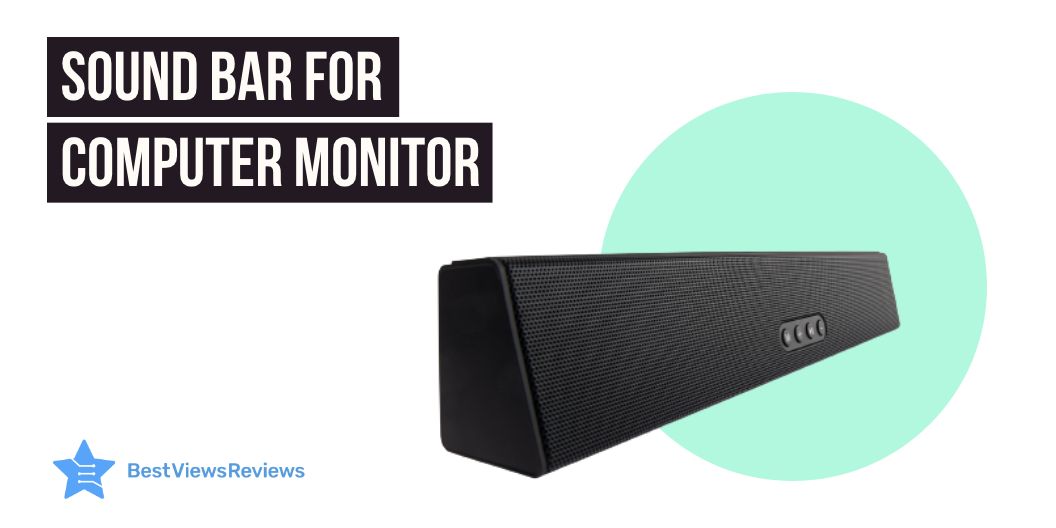
Best Sound Bar For Computer Monitor in 2023

sound bar for computer monitor

The technology available now is far better than it was a few years ago. A Sound bar for a computer monitor is becoming increasingly popular in modern homes.

These soundbars offer immersive sound quality and a sleek and stylish design. You can easily connect them to your computer and TV. Their advanced audio processing technology ensures that you receive clear, distortion-free audio. The soundbar often comes with a remote control for easy access.

The soundbars also offer a wide range of features, such as built-in bass, surround sound, and streaming capabilities. You can also get access to an auto-off timer and adjustable bass and treble controls. With its sleek and modern design, it will offer an immersive experience. You can also check out our blog on the best LG Soundbar to know about the versatile options.

Do soundbars work well with computers?

Soundbars are a brilliant choice for those looking to upgrade their audio experience with a computer. They are typically easy to set up. Most models simply connect directly to the computer via the HDMI port. They are more affordable than traditional speakers. These sound bars are more space-efficient, making them an ideal choice for those with limited desk space.

Soundbars offer superior sound quality compared to built-in speakers. they offer clearer sound and more bass. Ultimately, they are a great way to upgrade your audio experience at an affordable price.

You can also read our blog to know about the best Samsung Soundbar with subwoofer with immersive sound quality.

Factors to consider when choosing the Best sound bar for a computer monitor

Size of soundbar

The size of your soundbar should be determined by the size of your room and your desired sound quality. If you have a large living room, a larger soundbar with multiple drivers will provide impressive overall coverage. The average size of soundbars is 30 inches long. This offers a captivating sound quality for music and movies. Before shopping for a soundbar, consider the size of the room you will install it in. It will help you understand the required size for a better audio experience.

Connectivity options

Many soundbar systems offer a variety of connectivity options. They allow users to customize their audio experience. Moreover, Bluetooth and Wi-Fi connectivity supports wireless streaming. The HDMI and AUX inputs enable the wired connection to multiple audio sources. Connecting a smartphone, TV, or computer to your soundbar via Bluetooth, Wi-Fi, or AUX cable is a simple process to endure an exceptional seamless audio experience.

You can also take advantage of the HDMI-ARC input, which allows for bi-directional communication between the soundbar and the computer. With the right connectivity options, users can enjoy an immersive audio experience with their soundbar.

Compatibility

Compatibility between soundbars and other home entertainment components is essential to ensure optimal performance. Most soundbars are compatible with a wide range of televisions, audio systems, streaming devices, and more.

Besides being HDMI compatible, many soundbars feature Bluetooth technology for wireless connections to compatible devices. You can also use a soundbar with a home theater receiver to get more powerful sound.

To ensure compatibility, it is important to check the specifications of each device prior to purchase. Having versatile features will enhance your leisure time activities with the blasting music in your background.

Sound Quality

Soundbars are a great way to enjoy a rich, immersive sound experience. They can deliver detailed sound to enhance the viewing and listening experience with high-quality components and built-in speakers.

Whether it be a movie, TV show, or your favorite tunes, soundbars provide dynamic sound with clarity and depth. Bass is tight, mid-range is smooth, and high-end frequencies have a bright and detailed presence. With multiple sound modes to choose from, soundbars can be adjusted to fit your viewing needs, while still offering a truly immersive sound experience.

Best sound bar for computer monitor

Creative Stage 2.1 Channel Under-Monitor Soundbar

The reviews of Creative Stage 2.1 Channel Under-Monitor Soundbar suggest it is a powerful and versatile audio solution for any home entertainment system. Featuring two drivers and a subwoofer, the soundbar delivers clear, powerful audio. With preset EQ selections in the remote control, you can customize the sound to your preference. You can also connect wirelessly via Bluetooth. Or else use the 3.5mm aux-in, optical audio input, TV (ARC), or USB MP3 input to connect to your devices. Moreover, the soundbar features a built-in amplifier for an optimal listening experience.

Sonos Beam (Gen 2) The compact smart soundbar

The Sonos Beam (Gen 2) The compact smart soundbar is the all-in-one solution for a home sound system. This compact smart soundbar offers Dolby Atmos technology, Alexa and Google voice control, and a panoramic soundstage. With WiFi connectivity and the Sonos app, this sound bar is easy to install and set up. The Trueplay tuning feature ensures the soundbar is tuned to your room, resulting in the best sound quality possible.

VIZIO SB4051-C0 40-Inch 5.1 Sound Bar System

The VIZIO SB4051-C0 40-Inch 5.1 Sound Bar System reviews highlight that it is the perfect home theater solution for any living space. It features a 40 inches soundbar. It delivers up to 102 dB for premium audio quality with a true 5.1 channel surround sound. Additionally, it features an HDMI port with cable for easy connection to your television. The Bluetooth with aptX will work fine for wireless audio streaming from compatible devices. With its sleek design, this sound bar system is sure to complement the aesthetic of any home theater set-up while offering superior sound quality.

Polk Audio MagniFi Mini Home Theater Surround Sound Bar

The Polk Audio MagniFi Mini Home Theater Surround Sound Bar offers a powerful 5.1 Dolby digital coding sound system that works with both 4K and HD TVs. Its voice adjust technology offers an extra level of control over the sound. Thus, you can customize the level of audio to your preference with your command. In addition, it also comes with built-in music streaming and independent modes for movies, music, and sports. Plus, this system includes a wireless subwoofer for an even more immersive experience.

Bose Solo 5 TV Soundbar Sound System with Universal Remote Control

The reviews of Bose Solo 5 TV Soundbar Sound System mention that the system comes with a universal remote control, allowing you to control all your TV and sound bar features. Additionally, the dialogue mode ensures clear vocal clarity. The Bluetooth connectivity and input sources, such as optical audio input (digital), coaxial audio input (digital), and 3.5 mm aux input (analog) offer flexible connectivity. Moreover, the soundbar fits with any TV and is wall-mountable, making it a great addition to any home entertainment system.

Conclusion

The sound bar for a computer monitor is a great way to upgrade your audio experience. With its sleek design, powerful sound, and enhanced features, this sound bar is the ideal choice for any computer to experience immersive audio quality. If you are an audio enthusiast, you should definitely consider a sound bar for your computer. I

It’s easy to install, and the sound quality is captivating with the advanced feature controls. It is an affordable solution with alluring sound quality and durability. The sound bar will enhance the experience of gaming, streaming music, or just listening to your favorite tunes with detailed audio expressions. With its powerful bass and clear treble, you’ll be able to get the most out of your audio experience.

You can also check our blog on the best iLive sound bars before buying one for your computer or smart television.

BestViewsReviews rates and reviews the best sound bar for a computer monitor based on compatibility, controls, size, and sound quality.

Nesco Food Dehydrator: A Must-Have Kitchen Appliance

Nesco Food Dehydrator

Eating healthy and incorporating natural, homemade snacks into your lifestyle requires having the right tools in your kitchen. While many of the kitchen appliances you need for a nutritious lifestyle aren’t necessarily considered “essential,” the Nesco Food Dehydrator is a must-have for those who want to have delicious, healthy snacks prepared at home. This kitchen appliance is a perfect addition to any kitchen and can help you prepare various snacks and meals quickly and easily.

Food processors are also excellent kitchen appliances. They are versatile, convenient, and have a remarkable ability to chop veggies. You must read our other blog if you are looking for a food processor and want to know about the different food processors.

What is the purpose of a food dehydrator?

A food dehydrator is a kitchen appliance that you can use to preserve food by removing moisture from it. This process of dehydration helps to keep food safe from spoilage and bacteria. It also helps to reduce the weight of the food, making it easier to store for long periods of time. A food dehydrator can make a variety of dried and semi-dried products such as dried fruit, jerky, herbs, and seeds. The dehydration process also helps retain the food’s flavor, color, and texture.

At what temperature do dehydrators work?

Dehydrators work in a range of temperatures, usually between 95 and 155 degrees Fahrenheit. The exact temperature used will depend on the type of food being dehydrated, the desired texture, and the time that is needed for the dehydration process. For most foods, a temperature between 125 and 135 degrees Fahrenheit is sufficient. However, if food needs to be dehydrated quickly, a higher temperature is usually necessary.

How hot does the Nesco dehydrator get?

The Nesco dehydrator reaches temperatures between 95-160 degrees Fahrenheit. This wide range of temperatures makes it ideal for dehydrating different types of food safely.

What happens if you dehydrate food at too high a temperature?

If the temperature is too high, the food will cook rather than dehydrate, resulting in a loss of nutrients and a decrease in shelf-life. The food that has been cooked instead of dehydrated will not have the same crunchy texture that is characteristic of dehydrated food.

Can I leave my Nesco dehydrator on overnight?

It is not recommended to leave your Nesco dehydrator on overnight. Many dehydrators, including the Nesco, are designed to be used for short periods of time with little to no user intervention. Leaving your dehydrator running for long periods of time can cause the motor to overheat and lead to the potential failure of the unit.

How do I use my Nesco dehydrator for jerky?

To use your Nesco dehydrator for jerky, you will need to start by preparing the meat for drying. Start by cutting the meat into thin, even slices. Then season the slices with your favorite jerky seasoning or marinade. Place the slices on the Nesco dehydrator trays and set the temperature to 160°F. Dry the meat for 4 to 6 hours, or until the jerky reaches the desired dryness. Once the jerky is dry, remove the trays and let the jerky cool before storing it in an airtight container.

How long does it take to make jerky in a Nesco Food dehydrator?

The time to make jerky in a Nesco Food dehydrator varies depending on the thickness of the meat, the desired texture, and the ambient humidity. On average, it takes between 5-12 hours to fully dehydrate a jerky.

How often should I rotate my dehydrator trays?

The frequency of rotating your dehydrator trays will depend on the type of food you are drying. For items with higher water content, rotate your trays every few hours, while for foods with lower water content, rotating every 8-12 hours is usually sufficient.

Do dehydrators use a lot of electricity?

It depends on the size and wattage of the dehydrator. Generally, using a dehydrator will use more electricity than other methods of food preservation, but it can still be a more efficient option than heating an oven.

What are the top 5 food dehydrators?

Nesco American Harvest

Nesco American Harvest forces hot air down the exterior pressurized chamber and horizontally across each individual tray for even drying. It can be expanded up to 30 trays allowing you to dry large quantities at once! This model equips a Special Vita-Save Exterior that blocks light to retain more of the food’s vital nutrients during the dehydrating process.

Nesco FD-79 Snackmaster

Nesco FD-79 Snackmaster offers 600 watts of drying power that provides even heat distribution. Its consistent drying is four times faster than other food dehydrators. This model comes with four (13 1/2″ diameter) trays and expands up to 12 trays so you can dry large quantities at once. Its opaque exterior also blocks harmful light to retain more of the food’s nutrients and vitamins during the drying process.

Nesco Gardenmaster

Nesco Gardenmaster’s reviews claim it features a converge-flow drying system that pushes heated air up and across each tray. Its dishwasher-safe trays offer convenient cleaning and maintenance. This model is also made of non-toxic and BPA-free material that makes it safe to use. It is also available at a discount of up to $45 during the sale.

NESCO Nesco FD-28JX

NESCO Nesco FD-28JX features expandable 7 trays that allow drying large quantities of foods at once. Its 350 watts of drying power provides even heat distribution for consistent drying. The dishwasher-safe trays of this model offer easy cleaning and maintenance. The fixed temperature control of this device takes the guesswork out of finding the optimal drying temperature when making jerky.

NESCO FD-75A

The customer reviews of NESCO FD-75A show that its 600 watts of drying power provide even heat distribution. Its consistent drying is four times faster than other food dehydrators. The adjustable temperature control (95°F -160°F) of this model gives you the flexibility to achieve the best results.

You might also get confused between food choppers and food processors while shopping for kitchen appliances. So, our other blog can help you learn more about food choppers vs food processors to make a better choice.

Conclusion

The Nesco food dehydrator is an essential kitchen appliance for anyone looking to make healthy snacks, preserves, and seasonings. Besides being easy to use, it also takes up minimal counter space and is a perfect way to reduce food wastage. Whether you’re a novice cook or a professional chef, the Nesco food dehydrator is an excellent choice for making delicious snacks and seasonings.

BestViewsReviews helps you find the best dehydrators on the market by rating and reviewing them on the basis of quality, convenience, and durability. Get unbiased, honest reviews of products before you buy.
Dog Digestive Food: What To Look For And What To Avoid

Dog Digestive Food

Having a healthy and well-nourished dog is essential for a healthy and happy life for both you and your pooch. When deciding on the best food for your dog, it is important to consider their unique digestive needs, as they differ from humans. Even with the vast selection of dog digestive food options currently on the market, not all products are created equal. To ensure you are feeding your furry friend the best, it is important to know what to look for in quality dog food and what ingredients to avoid.

A dog bowl can help provide a comfortable posture to your pet while eating. It also encourages your pets to pick and take small bites. You must read our other blog on dog food bowls to pick the perfect one for your pet.

What food is good for a dog’s digestive system?

A well-balanced diet is essential for a dog’s digestive system. Foods rich in fiber are most beneficial, such as fresh vegetables, whole grains, and high-quality proteins. Fiber helps keep the digestive system healthy and helps to regulate bowel movements. You must also add probiotics to a dog’s diet, as they help to strengthen the digestive system’s natural defenses.

What is the most important nutrient for dogs?

Among the many nutrients dogs need, one of the most important is protein. Protein helps to build, maintain, and repair muscle, skin, and other important tissues. Proteins are also a significant source of energy for dogs and provide essential building blocks for hormones, enzymes, and antibodies.

What foods are not good for dogs’ digestion?

It is important to understand which foods are not good for a dog’s digestive system in order to ensure their health and well-being. Many human foods are not suitable for canine consumption and can cause gastrointestinal distress, vomiting, and/or diarrhea. Some foods that you should avoid giving to your pets include onions, garlic, grapes, raisins, avocados, chocolate, dairy products, and anything with high-fat content. Consuming these foods can lead to pancreatitis, which is a painful and potentially life-threatening condition for dogs.

How can I improve my dog’s digestive system?

  • Improving your dog’s digestive system can be achieved through a variety of measures. First, ensure your dog is receiving a nutritionally balanced diet. Consult the veterinarian or pet nutritionist to ensure the diet is appropriate for your dog’s age and breed. Also, consider adding a digestive enzyme supplement to your dog’s food to help break down food particles and facilitate nutrient absorption.
  • Next, ensure your dog is getting plenty of exercise. Regular physical activity helps keep the digestive system stable and can improve overall health.
  • Lastly, provide your dog with plenty of clean water to help keep its digestive system functioning properly.

How do I know if my dog has digestive problems?

If you suspect your dog may have digestive issues, there are several signs to look out for. Common symptoms of digestive problems in dogs may include vomiting, diarrhea, decreased appetite, weight loss, excessive gas, and stomach pain or discomfort. If your dog is excessively licking their paws or displaying signs of lethargy, this may also be a sign of digestive distress.

How can I prevent my dog from having gastric problems?

One of the best ways to prevent your dog from having gastric problems is to make sure they are getting the nutrition they need. A balanced diet with plenty of fiber and lean proteins is important for a healthy digestive system. It is important to avoid giving your dog too much food or treats, as overfeeding can lead to gastric problems. You should also make sure that your dog has access to clean water at all times. Regular exercise is also important for your dog’s overall health, including its digestive system.

What should the Top 5 ingredients be in dog food?

Proteins, carbohydrates, water, healthy fats, and minerals should be the top 5 ingredients in dog digestive food. The food should also include dried fruits and vegetables that add vitamins to your dog’s diet.

Along with the best ingredients, it’s also vital to feed your pet in their feeding bowls. This will ensure they do not overeat and also the food will remain clean. You can also read our blog on the best dog bowls to learn which one to choose as per your furry friend’s requirements.

Conclusion

The importance of a healthy diet for your dog cannot be overstated. Choosing dog food requires consideration of factors such as breed, age, size, and medical conditions. Some dogs might benefit from wet food, while others might benefit from dry food. You should always avoid foods that contain fillers, artificial additives, and added sugars for the health of your puppy. A proper diet will help your pooch stay healthy and live for a long time.

BestViewsReviews helps you find the best dog digestive remedies on the market by rating and reviewing them on the basis of quality, convenience, and durability. Get unbiased, honest reviews of products before you buy.

A Beginner’s Guide To Using An AirBrush Kit

airbrush kit

Airbrushing is an excellent way to add a professional touch to any paint project. Whether you’re painting a car, a piece of furniture, or a canvas, an airbrush kit will help you achieve better results than traditional painting methods. However, airbrushing can be intimidating for beginners. With the right airbrush kit and a bit of practice, you can start creating beautiful artwork in no time. This beginner’s guide to using an airbrush kit will help you get started on the right foot. It will give you tips and tricks to get the most out of your airbrush.

Key Features to look out for in Air Brush Kit

Gun

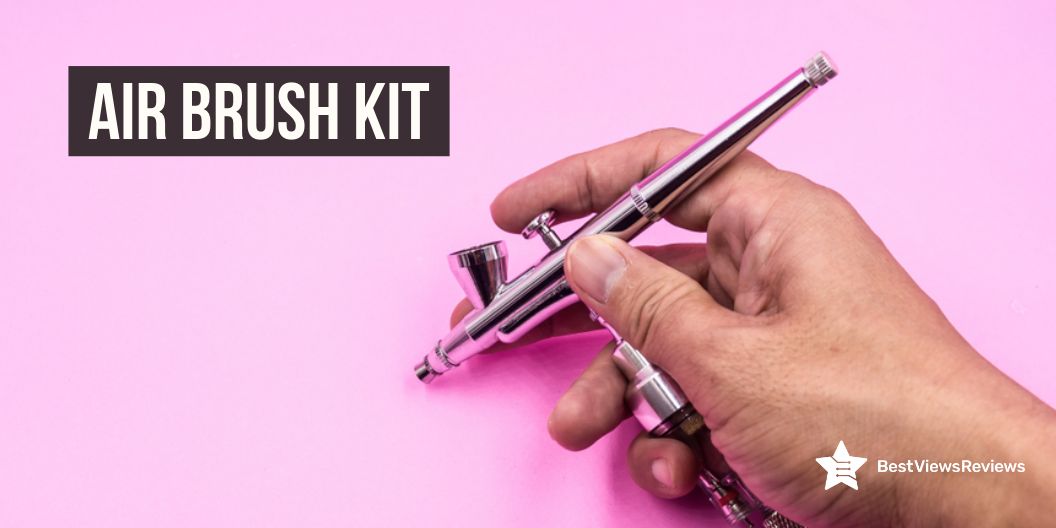
When considering an airbrush kit, there are several key features to look out for. Firstly, the type of airbrush gun included in the kit is essential. For beginners, a gravity-feed airbrush gun is the most suitable. In this, the paint cup is positioned on top of the gun. It allows for a more precise application of paint. For more experienced users, a side-feed airbrush gun may be better, as the paint cup is positioned on the side of the gun instead.

Compressor

The compressor included should be capable of providing consistent airflow and pressure. Many compressors have adjustable settings. This allows for a range of air pressure to be used for various applications.

Build Quality

When shopping for an airbrush kit, a key factor to consider is the build quality. It is important to purchase a kit that comes with high-quality materials, as this will ensure that the airbrush is reliable and durable. Try to look for an airbrush with a metal body rather than a plastic one, as this will provide greater longevity.

The customer reviews of the Gocheer Upgraded 30PSI Airbrush Kit claim that it comes in a shiny and wear-resistant material that offers a gorgeous outlook.

Price

You should also keep the price of the airbrush kit in mind while making your purchase. Go for a model like COSSCCI Upgraded Airbrush Kit that offers great quality and also fits your budget.

How to use an airbrush?

Before you start, make sure you have all the necessary supplies, including an airbrush, compressor, airbrush paint, and a cleaning kit.

To use an airbrush, you will need an air compressor, an airbrush gun, and a few other supplies. First, you will need to attach the airbrush gun to the air compressor. Then, fill the airbrush gun with your desired paint or medium, and adjust the air pressure on the air compressor to the desired level. Finally, begin spraying the airbrush onto your canvas or another medium, moving the airbrush in a back-and-forth motion to evenly distribute the paint.

EBEST 4 Set Airbrush Spray Gun is also a great model. It features a long brush that allows you to clean paint off all the hard-to-reach areas.

Can I use regular paint for airbrushing?

Regular paint cannot be used for airbrushing, since it is designed for a different application. Airbrushing requires paint that is specially formulated to be thinned and atomized through an airbrush. Regular paint is usually too thick and difficult to be atomized. This paint makes it difficult to achieve a consistent, even coat.

Can you airbrush with a regular air compressor?

Yes, you can airbrush with a regular air compressor. However, you may find that a dedicated airbrush compressor is more suitable for your airbrushing needs. Airbrush compressors have features specifically designed for airbrushing, such as continuous and adjustable air pressure, adjustable airflow, and a built-in moisture trap. A regular compressor does not have these features. You may also find that you need to make additional modifications to it for it to work properly with an airbrush.

How much is a good airbrush kit?

The cost of a good quality airbrush kit like fehrominger Airbrush Kit will vary largely depending on the features and components that are included. Generally, a mid-range airbrush kit will cost between $50-$300, and a high-end kit can cost anywhere from $300-$1000. When choosing the right airbrush kit for your needs, it’s important to consider the various components that are included; such as the airbrush itself, airbrush accessories, air compressor, and any other additional items that may be necessary.

Along with airbrushing, digital vinyl printing is also a popular and growing technology. Read our blog on digital vinyl printing to know more about it.

Conclusion

Using an airbrush kit is a fun and satisfying way to enhance your art projects. With a little practice, you’ll be able to master the technique and create beautiful works of art. Airbrush kits offer endless possibilities and are a great way to express yourself creatively. Whether you want to add subtle details to your work or create large-scale pieces, an airbrush kit is a perfect tool for the job.

BestViewsReviews helps you find the best airbrush sets on the market. We rate and review them on the basis of quality, convenience, and durability. Get unbiased, honest reviews of products before you buy.