Skateboard: Learn How to Ride?

Skateboard

The skateboard is a short board with wheels that are used to skate on the street. It is made of 7-8 ply maple plywood material and consists of a creative expression of graffiti art on the surface. Skateboarding is a unique, fast-paced sport that gives you the thrilling experience of adventurous sports like athletic stunts. Hard-hitting board-riding stunts, ollie after ollie, and a versatile style of skateboarding make skateboarding one of the fastest-growing sports.

Is it Hard to Skateboard?

Skateboarding is a sport that requires strength, stability, and the right technique of push and carves. Learning skateboarding is not hard, but mastering it will require consistent practice. When you start with basics, you can learn how to skateboard, easily. We recommend you don’t go with hard stunts in the beginning. First, it’s important to learn the basics, techniques, and simple tricks.

How to Learn Skateboarding?

Skateboarding is an activity that requires lots of effort. The key to performing acrobatic tricks is to be focused and fearless at the same time. Our list below offers some pointers for learning skateboarding. Here’s what you need to know.

Choose the Right Skateboard

Choosing the right skateboard is the first important step while learning to skateboard. You should only buy a skateboard that has durable wheels and sturdy construction. The low-quality skateboards are prone to frequent breakage and they won’t be able to handle sudden affects and vibrations.

The quality skateboards for beginners can cost you anywhere between $30 to $140 and more. You should also check the bearings. Skateboards should have wheels that move smoothly.

Shoes Can Make a Difference

The shoes you wear also make a big difference in your skateboarding practice. The canvas shoes, skate shoes, or other shoes with a flat base are the ideal ones to go for. You are better able to balance on the board with such shoes.

Protective Gear

Wearing protective gear will cause you no harm instead, it will protect you from injuries and unwanted accidents. The helmet you choose should have a sturdy construction. Consider buying protective equipment from a reputable store like Amazon. Elbow guards, knee pads, and wrist guards are also important.

Know the Basics

After preparing yourself with the right gear, it is time to learn the basics. The basics include a proper understanding of coordination that you need to build for pushing the board forward. You can start by stepping on a board and gently pushing off forward. Once you master controlling the pace, learn how to turn by shifting your weight. To turn right, move your weight forward, and to turn left, rotate your ankles a little.

Learn How to Fall

Riding on a skateboard is fun, but you should know the right technique for falling. Even if you are a trained skating master, there is always a possibility of falling off accidentally. When you are falling, try to slide down the ground to reduce the impact. In case you are not wearing knee pads, you must roll your body instead of sliding.

Mater Ollie and Other Tricks

Now, you are all set to learn Ollie and other tricks but don’t eye on hard tricks. For Ollie, follow the given steps.

  • Learn to pop the board by taking pressing at the back end of your board.
  • Try to jump while popping your board.
  • Bring your feet at the forward end when you are in the air.
  • Push both of your feet straight towards the ground to bring your skate down.
  • Try this jump while skating at a slow pace.

Safety Tips to Follow While Skateboarding

Skateboarding can present some serious safety hazards. It causes severe injuries that can turn into an emergency, too. There are certain safety tips that can ensure you skate safely. The tips and recommendations prevent accidents and injuries. Make sure you follow the below-mentioned safety tips while skateboarding.

Wear Protective Gear

Do not skip wearing proper protective gear while skateboarding. It includes a helmet, knee pads, and elbow guard.

Choose a Safe Environment

Choose a place for skating that is safe and does not cause any harm. Avoid skating in wet areas or surfaces that are irregular and rough. Be careful while riding behind a car or beside any moving vehicle.

Ensure Proper Equipment

It’s important that you look for equipment that is of high quality. Your skating equipment should be able to withstand rough rides and impactful turns. The high-quality boards like ToyerBee Skateboard come in sturdy construction and suit all-level skaters.

Follow the Right Technique

Stick with your basics. Do not try to do something that you haven’t learned. Focus on your technique and perform stunts that you are comfortable with. Once you master the technique, you can try your hands on difficult stunts too.

Where Can I Practice Skateboarding?

Flat concrete driveways, backyards, or other surfaces with no potholes or stones can be an ideal place for skateboarding. You can learn to skateboard in gardens or carpets if you are a beginner. Don’t be embarrassed to ride in public. Once you are trained with skateboarding, you can try going to skate parks too. Remember, skate parks can be a little intense for a beginner.

Conclusion

Skateboarding is a great way to stay in shape and stay healthy, but it also provides a source of great entertainment. The right skateboard can make your entire experience fun. Make sure you follow the safety tips to avoid severe injuries and accidents.

BestViewsReviews rates hundreds of bike helmets and skateboarding shoes based on quality, durability, and customer satisfaction.
Loud Bluetooth Speakers: How to Choose One?

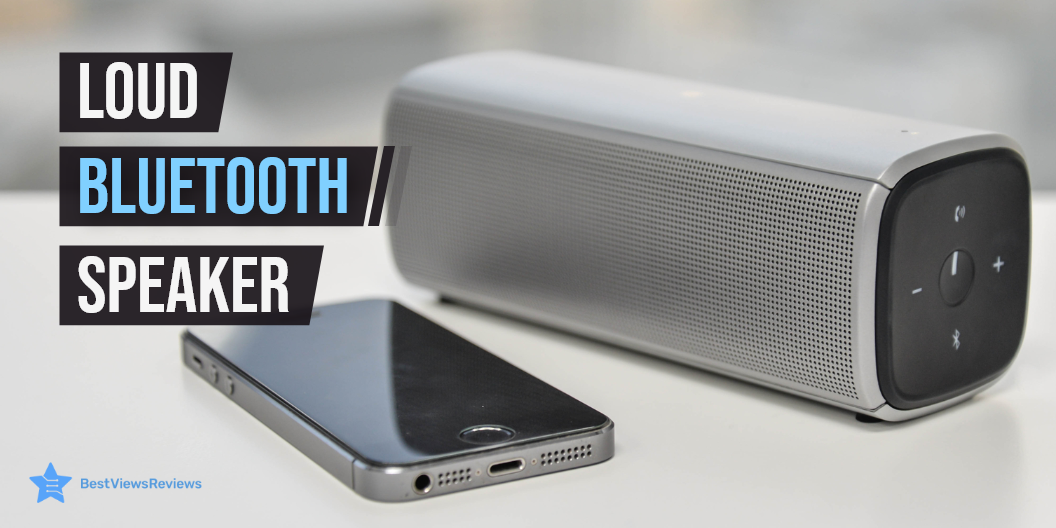
Loud bluetooth speaker

Bluetooth speakers are smart devices designed for convenience. Loud Bluetooth speakers can be a nuisance, so finding the right speaker becomes essential. Bluetooth speakers are portable devices that allow you to stream music wirelessly from your devices. It is convenient to use this feature since it does not require a cable. For example, connecting car audio to your phone or connecting a laptop to your phone requires Bluetooth function.

You can also read through our blog to know all about Bluetooth earbuds and speakers.

How Can You Tell If the Bluetooth Speakers Are Loud?

Loudness is measured in decibels. You should consider this number when picking Bluetooth speakers if you like to listen to high volumes. The manufacturer specifies the maximum wattage any Bluetooth speaker can handle. Loud Bluetooth speakers are sensitive and can produce a loud sound with a small amount of amplifier power. Make sure your amp isn’t providing more power than your speakers can handle. It may damage your speakers and also make them loud.

Manufacturers often drop the SPL/W/M and state the dB on the package to keep things simple. Most Bluetooth speakers have sensitivities that fall between 85 and 91 decibels. Anything less than 85 decibels isn’t as loud. A 10-decibel increase in volume doubles the loudness of the sound. Even a modest increase in decibel levels has a significant impact on your ears.

How Loud Should the Bluetooth Speakers Be?

Sound levels of 70 dBA or less are generally considered safe. Any sound that is at or above 85 dBA has a higher chance of damaging your hearing over time. Studies have found that people exposed to 85 dBA or greater noise levels are at a much higher risk of hearing loss. The louder the sound, the more damage your hearing might cause.

How to Choose Bluetooth Speakers with Good Sound?

Audio Quality

A Bluetooth speaker with good sound quality is always the first thing to look for. All of us have our preferences and tastes for sound quality. It is advisable to check four to five speakers of different brands or models and compare their sound quality before you decide to buy. You can also browse through smart speakers to know your buying options.

Battery Life

An essential feature that you should consider while buying Bluetooth speakers is their battery life. A speaker with a short battery life will inevitably degrade your music-listening experience. If it takes a long time to charge, it will be troublesome for you to keep charging it for long every time the battery drains out. Make sure you check the product’s battery life before purchasing.

Speakerphone Capability

Bluetooth connectivity should be steady and free of lags. Choose a wireless speaker that has Bluetooth version 4.1 or higher. An intelligent feature to look for in a Bluetooth speaker is a built-in microphone, which allows you to accept/reject calls hands-free. The speakers used in newer models come with a background noise reduction feature. It is advisable to check these features before you buy.

Size

Bluetooth speakers are compact and portable, allowing you to carry them on your trips and outings. They occupy less space, and you can use them whenever you like. These factors make them ergonomic and convenient.

Style

The newer models of wireless speakers come with a modern and intuitive design that fits current trends. Bluetooth speakers are available in both plain sleek models and vibrant, multicolored designs. Some websites also offer customized Bluetooth designs for your speaker. Go with something that suits your taste.

Audio Power

It is a parameter that is specified on the packaging of Bluetooth speakers. It is stated in watts. For example, ten watts is sufficient power, but the speakers’ efficiency for 10 watts won’t make it efficient. Larger rooms and outdoor use require more power. Be sure to consider power also, when making your decision. If you are looking for higher sound levels, read our blog on UTV soundbars, as they offer great sound quality.

How to Make Bluetooth Speakers Louder?

Check the Room Area

If you’re going to use your Bluetooth speaker in an ample, open space, the sound clarity won’t be ideal. This is because the sound waves will be far apart to help you hear adequately. To make Bluetooth speakers loud, placing the speaker in a constricted space will help. The first thing you should do is check the room’s size. Once you’ve done that, you’ll be able to locate the ideal location for the speaker. When sound bounces off of walls, the volume of the sound increases. Open space causes the sound to go further away.

Place It On The Floor

If you place the speaker on the floor, the sound of the speaker will be loud. Once you place the speaker on the ground, the sound waves flow naturally. This results in a clear and unfiltered sound. Placing your Bluetooth speaker in the center of the room and on the floor will yield great results.

Place It Against A Wall or Close To The Corner of the Room

Your walls can act as a sound amplifier. If you don’t want to buy extenders, this is one of the natural ways to increase the volume of your Bluetooth speaker. By positioning the speaker in the ideal location, you can get up to 25% greater volume from the highest setting. This can change depending on the distance between the wall and the type of walls you have. You should also consider any nearby furniture that could distort or weaken the sound, such as couches.

Bluetooth speakers with a built-in microphone offer hands-free operation. Read through our blog to get the list of the best Bluetooth speakers with a built-in microphone.

Buy the Best Bluetooth Speakers

Bugani M90 Bluetooth Speaker

The Bugani M90 Bluetooth Speaker is a lightweight, compact wireless speaker that is ideal for daily use. Its advanced Bluetooth 5.0 technology can connect with your smartphone or other Bluetooth-enabled devices from up to 100 feet. This model has got good reviews for its latest ABS material to protect the speaker from impact.

It is compatible with the iPad, iPod, iPhone, and other kinds of Bluetooth-enabled devices. This speaker comes with a built-in mic that allows you to use it as a speaker when driving. It also has a built-in rechargeable battery that helps you charge it by connecting it to your computer’s USB port.

Vanzon Climber-Z Speaker

Reviews of Vanzon Climber-Z Speaker show that is a Bluetooth speaker that you can conveniently connect to other sound-output devices. It has a waterproof rating of IPX7, making it ideal for use in the shower. It has a core chip based on the advanced wave sound method. The chip runs on a sophisticated BAMBU algorithm to deliver high-quality sound. This speaker equips dedicated buttons for EQ mode and Party-Buddy mode.

Vanzon Portable Speaker

The Vanzon Portable Speaker is powerful and delivers an impressive sound, crystal clear highs, and booming bass. Reviews suggest that his compact speaker is the perfect companion for any adventure. It is fully waterproof with a rating of IPX8 and features a new intuitive design with one-touch buttons. You can even manage your music and take calls from the beach, pool, or shower.

JBL FLIP 5 Bluetooth Speaker

The JBL FLIP 5 Bluetooth Speaker is a rugged, high-quality wireless speaker that delivers impressive sound quality. One can connect it to their phone through Bluetooth. It gives you 12 hours of playtime that helps you to experience your music loud and clear. This speaker is perfect for tailgating, outdoor activities, and parties. It has a waterproof rating of IPX7.

W-KING Bluetooth Speaker

The W-KING Bluetooth Speaker features an 80-watt stereo speaker for a rich and powerful sound. It comes with two 4-inch woofers and a 1.2-inch tweeter to deliver loud 105dB of music, making it ideal for parties and outdoor fun nights. It has a light ring with 6 different shades and you can switch to any color according to the category of the song. The powerful long-life 12000mAh battery allows you to play loud music for 24 hours.

Bottomline

Bluetooth speakers come in a wide range of styles and can be purchased from a variety of retailers. Some are affordable, while others are expensive due to various features and brands. Depending on what you want, go with the ones that offer both quality and performance. BestViewsReviews rates and ranks hundreds of Bluetooth speakers and computer speakers based on sound quality, connectivity, design, and battery life. 

Why Should You Buy a Laptop Desk?

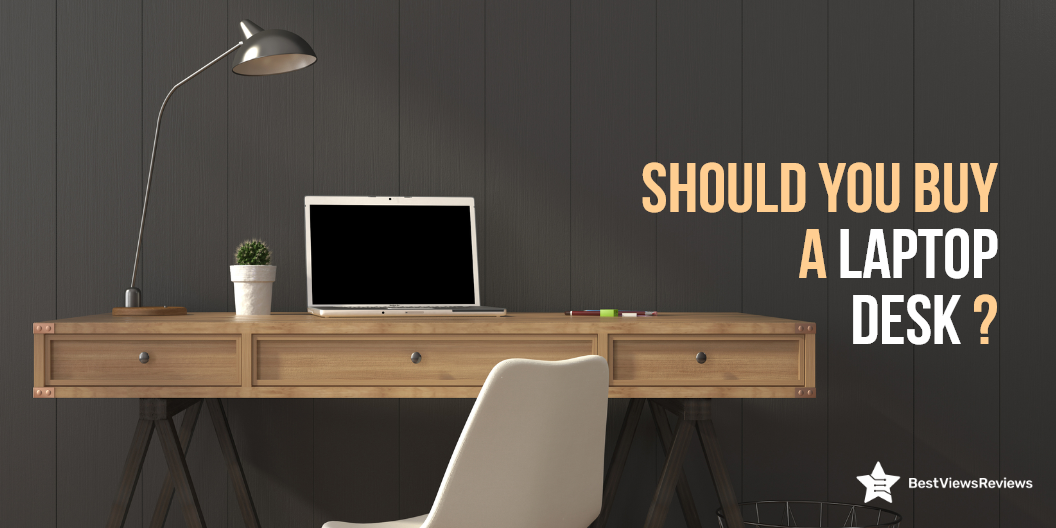
laptop desk

A laptop desk is a portable desk that is used as a stand for your laptop and other accessories. It solves the problem of keeping a laptop close at hand while still having a free workspace to work. Lap desks are laptop desks that are placed on the lap. There are various types of laptop desks based on their intended use.

Buying a laptop desk can be a confusing task and that is why you should consider a few factors before buying. Continue reading to know about the benefits of buying a laptop desk.

Is it Worth Buying a Laptop Desk?

The laptop desk is undoubtedly a worthy purchase. We have listed a few of its benefits below, Take a look.

Less Strain on Eyes

Working on laptops placed at improper heights can cause eyestrain and neck pain. The laptop desk is the best solution to this problem. It elevates your laptop at the right height (screen to eye level), giving you the right posture and preventing neck or eye strain.

The right laptop desk can also help you improve your gaming experience. It gives you long hours of playtime. Make sure you buy only the best 4K gaming laptop that meets your gaming requirements.

Improved Typing Speed

The comfortable sitting and right posture can result in improved typing speed. You can sit in a position that best fits your working style, with a laptop desk. Ideally, to type fast, your back should be straight and your elbow should be bent at a 90-degree.

Ensures a Clutter-Free Space

A clutter-free workspace increases your productivity and efficiency. Keeping all the accessories including mouse, drives, and external attachments in one single place reduces your clutter. A laptop desk can provide you with better organization and a clutter-free working environment.

Better Care of Laptop

The right laptop desk is crucial in taking proper care of your laptop. Elevating your device improves airflow and prevents the heating of internal components.

Types of Laptop Desk

Standing Desk

A standing desk is a table that allows you to work on your laptop by standing. You can add a chair to have a sitting option with this unit. This desk usually comes in a width of around 47″ and a height ranging between 28″- 45″.

Writing Desk

Writing desk serves multiple purposes along with holding your laptops and decor essentials. You can place your favorite diaries and books, and make it your perfect writing space. It often has a pull-out drawer that stores supplies like a pen, pencils, and others.

Compact Desk

The compact desk is relatively smaller than its other counterparts. It offers better management of computer accessories and features several utility drawers. A compact desk is an ideal desktop desk, and can also be used as a laptop desk. It has a separate section for printers, mouse, CPUs, keyboards, and other parts.

Portable Desk

A portable laptop desk is a bed desk or lap desk. It is the most popular type among all others. The reason behind its popularity is its simple design, lightweight, easy set-up, and portable nature. You can keep this desk on your lap for raising your laptop at the eye-to-screen level.

How to Choose Best Laptop Desk?

Function

It’s important to determine your usage style before buying a laptop table. You can go with standing desks if you want a roomy workspace for keeping your laptop. The other types of laptops serve different purposes. The laptop tray is your best if you are looking for a portable model.

Size and Weight

Considering the size and weight of your selected model is important. The size and weight of your desk will tell you about portability and easy handling. At the same time, you should not go with extreme compact models that do not even feature enough space to hold your laptops. Make sure you check the width and height of the desk before buying.

Materials

The high-quality build and material will ensure the high durability of your desk. You can prefer wood-made desks for their sturdiness, but they are not lightweight. The plastic ones are easy to move, but they don’t last for long. You should go with materials that are durable and portable, like aluminum.

Price

The price range of laptop desks can vary from $15 to $100. You can go with any model that best suits your budget and needs. Make sure you don’t end up buying a model that doesn’t last long. You can do a bit of online research to know more about your selected model.

The high-end gaming laptops can come with costlier price tags. They feature powerful processors and more RAM storage. Read our blog to understand how much RAM you need for gaming.

Buy Best Laptop Desks

Cooper Cases Mega Table

The Cooper Cases Mega Table is an ergonomically designed desk that elevates your laptop to the proper typing height and position. This laptop table comes with folding legs that allow you to store it in compact spaces easily. It has got good reviews for its large 25.6″ x 19.3″ surface that will fit all your working needs.

Avantree Neetto Laptop Bed Table

The reviews of Avantree Neetto Laptop Bed Table are positive for its sturdy build-up of  100% high-quality engineered wood. This table is adjustable from 9.4″-12.6″ and comes with two auto-lock buttons on each side. It protects your lap from laptop heat while providing a comfortable place for you to use your computer.

Avantree Neetto HDLP-TB101S-GRY

The Avantree Neetto HDLP-TB101S-GRY is the ultimate lap desk for your laptop, iPad, tablet, or e-reader. This sleek and convenient lap desk can adjust from  8.3″-9.8″. Reviews show that this model is perfect when you are using a laptop while laying on the bed or relaxing on the couch. You can also adjust the surface to a 30-degree angle for your viewing pleasure.

Amazon Basics Laptop Tray Table

The Amazon Basics Laptop Tray Table is a great companion for your laptop, tablet, or cup of coffee. It is light and compact,, making it easy to set up and move around. The table also has ample space in the bottom, so you can stretch your feet under it. This desk measures 20.47 x 11.81 x 0.36 inches in size.

Gimars Laptop Desk

The Gimars Laptop Desk is a portable and practical desk that can be adjusted from 4 levels to suit your needs. It includes a built-in cooling fan to ensure that your laptops don’t heat after prolonged usage. The tabletop is large enough for your laptop, tablet, or book. This desk is made of metal and measures 20.5 x 11.8 x 3.1 inches.

Conclusion

Modern desktops are sleek, lightweight, and provide the most value for your money. If you regularly use your laptop, the weight distribution of the laptop’s weight on your lap will cause your back to hurt. The right laptop desk will ease the strain and will make working a comfortable experience for you.

Deciding between touch screen laptops and non-touch laptops can be tough. Check our blog on touch screen laptops vs non-touch laptops.

BestViewsReviews rates and ranks hundreds of best gaming chairs and top-rated home office desks on the basis of size, design, and build quality.

All You Need to Know About Mini Microwave

mini microwave

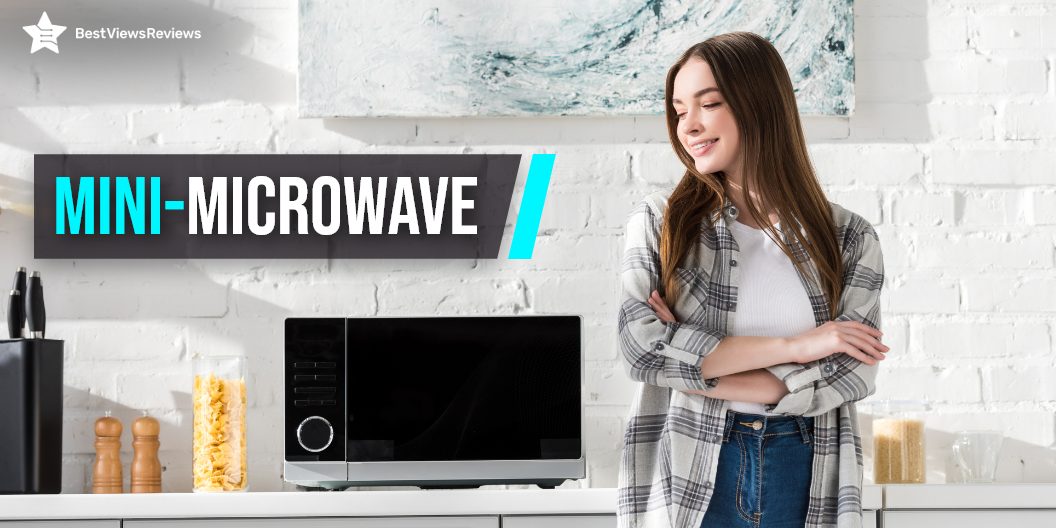
A mini microwave is a kitchen appliance that is small but similar to a microwave oven in its functionality. It works on the principle of electromagnetic radiation and uses specific wavelengths to heat the food quickly. Mini microwave machine is popular for its compact design and versatile nature. You can use it for cooking, re-heating, roasting garlic, and many others. It can fit in any corner of your kitchen and still add value to your kitchen décor.

There are different types of microwaves available with different features. You can read our guide on types of microwaves to learn more.

What Size is a Mini Microwave?

Mini microwave models are generally small in size and capacity. It’s important to know the exterior width, internal capacity, height, and depth of the microwave to understand the dimensions of any mini variant. Most mini microwaves have a height measuring from 10″ to 12″, while the width ranges between 15″ to 18″. The internal depth when the door of the microwave is closed is usually 12 to 16 inches. These machines have a cooking capacity of around 0.5 to 0.9 cubic feet.

How to Choose a Mini Microwave?

Choosing the right mini microwave can be tough because of so many brands and features. Consider the below-listed factors before buying a mini microwave.

Power

Power is an essential factor in determining how long your microwave takes to heat your food. The power range can vary in between 640 – 2300 wattage. Powerful models are ideal to cook for a large family or in bulk. In mini microwaves, you can go with the 900-watt models or above.

Capacity

The right capacity for a mini microwave depends on your cooking needs. You can get this machine with a small capacity of 0.5 cu ft. Some variants also have a capacity of 1.2 cu ft. You can go with any variant that meets your requirements.

Size

Mini microwave ovens are great because of their compact design but be sure to check whether your selected model will fit in your kitchen. Check the size of your preferred model in the product description section. You will get an idea of your microwave dimensions by looking for width, height, and internal depth.

Special Features

Getting extra is always beneficial. Look at what special features your mini microwave offers. Some high-end models come with features like auto-cook, defrost option, preheat setting, and child lock. Make sure you get the best features, without exceeding your budget.

Warranty

Warranty is an important indicator of how long your microwave is likely to last. The microwave oven usually lasts for about 5 to 10 years and comes with a warranty period of 1 or even 2 years. You should look for models that come with a good warranty period and high durability.

Microwave drawers are also a good option to consider if you want to save your countertop space. These types of microwaves are specially designed for compact space. Read our blog on microwave drawers to know more about them.

Buy Best Mini Microwaves

Amazon Basics Microwave

This Amazon Basics Microwave lets you heat food quickly and safely. It has a 700-watt output of cooking power, an LCD display, and a quick-minute button that lets you set a cooking time of less than a minute. It has a turntable, sensor cooking, and 10 power levels.

COMFEE’ EM720CPL-PM Microwave

This COMFEE’ EM720CPL-PM Microwave features 700 Watts of power as well as 11 power levels for quick and even heating. It also has several easy one-touch buttons including one-touch Auto Defrost. You can run this device on ECO mode for saving up to 50% of power consumption. It has a 0.7 cubic feet capacity and measures 17.3 x 13 x 10.2 inches.

Commercial Chef Countertop Microwave

Commercial Chef Countertop Microwave has a durable strong construction with a black front display. The grasp grip type handle of this microwave makes it easy to open and close this microwave. It comes with mechanical and rotary dial controls that make it great for those seeking simple, basic operation. The speed and weight defrost feature of this device allow for multiple uses in the kitchen.

Microwave Oven

The customer reviews of Microwave Oven show that it comes in a compact size that occupies minimal space on the countertop or table. The stainless-steel exterior cabinet and interior of this microwave can easily withstand high-volume use. It is designed with anti-theft protection that keeps the microwave oven safe and sound.

WINIA WOR07R3ZEL Retro Microwave

WINIA WOR07R3ZEL Retro Microwave’s reviews claim that it comes in a compact size that perfectly fits small spaces. The dual wave technology of this device enhances the cooking and heating performance. This model saves energy by only consuming electricity when you use the microwave. It also comes with an auto cook pre-set menu function.

You can also read our blog on the best-selling microwaves so make an informed and better purchase.

Conclusion

A mini microwave is an important addition to your kitchen space. This unit will fit easily even in your constrained space. A mini microwave is also a useful device and has versatile usage despite being compact. Make sure you consider the above points to buy the best mini microwaves.

BestViewsReviews rates and reviews hundreds of countertop microwaves and over-the-top microwaves on the basis of their temperature control, size, and design.

Best Laptops Under $600 in 2022: An Exclusive List

Best Laptops Under $600

Finding a budget laptop under $600 without compromising on features, can be a tricky task. Laptops are powerful machines that are portable and include an alphanumeric keyboard and a wide clear display ranging from 11″ to 18″ in size. These portable personal computers are popular because of their convenience, easy-to-use features, and power-packed performance. They are used in offices, homes, colleges, and various fields for different applications.

This blog provides you with an informative buying guide, along with the best-featured laptops under $600. Read our blog to know about the best 4K gaming laptop.

Can I Get a Good Laptop Under $600?

The answer is yes. You can easily get a good laptop for under $600. This price segment includes models with basic as well as advanced features.

Can These Budget Laptops Live Up To Professional Preferences?

You can expect good features, including storage, processor, and RAM in budget laptops for under $600. There are some business laptops that cost less than $600. The right budget laptop with easy-to-handle size, convenient features, sleek and sturdy build, and lightweight design will fit best to your professional preferences.

What are The Features to Look For in Best Laptops under $600?

Display Size

The size of the display can range from 11″ to 18″. Larger screens will provide a better viewing experience but may feel heavy. Laptops with 11″ to 12″ displays are the lightest and thinnest, while laptops with 14″ and 15″ displays are heavy and can weigh up to 5 pounds. Laptops with 16″ display sizes and h” are relatively large and heavy.

Some displays are touch-compatible, while others are not. Read our blog to know more about Touch Screen Laptops vs Non-Touch Laptops.

Resolution

Higher resolution will give better picture quality, clear detailing, and sharper images. The resolution of your display should also support your display size. Usually, low-end models may include 768p and 900 pixels of resolution, but 1080p is the best resolution to get. Models with FHD displays have 1080p of resolution.

CPU

CPU is the processing unit of any computer. The options are limited to intel or AMD. Both brands offer powerful CPUs, but it’s important you go with the latest generation to get optimal performance. For gaming laptops, you can go with AMD, high generation processors, while Intel processors are best for professional use.

RAM

RAM lets you multitask and run multiple applications at the same time. Higher RAM storage means higher multitasking capabilities. If you are a light user with less multitasking needs, go with 4GB of RAM. The 8GB of RAM is a good option if you want to do photo editing, video editing, and high-end gaming.

The best gaming laptops have higher RAM storage and a powerful CPU. Read our blog to understand how much RAM you need for gaming.

Storage

The storage can be either be SSD or HDD. SSD is a solid state drive and is relatively faster and efficient, while the HDD is a hard disk drive. Laptops with HDD storage will have more storage capacity. You can expect up to 512 GB of SSD in laptops under $600.

Battery Life

Considering battery life is an important step while deciding on your laptop. Some laptops just last for 4 to 5 hours, while others have a battery backup of up to 8 hours. You should go for a battery backup that fits your needs. A laptop with 8 hours of battery backup is perfect for your all-day usage.

GPU

GPU is an important unit for graphic processing. Most intel machines feature Intel UHD Graphics that is perfect for your low graphic-intensive tasks. Getting a separate GPU unit within this price segment can be a little difficult task.

Buy Best Laptops Under $600

HP 15-inch Laptop

The HP 15-inch Laptop comes with an Intel Core i5-1135G7 processor and 8GB RAM based on DDR4 technology. This variant perfectly combines with performance and mobility. The 256GB SSD storage speeds up the performance and allows you to multitask with ease. It is a stylish laptop that’s ideal for work and play.

Lenovo Newest Ideapad 3

The Lenovo Newest Ideapad 3 features a full HD 1080P non-touch display that offers great versatility and performance at an incredibly affordable price. It comes with AMD Ryzen 3 3250U Processor that lets you play high-end games without facing any lag. The 128GB PCIe NVMe SSD provides you with enough storage for your all-around usage.

Samsung Chromebook

Reviews of the Samsung Chromebook show that it is a thin and lightweight laptop featuring an 11.6 inch ( 1366 x 768) display and Intel Celeron Processor N3060 to provide a lot of power for multitasking. The 4GB RAM and 16 GB SSD storage let you store more data and experience the latest blockbuster movies and games. This machine runs on the google chrome system.

Acer Chromebook Spin 311

The Acer Chromebook Spin 311 features a 11.6” HD IPS display with touch screen capabilities. The device is powered by a ‎2.8 GHz celeron processor and 4GB LPDDR4 RAM, which allows you to run multiple programs simultaneously. It includes a 32GB eMMC SSD that provides quick boot-up and application load times. It has got excellent reviews for its convenient design.

Acer Aspire 5 A515

Reviews of Acer Aspire 5 A515 is a stylish and functional laptop that you can use for gaming, office tasks, and personal use. It is equipped with an AMD Ryzen 3 3350U that delivers desktop-class performance. The generous 4GB DDR4 onboard memory and 128GB NVMe solid-state drive storage are perfect to handle daily tasks with ease.

Conclusion

A laptop is an essential part of our modern lives and is still relatively expensive. They give you access to the internet, your emails, and a lot of other virtual information. You can enhance your productivity with these machines, but a low-spec machine may leave you stressed. The choice of laptops is vast, but make sure you choose the one that best matches your needs.

BestViewsReviews rates and ranks hundreds of best touch screen laptops on the basis of display, design, compatibility, and app support.

Microwave Cart: Why Should You Buy One?

microwave cart

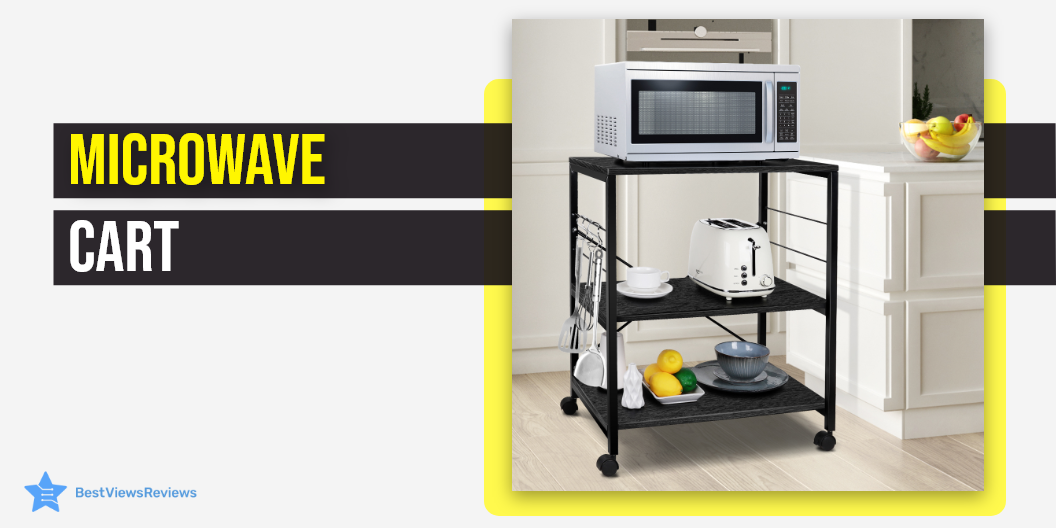
A microwave cart is a great way to save space in the kitchen while having a convenient location for the microwave. There are many advantages of purchasing a microwave cart with storage. The sleek appearance of a cart improves the general look of the kitchen. Its structure and build can fit in any size microwave. Read our blog to know about different types of microwaves before you purchase a cart.

A microwave cart is safe and helps to keep the microwave away from children, pets, and other dangerous objects. It’s a great spot to store your cooking essentials too. Microwave carts are available in a variety of styles and built-in both stores and online.

Why Should One Buy a Microwave Cart?

You should buy a microwave cart because of the various benefits offered by it like:

Portability

The ability to transport your microwave from one place to another is a compelling reason to purchase a portable stand. If you have a tiny kitchen, a cart can save you significant counter space to do other chores.

A microwave cart gives you the freedom to use the appliances as per your requirements. you can store it in a different place at other times. Most of these carts come with wheels that allow mobility.

Stationary

A fixed microwave cart is an option for homeowners with larger kitchens. Such a cart enables you to use it as a more permanent fixture. A stationary cart is an ideal choice if you have extra space. Another option to go for instead of a cart is a microwave cabinet.

Drawers

A microwave cart with drawers will allow you to store spoons, cutlery, and oversized utensils like a slow cooker or an air fryer. You can also use these drawers to place the hot pads while removing boiling hot food from the microwave.

Casters

The cart must be on casters if you need to move it throughout the kitchen. You can go to the store and purchase them before attaching them to your cart if your stand is without casters.

What To Look For In A Microwave Cart?

Organizational Feature

The ability to keep other things than just your microwave is one of the advantages of having a microwave cart in your kitchen. The additional storage offers you sufficient space for dishes, utensils, food, and spices. You can also seek a cart with open storage for easy accessibility of the drawers. Many carts also come with cabinets that offer convenient storage. You can also read our blog to know everything about a microwave cabinet.

Decorative Feature

One of the decorative features of a microwave cart is the finish you can find. Many carts come with a marble finish. Marble improves the aesthetic of the kitchen and is low maintenance. You can for example place hot dishes on the marble or wet plates without worrying about any damage.

Functional Features

The microwave carts with butcher blocks are becoming popular and for a good reason. They are sturdy and withstand the heat from your microwave and other hot utensils. Butcher block has been useful in the kitchen due to its high stability and capacity to function as a cutting board.

Buy the Best Microwave Cart

AZ L1 Life Concept 3-Tier Kitchen Rack Utility Microwave Oven Stand

The AZ L1 Life Concept 3-Tier Kitchen Microwave Cart comes with a brake and a long handle to make it easy to move. It is a professional and practical kitchen equipment that is widely used in restaurants and commercial kitchens. The AZ L1 Life Concept 4-Tier Rack is a set of four shelves. It can store microwave ovens, refrigerators, water heaters, and washing machines.

Hodedah Mini Microwave Cart

Hodedah Mini Cart comes in a nice white color. It is a convenient and accessible way to store your microwave, toaster, and other small appliances. This cart comes with cabinet space along with one shelf. It also comes with wheels that make it moving it around easily. It is perfect for compact spaces that need more workspace.

Bestier Kitchen Baker’s Rack Island with Storage Shelf

Bestier Kitchen Baker’s Rack Island with Storage Shelf comes in a modern design. It offers 4 spacious shelves for convenient storage. You can store your microwave, cutting board, spices, oils, wine, and wine glass on this. It also comes with 3 hooks on the sides that allow hanging cooking spoons. You can move this cart easily with the help of its wheels.

Home Source Industries Kevin Oak Microwave Cart

Home Source Industries Kevin Oak Microwave Cart has an attractive light walnut finish. It looks stylish and will enhance the appearance of your kitchen. This cart offers a lower drawer and a cabinet for easy storage. It also offers 3 shelves so you can store different things separately. It is portable as well as easy to assemble.

HODEDAH IMPORT Microwave Cart 

HODEDAH IMPORT Microwave Cart is made of wood and metal. It provides you a convenient and accessible way to store your microwave, toaster, and other small appliances. This cart also offers wheels for easy mobility. It comes with smooth metal drawer glides with safety stops to prevent the drawers from falling out.

You can install built-in microwaves in small cabinet spaces if you have a compact kitchen. Read our blog to know everything about a built-in microwave.

Conclusion

Look for a microwave cart made of solid wood. A cart made from recycled wood products is a good option if you’re on a budget. There are some with metal and marble finish and are usually towards the higher price range. The color and style of your microwave cart should match the rest of the room’s décor.

BestViewsReviews rates and reviews hundreds of serving carts and microwave ovens on the basis of their build quality, ease of use, and design.

Vertical Monitor: Should You Buy One?

vertical monitor

A vertical monitor is a type of monitor that allows you to read the text vertically. It’s easier to get things done when you have a vertical monitor. When using a standard computer or monitor, reading the text becomes tricky. Some older monitors make it challenging to read the entire word because the full text does not get displayed on the screen. You must invest in a vertical monitor to avoid these problems.

Can You Turn a Horizontal Monitor Into a Vertical One?

Yes, it is possible to turn a horizontal monitor into a vertical one. It is possible only with the newer versions of Windows. A computer screen, like a tablet, can change orientation as per your choices. The process is often not automatic and is done manually from the settings. To change the computer screen’s horizontal direction to vertical, adjust both the physical positioning and the display settings in Windows 8.

Touch screen monitors are also great gadgets that you can consider buying. These monitors are easy to use and offer high speed. Read our blog on touch screen monitors to know more about them.

What Type of Monitor Can be Vertical?

If you choose a vertical monitor, the system’s efficiency increases significantly. Here are some of the essential parameters that determine the performance of a vertical monitor.

Resolution of a Vertical Monitor

The number of pixels on a digital screen represents the monitor’s resolution. The image clarity will be transparent and immersive with a bigger number of pixels. So, a high-resolution monitor is advisable.

Display Size of a Vertical Monitor

The display size of vertical monitors is crucial for good performance. A larger display provides you with more working space and allows you to see the objects clearly from a safer distance.

Panel Type of a Vertical Monitor

Before you buy a digital display, be sure the panel is in good condition. The type of digital panel used impacts the overall clarity and quality of the display. Select a panel that meets your needs.

How do You Know If a Monitor is Vertical?

To know whether your monitor is vertical, consider a couple of points.

  • Check to see if your monitor is VESA-compliant.
  • Ensure that the hardware on which the monitor is mounted, i.e., the stand, allows for a vertical tilt. Most displays are in portrait mode as long as that is in place.
  • Many new monitors can switch between vertical or portrait mode. If you want to move your monitor vertically, the first step is to make sure the monitor can do so.

Why Should you Buy a Vertical Monitor?

Pros-

More View

One of the advantages of using a vertical monitor is that it aids in the improvement of eyesight. People find it difficult to focus on a specific text or piece of content using a horizontal monitor. It also makes it difficult to read clearly. You can use a vertical monitor to read the entire text without straining your eyes.

Natural Eye Movement

With a vertical display, everything becomes accessible. Activities like reading, designing, coding, or forming a landscape are easy with vertical monitors. The images are usually crisp with a vertical monitor. You will be able to view the entire screen at the same time. This makes it comfortable to use a vertical monitor.

Brighter and Sharper Image

Another great advantage of choosing a vertical monitor is that it makes viewing easier. On the screen, the image appears bigger, brighter, and clearer. All the colors also appear bright. You don’t have to scroll down the image or move your head from side to side if you’re working or making a design with vertical monitors.

Improves Efficiency

Using a vertical monitor allows you to work more efficiently while maintaining the visual quality. Most people use phones because it is easier to view images on a vertical screen than horizontal. Using a vertical monitor has shown to be specifically useful to many graphic designers.

Coding

The use of a vertical display has been beneficial to programmers and coders. Vertical monitors are great for coding. You will find it challenging to insert the coding data if you use horizontal displays. If you are involved in programming or coding, you must have a vertical monitor.

Cons-

Glare

A vertical screen monitor has more probability to catch glare from light sources around. This is because their adjusting angles are smaller than in horizontal screen monitors. The up-and-down range of achievable motion is less than the left-and-right counterpart so there are fewer adjustments you can make.

Price

As with all products with specific designs that meet specific purposes, you are looking at a higher price for a vertical screen compared to a horizontal one. The price you pay for the monitor will however be worth it.

How to Mount a Vertical Monitor?

To mount the vertical monitors, you’ll need an arm stand or a monitor mount that can hold your monitors and attach to the desk or rest on top of it. Instead of placing the two monitors on the desk next to each other, the arms stand lets you set them side by side.

Connect VESA mounts to monitors and screws and springs to secure the stand to the wall. Measure how apart your monitors should be and how high they should be off the ground. They are usually placed at an eye level or below. Drill holes on the rear of the monitor mount and fix the set-up to the wall. Next, connect your displays to the arm stand or mount. Once this is done, it’s time to set up the system.

Buy the Best Vertical Monitors

HP VH240a 23.8-Inch Full HD 1080p IPS LED Monitor

This HP monitor adapts to your space and your needs with flexible set-up options. Use the versatile tilt adjustment to achieve the perfect angle for viewing comfort. This 23.8″ diagonal HP VH240 Full HD monitor comes with built-in speakers for a great viewing experience.

The rich multimedia of this monitor features an ultra-slim profile that offers an innovative, space-saving design. The monitor’s 0.5 cm ultra-narrow bezel blends into the background for a virtually seamless viewing experience.

HP 24mh FHD Monitor – Computer Monitor

The customer reviews of the HP 24-inch monitor say that it lets you experience rich visuals with Full HD resolution and an ultra-wide viewing angle. Its HDMI connectivity delivers outstanding digital picture quality. The monitor lets you view content from your smartphone or tablet on the big screen. The VESA-compatible mount offers flexible mounting options, while the built-in stereo speakers deliver rich and full sound.

Sceptre 24″ Professional

Sceptre 24″ Professional comes in a contemporary sleek metallic design. This monitor has a 24 inches screen size. It offers a contrast ratio of 1000: 1. This model also comes with built-in speakers and 2 x HDMI ports. It is a wall mount-ready model.

Acer XFA240 bmjdpr

Acer XFA240 bmjdpr offers a 144-hertz refresh rate using a display port. It comes with 2 x 2-watt speakers. This model also supports G-Sync compatibility. It comes with 170° horizontal and 160° vertical viewing angles. The screen size of this monitor is 24 inches.

SAMSUNG Odyssey G3

SAMSUNG Odyssey G3 has a 144hz refresh rate and 1ms response time. It prevents motion blur and creates a smooth gaming experience that can give users the winning edge. The FHD resolution of this monitor creates a crystal clear color. You can adjust the height, tilt and swivel to a position that suits your eye level with this vertical monitor.

Conclusion

A vertical monitor is useful for various tasks such as coding, programming, text writing, editing, and reading. The vertical screen space orientation makes tasks faster and easier, resulting in better productivity. This monitor significantly improves designing vertical layouts, coding, reading, and browsing through an online article.

BestViewsReviews rates and reviews hundreds of computer monitors, monitor arms, and keyboards on the basis of their design, build quality, and size.

Portable Hammock: How to Choose One?

Portable hammock

A portable hammock is a bed of fabric or netting-and-rope sling. It is strung between two points and used for swinging, sleeping, or resting. A portable hammock is a handy item you can carry on your trips and outdoor get-togethers. It is lightweight, robust, and provides you with a comfortable spot to sleep. You can carry the portable hammock with you on your adventures.

There are many types of hammocks present in the market that come with convenient and innovative features. You can tie some of the tree-top hammocks to the trees, while you can tie others to beach-front hammocks tied to posts. Read our blog to know everything about camping hammocks.

Portable Hammock: Types

Portable Hammock with Stands

A hammock with a hammock stand requires the installation and requires some space. It isn’t easy to move it around as it is heavy. For many people, this is ideal because hanging a hammock the traditional way can be a challenge. Many people use this hammock as a part of their décor or to enhance their interiors. BestViewsReviews rates and ranks hundreds of hammock chairs and hammock stands based on size, convenience, quality, and delivery. Discover the top picks we recommend.

Tree Hammock

A tree hammock hangs from the branches of trees and is ideal for the outdoors. You can tie it between two trees that are at the right distance and make a sturdy bed out of it. It is also suitable for backyards.

Swing Chair Hammock

A swing chair hammock is like a hanging chair. It usually comes with a small stand on which you can swing or sway while sitting in it. It is suitable for both indoors and outdoors.

Portable Folding Hammock

The hammock conveniently folds, so it is easy to transport. The lightweight design of this type of hammock makes it easy to bring to a campsite. It is sturdy and can hold up to 250 pounds.

Teardrop Hammock

The TearDrop hammock has an interesting style. It is a hybrid of a hammock and a tent that suspends from a sturdy tree branch or other structure. This hammock is sturdy, lightweight, and weather-resistant. It is comfortable and can support two people at once.

How to Choose the Best Portable Hammock?

Uses

There are different hammocks available for various uses. Before purchasing one, make sure you understand how and where you are planning to use it. Hammock style differs as per the use. For example, a hammock for backpacking comes with a small dimension, a camping hammock is lightweight and sturdy, and a backyard hammock is lightweight and easy to set up.

Size

A single hammock is between 4 to 5 feet wide. It is sufficient for most individuals. A double hammock is wider than the single one, with widths ranging from 5 to 6 feet. Two adults can fit in a double hammock comfortably.

Weight

A single hammock can take about 300 to 400 pounds of weight. It is an ideal choice if you want a light hammock to carry with you on your adventure. A double hammock weighs around 500 to 600 pounds. It can fit two people and is a popular choice for people who want a big and comfortable space to sleep.  

Comfort

There are different hammocks out there, the most popular being the hanging hammocks. The material is comfortable and tightly woven for comfort and support. The majority of them are portable, foldable, and comfortable enough to use outdoors.

Material/Fabric

The size of the threads woven into the material is measured in denier. The higher the denier number, durable the material will be. For example, a strong hammock usually comes with a material that contains 70 deniers, while lighter models have material with about 30 deniers.

Ease of Setup

It is also important to check if the hammock you choose comes with straps, buckles, or stands to make the setup quick and convenient. It is vital to look for high-quality straps. Strong straps offer support to the hammock while tying it between two trees. It is always advisable to double-check the quality of the straps that you are going to get before you buy them. A failure to do so might put you at risk of suffering an injury.

Portability

A hammock should weigh less than two pounds for it to be portable. It should accommodate two people with a maximum weight of 400 pounds. The nylon fabric is both sturdy and machine washable, making it ideal for the outdoors. The hammock that isn’t portable may require the installation of a heavy-duty metal stand. They are also heavier, larger, more time-consuming, and difficult to carry. 

Which is the Best Portable Hammock to Buy?

Wise Owl Outfitters Camping Hammock

The reviews of Wise Owl Outfitters Camping Hammock show that it is an excellent way to relax in the outdoors. It consists of 210T parachute nylon fabric, providing you with a strong and reliable hammock. The hammock includes two ergonomic adjustable straps and two more straps that are fixed. These straps are easily attached to trees and other objects.

The Wise Owl Outfitters camping hammock is an ideal solution when you’re looking for a portable and lightweight for indoor and outdoor use. The single and double camping hammocks are great for backpacking, hiking, biking, backcountry adventures, and more. Weighing less than 2lbs, it is perfect for backpacking, hiking, biking, backcountry, and camping.

Kootek Camping Hammock

Kootek camping hammock is an innovative portable camping hammock with double layer and large size, suitable for two people. It is of lightweight parachute nylon, which is strong and durable. It comes in a carry bag that is lightweight and has a strap with which you can hang the hammock from trees.

The hammock has soft and breathable fabrics that provide comfortable support for the body. It is strong enough to support up to 400 pounds. Compared with the traditional camping hammocks, this hammock is lighter and compact when packed and is comfortable to lie down. It is recommended by hundreds of customers on Amazon.

WINNER OUTFITTERS Double Camping Hammock

The WINNER OUTFITTERS Double Camping Hammock provides relaxation and comfort while lounging in the sun. This hammock features a relaxing bed and a breathable cover that makes it comfortable year-round. It can hold up to 500 lbs, making it ideal for you, your kids, or your pets. It includes tree straps that have 16 loops for easy adjustments. This camping hammock has got good reviews for its durable build quality.

Legit Camping Hammock

The Legit Camping Hammock is a comfortable hammock and a great choice for a day around the house or in the woods. It is made of 75D Nylon Taffeta fabric that is light and soft yet durable enough to hold 500 lbs. This hammock also offers various colors to choose from, like red, blue, green, brown, and yellow.

It is also easy to install and takedown. The hammock is designed with a 210 thread count for maximum comfort and is ideal for indoor and outdoor use. The hammock can be folded into a small size and is easy to carry. Reviews suggest that it is the best companion for you on your journey.

Vivere Double Cotton Hammock

Vivere Double Cotton Hammock is a comfortable and portable unit that you can hang anywhere. It’s a great way to relax, whether you’re camping, hiking, traveling, or just relaxing in your own backyard. This portable hammock is made of 100 percent cotton fabric. It is a great choice for camping. It is made of fine quality material and is suitable for backpacking and adventures. For an affordable price, you can have a piece of equipment that will last you many years, adding to your outdoor fun.

Sunyear Hammock Camping Hammock

Sunyear Hammock Camping Hammock is a lightweight and comfortable portable camping hammock. It is easy to set up, and you can use it anywhere. This camping hammock is easy to carry, comes with 2pcs, 10ft each, tree saver straps, and 16+1 loops, and is available in multiple colors.

This hammock features the classic parachute nylon fabric, which is soft and strong at the same time. These hammocks are perfect for camping, hiking, traveling, and other outdoor activities. It is a wonderful choice for families, couples, friends, and groups to relax and enjoy the rest after a long day of activities.

TakeAway

One of the most important things to consider when buying a portable hammock is how sturdy it is. Read our blog to know about the best camping Hammocks. Winds act as a natural deterrent, and only a strong hammock can keep you safe from strong winds. It is advisable to set up a portable hammock deeper into the forest than in exposed areas. This offers a natural sheltering effect on the trees.

Everything About A Laptop Motherboard

laptop motherboard

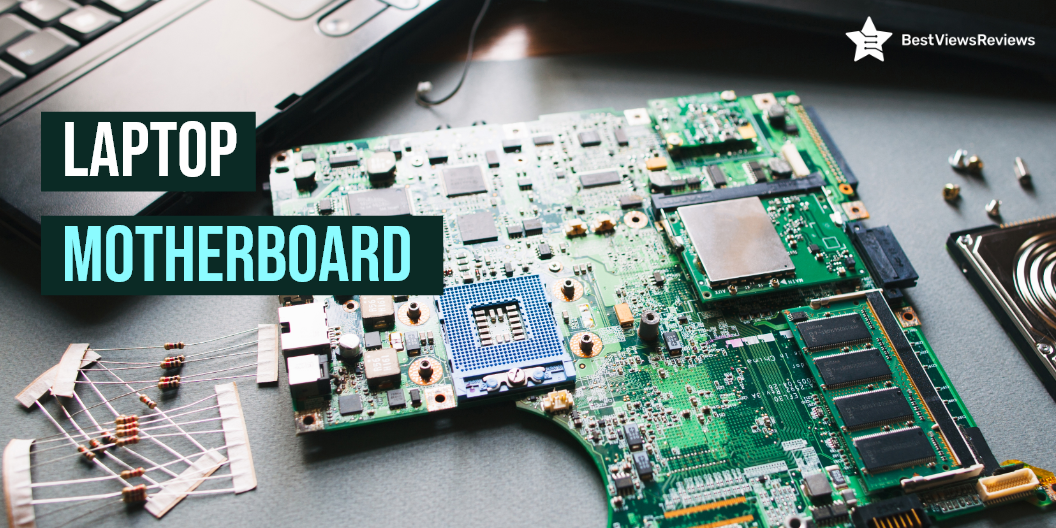
A laptop motherboard is a printed circuit board (PCB) that houses important components of a laptop. It contains the hard disk, CPU, RAM, GPU, and various parts that interface with them. The physical layout of the motherboard has changed where more features and connectivity options are added, but the basic concept remains the same.

How to Choose a Laptop Motherboard?

A motherboard is a central board present on any laptop. The right motherboard can improve your laptop’s performance and efficiency. We have listed a few factors to consider before choosing the right laptop motherboard.

Platform

It’s important to choose the motherboard that includes the right socket and chipset as per your selected CPU. AMD and Intel are two popular names in the market for the best CPU manufacturers. When you are looking to buy a motherboard, go with the one that supports the CPU processor.

Form Factor

Form factor indicates the size and capacity of the motherboard to hold various components. A larger motherboard will fit more components, but it is of no use if it doesn’t fit in your laptop case. The form factor you need to find should fit your laptop’s size and space.

Expansion Slots

The expansion slots refer to slots that allow you to expand the hardware capabilities of your motherboard. The motherboard hosts various of parts, and they are connected to the motherboard via PCIe (Peripheral Component Interconnect Express) slots.

PCIe slots come in four sizes; x1, x4, x8, and x16. The commonly used PCIe standards with AMD- and Intel-compatible boards are PCIe 3.0 and PCIe 4.0. Some motherboards feature extra expansion slots to help you with your future needs. Consider buying such models, but do look for the right size that suits your upgradable hardware.

Reviews of MSI MPG Z390 show that this motherboard comes with 6 USB slots and 2 DDR4 HDMI ports.

RAM

A RAM is a crucial component of any laptop motherboard. It helps you multitask and run a variety of programs at the same time. The right RAM capacity depends on your CPU needs. Go with 4GB or 8GB RAM if you are a light user with low multitasking needs. You should go with a RAM capacity of 16GB or more if you perform graphics-oriented tasks or if you are a gamer.

The gaming laptops require more RAM storage. Read our blog to understand how much RAM you need for gaming.

Storage

High storage means large space for your heavy files, programs, games, and other data. A laptop motherboard can come with SSD storage or HDD storage. An SSD is a solid-state drive and is faster than HDD (hard disk drive). You can go with any mode as per your budget and requirement. Make sure you choose the right storage capacity.

GPU

GPU is a graphic processing unit of the laptop motherboard. It fits in PCIe slots of 3.0 and of size x16. Choosing a motherboard that fits your GPU is important. Identify what specs your GPU requires and match them with your selected motherboard model. It is best to use two GPUs when there are two PCIe slots.

The Intel Core i5-9600KF Desktop Processor has 6 cores and 6 threads with a junction temperature of 100°C. It has got excellent reviews for its max turbo frequency of up to 4.60 GHz.

Connectivity

A laptop motherboard like ASUS ROG Strix B450-F has different connectivity slots, including PCIe, DIMM, HDMI, and USB. Some slots are for internal connections, while others are for establishing external connections. The external slots are present on the I/O panel. Buy a motherboard that has enough connectivity options. The right number of connectivity slots will depend on your connection requirements.

Deciding between Touch Screen Laptops vs Non-Touch Laptops can be tough. Read our blog to get more clarity.

Is it Worth to Replace a Laptop Motherboard?

Buying a new laptop can cost you a significant amount. Upgrading your laptop motherboard is undoubtedly a worthy decision. It also depends on your requirements too. If you want an upgraded graphic performance, higher processing speed, and updated hardware, replacing a laptop motherboard is a great option.

What is The Cost of a Laptop Motherboard?

The laptop motherboard can cost anywhere between $30 to $200 and more. The high-end models will cost around $100 and more.

You can buy the Intel Core i3-10100 Desktop Processor for just $108.99. It is compatible with Intel 400 series chipset-based motherboards. It has got good reviews for its CPU speed of 3.6 GHz.

Conclusion

The motherboard is the most important component of your laptop. It consists of parts that play a major role in keeping your laptop’s performance high. You should choose a motherboard with advanced specs if you are buying the best gaming laptops. Check our blog to find the best 4K gaming laptop in 2021.

BestViewsReviews rates and recommends hundreds of best motherboards based on performance, ease of installation, and build quality.

Why Buy an Underdesk Treadmill?

underdesk treadmill

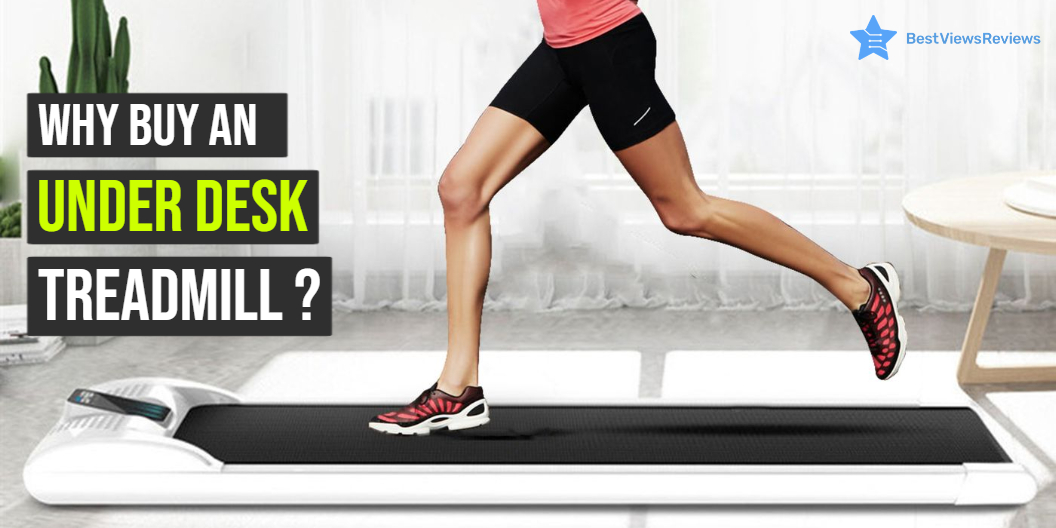
An Underdesk Treadmill is fitness equipment that offers you a great way of losing weight without leaving your desk. It also goes by the name Treadmill Desk. It includes a special treadmill and an electric desk that allows the user to stay active. A Treadmill desk is not the same as the ones we see in gyms. You cannot run on a treadmill desk. The maximum speed of most of them is 4 miles per hour(mph).

An under desk treadmill is primarily found in office settings. It is ideal for anyone who cannot work out regularly because of injuries or a busy schedule. You will burn calories without leaving your workstation. Few of them come with built-in electrical outlets, where you can charge your phones. Some others come with an adjustable mechanism. This allows the users to transition between sitting, standing and walking.

Why is an Underdesk Treadmill Popular?

The treadmill is a convenient way to lose weight and tone your body. Underdesk treadmills are more efficient than running outdoors, according to a recent study. Underdesk Treadmills offer a great way to stay fit while working and without the hassle of heading to the gym. It improves your posture and relieves back pain as well. Read on to learn more about these products.

Allows You to Exercise While Working

The advantage of an Underdesk treadmill is that it allows you to move while working. This keeps you away from a sedentary lifestyle and helps you to lose weight. An Underdesk Treadmill makes it simple for employees to schedule a time to care for their health during the workday.

Increases Focus

Walking improves cognitive functions by increasing alertness and the ability to focus on tasks. It helps you to be active throughout the day and keeps work stress low.

Eases Anxiety

We all have anxious energy at some time or the other. Anxiety can lead to other issues such as depression. Walking on the treadmill while working will help burn off the anxious energy making it easy to sleep and de-stress.

Multitask

An Underdesk Treadmill helps you to multitask. Using an Underdesk Treadmill will help you maintain exercise and work so that you can focus on both at the same time. This is unlikely with most of the other fitness equipment.

Is an Underdesk Treadmill Worth it?

Yes, an Underdesk Treadmill is worth the purchase. It gives you the 2-in-1 functionality of staying fit while working and keeping aside health problems. This equipment is an answer to nasty back pains one has after sitting for long hours working. It is compact, ergonomic, stylish, useful, and efficient equipment.

An Underdesk Treadmill displays foldable and adjustable features that make it suitable for use for people of all ages. Its cost is below $500, making it popular among working professionals. Read our blog to get a detailed comparison between treadmills and exercise bikes.

How to Choose the Best Underdesk Treadmill?

Motor

When you walk on an Underdesk Treadmill, your body weight pushes the belt backward. At a speed of 2 mph, the belt should overcome the friction between the deck and the belt. A powerful motor can help that. Go for a motor with a range between 2 HP and 5 HP for convenience and the long life of the machines.

Incline Function

The incline isn’t important if you’re going to use your under desk treadmill for walking because your goal isn’t to sweat or exercise excessively. The inclined function in an Underdesk Treadmill will slightly raise the entire treadmill off the ground. Considering this factor will help you choose the right height or go with the one that has an adjustable feature.

Belt Size

The belt size should not be an issue for smaller users; however, taller users may want to consider longer treadmills so they can stride comfortably. The belts are 55 and 60 inches in length. So if you’re tall and have long strides, you’ll need a longer belt. The width of the belt stick should be 20 inches or more.

Calorie Counter

Many models come equipped with a calorie counter. It shows data such as time, distance, and calories. We recommend you consider additional features like the calorie counter when buying an Underdesk Treadmill. It will motivate you to perform well.

Guarantee

Most manufacturers give you a lifetime warranty on the frame, with a one or two years warranty on the controller board and motor. Look for an Underdesk Treadmill with a 3-year motor warranty and a minimum 2-year electronics warranty.

Compact treadmills do not require large space for installation and set-up. Check our blog to buy the best compact treadmills for small spaces.

Buy the Best Underdesk Treadmill

Goplus 2 in 1 Folding UnderDesk Treadmill

The Goplus 2 in 1 Folding Under Desk Electric Treadmill is a good choice for people who want to keep themselves healthy. It’s advisable for people who have no time to go outside for running but want to keep fit. This equipment is ideal for people who are currently working from home. It has features like a 2.25 HP DC motor, folding design, built-in Bluetooth speaker, smartphone control, foldable design, space-saving, and more. You can also use it for walking your pets, playing your favorite music, or as a home office treadmill.

ANCHEER 2 in 1 Folding Treadmill

The compact and portable ANCHEER 2 in 1 Folding Treadmill is the perfect home treadmill solution. It folds under your desk and is ideal for a workout at work, home, or traveling. The Underdesk Treadmill is easy to use and offers advanced features such as a phone holder and LCD display to track your speed, distance, and calories burned. This machine can give you a maximum speed of 7.5 MPH.

UREVO 2 in 1 Underdesk Treadmill

The UREVO 2 in 1 Underdesk Treadmill is a good option for cardio exercises. You can use it while sitting on the desktop. It helps you to burn calories, improve endurance, and control your blood pressure. The UREVO 2 in 1 comes with efficient remote control and a 2.5HP motor. It is foldable so that you can store it under your desk. Reviews show that this model will help you achieve your fitness goals and track your progress.

UREVO Foldable Treadmill

UREVO Foldable Treadmill is for those who want to exercise at home but do not have enough space. You can place it under your desk or table, and it will not take up much room. This model has got positive reviews for its foldable feature. It is convenient to carry, as you can fold it and carry it in the trunk of your car. It also comes with 12 pre-set training programs to improve your fitness.

CITYSPORTS Treadmill

The CITYSPORTS Treadmill is an under desk treadmill for walking and jogging. It is perfect for people who want to be active while working or studying. This model has a slim design, is quiet, easy to move, store, and set up. It has a multi-speed feature with speeds ranging from 1 – 6 km / h. You can set your preferred speed using the remote control. It also equips Bluetooth-integrated speakers for more intense workouts.

Conclusion

An Underdesk Treadmill desk is a great way to get some daily exercise while you work. You should conduct some research before deciding to invest in office workout equipment like stationary bikes. When brainstorming, make sure to include the mentioned factors.

You should choose something practical and convenient, and turn your office time into a healthy activity. Check our blog to find the best small treadmill for exercise.

You can also read through the blog staying fit from home for some quick tips on the best workout regime while working from home.

BestViewsReviews ranks and reviews hundreds of exercise bikes based on overall performance, controls, and functionality.