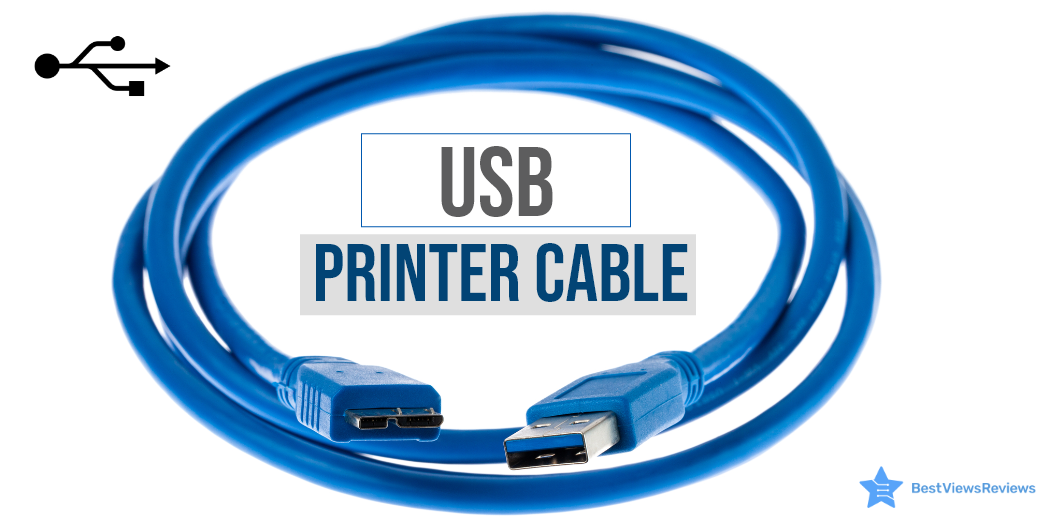
A USB printer cable is a type of printer cable that is used to connect a printer to your CPU or desktop computer. It transfers data and commands from the computer to the printer. This cable is an AB-type cable and has two connecting ends; A and B. The USB-A end is flat-shaped and can easily be plugged into the computer USB port. The USB-B end is for the printer and has a square-shaped structure with curved edges.
Most USB printer cables have USB 2.0 capability and can transfer data at a high speed of up to 480 Mbps. Printer cables come in different types. This blog intends to highlight the different types and uses of printer cables.
Printers are also useful devices that help you in your school and work projects. You can read our blog on everything about inkjet printers to learn more about them.
What Are the Types of Printer Cable?
Printer cables are available in mainly 3 types; the USB cable, the Parallel cable, and the Serial printer cable.
USB Printer Cable
The USB printer cable is widely used in modern printers and computer systems. It is easy to connect and transfer data at a much higher speed than its other types. This cable is compatible with operating systems like Mac, Linux, and others. It comes in different lengths and can be extended using a USB extender.
Parallel Printer Cable
The parallel printer cable is a little outdated but still used in many traditional printers. It has two ends, one is Centronics and another is DB-25. The Centronics end has a 26-pin plug, while the DB end has25 a pin plug. This cable is good for connecting dot matrix printers to your computer systems.
Serial Printer Cable
The Serial Printer Cable has a D-25 pin end that connects to the printer and a D-9 pin end that is connected to the computer. It transfers data seamlessly, but the speed of this cable is around 2mbps. The compatibility of this cable can also be a problem.
You can also read our blog to know about the Most Reliable Printer Brands available in the market in case you are looking for a printer. It will help you to make an informed buying decision.
How Do I Use a USB Printer Cable?
Connecting your printer to your computer is easy. You can set up your device in just a few minutes. Follow the below-listed steps.
- Shut off your computer and keep the power button OFF
- Hold the end that will go to your printer’s port. It is B-end
- Firmly plug your cable into your printer
- Plug the other end, i.e. A-end into your PC
- Start your printer by pressing the power button
Can You Test a USB Printer Cable?
The answer is yes. You can test if your USB printer cable is in working condition or not. There can be many reasons for your printer to not connect to your PC. It can be a faulty slot, USB cable, or hardware device.
Your USB cable is working fine if your desktop pops up with a notification of a successful hardware connection. You should plug your USB cable into another port if you do not see any such notification. If this doesn’t work, you should try connecting with another USB cable.
You can also check with other hardware devices or printers to check for your printer failure. This will help you understand if the problem is with your cable, slot, or hardware.
Buy USB Printer Cables
Amazon Basics USB Cable***
The Amazon Basics USB Cable is a high-speed transfer cable that connects printers, cameras, and external hard drives to your computer system. This cable is 6-foot-long that allows you to set up your printer with ease. It has multi-layered, corrosion-resistant construction that minimizes external interference.
JSAUX 6.6FT USB Printer Cord
The JSAUX 6.6FT USB Printer Cord is an AB-type cable that is compatible with most printer brands including HP, Canon, Dell, Epson, and Samsung. This is a nylon braided cable that makes it tangle-free and ensures high durability. The length of this cable is 6.6ft and can connect with the scanner, printer, server, and camera.
NC XQIN USB Printer Cable
NC XQIN USB Printer Cable is compatible with common devices with USB type B connectors like Arduino, Blue, Brother, Canon, CyberPower, Dell, etc. The twisted-pair construction of this cable helps reduce cross talk thus ensuring high-speed, error-free data transfer. It also comes with foil and braid shielding reduces EMI/RFI interference.
UGREEN USB 2.0 Printer Cable
UGREEN USB 2.0 Printer Cable is ideal for connecting your scanner, printer, server, hard drive, camera, piano, and other USB devices. The foil/braid shielding of this cable makes the SB 2.0 Male to USB B Male cable cord offer long-term performance. It also provides a more stable data transmission as well as offers a more efficient work way for you.
Ruaeoda USB Printer Cable Cord
JSAUX Printer Cable is great for your scanner, printer, server, or camera. It is constructed with corrosion-resistant, gold-plated connectors for optimal signal clarity as well as shielding to minimize interference. This premium nylon braided cable adds additional durability and gives you a tangle-free experience.
Conclusion
A printer cable is an important unit to connect your printer to your computer device. Buying the right printer cable as well as the top-rated computer cable is crucial as it can affect your productivity and efficiency. A USB printer cable is popular for its speed and compatibility. You can go with any type based on your computer and printer requirements. Make sure you check the ports of your cable and printer, carefully.
Inkjet printers have added features like good printing quality, speed, technology, etc. which make them a quite sought-after option. Read our blog and know the best inkjet bluetooth printer of 2022.
BestViewsReviews rates and reviews hundreds of best USB hubs and top-rated USB adapters based on their connectivity, length, and compatibility.