What Size TV Should I Get?

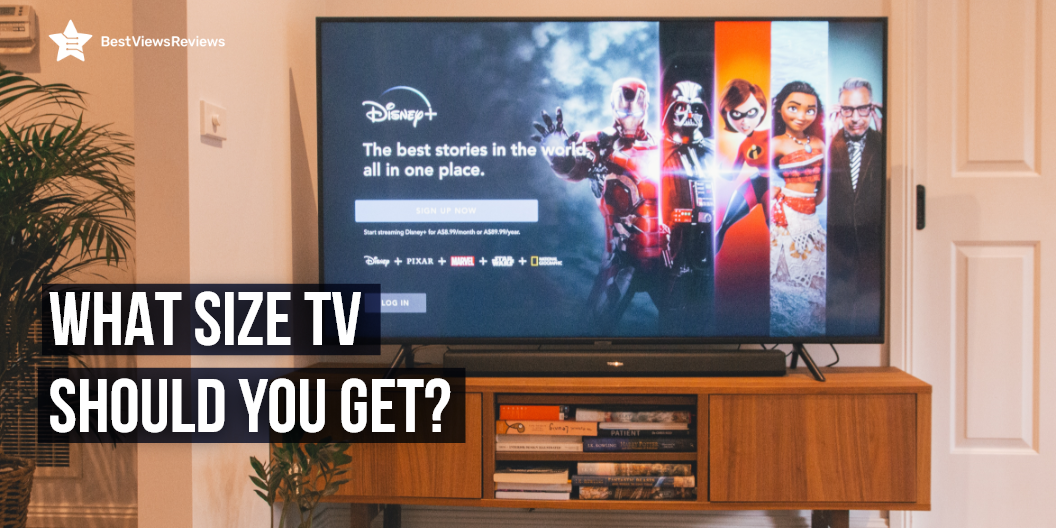
The size of your TV will decide the quality of the image. Watching TV is a significant part of daily leisure activities. You can watch your favorite movies, shows, and popular programs on your TV. The benefits of choosing the right TV size are many, such as comfortable viewing, better eyesight, and a better entertainment experience. The best way to choose the right TV size is to first understand and identify your requirements for watching TV.

What Size TV Should I Get- How to Decide?

Viewing Distance to Screen size

You should measure the distance from the place of view. The viewing distance, when divided into halves, is your TV size. You should go for at least a 40-inch screen if your viewing distance is 6 feet. The 32-inch TV is good for average-sized bedrooms or living rooms. A model like the SAMSUNG 43-inch class QLED 4K Q60B series comes with a 43-inch screen, which is convenient for a medium-sized room.

Number of People

The number of people also affects the size of your selected model. Go for a large-screen model for installation in a crowded place. It’s best to go with a 55-inch or 50-inch TV when faced with such situations. It will be large enough for a big family with seven or more people. This size will ensure that the image projects well from all sides. The size also impacts the cost of the TV. But, it is totally up to you to choose based on your preferred size.

Position of the TV

The placement of the TV plays a huge role in determining the size. It is best to go for a 42- to 55-inch screen if you are planning a wall mount. Go for 55 inches or more for a corner TV stand. Make sure that the stand is smaller than the width of the screen. You can learn more about how to pick the best small smart TV on our blog.

Sitting Angle

You can prefer a 55-inch or 65-inch screen if you usually sit directly in front of the TV. This will give you a clearer picture and better contrast. It is best to go for a 4K 65-inch viewing for an enriching experience. Such models give you sharp-angled viewing.

Resolution

Going for a TV size that offers a great resolution is crucial. If your TV is below 50 inches, then go for a resolution of 720p or less. A TV that is 50 inches or above should offer a screen resolution of 1080p. The resolution will affect the quality of the displayed image. It is better to make a good investment in the TV resolution before choosing one.

HDR

The HDR or high dynamic range is a common feature in all smart TVs that offer apps like Amazon Prime and Netflix. The larger TV size will offer you a better HDR component. For example, the HDR component in an LG C2 Series 65-Inch Class OLED evo Gallery Edition Smart TV will be any day better than a 55-inch LED TV. Settle for bigger TVs if you want a good HDR component.

What size TV is best for a 10×12 room?

When it comes to choosing the best TV size for a 10×12 room, it depends on a few factors. Primarily, you have to consider the distance from which you will be watching the TV. With the higher TV resolution, you can watch from further away with crystal clear picture quality. You also have to consider the size of the TV in relation to the size of the room. A larger TV might overpower the room, while a smaller one might look lost. Ultimately, the best size TV for a 10×12 room could be ideal to have between 40 and 55 inches. Moreover, it is also important to get one that fits within your budget and looks proportional to the size of the room while offering the best picture quality.

What size TV is good for 12 feet away?

When selecting the size of the TV for 12 feet away, it is important to consider the viewing angle and the size of the room. A 30-50 inch TV is ideal for 12 feet away. This TV size will offer a comfortable viewing angle and won’t take up too much space. Additionally, with this size TV, you will get an immersive picture quality when sitting 12 feet away. You may also want to consider the type of TV such as LED, LCD, or OLED. OLED TVs offer the best picture quality, but they are quite expensive.

How do I know if my TV is too big for a room?

When determining whether or not your TV is too big for a room, there are a few factors to consider. First, you should measure the size of the TV and the room to ensure that the TV can fit comfortably in the space. Then, you have to assess the viewing angle. Make sure you are able to watch the TV from any point in the room and that the quality of the picture remains consistent. Finally, consider the viewing distance. If you have to sit too close to the TV to get a clear picture, it may be too big for the room. Ultimately, these factors will help you understand if your TV is too big for the space.

Buy Best TVs

Sony 65 Inch 4K Ultra HD TV X90K Series

The Sony 65 Inch 4K Ultra HD TV X90K Series is a hands-free TV that comes with Alexa and all the latest features. It comes with a resolution of 4K and a screen size of 65 inches. This TV is ideal for any home. It features Chromecast, USB recording (Dvr), a browser, a sleep timer, and an ambient light sensor for efficient smart use. It comes with a stand, remote control, and power cable. You can also receive the feature BRAVIA XR for the PlayStation 5. This feature will enable auto HDR tone mapping and auto genre picture switch for more proficient gaming experiences.

LG OLED C1 Series 48” Alexa Built-in 4k Smart TV

The LG OLED C1 is a 48” smart TV that offers a resolution of 4K, a screen size of 48”, and a refresh rate of 120 Hz. The TV also has features like built-in Alexa, Dolby Vision IQ, and Dolby Atmos, as well as WiSA Ready and gaming mode, which offer versatility. The TV is black in color and comes with a stand, remote control, and power cable.

SAMSUNG Class Crystal UHD TU9000 Series Smart TV

The SAMSUNG Class Crystal UHD Smart TV has a resolution of 4K, a screen size of 86 inches, and is LED-lit. It offers multiple voice assistants, a smart TV powered by TIZEN, and HDR with a crystal display. It comes with a remote control, power cable, manual, and VESA wall mount support.

Conclusion

The top-rated TV is a significant gadget to spend your leisure hour and that is why you should choose the right TV size. Make sure you carefully analyze and understand your requirements before making any final decision. The screen size with any type of technology should offer a clear picture as well as sound quality. Consider buying a branded TV from brands like Samsung and LG. It is better to make an ideal investment that fulfills your needs.

Choosing between LCD LED Vs OLED TV can be tough. Read our blog to understand which screen is better.

BestViewsReviews helps you find the best soundbars and top-quality smart TVs on the market by rating and reviewing them based on quality, convenience, and durability. Get unbiased, honest reviews of products before you buy.
Best HDTV Antenna For a Clear Broadcast

best hdtv antenna

TV will always remain a great source of entertainment and with the right HDTV Antenna, you will be able to get a clear broadcast service, without having to pay huge for your TV bills. The best HDTV antenna picks up video signals which are broadcast over the air and allows you to watch some of the best TV shows seamlessly.

The mechanism is similar to that of a radio station. They receive HD video signals with a crisp, clear picture. Omnidirectional antennas that broadcast free TV channels and shows are the best indoor HD TV antennas. Learn more about the best indoor HD TV antennas on our blog.

You have found yourself in the right place if you have been looking forward to giving HDTV antennas a try. We have listed some top-rated HDTV antennas in our guide so that you can bring the best one home. 

Things you need to consider before buying the Best HDTV Antenna

Best HDTV Antenna- Reception

Most HDTV antennas require quality reception to broadcast a clear picture. Using some signal locators, you can see how strong the reception will be in your area. This makes the purchase easy, as you will know which HDTV antenna to go for. Read our guide on amplifying a digital TV signal to know how you can amplify a digital TV signal.

Best HDTV Antenna-Range

HDTV antennas are different mostly because of the range. You can go with the HDTV antenna if you live in an urban area that has a moderate range and skip an extender. 

Best HDTV Antenna-Channels

HDTV antennas can broadcast various TV channels. Look out for a specific channel that can read the specifications beforehand to get a rational idea. 

Best HDTV Antenna-Resolution

Most HDTV antennas give a clear and full HD signal. You should go for nothing less to get the best picture quality.

Top-rated HDTV Antennas

Gesobyte TV Antenna

The Gesobyte TV Antenna has a range of up to 200 miles and can be installed virtually anywhere in your home. Its sleek appearance and long signal range make this model a must-have for your never-ending amusement.

U Must Have Antenna 

The reviews of U Must Have Antenna are positive because it offers full HD clear picture and sound quality. This amplified HD digital TV antenna has a 200-mile range. Enhancements to gain range and frequency performance is available in the TV signals. The built-in smart chip results in an excellent performance, and this is one of the best antennas available on the market today.

Winegard HD TV Antenna

The Winegard HD TV Antenna has received all VHF and UHF programming reception. Both SD and HD local over-the-air television broadcast channels are received by the antenna. Within a 55-mile radius, this antenna provides VHF and UHF programming. It has a powder-coated finish that ensures long-term durability.

Xiaomi U Must Have TV Antenna

The Xiaomi U Must Have TV Antenna has a high-performance ultra-thin design. This digital antenna is able to receive full HD channels like ABC, CBS, NBC, PBC, Fox, and more. It equips the new generation smart switch control powerful amplifier signal booster to offer an improved signal range of 230 miles. It also filters out cellular as well as FM signals. The 8 ft long coaxial cable helps you with easy installation.  

ANTAN Indoor Window HDTV Antenna

ANTAN Indoor Window HDTV Antenna has reception ranges from 10 to 40 miles depending on the location and type of signal being broadcast in the area. Plugging it in, mounting it, and scanning for channels are required. Any TV with a digital input receives full 4K1080p HD. It has thicker copper wiring and standard 2. 5C2V coax cables.

Conclusion

Top-quality HDTV antennas can reduce your cable and satellite bills since they broadcast a powerful signal and provide a high-quality picture. You can enjoy the clearest picture quality by choosing the right antenna. We hope our blog will assist you with your purchase. 

BestViewsReviews rates and ranks the best-rated smart TVs and top-selling TVs based on popularity, demand, and quality.

A Guide on Amplifying a TV Signal Booster

tv signal booster

A digital TV signal booster comes with the pros of a wider screen and you can also use a DTV converter box with it. The inevitable con is that digital signals are weaker and often need amplification for better transmission. Let’s see how you can amplify a digital TV signal today. TV has become everything it was never, and even better. You can see our informative guide on TV that will help you choose the best.

Is a Digital TV signal Booster Necessary?

No. There’s a reason your digital antenna doesn’t come with an amplifier installed by default. Amplifiers like Winegard LNA-100 might be problematic if you don’t need them or if you don’t use them correctly. Issues such as:

  • A signal that is too powerful – Your digital TV will have signal and reception issues if you boost your TV signal too much.
  • Interference – Improper installation might cause reception interference, affecting your neighbors’ TV reception, mobile phones, and other systems for broadcasting and communication.
  • Potential failure – It’s another component in your TV system that could break down and hinder your TV from working properly in the future.
  • Cost – It’s a waste of money if you don’t need one. Don’t acquire an amplifier if you don’t need one as part of your digital antenna setup. They should be able to explain why this isn’t a matter if your antenna technician recommends adding an amplifier. A Digital TV antenna picks up video signals that are broadcast over the air. Read our blog on digital TV antenna to watch your favorite TV shows seamlessly.

How is a Digital TV Signal Booster Used?

The number of stations you can watch depends on the signals broadcast in your area. Your reception quality depends on the distance from local towers. It includes other factors such as the weather, your surroundings, and the terrain. TV signal boosters are also TV Antenna Amplifier that improve the signal quality in areas where the signal from a TV transmitter is distant or weak. Signal boosters like Amplified HD Digital TV Antenna are frequently in use with aerials on properties with numerous obstructions, such as trees in rural areas, towering buildings in urban areas, or mountainous terrain.

How to Fix Reception Issues Before Boosting a Digital TV Signal?

The digital TV signals travel through the air like water mixing with the oil. These signals aren’t as dependable as earlier analog TV signals, which work in the rain, sleet, snow, and sunshine. Try the troubleshooting procedures if you have a problem with your indoor digital antenna. A TV tray is a type of collapsible furniture that folds into a table. Read our blog on why you need a TV tray if you are on the lookout for a suitable tray.

Step 1: Make Sure Your Wiring is in Good Shape.

Poor reception is almost always the result of faulty wiring. The first step in determining the source of a problem should always be to inspect your wires. Double-check that all the cords are firmly attached if you’re having trouble with your signal. You could try detaching and reconnecting the connections from your TV to your satellite dish and power sockets to see if a hard reset of the equipment fixes the problem.

Step 2: Improve your Aerial

The majority of individuals believe that purchasing any “aerial” gadget will help them improve their TV reception. Unfortunately, this is not the case. Television transmissions have been separated into two frequency bands since the analogue switchover: VHF (very high frequency) channels and UHF (ultra-high frequency) channels. Mostly poor TV reception is due to frequency compatibility concerns.

Your aerial must be capable of receiving digital frequencies at a sufficient intensity in order to increase your TV antenna reception. A wideband aerial upgrade may be necessary to get digital terrestrial frequencies. This is due to the fact that some areas have digital multiplexes that broadcast on a UHF band.

How to Choose Digital TV Signal Booster

Type of Booster

The type of antenna booster you want is the first thing you should comprehend and evaluate. Antenna amplifiers are of two categories. A mast amplifier is the first, while an inside amplifier is the second. It enhances the signal coming directly from the antenna, the mast amplifier requires a preamplifier to start.

An indoor amplifier requires a distribution amplifier and it’s mostly in use when you need to provide a single signal to a lot of TVs. The fundamental advantage of a mast amplifier over a distribution amplifier is that it enhances signals at the antenna’s strongest point as soon as they arrive. Our featured section offers a wide selection of TV antennas for you to choose from.

Noise Level

The amplifier boosters with a low noise level will perform much better than the ones with a high noise level. It is general to choose one with a noise level of 2dB or less. The noise levels of 4dB or more are excessive.

Signal Gain or Profit Level

The decibel level of signal gain or profit by the amplifiers is in (dB). You can expect a profit of 16 to 24 dB whereas a mast antenna might create 30 to 40 dB. Indoor amplifiers give sufficient signal gain in this scenario. There are indoor amplifiers that are suitable for both direct terrestrial and satellite television. They are only suitable for terrestrial masts and not for satellite masts.

Output Ports

This component is entirely dependent on your needs. Before you buy an antenna amplifier. You should figure out how many output ports you’ll need to connect it to your television. You’ll need to multiply the number of inputs you’ll require. It is generally advisable to purchase the exact amount of output ports that you require, as this may result in poor signal quality. You will need an amplifier with the required number of output ports after you decide how many televisions you will need to connect.

Where Is The Best Place to Put a TV Signal Booster?

The TV signal booster should always be placed as close to the antenna as possible. The signal loses intensity as it travels along the cable due to attenuation. It closes the gap between it and the background noise. The higher amount of noise will always be present when it is adequate later, and the signal will not be amplified.

What is the Difference Between a TV Signal Booster and an Amplifier?

There isn’t much to it; it’s essentially simply a different name for the same item. While a booster can be referred to as an amplifier, an amplifier cannot always be referred to as a booster. When a consumer asks for a ‘TV booster’ or ‘TV amplifier, understand exactly what he means. It should be referred to as an ‘audio amplifier if someone asks for an ‘audio booster,’ 

Conclusion 

An amplifier could be the ideal solution to significant signal loss. If you troubleshoot the reception issues and buy an amplifier with an ideal dB setting, it could enhance the over-the-air picture quality you see. 

Bestviewsreviews.com rates and ranks smart TVs based on their quality, performance, and durability. 

Happy shopping to you! 

When Is the Best Time to Buy a TV?

the best time to buy a new tv

New TVs for your house can be one of the most challenging purchases you make. The TV viewing experience is constantly being revolutionized with every new model as technology advances at a quick pace. You should be vigilant during a TV sales season if you want an attractive deal and a TV with premium features. Read about various factors you need to consider before buying a TV. You can use this blog to find out when is the best time to buy a TV.

The newer models of TVs today often offer superior picture quality, 4K resolution, and smart functions. Many questions are bound to arise when switching to a new variant. The first thing you should know is whether you are satisfied with your current TV. You should replace your old TV around the time of the holiday sales. We’ll take a look at a few occasions you can use to buy a new TV. View our blog to learn how to choose the right TV size .

Best Time to Buy a TV 

Black Friday and Cyber Monday

Black Friday and Cyber Monday are the best time to discover a wide range of TVs at great prices. In the age of online shopping, Amazon is one of the major platforms to buy a TV right from the comfort of your home. 

Some brands also manufacture special TV sets known as derivatives for Black Friday at lower prices than the original model. These derivatives lack some features and the best way to differentiate them is by checking reviews on Amazon. Products with no reviews are likely to be derivatives. Read our blog on LCD LED vs OLED to know your buying options.

Spring 

The introduction of new TV models usually takes place around March or April, and the prices of the old models get slashed or discontinued. Often, new releases are accompanied by launch discounts that allow you to save on your first purchase. There are fewer differences between models that are a couple of years old and their successors when it comes to technology and viewing experience. This makes it the best time to buy a TV.

Super Bowl Season 

Football season brings big discounts for spectators. Someone who is looking for big screens but shies away because of the prices, this is the best time to buy a TV. 

According to statistics, 17% of Americans planned a new purchase during Super Bowl 2022. As shipping might get a little slower than usual, it’s advised to catch the best Super Bowl TV deals in time! It will make the gaming experience almost real.

Amazon Prime Day

Amazon provides a slew of good TV deals and expanded to a full 48 hours of fantastic electronics discounts. Prime Day doesn’t have as many TVs as previous events, and they’re usually lesser models, but there’s still plenty to look at. The Prime Day event takes place between June and July. The TV bargains are mostly limited to lower screen sizes, though Insignia and Toshiba are both selling 55-inch 4K versions for $350 and $360, respectively.

Back To School Sales

August isn’t a very noteworthy month, yet something significant happens for electronics merchants during this time of year. A fresh generation of grads is about to start college, which means they’ll be eager to update their dorm rooms and apartments by the middle of the year. The second half of August usually sees a smorgasbord of student-friendly offers, including TV deals. Manufacturers are more likely to focus discounts on dorm-friendly TVs, so you won’t find many offers on extra-large models, but this is a fantastic time to search for a smaller TV or a secondary TV for another room.

Best TV to Buy

LG NanoCell Smart TV

LG NanoCell Smart TV comes with a 4K Quad-Core Processor that provides a smooth, sharp viewing experience with improved contrast, color, and black levels. Game Optimizer makes all of your game settings easy to reach, and you’ll also receive Auto Low-Latency Mode and HGiG for a more detailed gaming picture. Alexa is pre-installed. The refresh rate on this model is 60 Hz.

SAMSUNG UN85TU8000FXZA TV

The reviews of SAMSUNG UN85TU8000FXZA TV are good because it includes a built-in crystal 4K processor for high-definition video. This model includes a smart remote that makes it simple to use. Its 85-inch size makes it suited for a wide range of applications.

Sony X90J 65 Inch TV

Sony X90J 65 Inch TV includes Alexa capabilities, which allows you to use voice commands to play music and launch video apps. It has a gaming mode that boosts frame rate and decreases input lag. It has billions of exact colors pre-installed and provides high-quality video output.

Insignia NS-32DF310NA19 TV

The Insignia NS-32DF310NA19 32-inch Smart HD TV lets you watch live over-the-air channels and stream content while controlling everything with your voice. Alexa can open apps, look up movie titles, and more. A high-definition (HD) experience produces crystal-clear images. With the Insignia NS-32DF310NA19 32″ Class F20 Series LED HD Smart Fire TV, you won’t miss a thing. Through your TV speakers, this multi-channel format offers an immersive surround sound experience. You can bypass the requirement for an extra cable by sending audio directly from the HDMI jack to a suitable soundbar or AV receiver.

SAMSUNG 32-inch Class LED Smart

SAMSUNG 32-inch Class LED Smart has a full HD 1080p resolution, which provides a viewing experience that is twice as clear as conventional HD TVs. This model boasts a Quad-Core Processor, which allows you to have a better browsing experience and transition between apps, streaming content, and other media with ease. Get to your entertainment in a more efficient, simple, and intelligent manner. Using the Samsung Remote Control, you can easily access all of your streaming services in one place.

What Month do New TVs Come Out?

One of the simplest options to find the best TV deals is by following the release schedule. New TVs are released between February and April. While this is a terrific time to obtain the newest in TV technology, it’s also when manufacturers reduce prices on previous models to make room for the new ones. This may give you the impression that you aren’t getting the most up-to-date technology. Keep in mind that these TVs were top-of-the-line just a few months ago.

Conclusion 

Most of the latest TVs are expensive. It is therefore important to find the best TV at precisely the time you need it. You should also be vigilant during the sale season and follow brands and reviewers on social media for the earliest updates. Saving money with great discounts can be beneficial for those on a budget. We hope our guide will help you understand and identify what you need to make a better buying decision.

BestViewsReviews.com rates and ranks the best smart TVs and soundbars products based on their quality, performance, and durability. 

LCD LED Vs OLED TV: Which TV Display is Better?

LCD LED Vs OLED

There has been a noticeable change in the viewing experience. There are a variety of television displays available. LCD and LED displays have become popular over plasmas due to technological advances such as LED backlighting, thinner size, and longer lifespans. It can be tough to choose between LED LCD vs OLED because these are two of the more abundant choices in the market. Small smart TVs are ideal for dorm rooms, bedrooms, and studio apartments. If you are thinking of buying a small smart TV but are not sure how to choose one, read our other blog to know everything about the best small smart TV.

Plasma technology is no longer available on the market, and buyers are switching to newer technologies. OLEDs are one example of this. A light-emitting diode (OLED) has pixels that produce their own illumination that improve the overall quality of the display.

OLED displays are more efficient, compact, and flexible than LCD displays. OLED displays are good for the eyes as well. Read our blog on why OLED TVs are worth buying to know more about them.

LCD LED vs OLED: Which is the Better?

LCD LED Vs OLED-Brightness

OLED and LCD both offer excellent picture quality and bright TV displays. Most LCDs come with backlighting which gives LCDs the advantage here. OLEDs are great for their higher contrast ratios and detailed color display quality than LCDs.

LCD LED Vs OLED- Contrast Ratio

The contrast ratio measures the difference between the maximum brightness and darkness of the display screen. OLED can provide darkness without any blooming and can get extremely bright as well. Being the most important aspect of picture quality, the contrast ratio decides how real the output will look. Again, the top-quality OLED TV is the winner here and provides the best contrast ratio among all the modern TV screens.

LCD LED Vs OLED- Resolution

Both screens are available in Ultra HD 4K. Older LCDs and OLEDs are 1080p but newer models offering an advanced display are generally 4K. Hence, there’s no clear winner for this factor.

LCD LED Vs OLED- Refresh Rate & Motion Blur

The two factors refresh rate and motion blur are heavily interconnected. A better refresh rate reduces blurring and makes your viewing experience better. OLEDs are generally available at a refresh rate of up to 120Hz. A model like SAMSUNG 4K UHD AU8000 Series has a 60Hz refresh rate. This level varies from 60-240Hz for LCDs. We don’t have a clear winner here keeping this feature in mind.

HDR Feature

The concept of a High Dynamic Range involves more brightness and contrast ratio. LCDs and OLEDs are HDR-friendly since they have better black levels, OLEDs have a better contrast ratio, and LCDs produce more brightness. You can use soundbars to improve your viewing experience. The full surround system can elevate your experience. Some LCD TV comes with a built-in DVD player, so you don’t need to buy an extra DVD player.

LCD LED Vs OLED-Viewing Angle

OLEDs offer the user the same viewing experience from all corners. The picture quality remains the same. This isn’t the same with LCDs and OLEDs have the edge here.

LCD LED Vs OLED-Energy Consumption

LEDs and LCDs can consume less energy than other display types because of the backlight. A low backlight means low power consumption. The brightness of an OLED can be decreased to save energy, but it can hinder your viewing experience.

Screen Size

LEDs are available in sizes ranging from 20 to 100 inches. It’s possible for some people to prefer a bigger OLED, which comes in 55, 65, and 77 inches. A model like SAMSUNG 60T Series has 85 inches screen. LEDs are your safest bet if you’re looking for a compact size.

Price

The top-rated LEDs & LCDs are comparatively more affordable, so they’re a good choice if you’re on a budget. OLED screens are costlier than LCD screens because of their advanced features and the difficulty involved in manufacturing.

Black Level

The ability of a display to produce deep, dark blacks is undoubtedly the most crucial aspect in achieving excellent picture quality. Higher contrast and richer colors are possible with deeper blacks, resulting in a more realistic and stunning image. OLED is the undisputed champion when it comes to black levels.

Despite all the facts, make sure to understand the certain factors that you should consider before buying a TV.

The Final Verdict

The price, screen size, and other details are all important to figure out before making a purchase. OLED screens provide a number of benefits over traditional LCD screens, including improved power efficiency, wider viewing angles, faster response times, and superior image quality. Visit our featured section for some recommendations on the best TVs if you are interested in buying one.

BestViewsReviews helps you find the top smart TVs and top-selling sound bars on the market by rating and reviewing them based on quality, convenience, and durability. Get unbiased, honest reviews of products before you buy.
Best TV of 2023: Top TVs from TCL, LG, and more

Selecting the best TV for yourself has never been an easy job. TVs have been a continuous source of entertainment ever since their inception. And rightly so, as they have never stopped evolving. From the black n white square rimmed boxes to the sleep flat screen, TVs have indeed come a long way. The TVs of today not only deliver quality but also great features and that too within an affordable budget.

In recent years, the models of TVs have seen an uncommon surge owing to the switch in technology from standard LCD and LED screens to 4K and 8K resolutions. As exciting as this sounds, the various ranges of TVs available on the market can be overwhelming. This blog will talk about some of the best models you can go for this season so that you can make an informed buying choice. Choosing the best small smart TV can be a tedious task.

Things to Consider Before Choosing the Best TV for Yourself

Screen size

To determine the screen size, calculating the viewing distance is important. Viewing distance when broken into half gives the size of the screen you will need for better viewing. To know more about best-quality TVs look at our featured section.

Position at Which TV will be Placed

The placement of the TV plays a huge role in determining the size. If you are placing it at an angle, go for a larger size, as it will allow a better viewing experience. If you are placing it in front, then one with smaller screen size, maybe around 45 inches, will be ideal.

Resolution

Going for a TV that offers a good resolution is important. The standard ones are 720p, 1080p, 2K, or 4K. Some models also offer 4k resolution that enhances picture quality as well as gives to better watching experience. You can also go for 8K but those are quite expensive.

Style of the TV

Many modern styles are available for TV models all ranging between LCD, LED, or OLED. It depends on your requirements and preferences on which one to go for.

HDR

HDR or high dynamic range is usually found in all smart TVs and allows you to view OTT platforms like Netflix and Amazon Prime. Thus, if you are a net fanatic who loves to watch web series, videos, games, etc. go for a TV with an HDR feature. A model like LG NanoCell 75 Series comes with an active HDR that helps you to see movies the way the directors intended.

Other Features

Go for a TV like Amazon Fire TV that has a few other features like Alexa skills, HDMI ports to connect external devices like soundbars or Blu-ray, and other advanced features.

Best TVs 2023

Let us look at some of the Best TVs for 2023

Sony X90J 75 Inch TV

The Sony X90J 75 Inch model offers excellent reviews for its image quality and a great viewing experience. Featuring BRAVIA XR Full Array LED technology, this 4K ultra HD smart Google TV with Dolby Vision HDR delivers vibrant and lifelike picture quality with realistic contrast and deep blacks. This model is compatible with Alexa, which means you can enjoy a hands-free experience with voice control. The slim, modern design and slim bezel make this TV a worthy addition to any room.

VIZIO 65-Inch V-Series Smart TV

VIZIO 65-Inch V-Series has a great 65-inch display and offers a beneficial deal under $500. It features a good viewing experience, HDR10+ support, and great audio quality. It falls under the category of smart television and comes with fully functional, inbuilt smart features. Vizio’s own library of content can be accessed consisting of videos, games, series, and much more. Its ultra-responsive Apple AirPlay compatibility makes this model different from others.

LG 48-inch 4K OLED television

The LG 48-inch 4K OLED television is a top-of-the-line product. Featuring LG’s α9 Gen 4 AI P\processor 4K with AI picture pro and AI sound pro, this model provides an unparalleled viewing experience. It also comes with Dolby vision IQ and Dolby Atmos for immersive audio-visuals. The refresh rate of 120 Hz and 4K resolution ensures smooth visuals with excellent clarity. This model is equipped with a variety of supported internet services, including Netflix, Prime Video, Hulu, Vudu, and YouTube.

Amazon Fire TV

The Amazon Fire TV 55″ 4-Series 4K UHD smart TV is a great choice for anyone looking for a top-of-the-line TV experience. This 4K UHD smart TV features a quad-core processor, Alexa voice remote, and Dolby Vision for a superior viewing experience. The picture quality is stunning, with crisp, clear images and vibrant colors. Fire TV OS allows you quick access to streaming apps like NETFLIX, Prime Video, and Hulu, as well as other entertainment apps. An included Alexa voice remote allows you to access online content and control your connected devices.

Samsung 55″ 4K LCD Screen

The Samsung 55″ 4K LCD Screen is an impressive piece of technology. With a resolution of 4K and a refresh rate of 60 Hz, the visuals are crisp and clear. This screen also offers multiple voice assistants, allowing users to access their favorite content and apps quickly and easily. This screen’s size and quality make it ideal for home theaters, gaming, and streaming. It is a versatile device that will enhance any entertainment experience.

TCL LED Television

The 50-inch TCL LED television boasts a 4K resolution and 60 Hz refresh rate for crystal clear, blur-free images. It also features high dynamic range technology for exceptional color accuracy and contrast. This television equips the latest technology and is compatible with a wide range of internet services such as Netflix, Skype, Hulu, YouTube, Spotify, and Amazon Instant Video. It also has an easy voice control feature that works with Siri, allowing you to control your television hands-free.

SAMSUNG LED Smart TV

This SAMSUNG 65-inch flat-screen LED Smart TV offers 4K resolution and a 60 Hz refresh rate to ensure stunning visuals and sound. With its Smart TV capabilities, users can access popular online services such as YouTube and a web browser. The TV also supports multiple voice assistants for hands-free control. This model is HDR-compatible, providing further contrast and color vibrancy. This SAMSUNG smart TV is an excellent choice for anyone looking for a feature-rich viewing experience.

Insignia NS-32DF310NA19 Smart HD TV

Insignia NS-32DF310NA19 Smart HD TV has the best customer reviews because it comes with smart modern features like a 60 Hz refresh rate, a voice remote with Alexa, a Fire TV experience built-in, and many other features. The modern features and great price make it an ideal buy. Check our blog to see if OLED TVs are worth buying.

Toshiba 32LF221U21 Smart HD TV

Toshiba 32LF221U21 Smart HD TV comes with clever modern features like a 60 Hz refresh rate, a voice remote with Alexa as well as a built-in Fire TV experience. It adds excellent value to your home entertainment because of its ability to stream around 500,000 movies and TV episodes.

Key Takeaway

TVs demand a considerable investment, and thus, buying a suitable one is very important. A good TV should offer exceptional picture quality, enhanced sound quality, and improved overall features. Of course, you can improve the quality of sound by adding external soundbars. Read our TV buying guide to understand how to choose the right TV size.

BestViewsReviews rates and ranks hundreds of best-quality smart TVs and top-selling soundbars based on build quality, design, and overall performance.

Are OLED TVs Worth Buying?

OLED TVs

OLED televisions use organic light-emitting diodes to display technology for a better viewing experience. Their displays are more efficient, compact, and flexible than those of an LCD. The resolution and refresh rate is higher. OLED TVs have the best picture quality. Pixels in an OLED TV emit light on their own. There are three different OLEDs in each pixel: red, green, and blue. They are light-emitting devices that have a straightforward design. Compared to existing LCD technology, they offer several advantages.

Find out more about QLED and LCD screens at BestViewsReviews. We review the best-selling TVs based on advanced features, performance, and picture quality.

What are OLED Screens?

It is a type of TV that uses a backlight that does not use any lamps or bulbs but instead it uses an organic light-emitting diode (OLED). The reviews of Sony A8H 65-inch TV: Bravia OLED show that it is different from a standard LCD TV because it does not have the traditional cathode ray tube (CRT) backlight system.

This new technology has been introduced in TVS by the companies Samsung, LG, and Sony. Modern OLEDs are thinner than QLED and LCD TVs and have self-emissive pixels. There’s no requirement for backlighting in OLEDs. They can achieve a thinner design. A model like Sony A80J 65 Inch TV can connect with Alexa / Google assistant. You can ask them to change channels, adjust the volume, and turn your TV on/off.

What Sets OLED TVs Apart?

OLED TV’s pixels remain dark from behind and the black color on the screen. They support high contrast and picture quality with additional white light. This provides a richer viewing experience to the user. The high refresh rate and vivid colors of OLEDs enhance the entire viewing experience. Good examples of an OLED TV are LG OLED48CXPUB Alexa which offers a 77″ OLED screen and LG OLED55CXPUA Alexa which offers a 55″ screen.

OLED TV screens like Sony OLED BRAVIA XR have an AI-integrated feature of Alexa to follow your voice commands. This TV has positive reviews for its wide array of settings and its performance which makes OLED Tv an amazing buy. They are highly compatible with external devices like soundbars and even phones. OLED TVs however may not be budget-friendly and can cost high. Read our buying guide on TVs to know how to purchase the right TV.

Disadvantages of OLED Screens

OLED TVs are expensive and require a significant investment. They are also prone to water damage. The OLED TVs are not suitable for a watch under direct light as light can cause overall luminance degradation. This may ruin the experience for you.

How Much do OLED TVs Cost?

You may find OLED TVs at a reasonable price, but they are still a long way from being affordable. LG TVs start at $1,399 and the range goes up with the newer models. The Vizio OLED 4K TV starts at $1,299.99 for the 55-inch model. According to genuine customer reviews, the LG OLED65CXPUA is totally worth the purchase as it offers many special features.

Do I Need to Worry about OLED Burn-in?

OLED burn-in is also known as picture retention. It occurs when an image or sequence is repeatedly played on a television set. This is because it mostly occurs while presenting a static image or sequence on repeat. It generally happens in a showroom or retail store display unit. The newer models do not have the burn-in feature, although, some older models do have burn-in. It is advisable to secure a warranty for safety while purchasing a new model.

QLED Vs. OLED TVs

QLEDs are more like LCDs. The LED backlight in QLEDs provides the light. The QLEDs are brighter, and the OLEDs have superior contrast and black levels. There is no match between an OLED’s homogeneous screen and variable viewing angles. QLEDs are less expensive to purchase and are available in various sizes. Read our blog on LCD LED Vs OLED TVs to know which display works better.

You can choose a model like LG OLED C1 Series 65 that comes with a slim design as well as smart features.

OLED TVs- Final Verdict

The visual quality of OLED TVs is unbeatable. You’ll get a whole new viewing experience with them. The technology they use is quite advanced. These OLED TVs are a smart choice if you don’t have a set budget. You can also browse through our blog on Roku Vs. Smart TV to understand each product better.

BestViewsReviews rates and reviews the leading smart TVs and accessories like sound bars on the basis of their quality, performance, and durability.

The Only TV Buying Guide You Will Ever Need

tv buying guide

A TV is a must-have device for your home entertainment. The right TV unit improves your picture experience and gives you convenient, hands-free control. The market has tons of brands and models with zillions of functions incorporated into one unit. TV sets are available in a variety of types, sizes, and technology. However, choosing the right TV model depends on various factors. The primary factors include budget, features, space availability, and TV type. Our TV buying guide will also help you know how to choose the right TV size.

TV Buying Guide: Types of TVs

LCD (Liquid Crystal Display) TV

TV screens and laptop screens commonly use LCD panels. A screen of this type blocks out light. There is clear and opaque picture quality. The LCD screens have a panel that comprises certain blocks. There are liquid crystals inside these blocks. The brighter the panels, the greater the voltage. The screens do not produce their own light, so they are illuminated by external light sources, such as fluorescent bulbs.

LED TV

LED TVs use the same concept as LCD, except instead of fluorescent lights, they use an array of LED diodes. They are smaller in size and easily fit into the TV panel. That is why most of the top-rated TVs you see nowadays have flat-screen displays.

LED TVs are majorly divided into two types. One is the direct LED that has the LED lights directly behind the screen. The other is the edge-lit LED that has diodes in the frame of the TV that illuminates the center of the screen. One of the best, under this technology, is Sony A80J 65 Inch TV.

Plasma TV

Plasma TV has a layer of gas that is constricted between two glass surfaces stuck together. The electricity passes and these gases illuminate the pixels to form an image. They offer a better picture quality than LED TVs. These TVs are usually available with bigger screens like a 40-inch or a 60-inch display.

OLED TV

OLED stands for organic light-emitting diodes, that illuminate the screen with organic materials like carbon. The presence of such materials lights the screen directly, without any backlight. The top-quality OLED TV produces more sharp and crisp images that you don’t get in standard TVs.

A review of LG OLED55CXPUA Alexa Built-In is positive because it offers a massive 120 Hz refresh rate. This TV offers clear picture quality, excellent contrast, and a great viewing experience.

Curved TV

Curved TVs deliver an immersive experience as their curved display matches your peripheral vision. Such TVs are expensive and found in the form of smaller screens like smartwatches.

QLED or Quantum Dot  TV

Quantum dot is a common technology in LCD or LED. QLED TVs contain nanocrystals that allow light to pass. It breaks down the light waves to produce white light. White light contains all the light waves of the spectrum and that is why it produces richer light and a clear image. It is usually present in the form of a layer behind the backlight.

TV buying guide to help you know how to pick TV Screen Resolution?

High Definition (HD)

The most common resolution has been HD resolution or 1920 x1080p pixels. These are quite common in standard LED or LCD TVs. The reviews of SAMSUNG Smart TV are good because it offers a picture resolution of 4K.

4K Ultra HD

Smart TVs have built-in 4K ultra HD resolution offering 3840×2160 pixels. It is also known as ultra HD resolution. These TVs enable sharp images, and finer details even for smaller objects on the screen. The viewing experience will be incredible with a 4K resolution, especially if you opt for a large screen like a 65-inch display. The reviews of model Sony A8H are positive for its HDR technology and Alexa compatibility.

Ultra HD

A top-rated model like Sony X900H has Ultra HD videos are a major feature on every OTT platform like Amazon Prime, Netflix, etc. This high-definition feature is becoming more common with Blu-ray discs.

8K

8K is a fairly new concept and consists of 8000 pixels. It is a succeeding technology to the dominant 4K. TVs exhibiting 8K are expensive and have yet to take over the market. It is the highest resolution that exists to date.

TV Buying Guide to help you choose the right TV Accessories 

Antenna

Antennas are a necessity for smart TVs for viewing local channels. The antenna detects the local channels and allows them to lock in with the TV system. Smart TVs already have a built-in system to detect local channels. An antenna acts as a booster for the TV to catch the local channels with ease.

TV Mounts and Stands

TV mounts and stands are common today. Wall mounts may restrict the movement of your TV set, especially, when you want to redo the positioning of your furniture. In such cases, you can use TV mount stands. Specific stands come for specific TV designs and offer mobility to your TV sets.

Speakers and Sound Bars

TVs come with a built-in simple stereo Hi-Fi system facilitating the addition of external speakers with ease. These systems can enable wireless or wired speakers including amplifiers. You can prefer soundbars for an elevated listening experience. A soundbar with 2.1 channels is enough for a surround system.

Remotes

A universal remote is compatible with all kinds of TV sets. They are majorly divided into an infrared remote control, voice-over remote control, and radio remote control. The smart TVs have a voice-over remote control that is compatible with your voice commands. 

TV Buying Guide: Frequently Asked Questions

Which TV Would Best Suit Your Budget?

A standard 4K resolution TV with a screen size of 55 inches is common in households. Such models come with HDR viewing, 4K resolution, or 3480×2160 pixels. Their HDMI ports and built-in Wi-Fi connections provide enhanced compatibility and a better viewing experience. They usually cost somewhere between USD 270 and USD 600.

Which Type of TV Should You Buy?

The best kind of TV to settle for now is LED-LCD TV. These TVs have perfect color contrast and support full HD resolution. They include many features, offer a great viewing experience, and cost relatively low. You can also read our blog to learn how to pick the best small smart TV.

What is the Concept of the HDMI Connection?

HDMI connections are made to transmit 720 and 1080 frame-rate video. Different models require different kinds of cables. The high-speed 4.1 HDMI cable is required for a 4K OLED TV. Always go for TVs that offer more HDMI ports. Many newer TV sets also come with HDMI 2.0 format.

Conclusion: an exclusive TV Buying Guide

Smart TVs allow you to stream online content with ease. The majority of them support OTT platforms and offer content in HD format. TVs today range from budget-friendly models to exclusive and expensive models. You should choose the model that offers you smart features without exceeding your budget limit. Deciding between LCD LED Vs OLED TV can be tough, but not with our comparison guide.

BestViewsReviews rates and ranks hundreds of top-quality TVs and soundbars based on build quality, convenience, and overall performance.

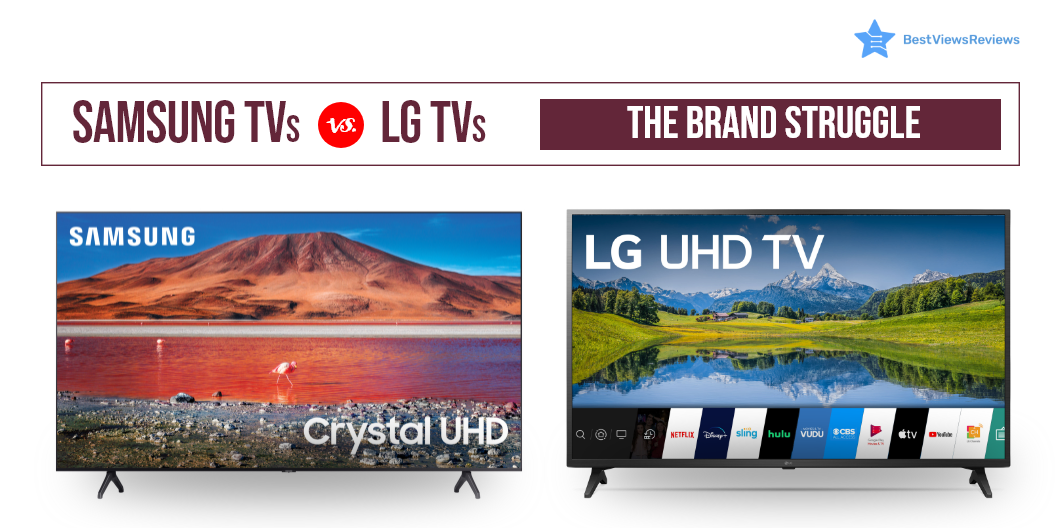
Samsung Vs LG TV: The Brand Struggle

Samsung Vs LG TV

Some TVs are larger and heavier while some are thinner and sleeker. Choosing between Samsung Vs LG TV is tough when buying an HDR TV and a 4K smart TV. LG and Samsung are both South Korean brands and rank amongst the top sellers of the electronics industry worldwide. They offer smart TVs for a wide range of price points and have continuously experimented with their high-end sets and panel technologies.

A new range of TVs is introduced into the market with improved visuals and processors, every year. If you are confused about what brand to pick, we narrow it down to the two best options- The LG and Samsung. Take a look at the best picks for Samsung and LG collections in our list of the most reviewed TVs for the year.

Samsung TVs or LG TVs: A Comparison

OLED vs. QLED

TVs are equipped with modern technology to make your viewing experience better. It can be confusing to decide whether to go with organic LED or a Quantum one? OLED LG TV features an organic LED array on the panels. The QLED Samsung TV opts for quantum LED technology. QLED displays bright images which makes HDR content better to see. OLED displays offer an excellent contrast with screens more on the darker side.

OLED technology consists of two conductors and a carbon film placed in between them, emitting light, pixel by pixel. The outcome is authentic and natural picture quality. OLED technology also offers other advantages like more viewing angles, thinner sets, and efficient operations.

Samsung TVs QLED technology is similar to that of OLED, but each pixel emits its light through the help of tiny quantum dots. This technology provides vibrancy that is almost unbeatable. It makes Samsung TVs a bit more dynamic.

WebOS vs. Tizen

Both Samsung and LG use technology that comes with their own set of pros and cons. You can take a look at some of the best TVs for 2022 before making any purchase.

LG TVs have WebOS as an interface with a menu bar that places scrolling content in a horizontal row. It offers ease of use and a range of customization options for your favorite channels. It gives the user access to popular apps through remote control.

Samsung TV features Tizen that seems to take the edge. It serves similar functions that WebOS offers but is a bit more intuitive with access to more apps.

Samsung Vs LG TV: Artificial Intelligence

Samsung’s Bixby assistant isn’t as smart as LG’s Google in voice assistant AI. LG TVs integrate Alexa or google assistant for convenience and seamless entertainment. One great advantage of smart TVs today is their voice-over control. They can connect to external gadgets like soundbars. This allows you to have a great viewing experience.

Dolby Vision vs. HDR 10+

Samsung and LG offer great display quality. LG has put its Dolby Vision support in the HDR segment, while Samsung boasts Quantum HDR-like in SAMSUNG 32-Inch Class QLED Q60A Series.

LG supports Dolby Vision, as well as HDR10. This improves the picture frame by frame. Dolby vision manages a 12-bit color gamut with 10,000 nits of brightness, while Samsung’s HDR10 plus can work with only 10-bit and 4,000 nits. On the flip side, HDR10 plus format does not support Netflix and certain other platforms.

Buy Best Samsung and LG TVs

LG Electronics 22LJ4540

The reviews of LG Electronics 22LJ4540 show that it is a great addition to your home. It features a 1080p Full HD resolution display to let you enjoy films and shows in high quality. This TV has a Triple XD the engine that processes images with greater precision. It has a refresh rate of 60hz for your uninterrupted entertainment. This TV measures 20″ W x 2.1″ H x 12.5″ D without a stand.

LG 80 Series 65” Smart TV

The LG 80 Series 65” Smart TV has a built-in 4K HDR display driven by LG’s powerful 4K quad-core processor. This allows for incredible levels of picture quality in a thin, beautiful, display panel. It provides an experience that will bring all the action, color, and excitement to your favorite movies and shows.

LG OLED C1 Series

The LG OLED C1 Series combines 4K UHD picture quality with voice control using Alexa. It also features a sleek, sophisticated design that’s perfect for any room in the house. It supports internet services such as Netflix, Prime Video, and others to give you access to unlimited entertainment.

SAMSUNG 65-inch Class Curved UHD TU-8300

The reviews of SAMSUNG 65-inch Class Curved UHD TU-8300 are positive for its 4K UHD  display that uses an ultra-fast processor to deliver high picture quality. It comes with HDR and dynamic crystal color that makes it an ultimate combination of beauty and performance. Built-in apps put your favorite TV and streaming services in one place. The easy-to-use Smart Remote allows you to access your favorite content with the press of a button.

SAMSUNG UN43TU8000FXZA

The SAMSUNG UN43TU8000FXZA offers a brilliant view, with a crystal UHD display. It has a minimalistic design that looks slim, stylish and gives you wide viewing angles. It offers you the high picture quality of 4X the resolution of Full HD. A wide color range gives you precise visual details, even in dark scenes. It has got good reviews for Auto Game Mode which automatically optimizes the screen and minimizes input lag.

Samsung Vs LG TV; The Final Verdict

Both brands have a lot to offer but it’s tough to choose between LCD LED Vs OLED TV. You can prefer OLED technology if you are a display fan. Nothing beats the color and subtlety it provides. The QLED display is a bit dazzling but falls short of ratings. Samsung TVs are a far more affordable option to go for when it comes down to prices.

Key Takeaway

It can be hard to figure out which option is better than the other in between Samsung Vs LG TV. We recommend, make a decision considering all your requirements, budget, and personal taste. You should consider the important factors before buying a TV. These factors will help you make the right purchase.

BestViewsReviews rates and ranks hundreds of Samsung and LG TVs on the basis of audio quality, controls, and functionality.

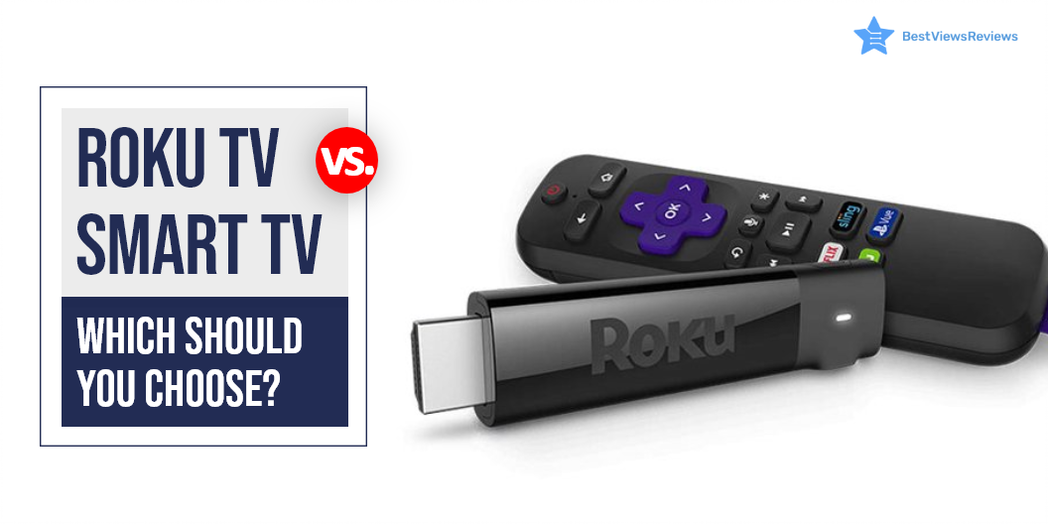
Roku Vs Smart TV: Which Should You Choose?

roku vs smart tv

It can be confusing to choose between Roku vs smart tv. A smart TV is a device that connects to the internet and uses operating software to provide access to OTT content like amazon prime and Netflix. These TVs use Ultra HD smart LEDs that offer high-definition quality, making them ideal for video streaming and gaming. Roku TV is also a form of Smart TV but differs in terms of providing a better user experience and customizable features. Roku TV uses Roku software that allows the user to get access to paid and free content available on the internet right on your TV screens.

Samsung and LG both brands have a lot to offer but it’s tough to choose between Samsung Vs LG TV.

What Is The Difference Between A Smart TV And A TV?

A smart TV is a television that can connect to the internet and offer a range of online features. This might include things like catch-up TV, on-demand content, social media apps, and more. A regular TV, on the other hand, is not connected to the internet and doesn’t offer any online features.

What Is The Difference Between A Roku TV And A Regular TV?

Roku TVs are a type of smart TV that allows users to access and stream a wide variety of content using the Roku platform. Regular TVs, on the other hand, do not have this capability and only provide traditional linear television. Roku TVs also come with a remote control that has easy-to-use buttons for streaming content. The regular TVs typically only have a few buttons for basic functions.

Roku Vs Smart TV: Which is Better?

Operating System

Roku TV uses Roku operating system while other smart TVs use different operating systems. Android TVs are popular smart TVs that run on Android OS. LG uses WebOS in its smart TV segment while Samsung smart TVs come with Tizen OS. Roku OS has an edge over all other OS because of its user-friendly interface but Android TVs are among the best affordable variants.

OS Updates

OS updates are crucial in any smart TV device. It ensures proper functioning and delivers a lag-free experience. Roku has a good reputation for releasing timely updates that improve the device’s performance. Other small brands do not provide regular OS updates and their TVs tend to malfunction but this is not the case with reputed brands like Samsung and LG.

Screen Mirroring and Casting

Screen mirroring is an excellent feature that you will find in android TVs and other smart TVs. Android TVs use Chromecast for mirror screening and casting. The Roku TV also supports such features.

Price Comparison

There are different price segments for Roku TVs vs smart TV depending on their features and size. A Roku TV can cost as low as $118, while a high-end Roku TV can cost as much as $2000. Compared to other smart TVs, the most affordable models cost around $200, while the midrange models range from  $399 to $600.

Roku TV can replace the passive viewing experience that cable TV offers. It provides personalized active viewing at half the price of your cable bills. You can have a look at some of the best Roku TVs that we have reviewed on the basis of their display and performance.

Best Smart TV and Roku TV to Buy

TCL QLED Roku Smart TV – 55R635

The best TCL QLED Roku Smart TV – 55R635 offers Quantum dot technology that delivers better brightness and wider color volume. It has all of the latest features including 4K resolution, HDR compatibility, and a 120 Hz refresh rate. The Roku platform provides access to all of your favorite streaming content. This TV is compatible with Amazon Alexa or Google Assistant.

Hisense ULED Roku Smart TV

It is good to go with top-quality Hisense ULED Roku Smart TV if you are looking for a stunning new TV that offers the latest in picture quality and smart technology. This top-of-the-line TV offers a superior 4K HDR picture quality because of its wide color powered by QLED technology and contrast control zone technology. It has a Roku platform that gives you access to all your favorite streaming content, including Netflix, Hulu, Amazon Instant Video, and more.

Sony A8H 55-inch TV

The top-quality Sony A8H 55-inch TV delivers excellent picture quality because of its TRILUMINOS display technology and X-Motion Clarity technology. It also has great audio quality with its Dolby Atmos support. The A8H is a great choice for those looking for a top-notch 4K TV. This model is compatible with Alexa and Google Assistant.

SAMSUNG TU-8300 Series

The SAMSUNG Curved UHD TU-8300 Series has a screen size of 55 inches and is curved. It has a resolution of 4K and a refresh rate of 60 Hz. The TV is also smart and has Wi-Fi connectivity. It has multiple voice assistants and is powered by TIZEN. The TV also has HDR and is curved. It is also 31.5 inches and has a resolution of 720p.

Hisense 43R7E Roku Smart LED TV

Hisense 43R7E Roku Smart LED TV’s reviews claim that it comes with a built-in dual-band wireless connection for blazing-fast connection speeds. It offers easy-to-use remote and automatic software updates. The screen size of this model is 43 inches and offers a refresh rate of 60 Hz.

Sony XBR-48A9S MASTER Series BRAVIA OLED 4K Smart HDR TV

Sony XBR-48A9S MASTER Series BRAVIA OLED 4K Smart HDR TV comes with built-in Google Assistant which makes it easy to control the TV hands-free. This model perfectly conveys the creator’s intent on the screen to deliver the best picture quality. It has a screen size of 48 inches and offers a refresh rate of 120 Hz. It also offers a game mode for a smoother, more responsive gaming experience.

TCL 43S425 Smart Roku LED TV

The customer reviews of TCL 43S425 Smart Roku LED TV show that it offers striking 4K UHD picture performance with HDR technology. It offers easy voice controls with Amazon Alexa and Google Assistant. The simple, intuitive Roku interface of this model allows seamless streaming.

Samsung and Sony manufacture TVs that come with many exciting features. Read our blog to know about Samsung and Sony TV.

What screen resolution do Smart TVs provide?

Smart TVs offer a resolution of up to 4K Ultra HD. You can also get smart TV models with a display resolution of 1080P Full HD, and 720P. A higher resolution display offers a clear, detailed, and high picture quality. The picture quality of a smart TV also depends on factors like aspect ratio, overall size, and brightness.

Do You Need Internet For A Smart TV?

Yes, smart TVs need a stable internet connection to download apps and stream media. You don’t need an internet connection if you do not use any media streaming apps. Some models also may have built-in apps and services that do not require an internet connection.

It can be tough to decide between LCD LED Vs OLED TV. Read our blog to know which TV display is better.

Can I Use Roku TV Without Internet?

The answer is yes, but using it without the internet will not let you access some premium features of Roku TV. This TV gives the best user experience when you use it with an active internet connection. You can always opt for internet-only plans that come at affordable prices.

You can connect digital media to Roku TV via USB or other external ports if you don’t have internet access. An SD card can store offline content and connect later to view it offline. Mirroring your screen is another way to access your favorite content without the internet.

Conclusion

The best Roku TV allows the user to get access to paid and free content available on the internet right on their TV screens. It comes comparatively cheaper than a Smart TV and offers many extras. It also allows you access to thousands of apps and channels, from daily essentials like Spotify to the undiscovered Light Saber network.

Get the best reviews and ratings on the products you’re interested in. BestViewsReviews helps you make the right purchasing decision. Whether you’re looking for the top-rated smart TVs or the best TVs, we’ve got you covered.