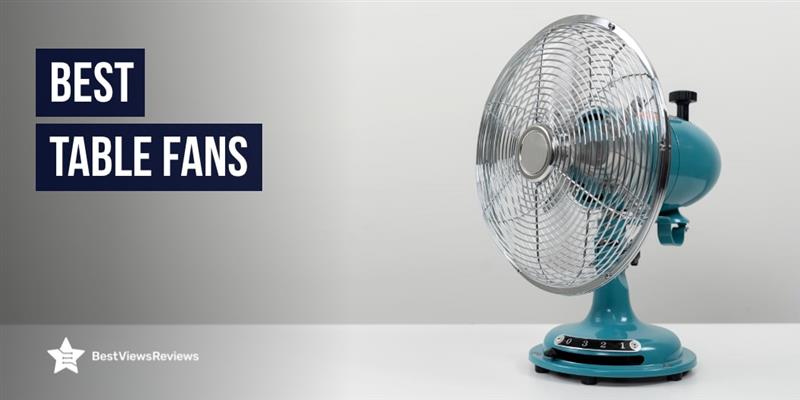
Regarding simple, effective, and affordable cooling, table fans are still a top choice in 2025. Despite all the hype around air conditioners and high-tech ceiling fans, millions of people continue to rely on these compact cooling champions, and for good reason.
Whether you’re working from your desk, studying late at night, or just need some fresh air while chilling at home, table fans do the job without draining your wallet or spiking your electricity bill. They’re portable, easy to maintain, and now come loaded with smarter, quieter features than ever before.
In this blog, we’ll explore why table fans haven’t lost their charm, what makes them worth buying today & how to choose the best. Ready to feel the breeze? Let’s dive in.
What Are Table Fans & How Do They Work?
Let’s face it, sometimes all you really need is a cool breeze pointed right at your face. That’s where table fans come in. These small yet mighty devices are built to bring instant relief, whether you’re working at your desk, relaxing in bed, or even cooking in the kitchen
A table fan is a compact, portable cooling device that you can place on any flat surface of your table, shelf, or countertop. It usually comes with adjustable settings so you can control how fast and how far it blows air. Most models today are lightweight, stylish, and energy-efficient, making them perfect for modern homes and workspaces.
So, how do table fans actually work? It’s pretty simple. Inside the fan, there’s a small motor that spins a set of blades (usually made of plastic or metal). These blades rotate quickly and push the air forward, creating a steady stream of airflow. Some table fans also oscillate, which means they move from side to side, spreading cool air across a wider area.
Cool Reasons to Choose Table Fans Over Other Cooling Devices
When the heat kicks in, we all want something that brings quick relief, without draining our wallets or cranking up the electricity bill. That’s where table fans step in as everyday heroes. Compact, light, and surprisingly powerful, they’ve stuck around for a reason.
- Portability That Makes Life Easier: One of the biggest perks of a table fan is how easily you can move it around. Need a breeze while working at your desk? Done. Want to shift it to the kitchen or balcony? No problem. Unlike bulky air coolers or wall-mounted fans, table fans go wherever you go.
- Power-Saving Cooling: Table fans don’t hog electricity. They use far less power than air conditioners and even some pedestal fans. If you’re trying to cut back on bills or looking for an eco-friendly option, these fans are a smart pick.
- Perfect for Small Spaces: Living in a hostel, studio apartment, or sharing a room? Table fans take up minimal space and deliver maximum airflow. You can place one on a nightstand, a study table, or even the floor and still feel the difference.
- Budget-Friendly Comfort: Compared to air conditioners or high-end cooling gadgets, table fans are way more affordable. Even the fancy ones with remote controls and rechargeable batteries won’t burn a hole in your pocket.
- Zero Installation Fuss: No drills, no wiring, no technicians needed. Just unbox it, plug it in, and enjoy the breeze. It’s that simple.
- Great Backup During Power Cuts: Many modern table fans come with rechargeable batteries or USB support. That means you can still stay cool during sudden blackouts, something a ceiling fan or AC can’t help with.
Features to Look for Before Buying Table Fans in 2025
When the temperatures rise, a table fan can be a lifesaver, offering relief without the hefty energy bills that come with air conditioners. But with so many options flooding the market, how do you choose the right one? If you’re thinking about investing in a table fan this year, here’s what you should keep an eye out for to make sure you get the best bang for your buck.
Airflow Performance: The Heart of a Good Table Fan :
No matter how stylish or affordable a fan is, its airflow performance should always be your top priority. Look for fans that offer adjustable speed settings so you can tailor the breeze to your comfort level. Higher-quality table fans have strong motors that provide consistent airflow, even in hot and humid conditions. Some even feature oscillation functions that help circulate air more evenly across the room.
Gaiatop USB Desk Fan, 3 Speeds Portable Small Fan – This 3-speed adjustable desk fan delivers customizable airflow from soft (3.1m/s) to strong (4.8m/s) to meet all your cooling needs. Its ultra-quiet motor ensures powerful yet peaceful operation for work or rest. Compact and lightweight (6.5oz), it’s perfect for travel and fits anywhere, powered conveniently via USB (PC, power bank, etc.). The 90° tilt design and non-slip base offer stability, while its easy-to-clean build keeps maintenance hassle-free. Ideal for home, office, or on-the-go comfort.
Control Options: Simplicity or Smart Features? :
The ease of controlling your table fan can make or break your experience. Basic models usually have manual dials or buttons, but newer models are offering more sophisticated control options. Remote controls, touch-sensitive panels, and even smart app integrations are becoming more common. If you’re into tech, you might prefer a fan that pairs with your smartphone or voice assistant. It’s all about convenience, especially if you don’t want to get up every time you need to adjust the settings.
FARADAY Small Table Fans Rechargeable Portable 180 -This ultra-quiet 3-speed desk fan combines powerful airflow with whisper-quiet operation (25-50dB), making it ideal for focused work or study sessions. Featuring adjustable speed settings (2.2-4.0m/s airflow) with intuitive LED indicators, it delivers customized cooling for any need. The fan offers versatile power options with a built-in 2000mAh rechargeable battery (lasting 4.5-16 hours depending on speed) and USB connectivity for continuous use.
Ease of Cleaning: Keep It Fresh & Hygienic :
A table fan doesn’t just cool the air; it also collects dust, especially if you use it often. That’s why ease of cleaning is crucial. Many modern fans come with removable front grills, making it simple to wipe away dust and debris. You don’t want to be stuck with a fan that’s difficult to clean and maintain. So, before you buy, check for models with easy-to-remove parts and materials that are resistant to dust build-up.
Dreo Table Fans for Home Bedroom, 9 Inch Quiet – Experience whole-room cooling with the Dreo Air Circulator Fan, featuring powerful WingBoost technology that projects air up to 70 feet with an impressive 853 CFM airflow. Its 13-inch height and 7-inch blades ensure efficient air circulation for bedrooms, living rooms, or offices. Control it effortlessly with the included remote, adjusting between 4 speeds, Auto Mode (room-temperature sensing), or an 8-hour timer.
Noise Level: Quiet Comfort or Loud Whirring? :
No one wants to deal with the constant hum of a noisy fan. When shopping for table fans, pay attention to the noise level. Fans are usually rated by how many decibels they emit, and the quieter, the better especially if you plan to use it at night or in a work environment. Look for fans that operate quietly without compromising airflow. A lot of new models now advertise “whisper-quiet” motors, so you won’t have to choose between comfort and silence.
SLENPET 6-inch USB Desk Fan – This vintage-style metal fan delivers adjustable 4-speed airflow (including a super-speed boost at 2A current) to suit any environment. Its heavy-duty base ensures stability, while the magnetic bottom allows for versatile placement on metal surfaces. Despite its strong cooling power (5.5″ blade), it operates at under 50dB perfect for work or sleep. USB-powered (4.9ft cable) for energy-efficient use with computers, power banks, or wall adapters.
Design and Build: Style Meets Functionality :
A table fan is not just a functional appliance; it can also complement your decor. Design and build matter if you want something that looks good in your home or office. Fans now come in sleek, modern designs that can blend with almost any interior style, from minimalist to industrial. Additionally, look for fans made with durable materials like high-quality plastic or metal, as they last longer and perform better over time.
RJVW Small USB Desk Fan,3 Speeds Portable Mini – This pocket-sized USB fan (just 0.37lbs) delivers 3-speed airflow (low/medium/high) with ultra-quiet 5-blade power perfect for desks, travel, or bedside use. No battery is needed; it runs via a 3.9ft USB cable (works with laptops, power banks, cars, and more!). 360° rotation and a non-slip base let you direct airflow anywhere, while its cute, compact design makes it an ideal gift for holidays or everyday comfort.
Size and Portability: Find the Perfect Fit :
One of the most appealing aspects of a table fan is its portability. They are perfect for smaller spaces, like desks, nightstands, or small living rooms. But before you make a purchase, consider the size of the fan. A larger fan may offer more powerful airflow, but a smaller fan will be easier to move around and store when not in use. Look for a size that fits your space and is lightweight enough to shift from one room to another if needed.
Dreo Fans for Home Bedroom, Table Air Circulator Fan – Dreo’s advanced WingBoost system and deep-pitched blades deliver far-reaching airflow up to 70 ft, ensuring strong circulation for any space (compact 12″H design). Enjoy near-silent operation (28dB) thanks to NACA tech and bionic engineering ideal for peaceful sleep. Boost efficiency year-round by pairing with heaters, humidifiers, or purifiers to cut energy costs.
Adjustability: Flexibility for Every Need :
An adjustable fan gives you the freedom to direct the airflow wherever you need it. Many modern table fans feature tilt-and-tilt head mechanisms, letting you position the fan in different directions for better air distribution. If you need more control, some fans also offer adjustable height or swivel features, perfect for targeting specific spots like your desk or bed.
CONBOLA Small Oscillating Desk Fan Portable Table Fan – Stay comfortable with this 4-speed oscillating desk fan, offering customizable airflow from a whisper-quiet 35dB to a powerful 50dB perfect for work, study, or sleep. The 4000mAh battery delivers 3.5-15 hours of cord-free cooling (rechargeable via Micro USB or Type-C), while 120° horizontal oscillation and 90° vertical tilt ensure wide-angle coverage.
Power Consumption: Stay Cool Without the High Bills :
If you’re conscious about your power consumption, a table fan is already a more eco-friendly option compared to air conditioning. However, different models consume varying amounts of electricity. Look for fans that have energy-efficient motors or energy-saving modes to keep your utility bills low while still enjoying cool comfort. Some fans even have built-in sensors that adjust the fan speed based on the room’s temperature, saving power when it’s not needed.
Treva 10-Inch Portable Desktop Air Circulation – Stay comfortable anywhere with Treva’s 10-inch fan, featuring a convenient handle for easy transport. Its durable plastic construction and patented blade design maximize airflow while extending battery life. Choose between two quiet speeds for customized cooling, powered by 6 D batteries (not included) or the included AC adapter (auto-switches when plugged in).
Maintenance Made Easy: How to Clean and Care for Your Table Fans
With a bit of regular care and cleaning, your table fan can continue to offer you that refreshing breeze season after season. Let’s dive into some easy and practical ways to clean and maintain your table fans in 2025.
- Unplug and Disassemble: Safety First: Before you even think about cleaning, make sure your table fan is unplugged. Safety should always be your top priority. Once unplugged, carefully remove any detachable parts like the fan blades or grills. Most modern table fans are designed for easy disassembly, making this process quick and simple
- Clean the Blades: A Gentle Wipe Goes a Long Way: Dust and grime can accumulate on the blades, affecting both performance and airflow. Grab a soft cloth and a mixture of warm water with a little dish soap. Gently wipe down the blades, being careful not to bend or damage them. If there’s stubborn dirt, you can use a small brush (like an old toothbrush) to scrub away debris.
- Dust the Grills and Body: Keep It Fresh: The grill and body of your table fan can easily collect dust. Use a dry microfiber cloth to dust off the exterior. If there’s a bit more buildup, slightly dampen the cloth with water and wipe the fan’s body. Be cautious around electrical parts, just a light touch will do. A can of compressed air works wonders for getting dust out of hard-to-reach areas.
- Clean the Motor: Handle with Care: The motor is the heart of your table fan, so keeping it clean is essential for long-term performance. However, the motor is delicate, so it’s best not to get it wet. Use a small vacuum attachment or a soft brush to gently remove dust from around the motor. Doing this every few months can prevent overheating and ensure smooth operation.
- Check the Fan’s Tilt and Oscillation Mechanism: If your table fan has an oscillation function or if it tilts, make sure the mechanism is working properly. Over time, dust or debris can affect the movement. You can lubricate the tilting or oscillating parts with a small drop of oil to ensure smooth motion.
- The Power Cord: Keep It Tidy: While cleaning your table fan, don’t forget the power cord. Check for any wear or fraying. A clean, untangled cord will keep your fan in tip-top shape and help prevent any electrical hazards. If the cord is really dirty, use a damp cloth to wipe it down, but avoid getting it too wet.
Commonly Asked Questions
1. How Much Electricity Does a Table Fan Consume?
Table fans are known for being energy-efficient, which is one of their biggest advantages over air conditioners or even larger fans. On average, a standard table fan uses 40-75 watts of electricity per hour. To put that in perspective, that’s significantly less than a ceiling fan, which can use up to 80 watts per hour.
2. Can a Table Fan Be Used Overnight?
Absolutely! Many people use table fans overnight without any issues. However, it’s essential to make sure your fan is in good condition and that the motor isn’t making excessive noise or showing signs of wear. It’s also worth noting that table fans are designed to circulate air, but they don’t lower the temperature like air conditioning does. So if you’re in an extremely hot climate, consider pairing your fan with cool bedding or sleeping in a cooler room to stay comfortable all night.
3. Is a Rechargeable Table Fan Reliable During Power Cuts?
Rechargeable table fans are incredibly useful during power cuts, especially for places that experience frequent electricity outages. They work by charging up during the day (or when the power is on) and then switching to battery power when the electricity goes out.
4. Are Bladeless Table Fans Better Than Traditional Ones?
Bladeless fans have gained popularity in recent years due to their sleek design and quiet operation. But are they really “better” than traditional fans? It depends on your preferences. Bladeless fans tend to be quieter and often come with added features like air purifiers or remote controls. They also have a cleaner, modern look, making them perfect for contemporary interiors. However, they can be pricier than traditional fans.