Photo Printers: The Guide to Choose Right One

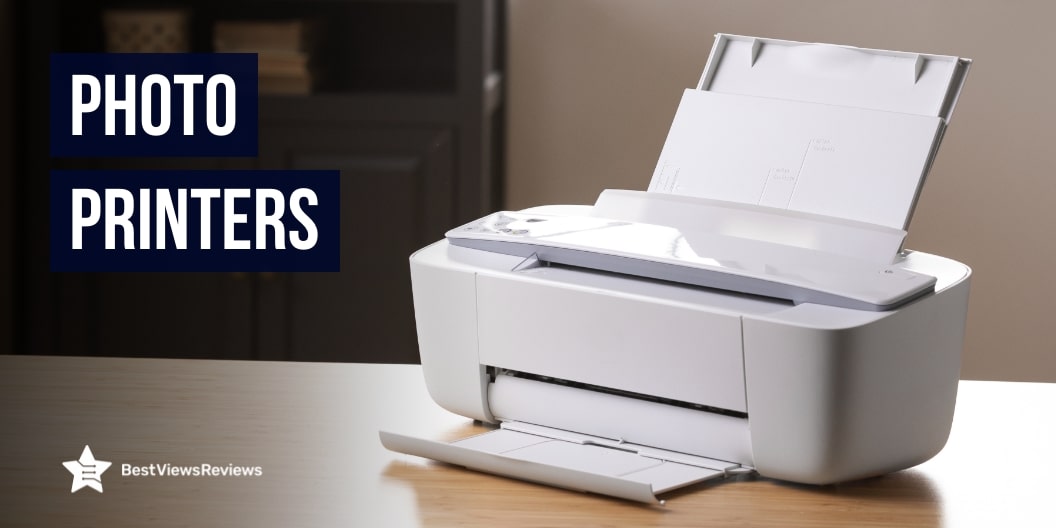
Photo Printers

In a world dominated by digital images, there’s still something magical about holding a physical photo in your hands. Whether it’s for professional use, creative hobbies, or simply preserving memories, photo printers are making a strong comeback. From compact models that connect to your smartphone to high-end printers for studio-quality prints, the options are endless. But how do you choose the right one?

This guide covers everything you need to know about photo printers—including types, features, benefits, top recommendations, and tips—to help you make an informed decision.

What Is a Photo Printer?

A photo printer is a device specifically designed to produce high-quality photographic prints. Unlike standard printers, which are built for everyday document printing, photo printers are engineered for superior color accuracy, detail, and resolution. They are often used by photographers, creatives, businesses, and families who value vibrant, true-to-life prints.

Key Features to Consider in a Photo Printer

Choosing a photo printer isn’t just about picking the most expensive or most popular one. The right printer for you depends on what you plan to use it for and what features matter most to your needs. Here’s a deeper dive into the essential features you should evaluate before making a purchase:

1. Print Quality and Resolution (DPI)

What does it mean:
Resolution is measured in dots per inch (DPI). The higher the DPI, the more detailed and sharper your printed images will be. Photo printers typically range from 300 to 4800 DPI or higher.

Why it matters:

  • A high DPI ensures finer color gradients, sharper lines, and better reproduction of detail, especially important for professional or artistic use.
  • If you plan on printing large photos (e.g., 8×10 or 13×19 inches), a higher resolution ensures that the image won’t appear pixelated.

Pro Tip: Look for printers that offer at least 1200 x 1200 DPI or higher for quality photo output.

2. Printing Speed

What does it mean:
This refers to how quickly the printer can produce a photo. It’s usually measured in pages per minute (PPM) or seconds per photo (for compact and portable models).

Why it matters:

  • If you’re printing in large volumes (e.g., wedding photos or event prints), you’ll want something fast and efficient.
  • For casual use, speed may not be as critical, but no one likes to wait several minutes for a single 4×6 photo.

Pro Tip: Look for a printer that can produce a 4×6 photo in under 60 seconds for a good balance of speed and quality.

3. Connectivity Options

What does it mean:
Modern photo printers offer various ways to connect, both wired and wireless.

Common options include:

  • Wi-Fi: Print wirelessly from laptops, smartphones, or cloud apps
  • Bluetooth: Useful for mobile printing from a short distance
  • USB: Traditional but reliable for direct PC connection
  • SD card slots: For direct printing from digital cameras
  • Cloud printing: Like Google Cloud Print or Apple AirPrint

Why it matters:

  • The ability to print directly from your smartphone, tablet, or social media accounts (like Instagram or Google Photos) is a huge convenience.
  • Multiple connectivity options provide flexibility, especially if you’re using various devices.

Pro Tip: Choose a printer with mobile app support for easy access to editing and printing on the go.

4. Device Compatibility

What does it mean:
Not all printers are compatible with every device or operating system. Ensure the printer supports iOS, Android, Windows, and macOS—whichever you use.

Why it matters:

  • You want a seamless setup and easy operation without needing extra drivers or workarounds.
  • Especially critical if you’re using a DSLR or mirrorless camera with direct print capabilities (e.g., PictBridge support).

Pro Tip: If you’re working with a digital camera, check for direct printing support or USB connectivity.

5. Paper Size and Type Support

What does it mean:
Photo printers support a variety of paper sizes, including 4×6, 5×7, 8×10, and up to 13×19 inches for professional models. They also handle different paper finishes (glossy, matte, satin, etc.).

Why it matters:

  • If you want to print standard photo albums or larger wall art, your printer must support the right sizes.
  • Some printers only support borderless printing at specific dimensions.

Pro Tip: Opt for a printer that supports multiple paper sizes and borderless photo printing if you want flexibility in your prints.

6. Ink System and Cost per Print

What does it mean:
Photo printers typically use dye-based or pigment-based ink systems, often with individual color cartridges (CMYK or more). Some newer models use refillable ink tanks.

Why it matters:

  • Pigment inks last longer and are more fade-resistant (great for archival prints).
  • Dye inks provide more vibrant colors (better for everyday photos).
  • Cost per print can vary widely depending on ink usage and availability.

Pro Tip: If you print frequently, consider an EcoTank or refillable system to save on long-term ink costs. Look for a printer that gives a clear estimate of cost per photo (e.g., $0.05–$0.50 per print).

7. Portability and Design

What does it mean:
If you’re someone who prints photos at events, parties, or while traveling, portability becomes important.

Why it matters:

  • Compact and lightweight printers are easier to transport and store.
  • Many portable printers have built-in rechargeable batteries, which are ideal for on-the-go use.

Pro Tip: If you’re frequently printing on the move, look for portable printers with built-in Wi-Fi and battery options.

Bonus: Software and App Integration

What does it mean:
Many photo printers come with companion apps for mobile devices or software for desktops, offering features like photo editing, collage-making, and filters.

Why it matters:

  • Makes printing photos fun and easy
  • Useful for quick edits without needing separate photo-editing software
  • Allows cloud access, photo enhancement, and layout options

Pro Tip: For the best user experience, look for models that offer apps like Canon PRINT, HP Smart, or Epson Creative Print.

Top Benefits of Owning a Photo Printer

1. Instant Access to Physical Prints

With a photo printer at home or in your studio, you can print your favorite images whenever you want—no need to wait days for prints from a photo lab or a store.

  • Why it matters:
    Whether it’s for a last-minute gift, a school project, or an art display, the ability to instantly produce a photo saves time and hassle.
  • Real-life use case:
    You’re planning a scrapbook or DIY photo album for a loved one’s birthday—you can print photos on the spot, exactly when inspiration strikes.

2. Greater Creative Control

Having your own photo printer gives you full control over the editing and printing process, from color correction and cropping to selecting the perfect paper and finish.

  • Why it matters:
    What you see on your screen is often not what comes out at a print shop. With your own printer, you can tweak and reprint until the result matches your vision.
  • Real-life use case:
    A photographer can adjust contrast and saturation in Lightroom, then print test shots at home before delivering final prints to a client.

3. Cost-Effective Over Time

While the upfront investment in a photo printer may seem high, printing your own photos can save money in the long run, especially if you frequently print images.

  • Why it matters:
    Photo printing services often charge per print, plus shipping. If you’re printing a lot, the costs add up. Home photo printers can significantly reduce that cost.
  • Real-life use case:
    A parent printing weekly school or sports event photos for albums can save hundreds over a year compared to using third-party services.

4. Convenience for Home Use and Events

Having a photo printer on hand is incredibly convenient, whether you’re organizing a photo wall at home or setting up a DIY photo booth at a party.

  • Why it matters:
    You don’t have to rely on store hours or online delivery timelines. You can print when it’s convenient for you.
  • Real-life use case:
    During a wedding or birthday party, guests can print and take home their photos immediately using a compact wireless printer.

5. Ideal for Crafting and DIY Projects

Photo printers are fantastic tools for anyone who loves crafting, journaling, or creating personalized gifts and home decor.

  • Why it matters:
    You can print exactly the size and style you want for your projects—whether it’s a mini print for a planner or a framed photo for your wall.
  • Real-life use case:
    A crafter can print custom-sized photos for a handmade scrapbook or greeting card without waiting for external orders.

6. High-Quality, Professional-Level Prints

Modern photo printers—especially inkjet and dye-sublimation models—offer print quality that rivals professional labs. You can achieve gallery-worthy results at home.

  • Why it matters:
    For photographers, artists, and designers, having a printer capable of producing detailed, color-accurate images is a must for showcasing work.
  • Real-life use case:
    An artist can sell prints of their digital artwork online and fulfill orders from home using a professional photo printer, cutting out third-party print shops.

7. Freedom to Print in Custom Sizes and Formats

Unlike many commercial photo labs that offer standard sizes only, your own photo printer often lets you print non-standard or custom dimensions.

  • Why it matters:
    This flexibility is perfect for creative projects, framing, or fitting specific layouts.
  • Real-life use case:
    A designer can print panoramic shots or square prints for a collage wall without being limited by preset dimensions.

8. Preserving Memories on Your Terms

Digital photos can be lost due to technical failures, accidental deletions, or device changes. Physical prints are tangible, durable, and long-lasting.

  • Why it matters:
    Printed photos serve as backups, keepsakes, or heirlooms that can be cherished for generations.
  • Real-life use case:
    Families can print and store yearly photo albums, ensuring that even if digital files are lost, the memories remain safe.

Best Photo Printers in 2025

Here are some top-rated photo printers worth checking out:

1. Canon PIXMA PRO-200

The Canon PIXMA PRO-200 Wireless Professional Inkjet Photo Printer is a top-tier choice for photographers and artists who demand high-quality prints with exceptional color accuracy. Designed for professionals, this printer supports borderless printing up to 13×19 inches, making it perfect for large-format photos, portfolios, and gallery prints. It features an 8-color dye-based ink system, delivering rich, vibrant colors and deep blacks for stunning image reproduction. With wireless connectivity, users can print effortlessly from their computers, tablets, or smartphones.

  • Type: Inkjet
  • Print size: Up to 13×19 inches
  • Best for: Professional photographers
  • Pros: High-resolution prints, borderless printing, vibrant colors
  • Cons: Large footprint

2. Epson EcoTank ET-8500

The Epson EcoTank Photo ET-8500 is a premium all-in-one supertank printer designed for serious photo enthusiasts and creative professionals. With its innovative cartridge-free system, this printer uses high-capacity ink tanks to deliver thousands of ultra-high-quality prints at a fraction of the cost of traditional cartridges. It supports a wide range of media types and sizes—perfect for everything from borderless 4×6 photos to 8.5×11 prints.

  • Type: Inkjet with refillable tanks
  • Best for: Cost-effective bulk printing
  • Pros: Low cost per page, excellent photo quality
  • Cons: Higher upfront cost

3. HP Sprocket Portable Printer

Capture memories and print them on the go with the HP Sprocket 2×3″ Instant Smartphone Photo Printer. This pocket-sized, portable printer lets you wirelessly print vibrant, smudge-proof 2×3” photos straight from your iOS or Android device via Bluetooth. With ZINK technology, there’s no need for ink cartridges—just load the sticky-back photo paper and start printing. The free HP Sprocket app adds a creative twist, offering filters, frames, stickers, and AR features to personalize every snapshot. Whether you’re journaling, decorating your space, or sharing memories with friends, the sleek Luna Pearl design makes this mini printer both stylish and fun to use.

  • Type: Portable dye-sublimation
  • Best for: Social media prints and casual users
  • Pros: Compact, easy to use, connects to phones
  • Cons: Only prints 2×3-inch photos

4. Canon SELPHY CP1500

The Canon SELPHY CP1500 Compact Photo Printer is a sleek, user-friendly solution for printing vibrant, lab-quality photos right from your smartphone, camera, or computer. Ideal for home use, parties, or travel, this portable printer uses dye-sublimation technology to deliver rich, durable prints that resist water, scratches, and fading, lasting up to 100 years. With built-in Wi-Fi and USB-C connectivity, the CP1500 makes it easy to print directly from various devices, including Android and iOS platforms.

  • Type: Compact dye-sub
  • Best for: Travel and parties
  • Pros: Great print durability, easy Wi-Fi printing
  • Cons: Slightly slower output

Common Questions About Photo Printers

Q: Are photo printers expensive to maintain?

A: It depends on the model. Ink tank systems are more cost-effective over time, while portable printers may have a higher cost per print.

Q: Can I print directly from my phone or social media?

A: Yes, many photo printers support mobile apps and cloud integration for direct printing.

Q: What paper should I use for the best results?

A: Use the manufacturer’s recommended photo paper for optimal results.

Q: How long do printed photos last?

A: High-quality photo prints can last 100+ years if stored properly, especially with pigment-based inks and archival paper.

Q: Who Should Buy a Photo Printer?

  • Professional Photographers: For client portfolios or art sales
  • Small Business Owners: To create promotional materials
  • Families: Capture and share memories in real life
  • Students and Creatives: For school projects, scrapbooking, or personal art

Q: Some Photo Printing Tips for Best Results

  • Use premium photo paper for true color reproduction
  • Calibrate your screen and printer for consistent output
  • Edit your images before printing (cropping, adjusting exposure)
  • Regularly clean the print heads and update firmware

Conclusion

Photo printers offer convenience, quality, and creative control right at your fingertips. With so many options available, from high-end professional models to compact travel-friendly gadgets, there’s a photo printer out there for every need and budget.

Ready to bring your memories to life? Choose the photo printer that fits your lifestyle and start printing those moments worth framing.

Best Valentine’s Day Gift Ideas for Him & Her

Best Valentine’s Day Gift

Valentine’s Day is a time to celebrate love and show appreciation for your significant other. It’s a day that inspires thoughtfulness, creativity, and meaningful expressions of affection. Finding the perfect gift, however, can often feel like a challenge. With so many options available, how do you pick something that captures your unique bond? Whether you’re looking to surprise your partner with a romantic gesture, a practical gift, or a luxurious treat, this guide has you covered. From classic choices like jewelry and flowers to personalized keepsakes and unforgettable experiences, we’ve compiled a variety of Valentine’s Day gift ideas that cater to different tastes and budgets. Let’s dive in and make this Valentine’s Day truly memorable for you and your loved one!

Romantic Valentine’s Day Gift Ideas for Her

1. Jewelry

Jewelry is a timeless way to express love and admiration. It’s not just an accessory; it holds sentimental value that she can cherish forever. Here are some popular options:

  • Personalized Jewelry: Give her something uniquely hers, like a necklace featuring her initials or the best bracelet engraved with a meaningful date, such as an anniversary or the day you first met. It’s a thoughtful way to make the gift even more special.
  • Birthstone Jewelry: Incorporating her birthstone into a ring, pendant, or anti-tarnish earrings adds a personal and symbolic touch. It’s a beautiful way to celebrate her individuality.
  • Classic Pieces: Timeless pieces like diamond studs, a pearl necklace, or a simple gold bangle exude elegance and can complement any outfit, making them perfect for everyday wear or special occasions.

2. Spa Gift Set

A luxurious spa gift set is one of the best Valentine’s Day gift ideas. It is a perfect way to pamper her and help her unwind. It brings the relaxation of a spa day into the comfort of her home.

  • Look for sets that include bath bombs, scented candles, body lotions, and scrubs in her favorite fragrances. Calming scents like lavender, vanilla, or eucalyptus can create a soothing atmosphere.
  • To make the gift extra indulgent, include a plush bathrobe, cozy slippers, or a silk eye mask. This thoughtful gesture shows her that you care about her well-being and comfort.

3. Flower Subscription Service

Flowers are a classic romantic gift, but a subscription service takes it a step further by keeping the surprise alive month after month.

  • Instead of a single bouquet, she’ll receive fresh, seasonal flowers delivered to her door regularly. It’s a wonderful way to show ongoing love and appreciation.
  • Many subscription services allow customization, so you can choose her favorite blooms or opt for arrangements that reflect the season. This continuous gesture ensures she always feels cherished.

4. Customized Photo Book

Nothing says “I treasure our memories” like a customized photo book. It’s a heartfelt and personal gift that celebrates your relationship. You can check top-quality photo printers to add a perfect handmade touch.

  • Compile pictures from vacations, special occasions, and candid moments that hold meaning for both of you. Add captions, dates, or short notes to make the book even more personal.
  • For an extra touch, organize the photos chronologically to tell the story of your journey together. You can also leave space for future memories, symbolizing your continued adventures.

5. Handbag

A trendy handbag is a practical gift that she’ll love. It’s a thoughtful way to combine style and functionality.

  • Choose a bag that suits her personality and lifestyle. If she loves timeless elegance, opt for a classic black or nude-colored bag. For a trendier vibe, go for bold colors or unique designs.
  • Consider her favorite brands or styles she’s been eyeing. A high-quality handbag isn’t just a gift—it’s a statement piece she can use daily and cherish for years.

6. Cooking Class for Two

Shared experiences often make the best gifts, and a cooking class for two is a delightful way to bond and create lasting memories.

  • Choose a class that matches her interests, such as Italian cuisine, pastry-making, or sushi rolling. It’s an opportunity to try something new together.
  • Cooking side by side and enjoying your creations afterward can be a fun and romantic experience. Plus, you’ll both leave with new skills to use in the kitchen!

7. Perfume

A signature scent is an elegant and thoughtful gift that can evoke cherished memories whenever she wears it.

  • Take note of the fragrances she already loves—floral, fruity, woody, or oriental—and select something in a similar scent family.
  • For an extra-special touch, opt for a luxury perfume brand or a limited-edition fragrance. If you’re unsure, many brands offer sample sets so she can discover her favorite.

8. Personalized Keepsakes

Customized keepsakes are a heartfelt way to celebrate your love story. These gifts are meaningful and unique to your relationship.

  • Customized Star Map: Capture the night sky from a significant date, such as the day you met, your first kiss, or your wedding day. It’s a romantic way to symbolize that moment in time.
  • Engraved Music Box: Choose a tune that holds meaning for both of you—perhaps your song or a melody from a special moment. An engraved message adds a personal touch, making it a treasured keepsake.

Thoughtful Valentine’s Day Gift Ideas for Him

1. Personalized Wallet

A sleek leather wallet engraved with his initials or a special message is the perfect combination of functionality and sentimentality. Not only does it serve as a practical accessory for everyday use, but the personalized touch adds a layer of thoughtfulness that shows you’ve put extra effort into the gift. Choose a high-quality leather wallet in a style that matches his personality—whether it’s a classic bi-fold, a modern minimalist design, or a travel-friendly cardholder. This gift becomes a cherished keepsake that reminds him of you every time he reaches for it.

2. Valentine’s Day gift ideas – High-Tech Gadgets

Technology gifts are always a hit, especially for those who love staying ahead of the curve.

  • Smartwatch: A smartwatch offers more than just timekeeping. With features like fitness tracking, message notifications, and customizable watch faces, it’s perfect for the tech-savvy partner who values convenience and style.
  • Noise-Canceling Headphones: These are an excellent choice for music lovers, gamers, or frequent travelers. They provide an immersive listening experience by blocking out background noise, allowing him to focus on his favorite tunes, podcasts, or games. Choose a reputable brand like Bose or Sony for exceptional sound quality and comfort.

3. Subscription Box

Subscription boxes are a unique and recurring gift that caters to his specific interests. Surprise him with a carefully curated monthly box that delivers something he loves straight to his doorstep.

  • Grooming Kits: For the well-groomed man, a subscription to a grooming box that includes high-quality after shaving creams, razors, beard oils, and skincare products can be a game-changer.
  • Whiskey Tasting Boxes: If he enjoys a good drink, whiskey-tasting boxes offer him the chance to sample premium spirits from around the world.
  • Tech Accessories: For the gadget lover, boxes filled with innovative tech tools, cables, and accessories will keep him excited month after month.

4. Outdoor Gear

For the man who loves adventure, outdoor gear makes a fantastic gift. Practical and durable items tailored to his outdoor activities show you’ve considered his passions.

  • Camping Equipment: Consider gifting a compact and portable tent, a reliable sleeping bag, or a versatile camping stove for his next expedition.
  • Durable Backpack: Look for a rugged backpack with multiple compartments, water-resistant material, and ergonomic features.
  • Portable Grill: Perfect for tailgating, camping, or backyard barbecues, a top-quality portable grill is a fun and functional gift that he’ll love using on his adventures.

5. Personalized Valentine’s Day gift ideas

Adding a personal touch to a gift elevates its meaning and ensures it stands out.

  • Custom Watch Box: If he has a growing collection of watches, a personalized watch box with his name or initials is both practical and elegant. It keeps his collection organized and protected while serving as a stylish display.
  • Engraved Pocket Knife: Ideal for outdoor enthusiasts, an engraved pocket knife combines utility with sentimentality. Whether he’s hiking, camping, or tackling DIY projects, this gift is a constant reminder of your thoughtfulness.

6. Experience Gifts

Instead of a physical item, give him the gift of unforgettable memories with an experience tailored to his interests.

  • Sports Tickets: Surprise him with tickets to watch his favorite team play live. Whether it’s football, basketball, or baseball, the excitement of being at the game will make this gift truly memorable.
  • Adventure Experiences: For the thrill-seeker, consider booking an activity like skydiving, a hot air balloon ride, or go-kart racing. These experiences are not just fun but also offer a chance to bond over shared adventures.

7. Fitness Gear

Encourage his fitness journey with practical and innovative gear that complements his routine.

  • Resistance Bands: Lightweight and versatile resistance bands are perfect for strength training at home or on the go.
  • Smart Water Bottle: A high-tech water bottle that tracks hydration levels and reminds him to drink water is both functional and thoughtful.
  • Personalized Gym Bag: A durable gym bag with his name or initials adds a stylish touch to his workout gear and helps him stay organized.

8. Luxury Cologne

A sophisticated fragrance is a timeless gift that’s both personal and practical. Choose the best cologne that matches his personality—whether it’s a bold and musky scent, a fresh and citrusy aroma, or a classic woody fragrance. Look for popular options from brands like Dior, Tom Ford, or Chanel for a luxurious touch. The right cologne not only boosts confidence but also becomes a signature part of his style.

Photo Paper For Printer: An Exclusive Guide

photo paper for printer

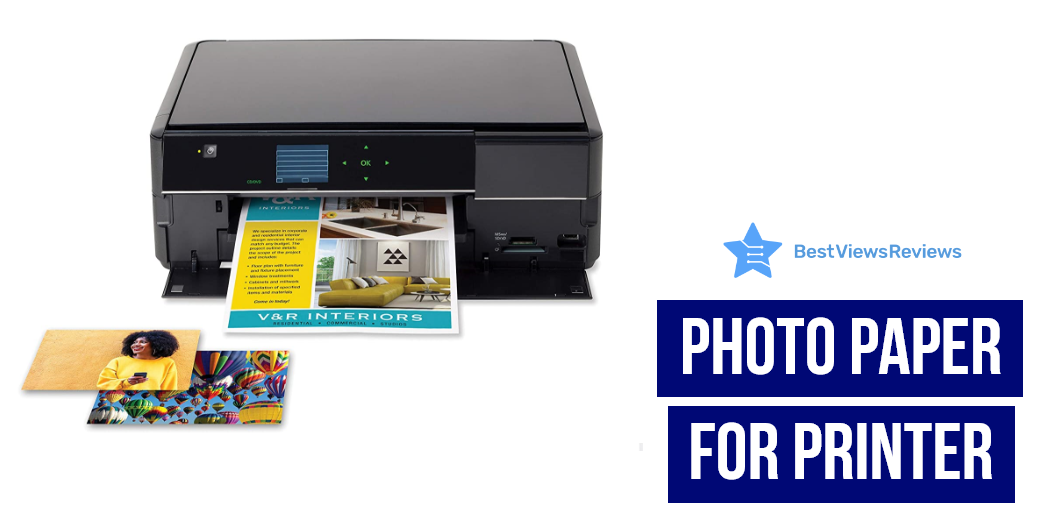
Photo paper for the printer is a type of paper that is specifically designed for use with a printer. It is usually made of a high-quality glossy or semi-glossy material that is designed to produce high-quality prints. Photo paper is thinner and heavier than regular paper, to make it look more real in the photo. A Polaroid printer prints photos as they are taken using a self-developing film. Read our exclusive guide on polaroid printers and know almost everything.

Best Photo Paper For Printer To Buy

Fujifilm Instax Mini Link Smartphone Printer

The reviews of the Fujifilm Instax Mini Link Smartphone Printer show that it is a great device to print photos from your smartphone. The printer uses dye-sublimation technology to produce high-quality, glossy prints. This printer allows you to add fun filters and frames to the photos that make them attractive. It comes with a printing speed of about 12 seconds, which ensures quick operation. It also features Bluetooth compatibility that allows printing photos easily.

Canon SELPHY CP1300 Compact Photo Printer

The reviews of Canon SELPHY CP1300 Compact Photo Printer show that it is a great choice for any home or office. It uses dye-sublimation / thermal transfer technology to produce high-quality prints. The printer is compact and wireless, making it easy to use as well as carry. The bundle comes with the canon color ink and paper set, making it easy to get started printing right away.

Phomemo M02S 304dpi Pocket Printer

The reviews of Phomemo M02S 304dpi Pocket Printer are positive because this upgraded HD Bluetooth thermal photo printer prints black and white photos with crisp, clear detail. This printer is best for printing photos, journaling, gift-giving, and more. The compact design makes it easy to take with you on the go, and the rechargeable battery means you can print without being tethered to a power outlet.

Phomemo 300dpi Pocket Mobile Pocket Printer

The Phomemo 300dpi Pocket Mobile Pocket Printer is a great device for photo printing, graffiti, learning, and work. This printer is compatible with iOS and Android, and it features a max resolution of 300 dpi and a dye sublimation / thermal transfer. The printer also has a black and white color option, and it comes with 4-inch x 6-inch print media. It is the best option for anyone who needs a portable, compact, and wireless printer.

Fujifilm Instax Share SP-2 Mobile Printer

The Fujifilm Instax Share SP-2 Mobile Printer is a sleek and compact printer that allows you to print high-quality photos from your smartphone or tablet. The printer uses dye-sublimation technology to produce vibrant and realistic colors and has a maximum resolution of 300 dpi. It’s easy to use and take with you on the go with the wireless and rechargeable printer.

Canon IVY Mini Photo Printer

The reviews of Canon IVY Mini Photo Printer are good because it comes in a compact size that makes it easily portable. This model prints 2 inches x 3 inches photos with peel and stick backing and offers convenience. It features Bluetooth technology that allows to print by connecting the devices. This printer is compatible with mobile devices running iOS 9.0 and Android devices running Android 4.4.

Read our informative blog on the difference between Canon vs HP printers based on ink costs, speed, output quality, and paper handling.

Types Of Photo Paper For Printer

There are different types of photo paper for printers available on the market, and each type has its own unique set of features and benefits. Some most popular types of photo paper include glossy photo paper, semi-gloss photo paper, and matte photo paper.

Glossy photo paper is the most popular type of photo paper for the printer. This type of paper is shiny and reflective, and it produces prints that are very vibrant and detailed.

Semi-glossy photo paper is a less shiny version of glossy photo paper. This type of paper produces prints that are less reflective than glossy photo paper, but they are still very sharp and vibrant.

Matte photo paper is the least shiny type of photo paper for a printer. This type of paper produces prints that are have a more natural look.

Method To Insert Photo Paper For Printer

  • Open the printer’s paper tray.
  • Fan the edges of a stack of photo paper to avoid paper jams.
  • Insert the photo paper into the printer’s paper tray with the glossy or printing side facing up.
  • Depending on your printer, you may need to select the paper type and size in the printer’s settings menu.
  • Print your photos as usual.

Things You Should Consider While Buying Photo Paper For Printer

Paper Sizes

The size of the paper is one of the first considerations. It’s usually a good idea to have some standard 4-by-6-inch or 5-by-7-inch paper available. This is the ideal size for scrapbooks and albums. Choose between 812-inch-by-11-inch, 13-inch-by-19-inch, or 11-inch-by-17-inch paper for larger displays like wall frames, calendars, and posters.

Paper Weight

Manufacturers of photo paper offer a variety of weights to meet your demands. The higher the quality of the photo, the heavier the paper. Use top-grade paper for photographs that you want to last a lifetime. Consider getting a lighter paper for everyday shots. This paper makes it easy to fold the images and saves money on postage.

Paper Finish

There are a variety of surface finishes to choose from. Choose from high gloss, soft gloss, matte, satin, or luster finishes to give your photos a unique look. It’s essential to keep in mind that matte picture paper absorbs more ink than glossy photo paper, so the photo’s quality may suffer. The glossy paper produces a consistent finish with strong color contrast. The matte finish is generally preferred for framing images.

What Is The Best GSM Of Photo Paper For Printer?

The best GSM photo paper is 120 gsm. There are a few factors you need to consider when it comes to choosing the best GSM of photo paper for a printer. The first is the type of printer you have. Some printers work with specific types of paper, so you’ll want to make sure you choose a paper that’s compatible with your printer. Also, consider the quality of the paper. Higher-quality paper will produce better-looking prints, so it’s worth paying a little extra for a better-quality paper.

Is Glossy Or Matte Better For Photos?

There are pros and cons to both glossy and matte photo paper. Glossy paper will make your photos appear shiny and vibrant, while matte paper will give them a more muted look. Glossy paper is the way to go if you are printing photos that will be displayed in a bright area. Matte paper is better if you are printing photos to have a more natural look.

Conclusion

Photo paper for printers is used with printers and scanners. This type of paper is the best to produce high-quality prints from digital photographs. It is available in a variety of sizes and finishes and can be purchased online or in stores that sell electronic equipment. An Epson photo printer is an inkjet printer that can produce high-quality photographs on white glossy papers. Check our blog on the Epson photo printer and know the 5 benefits of owning them.

BestViewsReviews rates and reviews the best computer printers and top-rated inkjet printers based on quality, convenience, and durability.

5 Best Printer For Stickers Of 2022

best printer for stickers

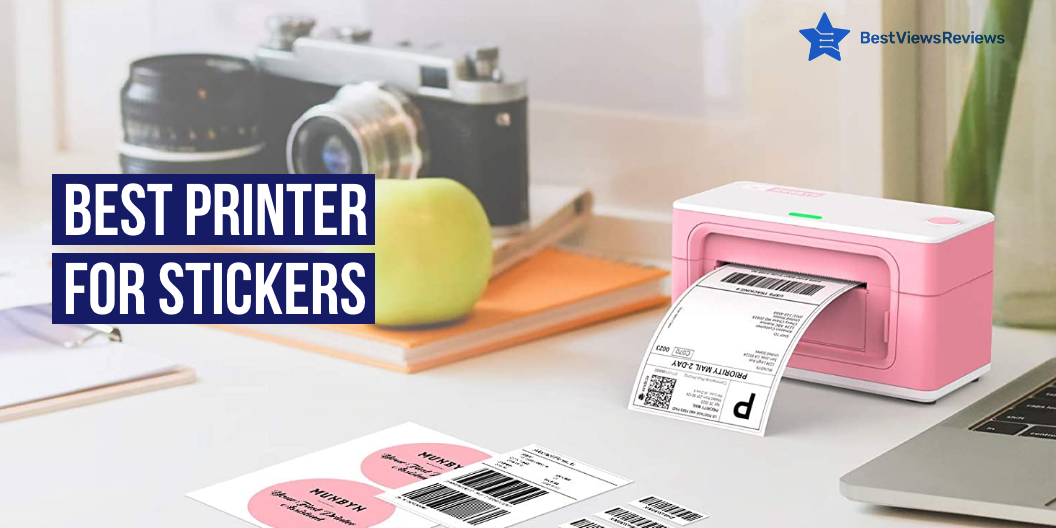
Stickers are one of the most adaptable and cost-effective methods available for raising awareness. Small business owners, or even company owners, need stickers for brand publicity. Stickers get more attention than Internet pay-per-click ads. There are many small, portable best printers for stickers available on the market. These give you shiny stickers in just a few minutes. The best printer for stickers is also cost-effective because you can easily operate it by yourself. You can repair your printers even using basic troubleshooting methods in such cases. Read our blog on printer repair and know all the common printer problems.

Tips For Sticker Printer Selection

Color Match

The print method you choose will have a big impact on the color and visual accuracy. CMYK is most commonly used for home printing and low-cost professional presses in the printing business. Dotting color ink across the page and building it until it reached the desired color.

Appropriate Color Scheme

Lighter color values may not always transfer well into black and white photos when using the CMYK method. Colors in the lowest ten percent of the spectrum frequently do not transfer well because they are too faint to be seen. Make sure you use the best color combinations, like dark tone with a light tone.

Permanence

Not all stickers are kept around for a long time. Changes in ink, print method and paper will affect how long something lasts, so double-check that you’re using the right materials before you print anything.

Print Quality

Almost every print driver provides several various print quality settings, allowing you to customize your print speed and ink usage. You’ll want to make sure you’re getting the best results possible when it comes to printing high-quality stickers.

5 Best Printer For Stickers

Fujifilm Instax Mini Link Smartphone Printer

The reviews of Fujifilm Instax Mini Link Smartphone Printer are good because comes with a printing speed of about 12 seconds which ensures quick operation. This printer allows for the addition of fun filters and frames to the photos that make them attractive. It features Bluetooth compatibility that allows you to print photos easily. It just takes approximately 90 seconds of development time after printing.

Canon SELPHY CP1300 Printer

Canon SELPHY CP1300 Printer comes in a compact size that makes it easy to move and store. This model comes with a detailed user manual makes it easy to use. This printer allows customizing images with a selection of borders and effects for a personalized look. The bundle includes a special kit that works with the CP1300 and prints up to 108 4×6″ color images. The pre-cut paper material makes printing your images a breeze.

Phomemo M02S 304dpi Pocket Printer

Phomemo M02S 304dpi Pocket Printer got good reviews because it comes with a high-print resolution that offers a superior printing image. This model has a built-in thermal printer that allows printing pictures without ink. It features a Bluetooth service that makes it easy to connect with various other devices. It has Bluetooth 4.0 with a range of up to 33 feet and connects in only 2 seconds. This model is compatible with Android 4.0, as well as IOS 8.0 and higher.

HP Sprocket Portable Photo Printer

HP Sprocket Portable Photo Printer features a lightweight design that makes it easy to carry along. It comes with the Sprocket app and helps to create customized snapshots using filters, borders, and drawings. It has built-in wireless connectivity makes it compatible with various other devices. This lightweight, portable photo printer easily fits into a pocket or backpack.

Phomemo 300dpi Pocket Mobile Pocket Printer

The reviews of Phomemo Mobile Pocket Printer are good because it is equipped with a 5V-2A adapter that offers crisp-clear picture quality. This model has a compact and lightweight design, making it easy to carry around. It has a multi-functional app that allows putting a variety of fonts/ filters/themes to make the photos look stylish. This model work with 15, 25 & 53mm paper.

Is Inkjet or Laser Better For Stickers?

Both the printers have some pros and cons. An inkjet printer is a good option if you want stickers to print at an affordable price. Inkjet also produces high-quality print, but it uses more ink at a time. Laser printers are more expensive, and ink refills are more expensive at first, but they can print up to 5,000 sheets before needing to be refilled. Stick to inkjet printers for high-quality stickers.

The inkjet Bluetooth printer comes with features such as printing, scanning, faxing, and copying and is perfect for small offices or homes. Check our blog on the inkjet Bluetooth printer and get the best options for yourself.

What Type Of Paper Should I Use For Stickers?

Sticker paper is a paper that you can easily peel off from the back. There are two types of sticker paper: matte and glossy. Glossy paper is perfect for more colorful stickers and the matter is good for dark colors. Both matte and glossy styles of paper are weather-resistant, and long-lasting sticker protection is available.

Can I Print Stickers With Any Printer?

Yes, you don’t need any kind of specific printer. A regular inkjet is enough for high-quality stickers if you have all the right materials as well as know the right process.

Conclusion

Sticker printing may be intimidating at first, but after you grasp the process and what to avoid, you can focus your efforts on making your design stand out. You will save yourself a lot of time and money by initially becoming familiar with the technicalities of sticker printing. A wireless printer scanner is a device that can print from a PC or mobile device. Read our blog on wireless printer scanners and get the top 10 options for yourself.

BestViewsReviews rates and reviews the best inkjet printers and top-rated photo printers based on quality, convenience, and durability.

Bluetooth Printer for iPhone: A Complete Guide

Bluetooth printer for iPhone

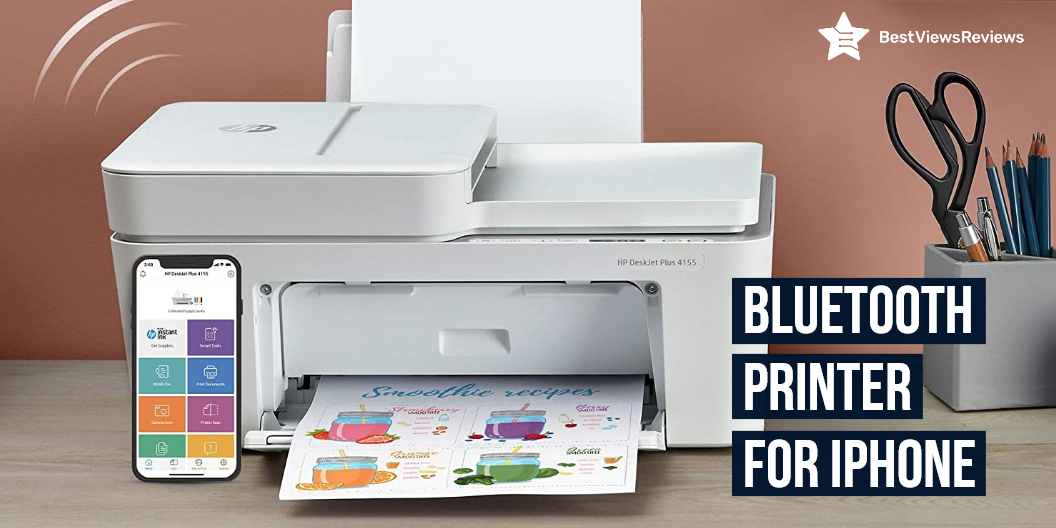
A Bluetooth printer for iPhone is a type of wireless printer that uses Bluetooth technology to connect to your iPhone. These printers are usually small and portable, making them ideal for use in home offices or small businesses. The inkjet Bluetooth printer comes with features such as printing, scanning, faxing, and copying and is perfect for small offices or homes. Read our blog on an inkjet printer and know the best options for yourself.

What Are The Best Bluetooth Printer For iPhones?

Brother Compact Monochrome Laser Printer

The reviews of Brother Compact Monochrome Laser Printer are positive because it features flatbed scan glass that offers quick copying and scanning. This model also has 250 sheet paper capacity that improves efficiency due to less time spent refilling trays. Its wireless technology allows you to submit print jobs from the laptop, smartphone, desktop, etc. It has a flatbed scan glass for rapid copying and scanning.

HP OfficeJet Pro 9025 Printer

HP OfficeJet Pro 9025 Printer has got excellent customer reviews because it features easy slide-off glass that helps increase productivity and saves time. This model offers two 250 sheets of full-ream paper trays that help high-volume jobs. It has self-healing Wi-Fi to reduce interruptions and maintains a stable and reliable connection. This small office printer offers faster printing at 24 pages per minute.

Epson EcoTank ET-3710 Printer

Epson EcoTank ET-3710 has a built-in colored display that offers easy navigation and operation. It comes with no-squeeze bottles that are uniquely keyed, which helps to prevent color mix-up. Its high-density print chip generates up to 40 million precise dots per second with optimal accuracy. This printer is small in size, perfect for homes and small businesses.

Brother MFCL2750DW Wireless Laser Printer

The reviews of Brother MFCL2750DW are good because it has built-in advanced technology that offers faxing, copying, and scanning capabilities. This model also features a touch to connect with NFC that provides added convenience. It comes with multiple features that streamline the office experience. It easily connects via wireless connections from your laptop, smartphone, desktop, and tablet.

PIXMA TS5320 Wireless Inkjet All-In-One Printer

The top-quality PIXMA TS5320 Wireless Inkjet All-In-One Printer is a great choice for your home or office. It features Bluetooth, Wi-Fi, and USB connectivity, so you can easily print from your favorite devices. The inkjet printing technology produces high-quality prints, and the compact design makes it easy to store and transport.

What Are The Factors To Consider Before Buying Bluetooth Printer For iPhone?

Price

Bluetooth printer for iPhone is available at different prices according to the features and brand. Make sure to set your budget before buying. Printers may vary between $200 and may go up to a few hundred dollars depending on the features. You can get an excellent printer with multiple capabilities for a few hundred dollars if you shop around.

Print Speed

The printing speed is one of the most significant elements to consider when purchasing a wireless Bluetooth printer. You will be more productive if you print at a faster speed. A variety of factors affect printing speed, including the type of printer, ink quality, paper type, and resolution. You can still get models with a printing speed of 30 to 40 pages per minute.

Print Quality

Laser printers are the highest-quality printers, but they are also the most expensive to purchase and operate. Print quality is influenced by a number of factors, including the printhead’s design, the printer’s driver, and the ink quality. The DPI (dots per inch) of the printer is the most important metric to look for (dots per inch). It describes how well a printer can reproduce the pixels in an image.

Wireless Connectivity

Wi-Fi and Bluetooth connectivity are also available on selected versions. Printers that support Google Cloud Print and Apple AirPrint are becoming more common. Bluetooth is ideal for printing from local mobile devices, while Wi-Fi and cloud capabilities let you print documents from afar.

How Does Bluetooth Printer For iPhone Work?

Bluetooth allows you to connect to a device like a printer without wires. Bluetooth uses radio waves to transfer data between devices, so Bluetooth printers connect to your iPhone using radio waves. These systems transmit data using low-powered radio signals at 2.4GHz. Bluetooth printer can print wirelessly from your computer. Check our other blog and know everything about bluetooth printer.

Benefits Of Bluetooth Printer For iPhone

Low Maintenance  

Bluetooth printers are dependable and low-maintenance options. The structure of the design is such that only the most basic elements are needed. This method can help you save a lot of money on part replacements. These printers have the advantage of saving both time and money in terms of repairs.

Convenient

Bluetooth printers are small and portable, allowing you to use them almost anywhere. You can also digitally store your documents for convenient access. It has a fast print speed, good print resolution, and easy connectivity.

Power Saving

Bluetooth printers use little power. They go into a low-power standby mode to conserve energy when they’re not in use. You can opt for such energy-efficient devices. It will assist you in reducing your energy costs.

Can Bluetooth Printer For iPhone Work Without Wi-Fi?

Not every wireless printer requires only one mode of communication. You can connect any wireless printer to your devices using wired cords. Any wired device will operate with a wireless printer. You should use cable connections if you want a solid and dependable connection while printing.

What Is AirPrint And How Does It Work?

Apple’s AirPrint technology allows customers to print anything without having to download or install drivers. This feature allows users to print wirelessly from their Mac, iPhone, iPad, and other AirPrint-enabled Apple devices on the same network.

AirPrint can be used in a variety of settings with varying needs. The device and printer interact over a similar network and print whatever the user desires with AirPrint technology.

Do All iPhones Have AirPrint?

Air Print is compatible with all iPads, iPhone 3GS, and later devices, and iPod Touch 3rd generation and later versions. It should operate with any version of Apple’s iOS mobile operating system starting with 4.2, while Apple recommends upgrading to the most recent iOS version for the best results.

Conclusion

Bluetooth printers are useful equipment if you need to print wirelessly. They are simple to pair with your iPhone and print in a flash. The advantage of having a Bluetooth Printer in your home or business is that you can go entirely wireless and print without having to stay in front of the device every time.

BestViewsReviews rates and reviews the best laser printers and top-rated computer printers based on quality, convenience, and durability.

Top Selling Smartphone Photo Printer

smartphone photo printer

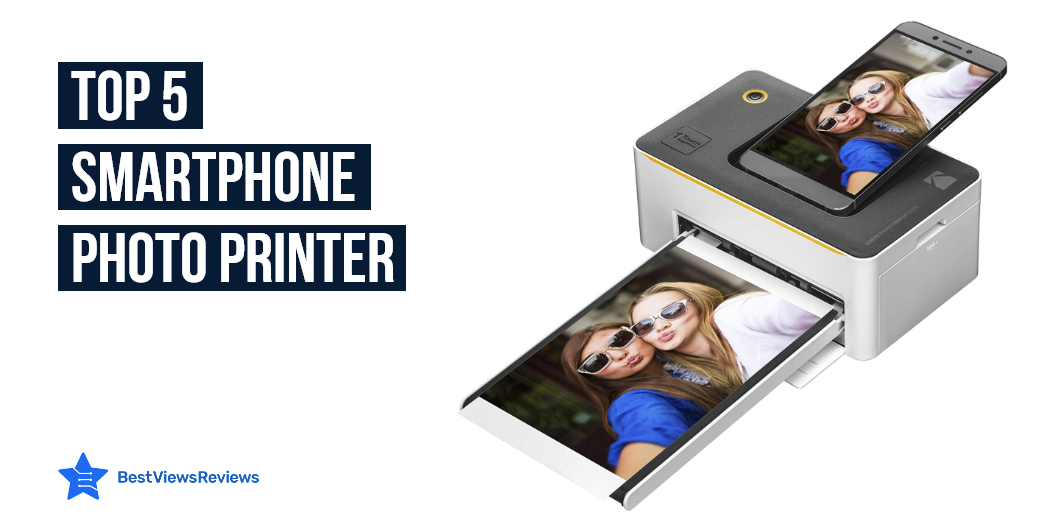
Smartphone photo printers are machines that connect mobile phones and tablets with a physical printer. Some smartphones have a built-in capability to print photos. Sometimes the printing process is cumbersome. Smartphone photo printers have made it easier to print photos. These printers are different because, rather than using a phone’s screen, they connect wirelessly to a compatible printer.

A Polaroid photo printer offers many advantages. Take a look at our exclusive guide on polaroid printer.

Best Smartphone Photo Printer

HP Sprocket Photo Printer

The reviews of the HP Sprocket Photo Printer are good because it comes with a one-year limited hardware warranty. This portable photo printer is small enough to fit in a pocket or backpack. You may use the HP Sprocket app to add filters, borders, and emojis to your images, scan printed photos, and explore photo collections. One 8GB micro SD card with adapter is included, as well as 20 sheets of 2×3-inch HP ZINK picture paper.

Kodak Dock Instant Photo Printer

Kodak Dock Instant Photo Printer got good reviews because it has a 5-pin micro USB port for Android and a USB host for printing from an iPhone, iPad, digital camera, or USB memory stick. This model produces amazing color and detail in normal 4″ x 6″ photos. It includes special docking supplies for quick charging.

HP Sprocket Instant Photo Printer

The reviews of HP Sprocket Instant Photo Printer are positive because it is a tiny printer that prints high-quality 4×6″ images. This model prints directly from your smartphone using Bluetooth and the HP Sprocket app. This device produces high-resolution photographs that can survive up to 100 years. You’ll get bright, smudge-proof, and water-resistant images.

HP Sprocket Portable Photo Printer

HP Sprocket Photo Printer is portable as well as you can carry it in your pocket. The HP Sprocket is a little printer that prints high-quality 2×3″ images directly from your smartphone using Bluetooth and the HP Sprocket app. This device produces high-resolution photographs that can survive up to 100 years.

What Are The Factors To Consider Before Buying A Smartphone Photo Printer?

Size

Smartphone photo printers are even smaller, with some measuring little more than 4×6 photo paper. There are larger and smaller mobile printers, but keep in mind that portability usually comes at the expense of features or performance. Check the size of the printer against the carrying case you might wish to use with it to ensure it will fit.

Price

High-quality photo printers are quite expensive nowadays. It will cost you about $200 to $300 to purchase this printer. You will get a 4.3-inch touch screen, a built-in memory card reader, and connectivity options. Some of its other features include wireless connectivity, full connectivity, and auto-switching.

Performance

The performance of smartphone photo printers is relatively high. Photo printer equipped with good performance of printing quality. Most of the printers are equipped with Bluetooth functions, which can be more convenient for printing photos and wireless printing.

Connectivity and Power Options

Using the built-in wi-fi and Bluetooth, you can print from numerous devices without having to deal with cords. Many mobile printers can also print straight from small digital memory cards. Bluetooth is an excellent option for searching if you want to print images on the fly without having to connect or start your laptop.

An AC adapter, internal rechargeable battery, automobile adapter, or USB power are all possible alternatives for mobile printer power. It is better to have more self-powered solutions available but some adapters may incur additional costs.

Is It Worth Buy A Smartphone Photo Printer?

Yes, smartphone photo printers are incredibly useful because they are small and can do practically everything that large printers can. Smartphone photo printers are available from all reputable companies and are utilized by a huge number of people. You can access several functionalities through the printer-related mobile application.

How Does Smartphone Photo Printer Works?

A smartphone photo printer allows you to print photos from your smartphone, tablet, or computer. You need to download the mobile app for your printer, connect the printer to your smartphone, tablet, or computer, and then use the mobile app to print your photos and send them to the print cartridges inside the printer, which prints your photos.

How Can I Print Pictures From My Phone Without Losing Quality?

The best way to do this is to print the pictures directly from your phone, instead of saving them onto your computer and then printing them later. The quality of the pictures will be much better if you print directly from the phone. You can email the pictures to yourself and then print them later if your printer is not connected to your phone. On your computer, open your email and head to “All Mail” and find the pictures you want to print. Press the “Print” button. It will print out the pictures.

Do You Need Special Ink To Print Photos?

There are lots of different types of ink that can be used. Dye-and-fade inks are the most expensive, but they won’t fade. Dry inks are the cheapest and fade easily. You also need to think about what type of paper you will use. Inkjet paper is best for photos, but the regular paper is just fine for printed text.

The inkjet Bluetooth printer comes with features such as printing, scanning, faxing, and copying and is perfect for small offices or homes. Read out another blog on the best inkjet Bluetooth printer and know good options for yourself.

Conclusion

The Smartphone photo printer changes the way people enjoy their photos. They no longer need to settle for the photo album. Instead, they can print photos in a simple, and convenient way. The Smartphone photo printer is a great addition to a home, because of the simplicity and convenience it lends to photography.

Epson is known for producing high-quality printers. Check out our other blog on epson photo printer and know the 5 benefits of owning one.

BestViewsReviews rates and reviews best smartphones and top-rated photo printers based on their quality, performance, and durability.

Best Selling Printer For Camera 2023

printer for camera

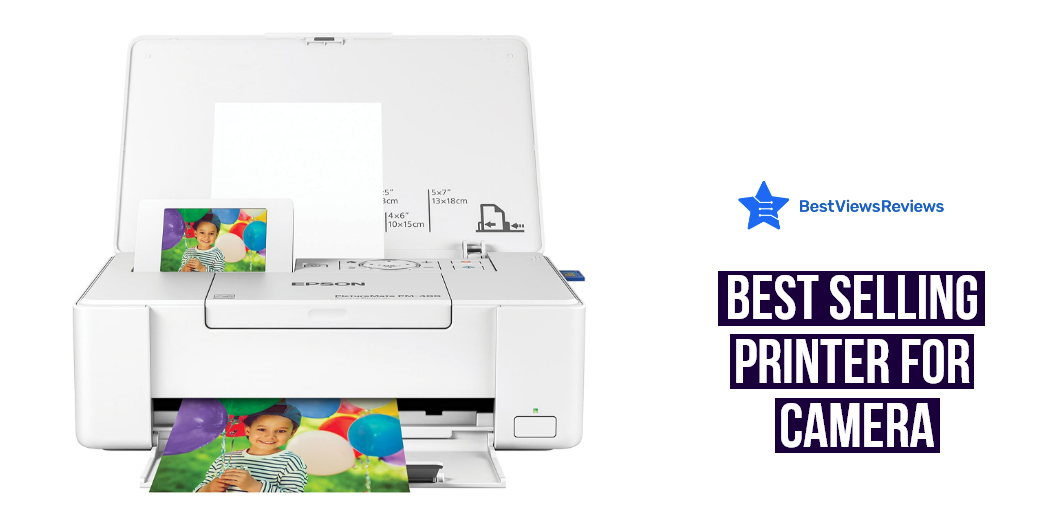
A printer for a camera is a device that allows you to print photos directly from your camera. This can be convenient if you want to print photos on the go or if you don’t have a computer handy. There are many different types of these printers available on the market, so it’s important to choose one that meets your needs. Printers for cameras come in all shapes and sizes. Some are small and portable, while others are larger and more powerful. The type of printer you choose will depend on your needs and budget.

A printer for the camera is a good choice if you’re looking for a printer that can produce great-looking photos. These printers offer convenience, quality, and portability, making them a great option for anyone who wants to print photos on the go. An Epson photo printer is an inkjet printer that can produce high-quality photographs. You can read our blog on 5 benefits of owning an epson photo printer and choose one for yourself.

What Are Factors To Be Considered Before Buying Printer For Camera?

There are a few factors that you need to consider in order to get the best possible product. Here are some factors to consider before buying a printer for your camera:

Portability

One of the most important factors to consider when buying a printer for your camera is portability. You need to make sure that the printer is small and light enough to carry around with you, especially if you plan on traveling with it.

Image Quality

Another important factor to consider is image quality. Make sure that the printer you choose produces high-quality prints that are true to your camera’s original image.

Fun Features

Some printers come with fun features such as the ability to print directly from your camera’s memory card or to edit and enhance your photos before printing them. Make sure to look for one that has some fun features if you’re looking for a printer that offers more than just basic printing capabilities.

Price

You’ll also want to consider the price when choosing a printer for your camera. Make sure to compare prices from different retailers before making your final purchase.

How Do I Get My Printer To Print Directly From Camera?

You need to connect your camera to your printer using a USB cable. Once the connection is established, you can select the images you want to print and send them to your printer. Your printer should have a built-in menu that will allow you to select the number of copies, the paper size, and the type of paper you want to use.

Do Photo Printers Also Print Documents?

A photo printer is a type of printer that is designed specifically for printing photos. Some photo printers can also print documents but the speed may not be as good as you get from a regular document printer. You would be better off with a regular printer if you need to print a large number of documents.

Do Photo Printers Use Ink?

Yes, photo printers do use ink. The type of ink they use depends on the type of printer. Some photo printers use dye-based inks, while others use pigment-based inks. Dye-based inks are typically used in inkjet printers, while pigment-based inks are used in printers that use thermal transfer technology.

A Polaroid printer uses self-developing film to print images. Read our informative guide on polaroid printer and know everything about it.

Best Printer For Camera to Buy

Fujifilm Instax Mini Link Smartphone Printer

The Fujifilm Instax Mini Link Smartphone Printer is the perfect way to print your favorite photos from your smartphone. The printer is easy to use and comes with a variety of features that make it a great choice for any user. A glossy photo paper is perfect for printing your favorite photos. The printer also has a variety of other features that make it a great choice for any user.

HP Sprocket Portable Photo Printer

The HP Sprocket Portable Photo Printer lets you print social media photos on 2×3″ sticky-backed paper. It’s lightweight and easy to take with you, so you can print your favorite memories wherever you are. The HP Sprocket uses HP ZinkTM technology to print without ink cartridges, so you can easily print your photos on the go.

Canon IVY Mobile, Portable Mini Photo Printer

This Canon IVY Mobile, Portable Mini Photo Printer is a special feature portable printer that is a brand Canon. The color is mint green. Glossy photo paper is the print media. The style is w/ 50 sheet photo paper pack. The connectivity technology is Bluetooth. Zink technology is the printing technology. The compatible devices are smartphones. The hardware interface is Bluetooth.

KODAK Step Wireless Mobile Photo Mini Printer

Kodak Step is a portable, wireless photo printer that is compatible with iOS and Android devices. It uses NFC and Bluetooth technology to connect to your device, and prints 2×3 glossy photos. The printer comes with a few accessories, such as a USB cable and power adapter.

Phomemo M02S 304dpi Pocket Printer

The Phomemo M02S pocket printer is a great way to get high-quality black and white prints from your phone. This thermal photo printer uses Bluetooth to connect to your phone, making it easy to print photos, labels, and more. The Phomemo M02S pocket printer is a great choice for anyone who wants an easy way to print photos from their phone.

Conclusion of Printer For Camera

The printer for camera allows you to print photos from your camera directly. This provides you with the convenience to print high-quality photos in a matter of a few minutes. Both laser and inkjet printers are good if you buy the right model with advanced specifications. Read our blog on a laser printer and inkjet and know the basic difference between both.

BestViewsReviews rates and reviews the best DSLR cameras based on quality convenience and durability

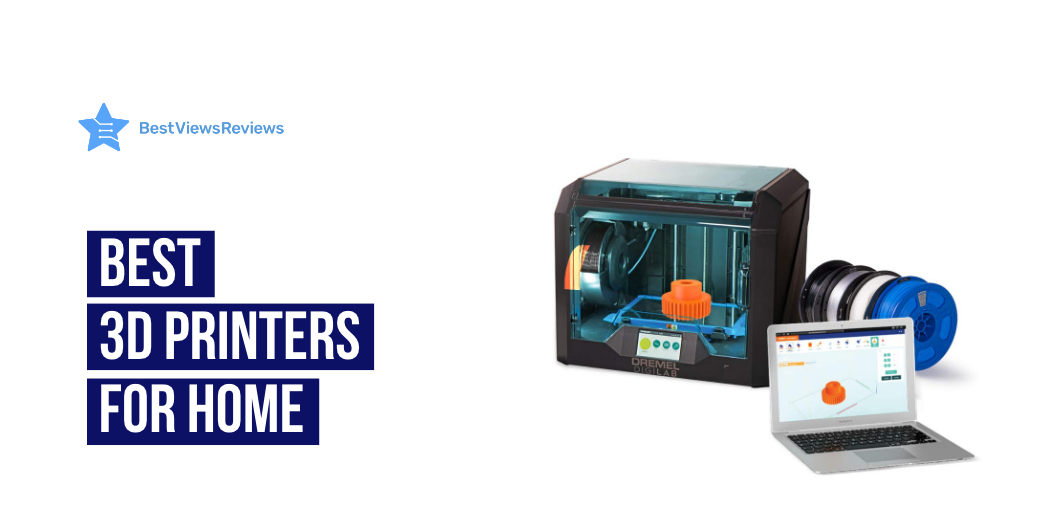
Top Rated 3D Printers For Home 2023

3d printers for home

3D printing or additive manufacturing is the method of creating three-dimensional solid objects from a digital file. 3D printing allows you to produce complex shapes using less material than conventional manufacturing methods. There are a lot of 3D printers for home available on the market that serve various needs. The vast range of 3D printer options only adds to the conundrum of making the right choice. Not every 3D printer is appropriate for each and every user. You can also read about the working of a 3D printer in our blog on how does a 3D printer work.

Best 3D Printers For Home

Voxelab Aquila 3D Printer

Voxelab Aquila 3D Printer is equipped with a carbon crystal silicon glass plate and a super quiet printing design. This printer can automatically resume printing when the power comes on. This model won’t print from scratch once meeting filament breakage, saving time and avoiding waste. It is a straightforward BD printer based on open source technology. 

Official Creality Ender 3 Pro 3D Printer

Official Creality Ender 3 Pro 3D Printer provides all-around protection to your 3D printer build plate and ensures consistent temperature throughout the build surface. It comes with a UL Certified power supply, protecting your printer from unexpected power surges, that can heat the hotbed to 110℃ in just 5 minutes. This model can resume printing from the last recorded extruder position after suffering unexpected power outages.

FlashForge 3D Printer

The customer reviews of FlashForge 3D Printer claim that it features an acrylic cover that encloses the chamber to insulate and protect the prints. The integrated LCD screen and button board functions of this model make it easy to operate. It also offers a built-in heavy-duty z-axis guide rod that ensures steady and precise movement.

FOKOOS 3D Printer

FOKOOS 3D Printer comes in a foldable design that makes it easy to carry outside. It features dual Z-axis and Y-axis designs with a sheet metal case and frame that offers good heat dissipation. This printer comes with a quiet stepper motor driver module and a powerful STM32 control chip.

ANYCUBIC Wash and Cure Station

ANYCUBIC Wash and Cure Station’s reviews show that it comes with an advanced layer that helps to streamline the whole printing process. It is equipped with a closed-off design that prevents the cleaning agent from splashing/volatilization. The 360 automatic rotating cure table of this model makes it easy to use.

R QIDI TECHNOLOGY 3D Printer

R QIDI TECHNOLOGY 3D Printer offers redesigned UI interface that helps improve the print quality by 30 and speed by 20. The max printing temperature of this printer is 250C which can work well with PLA, ABS, and TPU. It features a double Z-axis driver ensuring more stable and more precise printing quality.

Brother is also a popular brand in the world of printers. Go through our blog on the advantages of buying Brother printers to know more.

Things To Consider Before Buying 3D Printers For Home

Material Compatibility

Material compatibility is an essential factor to consider when buying a 3D printer. If your 3D printed output is to be used for a particular application then the part has to be 3D printed in the most suitable technology. The material must retain the needed properties to perform as per the planned specifications.

Build Volume

Build volume is just the printing space. The printer should be chosen keeping in mind the most common size to be printed. Just purchasing a large printer to accommodate all sizes of print is not a viable option. The printer cost boosts and it may hamper the quality offered for smaller delicate prints. Large prints can even be outsourced if they are needed in fewer numbers.

Resolution

The resolution has a direct effect on the printing of tiny features and the finishing of the printed object. A printer with high resolution will efficiently print the tiniest of features and the layer height will be thinner leading to a smooth surface finish. Purchasing a 3D printer with a high resolution can prove highly profitable in the long run.

Cost

Most of the FDM filaments are easily available across the world at affordable prices but special materials like flame retardant polymers or metallic materials are not easily obtainable and may take a significant amount of time to be imported increasing the lead time and the cost of such materials. Material cost is another factor to consider while purchasing a 3D printer. It can increase the cost of the prototyping exercise. Powdered materials used in DMLS/SLM technologies are expensive and for some industries, it may not be justified to use metal 3D printing as the material cost is more elevated.

Is It Useful To Buy 3D Printers For Home?

You can use 3D printers to create complete products, make spare parts, or simply create things you’ll find useful for your home, office, and workshop. Since 3D printing technology is within the understanding of just about anyone, you don’t have to utilize one to your advantage.

A printer for students is a great way to keep a paper trail for college, take notes, sign up for classes, and other important documents. Read our blog on best printers for students to learn more.

Conclusion

3D printers provide a nearly infinite array of possibilities. Whether you’re printing out a figurine, a smartphone case, or a wrench, you need to pick the correct device for your needs and budget. Following a few tips and factors before buying these printers can help you make a better purchase.

BestViewsReviews rates and reviews hundreds of top 3D printers, best computer printers, and best-selling photo printers on the basis of their print quality, performance, and controls.

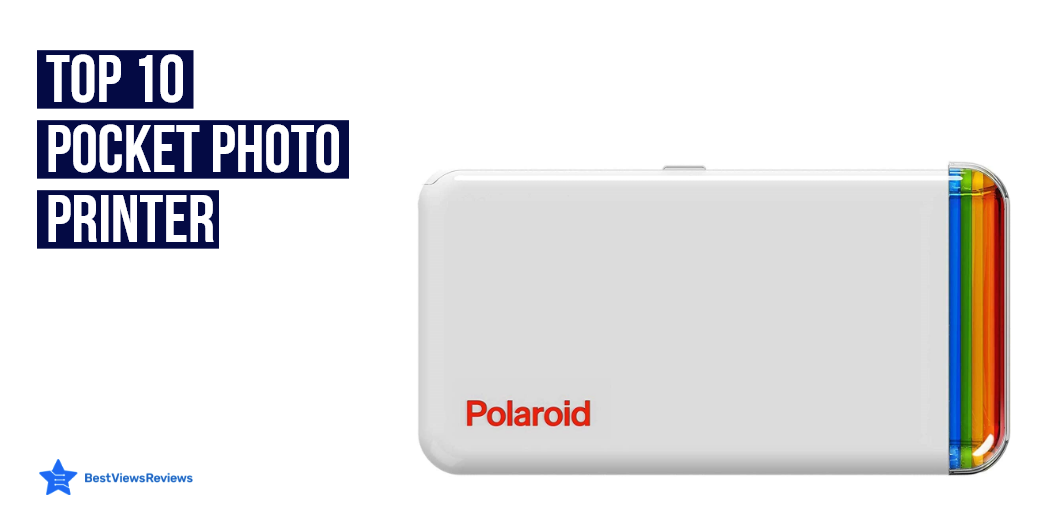
Top 10 Pocket Photo Printer

pocket photo printer

Pocket photo printers are low-cost portable devices that can be used to print photos or copies of documents and digital images. They allow you to print your favorite memories wherever you are. Pocket photo printers are similar to inkjet printers and can print from a variety of photographic media such as inkjet paper and digital photos.

Portable photo printers are also great devices. They work on inkjet printing technology to deliver full-page prints. Read our blog to know the top 5 reasons why you need a portable printer.

What Is A Pocket Photo Printer?

A pocket photo printer is a small portable printer that you can use to make copies of photos from your mobile phone or camera. You can also use these devices with a regular photo camera and a USB cable.

Read our blog on Epson photo printers to know more about this useful device. These printers are also efficient in producing high-quality photographs on white glossy paper.

Top 10 Pocket Photo Printer

Phomemo M02S Pocket Printer

Phomemo M02S Pocket Printer is a black-and-white image mobile printer. The 300dpi HD printing of this device gives you a clear and textured printing effect. You can use this printer to print photos, plan journals, do lists, and print any text or notes. It measures 3.3*3.3*1.6inch in size so you can take it everywhere.

HP Sprocket Portable Photo Printer

HP Sprocket Portable Photo Printer is designed to easily slip into your pocket, purse, or backpack. You can decorate, design, and print your social media photos with the HP Sprocket app. You can create smudge-proof prints with this printer.

Canon Ivy Mobile Instant Mini Photo Pocket Printer

Canon Ivy Mobile Instant Mini Photo Pocket Printer prints 2” x 3” photos that are smudge-proof, tear-free, and water-resistant. It delivers pictures with a peel-and-stick backing that adheres to your favorite surfaces. It also offers the Canon Mini Print App that includes AR live filters to transform your photos using face-tracking technology.

Mini Pocket Sticker Printer

Mini Pocket Sticker Printer is used to print pictures/photos, memos, shopping lists, study/meeting notes and etc. It supports IOS 9.0 + Android 4.0 and above. This printer offers abundant templates, graphics, themes, and updated fonts.

Polaroid Hi-Print

Polaroid Hi-Print prints images from your mobile device with high quality. This printer utilizes innovative dye-sub cartridge technology resulting in high-quality vibrant photos in under 50 seconds. You can use the Polaroid Hi-Print mobile app to edit and customize your photo content with frames, filters, text, and emoticons for a unique personal touch.

Zink Polaroid Photo Printer

The customer reviews of the Zink Polaroid Photo Printer claim that it comes with embedded dye crystals that ensure high-resolution pictures. The built-in Bluetooth of this printer makes it easy to connect to a wide range of devices. It equips a lithium-ion rechargeable battery that can print 25 photos on a full charge.

KODAK Step Wireless Mobile Photo Mini Printer

KODAK Step Wireless Mobile Photo Mini Printer offers high-quality detailed prints that prevent moisture, tear and smudges. The built-in lithium-ion rechargeable battery of this device prints 25 photos on a full charge. Its lightweight and compact design make it easy to carry around as well.

Canon Ivy Mobile Mini Photo Printer

Canon Ivy Mobile Mini Photo Printer’s reviews show that it comes in a compact size that makes it easy to carry around. It offers water-resistant photos that ensure the memories last long. The built-in Bluetooth of this printer makes it easy to connect with a smartphone to print photos with ease.

Fujifilm Instax Mini Link Smartphone Printer

Fujifilm Instax Mini Link Smartphone Printer comes with a quick-speed printing system that prints 12 photos per minute. It comes in a lightweight as well as a compact design that easily fits into a backpack or pocket. Its built-in Bluetooth makes it easy to connect with a smartphone to print photos with ease.

Fujifilm Instax Mini Link Smartphone Printer

Fujifilm Instax Mini Link Smartphone Printer’s customer reviews say that its compact and lightweight design offers easy portability. The built-in Bluetooth makes it easy to connect with a smartphone to print photos with ease. This device can print approximately 100 photos continuously when fully charged.

We also have a detailed blog on the best inkjet Bluetooth printers that you can read in case you are looking to buy one.

Conclusion

Pocket printers are an ideal choice when you have to print documents or photos anytime and anywhere. They are easy to use, small in size, as well as light in weight. These printers are easy to connect with smartphones and other devices. You can also add different elements to your photos by using different photo editors and then you can print those photos directly by using pocket printers.

BestViewsReviews rates and reviews hundreds of portable photo printers and printers on the basis of their size, print quality, and performance.

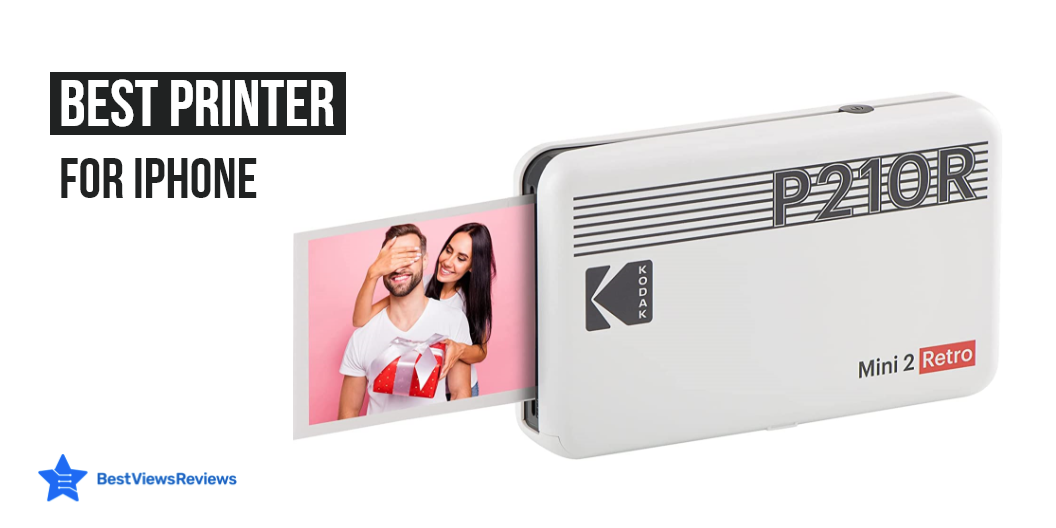
Best Photo Printers For Iphone

Photo printers for iPhone are a great way to capture the memories of special events and to personalize snapshots that you take on your phone. They are small, portable devices that print photos from smartphones and cameras. Photo printers are the perfect way to print photos for displaying or for framing. You can print photos and documents from your iPhone virtually anywhere if you have these printers.

An Epson photo printer is an inkjet printer that can produce high-quality photographs on white glossy papers. Read our blog to know about the 5 benefits of owning Epson printers.

Best Photo Printers For iPhone

HP Sprocket Instant Photo Printer

HP Sprocket Instant Photo Printer prints 2”x 3” Photographs from your smartphone or social media. It is compatible with iOS 10-Plus & Android 5-Plus, Bluetooth 5.1. You can also customize your snaps with cool editing tools on the free HP app. It comes in a slim and portable design that makes it easy to carry.

Liene 4×6” Photo Printer

Liene 4×6” Photo Printer prints photos instantly with thermal dye-sublimation by which dyes can deeply penetrate the paper and makes photos vibrant. It is compatible with IOS, Android, laptops, as well as PC. The Wi-Fi connection allows 5 devices to connect with this photo printer simultaneously. 

Kodak Dock Plus Photo Printer

Kodak Dock Plus Photo Printer supports reliable and stable Bluetooth connections. It uses 4Pass Technology to print flawless photos instantly. It prints fingerprint-proof as well as water-resistant pictures for long-lasting quality. This model supports both borders as well as borderless type photos. 

Canon SELPHY CP1300

The customer reviews of Canon SELPHY CP1300 claim that it comes with a detailed user manual that makes it easy to use. It is made with high-quality material that ensures durability. The 1.9 pounds lightweight design of this printer makes it easy to maneuver.

Canon IVY Mini Photo Printer

Canon IVY Mini Photo Printer comes in a compact size that makes it easily portable. It also features Bluetooth technology that allows to print by connecting the devices. This model prints 2 inches x 3 inches photos with peel and stick backing that offers convenience.

Phomemo 300dpi Pocket Mobile Pocket Printer

Phomemo 300dpi Pocket Mobile Pocket Printer’s reviews mark that it comes in a compact as well as lightweight design that makes it easy to carry around. It is equipped with a 5V-2A adapter that offers crisp-clear picture quality. The multi-functional app allows putting a variety of fonts/ filters/themes to make the photos look stylish.

Fujifilm Instax Mini Link Smartphone Printer

Fujifilm Instax Mini Link Smartphone Printer features Bluetooth compatibility that allows printing photos easily. It comes with a printing speed of about 12 seconds that ensures quick operation. The printer also allows the addition of fun filters and frames to the photos making them attractive.

Photo Printer FAQs

Do You Need A Computer To Use A Photo Printer?

The answer is no. Portable photo printers do not need to be connected to a computer. These printers can receive photos from your phone or any other mobile-connected device. You can also load these printers with a memory card or a USB drive.

Can A Photo Printer Print On Regular Paper?

No, photo printers are not designed to print on regular paper. They cannot use the standard 8.5 x 11-inch paper. These printers are specially designed to print pictures that rival any 35mm film printing.

Inkjet Bluetooth printers are also great devices. They come with features such as printing, scanning, faxing, copying as well as are perfect for small offices or homes. Read our blog on the best inkjet Bluetooth printers to learn more about them.

Conclusion

Photo printers for iPhone are easy to use as well as easy to take care of. They are compact in size and easy to carry. You can take photos and print them whenever you want to. These printers are also useful to people who are in need of a new device that will help them print photos. Most photo printers for iPhone include Wifi or Bluetooth connectivity to allow you to print photos from your phone.

BestViewsReviews rates and reviews hundreds of portable photo printers and photo printers on the basis of their size, print quality, and performance.