PC Gaming Headsets : Level Up Your Gameplay in 2025

When it comes to PC gaming, audio isn’t just an afterthought; it’s a game-changer. Good PC gaming headsets can elevate your gameplay, pulling you into the action like never before. Whether you’re navigating dense battlefields, solving puzzles, or teaming up with friends for epic multiplayer sessions, the right headset brings your gaming world to life.

But with so many options out there, how do you choose the perfect one? From sound quality to comfort, and from mic clarity to immersive features, there’s a lot to consider. In this guide, we’ll break down everything you need to know about PC gaming headsets that will level up your experience. Get ready to hear every footstep, every explosion, and every shout of victory like you’re really in the game!

Benefits of Using PC Gaming Headsets: Why Every Gamer Needs One

When it comes to PC gaming, audio quality is just as crucial as high-end graphics and fast gameplay. That’s where PC gaming headsets come into play. They’re not just about sound; they’re about enhancing your entire gaming experience. Here’s why you need one:

1. Immersive Sound Experience :

Forget about your standard speakers; gaming headsets are designed to bring you into the heart of the action. With surround sound and 3D audio technology, you’ll hear every footstep, every shot, and every environmental cue with incredible clarity. This makes for a much more immersive gaming experience, especially in story-driven games or fast-paced shooters.

2. Clear Communication with Teammates :

In multiplayer games, communication can make or break your strategy. With a high-quality microphone built into most gaming headsets, you can ensure that your voice is clear and crisp during those crucial moments. No more worrying about miscommunication or missing a teammate’s call for backup!

3. Comfort for Long Sessions :

Comfort is key for those long gaming sessions, and PC gaming headsets are built with that in mind. Soft ear cushions, adjustable headbands, and lightweight materials ensure you won’t be taking breaks just because your headset’s hurting your head. With a comfortable headset, you can play for hours without discomfort.

4. Noise Cancellation for Focused Play :

PC gaming headsets often come equipped with noise-canceling features, which block out background noise, so you can focus purely on the game. Whether it’s the hum of your computer fan or the noise in your environment, these headsets help you concentrate on what matters most, your game

5. Enhanced Audio Cues for Competitive Edge :

The precision of sound can give you a serious advantage. With gaming headsets, you’ll be able to pick up on subtle audio cues like an enemy reloading or footsteps approaching, allowing you to react faster and outsmart your opponents. This kind of edge is what makes high-level gaming so exciting!

Who Should Consider Buying PC Game Headsets

Whether you’re a competitive gamer striving for that edge or simply someone who wants to enjoy your favorite games with enhanced sound, a quality headset can take your experience to the next level.

  • Competitive Gamers: For those who live for intense, high-stakes matches, gaming headsets are a must. Whether you’re playing FPS games like Call of Duty or Valorant, or delving into MOBA titles like League of Legends, clear audio and precise sound cues make all the difference. A top-tier gaming headset helps you hear every footstep, reload, and subtle sound that can give you the upper hand over your opponents.
  • Casual Gamers: Even if you’re not gunning for esports glory, the right headset can significantly elevate your gaming enjoyment. Gaming headsets offer immersive sound that lets you feel the intensity of the gameplay, be it the music, sound effects, or voice chat. If you like getting lost in your games, a quality headset is a great investment
  • Streamers & Content Creators: If you’re streaming your gameplay on platforms like Twitch or YouTube, having a gaming headset isn’t just about the sound—it’s about communication too. Clear voice quality, coupled with excellent sound isolation, ensures your viewers can hear you without distractions and helps you stay focused while you interact with your audience.
  • People Who Want to Improve Comfort: Long gaming sessions can strain your ears and head, especially if you’re using cheap or uncomfortable headphones. PC gaming headsets are designed with comfort in mind, offering cushioned ear cups and adjustable bands that can make marathon gaming sessions much more enjoyable.
  • Anyone Looking for Superior Sound Quality: If you’re a gamer who appreciates high-quality audio, you know that standard earbuds or headphones just don’t cut it. Gaming headsets offer deep bass, crystal-clear highs, and immersive surround sound, making your games feel more dynamic and lifelike.

Key Features to Consider Before Buying PC Game Headsets

Whether you’re communicating with teammates or enjoying the surround sound of a game’s atmosphere, the right headset can make all the difference. So, before you click ‘buy,’ let’s break down the key features you need to consider.

Comfort: Stay in the Game for Hours :

You’re going to be wearing your gaming headset for long stretches, so comfort is paramount. Look for headsets with plush, breathable ear cups and a lightweight design. A well-padded headband and memory foam cushioning can help prevent discomfort during those marathon gaming sessions. After all, the longer you can game without distractions, the better your performance will be.

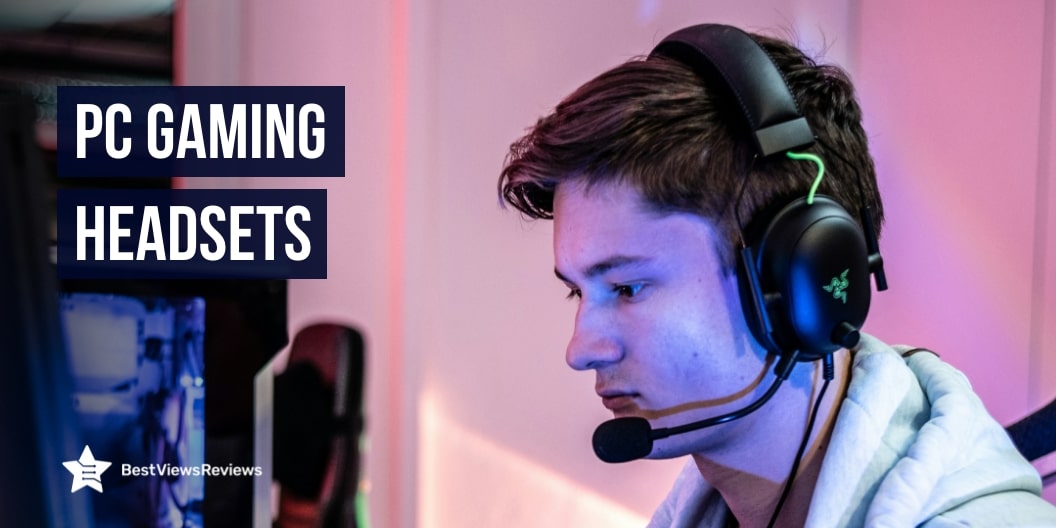
Razer BlackShark V2 X Gaming Headset – The Razer BlackShark V2X gaming headset offers advanced passive noise cancellation with closed earcups and cushions for improved sound isolation. Equipped with 7.1 surround sound and Triforce Titanium 50mm drivers, it delivers precise, high-quality audio with enhanced clarity. Its lightweight design (240g) ensures comfort, while the Razer HyperClear cardioid mic minimizes background noise for clear communication.

Microphone Quality: Crystal Clear Communication :

When you’re battling it out with friends or coordinating with teammates, clear communication is a must. A headset with a high-quality microphone ensures that your voice comes through crisp and clear. Look for a noise-canceling mic that minimizes background noise, allowing you to focus on the game without any distractions.

Xbox Wireless Headset Xbox Series X|S – The Xbox Wireless Headset offers seamless connectivity with Xbox Wireless radio, eliminating the need for cables or dongles. Experience immersive audio with spatial sound technologies like Windows Sonic, Dolby Atmos, and DTS Headphone: X. It features auto-mute and voice isolation for clear chat and allows easy volume control with adjustable earcup dials.

Sound Quality: Hear Every Detail :

Nothing beats the thrill of hearing every footstep, explosion, and voice in rich, detailed sound. When picking a PC gaming headset, you want exceptional sound quality. Look for headsets with surround sound or 3D audio for a more immersive experience. Good bass, balanced treble, and clear mids make all the difference, especially in action-packed games where every sound cue counts.

SteelSeries Arctis Prime Competitive Gaming Headset – The headset features a lightweight steel and aluminum alloy construction for durability and a consistent fit. Premium soft ear cups help reduce background noise, allowing you to focus on your game in comfort. Its advanced bi-directional mic design provides superior noise cancellation, ensuring clear voice communication.

Adjustability: Perfect Fit, Every Time :

Everyone’s head is different, and a one-size-fits-all headset just doesn’t cut it. The best gaming headsets come with adjustable headbands and ear cups to help you find the perfect fit. This not only improves comfort but also enhances sound isolation, so you can fully immerse in your game without any external distractions.

SteelSeries Arctis Prime Competitive Gaming Headset – This headset boasts a lightweight steel and aluminum alloy construction, ensuring both maximum durability and a consistent, secure fit. The premium soft ear cups block out background noise, providing a more immersive and focused gaming experience. Its advanced bi-directional mic offers superior noise cancellation, ensuring crystal-clear voice communication.

Connectivity: Wired or Wireless? :

When choosing a PC gaming headset, think about how you prefer to connect. Wired headsets provide a stable, uninterrupted connection, making them ideal for competitive gamers who need zero lag. On the other hand, wireless headsets offer more freedom of movement, allowing you to play without worrying about tangled cables. Make sure to consider what works best for your gaming setup.

SteelSeries Arctis Nova Pro Wireless Multi-System – The Almighty Audio headset delivers premium high-fidelity drivers for ultimate clarity and sound quality, customizable with a Pro-grade Parametric EQ via Sonar Software. Its 360° Spatial Audio provides immersive surround sound, ensuring you hear every crucial detail, compatible with Tempest 3D Audio for PS5 and Microsoft Spatial Sound. Active Noise Cancellation uses a specialized 4-mic hybrid system to block ambient noise, while Transparency Mode allows you to adapt to your surroundings.

Build Quality: Durability Matters :

Gaming headsets can take a lot of wear and tear, especially if you game frequently. A durable, well-built headset will last longer, even during intense gaming sessions. Look for materials like steel or reinforced plastic in the headband and ear cups. A solid construction ensures that your headset can handle drops and accidental pulls without falling apart.

Ozeino Wireless Gaming Headset for PS5 PS4 PC – The Ow310 Wireless Gaming Headset features an ultra-lightweight design (285g) with optimized weight reduction and improved clamping force, ensuring comfortable all-day gaming. Equipped with 50mm drivers, it’s individually tuned for richer trebles, brighter midrange, and deeper bass. Enjoy ultra-low latency (≤ 20ms), ensuring perfect audio-visual sync for seamless gaming.

Compatibility: Works with Your Setup :

It’s essential to check if your chosen headset is compatible with your PC or other devices you plan to use. Most PC gaming headsets are plug-and-play with a 3.5mm jack or USB connection. However, if you game on multiple platforms (like PlayStation or Xbox), you’ll want a headset that supports cross-platform compatibility.

NUBWO G06 Dual Wireless Gaming Headset – The G06 Gaming Headset lets you switch seamlessly between games and reality by connecting simultaneously to PC/PS and phones. Answer calls or mute with just a click, all without pausing your game. Enjoy effortless wireless gameplay with a 2.4GHz connection via USB dongle, offering consistent performance for PCs and many consoles (some may require additional adapters).

Common Mistakes to Avoid When Buying PC Gaming Headsets

While it might seem like a straightforward decision, there are some common pitfalls you should avoid to ensure you’re getting the best headset for your needs. Here are the key mistakes to watch out for:

1. Ignoring Sound Quality

Sound quality is the heart of any gaming headset. Don’t make the mistake of focusing only on looks or price. You want clear, immersive audio that helps you hear every footstep, gunshot, and voice chat with precision. Look for headsets with at least stereo or surround sound capabilities; these give you a competitive edge in any game.

2. Skimping on Comfort

Long gaming sessions mean you’ll need a headset that’s comfortable to wear for hours on end. Avoid headsets with too much pressure on your head or uncomfortable ear cushions. Opt for ones with adjustable headbands, memory foam ear cushions, and breathable fabrics to keep things comfy.

3. Forgetting About Microphone Quality

For multiplayer games, your teammates need to hear you clearly. Don’t overlook the importance of a high-quality microphone. A noisy or unclear mic can ruin your communication and frustrate everyone. Look for headsets with noise-canceling mics that block out background sounds and provide clear, crisp voice transmission.

4. Overlooking Compatibility

Not all gaming headsets work with every PC or console. Before making a purchase, double-check that the headset is compatible with your PC’s audio input or any other device you plan on using it with, whether it’s a console or mobile. Some headsets are multi-platform, while others are PC-specific.

5. Ignoring Durability

A headset is an investment. If you’re gaming frequently, it’ll go through some wear and tear. Don’t go for cheaper models that might fall apart after a few months. Look for headsets made from sturdy materials, like reinforced cables and adjustable metal frames, to ensure they last long.

6. Choosing Based on Brand Alone

While popular brands might seem like a safe bet, don’t fall into the trap of buying based solely on the brand name. Just because a headset comes from a famous gaming company doesn’t necessarily mean it’s the best fit for you. Do some research, read reviews, and test out the headset before making a decision.

Frequently Asked Questions (FAQs)

Q. Do I need a DAC/AMP for my gaming headset?

A. While most gaming headsets will work fine without a DAC (Digital-to-Analog Converter) or AMP (Amplifier), having one can enhance your audio experience, especially if you’re using high-end headsets. DACs and AMPs help to improve sound clarity, volume, and detail, making them great for audiophiles or gamers who want the best sound quality. However, for casual gamers, a headset without a DAC/AMP might be sufficient.

Q. Are gaming headsets good for music/movies?

A. Absolutely! While gaming headsets are optimized for gaming audio (like footsteps and in-game dialogue), many high-quality models also perform excellently for music and movies. With features like deep bass and clear treble, gaming headsets often provide a dynamic sound experience that works well for media consumption. Just make sure to look for a headset that has a balanced sound profile, which will be more versatile for gaming and other media.

Q. How long should a gaming headset last?

A. The lifespan of a gaming headset can vary depending on its quality and how well you take care of it. On average, a good quality gaming headset should last around 2-3 years with regular use. High-end models with durable materials can last even longer. Regular cleaning, proper storage, and not overstretching cables (if wired) can help extend its life.

Conclusion

A good PC gaming headset isn’t just a luxury; it’s an essential piece of equipment that can elevate your gameplay experience. Whether you’re immersing yourself in a new game or communicating with teammates, the right headset provides the quality and comfort you need. With the right features, your gaming setup will feel complete, and your performance will thank you for it.

So, ready to level up your gaming? It’s time to invest in a quality PC gaming headset that fits your style and needs. Get ready to hear every detail, every footstep, and every victory loud and clear.
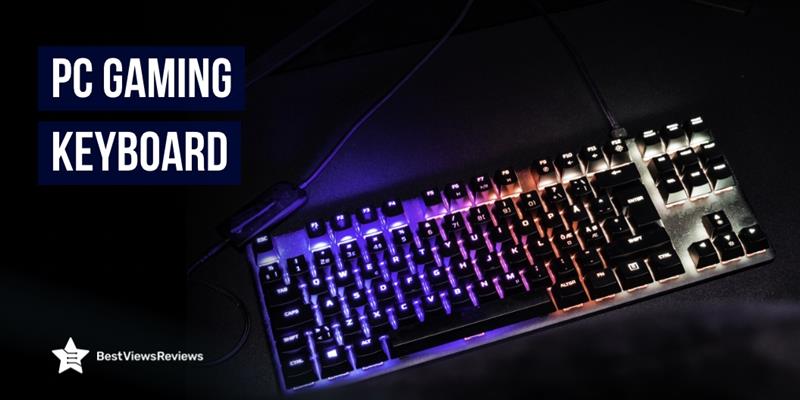

PC Gaming Keyboards: Improve Your Gaming Performance

PC Gaming Keyboard

When it comes to gaming the tools you use create an essential transformation within the experience which goes beyond casual leisure activities. PC gaming requires a high-quality keyboard among your essential gaming equipment. A superior keyboard helps players execute better because it provides enhanced capabilities during intense action-packed gaming and real-time strategy situations. The following blog explains the ways PC gaming keyboards enhance gaming experiences while helping players reach higher performance goals.

Types of PC Gaming Keyboards

There are several types of gaming keyboards, each offering unique features to improve your gameplay. Let’s explore some of the most popular options:

Mechanical Keyboards :

Gaming customers choose mechanical keyboards first since these models deliver durability together with exact precision and touch-feel feedback. A mechanical keyboard includes key switches that produce a pleasing response when pressed or give tactile feedback for gaming at fast speeds.

Membrane Keyboards :

Membrane keyboards deliver both decreased volume and budget-friendly prices compared to mechanical keyboards. The typing mechanism inside membrane keyboards detects key presses by using the membrane layer beneath the buttons. Although membrane keyboards do not have the same speed response as mechanical types their gaming performance remains decent.

Hybrid Keyboards :

The design of hybrid keyboards unites the most desirable attributes of both standard mechanical switches and membrane keyboards. The keyboard mechanisms in these devices contain switches that deliver mechanical switch performance but produce quiet and soft typing noises. Such keyboards serve gamers who seek an ideal combination of quick reaction and relaxed usage.

Compact Keyboards :

Gamers who need small work areas and value minimalism can benefit from getting compact keyboards as their solution. Due to their reduced number of pads, they provide smaller dimensions. Their portability and high efficiency make them suitable for gaming on the move.

Ergonomic Keyboards :

Ergonomic keyboards are designed to reduce strain on your hands and wrists during long gaming sessions. These keyboards feature split layouts, adjustable angles, and other design elements to promote better posture and comfort.

Key Benefits of PC Gaming Keyboards

PC gaming keyboards are designed to enhance your gaming experience and give you an edge over the competition. Here’s how they can improve your performance:

1. Faster Response Time

Computer gaming keyboards develop an instant response to detect keystrokes. Their reduced latency makes your screen actions quickly visible with quick delay-response times that boost your gaming competitiveness.

2. Customizable Key Mapping

Many keyboards designed for gaming enable users to customize the key mapping function that maps specific commands and macros to individual keys. You obtain streamlined control of complex movements through this feature which results in better gameplay efficiency.

3. Improved Durability

The construction of gaming keyboards works for extended gaming periods and fast keystrokes. These keyboard models use mechanical switches that outlast standard options while being able to function through numerous millions of keystrokes.

4. Ergonomic Design for Comfort

Users need comfortable conditions while they play games over an extended period of time. PC gaming keyboards benefit users by including ergonomic designs with adjustable wrist rests in addition to key layouts that prevent discomfort while allowing extended gameplay.

5. Enhanced Aesthetics

Modern gaming keyboards feature RGB lighting as a standard feature because both the aesthetic vibrancy and custom lighting coordination serve to enhance the gaming experience. Your gaming environment gets a powerful immersive touch from this feature.

6. Anti-ghosting and N-Key Rollover

Ghosting can be frustrating when multiple keys are pressed simultaneously. With anti-ghosting and n-key rollover features, gaming keyboards allow you to press multiple keys at once without any missed inputs, giving you an edge in fast-paced games.

How to Choose the Best PC Gaming Keyboards for You

When selecting a PC gaming keyboard, focus on features that can elevate your gaming experience. Here’s a guide to help you choose the right one, with product recommendations for each aspect:

Key Switch Type

Different key switches offer various feedback and actuation points. For example, the Logitech G915 TKL Tenkeyless Lightspeed Wireless RGB uses Cherry MX switches, renowned for their durability and tactile feel, while the Razer Huntsman V2 Analog Gaming Keyboard features Razer’s Optical switches, providing ultra-fast response times. Choose the switch that fits your gameplay style, whether you prefer tactile, linear, or clicky feedback.

Backlighting

Choose a keyboard with customizable backlighting for enhanced visibility and a more immersive gaming environment. The Corsair K70 RGB TKL CHAMPION SERIES offers per-key RGB lighting, allowing for full customization of colors and effects, while the TMKB 60 Percent Keyboard, Gaming Keyboard has RGB backlighting with unique effects that react to in-game actions, adding an extra layer of immersion.

Wrist Rest

If you plan on long gaming sessions, consider a keyboard with a built-in wristrest. The Redragon K556 RGB LED Backlit Wired Mechanical has an ergonomic wrist rest that provides comfort, reducing strain during extended play. Alternatively, the Corsair Logitech G715 Wireless Mechanical Gaming Keyboard offers a detachable wrist rest, giving you the flexibility to use it only when needed.

Size and Layout

PC gaming keyboards come in various sizes, including full-size, tenkeyless (no numeric pad), and compact designs. The ASUS ROG Azoth 75% Wireless DIY Custom is a compact, 60% keyboard that takes up less space and offers portability without sacrificing performance.

Customization Software

Look for a keyboard with robust customization options. The Corsair iCUE Software integrated with the Corsair K70 RGB TKL CHAMPION SERIES Tenkeyles allows you to remap keys, set macros, and fine-tune lighting effects with ease.

Build Quality and Durability

A keyboard with strong build quality ensures it can handle intense gaming sessions. The RK ROYAL KLUDGE RK61 60% Mechanical Keyboard features an aluminum alloy frame for durability and long-lasting performance, while the Logitech G413 TKL SE Mechanical Gaming Keyboard boasts a durable plastic and metal construction designed to withstand aggressive gaming.

PC Gaming Keyboard Maintenance Tips 

To ensure your PC gaming keyboard performs at its best, regular maintenance is crucial. By following simple yet effective tips, you can prolong its lifespan and enhance your gaming experience.

  • Clean Your Keyboard Regularly: The performance of your keyboard will be affected by dirt that collects with dust and debris between the keys. You should wipe the surface using a microfiber cloth and eliminate dust and debris using either compressed air or a small brush.
  • Keep it Dry: You should prevent all liquid from falling onto your keyboard. When facing an accident switch off your PC unit and then remove the keyboard. The keyboard needs to dry totally before putting it to subsequent use.
  • Use Keycap Pullers: A keycap puller will help users remove each keycap for more complete cleaning. You can access the hidden areas beneath each key for a thorough cleaning where the buildup of debris occurs.
  • Check for Firmware Updates: Most manufacturers publish firmware updates as a means to enhance their gaming keyboard systems. Use manufacturer-provided tools such as software to check updates on their website to maintain optimal performance.
  • Store Properly When Not in Use: If you don’t plan on using your keyboard for a while, store it in a safe, dust-free location. Keeping it in a protective case or covering it with a keyboard cover will prevent dust buildup.
  • Avoid Overuse of Macros: Using macros provides gaming performance advantages yet limiting their use will maintain key durability. Macro usage should be strategic and you should also refrain from intense key actuation as continuous pressure will eventually lead to key unresponsiveness.

Commonly Asked Questions

1. Are Mechanical Keyboards Better for Gaming?

Many gaming enthusiasts consider mechanical keyboards the top option for gaming purposes. Users benefit from mechanical keyboards because they offer better tactile feedback and faster response times and them more durable than membrane keyboards. Fast-paced video games benefit from mechanical keyboards because they allow users to execute quick and accurate keystrokes. Those who play competitive video games mostly pick mechanical keyboards because of these features.

2. What’s the Difference Between Optical and Mechanical Switches?

Optical switches based on light technology deliver faster response times together with low key debounce that leads to decreased input lag. The registration of keypresses through mechanical switches depends on physical mechanisms that incorporate springs and metal contacts. Multiple advantages exist between mechanical switches and optical switches because optical switches operate with greater speed but mechanical switches deliver durability alongside customization ability.

3. How Does Keyboard Size Affect Gaming Performance?

Your gameplay experience will be influenced considerably by the size of your gaming keyboard. The complete keyboard layout includes all necessary keys although it occupies a large surface area that reduces its portability. 10keyless and 60% keyboards function with fewer keys than standard options thus creating compact dimensions that enable improved mouse movement capabilities. The decision between big or small keyboards depends on how much space you have and which layout you prefer better.

4. What Additional Accessories Should I Consider with a Gaming Keyboard?

The basics of an excellent PC gaming keyboard remain important yet additional peripherals can extend the gaming quality for users. The addition of a wrist rest becomes beneficial when playing video games for extended periods as it reduces hand and wrist fatigue. Gaming keyboards include RGB lighting functions that let you choose colors while gaming mousepads with larger surfaces enable smooth movement control. Customizable keycap sets enhance both keyboard customization and provide better key depressions.

Amazon Prime Day Sale For Holiday Season Shopping

Prime Day Sale

Amazon Prime Day sale is the best time to get exciting deals on Amazon products. The first prime day sale 2022 was in July, but you can still get heavy discounts on a wide range of products, in the upcoming early access holiday sale that is also anticipated to be this year’s second prime day sale. This two-day holiday sale is scheduled for the 11th and 12th of October, this year. Each product carries special offers and discount bonanzas that will make this event stand out.

Prime Day is a celebration of Amazon’s exciting perks especially crafted for its prime members. You can avail of Amazon’s Prime membership for 139 dollars a year. The membership allows users to read free e-books from the Kindle Owners’ Lending Library. There are also special benefits that only prime members can avail of. These benefits include free access to prime music and videos, same-day delivery on various products, and an additional “try before you buy” service. The “try before you buy” service is relatively new and allows you to try up to 6 pairs of shoes, clothes, and more. This trial window is free for up to seven days and you pay for only what you decide to keep.

Amazon Prime Day Sale

Home Decor

The top-quality home decor items are must-haves during the festive time and you can get the benefit of an early access sale to buy these items at heavy discounts. The Paddywax Candles FR1206 is one of the best-selling options in the home and decor section. You can buy it at an attractive price of just $35.19. There are also some other deals in this section, that offer up to 40% discounts. You can also read through our other blog to find the best home decor options for Halloween.

Gifts for Pets

This festive season your pets can also get special gifts as these wide ranges of pet products are on sale too. This is a great opportunity to stock up on supplies for your furry friends. Whether you are looking for toys, food, or treats, you can find great deals on pet-related items. You can also get discounts on adult cat treats and dry dog foods. Amazon also runs its program for serving animals in need. So, if you don’t have a pet, you can still contribute by donating to stray animals.

Sports and Outdoor Gifts

The holiday season is all about welcoming guests with new and unique gifts. If you are looking to buy something for sports lovers or kids, then you will not want to miss this chance to save big on sports and outdoor gifts. You can also be interested in this section because of the great discounts on selected products like fitness equipment, outdoor items, and sports gifts.

You can hook into the perfect gift for fishing lovers because of the great deals on pure fishing brands. Along with these items, this section is also popular for NBA gifts that you can consider buying if you are an NBA fan.

PC Gaming Keyboards

A gaming keyboard contains the same keys as a regular keyboard, but it usually includes different illumination and features that are designed to improve your gaming experience. Some best gaming keyboards also have macro keys, which allow the player to program a series of keyboard commands to be executed at once. This makes them an essential purchase for gamers. You can check Punkston Mechanical Gaming Keyboard which has got good reviews because it features custom software that allows record and key remapping to perform complex commands.

3D Printers

3D printers have become increasingly popular in recent years as their capabilities have grown and their price has fallen. These printers create three-dimensional objects by depositing layers of material, usually plastic, one on top of the other. 3D printers come in a variety of shapes and sizes. The reviews of the R QIDI TECHNOLOGY 3D Printer are positive because it has a redesigned UI interface that helps improve the print quality by 30 and speed by 20.

Toaster Ovens

A toaster oven is a small appliance that functions as both a toaster and an oven. It is typically used to toast bread, but can also reheat small items or cook them from scratch. The top-rated toaster ovens have a dial or knob to control the cooking time and temperature, as well as a timer. Some models also have a convection feature, which circulates hot air for even cooking.

You can also check the best CUSIMAX Toaster that comes with 1.4 inches of extra-wide slots that accommodate a variety of bread shapes and sizes.

Gaming Chairs

The best gaming chair is a great addition to any home office or gaming setup. They are comfortable, long-lasting, and have good build quality. The reviews of GTRACING Gaming Chair are positive because it comes with 2 Bluetooth speakers that make it easy to connect to various devices. It has an adjustable mechanism that allows adjusting the height and position of the seat easily.

Laser Printers

Laser printers are known for their speed, precision, and low cost of ownership. They are also reliable and have low maintenance requirements. The early access sale is the right time to get up to 35% off on selected laptops and accessories from Acer, Asus, Dell, HP, Lenovo, and LG. During the sale, you can find great deals on laser printers from a variety of brands. The HP Laserjet Pro M148dw is available for just $479.

Dehumidifier

A dehumidifier can remove humidity by separating the water from the air molecules and absorbing it through its filters. The reviews of Kesnos 70 Pint Dehumidifier show that it is a high-quality, long-lasting dehumidifier and is perfect for spaces up to 4500 square feet. The dehumidifier is suitable for medium to large rooms with a drain hose and a 1.18-gallon water tank. The Kesnos 70 Pint Dehumidifier also features a sleep mode, making it ideal for use in offices, reading rooms, and gaming rooms.

Espresso Makers

An espresso maker is an electronic appliance that brews coffee. Espresso is created by forcing pressurized water near a boiling point through a puck of ground coffee and a filter. The top espresso makers are available in a variety of sizes and designs. They range from large countertop machines to small, portable units that can be used at home or in the office. The reviews of Barista Express Espresso are good because it features an integrated precision burr grinder. This burr grinder helps in delivering a great taste.

Power Dental Flosser

Power dental flossers can be a great way to improve your oral health. They can remove plaque and bacteria from your teeth and gums and help prevent gum disease. You can buy them at a discounted price during the prime day early access sale. Models from top-rated brands like Oralfree are available for flat 50% off. You can also grab up to 50% discount on selected electric toothbrushes from Oral-B and Philips Sonicare.

Along with power dental flossers, another product to go for, during the sale is handheld showerheads. These shower heads save water and energy while letting you get a great shower. Early access to the holiday sale is the perfect time to buy one because of their attractive prices.

Cookware Sets (Non- stick)

Cookware Sets are pots, pans, and utensils. Non-stick cookware uses specialized materials that require little or no oil to cook, making it a healthy option. These sets come with materials like cast iron, stainless steel, glass, aluminum, copper, and titanium. The non-stick cookware sets are high in heat-resistant properties. The Ninja Foodi NeverStick Premium set can be a great gift option this holiday season. It features an aluminum base that ensures even heating for a consistent cooking result.

You might also get confused between Black Friday and the second Amazon prime day sale. Both these sales offer amazing deals and discounts. Read our blog on Prime day vs Black Friday deals to know which is better.

How Do I Take Advantage Of Early Access Prime Day Sale?

You can take the advantage of early access prime deals by subscribing to amazon’s prime membership. Like the first amazon prime day sale, this is also a two-day event exclusively for Prime members. This sale will offer two days of special savings on tons of items. You can sign up for a free 30-day trial of Prime, or if you’re already a Prime member, you can start shopping early Prime deals at 12 a.m. PT on October 11.

Some deals are only available for a limited time, and others are available all day long. To see which deals are available right now, visit the Prime Day deals page. You can also sign up for deal alerts so you don’t miss out on any offers. This membership will allow users to access up to 70 percent discount on Amazon’s products like smart TVs, streaming devices, tablets, home appliances, and more.

Is Amazon Prime Day Early Access Sale The Same As Black Friday Sale?

Amazon prime early access sale differs from the black Friday sale. It is early shopping access for the holiday season. Early access allows Prime members to find discounts on products, even before the Black Friday sale.

Conclusion

Prime early access sale is the opportunity for buyers to shop for gifts, home décor, and amazon’s electronic gadgets like echo Dots, Alexa, fire sticks, and more. The second prime day or the early access to holiday sales is scheduled for 11th- 12th October, this year. To make the event bigger and better than ever, Amazon has promised to bring in thousands of deals on all kinds of products! Get your hands on the amazing deals and save a lot of money, this holiday season.

BestViewsReviews rates and reviews hundreds of products like the best hot-air brushes and hot-selling cookware sets based on quality, convenience, and durability.

How to Unlock a Locked Laptop Keyboard

Locked laptop keyboard

A keyboard is a hardware device that helps in providing the user input to the control unit of the computer or laptop. The best keyboards can freeze either due to accidentally pressing a key combination or if your keyboard is not properly connected to the system. Connection issues majorly arise with wireless variants as they use Bluetooth technology to connect. There are a few ways to unlock a locked laptop keyboard but it’s important to understand the cause first. You can also check our other blog on Xbox keyboard and mouse and know how to use them.

What Causes a Locked Laptop Keyboard?

Holding the Shift Key

Certain keys on your keyboard might get locked if you hold the shift key for a long while. This can happen if you press the shift key for around 8 seconds or more. It changes the keyboard settings that lock the entire keyboard. This problem can easily be solved by turning off the filter keys by again pressing the shift key.

Outdated Driver

Another reason for your keyboard getting locked is the outdated driver. The outdated drivers can result in the malfunction of your keyboard. You need to keep the latest drivers installed to ensure the proper working of your keyboard. Resetting a keyboard can also fix many keyboard problems.

You can consider having a look at the EPOMAKER AKKO keyboard if you are looking for a model made of high-quality PBT material that offers long-lasting usage.

Physical Damage

The most common reason for an unresponsive or locked keyboard is physical damage. Worn-out cords, depressed or broken keys, and housing cracks can cause mechanical failure and damage to the keyboard. You’ll need to replace the keyboard completely if you see that this is the problem.

Poor Connection

Bad plugs, loose USBs, and frayed USB cables can be a big factor if your keyboard is acting up. Check all these connections if you see your keyboard locked. A faulty connection can even result in circuit failures. It is always good to check the connection first before trying other unlocking methods.

Nowadays, wireless keyboards are dominating the market as their various connectivity options and efficiency make them better than traditional wired keyboards. The customer reviews of the FILCO Majestouch keyboard mark that it comes with a USB jack that offers a stable and reliable connection.

How To Fix A Locked Laptop Keyboard?

Reboot the Computer

One of the simplest fixes is to restart or reboot your computer. A simple restart function can clear all anomalies and can unlock a locked laptop keyboard. This step is helpful if you are having some issues with a program or application. Restarting the computer can close that program and unlock your keyboard easily.

Turn off Filter Keys

The Windows contain certain filter keys that slow down the repeat rate of the keyboard. Once the keys enable or disable, a beep and a brief message appear on the screen telling you about its status. If your keyboard becomes abruptly locked, try disabling the Filter keys to get its functionality back.

Pair your Keyboard with Another Computer

This is a smart and quick way of knowing and identifying the problem. Pair the keyboard with another computer. You can connect many keyboards with a USB cable. The Bluetooth feature is available in a wireless model like Arteck HB030B.

The problem lies with the machine and not the keyboard if the keyboard functions well with the other computer. Troubleshooting the problem in the device manager to see if the computer recognizes the keyboard is a good way of checking the keyboard’s response.

Replace the Batteries

You can replace the batteries of a wireless keyboard like Microsoft Type Cover for Surface Pro as this also helps to unlock a locked keyboard. Many new batteries can also fail at times. That is why replacing the battery if your keyboard freezes is a good way to unlock your keyboard. In wired keyboards, the USB point can be loose too. You should try unplugging and reconnecting it again.

Keep The Keyboard Clean

Many times, bigger particles or debris gets inside the keyboard, resulting in a poor response from the keys. It can also stick down the keys in a depressed position, preventing the other keys from responding. Keeping your computer keyboard clean is necessary for the proper functioning of your keyboard.

The reviews of Redragon K552 Mechanical Gaming Keyboard show that this model has a non-slip ergonomic shape and splash-proof design.  

Updating the Device Drivers

A corrupt device is often the source of maximum problems occurring in a computer or laptop. It is important to update/install or uninstall drivers accordingly to allow the computer and its many parts to work in perfect order. You can also browse through our blog to learn how to install a wireless keyboard.

When to Replace Your Keyboard?

The best time to replace a keyboard is when none of the above steps is working. Sometimes, seeking help from a technician may help, but most of the time, replacing the keyboard is the best option. Check a model like OMOTON Bluetooth Keyboard for iPad that comes with a compact and lightweight design that makes it easy to carry anywhere.

Gaming keyboards are a great device if you have a love for gaming. You can glance through our other blog to get the top 5 gaming keyboard options.

Conclusion

Keyboards are an integral part of a computer, and there is nothing more painful than working with a broken or inefficient keyboard. It is good to know the basics of unlocking a locked keyboard/. This will encourage productivity and will also keep the computer in better condition.

Get the best reviews and ratings on the products you’re interested in. BestViewsReviews helps you make the right purchasing decision. Whether you’re looking for the best PC gaming keyboards or the top-rated keyboards, we’ve got you covered.

Choosing a Gaming Keyboard: Top 5 List

gaming keyboard

A gaming keyboard is a hardware device that is used to give inputs. It enhances your everyday productivity and helps you achieve that extra edge while diving into the gaming spirit. This keyboard comes with added features like mechanical and programmable keys, RGB lighting, and streamlined designs. It is important to consider a few pointers before buying the best gaming keyboards.

How to Choose a Gaming Keyboard?

Membrane vs Mechanical

The two popular variants of gaming keyboards are membrane and mechanical keyboards. The membrane keyboards have a plastic membrane below the keypad that uses an electric current to operate. You can easily find a budgeted membrane keyboard in the market. The mechanical gaming keyboard is sturdier and has mechanical switches. You should go with a mechanical keyboard if you are looking for a durable hardware device.

You can also go with wireless models as they are easy to install and set up. Read our blog to know how to install wireless keyboards.

Types of Keyboard

It is important to choose the right type of keyboard that meets your gaming needs. You can go with MMO keyboards that are good for gaming. These keyboards have extra macro keys that let you execute various computer functions easily. The other popular type is a tenkeyless keyboard. This keyboard is compact, lightweight, and occupies less desk space. You can go with this type if you want a keyboard that is easy to carry.

Illumination

Illumination depends on your preference. The backlit keyboards look great and add an aesthetic appearance to your gaming spot. You can go with either the same color option or with RGB keyboards. You can also prefer non-lighting keyboards if you want to keep your gameplay simple. Matching the color of your desk, mouse, and keyboard backlight is also an option.

Keyboards can present some problems at times. You should reset your keyboard to default to fix such issues. Read our blog to know how to reset your keyboard to its default settings.

How Much Does a Gaming Keyboard Cost?

A gaming keyboard can cost you from $100 to $500 and more. The good quality gaming keyboards with mechanical keys can cost you around $250. You can also buy a mini-size keyboard for as low as $80. We recommend you look for models that are of high quality and come under your budget.

Best Gaming Keyboards 2022

WisFox Keyboard

The reviews of WisFox Keyboard show that it is one of the best colorful gaming keyboards in the market. It provides a flawless typing experience and comes in a beautiful design. Its high-quality components and extensive RGB lighting make it user-friendly. Discrete media keys, gaming mode, custom lighting, and many more functionalities make this keyboard a worthy purchase.  

RK ROYAL KLUDGE

The RK ROYAL KLUDG is a mechanical keyboard that comes with type-writer-style keys. It comes with a robust structure and stylish RGB lighting that makes it a perfect match with any gaming desktop or computer. According to verified customer reviews, it has an easy-to-use cable management system that allows you to set it up quickly. This keyboard comes with ergonomic ABS palm rest to offer firm support.

Redragon K580 VATA

The reviews of Redragon K580 VATA are positive for its macro keys and dedicated media controls. The keys are programmable allowing you to use macro keys for your preferred functions. It has 104 keys with an anti-ghosting property that allows you to simultaneously click multiple keys. You can easily customize the lighting of 5 modes of RGB.

Redragon K552

The Redragon K552 is a mechanical keyboard that comes with a sleek and compact design. This keyboard is highly responsive and easy to use because of its 87 key setup and custom switches. Its low-profile key switches and RGB lighting make it aesthetic. This keyboard offers you 18 different RGB lighting modes, 9 different colors, 5 backlight brightness levels, breathing speed.

Punkston TH61

The top-selling Punkston TH61 comes with 5 custom modes and with 13 unique preset backlight effects of various chroma with capabilities to adjust brightness. This allows you to get your preferred lighting effect during your gaming sessions. It has hot-swappable optical switches that give you a springy feeling and a crisp clicky sound. Reviews show that this compact device is affordable and a perfect buy for both your office and gaming needs.  

Conclusion

It is important to keep things in mind, such as, whether you want to go with a tenkeyless or a full-sized version. You should decide if you want mechanical keys or wireless connectivity. Understanding your needs will help you make an easy buying decision. You can use a keyboard and mouse in the Xbox series. Read our blog to know how to use the Xbox keyboard and mouse.

BestViewsReviews rates and reviews some of the best products based on their quality, performance, and durability to simplify your buying process.