Dell Touchscreen Laptop: Is it Worth Buying?

Dell-touchscreen-laptop-is-it-worth-buying

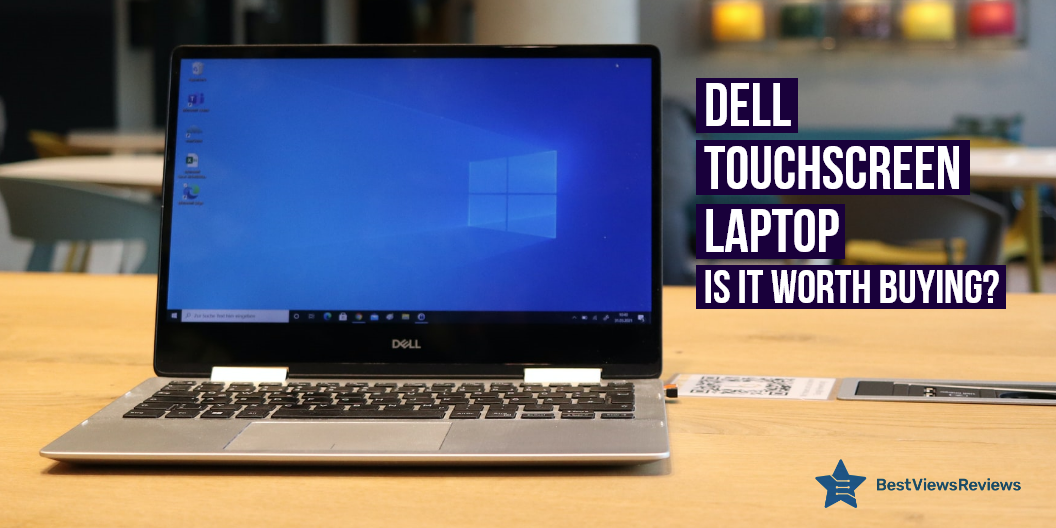
The Dell touchscreen laptop is a powerful machine that takes input from a touch-screen medium as well through hardware units like a keyboard and mouse. It uses in-cell touch technology, that enables users to use a multi-point touch screen for giving their inputs. Many top-rated Dell laptops feature an LED-back-lit display with the touchscreen feature. These models can boost your productivity and make your work more efficient. Dell produces laptops with capacitive touchscreen displays. Asus laptops target both professional and amateur gamers. Check your blog and know about the best gaming laptop Asus Rog.

Is Dell Touch Screen Laptop Good?

The answer is yes. The Dell touchscreen laptop makes your multitasking easier. It helps you navigate to different applications, faster and more precisely. It is good for reading, drawing, making notes, and other graphical works that require complex inputs. You can also use your hardware keyboard with this laptop. A touchscreen display often consumes a lot of battery, but dell laptops have 3-cell or 4-cell lithium-ion batteries that give you long-lasting usage.

How Do I Use the Touchscreen on My Dell Laptop?

You can enable or disable the touchscreen feature on your laptop. Follow the below-listed pointers to enable the touchscreen feature in the windows10 operating system.

  • Right-click on the start menu and open the device manager
  • Expand human interface devices by clicking on the side arrow
  • Find and select an HID-compliant touchscreen
  • Right-click on the HID-compliant touch screen and enable this feature
  • You can click on disable if you want to disable the touchscreen display

Best Dell Touchscreen Laptops

Dell Inspiron 15.6” Touch Screen Laptop

The reviews of Dell Inspiron 15.6” are positive because it has a built-in trackpad that enables smooth as well as fast navigation. This laptop has a powerful Intel Core i3-7130U processor with 2.7GHz speed rates as well as offers multitasking with ease. It has a 1366×768 touch screen display immersive viewing experience. It also has a webcam with an integrated microphone, you do not require a separate microphone.

Dell Inspiron 15 Laptop

The Dell Inspiron 15 Laptop has 10-finger multi-touch support as well as offers easy navigation. This model has 15.6 inches Full HD IPS TrueLife LED-backlit touchscreen that offers an immersive viewing experience. It has 802.11ac Wi-Fi as well as Bluetooth 4.2 and also offers enhanced wireless connectivity. It is a lightweight laptop that weighs just 4.45 lbs. This model has got good reviews for its 256 GB SSD as well as 8 RAM storage.

Dell Chromebook 11 3180 DP1T3

The Dell Chromebook 11 3180 DP1T3 has an 11.6 Inches HD IPS touch display. It also has a gorilla glass screen that prevents damage and scratch. It comes with a pre-installed Chrome operating system. This model features a 180° hinge that helps to keep the laptop stable at any angle. It has a spill-resistant keyboard that helps to save your data in the event of an accidental spill.

Dell Inspiron i3542

Reviews of Dell Inspiron i3542 are positive for its 15.6″ Truelife LED-Backlit touchscreen that offers an HD resolution of 1366 x 768 pixels. It is equipped with a 4th-gen Haswell Intel Core i3-4030U processor to let you multitask without any problem. It also comes with multiple connectivity ports including 1 USB 3.0, 2 USB 2.0, and 1 HDMI port.

Dell Latitude Touch 3190 2-in-1 PC

The Dell Latitude Touch 3190 2-in-1 PC is a reliable and powerful computer that is good for students and professionals alike. It has an Intel Quad Core processor that can reach speeds of up to 2.4Ghz, 4GB of RAM, and a spacious 64GB SSD. The 11.6-inch HD Touch Gorilla Glass LED display is bright and clear, and the integrated webcam and HDMI port make it easy to stay connected with friends and family. The Windows 10 Pro operating system provides a fast and intuitive user experience.

Dell Inspiron 3000 15.6-inch HD Touchscreen Laptop PC

The 2020 Dell Inspiron 3000 15.6-inch HD Touchscreen Laptop PC is a powerful and versatile machine that is perfect for students and busy professionals. It is equipped with an Intel 10th Gen Dual Core i3-1005G1 Processor, 8GB DDR4, 128GB SSD, and 1TB HDD. The Dell Inspiron 3000 also features Bluetooth and Windows 10. The black color gives it a sleek and professional look.

Dell Inspiron 3501

The Dell Inspiron 3501 is the perfect powerhouse laptop for any professional as well as for your personal use. Equipped with a 15.6” FHD touchscreen, Intel Core i5-1135G7 processor, Windows 11 Pro, and 16GB RAM, this laptop offers plenty of flexibility and power. In addition, it comes with Wi-Fi, Bluetooth, and HDMI, making it suitable for connecting to external devices.

Dell Inspiron Touchscreen Laptop

The Dell Inspiron Touchscreen Laptop is a powerful and versatile device that is powered by an 11th Gen Intel Core i7-1165G7 processor and can reach speeds of up to 4.7GHz, making it capable of handling demanding tasks. It also has 16GB of RAM and a 512GB SSD + 1TB HDD for plenty of storage space.

Conclusion

The Dell touchscreen laptop is a portable machine that gives you convenient and faster control of your installed applications and laptop features. It fits best your versatile usage and you can use this gadget for various purposes. Read our blog to know the difference between touch screen laptops vs non-touch laptops.

Buying the best 4K Laptops in 2022 can be a difficult task. Our exclusive guide simplifies your buying process and helps you buy the best model.

BestViewsReviews helps you find the best laptops on the market by rating and reviewing them based on quality, convenience, and durability. Get unbiased, honest reviews of products before you buy.

Top 5 Kids Laptop for Online School in 2022

Kids Laptop

Kids’ laptops make it simple to connect to online classes from home. It helps your kids in completing homework and assignments on time. On school days, kids can even bring a laptop to school. Kids are spending more time online and connected than ever before. More schools today prefer online classes to educate their students rather than in-person training. That is why kids’ laptops have become a necessity for school-going kids. Our featured section offers the leading touchscreen laptops that provide a great user experience.

Top 5 Kids Laptop for Attending School Online

Acer Aspire 5

The top-rated Acer Aspire 5 is full-featured and makes learning easy and fun for kids. It also comes with built-in educational apps for better development. This super-slim and lightweight laptop come with a 15.6-inch display. We equipped it with a rechargeable battery that offers long-lasting power. It performs well in any setting with the convenience of a backlit keyboard.

HP Pavilion x360 Laptop

The best quality HP Pavilion x360 Laptop is an affordable Windows 10 laptop. It has BIOS recovery and protection that automatically checks the health of the PC. This model also has an HP wide vision HD webcam with a dual array microphone that offers wide-angle clarity. It also has an edge-to-edge glass touchscreen display that offers better visibility. It has a long battery life on one charge, and it will work up to 9 hours and 15 minutes.

Acer Aspire 5 Slim Laptop

The reviews of Acer Aspire 5 Slim Laptop are good because it comes with standard Google apps that make it ready to use. It has a built-in large HD display that offers a comfortable viewing experience. It includes built-in storage for offline access to your most important data and ensures that all of your files are automatically backed up.

2020 Apple MacBook Air Laptop

The top-reviewed Apple 2020 MacBook Air is a lightweight and full-featured laptop with built-in virus protection. It is equipped with an octa-core processor that makes it ideal for gaming and applications. This model features a fan-less design that keeps it cool and does not cause noise. It has a built-in 13.3 inches retina display that provides sharp and clear text.

GEEKPLUS Small Laptop for Kids

The GEEKPLUS Small Laptop for Kids is perfect for kids who desire a fun and functional machine. It comes with 2 USB ports that help in charging and data transferring performance. This model features a quad-core processor that ensures fast and reliable performance. It has a built-in high-quality display that offers high-definition video streaming.

How to Choose the Best Laptop For kids?

Grade Level

Today, children and teenagers extensively use iPads and laptop computers regularly. The technology requirements of younger children and college students are different. Small children, for example, require easy access, spill-resistant keyboards, and the option to convert the laptop to tablet mode.

This is what makes a laptop suitable for children. They may start with an iPad and work their way up to a laptop. Gaming laptops, Bluetooth, and storage capacity are important to teenagers. We have a comparative blog on touch screen laptops vs non-touch laptops. It will help you analyze their advantages and disadvantages before you decide to buy them.

Purpose

Consider how your children will use the laptop. Is it a school laptop? Is it mainly intended for use with Wi-Fi for online communication and internet access? Are you planning to connect your laptop to other devices in your home? You may own several Apple products at home, for example. You might want them to connect. These are important questions to consider before purchasing a laptop for your children. You can check the top-rated Lenovo Ideapad that is good for your child because it features a full high-definition display that provides crisp-clear picture quality.

Budget

There are many affordable laptops for kids these days. The better they are, the more special features they have, and the more they cost. A laptop is an investment that normally lasts three years. That is why it is important to keep a budget before purchasing a laptop.

Which Operating System is Best for Kids’ Laptops?

Windows 10 is installed on a large number of laptops. It’s the most popular operating system and is easy to access and use. This makes it an excellent choice for kids.

Some low-cost laptops run Windows 10 in S mode, which is the latest version of Windows. This gives you a familiar Windows experience.

You may only require to download the apps from the Microsoft Store. You must use Microsoft Edge for web browsing. The advantages are better security and fewer chances of malware invasion. Check our blog to get the list of the best 4K laptops.

Conclusion

Children can benefit greatly from using a kids laptop for online classes. The numbers and letters playfully combine fun with education and let your children practice their skills. The game enhances hand-eye coordination as well as technical skills in children.

The newer models of kids’ laptops come with software that can assist your kids in learning accurate spelling while expanding their vocabulary. The common programs include scrambled words, synonyms, antonyms, and anagrams. The top-quality Dell touchscreen laptop is a portable machine that gives you convenient and faster control of your installed applications and laptop features. You can also use the best educational apps on these touchscreen laptops.

BestViewsReviews helps you find the top-rated laptops on the market by rating and reviewing them based on quality, convenience, and durability. Get unbiased, honest reviews of products before you buy.
Back to School Season: Key Essentials To Buy

back to school

Reopening of schools has added additional responsibilities for parents. Parents must provide their kids with the proper materials before they restart school. It is helpful to have all the items on hand well before the reopening date. We have tried to highlight in this Back to School guide, the key school essentials that a student might need as they begin school this year.

Buy the Top-rated Back to School Essentials

Cycling Bikes

Cycling bikes are specially designed bikes that are perfect for riding on paved surfaces. They typically have thinner tires and a more aerodynamic design than other types of bikes, making them ideal for riding at high speeds. A quality cycling bike can help you reach your goals whether you’re looking to commute to work or race in a competition. You can go with the top-quality 6KU Track Fixed Gear Bicycle that includes front and rear brakes, making it suitable for commuters.

Backpacks

Backpacks are one of the most essential pieces of gear for anyone who enjoys spending time outdoors. A top-quality backpack can make your experience much more enjoyable by freeing up your hands and giving you a place to store all your necessary gear. The Sosoon Laptop Backpack has a shoulder strap with a massage mat that offers comfort.

Computer Printers

Top-quality computer printers are essential for everyone. Printers perform a variety of tasks, including printing, copying, and scanning. Various varieties of computer printers are categorized by page-per-minute (PPM) speed and price. They can handle printing, copying, scanning, faxing, and other tasks simultaneously. You can check a model like Brother Compact Monochrome Laser Printer that comes with wireless technology and allows you to submit the print jobs from the laptop, smartphone, desktop, etc.

Planners

Planners are more dependable and successful when it comes to managing your day. A planner is a terrific tool to boost productivity because it helps organize your ideas and duties. The top planners help you become more productive and efficient. Managing multiple tasks in a day can become impossible without a planner.

Tablets

Education is being transformed by high-quality tablets. Students can use tablets to read textbooks, conduct research, and communicate in class. They can also play interactive games with them, and interact through social media. Tablets can help students understand complex concepts and improve their performance. Check Apple iPad 2021 that features a 10.2-inch retina display with true tone offers clear image quality.

Laptops

The top-reviewed laptops are portable computers that are small and lightweight, making them easy to carry with you. They typically have a thinner and more compact design than a traditional desktop computer, and they come with a built-in keyboard and trackpad. Check model like MSI GL65 Leopard 10SFK-062 Gaming Laptop that comes with 15.6 inches HD display that offers high-definition video and images.

Touchscreen Laptops

Touchscreen laptops are essential for students in college and high school. The students can use them to write long assignments and present their work. A good touchscreen laptop does not need to be bulky. Powerful processors, sturdy builds, and long-lasting batteries make these devices a great choice. Complimentary laptop bags are usually included with advanced models for easy portability. Look at HP 2-in-1 Convertible Chromebook that comes with 2 USB ports that help in charging and data transferring.

Prepare for Back to School/College

We recommend shopping in advance to avoid the hassle of last-minute shopping. Make sure your current school supplies are working. Create a shopping list of the things you need for going back-to-school.

To help you de-stress and adjust to college life, Amazon has launched its Prime Student Membership. You will be able to watch thousands of videos, receive exclusive deals, and read Prime exclusives with this membership. Amazon understands the worry of parents and the stress children have to go through once schools start.

You can also get free food delivery, 10% off flight tickets, and 24×7 homework help. Find more information on the website.

Bottomline

It can be challenging to make the right choice. Choosing the right school gear is essential to academic success, from notebooks and pens to bags and binders. Check out our list above for the best school supplies.

BestViewsReviews is your one-stop shop for all the information you need to make an informed decision. Get the best reviews and ratings on the best drawer organizers you’re interested in before you buy!

Is 4K Gaming Laptop Worth It ?

4k gaming laptop

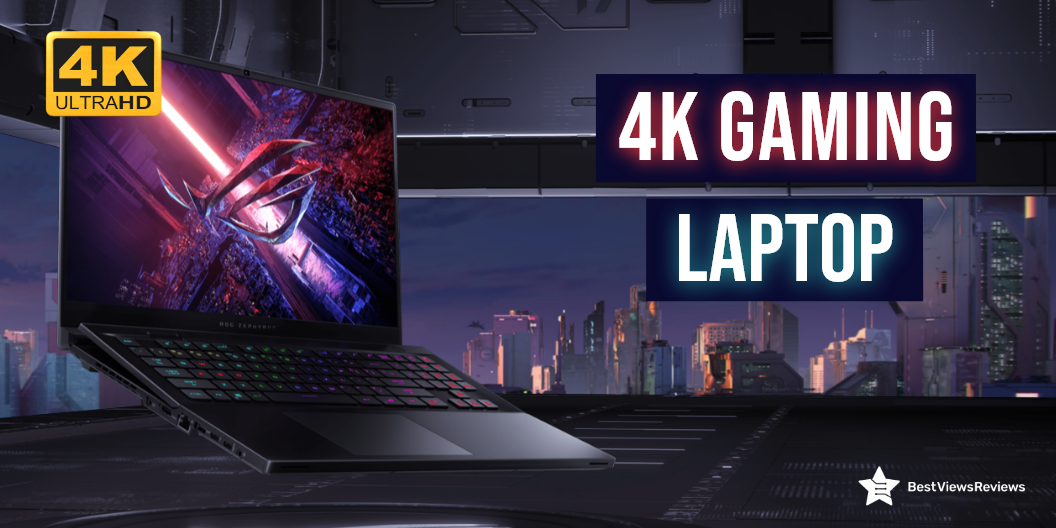
A 4K gaming laptop comes with 4k resolution and a display that exhibits up to ‎3840 x 2160 Pixels. This laptop falls under a premium range of laptops and features a high-end latest-generation processor and ultra-fast storage to offer a lag-free gaming experience. A 4K gaming laptop is solely made to support heavy gaming and run extensive gaming software.

With the extra benefit of portability, 4K monitors can now give the same level of clarity and detail as 4K television screens. Our selection of 4K laptops can assist you in finding the model that best suits your requirements. You can check Asus laptops that target both professional and amateur gamers. Read our blog on Asus Rog’s best gaming laptops and know everything about it.

Is a 4K Gaming Laptop Worth it?

A 4K gaming laptop is the ultimate buy for any gaming enthusiast. The performance this laptop offers makes it a worthy purchase. We have listed a few of the pointers in favor and some pointers against. Take a look.

Reasons for Buying

Pixel Density

The 4K laptops have a display with a 4K resolution that is 4 times more than a standard 1080P laptop. It gives you a real-time gaming experience and allows you to play your games in high-visual quality.

Portability

The top-rated 4K laptops are lightweight and great for portable handling. You can take these laptops on your trips or to colleges by sliding them into your bags. The ergonomic keyboard structure keeps your gaming sessions comfortable and you can play for long hours.

Versatile

Along with gaming, there are tons of tasks a 4K laptop can perform. You can watch your favorite movies or shows in HD quality. You can also use 4K laptops for your office purpose and managerial work. These top-rated laptops offer great versatile usage.

High-End Options

4K laptops support other high-end specs too. Many models come with SSD storage while others equip HDD. They offer superior performance with powerful processors and high-end graphic cards.

High gaming software may require more ram storage. Check our blog to find how much RAM you need for gaming.

Style and Look

The best-looking and most stylish gaming laptops are 4K models. They come with features like a backlit keyboard, lit exhaust ports, and other stylish accessories. They have durable construction and make a stylish addition to your gaming zone areas.

Reasons Against Buying

Price

Gaming laptops have a higher price than other desktops and low-end laptops. A good quality gaming model can cost you around  $1,200–$1,300, while for high-end models, the price can go over $2,000. In other low-end laptops or PS4 devices, you may spend around $500, but getting good specs at a low price is tough.

Heat Build-Up

Heating problems can often arise in gaming laptops. This is because they include high-end graphic cards, processors, and other components that offer good performance but also generate heat. We recommend you use these laptops with lap desks or cooling pads.

Best 4k Gaming Laptops

ASUS TUF Dash F15 Gaming Laptop

The ASUS TUF Dash F15 Gaming Laptop is a gaming powerhouse, but it also works well for any application that requires a good amount of horsepower, such as video editing. It has Intel Core i7-10750H 6-Core processor that delivers powerful performance. This laptop has got good reviews for its 32GB RAM and 1TB hard drive storage.

MSI GE66 Raider Laptop

The MSI GE66 Raider Laptop is a great mid-range gaming laptop. It features a powerful 11th gen intel core i9 processor, and NVIDIA GeForce RTX 3080 graphics. A dazzling 15.6”4K UHD display offers incredible color accuracy, brightness, and clarity. It uses MSI’s exclusive cooler boost technology for heat dissipation.

MSI Creator Professional Laptop

The MSI Creator Professional Laptop features a 15.6-inch display that provides 3840 x 2160 pixels, which is more than enough to cover 4K content. In addition, the 60Hz refresh rate makes gaming possible as smooth as butter. This powerful, portable powerhouse has the power to drive next-generation experiences. It also comes with a 1TB hard drive that offers you lots of space.

Alienware M15 R6 Gaming Laptop

The Alienware M15 R6 is an Alienware-branded high-performance gaming laptop. It has a 15.6 Inches Windows 10 laptop up to 4K (3840 x 2160) 120Hz. It is slim and light and has a lot of power, including the latest Intel Core i7-11800H 6-Core processor. This model features 32GB of memory and also comes with a 1TB SSD that offers lots of storage.

Lenovo IdeaPad Slim

The Lenovo IdeaPad Slim is a mobile workstation (MWC). It’s designed for professionals that need a mobile workstation that can give them a better performance than regular laptops. Aside from being powerful, it can also greatly increase your productivity. The Intel Core i7 i7-1165G7 quad-core processor offers incredible speed and top performance for even the most demanding jobs and games.

Dell XPS 17 9720 Laptop

The Dell XPS 17 9720 Laptop is equipped with an Intel Core i7-9700K processor and Nvidia GeForce RTX 3060 graphics card. It clearly outperforms the 4K and 8K laptops, which both have a powerful graphics card and a powerful processor. It also has a large storage capacity and fast SSD.

ASUS ZenBook Pro Duo

The ASUS ZenBook Pro Duo is a stylish business laptop with a gorgeous 15.6-inch 4K UHD (3840 x 2160) display. This slim 15.6-inch laptop weighs less than 4 pounds and measures 0.74 inches thick. The ZenBook Pro Duo sports a 15.6-inch 4K UHD (3840 x 2160) display featuring a 120Hz refresh rate. The display is touch-enabled, and the lid features touch controls as well.

A review of the Razer 17-inch laptop shows that this laptop helps you get the power and performance you need for gaming and other demanding tasks.

Conclusion

4K gaming Laptop is a multimedia powerhouse that features a powerful processor, high-end graphic cards, and a 4K UHD display. A 4K gaming laptop can take your gaming experience to the next pro level. Read our other blog on 4K gaming laptops and know about the best 4K laptops of 2022 for gaming.

BestViewsReviews helps you find the best 4K laptops and top touchscreen laptops on the market by rating and reviewing them based on quality, convenience, and durability. Get unbiased, honest reviews of products before you buy.
Best Laptops Under $600 in 2022: An Exclusive List

Best Laptops Under $600

Finding a budget laptop under $600 without compromising on features, can be a tricky task. Laptops are powerful machines that are portable and include an alphanumeric keyboard and a wide clear display ranging from 11″ to 18″ in size. These portable personal computers are popular because of their convenience, easy-to-use features, and power-packed performance. They are used in offices, homes, colleges, and various fields for different applications.

This blog provides you with an informative buying guide, along with the best-featured laptops under $600. Read our blog to know about the best 4K gaming laptop.

Can I Get a Good Laptop Under $600?

The answer is yes. You can easily get a good laptop for under $600. This price segment includes models with basic as well as advanced features.

Can These Budget Laptops Live Up To Professional Preferences?

You can expect good features, including storage, processor, and RAM in budget laptops for under $600. There are some business laptops that cost less than $600. The right budget laptop with easy-to-handle size, convenient features, sleek and sturdy build, and lightweight design will fit best to your professional preferences.

What are The Features to Look For in Best Laptops under $600?

Display Size

The size of the display can range from 11″ to 18″. Larger screens will provide a better viewing experience but may feel heavy. Laptops with 11″ to 12″ displays are the lightest and thinnest, while laptops with 14″ and 15″ displays are heavy and can weigh up to 5 pounds. Laptops with 16″ display sizes and h” are relatively large and heavy.

Some displays are touch-compatible, while others are not. Read our blog to know more about Touch Screen Laptops vs Non-Touch Laptops.

Resolution

Higher resolution will give better picture quality, clear detailing, and sharper images. The resolution of your display should also support your display size. Usually, low-end models may include 768p and 900 pixels of resolution, but 1080p is the best resolution to get. Models with FHD displays have 1080p of resolution.

CPU

CPU is the processing unit of any computer. The options are limited to intel or AMD. Both brands offer powerful CPUs, but it’s important you go with the latest generation to get optimal performance. For gaming laptops, you can go with AMD, high generation processors, while Intel processors are best for professional use.

RAM

RAM lets you multitask and run multiple applications at the same time. Higher RAM storage means higher multitasking capabilities. If you are a light user with less multitasking needs, go with 4GB of RAM. The 8GB of RAM is a good option if you want to do photo editing, video editing, and high-end gaming.

The best gaming laptops have higher RAM storage and a powerful CPU. Read our blog to understand how much RAM you need for gaming.

Storage

The storage can be either be SSD or HDD. SSD is a solid state drive and is relatively faster and efficient, while the HDD is a hard disk drive. Laptops with HDD storage will have more storage capacity. You can expect up to 512 GB of SSD in laptops under $600.

Battery Life

Considering battery life is an important step while deciding on your laptop. Some laptops just last for 4 to 5 hours, while others have a battery backup of up to 8 hours. You should go for a battery backup that fits your needs. A laptop with 8 hours of battery backup is perfect for your all-day usage.

GPU

GPU is an important unit for graphic processing. Most intel machines feature Intel UHD Graphics that is perfect for your low graphic-intensive tasks. Getting a separate GPU unit within this price segment can be a little difficult task.

Buy Best Laptops Under $600

HP 15-inch Laptop

The HP 15-inch Laptop comes with an Intel Core i5-1135G7 processor and 8GB RAM based on DDR4 technology. This variant perfectly combines with performance and mobility. The 256GB SSD storage speeds up the performance and allows you to multitask with ease. It is a stylish laptop that’s ideal for work and play.

Lenovo Newest Ideapad 3

The Lenovo Newest Ideapad 3 features a full HD 1080P non-touch display that offers great versatility and performance at an incredibly affordable price. It comes with AMD Ryzen 3 3250U Processor that lets you play high-end games without facing any lag. The 128GB PCIe NVMe SSD provides you with enough storage for your all-around usage.

Samsung Chromebook

Reviews of the Samsung Chromebook show that it is a thin and lightweight laptop featuring an 11.6 inch ( 1366 x 768) display and Intel Celeron Processor N3060 to provide a lot of power for multitasking. The 4GB RAM and 16 GB SSD storage let you store more data and experience the latest blockbuster movies and games. This machine runs on the google chrome system.

Acer Chromebook Spin 311

The Acer Chromebook Spin 311 features a 11.6” HD IPS display with touch screen capabilities. The device is powered by a ‎2.8 GHz celeron processor and 4GB LPDDR4 RAM, which allows you to run multiple programs simultaneously. It includes a 32GB eMMC SSD that provides quick boot-up and application load times. It has got excellent reviews for its convenient design.

Acer Aspire 5 A515

Reviews of Acer Aspire 5 A515 is a stylish and functional laptop that you can use for gaming, office tasks, and personal use. It is equipped with an AMD Ryzen 3 3350U that delivers desktop-class performance. The generous 4GB DDR4 onboard memory and 128GB NVMe solid-state drive storage are perfect to handle daily tasks with ease.

Conclusion

A laptop is an essential part of our modern lives and is still relatively expensive. They give you access to the internet, your emails, and a lot of other virtual information. You can enhance your productivity with these machines, but a low-spec machine may leave you stressed. The choice of laptops is vast, but make sure you choose the one that best matches your needs.

BestViewsReviews rates and ranks hundreds of best touch screen laptops on the basis of display, design, compatibility, and app support.

i7 Windows Laptop: An Exclusive List

i7 windows laptop

Laptops are the epitome of portable technology. Many laptops are powered by high-end intel core processors. The i7 Windows laptop is a machine that uses Intel i7 processors with a windows operating system. Intel i7 processors come with a minimum of four cores and a processing speed between 2.6 and 3.0 GHz.

It has 11 generations of chipsets that vary in their specifications and performance. Advanced i7 chipsets can have 6 to 8 cores with a maximum speed of 4.7 GHz. Windows i7 laptops are popular for their high performance and multitasking. Read our blog to know everything about gaming laptops.

Do I Need An i7 Processor In My Laptop?

The i7 processors have larger cache memory, a higher number of cores, and support hyperthreading. These processors are ideal for heavy multitasking, gaming, and for graphics editing. It is beneficial to buy an i7 processor, but it depends on your usage too. If you like to multitask and run heavy software then you need an i7 processor on your laptop.

How Much Does An i7 Laptop Cost?

The budget-friendly models for i7 laptops start with $400. The high-end models can cost up to $1000, while the premium quality models with the latest i7 chipset can cost over $1000. Cheaper models may cost you less but will not include the latest generation chipset.

The 4k gaming laptops will cost you more than the standard models. Read our blog to find if 4k gaming is a worth-buying gadget.

What Is The Best Laptop With i7 Processor?

We have listed the best i7 windows laptops below. Pick the one that best suits your requirements and budget.

Acer Predator Helios 300 Gaming Laptop

The Acer Predator Helios 300 has got excellent reviews for its powerful i7-10750H processor that lets you run heavy games and software without lagging. The NVIDIA GeForce RTX graphics card offers smooth graphics. This laptop has enough disk storage to store your files and data. It has 512GB NVMe SSD and 16GB Dual-Channel DDR4 ram.

Lenovo Legion Y545 Gaming Laptop

The Lenovo Legion Y545 Gaming Laptop is another powerful gaming laptop on the list. Reviews show that this model is perfect for multitasking and running major gaming applications. The 15.6″ full HD display offers 1920 x 1080 resolution to improve your gaming and picture-viewing experience. It equips 1TB HDD + 256GB PCI-E SSD for unlimited storage.

ASUS ROG G531GT-BI7N6

Reviews of ASUS ROG G531GT-BI7N6 mark this model as one of the best-selling laptops on the market. It comes with an i7-9750H processor that offers a processing speed of up to 4.5GHz. The NVIDIA GeForce GTX 1650 graphics card delivers staggering performance while handling complex game graphics. This laptop is designed to stay cool even after your long gaming sessions.

HP Pavilion 15 Laptop

The HP Pavilion 15 Laptop is a powerful machine packed with an 11th Gen Intel core i7-1165G7 processor. The large 15.6-inch Full HD screen with Intel Iris Xe graphics delivers a great visual experience. It also has 512 GB PCIe NVMe M.2 SSD storage to give you smooth and lag-free operations. This model comes with Windows 11 Pro operating system.

Lenovo IdeaPad 5 Laptop

Lenovo IdeaPad 5 Laptop is a 15.6 Inch touch laptop with premium quality build and a nice-looking design. It has an Intel Core i7-1165G7 processor that has a flash memory size of ‎512 GB and a clock speed of 2.8GHz. The 12GB RAM is based on the latest DDR4 technology and allows you to multi-task easily.

Dell Inspiron 15 3511 Laptop

A good mix of features, design, and durability is offered by the Dell Inspiron 15 3511 Laptop. It is powered by the i7-1165G7 processor and works well with 32GB DDR4 memory and SSD memory of 512GB. The display has a diagonal screen size of 15.6 inches, and a high-resolution 1920 x 1080 pixels resolution. The energy-efficient LED-backlit screen lets you work and play games conveniently.

Conclusion

A laptop with an i7 processor can handle even the most demanding tasks, especially those involving multimedia. Intel’s i7 series is the company’s most powerful processor series. The i7 windows laptops are costly, so, make sure you consider buying the best model only.

It can be confusing to decide between touch screen laptops vs non-touch laptops. Read our blog to know which one is better and why.

BestViewsReviews ranks and rates the best touch laptops based on display, design, compatibility, and app support.

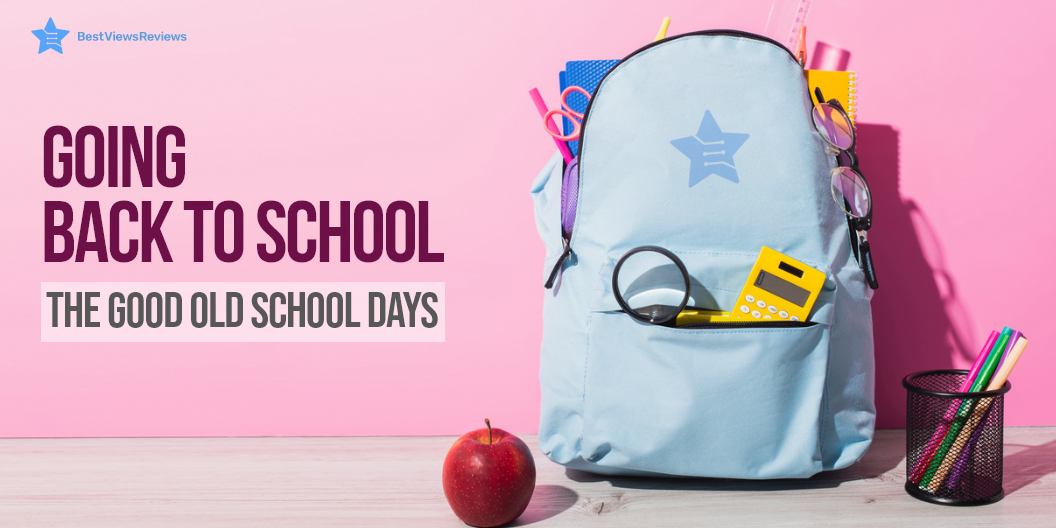
Going Back to School – The Good Old School Days

back to school

As the summer days gradually give way to the crisp autumn air, a familiar buzz fills the atmosphere. It’s that time of the year again—the Back to School Season, a cherished milestone for students, parents, and educators alike. Memories of backpacks filled with fresh supplies, reunions with friends, and the promise of new beginnings flood our minds.

The back-to-school season also demands some shopping and planning. It is important to buy supplies for your child’s new academic year. Back-to-school season can be stressful for both parents and students as it will be a schedule change for them after a break of a few months. So, along with shopping, won’t it be great to get some exclusive entertainment to relax during those after-school hours.

Another important thing to do during the back-to-school season is to get organized. This means creating a study schedule, setting up a homework station, and decluttering your backpack. Getting organized will help you be successful in the upcoming academic year.

Amazon is introducing an exclusive Prime Membership for actively enrolled students. They are giving a 6-month free trial period, after which you will only have to pay half. It will give you access to prime services like free delivery, deals, Prime music & reading, Prime video, and much more only at $7.49 per month. Browse through the website to learn more about the benfits of prime student membership.

So, what are you waiting for? It’s time to get started on your back-to-school preparations!

What is Back to School Season?

Back to School Season marks the end of the vacation period and the beginning of a new academic year. It involves various preparations, events, and activities that help students and schools transition smoothly into the next phase of education.

When is Back to School Season?

Back to School season typically begins in August or early September, varying slightly across different states and school districts. In some cases, schools may start as early as late July or as late as September.

Prepare in Advance for Back to School Season

We recommend you shop in advance, to avoid the last-minute hassle. Check if your existing school supplies are in working condition. Make a back-to-school shopping list of things you need. We have listed a few essential school supplies below to help you choose better.

Back to School Supplies List

Graphing Calculator

Graphing calculators are handheld devices. They help you graph almost any formula and solve almost any mathematical problem as well. These calculators are ideal for students learning algebra, graphing equations, functions, and derivatives. The Texas Instruments TI-84 is a graphing calculator that offers a high-resolution and also full-color backlit display.

Laptop

Laptops are a must-have for college and school students. Students can use them for long assignments and presentations. The best laptops like Lenovo Chromebook 11.6″ HD 2 in 1 Touchscreen Laptop are not bulky and have a sleek and stylish design. These devices have a powerful processor, sturdy build, and long-lasting batteries. The advanced laptop models also include complimentary laptop bags for portable handling.

Computer Desk

The best-reviewed computer desks and chairs can give you a personalized study space in your room. It comes with compartments to store supplies like pens, notebooks, and folders. This desk is perfect for arranging your home computers, desktops, and laptops. Computer desks are your best go-to option for the back-to-school season.

Bicycle

Schools are reopening for the new academic year. Many students will hit the road on two wheels. If biking to school is a part of your daily routine, then investing in a bicycle can be a worthy decision. It’s a convenient way to commute. It is also a great option to stay in shape. The Schwinn Volare has a 14-speed shifter and brake lever combo for years of seamless shifting.

Tablet

Tablets are taking over education. Students prefer to read textbooks, and research materials, and collaborate in class. They can also play interactive games and use social media with them. The top-rated tablets can also improve the student’s performance and ability to understand complex concepts.

Countertop Microwave Ovens

Countertop microwave ovens are electric appliances that use convection heating technology to cook your foods evenly. These appliances are perfect for dorms, home kitchens, and even commercial use. Many models feature pre-programmed cooking functions that let you make a variety of dishes conveniently.

Backpacks for Back to School Season

Backpacks are a necessity for students of all ages, and they come in handy for adults too. Carrying a backpack eases the load on your shoulders and back, and can distribute the weight more evenly. Many top-selling backpacks also have compartments and organizational features that can make your life easier. Backpacks are especially useful during the back-to-school season when you may be carrying heavy textbooks and other materials. Many stores offer back-to-school sales on backpacks, so it’s a good time to buy one.

Computer Printers

A printer is a peripheral device that makes a persistent human-readable representation of graphics or text on paper. Printers are generally used as local peripherals and are attached by a printer cable or, in most new printers, a USB cable to the computer. Many best-rated printers can serve as scanners and fax machines. Some printers can also be used as photocopiers.

Conclusion

Going back to school brings up many expectations among parents and kids. It can be, thus, overwhelming to choose the right supplies and the right school gear like notebooks, pens, bags, and binders. Take a look at our above list of school supplies to find the best ones. BestViewsReviews rates and recommends top-selling handheld vacuums and more based on quality, durability, and features.

Do remember to start your free entertainment trial with Amazon Student Prime Membership. They say; some work and some play can make your day. Amazon student Membership focuses on delivering the play part in the form of exclusive entertainment and shopping.

BestViewsReviews rates and reviews the best products on the basis of quality, convenience, and durability.

Everything to Know about a Gaming Laptop in 2022

gaming laptop

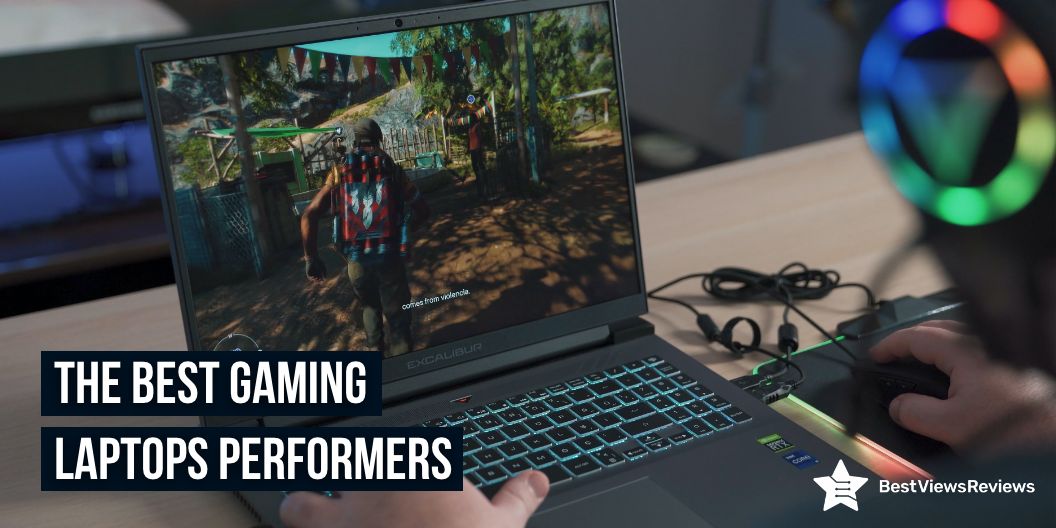
Gaming is all about performance, and for that, gamers will need the best gaming laptop. To win first-person shooters and racers, you should play at a lightning-fast speed that an average laptop can’t pull off. Third-party device makers are constantly churning out new gaming laptops that can play games. We have outlined important aspects to help you understand gaming laptops better, and present you with a list of powerful gaming laptops that perform and deliver efficiently.

Top Gaming Laptop Performers

Acer Predator Helios 300 Gaming Laptop

The customer reviews of Predator Helios 300 gaming laptop claim that it is the ultimate laptop for gaming enthusiasts who want top-notch performance in a portable package. This powerful gaming laptop comes in a sleek and trendy design, making it popular among the millennials. It features the latest 10-Series Intel core i7 processor and NVIDIA GeForce RTM graphics. It also features a high-performance thermal system for maximum cooling and efficiency. 

ASUS TUF Dash

ASUS TUF Dash comes with an Intel Core i7-11370H processor. It is 0.8” thin and offers 8GB DDR4 RAM. This model comes with Windows 10 Home and a FREE upgrade to Windows 11. It also offers a backlit precision gaming keyboard.

Acer Nitro 5

Acer Nitro 5 comes with the 10th Gen Intel Core i5-10300H processor. It is packed with incredible power for all your games. This laptop offers a 15.6″ widescreen LED-backlit IPS display with 1920 x 1080 resolution. The Acer CoolBoost technology of this model increases fan speed by 10% and CPU, GPU cooling by 9% during heavy use.

Lenovo IdeaPad 3 Gaming Laptop

Lenovo IdeaPad 3 Gaming Laptop comes with 6 ultra-responsive cores. It also includes a free 3-month trial of the Xbox Game Pass. This laptop offers 8GB 3200 MHz DDR4 RAM memory and 256GB M.2 PCIe SSD storage. It comes with 2 x 2W speakers with Nahimic Audio and a spacious gaming keyboard with a white backlight for gamers.

MSI GF75 17.3″ Gaming Laptop

MSI GF75 17.3″ Gaming Laptop’s reviews show that it offers a long-lasting battery life of up to 7 hours. The 17.3 inches thin display of this laptop offers a wide viewing angle. NVIDIA GeForce GTX 1050 Ti 4GB of this model offers great gaming performance.

MSI GL65 Leopard Gaming Laptop

The MSI GL65 Leopard gaming laptop is impossible to condemn. It feels strong in all the right places and has a battery that maximizes portability. The overall performance is ideal and capable 1080p gaming machine. The MSI GL65 Leopard 10SFK-062 is unquestionably a great option. Thanks to its superb balance of affordability, power, and performance, it’s one of the Top Picks for midrange gaming laptops.

How Gaming Laptops Differ from Generic Laptops?

Unique Design and Build Quality

A gaming laptop’s visual appeal is one of its key selling points. Gaming laptops stand out visually, all thanks to their trendy designs. The stealth aircraft-inspired looks and multi-zone LED lighting systems make notebooks quite famous among seasoned gamers. Other gaming notebooks, such as Origin PC, Sager, Eurocom, and AVADirect, have professional looks with defined lines and muted colors.

Audio and Speakers

Immersive audio is an important part of gaming. Gamers will lack interest, and games will lack appeal without good audio. Audio solutions from well-known brands are common in gaming notebooks like JBL speakers, Klipsch, and Harman/Kardon.

Are Gaming Laptops Better Than Gaming PCs?

There are a few things to consider when deciding between buying a gaming laptop and a gaming desktop. Both are excellent in their way but have their own set of advantages and disadvantages.

Customization

The gaming desktops can easily be customized both in appearance and function. However, only some parts of gaming laptops are customizable. Although customized features like LED lighting, multiple zones, and color customization are common in gaming laptops, the desktop user experience is more personal and satisfying. A touch screen laptop is easier to use, fun to navigate, and comes in sleeker models. Now, you can even buy a touch screen laptop at an affordable price. Read our comparison blog on touch screen vs non-touch laptops. This blog helps you understand their advantages and disadvantages.

Performance

Gaming laptops are powerful and efficient. In comparison to laptops, desktops have a performance advantage. Desktops do not have issues related to battery and overheating. A RAM (Random-access memory) is a form of memory that holds information and working data for your PC temporarily.  Read our blog that highlights the difference between RAM VS. VRAM and gives a detailed buying guide.

Portability

The portability of a gaming laptop is its primary advantage. Although most gaming laptops are heavy due to bigger heatsinks, the newer models are compact, lightweight, and sleek, allowing you to carry them along.

Hardware Updates

Gaming laptops are significantly difficult to upgrade due to their compact design. Although you may improve your RAM or storage on some laptops, upgrading your CPU or GPU is not an ideal solution.

Gaming Laptop Shopping: Tips and Basics

It’s hard to sift through all the choices with many new laptops popping up online. Whether you’re at home, on the road, or in a college classroom, laptops are the best tool for working in any setting. You should know your requirements too buy the ideal laptop. Check the battery life and the features offered by the laptop before buying it. You should also check its size and weight to make a great choice.

The Lifespan of Gaming Laptops

Gaming laptops have an average three-year lifespan, but you can expect them to last at least five years with proper care and maintenance. Some components, such as the CPU and GPU, will become obsolete after about 4-years, while others, such as the battery and fans, may require replacement. 4K gaming laptop is a powerful machine that runs popular games in high-quality 4K resolution. All of them differ in quality and performance. Browse through our exclusive list of the best 4K gaming laptops.

Conclusion

A gaming laptop is practical if you want to save space or take your computer with you. While you won’t get the same raw processing power, there are laptops for every budget. Gaming laptops have grown from small, powerful machines to high-end gadgets with graphics cards, large batteries, and other features that appeal to gamers. Gaming laptops are difficult to upgrade and must eventually be replaced when they become obsolete in a few years.

BestViewsReviews rates and reviews hundreds of top-rated gaming laptops and best-reviewed touch laptops on the basis of their controls, battery life, and picture quality.

How to screenshot on HP laptop?

screenshot on HP laptop
How to screenshot on hp laptop?

HP is a leading manufacturer of both laptops and desktops, and they offer a wide range of products to suit different needs. One feature that sets HP laptops and desktops apart from other brands is the ability to take screenshots. Screenshot on HP laptop can be useful for capturing images or text from webpages, documents, or even games.

Taking a screenshot on an HP laptop or desktop is easy to do, and there are a few different methods you can use. The most common method is to use the Print Screen key on your keyboard. Simply press the Print Screen key, and your screenshot will be saved to your clipboard. You can then paste it into an image editing program like Paint or Photoshop to save it as an image file.

You can use the Snipping Tool if you want to take a screenshot of just a portion of your screen. This is a built-in Windows program that allows you to select an area of your screen to capture.

How to take a screenshot on hp laptop?

How to Screenshot on HP Laptop?

How to take a screenshot on hp laptop?

Default Way of Taking Screenshot on HP Laptop

The newer models of laptops like top-reviewed 2020 HP 15 allow you to take screenshots by pressing F11 on the keyboard. Remember that sometimes these keys work along with the “Fn” key in your laptop. In many laptops, including HP, the PrtScn button also allows you to take a screenshot successfully. Read the steps below. We have a comparison blog on Touch Screen Laptops vs Non-Touch Laptops that will help you understand their advantages and disadvantages.

  • Turn on your HP laptop and open the program you want to take a screenshot of
  • Hold down the “PrtScn” button. Sometimes this works as “Fn” and “PrtScn” together
  • Open any editor like MS Paint, MS Word, Excel, or your email
  • Press “Ctrl” and “V” to paste the screenshot
  • Save the image before closing the document

HP Laptop Screenshot on Partial Screen

Snap & Sketch allows you to take a partial screenshot of the screen of your HP laptop. The latest Windows 10 laptop lets users take screenshots of their screen without using third-party apps. The following steps will walk you through the process of using Snap and Sketch.

  • Press Windows + Shift + S simultaneously. Your cursor will change to a crosshair cursor, and your screen will fade to white
  • Select the area of your screen that you want to screenshot. The snippet copies to your computer’s clipboard and will vanish from your screen
  • Open a photo-editing application
  • To paste the screenshot, open a new image and press CTRL + V
  • Save the screenshot as a JPG or PNG file and keep it in a convenient location

Usage of Snipping Tool in HP Laptop

The snipping tool is available on most versions of Windows. You can instantly capture any part of your screen you require with a snipping tool. The snipping tool usually comes installed on a PC like the top HP 22 All-in-One PC. It is accessible through the start menu. So, once you reach the menu button, follow this three-step process.

  • Open the menu and click on the snipping tool application
  • To make a new snip, press “New” or CTRL + N in the snipping tool application of your HP laptop
  • Next, drag the crosshair cursor across the desired area to create a rectangular outline
  • To save the screenshot as a PNG or JPEG file, press the disc icon in the snipping toolbar

Usage of Snagit on HP Laptop

Snagit can record scrolling screens of your laptop while also capturing video in real-time. Read the steps below to know how to screen-grab with Snagit efficiently

  • Download the app and open it once you have installed it
  • To use the screenshot camera, press the red circle button at the top of your screen
  • To screenshot an image, select the camera icon, and to screenshot a video, select the recorder icon
  • Then choose which part of the screen you want to snap
  • In this application, your desktop image will appear. The clipped image can be edited, annotated, resized, copied, and saved from there

Super Screenshot on HP Laptop

This application lets you select the desired area of the screen you want to take a screenshot of. It also offers you features like adding text, annotations, blurring, and resizing options. A super screenshot includes a simple share button that allows you to send your image to a different location with a single button press.

HP laptops have established themselves as industry leaders. Reviews of HP Pavilion 15.6″ FHD IPS Premium Gaming Laptop show that it is more than just a powerful machine. It has exciting features, simple navigation, sleek looks, and reasonable pricing.

If a gaming laptop is on your buying list check our other blog on how much RAM for gaming do you need. This blog highlights the difference between RAM VS. VRAM and gives a detailed buying guide.

BestViewsReviews offers a featured section on some of the best touch screen laptops, including HP, with their genuine reviews and recommendations. The reviews should help you choose a suitable laptop without any hassle.

Is Taking Screenshot Easier on Laptop vs Desktop

There’s something for you whether you’re on Windows 10 or the Windows 11 beta. Taking a screenshot to capture a portion or the entirety of your display is simple. Maybe you’d like to take a picture to annotate and share, or you’d like to save an online receipt.

You can take screenshots in a variety of methods, depending on the operating system. Many of us are still unfamiliar with the combination of keyboard shortcuts for taking screenshots. You can screen-capture your laptop using a variety of apps/programs provided by Windows.

Using Shortcut Keys to Take a Screenshot

  • Using the Windows Key and the PrtScn (PrintScreen) button, print your screen.
  • A save box will display on the screen. Simply enter the image’s file name.
  • Where do you want to save it? Then press the ‘Save’ button.

Desktop Screenshot Methods

Using the PrtScn Key

The Print Screen key is a basic way to take a screenshot (PrtScn) on a Laptop. Press the PrtScn key while selecting the image/screen that needs to be captured. You can find this key on the keyboard’s top right corner.

Using the Snipping Tool

Another interesting feature in Windows 10 is the “snipping tool,” which allows the user to take a partial screenshot of the current window. You can find this option in the start menu of your HP Laptop. If not, then type it on the search box. Alternatively, you can find this snipping tool in Start Menu> All Programs> Accessories.

Using the Game Bar

Another popular method for taking screenshots in Windows 10 is to use the Game bar. Press the Windows key and the G key of your HP laptop at the same time. This will bring up the game menu. By going to Settings> Windows Settings> Game Bar, you can customize the settings for the game box.

Using Snip and Sketch Method

Press the Windows key Shift key + S to select the area of the screenshot. Next, drag the cursor along with the left key of the mouse to select the desired area. Then paste it into one of the image editing tools.

Conclusion

You no longer have to worry about screenshots with the above apps. Although your device’s built-in photo editor allows for cropping and resizing, it may not be as efficient as using an app that allows partial screen captures. Check our other blog and know about 4K laptops of 2022 for Gaming.

Regardless of which method you use, the function of taking a screenshot allows you to save important documents or images. If you need to take many screenshots with flexibility, enjoy better functionality, or require functions like image editing, various screenshot modes, etc., then a third-party tool would be your best option. Know all about how to take a screenshot on HP laptops to use them easily.

BestViewsReviews helps you find the best-selling laptops on the market by rating and reviewing them based on quality, convenience, and durability. Get unbiased, honest reviews of products before you buy.
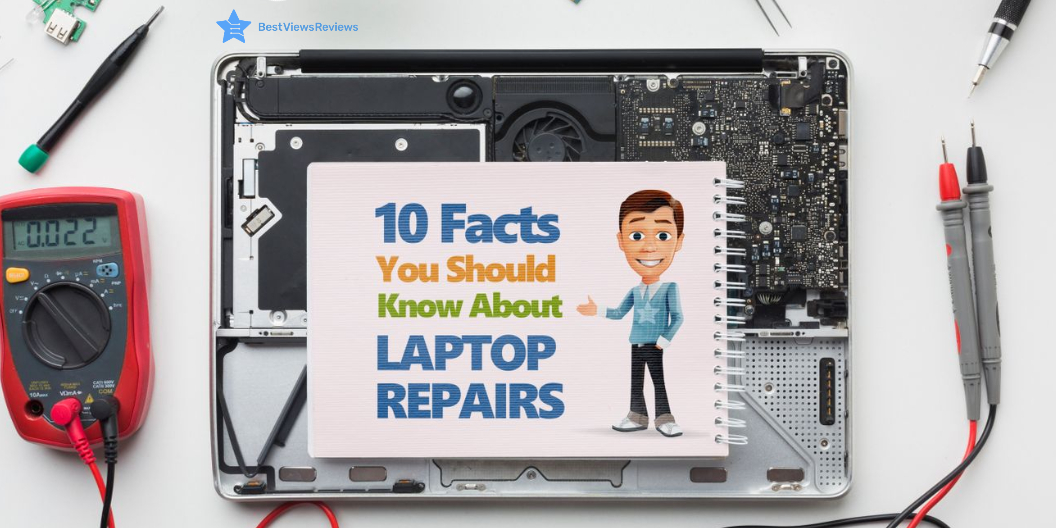
10 Facts You Should Know About Laptop Repair

laptop repair hacks

It is important for you to be aware of laptop repair hacks. It isn’t always necessary to hire a professional for easy troubleshooting. More and more people are working from home these days. The transformation of computers into virtual homes has progressed. Computers require routine maintenance. It requires knowledge of their basic functioning and the ability to repair them.

We have a comparison blog on touch screen laptops vs non-touch laptops. This blog will help you understand their advantages and disadvantages. Internet access has opened the door to a variety of viruses as well as dangers. They can be harmful if not addressed quickly. There is a high demand for computer and laptop repair services. You should know these facts about laptop repair.

Backup is More Important In Laptop Repair than You Think

The importance of backups for laptops is widely known. You can back up your data in just a few minutes. Setting a reminder is the simplest way to ensure that it will be done without fail. Making regular backups will keep your data safe. A format may be the only way for your laptop to be fixed in case of a system breakdown or other disaster. You can back up your data to an external hard drive or the Internet. You will thus ensure that your data is secure regardless of hardware failure.

Viruses Can Be Fatal

The next step in securing your data is to download a free antivirus program. When using the internet, stay away from sites that aren’t trustworthy. Avoid other sorts of internet fraud by clicking on pop-ups. Viruses have the potential to harm the software on your Lenovo 2021 Newest Ideapad 3 Laptop. In extreme circumstances, this will make it permanent. As a result, they must be handled with caution.

Check out our article on how much RAM do you need for gaming. This blog discusses the important differences between RAM and VRAM.

Fault Detection in Laptop Repair is Time Taking

The components of laptops have been interwoven. It is exceedingly time-consuming to determine which component is causing the issue. The problem might appear to be small enough to the untrained eye, but the detecting process is not simple. One should conduct these activities under the specialists of both laptop and computer.

You Can Contact the Manufacturing Company for Help

You must inform the manufacturer if there is a problem with the hardware. They have a better understanding of the problem and if it can be repaired. They also teach the client how to repair the hardware on the laptop. Reviews of HP 2-in-1 Convertible Chromebook are positive for customer support and technical assistance.

You can do it yourself

Laptops repair does not always have to be bound to professionals. When simple problems develop they may be resolved with some troubleshooting. If you try to fit it yourself, you can save money. You may only attempt if you have knowledge of the troubleshooting process.

You Can Outsource Help

This might be helpful to businesses and organizations. A laptop repair shop may be less expensive than the original manufacturer. The shop may also be able to provide temporary desktops, laptops accessories.

Component Replacement is Not Easy

The hardware’s reduced weight is due to the integration of components. It makes replacing parts tough. In different models that perform the same goal, the same component may no longer be useful. Technology is evolving at such a rapid pace that each new model is followed by upgrades. As a result, if no substitute exists, the product may be destroyed.

The Latest Technology Uses Irreparable Components

Modern laptops are more aesthetic and convenient to use. As a result, the product looks better, but it is harder to repair by a technician. It is necessary to contact the company in this situation, which ends up being a very costly process.

The MSI GL65 Leopard 10SFK-062 has got excellent reviews for its super sturdy quality and MSI Dragon software. It equips an Intel Core i7-10750H  processor for optimum performance.

DIY Can be Dangerous

Experimenting with electronic gadgets is not completely safe. You should repair your computer or gaming laptop on your own if the problem is minor and can be fixed quickly. Other than that, it is best to hire a professional to repair your laptop or computer.

Ignorance Can Be Lethal

A malfunctioning laptop may progress from a small warning to a complete breakdown. You cannot ignore the maintenance and repair. For safety, it is ideal to discover the basics of computer and laptop repair. You can even contact a company that offers these services.

Conclusion

Make sure your computer has a virus scanner such as Norton, Kaspersky, or McAfee. They’re all part of a set of important laptop repair hacks. It includes downloading and installing the latest Windows security updates. You can improve the performance of your hard disc by cleaning and defragmenting it regularly. You can use these hacks to troubleshoot your computer effectively. The fundamentals remain the same. Make sure you only buy branded computers. Check out our list of the best 4K gaming laptops to see which ones are worth buying.


BestViewsReviews rates and reviews the best touch laptops. The analysis is done on the basis of performance, build quality, and display.