Best Sublimation Printer for Beginners 2023

sublimation printer for beginners

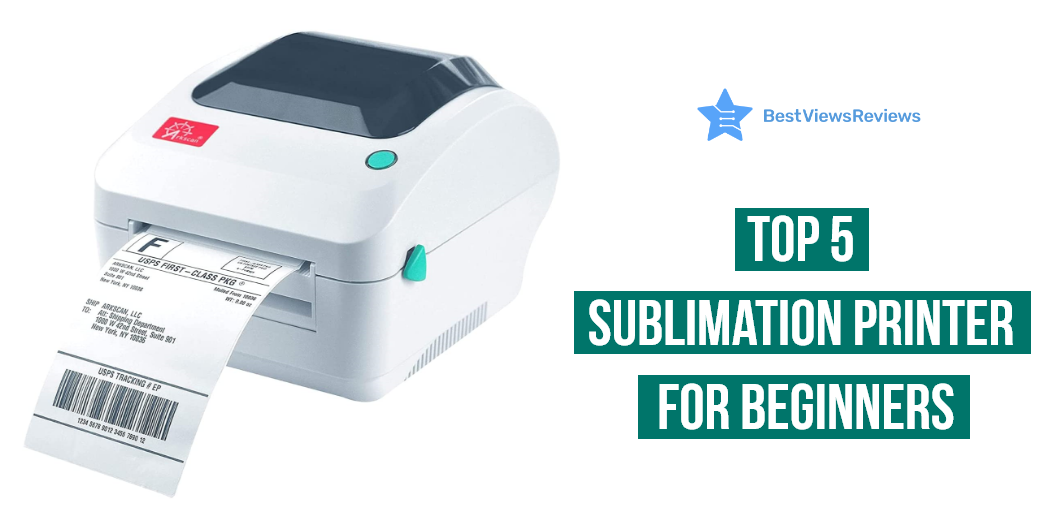
Are you looking for a high-quality printer to help your creative artwork grab your audience? Then, try the best sublimation printer for beginners to turn your creativity into printed form with their unique technology. You can ideally print high-quality images of your artwork on the surfaces of materials like mugs, mobile phone cases, t-shirts, and even ceramic tiles. A sublimation printer uses heat to transfer dye-based inks onto materials.

A sublimation printer is an excellent solution for your creative endeavor. You could efficiently move forward in your creative artwork field. Choosing the right printer can be confusing. Read our blog for a detailed buying guide on choosing the best printers.

What is sublimation printing? 

Sublimation printing is a cutting-edge printing method. It produces colorful, long-lasting results for a wide range of tasks. The procedure begins with a computer image that is produced using sublimation inks and printed onto specific transfer paper. A sublimation printer transfers dye directly onto a range of surfaces, including polyester textiles, ceramic tiles, and paper using specialized inks. A heat press is used to press the printed image onto the printed object. The heat enables the ink on the paper to permanently and brilliantly transfer to the object. 

Factors to Consider Before Buying a Sublimation Printer for Beginners

Printing Speed

The printing speed is an important factor to consider before purchasing a sublimation printer. Most printers can print at speeds of up to 12 ppm in black and 10 ppm in color. The high printing speed will enable you to print more pages in a shorter amount of time. This can save you a lot of time.

Dual-Side Printing

Many sublimation printers have the ability to print on both sides of a page, which can be a useful feature for certain projects. Even though it is an expensive option, they will offer to print on both sides of the pages with the automatic dual-side printing feature. Inkjet printers are highly beneficial and easy to use. Read our blog to understand the premium qualities of inkjet printers in 2023.

Printing Volume

The higher printing volume will save you time and increase the number of printing materials. Printers with a higher printing volume will be able to handle larger projects. The high-end models will come with a 500-sheet capacity, whereas the standard models may offer you only up to a 250-sheet capacity.

Printer Resolution

Higher resolutions will result in better printing quality. You may require a higher resolution printer to print the images on the surface of materials like t-shirts. They may also slow down the printing process and use more ink. You can go with printers with a printing resolution of about 2400 x 600 dpi.

How Do I Care for My Sublimation Prints?

Sublimation printing is a great way to produce high-quality prints with vibrant colors. Here are a few tips for taking care of sublimation prints:

  • Use a UV-resistant coating. A UV-resistant coating will protect your prints from fading or discoloration due to exposure to sunlight. There are several UV-resistant coatings available, so be sure to ask your printer for recommendations.
  • Store your prints in a cool, dry place. Sublimation prints are sensitive to heat and humidity, so it’s important to store them in an environment that won’t damage them.
  • Avoid handling your prints too much. The oils from your skin can cause sublimation prints to fade over time, so it’s best to handle them as little as possible.
  • Display your prints in a frame. Framing your sublimation prints will help protect them from damage and keep them looking their best.
  • Clean your prints gently. When cleaning your sublimation prints, be sure to use a soft, lint-free cloth and a gentle cleaning solution. Avoid using harsh chemicals or abrasives, as these can damage the print. Following these tips will help ensure that your sublimation prints will last for years to come.

Does It Matter What Printer you Use for Sublimation?

It is impossible to achieve the output of vibrant colors and sharp details with normal printing processes. Sublimation is a type of printing process used for transferring images and text onto media items. It uses heat to transfer sublimation inks onto a variety of substrates. Normal printers are not capable of sublimation printing. They use a combination of heat and pressure to transfer the inks onto the substrate. Sublimation printers are more expensive than normal printers. But they offer superior image quality and durability.

Best Sublimation Printers For Beginners to Buy

Epson EcoTank ET-2850

The reviews of the Epson EcoTank ET-2850 show that it offers a built-in scanner and copier. Automatic 2-sided printing will save paper and let you print automatically on both sides. A high-resolution flatbed scanner and a color display will easily navigate and copy the contents of the document. This printer is highly affordable and ideal for students and office professionals. Epson Smart Panel App comes with the features of voice command and hand-free printing experiences.

Epson WorkForce WF-7720

The Epson WorkForce WF-7720 offers a 35-page automatic document feeder printing experience. The automatic 2-sided printing feature will enable you to scan up to 11″ by 17″ sized documents. You can use their wireless printing facility for easy access. This printer will work efficiently on Epson cartridges. Third-party inks or cartridges will affect the performance. Epson WorkForce WF-7720 will work neatly on all versions of Windows and Mac OS. They offer a 4.3-inch color touchscreen for easy navigation.

Epson EcoTank Photo ET-8500

The high-quality Epson EcoTank Photo ET-8500 is a versatile and affordable printer. It also has a special feature of automatic 2-sided printing. So, you can print on both sides with a thickness of up to 1.3 mm. This model comes with a wide 4.3 inches touchscreen. This will be perfect for your home or office use. You can easily print high-quality documents and photos on cardstock, CDs, and other specialty media.

Epson EcoTank ET-2803

The top-quality Epson EcoTank ET-2803 prints under the maximum speed of 10 ppm for black and white printing output. This printer could be easily operated from AirPrint or the intuitive Epson Smart Panel App for hands-free accessibility. Cartridge-free printing offers high-capacity ink tanks. The exclusive EcoFit ink bottles have premium-quality inks. You can easily refill the ink tank without any worries. Thus, it will reduce the wastage of cartridges.

Epson EcoTank ET-4760

The Epson EcoTank ET-4760 works on inkjet printing technology for high-quality printing. It has a maximum monochrome printing speed of 15 ppm. The colored print will work at the maximum print speed of 8 ppm. The Genuine Epson inks will be the right inks for this printer. It will help you produce the best quality printing. They have the connectivity option of both WiFi and Ethernet. It also offers automatic 2-sided printing and scanning, a 4.3-inch color touchscreen, and a built-in 30-sheet ADF.

What printer is best for printing sublimation?

The Epson EcoTank ET-4760 is the clear pick for the best printer for sublimation printing. This all-in-one printer can print up to 14,000 pages of color or black-and-white text at a cheap cost per page. It boasts the greatest print resolution of any printer in the EcoTank family. If a more cheap solution is sought, the Epson EcoTank ET-2850 is an excellent choice. This model has a low cost per page and is intended for usage in a home office.

Can you use a sublimation printer for shirts?

Sublimation printers are becoming a popular option for digital printing on clothing. However, sublimation printers are only capable of printing on materials having a polyester surface or those that have been coated with a polyester coating. As a result, they cannot be printed directly onto cotton shirts.

Can you use a sublimation printer with Cricut?

Sublimation printers work well with a Cricut machine. You may transfer brilliant, colorful designs onto fabric and other materials using a sublimation printer. Because the ink is infused into the fabric during the printing process, the technique is fairly straightforward, making it an excellent choice for applications that demand high-quality, vivid prints. With a Cricut machine, you can create detailed images to be printed on fabric with a creative touch. Sublimation printers are simple to operate and provide an excellent approach to bringing your designs to life.

Can you use a sublimation printer for t-shirts?

Sublimation printers employ heat-activated inks to transfer graphics with vibrancy and precision onto t-shirts, mugs, and other textiles. These printers are best suited for projects requiring full-color graphics with infinite hues, brilliant gradients, and photographic pictures. Sublimation printers are also perfect for large quantities since they eliminate the time and material expenses involved with conventional screen printing.

Conclusion

Sublimation printing is a great option for beginners, as it is easy to operate and has low maintenance costs. The key to successful sublimation printing is to invest in quality, reliable materials. Quality inks, paper, and transfer materials should be used to ensure the best results.

A sublimation printer also allows businesses to broaden their variety of services and goods. Businesses may quickly and simply make colorful prints with amazing results using the printer’s high-quality interface. It is an investment to boost their productivity and profitability.

It would be better to use these sublimation printers in well-ventilated areas. You can also read through our blog to know why you should buy the best brother printers in 2023.

BestViewsReviews rates and reviews the best-quality inkjet printers and top-selling photo printers on the basis of quality, convenience, and durability.
Top 5 Wide Format Printer

Wide format printer

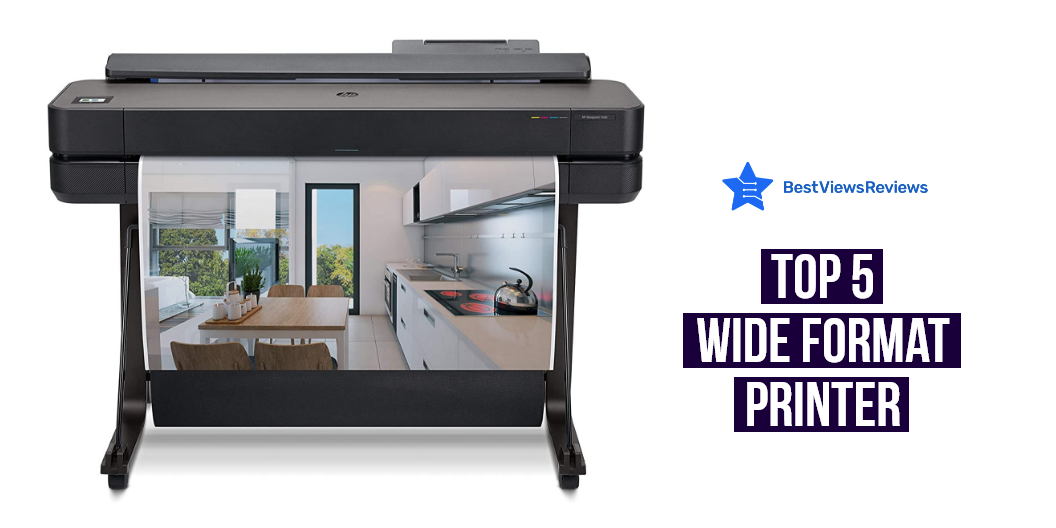
A wide format printer is a type of printer that is designed to print wide-format documents. Wide-format printers are typically used in office settings to print large documents such as blueprints or posters. These printers often have large paper trays and can print at high resolutions, making them ideal for printing high-quality documents. You can also check our blog on wireless printer scanners and get the top 10 options.

What Size Is Wide Format Printing?

You can print on just about any size paper, from small labels to giant banners. The most common sizes of printing are 18”x24”, 24”x36”, and 36”x48”, but you can really print on any size paper that your printer can accommodate.

You can always print it in sections and then piece it together if you need to print something really big, like a banner or a sign. Just make sure that your printer can handle the size of paper that you need to print on. A model like Epson EcoTank Photo ET-8500 prints up to 8.5″ x 11″ and also print in HD quality.

What Is Large Format Printing?

Large format printing is a type of printing that uses large format printers to print images onto larger media. This can include anything from posters and banners to billboards and building wraps. Large format printing is often used for marketing and advertising purposes, as it allows for large, eye-catching images that can grab attention from a distance. Check a model like the Epson Expression Photo HD comes with professional ultra Hd photo quality.

How Do I Choose A Wide Format Printer?

It is important to consider what type of documents you will print when choosing a wide format printer. A laser printer would be a good choice if you plan on printing mostly text documents. An inkjet printer would be a better choice if you plan on printing mostly graphic documents. Other factors to consider when choosing a wide format printer include print quality, print speed, and cost per page.

Sometimes the printer can often experience common problems or can start malfunctioning. Check our other blog on printer repair and know the most common problems.

Best Wide Format Printer to Buy

Epson WorkForce WF-7510

The Epson WorkForce WF-7510 is a wireless all-in-one wide-format color inkjet printer, copier, scanner, and fax. It is network-ready and has a stylish design. It can print on paper sizes up to 11 inches x 17 inches and 13 inches x 19 inches. This model comes with wireless, mobile, and USB connectivity. The scanner type is a document and the printer output is color and comes with inkjet printing technology.

Epson Stylus Photo R3000

The Epson Stylus Photo R3000 is a great choice for anyone who wants a high-quality photo printer that is also network-ready. This printer uses 9 – 25.9 ml cartridges, which is better for printing B&W photos. It is also compatible with smartphones, PCs, and laptops. It comes with advanced media handling that offers consistent, reliable performance with a front-in, front-out paper path.

HP OfficeJet 7612 Wide Format All-in-One Printer

The HP OfficeJet 7612 is a versatile all-in-one printer that is perfect for the home office or small business. This printer is always ready to print with wireless and mobile printing, as well as HP Instant Ink or Amazon dash replenishment ready. The auto-document feeder makes it easy to keep track of your documents, while the 11-inch x 17-inch and 13-inch x 19-inch print sizes make it easy to get the job done.

WorkForce WF-7210

The Epson WorkForce WF-7210 is a reliable and affordable wireless wide-format color inkjet printer that is perfect for your home or small office. It comes with Wi-Fi Direct and Ethernet connectivity. You can easily print from your computer, smartphone, or tablet. The included 4x DURABrite Ultra Ink cartridges provide high-quality prints that are fade-resistant and smudge-proof. The WorkForce WF-7210 also features automatic duplex printing, so you can save time and paper.

Conclusion of Wide Format Printer

A wide format printer can print wide-format documents from posters to banners to blueprints. Wide-format printers are usually large and expensive, but they are necessary for certain businesses and organizations. There are many different wide format printers, and each has its own strengths and weaknesses. It is important to choose the right wide format printer for your specific needs.

BestViewsReviews rates and reviews the best wide format & plotter printers and top rated computer printers based on quality convenience and durability

Top 5 Portable Printer Scanner

Portable printer scanner

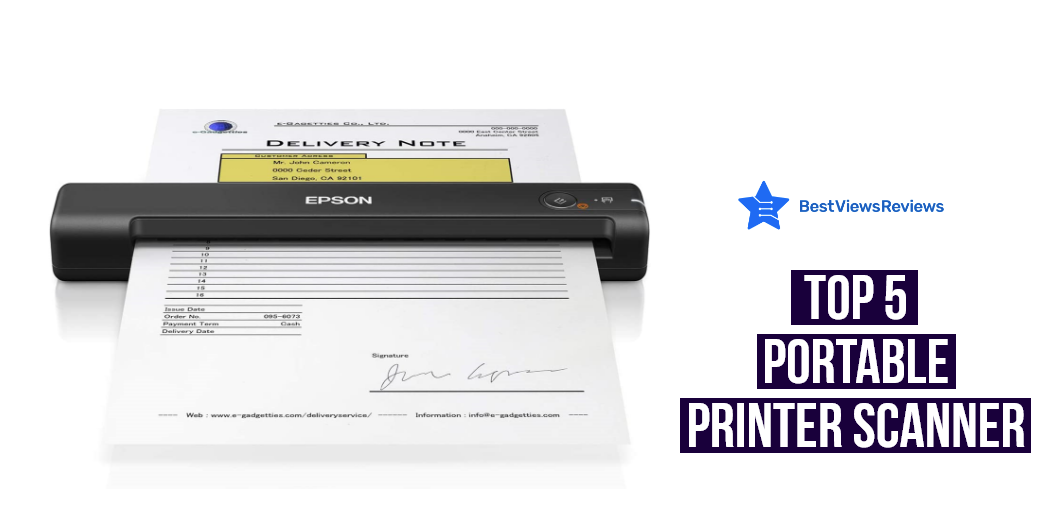
A portable printer scanner is a multifunctional device that allows users to print, scan, and copy documents and photos on the go. This type of device is ideal for people who need to be able to work remotely or who travel often for work. Portable printer scanners typically have built-in Wi-Fi and Bluetooth connectivity, so users can connect to their devices wirelessly. Some models also have USB ports that allow to connect the devices directly to computers or laptops.

Factors To Consider While Purchasing Portable Printer Scanner

Printing Needs

The first factor to consider is your printing needs. It is good to consider how frequently you will be using your device. You should also keep in mind the types of documents or images that you will be printing. Many models offer printouts in black and white color modes. You can go with models with printing speed from 15PPM to up to 30PPM as per your requirement.

Battery

Another important factor to consider is battery life. The long-lasting battery is important if you plan on using your portable printer scanner on the go. Some models can even be charged via USB, making it easy to keep your device powered up when you’re away from an outlet.

Wi-Fi Support

If you need to print documents or images wirelessly, make sure your portable printer scanner has Wi-Fi support. This feature allows you to connect your device to a laptop, smartphone, or tablet and print without having to use cables.

Price Range

Finally, consider your budget when shopping for a portable printer scanner. Prices can range from under $100 to over $500, so it’s important to find a model that fits your needs and budget.

When it comes to finding the best portable printer scanner, there is no one-size-fits-all solution. You can narrow down your choices and find the perfect device for your needs by considering your printing needs, battery life, Wi-Fi support, and budget. Read our blog to know about top 5 reasons why you need a portable printer.

How Do I Get My Printer To Scan?

Most printers nowadays are multifunctional devices that can print, scan, and copy documents and images. Getting your printer to scan is usually a simple process, but it can vary depending on the make and model of your printer.

Generally, you’ll need to connect your printer to your computer using a USB cable. Once it’s properly connected, you can open up your scanning software and select your printer as the scanning device. After that, you just need to follow the prompts on your screen to scan your document or image.

If you’re having trouble getting your printer to scan, you can usually find helpful troubleshooting tips in your printer’s manual or on the manufacturer’s website.

Can You Use A Scanner Printer Without A Computer?

The answer is Yes. You can use a scanner printer without a computer. All you need is a power source and a way to connect the printer to the power source. You can use a USB cable, a wireless connection, or a Bluetooth connection with your digital devices like smartphones, tablets, etc.

A wireless printer scanner allows you to manage your printing tasks without facing hassle of wires or cables. Read our blog for top 10 wireless printer scanner.

Best Portable Printer Scanner to Buy

HP OfficeJet 250 All-in-One Printer

The HP OfficeJet 250 All-in-One Printer is a great way to get your printing done wirelessly. with its inkjet wireless printer, auto-duplex, and mobile printing capability, it is perfect for any office or home. The printer is also compatible with smartphones, PC, tablets, and laptops. Reviews show that this model also features a 2. 65″ color touchscreen and auto document feeder for convenient operations.

HP Envy 4520

The top-rated HP Envy 4520 is a versatile and easy-to-use wireless all-in-one printer that is perfect for your home or office. It comes with print, scan, and copy capabilities which allows this printer to handle all of your document printing needs. This model is also HP Instant Ink ready, so you can easily get your documents printed without having to worry about running out of ink. It has got excellent reviews for its Alexa compatibility which allow you to easily print your documents hands-free.

Epson WorkForce WF-3540 Inkjet Printer

The best-selling Epson WorkForce WF-3540 Inkjet Printer can print from your tablet or smartphone using AirPrint, and has a recommended usage for office or home. With a print speed of 9.3 ppm for color and 15 ppm for black and white, this printer is a great choice for those who need to print documents quickly.

Brother MFCJ450DW Inkjet Printer

The Brother MFCJ450DW Inkjet Printer is a versatile and reliable printer that is great for any home or office. It features a wireless connectivity, making it easy to connect to your computer or mobile device. The printer also has a built-in scanner, copier and fax, making it a complete all-in-one solution for your printing needs. The Brother MFCJ450DW is a compact and lightweight printer that is easy to set up and use. It has a simple control panel with an LCD display for easy operation.

Brother HL-L2320D Mono Laser Printer

The reviews of Brother HL-L2320D show that this mono laser printer is an ideal option for your home as well as office printing requirements. It has a print speed of up to 30 ppm and is able to print on both sides of the page. It also has a USB connectivity so you can easily connect it to your computer.

Conclusion

A printer scanner device can be used to scan documents and photos, and then print them out. This can be a convenient way to save time and paper. It is a must-have gadget for workplaces and comes with features like duplex printing, high-resolution scanning, and many more. You can also read our blog to discover 10 best printer scanner combo.

BestViewsReviews rates and reviews the best inkjet printers and top-selling document scanners on the basis of quality, convenience, and durability.
Best Selling Inkjet All in One Printer

All in one Printers

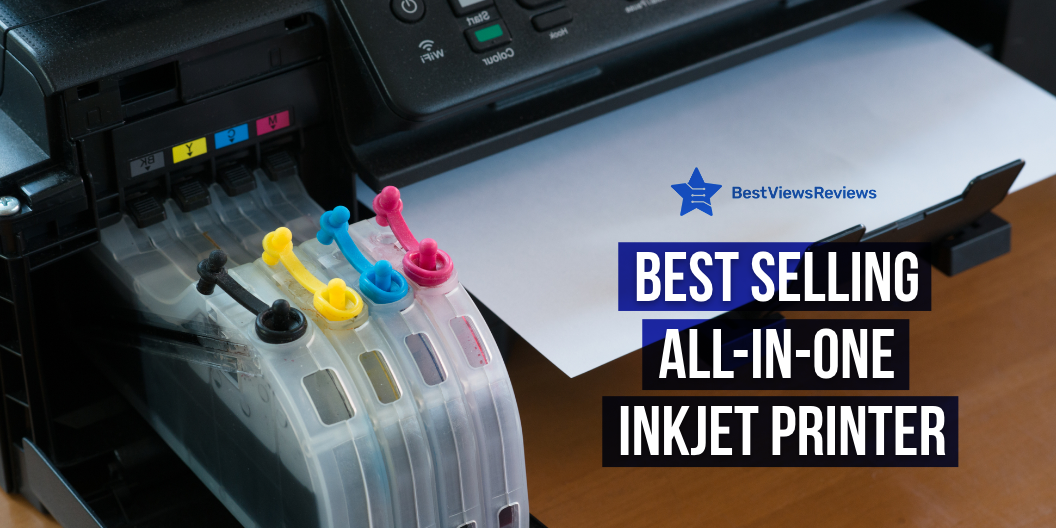
An inkjet all-in-one printer combines many peripheral functions and capabilities, such as printing, copying, and scanning, into a single device. Large and small businesses can benefit from centralized document management provided by all-in-one printers. All-in-one printers are classified by page-per-minute (PPM) speed, and prices vary depending on output quality and usage.

What are the Features of All-in-One Printers?

Printing Speed

A print speed specification of at least 10 color pages per minute as well as 20 black-and-white pages per minute is the minimum standard to look for. Not only is it inconvenient to wait for things to print, but it also affects your productivity. You can check Canon® PIXMA™ G3260 Wireless Color All-in-One Printer comes with a good printing speed. It prints up to 15 ppm in black and up to 10 ppm in color.

Printer Quality

Print quality is defined in dots per inch, with a minimum resolution of 600 x 600 dots per inch for black-and-white printers. High-quality print products are produced with black-and-white resolutions of 2400 x 1200. A resolution of 4800 x 2400 produces excellent-quality color printouts. A color print quality of 1200 x 1200 is a reasonable minimum level.

Wi-Fi or Network Connectivity

A Wi-Fi-compatible all-in-one printer can run safely in a wireless network, whether it’s at home or at work. WPS setup is a popular feature on most routers, and if a user’s network supports it. Purchasing a multifunction printer with a WPS setup makes setting up the printer a breeze. An all-in-one printer with a built-in network card is also connected to a network port. It eliminates the requirement to share the printer from a network PC.

A model like HP OfficeJet 250 All-in-One Portable Printer with Wireless doesn’t require any kind of wire. It features an HP ePrint app that easily connects to the printer via Bluetooth or Wi-Fi.

Duty Cycle

The duty cycle of a printer defines the maximum number of pages that should be printed per month. Office computer printers should have a high duty cycle of 20,000 to 25,000 pages. A home printer with a monthly duty cycle of 5,000 pages will enough for some people.

Things to Consider When Purchasing an All-in-One Printer

Functionality

The cheapest versions are often limited to printing, scanning, and copying, but there are many other options. Faxing and emailing are the most significant additional functions. A transparency adaptor in the scanner lid allows some AIOs to scan film (slides and negatives). A model like Brother MFC-J4535DW All-in-One Color Inkjet Printer comes with all the required functions like printing, copying, scanning, etc.

A few high-end home AIOs may also function as standalone photo labs, printing high-quality photographs from memory cards, PictBridge-enabled cameras, photographic prints, and transparencies (mostly 35mm slides and negatives).

Connectivity

Check to see if the All-in-One model will work with your computer. Also, see if it’s compatible with a Mac or a PC. Check whether it uses a USB or a parallel port to connect. A model like the Epson WorkForce WF-3520 Wireless All-in-One Color Inkjet Printer comes with wired and wireless connectivity that allows for convenient connection.

Printing Capability

Most home users utilize the print feature, followed by copying, scanning, and faxing. Choose an inkjet printer for color images, presentations, and school projects, or a laser printer for high-volume black-and-white document printing.

Check the print speed, which should be at least 12 pages per minute for black-and-white printing and 8 pages per minute for color printing. The resolution should be at least 2,400 x 1,200 dpi if you want to print images from a digital camera.

Price

A color inkjet All-in-One can cost anywhere from $99 to $500, depending on the choices. A mid-priced model, between $200 and $250, will suffice for most home users. It will probably lack a photo-card reader and an auto document feeder, but it will have all the essential features. Budget at least $200 to $300 for devices with fax and other features. You can check HP OfficeJet Pro 6978 All-in-One Wireless Printer is budget-friendly as well as multifunctional. It costs between $185 to $200.

Pros and Cons to Use a All in One Inkjet Printer

Pros

  • An All-in-one printer provides more functionality for less money
  • A multifunction printer is more efficient since it performs multiple functions in one location, reducing the number of separate pieces of equipment you require within reach. HP DeskJet 4155e All-in-One Wireless Color Printer also comes with multifunction’s.
  • One machine takes up less space, which is important if your office space is less.
  • An All-in-One printer will almost certainly be less expensive than purchasing individual devices; they normally range from $100 to $1,000.

Cons

  • Repairs are inconvenient – Because if one function needs to be repaired, you will be without all office machinery while the printer is being serviced.
  • Quality of Output – Running a small business or working from home always consider how the output quality will reflect on you and your company. For instance, an All-in-One’s photo quality may not be as excellent as a standalone’s.
  • Compromise Functionality – While a Many-in-One device may work well enough in all areas, some functions may not perform as well as a specialized unit. Some customers believe that you get a lower-quality printer, scanner, and copier and that you pay the most for ink, all while sacrificing quality.

Conclusion

An all-in-one business printer can be used in both the office and at home. Knowing what characteristics to look for when buying a new all-in-one printer might help you find one that is more suited to your needs. Some printer features enhance all of the printer’s capabilities, while others boost the productivity of a single function, such as faxing.

BestViewsReviews rates and reviews the best laser printers and top-rated creality 3D printers based on quality, convenience, and durability.
Informative Guide On 3D Printer For Beginners

3D printer for beginners

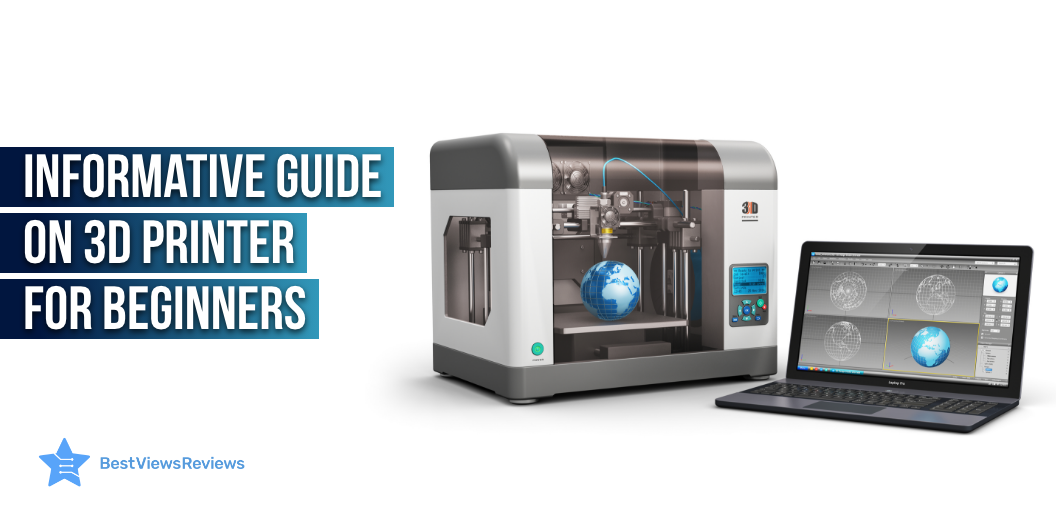
3D printers for beginners have become surprisingly reasonable and can be a huge benefit in more ways than you think. You can easily replace small elements from household appliances and devices that may be inaccessible to you otherwise with a 3D printer. There are a variety of 3D printers available that have a wide range of components and use different kinds of materials, so it’s important to understand your choices to find the best printer for your needs.

You can also read our blog on how does a 3D printer work to know more about these printers.

Best 3D Printer For Beginners

FlashForge 3D Printer

FlashForge 3D Printer’s reviews mark that its built-in heavy-duty z-axis guide rod ensures steady and precise movement. The integrated LCD screen and button board functions of this printer make it easy to operate. It features an acrylic cover that encloses the chamber to insulate and protect the prints.

QIDI TECHNOLOGY 3D Printer

QIDI TECHNOLOGY 3D Printer comes with redesigned UI interface that helps improve the print quality by 30 and speed by 20. The max printing temperature of this printer is 250C which can work well with PLA, ABS, and TPU. Its double Z-axis driver ensures more stable and more precise printing quality.

Creality Ender 3 3D Printer

The customer reviews of Creality Ender 3 3D Printer claim that it features a high-watt hotbed that offers fast heating to the printing platform. Its upgraded extruder design reduces the risk of a clogged nozzle and bad extrusion. This printer comes with a one-piece structure that fits in small spaces.

Voxelab Aquila 3D Printer

Voxelab Aquila 3D Printer features a semi-assembled design that makes it easy to set up. It comes with a resume printing function that automatically prints when the power comes on. Its carborundum glass platform enables the building platform to heat up in 5 minutes.

ANYCUBIC Photon Mono is also a nice model to consider if you’re looking to buy 3D printers.

Features To Look Before Buying 3D Printer For Beginners

Safety Features

 You can never be too safe when it comes to operating hot electrical equipment. Keep an eye out for safety components that will help your 3D printing experience. These features include things like automatic nozzle cooling when a print is complete. If the printer has a heated bed, look for an element that automatically shuts it off when a print job ends. Avoid harmful prints with excess filament by rejecting the nozzle automatically when a print is either paused or complete.

Print Resume Functions

There’s nothing worse than wasting a beautiful print halfway through its completion. Features like print resume make sure that your creations aren’t interrupted when unpredictable pauses occur. Your print job will resume where it left off with this feature instead of starting over.

Quality User Interface

A quality user interface can take your 3D printing experience from extraordinary to mind-blowing. Don’t waste time trying to navigate a menu with a rotary knob when you can use a touchscreen interface. This feature isn’t just limited to expensive printers. Even the most inexpensive FDM printers come with a touchscreen UI.

Heated Bed

You really can’t go back once you’ve tried a heated bed. The first few layers of your prints are essential to the foundation of your final object. A heated bed makes sure this foundation is well-formed, solid, and sticking in place. Finding the perfect temperature differs between filaments but you can find the sweet spot by experimentation.

Axis Adjustability

Fine-tuning your printer often involves tightening or easing the tension on one of the 3 main axes. Go for a 3D printer that offers easy access to belt tension adjustment. This will save you time that you will have to otherwise spend on removing components and making adjustments.

A printer for students is a great way to keep a paper trail for college, take notes, sign up for classes, and other important documents. Go through our blog on the best printers for students to learn more.

What Software To Look While Using A 3D Printer For Beginners?

3D printers utilize software from two major sources: the printer itself and the computer you operate to create 3D printer files. The software on your computer is a slicer, slicing is when you build a file to print.  Firmware is the software used by the 3D printer. Many 3D printers also use Marlin firmware, but there are other applications for different chips. 

Material Understanding While Using 3D Printer For Beginners

Another important point of consideration while using a 3D printer like ELEGOO Resin is the materials you will be using to print.  Some materials only work with specific types of devices, and every material has its pros and cons. Read below to understand:

Filament

FDM printers use plastic filaments to print things layer by layer. Different material kinds can have powerful effects on the final printed product. Filament materials come in many different types that can have specific use cases.  Two plastic print materials that are far more common than others are ABS (Acrylonitrile Butadiene Styrene) and PLA (Polylactic Acid).

ABS plastic is common in toys and consumer manufacturing. Beginners can benefit from the affordability and easy availability of ABS print materials.

PLA is an environmental-friendly solution. PLA is great for many things but is most common;y used in food storage and disposable items.

Resin

 Resin print materials are a bit more abstract than filament. Different manufacturers can have other names for their specific resins, but there are typically three resin quality categories to be aware of and they are standard, high grade, and medical grade.

Standard is the most basic type of resin material that is inexpensive yet still durable and an amazing solution for users needing to print sturdy objects frequently.

High-grade resins can have precise colors that make them more desirable for specific tasks. 

Medical-grade resins are dedicated to the highest quality print jobs. They are used primarily in the medical field, as the name would imply. 

Polaroid printers are also a great printing device. These printers print photos as they are taken using a self-developing film. Read our blog on polaroid printers to learn more about them.

Conclusion

3D printers have quickly become unremarkable at work and home. From small toys to machine parts, 3D printers can make amazing objects from a wide variety of materials. Purchasing a 3D printer can be a daunting task due to the different types of devices and complicated printing methods. The best place to start is to determine what you are going to print and how often you will be printing it.

BestViewsReviews rates and reviews hundreds of best 3D printers, top laser printers, and best inkjet printers based on their performance, controls, and build quality.

Top 5 Handheld Inkjet Printer

handheld inkjet printer

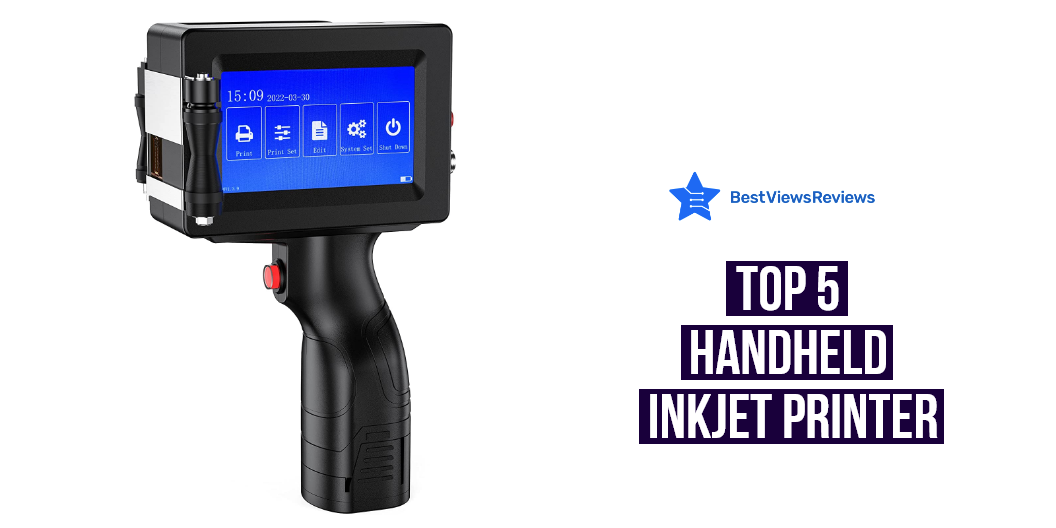
The handheld inkjet printer refers to the inkjet printer used for manual operation, which is powered by a battery and is also easy to carry. The standard ones are thermal foaming handheld inkjet printers, piezoelectric handheld inkjet printers, and large character handheld inkjet printers. These printers are versatile machines that can help small businesses and students. We have also created a blog on the best inkjet printers that you can give a read.

What Is A Handheld Inkjet Printer?

Handheld inkjet printers are designed to increase the comfort of printing in warehouses and stores, yards, and on the road without the inconvenience of power cables and weight. They are an excellent advancement of the traditional hand-coding methods used before, including stenciling and roll coding. These printers come with rechargeable batteries that allow them to be carried and used conveniently at various places.

Top 5 Handheld Inkjet Printers

BENTSAI Portable Intelligent HD Handheld Inkjet Printer

BENTSAI Portable Intelligent HD Handheld Inkjet Printer comes with a high-definition quick-drying ink cartridge. It comes with an easy-to-operate LED color touch screen.  This printer can print a variety of contents including text, numbers, symbols, QR codes, barcodes, pictures, time, dates, counters, and so on. 

BESHENG Handheld Printer PT2000SE, Portable Handheld Inkjet Printer

BESHENG Handheld Printer PT2000SE is suitable for printing text, labels, digital, QR code, barcode, production date, time, logos, etc. It can print on a variety of flat materials to meet a variety demand of printing work. The lightweight and non-slip matte design of this printer make it comfortable to hold and print. It offers great help in in manufacture, retail, warehouse, logistic, etc.

Handheld Printer Portable Labeler v4ink BENTSAI BT-HH6105B2

Handheld Printer Portable Labeler v4ink BENTSAI BT-HH6105B2 prints clearly on most surfaces including, glass, cement, wood, plastic, cloth, fabrics, metal, leather, and more. You can easily upload images/logos to print or type the text you want to print directly into the LED display on the printer. It is also perfect for labeling products or packages for eCommerce, printing expiration dates on supplements or food, etc.

WELCZEK WK-01 Portable Handheld Printer

WELCZEK WK-01 Portable Handheld Printer can easily customize text, date, count, two-dimensional code, bar code, form, and data as needed. This printer supports multi-language and handwriting input, and 20 languages. It can print on wood, carton, stone, pipe, plastic, cable, clothes, glass, and other materials. It is equipped with original black quick-drying ink cartridges by default, with clear print content as well as strong adhesion. 

Portable Handheld Printer Labeler v4ink BT-HH6105B3

Portable Handheld Printer Labeler v4ink BT-HH6105B3 is perfect for labeling products or packages for Ecommerce, printing expiration dates on supplements or food, label, etc. It clearly prints on most surfaces including, glass, cement, wood, plastic, cloth, fabrics, metal, leather, and more. You can also easily remove the ink of this printer by rubbing alcohol.

There are chances that you might get confused between a laser and inkjet printer while making your purchase. Read our blog on the basic difference between laser printer and inkjet to learn more.

Features About Handheld Inkjet Printers

Construction Materials

High-quality handheld printers come in metal construction. You can expect the machine to last around five to eight years with this sturdy construction. Printers made of plastic do not last this long.

Print Height

The industry’s ideal printing height for a handheld printer is typically around 12.7 mm. This height is considered enough to create scannable and highly readable codes. Anything less than that is a rightful cause for concern.

Quality Of Print/ Resolution

Relying on variables related to barcode symbology as well as character pitch, barcodes can be successfully read at rates between 75 dpi and 600 DPI. The higher the resolution, the more effortless it is to scan a code. So seeking out a machine that is capable of printing at 600 DPI will almost certainly fare you well. 

Ease Of Use

The handheld inkjet printer should offer ease of use. It should come with large color displays, LED backlights, as well as remote keypads to allow comfortable use.

The inkjet Bluetooth printer comes with features such as printing, scanning, faxing, and copying and is also perfect for small offices or homes. They are also a great printing device for your business needs. Read our blog on the best inkjet Bluetooth printers to know more.

Conclusion

It is essential to compare as well as contrast the features of different handheld inkjet printers before choosing one for yourself. Like numerous other pieces of technology, handheld printers run the gamut from being well-built and reliable to cheaply made and prone to errors. Choose the printer that meets your printing needs the best.

BestViewsReviews rates and reviews hundreds of best receipt printers and top inkjet printers based on their performance, print quality, as well as controls.

Know Everything About Inkjet Printers

Inkjet Printers

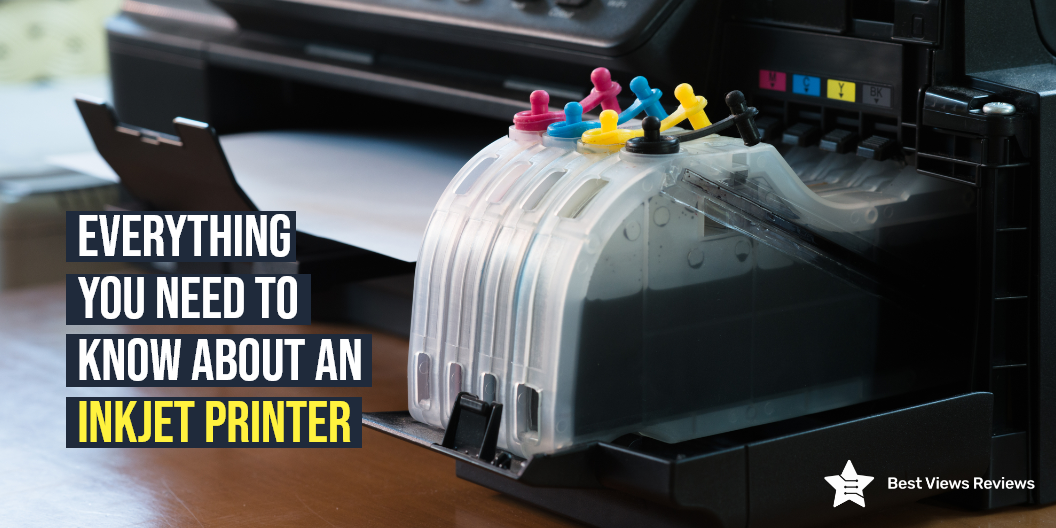
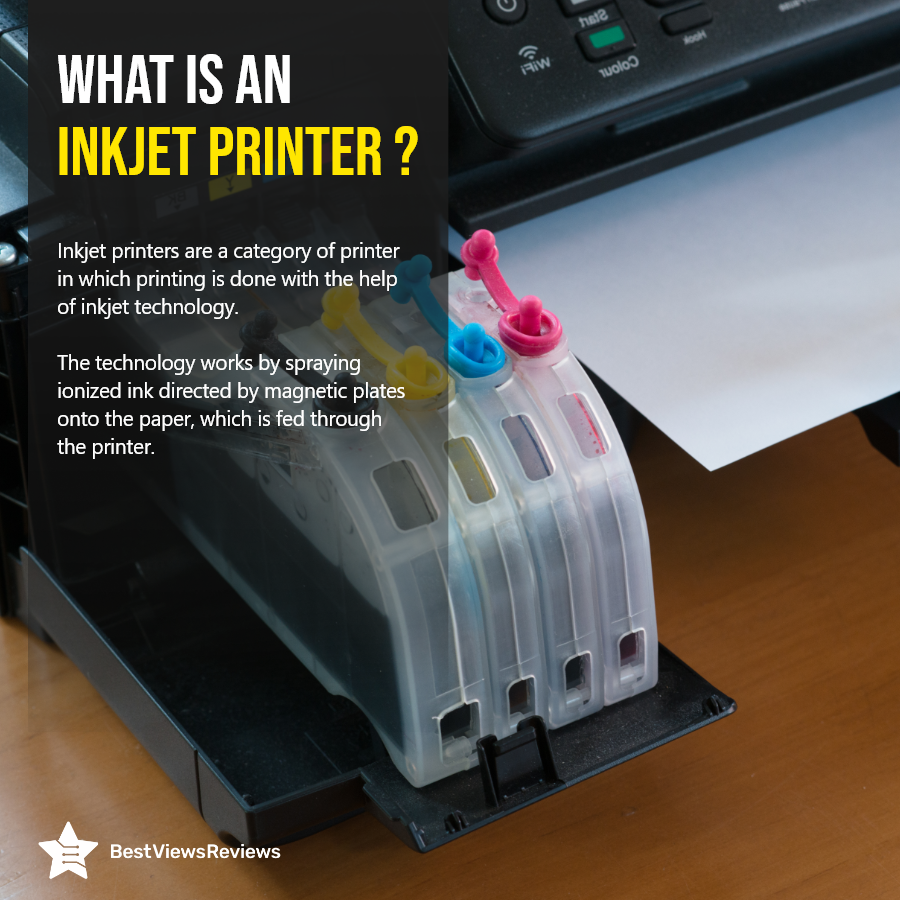
A printer is an external hardware device that prints texts, pictures, and other graphical data onto papers or sheets of different dimensions. Inkjet printers are a popular type of printer that uses a jet mechanism to propel ink droplets onto the paper. They are good for personal as well as commercial purposes. Inkjet printing is popular for delivering colored printouts with the help of ink-packed cartridges. These printers are easy to use as well as are best used for high-quality and low-volume printouts.

Overview of Inkjet Printers

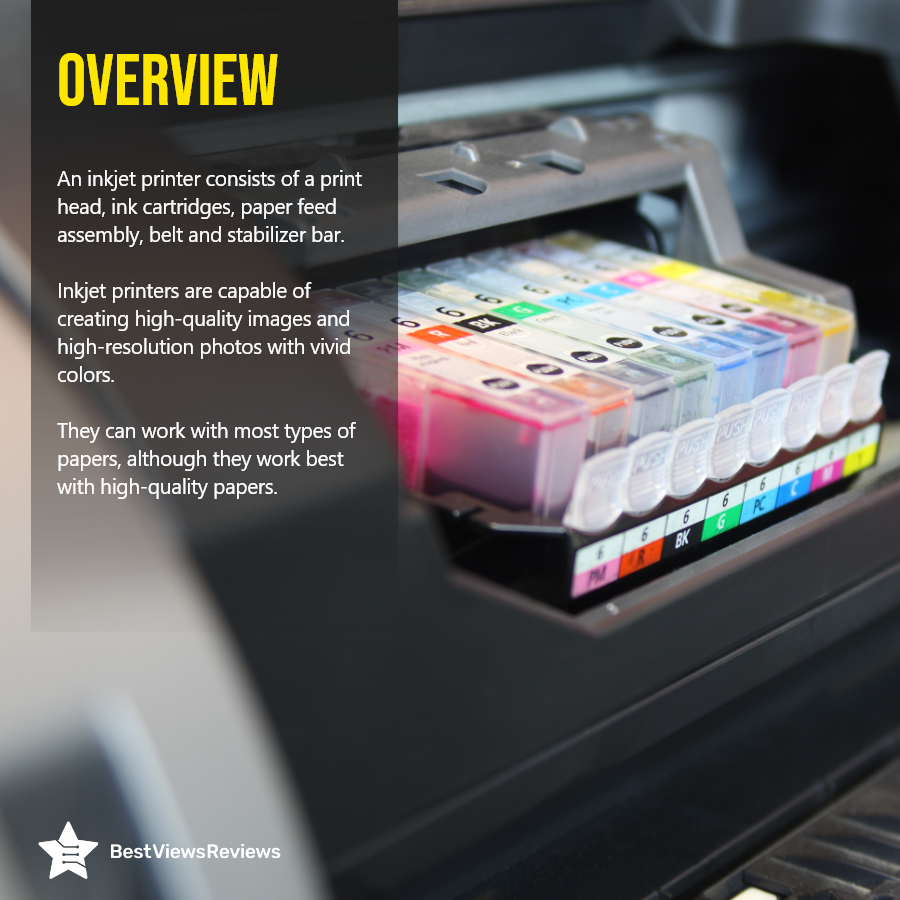
Inkjet printers like HP DeskJet 27 use inkjet technology to print high-resolution images. They consist of the print head, cartridges, paper feed assembly, ink supply system, stepper motor, stabilizer bar, and belt. The most commonly used paper with them is A4-sized sheets but you can also use any other paper.

Advantages of Inkjet Printers

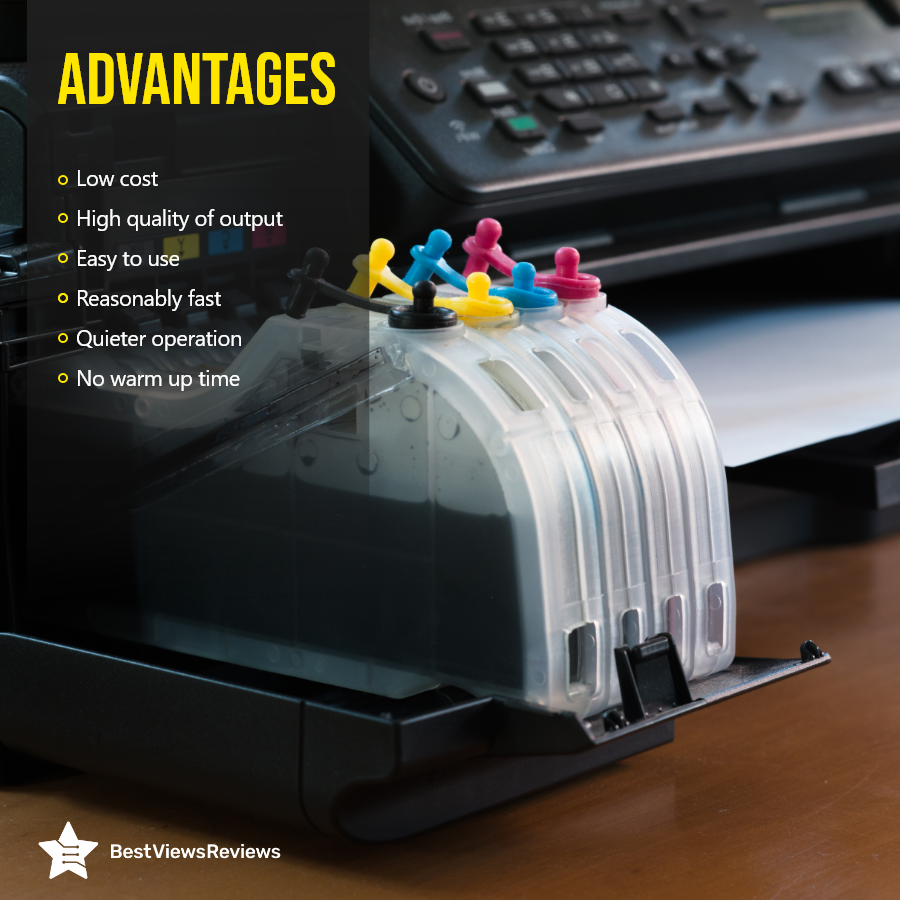
Inkjet printers are useful machines at the workplace or for college students. You can get low-cost printouts with these machines. They often include a display panel that provides you with intuitive controls for easy operations. Printers like top-ranking Brother HL-L2320D are reasonably fast and deliver high-quality output. They also have a quieter operation and have no warm-up time. You can set up these printers in just a few minutes.

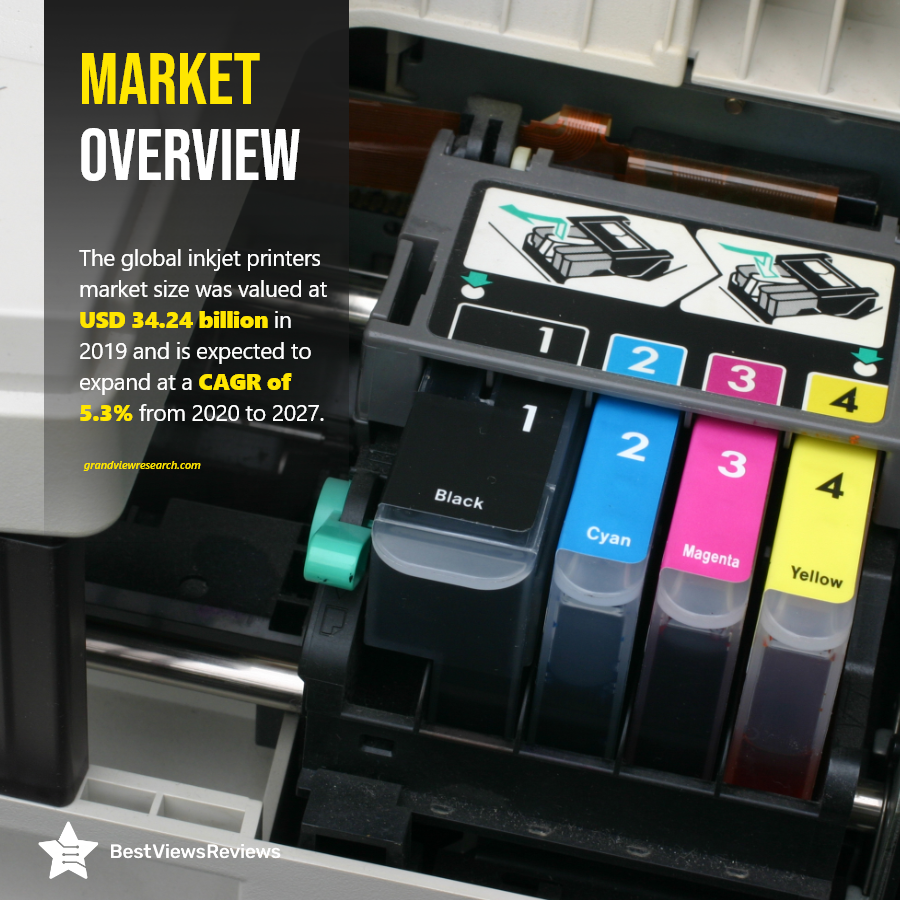
Conclusion: Market Overview

An inkjet printer is important computer hardware that increases work productivity and results in higher efficiency. You can find various models with different cartridges, tray limits, as well as printing speeds. Make sure you look for models that come with advanced features to meet your printing needs. You can go for high-quality papers for better output.

BestViewsReviews rates and reviews best-selling computer printers on the basis of quality, convenience, and durability to make your shopping a hassle-free task.

Polaroid Printer: An Exclusive Guide

Polaroid Printer

A Polaroid printer prints photos as they are taken using a self-developing film. The convenience of having all of your photos on your phone is great, but it is also nice to have physical photos to display at home. You can now print your phone photos without having to visit a big retailer. Mobile phone printers and Polaroid printers allow you to print photos easily.

What Does a Polaroid Printer Do?

Polaroid printers produce full-color photos that measure 2×3 inches at an affordable price. They are simple to set up and use, making them popular with users. You can print photos from your phone without compromising quality. They are perfect for gatherings and travel. The procedure is more efficient. We have a comparative blog on Canon Vs HP Printer. It will give you an informative comparison between the printers to help you decide better.

Is Polaroid Printer Worth it?

Yes, a Polaroid printer is worth the investment and time. Printing high-quality photos in just a few seconds are the best feature of the Polaroid printer. It is a great device to have if you are looking for an easy and fast way to print photos at parties or just want to get those memories out of the digital space and into the physical realm.

Let see some factors that make them worth it. We have a dedicated section of various top-rated photo printers that we recommend based on their print quality and performance. You can browse through our page to know more buying options.

Printing Process

In photo printing, cyan, magenta, and yellow dye crystals are embedded in a special paper. At first, the papers are colorless. When you print, heat activates them and turns them into the correct colors. Using ink-free paper results in pristine and dry sheets that do not smudge. It is even possible to peel them off and use them as stickers. The level of accuracy and color details of this portable wireless device are good. Check our blog on what factors make an inkjet printer a suitable option. It will help you to know what benefits you can get by investing in one.

Print Speed

The print speed of a Polaroid printer is impressive. A photo takes roughly 40 seconds to print. This is significantly faster than the competitors’ capabilities. This makes them ideal for printing instant photos.

Battery Life

The battery lasts for a long time. You can print up to 25 photos per charge, but certain models also print up to 30 photos per charge. A Polaroid printer can print while charging, where it takes roughly 90 minutes to charge fully.

Connectivity

Most of the Polaroid models allow easy discovery and connectivity. They are compatible with mobile phones and tablets. Follow the simple steps to connect the devices once you’ve downloaded the app. You should locate the image you want to print. Tap on it and then select the print icon in the bottom right corner. You have the option of selecting the number of photos you want to print. All of this will not be possible if the compatibility is bad.

How does a Polaroid Printer Work?

  • The Polaroid printer’s top panel serves as a lid. This panel moves about a quarter of an inch in the direction of the arrowhead. This allows you to lift the edge and remove it
  • After loading the paper, slide the cover back into position. It should click into place if everything is in position.
  • Once you’ve removed the cover, the paper will simply fit into the compartment. The compartment can hold about 10 sheets of paper. The ZINK Zero Ink Paper is white on the front and black on the back.
  • When you place the sheets into the compartment of the device, make sure the white side is facing up
  • The ZINK paper is of three composite layers, one for each color: cyan, yellow, and magenta. Each layer has small dye crystals that correspond to its color.
  • Place the blue ZINK Smartsheet in the bottom of the compartment to allow the printer to function properly. When you use the portable printer for the first time, the Smartsheet will clean the printer’s components.
  • Place a blue Smartsheet at the bottom of the stack every time you add new paper to the printer’s compartment.
  • The photo print will eject from the slot on the front of the Polaroid printer when you make a print. A print takes roughly a minute to produce on the printer.

Does the Polaroid Printer Need Ink?

The Polaroid portable printer eliminates the need for toner, ink, or cartridges for printing images. This printer uses ZINK Zero Ink Technology to print images on Zink paper. Color crystals are placed in these paper sheets, which will ignite when you take a photo.

You won’t have to pay extra for cartridges because these crystals are heat-activated. The sheets have a protective coating that prevents water damage, smudges, and tears. It’s a Bluetooth device that you can quickly connect to your phone using the Polaroid app. This one works with both Android and iOS and has Wi-Fi capabilities.

Buy Best Polaroid Printer

Polaroid Originals Hi-Print

The reviews of Polaroid Originals Hi-print are positive because this model helps you create fun and vintage-style prints of` your favorite photos. It’s perfect for printing photos from your phone, tablet, or computer so you can turn your memories into keepsakes. The Hi-Print printer is compact and easy to use and comes with a rechargeable battery. It’s simple and easy to print and share your favorite photos with just the touch of a button.

Polaroid Originals Lab Photo Printer

The Polaroid Originals Lab Printer brings back the joy of instant photography. It creates instant photographs, using the same Zink zero-ink printing technology made famous by Polaroid instant cameras. Simply snap a shot on your mobile phone, send it to the printer, and watch it develop.

Polaroid Hi-Print 2×3 Pocket

The Polaroid Hi-Print 2×3 Pocket printer fits in your pocket and prints 2 x 3″ photos in a matter of seconds. It allows you to even print directly from your smartphone using Bluetooth. You’ll never need to charge the rechargeable lithium-ion battery. It’s perfect for printing out those vacation photos.

Polaroid PoGo Instant Mobile Printer

The Polaroid PoGo Instant Mobile Printer instantly prints high-quality 2×3 borderless photos from your digital camera, tablet, or smartphone. It features smudge-proof, water-resistant, tear-proof photos. It has a rechargeable lithium-ion battery. The built-in Wi-Fi lets you wirelessly print your photos from your phone. Start printing your photos in less than 1 minute.

The Imaging World Polaroid Hi-Print

The Imaging World Polaroid Hi-Print will customize and print photographs from your smartphone onto high-quality 2×3 business card prints. You can use it to connect with your phone. It includes a lithium-ion rechargeable battery. It is tiny enough to take with you anywhere.

Conclusion

A Polaroid photo printer offers many advantages. Connecting this portable picture printer to your smartphone is simple. The instant printer may not produce the best prints in the history of photo printing, but its features make it an intriguing choice worth exploring.

BestViewsReviews rates and reviews the best inkjet and computer printers based on overall performance and build and print quality. Browse through our website to know your buying choices.

Top 5 Reasons Why You Need a Portable Printer

portable printer

A portable printer is a machine that works on inkjet printing technology to deliver full-page prints. This machine is small and doesn’t weigh more than 6 pounds. It is easy to use and is best for portable handling. The printer comes with a rechargeable battery and Wi-Fi connectivity. It allows you to use this printer in your cars or other areas with no access to electrical outlets. This printer is available in small sizes, and you can connect it with your phones and other devices.

Why Should You Get a Portable Printer?

Small Size

A portable printer is a small-sized printer that weighs less than a regular inkjet printer. This printer is easy to carry in laptop bags. Some models are even more compact and can be slipped into any standard-sized bag. The Canon Pixma MG3620  is a compact-sized model that measures 12 x 17.7 x 6 inches in size.

Compatibility

Portable printers like HP DeskJet 3755 are easily compatible with almost all tablets and mobile phones. These printers feature Wi-Fi and Bluetooth connectivity. This allows you to give printing commands wirelessly. You can print your photos, documents, and other important files without facing any hassle.

Performance

Most portable printer devices deliver high-quality prints. These devices have a fast printing feature. Many models have a print rate of 7-10 pages per minute at 300dpi high resolution. The high-quality picture output makes these printers a must-have gadget.

Battery Power

The high battery power lets you use this printer for up to 10 hours. Some models also offer up to 26 hours of standby time. The fast-charging battery takes 90 minutes for a full charge. Most portable printers have a good battery backup. They feature a lithium-ion battery with fast charging option.

Reviews of Canon Pixma TR150 show that this model comes with an optional detachable battery that lets you print up to 330 pages on a full charge.

Choosing between Canon VS HP Printer can be confusing. Read our blog to get a detailed comparison between these two reliable brands.

How to Choose the Best Portable Printer?

Printing Needs

Not all printers are created equal. Some are thermal printers that are good for producing black and white prints. Photo printers are known for printing colorful pictures. You can go with any model that suits your printing needs. You can also check for other features like an automatic page feeder and a large display panel.

Functions

Most portable printers rarely have a flatbed scanner. You should check what functions your selected model can perform. Some models also feature voice assistants for simple controls and functioning. You can go with a regular-sized printer for scanning and printing.

Portable Printer Price Range

The price range of portable mobile printers can vary from $50 to $500 and more. You can easily get a good quality portable printer for $200 to $300. Makes sure you buy a model that meets your printing needs without exceeding your overall budget.

The Brother Compact Monochrome Laser Printer supports wireless printing and can copy, scan, and print high-quality documents. It has got good reviews for its 250 sheet paper capacity and you can buy this model for just $216.

Check Battery

It is important to check the battery specifications of your model before buying. Some models feature a 2300 mAh battery, while others feature a 1000 mAh battery. Your printers should be compatible with the car charging option. Look for the battery backup and the total charging time of your selected model.

What is the Best Mini Portable Printer?

Reviews of HP OfficeJet 250 show that it is a good quality portable printer. It has a monographic 2.65″ display for easy controls. This printer features a fast-charging battery that takes 90 minutes for a full charge. It has a maximum input capacity of up to 50 sheets. This machine uses original HP 62 ink & HP 62XL cartridges for delivering high-quality prints.

Conclusion

A portable printer is a must-have gadget in every household and office workspace. This device is best for portable usage and supports wireless printing. Having a mini printer or portable printer helps you in maintaining your high productivity. You can also use these gadgets for printing photos and other graphical data. We suggest you go with only reliable printer brands.

BestViewsReviews rates and reviews hundreds of best computer printers on the basis of controls, build quality, and print quality.

Best Budget-friendly Printer Deals 2022

best-printer-deals

A Printer is a machine that takes input from external devices like computers or laptops and prints it on sheets as an output. It performs functions like printing, scanning, copying, etc. The basic purpose of this machine is to offer convenience and do precise printing. Printers have evolved from wired printers to ink and laser wireless printers. Inkjet printers use minuscule pigmented ink dots to form images or content as per the command.

You can easily buy a good-quality wireless printer scanner at an affordable price. This blog lists some of the best wireless printer scanner deals. We advise you to read through our on top 10 wireless printer scanner.

Best Printers and Why You Should Choose Them

Epson Workforce WF-2860

The Epson Workforce WF-2860 is a versatile all-in-one wireless color printer that allows you to print, copy, scan, and fax important documents This printer comes with built-in Wi-Fi and NFC for easy connectivity and Amazon Dash Replenishment for easy ink replenishment. With a compact design, it’s perfect for small office spaces.

Brother HL-L2320D Mono

The reviews of Brother HL-L2320D Mono are good because it features a large tray capacity that easily accommodates up to 250 sheets. It is equipped with a manual feed slot that helps in envelope printing. This model comes with a USB 2.0 interface that allows for local connectivity. It also has an electrophotographic laser printing technology.

Samsung Xpress M2835DW Mono Laser Printer

The Samsung Xpress M2835DW Mono Laser Printer has a maximum print resolution of 1200 x 1200 dpi, which makes it ideal for both business and home users. The paper tray can hold up to 250 sheets of paper, which can usually be refilled without a hassle. It also features a duplex printing function, allowing you to easily print on both sides of the paper.

Epson EcoTank ET-2720

The reviews of Epson EcoTank ET-2720 are good because it offers quality photo-printing and has a great computability level. This compact device is quite convenient to use because of its simple design, and large intuitive printing screen that allows you to track its progress. The device is compatible with Alexa and Google Assistant that makes it easy to operate by voice commands.

Brother MFCL2700DW Laser Printer

Brother MFCL2700DW is a convenient device that offers good quality printing. It features a large input capacity that can efficiently hold up to 250 sheets. It is equipped with an optical scan resolution of 600 x 2400 dpi that offers high-quality print. This model comes with high-quality material that offers long-lasting usage. It supports wireless printing and you can print using your mobile or tablet.

Fujifilm Instax Mini Link Smartphone Printer

Fujifilm Instax Mini Link Smartphone Printer got good reviews because the printer allows to add fun filters and frames to the photos that make it attractive. This model comes with the printing speed of about 12 seconds that ensures quick operation. This smartphone photo printer features bluetooth compatibility that allows to print photos easily.

Epson Workforce WF-3520

Epson Workforce WF-3520  got good reviews because it is popular for office purposes because of its compact design and high performance. This model has a built-in rear paper feed that accommodates envelopes, labels, and other specialty media. It comes with wired and wireless connectivity that allows for convenient connection. It also features an LCD display and touch panel that makes it easy to operate.

Canon imageCLASS LBP6000 Compact Laser Printer

Canon’s imageCLASS LBP6000 is a multifunction printer, laser printing, copying, scanning, and faxing. It’s especially suitable for small offices because it can print and scan on both sides. It also has a 35-sheet automatic document feeder. The LBP6000 is a great option for small businesses or home offices who need an affordable, reliable multifunction printer.

Conclusion

Inkjet printers or laser printers have progressed from their traditional versions. The printers used for commercial purposes are expensive, but the list that we have mentioned above consists of quality printers at affordable rates. These printers are affordable, ergonomic, and also come with a quality finish. The printer’s improper operation can affect your productivity and work quality. Read our other blog on printer repair and know the common problems of printer.

The market has various printer brands. Read our blog to know the best printer for students. Make sure you choose the right model after considering the print quality and speed.

BestViewsReviews rates and ranks hundreds of best inkjet printers and computer printers based on build quality, printing speed, and ease of use.