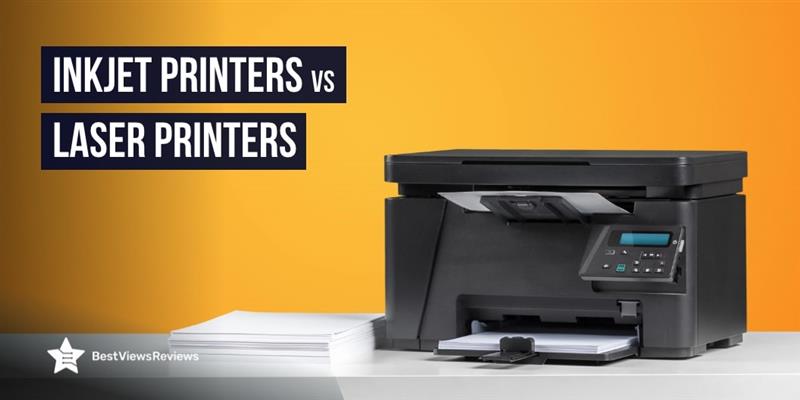
Inkjet Printers vs Laser Printers: Which One Is Right for You?

Inkjet Printers

Laser and Inkjet printers are two of the most common printers available today, each offering distinct advantages depending on your needs. Inkjet printers can produce vibrant colors and fine details, making them ideal for photo printing and graphic-heavy documents. In contrast, laser printers are preferred for their speed, efficiency, and lower cost per page, especially when handling large volumes of text.

Whether you need to print high-quality photos, important documents, or professional reports, choosing the right type of printer can make all the difference. By understanding the differences between inkjet and laser printers can decide which one is best fit for your needs.

Understanding Inkjet and Laser Printers

Inkjet printers like Epson EcoTank Pro ET-5850 spray tiny droplets of liquid ink onto paper through microscopic nozzles, producing high-quality prints with vibrant colors and fine details. Their versatility allows them to print on various paper types, from plain sheets to glossy photo paper, making them a popular choice for home users and photographers. With multiple color cartridges (cyan, magenta, yellow, and black), inkjet printers deliver detailed and accurate color prints, making them ideal for photos, artwork, marketing materials, and documents where color precision matters.

Laser printers like HP Color LaserJet Pro use toner powder and a laser beam to create prints, which differs from inkjet technology. The laser beam forms an image on a drum, which is then transferred onto paper using electrostatic charges. Known for their fast printing speeds and ability to handle high volumes, laser printers are ideal for offices where efficiency and cost-effectiveness are key.

Key Differences Between Inkjet and Laser Printers

ParticularsInkjet PrintersLaser Printers
Print QualityEpson EcoTank ET-15000 excels at producing high-quality color prints, delivering sharp, detailed images and vibrant colors. They handle color gradients and subtle hues better, making them ideal for photos, artwork, and graphics-heavy documents.Brother HL-L3290CDW focuses on high-volume text printing, producing sharp, clear black-and-white text. While their color reproduction isn’t as vibrant as inkjet printers, recent models have significantly improved, offering more accurate color prints.
SpeedThey are compact and smaller in size, so they are ideal for home use or small offices. Many also offer all-in-one features like scanning, copying, and faxing, enhancing their versatility.Canon ImageCLASS LBP6030 is known for its speed, especially with large text volumes. Their toner and laser technology enable faster page production, making them ideal for high-demand office environments.
Cost per PageA major drawback of inkjet printers is the higher cost per page. Ink cartridges are expensive and deplete quickly, especially with frequent printing, leading to higher long-term costs.Laser printers have a higher upfront cost but a significantly lower cost per page. Toner cartridges last much longer, reducing the overall cost of printing over time.
Initial CostThey typically come with a lower initial cost, making them a budget-friendly option for home users and small businesses with limited budgets.They usually have a higher initial cost but offer better long-term value due to lower printing costs and greater longevity in high-volume settings.
Size and DesignThey are compact and smaller in size, ideal for home use or small offices. Many also offer all-in-one features like scanning, copying, and faxing, enhancing their versatility.They are larger and bulkier, taking up more space. However, their size has been decreasing, and many compact models are now available for home offices and small businesses.
Durability and MaintenanceThey require more maintenance as ink cartridges may dry out or clog if not used regularly. They also need more frequent ink refills and occasional cleaning for efficient operation.They are more durable and require less maintenance. Toner doesn’t dry out, and with fewer moving parts, laser printers are more reliable for environments where the printer isn’t used daily.

Are There Any Multi-Functional Printers That Combine Inkjet and Laser Features?

Some multi-functional printers combine inkjet and laser features, offering the best of both technologies. These printers handle various tasks, such as printing, scanning, copying, and sometimes even faxing. While less common than single-function models, some modern multi-functional printers use inkjet technology for high-quality color prints, such as photos and graphics, while utilizing laser technology for fast, efficient text printing.

These all-in-one devices are useful in environments where both color prints and fast, large-scale text printing are necessary. However, they are more expensive and may require more maintenance than single-function inkjet or laser printers. If you want both features in one device, a hybrid printer offers the right balance of quality, speed, and cost-efficiency.

Maintenance Tips for Printers

Inkjet Printers

  • Keep the ink cartridges clean: Regularly run cleaning cycles to prevent ink buildup and keep the nozzles free from clogs, especially if the printer is left unused for long periods.
  • Use high-quality paper: Always use the recommended paper type for your inkjet printer. Low-quality paper can damage the printhead and lead to paper jams.
  • Store ink cartridges properly: If you don’t use the printer often, store the ink cartridges in a cool, dry place to prevent them from drying out.

Laser Printers

  • Clean the toner cartridge: Dust and debris can accumulate on the toner cartridge. Clean it regularly to avoid printing issues.
  • Use quality paper: Poor-quality paper can cause paper jams and toner smudging. Ensure you use the correct paper type for laser printing.
  • Keep the printer in a dust-free environment: Dust can damage the sensitive components of the laser printer. Place the printer in a clean, dust-free area.

Commonly Asked Questions

1. Do laser printers require more toner than inkjet printers need ink?

Laser printers typically use less toner than inkjet printers use ink, particularly when printing high volumes. Toner cartridges for laser printers last much longer than ink cartridges for inkjets, allowing laser printers to produce more pages before needing a replacement. Since toner is designed for high-speed, high-volume printing, laser printers are more efficient for text-heavy documents.

On the other hand, inkjet printers tend to consume ink more quickly, especially when printing photos or color-rich documents. This results in more frequent ink cartridge replacements. However, the toner or ink used can vary depending on factors like print volume, the type of print job, and the specific printer model.

2. How does a printer’s print resolution impact output quality?

A printer’s print resolution directly impacts output quality by determining the sharpness and detail of images and text. Measured in dots per inch (DPI), higher DPI values result in more detail and clarity. Printers with higher DPI produce sharper images and smoother gradients, ideal for photos and fine text, while lower DPI may lead to less sharp prints with visible pixelation.

For those needing precise prints, such as photographers, a higher resolution is crucial. However, higher DPI can slow printing speeds and use more ink or toner. Balancing resolution and efficiency is key, depending on your printing needs.

3. Can a laser printer print high volumes of text without slowing down?

Yes, a laser printer Canon imageCLASS MF3010VP can handle high volumes of text without slowing down. Designed for efficiency and speed, laser printers excel in printing large jobs quickly. Unlike inkjet printers, which may slow down with higher volumes due to the ink application process, laser printers use toner and a laser beam to transfer images to paper, enabling fast and consistent printing.

This makes laser printers ideal for environments that require high-speed, high-volume text printing, such as offices or businesses. Their ability to maintain speed during large print jobs is a significant advantage over inkjet printers.

4. How do inkjet printers handle color gradients and subtle hues?

Inkjet printers handle color gradients and subtle hues exceptionally well by mixing ink from multiple color cartridges. By spraying tiny droplets of ink, inkjet printers create smooth color transitions, producing rich gradients and intricate hues. This ability makes inkjet printers perfect for printing images with soft color transitions, such as photographs or artwork, where precision and subtlety are crucial.

Furthermore, the precision of inkjet nozzles allows the printer to capture a wide range of shades and tones, reproducing even the most delicate color variations. As a result, inkjet printers are the preferred choice for projects that require high-quality color accuracy and detailed gradients.
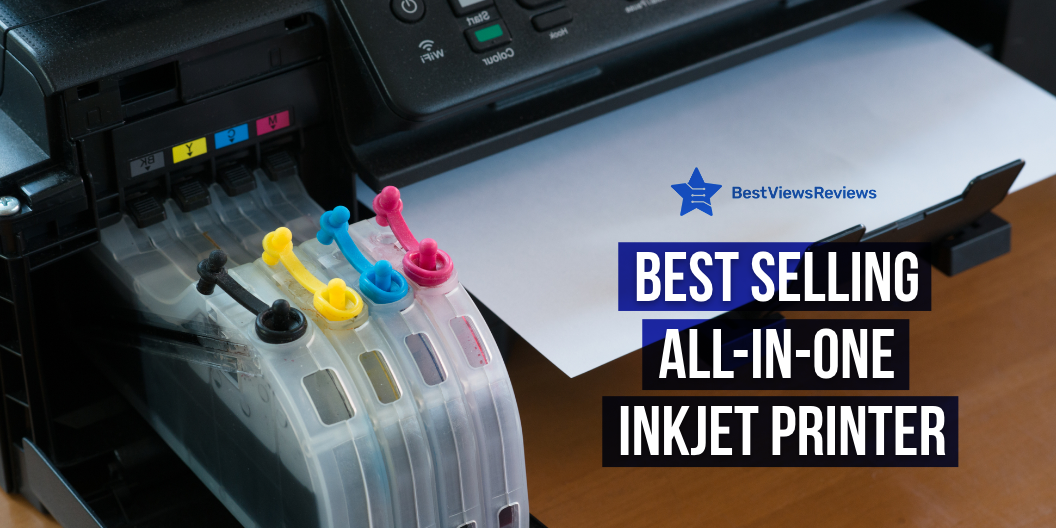
Best Selling Inkjet All in One Printer

All in one Printers

An inkjet all-in-one printer combines many peripheral functions and capabilities, such as printing, copying, and scanning, into a single device. Large and small businesses can benefit from centralized document management provided by all-in-one printers. All-in-one printers are classified by page-per-minute (PPM) speed, and prices vary depending on output quality and usage.

What are the Features of All-in-One Printers?

Printing Speed

A print speed specification of at least 10 color pages per minute as well as 20 black-and-white pages per minute is the minimum standard to look for. Not only is it inconvenient to wait for things to print, but it also affects your productivity. You can check Canon® PIXMA™ G3260 Wireless Color All-in-One Printer comes with a good printing speed. It prints up to 15 ppm in black and up to 10 ppm in color.

Printer Quality

Print quality is defined in dots per inch, with a minimum resolution of 600 x 600 dots per inch for black-and-white printers. High-quality print products are produced with black-and-white resolutions of 2400 x 1200. A resolution of 4800 x 2400 produces excellent-quality color printouts. A color print quality of 1200 x 1200 is a reasonable minimum level.

Wi-Fi or Network Connectivity

A Wi-Fi-compatible all-in-one printer can run safely in a wireless network, whether it’s at home or at work. WPS setup is a popular feature on most routers, and if a user’s network supports it. Purchasing a multifunction printer with a WPS setup makes setting up the printer a breeze. An all-in-one printer with a built-in network card is also connected to a network port. It eliminates the requirement to share the printer from a network PC.

A model like HP OfficeJet 250 All-in-One Portable Printer with Wireless doesn’t require any kind of wire. It features an HP ePrint app that easily connects to the printer via Bluetooth or Wi-Fi.

Duty Cycle

The duty cycle of a printer defines the maximum number of pages that should be printed per month. Office computer printers should have a high duty cycle of 20,000 to 25,000 pages. A home printer with a monthly duty cycle of 5,000 pages will enough for some people.

Things to Consider When Purchasing an All-in-One Printer

Functionality

The cheapest versions are often limited to printing, scanning, and copying, but there are many other options. Faxing and emailing are the most significant additional functions. A transparency adaptor in the scanner lid allows some AIOs to scan film (slides and negatives). A model like Brother MFC-J4535DW All-in-One Color Inkjet Printer comes with all the required functions like printing, copying, scanning, etc.

A few high-end home AIOs may also function as standalone photo labs, printing high-quality photographs from memory cards, PictBridge-enabled cameras, photographic prints, and transparencies (mostly 35mm slides and negatives).

Connectivity

Check to see if the All-in-One model will work with your computer. Also, see if it’s compatible with a Mac or a PC. Check whether it uses a USB or a parallel port to connect. A model like the Epson WorkForce WF-3520 Wireless All-in-One Color Inkjet Printer comes with wired and wireless connectivity that allows for convenient connection.

Printing Capability

Most home users utilize the print feature, followed by copying, scanning, and faxing. Choose an inkjet printer for color images, presentations, and school projects, or a laser printer for high-volume black-and-white document printing.

Check the print speed, which should be at least 12 pages per minute for black-and-white printing and 8 pages per minute for color printing. The resolution should be at least 2,400 x 1,200 dpi if you want to print images from a digital camera.

Price

A color inkjet All-in-One can cost anywhere from $99 to $500, depending on the choices. A mid-priced model, between $200 and $250, will suffice for most home users. It will probably lack a photo-card reader and an auto document feeder, but it will have all the essential features. Budget at least $200 to $300 for devices with fax and other features. You can check HP OfficeJet Pro 6978 All-in-One Wireless Printer is budget-friendly as well as multifunctional. It costs between $185 to $200.

Pros and Cons to Use a All in One Inkjet Printer

Pros

  • An All-in-one printer provides more functionality for less money
  • A multifunction printer is more efficient since it performs multiple functions in one location, reducing the number of separate pieces of equipment you require within reach. HP DeskJet 4155e All-in-One Wireless Color Printer also comes with multifunction’s.
  • One machine takes up less space, which is important if your office space is less.
  • An All-in-One printer will almost certainly be less expensive than purchasing individual devices; they normally range from $100 to $1,000.

Cons

  • Repairs are inconvenient – Because if one function needs to be repaired, you will be without all office machinery while the printer is being serviced.
  • Quality of Output – Running a small business or working from home always consider how the output quality will reflect on you and your company. For instance, an All-in-One’s photo quality may not be as excellent as a standalone’s.
  • Compromise Functionality – While a Many-in-One device may work well enough in all areas, some functions may not perform as well as a specialized unit. Some customers believe that you get a lower-quality printer, scanner, and copier and that you pay the most for ink, all while sacrificing quality.

Conclusion

An all-in-one business printer can be used in both the office and at home. Knowing what characteristics to look for when buying a new all-in-one printer might help you find one that is more suited to your needs. Some printer features enhance all of the printer’s capabilities, while others boost the productivity of a single function, such as faxing.

BestViewsReviews rates and reviews the best laser printers and top-rated creality 3D printers based on quality, convenience, and durability.

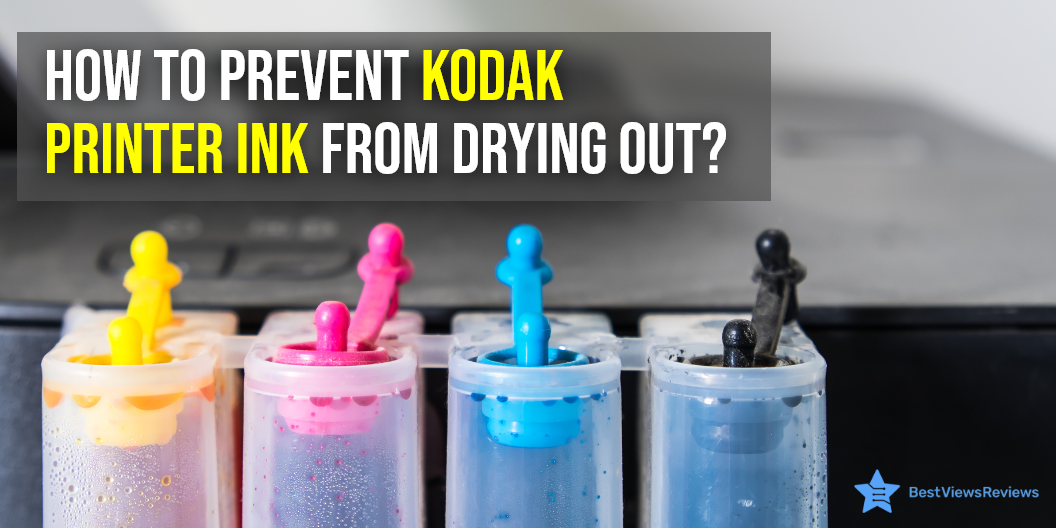
How to Prevent Kodak Printer Ink from Drying Out?

kodak printer Ink

Kodak printer ink can dry out if you do not use your printer frequently. The biggest indication that the ink is dried is streaky and inconsistent prints. You can also solve this by running the cleaning utility of your device’s print head sometimes. The only way to avoid ink fading completely is to replace it. The cartridges are expensive. It might be costly to throw expensive cartridges due to dried ink. It is possible to avoid this situation if you follow some practices. Read our blog that tells you how to choose the printer ink.

Why Does Printer Ink Dry Out?

The biggest reason behind printer ink drying out is when your printer sits idle for a long period. Other causes include expired cartridges or cartridges exposed to direct heat and sunlight. Sometimes, filling the cartridges by yourself can cause air to get trapped inside. It can consequently lead to the ink drying out.  You can check top-rated inks like Kodak Verite 5 Replacement Inks that remain good for 12 months.

Infrequent use

Cartridges dry up quickly and can become clogged in the frequently used printers. Print and do regular cleans and ink tests to ensure that the nozzles are clean. A Kodak 10B/10C Combo Ink Cartridge dries instantly, is water-resistant, and lasts for a lifetime.

Expired Ink Cartridges

Many individuals are unaware that printer cartridges have an expiration date. It can result in printing issues if you use them after the expiration period. Never, store cartridges for no more than 12 months. Try to store them in cool, dry settings away from direct sunlight.

Manually Refilling Ink Cartridges

It is possible for air to enter the cartridge and dry out the ink if incorrectly done. This may block the nozzles.

How to Prevent Kodak Printer Ink From Drying Out?

Use Your Printer More Often

One of the most convenient ways you can save your printer from drying out is by printing every now and then. It’s advised to print a few pages every week using all the colors. Printer inks are meant for regular use and not using them for a long time should be avoided.  A KODAK AL11UA Verite 5 XL Combo Ink Cartridge claims up to hundreds of copies.

Moisten Ink Cartridges

You can remove your cartridges from the printer and moisten them if you do not want to print frequently. To do this, put on a pair of disposable gloves and run a damp cloth over the top of your cartridge to prevent clogging. Pat them dry before reinstalling them in the device to get rid of excessive moisture. You should read through the blog that guides you about the right way of putting your ink.

Change the Temperature

The top printer inks also dry out in hot and dry conditions. Try to keep the ink at ambient temperature and near a humidifier to maintain the humidity levels.

Turn the Printer Off

Switch off its power button if your computer printer is not in use. This will cause the printer heads to change their position and prevents them from drying out.
Ensure that you switch off the power button and do not take out the cord directly as that won’t be effective.

A Kodak Verite 5 Replacement Inks is easy to install the cartridge. There is no mess from ink bottles and tanks that you have to refill.

How to Store Kodak Printer Ink Cartridge When Not in Use?

Kodak printer ink may be preserved by properly storing it to prevent it from drying out. The hacks listed below are both cost-effective and easy to implement.

  • Protective caps should be stored while you’re installing the ink. You can use them later for proper storage.
  • You can store your ink inside plastic bags or airtight containers if you do not have protective caps. Place a damp cloth in the bag with the ink to help maintain a moist environment.

Conclusion

We’ve listed all the important measures you need to follow to prevent your ink from drying out. Sometimes it’s easy to forget about your printer and the ink inside them and they can dry out. Consider cleaning the nozzles with water or rubbing alcohol. We hope our blog will help you when you find yourself stuck in a similar situation next time.

We advise you to take a look at our blog if you are on the lookout for brand-new printer ink. The blog lists some of the common mistakes people make while purchasing inks.

BestViewsReviews offer comprehensive and unbiased reviews of the latest best printer paper, top-rated inkjet printers, and more. We’ll help you find the perfect device, products, and essentials for your needs!

How to Choose the Best Printer Ink?

best printer ink

An inkjet printer uses digital non-impact printing ink for producing high-quality prints. Ink for printers consists of a binder, a solvent, and some additives to impart the drying effect. There are two types of printer ink: dye-based and pigment-based. The dye-based inks can fade off with time. The pigment-based inks are fade-resistant and give a more vibrant color effect. Choosing the right printer ink or printer cartridge is important for printing crisp and clear details.

Why is Printer Ink Expensive? 

Inefficient Cartridges 

Your printer may equip some inefficient cartridges. Ink cartridges like Original HP 65 must use a lot of ink to create high-quality texts. A low-end printer usually has this feature. They are affordable to buy, but the running cost with such printers is more due to expensive printer inks.

Printing Needs 

The gap between knowing your printing needs and the caliber of the equipment can result in costlier printer inks. The inefficient cartridges consume more ink than necessary when used for printing in large numbers. Switching to a laser printer is a good option in that case.

Laser printers can print in bulk and at an economical cost as compared to the inkjet ones. You should know your printing needs before buying any printer model.  

Inefficient Page Yield 

Page yield is the number of pages that can be printed with one cartridge. If your printing needs are high and you are going for a normal size cartridge, then the ink will run out sooner. We advise you to go for XL cartridges. Cartridges like Ankink Higher Yield 63xl Ink Cartridges offer huge discounts.

How to Choose the Best Printer Ink?

Print Load Considerations

It is important to consider your printing requirements before deciding on the right printer ink. The toner ink is a good option when printing in bulk or large volumes. Inkjet printer is not good for handling the heavy print load. You should also consider the quality of prints you require. You can go with best inkjet ink that comes in the colored cartridge for producing colorful and vibrant printouts.

Flow Rates

The flow rate of ink determines the quality of your installed ink cartridge. The flow of printer ink should neither be slow nor be fast. It should take enough time to stick to the paper. The bold and smooth printouts refer to high-quality inks. The reviews of E-Z Ink are positive because of its high-quality printouts.

Specialized Cartridges

The specialized cartridges are used with special printers like receipt printers, cash machines, and textile printers. The standard printers do not require specialized cartridges. These cartridges are designed to support different printing mediums. They are costlier than standard models and also provide high-quality prints.

Manufacturer’s Warranty

Most ink cartridges are backed with 1 year of warranty. It is important to look for a manufacturer’s warranty on any printer ink cartridge. Make sure you ask for a warranty card or receipt while buying your selected model. The Brother Printer Genuine Ink Cartridge comes with a warranty period of 24 months.

Printer Compatibility

Not all printer cartridges are created equal. There are different sizes and types of ink cartridges available in the market. You should buy the type that is compatible with your printer model. The XL cartridges are good for high-volume printing. You can use recycled cartridges to reduce your printing expenses.

Alternate Solutions for Affordable Printer Ink 

Non-OEM Ink 

Non-OEM ink is an alternate ink choice and is relatively popular than original cartridges. This is because they are highly compatible and can pair with any printer. The reason why they can be an affordable solution is that they don’t cost much. These cartridges are not made by the original printer manufacturers.

Printer Research 

This mainly focuses on knowing the product before the purchase. The two parameters to consider are printer model and cost. You should know the suitable printer to go for and the estimated cost of running your printer continuously. Make sure you read the product description of your selected model before buying. Models like ONLYU Compatible Ink Cartridge can print true-to-life photos and laser-quality texts.

Conclusion

An efficient printer ink cartridge can help you save on your printing costs. It is necessary to buy products that are good in their quality and offer a good output. The pointers that we have mentioned above will help you understand and compare branded ink cartridges and non-OEM ink.

Buying a printer ink can be a little difficult due to the many available choices. Make sure you know what frequent mistakes you can avoid while buying printer ink. Check our blog to understand how you can prevent printer ink from drying out.

BestViewsReviews rates and ranks hundreds of best computer printers and top-rated inkjet printers based on print quality, design, and overall performance.

Frequent Mistakes to Avoid While Buying a Printer Ink

a printer ink

A system’s throughout ability is significantly affected by the printer ink chosen. It influences the drying speed and quality of the print. Facing trouble despite using state or art printers? The answer to this is because the printer ink that is used in the printer is bad. Low-quality printer ink or ink that is incompatible with the printer’s mechanism can result in dull printing or the printer malfunctioning.

One needs to be careful while choosing the right printer ink. Check reviews before making an online purchase. Before making the purchase, be sure to carefully read the product description. Pigment-based inks and dye-based inks are the two types you can use. The blog will help you identify the correct ink type and avoid buying the wrong variety.

What is Printer Ink Used For?

The ink in the inkjet printer is used in various stages of printing. The printer ink in an inkjet printer usually prints documents and other similar products. A certain amount of ink must be in the print head for it to function. Some ink is leftover, and some evaporate. There are various options for color printing.

Each of these inks has its unique set of features that provide advantages in some areas. The sort of inks used in wide format printing is vital for getting the information over. It creates a particular type of design. BestViewsReviews rates and recommends leading printer inks. Browse through our website to know your buying choices.

Frequent Mistakes to Avoid While Buying Printer Ink

Always Read the Instructions Manual Before Installing Printer Inks

Machines and gadgets can be very difficult to use without the instructions manual. You may not be familiar with the device. The instruction manual provides information about everything in the product. This includes what type of inks are being used in that printer.

Remember to look at the instructions manual before investing. This action will help you from loss in case you end up purchasing the wrong ink. You should make sure that any online purchase you make has a decent return or exchange policy if you are considering it.

Understand the Type of Printer Inks

It is important to understand the type of ink that you require for your printer. Generally, two categories of ink are available for printers. One is the pigment-based ink, and the other is the dye-based ink. Dye-based ink is relatively more than they dry quickly, remain waterproof, and last long. You can read through our blog that helps you prevent printer ink from drying out.

The pigment-based ink is thicker and stays for a longer time. It gives rise to a phenomenon called metamerism. This phenomenon makes the printer ink look different under different lights. It sometimes does not match the original ink. Many industries, thus, avoid pigment-based ink. 

Understand your Spending Limit

Understandably, the increasing use of printers like inkjet and computer printers has given a hike to their demand. Ink requirement is going to up as well. It is good to look for alternate options like going for non-OEM ink. These inks are affordable and perfect for frequent printer users. Another way that you can save some money is to check if your printer has an ink subscription option. It allows you to pre-order branded cartridges at a negligible subscription price.  

Types of Printer Ink

Liquid Ink

Inkjet printers spray as minute droplets onto the paper liquid ink to generate an image. You can print more vibrant colors with liquid ink in ink-based printers.

Solid Ink

Instead of liquid ink, some printers use solid ink. This is a waxy ink with a crayon-like consistency. The ink is heated before applying to the printing surface, where it dries and cures.

UV Ink

In the presence of UV light, UV ink is curled onto the printing surface. This sort of ink dries quickly. It is also one of the most expensive among its competitors.

3D Printing Ink

When it comes to 3D printing materials, ink isn’t the ideal phrase to use. Resin is the common material in 3D printers. The 3D printing resin is expensive and comes in various colors and materials to pick from.

Why is Printer Ink Expensive?

Ink prices for printers have been widely documented for years. Avoid buying low-cost cartridges that promise to save you money. Toner or ink cartridge replacements are best purchased with a printer.

The equipment will last longer and perform better if it is maintained properly. The long-term savings of this option will overshadow the higher initial cost. Ink cartridges can be expensive, so it’s important to learn how to maximize the money you’ll be spending on ink. Read our blog in detail to know more about cartridge prices.

Buy Printer Ink

Original HP 63XL Ink Cartridge

The Original HP 63XL Ink Cartridge is a pack of black ink cartridges. They are capable to prints up to 2x more prints with Original HP Ink. It has a page yield of 480. The cartridge features an ink system that delivers exceptional print quality and improves printer life.

E-Z Ink Compatible Ink Cartridge

The reviews of E-Z Ink Cartridges are good because it is a compatible ink cartridge for Canon PIXMA MX922 + MX922+ series photo printers. It has a page yield of approx. 2,000 pages. The cartridge also provides quality and reliability for your Canon PIXMA Printer.

The Brother Printer

The Brother Printer ink is ideal for the printing needs of a wide range of products. This includes letterheads, envelopes, flyers, shipping labels, product labels, and more. This high-yield ink cartridge can print up to 400 pages. It is the ultimate printer ink if you have a Brother printer. This model provides crisp, and smudge-free printing for your projects.

Conclusion

You can easily buy a new ink cartridge by following a few easy steps. It is very easy to make a mistake when selecting ink if you are not careful. The colors and quality of many cartridges differ, despite their similar appearance. Before making a purchase, it is important to understand your preferences.

The printer needs to be replaced if you are experiencing issues printing despite having the right ink. The printer world has fierce competition and knowing what to go for is essential.

BestViewsReviews rates and ranks the best computer printers and top-in-the-line inkjet printers based on overall performance build quality and print quality.