Elden Ring Night Reign – Everything You Need to Know About

Elden Ring Night Reign

FromSoftware’s genre-defining RPG, Elden Ring, revolutionized open-world design and Soulsborne gameplay. Now, the highly anticipated evolution arrives with Elden Ring: Night Reign—a standalone cooperative experience drenched in mystery, darkness, as well as brutal teamwork. Whether you’re returning to the Lands Between or venturing in for the first time, here’s everything you need to know about Night Reign, including gameplay changes, new mechanics, and confirmed release details.

What is Elden Ring: Night Reign?

Elden Ring: Night Reign is the upcoming standalone expansion to the critically acclaimed Elden Ring, launching on May 30, 2025. Developed by FromSoftware, Night Reign marks a bold evolution in the franchise, shifting from a primarily solo RPG experience to a fully cooperative, three-player adventure set in an all-new realm known as Limgrave.

Unlike traditional DLC, Night Reign is not an add-on—it’s a complete, standalone title. Players do not need the original Elden Ring to dive into this dark new journey. The game introduces a new storyline, enhanced traversal mechanics, and a co-op-focused world filled with evolving threats, vertical exploration, and intense group combat.

“Nightreign is built from the ground up for cooperative play. Players are stronger together, and the entire structure of the game world reflects that.”
— FromSoftware, via PlayStation Blog

Release Date and Platforms

Elden Ring: Night Reign is scheduled to launch on May 30, 2025, as announced by FromSoftware and PlayStation.

Confirmed Platforms:

Key Differences Between Elden Ring (Original) vs. Elden Ring: Nightreign

FeatureElden Ring (2022)Elden Ring: Nightreign (2025)
Gameplay ModePrimarily single-player with optional co-op (summons)Full three-player co-op experience, designed for teams
Core ThemeEpic solo journey through The Lands BetweenStrategic team-based exploration in the realm of Limveld
Traversal MechanicsCo-op focused, with a new resurrection mechanic (attack downed allies to revive)Wall jumping, no fall damage, sprinting (L3), aerial movement with Spectral Hawks
Combat SystemTraditional Soulsborne combat, with optional summonsReal-time three-player synergy, shared world, and objectives
Multiplayer MechanicsSummon signs and invasionsAn instanced co-op world with evolving threats and a “Night’s Tide” pressure mechanic
World StructureVast open world with legacy dungeons and story pathsInstanced co-op world with evolving threats and a “Night’s Tide” pressure mechanic
Night’s Tide SystemNot presentUnique new mechanic that contracts the playable area, culminating in boss fights
Ultimate AbilitiesNot featuredPowerful ultimate moves for each class (adds strategic depth in team fights)
Revival SystemPlayer dies, returns to checkpointDowned teammates can be revived by attacking them; strategic positioning is crucial
Fall DamageYes, common hazardCompletely removed, encouraging vertical exploration
End-of-Run BossesOccur in fixed dungeons or story eventsEach Night’s Tide ends with high-stakes boss encounters, e.g., Nightlords
Standalone or Add-onFull gameStandalone game, does not require base Elden Ring to play

What’s New in Elden Ring: Nightreign?

  1. Co-op Gameplay from the Ground Up
    Unlike the optional co-op in the original, Nightreign is for up to three players from the start. It’s a team experience, not a solo-first RPG.
  2. Night’s Tide Mechanic
    A dynamic feature that shrinks the map over time, similar to a battle royale zone, forcing players toward high-level bosses known as Nightlords.
  3. Spectral Hawk Travel & Vertical Movement
    Movements are significantly upgraded. Players can wall jump, sprint, and ride Spectral Hawks through the skies, adding verticality and freedom.
  4. No Fall Damage
    One of the biggest quality-of-life changes—players can now explore dangerous cliffs and heights without fear of instant death.
  5. Tactical Revive Mechanic
    If a teammate falls, others can lock on and attack them to revive, adding urgency and positioning strategy to boss fights.
  6. Ultimate Abilities
    Each character gains a special move or “ultimate” that can turn the tide in battle, especially when coordinated with teammates.

Fan Reactions and Expectations

The announcement of Elden Ring: Night Reign has sparked a wave of excitement and speculation across the gaming community. Longtime fans and newcomers alike are eager to see how FromSoftware expands its dark fantasy universe with this bold, co-op-driven direction.

On platforms like Reddit and X (formerly Twitter), fans are buzzing about the game’s strategic multiplayer focus, Spectral Hawk traversal, and the introduction of the Night’s Tide system. Many are praising the decision to remove fall damage, calling it a “game-changer” for vertical exploration and mobility.

Some players are theorizing connections to characters like Miquella and Melina, hoping the game will dive deeper into their backstories. Others are curious about whether classic PvP invasion mechanics will return or evolve under the new co-op model.

Here are just a few things fans are most excited (and curious) about:

  • 🔥 Lore expansions tied to the original Elden Ring’s mysteries
  • 🛡️ Team-based boss fights against the Nightlords
  • 🕊️ Spectral Hawk travel and fully vertical exploration
  • ⚔️ Ultimate class abilities that change group dynamics
  • 🌌 Possibility of new factions or covenants

As more gameplay footage and story details emerge, one thing is clear—Night Reign is shaping up to be one of the most anticipated releases of 2025.

Final Thoughts

Elden Ring: Night Reign is more than just an expansion—it’s a bold reimagining of what a Soulsborne game can be. By shifting to a fully cooperative model, introducing vertical traversal, and implementing innovative mechanics like Night’s Tide and tactical revives, FromSoftware is setting the stage for a whole new kind of challenge and camaraderie.

Whether you’re a hardened veteran of the Lands Between or a first-time adventurer, Night Reign promises a fresh, exhilarating journey through darkness and destiny. With its May 30, 2025, release date fast approaching, now’s the time to gather your team, sharpen your blades, and prepare to face the night. You can also check digital keys if you want a little extra discount.

The Lands Between have never looked darker—or more thrilling.

Best Computer Monitors of 2024

best computer monitors

In 2024, the world has evolved significantly, offering the best computer monitors to tailor various needs from gaming and content creation to professional work and casual use. Enhancements like OLED and Mini-LED technologies, provide deeper blacks and brighter highlights, making for a more immersive viewing experience.

So whether you’re looking to upgrade your gaming setup, enhance your productivity, or simply enjoy your favorite movies, we’ve got you covered. Let’s dive in and discover the best computer monitors for you!

Best Computer Monitor Types

  • Liquid Crystal Display (LCD)

TN (Twisted Nematic) panels are popular for their fast response times and affordability, making them an attractive choice for gamers and budget-conscious users. However, while they excel in speed, they tend to suffer from poorer color accuracy and narrower viewing angles compared to other panel types.

IPS (In-Plane Switching) panels are renowned for their superior color reproduction and wide viewing angles, making them a preferred choice for graphic designers, photographers, and video editors. While they provide excellent visuals, IPS monitors typically have slower response times, making them less ideal for competitive gaming where speed is critical. However, it’s important to note that IPS panels are generally more expensive than TN panels

VA (Vertical Alignment) panels are known for their impressive contrast ratios, which result in deeper blacks and more vibrant colors, making them suitable for watching movies and enjoying immersive visuals. Additionally, VA panels offer better viewing angles than TN panels, allowing users to see consistent image quality from different positions.

  • Light Emitting Diode (LED)

LED-backlit LCDs are a popular choice in today’s market because of the light-emitting diode technology for backlighting, which improves brightness and energy efficiency. These monitors deliver vibrant colors and sharp images, making them ideal for professional graphic design casual gaming, and multimedia consumption. LED-backlit LCDs are slimmer and lighter than their traditional counterparts, facilitating easier setup and transport.

  • Organic Light Emitting Diode (OLED)

OLED technology is known for its excellent color accuracy, deep contrast, and wide viewing angles. OLED screens maintain image quality from various angles, so everyone can enjoy the same clear view. However, while OLED monitors offer great visual performance, they can be more expensive and may have issues like burn-in.

  • Quantum Dot LED (QLED)

QLED is a variant of LED technology that uses quantum dots to enhance color accuracy and brightness. These tiny semiconductor particles emit their own light when illuminated by a backlight, resulting in a wider color spectrum and more vibrant visuals than standard LED displays.

QLED technology offers improved energy efficiency, which contributes to lower power consumption. While QLED displays are commonly found in high-end televisions and monitors, they also provide excellent longevity and reduced risk of burn-in compared to OLED displays.

  • Ultrawide Monitors

Ultrawide monitors, with aspect ratios typically of 21:9 or 32:9, excel in multitasking and provide immersive gaming experiences. By offering a broader field of view, they allow users to work with multiple applications, enhancing productivity.

  • Curved Monitors

Curved monitors deliver a more immersive viewing experience and significantly enhance depth perception in gaming and productivity tasks. By wrapping around the viewer’s field of vision, they create a sense of involvement that flat screens cannot match.

  • Touchscreen Monitors

Touchscreen monitors enable direct interaction with the display. This interactive feature enhances user engagement and accessibility, making them ideal for retail environments and educational tools. As a result, they provide a more intuitive experience for users in diverse contexts.

Key Factors to Consider for the Best Computer Monitors

1. Resolution

Higher resolutions, including 1080p, 1440p, and 4K, deliver clearer and sharper images, essential for graphic design and gaming. These resolutions enhance visual quality, allowing users to work and enjoy an immersive gaming experience. Consequently, selecting a monitor with a higher resolution can significantly improve overall performance in both creative and entertainment applications.

2. Screen Size

Larger screens can significantly enhance productivity and immersion. However, it is important to consider your workspace and viewing distance to ensure optimal comfort. By carefully evaluating these factors, you can create an environment that maximizes efficiency and enjoyment during use.

3. Panel Type

Different panel technologies, such as IPS, VA, and TN, directly impact color accuracy, viewing angles, and response times. Therefore, choose a panel type that aligns with your needs and usage scenarios.

4. Refresh Rate

A higher refresh rate, measured in Hz, produces smoother motion, which is especially crucial for gaming. By opting for a monitor with a higher refresh rate, gamers can enjoy a more fluid and responsive experience during fast-paced action.

5. Response Time

Lower response times minimize motion blur and ghosting, which makes monitors better suited for fast-paced gaming. By selecting a monitor with a quicker response time, gamers can enjoy a clearer and more fluid visual experience during intense gameplay.

6. Aspect Ratio

Standard (16:9), ultrawide (21:9 or 32:9), and other aspect ratios significantly influence how you multitask and engage with media. Choosing the right aspect ratio can enhance productivity and enjoyment, ensuring a better fit for your activities.

7. Connectivity Options

The monitor includes the appropriate ports, such as HDMI, DisplayPort, and USB-C, to connect seamlessly to your devices. By verifying the available connections, you can ensure compatibility and a hassle-free setup.

Recommendations for the Best Computer Monitors

Highly Recommended Best Computer Monitors

SANSUI Monitor 24-inch FHD PC Monitor:

The SANSUI 24-inch FHD PC Monitor features USB Type-C connectivity, built-in speakers, and an earphone jack, all in an ultra-slim ergonomic design. This monitor offers a 75Hz refresh rate and eye care technology, making it ideal for home office settings. Moreover, it comes with both a Type-C cable and an HDMI cable for easy setup.

Sceptre IPS 27-Inch Business Computer Monitor:

The Sceptre 27-inch IPS Business Computer Monitor offers 1080p resolution and a 75Hz refresh rate, featuring HDMI and VGA connections with built-in speakers. Available in a sleek machine black design (model E275W-FPT), this monitor combines functionality and style for a seamless work experience.

Best Computer Monitors Based on Color Accuracy

Dell S3222HN 32-inch FHD 1920 x 1080 at 75Hz Curved Monitor:

The Dell S3222HN is a 32-inch FHD curved monitor that delivers a resolution of 1920 x 1080 at a 75Hz refresh rate. Featuring an 1800R curvature and an 8ms grey-to-grey response time in normal mode, it supports 16.7 million colors and comes in a sleek black design.

HP 24mh FHD Monitor – Computer Monitor with 23.8-Inch IPS Display:

The HP 24mh FHD Computer Monitor features a 23.8-inch IPS display with 1080p resolution. It includes built-in speakers and supports VESA mounting, allowing for height and tilt adjustments to ensure ergonomic viewing. Additionally, it offers HDMI and DisplayPort connectivity for versatile use.

Best Computer Monitors Based on Connectivity Options

SAMSUNG SR35 Series 27-inch FHD 1920×1080 Flat Desktop Monitor for Working or Learning, HDMI, D-Sub, Wall mountable:

This 27-inch desktop monitor features a Full HD resolution 1920 x 1080 with a 16:9 aspect ratio. The IPS panel provides deep blacks, vivid colors, and a wide viewing angle for an enhanced visual experience. Additionally, it offers easy connectivity options for convenient use.

ASUS ZenScreen 15.6 1080P Portable Monitor (MB16ACV):

The ASUS ZenScreen 15.6” Portable USB Monitor (MB16ACV) offers Full HD 1080P resolution and features an IPS display for vibrant visuals. Designed for versatility, and includes USB Type-C connectivity, eye care technology, and an anti-glare surface. Along with a built-in kickstand, it easily accommodates various devices, including laptops, PCs, phones, and consoles. Additionally, it comes with a 3-year warranty for peace of mind, all in a sleek black design.

Best Computer Monitors Based on Response Time

Z-Edge UG24 24-inch Curved Gaming Monitor 180Hz Refresh Rate:

The Z-Edge UG24 24-inch Gaming Monitor features an impressive 180Hz refresh rate and a rapid 1ms MPRT response time, delivering stunning FHD 1080 resolution. Its R1650 curvature enhances immersion, while AMD FreeSync Premium technology ensures smooth gameplay.

ASUS ProArt Display 32 4K HDR Professional Monitor:

This monitor features a refresh rate of 120Hz and a resolution of 3840 x 2160, presented on a 32-inch screen. Featuring a 16:9 aspect ratio and an IPS screen surface, it provides excellent viewing angles. The color gamut supports DCI-P3 for vibrant visuals. Furthermore, it offers HDMI connectivity and weighs 32.3 pounds, while HDR technology enhances the overall display quality.

Commonly Asked Questions

1. What is the difference between IPS, VA, and TN panels?

IPS panels stand out in color accuracy, making them ideal for graphic design, photo editing, and media consumption. Additionally, they offer wide viewing angles of up to 178 degrees, ensuring consistent colors even from the side.

VA panels provide good color accuracy and better contrast ratios, resulting in deeper blacks that enhance movie-watching experiences. While they offer improved viewing angles over TN panels, they still fall short of the wide angles, provided by IPS technology.

TN panels are known for their rapid response times, often around 1 ms, making them the preferred choice for competitive gamers who prioritize motion clarity. However, they sacrifice color reproduction and viewing angles, resulting in noticeable shifts in color and brightness when viewed from the side.

2. Are curved monitors better than flat monitors?

Curved monitors offer an immersive viewing experience by wrapping the display around your field of vision, making them particularly appealing for gaming and movie watching. The curvature enhances depth perception, making images appear more realistic and dynamic, which is beneficial for tasks requiring visual detail. They also reduce glare and distortion by minimizing reflections from surrounding light sources, improving visibility in brightly lit environments.

Flat monitors are versatile and suitable for various tasks, from gaming to professional work. They are easier to manage in multi-monitor setups and generally come at a lower cost, making them a practical choice for budget-conscious buyers. Flat monitors also provide consistent color and brightness from different angles, making them ideal for collaborative work or presentations.

3. How important is color accuracy for my monitor?

Color accuracy is crucial for your monitor, depending on your intended use. For professionals in the field of graphic design, photography, and video editing, accurate colors are essential to ensure that what you see on screen matches the final output, whether printed material or digital content.

For gamers, color accuracy can significantly enhance the overall experience. While some prioritize refresh rates and response times, many appreciate vibrant, accurate colors that enhance immersion.

Consider monitors that allow for calibration if color accuracy is important to you. Some come factory-calibrated, while others may require manual adjustments for optimal performance. Look for models that support various color spaces, such as sRGB, Adobe RGB, or DCI-P3, to ensure they meet your specific needs.

4. What is a flicker-free monitor?

A flicker-free monitor is designed to eliminate or significantly reduce screen flickering, which can lead to eye strain and fatigue during prolonged use. Many monitors employ Pulse Width Modulation to control brightness levels, rapidly turning the backlight on and off.

One of the primary benefits of flicker-free monitors is the reduction of eye strain, making them more comfortable for extended use, whether for work or gaming. Many users report a more pleasant viewing experience with these monitors, which is particularly advantageous for professionals who spend long hours at their desks.

Conclusion

The best computer monitors of 2024 cater to a wide range of needs. As technology advances, these monitors offer impressive features such as higher resolutions, faster refresh rates, and enhanced color accuracy, ensuring users enjoy an optimal viewing experience.

Whether you prioritize immersive gaming with ultra-fast response times, professional work requiring precise color reproduction, or versatile options for everyday tasks, there’s a monitor to suit your requirements. Choosing the right monitor depends on your needs, workspace, and budget.


Best Computer Monitor With Camera For Work From Home

Computer monitor with camera

A computer monitor with a camera has a built-in adjustable webcam that allows you to take your important office or work meetings without having to buy a separate webcam device. This type of monitor is a great way to improve your work-from-home experience. It allows you to be more efficient and organized when working on your computer. The best computer monitor with a camera is the perfect way to stay connected with your team and have the best video conferencing experience. This holiday season, you can get up to 15% off on top brands like Acer, HP, and dell, which means, this is the right time to buy these monitors for your work-from-home setup.

Comfortably working from home requires a number of equipment and gadgets. Read our blog on work-from-home essentials to learn more.

7 Best Reviewed Computer Monitor With Camera

Acer Nitro VG240Y Dbmipcx

Acer Nitro VG240Y Dbmipcx comes with AMD FreeSync premium technology. Its 16:9 aspect ratio presents stunning, high-quality images with excellent detail. This monitor also offers an adjustable webcam with Windows Hello certification. It also has eight pre-set display modes to optimize the visuals for different types of content like action, racing, sport, user, standard, ECO, graphic, and movie. 

SAMSUNG S40VA Series 24-Inch Computer Monitor

SAMSUNG S40VA Series 24-Inch Computer Monitor’s reviews claim that it comes with a built-in webcam & microphone that creates limitless collaboration when connecting on a project. The FHD resolution of this model creates a crystal clear color with an IPS monitor that provides a wide viewing angle for customers to get high-quality game content.

HP EliteDisplay E273m Monitor

HP EliteDisplay E273m Monitor has a screen size of 27 inches. It comes with a response time of 5 Milliseconds and a refresh rate of FHD 1080p. This model also offers amazing color and display quality that enhances your viewing experience.

Acer CB242Y Dbmiprcx

Acer CB242Y Dbmiprcx comes with AMD FreeSync technology and a zero-frame design. This model has a refresh rate of 75Hz and a response time of 1ms VRB. This model also comes with a special Backlit feature that makes it even more attractive. This monitor has an aspect ratio of 21:9 and a viewing angle of 178º (H) / 178º.

Dell P2418HZM 24″ Video Conference Full HD LED Monitor

Dell P2418HZM 24″ Video Conference Full HD LED Monitor comes with a screen size of 23.8 inches. It has a display resolution of 2048 x 1080 and a refresh rate of 2418 Hz. This model also comes with special features like built-in speakers that make it a value-for-money monitor.

Dell S2422HZ Monitor

Dell S2422HZ Monitor comes with a built-in camera, noise-canceling microphones, and dual 5W speakers. The versatile USB-C connectivity of this model delivers video, audio, and data, and charges your laptop with up to 65 watts of power. This monitor tilts, swivels, and pivots so you look your best and feel your best for all-day conferencing.

ASUS BE24EQK 23.8 Business Monitor

The customer reviews of the ASUS BE24EQK 23.8 Business Monitor mark that it is the perfect model for telecommuting and online learning. It comes with a 2MP adjustable Full HD webcam, mic array, and stereo speakers. It also offers a 23. 8-inch 16: 9 Full HD (1920 x 1080) frameless IPS panel with wide viewing angles. This model is also Energy Star/ TCO certified and offers 0W power hard switch for eco-friendliness.

Choosing An Ideal Computer Monitor With Camera

Camera Resolution And Audio Quality

The resolution of the camera and audio quality is one of the most important factors to consider. You want a monitor with a camera that can produce clear and crisp images. The higher the resolution, the better the image quality will be. You can look for models that have a full HD resolution of 1080 pixels.

Screen Size

Screen size is important because you want to make sure that the monitor will fit in the space you have available. There are a variety of sizes available, so it is important to measure the space you have before making a purchase. The common screen size of these monitors is 23 or 24 inches, but you can also with larger screens of size 32 inches.

Screen Resolution

The resolution is the number of pixels that make up the image on the screen. The higher the resolution, the sharper the image will be. You will need a higher resolution if you are going to be using the monitor for tasks such as photo editing or gaming. However, if you just need a basic monitor for everyday use, a lower resolution will suffice.

I/O Connections

It is important to check I/O connections when choosing the ideal computer monitor with a camera because it allows you to ensure that the device is compatible with your computer. Additionally, checking the I/O connections also allows you to identify any potential issues that could arise from using the device.

Screen Refresh Rate

Screen refresh rate is also an important factor to keep in mind while buying a computer monitor with a camera. The refresh rate is the number of times per second that the monitor refreshes the image on the screen. A higher refresh rate means that the image will be refreshed more often, resulting in a smoother image. For example, a 60 Hz refresh rate means that the image on the screen will be refreshed 60 times per second.

Key Advantages Of A Computer Monitor With Camera

Video Conferencing

A monitor with a webcam is a useful tool for video conferencing, as it allows people to see each other during the conversation. This can be particularly useful for business meetings, as it allows for a more natural conversation. You can also use this cam for personal purposes, such as keeping in touch with friends and family.

Vlogging

A monitor with a webcam is a great tool for vlogging. It allows you to see yourself while you are recording, which is essential for getting the best shot possible. A monitor with a webcam can also help you to keep your video quality high by providing a clear image of yourself to work with.

Game Streaming

You can get an ultimate gaming experience with these monitors. You can easily record your gameplay and share it with others. The webcam allows you to communicate with other players easily. You can also connect the monitor to your TV and use it as a gaming console.

Curved monitors are also great devices for gamers. Read our blog on the best-curved monitors to know more about them.

How Does A Computer Monitor With Camera Work?

LCDs and LEDs are the most common display technologies used in these monitors. The image on your monitor is created by a liquid crystal sandwiched between two panes of glass. Liquid crystals reproduce colors and display images by reacting to light and electric current.

In many respects, the integrated webcam is similar to an external webcam. When the webcam is turned on, it records your image and displays it on the monitor or through video conferencing software.

Built-In Webcams Vs. External Webcams: A Choice To Be Made

There are two main types when it comes to webcams, built-in and external. Both have their own set of pros and cons that need to be considered when making a decision.

Built-in webcams are, as the name suggests, built into the device. This can be a laptop, desktop computer, or even a tablet or smartphone. The main advantage of a built-in webcam is that it’s always there when you need it. No need to fiddle around with connecting an external webcam each time you want to use it.

On the downside, built-in webcams tend to be lower quality than external ones. They also don’t offer as many features, such as the ability to pan and zoom. And if you have a laptop with a built-in webcam, there’s no easy way to use it with an external monitor or projector.

External webcams, on the other hand, offer much higher-quality images and video. They also come with a lot more features, such as the ability to pan and zoom. And if you have a laptop with an external webcam, you can easily connect it to an external monitor or projector.

Conclusion

The need for a better work-from-home experience also increases as the trend of working from home increases. A computer monitor with a camera is one way to improve that experience. The camera allows you to be in full view of your work area, and the monitor provides a clear view of your work. This combination allows you to be more productive and efficient while working from home.

Get the best reviews and ratings on the products you’re interested in. BestViewsReviews helps you make the right purchasing decision. Whether you’re looking for the top-rated computer monitors or the best video monitors, we’ve got you covered.

Best Computer Monitor Wall Mount For Your Office

Computer monitor wall mount

When it comes to setting up a functional and ergonomic workspace, a computer monitor wall mount can make a big difference. Not only can it free up desk space, but it can also help reduce eye, neck, and back strain by allowing you to adjust the monitor’s height and angle to your liking.

Wall mounts come in a variety of sizes and styles to fit any monitor, and can help to reduce glare and improve your viewing angle. There are a few things to keep in mind when choosing a monitor wall mount like size, compatibility, budget, etc. The right monitor wall mount can make a big difference in your workday comfort and productivity.

A TV stand with mounts is also a great way to display your television while keeping it safe and secure. You can also read our buying guide on TV stands with mounts to understand better.

Best-Selling Computer Wall Mounts

AM alphamount Dual Monitor Mount Stand

AM alphamount Dual Monitor Mount Stand comes with a 180° swiveling feature that allows users to share the screen with their close neighbor or the one across the desk. It works with LCD LED flat curved screens and computer monitors up to 27 inches with a weight capacity of 14.3 lbs. This model is compatible with VESA 75×75/100x100mm and makes you rotate the screen for portrait viewing of photos or documents.

HUANUO Dual Monitor Stand

HUANUO Dual Monitor Stand raises monitors to eye level, improving posture, and relieving strain on neck & shoulders while increasing productivity levels. It’s adjustable height and full-motion design let you work in a more comfortable ergonomic position. This stand also stand allows your monitor to swivel, tilt and rotate. 

VIVO STAND-V002F Dual LED LCD Monitor

VIVO STAND-V002F Dual LED LCD Monitor is available at a discount of $12 during the festive season sale. It can fit two screens 13” to 27” in size and 22 lbs in weight with 75x75mm or 100x100mm backside mounting holes. It measures 13″ x 10.5″ providing solid stability while monitors are held within its center of gravity. This model also comes with removable VESA plates that make it easy to install.

WALI Dual LCD Monitor Fully Adjustable Desk Mount Stand

The customer reviews of the WALI Dual LCD Monitor Fully Adjustable Desk Mount Stand claim that it allows you to work in a more comfortable and ergonomically correct position to reduce neck and eye strain. It offers a maximum support weight of up to 22 lbs per arm. The two-stage locking system of this mount is compatible with a 4” C-clamp and a 3.1” Grommet Base.

Single Monitor Mount

Single Monitor Mount is specially designed for ergonomics, aiming to help people work comfortably. It has a range of ±50 tilt ±90 ° swivel, and 360°rotation, so your screen can be lifted up to 39.6cm with one hand. This model fits 17-27 inch monitors and holds 4.4-17.6 lbs. 

What to Consider While Buying A Computer Monitor Wall Mount?

Weight Capacity

The weight capacity is the amount of weight that the mount can safely support. This is important to consider because you want to make sure that your monitor is secure and will not fall and break. Most mounts have a weight capacity of around 10-15 pounds, but it is always best to check the specific amount that you are interested in to be sure.

VESA Size

The VESA size is an important consideration when buying a computer monitor wall mount. VESA is the standard for monitor mounts and is used to determine the mount’s compatibility with a particular monitor. These sizes are typically expressed in millimeters and correspond to the width and height of the monitor’s mounting holes. For example, a VESA size of 100x100mm would indicate that the mount is compatible with a monitor that has 100mm mounting holes spaced 100mm apart.

Position Adjustability

You need to consider the position adjustability of the mount. Some mounts allow tilting the screen up or down, while others allow you to swivel the screen from side to side. Position adjustability is important because you want to be able to position the screen in a way that is comfortable for you. Some people like to have the screen tilted down slightly, while others prefer to have it tilted up.

Installation

The installation process is another vital consideration to make while buying a wall mount. Some mounts are easier to install than others. Make sure to read the instructions carefully before attempting to install the mount.

Conclusion

The best computer monitor wall mount for your office is the one that is adjustable, easy to install, and provides a clear view of your monitor. It should also be durable and able to support the weight of your monitor. Once you have decided on the best computer monitor wall mount for your office, be sure to follow the instructions carefully to ensure that it is installed correctly.

Get the best reviews and ratings on the products you’re interested in. BestViewsReviews helps you make the right purchasing decision. Whether you’re looking for the top-rated TV mounts or the best monitor arms, we’ve got you covered.

Best Dual Computer Monitors For Programmers

dual computer monitor

Dual computer monitors for programmers help boost productivity by allowing you to have more space to work with multiple windows and applications side by side. The best-performing dual computer monitors for programmers will be the ones that offer the most screen real estate. This will give you enough space to work with your code and debugger. The monitors should also have a high refresh rate so you can see your code changes. Some of the best-performing dual computer monitors for programmers come from Dell, HP, and Lenovo. These brands offer a variety of sizes and resolutions to choose from. You should look for a monitor that has a resolution of 2560×1440 or higher if you want the absolute best.

5 Top Rated Dual Computer Monitors

BenQ 24 Inch IPS Monitor

The customer reviews of the BenQ 24 Inch IPS Monitor claim that it features zero-flicker technology that prevents headache and eye strain. It comes with an ultra-slim bezel that allows for virtually seamless multi-panel configurations. The adaptive technology of this model adjusts the brightness for a comfortable viewing experience. You can also get a discount of $50 on this monitor during the holiday season sale.

Acer SB220Q bi Monitor

Acer SB220Q bi Monitor features IPS technology that offers premium color performance. It is available at a discount of up to $25 during the holiday season sale. It comes with a zero-frame and an ultra-thin design that adds a modern touch to any home decor. This model is also equipped with a narrow bezel that provides maximum viewing space. It has a display resolution of 1920 x 1080 Pixels and a refresh rate of 75 Hz.

Portable Monitor, Newsoul Upgraded

Portable Monitor, Newsoul Upgraded delivers a vivid image and truly immersive viewing experience with stunning 1920 x 1080 resolution visuals & awesome color reproduction. It comes with a 15.6 inch Full HD IPS portable screen that offers 178°Full viewing angle and eye care technology. It also comes with flicker-free backlighting and a blue light filter that minimizes eye fatigue.

Portable Monitor – KYY

Portable Monitor – KYY’s reviews say that this model is equipped with 2 USB type-C ports that make it compatible with other devices. This model comes with a textured magnetic cover that prevents scratches. It also features a 178-wide viewing angle that delivers 1920×1080 breathtaking viewing quality. You can get a discount of $30 on this model if you make your purchase during the holiday season sale.

HP Pavilion 27xw 27-Inch Full HD Monitor

HP Pavilion 27xw 27-Inch Full HD Monitor features a 178-degree angle that offers an enhanced viewing experience. Its open wedge stand design allows for convenient access to VGA and HDMI ports. It also comes with 250 nits of brightness and up to 10,000,0001 dynamic contrast ratio that offers clarity. Get your hands on this model during the festive season sale and get a discount of up to $30.

Curved monitors are also a perfect device for you if you are a gaming freak. We have a detailed blog on the 7 best-curved monitors for gaming to help you choose better.

Key Considerations While Buying Dual Computer Monitors

Design & Connectivity

It is important to check the design and connectivity of dual computer monitors before making a purchase because they will determine how well the monitors will work together and how easy they are to set up. Connectivity is important because it will determine how the monitors will communicate with each other and how much data can be transferred between them. The design of the monitors will determine how they look when they are placed next to each other and how easy it is to access the controls.

Image Quality

It is important to check the image quality of dual computer monitors before making a purchase because the monitors will be displaying two images side-by-side. If the image quality is not good, the images will appear blurry or pixelated. This can make it difficult to read text or see details in the images. Poor image quality can also cause eye strain.

4K curved monitors offer great image quality and allow the user to view more content at once which results in a better experience. Read our blog on the best 4k curved monitors to understand better.

Advance Features

Some dual monitors come with special features that are not compatible with all computers. Checking the advanced features will help you make sure that the monitor you are buying is compatible with your computer.

Compatibility

While buying dual computer monitors, you should always check the compatibility because you want to make sure that the monitors will work together. Most monitors nowadays use DisplayPort or HDMI, so as long as the monitors have the same port, they should be compatible.

Dual Computer Monitors vs. Ultrawide Monitors

A dual computer monitor setup is great for productivity, as you can have two programs or windows open side-by-side. This is perfect for research, writing, or web development. Dual monitors are also great for gaming, as you can have your game on one screen and your chat window on the other.

Ultrawide monitors on the other hand offer a much larger screen than dual computer monitors. If you need a lot of screen real estate for things like video editing or graphic design, then an ultrawide monitor would be a better choice. These monitors however are a little complicated to set up as compared to dual monitors.

Merits Of Working With Dual Computer Monitors

Enhanced Productivity

There are a number of benefits to working with dual monitors, including enhanced productivity. When you have two monitors, you can have different programs open on each screen and easily switch between them. This can be a huge time saver when you need to reference information from one program while working on another.

A curved monitor is also a great option if you’re looking for something that increases productivity. Read our blog on curved monitors to know more about them.

Better Multitasking

You can better multitask because you can keep different programs open on each screen when you have two monitors. This allows you to see more information at once, and it can make working on projects much easier. A dual monitor computer can be helpful when working with large spreadsheets or editing photos or videos. Having extra space can make it easier to find the information you need or to see the big picture.

Graphic Designing

When you’re a graphic designer, having two monitors is practically a necessity. It allows you to have your design software open on one screen while you view your reference material on the other. That way, you can quickly and easily compare your work to your inspiration, making sure that you’re staying true to your vision.

Excellent For Gaming

Another advantage of dual monitors is that they can make gaming more immersive. This is because you can have the game running on one screen and a map or other information on the other screen. This can help you keep track of where you are and what you need to do without having to take your eyes off the action.

How Do I Set Up Dual Computer Monitors On Windows 10?

Adding a second monitor to your Windows 10 computer can help boost your productivity. This is especially true if you frequently have to juggle multiple programs or windows at the same time.

Here’s how to set up dual monitors on Windows 10:

  • Right-click on your desktop and select “Display Settings.”
  • Under “Multiple displays,” select “Extend these displays.”
  • Select the monitor you want to use as your primary display. This is the display that will show your taskbar and start menu.
  • Drag the other monitor to the right or left of your primary monitor.
  • Click “Apply” to save your changes.

Conclusion

A dual computer monitor offers endless benefits ranging from enhanced productivity to multitasking. These monitors are also easy to use and have a wide range of input and output options. Dual monitors also provide programmers with the perfect amount of screen real estate to work with, as well as clear and crisp image quality. We recommend you take advantage of the holiday season sale and grab amazing deals and offers on these monitors.

BestViewsReviews offer comprehensive and unbiased reviews of the latest computer monitors, best-selling video monitors, and more. We’ll help you find the perfect device, appliances, products, essentials, gadgets, and sports equipment for your needs!

Best Portable Computer Monitor For Business in 2023

portable computer monitor

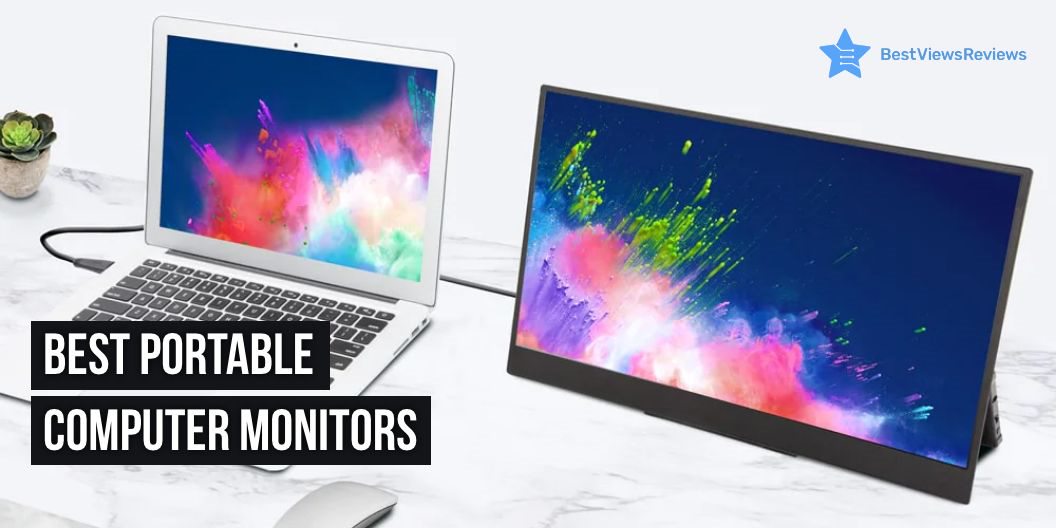
A portable computer monitor for business is a device that allows you to display your computer’s screen on a separate monitor, giving you more space to work on your projects. These monitors are usually lightweight and easy to transport, making them ideal for business trips or working from home. It usually has a high resolution, making them ideal for presentations or working with large amounts of data. Some models even come with built-in speakers, making them ideal for watching videos or listening to music while you work.

5 Things To Consider While Purchasing a Portable Computer Monitor

Screen Size

The usual screen size for a portable computer monitor for business is 13 to 15.6 inches. This size will give you plenty of space to work with when you are using your computer for business purposes. You will want to make sure that you have enough space to comfortably see what you are working on. The right screen size will allow you to have more space to work with and will also allow you to keep your work area more organized.

You can check a model like the top ViewSonic Portable Monitor that features 15.6 Inches high-resolution display for convenience.

Connectivity

A portable computer monitor for business comes with VGA, DVI, and HDMI connectivity. You should also consider DisplayPort, which is becoming more popular. DisplayPort is a digital display interface that offers more features and better performance than older technologies like VGA and DVI. The KYY Portable Monitor is equipped with 2 USB type-C ports that make it compatible with other devices.

Screen Resolution

The screen resolution of a portable computer monitor for business is 1920×1080. You should also consider the native resolution of the monitor. The native resolution is the number of pixels that the monitor can display. A higher native resolution will result in a sharper image. The reviews of Cocopar USB-C Portable Monitor are good because it offers 1080p resolution that ensures crisp-clear video quality.

Inbuilt Audio

The audio on a portable computer monitor can be important for business. You want to be able to hear your employees and customers clearly. The inbuilt audio on a portable computer monitor can make a big difference. Make sure to test the inbuilt audio on the portable computer monitor before you make your purchase. A portable monitor like the best Lepow Portable Monitor comes with dual speakers for good audio quality.

Refresh Rate

The refresh rate is the number of times per second that the image on the screen is refreshed. A higher refresh rate means that the image will be refreshed more often, resulting in a smoother image. The usual refresh rate for a portable computer monitor like the top KYY Portable Monitor comes with 60 Hz. You want to consider a monitor with a 120 Hz refresh rate if you are using the monitor for gaming or other high-intensity applications.

The Benefits of Using a Portable Computer Monitor

A portable computer monitor can be a great asset for anyone who needs an extra display while working on a laptop or desktop. Here are some benefits of using a portable monitor:

  • You can increase your productivity by having more than one display.
  • You can save space on your desk by using a portable monitor instead of a larger desktop monitor.
  • Portable monitors like Lenovo ThinkVision are usually lighter and more compact than desktop monitors, making them easier to transport.
  • Many portable monitors come with built-in speakers, making them ideal for watching videos or listening to music.
  • Some portable monitors come with USB ports, allowing you to connect other devices such as flash drives or digital cameras.

Choosing The Right As Per Your Need:

Battery Vs No Battery

There are a few things to consider when choosing between a battery-powered and a non-battery-powered portable computer monitor. One is portability. A battery-powered option may be best if you plan on using your monitor in different locations. You won’t have to worry about finding an outlet to plug into, and you’ll have the freedom to move around with a battery.

Another thing to consider is image quality. Battery-powered monitors often have lower resolution than their non-battery-powered counterparts. You may want to stick with a non-battery-powered monitor if you’re looking for a high-quality image.

Battery-powered monitors tend to be more expensive than their non-battery-powered counterparts. So if you’re on a tight budget, a non-battery-powered monitor may be the way to go.

For Productivity Or Gaming

The size of the monitor. You will want a larger monitor so that you can see more on the screen at once if you need a monitor for productivity. You will want a smaller monitor so that you can have a more immersive experience if you need a monitor for gaming.

The resolution of the monitor. You will want a monitor with a high resolution so that you can see more detail on the screen if you need a monitor for productivity. You will want the best gaming monitor with a lower resolution for a more responsive gaming experience.

The refresh rate of the monitor. Get a monitor with a high refresh rate so that you can see more on the screen at once for productivity. A monitor with a lower refresh rate will be enough for gaming. You can check the blog on the best 4K Gaming Monitor and get the 10 best options.

How Big Is A Portable Monitor?

A portable monitor is a computer monitor that is small and light enough to be easily carried around, making it ideal for use on the go. The size of a portable monitor can vary, but they are typically around 15.6 inches or less. Some portable monitors even come with a built-in stand, making them even more convenient to use. The quality Lepow Portable Monitor has a 15.6-inch computer display and 1920×1080 full HD IPS screen.

Conclusion

The portable computer monitor is a great product for those who want to have a computer that is easy to transport. It is small and lightweight, making it easy to take with you on the go. The monitor has a high resolution, making it great for viewing documents and web pages. The monitor also has a built-in speaker, making it easy to listen to music or watch videos. It is a great choice for those who want a computer that is easy to transport and has a high resolution.

BestViewsReviews helps you find the best video monitors and top-rated computer monitors on the market by rating and reviewing them on the basis of quality, convenience, and durability. Get unbiased, honest reviews of products before you buy.

6 Best Computer Monitors With Speakers in 2023

monitors with speakers

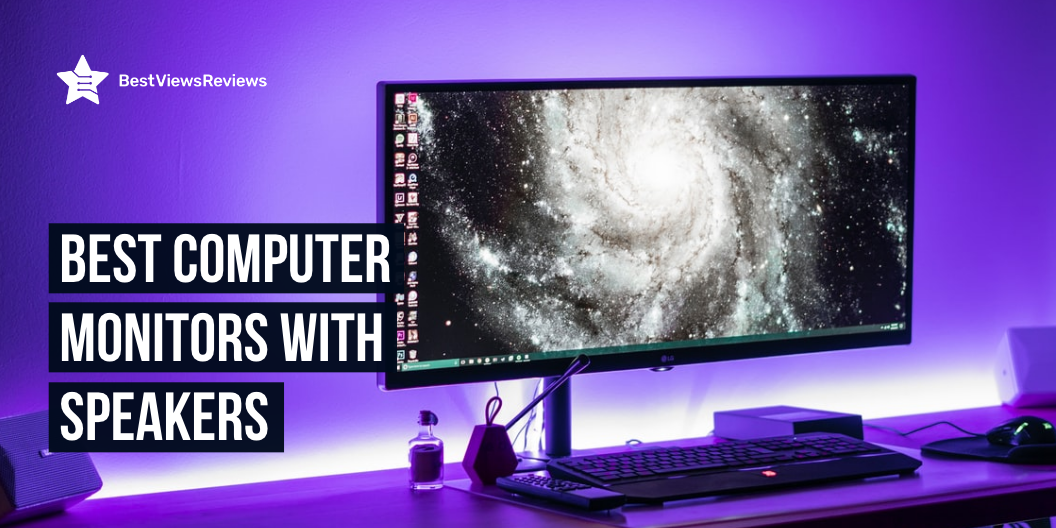
A computer monitor with speakers is a great way to improve your computing experience. You can enjoy high-quality sound without having to add any extra hardware if you have built-in speakers on your monitor. This can enhance your multimedia experience as well as boost your gaming experience. Many models of monitors with speakers also come with built-in subwoofers, giving you even deeper and powerful sound.

A gaming monitor is an output device that displays the gaming screen at high-picture quality to ensure that you never miss any gaming move. Take a look at our other blog on gaming monitors in which we suggest the 7 best gaming monitors for you.

6 Best Computer Monitors With Speakers in 2023

Cocopar USB-C Portable Monitor

The reviews of Cocopar USB-C Portable Monitor show that the model has the best value. It comes with dual USB Type-C and mini HDMI ports that offer a wide connection. The built-in speakers give free access to videos, games, movies, and more. This model has a super clear IPS A-grade screen with 1080p resolution and delivers stunning visuals with awesome color reproduction.

Lepow Portable Monitor

The reviews of Lepow Portable Monitor are good because it has a built-in dual speaker that delivers booming sound with crystal-clear audio quality. It also comes with a full HD screen that delivers stunning 1920 x 1080 resolution visuals. This model has an eye protection screen that prevents the eyes from getting tired during prolonged use. It has 60Hz refresh rate for butter smooth screen.

HP 24mh Computer Monitor

HP 24mh Computer Monitor has built-in 2W speakers that offer great audio output. This model has ultra-wide 178° horizontal and vertical angles that offer an immersive viewing experience. It has an FHD display with IPS technology that gives clear visuals with maximum resolution. This monitor comes with a maximum resolution of 1920 X 1080 At 75 Hz.

BenQ 27 Inch IPS Monitor

The BenQ 27 Inch IPS Monitor got positive reviews because it offers 178 wide viewing angle that offers clarity from any viewing angle. This model has an ultra-slim bezel that offers virtually seamless multi-panel configurations for an extended view. It has a built-in eye-care technology that helps prevent headaches and eyestrain. It has 27 inches full Hd Ips wide screen for a comfortable view.

Dell S2421HS Ultra-Thin Bezel Monitor

Dell S2421HS Ultra-Thin Bezel Monitor features an adjustable monitor that allows for a comfortable setup. This model comes with IPS technology that provides better image quality. It also comes with a 178°/178° viewing angle that offers a better viewing experience. It has a 24 Inch Full Hd 1080P display for an enjoyable experience.

Sceptre Curved 27″ 75Hz LED Monitor

Sceptre Curved 27″ 75Hz LED Monitor has a built-in high-quality speakers deliver robust and smooth audio. This model has fast response times reduces blurring while transitioning pixels. It has 75Hz refresh rate that offers a smooth viewing experience. The 1500R degree curved shape thoroughly immerses you in the gaming environment so you can identify any threats and possibilities before any of your rivals.

Most Important Features to Consider Before Buying

Performance/Display

The first factor to consider is the performance and display of the monitor. You want to make sure that the monitor you choose has a high-quality display that will be able to provide you with a clear and crisp image. Ensure that the monitor has excellent speakers that will provide you with clear and accurate sound.

Ergonomics

Another important factor to consider is the ergonomics of the monitor. You want to make sure that the monitor you choose is comfortable to use and that it will be able to fit into your workspace without causing any problems. Make sure that the monitor is adjustable so that you can find the perfect position for your needs.

Number of Ports

Make sure that the monitor you choose has enough ports to connect all of your devices. You also want to make sure that the monitor has at least two HDMI ports so that you can connect to your computer and your television. Check whether the monitor has a DisplayPort so that you can connect your computer to a projector or another display.

Are Built-in Speakers In Monitors Worth It?

The answer to this question may vary depending on the person. Some people may say that they are not worth the money, while others may say that they are worth the investment.

There are a few things to consider when trying to answer this question. The first is the quality of the built-in speakers. They are likely not worth the money if the speakers are of poor quality. Another thing to consider is how often you will use the built-in speakers. They may be worth the investment if you plan to use them frequently.

Why Should You Get A Computer Monitor With Speakers?

A computer monitor with speakers is a great way to improve your computing experience. The audio quality of your computer will be greatly improved, and you’ll be able to enjoy movies and games with enhanced sound. A monitor with speakers will free up desk space since you won’t need to use separate speakers. Many monitors with speakers come with built-in subwoofers for an even better audio experience.

Conclusion

The top-rated computer monitors with speakers come in a variety of shapes, sizes, and styles. Some are very basic, while others offer a variety of features. The most important thing to consider when choosing a computer monitor with speakers is the quality of the image and the sound. The best monitors will provide a clear image with rich colors and sharp detail. They will also produce clear, powerful sound.

4K curved monitors are a type of display technology that curves the image to the user and can reduce the eyestrain of a flat panel display. Read our blog and know the 4 best 4K curved monitors for yourself.

BestViewsReviews rates and reviews the top computer printers of 2023 and best-reviewed PC gaming keyboards based on quality, convenience, and durability.

Top 10 Tech Products For WFH(Work From Home)

tech products for WFH

Tech products for WFH are gadgets that help you multi-task and perform efficiently. Work from home has become a new normal and having the best tech products for WFH will make your work from home experience, easy-going and fun. These products mainly include Wi-Fi extenders, wireless keyboards, dual monitors, headphones, and more. This blog lists the top 10 tech products that you can bring home to improve your work efficiency and productivity in work from home environment.

Top 10 Tech Products For WFH

Wireless Keyboards

Wireless keyboards are input devices that offer a huge range of functionality, from typing to gaming and graphics editing. These keyboards come with Bluetooth connectivity, which allows you to connect them wirelessly to computers or other Bluetooth-enabled gadgets. Reviews of Arteck HB030B Universal show that this gadget is compatible with iOS, Windows, Mac OS, and Android tablets.

Smart Speaker

A smart speaker is a loudspeaker device that comes with smart features like voice-assistant features and alarm timers. You can use these speakers to listen to your favorite music and control your home’s other electronic gadgets. The Echo Dot (3rd Gen)-Smart speaker is a compact-sized gadget that has a fabric design and delivers richer and louder sound. It has got good reviews for its voice control features.

Wi-Fi Range Extender

Wi-Fi Range Extender is a device that is used to extend the range of a wireless network by creating a hop between the wireless router and the wireless client device. Installing a Wi-Fi range extender gives you more range of Wi-Fi. These extenders allow you to place your routers in a different room or in another building entirely. The reviews of TP-Link Deco Mesh Wi-Fi System suggest it is a great product when it comes to its coverage of 5,500 Sq.ft.

Headphones

Headphones are electronic devices that are used to play music and take calls on the phone by using hands-free operations. The top-rated Sony MDR7506 has a lightweight and portable design which makes it convenient to use. You can use headphones in many ways and in many places like at the gym, at work, at college, and in the car. They are a must-have WFH gear because they help you take professional office meetings at home, by eliminating external noises.

Robot Vaccum

A robot vacuum is a household cleaning appliance that helps you get rid of dirt and grime in hard-to-reach places like under furniture, in corners, and underneath furniture. You can also use this device to clean and scrub the floor without putting in any human effort. Reviews of Deenkee Wi-Fi/App/Alexa Robot Vacuum Cleaner mark it as one of the best-selling tech products for WFH.

Dual Monitors

Dual monitors allow you to have dual screens, in one computer. You can use them side-by-side, so you can always have the same information on both screens. This lets you do your work more efficiently and be more productive, while also enhancing the user experience. Dual monitors are useful in many areas of computing. They can be useful for productivity, gaming, creativity, and work. The Mobile Pixels Trio Max is a portable monitor that you can use while traveling and connect to your tablet, smartphone, or PC. You can read our blog to know if a touch-screen monitor is a worth-buying device.

Cup Warmer

The Cup Warmer is a small heater that works in the same way as regular kettles and hot water bottles. The warming process in cup warmers is quick and requires less energy. You can also use them in a home or workplace where a full-size kettle or hot water bottle is not required. The VOBAGA Coffee Mug Warmer comes with 3 temperature settings and an auto-shut-off feature that turns off this machine after 4 hours.

Multi-Port Adapter

A multi-port adapter is a connector device that has multiple ports to connect different gadgets at once. It allows you to charge up more than one device at a time. The ZMUIPNG USB C Hub Multiport Adapter has 10 ports with 3 USB ports and 2 HDMI ports. It has a power of 100 watts that allow you to charge laptops, tablets, and mobile phones. You can also use this device to connect hard disk, U-Disk, monitor, and mouse with laptops.

High Tech Office Chair

A high-tech office chair is an ergonomic chair that is designed to offer you a comfortable seating position when you are working. This chair prevents back pain, and muscle fatigue and allows you to sit for long hours. The OFIKA Home Office Chair is a big and tall chair that comes with features like the facility of adjusting height, lumbar back support, and a comfortable armrest. Read our blog to know how to choose the right office chair.

Wireless Charger

A wireless charger is a charging pad that can transfer power via electromagnetic induction. You can use this device to charge your phones, watches, earbuds, and other gadgets wirelessly. The WAITIEE Wireless Charger is a 5W fast-charging station that is compatible with most smartphone models like iPhone 13/12/12 Pro, Max/11 Series/XS, and more. This charger has a charging base with an anti-slip silicone design.

Conclusion

Tech products for WFH are devices that make your work life easier. You can go with gadgets that are equipped with advanced features and help in increasing your productivity. These gadgets will transform your home space into a comfortable workspace where you will get efficient work results. An organized home office is a necessity for any busy professional. A place where everything is organized keeps your work life stress-free.

BestViewsReviews rates and reviews the best products on the basis of quality, convenience, and durability.

4 Best 4K Curved Monitors

4K curved monitors

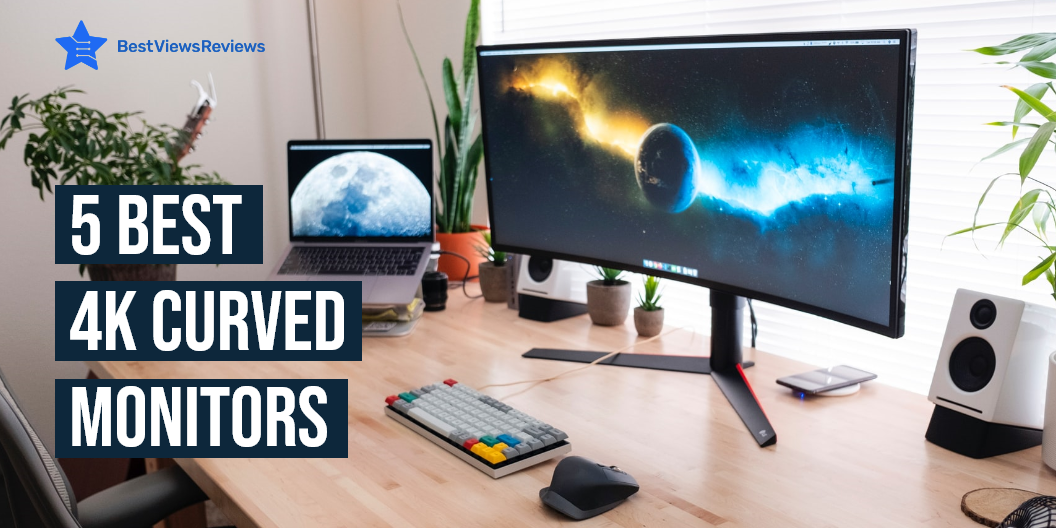
4K curved monitors are a type of display technology that curves the image to the user and can be used to reduce the eyestrain of a flat panel display. They also allow the user to view more content at once which results in a better experience. Curved monitors are also used in applications like gaming where a good view of the action is important. You can find these monitors in different sizes and with advanced features.

4 Best 4K Curved Monitors

Philips 328E1CA Curved Monitor

Philips 328E1CA is a 32 inches 4K UHD monitor with 1500R curvature and 3840×2160 pixels. The mega Infinity Dynamic Contrast Ratio of this monitor offers deeper blacks and brighter colors. This model also comes with effortlessly smooth gameplay with Adaptive-Sync technology. It comes with flicker-free technology and low Blue mode to reduce eye strain.

SAMSUNG UR59 Series

SAMSUNG UR59 Series is a 1500R curvature that delivers an immersive and comfortable viewing experience. This monitor minimizes eye strain during long working hours with Flicker-free and eye saver mode reducing blue light emissions. You can connect this monitor with multiple devices like laptop, PC, desktop computer, mac, and MacBook pro. It is also compatible with Xbox and PS4.

AOC CU32V3 Monitor

AOC CU32V3 monitor is a widescreen monitor with 4K UHD 3840×2160 resolution. It displays more accurate colors with wide-viewing angles that conform better to the natural curvature of your eyes. The low blue mode of this model reduces the amount of harmful blue spectrum of light to help prevent damages.

Dell S3221QS Monitor

Dell S3221QS 4K monitor comes with a curved 1800R screen that expands your field of vision and provides a wrap-around view for an immersive movie experience. It also has a flicker-free screen with ComfortView that reduces harmful blue light emissions and optimizes eye comfort. The customer reviews of Dell S3221QS monitor claim that its 4K UHD resolution offers immersive viewing in incredible clarity and fine details. It also has dual HDMI ports that help switch between streaming and console gaming easily.

What Are The Benefits Of a 4K Curved Monitor?

There are many advantages offered by a curved monitor. These monitors offer a more immersive viewing experience. Curved monitors also take advantage of their shape and reduce distortion. The curvate of these monitors allow your eyes to take everything at once without strain. They also have a wider field of view and are great for gaming purposes as well.

Do Curved Monitors Take Up Less Space?

The answer is No. Curved monitors generally take a lot of space. They take up more space than flat monitors. Curved monitors have a widescreen that’s why they require more space. You can consider buying vertical monitors if you are looking for a space-saving option. Read our blog on vertical monitors to know more about them.

How Far Should You Sit From A Curved Monitor?

You should sit around 3 meters away from the monitor if it has a 3000R curvature. Your viewing experience might get less than perfect if you exceed this distance. You won’t be able to see the screen completely if you reduce this distance.

How Much Do 4K Curved Monitors Cost?

The price of these monitors mainly depends on their size and the features they offer. The cost of 4K curved monitors usually varies between 200-400 dollars. Some high-end models may also go up to 600-700 dollars.

You can also find touch monitors on the market that offer convenience and the latest technologies. You can read our blog on touch screen monitors to know they are worth it or not.

Conclusion

Curved monitors are a great option for users who are looking for an ergonomic display solution. A curved monitor can help reduce neck strain while offering an immersive experience. They are also comfortable on the eyes. Many curved monitors like Samsung 4K monitors are also built with high refresh rates that make them great for gaming.

BestViewsReviews rates and reviews hundreds of top-selling monitor arms and best computer monitors on the basis of their size, build quality, and design.

10 Work From Home Essentials

work from home essentials

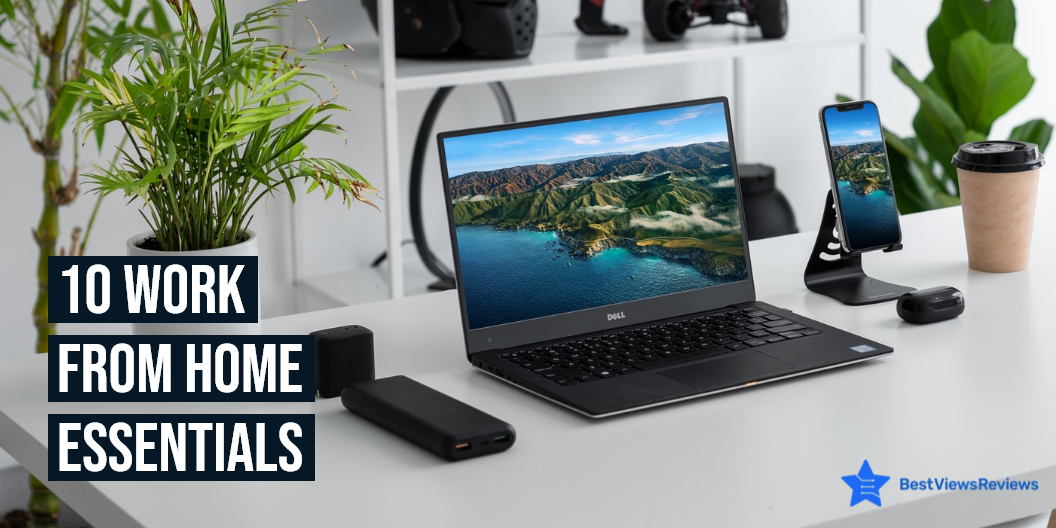
Many people are working from home these days. While there are several benefits to working from home, long hours can take a toll on your health. You’ll need a few work-from-home essentials like laptops, monitors, home desks, etc to help you to improve productivity while working from home. You can create a home office with all these essential gadgets and having the right tools will make your work more efficient and comfortable.

10 Work From Home Essentials

Laptop

Laptops are the most important gadgets when it comes to working from home. They are compact in size and offer much more flexibility than a desktop. They are portable so you can switch your position from one room to another easily. Apple MacBook Air’s reviews say that its 2.96 pounds lightweight design makes it easy to carry around. They have a great storage capacity and are equipped with the latest technologies.

There are both touch screen and non-touchscreen laptops available today. Both come with their own advantages and disadvantages. Read our blog on touch screen vs non-touchscreen laptops to know which is better.

Home Office Desk

A home office desk will give a more official feel to your workspace at home. These desks are available in classic designs that will amp up the look of your workspace. You can keep your laptop, mouse, and other work essentials on this desk. Mr IRONSTONE is a nice foldable office desk that can also be stored easily.

Keyboard

The keyboard is another device that is essential for working from home. A high-quality keyboard will let you type comfortably and increase your productivity. You can even find wireless keyboards to make your work convenient. Arteck HB030B’s customer reviews mark that it is a good quality backlit wireless keyboard.

Monitor

Monitors can improve your work quality if you spend a good part of your time looking at the computer screen. USB-C Portable Monitor’s reviews claim that it comes in a lightweight design that offers easy portability. Keeping a monitor along with your laptop will help you manage tabs better. Browsing different tabs on a single screen can be messy and time-consuming. You can find monitors in different shapes like vertical, curved, etc. Vertical monitors show text vertically that is easy to read. Go through our blog on vertical monitors to know more about them.

Wi-Fi

A good internet connection is always important to get your work done on time. Always choose Wi-Fi that offers excellent speed, smart features, and ease of use. The customer reviews of NETGEAR Orbi show that it eliminates dead zones and buffering that ensures high speeds. A good Wi-Fi connection will make your video conferencing, web browsing, and other tasks easy and quick.

Office Chair

A high-quality office chair will keep you comfortable during those long hours of work. It will also protect you from back pain and long-term injuries. Office chairs like Office Chair Ergonomic also help to improve your posture. These chairs also allow you to adjust their height according to your preference.

You can also read our buying guide on office chairs to make an informed and better purchase.

Headphones

Headphones play a major role during work calls and video conferences with your colleagues. They come with noise-canceling technologies that prevent any external sounds. Most of the earphones these days like JLab Go are wireless and compact so you can carry them anywhere you want.

Paper Shredder

A paper shredder like Amazon Basics Home Office Shredder helps you to dispose of the trash safely. Some official documents contain important information like your account number so you cannot directly throw such documents. This device will cut your documents in such a way that nobody will be able to retrieve your information.

Printer

A good printer is necessary at times when you need physical copies of documents in your hand. This device will let you print documents quickly. You can organize your work better if you have these hard copies with you. Printers like HP DeskJet 2755e are wireless and compact in size and won’t take much space.

File Cabinet

A file cabinet is an essential work-from-home item that lets you organize your documents. There are chances of losing documents if you keep them scattered all over the place. A file cabinet like Lorell 16873 2- File Cabinet is a place where you can store your files and other documents safely. This way you will be able to find your important papers quickly when required.

Conclusion

Working from home can be a great arrangement if you have the right tools and gadgets. These work-from-home essentials will help you reach your goals by helping you avoid distractions. These tools let you complete your work quickly and efficiently in the comfort of your home. Health and wellness are also important when you are doing work from home. There are a ton of wellness-related freebies and free samples out there for testing.

Since the pandemic happens, the working culture has shifted for many professionals, whether they are freelancers or full-time employees. People are increasingly interested in working from home. Choosing the ideal place to work has numerous advantages such as increased productivity and improved time management. Working from home offers numerous advantages of its own.

BestViewsReviews rates and reviews hundreds of top-quality office desks and best-reviewed laptops on the basis of their build quality, design, and size.