Know How Do Walkie Talkies Work?

walkie talkies

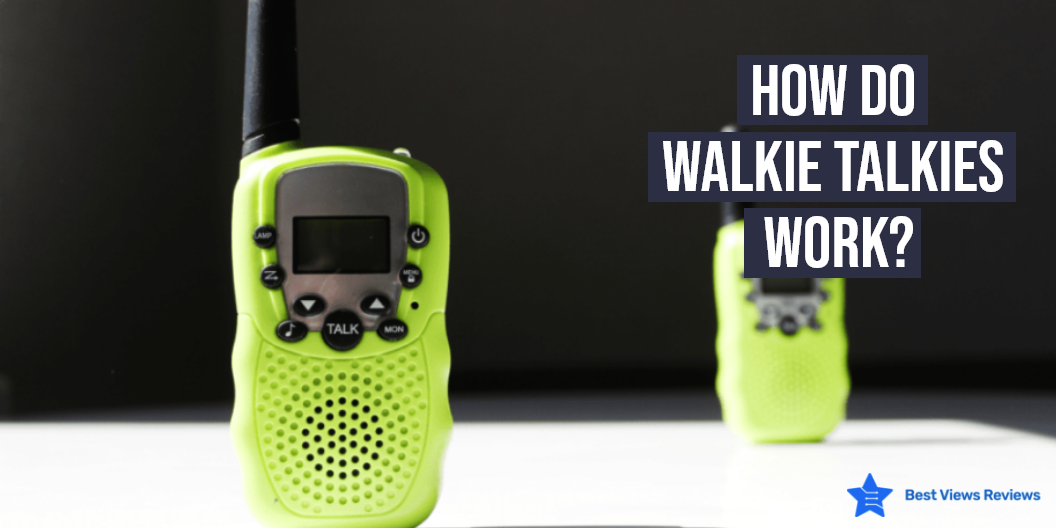
A walkie-talkie is a portable device that helps you communicate during emergency situations with the availability of different channels. It offers seamless communication in the absence of a network. This portable communication equipment works on the push-to-talk technology, which allows only one person to talk at a time. There are many benefits of walkie-talkies and having one at your disposal can offer you an efficient and affordable way of communication.

How Do Walkie Talkies Work

Radio signals

The push to talk button helps you communicate by converting your voice to radio signals in long-range walkie-talkies. These radio signals are part of the electromagnetic spectrum and travel at the speed of light to reach the channel towards which the signal has been aimed. 

In some situations, you might also experience interference in the communication which happens because too many frequencies can be communicated at once. The message becomes difficult to pass through in such situations. Walkie-talkies have improved with the advancement in technology now. You can also transmit messages seamlessly through jammed airways with many advanced models. 

FRS/GMRS radios 

Family radio service and general mobile radio service are the two frequencies that have been allotted for public use and operate at 460 MHz in wireless walkie-talkies. FRS operates at low power and works well for short-range communication. GMRS on the other hand is more powerful and offers long-range communication. The message also transmits farther using repeaters. The BaoFeng BF-F8HP has got positive reviews for its VHF range of 136-174 MHz(Rx/Tx) and UHF range of 400-520 MHz(Rx/Tx).

CTCSS/DCS

The continuous-tone code squelch system and digital coded squelch technologies are used in industrial walkie-talkies. In these, encoding takes place to eliminate the mixing of voices. Sometimes you might hear a stranger’s voice on the device when you are on the same channel. CTCSS/DCS technology prevents this from happening.

The devices like Winehouse Walkie Talkies are kid’s toys that are waterproof and include 3*AA1000mAh batteries. They have got good reviews for Auto-squelch technology that reduces interference.

What Are The Components of Walkie Talkies?

A walkie-talkie like best BAOFENG UV-5R is a handheld communication device that comprises many components for smooth working. The main components of walkie-talkies are as follows.

  • Microphone/Speaker- Microphone is used for recording audio and sending audio messages. Loudspeakers allow you to listen to the received audio messages
  • Antenna- It is responsible for transferring and receiving radio waves and other signals
  • Function Buttons- They are used for changing device settings and channels.
  • LCD Display- The LCD display is to show current frequency, channel details, battery level, and more.
  • Battery- It provides power to the device. A walkie-talkie may take AA or AAA batteries.

Walkie-talkies like NEHOPE Walkie Talkie have some other components too. They equip on/off switch, volume button, LED light indicator, transmit call tone, monitor, and PTT button.

How to Use Walkie Talkies?

A walkie-talkie is a two-way radio communication device that you can use to communicate with your group of friends or mates. It has different frequency bands, called channels. All individuals have to switch to the same channel to be able to communicate with each other. The loudspeaker stays on by default and switches to the microphone when you press the push-to-talk button for speaking. You can give your message by pressing the PTT button and other members in the same frequency channel will get the message.

This device is half-duplex which means only one individual can speak at once. This is because a single channel sends single only in one direction. Other members will have to wait for your message to get over first. This is not the case in full-duplex devices like the telephone, where you can speak and listen at the same time.

How Long Do Walkie Talkies Last?

Most walkie-talkies last for about 18 to 24 months with their batteries losing their charge. The rechargeable batteries can last for up to 12 hours on a single charge. In many models, the batteries may take around 3 to 4 hours to get fully charged. The rechargeable batteries are more durable and have a life of about 3 years. You can anytime replace the batteries of your selected model if you are using this device extensively.

The reviews of Arcshell Long Range Two-Way Radio show that it is a compact, rechargeable model that uses 2 1500mAh high capacity Li-ion batteries.

Conclusion

Walkie-talkies are budget-friendly gadgets and provide instant connectivity. They are used for group communication. The uninterrupted service is provided throughout emergencies and the interaction is also clear in most instances. We also have a dedicated buying guide for a walkie-talkie to help you with your first purchase.

BestViewsReviews rates and reviews the best long-range walkie-talkies and two-way radios based on their popularity, demand, and standards.
Smart Thermostat: Is it Better Than A Traditional One?

smart thermostat

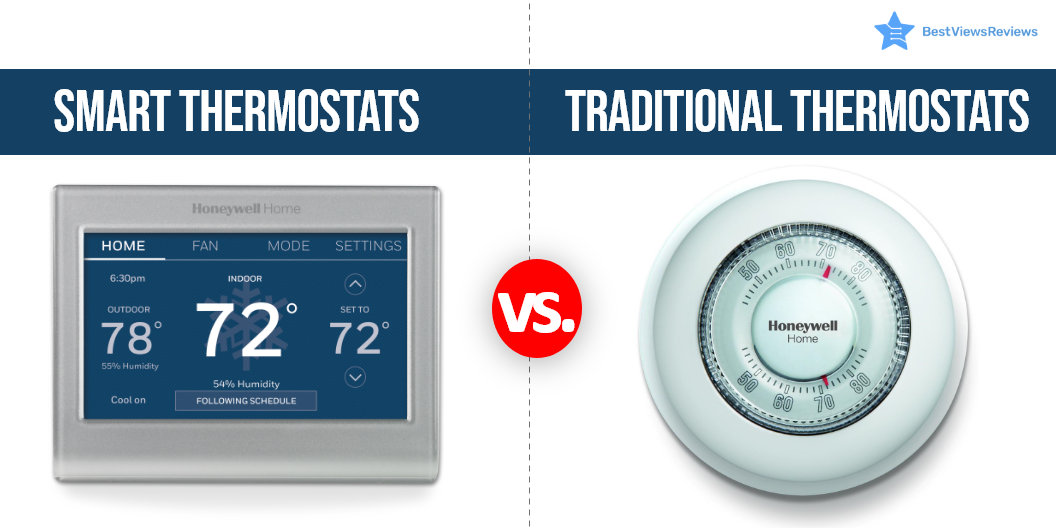
A smart thermostat is an electro-mechanical device that regulates the temperature of any specified environment. This device has a sensor that senses the temperature, humidity, and other air-affecting variables. It keeps the room temperature at a constant level or a pre-set level. Traditional thermostats and smart thermostats are types of thermostats and can be installed as central heaters, air conditioners, and HVAC systems too.

Smart and traditional thermostats differ in features as well as functions. Read on to learn about types of thermostats.

Are Smart Thermostats Better Than Traditional Thermostats?

Programmable

Traditional thermostats have programmable temp settings. You can change temp levels from the dial buttons. Once you make changes as per your convenience, the device will increase or decrease the temp to bring it to your desired level.

Smart thermostats are an advance in this regard. You can adjust the temperature remotely and the device will begin working even before you enter the house.

Remote Access

Traditional models do not offer a remote control feature, while a smart model lets you make temp adjustments remotely. Most smart devices have apps that run on your phones, laptops, as well as tablets.

Thermostats have different types and each type has different advanced features. You can read through our blog to buy the best pet-friendly thermostats for your pets.

Automatic Temperature Adjustment

Smart units have an automatic temp adjustment feature. They adjust temp settings as per your pre-set values. They automatically sense environmental changes and adjust to your temp preferences as well.

This feature is not available in traditional variants. They don’t automatically change the temperature. It is necessary to adjust these machines manually according to the temperature you desire.

The Google T3021US is an auto-programmable device that will learn from you and will program itself. It has got excellent reviews for its home/away assist feature.

Data and Reports

Smart thermostats provide you monthly or weekly reports of energy usage and heating or cooling time. These reports are accurate and help you track your energy consumption and know how long you stay in a cool or hot environment. These devices also give alerts if your AC or heater units start malfunctioning. Traditional thermostats don’t provide any reports or data. To know your monthly energy consumption with traditional units, you have to tack it manually.

Reviews of Honeywell YTH6320R1001 show that it is one of the best-selling thermostats on the market. It uses Red-link wireless technology to prevent interference with other wireless devices.

Will Smart Thermostat Work Without Wi-Fi?

The answer is yes. Smart thermostats can function without Wi-Fi, but you have to adjust temperature levels manually. It will not be possible for you to access your device remotely. A variety of advanced features will be lost too. It is advisable to use your smart thermostat with an active Wi-Fi network. Read our blog to find top wireless thermostats.

Is Smart Thermostat More Accurate?

Smart thermostats are popular for their precise controls and intuitive working. They are accurate and are programmed as well to suit your temp preferences. Unlike traditional thermostats, they do not require manual programming. They deliver accurate results and regulate your room temp by learning your behavior.

Buy Best Smart Thermostats

Heagstat Thermostat

The Heagstat Thermostat is a non-programmable model that comes with a sleek, classic design that complements any décor. It features an easy-to-read screen with an intuitive interface to help you to set and adjust temp. This model is compatible with heating, cooling, and heat pumps without auxiliary heat.

Honeywell TH5110D1006

The Honeywell TH5110D1006 is the ideal Smart Thermostat for your home. The intelligent system of this thermostat makes it easy for you to control the temperature of your home. This device also provides you with information about the climate in your home. It is a dual-powred model that supports battery as well as hardwired connection.

Emerson Sensi Wi-Fi Thermostat

The reviews of the Sensi Wi-Fi Smart Thermostat show that this model offers wireless control of your heating as well as cooling systems to ensure you’re comfortable at all times. The sleek touchscreen display allows you to program conveniently, monitor, and adjust settings with a smartphone, tablet, or computer. It also has a good energy star rating that helps you save on your entry costs.

Conclusion

Switching to a smart thermostat and upgrading from your old model is a great idea. Life becomes easy and comfortable with the smart thermostats and their smart controls. The smart thermostat adapts to the weather changes quickly. Make sure the weather is stable before you scrap your old thermostat.

BestViewsReviews rates and ranks hundreds of smart and programmable thermostats based on build quality, battery, and power output.

The Best Sound bar and Reasons to Use It

sound bar

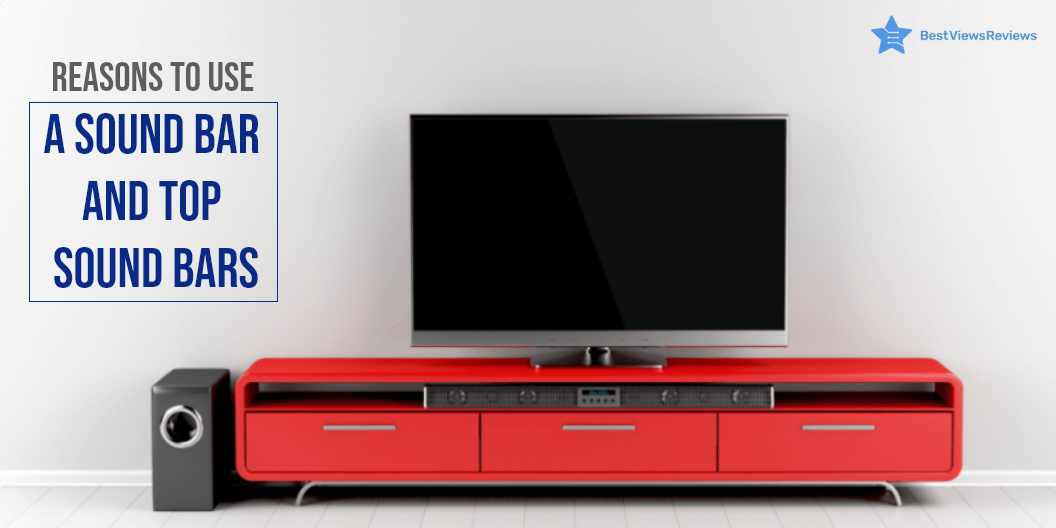
A sound bar is a type of loudspeaker with a large enclosure that projects audio. It’s an extended speaker with a number of built-in small speakers that can create a wide sound field. The sound bar has its own amplifier to control these speakers, as well as numerous connection options for connecting your equipment to your TV. The usual sound bar can be fixed on the wall beneath the television or put on the television’s furnishings.

Soundbars exist in a variety of shapes and sizes, ranging from narrow and small to huge and thick. A larger soundbar with more small speakers creates a wider sound field for a better experience. Read our blog to find the 5 best soundbars under $200 in 2022.

Why Should You Buy a Soundbar?

Improves the Sound Quality Significantly

The soundbar gives a big audio boost and improves your TV viewing experience. It adds amplification and points the sound in the proper direction instead of directing it towards walls and the floor. You can enjoy the same volume with deeper bass and a good balance of low, medium, and high frequencies.  

Affordable

You can buy a high-quality soundbar for under $200. On the high end, they come with rich bass sound, stable frequency, built-in speakers, etc. Soundbars are often cheaper than extensive home cinema systems.  

Compact

The most important benefit of a soundbar is its compact size and design. It is a speaker with an elongated design, that you can place near your TV or can take along on long trips. This speaker delivers a good and immersive sound and you can set up this gadget in a few simple steps.   

Bluetooth and WiFi

Most soundbars are equipped with a Bluetooth connection. The Bluetooth-enabled soundbar allows you to listen to MP3 music or any other digital audio format from the smartphone, tablet, or any other external device. 

Simple Installation

The installation of a soundbar is simple and easy. Usually, you only require one cable to connect it to your television and another to its power source. Many models also include an installation guide for your convenience.

Power

Compared to the TV speakers, the soundbar offers more power. A soundbar usually uses 20-50 watts. The wattage increases when you attach a subwoofer, a rear speaker, or other additional devices.

Best Sound Bar in 2022

ZVOX Dialogue Clarifying Sound Bar

The reviews of ZVOX Dialogue Clarifying Sound Bar show that it is a great way to improve your TV watching experience. This soundbar features patented hearing technology and twelve levels of voice boost, making it easier to follow the dialogue in your favorite shows. It also has a 30-day home trial so you can try it out risk-free. The AccuVoice AV157 TV Speaker is a great choice for anyone looking for a better way to enjoy their TV.

PHEANOO Sound Bar with Subwoofer

The reviews of Pheanoo Sound Bar mark it as a superior surround sound system that works with 4K and HD TVs. It has Bluetooth 5.0 enabled for easy connectivity and superior sound quality. The soundbar has a maximum output power of 200 watts and comes with a 3.5 mm audio cable and USB cable for easy installation.

XIAOMI Computer Speakers

The top-reviewed XIAOMI Computer Speakers are HiFi Stereo Bluetooth 5.0 USB Powered Computer Speakers that are perfect for your desktop, PC, laptop, or tablet. With a powerful 6-watt output, these speakers provide dynamic sound that will fill any room. The RGB LED lights to provide a fun and festive look, while the Bluetooth connectivity and 3.5mm aux-in connection make it easy to connect to any device. The USB power cable makes it easy to keep these speakers powered up and ready to go.

Polk Audio Signa S2 Ultra-Slim TV Sound Bar

The Polk Audio Signa S2 Ultra-Slim TV Sound Bar is your best go-to choice if you are looking for an amazing sound experience while watching your favorite movies or TV shows. This soundbar is designed to work with 4K and HD TVs and provides a wireless subwoofer for an immersive sound experience. The Signa S2 also includes HDMI and optical cables and is Bluetooth enabled for easy connectivity.

VIZIO V-Series 5.1 Home Theater Sound Bar

The VIZIO V-Series 5.1 Home Theater Sound Bar with Dolby Audio delivers an immersive sound experience with powerful bass. The sound bar features Bluetooth connectivity for easy streaming, and the wireless subwoofer provides deep, powerful bass. The sound bar is also voice assistant compatible, making it easy to control your music and hands-free. The included remote control makes it easy to control your sound bar, and the sound bar is also wall-mountable for easy installation.

PHEANOO Sound Bar

The PHEANOO Sound Bar comes with a subwoofer. It has a 5.25inch driver with a 60W stable frequency of 45Hz ultra-bass. The 2*2.75inch treble drivers provide you crystal clear sound with less than 1% total harmonic distortion. It offers multiple connections like Bluetooth 5.0, HDMI ARC, Optical, AUX, and USB connectivity. 

TOPVISION Sound Bar

TOPVISION Sound Bar as per customer reviews is one of the top-ranking products in its category. It is a 36-inch sound bar that is surrounded by 6 speakers. It supports multiple inputs like AUX/RCA, optical fiber, HDMI, and USB. Two 2″ full-range driver mid, and exclusive Power Bass technology contribute to intense low frequencies and 80dB of clear sound. This soundbar measures 35.43 x 3.39 x 2.76 inches in size.

You can also get the ultimate sound experience with the iLive Soundbar. Read our blog for the best iLive Soundbar of 2022.

Soundbar- FAQs

How Much Should I Spend on a Soundbar?

The price of a decent soundbar typically ranges between $200 to $600. It also depends upon your needs and how much you’re willing to spend. You can get one for as low as $100. Some of the high-end products can also cost around $1000.

How Long Does a Sound Bar Last?

A soundbar usually lasts for 6-16 years. The new amplified soundbar is expected to operate for up to 7 years. A ‘passive’ soundbar has fewer electronic parts and can last up to 16 years or more.

Does the Soundbar Work with Any TV?

Yes, a soundbar works with all TV sets. The technologies that they use to connect to a TV are optical cables, HDMI cables, Wi-Fi, and Bluetooth. To select a soundbar that will work with your television, you must first determine the type of connection you require. This will help you to acquire a sound system for your television that will provide you a great audio experience.

Conclusion 

A soundbar is best for individuals who wish to improve the sound quality of their TV but have a limited budget and small installation space. Larger spaces can also be offered with outstanding sound quality. The soundbar cannot replace a full surround system in terms of sound quality but its size and portability make it perfect for places with limited set-up options.

You can keep your audio experience on point with the best LG soundbar of 2022. From powerful bass to crystal-clear treble, find the perfect soundbar for your home setup in our other blog.

BestViewsReviews rates and reviews the best smart speakers of 2022 and top-selling sound bars on the basis of quality, convenience, and durability.

Best Furniture Sliders for Fitness Routine

furniture slider

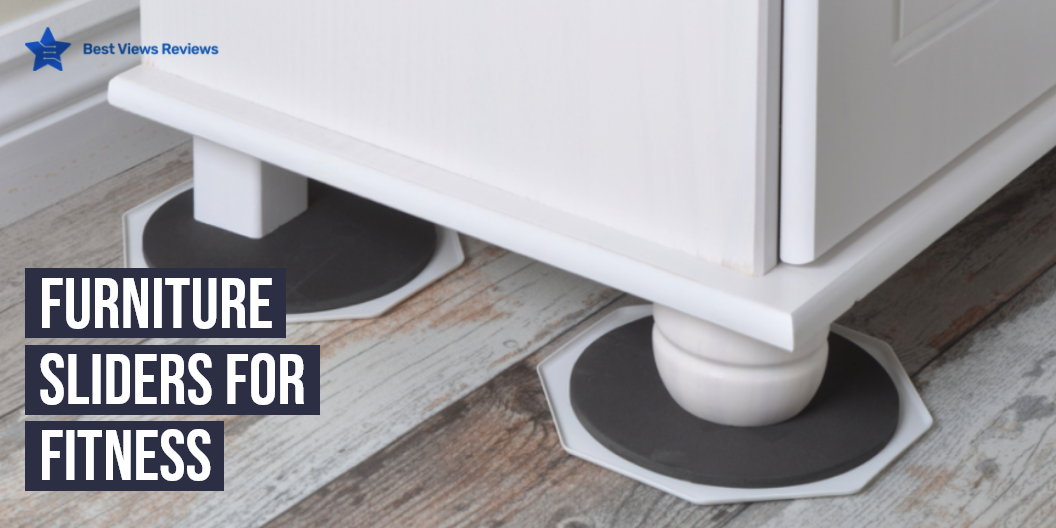
Furniture sliders for fitness are used to enhance your core workout. They are the ultimate Gen-X exercising technique that helps you stay fit and in a good shape. The reason behind this strange exercise accessory is the friction factor that increases between the body and the core when you try these Furniture Sliders while exercising. There are many advantages of using furniture sliders. You can read our blog to know more about the advantages of using furniture sliders.

Can I Use Furniture Sliders For Exercise?

Furniture sliders can be used for exercises like squats, lunges, etc to make them challenging. Such sliders strengthen your core and make you feel energetic and strong. The tough grip by your toes and fingers on the slider while engaging the core muscles is one of the most effective exercises for the abs and the lower body. Felt Sliders X-PROTECTOR reviews show that it comes with rubber foam that allows to securely grip furniture.

Exercises You Can Do Using Furniture Sliders

Body Saw

This exercise needs you in the plank form with your legs spread parallelly but on the sliders. Engage your core now and start pulling your legs towards your body by dragging the slider towards the shoulder. Smart Surface 8295 is a nice option that you can consider if you are looking for a furniture slider. This is great for doing abs workouts and a suitable form of cardio.

Slider Mountain Climber 

Put your entire body weight on your forearms and maintain the plank position. Keep your toes firmly planted on the sliders, one on each, and slowly start moving your right leg towards the shoulder, followed by your left leg. This motion should match a person trying to climb a mountain while staying parallel to the ground. The customer reviews of CO-Z Furniture Sliders claim that it comes in a versatile design making it suitable for all types of floors.

Croc Walk with Sliders

This involves you keeping your palm firmly planted on the ground and your body to maintain a plank position. Your feet should be stretched out parallel to the ground. Now on the count of three try moving your body forward with your hands matching the movement of crocodile arms. Try covering 10 yards with this while you keep your body and legs straight. SuperSliders 4764095N’s reviews show that they are reusable and come with a secure grip.

Oblique Tuck-in

This allows you to form the plan position at first. Only one of your legs will rest on the slider like Furniture Sliders for Carpet X-PROTECTOR with the other leg crossed over at the ankle. Slowly bring your legs towards the chest and go back to the plank position again. Repeat the same about 10 times.

Reaching Push-Ups

Reaching pushups are one of the best upper body exercises. You mostly rely on just one arm while doing reaching pushups. You have to get in a pushup position with one hand on the disc. Slide the disc out in front while lowering down. Push yourself back to the starting position and slide the disc back. We have reviewed some of the best furniture sliders that you can consider buying.

Lunges

Reverse lunges are the best type of lunges that you can do using slider discs. They are great for both quad and glute strength. You have to stand with your feet together with one foot on the slider. Slowly slide one leg back while bending down both your knees. You can lean slightly forward to stress your glutes more.

Wax On, Wax Off Planks

Wax on, wax off planks are also known as plank circles. You can try this exercise if you want to challenge your core. Get in the pushup position with both your hands on the sliders. You should move one arm in a clockwise circle for a set amount of reps after that. Do counterclockwise circles after finishing the clockwise one. You can then switch your arms and repeat.

Furniture slider can be used for a lot of purposes other than fitness like for moving furniture. You can read our blog on furniture sliders to know more about them.

Conclusion

These are a few of the exercises that you can begin with. The internet is filled with challenging exercises using sliders and one can only imagine the amount of impact it creates on the body. Since such exercises engage your core more than the others they usually yield quick results. Such multitasking and versatile gizmos are rarely found and should be taken advantage of when you can.

BestViewsReviews rates and reviews hundreds of home gyms and furniture pads on the basis of their design, durability, and sturdiness.

Apple Watch Series 5 Vs Galaxy Watch Active 2

Apple watch 5 vs galaxy watch 2

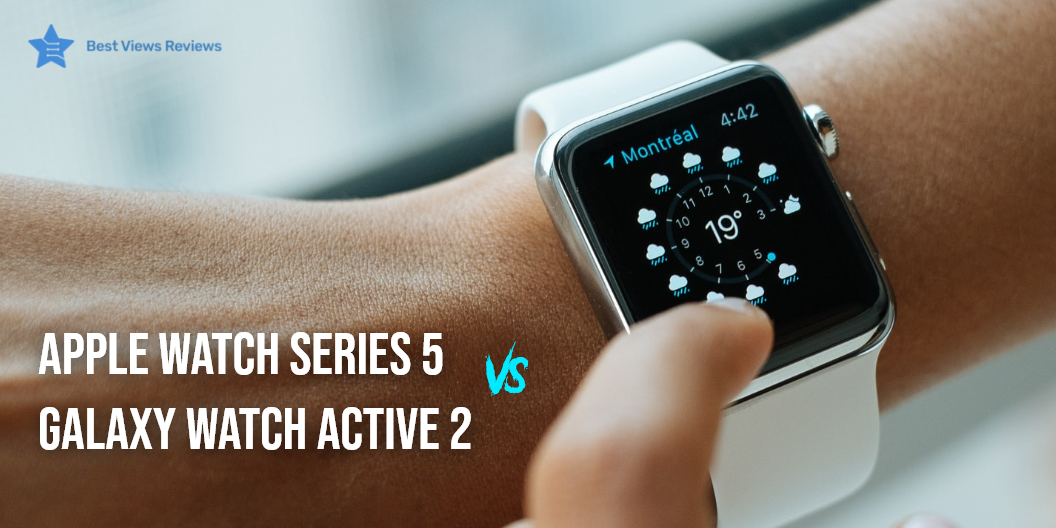
Apple smartwatches are smart wearable gadgets that offer many features and unmatched comfort. The market has many new brands that compete against Apple to deliver the same excellent performance as Apple products. The watch can help you track your fitness regime and can also act as your mini phone. All apple models have great features and versatility but the newer models have an edge over the older variants. It is good to know the comparison between Apple watch 5 vs galaxy watch 2 before choosing any final model.

Best Apple Watch To Buy

Apple Series 3

The reviews of apple series 3 show that it is one of the best watches in the market if you’re on a budget. It is available in two display sizes of 38 and 42mm. This watch supports the latest OS. Its fitness tracking sensors are on point. It has a heart rate monitor but it does not have ECG functionality. These watches can conveniently pair with Bluetooth earbuds for maximum sound clarity and uninterrupted hearing.

Watch Series 3 (GPS, 38mm) 

The Apple watch series 3 (GPS, 38 mm) is a white spot band that features an aluminum silver case. This model has a screen size of 38 mm with GPS compatibility. You can connect this watch with iPhone 5s or later models. The wireless connectivity option in the form of Bluetooth offers you the convenience of setting up your watches in a just few minutes. This model uses WatchOS operating system.

Apple SE (GPS, 40mm)

The Apple SE (GPS, 40mm) is a gray color variant of apple watches that allows your daily fitness activities. You can also track new tai chi and pilates workouts along with activities like running, yoga, swimming, and dance. It has a heart rate monitoring sensor that gives you a notification, in case of irregular heart rates. This model has got good reviews for its sturdy build.

Apple Watch Series 6

The Series 6 Apple Watch has a display size of 44mm. The large always-on display, ECG, compass, and latest OS 6 and the ability of the watch to adjust to your ambient lighting make it a wonderful wrist companion. You can leave your phone at home and stay connected with your family and friends with the LTE version.

Apple Watch Series 4

This advanced Apple Smartwatch Series 4 offers both GPs + cellular features and is equipped with optical and heart rate sensors along with an ECG app. It also includes a 30% larger display, 50% louder speaker, and an efficient 64-bit dual-core processor. You can call this Apple Series 4 Watch, a technological achievement.

Deciding between Apple Watch Series 5 Vs. Galaxy Watch 3 can be confusing. Read our blog for more clarity.

Should You Get the Apple Watch with LTE?

It is not mandatory to go for an apple watch with LTE. A watch with LTE can cost you 100 dollars more. Apart from the premium, you might also have to pay your cellular service monthly to enjoy the features. LTE isn’t exactly a must-have if you carry your iPhones with you, all the time. The added benefit of LTE can be useful but the final choice depends upon how often you want to carry your watch without your iPhone.

What Can You Do on an Apple Watch?

You can do a lot of things on an apple watch. The wristwatch can provide you with call and message notifications. The fitness tracking can be done with apple watches as they track all workout variables including calories, exercise time, etc. Many models also let you monitor heart rate and also give notifications when the heart rate fluctuates irregularly. The ECG feature that you get in series 4 and above is also useful.

How Long Does the Battery of the Apple Watch Last?

The battery of an apple watch like Apple Watch SE lasts for about 18 hours. This gives you all-day usage and you can use your gadgets seamlessly without having to charge after every few hours. Check out our blog to get the list of the best hybrid smartwatches of 2022.

Best Apple Watch: The Final Verdict

It can be tough to decide between Apple Watch Series 5 Vs Galaxy Watch Active 2. Apple watches are known for their sturdy build, durability, and stylish appearance. The series 6 is the advanced apple smartwatch series. Series 3 and Series 5 are the only variants that you’ll find readily available at Apple Stores. Series 4 can only be purchased through other stores that deal with refurbished variants. We recommend you buy apple products after considering important factors. Read our blog for a detailed comparison between Apple Watch Series 5 Vs. Samsung Galaxy Watch 3.

BestViewsReviews rates and reviews hundreds of smartphones on the basis of quality, durability, and convenience.

Samsung Galaxy Watch 3 Vs Galaxy Watch

Samsung Galaxy Watch 3 Vs Galaxy Watch

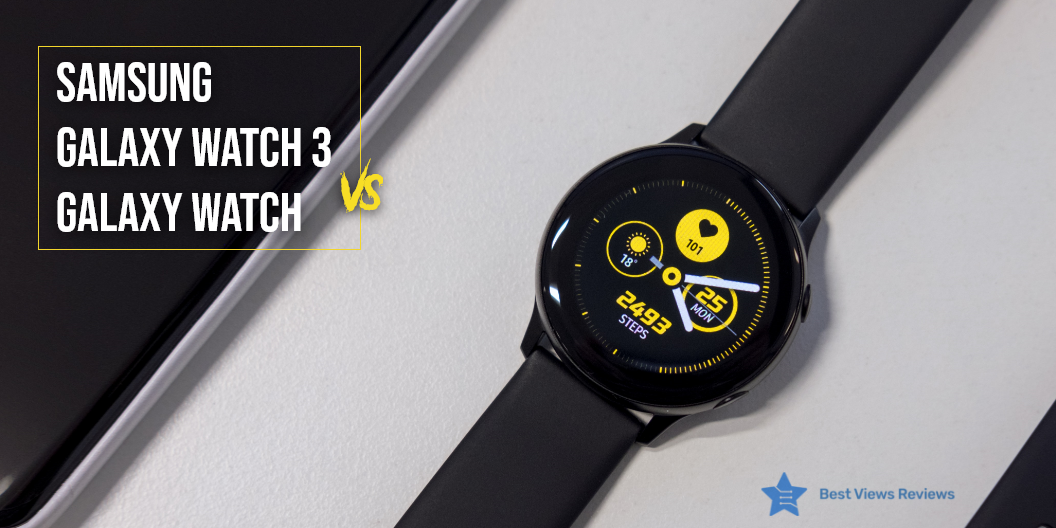
Smartwatch is a smart gadget that can help you track your fitness and let you make calls and receive messages. The market has many brands, but Samsung offers advanced smartwatches like the galaxy watch. The newly launched Samsung Galaxy Watch 3 is introduced with some major improvements and added features. Deciding what to choose between Samsung Galaxy Watch 3 Vs Galaxy Watch can be tricky. You can read our blog o now the comparison between Apple Watch Series 5 Vs. Galaxy Watch Active 2.

Samsung Galaxy Watch 3 Vs Galaxy Watch

Battery Life and Performance 

You should check the battery lifespan of the watch before choosing any model. You would want to spend extra on a watch that gives you better battery performance if you are a heavy user. The battery life of galaxy watch 3 is not higher than the galaxy watch model. The 45mm version of Watch 3 has a 3400mAh battery as compared to the 472mAh of Galaxy Watch

The Galaxy Watch 3 sports the same Exynos 9110 chipset but offers 8GB storage (twice the storage of Galaxy Watch) with 1GB RAM. 

Fitness

The Galaxy 3 can track blood oxygen levels with the new SpO2 monitor. It also offers the ECG app with accurate blood pressure monitoring. 

Watch 3 follows the fitness software of Galaxy with an addition of seven new workout activities. You can also activate your workouts by voice. The training mode allows you to customize your display. Galaxy Watch also tracks your fitness activity meticulously. Reviews show that the watch 3 offers all that a galaxy watch offers and more when it comes to fitness. 

Display

Galaxy Watch 3 has a 45mm model with a 1.4-inch screen and a 41mm model with a 1.2-inch screen. Galaxy Watch has a 42mm model with a 1.2-inch screen and 46mm with a 1.3-inch screen. Both the watches have always ON super AMOLED displays with enhanced viewing. The Galaxy Watch 3’s screen is protected by Gorilla Glass DX as compared to the Gorilla Glass DX Plus of Galaxy Watch. 

Price and Design 

Galaxy Watch 3 is available in two sizes. The 41mm variant starts at $399, and the 45mm starts at $429. The Samsung Galaxy Watch was launched for $329 for 42mm and $399 for 46mm. The prices for the Galaxy Watches have slashed today and the variants are sold with significant discounts. Watch 3 is sleeker and lighter when it comes to the design.

Can You Make Calls on Galaxy Watch 3?

The answer is Yes. You can make calls on galaxy watch 3 using Bluetooth connectivity. This gadget also supports wifi calling. This means you can also make or receive calls when you are away from your phone. This can be done by using wifi connectivity. Make sure you enable wifi calling on your device.

Is Samsung Galaxy Watch 3 Waterproof?

The answer is Yes. Samsung galaxy watch 3 is certified for ATM5 standards and comes with an ingress rating of IP68. This means that this watch is water-resistant for up to 10 meters of water, for 10 minutes. You can use this model while swimming or during your workouts.

Can the Galaxy Watch be Paired with 2 Different Bluetooth Devices Simultaneously?

The answer is No. You can not connect a galaxy watch with 2 different Bluetooth devices simultaneously. The smartphone can be paired with multiple smartwatches, but a smartwatch can not be connected to multiple phones at once. You will have to disconnect your watch from the current device to pair it with the new gadget.

Takeaway 

The Galaxy Watch 3 is a decent buy if you do not have a Samsung smartwatch yet. If you already own a Galaxy Watch, analyze if the added features are worth your purchase. The comparison between Samsung Galaxy Watch 3 Vs Galaxy Watch helps you make an easy choice. 

Check out our blog and genuine reviews if you are confused about what to buy between Apple Watch Series 4 Vs 5 or Apple Watch Series 5 Vs. Samsung Galaxy Watch 3.

BestViewsReviews rates and reviews hundreds of activity fitness trackers on the basis of their performance, quality, and popularity.

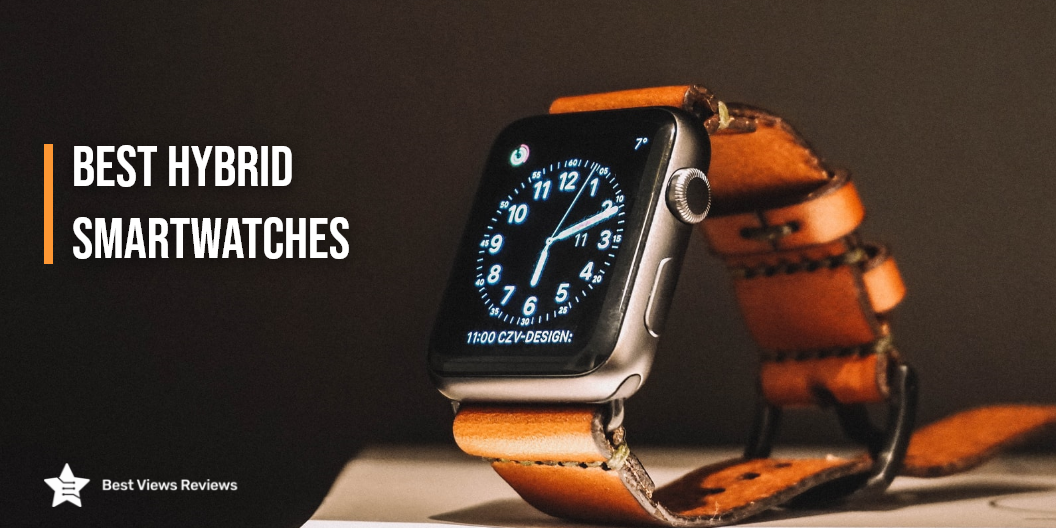
Best Hybrid Smartwatches of 2022

Hybrid smartwatches

Hybrid smartwatches are surging in their popularity with lightning speed. Do you know the reason why? That’s because hybrid smartwatches are available in traditional old-school watch style with hands and numbers. This approach has been a hit with the users who were over with their fascination with touch screens, digital numbers, and the much-popular rectangular design.

Hybrid smartwatches offer everything a standard smartwatch does, but with a traditional touch. This blog intends on listing those 5 best hybrid smartwatches that people are raging behind to get their hands on. At the end of this blog, you will get to know your best buying options and what to look for while shopping for a hybrid smartwatch. 

Best Hybrid Smartwatches for 2022

Garmin Hybrid Smartwatch

Garmin Hybrid Smartwatches have a sophisticated analog look along with advanced smart features. It has a hidden and smart touch screen. This response to the hand movements and appears only when you need it. Customer reviews of the Garmin Hybrid Smartwatch show that it can be used to keep a track of your energy levels. You can also record your pulse rate and sleep cycle. Battery life is up to 5 days with smart settings and almost 2 weeks with analog.

Fossil Hybrid Smartwatch

Fossil Hybrid Smartwatches work on both Android and iPhone. The battery doesn’t need charging. It has an easy to replace coin cell battery. This requires changing after every 12 months. Customer reviews of the Fossil Hybrid Smartwatch show that it is waterproof for up to 50m deep. You can also customize it according to your needs.

Fossil Women’s Charter Hybrid Smartwatch

The reviews of Fossil Women’s Charter Hybrid Smartwatch show that it has a long-lasting battery that works for more than 2 weeks. It features a heart rate sensor and also keeps a track of your activities and health conditions. Fossil Women’s Hybrid Smartwatch, it updates the date and time automatically. This watch also enables you to check different time zones at the same time.

Fossil Women’s Hybrid Smartwatch

Fossil Women’s Hybrid Smartwatches come with different features and designs. They have stone embedding in a stainless steel band that gives them an elegant and modern design. These watches are water-resistant for up to 50m. Reviews of Fossil Women’s Hybrid Smartwatches show that the bands are interchangeable with all Fossil 18mm bands.

Fossil Women’s Charter Hybrid Smartwatch HR

The Fossil Women’s Charter Hybrid Smartwatch HR has an always-on readout display. Customer reviews of Fossil Women’s Charter Hybrid Smartwatch HR are positive about its elegant design. It has a rose gold dial and a light pink band. The watch comes with a health and activity tracking feature. It can also help you review your smartphone notifications and alerts.

Can this Watch be Used Without Syncing to a Phone?

The answer is yes. Hybrid smartwatches can be used without syncing to the phone though you lose a few features like you won’t be able to answer calls through the watch. Samsung smartwatch allows you to use GPS mapping, stream music, and more through LTE connectivity providing you with a standalone experience.

How Long Does Battery of Hybrid Smartwatch Last?

The Hybrid Smartwatches can last up to more than 2 weeks with one charge. The software support of smartwatches is of 3-4 years and the battery remains useful for 3-4 years. The Apple smartwatches require the most number of charging cycles. The smartwatches which are compatible with coin cell batteries can last up to 12 months and most of the new models of the hybrid smartwatch have coin cell batteries.

Is Hybrid Smartwatch Waterproof?

The answer is yes. Hybrid smartwatches are waterproof and can withstand splashes of water. You can use these watches while doing activities like laundry or washing dishes. It is safe to use a hybrid smartwatch in the rain. Hybrid watches can stand a dip in the pool.

Conclusion 

Hybrid smartwatches may have a smaller share market as compared to traditional watches and smartwatches, but their potential is unlimited. The standard smartwatches come in similar shapes and designs making them quite predictable. You can get the best of both worlds with hybrid smartwatches they are traditional-looking watches with smart features and that too at affordable prices.

BestViewsReviews recommends and reviews hundreds of smartwatches and activity and fitness trackers on the basis of their features, quality, and durability.

Security vs Surveillance Camera

Security Vs Surveillance Camera

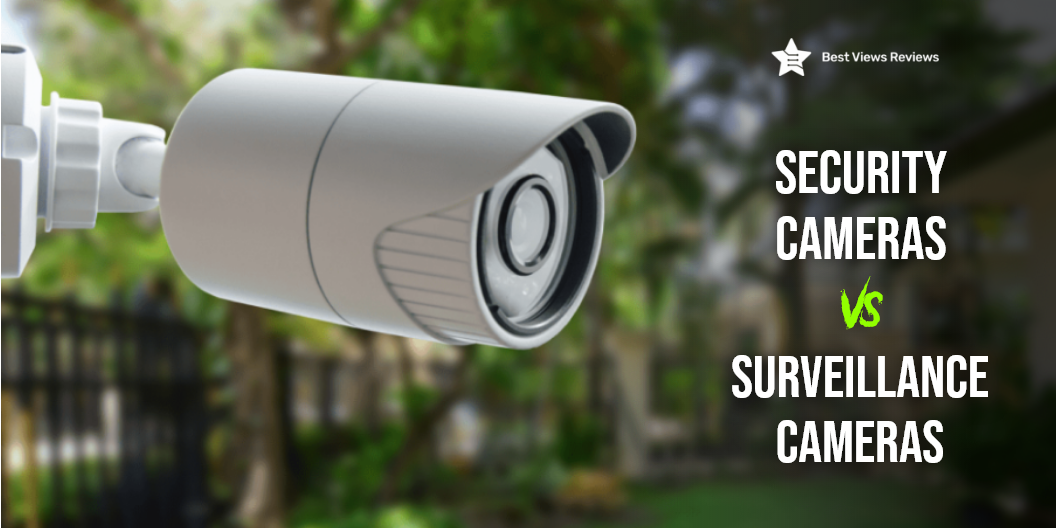
A security camera is a recording device that is used to observe a specific area. Surveillance cameras are similar to security cameras but usually connect with other devices via an IP network to transfer data to a remote location. These gadgets are useful for security guards as well as law enforcement officers. The primary purpose of security cameras is home safety. It is good to know the pros as well as cons of security vs surveillance cameras.

Security cameras are available in three types- wireless camera, wired, and wire-free cameras. These devices can protect your homes while offering many benefits. Many smart models also allow you to view the recorded footage on your smartphone, tablet, or computer.

Security vs Surveillance Camera: Pros of Security Camera

Hinder Crime

You do not have to worry about crimes with top-rated security cameras like the YI Dome Security Camera. Anyone with ill motives will stay away from places that have good security measures. This makes your office as well as your home safe against any theft. You can put the cameras at the entrance of your house to monitor any unusual activity from visitors.  

Observes Activities

Security cameras offer the best way to overserve your outdoors. You can install them anywhere with ease. They have sensors to detect every activity. Many models like REOLINK Camera also allow you to customize the detection area and sensitivity of the camera.

Reviews of ZEEPORTE Wireless Camera mark this model as one of the best-selling security cameras of 2022. This camera automatically adjusts to the ambient light level when necessary. This model has a built-in microphone and the speaker supports real-time two-way audio calls. It also comes with a rechargeable battery that provides 1 to 6 months of worry-free use.

Pick Up and Assemble Evidence

You can use security cameras in picking up valuable evidence in case of any mishaps. These cameras are installed in important locations to monitor every action. The new models like AlkiVision Security Camera enable you to see as well as hear clearly. Most of the new models have got good reviews for their clear audio sensors.

The reviews of Wansview Wireless camera suggest that it is a good choice because of its 1080P HD resolution. This gadget can work well with Alexa to change the viewing angles. It can also send you real-time alerts with a 10-second video. You can check the alerts by opening the Wansview cloud app.

Security Vs Surveillance Camera: Cons of Security Camera

Costs

A security camera can cost you anywhere from $40 to $300. The price of these cameras can increase with the camera quality as well as extra features. The SeeVision camera, available for just $89.91 comes with an IP65 weatherproof design that withstands heavy rain, snow, storm, and hail without any damage. This model has also got good reviews for its 1080P camera quality.

Privacy Issue

The security cameras are good at observing all outdoor activities. This can lead to privacy issues for your neighbors or office employees when installed at your workplace.

Security Vs Surveillance Camera: Pros of Surveillance Camera

Increase Public Safety

Surveillance cameras are used on streets and other public areas to capture any unusual activity. These cameras are beneficial for increasing public safety in public areas like airports, casinos, etc. They also have quality sensors that allow you to record 4K videos. Check a model like ieGeek Security Camera that has built-in 4 IR lights automatically sense the ambient light and switch to night vision mode.

Helps Catch Criminals

It is easy to catch criminals in public areas with the help of these cameras. They can detect and record every action for future reference. It helps security personnel to catch criminals faster.

Convenient Monitoring

Monitoring a large crowded space is convenient with these cameras. They capture every activity in HD quality. They also allow you to see it on smartphones and computer monitors. Security officers can monitor a large space from any remote location with these cameras. These cameras can also store the footage and you can check the recorded footage later.

Security Vs Surveillance Camera: Cons of Surveillance Camera

Complex to Use 

Surveillance cameras can be a little complex to use in the beginning. You do not require cables for these cameras as they work as NVR (Network Video Recorder). The high-end models include features that can be tough to understand and operate for a non-technical person.

Can Be Easily Abused

Someone mostly installed surveillance cameras in public places. That is why these cameras can be easily abused by criminals or thieves. The security officers and the monitoring team are often at some distance from the place of installation of these cameras.

Costly to Install 

The installation of surveillance cameras is costlier than security cameras. They can cover a large area and are primarily used for public security. These cameras can also be installed at the workplace or in other crowded areas. The installation charges for these cameras might go up from $125 for a one-camera set up to $1200 for a 4-camera setup.

Security vs Surveillance Camera: Conclusion

Security cameras are your best buying choice for your home or office security. It can be confusing to decide between wired vs wireless cameras when choosing the right home security camera. Wireless security cameras are easy to install as well as set up. Surveillance cameras are good for installation in public places. It is vital to understand the difference between security Vs surveillance camera to select the right model.

BestViewsReviews rates and reviews hundreds of best dome surveillance cameras based on picture quality, build quality, and ease of use.

Use Fountain Pens for Calligraphy

fountain pens for calligraphy

Fountain pens are a class of writing instruments that have a reservoir that is designed to hold the ink supply. These pens have been observed to be great for Calligraphers. Fountain pens are one of the most stylish and creative writing instruments available. These pens are available in various materials and styles, including wood, metal, and plastic. You can also read our guide on fountain pens to gain more knowledge about them.

Can You Use Fountain Pens For Calligraphy?

You can use fountain pens for calligraphy. These pens are great for modern and faux calligraphy. Some people think that fountain pens are not good for calligraphy but fine tip pens like Lamy Safari Fountain Pen are perfect for faux calligraphy. They are better than other fine tip pens available.

Some people also like using rollerball pens because of their versatile usage. You can read our blog on rollerball vs fountain pen to know which is better.

How to Use Fountain Pen for Calligraphy?

Get your paper and basic outline ready

Now that you’ve taken the decision of unleashing your inner artist, pull out a sheet for calligraphy. Create an outline using a pencil. You will use this outline to map out your final design.

Calligraphy With a Fountain Pen

Make sure that your fountain pen is full. If you think you’re running out of ink, fill the cartridge with the color you want to use. Apply uniform pressure on the sheet and trace the outline. Let the ink dry after you’re done with tracing. A good choice for this is the Silver Chrome Fountain Pen.

 Final touch 

After your masterpiece is ready, erase the pencil marks. Rub carefully to avoid any damage to the sheet. The customer reviews of PILOT Varsity Disposable Fountain Pens mark that they offer a smooth writing experience.

Are Fountain Pens and Calligraphy Pens the Same?

The distinguishing feature between a fountain and a calligraphy pen is the nib. The mechanism used by both the pens is of capillary action. Fountain pens have a pointed nib through which the ink flows smoothly. It’s imperative to hold the pen at the right angle for uninterrupted writing. Calligraphy pens on the other hand come with different nibs that cater to various styles of writing. Calligraphy pens have interchangeable nibs that fountain pens do not. You can also read our blog on fountain vs calligraphy pen to know more about the difference between them.

How Do I Thicken My Fountain Pen For Calligraphy?

Pour a desired amount of ink into a disposable bowl. Whisk in a small amount of cornstarch. Continue whisking till the ink becomes thick. Put this ink in an air-tight container and use it for calligraphy. You’ll be able to make thicker strokes with thicker ink. The PILOT MR Retro Pop has got good reviews because it offers a firm grip that is convenient for beginners.

What Makes A Fountain Pen Worth The Money?

The sturdiness and durability of fountain pens make them worth the money. These pens last much longer than other pens you use. They write well and also have an attractive look. The customer reviews of Scriveiner Luxury Fountain Pen show that has a luxurious look. These pens are also great for long writing sessions.

Conclusion

You can certainly put your fountain pen to use if you’ve just started with calligraphy. Finding the right calligraphy pen can be tricky for a beginner with so many options in stores. Go with a pen that’s comfortable and light if you are an amateur and starting new. BestViewsReviews rates and reviews hundreds of top-rated pens and best-selling fountain pens on the basis of their color range, design and build quality.

HDTV Antenna: A Review

A modern TV antenna has become quite common in today’s households. You can mount them on a wall or behind your TV to receive better signals and improve picture quality. They are easy to place anywhere due to their compact design.

One such great product on the market is the clear digital TV antenna. It is a USB stick antenna. It’s one of the simplest, smallest, and most affordable antennas available today. Let’s review this product on several factors that you should consider to make a wise buying decision. HDTV antennas pick up video signals and allow you to watch some of the best TV shows seamlessly. We have listed some top-rated HDTV antennas in our guide so that you can bring the best one home. 

What Is An HDTV Antenna Used For?

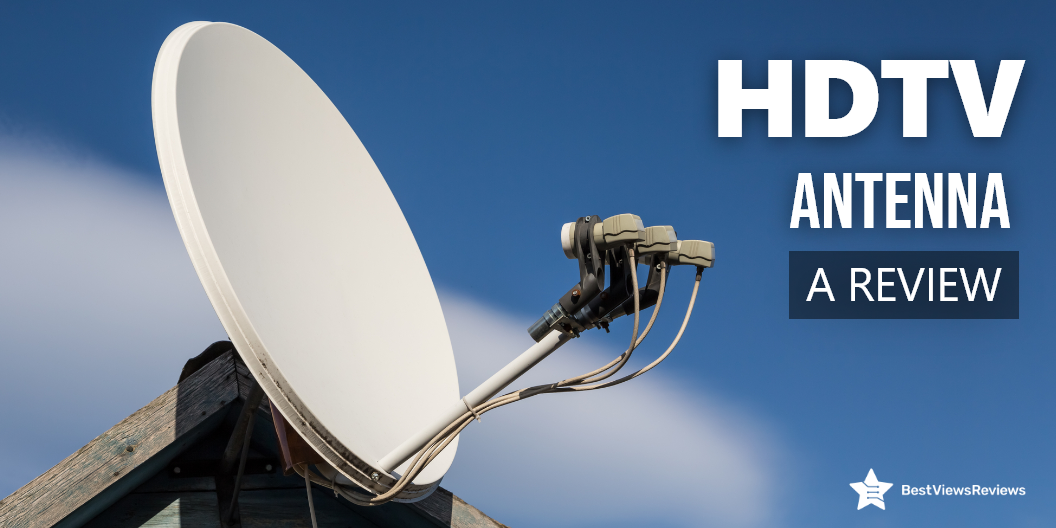
A television antenna is a set of specially placed wires or metal pieces that take up broadcast signals from television networks. HDTV antennas receive television broadcasts via electromagnetic impulses. It then converts them to video and audio and allows you to watch any programming you desire. You can access all of this for free since the FCC regulates the digital broadcast spectrum. You may, however, have to pay for the gadgets. All you will need is an HDTV and an HD antenna to enjoy some of your favorite channels in crystal clear high definition. A model like GE Ultra Edge has a tiny and flexible design. It is really simple to operate and provides excellent reception.

Is HDTV Antenna Good?

HDTV Antenna: Design

The incredibly compact design of the antenna like that of the GESOBYTE TV Antenna comes with built-in crystal clear filter technology. It can reach up to 250 miles in range depending on the area. A flat base is wide enough to make it stand upright easily.

The coaxial connector of antennas like the Vansky Amplified antenna provides both network and local television in full 1080 HD quality, for free. This advanced antenna with SmartBoostTM amplification outperforms TV antennas available from other manufacturers. The compact and directional antenna can sit on almost any surface and is designed to fit into any room environment.

HDTV Antenna: Performance

An HDTV antenna like a PBD Digital TV antenna with a range of 150 miles is compatible with 1080p and 4K resolution signals. The channel pickup and reception are strong for this antenna. The walls and other obstructions can cause occasional interruptions or inconsistent results. 

While comparing this antenna with others, it’s clear that the clear TV HDTV antenna like U MUST HAVE cannot penetrate the obstructions inside a house. This is one area where it could improve significantly. 

What Channels Do HDTV Antennas Get?

Broadcast TV channels, such as CBS, NBC, ABC, FOX, PBS, and a few local affiliate stations that vary by location, can be picked up by HDTV antennas. They can’t watch CNN, HGTV, TBS, or ESPN since they’re on cable. Stick with cable or subscribe to a live TV streaming service like Sling or Hulu + Live TV if you want to watch those networks. Digital TV signals come with the pros of a wider screen and you can also use a DTV converter box with it. Read our guide on Amplifying a Digital TV Signal to know the process.

Verdict 

The HDTV antenna is attractive and affordable to buy. Its compact and flexible design is admired by buyers and sought-after by users. It’s extremely easy to use and delivers great reception. 

You might want to consider something more powerful if you live very far from the broadcast feed. As a compact device, this works well with a certain range only. 

BestViewsReviews rates and ranks the best smart TVs based on their quality, performance, and durability.