Can you Microwave Styrofoam?

can you microwave styrofoam

Styrofoam is a foam plastic material popular for its insulation and is used for packing food and beverage. It’s quite common to receive food in Styrofoam containers when ordering from restaurants. Often after ordering food, you may find it cold and want to reheat. A simple solution is to microwave it.

Before we answer the question “can you microwave Styrofoam?”, let’s understand what Styrofoam is.

What is Styrofoam?

Styrofoam is not a true plastic but is a type of polystyrene foam. It is typically made from a mixture of polystyrene and nitrogen, which is then molded into a shape and cooled. Styrofoam is popular due to its lightweight nature, affordable cost, and high resistance to heat and chemicals.

Can you Microwave Styrofoam?

Styrofoam melts when heated and releases small toxic particles harmful to the body. When the food cooks in a microwave like Nostalgia RMO4AQ, it heats from the inside. The heat from the food can burn the Styrofoam, which may set the microwave on fire.

Reasons Why Microwaving Styrofoam Is Not A Good Idea

Microwaving Styrofoam is not safe. This material remains stable for normal use but at high temperatures Styrofoam begins to melt or break down. It releases toxic chemical styrene that can leach into your food.

If looking for a microwave you can consider buying the Sharp R-21LCFS Medium-Duty Commercial Microwave as its customer reviews claim that it is simple to operate, spacious, and easy to maintain. It comes with a handy “on-the-spot” reference over the timer with recommended heating times for a variety of popular foods.

How to Safely Microwave Food in a Styrofoam Container?

You should never heat food in a standard Styrofoam container. Some good quality microwave-safe Styrofoam containers pass the FDA standards for hygiene and consumption. This makes them convenient to use in a microwave.

The special Styrofoam consists of safer materials and fewer hazardous compounds. They are also relatively resistant to heat as compared to the standard Styrofoam. Another alternative is to use microwave-safe utensils that can heat the food without putting you or the food at risk.

A built-in microwave is a great appliance for your kitchen. It is installed within a cabinet space over or under the kitchen counter. Go through our blog on built-in microwaves to learn more.

How Can You Tell if Styrofoam is Microwave Safe?

You can check the quality and compatibility of the product by looking at the packaging label. If the Styrofoam shows any visible signs of damage after the cooking, make sure to discard both the food and the container.

If Styrofoam Is Not Microwave Safe, What Can You Do?

You can use other things like glass or ceramic containers to microwave your food. We have listed below some of the products that are microwave safe.

FOODLE Wheat Straw Dinnerware Sets

FOODLE Wheat Straw Dinnerware Set is a perfect choice for daily use at BBQs, picnics, camping trips, dorms, schools, or offices. You can use this in the dishwasher, freezer, or microwave. This set is made of natural wheat straw fiber and food grade PP. It is 100% BPA-free, non-toxic, odorless, and environmentally friendly. 

JH JIEMEI HOME Cereal Bowl Set

JH JIEMEI HOME Cereal Bowl Set is made of foods safe wheat straw + PP materials. The square shape of these bowls makes them easy to hold. They are durable and unbreakable. These bowls are also dishwasher and refrigerator safe.

Razab 24 Pc Glass Food Storage Containers

Razab 24 Pc Glass Food Storage Containers are perfect for storing leftovers or planning ahead with your weekly meal prep. They are microwave safe and provide airtight storage. These containers are freezer, refrigerator, dishwasher, and microwave safe.

Amazon Basics 2 Compartment Meal Prep Containers

Amazon Basics 2 Compartment Meal Prep Containers are ideal for school or work lunches, meal planning, storing leftovers, and more. The stackable design of these containers offers easy, space-saving storage. They are microwave, freezer, and dishwasher safe.

Stock Your Home 9 Inch Clamshell Styrofoam Containers

Stock Your Home 9 Inch Clamshell Styrofoam Containers are durable and sturdy making transportation a breeze. These containers keep your foods at serving temperature, making them perfect for packaging hot and cold foods. They are easy to stack, helping you save on storage space. 

We have also created a blog on the best-selling microwave options that you can read to make an informed choice.

How Long Can You Microwave Styrofoam?

You should not microwave styrofoam for more than 30 seconds. The Styrofoam will start to melt and release toxic chemicals that can drain into your food if the temperature of the material reaches 200 degrees celsius or above.

There are different types of microwaves available to serve different needs. Read our blog on the types of microwaves to learn more.

Conclusion

Don’t microwave Styrofoam containers unless they are labeled microwave-safe. There is a risk of fire hazard, and Styrofoam containers often contain a compound called styrene, linked to cancer. You can reuse containers with a microwave-safe label for a short period.

BestViewsReviews rates and reviews hundreds of countertop microwave ovens and over-the-range microwave ovens on the basis of their controls, performance, and build quality.

Best Star Projectors 2022: All You Need to Know

Star projectors

Star or galaxy projectors project stars or constellations onto the wall, ceiling, or other flat surfaces. The technology is similar to a laser projector that projects a beam of light from the device. You can use star projectors to create constellations in the living room or the bedroom area for your kids. They can even act as a night lamp in the rooms. These gadgets feature different lighting modes, time settings, and projections. We listed the top portable projectors of 2022 for you.

Star projectors are useful in calming little children or to light up a celebration. They can be used as night lights too. We have an exclusive selection of top-rated night lights reviewed based on brightness, design, and user satisfaction.

Advantages of Using Star Projectors

  • Relaxes children and allows them to fall asleep
  • Features different lighting modes to offer a better visual experience
  • Allows you to listen to music while you drift off to sleep
  • Can be used for party decoration lights

How to Use Star Projectors or Galaxy Projectors?

Star projectors are easy to install and use. To turn on the projector, connect the cable to the adapter and switch it on. Then, slide the knob to switch on the gadget, and it will start projecting immediately.

How to Connect Star Projectors to Phone?

Through Bluetooth and Wi-Fi

You can connect the projector to the phone via Bluetooth and Wi-Fi. Once you switch on your galaxy projector, it will automatically go into Bluetooth mode. Power on your phone to enable your Bluetooth till you see the device pairing list. Click on the option and connect. To connect through Wi-Fi, keep the projector in Wi-Fi mode. Find the available networks on your phone and select the right one.

Through USB

You can also connect your phone via a USB flash drive to the port. Once you plug in the USB, enable the sound control mode and start playing the song on your phone.

Best Star Projectors

We have listed some of the top picks below to help you understand star projectors better and make an informed purchase.

BlissLights Sky Lite

The BlissLights Sky Lite transforms your room with galaxy lighting. This is a LED Projector that projects onto the ceiling of your room. It has simple button controls that allow you to change the light effects easily. It’s brilliant lighting with silent rotation makes it look like a real night sky. You can play games with it at night and adjust the temperature of the night light and the mood light to your liking.

SUNNEST Night Light Projector

Reviews of SUNNEST Night Light Projector show that this device emits low-powered starry night lights. This model comes with 4 LED bulbs and 8 color modes. You can power this light with a USB cable or 4 AAA batteries. This can give your child an ideal environment to sleep in complete darkness. It features simple controls and you can do all operations by only using 3 buttons.

BRIGHTWORLD Moon Lamp

The BRIGHTWORLD Moon Lamp is an LED ambiance night light projector. It uses infrared light to project an emulating light sky. It is also used as a bedroom night light. These lights keep you calm and reduce the risk of insomnia. This projector is equipped with a 500mAh large-capacity rechargeable battery that offers up to 12 hours of illumination.

LinBii Star Projector

The LinBii Star Projector comes with multiple light effects of nebula backgrounds that allow you to choose from around 34 lighting effects. It allows you to connect this gadget with your phone and tablet. This model features 4 levels of brightness and 3 working modes that make it easy to customize the light as per convenience.

LUCKKID LIGHT Projector

The LUCKKID LIGHT Projector comes in a simple and beautiful design. This night light projector comes with 6 lighting effects and makes a perfect gift for up to 14-year-old girls and boys. You can give your kids a new friend and an experience of rotating starry sky with just one click button. The honest reviews suggest that this light allows your kids to have fun during sleepy time.

There are many types of projectors available today in the market. You can check our buying guide to know about different types of projectors in detail.

Conclusion

Star Projectors are the latest craze in the night-light segment for bedroom or party use. You can add aesthetics to the room and improve its appearance significantly. They feature built-in stereo speakers making them convenient for outdoor use. A projector is a presentation device that helps you to display your image/video content on a large screen at a high picture resolution. Read our blog and know the best projectors for business presentations.

BestViewsReviews recommends and reviews the best projectors based on performance, brightness, design, controls, and functionality. Browse through to know about some of your options.

Everything to Know about a Gaming Laptop in 2022

gaming laptop

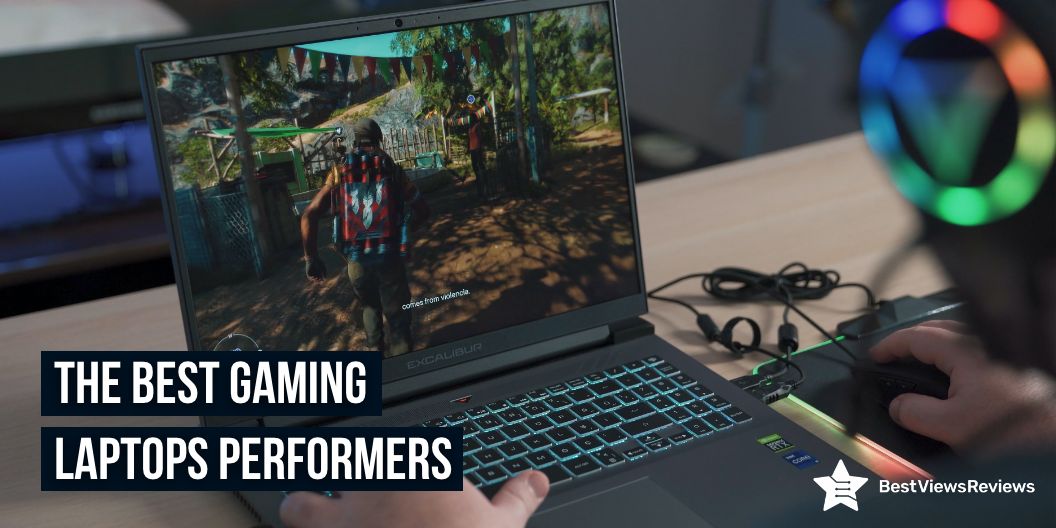
Gaming is all about performance, and for that, gamers will need the best gaming laptop. To win first-person shooters and racers, you should play at a lightning-fast speed that an average laptop can’t pull off. Third-party device makers are constantly churning out new gaming laptops that can play games. We have outlined important aspects to help you understand gaming laptops better, and present you with a list of powerful gaming laptops that perform and deliver efficiently.

Top Gaming Laptop Performers

Acer Predator Helios 300 Gaming Laptop

The customer reviews of Predator Helios 300 gaming laptop claim that it is the ultimate laptop for gaming enthusiasts who want top-notch performance in a portable package. This powerful gaming laptop comes in a sleek and trendy design, making it popular among the millennials. It features the latest 10-Series Intel core i7 processor and NVIDIA GeForce RTM graphics. It also features a high-performance thermal system for maximum cooling and efficiency. 

ASUS TUF Dash

ASUS TUF Dash comes with an Intel Core i7-11370H processor. It is 0.8” thin and offers 8GB DDR4 RAM. This model comes with Windows 10 Home and a FREE upgrade to Windows 11. It also offers a backlit precision gaming keyboard.

Acer Nitro 5

Acer Nitro 5 comes with the 10th Gen Intel Core i5-10300H processor. It is packed with incredible power for all your games. This laptop offers a 15.6″ widescreen LED-backlit IPS display with 1920 x 1080 resolution. The Acer CoolBoost technology of this model increases fan speed by 10% and CPU, GPU cooling by 9% during heavy use.

Lenovo IdeaPad 3 Gaming Laptop

Lenovo IdeaPad 3 Gaming Laptop comes with 6 ultra-responsive cores. It also includes a free 3-month trial of the Xbox Game Pass. This laptop offers 8GB 3200 MHz DDR4 RAM memory and 256GB M.2 PCIe SSD storage. It comes with 2 x 2W speakers with Nahimic Audio and a spacious gaming keyboard with a white backlight for gamers.

MSI GF75 17.3″ Gaming Laptop

MSI GF75 17.3″ Gaming Laptop’s reviews show that it offers a long-lasting battery life of up to 7 hours. The 17.3 inches thin display of this laptop offers a wide viewing angle. NVIDIA GeForce GTX 1050 Ti 4GB of this model offers great gaming performance.

MSI GL65 Leopard Gaming Laptop

The MSI GL65 Leopard gaming laptop is impossible to condemn. It feels strong in all the right places and has a battery that maximizes portability. The overall performance is ideal and capable 1080p gaming machine. The MSI GL65 Leopard 10SFK-062 is unquestionably a great option. Thanks to its superb balance of affordability, power, and performance, it’s one of the Top Picks for midrange gaming laptops.

How Gaming Laptops Differ from Generic Laptops?

Unique Design and Build Quality

A gaming laptop’s visual appeal is one of its key selling points. Gaming laptops stand out visually, all thanks to their trendy designs. The stealth aircraft-inspired looks and multi-zone LED lighting systems make notebooks quite famous among seasoned gamers. Other gaming notebooks, such as Origin PC, Sager, Eurocom, and AVADirect, have professional looks with defined lines and muted colors.

Audio and Speakers

Immersive audio is an important part of gaming. Gamers will lack interest, and games will lack appeal without good audio. Audio solutions from well-known brands are common in gaming notebooks like JBL speakers, Klipsch, and Harman/Kardon.

Are Gaming Laptops Better Than Gaming PCs?

There are a few things to consider when deciding between buying a gaming laptop and a gaming desktop. Both are excellent in their way but have their own set of advantages and disadvantages.

Customization

The gaming desktops can easily be customized both in appearance and function. However, only some parts of gaming laptops are customizable. Although customized features like LED lighting, multiple zones, and color customization are common in gaming laptops, the desktop user experience is more personal and satisfying. A touch screen laptop is easier to use, fun to navigate, and comes in sleeker models. Now, you can even buy a touch screen laptop at an affordable price. Read our comparison blog on touch screen vs non-touch laptops. This blog helps you understand their advantages and disadvantages.

Performance

Gaming laptops are powerful and efficient. In comparison to laptops, desktops have a performance advantage. Desktops do not have issues related to battery and overheating. A RAM (Random-access memory) is a form of memory that holds information and working data for your PC temporarily.  Read our blog that highlights the difference between RAM VS. VRAM and gives a detailed buying guide.

Portability

The portability of a gaming laptop is its primary advantage. Although most gaming laptops are heavy due to bigger heatsinks, the newer models are compact, lightweight, and sleek, allowing you to carry them along.

Hardware Updates

Gaming laptops are significantly difficult to upgrade due to their compact design. Although you may improve your RAM or storage on some laptops, upgrading your CPU or GPU is not an ideal solution.

Gaming Laptop Shopping: Tips and Basics

It’s hard to sift through all the choices with many new laptops popping up online. Whether you’re at home, on the road, or in a college classroom, laptops are the best tool for working in any setting. You should know your requirements too buy the ideal laptop. Check the battery life and the features offered by the laptop before buying it. You should also check its size and weight to make a great choice.

The Lifespan of Gaming Laptops

Gaming laptops have an average three-year lifespan, but you can expect them to last at least five years with proper care and maintenance. Some components, such as the CPU and GPU, will become obsolete after about 4-years, while others, such as the battery and fans, may require replacement. 4K gaming laptop is a powerful machine that runs popular games in high-quality 4K resolution. All of them differ in quality and performance. Browse through our exclusive list of the best 4K gaming laptops.

Conclusion

A gaming laptop is practical if you want to save space or take your computer with you. While you won’t get the same raw processing power, there are laptops for every budget. Gaming laptops have grown from small, powerful machines to high-end gadgets with graphics cards, large batteries, and other features that appeal to gamers. Gaming laptops are difficult to upgrade and must eventually be replaced when they become obsolete in a few years.

BestViewsReviews rates and reviews hundreds of top-rated gaming laptops and best-reviewed touch laptops on the basis of their controls, battery life, and picture quality.

How to screenshot on HP laptop?

screenshot on HP laptop
How to screenshot on hp laptop?

HP is a leading manufacturer of both laptops and desktops, and they offer a wide range of products to suit different needs. One feature that sets HP laptops and desktops apart from other brands is the ability to take screenshots. Screenshot on HP laptop can be useful for capturing images or text from webpages, documents, or even games.

Taking a screenshot on an HP laptop or desktop is easy to do, and there are a few different methods you can use. The most common method is to use the Print Screen key on your keyboard. Simply press the Print Screen key, and your screenshot will be saved to your clipboard. You can then paste it into an image editing program like Paint or Photoshop to save it as an image file.

You can use the Snipping Tool if you want to take a screenshot of just a portion of your screen. This is a built-in Windows program that allows you to select an area of your screen to capture.

How to take a screenshot on hp laptop?

How to Screenshot on HP Laptop?

How to take a screenshot on hp laptop?

Default Way of Taking Screenshot on HP Laptop

The newer models of laptops like top-reviewed 2020 HP 15 allow you to take screenshots by pressing F11 on the keyboard. Remember that sometimes these keys work along with the “Fn” key in your laptop. In many laptops, including HP, the PrtScn button also allows you to take a screenshot successfully. Read the steps below. We have a comparison blog on Touch Screen Laptops vs Non-Touch Laptops that will help you understand their advantages and disadvantages.

  • Turn on your HP laptop and open the program you want to take a screenshot of
  • Hold down the “PrtScn” button. Sometimes this works as “Fn” and “PrtScn” together
  • Open any editor like MS Paint, MS Word, Excel, or your email
  • Press “Ctrl” and “V” to paste the screenshot
  • Save the image before closing the document

HP Laptop Screenshot on Partial Screen

Snap & Sketch allows you to take a partial screenshot of the screen of your HP laptop. The latest Windows 10 laptop lets users take screenshots of their screen without using third-party apps. The following steps will walk you through the process of using Snap and Sketch.

  • Press Windows + Shift + S simultaneously. Your cursor will change to a crosshair cursor, and your screen will fade to white
  • Select the area of your screen that you want to screenshot. The snippet copies to your computer’s clipboard and will vanish from your screen
  • Open a photo-editing application
  • To paste the screenshot, open a new image and press CTRL + V
  • Save the screenshot as a JPG or PNG file and keep it in a convenient location

Usage of Snipping Tool in HP Laptop

The snipping tool is available on most versions of Windows. You can instantly capture any part of your screen you require with a snipping tool. The snipping tool usually comes installed on a PC like the top HP 22 All-in-One PC. It is accessible through the start menu. So, once you reach the menu button, follow this three-step process.

  • Open the menu and click on the snipping tool application
  • To make a new snip, press “New” or CTRL + N in the snipping tool application of your HP laptop
  • Next, drag the crosshair cursor across the desired area to create a rectangular outline
  • To save the screenshot as a PNG or JPEG file, press the disc icon in the snipping toolbar

Usage of Snagit on HP Laptop

Snagit can record scrolling screens of your laptop while also capturing video in real-time. Read the steps below to know how to screen-grab with Snagit efficiently

  • Download the app and open it once you have installed it
  • To use the screenshot camera, press the red circle button at the top of your screen
  • To screenshot an image, select the camera icon, and to screenshot a video, select the recorder icon
  • Then choose which part of the screen you want to snap
  • In this application, your desktop image will appear. The clipped image can be edited, annotated, resized, copied, and saved from there

Super Screenshot on HP Laptop

This application lets you select the desired area of the screen you want to take a screenshot of. It also offers you features like adding text, annotations, blurring, and resizing options. A super screenshot includes a simple share button that allows you to send your image to a different location with a single button press.

HP laptops have established themselves as industry leaders. Reviews of HP Pavilion 15.6″ FHD IPS Premium Gaming Laptop show that it is more than just a powerful machine. It has exciting features, simple navigation, sleek looks, and reasonable pricing.

If a gaming laptop is on your buying list check our other blog on how much RAM for gaming do you need. This blog highlights the difference between RAM VS. VRAM and gives a detailed buying guide.

BestViewsReviews offers a featured section on some of the best touch screen laptops, including HP, with their genuine reviews and recommendations. The reviews should help you choose a suitable laptop without any hassle.

Is Taking Screenshot Easier on Laptop vs Desktop

There’s something for you whether you’re on Windows 10 or the Windows 11 beta. Taking a screenshot to capture a portion or the entirety of your display is simple. Maybe you’d like to take a picture to annotate and share, or you’d like to save an online receipt.

You can take screenshots in a variety of methods, depending on the operating system. Many of us are still unfamiliar with the combination of keyboard shortcuts for taking screenshots. You can screen-capture your laptop using a variety of apps/programs provided by Windows.

Using Shortcut Keys to Take a Screenshot

  • Using the Windows Key and the PrtScn (PrintScreen) button, print your screen.
  • A save box will display on the screen. Simply enter the image’s file name.
  • Where do you want to save it? Then press the ‘Save’ button.

Desktop Screenshot Methods

Using the PrtScn Key

The Print Screen key is a basic way to take a screenshot (PrtScn) on a Laptop. Press the PrtScn key while selecting the image/screen that needs to be captured. You can find this key on the keyboard’s top right corner.

Using the Snipping Tool

Another interesting feature in Windows 10 is the “snipping tool,” which allows the user to take a partial screenshot of the current window. You can find this option in the start menu of your HP Laptop. If not, then type it on the search box. Alternatively, you can find this snipping tool in Start Menu> All Programs> Accessories.

Using the Game Bar

Another popular method for taking screenshots in Windows 10 is to use the Game bar. Press the Windows key and the G key of your HP laptop at the same time. This will bring up the game menu. By going to Settings> Windows Settings> Game Bar, you can customize the settings for the game box.

Using Snip and Sketch Method

Press the Windows key Shift key + S to select the area of the screenshot. Next, drag the cursor along with the left key of the mouse to select the desired area. Then paste it into one of the image editing tools.

Conclusion

You no longer have to worry about screenshots with the above apps. Although your device’s built-in photo editor allows for cropping and resizing, it may not be as efficient as using an app that allows partial screen captures. Check our other blog and know about 4K laptops of 2022 for Gaming.

Regardless of which method you use, the function of taking a screenshot allows you to save important documents or images. If you need to take many screenshots with flexibility, enjoy better functionality, or require functions like image editing, various screenshot modes, etc., then a third-party tool would be your best option. Know all about how to take a screenshot on HP laptops to use them easily.

BestViewsReviews helps you find the best-selling laptops on the market by rating and reviewing them based on quality, convenience, and durability. Get unbiased, honest reviews of products before you buy.

How to Connect Airpods to MacBook

how to connect airpods to macbook

You can connect AirPods to Mac through a USB. This is great for those who like to carry their Mac along. You can also connect them to your Mac using Wi-Fi. The AirPods are equipped with Siri, an intelligent voice assistant that helps you navigate searches and commands with just your voice. The reviews of Apple Airpods Pro suggest that they are versatile and compatible with other laptops too. AirPods and Macs dominate the gadget industry, many still don’t know how to connect them. This blog will help you understand how to connect AirPods to Apple MacBook easily.

Steps to Connect Airpods to MacBook?

  • Open the lid of the charging case with the AirPods inside, but don’t take them out
  • Hold down the back of the case’s button until the status light flashes
  • Switch on your Mac, select the Apple menu, and then click on “system preferences”
  • Then choose “Bluetooth” in the system preferences window
  • Find the name of the AirPods you want to pair with and click “connect”
  • The AirPods will appear on the top of the devices list once the connection is complete, ready to use
  • Check to see if your Mac is up to date. It would help if you have macOS Sierra for the first-generation AirPods and macOS 10.14.4 or later for second-generation AirPods

How to Connect your AirPods to your Mac if you Already Paired Them with your iPhone

  • Open the AirPods case
  • On your Mac, go to the menu bar at the top of the screen and click the volume icon. It appears to be a microphone
  • Select your AirPods under “output device” in this menu
  • If this doesn’t work, make sure that a couple of settings are turned on. To access system preferences, go to the menu bar and click the Apple icon, then click on “system preferences”
  • Check to see if your Mac and iPhone are both using the same Apple ID. To make sure you’re signed in and using the same Apple ID as your iPhone, go to system preferences and click “Apple ID”
  • Check to see if the handoff is active. Click “general” in the system preferences window, and click on “allow handoff between this Mac and your iCloud devices”
  • You must enable the volume icon in the menu bar if it is not visible. Click “sound” in the system preferences window, then check the box next to “show volume in the menu bar”

What to do if You Can’t Connect Airpods to Mac?

When you are unable to connect your MacBook to Airpods check your iOS update and make sure that you have the latest version of macOS. You must put your AirPods on charging and ensure that both your AirPods are charged. Models like AirPods with AppleCare+ Bundle offer wireless charging cases that are convenient for you. Check if the Bluetooth is on, go to the Apple menu then system preferences, and click Bluetooth.

You need to change your RAM if your laptop is running slow and it is not accepting new applications. Choose the right RAM for MacBook, there is no technical difference between the RAM of a normal laptop and the RAM of a Macbook. You can also find external hardware for Macbook, it helps you in storing extra documents, and files.

Takeaway

Airpods are innovative and exciting gadgets that Apple has released in recent years. Connecting AirPods to Mac laptops sometimes may pose compatibility issues. This is where this blog will help. We have tried to explain everything on how to connect AirPods to your MacBook Air and their compatibility. After reading this blog, we hope you can conveniently pair them for an enjoyable entertainment session.

BestViewsReviews rates and recommends hundreds of best apple smartphones, apple headphones, and apple laptops on the basis of their features, popularity, and durability.

10 Facts You Should Know About Laptop Repair

laptop repair hacks

It is important for you to be aware of laptop repair hacks. It isn’t always necessary to hire a professional for easy troubleshooting. More and more people are working from home these days. The transformation of computers into virtual homes has progressed. Computers require routine maintenance. It requires knowledge of their basic functioning and the ability to repair them.

We have a comparison blog on touch screen laptops vs non-touch laptops. This blog will help you understand their advantages and disadvantages. Internet access has opened the door to a variety of viruses as well as dangers. They can be harmful if not addressed quickly. There is a high demand for computer and laptop repair services. You should know these facts about laptop repair.

Backup is More Important In Laptop Repair than You Think

The importance of backups for laptops is widely known. You can back up your data in just a few minutes. Setting a reminder is the simplest way to ensure that it will be done without fail. Making regular backups will keep your data safe. A format may be the only way for your laptop to be fixed in case of a system breakdown or other disaster. You can back up your data to an external hard drive or the Internet. You will thus ensure that your data is secure regardless of hardware failure.

Viruses Can Be Fatal

The next step in securing your data is to download a free antivirus program. When using the internet, stay away from sites that aren’t trustworthy. Avoid other sorts of internet fraud by clicking on pop-ups. Viruses have the potential to harm the software on your Lenovo 2021 Newest Ideapad 3 Laptop. In extreme circumstances, this will make it permanent. As a result, they must be handled with caution.

Check out our article on how much RAM do you need for gaming. This blog discusses the important differences between RAM and VRAM.

Fault Detection in Laptop Repair is Time Taking

The components of laptops have been interwoven. It is exceedingly time-consuming to determine which component is causing the issue. The problem might appear to be small enough to the untrained eye, but the detecting process is not simple. One should conduct these activities under the specialists of both laptop and computer.

You Can Contact the Manufacturing Company for Help

You must inform the manufacturer if there is a problem with the hardware. They have a better understanding of the problem and if it can be repaired. They also teach the client how to repair the hardware on the laptop. Reviews of HP 2-in-1 Convertible Chromebook are positive for customer support and technical assistance.

You can do it yourself

Laptops repair does not always have to be bound to professionals. When simple problems develop they may be resolved with some troubleshooting. If you try to fit it yourself, you can save money. You may only attempt if you have knowledge of the troubleshooting process.

You Can Outsource Help

This might be helpful to businesses and organizations. A laptop repair shop may be less expensive than the original manufacturer. The shop may also be able to provide temporary desktops, laptops accessories.

Component Replacement is Not Easy

The hardware’s reduced weight is due to the integration of components. It makes replacing parts tough. In different models that perform the same goal, the same component may no longer be useful. Technology is evolving at such a rapid pace that each new model is followed by upgrades. As a result, if no substitute exists, the product may be destroyed.

The Latest Technology Uses Irreparable Components

Modern laptops are more aesthetic and convenient to use. As a result, the product looks better, but it is harder to repair by a technician. It is necessary to contact the company in this situation, which ends up being a very costly process.

The MSI GL65 Leopard 10SFK-062 has got excellent reviews for its super sturdy quality and MSI Dragon software. It equips an Intel Core i7-10750H  processor for optimum performance.

DIY Can be Dangerous

Experimenting with electronic gadgets is not completely safe. You should repair your computer or gaming laptop on your own if the problem is minor and can be fixed quickly. Other than that, it is best to hire a professional to repair your laptop or computer.

Ignorance Can Be Lethal

A malfunctioning laptop may progress from a small warning to a complete breakdown. You cannot ignore the maintenance and repair. For safety, it is ideal to discover the basics of computer and laptop repair. You can even contact a company that offers these services.

Conclusion

Make sure your computer has a virus scanner such as Norton, Kaspersky, or McAfee. They’re all part of a set of important laptop repair hacks. It includes downloading and installing the latest Windows security updates. You can improve the performance of your hard disc by cleaning and defragmenting it regularly. You can use these hacks to troubleshoot your computer effectively. The fundamentals remain the same. Make sure you only buy branded computers. Check out our list of the best 4K gaming laptops to see which ones are worth buying.


BestViewsReviews rates and reviews the best touch laptops. The analysis is done on the basis of performance, build quality, and display.

Best 4K Laptops of 2022 for Gaming

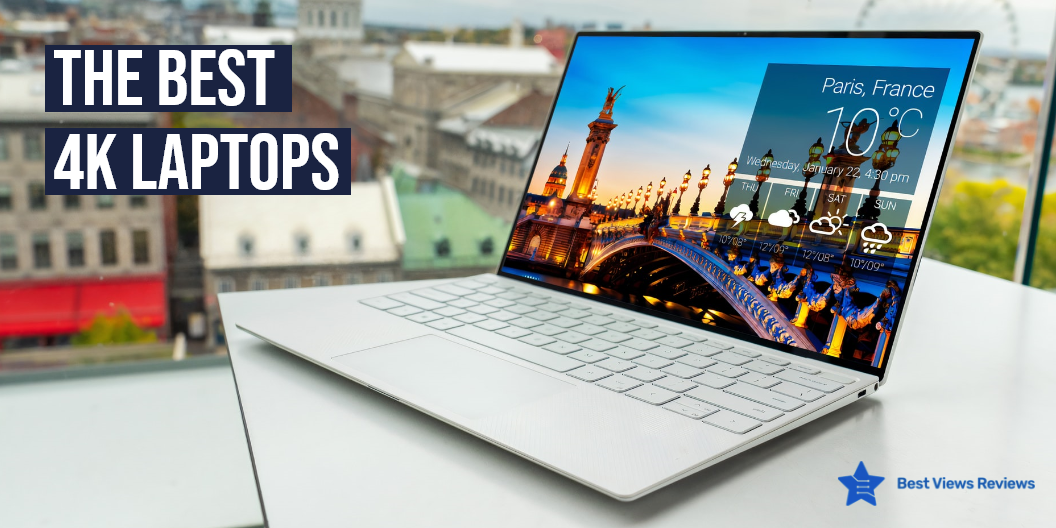
A 4K gaming laptop is a powerful computer that can handle demanding tasks, such as gaming, video editing, and graphics-intensive applications. 4K gaming laptops equip high-end hardware that can provide an immersive gaming experience. The market has numerous variants of gaming laptops. All of them differ in quality and performance. We also have a dedicated blog on Asus Rog Laptops. Read and know everything about them.

Best 4K Laptops For Gaming This 2022

Razer Blade 15 Base Gaming Laptop

The Razer Blade 15 Base Gaming Laptop is a powerful machine that equips an Intel Core i7-10750H 6-Core processor. It has  NVIDIA GeForce RTX 2070 Max-Q graphic card for smooth and lag-free gameplay. The 16GB RAM and 512GB SSD make it perfect for multitasking and heavy gaming.

ASUS ROG Zephyrus M15

The ASUS ROG Zephyrus M15 is a premium quality laptop. It comes with a 4K UHD display that offers a high-picture resolution of 3840×2160. This is an affordable option in the market. It has a stylish design, handy features, and top performance. The RGB backlit keyboard can make your gaming sessions more interesting.

Top-Selling 4K Laptops: Dell XPS 15 7590

The Dell XPS 15 7590 Laptop meets your 4K gaming needs, the best. It has a Core i7-9750H processor for uninterrupted processing. You can run heavy software and games on this laptop without facing any lag. It also has a webcam on its top to fit well with your office-related work. The laptop has a screen size of 15.6 inches.

Razer Blade Stealth 13

The Razer Blade Stealth 13 isn’t just an ordinary gaming laptop. It has a lightweight design and a 4K OLED display. It is a perfect fit for those who want to game, stream, and work. This machine offers cutting-edge hardware and powerful gaming. It allows you to run heavy games. It equips the 10th Gen Intel Core i7-1065G7 processor paired with an NVIDIA GeForce GTX 1650 Ti Max-Q.

Best Build-Quality 4K Laptops: MSI GE66 Raider

The MSI GE66 Raider Laptop comes with a sleek and lightweight design. This laptop has high-quality graphics and gaming-oriented features. It provides you with a sturdy build design and excellent gaming performance at an affordable price. This model is equipped with  32GB RAM, a 2TB NVMe SSD, and an Intel Core i9-11980HK processor.

ASUS ROG Zephyrus S17

The ASUS ROG Zephyrus S17 features an Intel Core i9-11900H processor, NVIDIA GeForce RTX 3080 graphics card, and 3TB SSD storage. It can run most games on high settings of 60 frames per second. This laptop is your best go-to choice if you are a beginner and looking for high performance and quality.

Best-Reviews 4K Laptops: Gigabyte AERO 15 Laptop

The Gigabyte AERO 15 Laptop comes with a 15.6″ Thin Bezel UHD AMOLED Panel. It offers a great deal of power for its price. This laptop can run high-end games without any lag. The touchpad sensitivity is one feature where it could have been better. This machine boots up quickly due to its powerful components. The 16GB of system memory allows the user to multitask easily.

Another great model from GIGABYTE is the AERO 17 HDR. It features an 11th Gen Intel Core i7-11800H processor and a graphics card of NVIDIA GeForce RTX 3070. It can run almost any game or software because of its 64GB and 1TB SSD storage.

MSI P65 Creator-1084

The MSI P65 Creator-1084 allows you to experience power and versatility. The P65 Creator-1084 is packing a serious punch with an Intel Core i7-9750H processor and NVIDIA GeForce RTX 2060 graphics card. This 15.6″ 4K UHD display laptop is perfect for on-the-go creators who need a powerful machine that won’t weigh them down. You’ll have plenty of room for all your creative projects with 1TB of storage space.

MSI Raider GE66

The MSI Raider GE66 is your best go-to choice if you are looking for a powerful and stylish gaming laptop. This laptop is packed with features to help you take your gaming to the next level. It is powered by an Intel Core i9-12900HK processor and RTX 3080 Ti graphics card, making it capable of delivering smooth and fast performance. It also comes with 32GB of DDR5 RAM and 1TB of NVMe SSD storage, so you can store all your games and files with ease.

Conclusion

A 4K laptop is the best gaming equipment that you can add to your gaming space. FHD is wonderful, but 4K is better because of crystal clear images. The 4K gaming laptops are ideal for gamers who want to get their hands on some of the newest and fastest gaming laptops.

Deciding between touch screen laptops vs non-touch laptops can be tough. Check our blog to buy the best 4K gaming laptop and know is 4K gaming laptop worth buying.

BestViewsReviews rates and ranks hundreds of top-in-line gaming laptops and best gaming accessories on the basis of screen size, graphic card, and system memory.

How to Connect AirPods to A Windows Laptop?

Connect Airpods to Windows Laptop

It is common to wonder how to connect AirPods to a windows laptop if you own an Apple device. Whether you’re on your iPhone, iPad, or Mac, you’ve probably noticed that they will not connect to your laptop. Usually, the “Bluetooth device not recognized” error message comes to prevent you from pairing. The solution is simple: the AirPods.

Airpods are Bluetooth devices that cannot connect to a Windows PC like it does with Mac or Apple gadgets. You need a Bluetooth adapter if you want to use your AirPods with a laptop or PC. This blog will guide you through a detailed process of each step so that you do not feel like a novice anymore. We have a comparison blog on Touch Screen Laptops vs Non-Touch Laptops. This blog will help you understand their advantages and disadvantages.

How to Connect AirPods to Windows Laptop: Steps

  • Make sure your Apple Headphones are within the case and are charged
  • Start Settings from the Begin menu on the windows laptop. It’s the gear-shaped symbol over the control button. You’ll be able moreover to sort “Settings” within the Begin menu look box.
  • Click on the Device option in windows laptops like BiTECOOL Windows 10 Pro Laptop
  • At the beat of the “Bluetooth & other gadgets” area, make sure I turned the Bluetooth of the laptop on
  • If not, then add the device by following the settings of the windows laptop like MSI GL65 Leopard
  • Pull out your ear-pods and press the power button for a few seconds until you see the white light
  • Pair the device with the windows Asus laptop by pressing a push-button at the back of the case.
  • The Airpod should appear on the external device list on your Windows laptop
  • Once it pairs, you will get a success notification=

It can be confusing to know how much RAM for gaming you will need. Read through our blog to clear all your doubts regarding RAM requirements.

Conclusion

Using AirPods on your Windows PC is a breeze, and you can connect them to your computer via the Lightning-Cable or Bluetooth at any point. If you have a Mac, you can always plug them into the USB-C port using the included USB-C cable. You can also pair AirPods with any other Bluetooth device. We have dedicated blogs that tell you about the finest 4K gaming laptops available in the market.

You should read customer reviews to know more about your selected model before buying. The customer reviews of AirPods are positive for its noise cancellation options. You can also buy AirPods pro for more features.

BestViewsReviews rates and reviews the best products based on quality, performance, and delivery.

The Best 4K Laptops in 2022: Exclusive

the-best-4k-laptops-in-2021

4K laptops are personal computers with an HD display and 4K picture resolution. These laptops feature high-end processors for managing graphics-related tasks. They are a potent computing platform that is comfortable and easy to carry. The ergonomic design lets you work for a long time. The 4K resolution screens are good for gaming, video editing, and watching HD movies. It is important to weigh your available options in terms of features and price. Having a 4K gaming laptop can take your gaming experience to the next pro level. Read through our other blog and know the worth of a 4K gaming laptop.

How to Choose the Best 4K Laptops?

Choosing the finest 4K laptop for you is mostly determined by your purpose of buying. You can go with a 15-inch OLED display, available at a reasonable price. This is a good option when you want something that looks pleasant and attractive. If you are buying for a gaming purpose, prefer a laptop that offers speed with a high-resolution 4K display. Make sure you look for a long-lasting battery and high-end processor while buying. You can check Lenovo IdeaPad Slim comes with 4K UHD IPS touchscreen as well as a 10-finger multi-touch support display.

How We Test the Best 4k Laptops?

  • There is a tough benchmark testing for 4K laptops, both synthetic and real-world. The various features of the machine like the performance, battery life, display, speakers, and heat management go through a quality and delivery checks.
  • The laptop is put through its paces by converting a 4K movie to 1080p quality. Then it duplicates into a 4.97GB multimedia file. The Dirt 3 benchmark with medium settings at 1080p resolution is the real-world graphics test.
  • Experts also perform heat tests on the laptop by playing a 15-minute full-screen video and monitoring temperatures in various locations. The battery test includes continuous web browsing over Wi-Fi at 150 nits of brightness.

List of the Best 4k Laptops You Can Buy

Lenovo 4K Laptop

The Lenovo 4K Laptop comes with a 15.6 inches IPS Touchscreen Display that offers a high-quality picture resolution of  3840×2160 pixels. This machine has 16GB DDR4 memory for lag-free operations and heavy multitasking. The Intel Core i7-7700HQ processor makes this unit a powerful machine.

ASUS ZenBook Pro Duo

The ASUS ZenBook Pro Duo has 15.6 inches 4K UHD display that works on advanced NanoEdge technology. This machine equips the latest 10th generation Intel Core i7 processor with 12M Cache and clock speed of up to 5.0 GHz. It is a great, versatile model for gaming, office tasks, and touchscreen designing.

MSI P65 Studio Laptop

The MSI P65 Studio Laptop is a premium-quality laptop that comes with a face detection and fingerprint sensor offer safe and quick logins. This model has an Aluminum-built chassis gives a sleek and modern look. It has NVidia GeForce RTX 2060 6g gddr6 studio driver offers lag-free gaming experience.

HP – Spectre x360 Touch-Screen Laptop

The HP – Spectre x360 has a HP Imagepad with multi-touch gesture support offers convenient usage. It has 15.6″ diagonal 4K IPS eDP micro-edge bright-view WLED-backlit display offers great visibility. This model has an integrated dual array digital microphone offers convenient calls and meetings.

Dell XPS 13 9300 Laptop

The Dell XPS 13 9300 laptop is 13.4 inches in size, which makes it a little larger than the average-sized laptop. It has a 3840 x 2400 display, which allows users to display content in high resolution. The laptop also has a backlit keyboard, which makes it easier to use in low-light conditions. The Dell XPS 13 9300 is a great choice for users who want a high-quality laptop with a large screen.

Razer Blade 15 Base

The Razer Blade 15 Base has a lightweight design and a 4K OLED display. It is a perfect fit for those who want to game, stream, and work. This machine offers cutting-edge hardware and powerful gaming. It allows you to run heavy games. It equips the new 10th Gen Intel Core i7-10750H processor paired with an NVIDIA GeForce RTX 2070.

Razer Blade 15 Gaming Laptop

Razer Blade 15 Gaming Laptop comes with Intel 12th Gen 14-Core for good performance. The CNC unibody is made of temper 6 aluminum and provides a more strong and more lasting frame. It has a 360Hz FHD display that is ultra-smooth. You’ll not only see and react to everything faster, but you’ll also feel more involved.

Dell – XPS7590 4K UHD OLED Laptop

The dell XPS 7590 is a high-powered and top-of-the-line device from Dell. It is suitable for gaming and entertainment purposes. This model comes with a high-performance Intel i7-9750H processor. The use of a solid-state drive allows the user to store data faster and in an organized manner. The device comes with 16 GB of RAM and 256GB of solid-state drive memory.

You can also check our blog on the best 4K laptops and know the exclusive 4k laptops of 2022.

Conclusion

The 4K laptops are a great addition to your game stations and workspaces. You can also use this gadget, solely for entertainment purposes. The high picture quality is perfect for gaming and watching your favorite shows and movies. Make sure you buy a model that equips powerful processors and high-end graphic cards.

A gaming laptop is a powerful machine that comes with a powerful processor, RAM, storage, and good battery life. Read our blog and know the best gaming laptop of 2022.

BestViewsReviews rates and ranks hundreds of best touch screen laptops and top-rated 4k laptops based on memory size, performance, and body design.

Crochet Table Runner 2022: An Exclusive List

crochet table runner

A crochet table runner is designed with crochet hooks, interlocked with loops of yarns or threads to offer an intimidating look. Crocheting is one of those crafts that can be difficult to master. Newbies and experts can find it interesting. There are a lot of different types of crochet table runners. Many are made from brocade and tend to run at a higher price point than other choices. Crocheted table runners have been popular for weddings and other special events. Read our blog to know everything about table runners.

List of Popular Crochet Table Runners

OurWarm Macrame Table Runners

The reviews of OurWarm Natural Macrame Table Runner show that it features delicate beige weaved hollow striped cotton fabric with tassel to give your table a new look. This table runner is a great accent to any party. It’s also perfect to use as a table cover at any outdoor event. It can give your place a minimalist vibe and boho charm. Its intricate details, delicate design, and versatility make this a golden choice for your homes.

KEPSWET Crochet Table Runner

The KEPSWET Crochet Table Runner is hand-milled and made from natural materials. It comes in the size of 14×36 inches that fits perfectly on the top of a round coffee table. This is a beautiful, handmade table runner that matches any decor and is certainly worth the money. It has a machine-washable fabric that makes it easy to wash and maintain.

Damanni Rectangular Crochet Table Runner

The Damanni Rectangular Crochet Table Runner is made of 100% cotton that is machine-washable and dryer-friendly. It makes the table runner durable and long-lasting. The color is also attractive and has a beige color with a lace design, making it look elegant and timeless. The lace is made of cotton and is dyed perfectly. The table runner also has a nice pattern, making it suitable for all kinds of table settings.

kilofly Crochet Table Runner

The kilofly Crochet Table Runner is made of cotton and lace. The size of this product is 15 x 60 inches. The table cloth is white in color and made of premium quality fabric. You can use it for a long time to beautify your tabletops. It is easy to set up and makes a perfect festive ornament for holiday feasts, get-togethers, and other banquets.

Yazi Handmade Table Runner

The Yazi Handmade Table Runner is made of pure natural cotton yarn and is available in beige color. This table runner is perfect to help you give a professional and elegant appearance to your home or office spaces. You can use this versatile item as the sofa cover, table cloth, computer cloth, tea cloth, and TV cloth.

How to Choose the Best Crochet Table Runner?

Price

Crochet table runners can cost you around $9 to $35. You can buy the mid-range table runners for just $17 to $19. Table runners are available at a budgeted price but it is good to look for limited exclusive deals on online platforms like Amazon to get worthy offers. Remember, the table runners with low prices are not always better. Make sure you check the fabric and stitching quality. The high-quality Folkulture Macrame Table Runner is available for just $34.99.

Reviews

Reviews can tell a lot about any listed product. You should go through honest reviews of your selected model before making the final purchase. The honest reviews help you save your time and give you an idea of the selected model is likely to work in the long run. The size of the table runner is also an important consideration. Read our blog to know what size table runner you need.

Brands

It is essential to look for products, only from trusted and reliable brands. Make sure you check return and refund policies if you are planning to buy from online stores. The branded products last long and deliver excellent performance.

Key Takeaway

Table runners can be used on your patio, bedtime, sofa, and a variety of different tables and settings. They come in various fabrics, including cotton and silk, and may give your table a rich aesthetic while also protecting its surface. A splash of color with a strong contrast might draw your visitors’ attention to your table. We recommend you read the fabric description before purchasing a table runner.

You can also make table runners on your own by following a few simple DIY steps. Read our blog to learn how to make a table runner.

BestViewsReviews rates and reviews hundreds of table runners and runner rugs on the basis of quality, durability, and overall satisfaction.