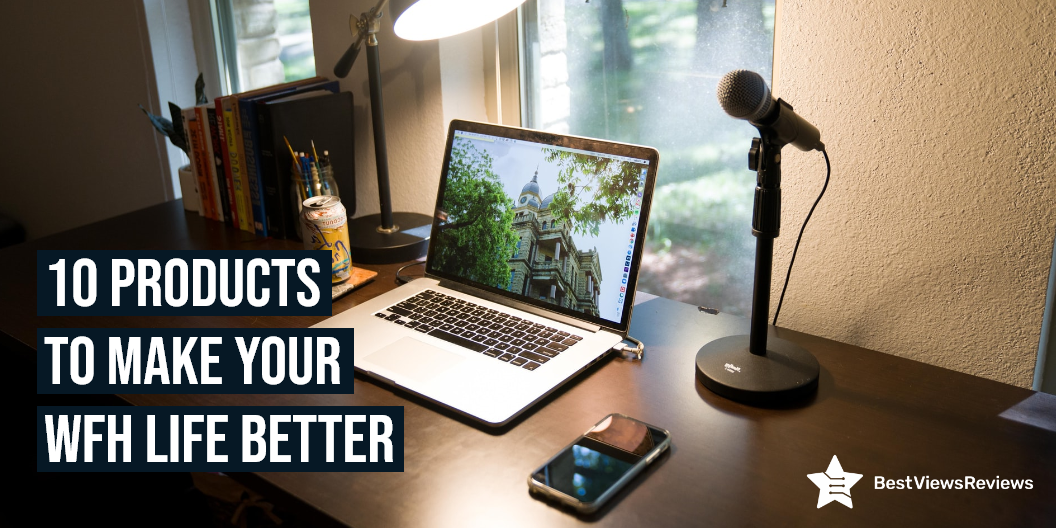
10 Products to Make Your WFH Life Better

WFH life

Work from home becomes easy when you have the right WFH gear. WFH gear includes items that help you perform your office tasks conveniently. These items are laptop tables, desk chairs, keyboards, desktop organizers. wifi extender and more. Buying these items will improve your productivity while working and will make your WFH life better. The right WFH gear also keeps you focussed on your work by eliminating other disturbances.

10 Products to Make Your WFH Life Better

Laptop Table

A laptop table is a small table that supports your laptop. It can come in different sizes and shapes and can be used for both home and office. It allows you to use your laptop in a comfortable and convenient way. A laptop table also provides an aesthetic aspect to your computer setup. It is easy to install and can be easily stored. Reviews of Avantree Neetto Adjustable Laptop Table show that this table can be used as a multifunctional workstation. You can read our blog to know how to buy the right laptop table.

Home Desk Office Chair

The Home desk office chair is a type of chair used in the home office. You can use these chairs for various activities including your office tasks, studying, writing a report, and also reading a book. The office chair is an ergonomic chair that helps to prevent joint stiffness, pain, and also sore neck. The customer reviews of Gabrylly Ergonomic Mesh Office Chair claim its lightweight frame and large mesh seat are ideal for work from home scenarios.

Wireless Keyboards

Wireless keyboards are a staple in any office, home, or classroom. They offer a huge range of functionality, from typing to gaming and graphics editing. These keyboards have Bluetooth connectivity, that allows you to connect them wirelessly to computers or other Bluetooth-enabled gadgets. The Arteck HB030B Keyboard is a portable universal keyboard that you can use with iOS, Windows, Mac OS, and Android tablets. Make sure you know how to install wireless keyboards before buying.

Wi-Fi Range Extender

Wi-Fi Range Extender is a device designed to extend the range of a wireless network by creating a hop between the wireless router and the wireless client device. The router acts as a relay between the wireless client’s signal. These extenders allow you to place your routers in a different room or in another building entirely. The TP-Link Deco Mesh WiFi System has got good reviews because it has a coverage of 5,500 Sq.ft.

Headphones

Headphones are electronic devices that are used to play music and also allow you to take calls on the phone. Reviews suggest that models like Sony MDR7506 are convenient because of their lightweight and portable design. You can use them in many ways and in many places like at the gym, at work, at college, and in the car. They are a must-have WFH gear because they help you take professional office meetings at home, by eliminating external noises.

File Folders

A file folder is a type of storage unit that consists of a number of layers in which documents, images, and other items are stored. File folders are used for organizing and storing data, typically in a series. They help you keep your important documents and files, easily accessible. The Rough Enough Folder Bag is made of durable and waterproof 1000D CORDURA fabric, red nylon lining, and strong magic tape.

Desk Lamps

Desk lamps make an important desk companion that is used to illuminate your workspace. These lamps come in different shapes and sizes for various purposes. They are also known as “reading lights” or “task lights”. The mchatte LED Desk Lamp comes with 5 lighting modes and 5 brightness levels to meet your lighting requirement. This light lamp has an auto-timer option that allows you to work at night and improve your WFH life.

Coffee Maker

A coffee maker is a machine that helps you make coffee in just some minutes. You can consider buying a coffee maker machine if you want to stay well-focussed during your work. The Keurig K-Mini Plus Coffee Maker is a single-serve machine that has a capacity of 6 fluid ounces. It has a removable drip tray and has a height of just 7″, making it a travel-friendly coffee maker. You can read through our blog to find the best 10 coffee makers.

Desktop Organizer

desktop organizer is a piece of furniture that is used to keep your desk space organized. You can use the desktop organizer to store your office supplies conveniently. It will keep your desk space free from clutter and mess. It will also increase your work efficiency. The Bamboo Desktop Organizer is a 4-tier durable wood table that comes with 8 compartments and one drawer.

Charging station

A charging station is a device that allows you to charge multiple gadgets at the same time, without any hassle. At a charging station, you can charge multiple smartphones, tablets, laptops, and desktops. Some even have plugs to charge your other electric gadgets, gaming systems, and MP3 players. The Hercules Tuff Charging Station comes with 6 USB fast ports that can charge your devices 58% faster than other models.

Conclusion

A typical home office setup consists of a computer, a printer, a scanner, and maybe a couple of other pieces of office equipment. The right gadgets and equipment will make your WFH life smooth and hassle-free. You can choose the best WFH gear from the above-mentioned list. Make sure you read the customer reviews before making any final purchase.

BestViewsReviews rates and reviews the best lap desks on the basis of quality, convenience, and durability.
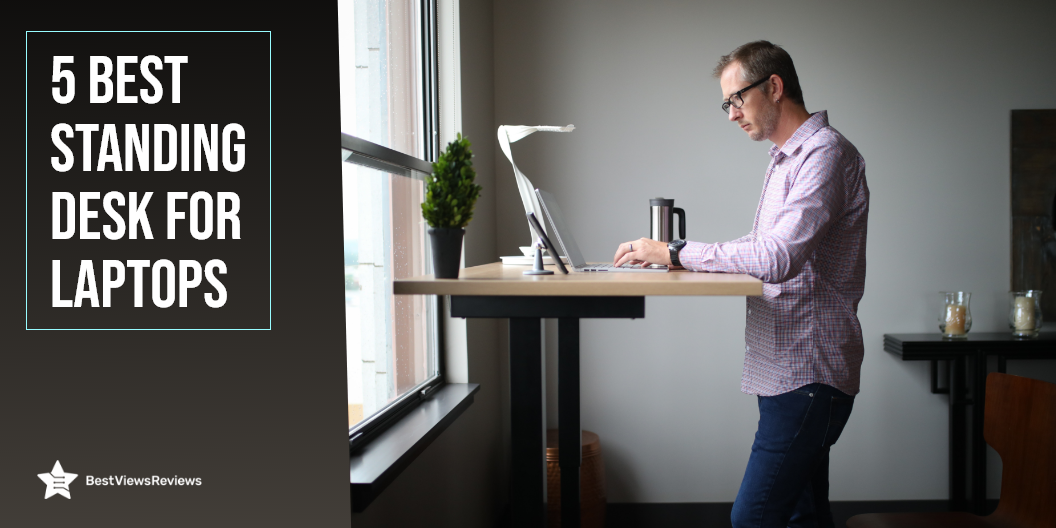
5 Best Standing Desk for Laptops

standing desk for laptops

A standing desk for laptops is a convenient way of changing your body posture and position while working in the office or at home. Standing desks have become an important work from home essential because of their added benefits. They help in boosting your overall work productivity and keep you fit by letting you burn more calories. You can change the height of these desks, using an electric motorized system or hand-crank mechanism. They are stable, easy to set up, and offer enough desk space to place your laptops and other gadgets. Read our blog to choose the best laptop desks.

5 Best Standing Desk for Laptops

Vari Electric Desk

The reviews of Vari Standing Desk show that it is the standing desk that provides you with a full electric sit-to-stand workstation. You can easily adjust the height of the desk to any point within the range of 25″ – 50.5″ high. This desk has 3 stage adjustable steel legs that make it perfect for home office, or small business office where users want to stand while they work.

SHW’s Electric Standing Desk

SHW’s electric standing desk has got excellent reviews for its telescopic adjustment system to make height adjustments. It is a perfect addition to your working environment. You can adjust this desk between 28 and 48 inches in height. The height adjustment is powered by a quiet electric motor. This allows you to focus on your work and avoid distractions.

MONOMI Standing Desk

The MONOMI Standing Desk is one of the best-selling desks for laptops in the market, as per the reviews. You can place this desk anywhere to set up 2 monitors, 2 laptops, and other office supplies. This desk allows you to customize the height from 28″ to 47.3″ at a speed of 1″/second. It is made of heavy-duty steel and has a weight handling capacity of 208 lbs.

VIVO Standing Desk

The VIVO standing desk is an electric height adjustable desk that measures 59” x 23.6” to offer you a roomy space for your monitors and laptops. You can adjust the height of this desk using the frame’s powerful motor and telescopic height adjustment system from 29″ to 48.7″. This desk can support up to 154 lbs with maximum stability and sturdiness.

FEZIBO Ergonomic Desk

The FEZIBO Standing Desk is an ergonomic workstation that comes with a drawer to let you keep your office supplies handy. This desk can hold up to 176 pounds of weight which means you can easily place 2 monitors or laptops on this desk. The legs of this desk also equip extra rollers to let you move it conveniently from one place to another. It comes with a detailed instruction manual that makes installation easy.

Is Standing Desk Better for Posture?

Yes, a standing desk allows you to stand as well as sit as per your convenience while working. This means you can change your body posture after every 30 minutes or an hour. It prevents you from neck pain and body strain. You may experience body pain and pressure on your muscles when you are sitting in the same position for many long hours.

How Long Should You Stand at a Standing Desk?

You should stand for about 10 to 15 minutes after every one hour or 30 minutes. Standing for all-day-long or for about 8 hours can cause you back, leg, or foot pain. You can stand at frequent intervals, which will keep changing your body posture and will lead to better blood circulation in your body.

Conclusion

A standing desk for laptops offers the best way to manage body pain and fatigue, without compromising your work productivity. It is a beneficial addition to offices and workspaces. Cool white desks are good for brightening up your space, but you can also consider other models based on your preferences.

Gaming desks can help in providing you better gaming experience, and you can play your favorite games conveniently. Read our blog to know about the benefits of gaming desks.

BestViewsReviews rates and reviews the best lap desks on the basis of quality, convenience, and durability.
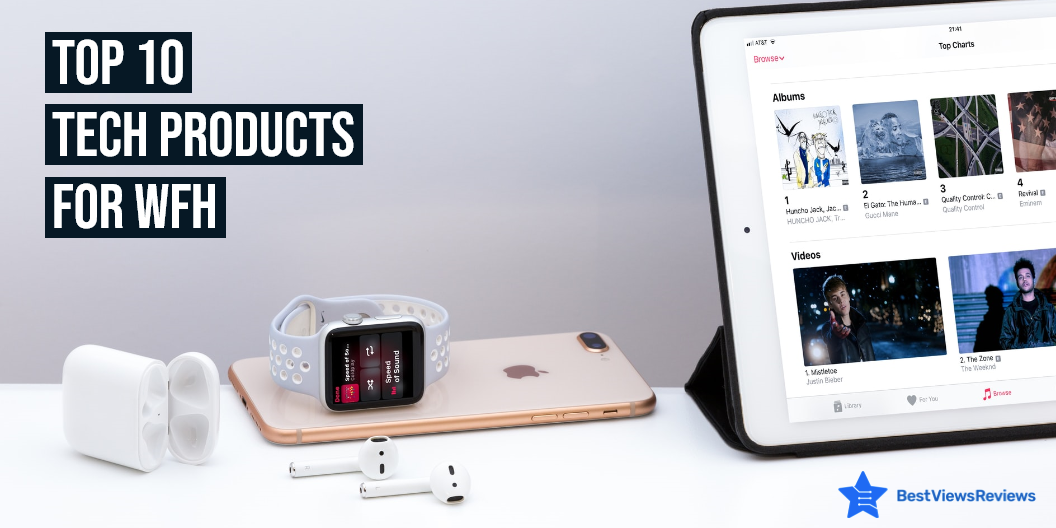
Top 10 Tech Products For WFH(Work From Home)

tech products for WFH

Tech products for WFH are gadgets that help you multi-task and perform efficiently. Work from home has become a new normal and having the best tech products for WFH will make your work from home experience, easy-going and fun. These products mainly include Wi-Fi extenders, wireless keyboards, dual monitors, headphones, and more. This blog lists the top 10 tech products that you can bring home to improve your work efficiency and productivity in work from home environment.

Top 10 Tech Products For WFH

Wireless Keyboards

Wireless keyboards are input devices that offer a huge range of functionality, from typing to gaming and graphics editing. These keyboards come with Bluetooth connectivity, which allows you to connect them wirelessly to computers or other Bluetooth-enabled gadgets. Reviews of Arteck HB030B Universal show that this gadget is compatible with iOS, Windows, Mac OS, and Android tablets.

Smart Speaker

A smart speaker is a loudspeaker device that comes with smart features like voice-assistant features and alarm timers. You can use these speakers to listen to your favorite music and control your home’s other electronic gadgets. The Echo Dot (3rd Gen)-Smart speaker is a compact-sized gadget that has a fabric design and delivers richer and louder sound. It has got good reviews for its voice control features.

Wi-Fi Range Extender

Wi-Fi Range Extender is a device that is used to extend the range of a wireless network by creating a hop between the wireless router and the wireless client device. Installing a Wi-Fi range extender gives you more range of Wi-Fi. These extenders allow you to place your routers in a different room or in another building entirely. The reviews of TP-Link Deco Mesh Wi-Fi System suggest it is a great product when it comes to its coverage of 5,500 Sq.ft.

Headphones

Headphones are electronic devices that are used to play music and take calls on the phone by using hands-free operations. The top-rated Sony MDR7506 has a lightweight and portable design which makes it convenient to use. You can use headphones in many ways and in many places like at the gym, at work, at college, and in the car. They are a must-have WFH gear because they help you take professional office meetings at home, by eliminating external noises.

Robot Vaccum

A robot vacuum is a household cleaning appliance that helps you get rid of dirt and grime in hard-to-reach places like under furniture, in corners, and underneath furniture. You can also use this device to clean and scrub the floor without putting in any human effort. Reviews of Deenkee Wi-Fi/App/Alexa Robot Vacuum Cleaner mark it as one of the best-selling tech products for WFH.

Dual Monitors

Dual monitors allow you to have dual screens, in one computer. You can use them side-by-side, so you can always have the same information on both screens. This lets you do your work more efficiently and be more productive, while also enhancing the user experience. Dual monitors are useful in many areas of computing. They can be useful for productivity, gaming, creativity, and work. The Mobile Pixels Trio Max is a portable monitor that you can use while traveling and connect to your tablet, smartphone, or PC. You can read our blog to know if a touch-screen monitor is a worth-buying device.

Cup Warmer

The Cup Warmer is a small heater that works in the same way as regular kettles and hot water bottles. The warming process in cup warmers is quick and requires less energy. You can also use them in a home or workplace where a full-size kettle or hot water bottle is not required. The VOBAGA Coffee Mug Warmer comes with 3 temperature settings and an auto-shut-off feature that turns off this machine after 4 hours.

Multi-Port Adapter

A multi-port adapter is a connector device that has multiple ports to connect different gadgets at once. It allows you to charge up more than one device at a time. The ZMUIPNG USB C Hub Multiport Adapter has 10 ports with 3 USB ports and 2 HDMI ports. It has a power of 100 watts that allow you to charge laptops, tablets, and mobile phones. You can also use this device to connect hard disk, U-Disk, monitor, and mouse with laptops.

High Tech Office Chair

A high-tech office chair is an ergonomic chair that is designed to offer you a comfortable seating position when you are working. This chair prevents back pain, and muscle fatigue and allows you to sit for long hours. The OFIKA Home Office Chair is a big and tall chair that comes with features like the facility of adjusting height, lumbar back support, and a comfortable armrest. Read our blog to know how to choose the right office chair.

Wireless Charger

A wireless charger is a charging pad that can transfer power via electromagnetic induction. You can use this device to charge your phones, watches, earbuds, and other gadgets wirelessly. The WAITIEE Wireless Charger is a 5W fast-charging station that is compatible with most smartphone models like iPhone 13/12/12 Pro, Max/11 Series/XS, and more. This charger has a charging base with an anti-slip silicone design.

Conclusion

Tech products for WFH are devices that make your work life easier. You can go with gadgets that are equipped with advanced features and help in increasing your productivity. These gadgets will transform your home space into a comfortable workspace where you will get efficient work results. An organized home office is a necessity for any busy professional. A place where everything is organized keeps your work life stress-free.

BestViewsReviews rates and reviews the best products on the basis of quality, convenience, and durability.
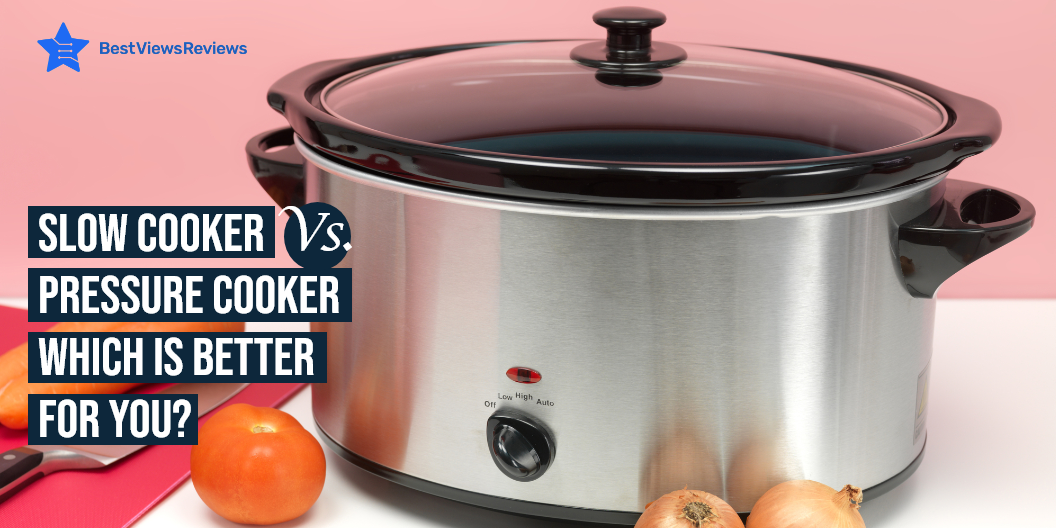
Slow Cooker Vs Pressure Cooker: Which Is Better For You?

slow cooker vs pressure cooker

Slow cooker vs pressure cooker are both cooking appliances that you can use for making the process of cooking convenient. The slow cooker is a dish-like container with a long-lasting heating element on the bottom and it cooks food slowly. The pressure cooker is a pot that is used for cooking food quickly and in elevated temperatures. They both come with their pros and cons and choosing between them can be tricky. Read below to know which good between a slow cooker vs pressure cooker.

You can also read our blog on induction cooktops if you’re looking for modern cooking options. These cooktops look stylish and are convenient to use.

Pros Of Slow Cooker

More Flavor

Slow-cooked meals usually have a depth of flavor that you can not get by cooking quickly. You can put the ingredients in the cooker in the morning and come back to a delicious, slow-cooked meal when you return home.

Budget-Friendly

Slow cookers are budget-friendly. They are inexpensive and economical to use. These cookers are also great for making most of the budget ingredients.

Uses Less Energy

Slow cookers use less energy and let you save money in the long run. These cookers can cook meals in bulk so you can save the energy cost of cooking separate meals.

You can look at some of the best slow cookers that we have reviewed on the basis of their build quality, size, and design.

Cons Of Slow Cooker

Long Cooking Time

Slow cookers need a lot of time for cooking meals so you can’t just whip something up at the last minute. They generally require 3-4 hours for cooking a meal.

Takes More Space

Slow cookers require a lot of space. They are bulky and will take up a lot of your cupboard space. These cookers are not a great option for compact kitchens.

Condensation Affects Overall Food Quality

You must be prepared to consume foods soaked in some water due to condensation if you are using these cookers. The closed lid of the cooker traps steam which condenses to water. This results in making your meal somewhat soupy even when making soup wasn’t part of the plan.

Pros Of Pressure Cooker

Reduced Cooking Time

The main advantage of a pressure cooker is that it reduces two-third of the cooking time. They trap more energy and steam which results in faster cooking.

Nutrients Are Retained

Pressure cookers are designed to lock in more goodness of the ingredients than regular cookware. Only a few of the food’s nutrients and vitamins are lost during the pressure cooking process. This makes your meals more healthy and nutritious.

Less Mess

The use of a pressure cooker eliminates mess. Cooking with just one cooker requires less cleaning as compared to washing multiple pots. These cookers also come with a lock-down lid that avoids spillage.

Safety

Pressure cookers also come with safety features that make cooking easier. They prevent the cooker from building up too much steam. Extra steam can result in the top blowing off.

Cons Of Pressure Cooker

Can’t Open To Check For Readiness

A big disadvantage of pressure cookers is that you can’t open their lid in between cooking to check for readiness.

Overcooking Issues

There are chances of overcooking the food especially if you are learning how to use the cooker. This is because the cooking time is much shorter with a pressure cooker.

Only Good for Certain Meals

Different ingredients require different cooking times. You will have to use separate pots and pans in addition to the pressure cooker as you cant cook all the ingredients together.

Buy Slow Cooker, Pressure Cooker

Presto 01264 Pressure Cooker

Presto 01264 Pressure Cooker is designed with strong heavy-gauge aluminum for quick and even heating. It works well on regular and smooth-top ranges. The cover lock indicator of this cooker shows when there is pressure inside the cooker and prevents the cover from being opened until pressure is safely reduced.

Instant Pot DUO Mini Electric Pressure

Instant Pot DUO Mini Electric Pressure’s reviews show that it features 11 one-touch controls that make it easy to operate. The dishwasher-safe lid and pot of this cooker offer easy cleaning and maintenance. Its built-in tri-ply stainless steel inner pot offers quick and even heating performance. It cooks delicious meals up to 70% faster than traditional cooking methods.

All American Canner Pressure Cooker

The customer reviews of All American Canner Pressure Cooker claim that its 2 automatic venting features provide an extra margin of safety. It features positive action clamping wing nuts that permits easy opening and closing. The built-in double-thick edges of this cooker offer additional protection on points of heaviest wear.

Crock-Pot SCCPVL610-S-A

Crock-Pot SCCPVL610-S-A is a 6 quart Cook & Carry Slow Cooker that serves 7+ people. The easy-to-use locking lid of this cooker provides an extra seal for less mess on the go. It comes with a smart control panel that lets you change temperature settings. This pot is also microwave and oven safe.

Ninja Foodi Slow Cooker

Ninja Foodi Slow Cooker’s reviews mark that it comes with 14 safety features. This cooker is ceramic coated and nonstick. It also includes an air fryer basket for cooking healthy meals. The tender-crisp technology of this cooker allows you to cook quickly. You can use this cooker to air fry/air crisp, steam, bake/roast, slow cook, yogurt, and sear/saute.

Reynolds Kitchens Slow Cooker Liners

Reynolds Kitchens Slow Cooker Liners has a BPA-free nylon-blend construction that makes it safe for high temperatures. It comes with a 13 x 21 inches liner to fit 3- to 8-quart round and oval slow cookers. These liner bags help prevent stubborn stains or stuck-on messes on the pots.

Conclusion

Pressure cookers and slow cookers both are useful and offer different features. The slow cooker is great if you like cooking large meals with enhanced flavors. The pressure cooker is great if you are cooking a small amount of food like a small chicken or some vegetables. The pressure cooker is a win between slow cooker vs pressure cooker if you can’t spend much time on cooking and need control over your cooking process for those sumptuous meals.

BestViewsReviews rates and reviews hundreds of pressure cooker accessories and pressure cookers on the basis of their sturdiness, build quality, and size.

How To Prevent Neck Pain While WFH?

prevent neck pain

Neck pain is one of the most common workplace injuries and it affects millions of people every year. Working from home requires sitting in front of your laptop for long hours. This can result in neck pain and problems like cervical in the long run. You can prevent neck pain by exercising regularly. There are also some tips and tricks that let you prevent neck pain during those long hours of work.

How To Prevent Neck Pain While WFH?

Feet Firmly On The Ground

Keep your feet flat on the floor to perform this position. The feet should be slightly ahead of your knees which are bent at a 90- to 120-degree angle. Use a lumbar support cushion or grab a small throw pillow to alleviate back pain.

Shoulders Relaxed and Natural

Keep your shoulders relaxed, let your upper arms fall normally at your sides and elbows close to your body. Keep your head in line with your body and the middle of your computer monitor should be at eye level.

Hands And Forearms Parallel To The Floor

Ensure keeping your hands and forearms parallel to the floor. The ideal keyboard position is a little below the height of your elbows and sloped slightly away from you. This position allows your upper body to relax. It also keeps circulation from being cut off in your lower arms and hands.

Neck-Free When Talking

Always use earbuds, a headset, or a speakerphone while working. This will prevent your head from tilting while talking on the phone as you will not have to hold it between your neck and shoulder.

Keep Moving

You can still get neck pain while sitting for a long time even if you follow the best position. It is important to keep moving after regular intervals to prevent this pain. You can stretch around, walk for while or bend to keep yourself moving.

Neck pillows also help a lot in reducing neck pain and keeping you comfortable. You can read our guide on neck pillows to learn more about them.

Work From Home Products That Help Maintain Correct Body Posture

Ergonomic Office Chair

It is important to go for a chair that delivers support and keeps you comfortable during those long working hours. Ergonomic chairs support your head, back, and arms. The customer reviews of the Gabrylly Ergonomic Mesh Office Chair show that it offers breathability and adjustability. They also provide proper air circulation to provide extra comfort.

Monitor Stand

A monitor stand lets you raise up the height of your monitor. This way you can achieve a better viewing angle. Premium Laptop PC Monitor Stand’s reviews claim that it comes in a stylish design and is made of durable steel. Keeping your monitor at a raised level will help to reduce neck pain. These stands are compact in size and won’t take up much of your desk space.

Footrest

A footrest is designed to provide support to your feet. They are made of high-quality foam and offer perfect firmness. ErgoFoam Ergonomic Foot Rest Under Desk’s customer reviews say that it helps to ensure your sitting position is upright. Using a footrest will improve your posture. It will also reduce fatigue to your back, feet, legs, and knees, and improve circulation.

Standing Desk

A standing desk comes with an adjustable height and allows you to work even in a standing position. You can switch your position from sitting to standing easily with this desk. Standing desks like Flexispot EC1 Electric Standing Desk come with various height adjustments and offer a spacious work area.

Neck Pillow

A neck pillow is a perfect solution for neck pain. They support your neck and eliminate neck pain by keeping ears, shoulders, and spine in perfect alignment. Neck pillows like Desk Jockey pillows also come with a washable cover that makes them easy to use.

Conclusion

It’s important to take regular breaks from sitting at your desk when you are working from home. Standing up, walking around and stretching can help reduce your risk of neck pain that can result from sitting for extended periods. You can prevent neck pain by using devices like a neck pillow or monitor stand also. Your work will become more productive if you are healthy and not facing all these issues.

BestViewsReviews rates and reviews hundreds of home office desk chairs and monitor arms on the basis of their build quality, design and size.

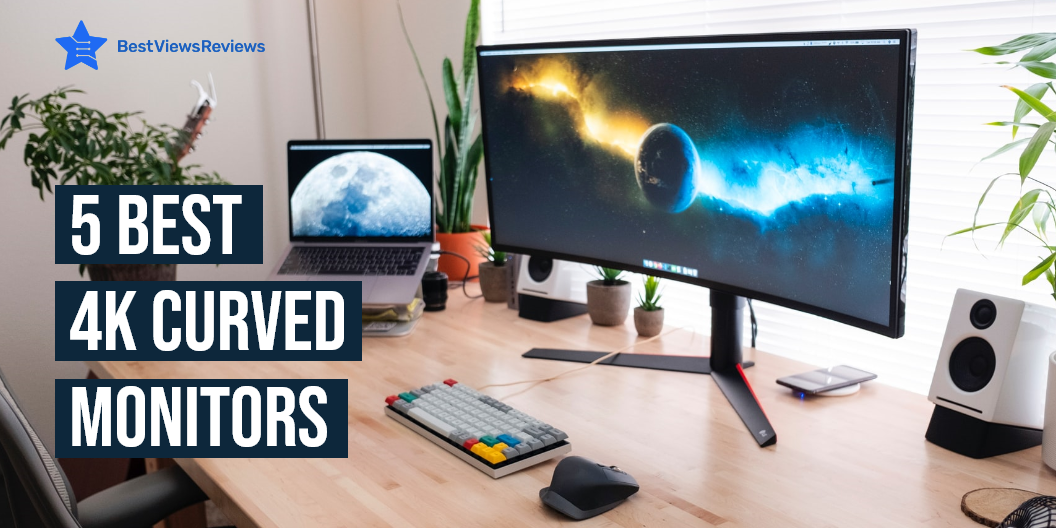
4 Best 4K Curved Monitors

4K curved monitors

4K curved monitors are a type of display technology that curves the image to the user and can be used to reduce the eyestrain of a flat panel display. They also allow the user to view more content at once which results in a better experience. Curved monitors are also used in applications like gaming where a good view of the action is important. You can find these monitors in different sizes and with advanced features.

4 Best 4K Curved Monitors

Philips 328E1CA Curved Monitor

Philips 328E1CA is a 32 inches 4K UHD monitor with 1500R curvature and 3840×2160 pixels. The mega Infinity Dynamic Contrast Ratio of this monitor offers deeper blacks and brighter colors. This model also comes with effortlessly smooth gameplay with Adaptive-Sync technology. It comes with flicker-free technology and low Blue mode to reduce eye strain.

SAMSUNG UR59 Series

SAMSUNG UR59 Series is a 1500R curvature that delivers an immersive and comfortable viewing experience. This monitor minimizes eye strain during long working hours with Flicker-free and eye saver mode reducing blue light emissions. You can connect this monitor with multiple devices like laptop, PC, desktop computer, mac, and MacBook pro. It is also compatible with Xbox and PS4.

AOC CU32V3 Monitor

AOC CU32V3 monitor is a widescreen monitor with 4K UHD 3840×2160 resolution. It displays more accurate colors with wide-viewing angles that conform better to the natural curvature of your eyes. The low blue mode of this model reduces the amount of harmful blue spectrum of light to help prevent damages.

Dell S3221QS Monitor

Dell S3221QS 4K monitor comes with a curved 1800R screen that expands your field of vision and provides a wrap-around view for an immersive movie experience. It also has a flicker-free screen with ComfortView that reduces harmful blue light emissions and optimizes eye comfort. The customer reviews of Dell S3221QS monitor claim that its 4K UHD resolution offers immersive viewing in incredible clarity and fine details. It also has dual HDMI ports that help switch between streaming and console gaming easily.

What Are The Benefits Of a 4K Curved Monitor?

There are many advantages offered by a curved monitor. These monitors offer a more immersive viewing experience. Curved monitors also take advantage of their shape and reduce distortion. The curvate of these monitors allow your eyes to take everything at once without strain. They also have a wider field of view and are great for gaming purposes as well.

Do Curved Monitors Take Up Less Space?

The answer is No. Curved monitors generally take a lot of space. They take up more space than flat monitors. Curved monitors have a widescreen that’s why they require more space. You can consider buying vertical monitors if you are looking for a space-saving option. Read our blog on vertical monitors to know more about them.

How Far Should You Sit From A Curved Monitor?

You should sit around 3 meters away from the monitor if it has a 3000R curvature. Your viewing experience might get less than perfect if you exceed this distance. You won’t be able to see the screen completely if you reduce this distance.

How Much Do 4K Curved Monitors Cost?

The price of these monitors mainly depends on their size and the features they offer. The cost of 4K curved monitors usually varies between 200-400 dollars. Some high-end models may also go up to 600-700 dollars.

You can also find touch monitors on the market that offer convenience and the latest technologies. You can read our blog on touch screen monitors to know they are worth it or not.

Conclusion

Curved monitors are a great option for users who are looking for an ergonomic display solution. A curved monitor can help reduce neck strain while offering an immersive experience. They are also comfortable on the eyes. Many curved monitors like Samsung 4K monitors are also built with high refresh rates that make them great for gaming.

BestViewsReviews rates and reviews hundreds of top-selling monitor arms and best computer monitors on the basis of their size, build quality, and design.

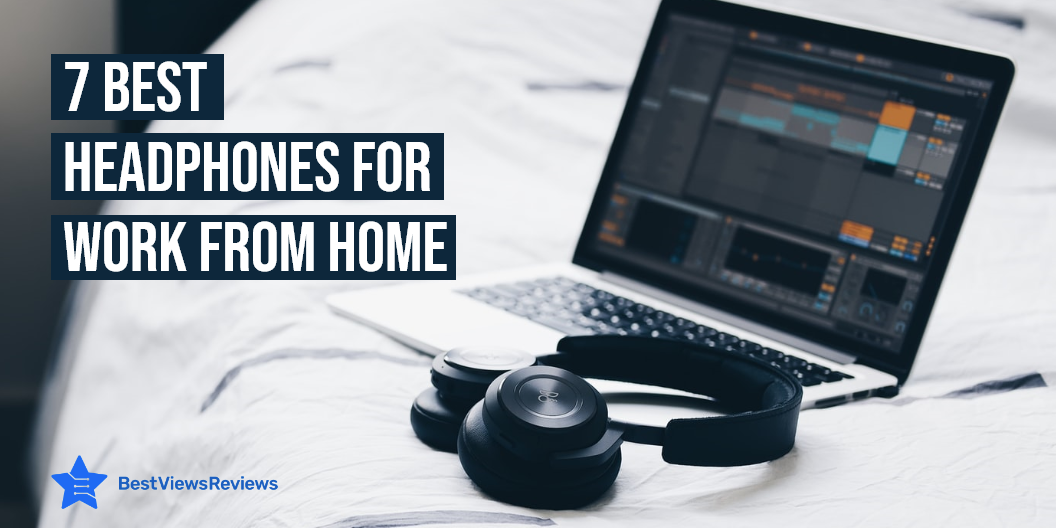
7 Best Headphones For Work-From-Home Meetings

headphones for work from home

Headphones are an essential part of most people’s professional lives, whether they work from home or from an office. They are a great way to stay connected and productive while working from home -whether you’re in the kitchen cooking dinner or sitting on the couch watching your favorite movie. Headphones for work from home allow you to hear everything the speaker on the other end is saying without having to reach for the phone. They are wireless and also come with noise-canceling technologies. These devices will make your work-from-home productive and easy.

Earbuds and earphones are also great devices for working from home. They both come with their own unique features. You can also read our blog on earbuds vs earphones to know the difference between them.

7 Best Headphones For Work From Home

Jabra Evolve 40 Professional Wired Headset

Jabra Evolve 40 Professional Wired Headset is built for greater productivity and amazing sound quality. It also comes with a busy light that automatically turns on during a call to let others know to not disturb you. The 3.5mm jack of this headset lets you connect it to your personal device. It is designed with leather-feel cushions that provide all-day comfort.

Bose QuietComfort Wireless Headphones

Bose QuietComfort Wireless Headphones come with noise-canceling technology. It eliminates up to 99. 6% of transmitting noise so that the people on the other side will not hear any background noise. This model also comes with an inbuilt mic for your convenience. It has a long battery life and can connect with 2 Bluetooth devices at a time.

Sony WH-1000XM4

Sony WH-1000XM4 headphones are designed with Dual Noise Sensor technology. They offer up to 30 hours of battery life with fast charging. These headphones also have a touch sensor technology that lets you pause, play or skip tracks. They also offer superior call quality with precise voice pickup.

Apple AirPods Pro

Apple AirPods Pro claims that it comes with a noise-canceling feature. It offers a frequency range of up to 20kHz that ensures immersive, accurate, and realistic sound. This model has active noise cancellation that reduces unwanted background noise. It offers excellent sound quality and a stable connection.

Jabra Elite wireless headphones

The Jabra Elite wireless headphones mark that it has a built-in large-capacity battery that offers up to 50 hours of playtime. Its highly-flexible silk diaphragm produces thumping bass and crisp clear sound. The dual noise-detecting microphones of this device filter out up to 95 of unwanted background noise. During the holiday season, you will get a 13% discount on this product.

Philips SHP9500

Philips SHP9500 has a built-in 50mm neodymium driver that delivers a full spectrum of sound. It features a 1.5m cable that provides freedom of movement for indoor use. It also comes with a double-layer cushioned headband that offers long-wearing comfort. This device comes in a stylish black design and offers high performance.

Sony MDR7506 Professional

Sony MDR7506 Professional’s customer reviews show that its built-in 40-millimeter driver offers detailed and powerful sound. It also features a closed-ear design that provides comfort and outstanding reduction of external noises. This model comes in a foldable design that makes it easy to carry and store. It also comes with a 9.8-foot cord.

Over-ear headphones are also convenient and will help you a lot in working from home. You can look at some of the best over-ear headphones that we have reviewed on the basis of their controls and functionality.

Conclusion

Headphones are reasonably-priced and do an amazing job of canceling out sounds from the outside. They are fairly comfortable to wear and are perfect for working from home. They help to keep outside noises out and keep you focused on your work. The best headphones for working from home are comfortable, have great battery life, and have a convenient charging case.

BestViewsReviews helps you find the best single-ear Bluetooth headsets and top-rated earbud headphones on the market by rating and reviewing them on the basis of quality, convenience, and durability. Get unbiased, honest reviews of products before you buy.

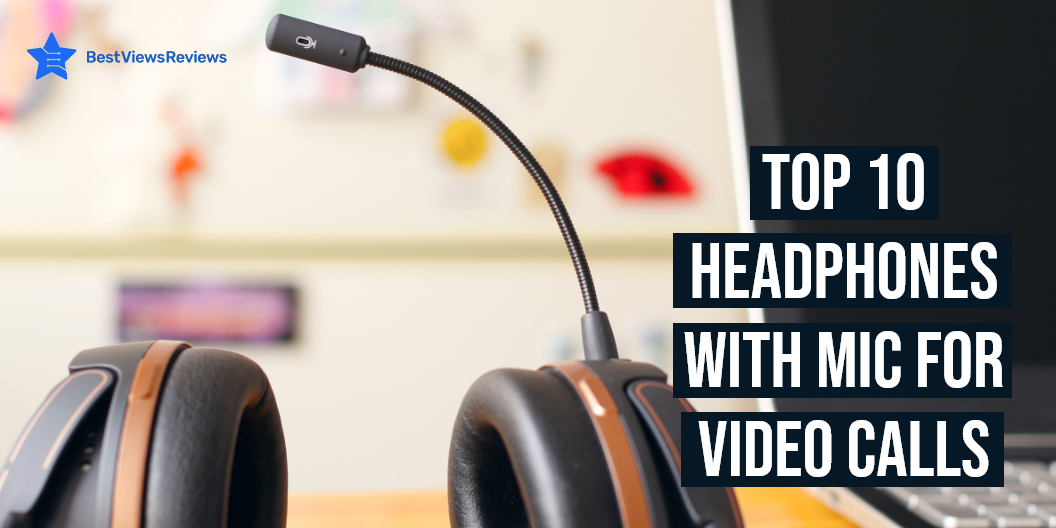
Top 10 Headphones With Mic for Video Calls

headphones with mic for video calls

Headphones are wearable smart gadgets or a pair of loudspeakers that are worn around the neck or over the head. These gadgets have loudspeaker drivers to deliver high-quality sound with no sound distortion. The top-rated headphones with a mic for video calls are perfect for doing long hours of video calling sessions without having to face external noise disturbances. These devices can come in wired as well as wireless connectivity. The wireless headphones use the Bluetooth feature to connect with PC, Mac, mobile, and more.

List of Top 10 Headphones With Mic for Video Calls

MAIRDI Headphone

The MAIRDI headset is a lightweight, black color headset with a microphone and volume control. The headset connects to a computer via a USB transmission and has a 3.5mm stereo plug. It has a simple plug-and-play design, which means you will not require to install additional drivers. The reinforced cord built with Kevlar and tough construction offers great durability.

Sony WH-XB910N Headphones

The Sony WH-XB910N Headphones is a wireless variant that comes with Bluetooth connectivity to let you connect with a PC, Mac, mobile, tablet, and more. It gives you a great listening experience because it has a noise-canceling feature. This device has Extra bass that provides you impressively deep, punchy sound. This model is compatible with Google Assistant and Alexa which provides you easy control. Check out our blog to find the list of the best wireless earbuds.

JBL Tune 710BT Wireless Over-Ear Headphones

The JBL Tune 710BT Wireless Over-Ear Headphones equip high precision driver that delivers high-quality sound and enhance the sensitivity of the speaker. This gadget is ideal for gaming and for video calls. You can use it for chatting with others at the office, at home, or in meetings. It has padded ear muffs cover on both sides to offer high comfort.

Avantree Aria Headphone

The Avantree Aria Headphone uses 40mm, Hi-Fi stereo drivers, to deliver rich bass and balanced audio output with high clarity. It gives you up to 35 hrs of playtime on Bluetooth mode and up to 21 hrs with ANC switched on. This headphone equips a soft, plush protein leather earpad and adjustable headband to offer you the right fit. You can use these headphones for extended periods. 

Beats Studio3 Wireless Over-Ear Headphones

The Beats Studio3 Wireless Over-Ear Headphones is a stylish, high-quality stereo headset that is compatible with a wide range of computer or audio-enabled devices. It is made with the highest quality to provide the best listening experience. It provides you up to 22 hours of battery life. This holiday season, you will get a 24% off discount on this particular product.

You can use it for multiple functions like gaming, watching movies, and more. Read through our blog if you want to buy the best-quality gaming headsets.

Bose Headphones 700 Over Ear

The Bose Headphones 700 Over Ear produces stunning high-definition stereo sound and deep bass. You would be amazed by the quality of sound that you can get from these small devices. The noise cancellation feature also allows you to have clear conversations without any disturbance. Reviews show that this device is perfect for taking calls and enjoying music.

Apple AirPods Max – Silver Official

The Apple AirPods Max is a rechargeable, wireless unit that gives you hands-free operations for your convenience. It has a transparency mode that allows you to hear and interact with the world around you. It comes with a knit-mesh canopy and memory foam ear cushions for an exceptional fit. This model has got good reviews for its design which makes it ideal to store and carry while traveling. 

Soundcore Anker Life Q30 Headphone

The reviews of Soundcore Anker Life Q30 Headphone mark this model as one of the best-selling models in the market. This is because of its advanced noise cancelation technology that uses Dual noise-detecting microphones to filter up to 95% of low-frequency ambient sound. It has highly-flexible silk diaphragms to reproduce bass and sound to up to 40kHz for improved clarity.

TREBLAB Z2 Headphone

The TREBLAB Z2 Headphone is a great option for listening to songs of high quality while exercising, running, or working out in the gym. It is IPX4 water-resistant & sweatproof, making it perfect to wear when you are swimming. You can charge these headphones in around 3 hours to get a playtime of 35 hours. This device has a portable and lightweight design, weighing around 0.53 lb.

Srhythm NC25 Stereo Headphones

The Srhythm NC25 Stereo Headphones use a dual 40mm HD high-resolution audio driver and Bluetooth 5.0 connectivity to provide stable transmission speed. You can charge his headphone with a 5V 1A/5V 2A charger. This gadget gives you a playtime of about 50+ hours on a single charge. It is a lightweight gadget and you can wear it for long hours, comfortably.

Conclusion

Headphones with a mic for video calls have become must-have gadgets for gaming, calling sessions, and even also for attending professional team meetings. You can go with any wired or wireless models considering your sound requirement. Make sure you look for models that come with soft and padded earmuffs.

It can be confusing to decide between earbuds vs earphones. Read our blog to know what to choose between earbuds vs earphones.

BestViewsReviews helps you find the best earbud headphones on the market by rating and reviewing them on the basis of quality, convenience, and durability. Get unbiased, honest reviews of products before you buy.
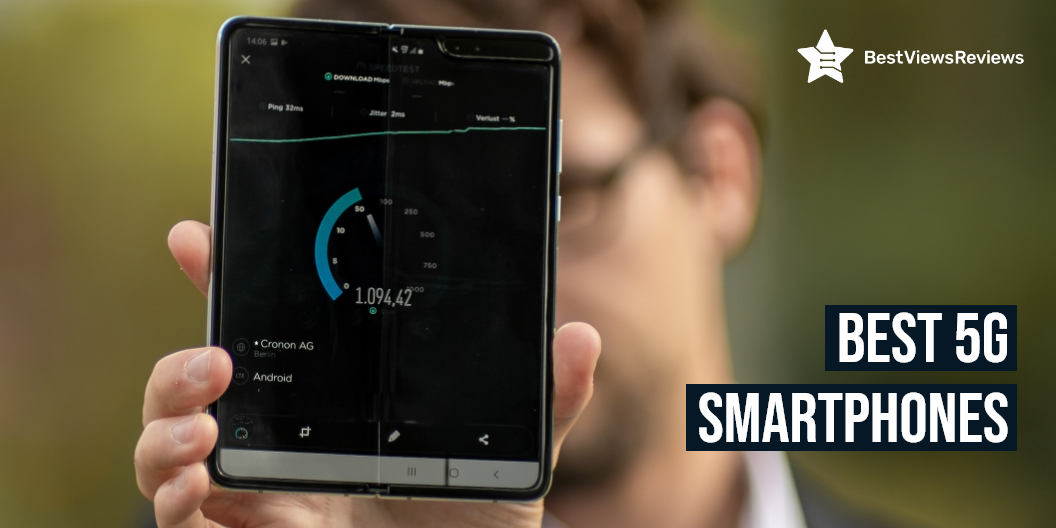
Best 5G Phones

best 5G phones

The best 5G phones are designed to bring faster data speeds, lower latency, and reduced mobile energy usage. A 5G phone is typically one that supports the next generation of cellular networks. The 5G network is much faster than current 4G LTE networks with the ability to deliver gigabit speeds. 5G is also the first-ever technology to utilize spectrum in the millimeter-wave range that provides a longer range and better connectivity than the traditional 3G and 4G frequencies.

Best 5G Phones

Google Pixel 6

Google Pixel 6 is a 5G phone that gives you the flexibility to change carriers and choose your own data plan. The powerful Google Tensor processor of this phone keeps your phone fast, your games rich, and your personal info safe.  Its 50-megapixel rear camera captures 150% more light for photos with richer colors and more detail.

Motorola Moto G

Motorola Moto G’s reviews claim that it comes with a built-in stylus that is perfect for navigating, highlighting, editing, or any task that requires pinpoint precision. It also comes with a 48 MP main sensor and Quad Pixel technology. This phone offers 256GB storage and a 5000 mAh battery. The Qualcomm Snapdragon 480 5G processor offers ultra-fast performance. 

Google Pixel Android Phone

Google Pixel Android Phone gives you an extra boost of speed. It lets you download a movie in seconds, enjoy smooth streaming in ultra-clear HD, play games at home and on the go, and also share your 5G speed with friends. The battery of this model can last up to 48 hours. It also comes with nigh sight to click bright pictures even in dark.

Motorola One 5G 

The customer reviews of Motorola One 5G claim that it is one of the best 5G phones with a battery life of over 2 days. The 48 MP triple camera system of this phone allows capturing sharper low-light photos, vivid nighttime pictures, ultra-wide angle shots, and incredibly detailed close-ups. You can also enjoy enhanced gaming with the latest processor of this phone.

OnePlus 8 Glacial Green

OnePlus 8 Glacial Green phone comes with a super smooth display. It comes with 8 GB RAM and 128 GB internal storage for more performance, true speed, and larger amounts of data. This phone is also compatible with Alexa. It also has a 48MP main camera, 16MP ultra-wide-angle, 2MP macro, and 16MP front camera.

Samsung Galaxy Note20

Samsung Galaxy Note20’s customer reviews say that it comes in a nice mystic bronze color. This model comes with a  SIM removal tool, a charger, and a charging cable. It also has a great battery life so you won’t have to charge it again and again. This phone also offers 128GB of storage.

LG Velvet 5G LM-G900TM

LG Velvet 5G LM-G900TM comes with 128GB ROM and 6GB RAM.   It has 48MP Standard + 8MP Ultra-Wide + 5MP Depth cameras.  This model is compatible with Carriers like AT&T, Metro, Cricket, Latin, etc. It also has a 4300mAh battery with fast charging technology.

OnePlus Nord 5G AC2003

OnePlus Nord 5G AC2003 has a screen size of 6.44 inches. It comes with 128GB storage and 8GB RAM. This model comes in a nice blue marble color. It is compatible with any GSM Network such as AT&T, T-Mobile. This phone also has long-lasting battery life.

Samsung Galaxy Note20 

Samsung Galaxy Note20 is a 5G android phone. It comes in an attractive mystic bronze color. This phone comes with a SIM removal tool, a charger, and a charging cable. It also has a long-lasting battery life for your convenience. This model comes with 12GB of storage so you never run out of storage space.

Is 5G Faster Than Wi-Fi?

The answer is Yes. 5G is faster than Wi-Fi. You can download a complete movie in seconds with a 5G network that might not be possible with Wi-Fi. There are some home/office Wi-Fi networks that can be faster than the 5G network.

Does 5G Work Through Walls?

No, 5G does not work through walls. Even the air can produce a signal loss which limits frequencies above 28GHz to about a kilometer anyway. Buildings made of cement and brick attenuate and reflect too high-frequency signals so you will face signal loss. Wood and glass attenuate high-frequency signals to a smaller degree so you’ll still be able to use 5G next to a window.

You might get confused while choosing a phone. Flip phones are the most basic and classic phones available. Smartphones on the other hand come with their own unique smart features. You can read our blog on flip phones vs smartphones to know which one should you choose.

Conclusion

The 5G network is capable of delivering speeds of up to 10 million bits per second – which is up to a million times faster than 4G. It is a network connection for communication between devices and transmitting data at higher speeds with lower latency. The best 5G phones are the most advanced, have the highest processing speeds, and best resolution screens.

BestViewsReviews rates and reviews hundreds of small smartphones and smartphones on the basis of their performance, camera quality, and battery life.

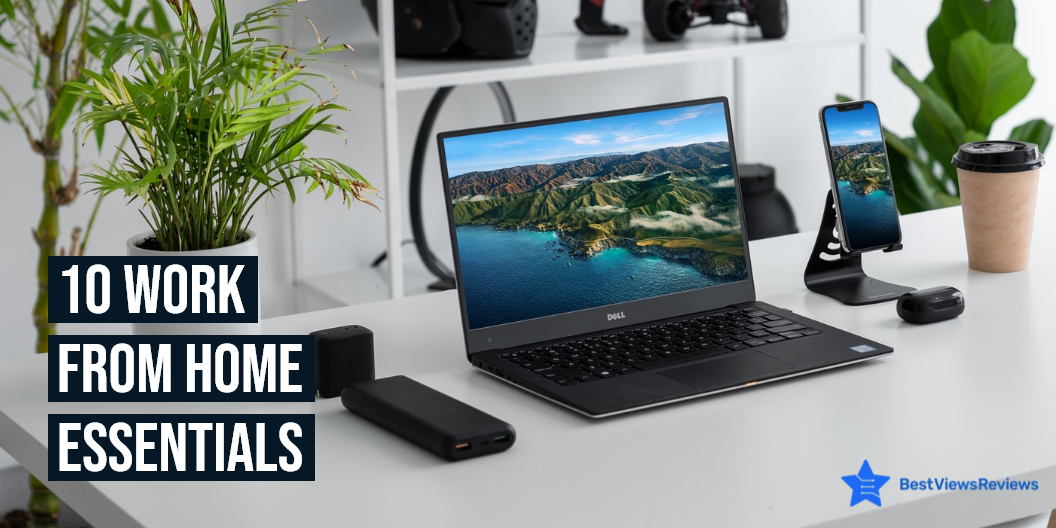
10 Work From Home Essentials

work from home essentials

Many people are working from home these days. While there are several benefits to working from home, long hours can take a toll on your health. You’ll need a few work-from-home essentials like laptops, monitors, home desks, etc to help you to improve productivity while working from home. You can create a home office with all these essential gadgets and having the right tools will make your work more efficient and comfortable.

10 Work From Home Essentials

Laptop

Laptops are the most important gadgets when it comes to working from home. They are compact in size and offer much more flexibility than a desktop. They are portable so you can switch your position from one room to another easily. Apple MacBook Air’s reviews say that its 2.96 pounds lightweight design makes it easy to carry around. They have a great storage capacity and are equipped with the latest technologies.

There are both touch screen and non-touchscreen laptops available today. Both come with their own advantages and disadvantages. Read our blog on touch screen vs non-touchscreen laptops to know which is better.

Home Office Desk

A home office desk will give a more official feel to your workspace at home. These desks are available in classic designs that will amp up the look of your workspace. You can keep your laptop, mouse, and other work essentials on this desk. Mr IRONSTONE is a nice foldable office desk that can also be stored easily.

Keyboard

The keyboard is another device that is essential for working from home. A high-quality keyboard will let you type comfortably and increase your productivity. You can even find wireless keyboards to make your work convenient. Arteck HB030B’s customer reviews mark that it is a good quality backlit wireless keyboard.

Monitor

Monitors can improve your work quality if you spend a good part of your time looking at the computer screen. USB-C Portable Monitor’s reviews claim that it comes in a lightweight design that offers easy portability. Keeping a monitor along with your laptop will help you manage tabs better. Browsing different tabs on a single screen can be messy and time-consuming. You can find monitors in different shapes like vertical, curved, etc. Vertical monitors show text vertically that is easy to read. Go through our blog on vertical monitors to know more about them.

Wi-Fi

A good internet connection is always important to get your work done on time. Always choose Wi-Fi that offers excellent speed, smart features, and ease of use. The customer reviews of NETGEAR Orbi show that it eliminates dead zones and buffering that ensures high speeds. A good Wi-Fi connection will make your video conferencing, web browsing, and other tasks easy and quick.

Office Chair

A high-quality office chair will keep you comfortable during those long hours of work. It will also protect you from back pain and long-term injuries. Office chairs like Office Chair Ergonomic also help to improve your posture. These chairs also allow you to adjust their height according to your preference.

You can also read our buying guide on office chairs to make an informed and better purchase.

Headphones

Headphones play a major role during work calls and video conferences with your colleagues. They come with noise-canceling technologies that prevent any external sounds. Most of the earphones these days like JLab Go are wireless and compact so you can carry them anywhere you want.

Paper Shredder

A paper shredder like Amazon Basics Home Office Shredder helps you to dispose of the trash safely. Some official documents contain important information like your account number so you cannot directly throw such documents. This device will cut your documents in such a way that nobody will be able to retrieve your information.

Printer

A good printer is necessary at times when you need physical copies of documents in your hand. This device will let you print documents quickly. You can organize your work better if you have these hard copies with you. Printers like HP DeskJet 2755e are wireless and compact in size and won’t take much space.

File Cabinet

A file cabinet is an essential work-from-home item that lets you organize your documents. There are chances of losing documents if you keep them scattered all over the place. A file cabinet like Lorell 16873 2- File Cabinet is a place where you can store your files and other documents safely. This way you will be able to find your important papers quickly when required.

Conclusion

Working from home can be a great arrangement if you have the right tools and gadgets. These work-from-home essentials will help you reach your goals by helping you avoid distractions. These tools let you complete your work quickly and efficiently in the comfort of your home. Health and wellness are also important when you are doing work from home. There are a ton of wellness-related freebies and free samples out there for testing.

Since the pandemic happens, the working culture has shifted for many professionals, whether they are freelancers or full-time employees. People are increasingly interested in working from home. Choosing the ideal place to work has numerous advantages such as increased productivity and improved time management. Working from home offers numerous advantages of its own.

BestViewsReviews rates and reviews hundreds of top-quality office desks and best-reviewed laptops on the basis of their build quality, design, and size.