Top 5 Smartphone Projector: An Exclusive List

smartphone projector

A smartphone projector is a small, portable projector that can be used to project images and videos from a smartphone onto a larger surface, such as a wall or a screen. This can be useful for sharing photos and videos with friends and family, or for giving presentations. Smartphone projectors typically have a built-in battery, so they can be used without being plugged into a power outlet. Some models also have speakers that allow you to use them to play music or watch videos without needing to connect to an external speaker.

How to Turn Your Smartphone into Projector?

There are a few different ways that you can turn your smartphone into a projector. One way is to use a special case or attachment that you can purchase which will hold your phone in place and allow you to project the image onto a wall or screen. Another way is to download an application that will enable you to use your phone’s camera to project the image. Whichever method you choose, it’s easy to set up and start using your smartphone as a projector.

What are the Factors to Consider While Purchasing a Smartphone Projector?

Pixel Density and Resolution

The first thing you’ll want to look at is the pixel density and resolution of the projector. This is especially important if you’re planning on using your projector for business presentations or watching movies. You’ll want to make sure the projector has a high enough resolution to produce clear and sharp images. You can easily find models with about 1920×1080 supported pixels.

Contrast Ratio

Another important factor to consider is the contrast ratio. This is the difference between the darkest and lightest parts of the image that the projector can produce. A higher contrast ratio will result in a more detailed and realistic image. The good quality mini projectors can offer a contrast ratio from 2000:1 to 4000:1.

Light Output and Brightness

You’ll also want to take into account the light output and brightness of the projector. This is especially important if you’ll be using your projector in a room with ambient light. The brighter the projector, the easier it will be to see the image, even in a lighted room. The projectors with 2,600 lumens to 8,000 lumens of light output can be your preferred choice.

Inputs

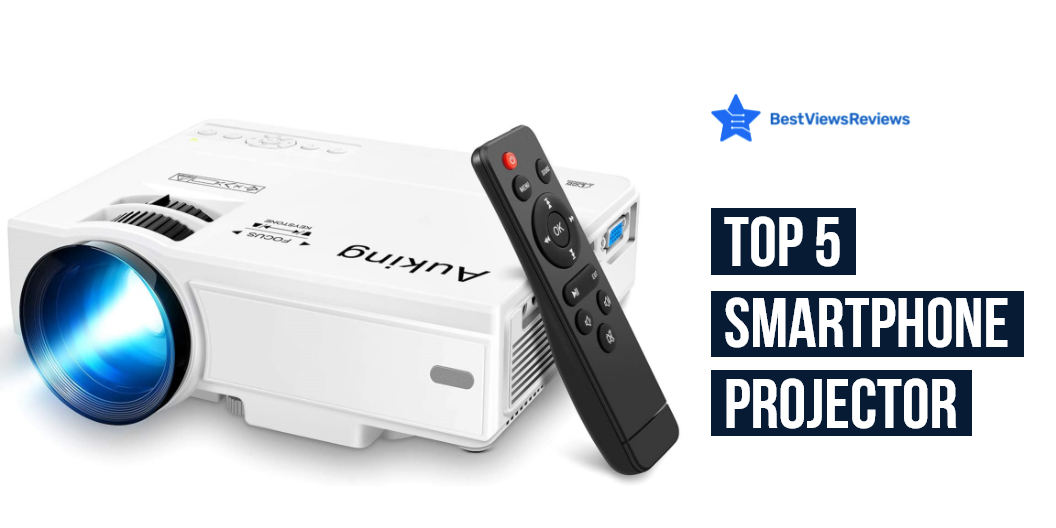
Finally, make sure the projector you choose has the right inputs for your needs. If you’re planning on using your projector with a laptop, you’ll need to make sure it has an HDMI input. You’ll need a projector with an MHL input if you’re using a smartphone. The AuKing Mini Projector allows you to connect to a PC via a VGA jack and to TV and video devices via AV input.

It is good to consider some points before buying a mini projector. Read through our blog to know 6 things before buying a mini projector.

How Do I Make My Projector Brighter in Daylight?

There are a few things you can do to make your projector brighter in daylight. One is to use a higher lumen rating bulb. Another is to use a projector screen with a higher gain. You can also try to increase the contrast ratio of your projector. It is good to close your windows to block direct entry of daylight into your entertainment room.

How Do I Increase the Lumens of My Projector?

You can do it by increasing the projector’s light output. This can be done by increasing the wattage of the projector’s light source, or by adding a brighter bulb. Another way to increase the lumens of your projector is to increase the projector’s screen size. This will make the image appear brighter because it will be projected over a larger area. You can also increase the lumens of your projector by using a higher quality projector lens. This will allow more light to pass through the lens and onto the screen.

Portable projectors are convenient to use and offer easy controls. Read our blog for the list of the best portable projectors of 2022.

Best Smartphone Projector to Buy

TMY Projector

The TMY Projector is a powerful and portable projector that is perfect for home cinema and outdoor movies. It is compatible with T-V Stick, smartphones, and HDMI devices, and features a 1080P Full HD resolution. It also has a built-in speaker and remote control. This model has got excellent reviews for its 4500 lumens of brightness.

DBPOWER Mini Projector

This DBPOWER WiFi mini projector is the perfect device for anyone who loves to watch movies or play video games. It has a carrying case and zoom feature, making it easily portable. It is also compatible with smartphones, laptops, PCs, and DVD players. This projector has a brightness of 7000 lumens and a contrast ratio of 3000:1, making it perfect for any room. It also has a remote control for easy operation.

DBPOWER L21 LCD Video Projector

The DBPOWER L21 LCD Video Projector is a powerful and versatile mini-movie projector. It has a brightness of 8000 lumens and supports full HD 1080p resolution. It is compatible with Chromecast, TV Stick, Smartphone, PC, TV, PS4, and DVD. It has two HDMI ports and two USB ports for connectivity. The remote control allows for easy operation.

DBPOWER Mini Projector

The DBPOWER WiFi mini projector is a great way to watch your favorite movies and TV shows. This projector is 1080P and the iOS/Android sync screen is supported. It is also compatible with smartphones, laptops, PCs, and DVDs. This projector has a carrying case and a zoom function.

YABER Y60 Portable Projector

The YABER Y60 Portable Projector is a great way to enjoy your favorite movies and shows. With its 6000L Upgrade, it provides full HD 1080P resolution and supports up to a 200″ display. Additionally, it is compatible with smartphones, HDMI, VGA, AV, and USB devices. The projector also comes with remote control for easy operation.

Conclusion

A smartphone projector is a great way to share content from your phone with others. You can use it to project movies, games, photos, and more. The projector is small and portable, so you can take it with you wherever you go. The projector is also easy to set up and use.

You can also read through our blog to find the best portable projectors for business presentations.

BestViewsReviews rates and reviews the best video projectors and smartphones on the basis of quality convenience and durability
Know All About Rollable TV

rollable tv

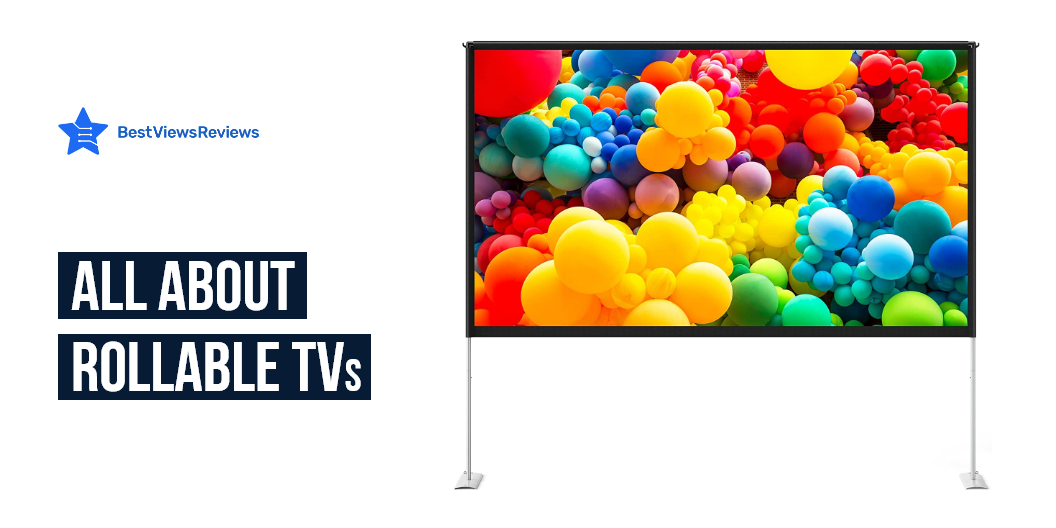
A rollable TV is a TV that you can roll for storage. The idea is simple the screen itself detaches from the base, which stores the TV in a tube that can be rolled for easy transport and storage. This eliminates the need for an entertainment center as you can roll away your TV and other components into storage when you aren’t using them. OLED TVs are a smart choice if you don’t have a set budget. Read our other blog on OLED TVs and know are OLED TVs worth buying.

How do Roll-Up TVs Work?

Roll-Up TVs work differently than regular, box-shaped televisions. Roll-Up TVs have no parts that connect to a power source. These TVs rely on magnets, and foldable metal or fabric panels, for power. These panels typically fold down behind the TV, allowing the TV to stand on its own. Some models get good reviews like LG OLED C1 Series comes in two different sizes 55 as well as 65 inches giving you a viewing experience like no other, each pixel turns on and off independently, resulting in perfect black, over a billion vivid hues, and endless contrast.

Purchasing Considerations

Size

You’ll want to consider the size of the TV. Roll-up TVs come in a variety of sizes, so it’s important to choose one that will fit in your space. Think about how many people in your family watch TV at the same time and where you’ll put your new set. Buy the screen size that will comfortably fit in that location. You can check a model like LG OLED A1 Series comes in a 65-inch display and also allows convenient control with Alexa as well as Google assistant.

Resolution

You’ll also want to consider the resolution of the TV. The resolution is the number of pixels that make up the image on the screen. The higher the resolution, the clearer and sharper the image will be. 4K is a great compromise because it’s a high-quality resolution with a wide range of inexpensive solutions. Many streaming services and applications now offer 4K video, allowing you to use what they offer. LG OLED G1 Series comes with 4k resolution as well as uses deep-learning algorithms to detect scenes.

Price

The cost of a roll-up TV depends on its size. The average price is around $1000. It will be cheaper to have a smaller TV. Bigger the TV, the more expensive it will be. A 50-inch TV will be more expensive than a 32-inch TV, so it’s important to find one that fits your budget. A good budget will provide you with more features, larger sizes, and higher resolutions. It may be worth investing in a higher-priced rollable TV to protect your investment in the future. Prices vary greatly depending on the company and model.

Which Technology Used In Rollable TVs?

Rollable TV use technology that consists of a flexible panel that resembles a sheet of paper. Technologies involved in building a rollable display include electronic ink, Gyricon, Organic LCD, and OLED. You can roll the rollable TV up like paper and store it away when the entertainment is over. The TV can keep its shape when stored. There are also rollable TVs that can be stored flat but need to be rolled out for use.

Related FAQ

Are OLED TVs the future?

OLED TVs are definitely the future. This form of television display is cheaper and more energy-efficient than LED and LCD, and it offers far better quality. The number of OLED TVs sold each year has nearly tripled since 2014, according to LG.

Which is Better OLED or LED?

OLED and LED both have advantages and disadvantages, but each has unique traits that separate them. The differences between the two are in terms of brightness and flexibility. OLED shows deeper blacks and more consistent colors than LED. An entertainment center in every room is the TV. Take a look at our other blog and know best TV brands to consider in 2022.

Conclusion

Roll-up TVs take up much less space than a traditional television because they roll up and down like a window shade. These TVs free up floor space and free up more room for furniture. Roll-up TVs work just as well in any room of the house. These TVs are clean and take up very little space. The TV can fit under a bed or be stacked in a corner, and there’s no cord hanging out.

A smart TV is a perfect way to improve your home entertainment and access unlimited content without any hassle. Read our other blog on to know top smart TVs for streaming.

BestViewsReviews rates and reviews best smart TVs and top-rated televisions based on their quality, performance, and durability.

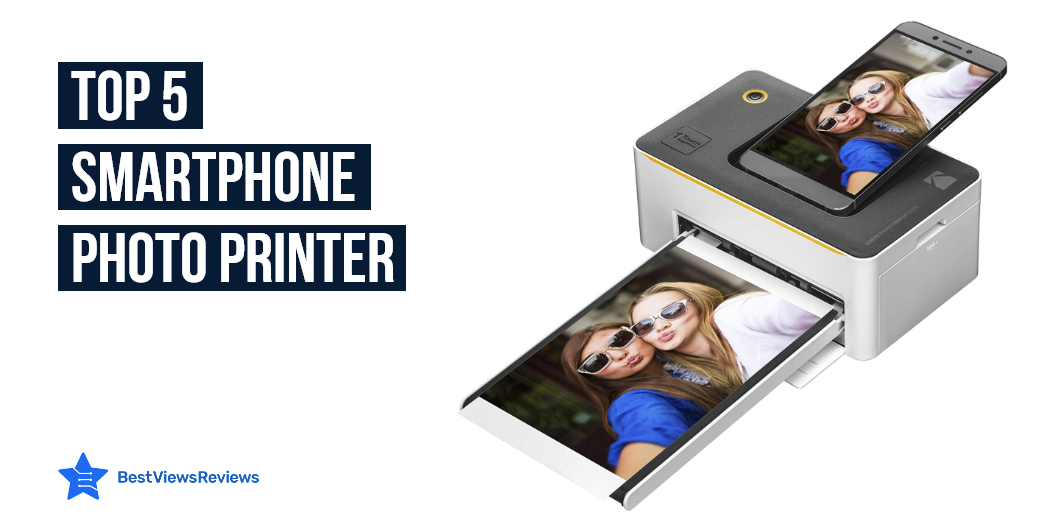
Top Selling Smartphone Photo Printer

smartphone photo printer

Smartphone photo printers are machines that connect mobile phones and tablets with a physical printer. Some smartphones have a built-in capability to print photos. Sometimes the printing process is cumbersome. Smartphone photo printers have made it easier to print photos. These printers are different because, rather than using a phone’s screen, they connect wirelessly to a compatible printer.

A Polaroid photo printer offers many advantages. Take a look at our exclusive guide on polaroid printer.

Best Smartphone Photo Printer

HP Sprocket Photo Printer

The reviews of the HP Sprocket Photo Printer are good because it comes with a one-year limited hardware warranty. This portable photo printer is small enough to fit in a pocket or backpack. You may use the HP Sprocket app to add filters, borders, and emojis to your images, scan printed photos, and explore photo collections. One 8GB micro SD card with adapter is included, as well as 20 sheets of 2×3-inch HP ZINK picture paper.

Kodak Dock Instant Photo Printer

Kodak Dock Instant Photo Printer got good reviews because it has a 5-pin micro USB port for Android and a USB host for printing from an iPhone, iPad, digital camera, or USB memory stick. This model produces amazing color and detail in normal 4″ x 6″ photos. It includes special docking supplies for quick charging.

HP Sprocket Instant Photo Printer

The reviews of HP Sprocket Instant Photo Printer are positive because it is a tiny printer that prints high-quality 4×6″ images. This model prints directly from your smartphone using Bluetooth and the HP Sprocket app. This device produces high-resolution photographs that can survive up to 100 years. You’ll get bright, smudge-proof, and water-resistant images.

HP Sprocket Portable Photo Printer

HP Sprocket Photo Printer is portable as well as you can carry it in your pocket. The HP Sprocket is a little printer that prints high-quality 2×3″ images directly from your smartphone using Bluetooth and the HP Sprocket app. This device produces high-resolution photographs that can survive up to 100 years.

What Are The Factors To Consider Before Buying A Smartphone Photo Printer?

Size

Smartphone photo printers are even smaller, with some measuring little more than 4×6 photo paper. There are larger and smaller mobile printers, but keep in mind that portability usually comes at the expense of features or performance. Check the size of the printer against the carrying case you might wish to use with it to ensure it will fit.

Price

High-quality photo printers are quite expensive nowadays. It will cost you about $200 to $300 to purchase this printer. You will get a 4.3-inch touch screen, a built-in memory card reader, and connectivity options. Some of its other features include wireless connectivity, full connectivity, and auto-switching.

Performance

The performance of smartphone photo printers is relatively high. Photo printer equipped with good performance of printing quality. Most of the printers are equipped with Bluetooth functions, which can be more convenient for printing photos and wireless printing.

Connectivity and Power Options

Using the built-in wi-fi and Bluetooth, you can print from numerous devices without having to deal with cords. Many mobile printers can also print straight from small digital memory cards. Bluetooth is an excellent option for searching if you want to print images on the fly without having to connect or start your laptop.

An AC adapter, internal rechargeable battery, automobile adapter, or USB power are all possible alternatives for mobile printer power. It is better to have more self-powered solutions available but some adapters may incur additional costs.

Is It Worth Buy A Smartphone Photo Printer?

Yes, smartphone photo printers are incredibly useful because they are small and can do practically everything that large printers can. Smartphone photo printers are available from all reputable companies and are utilized by a huge number of people. You can access several functionalities through the printer-related mobile application.

How Does Smartphone Photo Printer Works?

A smartphone photo printer allows you to print photos from your smartphone, tablet, or computer. You need to download the mobile app for your printer, connect the printer to your smartphone, tablet, or computer, and then use the mobile app to print your photos and send them to the print cartridges inside the printer, which prints your photos.

How Can I Print Pictures From My Phone Without Losing Quality?

The best way to do this is to print the pictures directly from your phone, instead of saving them onto your computer and then printing them later. The quality of the pictures will be much better if you print directly from the phone. You can email the pictures to yourself and then print them later if your printer is not connected to your phone. On your computer, open your email and head to “All Mail” and find the pictures you want to print. Press the “Print” button. It will print out the pictures.

Do You Need Special Ink To Print Photos?

There are lots of different types of ink that can be used. Dye-and-fade inks are the most expensive, but they won’t fade. Dry inks are the cheapest and fade easily. You also need to think about what type of paper you will use. Inkjet paper is best for photos, but the regular paper is just fine for printed text.

The inkjet Bluetooth printer comes with features such as printing, scanning, faxing, and copying and is perfect for small offices or homes. Read out another blog on the best inkjet Bluetooth printer and know good options for yourself.

Conclusion

The Smartphone photo printer changes the way people enjoy their photos. They no longer need to settle for the photo album. Instead, they can print photos in a simple, and convenient way. The Smartphone photo printer is a great addition to a home, because of the simplicity and convenience it lends to photography.

Epson is known for producing high-quality printers. Check out our other blog on epson photo printer and know the 5 benefits of owning one.

BestViewsReviews rates and reviews best smartphones and top-rated photo printers based on their quality, performance, and durability.

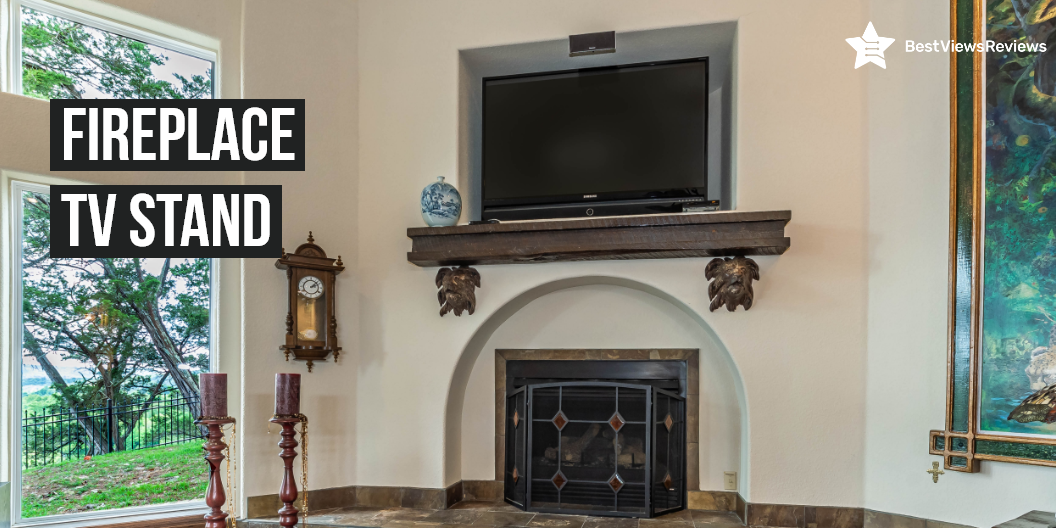
All About Fireplace TV Stand

fireplace tv stand

A fireplace TV stand is a piece of furniture that is designed to hold a television set and to provide a place for a fire in the same room. The stand typically has a cabinet or shelf below the television for holding other media equipment or for displaying decorative items. Many fireplace TV stands also have electric fireplaces built into them, which can provide both heating and a visual element to the room.

This stand is intricately carved, and style lines add to the visual appeal of this console. The fireplace TV stand is sure to be the focal point of any room. An electric fireplace heater is an electric heater that uses electricity to generate warmth. Take a look at our other blog on electric fireplace heaters and get the top 5 options for yourself.

Why You Should Get A Fireplace TV Stand?

Fireplace TV stands are a good choice of furniture for living rooms. Their unique appearance makes them beautiful and a good decoration for your living space. They blend in well with any interior design. The most important accessory is the TV itself. Today’s television sets come in a variety of shapes, sizes, and colors, and choosing the right TV stand is critical for functionality and aesthetics.

Factors To Consider

Style

There are various fireplace TV stand models to pick from, including modern, classic, media, contemporary, and traditional mantle types. Traditional is ideal for those who value a classic style, with magnificent, rich stains, subtle accents, and artistic decorations.

A contemporary fashioned TV stand would be ideal for you if your style is more modern and bold. High gloss finishes, elegant lines, painted surfaces, and tinted glass are common features of these stands. These fireplace TV stands are safe and energy-efficient, with styles to suit every taste and application.

Safety

Choose an elegant fireplace TV stand that will not only protect your TV but also give a special appearance to your room. Make sure that you choose a TV stand made of high-quality material. Choose a stand made of hardwood. We recommend you don’t choose low-quality material as your stand may crumble when it experiences extreme cold.

Size

The size of the room and available free space will determine the best option for you. A corner unit fireplace can be placed in even the tiniest of spaces, which are frequently overlooked. A conventional wall model can fulfill your needs if you have a lot of space. You’ll have more alternatives when it comes to wall units.

Function

Fireplace TV stands come with a variety of features. Some come with storage drawers, shelving, and storage for electronic components. Some also have hidden compartments for speakers, and some have hidden doors that conceal a sound system. You can move your electronics to the stand with a fireplace TV stand. The height of the unit allows you to put your feet up and enjoy a pleasant fire. Some fireplace TV stands come with heating capabilities. Another feature is that you can adjust the display to how you want it.

Some Best Buy Products

BELLEZE Traditional 58 Inch Rustic Electric Fireplace TV Stand

BELLEZE Electric Fireplace TV Stand is a perfect complement to any living room setting. It is made of sturdy wood, and the top will safely hold your television. The electric fireplace TV stand has plenty of space to store your television remotes, DVDs, CDs, and other media devices. This stand also acts as a media center in your living room, with a shelf for all of your media devices. Storage shelves underneath the electric stand are perfect for everyday accessories.

Walker Edison Wren Classic 4 Cubby Fireplace TV Stand

Walker Edison Fireplace TV Stand offers tons of storage space for your must-haves. It comes with three open cubbies and two drawers, you can store your remotes, DVDs, games, and more. The stand has an open shelf for your DVD player or Blu-Ray player, so you can enjoy your favorite shows and movies in comfort. This fire stand will heat up to 400 sq. ft.

Amerlife Fireplace TV Stand

The AmerLife Fireplace TV Stand features two doors and gives you the most advanced design in media entertainment. A built-in electric fireplace insert provides heat. The barn door feature is perfect for hiding wires, cables, and cords. This stand includes a modern farmhouse storage cabinet console with 2 adjustable shelves for media storage. Sleek, modern design with convenient storage.

Ameriwood Home Edgewood Fireplace

Ameriwood Home Edgewood Fireplace is a transitional piece that beautifully showcases your television. Its beautifully contoured silhouette offers plenty of storage. You can organize all of your television and audio components on 5 open shelves with cable management holes. The Edgewood fireplace TV stand is designed to complement most fireplace mantels.

Ameriwood Home Lumina Fireplace Stand

The reviews of Ameriwood Home Lumina Fireplace Stand are good because it has shelves illuminated with the RGB LED lights that help add to the décor of the house. It has black wood grain laminated particleboard and MDF with tempered glass gives it a sleek look. This stand also features a large surface that can hold TVs up to 70 inches.

Does TV Stand With Fireplace Damage TV?

The fireplace TV stand is a piece of furniture made to be placed directly over a hearth, so a TV can rest on top. It’s a popular choice, and most people believe it is a safe option. A fireplace TV stand can not damage a TV because most of them work with electricity and don’t emit any smoke or odors. Your TV, electronics, or furnishings will not be harmed.

Do Fireplace TV Stands Use A Lot Of Electricity?

Electric fireplace TV stands do not use a lot of electricity. These stands consume about the same amount of energy as a typical space heater. Electric fireplaces typically use 1,500 watts of power and can heat up to 400 square feet. Greater types are available, which use more energy and heat larger areas.

Conclusion

Fireplace Tv stands are high-end fireplace stands with traditional designs. They are an excellent addition if you are going to refurbish your home’s interiors. These fireplaces come in a variety of price points and styles. Choose one with user-friendly features and a long-lasting design. A smart TV is a perfect way to improve your home entertainment and access unlimited content without any hassle. Read our other blog and know about the top smart TVs for streaming.

BestViewsReviews recommends and reviews hundreds of best TV trays and top-rated smart TVs based on quality, design, and features.

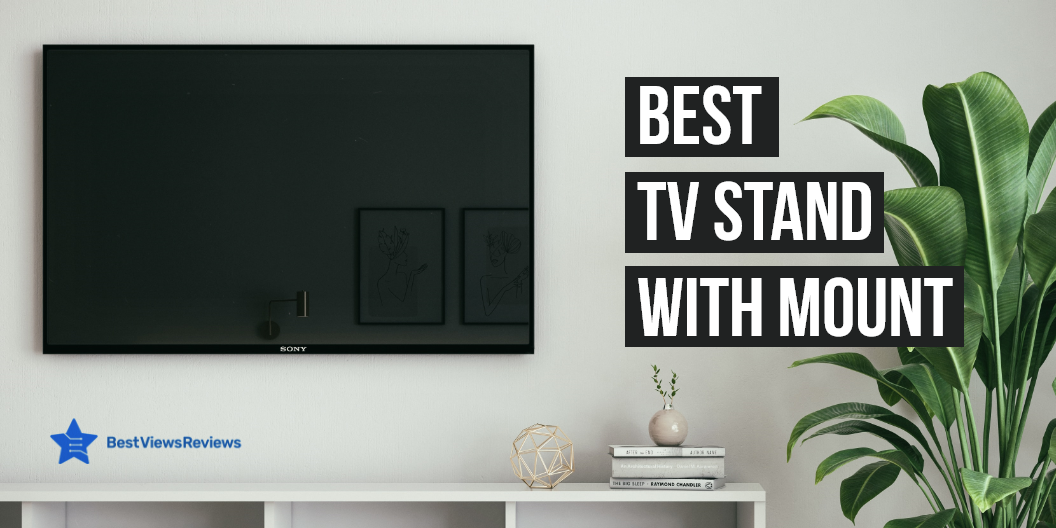
Buying Guide on TV Stand With Mount

TV stand with mount

A TV stand with mounts is a great way to display your television while keeping it safe and secure. Most TV stand with mounts come with various mount options that allow you to customize your viewing experience. You can find stands with mounts that allow you to tilt your television for the perfect viewing angle. These stands also allow you to swivel your television to get the ideal angle for any room in your home. There are also stands that come with a variety of storage options, so you can keep your DVDs, games, and other media close at hand.

Factors to be Considered in TV Stand With Mounts

TV Type and Size

It is good to measure the width and height of your TV, and then compare those measurements to the dimensions of the TV stand. Make sure that the TV stand is big enough to accommodate your TV, but not so big that it looks out of proportion.

You should look for a TV stand of width 28 inches if you have a 30-inch TV. The 40 to 46 inches of TV can go with stands of 37 to 42 inches.

It is also important to consider the type of TV you have. You will need to make sure that the TV stand is designed to provide aesthetics as per your TV type.

Reviews of PERLESMITH Stand show that it is a universal model that can fit most 32″-55″ flat-panel LCD, LED, plasma, and curved TVs. Another universal large TV stand that you can consider buying is ECHOGEAR Universal Large TV Stand. This model features a height-adjustable base for TVs up to 77″.

Room Size

You’ll need to take into account both the floor space in your room and the size of your TV when determining the ideal TV stand size for your room. For smaller rooms, you’ll want to make sure you don’t get a TV stand that is too large and bulky, which can make the room feel even smaller. Make sure you have enough space to accommodate a larger TV stand if you have larger rooms.

The best way to determine the right size TV stand for your room is to measure the space in your room and then compare it to the dimensions of the TV stand. This will give you a good idea of whether or not the TV stand will fit in your room and leave enough space for you to walk around comfortably.

You can go with models like FITUEYES Modern Corner TV Stand that occupies minimal floor space in your room. It supports TVs of size 75 Inches.

Material

You can think about durability and how long the stand will last when considering the material of the TV stand. It is also good to consider the look of the stand and how well it will match your other furniture. Some materials, such as wood, can be stained or painted to match your décor. Other materials, such as glass or metal, may be more modern looking. You will also want to think about how easy the stand will be to clean. Some materials, such as wood, can be more difficult to clean than others.

The reviews of HemuduTV stand are positive because of its sturdy build-up of alloy steel. This stand offers a maximum swivel of 45 degrees.

You can also read through our blog for a detailed buying guide on television. This guide will help you pick the right TV for your entertainment space.

Is TV Better Mounted or On a Stand?

There are pros and cons to both mounting your television on the wall and keeping it on a stand. It depends on your personal preference and needs. Here are some things to consider when making your decision: –

  • You may want to consider mounting your TV to keep it out of reach if you have young children or pets in the home.
  • Mounting your TV may be the best option to free up some floor space if you have limited space in your home.
  • A stand may be the better option if you plan on moving your television often. You won’t have to worry about re-mounting it each time with a TV stand.
  • Wall-mounted televisions can give your home a more modern look, while a stand may give it a more traditional feel.

The decision of whether to mount or keep your TV on a stand is up to you. Consider your needs and preferences when making your decision.

Are TV Stands With Mount Stable?

The answer is Yes. TV stands with mounts like Rolling/Mobile TV Cart are generally stable. The mount will typically have multiple supports that attach to the TV stand, providing stability. In some cases, the mount may also be attached to the wall for additional stability.

It can be confusing to decide between OLED Vs QLED TV. Read our blog to know which is better between OLED Vs QLED TV.

Is it Worth to Buy a TV Stand with Mount?

The answer is yes. It is definitely worth buying a TV stand with mount. Here are some reasons why:

  • Increased stability for your TV: When your TV is mounted on a stand, it is less likely to tip over or be knocked over, making it more stable and safe.
  • Better organization: TV stands with mounts provide a place to store your TV and all of its accessories, keeping everything organized and in one place.
  • Improved aesthetics: TV stands with mounts can help improve the look of your home by elevating your TV and giving it a more polished appearance.
  • Added protection: TV stands with mounts can help protect your TV from being damaged by pets or small children.
  • Enhanced viewing experience: When your TV is mounted on a stand, you can swivel it to get the perfect viewing angle, making your viewing experience more enjoyable.

Conclusion

A TV stand with mount is a great way to save space in your home. It is a simple and elegant way to display your television while keeping it out of the way. The mount allows you to adjust the television to the perfect viewing angle, and the stand provides a sturdy base for the television. The TV stand with mount is a great addition to any home. You can also read through our blog to know all about televisions.

BestViewsReviews rates and reviews the best Tv mounts and television stands on the basis of quality, convenience, and durability.

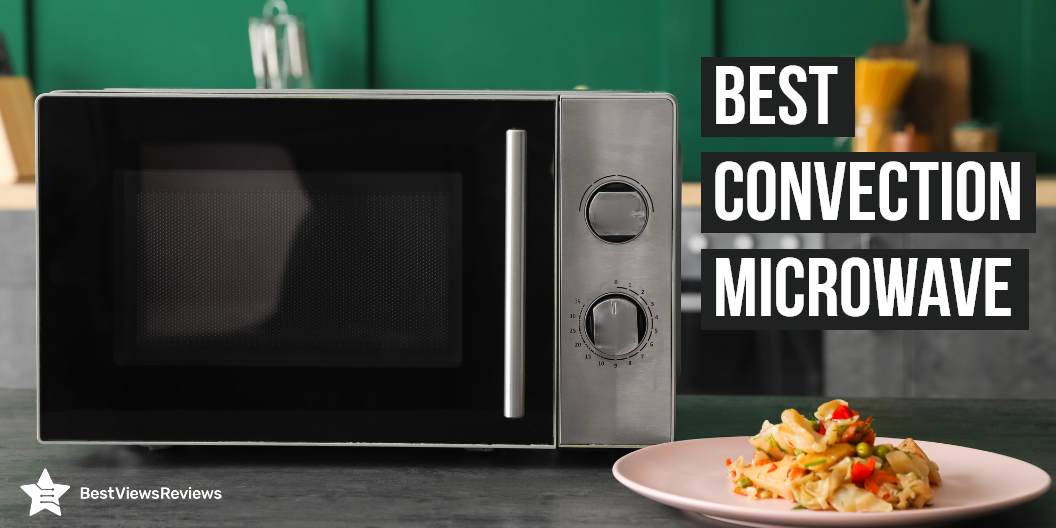
All About Convection Microwave

convection microwave

The convection oven is an innovative kitchen appliance that uses a fan and an exhaust system to circulate hot air uniformly. This results in juicy as well as crispy food. A convection oven also ensures even as well as faster cooking for all kinds of food placed inside. This is especially useful for cooking larger items evenly, or for cooking multiple items at once without having to worry about them being cooked unevenly. The convection microwave ovens come with combined features such as air fryer convection ovens, microwave convection ovens, and convection toaster ovens. You can check our other blog on microwaves and know almost everything about them.

Benefits Of Convection Microwave

Convection microwave ovens are convenient to use. They come in single or double-drawer models and are perfect for small households. They offer several benefits over traditional microwave ovens. It saves your time and money. A convection microwave can cook food faster and more evenly. These microwaves offer more consistent results than traditional microwaves. You can cook multiple items at once without worrying about under or overcooking.

Recipes To Cook In Convection Microwave

Recipes to cook in convection:

  • Roasting ham, turkey, and roast-ready beef pieces, among other foods.
  • Roast veggies and potatoes for an additional crunch.
  • Cookies and muffins—especially if you’re baking a large quantity at once.
  • Pastries and pies
  • Casseroles don’t lose much moisture when covered.
  • Toasting buns or bread

Factors To Consider While Purchasing A Convection Microwave

Decent Power Output

Convection ovens are famed for their ability to crisp and brown dishes. You’ll probably want to buy one that cooks food as rapidly as a microwave. So consider the power output as well as the convection technology when cooking your favorite items. You can check a model like Toshiba ML-EC42P (SS) comes with 1000 watts of microwave power with 10 power settings for convenience.

Visibility

It can be annoying to have to continue opening the door to check on your dish’s status. Choosing a microwave with good visibility is essential. Your new convection microwave should ideally feature a large window and bright light so you can keep an eye on your food while it cooks. Check Toshiba ML-EC42P (BS) that comes with a visible door so you can check dish progress.

Large Capacity

Your new microwave should have enough space inside to fit all of your dishes. It might be a pain if your casserole dish is too big to fit in the microwave. Consider how much space you’ll need to accommodate your favorite kitchenware. Keep in mind that adequate ventilation requires clearance around the dish. You should leave at least 2 inches on the sides, 4 inches in the back, and 6 inches above larger items for adequate ventilation and consistent cooking.

You can check a model like Toshiba EC042A5C-SS comes with a 1.5 Cu.ft capacity that makes it versatile to use and store.

Unit Size

Capacity is vital for fitting your favorite dishes, and the total unit size is also important. You should measure the space you have to work with, and whether your microwave is on the counter. Examine the size of your current microwave to see if you can go considerably larger or smaller without sacrificing the look of your kitchen. Check Toshiba EC042A5C-BS comes in good size 21.77 L x 21.5 W x 12.99 H.

Related FAQ

How Do Convection Microwaves Work?

Microwaves produce waves that bounce around until they hit food, causing water molecules to excite and generate heat, which cooks the meal. Convection oven technology uses a fan to force airflow and heat the whole inside of the microwave to cook food from the inside out. Convection microwaves can bake and roast foods that would otherwise cook too quickly (and ineffectively) in a standard microwave.

A model like Cuisinart CMW-200 comes with grilling power. Its multi-stage cooking operation allows microwaving.

When Should You Use a Convection Microwave?

Microwaves with convection cooking provide more evenly cooked food than those without. They also brown more evenly. Convection microwaves are ideal for baking pies and cookies. They’re also ideal for reheating roasted dishes.

A built-in microwave is installed within a cabinet space over or under the kitchen counter. Take a look at our blog on built-in microwaves and know everything about them.

Conclusion

A convection microwave is an advanced microwave that cooks food fast and lets you eat fresh dishes. Microwaves are traditionally used for cooking food, but convection microwaves cook food faster and in a better way. Microwaves can cook food in chunks using microwaves, but convection microwave cooks food in chunks. The cooking program on convection microwaves is usually different from the one you use on other microwaves. You can check our other blog on best-selling microwave options.

BestViewsReviews rates and reviews the best countertop microwave ovens and top-rated over-the-range microwave ovens based on quality, convenience, and durability.

The Best Oven Cleaner – Safe For All Surfaces

best oven cleaner

The best oven cleaner is a powerful cleaner that cuts through tough grease and burnt-on food. They are specially formulated to be used in ovens and grills. It is safe to use in all types of ovens and grills, including self-cleaning ovens. It is also safe for use on stainless steel, porcelain, and enamel surfaces. They are easy to use. You can simply spray it on the affected area and let it sit for 10-15 minutes and wipe it off with a damp cloth. Read our other blog on natural all-purpose cleaners and know best for yourself.

What Are The Benefits Of Use A Best Oven Cleaner?

  • The best oven cleaner can help to make your oven look new. It can help to give it a new lease of life if your oven is starting to look a bit old and tired.
  • You can use it to remove burnt-on food and grease. It can help to remove particularly fatty meals or if there is a lot of residue from previous cooking.
  • The best oven cleaner can also help to make your oven more energy efficient. It will be able to heat up more quickly and will use less energy overall if your oven is clean.
  • Using the best oven cleaner helps to extend the life of your oven. It will last longer and you won’t need to replace it as often if you take good care of your oven and keep it clean.

How Do You Clean A Really Dirty Oven?

The best way to clean a really dirty oven is to first remove any food or grease build-up with a putty knife. You may need to use a wire brush if there are a lot of build-ups. Mix a solution of 1 part water with 1 part vinegar and apply it to the inside of the oven with a sponge. Let the solution sit for 15 minutes, then wipe it away with a damp cloth. Use a dry cloth to buff the oven clean.

Cleaning kitchen appliances can seem to be a hassle, but not when you follow the right steps. Take a look at our other blog on cleaning kitchen appliances and know how to clean kitchen appliances easily.

What Is The Fastest Way To Remove Grease From Oven?

There are a few ways that you can remove grease from your oven quickly. One way is to use a degreaser. You can find these at most hardware stores. Simply spray the degreaser onto the greasy areas and let it sit for a few minutes and wipe it away with a clean cloth.

Another way to remove grease from your oven is to use a mixture of baking soda and water. Simply mix together a few tablespoons of each and apply it to the greasy areas. Let it sit for a few minutes and then wipe it away with a clean cloth.

What Happens If You Spray Oven Cleaner On The Heating Element?

The heating element is the part of the oven that gets hot and helps to cook the food. It would likely damage the element if you were to spray it on the heating element and cause it to stop working. Sometimes, it could also cause a fire.

Best Best Oven Cleaner to Buy

Easy Off Professional Fume Free Max

The reviews of Easy Off Professional Fume Free Max Oven Cleaner are good because this oven cleaner is specially formulated to be fume-free and effective on even the toughest baked-on messes. It’s also safe to use on self-cleaning ovens. Simply spray it on, let it sit for a few minutes, and wipe away the grime.

Easy Off Professional Oven & Grill Cleaner Can

Easy Off Professional Oven & Grill Cleaner comes in a convenient aerosol can and is lemon-scented. It’s also aerosol-form, so it’s easy to apply. It’s a powerful cleaner that cuts through the toughest grease and grime. This is great for everyday spot cleaning because it cleans the spot in 3 mins.

Easy-Off Fume Free Oven Cleaner, Lemon

The reviews of Easy Off Fume Free Oven Cleaner, Lemon is good because it is ideal for cleaning: ovens, oven doors, broilers, broiler pans, and stainless steel surfaces. It is an aerosol cleaner that is designed to be tough on grease and grime and easy on you and your family. The cleaner is fuming-free and has a lemon scent. It is also safe to use on self-cleaning ovens.

Goo Gone Oven and Grill Cleaner

The reviews of Goo Gone Oven and Grill Cleaner remove tough baked-on grease and food spills quickly and easily and are safe to use on most surfaces. It also has a pleasant lemon scent. Its formula is biodegradable and does not contain industrial strength cleaners. It is surface safe on most kitchen surfaces. This cleaner doesn’t contain offensive odors.

Conclusion

Oven cleaners are a kitchen staple for many people. They come in a variety of formulas and can be used on several different surfaces. It can be hard to know which one is the best with so many options on the market. You should look for a model that is effective on a variety of surfaces, including ovens, grills, and stovetops. You can also check our perfect buying guide for all-purpose cleaner.

BestViewsReviews rates and reviews the best all-purpose cleaners and top-rated household oven & grill cleaners based on quality, convenience, and, durability.

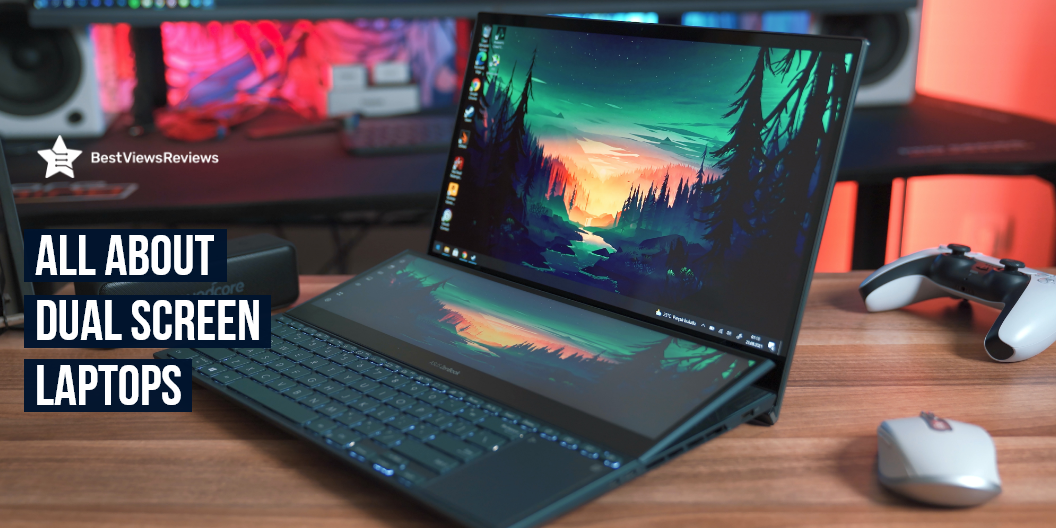
All About Dual-Screen Laptops

dual screen laptop

A dual-screen laptop is a computer that has two screens. These laptops are also called dual monitor laptops. Dual-screen laptops have many benefits over single-screen laptops. They allow you to see more information at once and can be helpful when you are working on multiple projects or when you are multitasking. These laptops also allow you to have more workspace. This can be helpful if you need a lot of space to spread out your work. Having two monitors can help people with vision problems see more clearly. You can read through our blog to know about the top-selling laptops of 2022.

What are the Features of Dual Screen Laptops?

Some of the features of dual-screen laptops include:

  • The ability to have two different programs open at the same time and view them side-by-side
  • They allow you to view different parts of the same program on each screen
  • You can also move programs and windows from one screen to the other
  • Many models also allow using one screen as a touchscreen and the other screen as a regular display –
  • You can use the two screens as one big display

Best Products to Buy

SideTrak Swivel Attachable Portable Monitor

The SideTrak Swivel is a portable monitor that attaches to your laptop and provides an extra 14” display. This monitor is Full HD IPS with a USB-C or mini HDMI connection and is compatible with Mac, PC, and Chrome. This model is perfect for working from home, remote learning, or gaming on the go. It also includes a kickstand for easy viewing and a carrying case for portability.

Duex Dual Laptop Monitor

The Duex Dual Laptop Monitor is the perfect way to increase your productivity and efficiency. With two 13.3″ Full HD IPS screens, you can easily extend your laptop’s screen real estate. The USB C/USB A plug-and-play design makes it easy to connect to your laptop, and the compatibility with Windows, Mac, and Android makes it a versatile tool.

Vodzsla Triple Portable Monitor

The Vodzsla Triple Portable Monitor is your perfect solution if you’re looking for an immersive laptop experience. This full HD IPS monitor gives you 11.6 inches of screen real estate to work with, and the dual monitor setup lets you extend your laptop screen for a more productive experience. The HDMI/USB/Type-C connectivity options make it easy to connect to your favorite devices.

OFIYAA P1 Plus Portable Monitor

The OFIYAA P1 Plus Portable Monitor is the perfect way to extend your laptop’s screen. This 13.3″ monitor is attachable and can be powered by USB or Type C, making it the perfect way to increase your productivity. The monitor also features an HDMI port, making it easy to connect to your other devices. The IPS display technology ensures that you’ll have a clear view of your screen, even in direct sunlight.

It can be confusing to decide between touch vs non-touch laptops. Read our blog to know which one is better.

Why Dual-Screen Laptops are Inevitable?

The rise of the dual-screen laptop is inevitable for a number of reasons. First and foremost, they offer a level of productivity and efficiency that simply can’t be matched by traditional laptops. With two screens, users are able to have multiple programs and windows open at the same time, which makes it easy to multitask and get more done in less time.

Another big advantage of dual-screen laptops is that they’re much more portable and compact than traditional laptops. This is because they don’t have a bulky keyboard taking up space – instead, they have a small, sleek keyboard that takes up far less room. This makes them perfect for traveling and working in tight spaces.

Dual-screen laptops are just more fun to use. They offer a more immersive and engaging experience that traditional laptops simply can’t match. Whether you’re watching a movie, playing a game, or working on a project, dual-screen laptops offer a unique and enjoyable experience

Are There Any Challenges with Dual Display Laptops?

There are still some challenges that come with using dual-display laptops. One challenge is that not all apps and programs are optimized for use on two screens, which can make it difficult to take full advantage of the extra-screen real estate. Another challenge is that it can be difficult to find a laptop that has both the right screen size and resolution for your needs. A dual-screen laptop can be a little costlier than traditional laptops, so you’ll need to make sure that the extra features are worth the extra cost.

How Do You Dual Screen a Laptop?

  • Determine which programs or windows you would like open on each screen.
  • Once you have determined what you would like to have open on each screen, open the first program or window on your laptop’s primary screen.
  • To open the second program or window on your laptop’s secondary screen, locate the program or window on your laptop’s primary screen.
  • Click and hold the program or window, then drag it to the right or left edge of the screen until you see the outline of the second screen appear.
  • Release the program or window, and it should automatically open on your laptop’s secondary screen.
  • Repeat this process for any additional programs or windows you would like to have open on your laptop’s secondary screen.

How Do I Use 2 Screens On Windows?

  • Right-click on your desktop and select “Display Settings”.
  • In the “Display” tab, select the monitor you would like to be your primary display. This is the display that will show your taskbar and open windows.
  • Under the “Multiple displays” drop-down menu, select “Extend these displays”. This will allow you to use both screens as one extended desktop.
  • You can now drag and drop windows between both screens. You can also adjust the resolution and orientation of each display by clicking on the “Advanced display settings” link.

Conclusion

A dual-screen laptop comes with two screens that can be used for different purposes. One screen can be used for browsing the internet while the other screen can be used for watching a movie. Dual-screen laptops are becoming more popular as they offer a lot of advantages. They allow you to be more productive as you can have two programs open at the same time. They also take up less space than two separate monitors.

You can also consider buying the best Asus rog laptops for gaming. Read through our blog to find the top-quality Asus rog laptops.

BestViewsReviews rates and reviews the best laptop chargers and adapters on the basis of quality, convenience, and durability.

Everything To Know About Laptop Fan

laptop fan

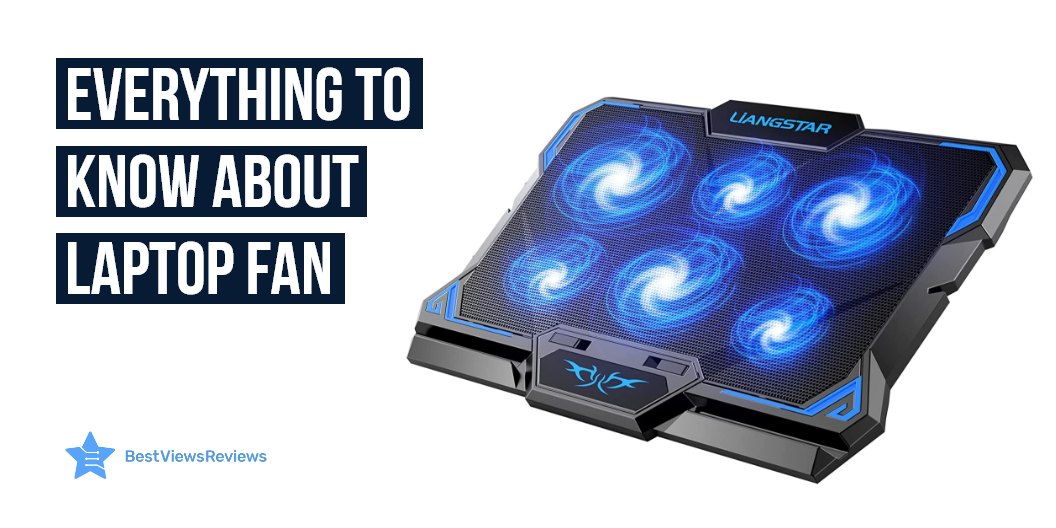
A laptop fan is a cooling system that sits inside your laptop, and it’s usually responsible for keeping your CPU cool. CPU stands for the Central Processing Unit, and it’s the most expensive part of your laptop. Most laptop models have four fans: one large fan, which blows air down into your CPU, and the other three fans, which bring air down into your laptop. A gaming laptop is a powerful machine that comes with a powerful processor, RAM, storage, and good battery life. Read this blog and know the best gaming laptop of 2022 for you.

How Can I Improve My Laptop Cooling?

Elevate Your Laptop At A Comfortable Angle

Elevating your laptop above your work surface is the best method to ensure optimum airflow. Laptop holders and wall mounts are generally available, but they can substitute for a book or other small object.

Avoid Carpeted Or Padded Surfaces

Carpets, blankets, pillows, and clothing function as insulators, preventing your laptop from adequately ventilating when you work on them. Avoid anything that can wrap your laptop from the bottom to avoid obstructing the built-in vents.

Cooling Mats

Cooling pads are a great invention. They come in several sizes. Its purpose is to take heat away from your device’s most active components. Look at the laptop and know what size cooling pad you need.

Heat Sinks

Heat sinks for laptops help dissipate heat from a laptop’s components, which help keep your laptop from overheating. It can also help cool your laptop, which can improve battery life.

What Are The Factors To Consider While Choosing Laptop Cooling Pad?

Cooling Capacity

The cooling capacity of the laptop cooling pad refers to the quantity of heat that the cooling pad can dissipate. The cooling pad has a maximum of 10 fans as well as a rotation speed of 5000 rpm.

Power Source

The power comes from the computer itself. The laptop cooling pad is powered with the USB cable, so if the USB cable was full it would power the laptop cooling pad as well. The laptop cooling pad could be used to charge the phone instead of using the chargers.

Adjustability of The Fan Speeds

You can adjust the fan speeds using the button located on the backside of the laptop cooling pad. It can be adjusted from 0 to 100 percent, which will make it quieter or increase the speed a little for faster cooling.

Noise

Laptop cooling pads are noisy. It’s normal to encounter noise on a cooling pad. Most modern pads operate quietly. A model like LIANGSTAR Laptop Cooling Pad comes with 6 noise-free fans silent rapid cooling effect prevents your laptop from overheating.

Adjustable Position

You can adjust the laptop cooling pad at the angle you like, so you can adjust it according to your comfort. The laptop pad has a soft sponge surface, so your laptop can be protected from scratches. Pad has flexible legs, so you can adjust it according to your own situation.

Size

The laptop cooling pad comes in many sizes. You can buy it according to your laptop size. A model like ICE COOREL Laptop Cooling Pad adjusts its size from 12 to 17 inches. You can also adjust the wind speed according to your need.

Best Buy Products

KLIM Wind Laptop Cooling Pad

The reviews of KLIM Wind Laptop Cooling Pad are good because it has 4 fans spinning up to 1400 rotation and cools the PC to a reasonable temperature. This cooling pad is made of high-quality material that offers extended durability. Its built-in tabs allow for better airflow and viewing. This model also has  2 Usb ports for convenience.

TeckNet Portable Slim Laptop Notebook Cooler

TeckNet Portable Slim Laptop Notebook Cooler gets good reviews because it features 3 fans and open edges that keep the laptop cool for optimal airflow. This model is equipped with a rubber stopper that helps in keeping the laptop securely a place. It is made with a lightweight material that makes it easy to carry.

KLIM Cyclone Laptop Cooling Pad

The reviews of KLIM Cyclone Laptop Cooling Pad are positive because it comes with 5 fans that provide powerful cooling to laptops. This model features 11 to 19 inches of surface area, which makes it compatible with laptops of all sizes. It is made with a lightweight material that helps with easy carrying.

TECKNET Laptop Cooling Pad

TECKNET Laptop Cooling Pad comes with an ergonomic design that offers a comfortable and stable platform. It is made with a lightweight material that make it portable. This cooling pad with a metal mesh surface provides excellent airflow that keeps the laptop cool. It is compatible with various laptop sizes from 12 to 16 inches.

Does Laptop Fans Really Work?

Laptop fans can indeed work as a motor that spins, like on a standard fan, forcing air into a radiator. The rotating blades suck in air, pushing it out in all directions. The air that blows out of the front, back, and bottom of the laptop will be cooler than the air that is blown out of the sides.

Is A Cooling Fan Good For A Laptop?

The answer is yes. Fans keep laptops cool. Laptop components get hotter as laptops get more complex. A cooling fan can cool them down. Fans work by blowing air across the laptop’s heat sink and processor, removing heat. The faster the fan, the cooler the laptop. A fan can be a good idea if you want to cool down a laptop.

Are Laptop Fans Necessary?

The answer is no. Laptop fans are not really necessary, but they are still beneficial. Laptop components come within a metal case, and heat will build up quickly. Fans can cool the heat and prevent overheating.

Can Overheating Damage Laptop?

The answer is yes. The overheating can affect the laptop’s performance and the overheated battery will deliver fewer working hours. It will also damage the laptop’s motherboard and cooling unit.

Conclusion

Laptops use a lot of power and not only does the CPU need plenty of power, but so does the graphics card. A laptop cooling pad can lower the overall temperature, which decreases heat buildup on the laptop and reduces the CPU’s power consumption, resulting in longer battery life. Touchscreen laptops allow you to manage your laptop with your fingertips, yet non-touch computers are also useful for a variety of tasks. Think about your budget and specifications before deciding between Touch Screen Vs Non-Touch Laptops.

BestViewsReviews rates and reviews the best laptops and top-rated laptop chargers & adapters based on quality convenience and durability.

Everything To Know About Rolling Laptop Desk

rolling laptop desk

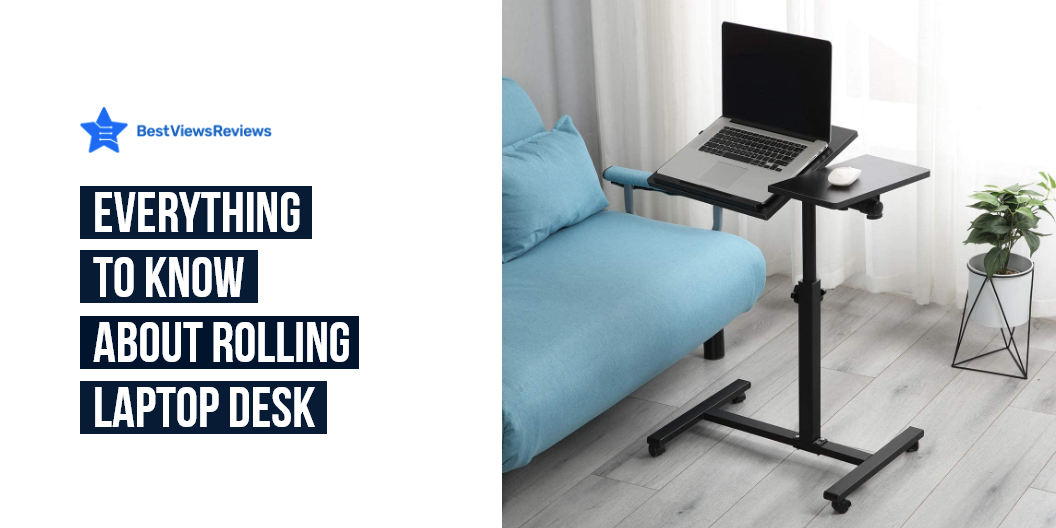
An ergonomic workspace boosts productivity and comfort. The laptop desk gives you a convenient way to transport your laptop around the office, allowing you to work comfortably without worrying about your pricey gadget dropping off your lap. The rolling laptop desk promotes a healthy as well as appropriate posture while working. Take a look at our other blog on why should you buy a laptop desk and know everything about laptop desks.

What Is The Purpose Of Using A Rolling Laptop Desk?

Rolling laptop desks come in handy when you don’t have a lot of space or require a lot of mobility. They’re usually made of lightweight materials, like aluminum and steel. These desks come in different shapes, sizes, as well as models. You can use a laptop mouse, keyboard, as well as a monitor without having to unplug anything.

Reasons To Invest In A Rolling Laptop Desk

Protects Your Laptop

Yes, a rolling laptop desk protects your laptop. A rolling laptop desk keeps your laptop safe from spills and accidents. It’ll also keep your lap free from moisture, dust, and bacteria. A rolling laptop desk keeps your laptop in the optimal position for typing. A Techni Mobili laptop desk also gives you the freedom to sit and stand at any angle.

Makes Using Your Laptop More Convenient

A long, flat surface makes a laptop computer easier to use. An ergonomic rolling laptop desk gives you plenty of room to sit comfortably and work. It’s perfect for any type of desk since it has adjustable height and width. The laptop desk allows you to roll it to wherever you work. The laptop desk rolls on four caster wheels with brakes, so there’s no worry you’ll roll it across the room. Check TechOrbits Rolling Desk for Laptop comes with keyboard and mouse space that makes it convenient to use.

Improves Productivity

Many people prefer to use a laptop on their bed and at their desks. This enables them to get work done while relaxing in their beds or on their desks. A rolling laptop desk is a great solution to these problems. It saves space and enables people to move easily from bed to desk. It is easy to move around without interrupting your work.

Features To Look Out For

Solid Construction

You should not limit yourself to a movable laptop desk made of any material. Make sure that the mobile laptop desk you’re considering is composed of a durable material like MDF or steel. A rolling cart’s stability is improved with a sturdy frame. This structure is strong and can sustain daily use. You can check FITUEYES Height Adjustable Standing Desk comes with a metal frame that makes it sturdy enough to hold your 2 monitors.

Maximum Height

The height of the majority of rolling laptop desks is adjustable. Knowing the maximum height of any rolling cart you intend to purchase is so important. This will make your life easier. Most of the rolling desks adjust the height from 26.25″ up to 37.75″ to suit your needs.

You can check a desk like Tatkraft Like Portable Laptop Desk with Mouse Pad it comes with an adjustable height option. You can adjust this desk anywhere between 27.6 to 39.2 inches (70-99.5cm).

Dimensions/Size

Make sure your rolling laptop desk is small as well as maneuverable. It can be placed almost anywhere, including in small places. Its compactness should not compromise the top surface of your desk.

Versatility Of Rolling Laptop Desk

Laptops can be safely stored on a rolling laptop desk. They might be useful for other things as well. It’s critical that the device you pick can be used for writing, drawing, or even eating. It’s also convenient as well as cost-effective because no additional furniture is required.

Related FAQ

What Is The Correct Height For A Laptop Desk?

The correct height for a laptop desk is 26 inches. Your wrists, shoulders, and back should have plenty of room, and you should be able to place both feet flat on the floor when sitting. A desk that is too short can strain your lower back, while one that is too high puts unnecessary strain on your back and knees. You can check the SIDUCAL Mobile Stand Up Desk comes with adjustable heights from 26.3″-45.3″ for you to sit or stand.

What Kind Of Lap Desk Is Best?

A standing desk that allows you to stand or sit as needed while working. This implies you can adjust your posture every 30 minutes or an hour. It protects you from neck and backache. You may endure physical aches and muscle tension when you sit in the same position for lengthy periods.

A standing desk for laptops is a convenient way of changing your body posture and position while working in the office or at home. Read our other blog on a standing laptop desk and get the 5 best options for yourself.

Conclusion

Modern desktops are slim, light, and provide you the best bang for your buck. The weight distribution of the laptop on your lap will create back pain if you use your laptop regularly. The correct laptop desk will relieve your stress and make working more enjoyable for you.

Standing desks have an adjustable height feature, while a few have fixed heights. You can use these desks to work in your office space while sitting or standing. Check out our other blog and get the top 5 options of standing desk for office work.

BestViewsReviews rates and reviews the best laptops based on quality convenience and durability.