The Importance of Range Hood in Every Kitchen

Range Hood

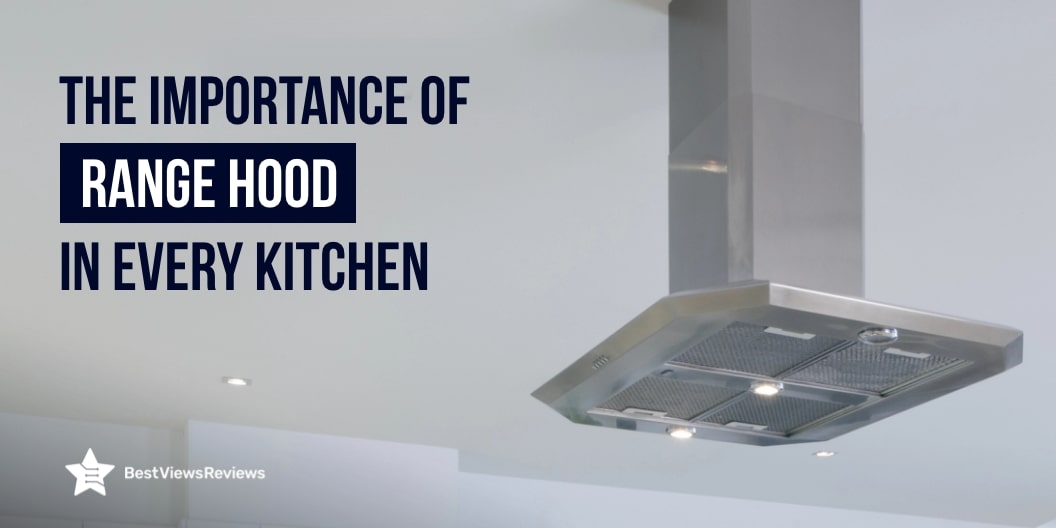
You always think that you covered all the kitchen essentials, but not really. A range hood is often an overlooked but essential component in any kitchen. It plays a crucial role in maintaining a clean and healthy cooking environment. It removes smoke, odors, grease, and airborne particles that can build up while cooking. These pollutants can accumulate without proper ventilation, leading to unpleasant odors, poor air quality, and potential damage to kitchen surfaces

Types of Range Hoods for Different Kitchens

There are many different types of range hoods available in the market these days. However, the most used types of range hoods are under-cabinet, wall-mounted, island, and custom-built range hoods. Always consider which type best suits your style, needs, and preferences.

Under-Cabinet Range Hoods

  • Installed directly under kitchen cabinets, these are the most common type.
  • They save space and are typically more affordable.
  • Ideal for kitchens with cabinets over the stove.

If your kitchen design requires an under-cabinet range hood, then check the Hauslane | Chef Series 30″ PS38 Slim under cabinet Range Hood. It features dual motors and a 380 CFM capacity, making it ideal for heavy-duty cooking. Its advanced panel design captures smoke and odors from all burners, while the quiet 6-speed settings and steam clean function offer convenience.

Wall-Mounted Range Hoods

  • Mounted on the wall above the stove, often with a chimney-like appearance.
  • These range hoods are highly visible and add a stylish element to the kitchen.
  • Suitable for kitchens without cabinets above the cooking area. You can visit BestViewsReviews for more top-rated range hood options.

Island Range Hoods

  • Installed on the ceiling above kitchen islands, with no walls or cabinets.
  • Often larger and more powerful to cover open spaces and handle the lack of surrounding walls.
  • Stylish and often serve as a focal point in the kitchen.

If you are interested in island hoods, check COSMO 668ICS750 30 in. Island Mount Range Hood with 380 CFM. It is a perfect combination of sleek design and advanced functionality. The model comes with 380 CFM airflow, which effectively removes smoke and odors. Its durable, dishwasher-safe filters and energy-efficient LED lights provide both convenience and clarity in your kitchen.

Custom-Built Range Hoods

  • Designed to fit the unique specifications of a particular kitchen.
  • It can be tailored to match the kitchen’s décor and ventilation needs.
  • Often more expensive due to their custom nature.

Why Does Every Kitchen Need a Range Hood?

1. Improved Air Quality

A range hood is important for maintaining good air quality in the kitchen. Cooking produces smoke, fumes, and harmful gases like carbon monoxide, which can linger in the air. It filters and expels these pollutants, keeping the air cleaner and healthier. This is particularly important for homes where cooking frequently involves frying or grilling, which can release more intense odors and toxins.

2. Odor Control

Cooking smells can be pleasant while preparing a meal, but they can easily linger long after the cooking. It mainly seeps into furniture, curtains, and carpets. A range hood helps capture and eliminate these odors before they spread throughout the house. By continuously venting the air, it keeps your kitchen and surrounding rooms smelling fresh, preventing unpleasant, lasting food smells.

3. Heat and Moisture Reduction

Cooking produces heat and moisture, which can make your kitchen feel stuffy and uncomfortable. A range hood helps by drawing out the excess heat and steam, maintaining a cooler and more pleasant cooking environment. This not only enhances comfort but also protects your kitchen cabinets and appliances from the damage caused by excess moisture and humidity over time.

4. Grease Removal

Cooking, especially frying, releases grease particles into the air, which can settle on surfaces like countertops, walls, and cabinets. Over time, this grease buildup can be difficult to clean and even pose a fire hazard. A range hood captures and filters these grease particles, reducing the amount that settles in your kitchen and keeping your space cleaner and more hygienic.

5. Enhanced Kitchen Lighting

Many range hoods come with built-in lighting, which provides additional illumination to your cooking space. This improves visibility, making it easier to monitor the cooking process and ensure safety. The added light is especially beneficial in kitchens with limited natural lighting or for cooking at night, making your kitchen more functional and stylish.

6. Fire Safety

A kitchen range hood provides an extra layer of fire safety. Venting out grease particles and heat reduces the risk of grease fires that can occur when oils or fats are overheated. Additionally, the regular use of a range hood minimizes the accumulation of combustible materials on stovetops and cabinets, creating a safer cooking environment for your household.

7. Aesthetic Appeal

Besides its functionality, a range hood can enhance the overall design of your kitchen. With various styles, from sleek modern to classic designs, range hoods add a professional look and can serve as a focal point. They combine beauty and utility, offering homeowners a practical solution that also elevates the kitchen’s aesthetic appeal.

BestViewsReviews Top Recommendations Based on Different Aspects

After reading hundreds of reviews of different range hoods, BVR’s AI Bot ranked the following products at the top based on different aspects like installation process, suction power, ease of cleaning, etc. If you want to explore more range hoods, visit our top-recommended section.

Based on the Quick Installation Process

BROAN NuTone BCSQ130SS Three-Speed Glacier Under-Cabinet Range Hood

BROAN NuTone BCSQ130SS Under-Cabinet Hood offers a versatile 4-way convertible installation that allows you to be set up as a vented unit or as a non-ducted option with air recirculation. The adaptable design ensures easy installation according to different kitchen setups. Its capture system ensures efficient ventilation with a MAX 375 CFM that removes 97.4% of smoke and odors. The 3-speed push button controls provide both functionality and ease of use.

Based on Powerful Suction

Cosmo 63175S 30 in. Wall Mount Range Hood 

The COSMO COS-63175S Wall Mount Hood offers efficient airflow with a 380 CFM fan that is ideal for removing kitchen odors and smoke. It can be installed as a ducted hood that vents air outside your home. The noise level is as low as 45 dB, especially at lower fan speeds. The 30-inch hood also comes equipped with energy-efficient 2-watt LEDs for bright illumination.

Based on Easy Cleaning

Hauslane Chef Series 30″ PS18 Under Cabinet Range Hood

Easy cleaning is a standout feature of the Hauslane | Chef Series 30″ PS18 Under Cabinet Hood, with its removable stainless steel baffle filters that are dishwasher safe. The range hood boasts a user-friendly buttonless design with a touch screen and a delayed shutoff for convenience. Its six-speed settings offer customizable suction and noise levels, while the standard 2700K light can be swapped to complement your kitchen’s lighting scheme.

Most Asked Questions About Range Hoods

1. Is the range hood easy to clean and maintain?

Yes, range hoods are generally easy to clean and maintain. Most models have removable filters that can be washed in a dishwasher or by hand. Regularly wiping down the hood’s exterior and cleaning the filters every few months will help keep it functioning efficiently.

2. Can I install a range hood myself, or need a professional?

You can install a range hood yourself if you’re comfortable with basic electrical work and have the right tools. However, for more complex installations, like venting through walls or roofs, or if you’re unsure about wiring, it’s best to hire a professional to ensure safety and proper functioning.

3. Do I need a vented or ductless range hood?

A vented range hood is better if you can connect it to an external vent, as it effectively removes smoke, odors, and grease from your kitchen. A ductless hood recirculates air through filters and is ideal if venting outside isn’t possible, but it’s less efficient at clearing out pollutants.

Conclusion

A range hood is much more than a simple kitchen accessory—it is an essential tool for maintaining a cleaner, safer, and more comfortable cooking environment. From improving air quality to adding a stylish touch, the benefits of having a range hood in your kitchen are numerous. Whether you opt for an under-cabinet, wall-mounted, island, or custom-built design, investing in the right range hood can greatly enhance both the functionality and appearance of your kitchen.

BestViewsReviews rates and reviews hundreds of categories, like the best electric induction range and top-rated countertop microwave ovens, based on different aspects such as convenience, durability, etc.
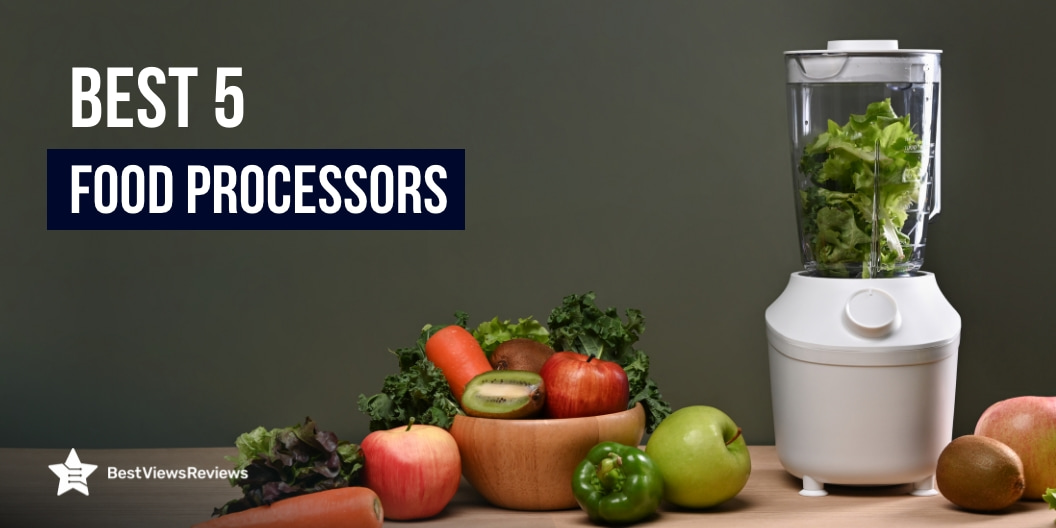

The Best 5 Food Processors of 2024

best food processor

The food processors are the most versatile tools in both a home and a professional kitchen. Whether you’re planning to make different kinds of dips or fresh salsa, it can turn a time-consuming chopping task into a quick and easy job. The right food processor can significantly reduce your prep time and give you more moments to enjoy with your family.

Not just chopping vegetables. Many food processors come with attachments for slicing, grating, and shredding; some even have specialized blades for mixing and kneading dough. After some good research, we selected some top-quality food processors for a variety of prep tasks, both large and small, in different styles. In this guide, we will cover popular brands like Breville, Cuisinart, Ninja, etc for your ideal choice.

Our Top Picks Based on Some Important Factors

Best in Power

Ninja BN801 Professional Plus Kitchen System

Wattage: 1400W | Capacity: 64 Fluid Ounces | Number of Speeds: 3 | Weight: 8.8 pounds | Power Source: Corded Electric | Cleaning: Dishwasher safe

The Ninja BN801 Professional Plus Kitchen System is a high-end product with the functionalities of a blender and a food processor. It offers you an attractive design with a powerful 1400-watt motor. It offers 5 versatile presets for effortlessly creating smoothies, frozen drinks, nutrient extractions, chopped mixtures, and dough. Its advanced programs combine precise pulsing, blending, and pausing patterns to handle tasks efficiently. The powerful dough mixer folds ingredients evenly, making up to 2 pounds of dough in just 30 seconds. Additionally, the 8-cup precision processor bowl ensures even chopping and smooth purees with exceptional precision.

Best in Mini

Cuisinart DLC-2ABC Mini Prep Plus Food Processor

Capacity: 64 Ounces | Size: 7″D x 9.25″W x 5″H | Wattage: 250W | Weight: 2.2 Pounds | Warranty: 18 Months | Cleaning: Dishwasher safe

The Cuisinart Mini-Prep Food Processor is a compact yet powerful kitchen tool designed for quick and efficient food preparation. It easily chops and grinds using a patented reversible stainless-steel blade. The user-friendly push-button control panel is paired with a durable, lightweight plastic body. It also offers two powerful processing options with the auto-reversing smart power blade. The food processor comes with a dishwasher-safe bowl and lid for easy cleaning. If you want to explore more options check our blog on the best Cuisinart food processors.

Best in Ease of Use

Hamilton Beach 12-Cup Stack & Snap Food Processor

Cleaning: Dishwasher safe | Capacity: 12 Cups | Power: 450 watts | Material: Plastic | Wattage: 450 watts | Item Weight: 6.57 pounds

The Hamilton Beach Stack & Snap Food Processor is a user-friendly kitchen appliance that combines ease of use with powerful functionality. This food processor easily handles chopping, shredding, slicing, and pureeing with precision. Its unique stack and snap assembly design eliminates the need for complex twisting and locking, making setup quick and simple. The 12-cup sealed bowl prevents leaks when processing liquids. The big mouth feed tube accommodates whole foods, reducing prep time. With convenient cord storage, this food processor is both efficient and easy to use, making it an excellent addition to any kitchen.

BestViewsReviews self-learning AI tool discovered some valuable customer comments on Hamilton Beach Stack & Snap Food Processor. The one mentioned, “I love this product because of its ease of use. I don’t have to line anything up and turn it until it clicks in place.”

Best in Attachments

Vitamix 12-Cup Food Processor Attachment with SELF-DETECT

Attachments: Self-detect base, work bowl lid, 2 food push | Capacity: 12-cup | Power: 240 volts | Dimensions: 11.75 x 8.5 x 12.75 inches | Wattage: 1200 watts | Weight: 6.17 pounds 

The Vitamix 12-Cup Food Processor Attachment with SELF-DETECT comes with an attachment that eliminates the need for a separate appliance, offering a streamlined solution with its intuitive, user-friendly design. It allows for adjustable speeds, pulsing, and continuous operation, depending on your Vitamix base. With a 12-cup dry and 9-cup wet capacity, it is perfect for various food processing tasks. The attachment features a clear bowl, lid, and food pushers for easy use. Included components like the “S” multi-purpose blade and reversible slice/shred discs make food prep simple and efficient.

Best in Silent Operation

Breville BFP800XL Sous Chef Food Processor

Capacity: 16 cup | Power: 1200 watts | Dimensions: 10.9 x 17.5 x 8.9 inches | Material: Die-Cast Metal Base and High Impact BPA-Free Bowl

The Breville Sous Chef Pro 16 Cup Food Processor offers exceptional performance and a quiet cooking experience. It comes with 5 multifunction discs and 3 blades, allowing for precise and varied food preparation. The 5.5-inch super wide feed chute minimizes pre-cut most fruits and vegetables, enhancing convenience. It includes BPA-free processing bowls, a large 16-cup bowl, and a smaller 2.5-cup bowl that caters to different processing needs. The LCD display features a count-up and countdown auto timer for precise control.

Our self-learning AI tool found some useful customer comments on the Breville Sous Chef Pro 16 Cup Food Processor. The one stated, “The food processor is surprisingly quiet. I didn’t know there was such a thing as a quiet food processor, but this one is. It’s a nice feature because I can listen to an audiobook or have a conversation without yelling while using it.”

Things to Keep in Mind While Choosing a Food Processor

Capacity and Bowl Size

When selecting a food processor, consider the capacity and size of the processing bowl. The bowl size determines how much food you can process at once, which is crucial depending on your cooking needs. If you often prepare large meals or cook for a family, a processor with a larger bowl, like 12-16 cups, will be more efficient. However, if you typically cook smaller portions, a smaller bowl may suffice and be more convenient to handle and clean. Additionally, some food processors come with multiple bowls of different sizes, offering versatility for various tasks.

Material and Build Quality

The material and build quality are crucial factors to consider. A food processor made from high-quality, durable materials like stainless steel and heavy-duty plastic will not only last longer but also withstand the rigors of regular use. A sturdy base ensures stability during operation, preventing the appliance from moving or vibrating excessively. High-quality materials in the blades and discs ensure they stay sharp and effective over time, providing consistent results. Investing in a well-built food processor may cost more upfront, but it can save you money in the long run by reducing the need for repairs or replacements.

Safety Features

Safety should be a top priority when selecting a food processor. Look for models that come with essential safety features, such as locking mechanisms that prevent the machine from operating unless the lid is securely in place. Overload protection is another valuable feature that stops the motor if it becomes overheated or overloaded, preventing damage to the appliance and ensuring safe operation. Non-slip feet are also important to keep the processor stable during use, reducing the risk of accidents.

Speed Settings and Controls

The number of speed settings and the type of controls a food processor offers can greatly affect its functionality. While some tasks may only require a single speed, others benefit from variable speeds that allow you to adjust the processing power based on the ingredient or desired consistency. Pulse functions are particularly useful for tasks that require more control, such as chopping or mixing delicate ingredients. A food processor with a range of speed options and responsive controls can offer more versatility, allowing you to achieve precise results for a variety of recipes.

Storage and Footprint

The physical size of the food processor and how easily it can be stored should also be considered, especially if you have limited kitchen space. Some food processors come with multiple attachments and accessories, which can be challenging to store if the unit itself doesn’t include dedicated storage options. Compact models or those with built-in storage for blades and discs can help minimize the space the processor occupies on your countertop or in your cabinets. Assessing the available storage space in your kitchen and choosing a food processor with a manageable footprint will ensure it fits seamlessly into your cooking routine.

Answers to Your Most Asked Questions

Can a food processor replace a blender?

While a food processor and a blender share some similarities, they are designed for different purposes, so one cannot entirely replace the other. A food processor excels at handling a wide variety of tasks such as chopping, slicing, grating, mixing dough, and making purees because of its various blades and discs. It is particularly useful for solid or semi-solid ingredients.

On the other hand, a blender is specifically designed for liquids and is ideal for making smoothies, soups, and purees with a finer consistency. A high-powered blender can perform some tasks similar to a food processor, like crushing ice or making nut butter. It typically lacks the versatility to handle tasks like kneading dough or shredding vegetables. Therefore, while there is some overlap in their functions, having both appliances in your kitchen can provide a broader range of capabilities.

If you want to know more about the difference between a food processor and a blender then, explore our other blog Food Processor Vs Blender: Which is Better?

Can I use a food processor for hot ingredients?

Using a food processor for hot ingredients can be risky because the heat may cause pressure to build up inside the processor, potentially leading to splattering or even the lid popping off. Most food processors are designed for cold or room-temperature ingredients, so it’s best to let hot ingredients cool down slightly before processing them.

How can I easily maintain a food processor?

Maintaining a food processor is straightforward with a few simple steps.

  1. Clean Immediately After Use: Rinse the bowl, lid, and blades right after use to prevent food from drying and sticking.
  2. Disassemble Properly: Take apart all removable parts before cleaning to ensure thorough cleaning.
  3. Use Mild Detergent: Wash the components with warm, soapy water and a non-abrasive sponge to avoid scratches.
  4. Avoid Submerging the Base: Wipe down the base with a damp cloth. Never immerse it in water.
  5. Dry Thoroughly: Dry all parts completely before reassembling to prevent rust and mold growth.

Tips For A Blooming Spring Garden

Tips for a blooming spring garden

Spring is the perfect time to think about your garden. With warmer weather and longer days, now is the ideal season to bring your garden to life. Whether you’re an experienced gardener or just starting out, there are plenty of tips and tricks to ensure your garden thrives this spring. A well-maintained garden can add to the beauty of your home and provide a peaceful oasis to relax in after a long day. But, with so many plants and flowers to choose from, it’s overwhelming to determine where to start.

From choosing the right plants to preparing the soil, this guide will cover all the essential aspects of spring gardening.

Pre- SpringMid-SpringPost- Spring
1.Start Planning Your GardenChoose the Right PlantsMonitor for Pests and Disease
2.Prepare Soil for PlantingPlant and CultivatePrune and Trim Plants
3.Gather Supplies and ToolsRegularly Water and FertilizeMulch and Weed Control
Tips For Creating A Spring Garden

Pre-Spring Garden Tips

1. Start planning your garden

Firstly, take a walk around your garden to assess its current condition. Make a note of any areas that need attention, such as dead plants or empty garden beds. This will help you plan your garden layout and decide what plants to include in each section.

2. Prepare soil for planting

The soil is the foundation of your garden, so it’s crucial to prepare it accordingly. Start by removing any weeds, debris, or rocks from the area. Then, work the soil by adding compost or organic matter to improve its quality. This will help to increase water retention, provide essential nutrients to plants, and promote healthy root growth.

3. Gather supplies and tools

It’s important to gather the right supplies and tools to make your garden look the best. Have a look at your previous supplies, if any, and make a list of what you need to replace or add to your collection. Some basic supplies you will need include plant seeds, soil, fertilizer, and mulch. You will also need tools like a shovel, rake, and watering can.

Mid-Spring Garden Tips

1. Choose the right plants

When selecting plants, it is important to consider the environment in which they will be growing. Factors such as sunlight, soil type, and moisture levels are crucial to the success of your garden. Some plants thrive in full sun, while others require partial shade.

Some examples of plants that are well-suited for mid-spring include tulips, daffodils, and hyacinths. These spring-blooming bulbs can add vibrant colors and sweet fragrances to your garden.

You can also add plants like sunflowers and marigolds to give your garden a brighter look.

2. Plant and cultivate

Once you have chosen the right plants, you can then plant them. Start with a few bulbs of tulips, daffodils, etc, as they are easy to grow. Once your garden looks full of color with these bulbs, you can then start planting trees and shrubs to give your garden a proper structure. The shade of these trees will also protect the smaller plants from getting too crispy because of the sunlight.

3. Regularly water and fertilize

One of the most essential steps in maintaining a healthy and thriving garden during spring is ensuring that your plants receive adequate water and nutrients.

When it comes to watering, it’s important to keep in mind that different plants have different water requirements. Some plants, such as succulents and cacti, prefer drier soil and can thrive with less frequent watering. Other plants, such as vegetables and annuals, require more consistent moisture to grow and produce. It’s important to research the specific watering needs of each plant in your garden to ensure you are providing the right amount of water.

Post-Spring Garden Tips

1. Monitor for Pests and Disease

Pests such as aphids, mites, and caterpillars can quickly multiply and cause damage to leaves, flowers, and fruits. It’s important to inspect your plants regularly for signs of insect activity, such as holes in leaves, discolored spots, or webbing. If you notice any pests, there are several options for controlling them.

You can remove these pests by handpicking them or by using natural pesticides like Bonide (BND022).

2. Prune and Trim Plants

Pruning and trimming are essential gardening practices that help to encourage healthy growth, control plant size, and promote overall plant health. This process involves cutting away dead, diseased, or damaged plant parts, as well as removing unwanted growth, to allow the plant to focus on producing new growth.

Tools like pruning shears and hand saws help a lot in maintaining a healthy and beautiful garden.

3. Mulch and weed control

One crucial aspect of maintaining a healthy and attractive landscape is mulching and weed control. Mulching and weed control can help protect your plants from pests and diseases while also providing a clean and professional appearance to your outdoor space.

The best garden mulch helps to retain moisture in the soil, which is especially important during the hot summer months. Weed controllers like Roundup Quickpro are infused with glyphosate that ensures fast control of tough weeds.

FAQs

How to take care of your lawn during spring?

Here are some tips to take care of your lawn during spring:

  • Rake the lawn to remove any dead leaves and debris.
  • Aerate the lawn to help water and nutrients penetrate the soil.
  • Apply a pre-emergent herbicide to prevent the growth of weeds.
  • Fertilize the lawn with a balanced fertilizer to promote healthy growth.
  • Water the lawn deeply and infrequently to encourage deep root growth.
  • Mow the lawn regularly and at the appropriate height for your grass type.
  • Repair any bare or damaged spots in the lawn by over-seeding or sodding.
  • Monitor the lawn for pests and diseases and treat them as necessary.

How to water your garden without a hose?

A watering can is a classic and easiest way to water your garden without a hose. It is a portable container with a spout that allows you to water your plants gently and precisely. Choose a watering can like HB Design Co. with a comfortable handle and a nozzle that can provide a steady stream of water.

Conclusion

Creating a beautiful spring garden doesn’t have to be a daunting task. With these simple tips, you can start your gardening journey and watch your plants bloom into a colorful paradise. Remember to choose the right plants for your region, prepare the soil well, and provide adequate watering and fertilizing. With patience and care, your garden can become a source of joy and relaxation. So, get started today and enjoy the beauty of nature in your own backyard!

Get the best reviews and ratings on the products you’re interested in. BestViewsReviews helps you make the right purchasing decision. Whether you’re looking for the top-rated plant-growing lamps or the best garden hose reels, we’ve got you covered.

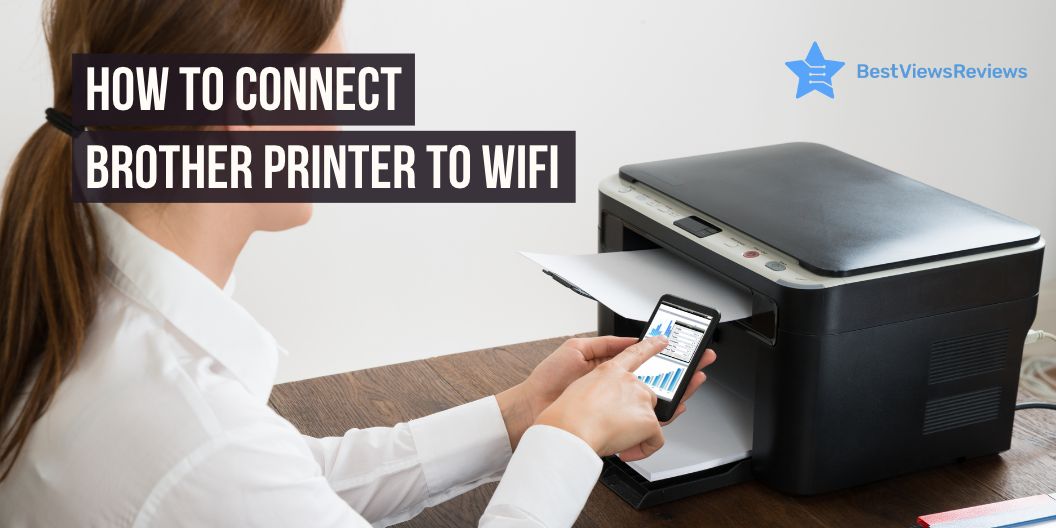
How to Connect Brother Printer to WiFi

how to connect a Brother printer to WiFi

The convenience of using your printer is maximum when you can connect your printer to WiFi. And, that is why top brands like Brother offer printers with Wi-Fi connectivity. Setting up a Wi-Fi connection in your Brother is easy and can be done in just some minutes when you follow the right steps. This article helps you know how to connect your Brother printer to Wi-Fi, along with offering some easy troubleshooting methods for common connection problems.

How to connect a Brother printer to WiFi?

Follow the below-listed steps to connect the Brother printer to WiFi:

  1. Turn on your Brother printer by connecting it to an electrical socket using the power cord.
  2. Click on the Menu option, present on the control panel.
  3. Navigate to the Network setting using the Up and Down arrow keys. Press Ok to select.
  4. Again, use the Up and Down arrow keys to select the WLAN option
  5. Now, select Setup Wizard and press Ok.
  6. Select “Yes” when the prompt “WLAN Enable?” appears to activate the wireless network. Doing so will start the wireless setup wizard.
  7. The printer will scan for your network and present a selection of Network Names (SSIDs). Once the list of SSIDs appears, select the pre-recorded SSID, then press OK.
  8. There are two methods to authenticate: open system and through network key.
  9. To authenticate with the network key, you can enter the key and then press Ok.
  10. With an open system, there is no encryption mode involved, so you can go to the next step.
  11. Your printer will now get connected to your selected wireless network.

How to connect a Brother printer to WiFi without cable?

You can easily configure your Brother printer for a wireless network using the CD-ROM without cable. This you can achieve when your computer is connected to a wifi and you know the network name (SSID) and WLAN access point/router settings.

Make sure when you install the printer driver through CD-ROM, your printer is placed close to the router and computer, and you are logged in to the computer with admin rights.

  1. Once you proceed with the driver installation, an installation dialogue box will appear
  2. Click Yes on the license agreement window
  3. Select Wireless Network Connection and click on Next
  4. Select Brother Peer-to-Peer Network Printer, and click Next
  5. The wireless device setup dialogue box will appear. Select ‘No, I don’t have a USB cable’, and click Next
  6. Select the checked and confirmed box and click Next for confirmation
  7. The SSID (Network Name) will be displayed on the next screen. Select Yes
  8. The ‘Enable Wireless Screen’ will appear. Use the control panel for the setup
  9. Keep pressing the WiFi button on the printer for nearly 2 seconds until the light blinks
  10. The WiFi button will light up after the successful connection

Why is Brother printer not connecting to Wi-Fi?

There can be several reasons your wireless Brother printer is not connecting to WiFi. Understanding these reasons will help you troubleshoot your printer easily. The main reasons are listed below:

  1. Poor WiFi Connection: You can restart your modem/router and reboot other connected devices, including your computer and printer. Bring your Brother printer closer to your router.
  2. Incorrect WiFi Settings: You need to ensure that your network settings are accurate and your printer is configured with your wireless network connection. You can also connect other devices to the same wifi to check if there is some problem with your wifi settings.
  3. Software/Driver Issues: If the problem is with your printer setup, you need to look for the WLAN report you can get from your printer. You can print the WLAN report from the settings or the menu of the printer.

How do I reset my Brother wireless printer to connect to Wi-Fi?

If you have already configured the printer with the Wifi, or have attempted to configure it, then you may require resetting it for setting up again. Resetting your Brother printer is easy and simple, follow the below-listed steps:

  1. Power ON your printer and click on the Menu button
  2. Navigate to the menu options, select Network, and click OK
  3. Now, select Network Reset and press Ok
  4. Select Reset and click Yes
  5. Your printer will reset to the default settings

Conclusion

Wireless technology undoubtedly adds more convenience to your daily printing operations, but when it fails or needs troubleshooting, it can become equally tiresome. From knowing how to connect a Brother printer to WiFi to understanding the reset process, this guide helps you use your Brother printer effectively. The above-mentioned steps will help you deal with all issues that you may face during the wireless setup.

From reliable driver support to a faster printing rate, there are many advantages of buying a Brother printer for your home or even for your office. Read another blog to know these benefits.

BestViewsReviews helps you find the best inkjet printers on the market by rating and reviewing them on the basis of quality, convenience, and durability. Get unbiased, honest reviews of products before you buy.

Razor Blade Stealth Laptop

Razor blade stealth laptop

The Razor Blade Stealth laptop is an ideal balance between power and portability. Whether you’re a creative professional, a student, or just someone who needs a reliable workhorse, this laptop is great for you. With a sleek design and powerful performance, the Razor Blade Stealth makes it easy to stay productive, connected, and entertained.

Many professional gamers use Razor gaming products. Razor products are popular among professional gamers due to their high-quality construction and precision engineering. Famous influencers have been known to use Razor gaming peripherals in the past, such as the Naga Hex mouse and Kraken headset.

Is the Razor Blade laptop good?

Yes, the Razor Blade laptop is an excellent purchase for professionals, students, and even gamers due to its advanced specs. The Razor Blade Stealth laptop features a 13.3-inch full HD (1920 x 1080) touch display. The laptop also has Intel Core i7 Quad Core Processor, 8GB RAM, 256GB SSD, and Windows 10 Home.

It has an ultra-slim CNC-milled aluminum chassis that makes it sturdy. The laptop comes with a long-lasting battery that provides up to 10 hours of use. The laptop also includes a backlit keyboard, a precision glass touchpad, and a Thunderbolt 3 port for connecting to external displays and peripherals. The Razor Blade Stealth is a gaming laptop that was released in 2016 and is currently in its fourth generation.

Razor laptops are known for their high quality, performance, and stylish designs, which is why they are more expensive than other laptop brands.

Is Razor Blade Stealth a gaming laptop?

The Razor Blade Stealth 13 is a significant laptop for gaming because of its powerful processor, solid graphics, and slim profile. It has a 10th Gen Intel Core i7 processor, an NVIDIA GeForce GTX 1650 graphics card, and a maximum RAM of 16GB. This ensures a smooth gaming experience for even the most graphically demanding games.

The Razor Blade Stealth 15 is also an excellent laptop for gaming. It has a powerful 8th Gen Intel Core i7 processor, 16GB of RAM, and an NVIDIA GeForce MX150 graphics card. This combination makes it capable of running most modern games with decent settings. It also has a 15.6-inch Full HD display with a 144Hz refresh rate, so you can enjoy smooth and responsive visuals.

Which is the best gaming laptop: Apple, Logitech, Asus, or Razor?

Is Razor better than Asus?

Razor gaming laptops have a sleek design, superior hardware, and powerful processors. They are also known for their long battery life, which is essential for those who enjoy gaming on the go. Asus gaming laptops, on the other hand, offer more budget-friendly options with a variety of features such as their HyperCool Pro cooling system and anti-dust cooling. They also feature a more streamlined design and often come with a more powerful processor.

Is Razor better or Logitech?

Razor gaming laptops and Logitech gaming laptops are both great to meet the needs of the modern gamer. Razor gaming laptops provide you immersive gaming experiences. Logitech gaming laptops, on the other hand, focus more on portability and reliability. They are lightweight and come with a long battery life that makes them ideal for taking on the go.

Is Razor better than Apple?

Razor gaming laptops and Apple laptops are both popular options but they are different. Razor laptops have higher-end graphics cards, more RAM, and faster processors than Apple. They are great for gamers and also have features such as a backlit keyboard, additional ports for gaming peripherals, and better cooling systems. Apple laptops, on the other hand, are known for their sleek design, intuitive user interface, and long battery life. They are also more portable and lightweight than gaming laptops which makes them ideal for everyday tasks and travel.

Which Razor is best?

The Razor Blade 15 is so hot because it is a powerful gaming laptop packed with cutting-edge components. It has a powerful Intel Core i7 processor, a high-end Nvidia RTX graphics card, and a high-resolution display. The combination of these components produces a lot of heat. This is why the laptop runs hot, and some users experience thermal throttling when pushing the laptop to its limits.

The Razor Blade 15 can also be quite loud due to a number of reasons. One of the main causes of the loudness is the heavy components that power your laptop. These components generate heat, and in order to keep them cooled the laptop has to run its fans at high speeds. This in turn makes the laptop quite loud.

Conclusion

The Razor Blade Stealth laptop is an excellent choice for anyone looking for a powerful laptop with an impressive battery life. It has a powerful processor and graphics card that can handle most tasks with ease. Its long-lasting battery life will keep you productive all day, and its portability means you can take it anywhere.

BestViewsReviews helps you find the best gaming laptops and top Razor keyboards on the market by rating and reviewing them on the basis of quality, convenience, and durability. Get unbiased, honest reviews of products before you buy.

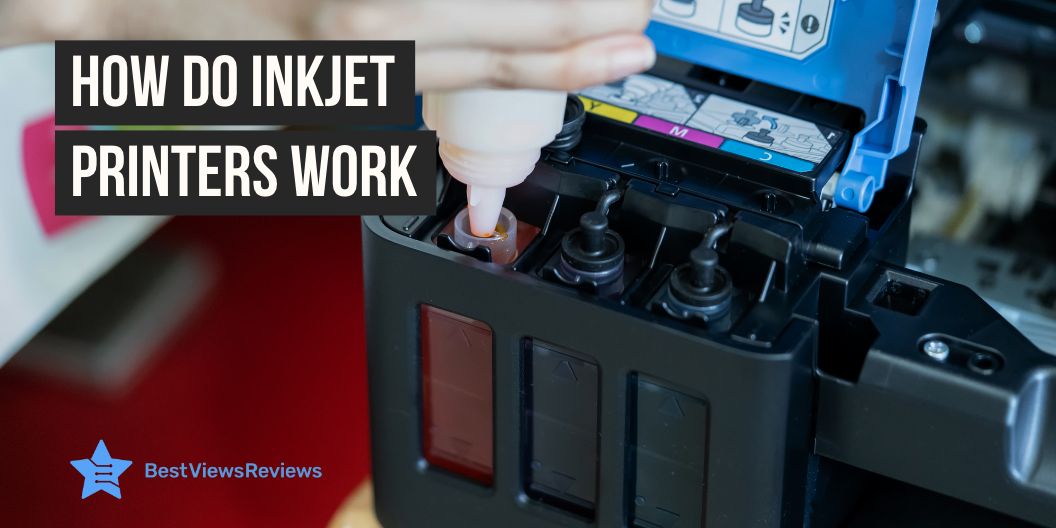
How Do Inkjet Printers Work

how do inkjet printers work

Inkjet printers are a popular option for home and business users who need excellent printouts for documents, photographs, or other types of printing. As they gain popularity and are used more often, many people wonder how inkjet printers work.

The inkjet printer creates images by pressing ink onto paper. The printer propels liquid ink droplets through a print head onto the paper. The ink dots are too small, usually between 50 and 60 microns. The printing method allows for a variety of colors and tones, making it ideal for printing graphics and photos. The dots are precisely positioned on the page to achieve a resolution of 1440×720 dots per inch.

The best inkjet printers are more efficient than other printers and require less maintenance. The ink is also more cost-effective than different types of printer ink, making them an excellent option for those on a budget. The good-quality ink cartridges for inkjet printers are available for under $25 with a yield of approx 200 to 250 pages.

How Do Inkjet Printers Work  

An inkjet printer works by propelling droplets of ink onto paper. There are two main technologies that most inkjet printers use: bubble jet technology, which involves heat, and piezoelectric technology, which involves vibrating crystals.

Two Main Inkjet Technologies

Thermal Bubble Inkjet Technology

The technology works by heating a small chamber of ink until it vaporizes, creating bubbles that rise to the surface. As the ink bubbles reach the top of the chamber, a tiny nozzle directs the ink onto paper, creating an image. This technology allows for precise control of ink droplet size and placement, allowing for accurate and detailed prints. The bubble jet print head has the capacity to release 300 to 600 direct droplets through tiny nozzles. You can find printers from Canon and Hewlett-Packard based on this technology.

Piezoelectric Inkjet technology

Piezoelectric inkjet printing technology is a reliable and efficient way to create printed materials. It works by vibrating tiny piezo crystals inward when they receive a tiny electric charge. The crystals eject a small amount of ink onto the substrate, creating the desired output. When the crystal is vibrated outwards, it pulls more ink from the reservoir. This technology is mostly found in Epson printers.

How Do Inkjet Printers Work: Step-by-Step Process?

  1. When the print command is clicked with an inkjet printer, the print job is sent to the printer.
  2. The printer will then prepare itself for printing. This includes loading any paper that is necessary and warming up the ink cartridges.
  3. When the printer is idle, it will run a short clean cycle to ensure that the print head is clean.
  4. If the job is a color print, the printer will automatically calibrate the colors to ensure a perfect print.
  5. Once it is ready, the printer will begin printing the document. Depending on the complexity of the document, the printing speed can vary. Like, a printer can have a printing speed of 19 pages per minute for black and white prints, whereas for colored print out it may produce 1 print per minute.
  6. After the printing job is complete, the printer will eject the paper and go into standby mode.
  7. The user can then remove the printed document from the output tray and proceed with their task.

What are the Basic Working Parts of an Inkjet Printer?

Print Head Assembly:

Print Head: The print head forces the ink onto the paper by using a series of nozzles, which are activated when the printer is in use. It is composed of two separate parts, the ink reservoir and the print head itself. The ink reservoir holds the ink that is necessary for printing and the print head is responsible for controlling the flow of ink onto the paper.

Ink Cartridges: Ink cartridges are responsible for supplying the ink needed for printing. They are typically made of plastic and contain a variety of colored inks. The cartridges are inserted into the printer and must be replaced when they run out of ink.

Print Head Stepper Motor: The stepper motor controls the back-and-forth movement of the print head. It is a small motor that is connected to the print head and controls its movement.

Stabilizer Bar & Belt: The stabilizer bar helps in providing a stable platform for the print head to rest on. It connects to the stepper motor which allows the print head to remain steady while it is in use.

The belt offers a smooth surface for the print head to move across. It has a construction of rubber or plastic. It allows the print head to move smoothly from side to side and up and down.

Paper Feed Assembly:

Paper Tray/Feeder: The paper tray or feeder is the part of the printer that holds and supplies the paper to the printer for printing. It is generally located at the top or bottom of the printer and is adjustable to accommodate various sizes of paper. You should make sure the paper is correctly loaded and that the feeder is adjusted according to the paper size in order to avoid jams or other printing issues.

Rollers: The rollers are the components of the printer that move the paper through the printing process. They are inside the printer and are made of rubber or other materials that can grip the paper and move it through the printer.

Paper Feed Stepper Motor: The paper feed stepper motor controls the speed and direction of the paper as it moves through the printer. It is responsible for accurately maintaining the speed of the paper so that it can be printed properly.

Power Supply: The power supply provides the necessary power to the printer in order to operate the various components including the rollers, paper feed stepper motor, and control circuitry.

Control Circuitry: The control circuitry sends signals to the various components to ensure that the printer functions properly. It also decodes the information that comes from the computer.

Interface Ports: The interface ports connect the printer to other devices such as a computer or other external devices. Parallel ports are common in most printers, but in the new models, you can also find USB ports or SCSI ports. The wireless inkjet printers support wireless connectivity. You can also look for models like Canon Pixma TR150 that support wireless mobile printing through Airprint and cloud support.

Inkjet Printer Uses

Inkjet printers are a useful addition to your home office space or your study setup. You can also use inkjet printers to boost your creative skills. The uses of inkjet printers are as follows:

  1. Printing documents and images with high quality and accuracy
  2. Creating personalized items like mugs, t-shirts, and mousepads
  3. Producing high-resolution photos for professional and personal use
  4. Making customized labels and stickers for business or personal use
  5. Printing 3D objects using specialized inks and materials
  6. Producing banners and posters with bright colors and sharp details
  7. Printing on specialty materials like canvas, and fabric
  8. Creating artwork and graphics for use in advertising and marketing

Conclusion

Inkjet printers are not only easy to use, but also provide a variety of helpful features for users. Knowing how inkjet printers work can provide you with a better understanding of the features and how to make use of them. Some common features of inkjet printers are Wi-Fi and USB connectivity, and the auto-duplex print feature.

Inkjet printers are now an essential part of everyday life and can provide users with a reliable way to print documents and photos quickly and easily. With some basic knowledge, users can take advantage of the features offered by their inkjet printer and enjoy the convenience and dependability that it provides. The inkjet Bluetooth printers also feature Bluetooth connectivity to offer more convenience.

BestViewsReviews helps you find the best-selling inkjet printers on the market by rating and reviewing them on the basis of quality, convenience, and durability. Get unbiased, honest reviews of products before you buy.

Are 2-in-1 Laptops Worth Buying?

2 in 1 Laptops

The primary advantage of purchasing 2 in 1 laptop is the cost savings that result from not having invested further in a conventional laptop. However, a convertible notebook is not a good choice if you are not a fan of utilizing tablets and believe you will need more time to use them in the future. 

A 2-in-1 laptop can be used as a desktop computer and a tablet which makes it an extremely desirable consumer technology. It offers portability and access to tasks you simply couldn’t achieve with a traditional top-quality laptop. It is a hybrid device that combines a laptop and a tablet into a single device.

Are you thinking of purchasing the best laptop that doubles as a tablet? First, let’s examine their advantages and the plethora of functions featured in these multipurpose devices. 

What is a 2-in-1 laptop? 

The primary capabilities of a conventional grapple laptop and a tablet are combined in a 2-in-1 laptop. In addition, it creates a large category of different types of devices. For example, there are machines that have characteristics similar to those of tablets that can also function as laptops and devices with high computing power that can also function as tablets. However, the 2-in-1 laptop needs to include some important components: 

  • Keyboard with a touchscreen
  • Full-fledged operating systems, such as Google Chrome OS or Microsoft Windows
  • Superior processing capacity compared to a regular tablet 

It is also common to be confused about what to buy between touch screen laptops vs non-touch laptops. Well, both laptops are good to have and you should weigh their advantages and disadvantages before buying one.

Types Of 2 in 1 Laptop

There are three primary classes of 2-in-1 laptops to choose from. There is also a model called the Netvertible, in addition to the 2-in-1 convertible and the 2-in-1 detachable. Continue reading for a straightforward explanation of 2-in-1 laptops: 

1. 2 in 1 Convertible

Tablets referred to as “2 in 1 convertible,” can fold, spin, or even slide out a keyboard from underneath their bodies. The hinge for these devices is at the intersection of the keyboard and the display. 

2. Netvertible  

The hinge is present in a Netvertible, and the central hinge can rotate on an axis that is perpendicular to the keyboard. In addition, these gadgets can support a touch screen or an active stylus as input methods. 

3. 2 in 1 Detachable 

The keyboards of devices referred to as “2 in 1 detachable” can be removed. The keyboard section of these devices typically contains a few additional functionalities in addition to their standard functionality.

However, docking stations are one of the more common features. The keyboard attaches and the display becomes detachable and requires support or can stand independently.

In most cases, you can purchase a package deal including the display and the keyboard; however, certain brands require you to buy the keyboard and display separately. 

Are 2-in-1 laptops worth buying? 

Depending on what you plan to do with your laptop, a 2-in-1 model may be the most suitable option. If you require a portable machine with a display that can be touched and features that allow it to be converted, you can’t go wrong with a 2-in-1 laptop. These hybrid laptops are capable of performing almost anything, from working in an office to streaming media, and they also provide an unbelievable degree of portability and versatility. 

Additionally, two-in-one laptops have the potential to be a worthwhile purchase for a large number of people, including students and remote employees, who want to use their computers for enjoyment outside of work hours.  

Almost all 2-in-1 models can use the windows operating system (OS) in tablet mode. This makes it a more feature-rich option for people who enjoy the tablet experience but are frustrated by the limited features available. 

On the other hand, if you require more processing power for activities such as gaming or video editing, there might be better options than a 2-in-1 laptop. 

Reasons why you should buy a 2-in-1 laptop 

There are several advantages to a laptop that can switch between tablet and laptop use. They provide an excellent deal for the money and a longer battery life. The top 5 reasons you should acquire a laptop that combines two functions. 

  • Portability for work or school 
  • Longer battery life 
  • More modes for ultimate flexibility 
  • Excellent value
  • Touch screen for enhanced use

Final Verdict

Laptops with a 2-in-1 design can switch between a tablet and a traditional laptop. In addition, they include a screen that you can detach from the keyboard and use independently, giving the device the functionality of a tablet when detached.

BestViewsReviews helps you find the best tablets and gaming laptops on the market by rating and reviewing them on the basis of quality, convenience, and durability. Get unbiased, honest reviews of products before you buy.

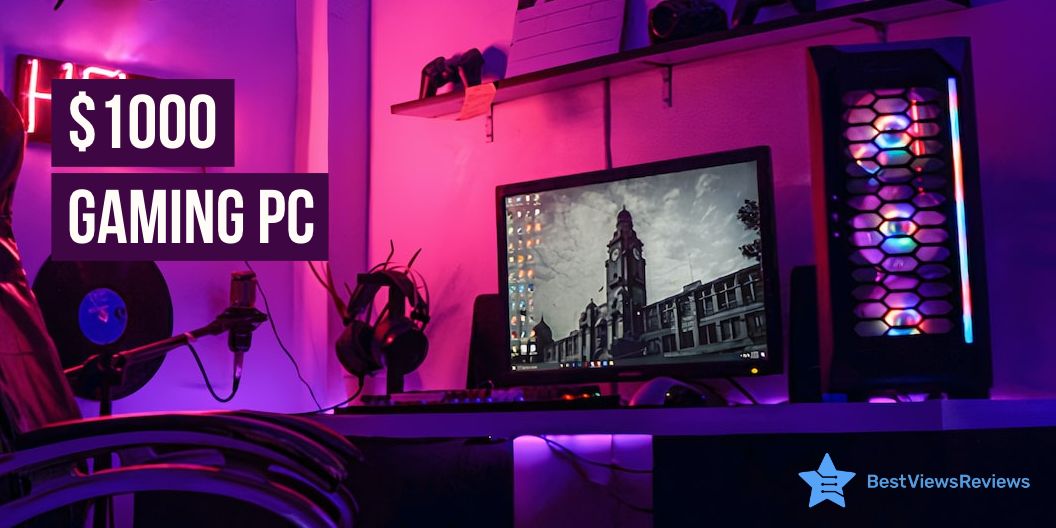
Top 5 Gaming PC Under $1000

gaming pc under $1000

A gaming PC under $1000 is a fantastic option for gamers who are looking for a powerful machine. A gaming PC in this price range typically comes with a powerful processor like Intel® Core™ i7 processor or AMD Ryzen™ 5000 Series, RAM of 8 to 16 GB and SSD storage of 256 GB or even more, and a dedicated graphics card. This combination of hardware makes it suitable for playing the latest games at decent frame rates and resolutions.

Top 5 Gaming PC under $1000

HP Elite Desktop PC Computer

HP Elite Desktop PC Computer’s reviews claim that it is refurbished, fully functional, and in excellent condition. This model has been professionally inspected, tested, and cleaned by Amazon-qualified vendors. It has a battery that exceeds 80% capacity relative to the new. The screen and body show no signs of cosmetic damage visible from 12 inches away.

HP Pavilion Gaming Desktop

HP Pavilion Gaming Desktop keeps up with you and the games of tomorrow thanks to its powerful intervals, support for a second display, customizable LED lighting, seamless expansion, and easy upgrades. It has been designed to last with 230 quality tests to its name. This model easily connects to a second display, external storage drives, and all your accessories.

SkyTech Blaze II Gaming Computer

The customer reviews of SkyTech Blaze II Gaming Computer show that it offers built-in 8 GB RAM ensures fast operation. This model comes with a free RGB keyboard and mouse that makes it easy to use. Its 3 x RGB RING fans offer maximum airflow that keeps the device cool.

HP RGB Gaming Desktop PC

HP RGB Gaming Desktop PC comes with a RAM memory of 16 GB. It has been professionally inspected, tested, and cleaned by Amazon-qualified vendors. The screen and body of this model show no signs of cosmetic damage visible from 12 inches away. It also has a battery that exceeds 80% capacity relative to the new.

Acer Aspire TC-1760-UA92 Desktop

Acer Aspire TC-1760-UA92 Desktop comes with an easily expandable 12th Gen Intel Core i5 processor. It has the speed, power, and storage to do more—every day. It also comes with a USB keyboard and mouse included. This model also features 2×2 MU-MIMO technology. It can perform all the tasks from basic computing to multimedia entertainment.

Components in a gaming PC

Processor: AMD or Intel

The processor is one of the most important components of a gaming PC. It’s responsible for running all of the software, games, and other applications. When it comes to choosing a processor, there are two main choices: AMD or Intel. AMD processors typically provide better value for money, while Intel processors tend to offer higher performance.

RAM

RAM (Random Access Memory) is a type of computer memory used to store programs and data while the computer is running. The more RAM your PC has, the more quickly it can process information. Generally, 8GB or more of RAM is recommended for gaming.

Graphics

Graphics are responsible for displaying the images and visuals on the computer screen. Dedicated graphics cards are the best choice for a gaming PC as they provide superior performance. Nvidia and AMD are the two most popular brands of dedicated graphics cards.

Storage

Storage is responsible for storing all the data and programs that are installed on the computer. Most gaming PCs like ZOTAC Gaming MEK Hero have an SSD (Solid State Drive) and an HDD (Hard Disk Drive). An SSD is faster and more reliable than an HDD, but it’s also more expensive.

Power supply

The power supply is responsible for supplying power to all the components in the computer. It’s important to choose a power supply that is powerful enough to power all the components in the computer.

The PC case is also an important component for building a computer. Go through our blog on everything you need to know about a PC case to learn more.

Peripherals you need to add

Gaming Keyboard

A gaming keyboard is an essential peripheral for a gaming PC. It provides greater precision and control when gaming, and often features specialized programmable keys and extra macro buttons. The keys are often designed to be comfortable and responsive, making them ideal for gaming.

We have reviewed some of the best-selling gaming keyboards based on their performance and quality.

Gaming Mouse

A gaming mouse is a must-have for serious gamers. It provides greater precision and accuracy when gaming, as well as customizable buttons, adjustable sensitivities, and a higher polling rate than regular mice.

Gaming Headset

A gaming headset is a great way to immerse yourself in your game and communicate with other players. A good gaming headset will have noise-canceling features, adjustable volume control, and comfortable padding. Many headsets also come with a microphone, so you can chat with other players.

We also have a detailed blog on the best gaming headsets. Reading this blog will help you choose the right gaming headset for yourself.

FAQs

Is 8 GB RAM good for gaming?

Yes, 8 GB RAM is good for gaming. It’s enough to play most modern games without lag or stuttering. A 16 GB of RAM may, however, be a better choice if you’re looking to play games with higher graphics settings or play more memory-intensive games.

Is $900 good for a gaming PC?

It depends on what type of gaming PC you are looking for. If you are looking for a basic gaming PC that can handle basic games but won’t give you the best performance, then yes, $900 is a good budget. You will likely be able to get a decent processor, some RAM, a decent graphics card, and a good case.

On the other hand, if you are looking for a high-end gaming PC that can play the latest games on ultra settings, then a gaming pc under $1000 or $900 is not enough. You may be able to get some good components, but you will likely not be able to get all the components you need for a high-end gaming PC. You would need to spend closer to $1500 or more for a PC that can handle the latest games on ultra settings.

Conclusion

All in all, a gaming PC under $1000 is an excellent choice for those looking to get into gaming without spending too much. It offers great performance for the price, with a decent range of hardware and features. It is also capable of running most modern titles at respectable settings, while its expandability options give it room to grow.

Get the best reviews and ratings on the products you’re interested in. BestViewsReviews helps you make the right purchasing decision. Whether you’re looking for the top-rated gaming tower computers or the best gaming mice, we’ve got you covered.

Why Is Everyone Calling Razer ‘Razor’?

Razor

Have you ever noticed the confusion between the spelling of the brand Razer? Most people often pronounce it as Razor. From gaming laptops to headphones, razer has a lot of products but why is everyone calling Razer ‘Razor’?

Razer is famous for its sleek, modern designs and high-performance gaming gear. Its name Razer is often mistaken for the word “Razor”. This confusion is likely due to the similarity in both names and the fact that Razer is a relatively new company in the gaming market. While the two words sound similar, the spelling is different. Despite the mix-up, Razer is gaining popularity as a gaming brand and continues to expand its product line to meet the needs of gamers around the world.

Is it spelled as ‘Razor’ or ‘Razer’?

Razer is a brand of gaming hardware, such as gaming laptops, gaming keyboards, and gaming mouse. It is also the name of a line of gaming accessories, such as headsets and gaming controllers. The correct spelling of the brand is “Razer,” not “Razor.” It was founded in 2005 and has become a leading brand in the gaming industry. It offers high-quality gaming gear for competitive and casual gamers alike.

Why The Name Razer?

The name Razer was chosen to represent the company’s ethos of being razor-sharp and edgy. It also reflects the company’s mission of helping gamers achieve the highest level of performance. Therefore, the name Razer symbolizes a company that is providing gamers with the best gaming experience possible.

Who is RazerGuy?

RazerGuy is an online gaming channel handled by an anonymous person. The handle is about gaming hardware and accessories of the company Razer. RazerGuy is also participating in gaming forums. It provides helpful advice to gamers who are looking for tips, tricks, or advice on gaming hardware and software. It also provides you the Razer product reviews and feedback. Despite the anonymity of RazerGuy, it has become a well-known figure in the gaming community that offers valuable insight.

What is the Razer Series?

The Razer Series includes gaming laptops, keyboards, and mouse, as well as other gaming accessories such as headsets, mouse mats, and controllers. All Razer series products give gamers a competitive edge in gaming by providing superior performance, reliability, and comfort. With the Razer Series, gamers can take their gaming experience to the next level.

Some Razer Laptops

Razer Blade 15 Gaming Laptop

You can opt Razer Blade 15 Gaming Laptop that has a 15.6″ full HD display for an immersive experience. This model has a CNC aluminum unibody house that provides you incredible performance. It has 16GB dual-channel memory as well as fast 256GB SSD storage, which allows you to store more.

Razer Blade 15 Base Gaming Laptop

The Razer Blade 15 Base Gaming Laptop comes with a 4K OLED display that delivers fast response time and a wide color range. The 10th Gen Intel Core i7-10750H processor provides the ultimate level of performance with up to 5.0 GHz max turbo and 6 cores. This model has multiple ports that offer you convenience.

Razer Blade Stealth 13 Ultrabook Laptop

The Razer Blade Stealth 13 Ultrabook Laptop offers up to 13 hours of long battery life for long-lasting performance. The keyboard features single-zone RGB lighting with 16.8 million colors that provide your laptop an attractive look. It has a quad-core 8th Gen Intel Core i7 8565U Processor that offers your high-end performance.

Conclusion

Razer is a leading brand in the gaming industry that produces high-performance gaming peripherals. The company’s name has been mispronounced by people who are unfamiliar with the brand, resulting in the name being commonly mispronounced as “Razor”.

BestViewsReviews helps you find the best razer laptops on the market by rating and reviewing them on the basis of quality, convenience, and durability. Get unbiased, honest reviews of products before you buy.

Best 64GB RAM Laptop in 2023

64 GB RAM laptop

A 64GB of RAM laptop is a high-end device that is likely to be more expensive than laptops with lower amounts of RAM.

Are you looking for a 64GB RAM laptop? Then you might be going in the right direction. The real question is whether you need that much RAM at all. Although it’s not always required. A 16GB of RAM is often used for high-end tasks. You can stretch this chunk to 32GB for hard tasks like editing 4K video, rendering 3D, and running other hard software. But 64GB RAM is too much for a laptop. 

We’re here with 64GB RAM to avoid any possible risks for the go task. But there are few choices on the market, so we chose the best possible combinations to make this list more flexible. Regarding gaming, video memory is more important than standard RAM. 

Things To Consider When Looking For a Laptop With 64GB of RAM  

It’s difficult to predict exactly what the best laptop is in 2023 with 64GB RAM. It will depend on the specific needs and preferences of the user, as well as the hardware and features available at the time. Some things to consider when looking for a laptop with 64GB of RAM in 2023 may include the following: 

Processor: 

Look for a high-quality laptop with a powerful processor, such as an Intel Core i7 or i9, or an AMD Ryzen, to ensure that it can handle demanding tasks. 

Graphics card: 

If you plan on using your laptop for gaming or other graphics-intensive tasks, look for a laptop with a dedicated graphics card, such as an NVIDIA GeForce or AMD Radeon. 

Storage 

Consider the amount and type of storage you will need for your files and applications. A laptop with a solid-state drive (SSD) may perform faster than a hard-disk drive (HDD). 

Portability 

If you need a laptop you can take with you on the go, look for a lightweight model with good battery life. 

Price 

Determine your budget and look for a laptop that offers the best value for your money. While 64GB of RAM can be very useful for certain users, it may not be necessary for everyone.  

A lower amount of RAM may be sufficient if you only use your laptop for basic tasks like web browsing and word processing. 

Why Are 64GB RAM Laptops Best?

There are several reasons why a laptop with 64GB of RAM may be considered the best option for certain users.

Performance:

A laptop with 64GB of RAM is likely to have faster performance and be able to handle more demanding tasks, such as heavy multitasking, video editing, and gaming. 

Future-proofing: 

 If you anticipate needing a lot of RAM as you continue to use your laptop, a 64GB model may be the best choice to ensure that you won’t need to upgrade again soon. 

Professional use:  

Some professional users, such as developers and data scientists, may require a lot of RAM to run resource-intensive applications or to work with large data sets. In these cases, a laptop with 64GB of RAM may be the best choice. 

While 64GB of RAM can be beneficial in certain situations, it may not be necessary for all users. A lower amount of RAM may be sufficient if you only use your laptop for basic tasks like web browsing and word processing. 

You can also have a look at the top-rated gaming laptops if you want to immerse yourself in the world of gaming. They are reviewed on the basis of their quality and performance.

List of Best 64GB RAM Laptops in 2023? 

Here is the following list of the best 64GB RAM laptops in 2023: 

  1. HP ENVY 17T – Best 64GB RAM Laptop 
  1. Dell Inspiron 17 7000 – Best Budget-friendly 64GB RAM Laptop 
  1. MSI GE76 Raider – Amazing Battery 64GB RAM Laptop 
  1. Lenovo Legion 5 – Best Performance 64GB RAM Laptop 
  1. ASUS ROG Strix G17 – Best Fast Speed 64GB RAM Laptop in 2023 

1. HP ENVY 17T – Best 64GB RAM Laptop 

Users that need a great deal of power will find that the HP ENVY 17T is the ideal laptop for them. And we know HP is the no.1 Laptop Brand in the world. That’s why this device ensures the user can access all the power they need, whether working or playing. 

This 64GB RAM laptop has a screen that measures 17 inches, making it ideal for viewing movies or playing video games.  

However, the most recent Intel Core processor and 64 gigabytes of memory are also included, allowing the user to execute any program without experiencing any difficulties. 

The HP ENVY 17T is a powerful laptop with a 10-Core 12th Intel i7-1255U processor. It offers a smooth, responsive experience that is perfect for multitasking or gaming. 

The HP ENVY 17T has many ports and ways to connect to other devices so that it can be used with many devices.  

It has two USB Type-A ports, one USB Type-C port, one jack that works for headphones, and a microphone. It also lets you connect wirelessly with 802.11Wi-Fi and Bluetooth. 

Pros: 

  • impressive battery life of up to 13 hours 
  • Outstanding performance 
  • Budget-friendly 

Technical Specification: 

Display 17.3 inch,  
Resolution  1920 x 1080 
Storage 2 TB SSD 
RAM 64 GB  

The HP – Pavilion is also a great model as it comes with a 128GB solid-state drive that offers ample space for data storage.

2. Dell Inspiron 17 7000 – Best Budget-friendly 64GB RAM Laptop 

Here is another best 64GB RAM laptop. The Dell Inspiron 17 7000 is a 17-inch laptop with a high-resolution display, powerful processor, and graphics card.  

However, it is designed for performance and is suitable for various tasks, including gaming, video editing, and productivity. 

The display quality is good, especially considering the size of the screen. In addition, this portable computer has a high-performance Intel Core i7 CPU and can accommodate significant amounts of RAM.  

The Dell Inspiron 17 7000 has several connectivity options, including USB-C, HDMI, and a media card reader.  

It also has a backlit keyboard and a built-in fingerprint reader for added security. It is suitable for both personal and professional use. 

Pros: 

  • Very large screen 
  • Amazing battery life 
  • Backlit keys 

Technical Specification: 

Display 17 inches 
Resolution  2560 x 1600 
Storage 2 TB SSD 
RAM 64 GB  

3. MSI GE76 Raider – Amazing Battery 64GB RAM Laptop 

The MSI GE76 Raider is a gaming laptop with high-end hardware and a sleek design. It is designed to deliver fast performance and smooth gameplay for the most demanding games. 

The Raider also has a number of gaming-specific features, such as a high refresh rate display and per-key RGB lighting on the keyboard. It has several connectivity options, including USB-C, HDMI, and a media card reader. 

Moreover, it is useful for gaming, provides lightning-fast performance, and unlocks excellent multitasking capabilities for your daily productivity work.  

This includes applications like Microsoft Office, Adobe package software, online video calling software for meetings, rapid data transfers, and much more.  

It has a 64GB RAM capacity, an Intel Killer Wi-Fi 6E AX1675 module, and Bluetooth v5.2 connectivity. 

Pros: 

  • Lots of port options 
  • Great RGB Lighting 
  • Best performance 

Technical Specification: 

Display 17.3 inches 
Resolution  1920 x 1080 
Storage 1 TB SSD 
RAM 64 GB  

4. Lenovo Legion 5 – Best Performance 64GB RAM Laptop 

The 2021 Lenovo Legion 5 17.3 is a larger version of the Legion 5 gaming laptop that was released in 2021. It has a 17.3-inch Full HD IPS display with a refresh rate of up to 144 Hz, larger than the 15.6-inch display found on the standard Legion 5. 

It is one of the best 64GB RAM laptops you can buy. The Lenovo Legion 5 looks great and has great ways to keep cool.  Moreover, the Legion 5 has a backlit keyboard with customizable lighting and a large touchpad for easy navigation. 

It can quickly render photos or video editing software because it has the best power management, a dedicated Graphics Card, and 64GB RAM.   

It also has a nice 32GB USB card that lets you transfer data quickly and easily. This laptop is great for making content and switching between tasks. It comes with a Big 17-inch 1080p FHD screen with a full-size keyboard and touchpad.

Pros: 

  • Excellent battery life 
  • Very cheap 
  • Overall Best performance 

Technical Specification: 

Display 17.3 inches 
Resolution  1920 x 1080 
Storage 2 TB SSD 
RAM 64 GB  

5. ASUS ROG Strix G17 – Best Fast Speed 64GB RAM Laptop in 2023 

This is the greatest 64GB RAM laptop you can have with 64 GB of RAM since it also has a remarkable bandwidth speed and will make your work experience flawless. It maintains a high power efficiency even when subjected to demanding workloads.  

The ROG Strix G17 is available with up to an 11th-generation Intel Core i9 processor and an NVIDIA GeForce RTX 3080 graphics card, making it capable of running demanding games and other tasks. 

Despite its large display, the ROG Strix G17 is relatively portable, with a weight of around 2.7 kg and a thickness of around 25 mm. 

ROG G17 also provides a sophisticated degree of wireless connections and has the capability to connect with many servers simultaneously. The only form of activity besides gaming for which this laptop is not very productive is the latter.  

You can multitask very effectively, in addition to the fact that the laptop feels and looks great.  

The ROG Strix G17 has a dual-fan cooling system with dedicated heat pipes to keep the laptop cool during long gaming sessions. 

Pros: 

  • Great for Gaming and Productivity 
  • RGB components with lots of port options 
  • Aesthetically the best looking 
  • Backlit keyboard 

Technical Specification: 

Display 17.3 inches 
Resolution  1920 x 1080 
Storage 2 TB SSD 
RAM 64 GB  

The customer reviews of the 2019 ASUS ROG claim that it offers 16GB 2666MHz DDR4 SDRAM memory for full-power multitasking and faster start-up times. This is a great model to check out if you are looking for a gaming laptop.

Frequently Asked Questions About 64GB RAM Laptop 

Q1: Is 64GB of memory too much for a laptop? 

A: It’s for most people who use it. RAM is based on how much work is being done. If you want to make a PC for playing games, 64GB should be your goal. 

Q2: Why do you need 64GB of RAM? 

A: Lower-quality movies may be readily accommodated by 16GB or 32GB storage. However, if you are dealing with complex CAD drawings and VFX or on 8k video, a 64GB SSD is warranted. 

Q3: Can I increase the RAM on my laptop to 64GB? 

A: Not all laptops have 64GB of storage. They may also have soldered RAM, which means you can’t remove or add more. 

Q4: Which is preferable, more RAM or an SSD? 

A: RAM is faster than SSD. It may be used for any kind of data that requires rapid access. As a result, RAM is effective for quick processes. 

You can also find best-selling models like Dell Latitude E7470 at a discount of up to $100 during the sale.

Final Verdict 

We have completed our evaluation. As you may be aware, RAM is an important component of any laptop. The more RAM you have, the better the performance. Your applications, tools, and data all function properly and rapidly. So that was the top 5 Best 64GB RAM laptops.

BestViewsReviews helps you find the best products on the market by rating and reviewing them on the basis of quality, convenience, and durability. Get unbiased, honest reviews of products before you buy.