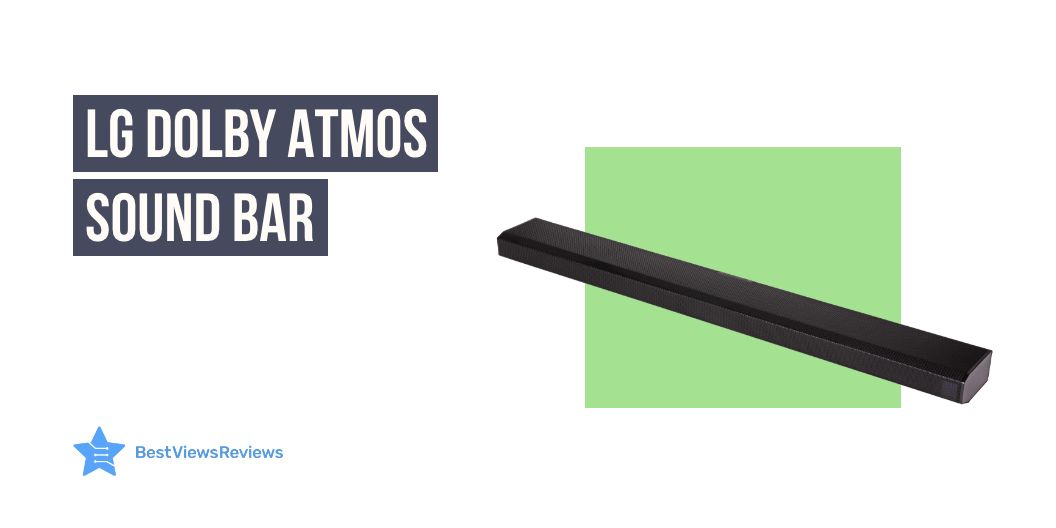
5 LG Dolby Atmos Sound Bar – An Audio Revolution

lg dolby atmos sound bar

The easy way to get the ultimate entertainment at your home comfort is to get the right sound bar. There can be many brands and models, but choosing one like LG Dolby Atmos sound bar can be a worthy buying decision. This is because of its impressive sound quality, sleek design, and an outstanding array of features and connectivity options. The LG Dolby Atmos soundbar is an audio revolution that is sure to take your home entertainment system to the next level.

This device will revolutionize the way you experience music and movies. The sound bar offers a whole new level of audio immersion. This enables you to experience a truly dynamic soundscape with its Dolby Atmos technology. We also have a detailed blog on soundbars that will help you know everything about them.

What is the benefit of Dolby Atmos?

The Dolby Atmos provides an incredibly immersive audio experience with the ability to place and move sound objects in three-dimensional space. This allows for a more realistic soundstage with accurate localization of sounds, allowing the listener to become more engaged with the content they are viewing or listening to.

Does Dolby Atmos make a difference in the sound bar?

Yes, Dolby Atmos makes a tremendous difference in sound bars. Dolby Atmos is an object-based surround sound technology. It simulates a three-dimensional sound experience by placing sound objects in a “virtual space”. This allows the sound bar to deliver a more immersive and realistic sound experience than traditional surround sound formats. Dolby Atmos soundbars use specialized audio processing algorithms to up-mix stereo or multichannel audio into a 3D soundscape and create the effect of height channels for a truly immersive experience.

How do I know if my LG sound-bar is playing Dolby Atmos?

The most reliable method to ensure Dolby Atmos is functioning properly is to examine the information panel on the main control panel of your AV receiver or sound bar (if applicable). This will show the type of audio signal that is currently in use.

Is Dolby Atmos just a surround sound?

Dolby Atmos is a surround sound technology that offers more than what a traditional surround sound system can provide. While surround sound technology is limited in the way it provides sound, Dolby Atmos is a revolutionary new sound system that creates a three-dimensional audio experience.

Dolby Atmos creates a soundscape that includes height and depth, creating an immersive audio experience that is unlike anything heard before. Dolby Atmos is equipped with up to 64 speakers and utilizes audio objects for a multi-dimensional feel that is more realistic and dynamic than other sound systems.

Do I need extra speakers for Dolby Atmos?

When it comes to Dolby Atmos, extra speakers can be a great way to enhance your home theater experience and maximize the impact of the system. While it is not necessary to have extra speakers to get Dolby Atmos, it can be helpful in order to create a more immersive, surround sound experience.

Adding additional speakers to the system can provide a heightened level of detail and clarity, as well as a greater sense of space and dimension. Of course, this will only be possible if you have the necessary components and the appropriate setup to accommodate the extra speakers.

It is also important to ensure that the speakers you choose are compatible with Dolby Atmos, otherwise, you may not get the desired quality of sound.

Is it worth buying an LG Dolby atmos sound bar?

The LG Dolby Atmos Sound Bar is a splendid choice for homeowners seeking a premium sound experience. With state-of-the-art features such as Dolby Atmos 3D audio, a powerful wireless subwoofer, and an intuitive Bluetooth connection, the soundbar offers an immersive listening experience. The sound bar can deliver clear, crisp audio with superior bass, giving you a superior sound experience whether you’re watching movies or listening to music.

Below are the top 5 LG sound bars that give will you a great sound experience :

LG GX Sound Bar

LG GX Sound Bar offers Dolby Atmos with DTS: X Sound. It surrounds your senses while ideally matching the gallery design of the LG GX Series OLED TVs. The AI Sound Pro technology of this model delivers optimal sound settings through adaptive sound control. The LG subwoofer combines with the sound bar’s up-firing front height channels to direct Hi-Res audio out and up, for a sound that fills up any room.

LG Eclair QP5 Sound Bar

LG Eclair QP5 Sound Bar works on meridian audio technology and comes in a compact design with a vibration-damping subwoofer. This model also offers 4K Passthrough (HDCP 2.3) and Dolby Vision & HDR10 Passthrough. It delivers immersive sound in a space-saving design.

LG SPD75A High-Resolution Audio Sound Bar 

LG SPD75A High-Resolution Audio Sound Bar works with Alexa and combines with the sound bar’s up-firing front height channels for a sound that fills up any room. Its sound effects and soundtracks seem to come from every angle with 3.1.2 channels, Dolby Atmos®, and DTS: X. This model is also based on Meridian Audio technology.

LG S80QY 3.1.3ch Sound Bar

LG S80QY 3.1.3ch Sound bars are engineered to enhance LG TV performance seamlessly. They are specially designed to match LG TV. These units are compatible with major high-res audio streaming services. You can also easily control your sound bar through Airplay2, Chromecast, Google, and Amazon Alexa.

LG S75Q 3.1.2ch Sound bar

LG S75Q 3.1.2ch Sound bar’s reviews claim that it features 3.1 channel audio for an immersive listening experience. It also offers high-res audio for more accurate sound and a more enjoyable listening experience. This model also comes with a remote control so you can change the settings from anywhere in the room. You can go through our other blog on the best-selling sound bars and know about the reasons to use them.

Conclusion

The LG Dolby Atmos sound-bar is a revolutionary product in the field of home audio. It is a great way to bring quality sound to your home. This soundbar is incredibly easy to set up and use. With its combination of Dolby Atmos technology and high-quality audio components, the LG Dolby Atmos soundbar will exceed your expectations and provide you with an amazing audio experience.

BestViewsReviews helps you find the best soundbars on the market. We rate and review them on the basis of quality, convenience, and durability. Get unbiased, honest reviews of products before you buy.
How To Connect To Sonos Speaker

How to connect to sonos speaker

Connecting to a Sonos speaker is a great way to get your music or other audio out of your devices and into your home. With the right setup, you can easily create a multi-room audio experience with a few simple steps. Whether you are looking to link up a few of your devices in one room or multiple rooms, Sonos has the perfect speakers for you. Read below to learn how to connect to the Sonos speaker.

Soundbars are brilliant devices if you love listening to music. If soundbars are on your shopping list, then you must go through our blog on best-quality soundbars to know in detail about them.

How to connect to a Sonos speaker?

Connecting to a Sonos speaker is easy with the below-listed steps:

  1. To connect to a Sonos speaker like Sonos Beam (Gen 2), you will need to first install the Sonos app on your device.
  2. Once the app is installed, you will need to follow the on-screen instructions to create an account,
  3. Add your Sonos speaker to the app, and connect it to the same Wi-Fi network as your device.
  4. Once your speaker is connected, you will be able to control your speaker from the Sonos app.

What should you do if Sonos can’t find your new speaker?

If Sonos can’t find your new speaker, try resetting the speaker to the factory settings and reconnecting the speaker to your Wi-Fi network. Make sure the Wi-Fi network is 2.4 GHz, as Sonos speakers only connect to 2.4 GHz Wi-Fi networks. If that doesn’t work, contact Sonos customer support for further assistance.

The customer reviews of the Sonos Beam – Smart TV Sound Bar claim that its built-in voice control allows controlling the bar with voice.

How to connect to a Sonos speaker without an app?

  1. To begin, make sure your Sonos speaker is powered up and ready to go.
  2. Then, locate the settings menu on your device, usually found in the general settings.
  3. From here, select the Wi-Fi network option and then select the Sonos network.

Following these steps will immediately connect you to the speaker. If you are having trouble locating the Sonos network, restart your device and try again.

How do I connect my Sonos speaker wirelessly?

To connect a Sonos speaker wirelessly, you will need to connect the Sonos speaker to your home Wi-Fi network. You can do this by using the Sonos app on your phone or tablet and following the instructions provided. Once the Sonos speaker is connected to your home’s Wi-Fi network, it can stream music, podcasts, and more.

Why won’t my Sonos system connect?

There are a few potential reasons your Sonos system won’t connect :

  • First, make sure the system is powered on and all cables are properly connected.
  • Then, check your router settings to make sure the network connection is active.
  • You should also check the system settings to make sure the correct network is selected.
  • If the issue persists, restart your router and/or contact Sonos for further help.

How do I connect my iPhone to my Sonos speaker?

To connect your iPhone to your Sonos speaker, follow the mentioned steps:

  1. Open the Sonos app on your phone and select “Settings”.
  2. Select “Add Music Services” and follow the instructions to add your music service.
  3. Once the service has been added, select “Devices” and the Sonos speaker you want to connect to.
  4. Select “Play” and your iPhone will be connected to your Sonos speaker.

Sonos Arc – The Premium Smart Soundbar is also a superb model to consider. It offers enhanced Trueplay tuning technology and offers a better sound for the unique acoustics of the room.

How do I reset my Sonos wireless speaker?

  1. Locate the “Reset” button on the rear of the speaker and press down until you hear a tone.
  2. Wait until the light on the speaker changes from white to orange, indicating that the speaker is in reset mode.
  3. Once the light is orange, you can release the reset button.
  4. Now, the speaker will be reset and ready to connect to your network again.

If you are having difficulty during the reset process, you can refer to the manufacturer’s website or call their technical support line for assistance.

Nothing can be better than a Samsung soundbar with a subwoofer for getting a better surround sound experience. You can also glance through our other blog on the best Samsung soundbars to learn more.

Conclusion

Connecting your Sonos speaker to your home network is a simple process. With the necessary audio and networking equipment, you can easily create a high-quality home audio system and access the variety of streaming services available on the Sonos platform. Whether you want to stream music, podcasts, or audiobooks, connecting your Sonos speaker will give you a whole new world of listening options.

Get the best reviews and ratings on the products you’re interested in. BestViewsReviews helps you make the right purchasing decision. Whether you’re looking for the top-rated Sonos sound bars or the best smart speakers, we’ve got you covered.

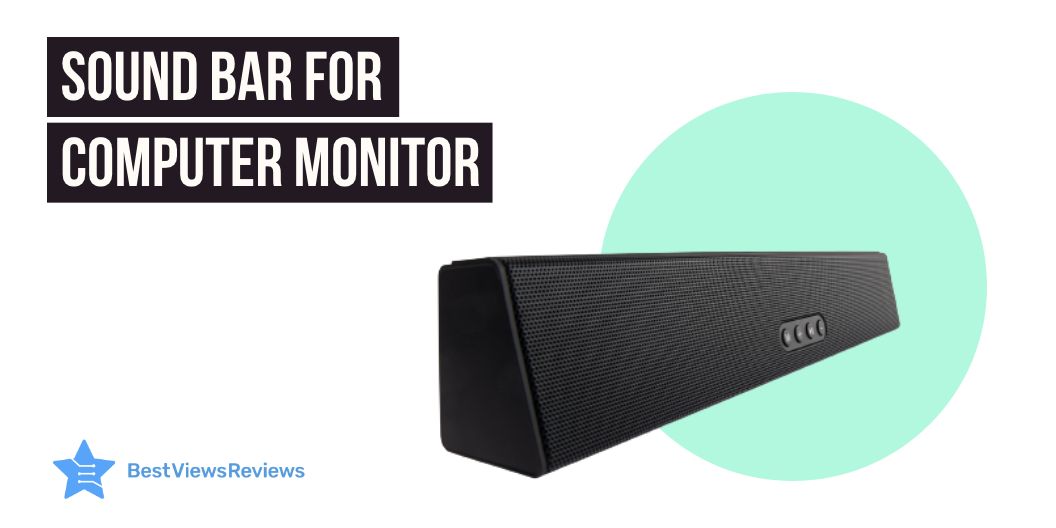
Best Sound Bar For Computer Monitor in 2023

sound bar for computer monitor

The technology available now is far better than it was a few years ago. A Sound bar for a computer monitor is becoming increasingly popular in modern homes.

These soundbars offer immersive sound quality and a sleek and stylish design. You can easily connect them to your computer and TV. Their advanced audio processing technology ensures that you receive clear, distortion-free audio. The soundbar often comes with a remote control for easy access.

The soundbars also offer a wide range of features, such as built-in bass, surround sound, and streaming capabilities. You can also get access to an auto-off timer and adjustable bass and treble controls. With its sleek and modern design, it will offer an immersive experience. You can also check out our blog on the best LG Soundbar to know about the versatile options.

Do soundbars work well with computers?

Soundbars are a brilliant choice for those looking to upgrade their audio experience with a computer. They are typically easy to set up. Most models simply connect directly to the computer via the HDMI port. They are more affordable than traditional speakers. These sound bars are more space-efficient, making them an ideal choice for those with limited desk space.

Soundbars offer superior sound quality compared to built-in speakers. they offer clearer sound and more bass. Ultimately, they are a great way to upgrade your audio experience at an affordable price.

You can also read our blog to know about the best Samsung Soundbar with subwoofer with immersive sound quality.

Factors to consider when choosing the Best sound bar for a computer monitor

Size of soundbar

The size of your soundbar should be determined by the size of your room and your desired sound quality. If you have a large living room, a larger soundbar with multiple drivers will provide impressive overall coverage. The average size of soundbars is 30 inches long. This offers a captivating sound quality for music and movies. Before shopping for a soundbar, consider the size of the room you will install it in. It will help you understand the required size for a better audio experience.

Connectivity options

Many soundbar systems offer a variety of connectivity options. They allow users to customize their audio experience. Moreover, Bluetooth and Wi-Fi connectivity supports wireless streaming. The HDMI and AUX inputs enable the wired connection to multiple audio sources. Connecting a smartphone, TV, or computer to your soundbar via Bluetooth, Wi-Fi, or AUX cable is a simple process to endure an exceptional seamless audio experience.

You can also take advantage of the HDMI-ARC input, which allows for bi-directional communication between the soundbar and the computer. With the right connectivity options, users can enjoy an immersive audio experience with their soundbar.

Compatibility

Compatibility between soundbars and other home entertainment components is essential to ensure optimal performance. Most soundbars are compatible with a wide range of televisions, audio systems, streaming devices, and more.

Besides being HDMI compatible, many soundbars feature Bluetooth technology for wireless connections to compatible devices. You can also use a soundbar with a home theater receiver to get more powerful sound.

To ensure compatibility, it is important to check the specifications of each device prior to purchase. Having versatile features will enhance your leisure time activities with the blasting music in your background.

Sound Quality

Soundbars are a great way to enjoy a rich, immersive sound experience. They can deliver detailed sound to enhance the viewing and listening experience with high-quality components and built-in speakers.

Whether it be a movie, TV show, or your favorite tunes, soundbars provide dynamic sound with clarity and depth. Bass is tight, mid-range is smooth, and high-end frequencies have a bright and detailed presence. With multiple sound modes to choose from, soundbars can be adjusted to fit your viewing needs, while still offering a truly immersive sound experience.

Best sound bar for computer monitor

Creative Stage 2.1 Channel Under-Monitor Soundbar

The reviews of Creative Stage 2.1 Channel Under-Monitor Soundbar suggest it is a powerful and versatile audio solution for any home entertainment system. Featuring two drivers and a subwoofer, the soundbar delivers clear, powerful audio. With preset EQ selections in the remote control, you can customize the sound to your preference. You can also connect wirelessly via Bluetooth. Or else use the 3.5mm aux-in, optical audio input, TV (ARC), or USB MP3 input to connect to your devices. Moreover, the soundbar features a built-in amplifier for an optimal listening experience.

Sonos Beam (Gen 2) The compact smart soundbar

The Sonos Beam (Gen 2) The compact smart soundbar is the all-in-one solution for a home sound system. This compact smart soundbar offers Dolby Atmos technology, Alexa and Google voice control, and a panoramic soundstage. With WiFi connectivity and the Sonos app, this sound bar is easy to install and set up. The Trueplay tuning feature ensures the soundbar is tuned to your room, resulting in the best sound quality possible.

VIZIO SB4051-C0 40-Inch 5.1 Sound Bar System

The VIZIO SB4051-C0 40-Inch 5.1 Sound Bar System reviews highlight that it is the perfect home theater solution for any living space. It features a 40 inches soundbar. It delivers up to 102 dB for premium audio quality with a true 5.1 channel surround sound. Additionally, it features an HDMI port with cable for easy connection to your television. The Bluetooth with aptX will work fine for wireless audio streaming from compatible devices. With its sleek design, this sound bar system is sure to complement the aesthetic of any home theater set-up while offering superior sound quality.

Polk Audio MagniFi Mini Home Theater Surround Sound Bar

The Polk Audio MagniFi Mini Home Theater Surround Sound Bar offers a powerful 5.1 Dolby digital coding sound system that works with both 4K and HD TVs. Its voice adjust technology offers an extra level of control over the sound. Thus, you can customize the level of audio to your preference with your command. In addition, it also comes with built-in music streaming and independent modes for movies, music, and sports. Plus, this system includes a wireless subwoofer for an even more immersive experience.

Bose Solo 5 TV Soundbar Sound System with Universal Remote Control

The reviews of Bose Solo 5 TV Soundbar Sound System mention that the system comes with a universal remote control, allowing you to control all your TV and sound bar features. Additionally, the dialogue mode ensures clear vocal clarity. The Bluetooth connectivity and input sources, such as optical audio input (digital), coaxial audio input (digital), and 3.5 mm aux input (analog) offer flexible connectivity. Moreover, the soundbar fits with any TV and is wall-mountable, making it a great addition to any home entertainment system.

Conclusion

The sound bar for a computer monitor is a great way to upgrade your audio experience. With its sleek design, powerful sound, and enhanced features, this sound bar is the ideal choice for any computer to experience immersive audio quality. If you are an audio enthusiast, you should definitely consider a sound bar for your computer. I

It’s easy to install, and the sound quality is captivating with the advanced feature controls. It is an affordable solution with alluring sound quality and durability. The sound bar will enhance the experience of gaming, streaming music, or just listening to your favorite tunes with detailed audio expressions. With its powerful bass and clear treble, you’ll be able to get the most out of your audio experience.

You can also check our blog on the best iLive sound bars before buying one for your computer or smart television.

BestViewsReviews rates and reviews the best sound bar for a computer monitor based on compatibility, controls, size, and sound quality.

A Beginner’s Guide To Using An AirBrush Kit

airbrush kit

Airbrushing is an excellent way to add a professional touch to any paint project. Whether you’re painting a car, a piece of furniture, or a canvas, an airbrush kit will help you achieve better results than traditional painting methods. However, airbrushing can be intimidating for beginners. With the right airbrush kit and a bit of practice, you can start creating beautiful artwork in no time. This beginner’s guide to using an airbrush kit will help you get started on the right foot. It will give you tips and tricks to get the most out of your airbrush.

Key Features to look out for in Air Brush Kit

Gun

When considering an airbrush kit, there are several key features to look out for. Firstly, the type of airbrush gun included in the kit is essential. For beginners, a gravity-feed airbrush gun is the most suitable. In this, the paint cup is positioned on top of the gun. It allows for a more precise application of paint. For more experienced users, a side-feed airbrush gun may be better, as the paint cup is positioned on the side of the gun instead.

Compressor

The compressor included should be capable of providing consistent airflow and pressure. Many compressors have adjustable settings. This allows for a range of air pressure to be used for various applications.

Build Quality

When shopping for an airbrush kit, a key factor to consider is the build quality. It is important to purchase a kit that comes with high-quality materials, as this will ensure that the airbrush is reliable and durable. Try to look for an airbrush with a metal body rather than a plastic one, as this will provide greater longevity.

The customer reviews of the Gocheer Upgraded 30PSI Airbrush Kit claim that it comes in a shiny and wear-resistant material that offers a gorgeous outlook.

Price

You should also keep the price of the airbrush kit in mind while making your purchase. Go for a model like COSSCCI Upgraded Airbrush Kit that offers great quality and also fits your budget.

How to use an airbrush?

Before you start, make sure you have all the necessary supplies, including an airbrush, compressor, airbrush paint, and a cleaning kit.

To use an airbrush, you will need an air compressor, an airbrush gun, and a few other supplies. First, you will need to attach the airbrush gun to the air compressor. Then, fill the airbrush gun with your desired paint or medium, and adjust the air pressure on the air compressor to the desired level. Finally, begin spraying the airbrush onto your canvas or another medium, moving the airbrush in a back-and-forth motion to evenly distribute the paint.

EBEST 4 Set Airbrush Spray Gun is also a great model. It features a long brush that allows you to clean paint off all the hard-to-reach areas.

Can I use regular paint for airbrushing?

Regular paint cannot be used for airbrushing, since it is designed for a different application. Airbrushing requires paint that is specially formulated to be thinned and atomized through an airbrush. Regular paint is usually too thick and difficult to be atomized. This paint makes it difficult to achieve a consistent, even coat.

Can you airbrush with a regular air compressor?

Yes, you can airbrush with a regular air compressor. However, you may find that a dedicated airbrush compressor is more suitable for your airbrushing needs. Airbrush compressors have features specifically designed for airbrushing, such as continuous and adjustable air pressure, adjustable airflow, and a built-in moisture trap. A regular compressor does not have these features. You may also find that you need to make additional modifications to it for it to work properly with an airbrush.

How much is a good airbrush kit?

The cost of a good quality airbrush kit like fehrominger Airbrush Kit will vary largely depending on the features and components that are included. Generally, a mid-range airbrush kit will cost between $50-$300, and a high-end kit can cost anywhere from $300-$1000. When choosing the right airbrush kit for your needs, it’s important to consider the various components that are included; such as the airbrush itself, airbrush accessories, air compressor, and any other additional items that may be necessary.

Along with airbrushing, digital vinyl printing is also a popular and growing technology. Read our blog on digital vinyl printing to know more about it.

Conclusion

Using an airbrush kit is a fun and satisfying way to enhance your art projects. With a little practice, you’ll be able to master the technique and create beautiful works of art. Airbrush kits offer endless possibilities and are a great way to express yourself creatively. Whether you want to add subtle details to your work or create large-scale pieces, an airbrush kit is a perfect tool for the job.

BestViewsReviews helps you find the best airbrush sets on the market. We rate and review them on the basis of quality, convenience, and durability. Get unbiased, honest reviews of products before you buy.

Can You Vacuum Glass Without Damaging It

Can You Vacuum Glass

Vacuuming glass is a delicate task that requires careful consideration. As glass is a fragile material, one must take extra precautions to avoid causing any damage. The consequences of vacuuming glass in the wrong way can be catastrophic, leading to costly repairs or even the complete replacement of the glass. Therefore, it is important to understand the right techniques and tools to use when attempting to vacuum glass.

Handheld vacuum cleaners are also great devices to keep your home clean. You can also go through our blog on handheld vacuum cleaners to know everything about them.

Can You Vacuum Glass?

Yes, you can vacuum glass. Vacuuming glass is a safe way to clean glass surfaces, such as windows and mirrors, as long as you use the right equipment and techniques. First, it is important to use a vacuum cleaner with a soft brush attachment. This will help prevent scratching or damaging the glass surface. It is important to use a low suction setting and move the vacuum slowly to ensure that you do not damage the glass.

When vacuuming glass, it is important to make sure there is no debris left behind. This can be done by using a lint-free cloth to wipe away any dust or dirt particles that the vacuum may have missed. You should also avoid using any chemicals or abrasives on the glass surface as these can cause scratching or damage. Finally, it is important to remember to empty the vacuum cleaner’s dust cup regularly to prevent the glass from becoming scratched or damaged because of the dust.

Vacuum cleaners are also perfect for removing pet hair. Our guide on handheld vacuum cleaners for pet hair explains everything about this device.

We also have selected the 10 best vacuum cleaners for pet hair that will help you keep your home clean.

Is it safe to vacuum up the glass?

It is not safe to vacuum up the glass. Vacuuming glass can be dangerous because it can damage the vacuum cleaner, and any broken pieces of glass can cause injuries. Therefore, when it comes to vacuuming up glass, it is best to exercise caution.

When attempting to vacuum up glass, it is important to check the vacuum cleaner’s filter to ensure that it is clean and that the filter is undamaged and properly installed. This is to prevent any broken pieces of glass from passing through the filter and entering the vacuum cleaner, which can cause significant damage and even a safety hazard.

Electric brooms and stick vacuums are the two main types when it comes to vacuums. Read our blog on stick vacuums and electric brooms to learn more about them.

Can you vacuum glass with a shop vac?

Yes, you can vacuum glass with a shop vac, but it is not recommended due to the increased risk of breakage. Vacuuming glass with a shop vac can cause the glass to break because of the high suction power of the shop vac. If you need to vacuum glass, it is best to use a regular vacuum cleaner with a soft brush attachment. This will help to protect the glass and reduce the risk of breakage.

Can you vacuum glass with a shark vacuum?

Yes, you can vacuum glass with a Shark vacuum. Shark vacuums equip powerful suction and can clean a variety of surfaces, including glass. It is important to note, however, that when vacuuming glass you should use the gentler settings and attachments, as the more powerful settings may cause micro-scratches in the glass that can be hard to remove.

What is the safest way to clean up the glass?

The safest way to clean up glass is to use a dustpan and broom. Wear thick gloves and long sleeves or pants to protect your skin. Sweep the broken glass into the dustpan, making sure to get all the glass. Place the dustpan in a bag or container and dispose of it in a designated glass disposal bin. If the glass is on a hard surface, you can use a damp cloth to pick up the pieces. However, if the glass is on a soft surface like a rug or carpet, use a vacuum cleaner with a HEPA filter to avoid spreading the glass particles. Finally, dispose of the vacuum bag in a designated glass disposal bin.

How often can you do vacuum therapy?

The frequency of vacuum therapy for glass depends on the type of glass being treated and the type of application it is being used for. Generally, vacuum therapy should be done at least once a year for any glass that is in use, and more often if the glass is exposed to extreme temperature fluctuations or other environmental stressors. Vacuum therapy is also recommended for glass that is used in high-traffic areas, such as windows in commercial buildings or large skylights.

How do you vacuum car glass?

Vacuuming car glass is an important step for keeping your vehicle looking clean and polished. It is especially important for windshields and windows, as dirt and debris can cause visibility issues. Fortunately, vacuuming car glass is a simple process that requires only a few materials and steps.

  • 1. Start by removing any loose debris from the window with a soft cloth. Be sure to avoid using anything abrasive, as this could scratch the surface.
  • 2. Attach a soft brush attachment to the vacuum hose. This will help to remove any dirt and dust from the surface.
  • 3. Turn the vacuum on and move the brush attachment slowly over the surface of the window. Be sure to cover the entire area in a single pass.
  • 4. Change the attachment to a soft cloth and use this to wipe away any remaining dirt or dust.
  • 5. Once you have completed vacuuming the window, use a glass cleaner and a clean cloth to polish the glass. This will help to remove any streaks or smudges that may have been left behind.

Vacuuming car glass is a great way to keep it clean and clear. It is important to use the correct tools and techniques to ensure that the glass is not damaged in the process.

Conclusion

It is possible to vacuum glass without damaging it as long as the right precautions are taken. It is important to use the right type of vacuum cleaner and to avoid using any sharp or abrasive tools. You should also be gentle when vacuuming and move the vacuum head in a slow and steady motion. If these steps are followed, vacuuming glass should not cause any damage.

BestViewsReviews is your one-stop shop for all the information you need to make an informed decision. Get the best reviews and ratings on the products you’re interested in before you buy!

All About Video Projectors

video projectors

Video projectors are invaluable tools to have in your arsenal whether you’re a professional videographer or someone who is just starting out. You can watch movies and shows in true HD, and play video games with greater visual detail and clarity.

These devices have the capability to turn a large, blank wall into a vibrant movie screen that can captivate and engage an audience. Not only are they incredibly useful tools for businesses and professionals, but they have also become popular in home cinemas and video game tournaments.

Parts of video projectors

The main components of a video projector like the DBPOWER WiFi Projector include the projector’s light source, optical system, control system, and display device. The light source of a projector consists of a variety of components, including xenon lamps, halogen lamps, and LEDs.

The optical system of the projector is responsible for producing the necessary light and focus. This system includes the projector lens, reflectors, and filters. The control system of a projector regulates the settings as well as ensures the image is of high quality. This system includes the image processing board, the fan, and the power supply system.

The customer reviews of the WiFi Mini Projector claim that it comes with an innovative cooling system that offers maximum heat dispersion.

Applications of video projectors

Video projectors are versatile tools used in a range of applications. They are perfect for a variety of professional settings, such as business presentations, medical simulations, educational seminars, or large-scale events. Video projectors also allow multiple people to view the same image simultaneously. It makes them ideal for sharing information as well as for demonstrating concepts.

The video projectors are also great for interactive displays, allowing for greater audience engagement. With the right equipment, video projectors like TMY Projector work great in the dark to create vivid projections.

DBPOWER L21 LCD Video Projector’s reviews show that it features focus and keystone correction that helps achieve a bright projection.

Conclusion

A video projector can be a great addition to any home entertainment setup. It is an affordable way to enjoy movies or play video games on a large scale. With the right setup and projector, you can also create a home theater experience without having to build a dedicated theater.

Get the best reviews and ratings on the products you like. BestViewsReviews helps you make the right purchasing decision. Whether you’re looking for top-rated projectors or the best video projectors, we’ve got you covered.

Best Bose Wireless Sound Bar In 2023

bose wireless sound bar

Are you looking to improve your home entertainment with immersive quality sounds? Go for the top-quality wireless soundbars from brands like Bose.

As technology advances, it becomes important to stay up to date on the latest sound bar systems. The Bose wireless sound bar is one of the top products on the market in 2023. It offers a wide range of features and quality performance. The top features of Bose soundbars are Dolby surround upmixer, Dolby Atmos®, room calibration software, voice assist and voice control setting.  

Whether you’re looking for an upgrade from your current sound system, or if you’re starting from scratch, the Bose Wireless Sound Bar has everything you need to experience crystal clear sound.

We also have a detailed blog on everything about soundbars to give you a better understanding.

5 best bose sound bar

Bose Smart Soundbar

Bose Smart Soundbar is a Dolby Atmos soundbar that also features proprietary TrueSpace technology and two upward-firing transducers to deliver shockingly immersive sound for all your movies, TV shows, and music. Its Chromecast built-in compatibility lets you stream content any way you want.

Bose Smart Soundbar 300

Bose Smart Soundbar 300’s reviews show that it comes in a matte black finish with a seamless metal grille that offers an elegant look. This model is equipped with 5 full-range drivers that deliver a wide and clear sound. Its Built-in Alexa Amazon Alexa and Google Assistant allow for hands-free voice control. It is also available at a discount of $50 during the sale.

Bose Soundbar 500

Bose Soundbar 500 is slim and engineered powerful for a better sound experience that won’t get in the way of your TV screen. It also offers built-in voice assistants, like Alexa and Google Assistant. This model also lets you play integrated music services like Spotify, music, and audible through Bluetooth or Wi-Fi connections.

Bose Smart Soundbar 700

Bose Smart Soundbar 700 features immersive sound, deep bass, and easy access to your entertainment. Amazon Alexa and Google Assistant are built into this smart soundbar for hands-free voice control. Its Voice4Video technology expands your Alexa capabilities, allowing you to control this smart soundbar, your TV, and your cable/satellite box with one voice command.

Bose Smart Soundbar 900

Bose Smart Soundbar 900 works with Bose technologies to make it feel as if the sound is coming from every direction. Its TrueSpace spatial processing analyzes and up-mixes sounds for an enveloping listening experience in Dolby, stereo, and more. Its Voice4Video technology expands your voice capabilities like no other smart soundbar can.

Things to consider when buying a Bose sound bar

Compatibility with your TV and other devices

It is important to assess the compatibility of the sound bar with your television and other devices. You must ensure that the sound bar is compatible with the devices you have in your home, such as Blu-ray players, gaming consoles, and streaming devices.

Sound quality

When considering a Bose sound bar for your home theater setup, there are numerous factors to keep in mind. The most important are sound quality and the features available. When it comes to sound quality, you should pay attention to the frequency response range that the sound bar offers and ensure that it is capable of rendering low frequencies accurately and with clarity.

Additionally, the soundbar should be able to produce a wide range of frequencies, as this will allow you to experience a full range of sound for a more immersive experience.

Features

It is important to consider the features each sound bar offers. Everything from connectivity to extra functionalities should be taken into account. For example, does the soundbar come with Bluetooth connectivity, voice control, and multi-room capabilities? It is wise to compare the features of the various models and decide which provides the right combination of features.

Size and design

The size and design are two of the most important elements. Not all soundbars are the same size, so it is important to consider the available space in the room and the size of the TV, as it may need to fit below or beside it. Additionally, the design of the sound bar should match the aesthetic of the room, whether it is sleek and modern or rustic and traditional.

Price

It is important to consider the price of the soundbars while making your purchase. Bose sound bars are generally considered to be of high quality, so you can expect to pay a bit more for one compared to other brands. However, there are more affordable options available, so it’s worth shopping around to find the best deal.

Brand reputation

Brand reputation is another factor to consider. Bose offers exceptional sound quality and durability. This is why they’re a popular choice when it comes to soundbars. The company also offers a wide range of products, so you should be able to find something that fits your budget and specific needs.

The sony tv soundbar is an audio system that includes speakers usually placed above or below a television. It is an amazing model that gives you a perfect sound experience. Read our blog on soundbars for Sony TV to know more.

Comparison to other brands

Bose vs Samsung soundbar

When it comes to soundbars, Bose and Samsung are two of the most well-known and respected brands on the market today.

In terms of sound quality, Bose generally offers superior sound compared to Samsung. Their proprietary waveguide technology ensures that all frequencies are delivered with exceptional clarity, creating an immersive experience. Furthermore, their unique surround sound technology provides a realistic and immersive audio experience that Samsung’s soundbars simply cannot match.

BOSE VS SONOS

When comparing Bose and Sonos, it’s important to consider both the sound quality and the features of each brand. In terms of sound quality, Bose offers superior sound clarity and a richer, fuller sound. The audio is further enhanced by Bose’s patented waveguide technology. This directs sound through a series of tubes to create a more immersive listening experience.

On the other hand, Sonos is known for its extensive library of streaming music options and its ability to connect to multiple devices. Thanks to the convenience of their wireless design, Sonos speakers can be moved around with ease and placed in multiple rooms.

Can you add more speakers to a Bose soundbar?

No, you cannot add more speakers to a Bose soundbar. Soundbars are designed to be a single, easy-to-set-up solution to home audio. While they use powerful technology to provide the best sound quality possible, it is not possible to add more speakers to a Bose soundbar.

Do you need a subwoofer with a Bose soundbar?

The addition of a subwoofer to a Bose soundbar can significantly improve your audio experience. A subwoofer produces low-frequency sound, which is often lacking in soundbars. When paired with a Bose soundbar, a subwoofer can provide greater bass and a more immersive sound experience.

How do I fix my bose sound bar not working?

If your Bose sound bar is not working as expected, there are a few steps you can take to troubleshoot the issue and resolve it.

  1. First, make sure that the sound bar is securely connected to your TV and power source, and that all the cables are securely connected.
  2. Make sure that the sound bar is turned on and that the volume is turned up. You should also check your TV’s audio settings.
  3. Ensure that the soundbar is selected as the audio output device.

If all of these steps have been taken and the soundbar is still not working as expected, it is recommended that you check the Bose support website for further troubleshooting steps.

Is a Bose soundbar worth it?

When it comes to soundbars, the Bose soundbar is a popular choice for many home entertainment systems. The Bose soundbar offers quality sound, a sleek design, and a range of features. It makes a great addition to any home theater. With its advanced sound technology, the Bose soundbar can deliver high-quality sound that will make your movies and music sound better than ever.

Conclusion

The Bose wireless sound bar is a great choice for those looking for a powerful and immersive audio experience at a reasonable cost. With its advanced audio technology and sleek design, it makes a great addition to any home entertainment system. The Bose wireless sound bar offers crisp, clear sound and deep bass, perfect for enjoying music, movies, and more.

BestViewsReviews helps you find the best Bose soundbars on the market by rating and reviewing them on the basis of quality, convenience, and durability. Get unbiased, honest reviews of products before you buy.

BOSE Vs SONOS Soundbar: A Head-to-Head Comparison of Sound Quality And Features

BOSE vs SONOS

When it comes to soundbar technology, two of the most popular brands are BOSE and SONOS. Both offer an excellent sound experience and a wide range of features that make them great choices for any home theatre system. Choosing between the two can be a difficult decision. You can, however, make the right choice by reading the comparison of Bose vs Sonos and the different features offered by both brands.

You can also read our blog on everything about soundbars to get a better understanding of them.

Comparison between Sonos vs Bose

Sonos pros and cons

The main pro of a Sonos soundbar is its versatility. It’s compatible with a range of devices and can be used to stream music, movies, and more. Additionally, it works with many home automation systems, letting you customize your listening experience and control it from your smartphone. Sonos soundbars are also easy to install and use with a variety of inputs, making setup a breeze.

The main con of Sonos soundbars is that they are quite expensive, and may be out of reach for some budget-conscious shoppers. Some models may also be difficult to install, requiring professional assistance.

Bose pros and cons

The primary benefit of Bose products is their superior sound quality. Bose uses proprietary transducer technologies and advanced signal processing to provide a deep, immersive sound experience. This is especially true of their home theater systems and noise-canceling headphones.

One of the biggest cons of Bose soundbars is their cost, as they tend to be significantly more expensive than comparable soundbars from other brands. Additionally, some users have reported that Bose soundbars can be difficult to set up and may require more technical knowledge than other brands.

Is the Sonos soundbar better than the Bose Soundbar?

Both soundbars offer excellent sound quality, with the Sonos having the advantage of being compatible with a wide variety of streaming services, and the Bose offering a more powerful bass response. Ultimately, it comes down to personal preference and budget. The Sonos soundbar is a great choice for those looking for a multi-room streaming solution with a sleek design, while the Bose soundbar is an ideal choice for those who are seeking a more powerful bass response and a wider range of sound customization options.

Why is Sonos so popular?

Sonos has become one of the most popular home entertainment systems due to its impressive features and easy-to-use design. Sonos offers a wide range of products that provide users the ability to easily stream music, movies, and other audio content from a variety of sources. The products are designed to be simple to set up and use, meaning that even those who are not tech-savvy can benefit from them.

The sony tv soundbar is an audio system that includes speakers usually placed above or below a television. It is also an amazing model that offers great sound quality. Read our blog on the best soundbars for Sony TV to learn more.

What is the best soundbar to buy right now?

Best SONOS soundbars

Sonos Beam (Gen 2)

Sonos Beam (Gen 2) enriches your entertainment experience with vibrant bass, crystal-clear dialogue, and a panoramic soundstage. You can experience a 3D surround sound effect with Dolby Atmos. You can also stream music, radio, podcasts, and audiobooks over WiFi when the TV is off.

Sonos Beam – Smart TV Sound Bar

Sonos Beam – Smart TV Sound Bar’s reviews show that you can experience rich, detailed sound for your TV that fills the entire room with this soundbar. It also lets you play music, TV, movies, podcasts, radio, audiobooks, and video games. You can easily control the beam with your voice, remote, the Sonos app, and more.

Sonos Arc – The Premium Smart Soundbar

Sonos Arc – The Premium Smart Soundbar comes in an elongated shape, soft profile, and seamless facade that makes it easy to mount. This model also features 3D sound with Dolby Atmos which offers precise and immersive sound. The enhanced Trueplay tuning technology offers a better sound for the unique acoustics of the room.

Best Bose soundbars

Bose Smart Soundbar 900

Bose Smart Soundbar 900 lends an extra dimension of height to your sound. Its TrueSpace spatial processing analyzes and upmixes sounds for an enveloping listening experience in Dolby, stereo, and more. From material quality to construction and finishes to controls, Bose obsessed over every detail to produce a Bluetooth soundbar speaker that looks as astonishing as it sounds.

Bose Smart Soundbar 900

The customer reviews of Bose Smart Soundbar 900 claim that Bose obsessed over every detail to produce a Bluetooth soundbar speaker that looks as astonishing as it sounds. It lends an extra dimension of height to your sound. It is designed to match and enhance the overall aesthetic and acoustic performance of the soundbar.

Bose Smart Soundbar 700

Bose Smart Soundbar 700 offers a noise-rejecting mic system that listens in every direction for your voice. Its exclusive Bose Voice4Video technology expands your Alexa capabilities, allowing you to control this smart soundbar, your TV, and your cable/satellite box with one voice command. You can stream your favorite music and more via a Bluetooth connection.

Conclusion

Both Bose vs Sonos soundbars offer a great sound experience and an array of features that make them both easy to integrate into any home theater setup. The Bose soundbar is a great choice for those who are looking for excellent sound quality and a sleek design. Those who are looking for more features and customization options might want to consider the Sonos soundbar. Ultimately, the choice between Bose and Sonos depends on the individual’s needs and personal preferences.

Get the best reviews and ratings on the products you’re interested in. BestViewsReviews helps you make the right purchasing decision. Whether you’re looking for the top-rated Bose sound bars or the best Sonos sound bars, we’ve got you covered.

Best Budget Epson Printer For Sublimation In 2023

Epson Printer for Sublimation

As a business owner in 2023, it is important to stay up to date with the latest technology to maximize efficiency and reduce costs. Having the best budget Epson printer for sublimation will help you meet the demands of customers and increase profitability. With the wide variety of printers available on the market, it can be difficult to know which one is the most suitable for your business. Explore different options to find the best budget Epson printers that meet your needs.

A dye-sublimation printer can print any image with the use of various inks. This printer also offers amazing performance and print quality. Visit our blog on dye sublimation printers to know more.

What do I need to convert Epson to sublimation?

To convert an Epson printer to sublimation printing, you will need a few key items. Firstly, you will need special sublimation ink for your printer. Sublimation ink is a special type of dye-based ink designed specifically for sublimation printing and is not compatible with traditional inkjet printers.

You will also need a special sublimation paper that is designed for sublimation printing. This paper is thinner and more absorbent than regular paper, which helps the ink to transfer to the media more effectively.

A heat press is another important item that you will need in order to transfer the ink onto the media. The heat press is used to heat the ink and press it permanently onto the media.

Which Epson printer is best for sublimation printing?

Below are some of the best-budget Epson printers that are best for sublimation printing.

Best Budget Epson Printer for Sublimation in 2023

Epson Premium EcoTank

Epson Premium EcoTank’s reviews claim that it comes with a 1.44″ colored LCD display that makes it easy to see the photos and operate. This model comes with a large input paper tray that holds up to 100 sheets. This printer features an automatic document feeder that allows it to process up to 30-sheet paper at a time.

Epson EcoTank ET-2760 Wireless Inkjet Printer

Epson EcoTank ET-2760 Wireless Inkjet Printer easily prints borderless 4″ x 6″ photos. It also comes with up to 2 years of ink with each included or a replacement ink set. Each replacement ink bottle set includes enough ink to print up to 4,500 pages equivalent to about 80 individual cartridges. This model comes with USB connectivity technology.

Epson EcoTank ET-2720

Epson EcoTank ET-2720 comes with a high-capacity refillable ink tank that offers a cartridge-free solution. It also features unique micro piezo heat-free technology that produces sharp text and impressive color photos on virtually any paper type. This model also comes with a stress-free printing experience that makes it easy to use.

Epson EcoTank Photo ET-8550

Epson EcoTank Photo ET-8550’s reviews show that it ensures optimal print quality and performance. This printer comes with high-yield ink bottles. Each replacement ink bottle set is equivalent to about 100 individual ink cartridges. You can set up, monitor, and operate your printer directly from your mobile device.

Epson EcoTank ET-2800

Epson EcoTank ET-2800 features wireless voice-activated printing that makes it easy to print from anywhere in the house. This model also comes with micro piezo heat-free technology that produces sharp text plus impressive color photos. The built-in color display of this printer allows for easy and quick document copying and navigation.

We also have a detailed blog on the best sublimation printers for beginners that you can read to choose the best model for yourself.

Can you sublimate without an ICC profile?

Yes, you can sublimate without an ICC profile. While an ICC profile is beneficial for providing consistent and accurate color reproduction, it is not a requirement for sublimation. However, without an ICC profile, you may experience a lack of color consistency and accuracy when sublimating. Without the profile, there is no assurance that the colors you see on your monitor or printer will be the same as the color produced on your substrate.

FAQs

Is Epson EcoTank ET 2800 good for sublimation?

The Epson EcoTank ET 2800 is an excellent choice for sublimation printing. This printer comes with a robust and reliable ink delivery system, allowing you to produce vibrant and long-lasting prints. The Epson EcoTank ET 2800 also offers a highly efficient sublimation ink system, which provides users with reliable and consistent results.

Can Epson EcoTank 4800 be used for sublimation?

Yes, the Epson EcoTank 4800 can be used for sublimation. It is an inkjet printer with an eight-color ink system that offers high-quality, vibrant images. The ink is water-resistant and has been formulated to produce superior results when used with sublimation paper.

Can I use the same printer for sublimation and regular printing?

Yes, it is possible to use the same printer for both sublimation as well as regular printing provided that the printer is equipped with the appropriate technology. Sublimation printing is the process of transferring a digital image onto a substrate such as fabric or paper using heat, pressure, and a transfer medium such as sublimation ink. Regular printing, on the other hand, is the process of transferring an image onto a substrate such as paper or canvas using a variety of print media. In order for a printer to be able to perform both sublimation and regular printing, it must be equipped with both sublimation ink and other types of print media, as well as specialized software designed for both types of printing.

Can you use a sublimation printer for shirts?

Yes, sublimation printing is an excellent choice for customizing t-shirts. Sublimation printing is a special type of printing that uses heat to transfer dyes onto materials like t-shirts, mugs, and more. It offers great durability and color variation, making it a great choice for customizing apparel. The process is relatively simple and cost-effective, allowing you to quickly and easily create unique t-shirts with high-quality results.

You can also read our blog all about sublimation printer for shirts to learn more.

Conclusion

Epson’s range of budget printers offers an excellent choice for anyone looking to get started with sublimation printing. Their printers feature top-of-the-line technology for unbeatable performance and quality, as well as cost-effective options for those on a budget. This makes them the perfect choice for any budding sublimation printer.

BestViewsReviews helps you find the best Epson inkjet printers on the market by rating and reviewing them on the basis of quality, convenience, and durability. Get unbiased, honest reviews of products before you buy.

How To Reset Vizio Sound Bar

How to reset vizio sound bar

Resetting your Vizio sound bar can be a daunting task if you’re not familiar with the process, but it doesn’t have to be! As a homeowner, achieving the ideal sound quality for your home entertainment system is essential for a good viewing or listening experience.

Whether your sound system is for watching movies or for listening to music, having the perfect sound quality makes a big difference. In this blog post, we’ll walk you through the common steps to reset your Vizio sound bar so that you can get back to enjoying your favorite music and entertainment.

There’s a lot more about soundbars you need to know. Go through our blog on top-quality soundbars to learn everything about them.

When to Reset a Vizio Soundbar?

How to reset vizio sound bar?

Resetting your Vizio sound bar can be a simple and straightforward process. If you are experiencing any issues with your sound bar or need to reset it for any reason, you can use the following steps to do so.

  1. First, locate the reset button on the back of your sound bar. This button is typically a small, recessed button and is also labeled.
  2. Press and hold the button for around 10 seconds.
  3. After holding the button, the soundbar will begin to reset itself.

Once the soundbar has finished resetting, it should be ready to use with your TV. Depending on the type of sound bar you have, different settings may need to be adjusted.

How do I soft reset my Vizio soundbar?

If you are experiencing issues with your Vizio soundbar, you may need to perform a soft reset. This can reset any audio settings you have changed that might be causing the issue. To soft reset your Vizio soundbar, you will need to disconnect the power cord from the back of the soundbar. Wait for at least one minute before reconnecting the power cord. Once the power cord is connected, you should press and hold the power button for five seconds. This will reset the soundbar and allow you to continue using it as normal.

How to reset vizio soundbar without a remote?

The first thing to do is locate the reset pinhole on the soundbar. This is typically a small hole located on the back of the soundbar that you can use to reset it. Use a paperclip or pin to press into the reset pinhole until you hear a beep from the soundbar. Once you hear the beep, your soundbar will reset.

How do I reset my VIZIO sound bar to factory settings?

Resetting your VIZIO sound bar to factory settings is an easy process that can be done with a few simple steps. First, locate the reset button on the sound bar itself. This can usually be found on the rear of the soundbar near the power supply. Once you have located the reset button, press and hold it for approximately 10 seconds. This will reset the soundbar to its original factory settings. You may also need to disconnect the power from the soundbar and then plug it back in to complete the reset process. After the reset is complete, you will need to re-pair any Bluetooth devices with the soundbar and reconfigure any settings that you have previously adjusted.

How To Reset Vizio Soundbar Volume?

If your Vizio soundbar is experiencing an issue with its volume settings, one of the most reliable ways to reset the device is to simply disconnect and reconnect it from its power source. This action will cause the soundbar to revert back to its factory settings, which will restore the volume to its normal level. If this does not work, you can check the soundbar’s settings to ensure that the volume level has not been manually adjusted. To do this, you can use the soundbar’s remote control or the buttons located on the device itself.

How To Reset Vizio Soundbar Wi-Fi?

First, make sure that your soundbar is powered on. Then, locate the ‘Menu’ button on the soundbar’s remote control, and press it. From the menu, scroll down to the ‘Network’ option and press the ‘OK’ button. Next, select the ‘Reset Wi-Fi’ option, and press the ‘OK’ button. The soundbar will then scan for available Wi-Fi networks. Choose the network that you wish to connect to, and enter the Wi-Fi password.

How To Reset Vizio Soundbar Bluetooth?

First, make sure that the soundbar is powered on and set to the correct input source. Then, press and hold the Bluetooth button on the soundbar for approximately five seconds. This should reset the Bluetooth connection and the soundbar will display a blue light or some other indication that it is ready to pair with your device. Once the soundbar is ready, you can search for the soundbar on your device’s Bluetooth menu and pair it.

We also have a detailed blog on the best sound bars along with the reasons to use them. This way you will be able to choose the best soundbar model for your home.

Is There a Reset Button on Vizio Soundbars?

Most Vizio soundbars have a reset button located on the back of the device. This button typically looks like a circular indentation with a small hole in the center. To reset the soundbar, press and hold the reset button for at least five seconds. After releasing the button, the soundbar may turn off and then back on again. This indicates that the reset has been successful.

Why is Vizio sound bar not working?

If your Vizio sound bar is not working, there are a few potential causes that could be affecting the performance. First and foremost, it is important to check that all cables are securely connected and that power is properly connected to the soundbar. It is also important to ensure that the sound bar is enabled and set as the default output device in the audio settings of your device.

If the sound bar is connected to a TV, you may need to go into the TV settings and enable the soundbar. If you are still experiencing issues, you may need to run a firmware update. Check with the manufacturer’s website for guidance on how to update the firmware.

Can I control my Vizio sound bar with my phone?

Yes, you can control your Vizio sound bar with your phone. You can use your phone as a remote control for your Vizio sound bar, allowing you to easily adjust settings, switch inputs, and manage audio playback. Many Vizio sound bars also integrate with music streaming services, allowing you to access your favorite music from your phone, as well as control the sound bar settings from your phone.

Vizio sound bars also come with vizio sound bar remote app that allows you to access settings and control playback from your phone. With the app, you can also adjust the sound settings, change the input to your TV, and control playback from your phone.

The Vizio V-Series 2.1 soundbar is an excellent model that offers immersive surround sound effects. Read our blog on why should you go for the Vizio V-Series 2.1 soundbar to know more.

Conclusion

Resetting a Vizio sound bar is easy and takes less than 10 minutes to complete. It’s important to reset the sound bar regularly to ensure that your settings remain up to date and that any software issues are cleared up. Follow the steps above to reset your Vizio sound bar and get your speakers up and running again in no time.

BestViewsReviews helps you find the best VIZIO sound bars on the market by rating and reviewing them on the basis of quality, convenience, and durability. Get unbiased, honest reviews of products before you buy.