Quadcopters Drones: A Beginner’s Guide

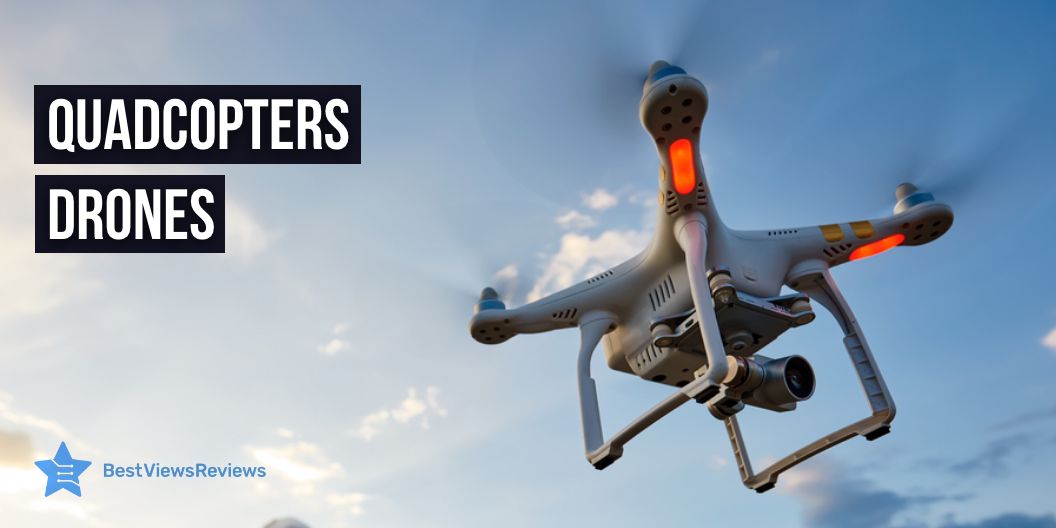
Quadcopters drones have revolutionized the way we interact with the world. From delivering goods to surveying in disaster zones, quadcopters will become a more universal tool. It allows you to access more information about the world. These unmanned aerial vehicles have enabled you to explore new realms, reach previously unreachable places, and perform complex tasks.

You can operate them either by radio or remote control. Most drones can reach up to seven miles with remote control navigation. Some others even synchronize the audio or follow subjects with no interference. This type of drone will continue to be an invaluable tool for exploration, research, and collaboration using technological advances and long battery life.

If you enjoy exploring marine life but dislike diving through the water, then underwater drones are a must-buy. You can read our other blog to know more about the features of underwater drones.

What Are Quadcopters Drones Used For?

Quadcopters will allow you to capture data and images from the sky. You can use them for various purposes such as aerial photography and videography, surveillance, mapping, and search and rescue operations. These drones are often used for racing and drone photography.

Moreover, you can also use them to carry packages for your small businesses that need to move goods rapidly without any damage. You can not only use them to survey areas but also to deliver supplies in disaster zones. These drones become valuable assets for businesses, emergency services, and hobbyists alike.

You can also check out our handpicked list of the 5 best drones with cameras for reliable purposes.

What Should I Look For In A Drone For Kids?

Safety should always be a top priority when it comes to buying a drone for your kids. A drone with an enclosed propeller guard is specifically designed for children. Moreover, a drone should weigh less than 300 grams for smooth remote control operation. You can select a drone with a low-level flight ceiling and automatic takeoff and landing features that will be beneficial for your children.

Most drones often come with educational features, such as obstacle avoidance, that can help your children learn how to operate a drone with efficiency. Taking these factors into account will help you purchase a drone that is both safe and fun for your child.

Find out an exclusive list of the top 5 mini drones for kids’ easy handling in our other blog.

Can Quadcopters Drones Be Used For Commercial Purposes?

Yes, quadcopter drones have the potential to revolutionize the commercial sector. In recent years, the use of drones for commercial purposes has increased significantly. Most companies utilize them to deliver their products, monitor areas, inspect infrastructure, and facilitate communication.

Drones with cameras offer help for marketing and promotional purpose. As they capture unique angles or showcase products and services, it will be easy for business people to reach a wide range of consumers.

Are There Aerospace Rules For Drones?

Yes, there are aerospace rules for drones. You must always fly the drones in accordance with FAA airspace regulations and restrictions. Moreover, the rules may differ from state to local laws. Under the Federal Aviation Administration (FAA) regulations, all unmanned aircraft systems must be operated in a safe manner. Hence, it does not interfere with manned aircraft. When operating a drone for commercial purposes, you must also obtain a remote pilot certificate from the FAA.

What Are The Safety Concerns with Quadcopters Drones?

Do and Don’ts of Quadcopters Drones

When using a quadcopter drone, safety should always be your top priority. There are a number of things that you should do in advance when using a quadcopter drone. Make sure to read the manual thoroughly. Also, ensure that you have taken all necessary precautions before operating the drone.

Here are some important Dos and Don’ts to keep in mind:

Dos

  1. Register the drone with the FAA for the specific area of operation.
  2. Follow the local laws and regulations related to drone use.
  3. Plan out your route of operation for the drone in advance.
  4. Inspect the drone thoroughly before takeoff to ensure that it is in working condition.
  5. Always keep the drone in sight as well as abide by the specified altitude limits by all local laws.
  6. Always maintain a safe distance from people, animals, and buildings.

Don’ts

  1. Never fly above the designated altitude.
  2. Don’t operate the drone over large water bodies or in bad weather.
  3. Never let the drone near high-voltage electric lines or towers.
  4. Don’t fly over sensitive infrastructure or government facilities.
  5. Never operate the drone without proper permission.
  6. Don’t fly the drone with malfunction or without being familiar with the controls.

You should follow these guidelines to ensure the safety as well as responsible operation of quadcopter drones.

What Is The Maximum Altitude For A Drone?

An operating country’s aviation authority determines the maximum altitude for a drone. In the United States, the FAA has set the maximum altitude for a drone at 400 feet above ground level or within 400 feet of a structure. Moreover, the altitude may vary from one country to another. You have to keep in mind to cross-check with the local aviation authority to determine the applicable regulations. For operating drones, you must gain knowledge about these altitude limitations.

Top 5 Quadcopters Drones

Autel Robotics EVO Lite+ Premium Bundle

The Autel Robotics EVO Lite+ Premium Bundle offers a 6175 mAh lithium polymer battery and remote control for smooth as well as reliable operations. You can get access to a transmission range of about 7.4 miles with a maximum 40-min flight time. It features a 1-inch sensor and a 20 MP camera with a resolution of up to 5472 x 3648 pixels for photos, and 6K video at 30 fps or 4K video at 60 fps. You can also correct the balance of overexposure or underexposure with Ultra Vision and night scene mode accessibility.

DJI Phantom 4 Pro Plus V2.0 Drone Quadcopter UAV

The DJI Phantom 4 Pro Plus V2.0 Drone Quadcopter UAV received good reviews about its 3-axis motorized gimbal and 5.5-inch 1080p LCD screen. The 1-inch 20-megapixel CMOS sensor with a mechanical shutter discards the distortion of a rolling shutter. This drone offers a maximum flight speed of 72 kph and an 8 km transmission range.

You can also get live streaming at about 1080p. OcuSync 2.0 has an auto-frequency switching feature. Besides, using Phantom 4 Pro V2.0 will enable you to access intelligent flight modes such as TapFly, ActiveTrack, Draw mode, Gesture mode, and more.

PowerVision PowerEgg X All-Weather 4K/60FPS Drone

The customer reviews for this PowerVision PowerEgg X All-Weather 4K/60FPS Drone mentioned about the Patented SyncVoice technology for automatic audio synchronization with the footage. This drone offers radio control for smooth navigation. AI Face Recognition technology makes it easier to recognize faces as well. You can also operate this drone as a personal AI camera or a handheld 3-axis AI camera.

FIMI X8 mini pro – 4K Camera Drone

The FIMI X8 mini pro – 4K Camera Drone is a compact and foldable drone that features a 2200 mAh battery capacity along with 31 minutes of flight time. You can easily handle the environmental challenges using Level 5 resistance to winds from 20 to 24 mph. The 5.8 GHz Wi-Fi offers efficient control using a smartphone from 328 inches away.

Besides, you can use the gamepad-style control for a long distance of about 5 miles. The stable 3-axis gimbal and 4K 30p HDR camera make it easy to capture high-quality video as well as pictures.

Autel Robotics EVO Lite+ Standard Pro

This supreme-quality drone features a 1-inch CMOS image sensor, 20 MP, and Autel’s intelligent moonlight algorithm. The software bundle will offer you the Autel Sky app and SkyPortrait for versatile editing options. You also operate this drone at nighttime with low noise. It captures 6K video quality. Dynamic Track 2.1 will automatically follow the subject with anti-interference capabilities. You can easily get a transmission range of 7.4 miles with a quality of 2.7K/30FPS.

In Summary

You can use quadcopter drones to capture beautiful scenery while you travel. Quadcopter drones with advanced features are the best-ever investment for hassle-free surveillance. These drones are mostly used by security departments at critical times. Investing in supreme-quality drones with the latest features will offer you an immense experience.

Always look for genuine products with the latest advanced specifications for an impressive experience. You can also visit our website for a wide range of drones and choose them on the basis of genuine user reviews.

BestViewsReviews offer honest ratings and reviews for quadcopters and multi-rotors based on their functionality, build quality, and camera quality.
Best JBL Soundbar in 2023

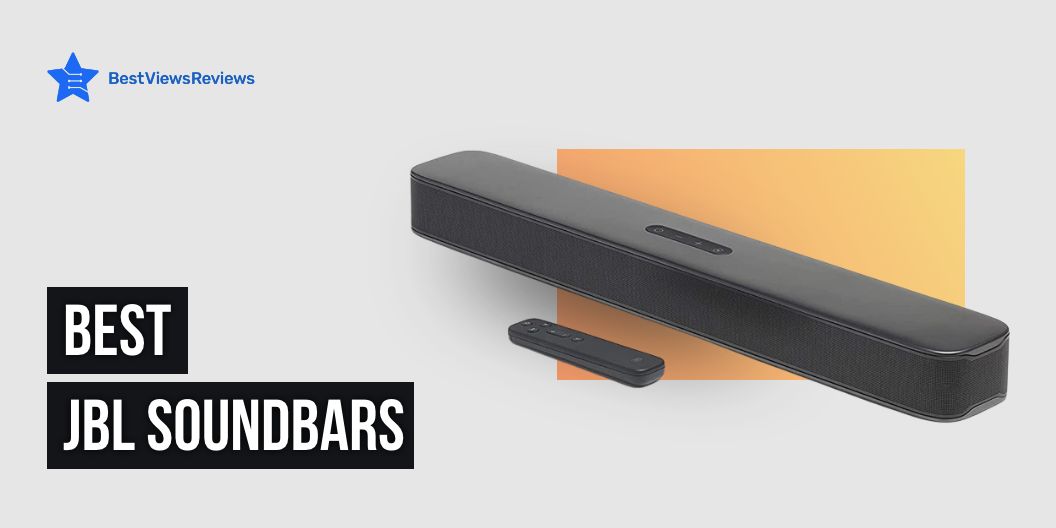
We all love to spend our leisure time with some incredible music that spirits up our mindset. A supreme soundbar will offer you captivating inflection with the latest advanced features. The JBL soundbar is a professional-grade audio system. It provides you with crystal-clear sound quality. This soundbar is highly compatible with Dolby Atmos technology. You can enjoy the flawless audio that envelops you in an immersive 3D soundscape.

It also ensures that you don’t even miss a single detail of your favorite music, movie, or video game. Additionally, the soundbar has Bluetooth connectivity, which allows you to stream audio from your phone or tablet directly to the soundbar. Now, beat up your soothing music with the JBL soundbar!

Check out our other blog on Soundbar and everything about it for more information. It will get you an idea of how the soundbar works.

Top selling JBL Soundbars

JBL Bar 2.1 – Channel Soundbar

The customer reviews for JBL Bar 2.1 – Channel Soundbar show this model is a must-buy for its 6.5-inch (165mm) wireless subwoofer that offers deep bass. It also offers you an output power of around 300 watts for enriching sound quality. The JBL SoundShift feature will help you shift the wireless connectivity from smart TV to other smartphones and tablets. The wireless Bluetooth connection unleashes sustainable music streaming. You can navigate the settings through the remote control. Moreover, you can connect this soundbar with AUX and USB or HDMI input for reliable connectivity.

JBL Bar 5.1 – Channel 4K Ultra HD Soundbar

The JBL Bar 5.1 – Channel 4K Ultra HD Soundbar reviews mention the two detachable battery-powered wireless surround speakers. It provides you the playtime with a 10-hour battery life. You can get 510W of power output with thrilling bass from a 10-inch (250mm) wireless subwoofer. The True 4K connectivity with 3 HDMI in and 1 HDMI out will offer you versatile connectivity. You can also enable the feature of wireless Bluetooth connectivity, Dolby Digital, Dolby Pro Logic II, and DTS for mesmerizing music and video experience. Additionally, it offers JBL SoundShift for easy conversion among devices.

JBL Bar 2.1 – Deep Bass Soundbar

The JBL Bar 2.1 – Deep Bass Soundbar comes with a 6. 5-inch wireless subwoofer for deep and thrilling sound quality. JBL Surround sound brings an incredible sound experience to your TV with no extra wires or speakers. The HDMI and optical cable connectivity made it easy to set up. It delivers up to 300 watts of immersive JBL signature sound. You can also enable Bluetooth connectivity for endless musical streaming.

JBL Bar 9.1 – Channel Soundbar System

The reviews of the JBL Bar 9.1 – Channel Soundbar System show it has an efficient power output of about 820 watts. It is highly compatible with Airplay2 and Chromecast. It offers a wide range of Wi-Fi, Bluetooth, and HDMI connections. This soundbar has built-in Dolby Atmos and DTS, which offer 3D sound quality.

This soundbar comes with 2 detachable battery-powered surround speakers with a 10-inch powered subwoofer. They offer deep bass sound with 300W output. You can conveniently mount this soundbar system on the wall using an L-shaped wall-mount bracket.

JBL Bar 2.0 – All-in-One Soundbar

The JBL Bar 2.0 – All-in-One Soundbar offers 80W of total system power, which will be ample for listening to music. You can hook up this soundbar through USB and Bluetooth connectivity. The Dolby Digital, JBL Surround sound, and smart sound mode will deliver captivating sound quality. You can also get access to the HDMI input for easy connection.

What should I consider when buying a JBL soundbar?

Connectivity

JBL has created the ultimate soundbar for connectivity. Through the features such as wireless music streaming, Bluetooth, HDMI port, and optical connectivity, you can indulge in your favorite music or movies. An additional 3.5mm AUX input allows users to connect to their favorite audio sources. Whether you are streaming music, watching a movie, or game consoles, JBL can turn any room in your home into a cinematic audio experience. JBL has ensured its users stay connected with all the features packed into its sole soundbar.

What about Power Figures?

Power figures can determine the output of soundbars and the audio quality. The power figures are measurable in watts. Generally, audio professionals recommend soundbars with power figures of at least 80 watts for impressive quality to listen to music. With higher wattage, you can experience an alluring output of sound. You can find JBL soundbars with up to 820 watts of power output. In short, power figures can determine the clarity of sound.

Do I Need a Subwoofer?

The soundbar features an active external subwoofer for an alluring audio quality. If you would like to endure an immersive audio experience, then a subwoofer can significantly enhance the bass response of a sound system. A basic sound system may not require a subwoofer. However, a subwoofer would be highly beneficial to fill a large room with blasting music or provide a club or concert-type atmosphere. Ultimately, the type of sound system you are looking to set up and how much bass response you would like will decide the need for a subwoofer.

Can I Wall-mount a Soundbar?

Yes! You must check that the soundbar’s mounting bracket and hardware are compatible and can withstand the soundbar’s weight. In order to find the right fit, you will also need to measure where the soundbar will be mounted. Moreover, ensure the wall is strong enough to hold the soundbar.

FAQs- JBL Soundbar

How do I Connect my JBL Soundbar to my HDMI TV?

Connecting your JBL soundbar to your HDMI TV is easy.

  • Step 1: Make sure that your soundbar and TV are compatible with an HDMI connection.
  • Step 2: Then, you will need an HDMI cable that is long enough to reach from the HDMI port on your TV to the HDMI port on your soundbar.
  • Step 4: Connect one end of the cable to the HDMI port on your TV, and the other to your soundbar.
  • Step 4: Once the cable is connected, switch on your TV and soundbar and set the soundbar to HDMI mode.

Now, you should be able to enjoy the impressive sound from your JBL soundbar with your HDMI TV.

Is JBL Better than Bose soundbar?

When both JBL and Bose offer great sound quality, it’s difficult to decide which one is best for you. The choice really comes down to preference. JBL soundbars offer more advanced features, such as powerful bass and high-quality sound, while Bose soundbars are generally more compact and easier to install. For overall sound quality, both brands offer excellent sound clarity and detail.

You can also read our blog on the best LG soundbars to discover a wide variety of options.

What’s the Difference Between a 2.1 and a 5.0 Soundbar?

The primary difference between a 2.1 and 5.0 soundbar is the number of speaker channels. A 2.1 soundbar comprises two speaker channels and a dedicated subwoofer, while a 5.0 soundbar has five speaker channels, including three-front speakers and two top speakers. Additionally, 5.0 soundbars have more inputs, which allows them to hook up with more audio sources for a stable connection.

Due to the extra speakers, 5.0 soundbars provide a more immersive audio experience which is perfect for home theatre enthusiasts. Moreover, the 2.1 soundbar is highly affordable compared to the 5.0 soundbar.

Conclusion

JBL soundbars are sure to add great value to your home entertainment setup, but choosing the right model after considering the connectivity options, power figures and other factors is important. You can also get confused between JBL and other top brands and that is why the above-mentioned FAQs will help you reach the final buying decision.

BestViewsReviews rates and reviews a wide variety of products like the top-rated soundbars and the best Bluetooth speakers based on their sound quality, connectivity options, advanced features, and durability.

JBL charge 4 vs charge 5: Which Is the Best Choice?

JBL charge 4 vs charge 5

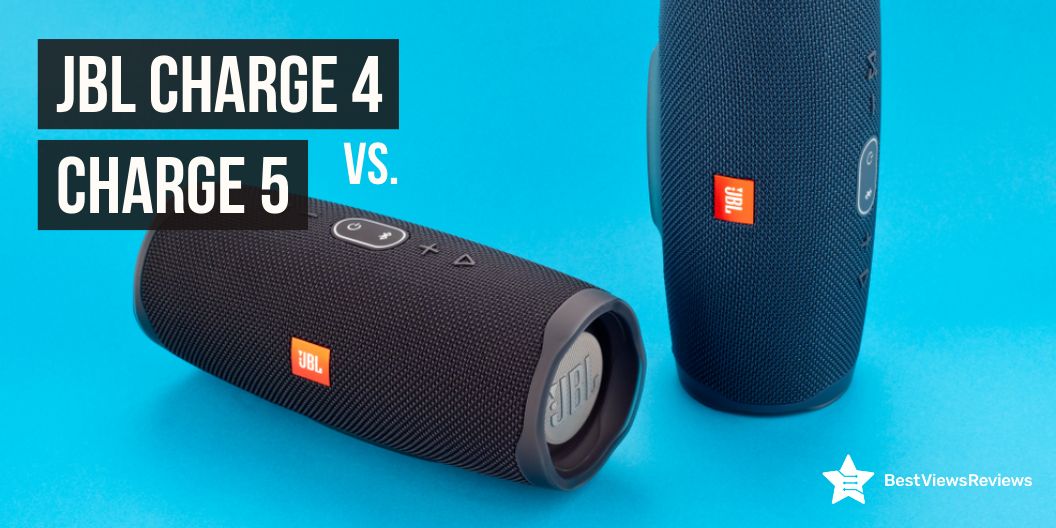
It is common to be perplexed when deciding between the JBL charge 4 vs charge 5. JBL is renowned for its high-quality audio products. Its new line of speakers, the charge 4 and charge 5, is no exception. The captivating sound quality, robust design, and long battery life prove the unbeatable audio performance of both charge 4 and charge 5. The charge 4 is portable and waterproof. This feature makes it ideal for picnics, beach parties, and other outdoor activities. Meanwhile, the charge 5 has larger drivers and powerful bass for a richer sound experience.

Both speakers feature compatibility with Bluetooth. It allows you to enjoy wireless streaming from smartphones and other devices. Whether you’re looking for a fine-tuning speaker, the Charge 4 and Charge 5 from JBL have you covered. You can rely on them for your blasting party or as a reliable companion for outdoor adventures. If you’re looking for a Bluetooth speaker to tune your evening more exuberant, check out our blog on all you need to know about Bluetooth speakers.

Overview of Features of JBL Charge 4

JBL Charge 4 is a popular and reliable Bluetooth speaker that offers enchanting sound, portability, and a variety of features. It has an impressive battery life of up to 20 hours with a built-in rechargeable Li-ion 7500mAH battery. The speaker has dual passive radiators, which offer deep bass and powerful sound. The JBL Connect+ technology allows you to connect multiple JBL speakers together for an immersive audio experience.

The speaker is also IPX7 waterproof, so it can be used outdoors or in wet conditions. Additionally, the JBL Charge 4 has a USB Type C port and can easily pair up with a stereo. This Bluetooth speaker will be suitable to offer an alluring music euphoria for every music enthusiast.

Overview of Features of JBL Charge 5

The JBL Charge 5 is a versatile and all-in-one portable speaker. It has an impressive 20-hour playtime, so you can listen to your favorite tunes all day long. The Charge 5 also features an IP67 waterproof and dustproof design, which makes it ideal for outdoor use. Additionally, the Charge 5 offers dual passive radiators and a booming sound. It also comes with a power bank feature, so you can charge your smartphone while listening.

You can also get access to the built-in microphone feature. This will be wise to spirit up any home party with a minimum budget. Moreover, the PartyBoost feature allows you to pair two JBL PartyBoost-compatible speakers at the same time in stereo. Or else you can link multiple JBL PartyBoost-compatible speakers to have riveting musical elation.

Before knowing the varied features between JBL charge 4 vs charge 5, read our blog about how to choose a loud Bluetooth speaker for your mesmeric backyard party.

What is the difference between a JBL Charge 4 and a Charge 5?

Design

The JBL Charge 4 and Charge 5 both feature a portable and splash-proof design with a durable fabric material. But the Charge 5 has an upgraded design for even better performance. The Charge 5 features a USB-C port for faster charging, as well as an added strap handle for easier portability. The Charge 5 also has an upgraded driver size, allowing for a captivating sound experience compared to the Charge 4.

Read our blog on Best Bluetooth Speaker with Microphone, if you consider buying one with a versatile microphone feature.

Battery Life

The JBL Charge 4 and Charge 5 are both popular Bluetooth speakers with excellent sound quality. But what is the difference in battery life between these two speakers? The JBL Charge 4 and 5 boast a built-in rechargeable Li-ion 7500mAH battery. Both speakers offer a 20-hour battery life. This means you can have continuous playtime with a single charge. However, Charge 5 features a built-in power bank to charge your other devices during the speaker function.

Sound Quality

The JBL Charge 4 and 5 feature dual passive radiators. It helps to create a richer bass sound for high-spirited audio experiences. You can efficiently listen to music with 94 decibels at a maximum volume on charge 5, whereas charge 4 can offer less than 80 dB. Moreover, the JBL Charge 5 takes this one step further with an optimized long-excursion driver and separate tweeter. This creates a more dynamic sound with improved clarity. Both speakers provide alluring sound quality, but the Charge 5 offers a more nuanced soundscape with enhanced accuracy and detail.

Connectivity Options

The major difference in connectivity options between the JBL charge 4 vs. charge 5 is their Bluetooth version. The charge 4 has Bluetooth 4.2 while the charge 5 boasts Bluetooth 5.1. This enhances higher data rates and a longer range of connections. Additionally, the charge 4 supports the JBL Connect+ feature. It allows you to wirelessly interlink over 100 other Connect+ enabled JBL speakers. Meanwhile, the charge 5 has a PartyBoost feature that enables you to pair multiple JBL PartyBoost-compatible speakers together in stereo.

Waterproof

The JBL Charge 4 and Charge 5 are both waterproof portable speakers that are ideal for outdoor activities. The Charge 4 is waterproof up to IPX7. It can be submerged in up to three feet of water for up to 30 minutes. The Charge 5 has an upgraded waterproof and dustproof rating of IP67. This shows that the speaker can be submerged in up to one meter of water for up to 30 minutes. This advanced waterproof rating makes the Charge 5 more suitable for activities that involve deep water, such as swimming and boating.

Price

The JBL charge 4 and charge 5 have a slight variation in price based on their advanced features. The charge 5 retails for $149.95, whereas charge 4 retails for $114.95. Comparatively, JBL charge 4 is more affordable than charge 5. Due to the advanced features and versatile options, both JBL charge 4 and 5 have reasonable price variations.

Is JBL Charge 5 worth the upgrade from 4?

The JBL Charge 5 is an excellent upgrade from the Charge 4. It offers a more powerful sound with deeper bass, advanced connectivity, an in-built power bank feature, and increased waterproofing along with being dustproof. The Charge 5 is also equipped with new features such as PartyBoost. So you can easily connect and control multiple speakers from your device.

Additionally, the Charge 5 features a USB-C port for faster charging, as well as two additional drivers for a richer sound. On the whole, it would be worth upgrading from Charge 4 to Charge 5. Ultimately, it is totally based on the satisfaction of the user to choose the best one for them.

Conclusion

Everyone loves to listen to music on speaker without any interruption. It would be an exhilarating experience if they own a speaker with advanced features. The Charge 4 is the exemplary choice for those looking for an affordable speaker with immersive sound quality and a waterproof design. The charge 5 unleashes the smart option to compete with the advanced world of living. But in the end, the ideal choice is entirely up to the individual and their needs. Whichever model they select, they can be sure they are getting a great quality speaker from JBL.

BestViewsReviews rates and reviews the best-rated Bluetooth speakers based on sound quality, battery life, connectivity options, and durability. 

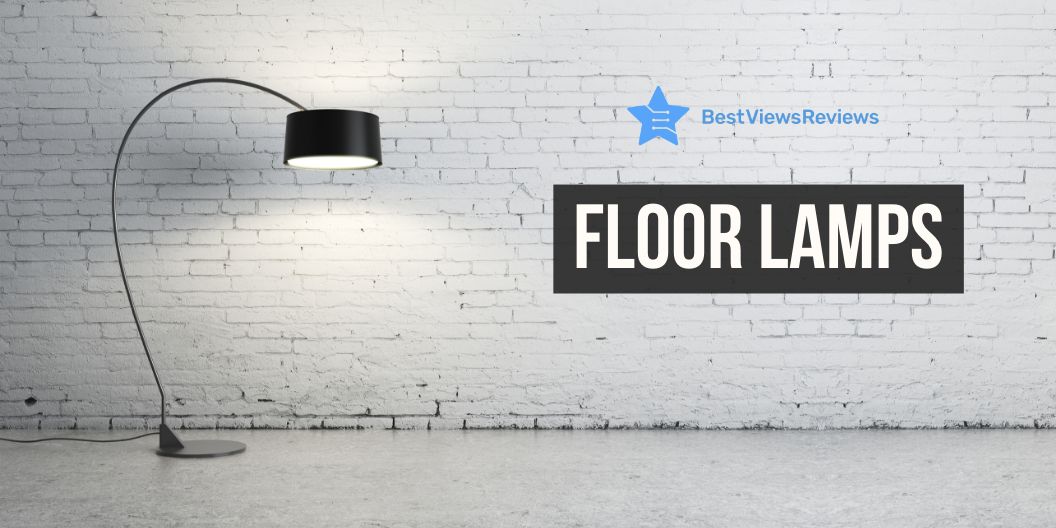
8 Best Target Floor Lamps To Decor Your Home

When it comes to home decor, target floor lamps are a must-have. Not only do they improvise a stylish touch to any room, but they provide a practical lighting solution too.

Whether you’re searching for a classic look for your living room or a contemporary twist for your bedroom, the target floor lamps ensure to fit the style. From industrial-inspired designs to traditional pieces, you’ll discover a style to match your home’s decor.

You can also get the perfect lamp to fit your budget without compromising its unique style and sturdiness. No other makeover of a home will finish with no target floor lamps.

Before beginning this article, consider checking out our other blog on an exclusive list of unique floor lamps to discover the wide varieties for enhancing the ambiance of your home.

8 best target floor lamps to decor your home

Floor Lamp Black – StyleCraft

The Floor Lamp Black is an ideal option to bring the traditional touch to your home. The base of this lamp comprises polyresin and metal. You can equip the lamp with a 100-watt E26 medium base bulb that offers to set up the perfect evening. The 6 ft. cord is enough for the outlet to plug in. The dimension of the shade is 13 inches in diameter by 13.5 inches in height. The cage shape of the lamp shapes brings an antique touch to your contemporary housing style.

Emilio Floor Lamp – Bronze

The Emilio Floor Lamp offers a minimalist look for your living rooms, bedrooms, and home offices. To light up this lamp, you can use the maximum, medium base bulbs or LED equivalent with 2-60 watts. This 60-inch tall floor lamp instantly lifts the mood of the room. The dual retro pull chain switches provide the transitional blend of retro design with a rich bronze finish. The lamp has a wide tan drum shade that illuminates the room with brightness.

Eve Floor Lamp Natural – Adesso

The Eve Floor Lamp Natural provides a bohemian style to your home. The 9-inch drum shade of the lamp covers up with off-white textured polyester fabric. It highly contrasts with the oak wood lamp body and tapered antique brass metal base. The lamp offers a socket turn knob switch to light up the 100-watts bulb. The 5-feet cord will be ample reach to plug the lamp into the outlet.

Eliza Floor Lamp Silver – Adesso

The Eliza Floor Lamp Silver features brushed steel paired with milky white glass. This lamp will be a unique night light for your living room. It offers 3-way brightness settings in order to set up the ambiance of your space based on your mood. The addition of this lamp simply elevates the appearance of the room with its classy and chic style. You can use the maximum 100-wattage 3-way bulb to light up this lamp. The body of this lamp is manufactured with metal, whereas the white frosted shade comprises 5 inches of glass.

65.5″ Alta Floor Lamp Gold

The 65.5″ Alta Floor Lamp features a downlight with adjustable cylindrical shape shades. It offers 3 bulb sockets. Each socket can hold 25-watt bulbs and turn on or off using an in-line (cord) push button foot switch. The base and shade of this lamp are entirely built with a gold or silver finish metal. This lamp adds up as a unique and stylish decor piece for your home.

Ellis Floor Lamp Natural – Adesso

The Ellis Floor Lamp Natural comprises natural wood grain. It pairs up with a white drum-shaped polyester fabric shade. This build of the lamp offers an elegant design that easily blends with many housing styles. If you’re confused with the vast variety of lamps, this lamp will be an ideal choice for you. The 3-way rotary socket switch lightens up with a 3-way light bulb. This lamp is highly compatible with the smart outlet. You can use the maximum 150-watts bulb to brighten up your space.

Nolan Floor Lamp Black – Adesso

The Nolan Floor Lamp Black can be placed near your sofas or armchairs. It features a height of about 57.5 inches, with a black metal base of around 10-inch diameter. The 8 inches swirling beige pattern of the glass globe offers a warm and calming ambiance to your room. You can use a 60-watt bulb with an adjustable articulation point on the base of the lamp.

Levy Floor Lamp Black – Adesso

The Levy Floor Lamp Black is 62 inches tall and has 10 inches black round metal base. This lamp offers a cream-colored oval shape shade, textured with cotton fabric. The dual black metal pull chains help to turn on or off two 10-watt bulbs. The center of the lamp features a large oval-shaped webbed caning with lines of black metal tubing. You can access the two-way light settings to suit the tone of the room.

Which floor lamps give the most light?

When it comes to floor lamps, the amount of light produced depends on the design, wattage, and type of bulb used. Many contemporary designs feature high-wattage bulbs, directable shades, and multiple bulbs, which can give more light than traditional lamps. Halogen bulbs provide more light about 16-24 lumens per watt. Incandescent or LED bulbs can emit light between 80 and 100 lumens per watt.

Also, adjustable height and directional lamps can offer more light than fixed lamps. Ultimately, when it comes to the most light from a floor lamp, the best option is to find a design that fits the room’s decor and wattage, and then find the right type of bulb. You can also check out more lamp setup options to enhance your home makeover on our blogs Best Rustic Floor Lamps For Your Living Room and Antique Floor Lamps: The Best for Your Home.

Where is the best place to put a floor lamp in the living room?

When deciding where to place the floor lamps in the living room, it is prominent to consider the factors such as the room’s layout, the lamp’s size, and the desired lighting effect.

  • To achieve the most desirable outcome, the lamp should be placed in an area where it can emit enough ambient light source.
  • A flawless spot for a floor lamp is in the corner near a sofa or armchair, as this allows for the evenest distribution of light.
  • Additionally, the lamp should be positioned away from any foot traffic to avoid any mishaps.
  • At last, the shade of the lamp should be adjusted to create the desired lighting effect.

By considering the above points, you can determine the best place to put a floor lamp in the living room. If you would like to buy floor lamps under budget with immersive lumens, read our blog about the best budget lamps.

How tall should a floor lamp be next to a sofa?

When considering the height of a floor lamp next to a sofa, the primary consideration should be the height of the sofa itself. Generally, the lamp should be placed with the light source slightly above eye level when seated on the sofa. This will provide the most comfortable lighting.

As a thumb rule, the lamp should be approximately two-thirds the height of the sofa, or two feet taller than the back of the sofa. An adjustable floor lamp would be the ideal option if you don’t have the exact height of your sofa. Ultimately, the desired lamp height is a matter of preference and the specific lighting setup of the space.

Should the lamp be on the left or right?

The decision of where to place floor lamps in the living room is also a considerable point before we buy a lamp. Whether the lamp should be on the left or right side of a room is ultimately up to the individual’s own aesthetic preferences. In order to determine which side would work best, it is better to understand the layout of the peculiar room and the purpose of the lamp.

For instance, if the lamp is the major source of light in the room, then it is better to position it on the closer side to the center of the room. It would make the most sense for even brightness.

If the lamp should provide more subtle lighting, you can consider rearranging the placements of the existing furniture and décor in the room. This will help tremendously to get the ideal spot for the lamp. Ultimately, the choice is up to the individual’s own preferences in order to create the desired ambiance.

What is the best height for a floor lamp?

When buying a floor lamp, we often wonder how tall should floor lamps be. It totally depends on the intended usage. If you intend to use the floor lamp as a task lighting, such as for reading, it should be placed on the basis of your comfort level.

So, it would be better to get a floor lamp with a height of between 60 and 65 inches. If the floor lamp is intended to be used as ambient lighting, it is better to be placed just above eye level, generally between 65 and 70 inches. Moreover, it is ideal to consider the size of the lampshade and the size of the room. If the room is large, a taller floor lamp may be necessary.

How to decorate with floor lamps?

When using floor lamps as your decor piece, the best approach is to start with a well-executed plan.

  1. Consider the size, shape, and placement of the lamp in the room.
  2. Then take look at your existing furniture and other decorations in the room to get an idea of the character you wish to achieve for the specific room.
  3. Additionally, consider the type of floor lamp you will use and the type of light it will provide.
  4. You can get options for light bulbs such as incandescent or LED light, halogens, and so on. This will help to set the mood of the room.
  5. When selecting a floor lamp, you should also take an account of color, design, and material to choose something that complements the room.

Once you have a plan appropriately, you can easily get an idea to find a suitable floor lamp to enhance the tenor of the room. To learn more ways to decorate your home with floor lamps, read our other blogs on Floor Lamps: Amp-up Your Home Lighting.

Conclusion

Floor lamps are an essential part of any home decor. They are versatile and stylish. It enhances a nice ambiance to any room. The selection of target floor lamps is vast and varied. Most of them come at very affordable prices, which will also be ideal for all budgets. Not only are they an affordable way to add a personal touch of style and sophistication to your home, but they also provide an additional layer of much-needed light.

So, if you’re considering adding a bit of flair and functionality to your home, you can check out target floor lamps today.

BestViewsReviews rates and reviews the best-rated target floor lamps based on quality, brightness, and durability. 

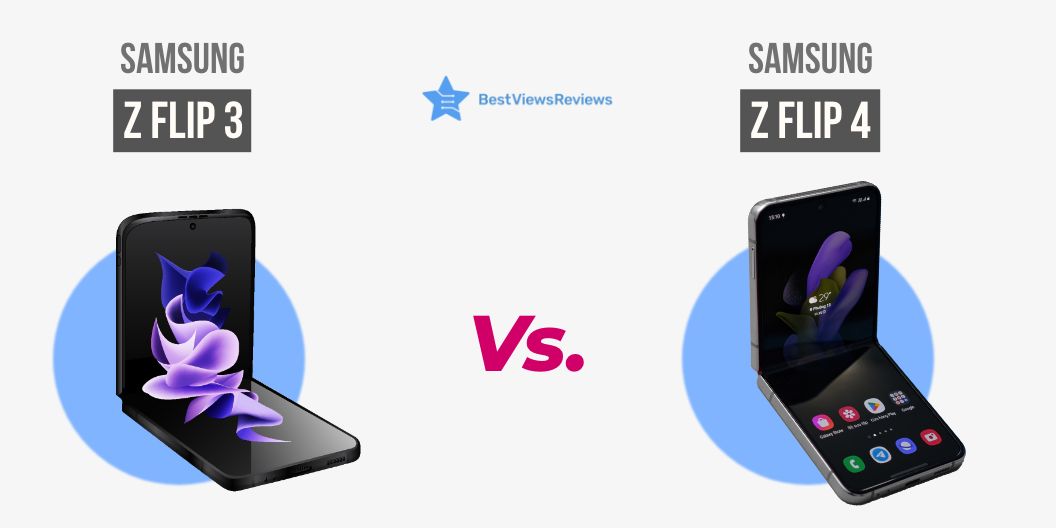
Samsung Z Flip4 vs Samsung Z Flip3: Which one is the best?

Smartphones are becoming more advanced in order to make life easier for users. The Samsung Z Flip3 and Z Flip4 are both innovative foldable smartphones that make them easier to use and carry. They don’t take up much of your pocket space like normal smartphones and can easily fit in your pocket or bag. They have incredible features such as a quick-view display and a long battery life with fast charging mode. In this blog, we will help you compare the unique specifications of both phones and decide which is the most user-friendly model for you. But in the end, choosing the best one will solely depend on your budget and the features you need. You can also check out our other blog on flip phones: the era of simplicity is back.

What features does the Samsung Z flip4 have?

The Samsung Z Flip4 is the latest iteration of the Samsung Z Flip series with impressive specifications. It features a 6.7-inch touchscreen with a dynamic AMOLED display. The foldable design provides a wider screen space without compromising portability. It has a powerful Qualcomm Snapdragon 8 plus processor with 8GB of RAM capacity. These features offer you an enhanced and speedy performance. It comes with a 12MP dual rear camera setup, along with a 10MP front-facing camera. You can easily access the advanced 5G connectivity, an integrated fingerprint, and facial recognition sensor for reliable and secure use. This model offers long-lasting battery life with a powerful 3,700 mAh battery. Furthermore, the Samsung Z Flip4 offers an enhanced UX/UI experience and advanced software features for the best user-friendly experience.

What features does the Samsung Flip 3 have?

The Samsung Flip 3 is a powerful interactive digital flip chart that is ideal for daily use. It offers a 6.7-inch FHD touchscreen with an infinity flex AMOLED display for better visual clarity. For high-speed performance, this model equips Qualcomm Snapdragon 888 chipset 5G processor. This model comes with a 10 MP front-facing camera, which provides ideal selfie experiences. The two rear cameras with a 12MP ultra-wide camera and a 12MP wide-angle offer you perfect picture quality. You can easily access the fast charging with the typical dual battery of around 3,300mAh for sustainable usage. This model will be a budget-friendly flip phone with the current software features.

Why you should use a flip phone?

Flip phones have been used by everyone before the smartphone era took its space. But its advanced features make them compatible with the current smartphones and brought complete transitions to the smartphone world. The compact size and clamshell design of the flip phone make it preferable. They won’t take up much space to carry, which makes them easily portable. You can access these phones and stay connected with the world easier than before. These phones are also known for their long battery life, fast charging mode, and compatibility with 5G connections. You can also check out our other blog to understand the options for Flip Phones Vs Smartphones: Which One to Choose?

Is the Flip 3 and Flip 4 the same size?

No, the Samsung Z Flip 3 and Flip4 are not the same sizes. The height of the Samsung Z Flip 3 is about 166 mm, whereas Samsung Z Flip 4 will be around 165.2 mm. However, the size of the screen is similar to each other, which is about a 6.7-inch display. In addition, the Z Flip4 has a slightly larger battery capacity than the Z Flip 3. The battery capacity of the former has a 3,700mAh battery and the latter has a 3,300mAh battery. These things bring a slight difference in the size between them.

Should I upgrade Z Flip 3 to Z Flip4?

The decision to upgrade to the Samsung Z Flip4 solely depends on you. It comes with the latest advanced features and hardware capabilities, including an improved processor and faster charging. However, this model is quite costlier than Samsung Z flip 3. If the budget is not your concern, then consider its other components. Before making your purchase, don’t forget to check the authentic reviews and ratings. You can also check out our website for more buying options.

Other Flip Phones

SAMSUNG Galaxy Z Flip4 Cell Phone

The Samsung Galaxy Z Flip4 offers a 6.7-inch Dynamic AMOLED display for a vibrant and immersive experience. Its customizable 1.9-inch Super AMOLED cover screen makes your device look sleek and stylish. It is powered by a 3,700mAh battery and comes with 8GB of RAM and 256GB of storage. This model has 12MP wide and 12MP ultra-wide rear cameras and a 10MP front camera, which makes it ideal for capturing stunning photos. It even has super-fast charging, so you’ll never have to worry about running out of power.

Galaxy Z Flip3 5G

The Samsung Galaxy Z Flip3 5G comes with its 4.2” folded compact design. Its 1.9-inch cover screen displays notifications without having to unfold it. The phone has a strong aluminum frame to provide the utmost durability, whereas its flex mode offers you access to two separate displays at once. The Galaxy Z Flip3 5G is a powerful device that offers a 3,300mAh battery for versatile use.

Samsung Electronics Galaxy Z Fold 2 5G 

The Samsung Electronics Galaxy Z Fold 2 5G is engineered to be the ultimate productivity companion. Featuring an expansive 7.6-inch dynamic AMOLED screen with a 120Hz refresh rate, users can enjoy an immersive and smooth viewing experience. The Galaxy Z Fold 2 5G has a generous 256 GB memory storage capacity. It also features 12GB RAM and wireless DeX productivity for multitasking with ease. The device also has a secondary display with a 2208 x 1768 pixel resolution which is perfect for quick glances at notifications.

Motorola Razr 5G

The Motorola Razr 5G features 8GB RAM and Qualcomm Snapdragon 765 processor. It ensures a smooth and snappy experience. It comes with 48MP and 20MP rear cameras that capture stunning photos and videos. For even more storage, it has a 256GB memory capacity. Its 2.7” OLED quick-view display offers quick access to notifications whereas its 6.2” POLED display provides an immersive viewing experience. With 5G cellular technology, you can enjoy blazing-fast speeds and seamless connections. The Motorola Razr 5G is the perfect device for those who want both stylish looks and powerful performance.

Conclusion

Getting a smartphone with advanced specifications will enable you to have versatile and convenient usage. The Samsung Z Flip 3 and Z Flip 4 will offer a wide range of features. They meet the needs of modern smartphone users. However, the Z Flip 3 offers a more affordable option, whereas the Z Flip 4 offers advanced features. We hope this blog has met the required information that you’re looking for. Ultimately, the choice between the two flip phones comes down to the sole preferences of the users.

BestViewsReviews help you get the best flip phones and top-rated smartphones. We will offer unbiased ratings and reviews on the basis of quality, convenience, and battery life.

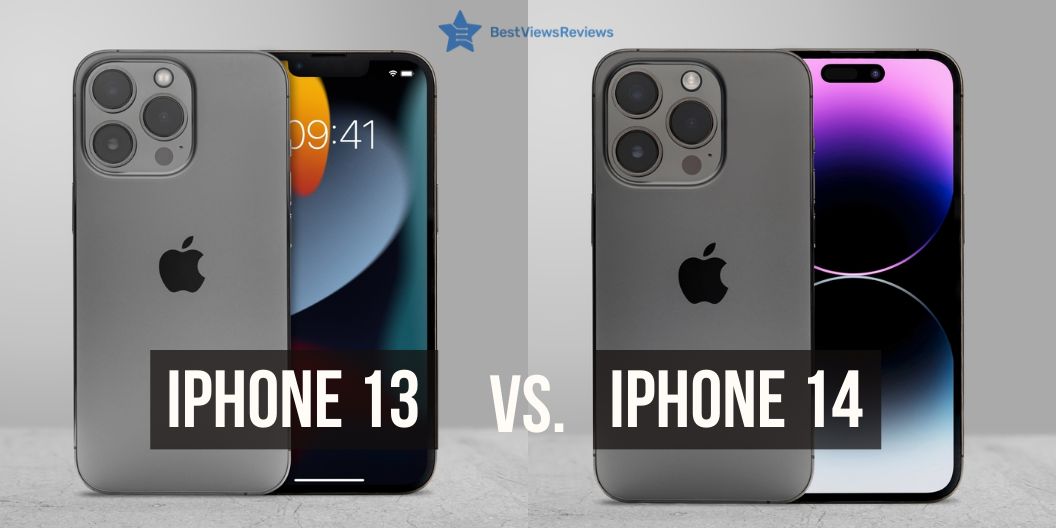
iPhone 14 And 13: A Comparison Guide

iPhone 14 and 13

The competition between the two newest iterations of the iPhone, the iPhone 14 and 13, is fierce. Apple continues to push the boundaries of technology, offering users the latest in innovative features, speed, and design. If you’re considering upgrading to the iPhone 14 from the iPhone 13, or vice versa, it’s important to consider the differences between the two phones to determine which features make the biggest difference.

What is the difference between iPhone 14 and 13?

Camera quality

One of the most notable differences between the two phones is the camera quality. The iPhone 13 features a 12MP wide-angle camera and 12MP ultra-wide angle camera with a ƒ/1.6 aperture, while the iPhone 14 boasts a triple-camera setup with a 12MP wide-angle camera, 12MP ultra-wide angle camera, and a 12MP telephoto lens with a ƒ/2.4 aperture. This allows the iPhone 14 to capture more detail and greater depth of field, allowing for more creative photography options.

Battery life

The iPhone 13 has a battery life of up to 17 hours of video playback. The iPhone 14 has a battery life of up to 20 hours of video playback. This is a significant jump in battery life between the two models. It is also one of the major differences between them.

Storage capacity

The iPhone 13 offers customers the choice of 64GB, 128GB, and 256GB of storage, while the iPhone 14 comes in 128GB and 256GB models. While both devices provide ample storage capacity to store photos, videos, music, and other data, the iPhone 14’s larger capacity options provide more room for the user to store these items.

RAM

The iPhone 13 comes with 4GB of RAM, whereas the iPhone 14 has 6GB of RAM. This difference in RAM can have a major impact on the performance of each device. The iPhone 14 with 6GB of RAM can run faster and multitask more efficiently than the iPhone 13 with 4GB of RAM.

Wireless charging

The iPhone 13 models are limited to wired charging, while the iPhone 14 models come with the convenience of wireless charging. This allows users to charge their devices with no cable, simply by placing the phone on a compatible wireless charging pad.

Water-resistant

The iPhone 13 is water-resistant up to 1 meter for up to 30 minutes, while the iPhone 14 is water-resistant up to 6 meters for up to 30 minutes. This means that the iPhone 14 is far more resistant to water and moisture damage. This makes it an ideal choice for anyone who is looking for a device that can handle more strenuous activities, such as swimming or taking underwater photos.

5G compatibility

The iPhone 13 is limited to 4G LTE while the iPhone 14 is 5G compatible. This allows the user to take advantage of the improved speeds and performance of 5G networks.

Facial recognition

The iPhone 13 model uses Apple’s Face ID technology. This allows users to unlock their devices with a simple glance and use their faces to authenticate Apple Pay and App Store purchases. The iPhone 14 model, on the other hand, takes facial recognition to the next level with its advanced TrueDepth camera system. It uses an array of sensors to detect and map a user’s face and provide a more secure and refined facial recognition experience.

Processor

The iPhone 13 models are powered by the A14 Bionic chip, which has a six-core CPU and four-core GPU. This allows for a smooth, powerful performance. The iPhone 14 models, however, are powered by the A14 Bionic chip, which has an eight-core CPU and four-core GPU. This allows for even faster performance and more power than the 13 models.

There are also many cheap smartphone models that offer significant features. You can go through our blog on cheap smartphone models to save some money on your purchase.

Which is better between iPhone 14 and 13?

The iPhone 14 is the latest version of Apple’s popular smartphone line. There have been a variety of improvements made to the device when compared to the iPhone 13. It has a larger display, improved processor, improved camera system, and longer battery life. The overall performance of the device has been improved. This makes it an excellent choice for those looking for a reliable and powerful device.

Is iPhone 14 camera better than iPhone 13?

Apple’s latest smartphone features a 12MP ultra-wide camera lens and a 12MP wide-angle lens, with a host of improvements from the iPhone 13 including a new Night Mode, improved low-light photography, and improved HDR. The iPhone 14 also features a LiDAR scanner for enhanced depth mapping for improved portrait photos and augmented reality applications. With the advanced technology and features of the iPhone 14 camera, it certainly appears to be an improvement over the iPhone 13.

Is it worth upgrading to iPhone 14 from 13?

The iPhone 14 has been highly praised for its impressive features. This includes longer battery life, an improved camera, and a faster processor. Though the newest technology can be tempting, it is important to consider if the cost of the upgrade is worth it. The iPhone 14 could be the perfect device for those that need the latest technology. For others, the iPhone 13 may still offer enough features to meet their needs.

We also have a detailed blog on the best smartphone brands to help you choose the right model for yourself.

Conclusion

The iPhone 14 and 13 have many similarities, but the differences can make a major impact on your user experience. The iPhone 14’s improved battery life, A14 processor, 5G capabilities, and improved cameras make it the superior choice for many users. However, if you don’t need these features, the iPhone 13 may be the better option for you.

BestViewsReviews helps you find the best smartphones on the market. We rate and review them on the basis of quality, convenience, and durability. Get unbiased, honest reviews of products before you buy.

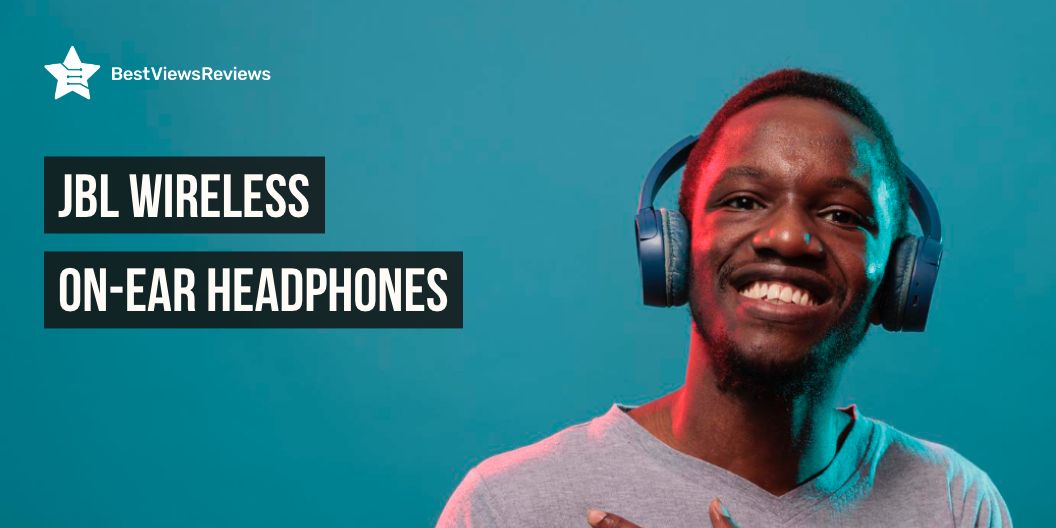
Why Buy JBL Wireless On-Ear Headphones

jbl wireless on ear headphones

What better than enjoying the immersive sound quality without having to listen to background noises? The JBL wireless on-ear headphones are an advanced piece of audio equipment that delivers exceptional sound in the most comfortable way possible.

So, be it listening to your music, or conducting an important meeting at work, the JBL wireless headphones, often equipped with an active noise-cancellation feature are your best bet. These headphones are wireless, which allows for a convenient setup, but other than that, these headphones also include other features that make them stand out from others in the market. These common features are:

  1. JBL Pure Bass sound
  2. Wireless Bluetooth 5.0 streaming
  3. 11 to 44 hours of listening and up to 55 hours with BT
  4. Mic on the ear-cup
  5. USB Type-C cable support for charging
  6. Lightweight design

With superior sound quality and superior comfort, the JBL Wireless On-Ear Headphones are the ideal model for anyone looking to enjoy their music in style and with the highest sound quality.

Headphones are also an essential part of most people’s professional lives, whether they work from home or from an office. Using headphones can allow you to find your personal space in a noisy or crowded office. You can go through our other blog on the 7 best headphones for work to know about them.

Do JBL wireless on-ear headphones have good sound quality?

Yes, JBL headphones have excellent sound quality. They are renowned for their superior sound quality and are a popular choice among music and audio enthusiasts. JBL headphones come with advanced acoustic technology that ensures crisp and clear sound, with no distortion. Not only are they capable of producing high-quality sound, but they also offer superior comfort and a lightweight design.

What’s the difference between over-ear and on-ear headphones?

The difference between over-ear and on-ear headphones is primarily in the form factor. Over-ear headphones like JBL Live 460NC fit completely over the ears and create a snug seal, while on-ear headphones sit on the outside of the ears. These headphones typically provide better sound quality and a more immersive listening experience because they are better at blocking out external noises, whereas on-ear headphones have less sound quality because of their form factor. Over-ear headphones are heavier and more expensive than on-ear headphones.

How do you make JBL wireless on-ear headphones more comfortable?

If you’re looking for a way to make on-ear headphones more comfortable, there are several steps you can take to ensure a more enjoyable listening experience.

  • First, look for headphones like JBL Live 460NC that provide enough padding on the ear cups and headbands. Soft, cushioned ear pads will help keep the headphones from becoming uncomfortable after extended use.
  • Look for headphones that feature adjustable headbands and ear cups. This will enable you to find the perfect fit for your head size, as well as your listening habits.
  • Make sure the ear cups are big enough to fit around your ears and the headband is not too tight.

Beats over-ear headphones are known mainly for their comfort as they sit over your ears. You must read through our other blog on Beats over-ear headphones to know more about them.

How do I keep my headphones’ battery healthy?

To keep your headphone’s battery healthy, charge them regularly, avoid leaving them in direct sunlight, and avoid completely draining the battery. If you’re not using your headphones for a long period, remember to charge them every few months.

The customer reviews of JBL Tune 510BT claim that it comes with a type-C USB cable that makes it convenient to charge anywhere.

Does noise cancellation work on headphones?

Yes, noise cancellation works on headphones like JBL Tune 750BTNC. This technology works by creating an inverse sound wave of the noise outside the headphones, canceling it out and blocking it from the wearer’s ears.

Headphones with a mic have also become must-have gadgets for gaming and calling sessions. Our blog on headphones with a mic explains more about them.

Conclusion – Why on-ear headphones are better?

The JBL wireless On-Ear headphones are great for anyone looking to upgrade their listening experience. With their superior sound quality, comfortable design, and sleek aesthetic, they offer an immersive sound that is perfect for any listener. Enjoy the full range of sound with these headphones, and you can be sure that your music will sound better than ever before.

BestViewsReviews helps you find the best over-ear headphones on the market. We rate and review them on the basis of quality, convenience, and durability. Get unbiased, honest reviews of products before you buy.

Top Wireless Bluetooth Speakers With Microphone

wireless bluetooth speakers with microphone

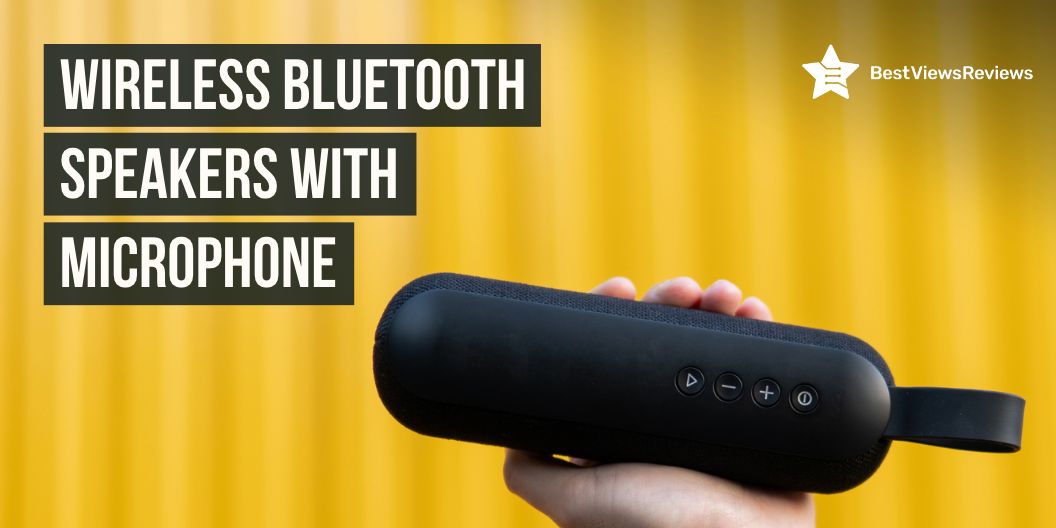
Wireless Bluetooth speakers with a microphone are becoming increasingly popular for listening to music on the go. Whether you are looking to use them for a party, an outdoor gathering, or just in your own home, there are many models to choose from. Finding the right speaker for your budget and needs can be challenging, so we have compiled a list of the top-rated wireless Bluetooth speakers with microphones available.

Wireless surround speakers are also a great way to enjoy your music without having to worry about wires. You can read through our other blog on wireless surround speakers to know more about them.

Top-rated wireless Bluetooth speakers with microphone

TENMIYA 60W Bluetooth Speaker

TENMIYA 60W Bluetooth Speaker provides a faster connection and exceptional wireless Bluetooth range. It can connect instantly and easily, and play up to 100 unobstructed feet away from your smartphone, cellphone, tablet, MacBook, laptop, and all other Bluetooth devices. It also has a built-in 8000mAh rechargeable lithium-ion battery, providing up to 12 hours of pristine cordless sound.

Marshall Willen Portable Bluetooth Speaker

Marshall Willen Portable Bluetooth Speaker is a mighty portable speaker that is made to go everywhere with you. It comes with a top-of-class IP67 dust and water-resistance rating so it’s always ready for the road. You can also answer and reject calls using the front-mounted control knob and enjoy some hands-free chat.

Bose SoundLink Portable Bluetooth Speaker

Bose SoundLink Portable Bluetooth Speaker’s reviews claim that it delivers true 360° sound for consistent, uniform coverage. It is dust and water-resistant (IP55 rating), so it will stand up to the splashes in the pool. You can also take calls and access your device’s default voice assistant right from the Bluetooth speaker.

Sony SRS-XB43 Powerful Portable Speaker

Sony SRS-XB43 Powerful Portable Speaker features an IP67 waterproof rustproof and dustproof design. You can listen all day and night with up to 24 hours of battery life. It boosts your music with 2 speaker lights and multi-colored line lights. The speakerphone function of this model offers a convenient way to talk hands-free, whether it’s a conference call for work or a chat with friends.

You can also read our detailed blog on the best Bluetooth speakers with microphones to help you choose the best model for yourself.

Do Bluetooth speakers have a microphone?

Yes, many Bluetooth speakers have a built-in microphone. This allows the user to make and receive phone calls, or even use voice commands with certain speakers. Many Bluetooth speakers also come with noise-canceling technology that helps to reduce background noise and ensure that your phone calls remain clear.

Can you talk through a Bluetooth speaker?

Yes, you can talk through a Bluetooth speaker. Bluetooth speakers allow you to stream audio wirelessly from any device that has Bluetooth capabilities. This means that you can connect your phone, computer, or tablet to the speaker and stream audio from it, as well as use it to make and receive phone calls.

Bluetooth speakers are a simple and effective way to get music anywhere and at any time. You can also read our other blog on the best Bluetooth speakers if you are looking for additional information.

What is the difference between a Bluetooth speaker and a wireless speaker?

Bluetooth speakers use short-range radio frequency technology to connect to and stream audio from compatible devices like smartphones, tablets, and computers. Wireless speakers, on the other hand, use either Wi-Fi or specialized network standards like Sonos and AirPlay. This means you can connect and control them from any device on the same network.

Wireless speakers are also more powerful and have better sound quality. Whereas Bluetooth speakers are typically smaller and more portable.

Do Bluetooth speakers work without the internet?

Yes, Bluetooth speakers can work without the internet. They can connect to other Bluetooth-enabled devices, such as phones and laptops, to stream music without the need for an internet connection.

Conclusion

There are many options when it comes to finding a quality wireless Bluetooth speaker with a microphone. From portable speakers to those with excellent sound quality, there are many great products available. It’s important to consider your needs and budget when selecting a Bluetooth speaker with a microphone, as this will determine the type of speaker you should purchase. With the right speaker, you’ll be able to enjoy your music and communicate with friends and family, no matter where you are.

BestViewsReviews helps you find the best Bluetooth speakers on the market by rating and reviewing them on the basis of quality, convenience, and durability. Get unbiased, honest reviews of products before you buy.

How to Make Your Headphones Louder – A Comprehensive Guide

Looking for profound ways to make your headphones louder? Here, we have curated a few ideas to guide you. Headphones become a prominent tool for many individuals, especially music enthusiasts. Whether you use them to listen to music, movies, or even answer calls, headphones are often an ideal companion.

However, if your headphones are not loud enough, it’s difficult to fully enjoy the experience. In this guide, we will go through how to make your headphones louder. We will provide the steps to ensure you get the most out of your headphones. Let’s get started and consider the ways to make your headphones louder!

If you’re also looking for headphones to make your professional meetings more productive, check out our other blog to discover the 7 best headphones for work-from-home meetings.

How to Make Your Headphones Louder?

Headphones are a great way to listen to music and other audio in private. But the sound can be extremely soft for certain audio. Sometimes streaming music apps may have the feature of adjusting the equalizer settings. For example, if you are intended to listen to louder music on Spotify, you can simply adjust the equalizer settings to get the desired base level. It will increase the signal strength and provide a louder sound. If your device has a software equalizer, you can also use it to boost the bass and treble frequencies. Or else, you can even customize your own equalization settings in the built-in applications.

Making your headphones louder can be a simple job if you have the right tools. Here are the steps to make your headphones louder:

  1. Check your audio settings. Ensure that the volume is set to the maximum level on your device.
  2. Check if the volume is blocked. Some devices have a feature that limits the maximum volume.
  3. Replace the headphones if necessary. Older, damaged headphones may not reach the maximum volume level.
  4. Buy an amplifier. An amplifier will increase the power of the sound output and make your headphones louder.
  5. Try using a sound card. This will allow you to adjust the volume level directly from the sound card.
  6. Increase the bass. Many headphones come with a bass boost option that can make the sound louder.
  7. Use an equalizer. An equalizer will enable it to boost the bass and treble frequencies, or even create your own custom equalization settings.

With a few techniques and combinations, you’ll be able to enjoy your music and audio at your desired volume. If you consider buying headphones with immersive sound quality, read our blog about an exclusive list of best beats over-ear headphones.

Why are my headphones not as loud?

Headphones are delicate pieces of equipment that require proper care and maintenance. If your headphones are not as loud as they used to be, it could be because of several factors. It could result from damaged wires, faulty or worn-out components, or a blockage in the audio pathway.

It is important to inspect your headphones for any physical damage. Also, make sure that the connection ports are clean and free from debris. You can even try using a different pair of headphones, as different types of headphones react differently to the same audio source.

If the issue persists, it is better to consult a professional technician to comprehend the issues. It will help you understand the variation of sound frequencies for particular audios.

How do I make my headphones louder through settings?

When attempting to make headphones louder through settings, it is crucial to know the type of device you are using as well as the specific model of your headphones. If you are using your headphones on a PC, you can also adjust the volume within the sound settings.

On a mobile phone, you can simply adjust the volume within the audio settings of your device. Additionally, some headphones offer their own volume control feature, which can be adjusted to increase the volume. Finally, in some cases, you may need to use a separate amplifier to increase the volume of your headphones.

Do volume-boosting apps work?

Yes, volume-boosting apps work. They can be reasonably effective in increasing the overall volume of audio signals, such as music, speech, and video. These apps offer sophisticated algorithms to analyze and boost the volume while preserving the quality of the sound. Furthermore, they can detect and adjust the volume of each audio channel to give a more balanced sound. It is important to adjust the settings of the app to suit the individual’s needs to get the intended results. Additionally, some apps feature an equalizer to further customize the sound output.

Android and iPhones :

When it comes to listening to music or playing games on your phone, having the desired volume range will enhance your listening experience. For Android and iPhone users, there are a few simple steps to follow if you want to make your headphones louder with the help of volume-boosting apps. There is no shortage of impressive volume-boosting apps available on the Google Play Store and the Apple store.

Android users have a variety of volume-boosting apps available for their devices. These apps can enhance the sound quality and boost the overall volume of the device including,

  • Volume Booster Pro enables users to customize their sound profile. It increases the maximum volume level.
  • Volume Booster GOODEV is an advanced app that offers additional features such as a 10-band equalizer and a virtualized one.
  • Music Volume EQ is a popular choice amongst music lovers, as it offers a 5-band equalizer and a bass booster.

The iPhone offers an array of apps to boost the volume of your device such as:

  • Music Volume EQ offers a customizable 10-band equalizer, bass boost, and virtualize.
  • Boom Music is one of the best system-wide audio boosters that work with your existing music player.
  • Equalizer Pro offers five different equalizers to choose from, as well as a virtualizer and bass boost.

Moreover, these apps offer a range of features and you can download them for free. You can easily customize and adjust the sound levels of your device. Also, make sure the volume on your phone is set as high as it can go. With these apps, you can enjoy a louder, more powerful, and more enjoyable sound experience!

You must also read our blog on the best wireless over-the-ear headphones for music lovers to take your music euphoria to the next level.

Conclusion

Enjoying music or watching your favorite movies is undoubtedly a favorite part of traveling. The best pair of headphones will be your best companion at those moments. The ability to make your headphones louder can be a valuable asset, as it allows you to enjoy your music more fully and hear your audio in various environments.

It is important to ensure that you are not damaging your headphones and your hearing. By following the methods outlined above, you can make your headphones louder to enjoy your music more fully.

BestViewsReviews rates and reviews the over-ear headphones based on quality, convenience, and durability. 

How To Clean iPhone Speaker

How to clean iPhone speaker

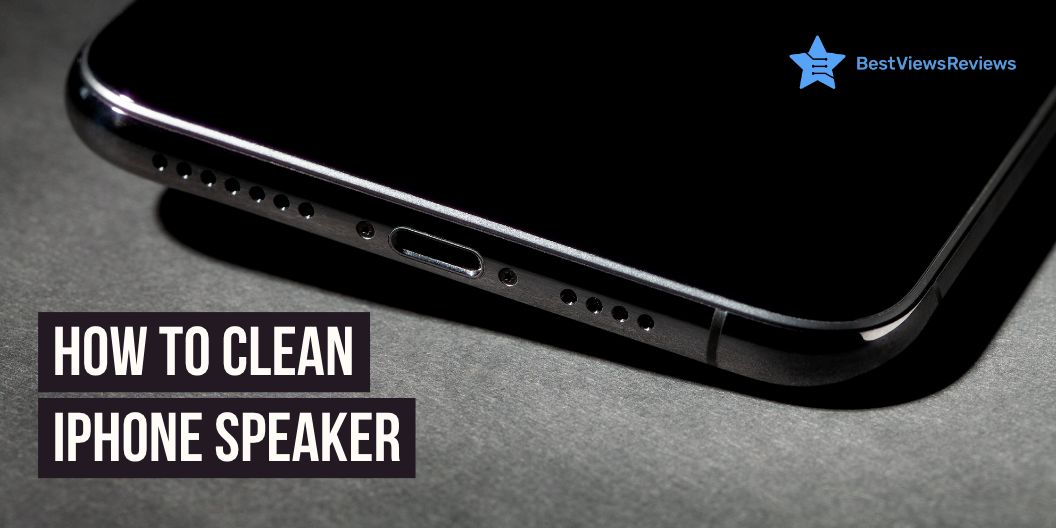
Having a functioning phone is important for keeping up with your daily tasks and connecting with people, and one aspect of having a functioning phone is having a clean speaker. The speaker on your iPhone is important for making and receiving calls and listening to music and videos. A dirty or clogged speaker can affect the sound of a phone call or the quality of the sound you hear when you’re listening to music or watching a video. Luckily, cleaning an iPhone speaker is a simple task that can be done in just a few steps.

How to clean an iPhone speaker to improve sound quality?

Use a soft brush

Cleaning an iPhone’s speaker can easily be done with a soft brush. First, turn off your iPhone and make sure you unplug the device from any power source. Gently use the brush to sweep away any dust or debris that has accumulated on the speaker grille. Make sure you don’t press too hard on the speaker, as it can cause damage to the phone. Once you have finished brushing away the debris, turn the phone back on and test the sound quality.

Use painter’s tape

A painter’s tape is a great tool to use when cleaning the speaker. Gently press a piece of painter’s tape around the outer perimeter of the speaker and press firmly in order for the adhesive to attach. Carefully pull the tape away from the speaker and you will see the dust and debris collected on the tape. Repeat this step until the speaker is free from dust and debris. After cleaning, use a soft dry cloth to wipe away any dust and residue. This will help restore your phone’s sound quality to its original level.

Toothpick

Using a toothpick is one of the best ways to clean out the debris that can build up. Simply insert the toothpick gently into the speaker opening and use a light swiveling motion to remove any dust and lint that has collected inside. Be sure to check the sides of the opening and carefully scrape away any debris. Once you’ve completed the cleaning, you may find that your iPhone’s sound quality has improved significantly.

If looking for an iPhone that offers exceptional battery life and sound quality, then you can opt for an Apple iPhone 12 Pro Max.

Use compressed air

Start by turning off your iPhone and removing any external cases or covers. Carefully inject the nozzle of the compressed air canister into the speaker opening and spray a few short bursts of air. This will dislodge any dirt or debris that may be impeding sound quality. Once you have completed this step, you can turn your iPhone back on and test the sound quality. With regular cleaning, you can ensure that the sound quality of your iPhone like the Apple iPhone 13 Mini will remain top-notch.

What is Apple’s official advice?

Do’s

Apple recommends cleaning the speakers using a dry cloth to wipe away any debris. If the speaker has accumulated dust and dirt, compressed air can remove it gently. Be sure to keep the can upright and at least 10 inches away from the speaker to avoid any liquid from entering the speaker.

Don’ts

Water or other liquids should not be used to clean the speakers, as this can cause damage. Cleaning any part of the speaker with aerosol sprays, solvents, or abrasives is not recommended.

You can also have a look at Apple iPhone 12 if you are looking for an iPhone that offers great camera and audio quality.

How should you clean water from iPhone speakers?

To clean away water from iPhone speakers, first, turn off the device and remove the SIM card and any other accessories. Using a can of compressed air, blow out any water in the speaker holes. Then, using a cotton swab and rubbing alcohol, clean the speakers. Finally, wipe the device down with a lint-free cloth.

Conclusion

Cleaning your iPhone speaker can help prevent dirt buildup and extend the life of your device. By taking the time to clean your iPhone speaker with a soft, dry cloth and compressed air, you can ensure your device will continue to work properly and sound great for years to come. With a few simple steps on how to clean the iPhone speaker, you can make sure your iPhone is always ready to rock!

You can also have a look at our blog on the best smartphones in case you want to upgrade your previous one. Samsung is one of the top-selling brands for smartphones. If you want to buy a Samsung smartphone, our blog on 5 best-selling Samsung smartphones will help you choose the right model.

You can also use your Samsung smartphone with a stylus for a better experience.

BestViewsReviews helps you find the top-selling smartphones on the market by rating and reviewing them on the basis of quality, convenience, and durability. Get unbiased, honest reviews of products before you buy.