
The Only TV Buying Guide You Will Ever Need

tv buying guide

A TV is a must-have device for your home entertainment. The right TV unit improves your picture experience and gives you convenient, hands-free control. The market has tons of brands and models with zillions of functions incorporated into one unit. TV sets are available in a variety of types, sizes, and technology. However, choosing the right TV model depends on various factors. The primary factors include budget, features, space availability, and TV type. Our TV buying guide will also help you know how to choose the right TV size.

TV Buying Guide: Types of TVs

LCD (Liquid Crystal Display) TV

TV screens and laptop screens commonly use LCD panels. A screen of this type blocks out light. There is clear and opaque picture quality. The LCD screens have a panel that comprises certain blocks. There are liquid crystals inside these blocks. The brighter the panels, the greater the voltage. The screens do not produce their own light, so they are illuminated by external light sources, such as fluorescent bulbs.

LED TV

LED TVs use the same concept as LCD, except instead of fluorescent lights, they use an array of LED diodes. They are smaller in size and easily fit into the TV panel. That is why most of the top-rated TVs you see nowadays have flat-screen displays.

LED TVs are majorly divided into two types. One is the direct LED that has the LED lights directly behind the screen. The other is the edge-lit LED that has diodes in the frame of the TV that illuminates the center of the screen. One of the best, under this technology, is Sony A80J 65 Inch TV.

Plasma TV

Plasma TV has a layer of gas that is constricted between two glass surfaces stuck together. The electricity passes and these gases illuminate the pixels to form an image. They offer a better picture quality than LED TVs. These TVs are usually available with bigger screens like a 40-inch or a 60-inch display.

OLED TV

OLED stands for organic light-emitting diodes, that illuminate the screen with organic materials like carbon. The presence of such materials lights the screen directly, without any backlight. The top-quality OLED TV produces more sharp and crisp images that you don’t get in standard TVs.

A review of LG OLED55CXPUA Alexa Built-In is positive because it offers a massive 120 Hz refresh rate. This TV offers clear picture quality, excellent contrast, and a great viewing experience.

Curved TV

Curved TVs deliver an immersive experience as their curved display matches your peripheral vision. Such TVs are expensive and found in the form of smaller screens like smartwatches.

QLED or Quantum Dot  TV

Quantum dot is a common technology in LCD or LED. QLED TVs contain nanocrystals that allow light to pass. It breaks down the light waves to produce white light. White light contains all the light waves of the spectrum and that is why it produces richer light and a clear image. It is usually present in the form of a layer behind the backlight.

TV buying guide to help you know how to pick TV Screen Resolution?

High Definition (HD)

The most common resolution has been HD resolution or 1920 x1080p pixels. These are quite common in standard LED or LCD TVs. The reviews of SAMSUNG Smart TV are good because it offers a picture resolution of 4K.

4K Ultra HD

Smart TVs have built-in 4K ultra HD resolution offering 3840×2160 pixels. It is also known as ultra HD resolution. These TVs enable sharp images, and finer details even for smaller objects on the screen. The viewing experience will be incredible with a 4K resolution, especially if you opt for a large screen like a 65-inch display. The reviews of model Sony A8H are positive for its HDR technology and Alexa compatibility.

Ultra HD

A top-rated model like Sony X900H has Ultra HD videos are a major feature on every OTT platform like Amazon Prime, Netflix, etc. This high-definition feature is becoming more common with Blu-ray discs.

8K

8K is a fairly new concept and consists of 8000 pixels. It is a succeeding technology to the dominant 4K. TVs exhibiting 8K are expensive and have yet to take over the market. It is the highest resolution that exists to date.

TV Buying Guide to help you choose the right TV Accessories 

Antenna

Antennas are a necessity for smart TVs for viewing local channels. The antenna detects the local channels and allows them to lock in with the TV system. Smart TVs already have a built-in system to detect local channels. An antenna acts as a booster for the TV to catch the local channels with ease.

TV Mounts and Stands

TV mounts and stands are common today. Wall mounts may restrict the movement of your TV set, especially, when you want to redo the positioning of your furniture. In such cases, you can use TV mount stands. Specific stands come for specific TV designs and offer mobility to your TV sets.

Speakers and Sound Bars

TVs come with a built-in simple stereo Hi-Fi system facilitating the addition of external speakers with ease. These systems can enable wireless or wired speakers including amplifiers. You can prefer soundbars for an elevated listening experience. A soundbar with 2.1 channels is enough for a surround system.

Remotes

A universal remote is compatible with all kinds of TV sets. They are majorly divided into an infrared remote control, voice-over remote control, and radio remote control. The smart TVs have a voice-over remote control that is compatible with your voice commands. 

TV Buying Guide: Frequently Asked Questions

Which TV Would Best Suit Your Budget?

A standard 4K resolution TV with a screen size of 55 inches is common in households. Such models come with HDR viewing, 4K resolution, or 3480×2160 pixels. Their HDMI ports and built-in Wi-Fi connections provide enhanced compatibility and a better viewing experience. They usually cost somewhere between USD 270 and USD 600.

Which Type of TV Should You Buy?

The best kind of TV to settle for now is LED-LCD TV. These TVs have perfect color contrast and support full HD resolution. They include many features, offer a great viewing experience, and cost relatively low. You can also read our blog to learn how to pick the best small smart TV.

What is the Concept of the HDMI Connection?

HDMI connections are made to transmit 720 and 1080 frame-rate video. Different models require different kinds of cables. The high-speed 4.1 HDMI cable is required for a 4K OLED TV. Always go for TVs that offer more HDMI ports. Many newer TV sets also come with HDMI 2.0 format.

Conclusion: an exclusive TV Buying Guide

Smart TVs allow you to stream online content with ease. The majority of them support OTT platforms and offer content in HD format. TVs today range from budget-friendly models to exclusive and expensive models. You should choose the model that offers you smart features without exceeding your budget limit. Deciding between LCD LED Vs OLED TV can be tough, but not with our comparison guide.

BestViewsReviews rates and ranks hundreds of top-quality TVs and soundbars based on build quality, convenience, and overall performance.
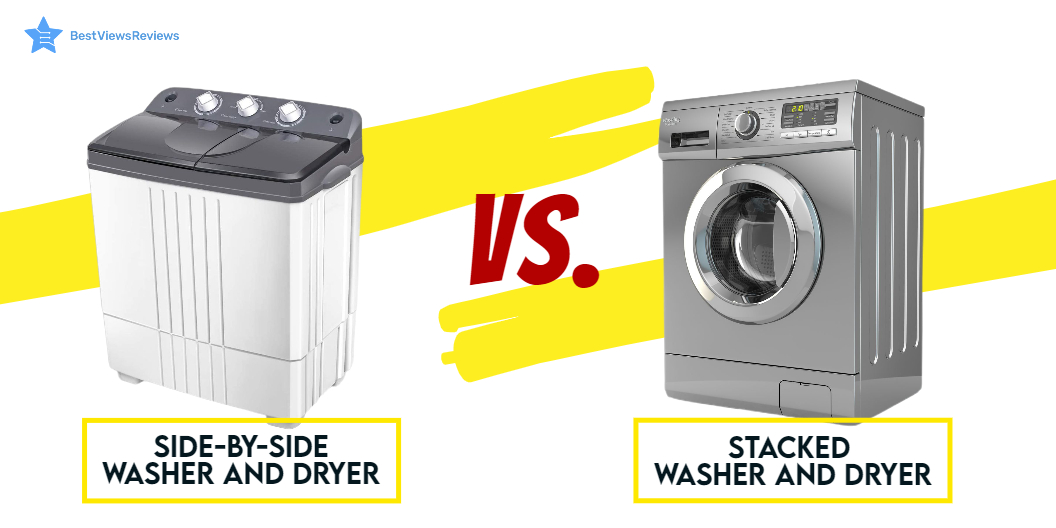
Stacked Washer and Dryer Vs Side by Side

stacked washer and dryer vs side by side

It can be a challenge to choose between a stacked washer and dryer vs a side-by-side model for your laundry when you want to buy an efficient washer and dryer. The space constraints can make living in condos and apartments challenging. A stackable washer and dryer is the size of a dishwasher and can fit under a counter. They’re easy to install and go with many cabinet configurations. Read our blog on washers and dryers to know everything about them before you start looking to buy.

Side by side washers and dryers lie next to each other, giving you space to organize the laundry. The two major ways to stack compact washers and dryers are by either placing them side-by-side or on top of each other. We have a dedicated compact washers & dryers usage guide to help you understand the product better. Browse through for more information.

Benefits of Stacked Washer and Dryer Vs Side by Side

Less Horizontal Space

A stacked washer and dryer combo are ideal when space is less. The stacked model has a washer and dryer set on top of each other. The upper-loading feature is usually available on these models. You can go with models like Nictemaw Portable Washer because of its compact size and easy-to-use control panel. This machine has features like automatic water level, child lock, and delay start for the user’s convenience.

Stacking Kits

Many brands offer buyer stacking kits in a combo. This helps in stacking the appliance together to save space. Stacking kits should be purchased separately. They are effective in ensuring that the stacked pieces stay in place and removing the risk of damage.

Energy Efficient

Stacked washers and dryers come with a front-loading mechanism and are considered energy efficient. The water and electricity supply consumed is less. It is advisable to go with Energy Star-certified products for better performance. You can check Giantex Full-Automatic Washing Machine is energy efficient as well as equipped with a barrel light on the inner tub for protecting eyes and the skin.

Pullout Shelf

Some washer and dryer combos have a pullout shelf in the middle of the dryer and washer. You can place your clothes into it while emptying the dryer for a hassle-free and smooth experience. These combos often have a large loading capacity and quiet operation.

Disadvantages of Stacked Washer and Dryer Vs Side by Side

Vibration

A stacked washer and dryer can produce vibrations. It is thus advisable to install the unit carefully. Customers should go with sets that have lesser vibrations for a better experience. Check a model like Giantex Full-Automatic Washing Machine that features a space-saving design that makes it easy to fit in a bathroom or closet. This model gives you a good experience with fewer vibrations.

Height

A stacked washer and dryer are vertically stacked at a height. Using the stacked unit could be tricky for people who are short. The reviews of Black + Decker BPWM09W mark it as one of the top-rated semi-automatic washing machines. The side-by-side washing machines can be used by short as well as tall people.

Expensive

Front-load variants can be more expensive than their top-loading counterparts. The budget and needs should be kept in mind while making the final purchase.

Benefits of Side-by-Side Washer and Dryer Vs Stacked

More Choice

There are more options to select from while going for this configuration. This makes it easier for you to choose from a collection that will be suitable as per the space available.

Convenient Loading

It is easy to load side-by-side washers and dryers. The clothes are easy to put in and pull out while it is easier to operate the unit as compared to a stacked style. The reviews of Giantex Portable Washing Machine show that it is a perfect washing machine for daily laundry needs. It is equipped with a powerful motor and has a total capacity of 17.6 pounds.

Requires Less Vertical Space

If vertical space is an issue and you want your appliances to fit easily under a counter, the side-by-side configuration is your product. The reviews of Giantex Portable Mini Compact suggest that it is an ideal option for compact and small home spaces.

Cons of Side-by-Side Washer and Dryer

They might occupy significant under-counter space. You may have to remove a few shelves or storage boxes to accommodate this unit.

Our Verdict

Depending on your room size and convenience, choose a method that makes laundry time a fun activity rather than a chore. The pros and cons of both products should help you make a logical decision. A front-load compact washer is more convenient than a top-load one. The key takeaway is to choose a stacked version if you don’t have enough space. Make sure you read through honest customer reviews and feedback before finalizing any model. A compact stackable washer and dryer is a great way to save space in your home. Read our blog to know the best compact stackable washers and dryers to save space at home.

BestViewsReviews recommends and reviews the best compact washer based on noise levels, quality, performance, and user satisfaction.

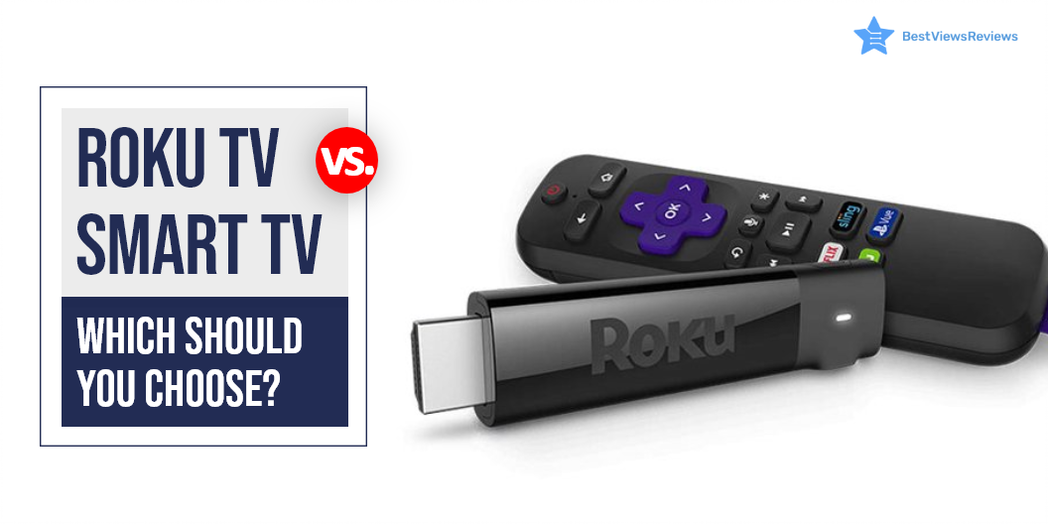
Roku Vs Smart TV: Which Should You Choose?

roku vs smart tv

It can be confusing to choose between Roku vs smart tv. A smart TV is a device that connects to the internet and uses operating software to provide access to OTT content like amazon prime and Netflix. These TVs use Ultra HD smart LEDs that offer high-definition quality, making them ideal for video streaming and gaming. Roku TV is also a form of Smart TV but differs in terms of providing a better user experience and customizable features. Roku TV uses Roku software that allows the user to get access to paid and free content available on the internet right on your TV screens.

Samsung and LG both brands have a lot to offer but it’s tough to choose between Samsung Vs LG TV.

What Is The Difference Between A Smart TV And A TV?

A smart TV is a television that can connect to the internet and offer a range of online features. This might include things like catch-up TV, on-demand content, social media apps, and more. A regular TV, on the other hand, is not connected to the internet and doesn’t offer any online features.

What Is The Difference Between A Roku TV And A Regular TV?

Roku TVs are a type of smart TV that allows users to access and stream a wide variety of content using the Roku platform. Regular TVs, on the other hand, do not have this capability and only provide traditional linear television. Roku TVs also come with a remote control that has easy-to-use buttons for streaming content. The regular TVs typically only have a few buttons for basic functions.

Roku Vs Smart TV: Which is Better?

Operating System

Roku TV uses Roku operating system while other smart TVs use different operating systems. Android TVs are popular smart TVs that run on Android OS. LG uses WebOS in its smart TV segment while Samsung smart TVs come with Tizen OS. Roku OS has an edge over all other OS because of its user-friendly interface but Android TVs are among the best affordable variants.

OS Updates

OS updates are crucial in any smart TV device. It ensures proper functioning and delivers a lag-free experience. Roku has a good reputation for releasing timely updates that improve the device’s performance. Other small brands do not provide regular OS updates and their TVs tend to malfunction but this is not the case with reputed brands like Samsung and LG.

Screen Mirroring and Casting

Screen mirroring is an excellent feature that you will find in android TVs and other smart TVs. Android TVs use Chromecast for mirror screening and casting. The Roku TV also supports such features.

Price Comparison

There are different price segments for Roku TVs vs smart TV depending on their features and size. A Roku TV can cost as low as $118, while a high-end Roku TV can cost as much as $2000. Compared to other smart TVs, the most affordable models cost around $200, while the midrange models range from  $399 to $600.

Roku TV can replace the passive viewing experience that cable TV offers. It provides personalized active viewing at half the price of your cable bills. You can have a look at some of the best Roku TVs that we have reviewed on the basis of their display and performance.

Best Smart TV and Roku TV to Buy

TCL QLED Roku Smart TV – 55R635

The best TCL QLED Roku Smart TV – 55R635 offers Quantum dot technology that delivers better brightness and wider color volume. It has all of the latest features including 4K resolution, HDR compatibility, and a 120 Hz refresh rate. The Roku platform provides access to all of your favorite streaming content. This TV is compatible with Amazon Alexa or Google Assistant.

Hisense ULED Roku Smart TV

It is good to go with top-quality Hisense ULED Roku Smart TV if you are looking for a stunning new TV that offers the latest in picture quality and smart technology. This top-of-the-line TV offers a superior 4K HDR picture quality because of its wide color powered by QLED technology and contrast control zone technology. It has a Roku platform that gives you access to all your favorite streaming content, including Netflix, Hulu, Amazon Instant Video, and more.

Sony A8H 55-inch TV

The top-quality Sony A8H 55-inch TV delivers excellent picture quality because of its TRILUMINOS display technology and X-Motion Clarity technology. It also has great audio quality with its Dolby Atmos support. The A8H is a great choice for those looking for a top-notch 4K TV. This model is compatible with Alexa and Google Assistant.

SAMSUNG TU-8300 Series

The SAMSUNG Curved UHD TU-8300 Series has a screen size of 55 inches and is curved. It has a resolution of 4K and a refresh rate of 60 Hz. The TV is also smart and has Wi-Fi connectivity. It has multiple voice assistants and is powered by TIZEN. The TV also has HDR and is curved. It is also 31.5 inches and has a resolution of 720p.

Hisense 43R7E Roku Smart LED TV

Hisense 43R7E Roku Smart LED TV’s reviews claim that it comes with a built-in dual-band wireless connection for blazing-fast connection speeds. It offers easy-to-use remote and automatic software updates. The screen size of this model is 43 inches and offers a refresh rate of 60 Hz.

Sony XBR-48A9S MASTER Series BRAVIA OLED 4K Smart HDR TV

Sony XBR-48A9S MASTER Series BRAVIA OLED 4K Smart HDR TV comes with built-in Google Assistant which makes it easy to control the TV hands-free. This model perfectly conveys the creator’s intent on the screen to deliver the best picture quality. It has a screen size of 48 inches and offers a refresh rate of 120 Hz. It also offers a game mode for a smoother, more responsive gaming experience.

TCL 43S425 Smart Roku LED TV

The customer reviews of TCL 43S425 Smart Roku LED TV show that it offers striking 4K UHD picture performance with HDR technology. It offers easy voice controls with Amazon Alexa and Google Assistant. The simple, intuitive Roku interface of this model allows seamless streaming.

Samsung and Sony manufacture TVs that come with many exciting features. Read our blog to know about Samsung and Sony TV.

What screen resolution do Smart TVs provide?

Smart TVs offer a resolution of up to 4K Ultra HD. You can also get smart TV models with a display resolution of 1080P Full HD, and 720P. A higher resolution display offers a clear, detailed, and high picture quality. The picture quality of a smart TV also depends on factors like aspect ratio, overall size, and brightness.

Do You Need Internet For A Smart TV?

Yes, smart TVs need a stable internet connection to download apps and stream media. You don’t need an internet connection if you do not use any media streaming apps. Some models also may have built-in apps and services that do not require an internet connection.

It can be tough to decide between LCD LED Vs OLED TV. Read our blog to know which TV display is better.

Can I Use Roku TV Without Internet?

The answer is yes, but using it without the internet will not let you access some premium features of Roku TV. This TV gives the best user experience when you use it with an active internet connection. You can always opt for internet-only plans that come at affordable prices.

You can connect digital media to Roku TV via USB or other external ports if you don’t have internet access. An SD card can store offline content and connect later to view it offline. Mirroring your screen is another way to access your favorite content without the internet.

Conclusion

The best Roku TV allows the user to get access to paid and free content available on the internet right on their TV screens. It comes comparatively cheaper than a Smart TV and offers many extras. It also allows you access to thousands of apps and channels, from daily essentials like Spotify to the undiscovered Light Saber network.

Get the best reviews and ratings on the products you’re interested in. BestViewsReviews helps you make the right purchasing decision. Whether you’re looking for the top-rated smart TVs or the best TVs, we’ve got you covered.