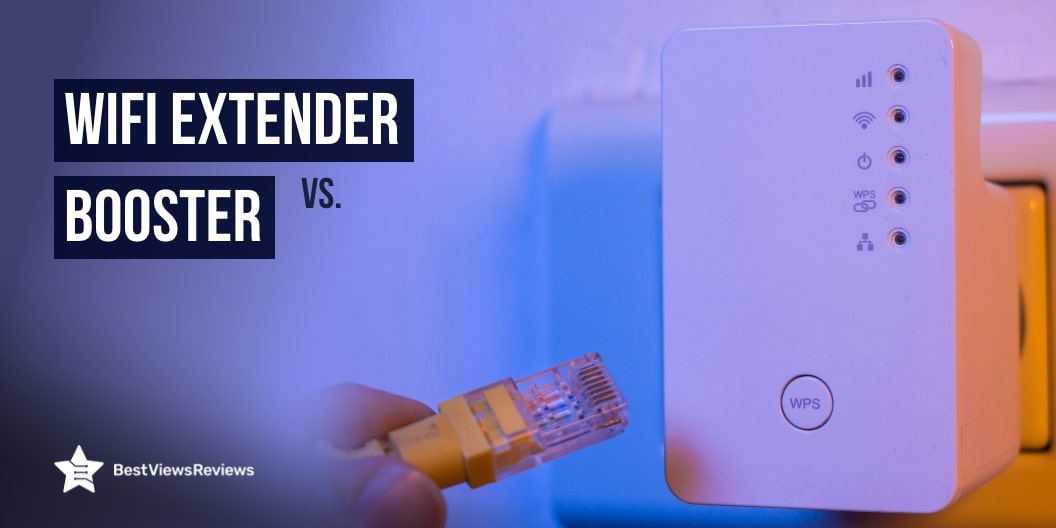
WiFi Extender vs Booster: What’s the Difference?

WiFi Extender

Reliable WiFi connectivity is crucial for homes and offices alike. With the increasing reliance on the internet for work, entertainment, and communication, having a strong and consistent WiFi signal has never been more important. However, many users often experience weak signals or dead zones in their spaces, leading to frustration and decreased productivity. To combat these issues, two popular solutions have emerged: WiFi boosters and WiFi extenders. While they are often used interchangeably, they serve different purposes and functionalities. This blog aims to clarify the differences between a WiFi extender and a booster, helping you make an informed decision based on your specific needs.

What is a WiFi Booster?

A WiFi booster, also known as a WiFi amplifier, is a device designed to enhance the strength of an existing WiFi signal. It works by receiving the existing WiFi signal, amplifying it, and then retransmitting the boosted signal to extend its reach. Unlike creating a new signal, a booster simply amplifies the existing one, effectively improving its coverage area.

Benefits of Using a WiFi Booster

  • Increased Signal Strength: Boosters enhance the quality of the existing WiFi signal, reducing interruptions and improving connectivity.
  • Cost-Effective: Typically less expensive than extenders, boosters can be an economical solution for those experiencing minor connectivity issues.
  • Easy to Install: Most WiFi boosters are easy to set up, often requiring minimal technical knowledge.

Ideal Scenarios for Using a WiFi Booster

WiFi boosters are particularly beneficial in scenarios where the existing signal is weak but not completely absent. Ideal situations include:

  • Homes with a single router struggle to cover a large area.
  • Small offices where the router is located at one end of the space.
  • Areas with some WiFi coverage, but where dead zones exist that need amplification.

What is a WiFi Extender?

A WiFi extender, or repeater, creates a new network by receiving the existing WiFi signal, extending its range, and broadcasting it as a separate network. This allows users to connect to the extended signal at a greater distance from the router than would otherwise be possible.

Benefits of Using a WiFi Extender

  • Expanded Coverage: Wi-fi extenders can effectively eliminate dead zones by creating a new access point for users further away from the router.
  • Improved Connectivity: By establishing a new network, extenders can offer more consistent connectivity in areas that were previously inaccessible.
  • Versatility: Many extenders support dual-band frequencies, allowing them to handle multiple devices effectively.

Ideal Scenarios for Using a WiFi Extender

WiFi extenders like Koctic AX3000 WiFi 6 Extender are suitable for:

  • Large homes or offices where the WiFi signal needs to reach distant rooms or floors.
  • Environments with significant obstacles, such as thick walls or multiple floors, that impede signal strength.
  • Situations where users require a strong connection for gaming, streaming, or video conferencing in remote areas.

Key Differences Between WiFi Extender vs Booster

1. Functionality

The primary distinction between WiFi boosters and extenders lies in their functionality. A WiFi booster amplifies the existing WiFi signal, enhancing its strength and allowing it to reach further distances without creating a new network. This means that when you connect to a boosted signal, you are still using the same original network, albeit with improved coverage. You can check CRYO360 WiFi Extender Range Booster comes with a stronger network.

Whereas, a WiFi extender acts as a separate access point by receiving the existing signal and retransmitting it as a new network. Devices like the ingabis 2025 AX3000 WiFi 6 Range Extender allow you to connect to the extended signal at a greater distance from the router, which can improve connectivity in areas that previously had weak or no signal at all.

2. Range and Coverage

When it comes to range and coverage, WiFi extenders generally have the advantage over boosters. Boosters can improve the signal strength within a certain range, but their effectiveness diminishes as the distance from the router increases. They are best suited for smaller areas where the original signal is weak but not completely absent.

On the other hand, WiFi extenders can effectively eliminate dead zones by creating a new WiFi network, making them ideal for larger spaces, multi-story homes, or offices where the original signal struggles to reach certain areas. As a result, extenders like the Amazon eero 6 mesh wifi extender are often the preferred choice for users needing to cover substantial distances.

3. Speed

The impact on internet speed varies significantly between WiFi boosters and extenders. A WiFi booster may enhance the signal strength, but it can also lead to reduced speeds due to the nature of the amplification process. As the booster amplifies the existing signal, any limitations in the original connection may also affect the speeds users experience.

In contrast, WiFi extenders like CUU WiFi Extender often maintain better speeds since they create a new network, allowing devices to connect to a stronger signal without relying on the original router’s performance. However, it is important to note that both devices can still experience speed drops, particularly if they are placed far from the router or if too many devices are connected.

4. Setup and Installation

In terms of setup and installation, WiFi boosters typically offer a more straightforward process compared to extenders. Most boosters can be plugged into a power outlet and configured with minimal effort, often requiring only a few steps to connect to the existing network. This user-friendly approach makes boosters an appealing option for those who may not be tech-savvy.

However, WiFi extenders may involve a more complex setup. Users often need to establish a new network, which may require additional configuration through a web interface or app. While many extenders come with clear instructions, the installation process can be slightly more technical, which may deter some users.

5. Cost

Cost is another critical difference between WiFi boosters and extenders. Generally, WiFi boosters are more affordable, making them an attractive option for budget-conscious consumers seeking to improve their WiFi signal without breaking the bank. The price range for boosters typically falls below that of extenders, allowing users to address minor connectivity issues economically.

Conversely, WiFi extenders often come at a higher price point due to their more advanced functionality and capability to create a new network. However, while extenders may require a larger upfront investment, they can provide better performance in larger areas or for users with higher connectivity demands, offering a better long-term value in some scenarios.

Which One Should You Choose?

Choosing between a WiFi booster and a WiFi extender depends on various factors, including the size of your space, your internet usage habits, the number of devices connected, and your budget. Here’s a detailed breakdown to help you make an informed decision:

Area Size: A WiFi booster may suffice for smaller areas or homes with minor dead zones. However, for larger spaces or multiple floors, an extender might be necessary. Check the NETGEAR WiFi 6 Mesh Range Extender, which offers a wide range.

Number of Devices: If several devices require consistent connectivity, an extender could provide a more stable solution.

Internet Usage: Consider how you use your internet. For gaming or streaming, where speed and reliability are critical, an extender might be the better choice.

Most Asked Questions

Q1. Can I use both a WiFi extender and a booster?

Yes, using both a WiFi booster and an extender is possible, especially if your area has extensive dead zones. However, compatibility can vary based on device brands and configurations, so it’s essential to ensure they work together effectively.

Q2: Will a WiFi extender and a booster help with dead zones?

Both devices can help with dead zones, but in different ways. A booster will amplify the existing signal, potentially reducing dead zones. In contrast, an extender creates a new signal to eliminate dead zones altogether, making it more effective in larger areas.

Q3: How do I know if I need a booster or extender?

Assess your current WiFi setup. If you have minor connectivity issues in specific spots, a booster may be adequate. For larger spaces or significant dead zones, consider an extender for better coverage.

Q4: Can I use my old router as a WiFi extender?

Yes, you can repurpose an old router as a WiFi extender, provided it supports this function. Most routers have settings that allow them to be configured as extenders, but you’ll need to follow specific instructions based on the model.

Q5: Are there any disadvantages to using a booster or extender?

Both devices can have drawbacks. Boosters may not significantly improve speeds and can cause latency, while extenders can sometimes introduce lag due to creating a new network. Additionally, both may have limited effectiveness in areas with severe interference.


The Benefits of Installing a Home Weather Station

Home Weather Station

In an era where weather forecasts are just a click away, having precise and localized weather information is more accessible than ever. A home weather station provides real-time data on temperature, humidity, wind speed, and more, helping homeowners make informed decisions. This blog explores how a home weather station works, and its benefits, and answers common questions to help you decide if this investment is right for you.

How a Home Weather Station Works?

Home weather stations are comprised of several components that work together to collect and analyze weather data. The primary components include:

  1. Sensors: These are the heart of the weather station, measuring various atmospheric conditions such as temperature, humidity, wind speed, and precipitation. Common sensors include:
    • Thermometers: Measure air temperature.
    • Hygrometers: Gauge humidity levels.
    • Anemometers: Measure wind speed and direction.
    • Rain Gauges: Track rainfall amounts.
  2. Data Logger: This device records the information collected by the sensors over time. It can store data for days, weeks, or even months, allowing for long-term analysis.
  3. Display Console: The data from the sensors is transmitted to a display console, where users can view real-time information. Many modern stations also feature digital displays that offer graphical representations of the data.
  4. Connectivity: Many home weather stations can connect to Wi-Fi, allowing data to be shared online or accessed through smartphone apps. This connectivity enables homeowners to monitor weather conditions remotely.

Benefits of a Home Weather Station

1. Localized Weather Monitoring

Home weather stations like Sainlogic Wireless Weather Station provide precise, real-time data for your specific location, unlike general forecasts that cover broader areas. This localized monitoring is especially beneficial if you live in a region with microclimates—areas where weather conditions can differ significantly from nearby regions. For example, a home weather station can help you track temperature fluctuations in a valley or near a lake, allowing for more accurate decisions regarding outdoor activities, gardening, or property maintenance.

2. Personalized Forecasting

With a home weather station, you can create your own weather forecasts tailored to your immediate environment. This means you can anticipate changes in weather conditions that might not be reflected in mainstream forecasts. Personalized forecasting can enhance your planning for events like outdoor gatherings, sports activities, or home maintenance tasks, ensuring you have the best possible conditions.

3. Enhanced Gardening and Agriculture

For gardening enthusiasts and small-scale farmers, accurate weather data is crucial for optimizing crop yields. A weather station can help:

  • Monitor Soil Conditions: Understanding temperature and humidity levels allows you to schedule watering and fertilization more effectively.
  • Track Pest Activity: Certain pests thrive under specific weather conditions; by monitoring temperature and humidity, you can proactively manage pest control measures.
  • Plan Planting and Harvesting: Knowing when to plant and harvest based on predicted weather conditions can result in healthier crops and more abundant yields.

4. Emergency Preparedness

A home weather station can be invaluable for emergency preparedness. With real-time updates on changing weather conditions, you can:

  • Stay Informed About Severe Weather: Receive alerts for storms, high winds, or other hazardous conditions, enabling you to take protective measures.
  • Plan Evacuations or Safety Protocols: Understanding the local weather can help you develop emergency plans for your family, ensuring everyone knows what to do in case of severe weather events.

5. Educational Opportunities With Home Weather Station

Having a weather station can serve as an engaging educational tool for families, especially for children. It provides a hands-on way to learn about meteorology, data collection, and scientific observation. Families can:

  • Conduct Experiments: Explore how different weather conditions affect the environment and observe changes over time.
  • Encourage Curiosity: Discuss concepts like climate change, seasonal variations, and natural phenomena, fostering a deeper understanding of the world.

6. Smart Home Integration

Many modern weather stations can integrate seamlessly with smart home systems. Check Ambient Weather WS-2000 Smart Weather Station allows you to automate and optimize your home environment based on weather conditions. Examples include:

  • Adjusting HVAC Systems: Automatically modify heating or cooling based on real-time temperature readings.
  • Smart Irrigation Systems: Optimize watering schedules for gardens and lawns based on current and predicted rainfall, conserving water and promoting healthy growth.

7. Cost Savings With Home Weather Station

Investing in a home weather station can lead to significant cost savings over time. By having accurate weather data:

  • Reduce Utility Bills: Smart automation can lead to energy savings by optimizing heating and cooling based on real-time conditions.
  • Optimize Water Usage: Accurate rainfall data can help you manage irrigation, reducing unnecessary water use and lowering utility costs.

8. Enhanced Outdoor Enjoyment

For outdoor enthusiasts, having a home weather station can enhance recreational activities. Whether you’re planning a barbecue, a hiking trip, or simply spending time in your garden, accurate weather information can:

  • Plan Activities Safely: Avoid unfavorable weather conditions, ensuring a better experience for you and your guests.
  • Maximize Enjoyment: Optimize conditions for activities like gardening, fishing, or outdoor sports by choosing the best days based on precise weather data.

Your Top Questions

1. Do I need to have technical knowledge to install and use a weather station at home?

While some familiarity with technology can be helpful, most home weather stations are designed for ease of use. Many models like La Crosse Technology C85845-1 Color Wireless Forecast Station come with user-friendly installation guides and intuitive interfaces. Some may require minor technical knowledge for advanced setups, but many users find they can install and operate them without extensive expertise.

2. How accurate are home weather stations compared to official weather forecasts?

Home weather stations can provide highly accurate data for localized conditions. However, their accuracy can vary based on factors such as sensor quality, installation location, and maintenance. While they may not replace official forecasts, they can complement them by providing more specific, real-time information relevant to your immediate environment.

3. What is the range of a typical home weather station?

The range of a home weather station can vary widely depending on the model and the types of sensors used. Typically, most stations have a range of about 300 to 1,000 feet for wireless communication between the sensors and the display console. Some high-end models may offer extended ranges or additional sensors to monitor more extensive areas.

4. Can I connect a home weather station to my smart home system?

Yes, many modern home weather stations are designed to integrate with smart home systems. They can often connect via Wi-Fi or Bluetooth, allowing for automation and monitoring through smart home platforms like Google Home, Amazon Alexa, or dedicated mobile apps. This connectivity can enhance functionality, enabling users to receive alerts and control related devices based on weather conditions.

5. What is the typical cost of a home weather station?

The cost of home weather stations can vary significantly based on features, brand, and sensor quality. Basic models start around $50, while more advanced systems with multiple sensors and connectivity options can range from $100 to $500 or more. When selecting a weather station, it’s essential to consider your specific needs and budget, ensuring that you choose a model that offers the best value for your requirements.

Conclusion

The benefits of a home weather station are vast and varied, ranging from practical applications in gardening and emergency preparedness to educational opportunities and community contributions. By investing in this technology, you gain a powerful tool that enhances your understanding of the weather, improves safety, and allows for more informed decision-making in your daily life. Whether you’re a casual weather watcher or an avid gardener, a home weather station can be a valuable addition to your home.

Top 10 Must-Have US Election Merchandise for 2024

US election merchandise

The 2024 US elections are just around the corner, and the vibrant world of election merchandise comes with them. From t-shirts to yard signs, these items not only allow supporters to showcase their political allegiance but also foster community engagement and awareness. Whether you’re a die-hard supporter of a candidate or simply want to express your views, having the right election merchandise is essential. This blog explores the top 10 must-have US election merchandise for 2024, helping you gear up for the electoral season.

1. Custom T-Shirts: The Symbol of Support

Custom t-shirts are perhaps the most iconic form of election merchandise. These shirts often feature slogans, candidate names, and creative graphics that convey political messages. They serve not only as a fashion statement but also as a conversation starter, allowing wearers to express their beliefs and support for a specific candidate or cause.

Types of Designs

  • Slogan-Based: Simple yet powerful phrases that resonate with the public.
  • Candidate Names: Shirts that boldly display the name of a candidate.
  • Graphics and Logos: Eye-catching designs that incorporate logos or symbols of a political party.

Why T-Shirts Matter

Wearing a custom t-shirt can create a sense of belonging among supporters and promote unity. During rallies and events, they can enhance visibility and make it easier to identify fellow supporters. As more people wear these shirts, they contribute to a collective atmosphere that energizes campaigns.

2. Campaign Buttons & Pins: A Piece of History

Campaign buttons and pins have been a staple of US elections for decades. They serve as a collectible item for political enthusiasts and a means to showcase support without making a loud statement. These buttons often feature catchy phrases, images of candidates, and even humorous slogans. You can buy I Voted Today Vote Pins to promote unity.

Collectibility

Many people enjoy collecting campaign buttons, especially vintage ones. Collectors often pay significant amounts for rare or unique buttons from past elections, making them not just a way to show support but also a potential investment.

Design Options

  • Classic Style: Simple round buttons with text and images.
  • Limited Editions: Unique designs that may only be available for a short time, often creating buzz among collectors.

3. Bumper Stickers: A Moving Message

Bumper stickers have long been a favorite form of political expression. These stickers can be found on cars, laptops, and even refrigerators, spreading messages far beyond just the local area. They are an inexpensive way for supporters to display their political affiliations and beliefs.

Popular Themes

  • Catchy Slogans: Memorable phrases that encapsulate a candidate’s message.
  • Humor: Light-hearted takes on serious issues that can resonate with a wide audience.

Impact on Awareness

Bumper stickers like Vote QR Code Election Sticker Vinyl Decal Bumper Sticker not only promote a candidate but also spark conversations among people who may see them. They can lead to discussions about policies, political ideologies, and the importance of voting, ultimately raising awareness of the electoral process.

4. Election Yard Signs: Visibility in the Community

Yard signs are a powerful way to show political support within your community. They serve as a visual reminder of the upcoming election and encourage neighbors to engage in political discussions.

Customizable Options

Many companies offer customizable yard signs, allowing supporters to personalize their signs with specific slogans or images. This can help a candidate’s message stand out in a crowded field.

Community Engagement

Placing a yard sign in your front yard is an act of community engagement. It invites conversations with neighbors and passersby, creating an environment where political discussion is encouraged.

5. Hats & Caps: Fashion Meets Function

Hats and caps are not only a practical accessory but also an effective way to show political support. They come in various styles, from baseball caps to beanies, each allowing supporters to express their affiliation stylishly.

Popular Styles

  • Baseball Caps: Classic and versatile, ideal for casual wear.
  • Beanies: Great for colder weather and appealing to a younger demographic.

Symbolic Importance

Wearing a political hat can serve as a conversation starter and a symbol of solidarity among supporters. It’s an easy way to promote a candidate while maintaining a casual, laid-back style.

6. Tote Bags: Sustainable Statements

With the growing emphasis on sustainability, tote bags have emerged as a trendy and practical piece of election merchandise. These bags often feature political slogans or candidate logos, allowing supporters to carry their essentials while promoting their chosen candidate.

Functionality

Tote bags are not only stylish but also reusable, making them an eco-friendly option. They are perfect for grocery shopping, beach trips, or everyday errands, providing a visible way to showcase political support.

Customization

Supporters can customize tote bags with slogans, images, or personal messages, making them unique and personal. This customization can also enhance their collectibility, particularly for limited-edition designs.

7. Phone Cases: Protective and Political

As technology continues to dominate our lives, phone cases have become a popular form of election merchandise. These cases allow supporters to express their political views while keeping their devices protected.

Design Options

  • Slogan Cases: Featuring catchy phrases or campaign logos.
  • Graphic Cases: Incorporating images of candidates or political symbols.

Appeal to Younger Voters

Younger voters are particularly drawn to phone cases as a form of self-expression. Customizable options allow them to showcase their beliefs practically and fashionably, merging functionality with political engagement.

8. Flags & Banners: Making a Bold Statement

Flags and banners are powerful symbols of support during election season. They can be displayed in yards, at rallies, or even hung from balconies, making a bold statement about a supporter’s political beliefs.

Types of Flags

  • House Flags: Designed for residential display, often made from durable materials.
  • Garden Flags: Smaller flags that can be placed in front yards or gardens.

Community Impact

Displaying a flag or banner not only shows support for a candidate but also encourages others in the community to express their political views. It fosters an environment where political discussions can thrive.

9. Political Mugs: Everyday Engagement

Political mugs are a fun and practical way to engage with the electoral process. These mugs can feature slogans, candidate images, or even humorous political commentary, making them a great conversation starter over morning coffee.

Gift Potential

Political mugs also make excellent gifts for fellow supporters, providing a way to share enthusiasm for a candidate or cause. They’re perfect for housewarming gifts, office parties, or personal use.

Collectibility

The best mugs become collectible items, particularly those that are limited edition or associated with specific campaigns. Collectors often seek these out for their unique designs and the stories behind them.

10. Stickers & Decals: Small but Impactful

Stickers and decals may be small, but they pack a punch when it comes to political expression. They can be placed on various surfaces, such as laptops, water bottles, and car windows, spreading messages of support wherever they go.

Versatility

The versatility of stickers allows for widespread distribution. Campaigns often distribute them at events, rallies, and through online orders, making it easy for supporters to obtain and share them.

Collectible Appeal

Many collectors enjoy amassing unique stickers from different campaigns, turning them into a form of art or a scrapbook of political history. Their small size and affordability make them easy to collect.

Why US Election Merchandise Matters?

US election merchandise plays a vital role in fostering political engagement and awareness. By wearing, displaying, or using these items, supporters can actively participate in the democratic process and encourage others to do the same.

  • Creating Conversations

Election merchandise often sparks conversations about policies, candidates, and the importance of voting. As people display their support through various items, they open up opportunities for dialogue, helping to educate others about the electoral process.

  • Fostering Community

Merchandise brings people together. Whether it’s at rallies, community events, or simply in daily interactions, wearing or displaying election gear can create a sense of camaraderie among supporters. This unity is crucial for motivating voters and increasing participation in the democratic process.

  • Mobilizing Support

The visibility of election merchandise can mobilize support for candidates and causes. When people see others wearing t-shirts, displaying yard signs, or using campaign-themed products, they may feel inspired to get involved, whether by voting, volunteering, or spreading the word.

Commonly Asked Questions

1. What is the most popular US election merchandise for 2024?

The most popular US election merchandise for 2024 includes custom t-shirts, bumper stickers, yard signs, and campaign buttons. These items often feature candidates’ names, catchy slogans, and engaging graphics that resonate with supporters. T-shirts and bumper stickers are especially favored for their visibility and ease of use, while yard signs serve as a strong visual representation of support within communities.

2. Can I personalize US election merchandise?

Yes! Many online retailers and local stores offer customizable options for US election merchandise. Supporters can personalize t-shirts, hats, tote bags, and more with their chosen slogans, candidate names, or unique designs. Customization adds a personal touch and allows individuals to express their beliefs creatively.

3. Where can I find affordable election merchandise?

Affordable election merchandise can be found at various sources, including online retailers like Amazon, Etsy, and official campaign websites. Thrift stores or local shops may also offer budget-friendly options, particularly for vintage or second-hand items. Additionally, look for sales or discounts during the election season to find great deals.

4. Is election merchandise eco-friendly?

With the increasing emphasis on sustainability, many retailers now offer eco-friendly options for US election merchandise. Items made from organic cotton, recycled materials, and reusable bags are gaining popularity. Supporters who prioritize sustainability can seek out these eco-friendly options to reduce their environmental impact while showing political support.

5. Can I resell collectible election merchandise after the election?

Yes, many collectors buy and sell election merchandise, particularly items that are limited edition or unique. After the election, some merchandise may increase in value, making it a potential investment. However, the resale market can be unpredictable, so it’s essential to research before purchasing items solely for resale purposes.

Conclusion

As the 2024 US elections approach, election merchandise plays a crucial role in fostering political engagement, sparking conversations, and mobilizing support. From custom t-shirts to bumper stickers and yard signs, there’s no shortage of ways for supporters to express their beliefs and enthusiasm for their chosen candidates.

By understanding the significance of these items and actively participating in the electoral process through merchandise, individuals can contribute to a vibrant democratic society. Whether you’re looking for something to wear to a rally, a sticker to decorate your laptop, or a yard sign to display your support, the variety of US election merchandise available ensures that there’s something for everyone.

So gear up, get involved, and let your voice be heard with the top must-have US election merchandise for 2024. Together, we can create a more engaged electorate and help shape the future of our nation.

Top Must Have Election Rally Essentials 2024

Election Rally Essentials

As we gear up for the 2024 election season, rallies continue to be an integral part of political campaigns. Whether small gatherings or large, organized events, rallies bring supporters together to generate momentum, promote key messages, and energize voters. However, to ensure that your rally runs smoothly, certain essential items are necessary to enhance the experience for both campaigners and attendees. These items range from safety supplies like face masks and sanitizers to practical needs such as tents, speakers, and bottled water. In this comprehensive guide, we’ll cover the top must-have election rally essentials for 2024.

1. Pens and Markers for Campaigns

One of the key components of any rally is its visual impact, and nothing creates this better than bold, striking campaign signs. Whether it’s volunteers holding signs or attendees creating their own messages, pens, and markers are vital tools for campaigns.

Why Pens and Markers are Election Rally Essentials:

  • Pens and markers ensure that every supporter has the tools they need to create effective signs or fill out any necessary paperwork during rallies.
  • Markers, particularly permanent and waterproof ones, help create legible, bold signs that can withstand weather conditions.

Types of Markers to Use:

  • Waterproof and Smudge-Free Markers: For outdoor rallies, these markers ensure that signs remain intact and visible even if it rains.
  • High-Contrast Colors: Bright colors such as red, blue, and black stand out the most, making it easier for signs to be noticed by cameras and passersby.

2. Printers

Election rallies generate a lot of printed materials—from flyers and banners to voter information pamphlets. Having a reliable printer on hand ensures that your campaign materials are ready to go, even at a moment’s notice.

Portable Printers are Election Rally Essentials:

  • At larger rallies, you may need to print additional materials on the spot. Portable, wireless printers allow campaigns to react quickly to changing needs.
  • Printers can also be used to generate voting information sheets, contact details, or rally itineraries in real time.

Types of Printers to Consider:

  • Wireless Printers: Compact, wireless printers that connect via WiFi are easy to transport and set up at rally sites.
  • Ink-Efficient Models: With high output at a low cost, ink-efficient printers are ideal for printing large volumes of materials without running up costs.

Best Practices:

  • Ensure you bring extra ink and paper to the rally, especially if you expect a high turnout.
  • Have digital versions of your flyers ready to email to attendees as an eco-friendly alternative.

3. Hand Sanitizers

In the current climate, health and safety remain paramount, and hand sanitizers are an essential item for any election rally. Providing them ensures that hygiene is maintained, especially when large crowds gather.

Health and Hygiene at Rallies:

  • Election rallies often involve physical contact, from shaking hands to passing out flyers, making it crucial to have sanitation measures in place.
  • Sanitizers also help attendees feel comfortable, knowing that the campaign prioritizes their health and safety.

Types of Hand Sanitizers to Use:

  • Alcohol-Based Sanitizers: These offer the highest level of germ-killing efficiency and dry quickly, making them the most practical choice.
  • Portable Dispensers: Set up portable hand sanitizer stations at entrances, near food areas, and at key points around the rally.

Where to Place Them:
Position sanitizers in areas where there’s high traffic, such as entrances, restrooms, and near folding tables distributing campaign materials.

4. Face Masks

While rallies are a great way to show unity and support, it’s important to prioritize safety by providing or requiring face masks for participants.

Ensuring Participant Safety:

  • Masks help reduce the spread of airborne viruses, especially in crowded settings where social distancing might not always be possible.
  • Even as public health guidelines change, many participants will still appreciate having access to masks as a precaution.

Choosing the Right Masks:

  • Comfortable and Breathable: Look for masks that provide both safety and comfort, particularly if the rally is outdoors in warm weather.
  • Branded Masks: Custom masks with campaign logos can serve both as a protective measure and a promotional tool.

Custom Face Masks for Campaigns:
Branded face masks not only keep participants safe but also promote the campaign. Consider giving out custom masks as rally souvenirs to increase visibility long after the event.

5. Gloves

Gloves are another essential item, particularly for volunteers handling food, distributing campaign materials, or setting up equipment.

When Gloves Are Election Rally Essentials:

  • Gloves are useful for any task where hygiene is a concern, such as distributing snacks, handling cash, or managing shared items.
  • They can also be worn by rally staff setting up chairs, folding tables, and sound equipment, minimizing hand-to-hand contact.

Best Types of Gloves:

  • Latex-Free and Hypoallergenic: This ensures that gloves can be worn by everyone, including those with latex allergies. You can check Supmedic Latex-Free disposable gloves.
  • Durable Yet Lightweight: Opt for gloves that are durable enough for handling heavier items but won’t impede movement.

6. Tents for Rallies

Whether you’re sheltering from the sun or rain, tents are an indispensable part of outdoor rallies. They provide much-needed cover and serve as focal points for campaign activities.

Importance of Shelter:

  • Tents protect attendees and campaign workers from unpredictable weather, ensuring that the rally can continue smoothly, rain or shine.
  • They also create centralized areas where volunteers can gather, speakers can prepare, and campaign materials can be distributed.

Size and Durability Considerations:

  • Durable Materials: Look for tents made from water-resistant, UV-protected fabrics that can withstand weather conditions.
  • Size and Placement: Choose the size of your tents based on the expected turnout. Larger rallies may need multiple tents placed strategically to accommodate different groups of people.

Customizable Tents:
Branded tents featuring the campaign’s colors and logo can help your rally stand out and create a more professional, organized atmosphere.

7. Folding Chairs

Comfort is key during long election rallies, and providing attendees with folding chairs ensures they can relax and enjoy the event.

Comfort for Rally Attendees:

  • Long speeches and events can be physically tiring, and folding chairs offer attendees a break while still allowing them to stay engaged.
  • They are especially important for elderly attendees or those with physical limitations who need seating to participate fully.

Choosing Durable and Lightweight Chairs:

  • Look for chairs that are easy to transport and set up, but durable enough to withstand repeated use throughout the campaign.
  • Consider lightweight materials such as aluminum or plastic that are easy to carry and quick to assemble.

8. Foldable Tables

Foldable tables serve multiple purposes during election rallies, from distributing campaign materials to setting up snack stations.

Utility of Foldable Tables:

  • Foldable tables provide space for handing out flyers, collecting signatures, and setting up merchandise stands.
  • They can also be used for organizing food and drink stations, making it easier for attendees to access refreshments.

Choosing the Right Size:

  • Consider smaller, more compact tables for tighter spaces or larger, heavy-duty tables for areas with significant foot traffic.
  • Ensure that the tables are easy to transport and sturdy enough to handle various tasks.

Organizational Tips:
Position tables strategically around the rally site to maximize accessibility and ensure a smooth flow of people.

9. Speakers

Effective communication is vital at any rally, and having a reliable set of speakers ensures that your message is heard loud and clear.

Amplifying Campaign Messages:

  • Whether you’re addressing a small group or a large crowd, quality sound equipment ensures that everyone can hear speeches, announcements, and campaign messaging.
  • Speakers also set the tone with music or campaign jingles, helping to keep energy levels high.

Choosing the Right Speakers:

  • Portable and Battery-Powered: Look for lightweight speakers that can be easily transported and run on rechargeable batteries, especially for outdoor events.
  • Strong Sound Projection: Make sure the speakers are powerful enough to cover the entire area, so even those in the back can hear clearly.

Backup Power:

  • Ensure you have backup power sources, such as portable generators, to keep the sound system running throughout the rally.

10. Bottled Water

Keeping rally attendees hydrated is crucial, especially during long, hot campaign days. Offering bottled water is an easy and effective way to ensure participants stay refreshed.

Keeping Participants Hydrated:

  • Staying hydrated is essential, especially for outdoor rallies where attendees may be exposed to the sun for extended periods.
  • Offering water also shows that the campaign cares about the comfort and well-being of its supporters.

11. Energy Drinks

For those attending all-day rallies or volunteering behind the scenes, maintaining energy levels is important. Providing energy drinks is a quick way to give participants a boost.

Boosting Energy for Long Campaign Days:

  • Election rallies can be physically and mentally exhausting, especially for those who are involved in organizing or speaking. Energy drinks provide an immediate source of vitality, keeping people alert and engaged throughout the event.

Why Energy Drinks are Election Rally Essentials:

  • They help combat fatigue during long hours of speeches, setting up, and managing the crowd.
  • Volunteers and staff, who are often working behind the scenes for hours on end, can benefit from the quick energy boost that these drinks provide.

Choosing the Right Energy Drinks:

  • Caffeine-Based Drinks: Popular options like Red Bull or Monster offer a quick energy boost for participants needing a little extra stamina.
  • Health-Conscious Alternatives: For those who prefer lower-caffeine or natural energy drinks, consider options with less sugar and more natural ingredients, such as tea-based or electrolyte-focused drinks.

FAQs

Q1: Why are tents important for election rallies?

Tents are essential because they provide shelter from the elements—whether it’s protecting participants from rain, sun, or wind. Tents also serve as organizational hubs, offering a place to distribute materials, shelter speakers and campaign staff, and serve refreshments.

Q2: How can I ensure that my rally’s message is clearly heard by all attendees?

Investing in quality speakers is key to ensuring your message reaches everyone in attendance. Portable and battery-powered speakers with strong sound projection are ideal for outdoor settings, where there may be competing noise. Position speakers at multiple points around the rally site for even coverage.

Q3: Are face masks still necessary at rallies?

While health guidelines have shifted, many people still appreciate the option to wear masks in crowded spaces. Providing face masks at your rally is a simple way to cater to everyone’s comfort and ensure a safe environment.

Q4: How do I keep the rally organized with so many people attending?

Having a solid plan in place with essential items like foldable tables, clear signage (created with markers and pens), and designated areas for key activities (refreshment stations, information booths) will help keep things organized. Volunteer teams can use gloves to safely handle materials, and portable printers ensure you can print additional materials as needed.

Q5: What refreshments should I offer at an election rally?

Staying hydrated is crucial, so bottled water should be available throughout the event. Additionally, energy drinks can provide a quick boost for those who need it during long rallies. You might also consider offering healthy snacks or light refreshments.

Q6: How can I promote my campaign while keeping attendees safe?

Branded items like face masks, gloves, and water bottles can serve dual purposes—promoting the campaign and providing practical benefits to attendees. These items ensure that health and safety are prioritized while reinforcing your campaign’s visibility.

Conclusion

Election rallies in 2024 a set to be high-energy, impactful events, and ensuring you’re prepared with the right election rally essentials is crucial to their success. From the practical needs of chairs, tables, and tents to health-focused supplies like face masks, gloves, and hand sanitizers, these items are integral to creating a seamless, engaging, and safe experience for everyone involved. With clear sound systems, effective signage tools, and energy-boosting refreshments, your rally will be a powerful platform for your campaign.

By investing in these essentials, you’re not only ensuring a well-organized and successful rally, but you’re also showing your supporters that their comfort, health, and engagement matter. With the right preparation, your election rally can inspire, energize, and mobilize voters, making a lasting impression on the road to election day. Learn more about Election Rally Essentials

Best Hair Dryers for Professional and Home Use

Best Hair Dryers

Whether you’re a professional stylist working in a busy salon or someone looking to achieve salon-worthy results at home, a reliable hair dryer is an essential tool. The right dryer not only speeds up your styling routine but also plays a crucial role in maintaining hair health by minimizing damage from heat. For professionals, a hair dryer must be durable enough to handle multiple clients daily, with features that support precision and efficiency. On the other hand, home users prioritize ease of use, comfort, and versatility to match their personal styling needs. In this guide, we’ll explore the best hair dryers designed for both professional and home use, helping you understand the key features that set them apart.

Professional vs. Home Use: How to Decide

When choosing a hair dryer, understanding the differences between professional and home-use models is crucial for making the right investment. Below are several factors to consider to help you determine which type of hair dryer best suits your needs.

1. Performance and Power

  • Professional Hair Dryers: Typically, these dryers boast higher wattage (1800 to 2400 watts) and advanced technologies that deliver faster drying times and superior performance. They are designed for heavy-duty use, capable of drying thick, wet hair quickly while maintaining a consistent temperature to prevent heat damage.
  • Home Hair Dryers: These models usually range from 1200 to 1800 watts, which is sufficient for everyday use. While they may not offer the same speed or power as professional dryers, many home models still provide decent performance for average hair types.

2. Durability and Build Quality

  • Professional Hair Dryers: Built to withstand frequent use, these dryers often feature robust construction, better materials (like high-quality plastics and metal components), and longer cords. Their design accounts for extended handling, ensuring longevity despite heavy-duty styling.
  • Home Hair Dryers: While many home-use dryers are well-constructed, they may not be as durable as their professional counterparts. They are generally designed for occasional use and might not hold up as well under daily stress, especially if frequently dropped or improperly stored.

3. Features and Technology

  • Professional Hair Dryers: These often come with a range of advanced features, including multiple heat and speed settings, cold shot buttons for setting styles, and technologies like ionic or tourmaline to reduce frizz and enhance shine. They may also have a lightweight design and ergonomic grip, which is crucial for stylists who work for long hours.
  • Home Hair Dryers: While many models for home use have basic features like heat and speed settings, they might lack the more advanced options found in professional dryers. However, you can still find high-quality home dryers that include essential technologies to improve hair health.

4. Ease of Use and Comfort

  • Professional Hair Dryers: Since these dryers are often used for extended periods, they are designed with user comfort in mind. Features like a lightweight design and ergonomic handles make them easier to handle, reducing strain during long styling sessions.
  • Home Hair Dryers: Many home models are also user-friendly, focusing on portability and ease of handling. They may include features like a removable filter for easy cleaning and compact designs for storage.

5. Cost Considerations

  • Professional Hair Dryers: Generally, these dryers come at a higher price point due to their advanced technology and durability. Investing in a professional-grade hair dryer can be beneficial for stylists who need reliable tools that can withstand daily use.
  • Home Hair Dryers: Home-use models tend to be more budget-friendly, making them accessible to the average consumer. While they may lack some advanced features, there are plenty of reliable and effective options available without breaking the bank.

6. Hair Type and Styling Needs

  • Professional Hair Dryers: Ideal for stylists who work with a variety of hair types, professional dryers often offer a broader range of settings and features that cater to different styling techniques and hair textures.
  • Home Hair Dryers: When choosing a home dryer, consider your hair type and styling needs. If you have thick or curly hair, look for a model with higher wattage and heat settings. If your hair is fine or damaged, opt for a dryer with adjustable settings to prevent overheating.

Best Hair Dryer Recommendations Based on Different Aspects

Best Hair Dryers Based on Portability

ANIEKIN Professional Portable Hair Dryers & Accessories for Women Curly Hair

The ANIEKIN Professional Portable Hair Dryer is designed specifically for women with curly hair, delivering powerful and efficient drying with its 1875-watt motor. Its sleek grey design is lightweight and portable, making it ideal for both home and travel use. Made from durable plastic, this corded electric dryer ensures long-lasting performance while offering professional-grade results for curly hair.

AIRYOMI Professional Brushless Motor Ionic Hair Blow Dryer

The AIRYOMI Professional Brushless Motor Ionic Hair Blow Dryer is a cutting-edge tool designed for fast, efficient hair drying. With its powerful 110,000 RPM brushless motor and lightweight design, it dries hair 55% faster than traditional dryers while maintaining a low noise level of just 60 dB. Equipped with auto-clean technology and a microfilter, it ensures longevity by preventing dirt buildup. Its negative ion technology helps reduce frizz and boost shine, while the customizable settings and magnetic attachments make it perfect for any styling needs, ensuring a salon-quality experience at home.

Best Hair Dryers Based on Temperature Control

Faszin Ionic Salon Hair Dryer

The Ionic Salon Hair Dryer by Faszin is a professional-grade blow dryer with a powerful 2200W AC motor that ensures fast drying while minimizing frizz and enhancing shine. Featuring Plasma dual ionic and blue light technology, it releases up to 90 million negative ions/cm³, boosting hair smoothness by up to 30%. With 7 drying modes, including 3 heat settings and 2 speed settings, along with a cool button, this dryer adapts to different hair types. It also comes with six professional accessories for versatile styling, making it a must-have for salon-quality results at home.

SHRATE Ionic Hair Dryer, Professional Salon Negative Ions Hair Blow Dryer

The SHRATE Lightweight Ionic Hair Dryer offers powerful 1800W performance for fast drying, ideal for busy mornings or travel. Weighing less than a water bottle, it’s easy to pack and carry, making it perfect for trips. With three nozzle attachments and adjustable heat/speed settings, this versatile dryer delivers salon-quality results, whether you’re aiming for voluminous curls, sleek styles, or quick touch-ups. Its low noise operation, compact design, and travel-friendly features make it a great choice for personal use or gifting.

Best Hair Dryers Based on the Noise Level

7MAGIC Ionic Blow Dryer, 1875 Watt Powerful Fast Drying Hairdryer

The 7MAGIC Ionic Blow Dryer, with its powerful 1875-watt motor and advanced ionic technology, delivers a salon-quality blowout in 20% less time. It’s 20 million negative ions per minute that help reduce frizz and prevent heat damage, leaving hair smooth, shiny, and healthy. Weighing only 0.92 pounds, this lightweight and compact hair dryer is easy to use and ideal for travel or at home. With adjustable heat and speed settings, it’s perfect for all hair types and suitable for the entire family.

Yiiho Ionic Hair Dryer Professional Hair Blow Dryer

The Ionic Hair Dryer, featuring professional 1800W dual ionic technology, offers fast drying with no hair damage. Its ceramic material ensures even heat distribution, while the gentle far-infrared heat protects hair from excessive heat exposure. With 3 intelligent heating modes, it adapts to your hair type, delivering a smooth, frizz-free finish, all in a stylish pink design.

Tips for Maintaining Your Hair Dryer

  • Clean the Filter Regularly: Remove the filter and clean it every few weeks to prevent dust and hair buildup, which can hinder airflow and overheating.
  • Wipe Down the Exterior: Use a damp cloth to wipe the outside of the dryer to keep it clean and free of product residue.
  • Avoid Overheating: Don’t use the dryer on the highest setting for extended periods. Use a lower heat setting when possible to prevent overheating and extend the dryer’s lifespan.
  • Store Properly: Store your hair dryer in a cool, dry place. Avoid wrapping the cord tightly around the dryer, which can damage the cord over time.
  • Check for Damage: Regularly inspect the cord and plug for signs of wear or damage. If you notice any fraying or exposed wires, discontinue use immediately.
  • Avoid Using in High Humidity: If possible, avoid using your dryer in very humid environments, as excess moisture can affect its performance.
  • Limit Use of Extensions and Nozzles: If your dryer comes with additional attachments like diffusers or concentrators, use them only when necessary to reduce wear and tear.
  • Professional Servicing: If your dryer is making unusual noises or isn’t performing as it should, consider taking it to a professional for servicing or repairs.

Most Asked Questions

1. What is the ideal wattage for a professional hair dryer?

The ideal wattage for a professional hair dryer typically ranges from 1800 to 2000 watts. Higher wattage allows for faster drying times, which is essential in a salon setting where efficiency is key. Professional dryers often feature powerful motors that can withstand heavy usage, delivering consistent performance day in and day out. For home use, a dryer with 1500 to 1800 watts is generally sufficient, providing a balance between drying efficiency and energy consumption.

2. Are ionic hair dryers better for home use?

Ionic hair dryers are often considered better for home use, especially for those with frizz-prone or curly hair. These dryers emit negative ions that help break down water molecules, allowing for quicker drying times and less heat exposure, which can reduce damage to the hair. They also help to seal the hair cuticle, promoting shine and smoothness. While ionic dryers can be more expensive, their benefits make them a popular choice for achieving salon-like results at home.

3. How often should I clean my hair dryer’s filter?

It’s recommended to clean your hair dryer’s filter every few uses, especially if you notice a decrease in airflow or heating efficiency. Regular cleaning prevents dust and hair buildup, which can cause the dryer to overheat and reduce its lifespan. For those using their dryer daily, aim to clean the filter once a week. Consult the user manual for specific instructions on how to remove and clean the filter, as the process may vary by model.

4. Is there a big difference between ceramic and tourmaline hair dryers?

Yes, there is a notable difference between ceramic and tourmaline hair dryers. Ceramic hair dryers provide even heat distribution and are great for minimizing hot spots that can damage hair. They are excellent for everyday use and are effective for all hair types.

Tourmaline dryers, on the other hand, are infused with crushed tourmaline gemstones, which emit negative ions and infrared heat. This technology allows for faster drying and helps reduce frizz, making it ideal for thick or curly hair. While both types of dryers have their advantages, tourmaline models are often considered superior for their ability to deliver smoother and shinier results.

5. Can I use a professional hair dryer at home?

Yes, you can use a professional hair dryer at home. Many professional hair dryers are designed with advanced features that cater to various hair types and styling needs, making them suitable for personal use. However, keep in mind that professional models may be heavier and pricier than standard home-use dryers. If you value performance and are willing to invest in a high-quality tool, a professional hair dryer can deliver exceptional results in your home styling routine.

6. What is the typical lifespan of a professional vs. home-use hair dryer?

The typical lifespan of a professional hair dryer is generally around 3 to 5 years, depending on usage and maintenance. These dryers are built for durability and are designed to withstand daily use in salons. In contrast, home-use hair dryers usually last between 1 to 3 years, as they are used less frequently and may not be built to the same robust standards as professional models. Regular cleaning and proper care can help extend the life of any hair dryer, regardless of its intended use.

The Best Tablets of 2025: Stay Productive Anywhere

laptops

In 2025, the best tablets have become indispensable tools for enhancing productivity and entertainment. These devices offer powerful performance, vibrant displays, and impressive battery life, making them ideal for work and leisure.

Whether you’re a busy professional needing to stay organized on the go or a student looking for a versatile study companion, you can find the perfect tablet to suit your needs. Let’s dive into the best tablets of 2025 and discover how they can elevate your productivity anywhere!

Essential Features to Look for in the Best Tablets

1. Performance

When choosing a tablet, prioritize those equipped with powerful processors, such as Apple’s M-series or high-end Snapdragon chips, as these can effectively handle multitasking and demanding applications. Aim for a minimum of 4GB of RAM to ensure smooth performance, particularly if you plan to run multiple apps.

2. Display Quality

A high-resolution display featuring vibrant colors and brightness significantly improves your viewing experience. Whether reading, gaming, or streaming, a quality display allows for sharper images and more vivid visuals.

Good brightness levels ensure content remains clear and enjoyable in various lighting conditions. By prioritizing these display characteristics, you can enhance your overall interaction with the tablet

3. Battery Life

A long battery life is essential for all-day use, as it enables you to maintain productivity without the hassle of frequent recharging. With a reliable battery, you can seamlessly transition between tasks, ensuring you stay focused and efficient throughout the day. Extended battery life reduces the interruptions caused by low power, allowing you to work or engage in activities without constantly seeking an outlet.

4. Storage Options

Ample internal storage or the option to expand it is vital for ensuring easy access to your apps, files, and media. When devices offer sufficient storage, users can seamlessly download and store a wide range of content without worrying about running out of space.

Expandable storage options allow you to adapt to your changing needs, making the process easy to adapt to change. new applications or large media files. This flexibility not only enhances user experience but also promotes better organization and accessibility

5. Operating System

iOS offers a seamless user experience with a curated selection of high-quality applications, making it ideal for those who prioritize smooth integration and security. On the other hand, Android provides greater flexibility and a wider range of customization options, allowing users to tailor their devices to their liking.

Meanwhile, Windows may appeal to those already integrated into the Microsoft ecosystem, as it facilitates easier access to familiar productivity tools and services. By evaluating these factors, you can choose the platform that best aligns with your needs

6. Connectivity

It’s essential to check for the latest connectivity options, such as Wi-Fi 6 and 5G support. Wi-Fi 6 enhances your internet experience by providing faster speeds and improved performance in crowded environments, making it ideal for streaming and gaming.

Meanwhile, 5G technology offers significantly lower latency and higher data transfer rates, enabling seamless access to online content and applications. By prioritizing devices featuring these advanced connectivity options, you can enhance your overall browsing experience and stay connected.

7. Camera Quality

While exploring tablets, good front and rear cameras are essential, especially for video calls and capturing photos. A rear camera with at least 8MP will significantly enhance the quality of your images, making them sharper and more detailed.

A high-quality front camera is crucial for clear video calls, ensuring you appear professional and vibrant during virtual meetings. Therefore, prioritizing camera specifications will improve your overall experience with the device.

8. Audio Quality

Good speakers provide clearer sound and richer audio, improving your viewing experience when watching videos or listening to music. Quality audio during video calls ensures that conversations are more engaging and you can hear and be heard clearly. Therefore, prioritizing tablets with superior sound systems will significantly elevate enjoyment and usability.

9. Stylus and Accessory Support

Tablets with stylus compatibility allow a more natural writing and drawing experience, making it easier to create detailed sketches or jot down ideas quickly. The option to attach a keyboard enhances productivity, transforming your tablet into a more versatile tool for tasks like typing documents or sending emails. Ensuring that your tablet meets your creative and organizational needs.

Best Tablets Recommendations

Highly recommended best tablets

SGIN Tablet 10.1 Inch Android 12 Tablet:

The tablet features a 10-inch display for an optimal viewing experience and weighs just 1.76 pounds, making it highly portable. It supports Bluetooth for easy connectivity and has a screen resolution of 800 x 1280 pixels for clear visuals. With 31.99 GB of storage, there’s ample space for apps and media, while the 5000mAh battery ensures long-lasting usage without frequent recharges.

Amazon Fire HD 8 tablet, 8″ HD display, 32 GB, latest model (2020 release):

The Fire HD 8 tablet features an 8-inch HD display, offering vibrant visuals for an enhanced entertainment experience. With 32 GB of storage, it provides ample space for apps, games, and media. Released in 2020, this tablet is specifically designed for portable entertainment, making it easy to enjoy your favorite content on the go.

Best tablets based on sound quality

Apple iPad Mini 2 Year Anniversary Edition 2021 Apple iPad Mini:

The 2021 Apple iPad Mini features Wi-Fi connectivity and 64 GB of storage, making it a versatile choice for various tasks. Its compact design in Space Gray provides a sleek and modern look, while the powerful performance allows for smooth multitasking and effortless navigation through apps. Ideal for work and entertainment.

LNMBBS Android Tablet 10 Inch:

The LNMBBS Android Tablet features a 10-inch display, 4 GB of RAM, and 64 GB of storage, running on Android 11.0 with an octa-core processor for smooth performance. It includes a keyboard for enhanced productivity and boasts a large battery for extended use. Dual cameras, Wi-Fi, Bluetooth, and GPS offer versatile connectivity. The package also includes a mouse and a tablet cover, making it an all-in-one solution for work and entertainment in a sleek gray design.

Best tablets based on screen sensitivity

Samsung Galaxy Tab S7 FE 2021 Android Tablet:

The SAMSUNG Galaxy Tab S7 FE features a 12.4-inch display and 256 GB of storage with Wi-Fi connectivity, making it ideal for productivity and entertainment. It includes the S Pen for precise note-taking and creative tasks. Designed for multi-device connectivity, this 2021 US version in a sleek Mystic Black finish boasts a long-lasting battery for extended use.

MAGCH Tablet 10 inch, Android 11.0, Octa-Core 1.8GHz Processor:

MAGCH Tablet features a 10-inch 1080P Full HD IPS display for vibrant visuals. It is powered by an octa-core 1.8GHz processor with 4 GB of RAM and 64 GB of storage, ensuring smooth multitasking. The tablet includes a dual camera setup with a 13 MP rear camera and an 8 MP front camera for photography and video calls. Along with support for 2.4G and 5G Wi-Fi, Bluetooth 5.0, and a 6000mAh battery for extended use, and reliable connectivity.

Best tablets based on performance

HAPPYBE Tablet 10 Inch Android 10 Quad-Core 32GB 6000mAh Battery HD Touchscreen Tablets:

This 10-inch tablet runs on Android 10 and is equipped with a quad-core processor for seamless performance. With 32 GB of storage, it offers ample space for apps and media, while the HD touchscreen ensures clear visuals and responsive interaction. Equipped with a 6000mAh battery, it provides extended use without frequent recharging. Its sleek silver design adds a modern touch, making it functional and stylish.

Tablet 10 Inch Android Tablets Quad Core 2GB RAM 32GB Flash Google Play:

This 10-inch Android tablet boasts a quad-core processor and 2GB of RAM for seamless performance. With 32 GB of flash storage and a 1280 x 800 IPS touchscreen, it offers vibrant visuals and space for apps. The 6000mAh battery ensures extended use, while Google Play access provides a wide range of apps. Its sleek silver design adds a stylish touch to its functionality.

Best Accessories to Boost Tablet Productivity

  • Keyboard Case – A keyboard case offers protection and functionality and enables you to type comfortably while safeguarding your tablet from damage. These cases often feature adjustable angles, which enhance ergonomics and provide a more comfortable typing experience.
  • Stylus Pen – A high-quality stylus allows for precise writing and drawing, making it an excellent tool for note-taking, sketching, and editing documents. When selecting a stylus, choose one that is compatible with your specific tablet model to ensure optimal performance and responsiveness.
  • Screen Protector – It not only safeguards your tablet’s display from scratches and everyday wear but also reduces glare, making your screen visible in bright lighting conditions. This added layer of defense can significantly prolong the lifespan of your tablet’s screen, ensuring it remains in optimal condition for longer.
  • Portable Charger – The portable power bank is an essential accessory that guarantees your tablet remains charged during extended work sessions or traveling, maximizing productivity. Providing a reliable power source, a portable charger enables you to work without interruptions, whether you’re in a café, on a plane, or away from a power outlet. This convenience allows you to focus on your tasks without worrying about battery life
  • Tablet Stand – A versatile stand enables the positioning of your tablet at the optimal angle for viewing or typing, which can significantly reduce strain during extended use. Adjusting the height and angles, you can create a comfortable ergonomic setup that promotes better posture and minimizes discomfort in your neck and wrists.
  • Docking Station – This functionality creates a more desktop-like setup, enhancing your productivity by allowing for a seamless workflow. With a docking station, you can easily switch between tasks, utilize larger screens for better visibility, and enjoy the comfort of a full-sized keyboard and mouse.

Commonly Asked Questions

1. Can I use a tablet as a laptop replacement?

Yes, you can use a tablet as a laptop replacement, depending on your specific needs and the features. Consider the operating system: tablets running a full desktop OS, like Windows, offer functionality comparable to laptops, while Android and iOS tablets can handle many productivity tasks but may have limitations.

When selecting a tablet, look for one with adequate processing power, such as an octa-core processor, and sufficient RAM (4 GB or more) for effective multitasking and running demanding applications. Storage is another important factor; ensure the tablet has enough capacity for your files, or choose one with expandable storage options.

Check for the availability of necessary software on the tablet’s operating system, as some specialized programs may only run on desktop environments. Opt for a tablet that supports peripherals like mice, external monitors, and docking stations for a more versatile setup. Consider the battery life, as tablets generally provide good longevity.

While a tablet can be a viable laptop replacement for many users, those with more demanding computing needs may still prefer a traditional laptop. Evaluating your specific tasks and workflow will help you understand whether a tablet can adequately meet your requirements.

2. Can I use a tablet for graphic design and creative work?

Yes, you can effectively use a tablet for graphic design and creative work. Ensuring the tablet has a high-resolution display with accurate color reproduction, ideally using IPS technology for better viewing angles. Stylus support is essential; a tablet compatible with a stylus like the Apple Pencil or Samsung S Pen allows precise drawing and control.

Choose a tablet with a powerful processor and at least 4 GB of RAM for smooth multitasking. Verify software compatibility with popular graphic design apps like Adobe Creative Cloud and Procreate. Adequate storage (64 GB or more) or expandable options are also important, as graphic files can be large.

3. What should I do if my tablet starts to lag or slow down?

If your tablet begins to lag or slow down, close unused apps running in the background to free up memory. Clear the cache of apps through the settings menu, and uninstall any apps you no longer use to reduce background processes.

Check your storage usage and delete unnecessary files, such as photos and videos. Restarting your tablet can also refresh the system and clear temporary files. Ensure your operating system and apps are up-to-date, as updates often include performance improvements. You can further enhance speed by reducing or disabling animations in the settings.

If the lag continues, consider performing a factory reset after backing up important files, as this will erase all data. If problems persist, there may be a hardware issue, and it’s best to consult the manufacturer’s support or a technician.

Conclusion

The best tablets of 2025 offer a perfect blend of performance, portability, and versatility, allowing you to stay productive anywhere. Whether you need a powerful device for graphic design, a reliable tablet for work tasks, or a lightweight option for entertainment on the go. Investing in one of these tablets means equipping yourself with the tools necessary to boost productivity and enhance your digital experience.

Best Carry-Ons Bag Ultimate Guide

best carry-ons

The best carry-on bag can significantly enhance your journey. A well-chosen carry-on fits airline regulations and keeps your essentials organized and accessible. A carry-on bag that reflects your personal aesthetic can add a touch of flair to your travels.

When selecting a carry-on, you’ll want to consider various factors such as size, material, organizational features, and comfort. Additionally, durable materials and thoughtful design can make all the difference in protecting your belongings. Different types of carry-on bags cater to different travel styles. Let’s get started on your journey to finding the perfect travel companion!

Best Carry-Ons Recommendation

Highly Recommended Carry-ons

CAMTOP Women Ladies Travel Bag Canvas Weekend Overnight Carry-Ons Luggage Bags:

The CAMTOP canvas carry-on bag offers ample space and durability for all your essentials. The weekender bag is perfect for a quick getaway, providing a spacious interior to accommodate everything you need for a short stay. It enhances your peace of mind. This bag also comes with a warranty, ensuring you can travel confidently knowing you have a reliable companion for your adventures.

Amazon Basics Underseat Carry-On Rolling Travel Luggage Bag with Wheels, 14 Inches, Black:

The Amazon Basics Underseat Carry-On Rolling Travel Luggage Bag is designed with a compact size of 14 inches. This black luggage bag easily fits under most airline seats, making it an ideal choice for travelers who want to maximize their carry-on options.

Equipped with smooth-rolling wheels, it ensures effortless maneuverability through busy airports. Additionally, its thoughtful design includes multiple compartments for organized storage, allowing you to keep your essentials easily accessible during your journey.

Best Carry-ons Bag Based on Lightweight

Coolife Luggage Suitcase PC+ABS with TSA Lock Spinner Carry-on Hardshell:

The Coolife Luggage Suitcase, made from a durable PC+ABS blend, combines functionality and style with its lightweight design. Available in sizes of 20 inches, 24 inches, and 28 inches, this grey hardshell carry-on features a TSA-approved lock for added security, making it ideal for travelers who prioritize safety.

The spinner wheels offer smooth maneuverability that allows you to navigate airports with ease. The spacious interior provides ample storage that ensures you can pack all your essentials comfortably for any trip.

OIWAS Small Rolling Duffle Bag with Wheels 22 inch Carry On Luggage Tote Suitcase:

The 22-inch rolling duffle bag is crafted from high-quality, water-resistant polyester, ensuring durability and protection for your belongings. This compact soft luggage bag features a convenient small pocket for easy access to essentials, with two smooth wheels for effortless transportation.

The 45-liter capacity provides ample space for your travel needs, making it an excellent choice for weekend getaways or short trips. Additionally, the hidden handles enhance its sleek design while allowing for comfortable carrying when needed.

Best Carry-ons Bag Based on Shell Quality

AmazonBasics Hardside Spinner Suitcase:

The suitcase features four double-spinner wheels that provide excellent maneuverability, allowing for smooth navigation through busy airports and crowded spaces. Its dimensions are thoughtfully designed to maximize packing capacity while complying with most airline regulations.

The suitcase includes three zippered pockets for organized storage, making it easy to access your essentials. Constructed with extra-thick ABS material, it offers enhanced durability, while the scratch-resistant finish helps maintain its sleek appearance over time. This combination of features ensures a reliable and stylish travel companion for all your journeys.

Travelpro Platinum Elite Softside Expandable Spinner Wheel Luggage:

This bag features a telescoping handle for easy transport, enhancing your travel experience. Weighing just 7.8 pounds, it remains lightweight while providing ample functionality. The dimensions are 9 x 14 x 21 inches, making it suitable for carry-on use.

It includes a USB port and a power bank pocket, which allows you to conveniently charge your devices. The bag also features a wet pocket, perfect for storing damp items separately. While it does not have sealed ball-bearing wheels, it remains a practical choice for your travel needs. Furthermore, it comes with a limited lifetime warranty.

Best Carry-ons Based on Organizational Compartments

Samsonite Freeform Hardside Expandable with Double Spinner Wheels, Black, Carry-On 21-Inch:

The Samsonite Freeform Hardside Expandable Carry-On is designed for modern travelers seeking style and functionality. With a size of 21 inches, this black carry-on features double-spinner wheels that ensure smooth and effortless maneuverability through airports and other travel environments.

Its expandable design allows additional packing space when needed, making it ideal for short trips and longer journeys. The hardshell construction provides durable protection for your belongings, while the sleek exterior adds a touch of sophistication.

American Tourister 4 Kix Expandable Softside Luggage with Spinner Wheels, Teal, Carry-On 21-Inch:

This 21-inch spinner luggage features four multi-directional single-spinner wheels. It provides easy maneuverability that allows you to navigate through crowded spaces effortlessly. The suitcase with push-button locking handles, ensuring secure handling and convenience during travel.

Its roomy interior offers ample packing space, making it perfect for short getaways and longer trips. Designed for comfort and functionality, this luggage enhances your travel experience with its user-friendly features. Additionally, it comes with a 10-year warranty.

Best Carry-ons Based on Wheel Quality

Olympia Denmark 21″ Carry-on Spinner, Black:

This luggage features a four-wheel spinner design that allows for effortless movement in any direction, providing a smooth travel experience. Inside, it includes an additional zip mesh pocket for organized storage of smaller items.

The fully padded interior lining offers enhanced protection for your belongings, while the dimensions 21 x 14 x 9 inches ensure it meets carry-on requirements. With extra packing capacity and a hidden compartment for discreet storage, increase your storage versatility.

TydeCkare Carry On 20 Inch Suitcase with Front Zipper Pocket:

The 20-inch carry-on suitcase features a front zipper pocket for easy access to essentials. Constructed from a durable ABS+PC hardshell material, this lightweight luggage is designed to withstand the rigors of travel while keeping your belongings safe. Equipped with a TSA lock, it provides added security for your items.

The suitcase also features silent spinner wheels that ensure smooth maneuverability, allowing you to navigate through airports and busy streets effortlessly. Available in a sleek gray color, this carry-on is an excellent choice for travelers seeking functionality and style for their trips.

Key Features to Consider for Best Carry-Ons

1. Size and Dimensions

Verify that the bag complies with the specific carry-on size restrictions set by airlines to prevent any potential hassles during your travel. These regulations often vary by airline, so checking them beforehand is crucial.

Evaluate the amount of space you need for your belongings, taking into account items like clothing, toiletries, and electronics. A bag that balances compliance with size restrictions and sufficient storage space will ensure you have everything you need while traveling, enhancing your overall convenience and comfort.

2. Weight

Opt for a lightweight bag to maximize your packing capacity while staying within airline weight limits. A lighter bag not only allows you to carry more of your essentials but also helps prevent excess baggage fees.

While selecting a bag, consider the materials used and the overall design, as these factors can significantly impact the weight. By choosing a lightweight option, you ensure a more comfortable travel experience.

3. Material

Seek out bags made from durable and water-resistant materials, such as nylon, polyester, or polycarbonate, to effectively safeguard your belongings from wear and moisture. These materials offer enhanced resilience, ensuring that your bag can withstand the rigors of travel while keeping your items protected.

Water-resistant features are used to prevent damage from unexpected weather conditions or spills. By choosing a bag with these materials, you enhance the longevity of your luggage and ensure your essentials remain secure throughout your journey.

4. Wheels and Handles

When selecting a rolling bag, it is essential to check for smooth-rolling wheels and a sturdy, retractable handle to ensure easy maneuverability. Smooth wheels enhance your ability to navigate through crowded airports and tight spaces effortlessly, while a robust handle provides stability and comfort when pulling or pushing the bag.

Consider the wheel design; spinner wheels, for example, allow for multidirectional movement, making it even easier to transport your bag in any direction. By prioritizing these features, you can enjoy a more convenient travel experience.

5. Pockets and Organization

Bags with multiple pockets can significantly enhance organization, making it easier to access your items when needed. Designated pockets for electronics, toiletries, or travel documents allow you to keep everything neatly arranged and readily available.

Look for bags with external pockets for quick access to essentials like passports or boarding passes. Choosing a bag with thoughtful compartmentalization can streamline your travel experience and reduce the time spent searching for items.

6. Expandable Options

Many bags feature expandable designs that allow for increased storage capacity when needed without sacrificing compactness when not in use. This functionality is useful for travelers seeking extra space for souvenirs or clothing.

Commonly Asked Questions

1. How do I clean my carry-on bag?

To clean your carry-on bag effectively, empty the bag completely, removing all items from pockets and compartments to ensure a thorough cleaning. Gently shake the bag to dislodge loose dirt and debris; use a handheld vacuum or a lint roller for stubborn particles.

For fabric bags, spot clean stains using a damp cloth and mild detergent, gently rubbing the affected area before wiping it down with a clean, slightly wet cloth. If you have a hardshell suitcase, wipe the exterior with a soft cloth and warm soapy water, avoiding abrasive cleaners that could scratch the surface.

If the lining is removable and machine-washable, follow the care instructions to clean it; otherwise, use a damp cloth to wipe it down carefully. Allow the bag to air dry completely before packing it again, ensuring it dries in a well-ventilated area to prevent mildew. If your bag has an odor, consider placing a small sachet of baking soda or activated charcoal inside for a few hours to absorb unpleasant smells.

2. How do I choose between a hard shell and a soft-sided carry-on?

Hard shell bags are known for their durability and superior protection, making them ideal for carrying fragile electronics. Their rigid structure also helps prevent items from shifting during transit.

On the other hand, soft-sided bags offer more flexibility, allowing you to fit them into tighter spaces, such as overhead compartments or under-seats. They typically weigh less and often include external pockets for easy access to essentials.

If having multiple pockets is important, opting for soft-sided bags may provide more compartments and packing options. Conversely, if security is your main concern, hard shell bags often come with integrated locks and are more resistant to impacts.

3. Are there any new trends in carry-on bag designs?

Several exciting trends in carry-on bag designs reflect technological advancements and shifting traveler preferences. One notable trend is the incorporation of smart features, such as built-in USB ports for convenient device charging and Bluetooth trackers that help locate lost bags.

Customizable designs are gaining popularity, allowing travelers to personalize their bags with interchangeable parts and colors or patterns for individual expression. Multi-functional features are also on the rise, with bags that can convert from a suitcase to a backpack, catering to different travel scenarios.

Enhanced security is another key focus, with many new designs incorporating TSA-approved locks, anti-theft zippers, and RFID-blocking compartments to protect personal information. Innovations in materials have led to lighter carry-on options that do not compromise durability, making it easier for travelers to meet airline weight restrictions.

Best Computer Monitors of 2024

best computer monitors

In 2024, the world has evolved significantly, offering the best computer monitors to tailor various needs from gaming and content creation to professional work and casual use. Enhancements like OLED and Mini-LED technologies, provide deeper blacks and brighter highlights, making for a more immersive viewing experience.

So whether you’re looking to upgrade your gaming setup, enhance your productivity, or simply enjoy your favorite movies, we’ve got you covered. Let’s dive in and discover the best computer monitors for you!

Best Computer Monitor Types

  • Liquid Crystal Display (LCD)

TN (Twisted Nematic) panels are popular for their fast response times and affordability, making them an attractive choice for gamers and budget-conscious users. However, while they excel in speed, they tend to suffer from poorer color accuracy and narrower viewing angles compared to other panel types.

IPS (In-Plane Switching) panels are renowned for their superior color reproduction and wide viewing angles, making them a preferred choice for graphic designers, photographers, and video editors. While they provide excellent visuals, IPS monitors typically have slower response times, making them less ideal for competitive gaming where speed is critical. However, it’s important to note that IPS panels are generally more expensive than TN panels

VA (Vertical Alignment) panels are known for their impressive contrast ratios, which result in deeper blacks and more vibrant colors, making them suitable for watching movies and enjoying immersive visuals. Additionally, VA panels offer better viewing angles than TN panels, allowing users to see consistent image quality from different positions.

  • Light Emitting Diode (LED)

LED-backlit LCDs are a popular choice in today’s market because of the light-emitting diode technology for backlighting, which improves brightness and energy efficiency. These monitors deliver vibrant colors and sharp images, making them ideal for professional graphic design casual gaming, and multimedia consumption. LED-backlit LCDs are slimmer and lighter than their traditional counterparts, facilitating easier setup and transport.

  • Organic Light Emitting Diode (OLED)

OLED technology is known for its excellent color accuracy, deep contrast, and wide viewing angles. OLED screens maintain image quality from various angles, so everyone can enjoy the same clear view. However, while OLED monitors offer great visual performance, they can be more expensive and may have issues like burn-in.

  • Quantum Dot LED (QLED)

QLED is a variant of LED technology that uses quantum dots to enhance color accuracy and brightness. These tiny semiconductor particles emit their own light when illuminated by a backlight, resulting in a wider color spectrum and more vibrant visuals than standard LED displays.

QLED technology offers improved energy efficiency, which contributes to lower power consumption. While QLED displays are commonly found in high-end televisions and monitors, they also provide excellent longevity and reduced risk of burn-in compared to OLED displays.

  • Ultrawide Monitors

Ultrawide monitors, with aspect ratios typically of 21:9 or 32:9, excel in multitasking and provide immersive gaming experiences. By offering a broader field of view, they allow users to work with multiple applications, enhancing productivity.

  • Curved Monitors

Curved monitors deliver a more immersive viewing experience and significantly enhance depth perception in gaming and productivity tasks. By wrapping around the viewer’s field of vision, they create a sense of involvement that flat screens cannot match.

  • Touchscreen Monitors

Touchscreen monitors enable direct interaction with the display. This interactive feature enhances user engagement and accessibility, making them ideal for retail environments and educational tools. As a result, they provide a more intuitive experience for users in diverse contexts.

Key Factors to Consider for the Best Computer Monitors

1. Resolution

Higher resolutions, including 1080p, 1440p, and 4K, deliver clearer and sharper images, essential for graphic design and gaming. These resolutions enhance visual quality, allowing users to work and enjoy an immersive gaming experience. Consequently, selecting a monitor with a higher resolution can significantly improve overall performance in both creative and entertainment applications.

2. Screen Size

Larger screens can significantly enhance productivity and immersion. However, it is important to consider your workspace and viewing distance to ensure optimal comfort. By carefully evaluating these factors, you can create an environment that maximizes efficiency and enjoyment during use.

3. Panel Type

Different panel technologies, such as IPS, VA, and TN, directly impact color accuracy, viewing angles, and response times. Therefore, choose a panel type that aligns with your needs and usage scenarios.

4. Refresh Rate

A higher refresh rate, measured in Hz, produces smoother motion, which is especially crucial for gaming. By opting for a monitor with a higher refresh rate, gamers can enjoy a more fluid and responsive experience during fast-paced action.

5. Response Time

Lower response times minimize motion blur and ghosting, which makes monitors better suited for fast-paced gaming. By selecting a monitor with a quicker response time, gamers can enjoy a clearer and more fluid visual experience during intense gameplay.

6. Aspect Ratio

Standard (16:9), ultrawide (21:9 or 32:9), and other aspect ratios significantly influence how you multitask and engage with media. Choosing the right aspect ratio can enhance productivity and enjoyment, ensuring a better fit for your activities.

7. Connectivity Options

The monitor includes the appropriate ports, such as HDMI, DisplayPort, and USB-C, to connect seamlessly to your devices. By verifying the available connections, you can ensure compatibility and a hassle-free setup.

Recommendations for the Best Computer Monitors

Highly Recommended Best Computer Monitors

SANSUI Monitor 24-inch FHD PC Monitor:

The SANSUI 24-inch FHD PC Monitor features USB Type-C connectivity, built-in speakers, and an earphone jack, all in an ultra-slim ergonomic design. This monitor offers a 75Hz refresh rate and eye care technology, making it ideal for home office settings. Moreover, it comes with both a Type-C cable and an HDMI cable for easy setup.

Sceptre IPS 27-Inch Business Computer Monitor:

The Sceptre 27-inch IPS Business Computer Monitor offers 1080p resolution and a 75Hz refresh rate, featuring HDMI and VGA connections with built-in speakers. Available in a sleek machine black design (model E275W-FPT), this monitor combines functionality and style for a seamless work experience.

Best Computer Monitors Based on Color Accuracy

Dell S3222HN 32-inch FHD 1920 x 1080 at 75Hz Curved Monitor:

The Dell S3222HN is a 32-inch FHD curved monitor that delivers a resolution of 1920 x 1080 at a 75Hz refresh rate. Featuring an 1800R curvature and an 8ms grey-to-grey response time in normal mode, it supports 16.7 million colors and comes in a sleek black design.

HP 24mh FHD Monitor – Computer Monitor with 23.8-Inch IPS Display:

The HP 24mh FHD Computer Monitor features a 23.8-inch IPS display with 1080p resolution. It includes built-in speakers and supports VESA mounting, allowing for height and tilt adjustments to ensure ergonomic viewing. Additionally, it offers HDMI and DisplayPort connectivity for versatile use.

Best Computer Monitors Based on Connectivity Options

SAMSUNG SR35 Series 27-inch FHD 1920×1080 Flat Desktop Monitor for Working or Learning, HDMI, D-Sub, Wall mountable:

This 27-inch desktop monitor features a Full HD resolution 1920 x 1080 with a 16:9 aspect ratio. The IPS panel provides deep blacks, vivid colors, and a wide viewing angle for an enhanced visual experience. Additionally, it offers easy connectivity options for convenient use.

ASUS ZenScreen 15.6 1080P Portable Monitor (MB16ACV):

The ASUS ZenScreen 15.6” Portable USB Monitor (MB16ACV) offers Full HD 1080P resolution and features an IPS display for vibrant visuals. Designed for versatility, and includes USB Type-C connectivity, eye care technology, and an anti-glare surface. Along with a built-in kickstand, it easily accommodates various devices, including laptops, PCs, phones, and consoles. Additionally, it comes with a 3-year warranty for peace of mind, all in a sleek black design.

Best Computer Monitors Based on Response Time

Z-Edge UG24 24-inch Curved Gaming Monitor 180Hz Refresh Rate:

The Z-Edge UG24 24-inch Gaming Monitor features an impressive 180Hz refresh rate and a rapid 1ms MPRT response time, delivering stunning FHD 1080 resolution. Its R1650 curvature enhances immersion, while AMD FreeSync Premium technology ensures smooth gameplay.

ASUS ProArt Display 32 4K HDR Professional Monitor:

This monitor features a refresh rate of 120Hz and a resolution of 3840 x 2160, presented on a 32-inch screen. Featuring a 16:9 aspect ratio and an IPS screen surface, it provides excellent viewing angles. The color gamut supports DCI-P3 for vibrant visuals. Furthermore, it offers HDMI connectivity and weighs 32.3 pounds, while HDR technology enhances the overall display quality.

Commonly Asked Questions

1. What is the difference between IPS, VA, and TN panels?

IPS panels stand out in color accuracy, making them ideal for graphic design, photo editing, and media consumption. Additionally, they offer wide viewing angles of up to 178 degrees, ensuring consistent colors even from the side.

VA panels provide good color accuracy and better contrast ratios, resulting in deeper blacks that enhance movie-watching experiences. While they offer improved viewing angles over TN panels, they still fall short of the wide angles, provided by IPS technology.

TN panels are known for their rapid response times, often around 1 ms, making them the preferred choice for competitive gamers who prioritize motion clarity. However, they sacrifice color reproduction and viewing angles, resulting in noticeable shifts in color and brightness when viewed from the side.

2. Are curved monitors better than flat monitors?

Curved monitors offer an immersive viewing experience by wrapping the display around your field of vision, making them particularly appealing for gaming and movie watching. The curvature enhances depth perception, making images appear more realistic and dynamic, which is beneficial for tasks requiring visual detail. They also reduce glare and distortion by minimizing reflections from surrounding light sources, improving visibility in brightly lit environments.

Flat monitors are versatile and suitable for various tasks, from gaming to professional work. They are easier to manage in multi-monitor setups and generally come at a lower cost, making them a practical choice for budget-conscious buyers. Flat monitors also provide consistent color and brightness from different angles, making them ideal for collaborative work or presentations.

3. How important is color accuracy for my monitor?

Color accuracy is crucial for your monitor, depending on your intended use. For professionals in the field of graphic design, photography, and video editing, accurate colors are essential to ensure that what you see on screen matches the final output, whether printed material or digital content.

For gamers, color accuracy can significantly enhance the overall experience. While some prioritize refresh rates and response times, many appreciate vibrant, accurate colors that enhance immersion.

Consider monitors that allow for calibration if color accuracy is important to you. Some come factory-calibrated, while others may require manual adjustments for optimal performance. Look for models that support various color spaces, such as sRGB, Adobe RGB, or DCI-P3, to ensure they meet your specific needs.

4. What is a flicker-free monitor?

A flicker-free monitor is designed to eliminate or significantly reduce screen flickering, which can lead to eye strain and fatigue during prolonged use. Many monitors employ Pulse Width Modulation to control brightness levels, rapidly turning the backlight on and off.

One of the primary benefits of flicker-free monitors is the reduction of eye strain, making them more comfortable for extended use, whether for work or gaming. Many users report a more pleasant viewing experience with these monitors, which is particularly advantageous for professionals who spend long hours at their desks.

Conclusion

The best computer monitors of 2024 cater to a wide range of needs. As technology advances, these monitors offer impressive features such as higher resolutions, faster refresh rates, and enhanced color accuracy, ensuring users enjoy an optimal viewing experience.

Whether you prioritize immersive gaming with ultra-fast response times, professional work requiring precise color reproduction, or versatile options for everyday tasks, there’s a monitor to suit your requirements. Choosing the right monitor depends on your needs, workspace, and budget.

The Ultimate Guide to Car In-Dash Navigation GPS Units

Car In-Dash Navigation GPS Units

In today’s fast-paced world, having reliable navigation is essential for drivers. Whether you’re commuting to work, exploring new cities, or embarking on long road trips, a robust navigation system can significantly enhance your driving experience. Car in-dash navigation GPS units have become increasingly popular, offering drivers a seamless blend of technology, convenience, and safety. This blog delves into what these systems are, their benefits, key features to look for, installation compatibility, maintenance tips, and answers to the most frequently asked questions.

What Are Car In-Dash Navigation GPS Units?

Car in-dash navigation GPS units are integrated systems installed directly into a vehicle’s dashboard. Unlike portable GPS devices, which can be moved from one vehicle to another, in-dash units are permanently mounted and often come with a range of features that go beyond basic navigation. These systems typically include maps, traffic information, points of interest, and can even connect to smartphones for additional functionality.

These units utilize GPS technology to provide real-time location tracking, route planning, and guidance to drivers. In addition to navigation, many modern in-dash systems also incorporate multimedia capabilities, allowing users to play music, watch videos, or access apps directly from their car’s interface.

Benefits of In-Dash Navigation Systems

  1. Enhanced Convenience and Usability – In-dash navigation systems provide a more integrated user experience compared to portable devices. The larger screen sizes and centralized location allow for easier viewing while driving. Drivers can access maps, directions, and other information without needing to hold or manipulate a separate device, reducing distractions and enhancing safety.
  2. Real-Time Updates and Traffic Information – Many in-dash navigation systems offer real-time traffic updates, providing users with the ability to avoid congested areas and find alternative routes. This feature can save time and fuel, making journeys more efficient. Additionally, these systems often include automatic map updates, ensuring users always have the latest road information and points of interest.
  3. Multi-Functionality – Beyond navigation, in-dash systems often include features such as Bluetooth connectivity, voice recognition, and multimedia playback. This multi-functionality allows drivers to make hands-free calls, stream music, and access other apps without taking their hands off the wheel or their eyes off the road, enhancing overall driving safety.
  4. Increased Vehicle Value – Vehicles equipped with advanced in-dash navigation systems can have a higher resale value. Many buyers consider built-in navigation an essential feature, which can make your vehicle more attractive in the used car market. Investing in a quality in-dash unit can thus be seen as both a personal convenience and a financial investment.
  5. Improved Safety Features – Many in-dash navigation systems come with advanced safety features, such as lane departure warnings, collision alerts, and adaptive routing based on real-time data. These features not only help drivers navigate more effectively but also enhance overall road safety, providing peace of mind during journeys.

Features to Look for in In-Dash Navigation Units

  1. Screen Size and Resolution – One of the most important features to consider is the screen size and resolution. A larger, high-resolution screen makes it easier to see maps and directions at a glance. Look for units with at least a 7-inch display and high-definition resolution for the best user experience.
  2. Map and Traffic Updates – Ensure the navigation system offers frequent map updates and real-time traffic data. Some units require manual updates via USB or SD card, while others can connect to Wi-Fi for automatic updates. Opt for a system that provides regular updates to keep your navigation accurate and efficient.
  3. Voice Control and Smart Features – Voice control capabilities allow drivers to input destinations and commands without needing to touch the screen. This feature is crucial for maintaining focus on the road. Additionally, smart features like smartphone integration (Apple CarPlay or Android Auto) can enhance usability by allowing access to apps and music directly from the navigation unit.
  4. Bluetooth Connectivity – Bluetooth connectivity is essential for hands-free calling and audio streaming. Look for systems that allow seamless pairing with your smartphone, enabling you to make calls and listen to music without distractions. This feature also often includes contact syncing, making it easier to access your contacts on the go.
  5. User-Friendly Interface – A user-friendly interface is vital for any navigation system. Ensure the unit has intuitive controls, clear menus, and easy access to functions. A well-designed interface allows for quick adjustments and easy navigation while driving, enhancing overall usability.

Installation and Compatibility of Car In-Dash Navigation GPS Units

Installing a car’s in-dash navigation system typically requires removing the existing stereo unit and replacing it with the new system. Compatibility is crucial, as not all systems fit all vehicles. Here are key points to consider:

  • Vehicle Compatibility: Check if the in-dash navigation unit is compatible with your vehicle’s make and model. Many manufacturers provide a list of compatible vehicles for their products.
  • Professional Installation vs. DIY: While some tech-savvy individuals may opt to install the unit themselves, professional installation is recommended for those unfamiliar with car audio systems. Improper installation can lead to issues with wiring and functionality.
  • Wiring and Harnesses: Ensure the navigation unit comes with the necessary wiring harness and mounting kit for your vehicle. These accessories can simplify the installation process and ensure a secure fit.
  • Antenna Requirements: Some systems require an external GPS antenna for better signal reception. Make sure to account for this in your installation plans.

Maintenance and Troubleshooting of Car In-Dash Navigation GPS Units

Proper maintenance and troubleshooting can prolong the life of your in-dash navigation system and ensure optimal performance. Here are some tips:

  • Regular Updates: Ensure your maps and firmware are regularly updated to benefit from the latest features and improvements. Set a reminder to check for updates at least once every few months.
  • Cleaning the Screen: Use a soft microfiber cloth to clean the screen regularly. Avoid using harsh chemicals that can damage the display.
  • Checking Connections: If your navigation system starts to malfunction or lose connection, check all wiring and connections. Loose connections can lead to various issues, including poor sound quality or navigation failures.
  • Rebooting the System: Like any technology, sometimes a simple reboot can resolve temporary glitches. If your system becomes unresponsive, try turning it off and back on again.
  • Consulting the Manual: Each navigation unit comes with its own user manual. Refer to it for troubleshooting tips specific to your model, including error codes and specific functions.

Most Asked Questions

1. What is the difference between in-dash and portable GPS units?

In-dash GPS units are integrated into the vehicle’s dashboard and are typically larger, with more advanced features. Portable GPS units can be moved between vehicles but may have smaller screens and fewer functionalities. In-dash systems usually offer seamless integration with the vehicle’s audio and control systems, while portable units require manual setup and adjustments.

2. Can I install an in-dash navigation system myself?

Yes, if you have some technical skills and understanding of car audio systems, you can install an in-dash navigation system yourself. However, professional installation is recommended for those who are not confident, as improper installation can lead to issues with performance and functionality.

3. How often do I need to update my GPS maps?

It’s recommended to update your GPS maps at least once every six months to a year. Some systems offer automatic updates through Wi-Fi, while others may require manual updates via USB or SD card. Keeping your maps up to date ensures you have the latest road information and points of interest.

4. Are in-dash navigation systems compatible with all car models?

No, in-dash navigation systems are not universally compatible with all car models. It’s essential to check compatibility with your specific vehicle make and model before purchasing. Many manufacturers provide compatibility lists for their products.

5. What features are essential for a good navigation experience?

Essential features for a good navigation experience include real-time traffic updates, voice control, a user-friendly interface, frequent map updates, and Bluetooth connectivity. A large, high-resolution screen is also crucial for visibility and ease of use while driving.

Conclusion

Car in-dash navigation GPS units like Binize Android 10 Double Din Car Stereo enhance the driving experience. With their advanced features and integration capabilities, these systems are a worthy investment for any driver. By understanding the benefits, key features, installation requirements, and maintenance tips, you can make an informed decision when choosing the right in-dash navigation system for your vehicle.

Stick Vacuum Cleaners: The Best Tools for Households

Stick Vacuum Cleaners

In modern households, the need for versatile, lightweight, and efficient cleaning tools has increased dramatically. The stick vacuum cleaners are one of the best solutions for quick and hassle-free cleaning. Unlike their bulky upright and canister counterparts, stick vacuums are designed for convenience, allowing you to tackle daily messes with ease. They are compact, lightweight, and often cordless, making them ideal for homes with limited space or those in need of a fast solution for spot cleaning.

This blog will walk you through everything you need to know about stick vacuum cleaners, from what they are and their benefits, to key features to look out for and the top models on the market. By the end, you’ll have a clear understanding of whether a stick vacuum cleaner is the right choice for your household.

What Are Stick Vacuum Cleaners?

Stick vacuum cleaners are lightweight, portable vacuum cleaners that are typically designed with a slim body, making them ideal for quick cleaning tasks. They are much more compact than traditional upright or canister vacuums, allowing for easy storage in small spaces. Stick vacuums are generally battery-operated, offering cordless convenience, although there are corded models available as well.

Unlike upright vacuums, which are often larger and heavier, or robot vacuums that require programming and are limited in certain cleaning tasks, stick vacuums are a middle ground. They offer powerful suction and flexibility, making them ideal for everyday cleaning tasks without the bulk.

Key differences from other vacuum types:

  • Upright Vacuums: Heavier and more powerful, ideal for deep cleaning but less convenient for everyday use.
  • Canister Vacuums: Typically offer stronger suction and larger dust capacities, but are bulkier and harder to maneuver.
  • Robot Vacuums: Hands-free operation, but can struggle with corners, edges, and pet hair.

Main Features of Stick Vacuums:

  • Lightweight: Typically much lighter than traditional vacuums.
  • Portable: Easily carried around the house, even up and down stairs.
  • Versatile: Equipped to handle multiple surfaces, such as hardwood, tile, and carpet.
  • Cordless Options: Many models come with cordless operation for greater mobility.

Top Stick Vacuum Cleaners in the Market

Tvwio Cordless Vacuum Cleaner

Power Source: Battery | Cord Type: Retractable cord | Weight: 8.29 pounds | Surface Recommendation: Hardwood floors, Carpet | Included Components: Brush | Color: Purple | Dimensions: 13 x 4.5 x 9.25 inches

The Tvwio Cordless Vacuum Cleaner stands out as a versatile cleaning solution suitable for various surfaces. With a powerful 20Kpa suction, it excels in lifting both fine dust and larger debris from carpets and hardwood floors alike. Its retractable cord feature simplifies storage, while its lightweight design makes it easy to maneuver. The vacuum also comes equipped with a brush attachment, enhancing its cleaning capabilities. Ideal for everyday use, this model is highly rated for its performance and ease of use.

Fabuletta 10-in-1 Cordless Vacuum Cleaner

Power Source: Battery | Cord Type: Non-retractable cord | Weight: 3.3 pounds | Surface Recommendation: Hard floor | Included Components: Adapter, Long Crevice Flexible Hose | Dimensions: 7.87 x 9.84 x 41.34 inches | Filter Type: HEPA

The Fabuletta 10-in-1 Cordless Vacuum Cleaner is designed for versatility, allowing users to switch between various cleaning modes effortlessly. Weighing just 3.3 pounds, this vacuum is exceptionally lightweight, making it perfect for those who need a quick clean-up. It includes an adapter and a long, flexible crevice hose for reaching tight spots, ensuring comprehensive cleaning. With its HEPA filter, it effectively traps allergens and dust, making it a top pick for households with allergy sufferers.

Laresar 400W/33Kpa Stick Vacuum Cleaner

Power Source: Battery | Dustbin Capacity: 1.5 liters | Cord Type: Non-retractable cord | Surface Recommendation: Hardwood floors, Carpet | Included Components: Brush | Filter Type: Disk

The Laresar 400W/33Kpa Stick Vacuum Cleaner boasts impressive suction power, rated at 33Kpa, making it suitable for deep cleaning carpets and smooth surfaces alike. It features a generous 1.5-liter dustbin capacity, reducing the frequency of emptying during cleaning sessions. The included brush attachment enhances its performance on carpets, while the disk filter ensures effective filtration. This model is ideal for those looking for a high-capacity vacuum that delivers excellent results.

WLUPEL Cordless Vacuum Cleaner

Power Source: Battery | Surface Recommendation: Pet Hair, Carpet, and Hardwood Floor | Included Components: Brush. | Filter Type: Cartridge

Designed with pet owners in mind, the WLUPEL Cordless Vacuum Cleaner is equipped with powerful suction specifically for picking up pet hair. It performs well on both carpets and hardwood floors, ensuring a thorough cleaning throughout the home. The vacuum comes with an effective brush attachment that enhances its ability to capture stubborn hair and debris. Its cartridge filter effectively captures dust and allergens, making it a great choice for pet-friendly homes.

SOWTECH Corded Stick Vacuum Cleaner

Power Source: Corded | Cord Type: Non-retractable cord | Weight: 3.3 lbs | Surface Recommendation: Hardwood floor & Low Pile Carpet | Included Components: Corded Vacuum Cleaner, Floor Brush | Color: Black | Filter Type: HEPA

The SOWTECH Corded Stick Vacuum Cleaner is ideal for users who prefer the reliability of a corded model. Weighing only 3.3 pounds, it is easy to handle and suitable for cleaning hardwood floors and low-pile carpets. Its HEPA filter captures allergens, making it a solid option for those with sensitivities. The included floor brush enhances cleaning performance, ensuring thorough dust and dirt removal.

Benefits of Stick Vacuum Cleaners for Households

Stick vacuum cleaners provide a range of benefits, especially for modern households that value convenience, mobility, and efficiency. Here’s why you should consider a stick vacuum for your home:

1. Lightweight and Portable

One of the standout features of stick vacuums is their lightweight nature. Weighing far less than traditional models, they’re easy to carry and maneuver, making them a great choice for seniors or individuals with mobility issues. Their slim design allows them to navigate around furniture and tight spaces with ease.

2. Space-Saving Design

If you live in an apartment or a house with limited storage, stick vacuums are an excellent option. Their compact size makes them easy to store, whether it’s in a closet, under the bed, or even mounted on the wall.

3. Convenience for Quick Cleaning

Stick vacuums are perfect for quick clean-ups. Whether it’s crumbs on the floor or pet hair on the couch, they’re always ready to go. There’s no need to lug out a heavy machine for small messes, making them ideal for everyday use.

4. Cordless Options

Many stick vacuums come with cordless functionality, allowing for maximum mobility. No cords mean you can clean without being tethered to an outlet, giving you the freedom to move from room to room without unplugging and re-plugging.

5. Versatility

Stick vacuums are designed for various floor types, from carpets to hardwood and tiles. Their attachments also make them suitable for cleaning upholstery, crevices, and even ceilings. This versatility ensures that all areas of your home are kept clean with minimal effort.

Stick Vacuums vs. Traditional Vacuums: Which One is Right for You?

When considering the right vacuum cleaner for your household, it’s essential to weigh the differences between stick vacuums and traditional models like upright or canister vacuums. Here’s a breakdown to help you decide:

Stick Vacuums: Pros and Cons

  • Pros:
    • Lightweight and Portable: Easier to move around, especially in multi-level homes.
    • Space-Saving: Compact design fits easily into small storage spaces.
    • Quick Cleaning: Ideal for daily use and spot cleaning, perfect for busy households.
    • Cordless Options: Greater freedom of movement, no need to manage cords.
  • Cons:
    • Battery Limitations: Cordless models may have limited run time, requiring recharges.
    • Less Powerful: Some stick vacuums may not have the same suction power as larger traditional models, particularly for deep cleaning.

Traditional Vacuums: Pros and Cons

  • Pros:
    • Powerful Cleaning: Generally offers stronger suction and is better for deep cleaning.
    • Larger Dust Capacity: Upright and canister models usually have larger bins, reducing emptying frequency.
    • Variety of Features: Many come with additional features and attachments for different cleaning needs.
  • Cons:
    • Heavier and Bulkier: Can be cumbersome to use, especially in tight spaces or when carrying upstairs.
    • Storage Space: They require more storage space due to their size and bulk.

Key Features to Look for in a Stick Vacuum Cleaner

When purchasing a stick vacuum cleaner, it’s important to consider key features that will determine its effectiveness and convenience for your household. Here are the most important aspects to focus on:

1. Suction Power

The suction power of a vacuum cleaner is crucial to its ability to clean effectively. Stick vacuums are generally less powerful than their upright counterparts, but many high-quality models offer strong suction suitable for multiple surfaces, including carpets and hardwood floors. Look for vacuums with adjustable suction settings to cater to different cleaning needs.

2. Battery Life

For cordless stick vacuums, battery life is a vital factor. A longer battery life ensures that you can clean larger areas without having to recharge mid-task. Some models offer quick charging or replaceable batteries, allowing you to swap in a fully charged battery when needed.

3. Weight and Ergonomics

A lightweight vacuum is easier to use and maneuver, especially for longer cleaning sessions. Ergonomics is also important—choose a model with comfortable handles and a design that minimizes strain on your arms and back.

4. Filter System

For households with pets or allergies, a good filtration system is essential. HEPA filters are highly effective at trapping dust, allergens, and pet dander, improving air quality in your home. Some models come with washable filters, which can reduce maintenance costs over time.

5. Accessories

Many stick vacuums come with various attachments designed for specific cleaning tasks. These may include crevice tools for tight spaces, upholstery brushes, or pet hair attachments. Having the right accessories can make a big difference in the versatility and effectiveness of the vacuum.

6. Maintenance

Stick vacuums should be easy to clean and maintain. Look for models with easy-to-empty dustbins and washable components. Regular maintenance will extend the lifespan of your vacuum and ensure it continues to perform optimally.

FAQs (Frequently Asked Questions)

  1. Are stick vacuum cleaners good for large homes?
    Stick vacuums can be suitable for large homes if they have strong suction and long battery life. Look for models with removable batteries or extended runtimes to cover more area effectively.
  2. Can stick vacuum cleaners handle pet hair?
    Yes, many stick vacuum cleaners are specifically designed to tackle pet hair, featuring powerful suction and specialized attachments for effective hair removal.
  3. How long do stick vacuum cleaners last?
    The lifespan of a stick vacuum can vary, but most high-quality models last between 3 to 5 years with proper maintenance.
  4. Are cordless stick vacuums better than corded ones?
    Cordless stick vacuums provide more freedom and flexibility during use. However, corded models typically offer consistent power without the concern of battery life.
  5. What’s the average cost of a good stick vacuum cleaner?
    Stick vacuum prices range from $100 to $600, with mid-range options often providing the best balance of performance and affordability.