Why Buy JBL Wireless On-Ear Headphones

jbl wireless on ear headphones

What better than enjoying the immersive sound quality without having to listen to background noises? The JBL wireless on-ear headphones are an advanced piece of audio equipment that delivers exceptional sound in the most comfortable way possible.

So, be it listening to your music, or conducting an important meeting at work, the JBL wireless headphones, often equipped with an active noise-cancellation feature are your best bet. These headphones are wireless, which allows for a convenient setup, but other than that, these headphones also include other features that make them stand out from others in the market. These common features are:

  1. JBL Pure Bass sound
  2. Wireless Bluetooth 5.0 streaming
  3. 11 to 44 hours of listening and up to 55 hours with BT
  4. Mic on the ear-cup
  5. USB Type-C cable support for charging
  6. Lightweight design

With superior sound quality and superior comfort, the JBL Wireless On-Ear Headphones are the ideal model for anyone looking to enjoy their music in style and with the highest sound quality.

Headphones are also an essential part of most people’s professional lives, whether they work from home or from an office. Using headphones can allow you to find your personal space in a noisy or crowded office. You can go through our other blog on the 7 best headphones for work to know about them.

Do JBL wireless on-ear headphones have good sound quality?

Yes, JBL headphones have excellent sound quality. They are renowned for their superior sound quality and are a popular choice among music and audio enthusiasts. JBL headphones come with advanced acoustic technology that ensures crisp and clear sound, with no distortion. Not only are they capable of producing high-quality sound, but they also offer superior comfort and a lightweight design.

What’s the difference between over-ear and on-ear headphones?

The difference between over-ear and on-ear headphones is primarily in the form factor. Over-ear headphones like JBL Live 460NC fit completely over the ears and create a snug seal, while on-ear headphones sit on the outside of the ears. These headphones typically provide better sound quality and a more immersive listening experience because they are better at blocking out external noises, whereas on-ear headphones have less sound quality because of their form factor. Over-ear headphones are heavier and more expensive than on-ear headphones.

How do you make JBL wireless on-ear headphones more comfortable?

If you’re looking for a way to make on-ear headphones more comfortable, there are several steps you can take to ensure a more enjoyable listening experience.

  • First, look for headphones like JBL Live 460NC that provide enough padding on the ear cups and headbands. Soft, cushioned ear pads will help keep the headphones from becoming uncomfortable after extended use.
  • Look for headphones that feature adjustable headbands and ear cups. This will enable you to find the perfect fit for your head size, as well as your listening habits.
  • Make sure the ear cups are big enough to fit around your ears and the headband is not too tight.

Beats over-ear headphones are known mainly for their comfort as they sit over your ears. You must read through our other blog on Beats over-ear headphones to know more about them.

How do I keep my headphones’ battery healthy?

To keep your headphone’s battery healthy, charge them regularly, avoid leaving them in direct sunlight, and avoid completely draining the battery. If you’re not using your headphones for a long period, remember to charge them every few months.

The customer reviews of JBL Tune 510BT claim that it comes with a type-C USB cable that makes it convenient to charge anywhere.

Does noise cancellation work on headphones?

Yes, noise cancellation works on headphones like JBL Tune 750BTNC. This technology works by creating an inverse sound wave of the noise outside the headphones, canceling it out and blocking it from the wearer’s ears.

Headphones with a mic have also become must-have gadgets for gaming and calling sessions. Our blog on headphones with a mic explains more about them.

Conclusion – Why on-ear headphones are better?

The JBL wireless On-Ear headphones are great for anyone looking to upgrade their listening experience. With their superior sound quality, comfortable design, and sleek aesthetic, they offer an immersive sound that is perfect for any listener. Enjoy the full range of sound with these headphones, and you can be sure that your music will sound better than ever before.

BestViewsReviews helps you find the best over-ear headphones on the market. We rate and review them on the basis of quality, convenience, and durability. Get unbiased, honest reviews of products before you buy.
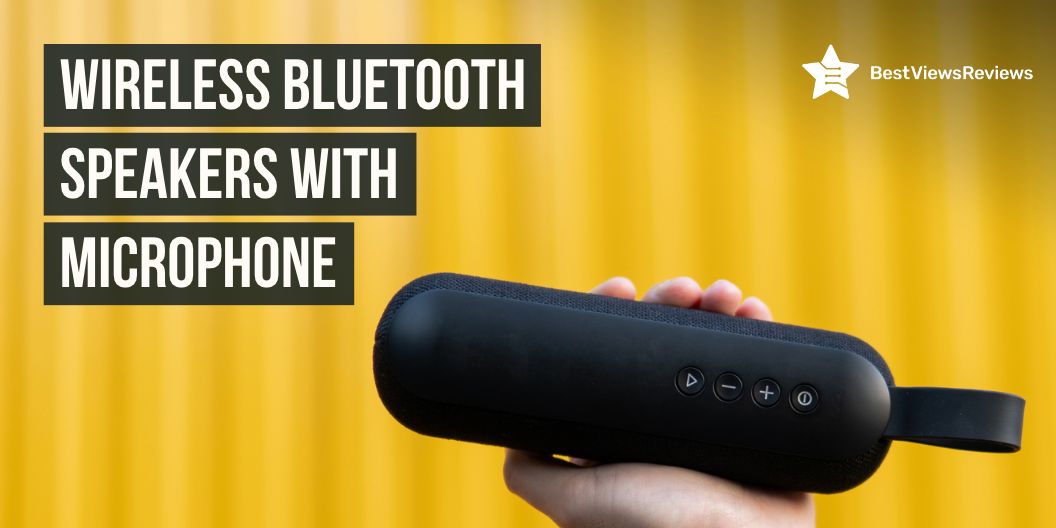

Top Wireless Bluetooth Speakers With Microphone

wireless bluetooth speakers with microphone

Wireless Bluetooth speakers with a microphone are becoming increasingly popular for listening to music on the go. Whether you are looking to use them for a party, an outdoor gathering, or just in your own home, there are many models to choose from. Finding the right speaker for your budget and needs can be challenging, so we have compiled a list of the top-rated wireless Bluetooth speakers with microphones available.

Wireless surround speakers are also a great way to enjoy your music without having to worry about wires. You can read through our other blog on wireless surround speakers to know more about them.

Top-rated wireless Bluetooth speakers with microphone

TENMIYA 60W Bluetooth Speaker

TENMIYA 60W Bluetooth Speaker provides a faster connection and exceptional wireless Bluetooth range. It can connect instantly and easily, and play up to 100 unobstructed feet away from your smartphone, cellphone, tablet, MacBook, laptop, and all other Bluetooth devices. It also has a built-in 8000mAh rechargeable lithium-ion battery, providing up to 12 hours of pristine cordless sound.

Marshall Willen Portable Bluetooth Speaker

Marshall Willen Portable Bluetooth Speaker is a mighty portable speaker that is made to go everywhere with you. It comes with a top-of-class IP67 dust and water-resistance rating so it’s always ready for the road. You can also answer and reject calls using the front-mounted control knob and enjoy some hands-free chat.

Bose SoundLink Portable Bluetooth Speaker

Bose SoundLink Portable Bluetooth Speaker’s reviews claim that it delivers true 360° sound for consistent, uniform coverage. It is dust and water-resistant (IP55 rating), so it will stand up to the splashes in the pool. You can also take calls and access your device’s default voice assistant right from the Bluetooth speaker.

Sony SRS-XB43 Powerful Portable Speaker

Sony SRS-XB43 Powerful Portable Speaker features an IP67 waterproof rustproof and dustproof design. You can listen all day and night with up to 24 hours of battery life. It boosts your music with 2 speaker lights and multi-colored line lights. The speakerphone function of this model offers a convenient way to talk hands-free, whether it’s a conference call for work or a chat with friends.

You can also read our detailed blog on the best Bluetooth speakers with microphones to help you choose the best model for yourself.

Do Bluetooth speakers have a microphone?

Yes, many Bluetooth speakers have a built-in microphone. This allows the user to make and receive phone calls, or even use voice commands with certain speakers. Many Bluetooth speakers also come with noise-canceling technology that helps to reduce background noise and ensure that your phone calls remain clear.

Can you talk through a Bluetooth speaker?

Yes, you can talk through a Bluetooth speaker. Bluetooth speakers allow you to stream audio wirelessly from any device that has Bluetooth capabilities. This means that you can connect your phone, computer, or tablet to the speaker and stream audio from it, as well as use it to make and receive phone calls.

Bluetooth speakers are a simple and effective way to get music anywhere and at any time. You can also read our other blog on the best Bluetooth speakers if you are looking for additional information.

What is the difference between a Bluetooth speaker and a wireless speaker?

Bluetooth speakers use short-range radio frequency technology to connect to and stream audio from compatible devices like smartphones, tablets, and computers. Wireless speakers, on the other hand, use either Wi-Fi or specialized network standards like Sonos and AirPlay. This means you can connect and control them from any device on the same network.

Wireless speakers are also more powerful and have better sound quality. Whereas Bluetooth speakers are typically smaller and more portable.

Do Bluetooth speakers work without the internet?

Yes, Bluetooth speakers can work without the internet. They can connect to other Bluetooth-enabled devices, such as phones and laptops, to stream music without the need for an internet connection.

Conclusion

There are many options when it comes to finding a quality wireless Bluetooth speaker with a microphone. From portable speakers to those with excellent sound quality, there are many great products available. It’s important to consider your needs and budget when selecting a Bluetooth speaker with a microphone, as this will determine the type of speaker you should purchase. With the right speaker, you’ll be able to enjoy your music and communicate with friends and family, no matter where you are.

BestViewsReviews helps you find the best Bluetooth speakers on the market by rating and reviewing them on the basis of quality, convenience, and durability. Get unbiased, honest reviews of products before you buy.
Best KitchenAid Coffee Grinders 2023

Having coffee from freshly ground coffee nuts induces the aroma and treats your taste buds. KitchenAid coffee grinders are an ideal addition to any kitchen. They offer a variety of grind settings to achieve your desired fineness, from coarse to extra-fine consistency. You can efficiently prepare a fresh batch of your own coffee powder each time. Grinding coffee grinds will fill your space with its enriched aroma and make your coffee time more therapeutic.

The stainless steel burr grinding wheel provides a uniform grind every time. It is easy to clean due to the removable grind chamber. An included brush also becomes the best aid for easier cleaning. The durable construction ensures that your grinder will last for years to come.

The large-capacity hopper can hold up to 8 ounces of beans, so you can make enough for the whole family. A transparent cover over the grinding wheel allows you to monitor the grind size. Whether an experienced barista or a novice, KitchenAid coffee grinders will help you get the perfect grind for your favorite coffee. You can also check out our other blog on the 5 best hand coffee grinders to discover more options on coffee grinders.

Top picks in KitchenAid Coffee Grinders

KitchenAid BCG111OB Blade Coffee Grinder

The KitchenAid BCG111OB Blade Coffee Grinder has got good reviews for its clear top cover and one-touch control. The stainless steel blade has been reinforced to ensure its quality and durability. This will help you grind coffee beans to prepare enough coffee for up to 12 cups. The heavy-duty motor housing offers the power to ensure efficient grinding. The stainless steel 4-ounce capacity bowl is ideal for small batches of fresh coffee. This grinder offers years of dependable performance.

KitchenAid KCG8433BM Burr Coffee Grinder

The KitchenAid KCG8433BM Burr Coffee Grinder is the ideal tool for any coffee lover. With its automatic smart dosing technology and stainless steel conical burrs, you can easily prepare the classic espresso, French press, or drip coffee. The removable bean hopper can hold up to 8.8 ounces of coffee beans, while the anti-static technology keeps grounds from clinging to the burrs. Its 70 precise settings offer versatile varieties of grinding from coarse for the cold brew to fine for Espresso drinks. This grinder is the right tool for a smooth and consistent cup of coffee, and its stylish design will be the perfect addition to any kitchen.

KitchenAid BCG111ER Blade Coffee Grinder Empire Red

The reviews on KitchenAid BCG111ER Blade Coffee Grinder Empire Red highlight the features of the heavy-duty motor housing. Its stainless steel blade and empire red, clear top cover, and one-touch control make it an ideal choice for grinding coffee beans. The removable stainless steel bowl features a 4-ounce capacity, giving you the perfect amount of freshly ground coffee for each use. It also comes with a KitchenAid coffee grinder attachment of stainless steel spice grinding bowls with spice-optimized blade designs. It will help to grind spices like coriander and cumin.

KitchenAid KCG0702CS Burr Coffee Grinder, Contour Silver

The KitchenAid KCG0702CS Burr Coffee Grinder, Contour Silver is the ideal choice for any coffee aficionado. This grinder is sleek and stylish in its contour silver finish. It features optimum grinding performance. It features 15 grind settings, precision stainless steel cutting burrs that turn at 450 rpm, and a 7 oz. of glass bean hopper and a grinding jar for a professional-grade grind. This KitchenAid coffee grinder offers half-step increments from 1 to 8. This makes it easy to prepare from a very fine batch of espresso grind to a coarse French press grind. Its ergonomic design and durable construction ensure long-lasting performance.

KitchenAid Blade Coffee and Spice Grinder Combo Pack

The KitchenAid Blade Coffee and Spice Grinder Combo Pack has excellent reviews on its efficient features like one-touch control and the stainless steel blade. It effectively grinds coffee and spices in the removable 4 oz stainless steel bowl, while the shaker lid allows for easy pouring. The set also includes stainless steel spice grinding bowls with a spice-optimized blade, ensuring even and consistent grinding every time. With its sleek design and superior grinding results, the KitchenAid Blade Coffee and Spice Grinder Combo Pack is the ideal choice for any kitchen.

Features to look out for while buying a KitchenAid Coffee Grinder

Design

The design of the best KitchenAid coffee grinder requires a combination of precision and creativity. Your grinder should grind beans to the ideal and consistent size. This will ensure a smooth and flavorful cup of coffee. It should also have multiple settings to allow users to adjust their grind size and find the ideal setting for their particular brew.

Additionally, the motor should be powerful enough to handle heavy-duty grinding without overheating. The design should also be aesthetically pleasing, with an ergonomic shape, attractive colors, and a non-slip surface. Go with a model that is easy to clean to ensure that you can maintain your desired level of hygiene.

Coarseness

KitchenAid coffee grinders offer the best in coarseness and convenience. With a precision motor, the grinders can produce the exact coarseness each time. The grinders are adjustable with multiple settings, allowing users to grind to their preferred tastes. They are constructed from durable stainless steel. Featuring a wide-mouth hopper and a simple on/off switch, these grinders are easy to use. With a KitchenAid coffee grinder, you can enjoy your relaxing hours with a perfect grind cup of joe.

Quality

The KitchenAid coffee grinders are known for their quality and reliability. With a powerful motor and burr grinder, they can grind your beans consistently. This will offer you the freshest cup of coffee possible. They have adjustable settings, so you can customize your grind size to suit your preferences. The build is robust and durable, ensuring you’ll be able to use your grinder for many years. They are also easy to clean and maintain. These grinders will be the grandeur for any kitchen, due to their sleek and unique designs.

Noise

The noise levels of coffee grinders can vary from 80 to 95 decibels, but some electric conical burr grinders, often known to be the quietest type of grinder can have a noise level of around 70 decibels. You can also go with Kitchenaid models that usually have a noise level of  90 up to 95 decibels. The stainless steel grinding chamber and blades of Kitchenaid coffee grinders provide a powerful, yet quiet grind that extracts maximum flavor from beans.

Temperature

The operational temperature of most grinders can range from 20°C to 50°C, however, some models with higher-rpm motors can operate at 80°C. You should look for models that offer moderate RPM speeds and have an operating temperature of around 30°C. Most Kitchenaid models operate at a low-rpm speed that is approximately 450 rpm. This means the coffee grinder does not get overheat and maintains the temperature. This will allow you to get the desired flavor and pristine aroma of your favorite coffee.

Cleaning

If you’re looking for a reliable and easy-to-use coffee grinder, the KitchenAid coffee grinder will be the ideal option. It is easy to clean, featuring a removable burr and hopper that can be easily wiped down after each use. Additionally, the design features a removable bean container, which can be emptied and washed on a regular basis.

What is the difference between coffee bean burr grinders and blade grinders?

Coffee bean burr grinders and blade grinders have variations based on their functionality. Burr grinders create a more uniform and consistent grind than blade grinders. This is because the burr grinders crush the beans between two abrasive surfaces, whereas blade grinders chop them up with a spinning blade. Burr grinders are also better at preserving the flavor and aroma of the beans, as they don’t overheat the beans like blade grinders.

Additionally, burr grinders create less static, which reduces the spilling of the coffee powder while pouring the ground beans into the filter. Moreover, blade grinders are highly affordable with a smaller footprint. Ultimately, the choice between a burr grinder and a blade grinder depends on the user’s budget and the grinding consistency they require.

You can also read our other blog on the best coffee grinder to brew your perfect cup of coffee every day.

How do I calibrate my KitchenAid coffee grinder?

Proper calibration of a KitchenAid coffee grinder is essential for optimal coffee flavor and taste.

  1. Make sure the grinder is properly assembled and full of whole beans.
  2. Then, turn on the grinder and select the correct grind setting for the type of coffee being brewed.
  3. After the desired grind size is set, turn the hopper and grind until the desired amount of ground is achieved.
  4. Finally, repeat the process until you get the desired size of coffee grinds.

To ensure accuracy, it is important to calibrate the coffee grinder regularly.

How do you clean a KitchenAid burr grinder?

Cleaning a Kitchenaid Burr Grinder is a simple task that should be done regularly.

  1. Begin by unplugging the grinder and emptying any grounds that remain in the hope.
  2. Next, use a damp cloth to wipe down the exterior of the grinder, taking care to remove any stuck-on grounds or residue.
  3. To clean the burrs, use a soft-bristled brush to gently scrub away any remaining residue.
  4. Finally, use a vacuum with minimal pressure to thoroughly remove all of the remaining grounds from the grinder and hopper.

By following these steps, your Kitchenaid Burr Grinder will be cleaned and ready to use. To know more, you can also read our blog on how to clean a coffee grinder.

Conclusion 

The KitchenAid Coffee Grinder will tremendously change your coffee taste with a pleasant aromatic fragrance. For any coffee enthusiast, this coffee grinder will be one of the ideal options. You can consistently grind a fresh batch of coffee beans for both pour-over and espresso brewing. The burr grinding mechanism enriches the coffee grounds to be consistently ground for maximum flavor extraction. With its high quality and affordable price tag, this coffee grinder is sure to be a great addition to any coffee lover’s kitchen.

BestViewsReviews rates and reviews the best coffee grinders and top-rated manual coffee grinders on quiet operation, durability, and easy clean-up. 

How to Make Your Headphones Louder – A Comprehensive Guide

Looking for profound ways to make your headphones louder? Here, we have curated a few ideas to guide you. Headphones become a prominent tool for many individuals, especially music enthusiasts. Whether you use them to listen to music, movies, or even answer calls, headphones are often an ideal companion.

However, if your headphones are not loud enough, it’s difficult to fully enjoy the experience. In this guide, we will go through how to make your headphones louder. We will provide the steps to ensure you get the most out of your headphones. Let’s get started and consider the ways to make your headphones louder!

If you’re also looking for headphones to make your professional meetings more productive, check out our other blog to discover the 7 best headphones for work-from-home meetings.

How to Make Your Headphones Louder?

Headphones are a great way to listen to music and other audio in private. But the sound can be extremely soft for certain audio. Sometimes streaming music apps may have the feature of adjusting the equalizer settings. For example, if you are intended to listen to louder music on Spotify, you can simply adjust the equalizer settings to get the desired base level. It will increase the signal strength and provide a louder sound. If your device has a software equalizer, you can also use it to boost the bass and treble frequencies. Or else, you can even customize your own equalization settings in the built-in applications.

Making your headphones louder can be a simple job if you have the right tools. Here are the steps to make your headphones louder:

  1. Check your audio settings. Ensure that the volume is set to the maximum level on your device.
  2. Check if the volume is blocked. Some devices have a feature that limits the maximum volume.
  3. Replace the headphones if necessary. Older, damaged headphones may not reach the maximum volume level.
  4. Buy an amplifier. An amplifier will increase the power of the sound output and make your headphones louder.
  5. Try using a sound card. This will allow you to adjust the volume level directly from the sound card.
  6. Increase the bass. Many headphones come with a bass boost option that can make the sound louder.
  7. Use an equalizer. An equalizer will enable it to boost the bass and treble frequencies, or even create your own custom equalization settings.

With a few techniques and combinations, you’ll be able to enjoy your music and audio at your desired volume. If you consider buying headphones with immersive sound quality, read our blog about an exclusive list of best beats over-ear headphones.

Why are my headphones not as loud?

Headphones are delicate pieces of equipment that require proper care and maintenance. If your headphones are not as loud as they used to be, it could be because of several factors. It could result from damaged wires, faulty or worn-out components, or a blockage in the audio pathway.

It is important to inspect your headphones for any physical damage. Also, make sure that the connection ports are clean and free from debris. You can even try using a different pair of headphones, as different types of headphones react differently to the same audio source.

If the issue persists, it is better to consult a professional technician to comprehend the issues. It will help you understand the variation of sound frequencies for particular audios.

How do I make my headphones louder through settings?

When attempting to make headphones louder through settings, it is crucial to know the type of device you are using as well as the specific model of your headphones. If you are using your headphones on a PC, you can also adjust the volume within the sound settings.

On a mobile phone, you can simply adjust the volume within the audio settings of your device. Additionally, some headphones offer their own volume control feature, which can be adjusted to increase the volume. Finally, in some cases, you may need to use a separate amplifier to increase the volume of your headphones.

Do volume-boosting apps work?

Yes, volume-boosting apps work. They can be reasonably effective in increasing the overall volume of audio signals, such as music, speech, and video. These apps offer sophisticated algorithms to analyze and boost the volume while preserving the quality of the sound. Furthermore, they can detect and adjust the volume of each audio channel to give a more balanced sound. It is important to adjust the settings of the app to suit the individual’s needs to get the intended results. Additionally, some apps feature an equalizer to further customize the sound output.

Android and iPhones :

When it comes to listening to music or playing games on your phone, having the desired volume range will enhance your listening experience. For Android and iPhone users, there are a few simple steps to follow if you want to make your headphones louder with the help of volume-boosting apps. There is no shortage of impressive volume-boosting apps available on the Google Play Store and the Apple store.

Android users have a variety of volume-boosting apps available for their devices. These apps can enhance the sound quality and boost the overall volume of the device including,

  • Volume Booster Pro enables users to customize their sound profile. It increases the maximum volume level.
  • Volume Booster GOODEV is an advanced app that offers additional features such as a 10-band equalizer and a virtualized one.
  • Music Volume EQ is a popular choice amongst music lovers, as it offers a 5-band equalizer and a bass booster.

The iPhone offers an array of apps to boost the volume of your device such as:

  • Music Volume EQ offers a customizable 10-band equalizer, bass boost, and virtualize.
  • Boom Music is one of the best system-wide audio boosters that work with your existing music player.
  • Equalizer Pro offers five different equalizers to choose from, as well as a virtualizer and bass boost.

Moreover, these apps offer a range of features and you can download them for free. You can easily customize and adjust the sound levels of your device. Also, make sure the volume on your phone is set as high as it can go. With these apps, you can enjoy a louder, more powerful, and more enjoyable sound experience!

You must also read our blog on the best wireless over-the-ear headphones for music lovers to take your music euphoria to the next level.

Conclusion

Enjoying music or watching your favorite movies is undoubtedly a favorite part of traveling. The best pair of headphones will be your best companion at those moments. The ability to make your headphones louder can be a valuable asset, as it allows you to enjoy your music more fully and hear your audio in various environments.

It is important to ensure that you are not damaging your headphones and your hearing. By following the methods outlined above, you can make your headphones louder to enjoy your music more fully.

BestViewsReviews rates and reviews the over-ear headphones based on quality, convenience, and durability. 

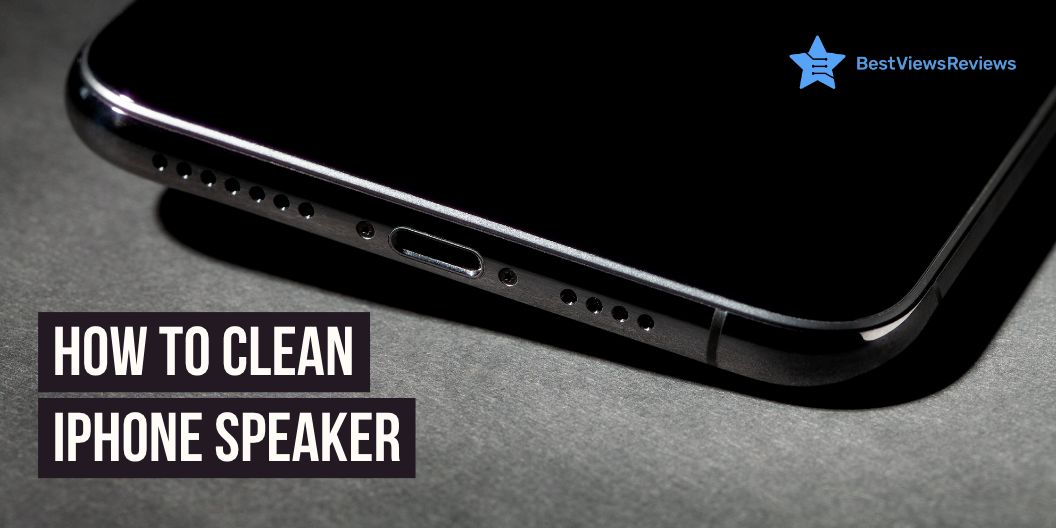
How To Clean iPhone Speaker

How to clean iPhone speaker

Having a functioning phone is important for keeping up with your daily tasks and connecting with people, and one aspect of having a functioning phone is having a clean speaker. The speaker on your iPhone is important for making and receiving calls and listening to music and videos. A dirty or clogged speaker can affect the sound of a phone call or the quality of the sound you hear when you’re listening to music or watching a video. Luckily, cleaning an iPhone speaker is a simple task that can be done in just a few steps.

How to clean an iPhone speaker to improve sound quality?

Use a soft brush

Cleaning an iPhone’s speaker can easily be done with a soft brush. First, turn off your iPhone and make sure you unplug the device from any power source. Gently use the brush to sweep away any dust or debris that has accumulated on the speaker grille. Make sure you don’t press too hard on the speaker, as it can cause damage to the phone. Once you have finished brushing away the debris, turn the phone back on and test the sound quality.

Use painter’s tape

A painter’s tape is a great tool to use when cleaning the speaker. Gently press a piece of painter’s tape around the outer perimeter of the speaker and press firmly in order for the adhesive to attach. Carefully pull the tape away from the speaker and you will see the dust and debris collected on the tape. Repeat this step until the speaker is free from dust and debris. After cleaning, use a soft dry cloth to wipe away any dust and residue. This will help restore your phone’s sound quality to its original level.

Toothpick

Using a toothpick is one of the best ways to clean out the debris that can build up. Simply insert the toothpick gently into the speaker opening and use a light swiveling motion to remove any dust and lint that has collected inside. Be sure to check the sides of the opening and carefully scrape away any debris. Once you’ve completed the cleaning, you may find that your iPhone’s sound quality has improved significantly.

If looking for an iPhone that offers exceptional battery life and sound quality, then you can opt for an Apple iPhone 12 Pro Max.

Use compressed air

Start by turning off your iPhone and removing any external cases or covers. Carefully inject the nozzle of the compressed air canister into the speaker opening and spray a few short bursts of air. This will dislodge any dirt or debris that may be impeding sound quality. Once you have completed this step, you can turn your iPhone back on and test the sound quality. With regular cleaning, you can ensure that the sound quality of your iPhone like the Apple iPhone 13 Mini will remain top-notch.

What is Apple’s official advice?

Do’s

Apple recommends cleaning the speakers using a dry cloth to wipe away any debris. If the speaker has accumulated dust and dirt, compressed air can remove it gently. Be sure to keep the can upright and at least 10 inches away from the speaker to avoid any liquid from entering the speaker.

Don’ts

Water or other liquids should not be used to clean the speakers, as this can cause damage. Cleaning any part of the speaker with aerosol sprays, solvents, or abrasives is not recommended.

You can also have a look at Apple iPhone 12 if you are looking for an iPhone that offers great camera and audio quality.

How should you clean water from iPhone speakers?

To clean away water from iPhone speakers, first, turn off the device and remove the SIM card and any other accessories. Using a can of compressed air, blow out any water in the speaker holes. Then, using a cotton swab and rubbing alcohol, clean the speakers. Finally, wipe the device down with a lint-free cloth.

Conclusion

Cleaning your iPhone speaker can help prevent dirt buildup and extend the life of your device. By taking the time to clean your iPhone speaker with a soft, dry cloth and compressed air, you can ensure your device will continue to work properly and sound great for years to come. With a few simple steps on how to clean the iPhone speaker, you can make sure your iPhone is always ready to rock!

You can also have a look at our blog on the best smartphones in case you want to upgrade your previous one. Samsung is one of the top-selling brands for smartphones. If you want to buy a Samsung smartphone, our blog on 5 best-selling Samsung smartphones will help you choose the right model.

You can also use your Samsung smartphone with a stylus for a better experience.

BestViewsReviews helps you find the top-selling smartphones on the market by rating and reviewing them on the basis of quality, convenience, and durability. Get unbiased, honest reviews of products before you buy.
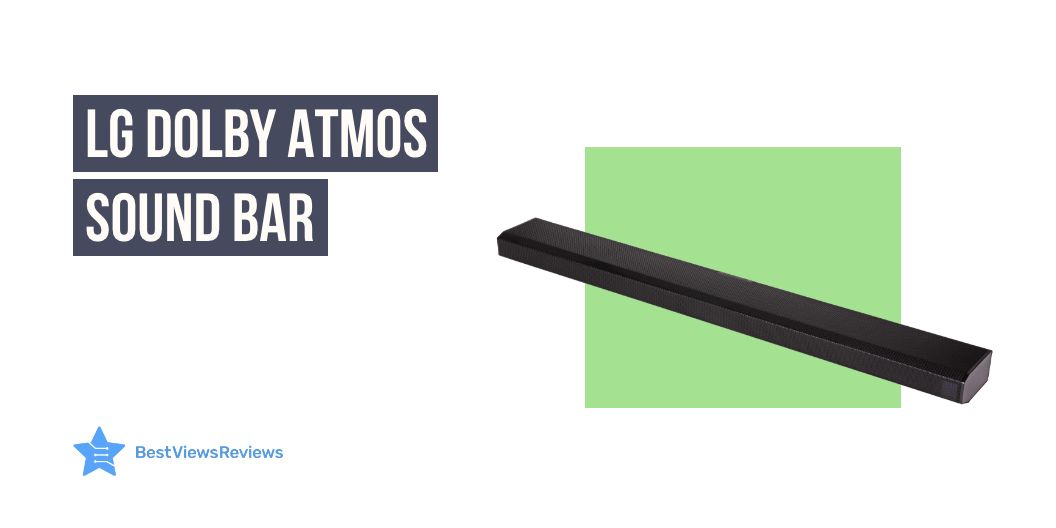
5 LG Dolby Atmos Sound Bar – An Audio Revolution

lg dolby atmos sound bar

The easy way to get the ultimate entertainment at your home comfort is to get the right sound bar. There can be many brands and models, but choosing one like LG Dolby Atmos sound bar can be a worthy buying decision. This is because of its impressive sound quality, sleek design, and an outstanding array of features and connectivity options. The LG Dolby Atmos soundbar is an audio revolution that is sure to take your home entertainment system to the next level.

This device will revolutionize the way you experience music and movies. The sound bar offers a whole new level of audio immersion. This enables you to experience a truly dynamic soundscape with its Dolby Atmos technology. We also have a detailed blog on soundbars that will help you know everything about them.

What is the benefit of Dolby Atmos?

The Dolby Atmos provides an incredibly immersive audio experience with the ability to place and move sound objects in three-dimensional space. This allows for a more realistic soundstage with accurate localization of sounds, allowing the listener to become more engaged with the content they are viewing or listening to.

Does Dolby Atmos make a difference in the sound bar?

Yes, Dolby Atmos makes a tremendous difference in sound bars. Dolby Atmos is an object-based surround sound technology. It simulates a three-dimensional sound experience by placing sound objects in a “virtual space”. This allows the sound bar to deliver a more immersive and realistic sound experience than traditional surround sound formats. Dolby Atmos soundbars use specialized audio processing algorithms to up-mix stereo or multichannel audio into a 3D soundscape and create the effect of height channels for a truly immersive experience.

How do I know if my LG sound-bar is playing Dolby Atmos?

The most reliable method to ensure Dolby Atmos is functioning properly is to examine the information panel on the main control panel of your AV receiver or sound bar (if applicable). This will show the type of audio signal that is currently in use.

Is Dolby Atmos just a surround sound?

Dolby Atmos is a surround sound technology that offers more than what a traditional surround sound system can provide. While surround sound technology is limited in the way it provides sound, Dolby Atmos is a revolutionary new sound system that creates a three-dimensional audio experience.

Dolby Atmos creates a soundscape that includes height and depth, creating an immersive audio experience that is unlike anything heard before. Dolby Atmos is equipped with up to 64 speakers and utilizes audio objects for a multi-dimensional feel that is more realistic and dynamic than other sound systems.

Do I need extra speakers for Dolby Atmos?

When it comes to Dolby Atmos, extra speakers can be a great way to enhance your home theater experience and maximize the impact of the system. While it is not necessary to have extra speakers to get Dolby Atmos, it can be helpful in order to create a more immersive, surround sound experience.

Adding additional speakers to the system can provide a heightened level of detail and clarity, as well as a greater sense of space and dimension. Of course, this will only be possible if you have the necessary components and the appropriate setup to accommodate the extra speakers.

It is also important to ensure that the speakers you choose are compatible with Dolby Atmos, otherwise, you may not get the desired quality of sound.

Is it worth buying an LG Dolby atmos sound bar?

The LG Dolby Atmos Sound Bar is a splendid choice for homeowners seeking a premium sound experience. With state-of-the-art features such as Dolby Atmos 3D audio, a powerful wireless subwoofer, and an intuitive Bluetooth connection, the soundbar offers an immersive listening experience. The sound bar can deliver clear, crisp audio with superior bass, giving you a superior sound experience whether you’re watching movies or listening to music.

Below are the top 5 LG sound bars that give will you a great sound experience :

LG GX Sound Bar

LG GX Sound Bar offers Dolby Atmos with DTS: X Sound. It surrounds your senses while ideally matching the gallery design of the LG GX Series OLED TVs. The AI Sound Pro technology of this model delivers optimal sound settings through adaptive sound control. The LG subwoofer combines with the sound bar’s up-firing front height channels to direct Hi-Res audio out and up, for a sound that fills up any room.

LG Eclair QP5 Sound Bar

LG Eclair QP5 Sound Bar works on meridian audio technology and comes in a compact design with a vibration-damping subwoofer. This model also offers 4K Passthrough (HDCP 2.3) and Dolby Vision & HDR10 Passthrough. It delivers immersive sound in a space-saving design.

LG SPD75A High-Resolution Audio Sound Bar 

LG SPD75A High-Resolution Audio Sound Bar works with Alexa and combines with the sound bar’s up-firing front height channels for a sound that fills up any room. Its sound effects and soundtracks seem to come from every angle with 3.1.2 channels, Dolby Atmos®, and DTS: X. This model is also based on Meridian Audio technology.

LG S80QY 3.1.3ch Sound Bar

LG S80QY 3.1.3ch Sound bars are engineered to enhance LG TV performance seamlessly. They are specially designed to match LG TV. These units are compatible with major high-res audio streaming services. You can also easily control your sound bar through Airplay2, Chromecast, Google, and Amazon Alexa.

LG S75Q 3.1.2ch Sound bar

LG S75Q 3.1.2ch Sound bar’s reviews claim that it features 3.1 channel audio for an immersive listening experience. It also offers high-res audio for more accurate sound and a more enjoyable listening experience. This model also comes with a remote control so you can change the settings from anywhere in the room. You can go through our other blog on the best-selling sound bars and know about the reasons to use them.

Conclusion

The LG Dolby Atmos sound-bar is a revolutionary product in the field of home audio. It is a great way to bring quality sound to your home. This soundbar is incredibly easy to set up and use. With its combination of Dolby Atmos technology and high-quality audio components, the LG Dolby Atmos soundbar will exceed your expectations and provide you with an amazing audio experience.

BestViewsReviews helps you find the best soundbars on the market. We rate and review them on the basis of quality, convenience, and durability. Get unbiased, honest reviews of products before you buy.
How To Connect To Sonos Speaker

How to connect to sonos speaker

Connecting to a Sonos speaker is a great way to get your music or other audio out of your devices and into your home. With the right setup, you can easily create a multi-room audio experience with a few simple steps. Whether you are looking to link up a few of your devices in one room or multiple rooms, Sonos has the perfect speakers for you. Read below to learn how to connect to the Sonos speaker.

Soundbars are brilliant devices if you love listening to music. If soundbars are on your shopping list, then you must go through our blog on best-quality soundbars to know in detail about them.

How to connect to a Sonos speaker?

Connecting to a Sonos speaker is easy with the below-listed steps:

  1. To connect to a Sonos speaker like Sonos Beam (Gen 2), you will need to first install the Sonos app on your device.
  2. Once the app is installed, you will need to follow the on-screen instructions to create an account,
  3. Add your Sonos speaker to the app, and connect it to the same Wi-Fi network as your device.
  4. Once your speaker is connected, you will be able to control your speaker from the Sonos app.

What should you do if Sonos can’t find your new speaker?

If Sonos can’t find your new speaker, try resetting the speaker to the factory settings and reconnecting the speaker to your Wi-Fi network. Make sure the Wi-Fi network is 2.4 GHz, as Sonos speakers only connect to 2.4 GHz Wi-Fi networks. If that doesn’t work, contact Sonos customer support for further assistance.

The customer reviews of the Sonos Beam – Smart TV Sound Bar claim that its built-in voice control allows controlling the bar with voice.

How to connect to a Sonos speaker without an app?

  1. To begin, make sure your Sonos speaker is powered up and ready to go.
  2. Then, locate the settings menu on your device, usually found in the general settings.
  3. From here, select the Wi-Fi network option and then select the Sonos network.

Following these steps will immediately connect you to the speaker. If you are having trouble locating the Sonos network, restart your device and try again.

How do I connect my Sonos speaker wirelessly?

To connect a Sonos speaker wirelessly, you will need to connect the Sonos speaker to your home Wi-Fi network. You can do this by using the Sonos app on your phone or tablet and following the instructions provided. Once the Sonos speaker is connected to your home’s Wi-Fi network, it can stream music, podcasts, and more.

Why won’t my Sonos system connect?

There are a few potential reasons your Sonos system won’t connect :

  • First, make sure the system is powered on and all cables are properly connected.
  • Then, check your router settings to make sure the network connection is active.
  • You should also check the system settings to make sure the correct network is selected.
  • If the issue persists, restart your router and/or contact Sonos for further help.

How do I connect my iPhone to my Sonos speaker?

To connect your iPhone to your Sonos speaker, follow the mentioned steps:

  1. Open the Sonos app on your phone and select “Settings”.
  2. Select “Add Music Services” and follow the instructions to add your music service.
  3. Once the service has been added, select “Devices” and the Sonos speaker you want to connect to.
  4. Select “Play” and your iPhone will be connected to your Sonos speaker.

Sonos Arc – The Premium Smart Soundbar is also a superb model to consider. It offers enhanced Trueplay tuning technology and offers a better sound for the unique acoustics of the room.

How do I reset my Sonos wireless speaker?

  1. Locate the “Reset” button on the rear of the speaker and press down until you hear a tone.
  2. Wait until the light on the speaker changes from white to orange, indicating that the speaker is in reset mode.
  3. Once the light is orange, you can release the reset button.
  4. Now, the speaker will be reset and ready to connect to your network again.

If you are having difficulty during the reset process, you can refer to the manufacturer’s website or call their technical support line for assistance.

Nothing can be better than a Samsung soundbar with a subwoofer for getting a better surround sound experience. You can also glance through our other blog on the best Samsung soundbars to learn more.

Conclusion

Connecting your Sonos speaker to your home network is a simple process. With the necessary audio and networking equipment, you can easily create a high-quality home audio system and access the variety of streaming services available on the Sonos platform. Whether you want to stream music, podcasts, or audiobooks, connecting your Sonos speaker will give you a whole new world of listening options.

Get the best reviews and ratings on the products you’re interested in. BestViewsReviews helps you make the right purchasing decision. Whether you’re looking for the top-rated Sonos sound bars or the best smart speakers, we’ve got you covered.

Best Whole House Dehumidifier- Improve Home’s Air Quality

Whole House Dehumidifier

It’s no secret that the air quality in our homes can have a major impact on our comfort and health. Therefore, it’s vital to make sure that the air in your home is clean, fresh, and free from allergens or pollutants. A great way to improve the air quality in your home is by investing in a whole-house dehumidifier. Having the right dehumidifier in your home can not only help keep the air clean but also make sure that your home stays comfortable and free from excessive moisture.

We also have a detailed blog on dehumidifiers to help you understand everything about them.

What does a dehumidifier do?

A dehumidifier is a powerful appliance that draws moisture out of the air. It helps reduce the humidity level in a room or space. Excessive moisture can cause a variety of problems, like an increase in mold and mildew growth, musty smells, and damage to furniture and other items. You can lessen the humidity level in your living spaces, making the environment more comfortable and preventing potential damage by using a dehumidifier.

Will a whole-house dehumidifier help with mold?

Yes, a whole-house dehumidifier is a great solution to help with mold problems in the home. High levels of moisture in the air can cause mold and mildew growth. A dehumidifier can help cut down this moisture and make it difficult for mold to form and grow.

How do I choose a whole-house dehumidifier?

Moisture removal capacity

When deciding on a whole-house dehumidifier, it is important to consider the moisture removal capacity of the device. This is typically measured in pints/day. The measurement will be based on the size of your home and the climate of the area. A higher capacity is better and will more effectively reduce humidity levels.

Energy efficiency

Energy efficiency should be your top priority. A more efficient unit will save you money in the long run. It will also help reduce your carbon footprint. When shopping for a dehumidifier, look for a model like Vremi 1,500 Sq. Ft. Dehumidifier. This model comes with an Energy Star® label to ensure that it meets the highest standards in energy efficiency.

Adjustable humidity settings

The ideal setting for dehumidification varies from home to home. It depends on environmental factors such as climate, weather, and indoor temperature. Therefore, it is important to look for a dehumidifier with adjustable settings, so that you can fine-tune the humidity levels in your home. A digital display is also a helpful feature. It allows you to monitor the humidity levels easily in your home and make sure they remain within an optimal range.

Noise level

Dehumidifiers can be loud, with some reaching decibels levels of 50 or more. This can be troublesome, especially in homes where noise levels must be kept low. Choose a dehumidifier with a noise level as low as possible to minimize disruption. You should opt for a unit like Frigidaire. It offers multiple fan speeds so that you can adjust the noise level to meet your preferences.

You can opt for Midea Energy Star Certified Dehumidifier. The customer reviews of this model claim it allows for low-volume operation due to its 51-decibel limit feature.

Maintenance

It is essential to consider the maintenance requirements as well. A dehumidifier requires regular maintenance if it is going to work properly. This includes cleaning the filter, checking the operation of the coils, and changing the evaporator periodically. It is also important to check the humidity settings regularly.

Automatic defrost

An ice buildup can reduce the efficiency of the dehumidifier and cause it to malfunction. Therefore, one of the most significant things to consider is whether the dehumidifier has automatic defrost. The auto defrost feature can prevent the buildup of ice within the system.

Price

It is important to weigh up the cost of the dehumidifier with the potential savings on energy bills and health benefits that it can bring. A higher-priced model may be worth the investment in the long run. It is likely to have a greater energy efficiency rating and a larger capacity for water removal.

Warranty

It is highly recommended to only select a dehumidifier that comes with a long-term warranty. Ideally, one that covers the dehumidifier for at least five years. This will ensure that, if any problems arise during the life of the dehumidifier, the manufacturer will provide service and repairs.

You can also go through our blog on the best dehumidifiers to choose the perfect model for your home.

How to install a whole house dehumidifier?

  • Choose the correct size dehumidifier for your home. A dehumidifier should be sized according to the area where it will be installed.
  • Install the dehumidifier in an open space near an electrical outlet. Make sure that the area is well-ventilated.
  • Connect the dehumidifier to the electrical outlet.
  • Set the humidity level on the dehumidifier.
  • Turn the dehumidifier on.
  • Make sure to empty the dehumidifier’s water tank when it is full.

What size dehumidifier do I need?

The size of the dehumidifier you need depends on the size of the space you need to dehumidify. A 10-pint dehumidifier is suitable for a 500-square-foot area, while a 70-pint dehumidifier is best for a 2,500-square-foot area. BUBLUE 2000 sq. ft. Dehumidifier is a great option for basements and large rooms.

hOmeLabs dehumidifier’s reviews also show it is ideal for large rooms up to 4,500 square feet due to its 1.8-gallon water tank capacity.

Where should I place a whole-house dehumidifier?

You should place a whole house dehumidifier in a central area of the home, such as an attic, basement, or closet. This will ensure the dehumidifier can remove humidity effectively from the entire home.

You can also use these devices to remove excess moisture from the air and keep your basements clean. Read our blog on the best basement dehumidifiers to know everything about them.

Conclusion

Choosing the best whole-house dehumidifier can significantly improve your home’s air quality. By selecting the right model, you can eliminate the discomfort and health risks of excessive humidity. The right device will also keep energy costs to a minimum. With so many models on the market, it’s important to do your research and buy the best model for your needs.

BestViewsReviews helps you find the best dehumidifiers on the market. We rate and review them on the basis of quality, convenience, and durability. Get unbiased, honest reviews of products before you buy.
How To Use Vicks Humidifier

how to use vicks humidifier

Humidifiers are a great way to add more moisture to the air in your home. Many people use humidifiers to help relieve the symptoms of colds and the flu, but they can also improve the overall air quality in your home. Vicks is a popular brand of humidifiers that are commonly used by many people. They come in a variety of sizes and shapes. You can also opt for small humidifiers if you are looking for a model that is suitable for compact spaces.

How to use Vicks humidifier?

Using a device like Vicks Filtered Cool Mist Humidifier is simple. You can glance over the steps below to know more.

Discuss step-wise process

  • To use a Vicks humidifier, first, fill the base with water and add the desired amount of Vicks VapoSteam, VapoPads, or other Vicks scent pads.
  • Place the humidifier in a well-ventilated area and plug it in.
  • Adjust the knob to the desired humidity level.
  • Let the humidifier run until the water has evaporated and the humidity level has been reached.
  • Unplug the humidifier and empty the water from the base before storing it.

The customer reviews of Vicks Starry Mist Humidifier claim it helps transform the room into a starry night sky with night light due to its projection feature.

Do you put warm or cold water in a Vicks humidifier?

It is recommended to use cold water when filling up a Vicks humidifier. Using warm water can cause bacteria and other contaminants to grow in the humidifier. This can be harmful to your health when you breathe in the mist.

Warm water can also cause the humidifier’s filter to clog more quickly. To ensure optimal performance and safety, it is important to fill the humidifier with cold water and clean it regularly, as instructed in the user manual.

We have a detailed blog on the best humidifiers that will help you make an informed purchase.

How long does it take for a Vicks humidifier to work?

The amount of time it takes for a Vicks humidifier like Vicks Filter-Free 1.2 Gallon Cool Mist Humidifier to start working will depend on the specific model you are using. Most humidifiers require that you fill the tank with water and allow it to run for approximately 30 minutes before the humidity will increase in the room. The exact time to reach the desired humidity levels will also depend on the size of the room, the type of humidifier you are using, and the settings you have selected.

Do Vicks humidifiers help with coughs?

A Vicks humidifier can be a helpful tool for individuals with coughs or other respiratory conditions. Humidifiers increase the moisture in the air. This helps soothe the throat and nasal passages, making it easier to breathe. This extra moisture can help to thin out mucus, reduce irritation and coughing, as well as improve overall comfort.

How long should you use Vicks humidifier?

The amount of time you should use your Vicks humidifier will depend on the type of model you have and the environment in which it is being used. Generally, it is recommended to use your humidifier for only 12-24 hours per day, depending on the individual needs of your space.

A mist humidifier is also an impressive device to increase the humidity levels of a room. Read our blog on the top 5 mist humidifiers to know more about them.

Conclusion

Using a Vicks humidifier can be a great way to help keep your home’s air moist and comfortable. It can also help reduce allergy and asthma symptoms, as well as provide relief from colds and flu. Be sure to read the instructions thoroughly and maintain your humidifier to ensure it works properly and safely.

BestViewsReviews helps you find the best humidifiers on the market. We rate and review them on the basis of quality, convenience, and durability. Get unbiased, honest reviews of products before you buy.

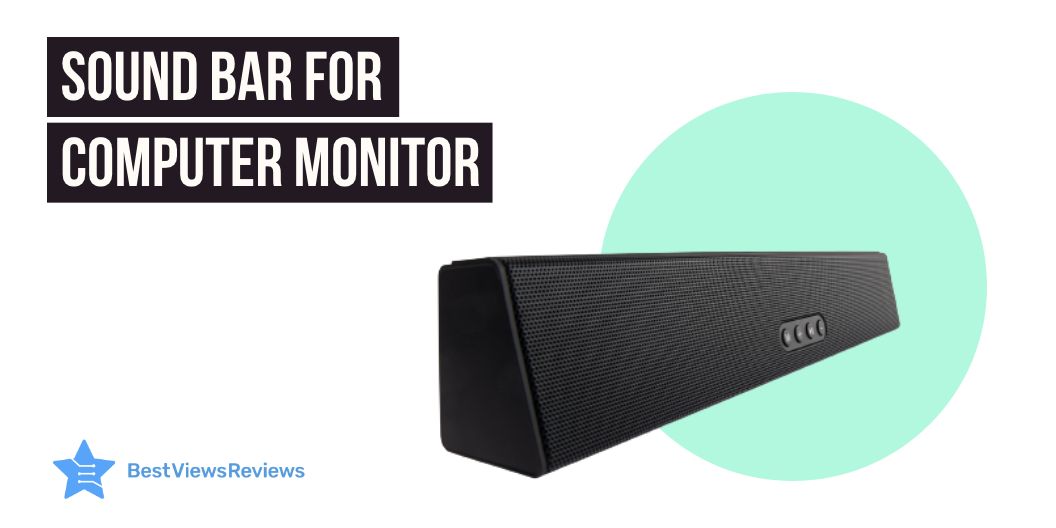
Best Sound Bar For Computer Monitor in 2023

sound bar for computer monitor

The technology available now is far better than it was a few years ago. A Sound bar for a computer monitor is becoming increasingly popular in modern homes.

These soundbars offer immersive sound quality and a sleek and stylish design. You can easily connect them to your computer and TV. Their advanced audio processing technology ensures that you receive clear, distortion-free audio. The soundbar often comes with a remote control for easy access.

The soundbars also offer a wide range of features, such as built-in bass, surround sound, and streaming capabilities. You can also get access to an auto-off timer and adjustable bass and treble controls. With its sleek and modern design, it will offer an immersive experience. You can also check out our blog on the best LG Soundbar to know about the versatile options.

Do soundbars work well with computers?

Soundbars are a brilliant choice for those looking to upgrade their audio experience with a computer. They are typically easy to set up. Most models simply connect directly to the computer via the HDMI port. They are more affordable than traditional speakers. These sound bars are more space-efficient, making them an ideal choice for those with limited desk space.

Soundbars offer superior sound quality compared to built-in speakers. they offer clearer sound and more bass. Ultimately, they are a great way to upgrade your audio experience at an affordable price.

You can also read our blog to know about the best Samsung Soundbar with subwoofer with immersive sound quality.

Factors to consider when choosing the Best sound bar for a computer monitor

Size of soundbar

The size of your soundbar should be determined by the size of your room and your desired sound quality. If you have a large living room, a larger soundbar with multiple drivers will provide impressive overall coverage. The average size of soundbars is 30 inches long. This offers a captivating sound quality for music and movies. Before shopping for a soundbar, consider the size of the room you will install it in. It will help you understand the required size for a better audio experience.

Connectivity options

Many soundbar systems offer a variety of connectivity options. They allow users to customize their audio experience. Moreover, Bluetooth and Wi-Fi connectivity supports wireless streaming. The HDMI and AUX inputs enable the wired connection to multiple audio sources. Connecting a smartphone, TV, or computer to your soundbar via Bluetooth, Wi-Fi, or AUX cable is a simple process to endure an exceptional seamless audio experience.

You can also take advantage of the HDMI-ARC input, which allows for bi-directional communication between the soundbar and the computer. With the right connectivity options, users can enjoy an immersive audio experience with their soundbar.

Compatibility

Compatibility between soundbars and other home entertainment components is essential to ensure optimal performance. Most soundbars are compatible with a wide range of televisions, audio systems, streaming devices, and more.

Besides being HDMI compatible, many soundbars feature Bluetooth technology for wireless connections to compatible devices. You can also use a soundbar with a home theater receiver to get more powerful sound.

To ensure compatibility, it is important to check the specifications of each device prior to purchase. Having versatile features will enhance your leisure time activities with the blasting music in your background.

Sound Quality

Soundbars are a great way to enjoy a rich, immersive sound experience. They can deliver detailed sound to enhance the viewing and listening experience with high-quality components and built-in speakers.

Whether it be a movie, TV show, or your favorite tunes, soundbars provide dynamic sound with clarity and depth. Bass is tight, mid-range is smooth, and high-end frequencies have a bright and detailed presence. With multiple sound modes to choose from, soundbars can be adjusted to fit your viewing needs, while still offering a truly immersive sound experience.

Best sound bar for computer monitor

Creative Stage 2.1 Channel Under-Monitor Soundbar

The reviews of Creative Stage 2.1 Channel Under-Monitor Soundbar suggest it is a powerful and versatile audio solution for any home entertainment system. Featuring two drivers and a subwoofer, the soundbar delivers clear, powerful audio. With preset EQ selections in the remote control, you can customize the sound to your preference. You can also connect wirelessly via Bluetooth. Or else use the 3.5mm aux-in, optical audio input, TV (ARC), or USB MP3 input to connect to your devices. Moreover, the soundbar features a built-in amplifier for an optimal listening experience.

Sonos Beam (Gen 2) The compact smart soundbar

The Sonos Beam (Gen 2) The compact smart soundbar is the all-in-one solution for a home sound system. This compact smart soundbar offers Dolby Atmos technology, Alexa and Google voice control, and a panoramic soundstage. With WiFi connectivity and the Sonos app, this sound bar is easy to install and set up. The Trueplay tuning feature ensures the soundbar is tuned to your room, resulting in the best sound quality possible.

VIZIO SB4051-C0 40-Inch 5.1 Sound Bar System

The VIZIO SB4051-C0 40-Inch 5.1 Sound Bar System reviews highlight that it is the perfect home theater solution for any living space. It features a 40 inches soundbar. It delivers up to 102 dB for premium audio quality with a true 5.1 channel surround sound. Additionally, it features an HDMI port with cable for easy connection to your television. The Bluetooth with aptX will work fine for wireless audio streaming from compatible devices. With its sleek design, this sound bar system is sure to complement the aesthetic of any home theater set-up while offering superior sound quality.

Polk Audio MagniFi Mini Home Theater Surround Sound Bar

The Polk Audio MagniFi Mini Home Theater Surround Sound Bar offers a powerful 5.1 Dolby digital coding sound system that works with both 4K and HD TVs. Its voice adjust technology offers an extra level of control over the sound. Thus, you can customize the level of audio to your preference with your command. In addition, it also comes with built-in music streaming and independent modes for movies, music, and sports. Plus, this system includes a wireless subwoofer for an even more immersive experience.

Bose Solo 5 TV Soundbar Sound System with Universal Remote Control

The reviews of Bose Solo 5 TV Soundbar Sound System mention that the system comes with a universal remote control, allowing you to control all your TV and sound bar features. Additionally, the dialogue mode ensures clear vocal clarity. The Bluetooth connectivity and input sources, such as optical audio input (digital), coaxial audio input (digital), and 3.5 mm aux input (analog) offer flexible connectivity. Moreover, the soundbar fits with any TV and is wall-mountable, making it a great addition to any home entertainment system.

Conclusion

The sound bar for a computer monitor is a great way to upgrade your audio experience. With its sleek design, powerful sound, and enhanced features, this sound bar is the ideal choice for any computer to experience immersive audio quality. If you are an audio enthusiast, you should definitely consider a sound bar for your computer. I

It’s easy to install, and the sound quality is captivating with the advanced feature controls. It is an affordable solution with alluring sound quality and durability. The sound bar will enhance the experience of gaming, streaming music, or just listening to your favorite tunes with detailed audio expressions. With its powerful bass and clear treble, you’ll be able to get the most out of your audio experience.

You can also check our blog on the best iLive sound bars before buying one for your computer or smart television.

BestViewsReviews rates and reviews the best sound bar for a computer monitor based on compatibility, controls, size, and sound quality.