How to Choose the Best Printer Stand?

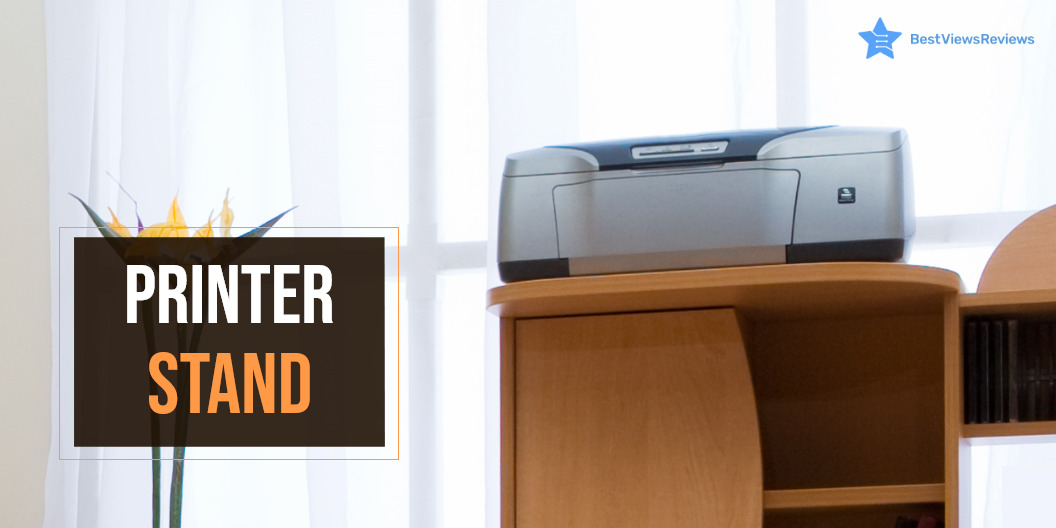
Printer Stand

A printer stand is a short platform that helps you to store a printer. You can place it either under the table or separately. It helps you save some desk space by allowing you to store the printer-related goods in one area. They are common in small offices and homes where home printers are used.

Why Do You Need a Good Printer Stand?

A good and functional stand will allow you to place the printer conveniently. It will save you counter space and stay organized. You can also store printer essentials like cartridges and paper for convenient printing. A quality stand will complement the current set-up too. The stand is available in various shapes and sizes to fit any printer. You can also keep the best inkjet Bluetooth printers on these stands.

Things to Consider Before Buying a Printer Stand

Closed Vs. Open Stand

The open style offers easy access to the printer. You will not have to move the printer constantly when using this style. The open stand offers unrestricted access below the table too.

A closed stand with a single or double door is a good option if you print occasionally. If you don’t want the printing machine to be visible all the time, this is the ideal option. The disadvantage of a closed stand is the inconvenience of moving the gadget every time you need to connect to it.

Low or High-Standing Printer Stands

The height of a modest stand is typically around 40-50 cm. It is ideal for under the table, countertop, or shelf. The printer consists of one shelf and limited printer space. It doesn’t include casters or wheels but is small and light to carry around.

A high-standing stand comes in both closed and open designs. It is available in wooden, metal, or glass materials. It has between 2 or 3 shelves. The stand also has taller and broader storage spaces. A high-standing one is also expensive. The cost depends on the material and design.

Storage Space

Printer and printer supplies require decent storage space. Go with a stand that has multiple compartments. This will allow you to organize and store the printer and supplies like cartridges, papers, paper clips, etc.

Cable Management, Connectivity, And Power Inlet Hole

Printers are available in both tethered and wireless designs. If you have a wired printer, go with a style that allows easy passage of wires without the risk of tripping you. The closed wooden printer stands come with holes to allow the wire to pass through. If you are facing an issue with setting up your printer, read our blog on common printer problems. It will help you identify the problem.

Measure the Set-up Area

A key consideration is to measure the area where you intend to place your printer. It’s always a letdown to buy a piece of furniture only to discover that it doesn’t fit. It is advisable to leave half inches on each side to assess the margin of error.

Suitability with the Interior Design

Go for a printer stand that blends well with your decor. This is an important consideration if you place your printer stand in a particular area of your living room. For example, a steel stand will look out of place in a room with wooden furniture.

Buy the Best Printer Stand

VASAGLE Printer Stand

The reviews of Safco Printer Stand are good because it offers plenty of storage space for supplies on the side shelf. It has great wheels, making it easy to move around. The large capacity of this stand can hold all the essentials and more. This stand is made of high-quality metal to offer high durability. It comes with a wire design that goes with any kind of interior.

HOOBRO Printer Stand

The South Shore Printer Stand provides convenient access to a printer. It has a 2-Door, 1 Adjustable Shelf, and 1 Spacious Drawer with rolling wheels that make it the best storing option. This sleek printer cart can blend in with any existing decor while keeping your workspace tidy. This model also comes with a 5-year warranty.

FITUEYES Large Printer Stand

The eMerit Large Printer Stand comes with 3 storage compartments to store the printer and avoid cable mess. This stand is also an ideal storage solution for speakers, phones, and keyboards. It features an attractive design with non-slip rubber feet to prevent your work surface from scratches and scuffs. This gives a clean and tidy look, regardless of the cables and wires.

Safco Printer Stand

The reviews of Safco Stand show that it is compact and lightweight. It adds a stylish touch to any office. The printer stand features a sturdy steel frame construction with molded-in grooves. This offers stability and maneuvering. The two swivel caster wheels allow mobility. The under-desk stand has a powder-coated finish and is available in black.

The HUANUO Printer Stand

The OROPY Stand stores your desk essentials. It keeps your work area neat and organized. One can use the revolving stand as a bookshelf, printer shelf, storage shelf, or simply as a decorative shelf. It is an ideal solution to keep your desktop organized and free from clutter. It has got good reviews for its dark brown color and vintage style.

Conclusion

Every printer needs a storage area. A quality printer stand is a must-have for anyone who doesn’t have enough desk space. You can use the stands for more than simply printers. Remember to check the dimensions and weight of your printer before purchasing a stand. Read our blog on reliable printer brands, if you are on the lookout for an efficient printer. It is done to make sure they match up with your intended purchase.

BestViewsReviews rates and ranks hundreds of best printers based on technical support, build, quality, and user satisfaction.
A Buying Guide to Find the Perfect Cooktop

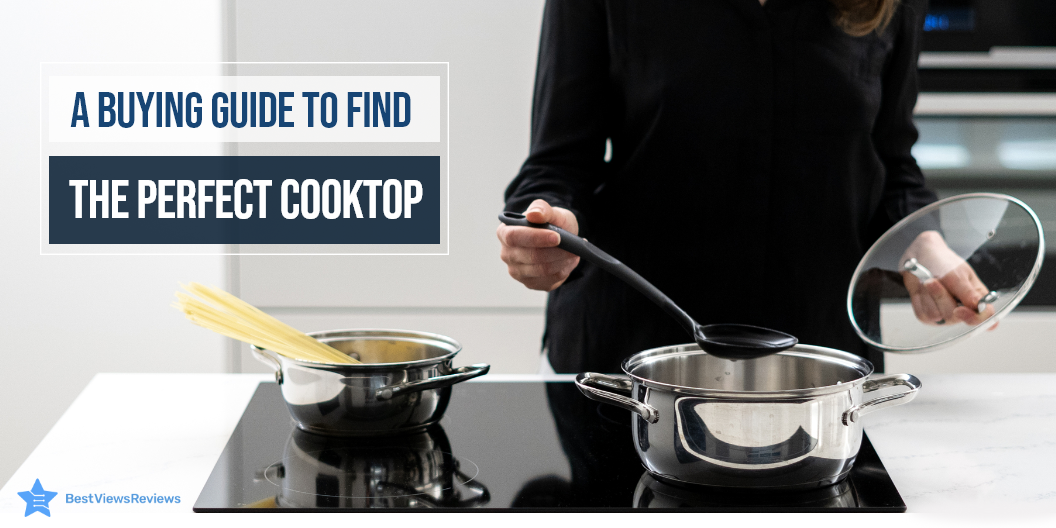
cooktop

A cooktop is a cooking unit that sits on the top of any surface, counter space, or cabinet. It is designed for cooking or heating food. A cooktop takes heat supply from different sources, including gas, electricity, and other fuels. This appliance features heat control knobs that are mostly installed on the top. It is a safe as well as a convenient way for cooking and preparing a variety of dishes in just some minutes. A cooktop unit is easy to clean, compact, and makes the right match to your kitchen décor.

Types of Cooktop

Electric Cooktops

Electric cooktops are glass-ceramic cooktops that are designed with an electric metal coil that is placed under a ceramic surface. The current passes through the metal coil. The coil burns red-hot due to electrical resistance. It then passes the heat to the ceramic surface through infrared energy or heat convection.

These cooktops are easy to use as well as help you cook tasty foods quickly and conveniently. They usually have a sleek and stylish design and come in different sizes.

Gas Cooktops

Gas cooktops are cooktops that use gas as a primary heat source. They feature sealed burners mounted on a ceramic glass surface. You can place the pans or pots directly over these burners. Gas cooktops are also useful because of their precise temperature control feature and sturdy build quality.

They are a cost-effective method of cooking. Many models have dishwasher-safe material that makes them easy to clean and maintain.

Induction Cooktops

Induction cooktops use electromagnetic induction to produce the required heat for cooking food contents. Flat-bottom cookware with magnetic properties is mainly used as they work on electromagnetic induction. These cooktops offer quick heating and save on your cooking time. They are advanced versions of cooktops. These devices also have the ability to automatically adjust the heat output as per the pan size.

Induction cooktops are an essential part of the modern kitchen. You can read our blog on induction cooktops to know more about them.

Features to Consider While Buying a Cooktop

Size

Cooktops are available in the size range of 21 to 48 inches, but most average-sized models are either 30 inches wide or 36 inches wide. You can choose any model that fits best in your counter space. Some models have 4 or 5 burners while others can have up to 6 burners. You can go with 4 or 5 burners if you have limited counter space.

Fuel Type

You can choose any fuel type among gas, electricity, and induction. The gas ones are easy to operate and your pans will immediately respond to temp changes on gas burners. The electric variants are faster than gas variants, but your pans may take a bit longer to adjust to any temp change. Induction cooktops are best of all and offer quick responses.

Bridge Element

You should look for models that come with the bridge element feature. This is a design feature that many cooktops offer. This feature allows you to join the two different burners together as well as heat up elongated pans or grills efficiently. Bridge element also reduces heat loss and lets you prepare your dishes on rectangular or oval-shaped cookware.

Downdraft Exhaust

The downdraft exhaust feature is important to have, especially when you want to get rid of kitchen hoods. This feature takes all odor and smoke from your cooking surface and eliminates them out with the help of downdraft vents. It also allows you to get an open counter space above your cooktop surface.

Electronic Touch Controls

The electronic touch controls help you set your cooktop temp precisely. The models that feature touch controls are comparatively easy to operate, clean, as well as maintain than other standard models. It also eliminates the need for heat control knobs.

You will also require a special type of cookware if you are cooking an induction cooktop. Read our blog on the best cookware for induction cooktops to make an informed choice.

Buy Best Cooktops

iSiLER Electric Induction Cooktop

The iSiLER Electric Induction Cooktop‘s reviews show that it is a new generation induction cooker. It uses the latest touch screen technology and a responsive touchpad to set the temp and adjust the power. This model allows you to set the timer and add 30 seconds to the cooking time. It also offers 17 temp settings and 18 power levels to give you the best cooking experience.

Empava Stove Cooktop

Empava stove cooktop comes with durable knobs and laser-cut full-width edge-to-edge heavy cast-iron grates. It can also be cleaned in a dishwasher for hassle-free, effortless cleaning and maintenance to enhance the premium look. This cooktop comes with 4 burners of different sizes that offer flexibility.

Frigidaire FFEC3025UB

Frigidaire FFEC3025UB is a stylish black-colored electric cooktop. It is available in high-quality and sturdy glass material. It’s 30 inches in size. This cooktop comes with 4 heating elements that allow versatile cooking. The super sleek design of this cooktop will also enhance the look of your kitchen.

FRIGIDAIRE Frigidaire Gallery

The customer reviews of FRIGIDAIRE Frigidaire Gallery mark that it is made of high-quality stainless steel that ensures durability. It also comes with easy controls that allow convenient usage. This dishwasher-safe cooktop is easy to clean. It also comes with 5 burners of different sizes.

Frigidaire FFEC3025UB

Frigidaire FFEC3025UB’s customer reviews say that it is made with high-quality material that offers long-lasting usage. It comes with a voltage of 240 watts that offers fast and even cooking. The polished crystal plate of this cooktop prevents food from sticking to the surface making it easy to clean.

Induction and electric cooktops both come with their own advantages and disadvantages. You might get confused while making a choice between them. Read our blog on induction cooktops vs electric cooktops to know about the difference between them.

Conclusion

Cooktops range from the simplest to the complex models. They come in different sizes, types as well as equip different features. Electric models use a metal element while an induction cooktop runs on the principle of electromagnetic induction. You can go with any model that fits best in your kitchen space.

BestViewsReviews rates and reviews hundreds of gas cooktops and electric induction range on the basis of their temperature control, build quality, and overall performance.

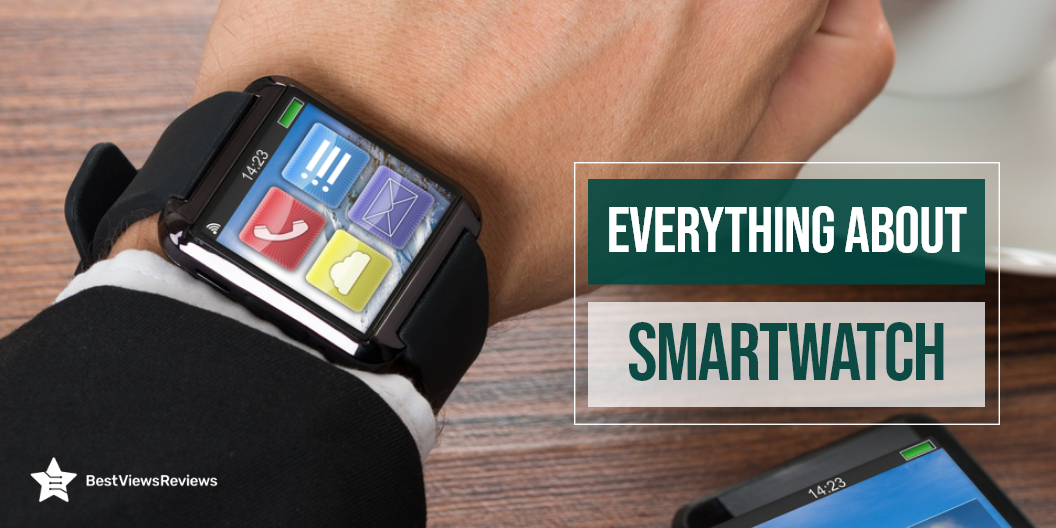
Everything About Smart Watch

Smart watch

A smart watch is a gadget that looks and works like a traditional watch. It combines features like health monitors and sleep trackers to watch over your health. The smartwatch and smartphone communicate via wireless technologies based on GSM standards. Connecting the watch to a smartphone lets you control many of its features from your phone. Smartwatches also act as health monitors. They come with features that can track heart health, pulses, and calories you consume. They are versatile and multifunctional.

Is a Smart Watch Worth it?

Smartwatch as a Health Companion

A smartwatch acts as an ideal fitness companion. It monitors pulse rates, heartbeats, and calorie count. It also tracks the number of steps we take so that we can stay motivated enough to live a healthy lifestyle. BestViewsReviews is an honest platform that rates and ranks top-rated smartwatches. The reviews are based on various parameters. Browse through to check out some of the reviews.

Notifications Access

Smartwatches allow you to access notifications that your phone receives. You don’t have to keep looking on the phone for alerts. The smartwatch stores and displays information like text messages, emails, and social media notifications.

Convenience

The smartwatches are mostly easy to use. The devices are compatible with a wide range of software, such as Android and iOS. Their compatibility with other software makes them popular among users. Many come with NFC (near field communications) that allows you to make cashless transactions. They are convenient for this reason.

Access to Entertainment

Smartwatches allow you to access media and entertaining videos from the internet. The application “Video for Android Wear & YouTube” offers you access to unlimited entertainment.

How Does a Smart Watch Work?

  • Install the smartwatch app on the smartphone, which is either Android or iOS.
  • Once the software installs, the smartwatch and the phone will prompt pairing.
  • It will sync with your phone and you will start receiving updates from the phone.
  • Keep the phone in the ‘on’ mode for the smartwatch to function. The smartwatch display allows you to read text messages, emails, and other notifications.
  • Some smartwatches feature audio that helps you to receive calls. You can also install third-party apps like WhatsApp and Spotify in them.

If you are new to using a smartwatch, read our beginner’s guide for more clarity.

How Long Should a Smart Watch Last?

A smartwatch contains a Li-ion battery that will last anywhere between 2-3 years. Such batteries can offer 200-300 cycles post which they usually fail.

Which Smart Watch is Best?

Burxoe Smart Watch

The reviews of Burxoe Smart Watch suggest that it is one of the best smartwatches for android phones. It has a stainless steel surface that has an anti-sweat matte treatment. This watch offers multiple features like a sleep monitor, alarm clock, music player, and etc. that allow versatile use of a smartwatch. It features a long-lasting 500mAH lithium battery that has an average use time of 3 days.

Apple Watch Series 3

The Apple Watch Series 3 has excellent connectivity that allows you to connect your watch to Bluetooth, Wi-fi, and GPS. It supports multiple applications like a fitness tracker, sleep monitor, pedometer, and heart rate monitor. This watch is compatible with new models of iPhones. It is available in a variety of colors.

IOWODO X5 Smart Watch

The reviews of IOWODO X5 Smart Watch suggest that it has great new features like custom face watch, female care, weather, etc. Functions like these offer you convenience and reduce your tasks. The package of this purchase includes a long-term return policy, online customer service, and warranty services.

Apple Watch SE

The Apple Watch SE has a 2 times faster processor than series 3 and comes in a variety of elegant colors. This GPS model allows you to take calls and reply to texts directly from the watch itself. It supports applications like a fitness tracker, the voice assistant which can be really useful in day-to-day life.

Apple Watch Series 3 (GPS, 38mm)

The Apple Watch Series 3 (GPS, 38mm) has a silver aluminum case and a white sports band that gives a classic look to your wrist. It is durable and waterproof that allows you to use it while swimming. This watch has an optical heart sensor and a retina display. It can store podcasts, audiobooks, and music.

Takeaway

A smartwatch is capable of more than telling time. It allows users to track their fitness, monitor their health, and receive notifications. The benefits outweigh the drawbacks. It’s well worth the money, especially if you’re concerned about your fitness and health. BestViewsReviews rates and ranks leading smartwatches and smartwatch bands based on connectivity, compatibility, and user satisfaction.

How To Cook Pizza Rolls in Air Fryer?

pizza rolls in air fryer

Air fry pizza rolls have risen as a popular and mouthwatering appetizer in many buffets and dinners. They are quicker, easier, and healthier than deep-frying. Cooking pizza rolls in the air fryer requires hot air circulation. This cooks the food from all angles and stops it from becoming greasy. The air fryer can maintain an authentic taste and offer a delicious twist to the recipe. Visit our blog to know everything about air fryers.

Are Pizza Rolls Good In Air Fryer?

Yes, you can make delicious pizza rolls in an air fryer like Instant Vortex. The no oil mechanism results in fewer calories. An air fryer saves you about 15 minutes as you don’t have to preheat the air fryer first. You can prepare these pizza rolls to perfection in seven minutes. This makes the air fryer a better option than a deep fryer, oven, or microwave.

How Do You Cook Frozen Pizza Rolls in the Air fryer?

  • Preheat the air fryer to 380 degrees Fahrenheit. It helps the food cook quickly and evenly
  • Turn on the air fryer and heat the frozen pizza rolls at 380 degrees for around 6 minutes
  • Arrange the pizza rolls in an equal layer inside the air fryer. They can be slightly stacked but may need an extra minute to cook
  • Shake the container halfway
  • Let them rest for 2 minutes before serving

You can also read our blog on how to cook pork chops in air fryer recipe if you like trying out new food dishes. People who love experimenting with different ingredients should also read this.

What Temperature Do You Cook Pizza Rolls at?

You can cook Pizza Rolls at 380 degrees Fahrenheit in an Air Fryer. Sometimes they explode if you cook for too long. You can cook at this temperature for 6-8 minutes. Shake the basket after 4-5 minutes to ensure even heating. The customer reviews of Ninja AF101 Air Fryer claim that it has a wide temperature range that allows to quickly cook crisp food with convection heat.

How Long Do You Put Pizza Rolls in The Air Fryer?

Pizza Rolls take about 6 minutes to cook if you arrange the pizza rolls in a single layer. You should add 3-4 minutes to the cooking time if you are cooking more than half the bag. Ultrean Air Fryer 4.2 Quart’s reviews mark that with innovative heating system and rapid air technology that cooks the food evenly.

Do I Need to Use Oil for Air Frying Pizza Rolls?

There is no need to use oil for air frying pizza rolls. This meal comes out delicious without using any oil. Some people, however, brush oil on the coat for that extra crisp taste. If the air fryer basket is stuck to the food, you can sprinkle oil spray with an EVO oil mister. Using PAM or oil with soy lecithin is not advisable. It can ruin the dish.

What Can you Dip Pizza Rolls In?

You can use pizza sauce or marinara sauce to dip the pizza rolls. You can also use them to dip in the chicken wings or ranch dressing. Pizza rolls are great with spicy and cheesy dips.

Air fryers are easy to use and come with preprogrammed cooking options. You can read our guide on how does an air fryer work if you’re using it for the first time.

Takeaway

The air-fried pizza rolls are a rage at parties and get-togethers. The deep-fried pizza rolls are certainly delicious but packed with calories and fats. This makes them heavy on digestion. The air fryer retains the authentic flavors thus, making them light and savory.

BestViewsReviews rates and reviews hundreds of air fryers and deep fryers on the basis of their build quality, temperature control, and noise level.

All You Need to Know About Small Printer

small printer

A small printer is a portable device that works on the same principle as that of an inkjet or laser printer. It has small dimensions, measuring around 6 inches wide by 18 inches deep by 10 inches tall. The dimensions can vary as per brand and manufacturer. This device is easy to use and set up, which makes it an ideal buy for your home office space. The compact size, lightweight design, and connectivity features are the primary reason behind its increasing popularity.

Buying a small printer is not that easy. It requires considerable time, effort, and research. To make your shopping experience hassle-free, we have crafted an informative guide, below. Check it out.

What to Consider When Choosing the Best Small Printer

Wired vs. Wireless

A small printer is available in wired as well as wireless technology. The wireless connectivity is good for portable handling and keeps you away from the clutter of wires and cables. This device can be connected via Bluetooth or Wi-Fi. Some models also feature a Wi-Fi direct option that connects with local computers and smartphones easily.

Wireless connectivity is undoubtedly a convenient way of connecting your printers, but it can be slow too. There are always some chances of network interference, network error, or a lag in connection. A wired connection requires cables and wires, but it often delivers fast and accurate results.

Quality

The quality of the printer is denoted in Dpi terms. Dpi is dots per inch that a printer forms to create a good-resolution print. In simple words, a high dpi number will mean a higher print resolution. Inkjet printers usually have a dpi ranging from 300 to 720, while laser printers have better resolution capabilities with 600 to 2,400 dpi.

Inkjet printers can print colorful and high-quality photographs. Laser printers are ideal for printing detailed and precise text. Check the dpi of your chosen model before you purchase it. Choosing between laser and inkjet printers can be tough. Read our blog to know if a laser printer is better than an inkjet printer.

Speed

The printing speed matters in deciding the right model. Laser printers like Brother Compact have good printing speed and can print from 20 to 100 pages per minute depending upon the model and print size. The inkjet printer can print about 16 pages per minute. Check the tray space of the printer you want to purchase as well since a larger tray will result in less frequent reloading, but it may result in increased printer size.

Maintenance Cost

Maintenance cost mainly includes ink or toner replacement costs. The maintenance cost can be more with a laser printer, but the per-page cost for printing is comparatively less. This is because a laser printer can print up to 7000 pages in one toner, while an inkjet small printer can give only 135 to 1,000 pages. The reviews of Brother Compact Monochrome show that this model can easily print around 2000 pages in one toner. Whatever model you select, make sure you check the maintenance cost, running cost, and overall cost that you may have to face in the long run. Read our blog to know about common printer problems and their easy fixes.

Connectivity

Other than a wired and wireless connection, you should check some other connectivity features too. Some models can connect with smart home systems and audio control devices like Alexa. This offers better convenience and ease of use. They also have separate SD card ports to support external storage access. It allows you to print your photos directly from your SD card.

Portability

The main idea behind a small printer device is portability. You should look for models like Canon® SELPHY™ CP1300 that are easy to carry and have lightweight designs. You can check for exact dimensions in the product description section. The model you buy should not weigh more than 5 or 6 pounds.

What Smart Features Do a Small Printer Have?

A small printer can have a lot of advanced features depending on the brand and type. Some models can connect to built-in apps for providing convenient and wireless usage. The LED display with a touch control feature lets you give quick and accurate commands. You can also track and monitor ink levels in various small printer models.

How Long Does a Small Printer Last?

A small printer device can easily last around 3 to 5 years, but with proper care and maintenance, the overall lifespan can be increased. Most models come with a limited warranty of 1 year, but the premium models can include an extended warranty of up to 3 years.

What Is The Best Small Printer For Home Use?

The HP DeskJet 3755 is the best small printer for home use. It has a compact and lightweight design with Bluetooth and Wi-Fi-direct wireless connectivity features. This printer comes with a sheet output tray that can hold up to 25 sheets at a time. The input tray can contain up to 60 sheets. It measures 15.86 x 6.97 x 5.55 inches in size and weighs just 5.13 lb.

The Canon Pixma TR150 Wireless Mobile Printer has also got excellent reviews for convenient home usage. It comes with wireless capabilities and can print directly from your smart devices or phones. This model features a 1.44-inch OLED display and an optional battery.

Conclusion

A small printer is a compact, yet useful device for your regular home-office tasks. This printer fits in your compact workspace and quickly delivers high-quality prints. The operation is mostly smooth and quiet. It is good to know all about inkjet printers before choosing any model. We recommend you buy models that are from trusted and reputed brands.

BestViewsReviews rates and ranks hundreds of computer printers on the basis of build quality, print quality, and ease of use.

All You Need to Know About Bluetooth Printer

Bluetooth Printer

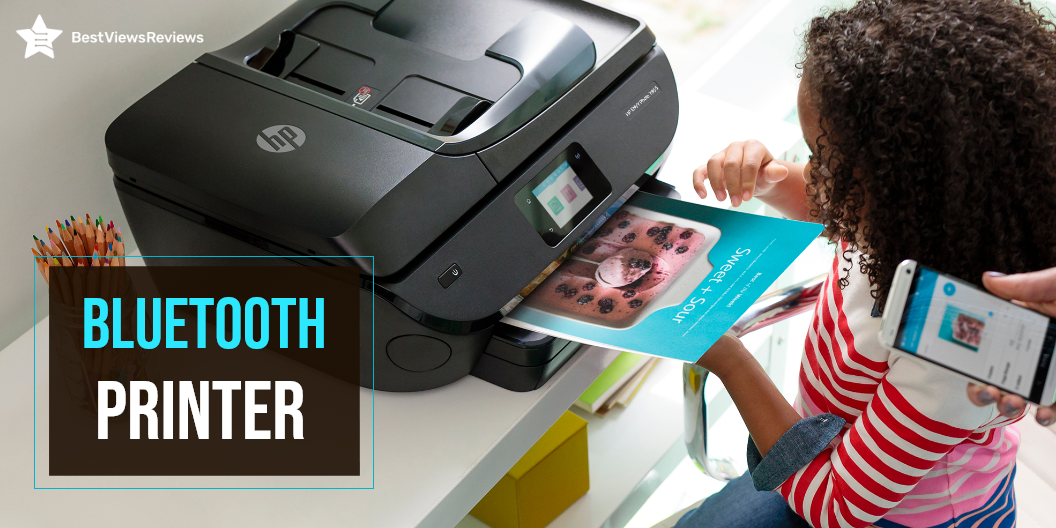
A Bluetooth printer is a wireless printer that connects to a computer or other Bluetooth device. It can then print conveniently. A Bluetooth printer is different from a printing device. A printing device connects to the computer via a USB cable.

The Bluetooth printers can print wirelessly from your computer. A printer connected via Bluetooth supports the ability to print to multiple devices at once. If you are on the lookout for a regular printer, BestViewsReviews has shortlisted the top-rated inkjet Bluetooth printers. They are reviewed on the basis of print quality, compatibility, and support.

How Does a Bluetooth Printer Work?

Printers use Bluetooth technology to enable wireless and cordless printing. The computer can send print jobs directly to the Bluetooth printer without wired connections. You may send print jobs at a data transmission speed of up to 3 Mbps. The speed is fast and can connect to any location. It will be possible to print from many PCs to a single printer using this Bluetooth network. This printer network will function similarly to a network created using your house Wi-Fi.

How Do I Connect to a Bluetooth Printer?

Step 1: Check the Compatibility

Check to see if your printer supports Bluetooth. There are printers that support Bluetooth, and there are others that require an adapter. You can buy Bluetooth printer adapters online or at electronics stores for an affordable price.

Step 2: Connect the Adapter

Set up your adapter. It will install itself to connect one end to your computer and the other end to your printer.

Step 3: Active the Printer

Activate the printer. Ensure it’s plugged into a functional socket and that the printer’s electricity is switched on ideally.

Step 4: Activate Bluetooth in the Computer

Switch On your computer and open Bluetooth devices. Next, move to the control panel and open Bluetooth Devices after you’ve installed your Bluetooth adapter.

Step 5: Connect the Printer to the Computer

Add a printer to connect to the Bluetooth printer. This method is less secure but is simple to understand. Tick the “Turn to discover on” and “Allow Bluetooth devices to connect to this computer” in the settings tab. The printer and computer should automatically detect each other and begin operating.

Step 6: Add the Device

Add the device manually. Select “Add Device” from the device’s menu and follow the installation tutorial to locate your printer.

Step 7: Final Installation

Use the wizard to “Add Printers.” You may also add a printer by going to “Start” and selecting “Printers and Faxes,” then “Add a Printer.” When the wizard appears, pick “Bluetooth printer,” and Windows will automatically look for your printer. If you are not able to connect, read our blog on how to troubleshoot a printer.

Can you Use a Bluetooth Printer without Wi-Fi?

You can use Bluetooth to transfer data from one device to another without a Wi-Fi connection. Several devices require Wi-Fi to function properly. There are some Bluetooth devices that do not work without Wi-Fi. You might need to use Wi-Fi to transfer documents from your computer to your printer over a LAN. You do not need a Wi-Fi connection if you have a Bluetooth printer.

What is the Cost of a Bluetooth Printer?

Bluetooth printers range in price from $25 to $75. You pay according to how much ink you put into your printer. Bluetooth and Wi-Fi are both wireless solutions. There are two primary reasons these technologies differ. You may get equivalent print output if you buy compatible ink cartridges – you could save up to 60% by doing so.

Check the type of ink cartridges–or refill options–available when buying a new Bluetooth printer. The alternatives you can choose from depending on the model and feature you are using. You may need a refilling kit for some ink cartridges. Kits like this can save you money while also serving as a fail-safe if you run out of ink when you least expect it.

Is a Wireless Printer the Same as a Bluetooth Printer?

No, they both differ in the following ways.

Range

Since Wi-Fi has a range of around 300 feet, you may put your printer in a central location where everyone can use it. It will allow you to keep your printer close to your Bluetooth-active devices. •

Transmission rate

Wi-Fi transmits data at a fast 55 Mbps. It allows you to print rapidly and deliver larger files to the printer without slowing down the network. Bluetooth is a little slower than Wi-Fi, but it’s widespread in portable devices like cell phones and digital cameras.

Buy Best Bluetooth Printers

The Kodak Bluetooth Printer

The Kodak Dock Plus lets you create and share with ease. Connect a compatible iOS or Android device and print directly from your phone or tablet. You can use the free Kodak Smile app to edit and enhance your photos. This instant printer uses 4pass technology to print flawless photos instantly. You can also print and share via text, email, or social media.

HP ENVY 5055

The HP ENVY 5055 is compatible with iOS and Android devices. You can print through your Smartphones and tablets. The printer supports Bluetooth and Wi-Fi and allows you to print directly from your computer or the cloud. It has a wide range of printing paper support, including 4 x 6 inches, 5 x 7 inches, and 8 x 10 inches. This printer has got good reviews for its Auto-Duplex technology that prints on both sides of the paper.

HP OfficeJet 250

The reviews of HP OfficeJet 250 show that it is an all-in-one portable printer that can scan, copy, and meet your portable printing needs. It supports various sizes to print letters, legal statements, envelopes, and photos. This printer has a 2. 65″ color touchscreen, auto document feeder, and more. The Bluetooth printer is compatible with Windows, Mac, and Linux.

Canon Pixma TS6320

The Canon Pixma TS6320 print, scans, and copies with ease and efficiency. This printer has a mobile printing solution that enables you to print directly from your Smartphone or tablet with the Canon PRINT app. The PIXMA printer can print up to 15 pages per minute in black and white. It also has auto 2-sided printing for convenient copying and scanning. The printer features an auto-duplex printing feature that saves paper and ink. It has got good reviews for its 1.44” OLED + LED status bar.

HP OfficeJet 5255 Wireless All-in-One Printer

The HP OfficeJet 5255 Wireless All-in-One Printer has a 35-page auto-document feeder and automatic two-sided printing that offers convenience. It comes with the HP Smart app that allows you to print and scan remotely. This model has Dual-band Wi-Fi for a stable and reliable wireless connection.

Key Takeaway

Bluetooth printers are convenient, easy to use, and efficient. It’s, however, important to be aware of security concerns. You must create your own Bluetooth password for every network you create. Data is only accessible to authorized users, thereby reducing the risk that sensitive information is lost or misused.

BestViewsReviews helps you find the best products on the market by rating and reviewing them on the basis of print quality, function, and user satisfaction. Get unbiased, honest reviews of products before you buy.

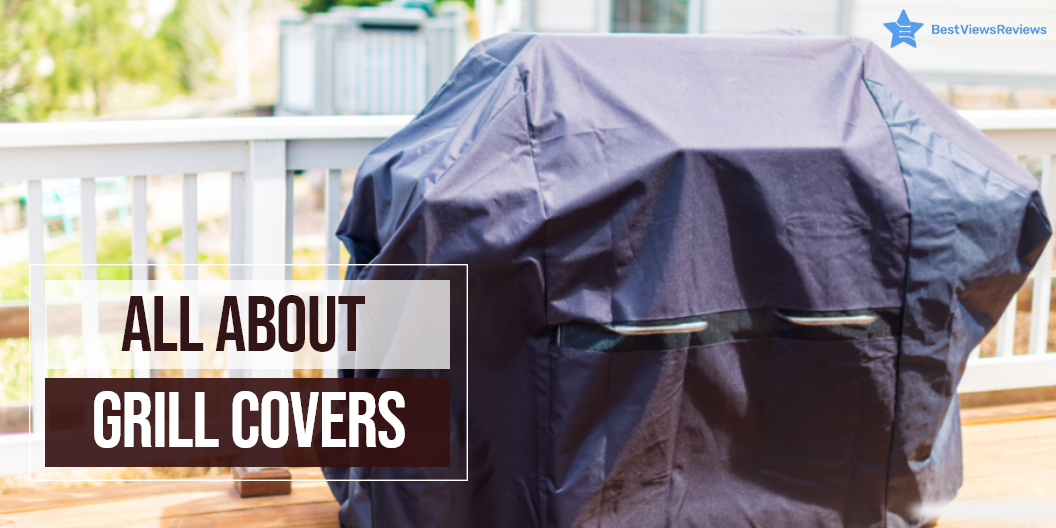
All You Need to Know About Grill Covers

Grill Covers

Grill covers are made of water-resistant and durable materials that keep your grills protected from rain, sun, and other external factors. The right cover for your grill is important in increasing the overall lifespan of the grills. Some grill models come with complimentary covers, while others don’t. Grill covers bought from local markets don’t have easy returns or money-back policy on them. You should measure your Grill and purchase a suitable one online. Our blog how to pick the right grill covers will help you choose the most suitable one.

Do I Need a Grill Cover?

Covering your grill keeps it clean and prevents it from rusting. The grill may be more practical without a cover in some cases. Picking up a grill cover is a must if you have invested in a grill that is less expensive and has average quality. The weather may also play a crucial role here. The dry or coastal areas call for a strong need to buy a grill cover. Covering your grill in a humid area will be a bad idea. A good quality grill can withstand extreme weather conditions.

How to Choose the Best Grill Covers?

Check The Material

Grills covers available in the market are mainly made of vinyl, polyester, and canvas. Vinyl covers are ideal for the rainy season and are mostly water-resistant. The polyester and canvas covers are also high-quality covers that come with sturdy construction and a durable build. Canvas covers are also fire resistant and can withstand all weather types. You can go with any material that is durable and fits within your budget limit.

Determine the Size

Grills come in dozens of shapes and sizes you will have to measure your grill for the correct size and perfect fit. Start with the height and measure the distance from the ground to the topmost point of your grill. Move on to measure the width, the distance between the extreme edges of the grill. Make sure to include the side burners and the shelves. Lastly, measure the depth by horizontally placing the tape from the back of the grill to the front.

Once you have the right measurements, pick a cover that is two or three inches larger than the dimensions of your grill. Ensure that the shape of your cover matches your grill perfectly.

Features

You should look for covers that come with additional features including handle straps, air vents, pockets, and accessories. The handles and straps will let you wrap your grills with ease, while the air vents are beneficial in preventing rusting and keeping your covers moisture-free. The additional pockets are good for storing your cooking essentials.

Budget

You should find a product that doesn’t exceed your budget value. Look for affordable models or consider comparing different models online. You can buy a good quality, durable grill cover for just around $30.

Ways to Keep The Grill Cover On

Wrap the Cover With Bungee Cords

Tie a bungee cord to your covered grill to keep it intact. Try to find a long one or tie a couple of short ones together. Make sure it’s stretchy and effectively wrapped around the grill cover.

Use a Gust Guard

The gust guards prevent the grill covers from being blown by the wind. Cover your grill, attach the clamps at the bottom of the cover and fasten the cord.

Tuck the Cover Under The Lid

Tucking the cover under the lid is the easiest method. Place the cover over the grill, lift up the lid and tuck the edges inside. You can buy cover like the iCOVER 30 inch Grill Cover that is mostly bigger than the lid; and ensure there is some part left to be tucked.

Use a magnet

A magnet is a perfect alternative to straps and windings. It will stick to your steel grill and hold the cover in place until a hurricane blows it away.

How to Clean a Grill Cover?

When your grill cover works so much, it needs some attention too. Make sure you clean it regularly. Follow these easy steps to clean your grills thoroughly.

  • Remove any debris or leftover food
  • Rinse the grill cover down
  • Spray a cleaner all over the surface and let it sit for some time
  • Rinse it properly
  • Let it dry

Deciding between Propane Vs. Natural Grill can be confusing. Read our blog to know how to buy the best gas grills.

Buy Grill Covers

Coleman NXT RoadTrip Grill Cover

The reviews of Coleman NXT RoadTrip Grill Cover show that it is an ideal product for outdoor grills. The grill cover is made with heavy-duty materials and is designed to last long. It is weather-resistant and provides excellent protection to your grills from outdoor elements. The cover is easy to adjust and features side air vents that allow air circulation. It measures 12.88 x 3.5 x 11.5 inches and weighs around 0.65 pounds.

Cuisinart CGC-19 VersaStand Cover

The Cuisinart CGC-19 VersaStand Cover has convenient handles and adjustable straps to fit most outdoor grill models with 3 to 4 burners with ease. The cover is made of heavy-duty waterproof 600 denier nylon. It keeps your grills protected from snow, rain, and other external elements. It has a fade-resistant feature that keeps it safe from sun damage.

A1cover Grill Cover

The A1cover Grill Cover is of sturdy polyester material and is able to withstand rough environmental actions. It has separate straps that offer convenient closure and fastening. The material is water-resistant and fade-resistant. This model has got good reviews for its durable and long-lasting nature.

iCOVER 28 inch Griddle Cover

The reviews of iCOVER 28 inch Griddle Cover mark this model as the best affordable cover made of 600D heavy-duty oxford polyester material. It features double padded handles and straps that allow you to cover your BBQ grills easily. It measures 47 x 20 x 31 inches in size and comes with an air vent to minimize condensation and prevent moisture.

Conclusion

Grill covers are the best companion for portable grills that are usually placed outside and are subjected to different weather resulting in wear and tear. A Grill cover helps in keeping your Grill safe and adds more years to it. Keeping the above factors in mind, you should be able to find the perfect grill cover easily.

BestViewsReviews rates and reviews hundreds of grill covers on the basis of build quality, convenience, and customer satisfaction.

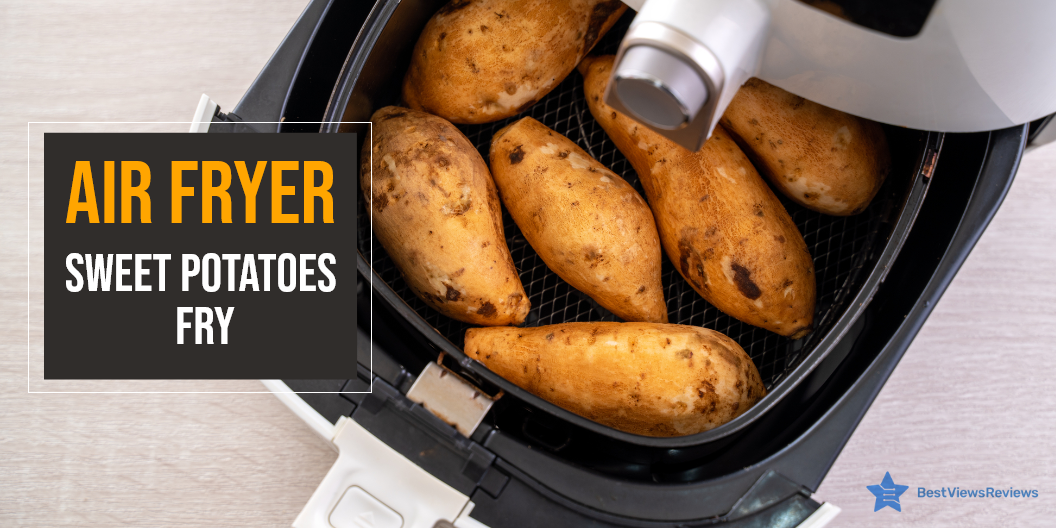
How to Make Sweet Potatoes Fries in Air Fryer?

sweet potatoes fries in air fryer

An air fryer is a popular kitchen appliance that is used to cook a variety of dishes including baked potatoes, French fries, and sweet potato fries. It is a healthier way to cook sweet potato fries because it cooks using the flow of rapid hot air and gives you crisper fries with great flavor in just 10 to 15 minutes. Air Fried sweet potato fries are an excellent alternative to deep-fried ones. They contain more nutritional value and require less oil during frying. Air Fried sweet potato fries are easy to cook and a healthy snack that you can prepare with almost no effort.

Air fryers are electronic devices that are used to make quick and healthy meals. You can read our guide everything about air fryers to know more about them.

Recipe For Sweet Potatoes Fries in Air Fryer

Cut Sweet Potatoes Fries

Take two medium-sized sweet potatoes. Make sure the length of sweet potatoes is equal to the length of fries that you are going to cook. Peel your potatoes after cutting the rough ends.

Cut the sweet potatoes from the middle in half proportions. It will make it easy to keep the half-sweet potato on the board and cut long slices. Keep the slices thin from 1/4-inch to 1/2-inch.

Season Sweet Potato Fries

Take a bowl and place your fries in it for seasoning. Now, sprinkle your spices including pepper, salt, and paprika. Add a little oil once your spices have settled on the fries.

You can use any oil with less smoke and mild flavor. We recommend you go with avocado oil or you can even also go with cooking spray.

Cook Your Fries In The Fryer

Most air fryers like COSORI Air Fryer need to be preheated before you put your fries into them. Preheat your air fryer at 380-degree temperature. You can mix your seasoned fries in the bowl during the preheating time.

You can now pour your fries into the air fryer basket. Shake the basket a little to spread your fries evenly. Wait for your fries to be turned out crispy. You can also shake the basket in the middle or close to the end.

You can also read our blog on 5 lip-smacking vegetarian air fryer recipes if you love experimenting with food.

Tips For Sweet Potatoes Fries in Air Fryer

Cut The Potatoes Evenly

Cut the sweet potatoes in long slices of equal size and height. This will give your fries a better taste and crispiness. Use sharp knives and a flat cutting board to achieve consistent cuts. Make sure the potatoes you have picked are of almost the same height.

Preheating Your Fryer

Preheating is not a must-do thing with some fryers but it’s a recommended step to get an accurate temperature. Preheat your fryers a few minutes before and your fryer will be all set to cook crispy fries.

Don’t Overcrowd The Basket

Overcrowding will lead to improper heat supply to your fries. So don’t pour all your fries into the basket at once. This may cause a steaming effect instead of making your fries crispier.

Air fryer ovens are smart devices that let you make crispy and delicious food in minutes. You can read our guide on air fryer ovens to learn more about them.

Turn Your Sweet Potatoes In The Middle

You should spread your sweet potatoes in the basket and keep on shaking them in the middle or towards an end. You should also turn them upside down as the lower side of the fries receives more heat than the top side. Turning your fries in the midway will make them crispier. Ninja AF101 Air Fryer’s reviews say that its wide temperature range allows it to quickly cook crisp foods with convection heat.

What Kind of Oil is Best For Sweet Potatoes Fries in Air Fryer?

You can use any cooking oil that comes with a high smoke point like olive oil or coconut oil. We have used avocado oil in the above recipe because of its mild flavor and great results. You can also add cooking spray, but make sure you add it before sprinkling your spices.

How Long Should I Cook Sweet Potatoes Fries in Air Fryer?

It should generally not take more than 10 or 15 minutes to get your fries ready, but it majorly depends upon the air fryer model you use. We suggest you set your fryer at 380°F and keep your fries for 10 minutes after preheating your air fryer. You can later add 1 or 2 incremental minutes to get the perfect crispy effect. The customer reviews of Ultrean Air Fryer 4.2 Quart show that it comes with rapid-air technology that allows cooking the food evenly.

Conclusion

Fried sweet potato fries are the best snacks for your family, friends, and small gatherings. They hold their nutritional value and taste more flavored and crispier. You can prepare fried sweet potato fries in just a matter of a few minutes with the right air fryer. Do follow the above recipe to make a crispier and tastier batch of sweet potato fries.

BestViewsReviews rates and reviews hundreds of air fryers and deep fryers on the basis of their noise level, build quality, and design.

All About Compact Ice Cream Makers

ice cream makers

Ice cream makers are portable machines that help in making ice creams at home. This machine works on either the hand-cranking method or equips an electric motor to churn the mixture properly and maintain the right consistency. It has a freezing element that simultaneously works to freeze the mixture while churning. The ice cream prepared through this machine is ready to serve or consume. An ice cream maker lets you enjoy fresh and delicious homemade ice cream. You can make your ice cream mixtures rich, yummy, and flavored by adding your preferred ingredients.

Electric ice cream makers are quick and easy to use. This device is great for making ice creams and sorbets in summer. You can read our guide on electric ice cream makers to know more about them.

Are Compact Ice Cream Makers Worth It?

A compact Ice cream maker helps you prepare delectable frozen desserts in less time. The traditional method of using a churner and mixer at home takes more time and can be a tedious experience. Sometimes even hours of hard work are not enough to prepare an Ice Cream that tastes like the ones you prepare using ice cream makers. For this simple reason, ice cream makers are a worthy addition to your kitchen space.

Buying an ice cream maker will let you have restaurant-quality ice cream without investing a lot of time, effort, and money.

How do Compact Ice Cream Makers work?

The ice cream maker consists of a drum that houses a cylindrical canister and frozen rock salt to freeze the custard mixture. The central churn is stirred to churn the mixture and add air to it. Some models include electric motors that rotate the canister. The ice crystals from the sides are pushed into the drum after being scrapped into a smaller size. The basic principle that all types of ice cream makers follow is to churn the mixture while adding fine ice crystals simultaneously. You can read our guide on different types of ice cream makers to know more.

How to Choose Compact Ice Cream Makers?

Power input

Ice-Cream makers are powered by electricity and vary as per the power of their motors. For commercial production, powerful motors are involved and for small-scale production, less powered motors are used. It’s important to consider your requirement and the amount of electricity your selected model will consume. The type of motor is also important to consider before buying an Ice Cream Maker.

Size

The size depends on your consumption. We recommend you go with a powerful ice cream maker if you have a family with a frequent demand for Ice Cream. You can go for a smaller compact size model if your ice-cream requirements are less.

Convenience

Ice cream makers with extra bowls that can be easily detached and lifted are more convenient to use. Some models also come with a digital panel with manual controls and settings. Checking repeatedly when the Ice Cream is ready or not is a hassle. This led to the increased demand for automated models. Such models are easy and convenient to use as you just have to feed in the ingredients and let the machine do its job.

Read our blog on how to use ice cream makers to learn the functioning of the ice cream maker.

Cost

Manual Ice Cream Makers can cost you as low as USD 100 but for makers with a faster compressor and powerful motor, the cost may range somewhere between USD 200 and USD 300. The advanced features and options will increase with the increase in cost.

Buy Compact Ice Cream Makers

Nostalgia Flavor Electric Bucket Ice Cream Maker

Nostalgia Flavor Electric Bucket Ice Cream Maker has a 4-quart capacity. You can make ice cream, frozen yogurt, or gelato in this maker. The plastic-lined interior of this maker allows for hassle-free easy cleanup.  It also comes with a see-through lid to easily view ice cream flavor and for freezer storage. The powerful electric motor of this device does all the churning and eliminates manual effort.

Whynter ICM-200LS Automatic Ice Cream Maker

Whynter ICM-200LS Automatic Ice Cream Maker does not require any pre-freezing. You can make ice cream, frozen yogurt, sorbet in this maker. It comes with stainless steel housing and a reliable built-in audible timer. The BPA-free aluminum removable mixing bowl and churn blade of this maker allow easy storage and effortless cleaning.

Chef’n Sweet Spot Ice Cream Maker

Chef’n Sweet Spot Ice Cream Maker’s reviews claim that it features a large capacity that can make up to 1-1/2-quarts of ice cream. This maker also comes with a double-insulated freezer bowl that eliminates the need for ice. The transparent lid of this device with a large spout makes adding ingredients simple and mess-free.

Cuisinart Ice Cream Maker

Cuisinart Ice Cream Maker’s customer reviews show that it has a built-in double-insulated freezer bowl that eliminates the need for ice. This maker comes with a high-quality mixing paddle that makes frozen desserts quickly and easily. It features a large capacity that can make up to 1-1/2-quarts of dessert. It has a compact design and won’t take up much space.

Cuisinart ICE-21CRM Ice Cream Maker

Cuisinart ICE-21CRM Ice Cream Maker has a compact size. The mixing paddle of this maker makes frozen desserts in 20 minutes or less. The double-insulated freezer bowl of this ice cream maker eliminates the need for ice. It comes with a large capacity and easy lock transparent lid.

Conclusion

Ice Cream Makers can satisfy your gelato cravings anytime. This makes them your favorite appliance. You can take the portable ones to your family get-togethers to enjoy the mouth-watering delight. Bring these makers home to enjoy your dessert with your family and friends. Make sure you consider the above factors before finalizing any model.

BestViewsReviews rates and reviews hundreds of ice cream makers and frozen desserts on the basis of their noise, taste, and quality.

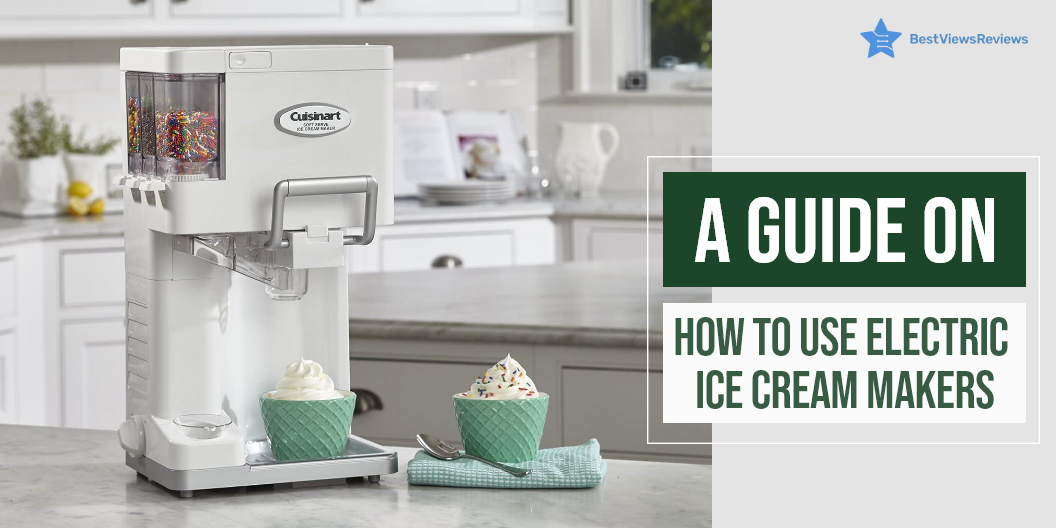
Electric Ice Cream Maker: A Beginner’s Guide

electric ice maker

If you believe in the goodness of homemade ice cream, then having an electric ice cream maker is ideal. An electric ice cream maker is fast, efficient, and handy. Fill the ice cream maker with ice-cold water and plug it in. You will have the perfect ice cream ready in less than 10 minutes. There are many types of ice cream makers and they usually allow you to store homemade ice cream for up to 2 weeks.

Why Should You Use Electric Ice Cream Maker?

Can Choose Ingredients

An electric ice cream maker is convenient. It offers you the flexibility to make ice cream depending on your mood, taste buds, and preferences. You can make either fresh fruit ice cream with nuts and almonds or you can make your own version of cookies and cream.

A Healthier Option

Store-bought ice creams contain high sugar levels. Consuming such ice creams frequently may lead to illness and teeth problems. An electric ice cream makes gives you the option to exclude sugar. This makes home made ice creams a healthier choice.

Tastier than Commercial Ice Cream

The home made ice cream is tastier than the store-bought ice cream. The ingredients used in the electric ice cream maker are fresh. They do not have preservative or ingredients that are harmful like emulsifiers. Good brands of ice cream have quality ingredients and do not harm the health. BestViewsReviews rates and ranks hundreds of leading ice creams and frozen desserts based on genuine user reviews, flavor, and ingredients.

How to Use Electric Ice Cream Maker?

Get the Mix Ready

Mix all the ingredients you want to get the perfect taste. Pour milk, cream, sugar, and toppings and give them a nice stir. You can’t add the ingredients once the ice cream maker starts. This is to keep the air bubbles from forming. Chill your mixture in the freezing bowl for an hour or two before serving.

Rock Salt/Gel Model

The rock salt model and the gel model are two of the many models on offer from many brands. Use ice cubes and rock salt in your machine’s outer bucket if it has a rock salt model. You must refrigerate the bowl if you are working with gel models. Gel models contain a cooling liquid inside their insulated walls. You should freeze it for 10 hours before you start the process. Make sure you read the manual for clarity.

Set the Bowl

Set the freezer bowl on the base. Make sure that the bowl is full up to 3/4th of its capacity. Overfilling the bowl might cause the contents to spill and the ice cream might lose its flavor.

Placing the Mixing Paddle

The mixing paddle is a removable and essential part. You should place the paddle in the middle of the freezing bowl with the circle side up. There is a designated place to put it. After securing the lid over the paddle, make sure the container is air-tight.

The Making Process

After switching ‘ON’ the machine, wait till the thickness and volume of your ice cream increase. Allow the paddle to work till the desired density is achieved. The paddle may work on the mix for 30 minutes.

Serve

Scrape the ice cream out with the help of a non-stick spatula. A metal spatula can scratch the insides of your bowl. Once the ice cream is ready, serve it immediately. You can also store it in the freezer to enjoy it later. Enjoy your Gelato by serving it into cornets or in a cup with some candies on top. You can add on more taste to this delicious dessert with hot chocolate and nuts.

Storing and Washing Guidelines

Maintaining an electric ice cream maker is an important part of ice cream. It is best to clean a machine only when it has attained room temperature. You can rinse the bowl and other parts with soapy water. Make sure to not allow water into the motor. Before storing it, dry the parts as otherwise, they may rust. We also have a blog on how to use an ice cream maker. Visit our blog to know more about it.

Best Electric Ice Cream Makers To Buy

Cuisinart ICE21R Ice Cream Maker

The Cuisinart ICE21R Ice Cream Maker can prepare 1-1/2-quarts in up to 20 minutes. It equips the double-insulated freezer bowl that eliminates the need for ice. The transparent lid with a large spout is easy to lock. This allows you to add ingredients conveniently without creating any mess. This model has got excellent reviews for its compact size and design that measures 9.50 x 9.00 x 11.25 inches.

Cuisinart ICE-21PK Ice Cream Maker

The reviews of Cuisinart ICE-21PK Ice Cream Maker show that it comes with a frozen canister. It makes frozen treats from scratch with the push of a button. The design of this electronic ice cream maker keeps the air out of the freezing chamber. This ensures a smooth and creamy texture. You can make up to  1½ quarts of frozen desserts in this Cuisinart ice cream maker. The generous opening for the dasher allows you to add the ingredients while the ice cream is still churning.

Hamilton Beach 68330N Ice Cream Maker

The Hamilton Beach 68330N is your solution for creating healthy frozen desserts without the fat, calories, and mess of a traditional ice cream maker. The large 4-quart bowl accommodates up to 4 quarts of your favorite mixture. It can prepare delicious frozen desserts in just 30 to 40 minutes.

Cuisinart ICE-21P1 Ice Cream Maker

The Cuisinart ICE-21P1 Ice Cream Maker comes with a double insulated wall to create fast and even freezing. The ice cream maker features an elegant design that looks great in any kitchen. It has got good reviews for its heavy-duty motor that is strong enough to handle ice cream, frozen yogurt, sherbet, and frozen foods. It has a large capacity of 1-1/2-quarts.

KitchenAid Ice Cream Maker

KitchenAid Ice Cream Maker is an ideal choice if you’re looking for a fast and easy way to make your frozen treats. This ice cream maker allows you to make 2 quarts of frozen yogurt, sorbet, or ice cream in 20 minutes. You can easily clean this model with warm soapy water. It includes a freeze bowl, dasher, and drive assembly.

Conclusion

Ice Cream makers are handy appliances for family get together and parties. Electric ice cream makers offer ice creams like quality store-bought ice creams. You can also add your own flavors and top them with nuts and jam. Compact ice cream makers offer us a convenience like never before. If you are someone who loves ice cream, then it will be a purchase worth your money.

BestViewsReviews rates and ranks hundreds of ice creams makers and accessories like ice cream scoops. The reviews are based on convenience, noise, features, and customer satisfaction.